

Accessories
Huawei Watch 4: A smart, independent heavyweight challenger
Health, fitness, connectivity, and more

There is a science behind visualizing your goals in a tangible manner to increase the likelihood of achieving them (h/t Forbes). This is why dream and vision boards are a thing right from our adolescent years. Others, meanwhile, love keeping diaries, journals, and planners.
I somehow relate to a very specific circle when it comes to fitness goals. I have had quite the obsession of looking at my workout stats to check if I’ve accomplished something new. Running and fitness apps have made working out more organized, especially if you need to time your exercises or be accurate with rest intervals.
When GadgetMatch introduced me to smartwatches, I’ve always liked its essential features like counting your daily steps and measuring your heart rate. Naturally, more expensive ones like the Apple Watch and Samsung Galaxy Watch series boast of more features and standalone capabilities.
Huawei recently released its latest wearable in the Huawei Watch 4. It promises a smart independent experience in a flagship-level package. We had a few weeks to try it out, and here’s a glance at whether it’s enough to challenge its contemporaries.
Huawei Watch 4 specs
- 1.5-inch LTPO AMOLED 3D curved screen
- Stainless steel case
- 10.9mm thin, 48g light
- IP68 rating for free diving up to 30 meters
- Over 100 workout modes
- eSIM compatibility
- Support for SMS, calling (with built-in speaker, microphone)
- Independent navigation
- AI voice typing
- Respiratory check and PPG arrhythmia screening
Usage, feel
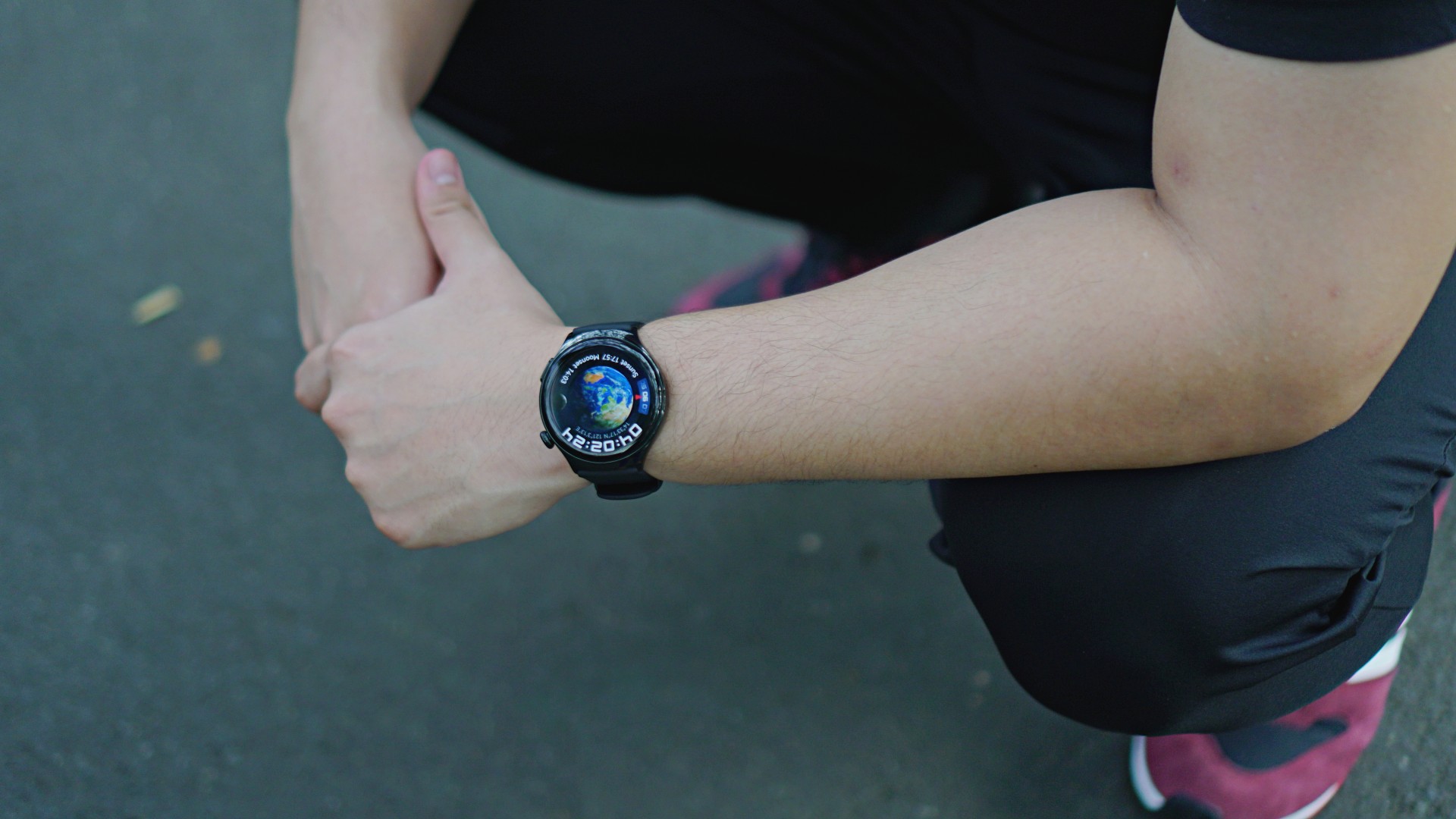
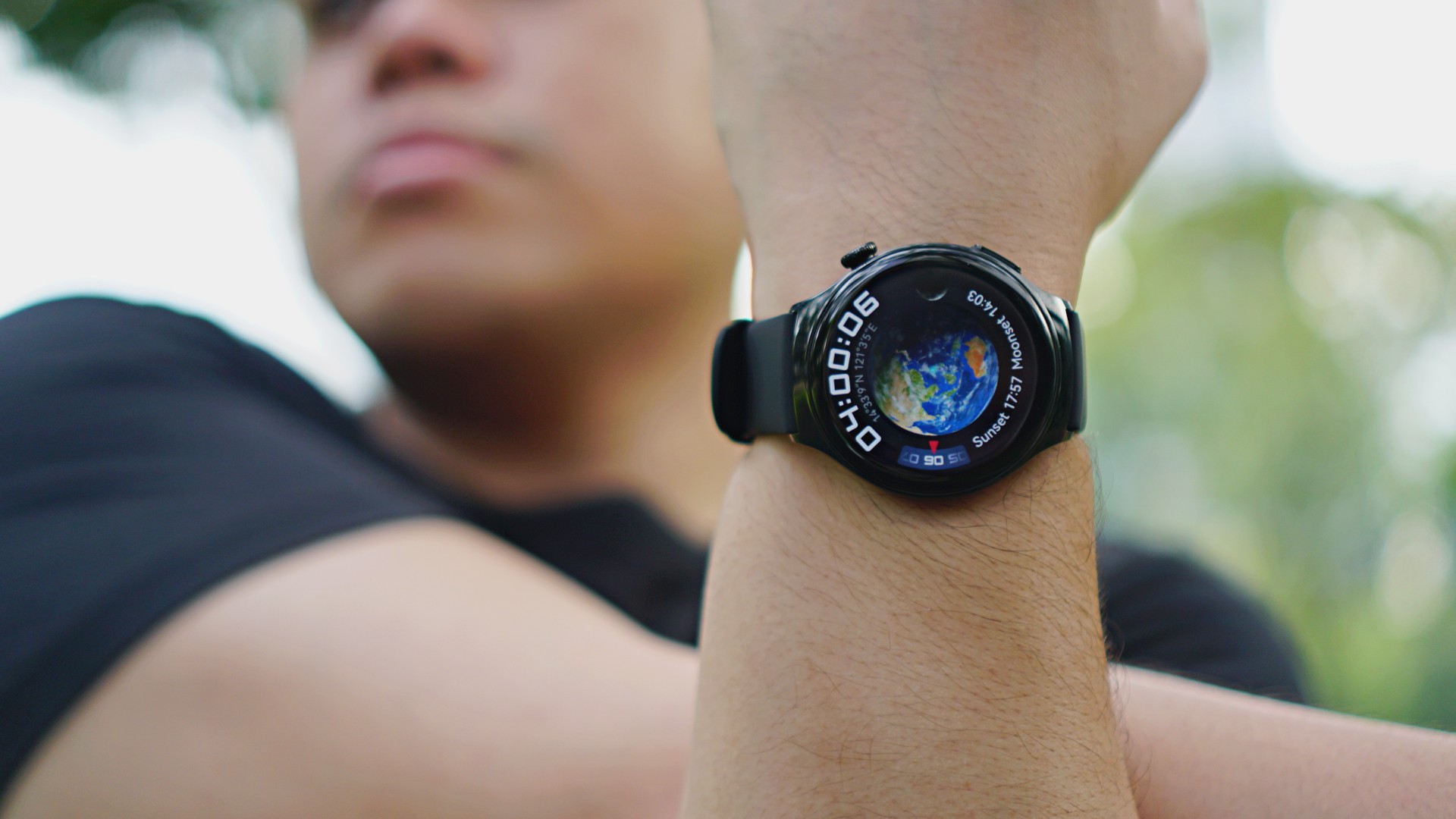
The Huawei Watch 4 is thinner and lighter than Huawei’s previous offerings. does not cause strain even when worn throughout the entire day, at least in our experience. The watch has three main parts: the display, the crown on the upper right, and the quick access button on the lower right.
The crown acts as the watch’s home button that takes you to the default screen with a touch. I like how it resembles those in traditional watches I’ve worn before, but only bigger. It also activates the app list on just one press. You can rotate the crown to zoom in and out or scroll up and down with ease.
The quick access button, meanwhile, triggers three shortcut buttons that shall appear on the lower right of the watch’s display. These buttons are customizable, so it’s up to users which apps to put. I set mine to workouts, messages, and calls in that order, which saves me time.
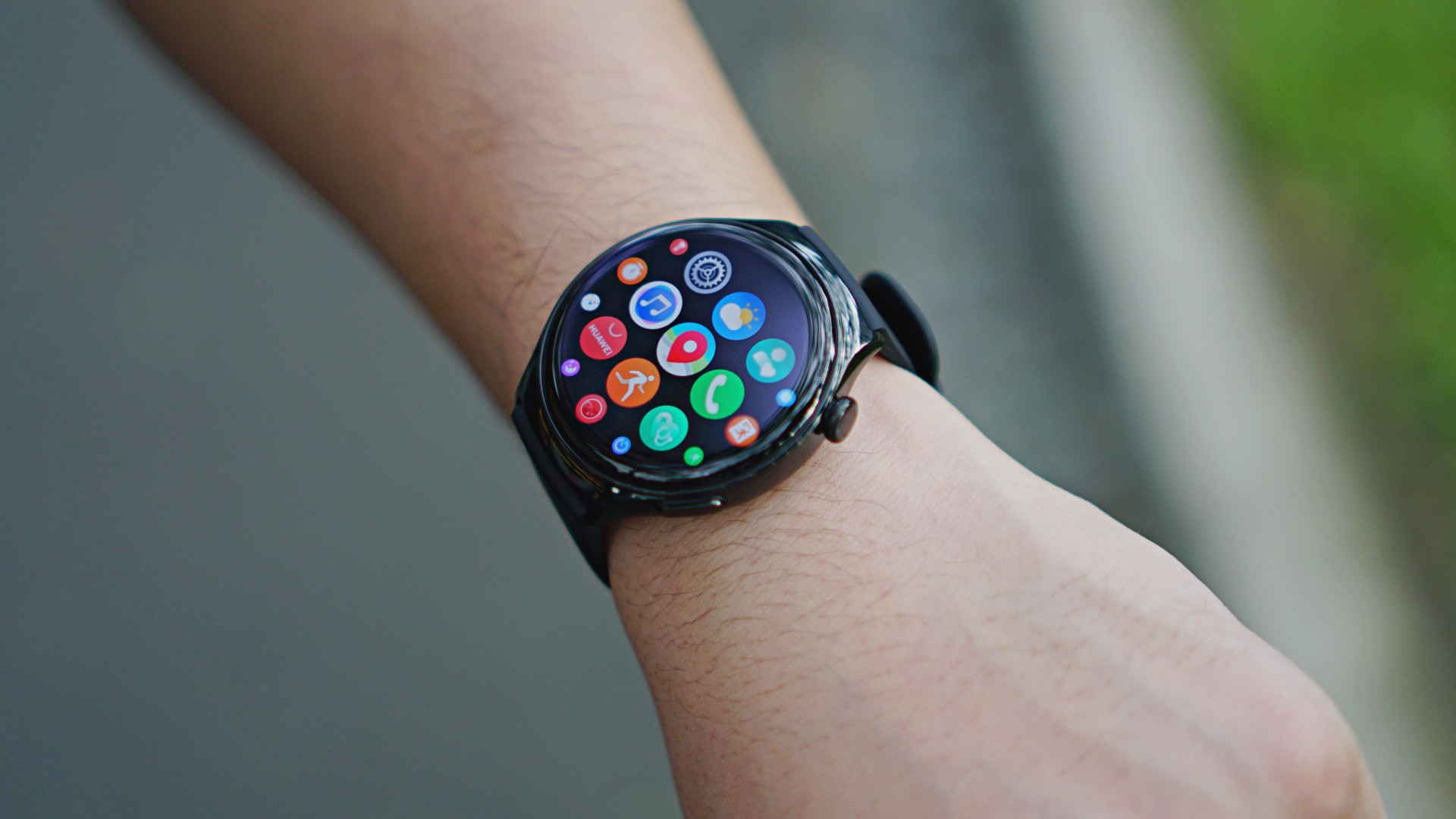
Overall, the Huawei Watch 4’s user interface looks neat and smooth. From the home screen, a swipe in each of the four basic directions displays different sets, like notifications, settings, and your daily physical activity. It doesn’t take too long to be accustomed to using this wearable.
All-in-one health companion
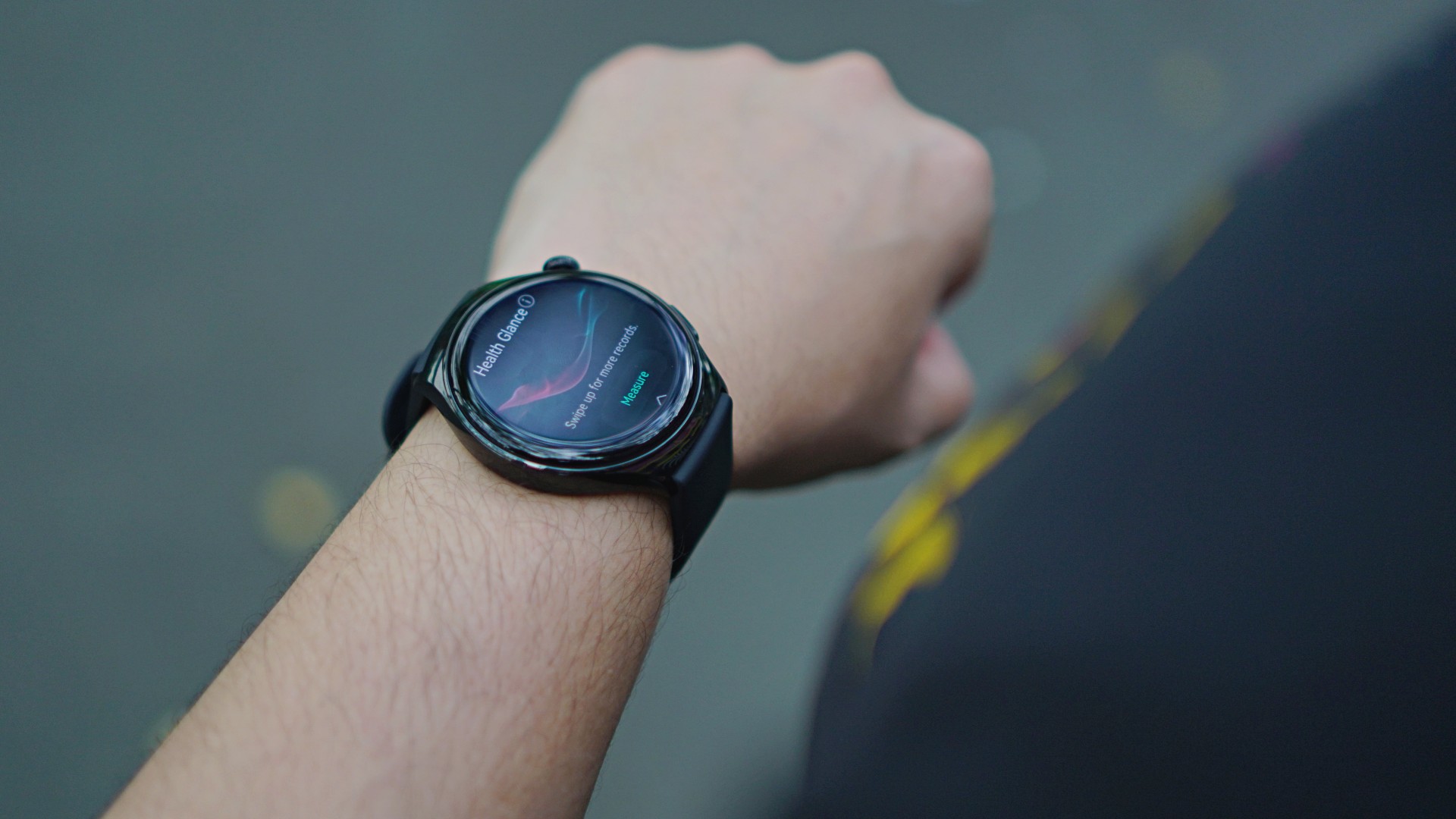
It should be pretty straightforward by now that smartwatches aren’t meant to replace actual checkups with physicians. Rather, they’re here to record daily health trends and identify if there are abnormalities or anything unusual.
The Huawei Watch 4 bring cutting-edge health features right to your wrist, including Health Glance. This feature allows users to undergo a quick 90-second checkup to screen seven essential health indicators. These include heart rate, SpO2, and even lung health.
At one point, the watch will ask you to cough for about 15 seconds as part of its respiratory check, a first for a Huawei wearable. Speaking of firsts, the Huawei Watch 4 also debuts a manual measurement for arterial stiffness, a.k.a. a “cholesterol check.”
I find these services of great help, even if it’s not your primary reason for thinking about buying one. As you age, the more you realize how important it is to actually check on your body every day. You’ll eventually know if something “feels” wrong, but it’s good to have a device to monitor if there are anomalies.
eSIM support for messaging, calling, more

Huawei is also introducing eSIM support for the Watch 4. If you have a Huawei smartphone, you can use just one number for both the phone and the watch. We registered and installed a prepaid eSIM on the wearable to test this. I was able to send and receive SMS texts easily. I tried calling my friend as well and I can hear the watch ring loud and clear.
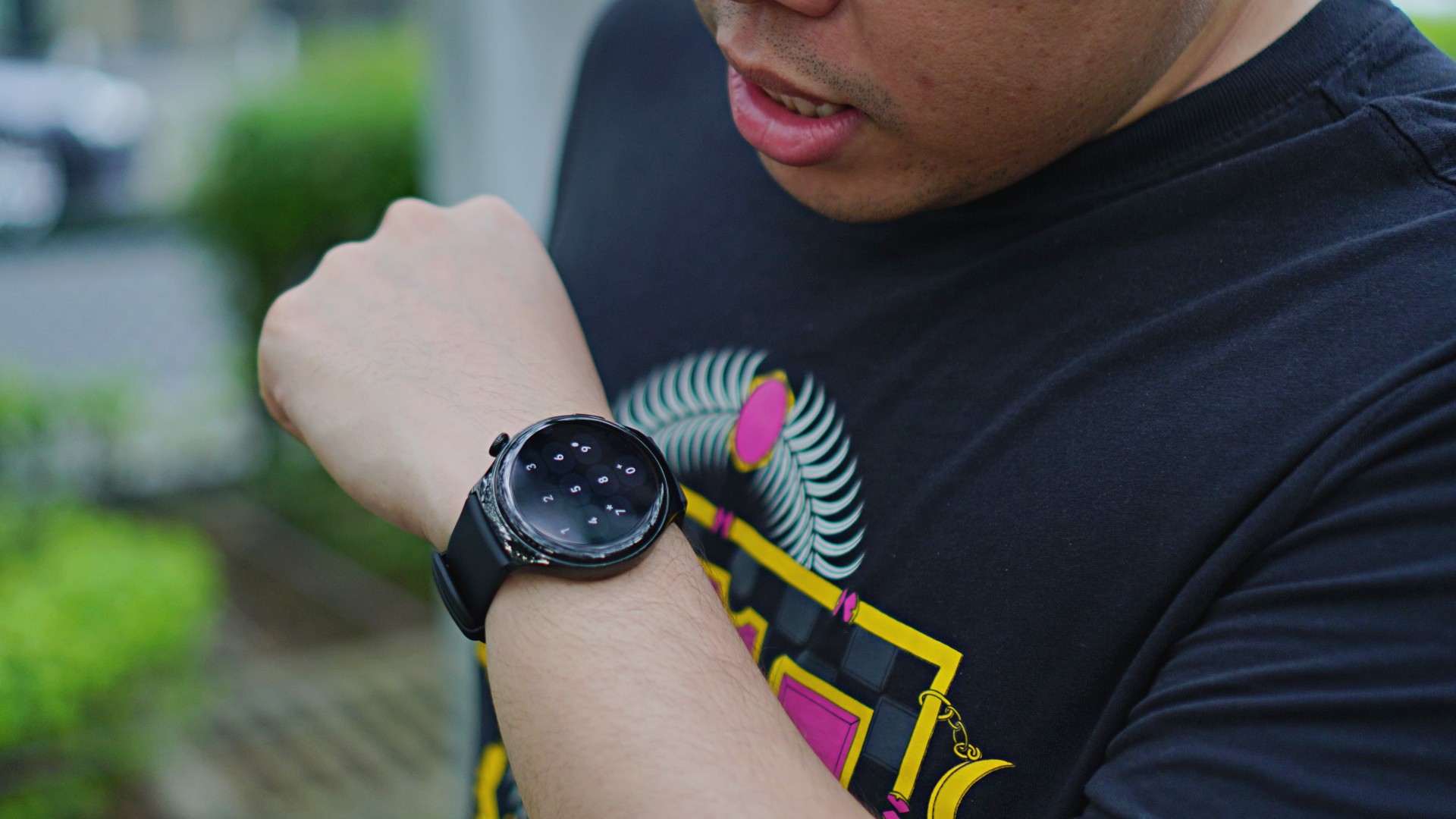
We know that it looks hilarious to be talking to your wrist, but the watch can actually make calls on its own. What’s great about the Huawei Watch 4 is that it can detect if you have fallen, which will prompt an option to make an SOS call. That’s where the independent calling capability can really be utilized. Perhaps at some point, when adventurers run into an emergency, they’ll be thankful for the added feature.
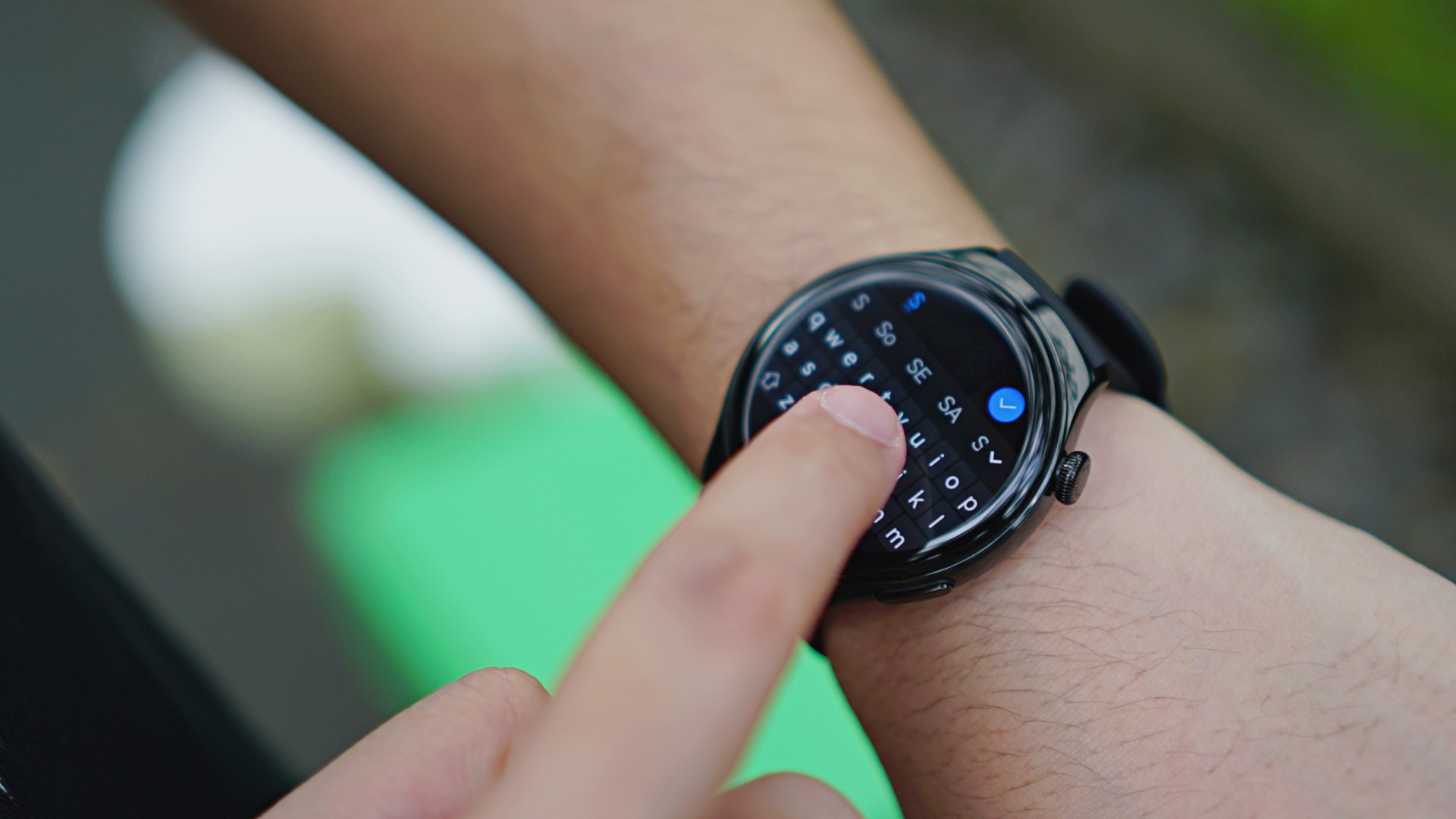
The only downside is how difficult it is to type with a full QWERTY keyboard on a 1.5-inch screen. But this is where AI voice typing comes into play to do the job for you, as well as templated responses. The messaging app itself has quick reply templates so you’ll need just a touch.
With an eSIM, it means the watch is also capable of standalone internet connection. This is something I like especially if I’m going to work out. It means I do not have to bring my phone anymore to turn it into a hotspot. However, the watch only supports a few fitness apps. This means if you have been using your preferred apps ever since, you’ll still have to take your phone with you. And if you love taking pictures or short clips of your work out, then you’ll really have to stick to using your phone.
Speaking of the internet, it’s possible to use messaging apps on the watch, like WhatsApp and Telegram. Again, it’s a matter of whether you’re comfortable actually chatting on your watch or just using it to glance at notifications.
Over 100 workout modes
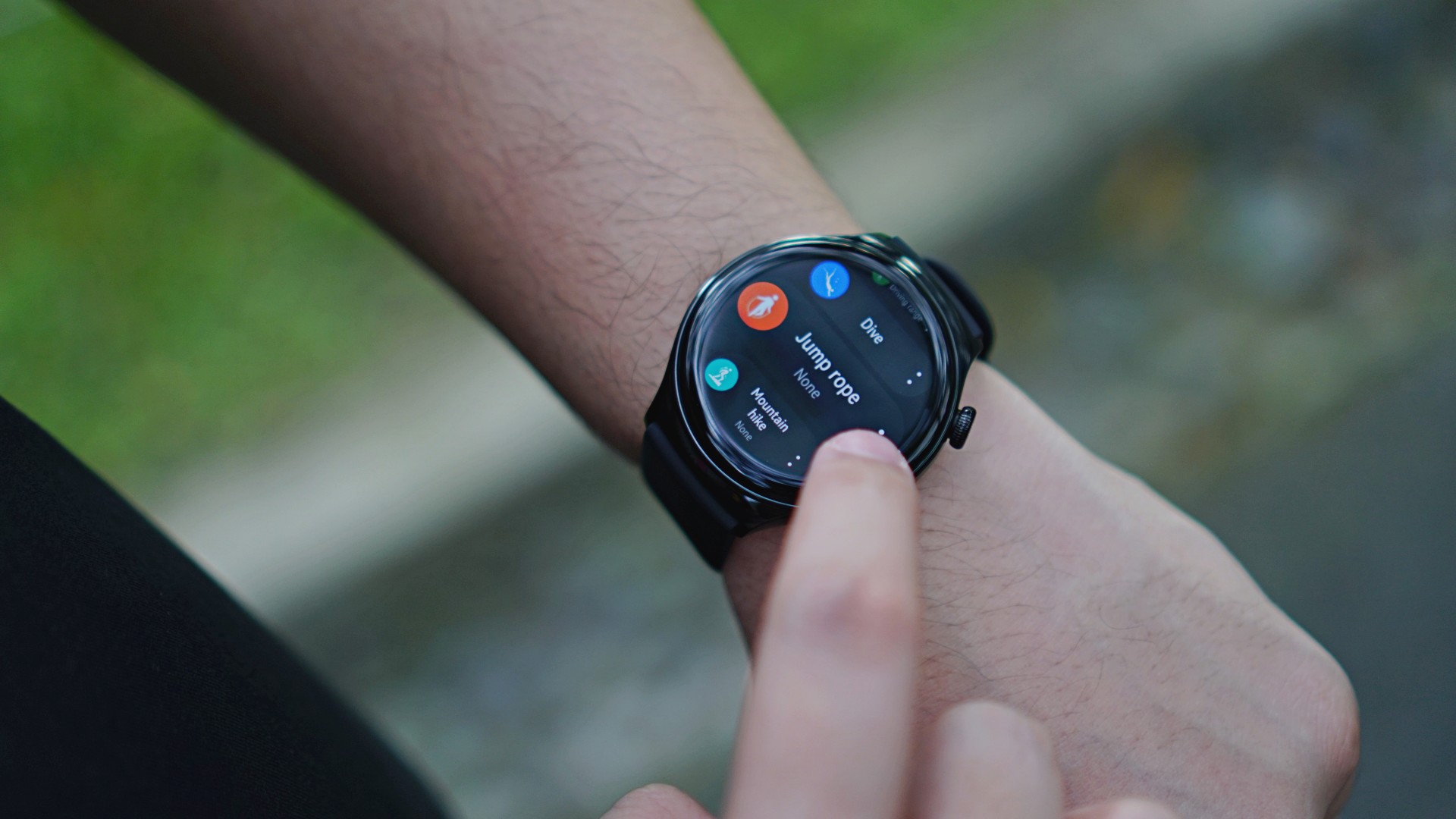
As far as exercises are concerned, the Huawei Watch 4 supports just about every work out on the planet. It has over 100 workout modes, including pro-level ones like hiking and free diving.
For those who will need navigation on the fly, there is a Route Back with Map feature to make everything seamless. Those who love to push and challenge themselves will also like the Running Ability Index (RAI) that puts everything in perspective.
Navigation without an extra device
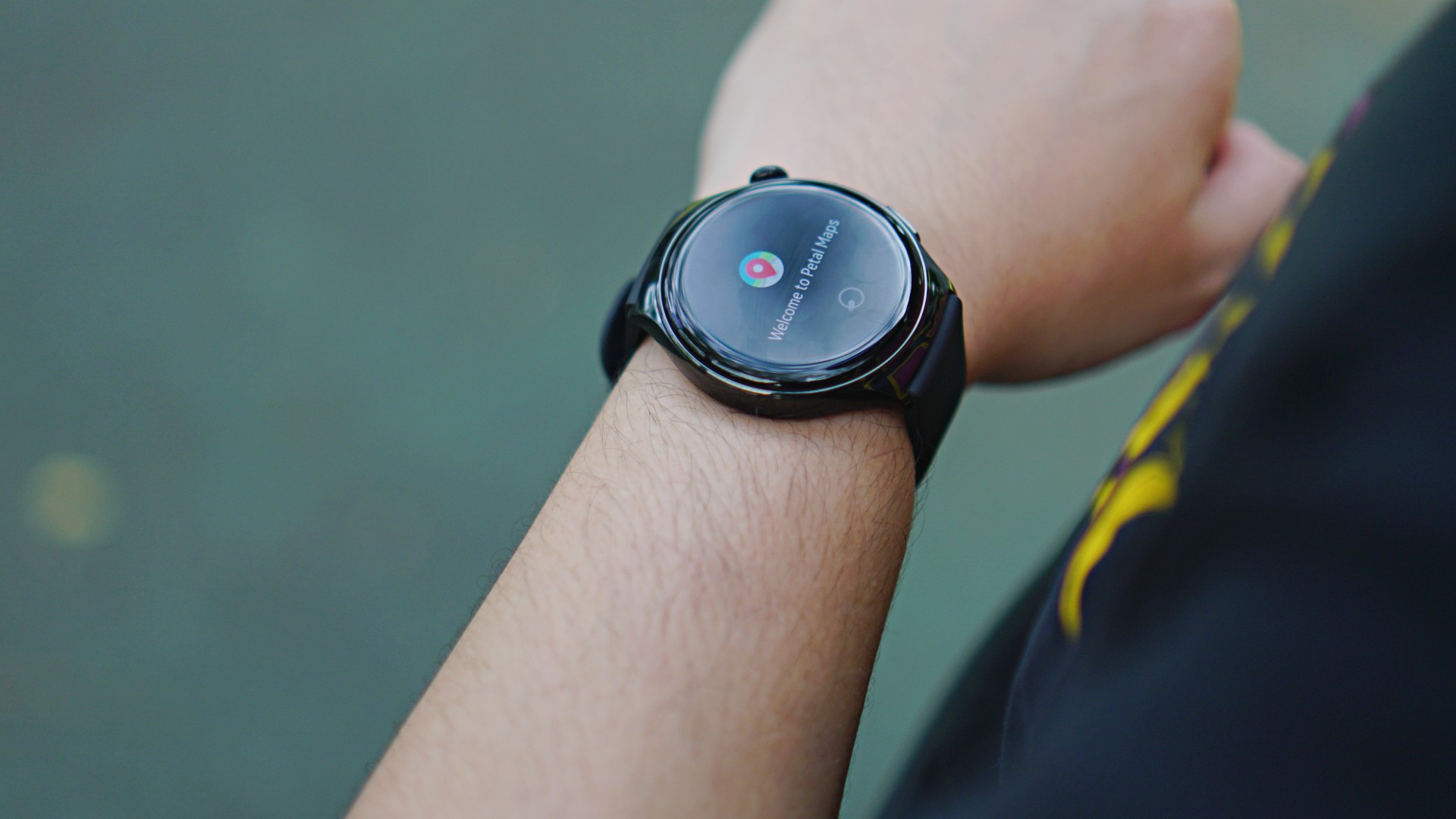
The Huawei Watch 4 uses Huawei’s Petal Maps app as its main GPS service. You can look for various establishments on the app and ask for directions. I’m sure that aside from casual trips or avoiding getting lost, this feature can be useful for other scenarios like driving with a motorcycle.
There is also a third-party app called Navigation G Maps which can be downloaded using the AppGallery. This will assist users well especially in hiking, camping, or other adventures.
Soon: GCash payments
Another innovation Huawei is bringing for the Watch 4 is to have GCash integrated on the device. This way, users will only have to show a GCash QR code when paying in stores where it is accepted.
Other brands have offered something similar, like Apple with Apple Pay, but it’s good to finally have a local version for Filipinos who prefer cashless payments.
Battery life
With its slew of advanced features, the Huawei Watch 4 naturally has a shorter battery life. It lasts for about three days when all features can be accessed.
Under ultra long battery life mode, where all internet-related features are inaccessible, the usage can be extend up to 14 days. On the flipside, the watch charges for just about an hour when connected to any typical charging adaptor that supports fast-charging.
Final thoughts: A heavyweight challenger

One of the Huawei Watch 4’s distinct features is its planet-inspired watch faces. While I don’t know the exact truth behind them, here’s a theory.
The Huawei Watch 4 offers several features that cater to its user in a personalized manner. That’s just like planets in our Solar System. Users will always have different preferences and needs, but what matters are those revolving around them.

This wearable is more than just a health and fitness companion, even if that’s what they highlighted more. The eSIM support, internet connectivity, and navigation are underrated aspects. Granted, a Huawei smartphone will let you do slightly more, but I like how truly useful its added features are.
I’m a practical person myself and I would be better off just carrying my smartphone if I wanted to enjoy (it’s not like I can play games on a smartwatch). But I can see why this wearable makes sense for others. It can challenge the heavyweights with its suite of features and innovations. It costs a little less, too.
If smartwatches are playing cards, and you’re dealt with the Huawei Watch 4, it’s a hand that can win you the poker table.
The Huawei Watch 4 is available in the Philippines for PhP 22,999. Customers will also get a free Soundjoy worth PhP 6,999 as part of its launch promo.






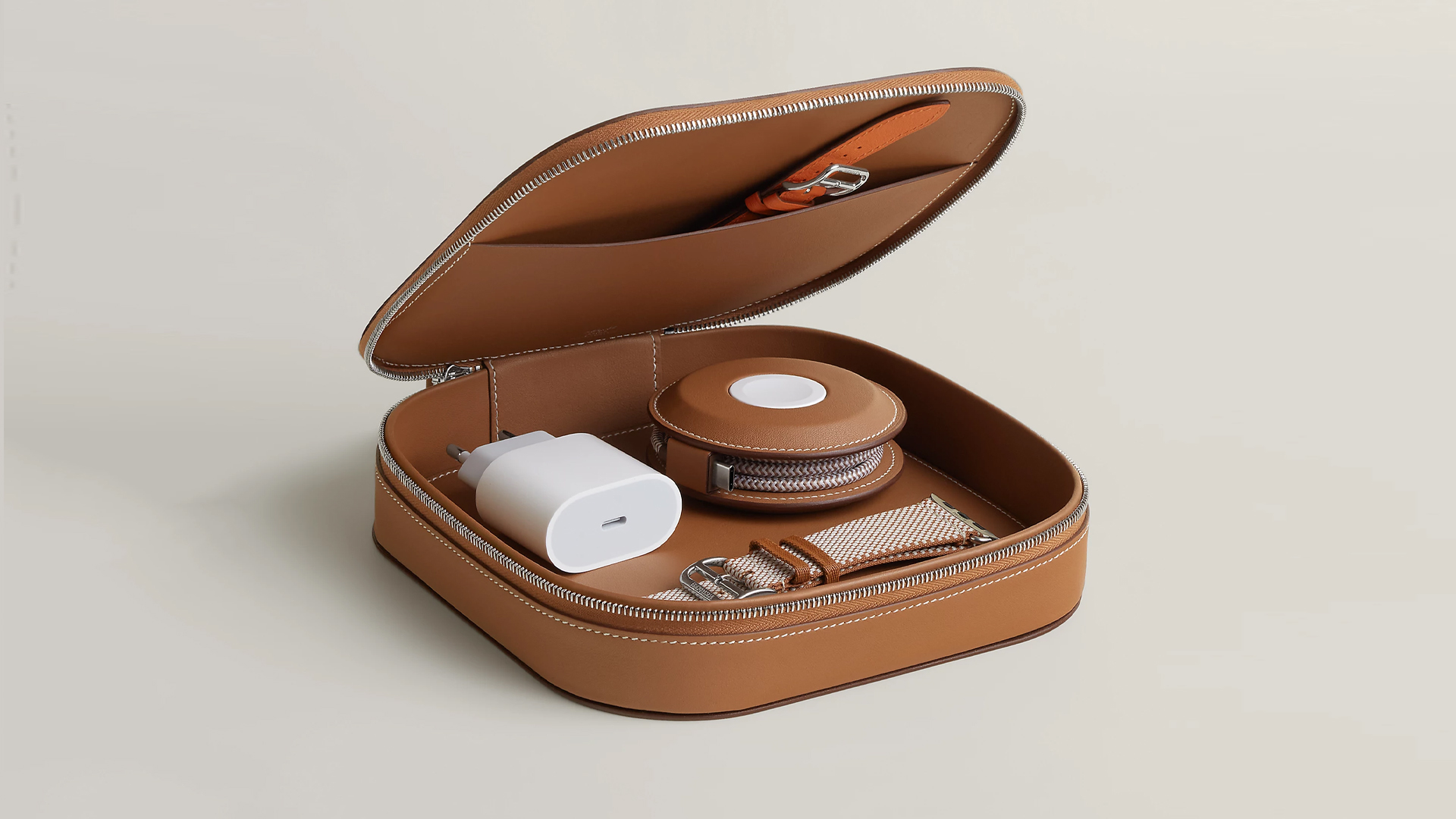
How extra are you as an Apple fan? No matter what you say, you’ll probably never be as extra as someone who buys a US$ 5,000 MagSafe charging case for their iPhone and Apple Watch. Hermès has just launched a series of leather chargers and cases specifically made for Apple fans.
Available now, Hermès has three types of MagSafe chargers for iPhone users. The cheapest one, the Paddock Solo, is a simple leather-bound puck that can charge a single device. The charger also has a braided 3.3ft USB cable. It costs an eye-watering US$ 1,250.
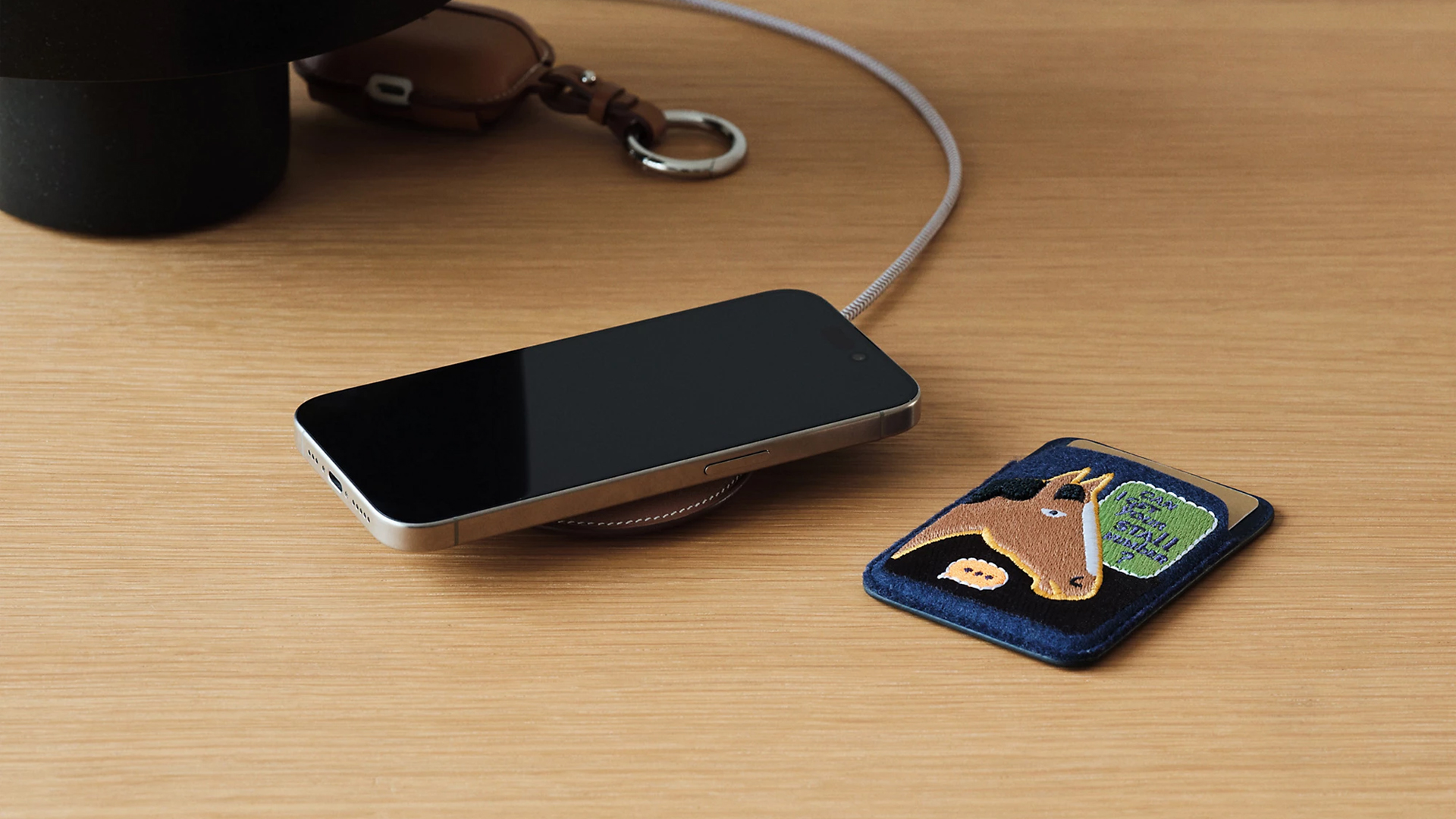
Paddock Solo charger
On the other hand, the Paddock Yoyo charger offers two charging zones for two devices simultaneously. Shaped like a yoyo (hence, the name), it allows users to roll the cable into a convenient stack. It costs US$ 1,750.
Finally, the Paddock Duo is a charging pad that allows for two devices simultaneously. It just doesn’t have a pocket for the cable. It likewise costs US$ 1,750.
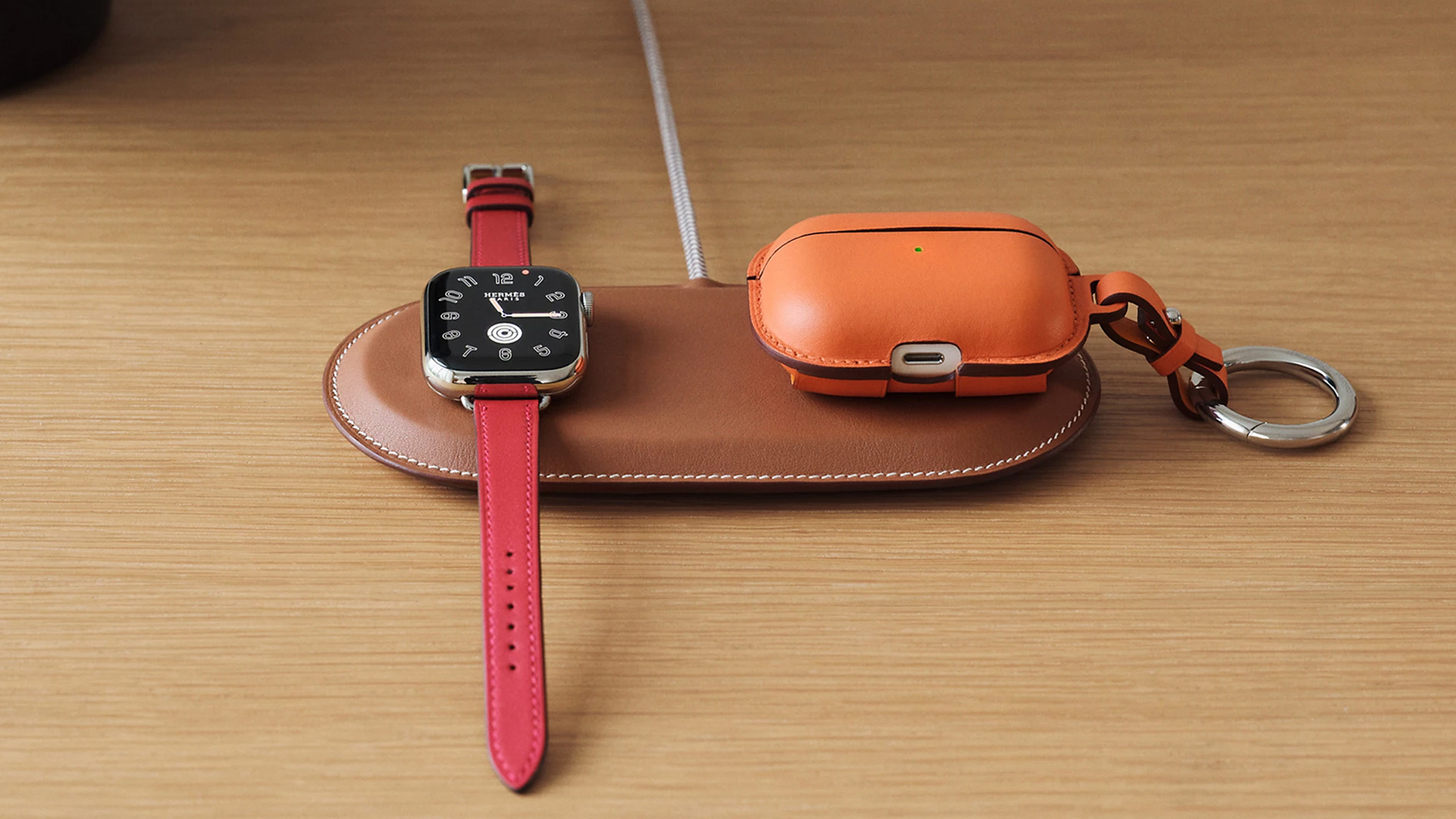
Paddock Duo charger
Now, if you want to upgrade your pricey charging kit even further, Hermès has two cases for them: the Petit Paddock case and the Grand Paddock case.
The Petit Paddock case, as the name suggest, is a snug leather case that fits only the charger (and a brick, if bundled with the Yoyo). The charger and case combo will set you back by US$ 3,725 for the Solo, and US$ 4,225 for either the Duo or the Yoyo.
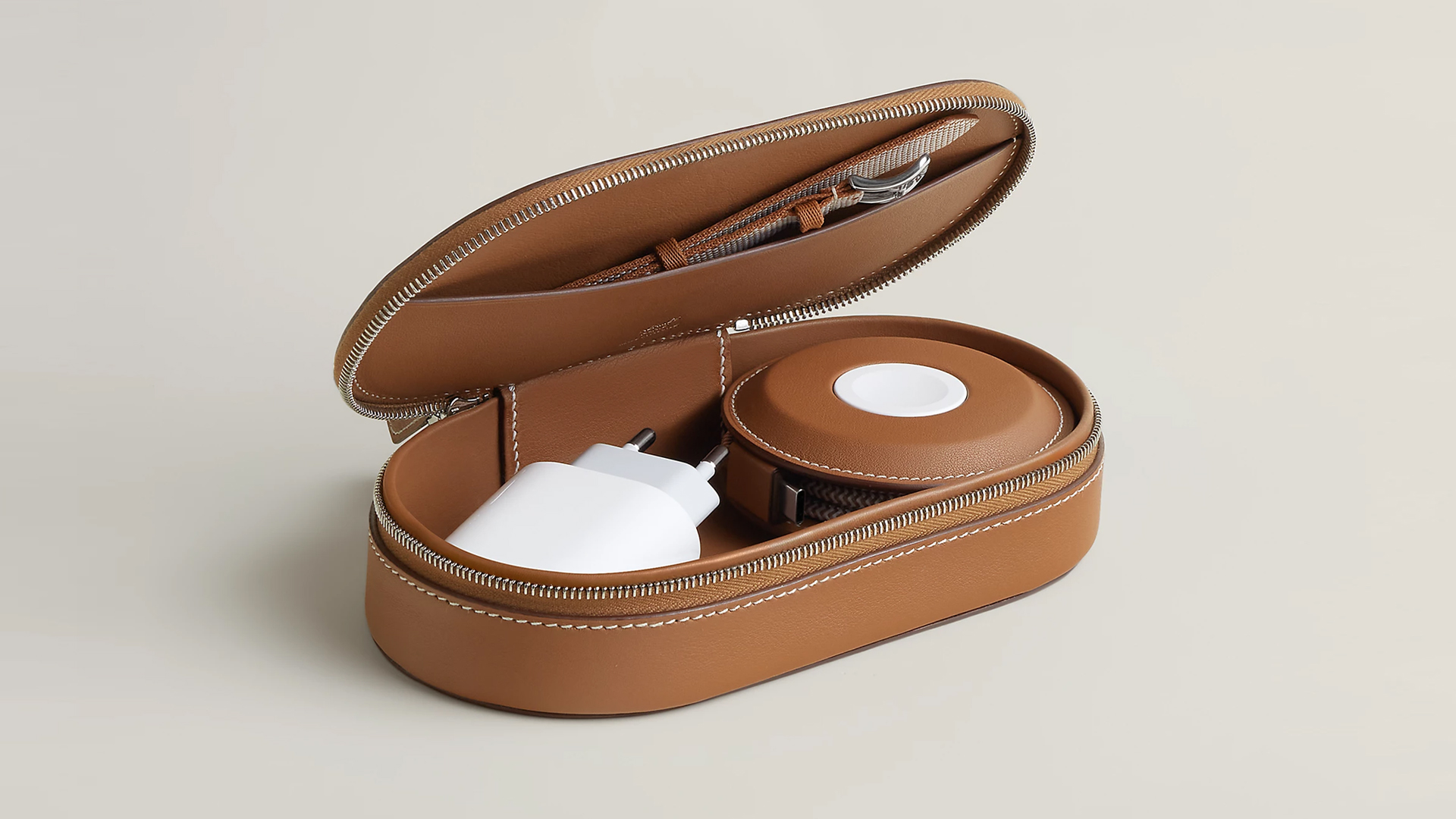
Paddock Yoyo + Petit Paddock
Alternatively, the Grand Paddock can fit much more but also costs a lot more. It costs US$ 4,650 for the Solo, and US$ 5,150 for the Duo or the Yoyo.
Of note, none of these come with a charging brick, so you’ll have to shell out a bit more to maximize the kit.
SEE ALSO: Apple unveils the iPhone 17e
Accessories
Bringing Care-a-Lot to my daily carry
This is why my gizmos and workspace finally feel like a warm hug!

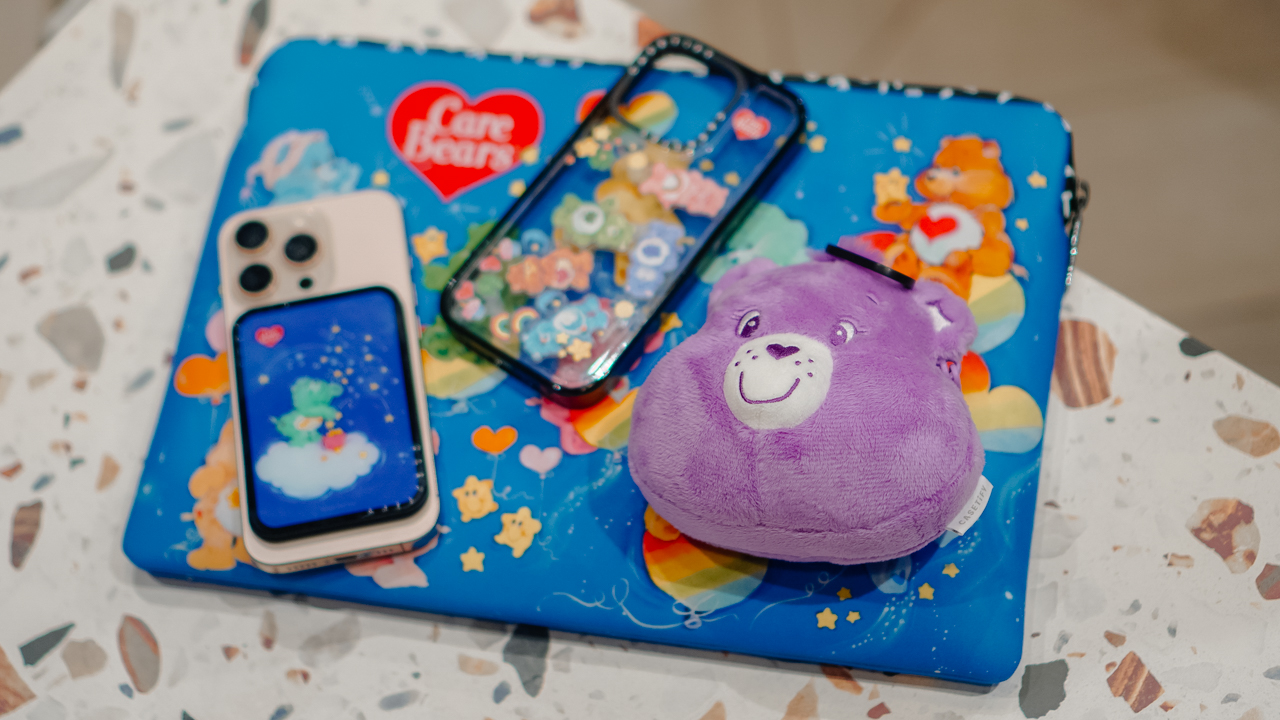
Growing up, the Care Bears taught us that sharing was a superpower and that every emotion had a color.
For many of us, the Care Bears weren’t just characters on a screen; they represented a language of kindness and colorful dreams.
Bringing the CASETiFY x Care Bears collection into my daily rotation feels like carrying a small piece of that “Care-a-Lot” magic wherever I go.
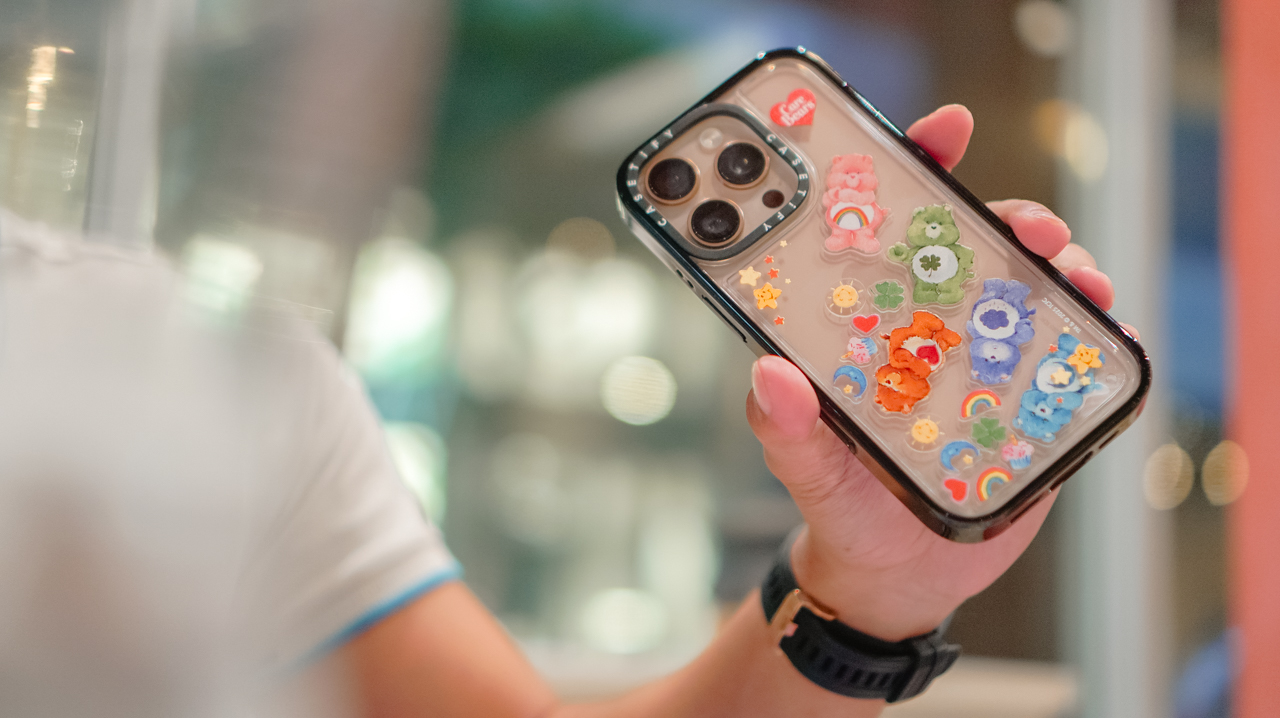
My iPhone 16 Pro now lives in the Care Bears Shake Shake Case (PhP 3,990). It’s a tactile reminder of playfulness in the middle of a busy workday.
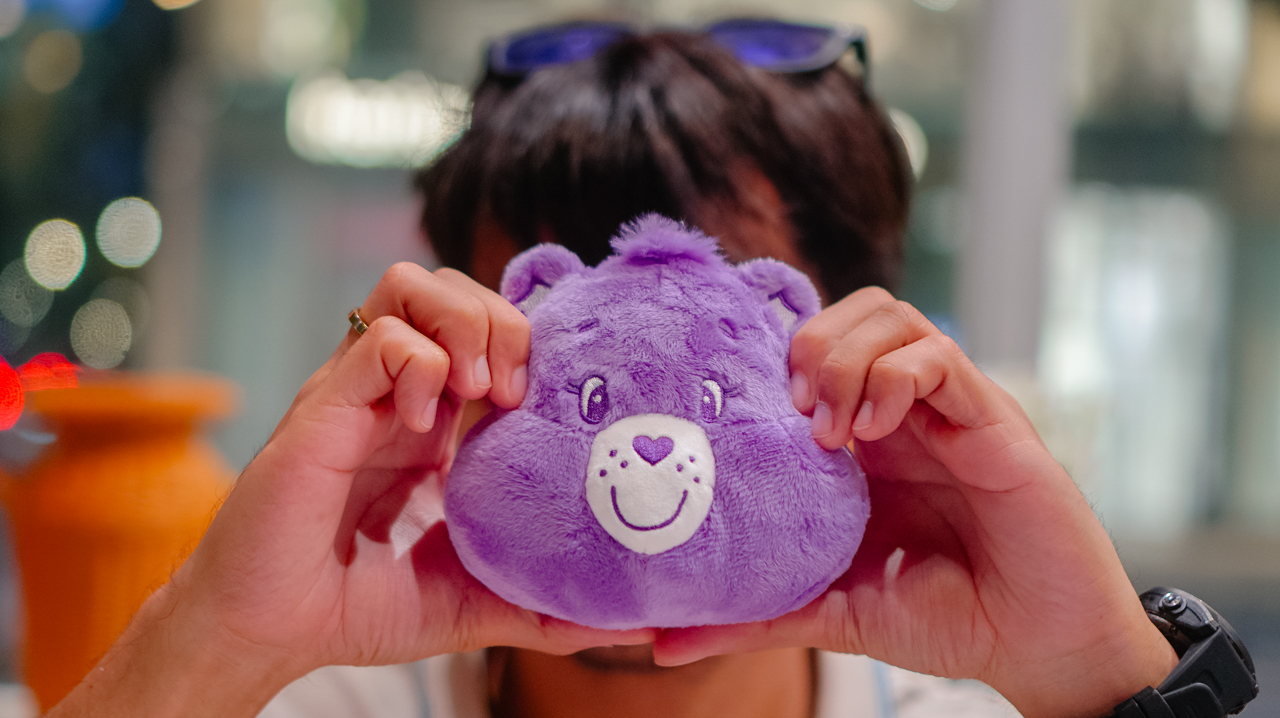
When I’m heading out, the Share Bear Earbuds Pouch (PhP 2,990) clips onto my bag. It keeps my music close while reminding me of the value of sharing. It’s surprisingly versatile, too, fitting my Shokz OpenFit 2+ or even the bulkier case of the JBL Sense Pro.
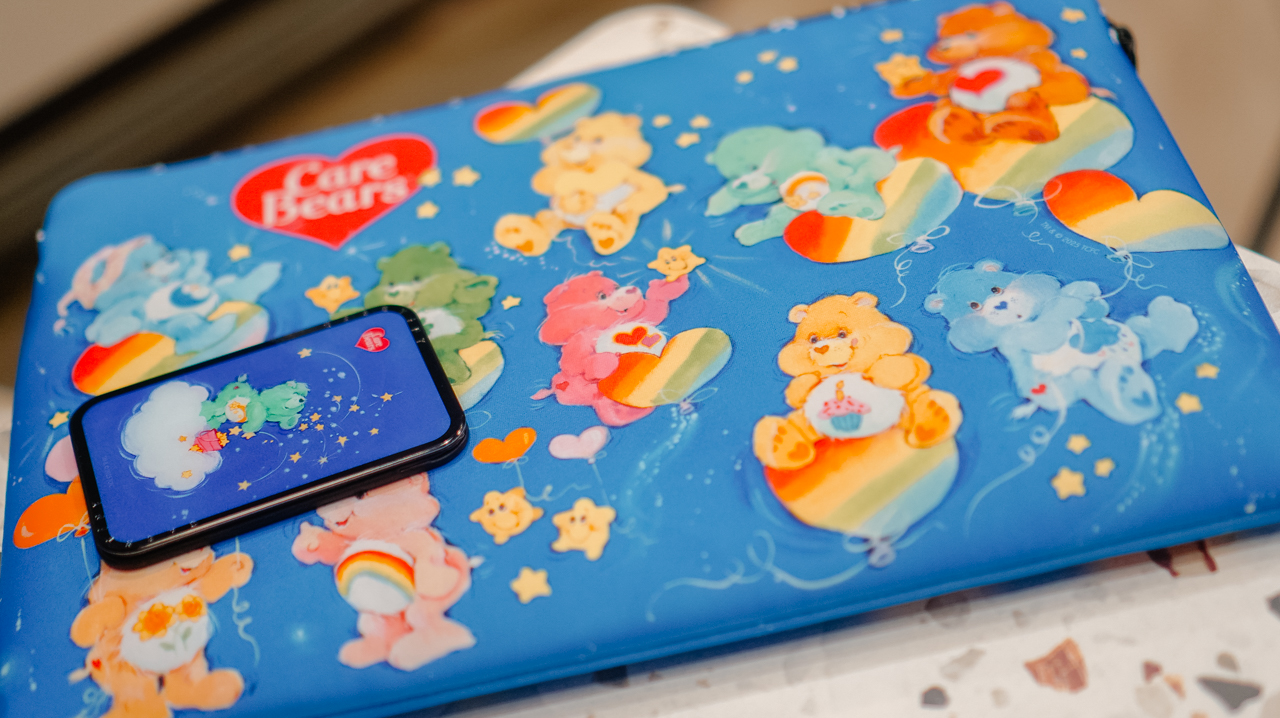
When I switch to a different MagSafe case, the Starry Night Snappy Cardholder Stand (PhP 2,490) magnetically attaches to the back of my phone, adding a bit of celestial whimsy to my day

Even my workspace has a new glow. The Twilight Dreams Laptop Sleeve (PhP 3,090) fits my 13-inch MacBook perfectly, wrapping my most important work tool in nostalgic, soft-toned illustrations.
We often look for tech that performs, but we rarely look for accessories that hugs back. This collection does both.
It turns my everyday essentials into a canvas for positivity, proving that even in a digital world, there’s always room for a little more care.
Accessories
CASETiFY relaunches Evangelion collab for 30th anniversary
Fans can now customize their own NERV-ready cases

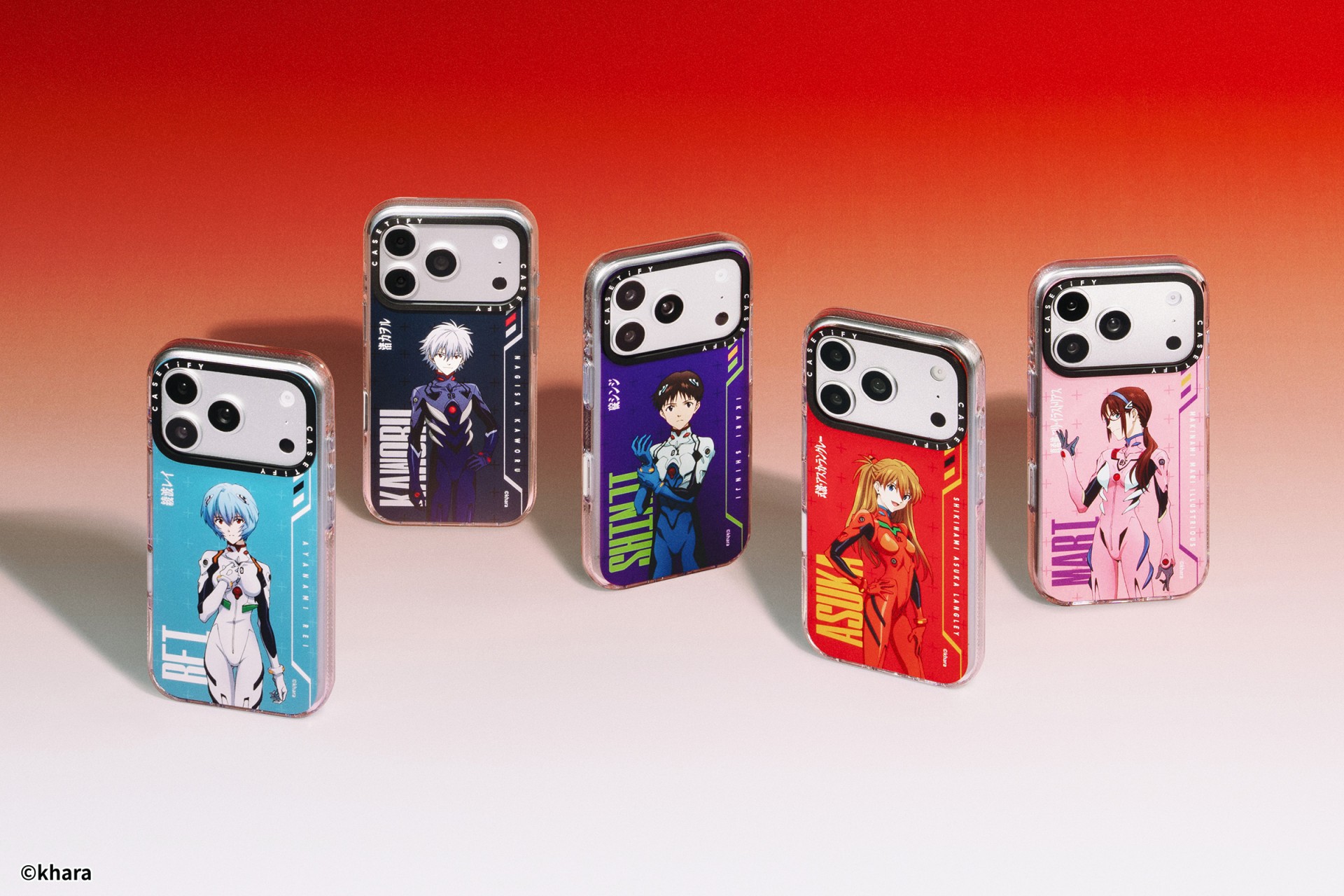
The A.T. Field is activated. To mark 30 years of Neon Genesis Evangelion, CASETiFY has relaunched its highly popular Evangelion collaboration. This time, fans control the sync rate.
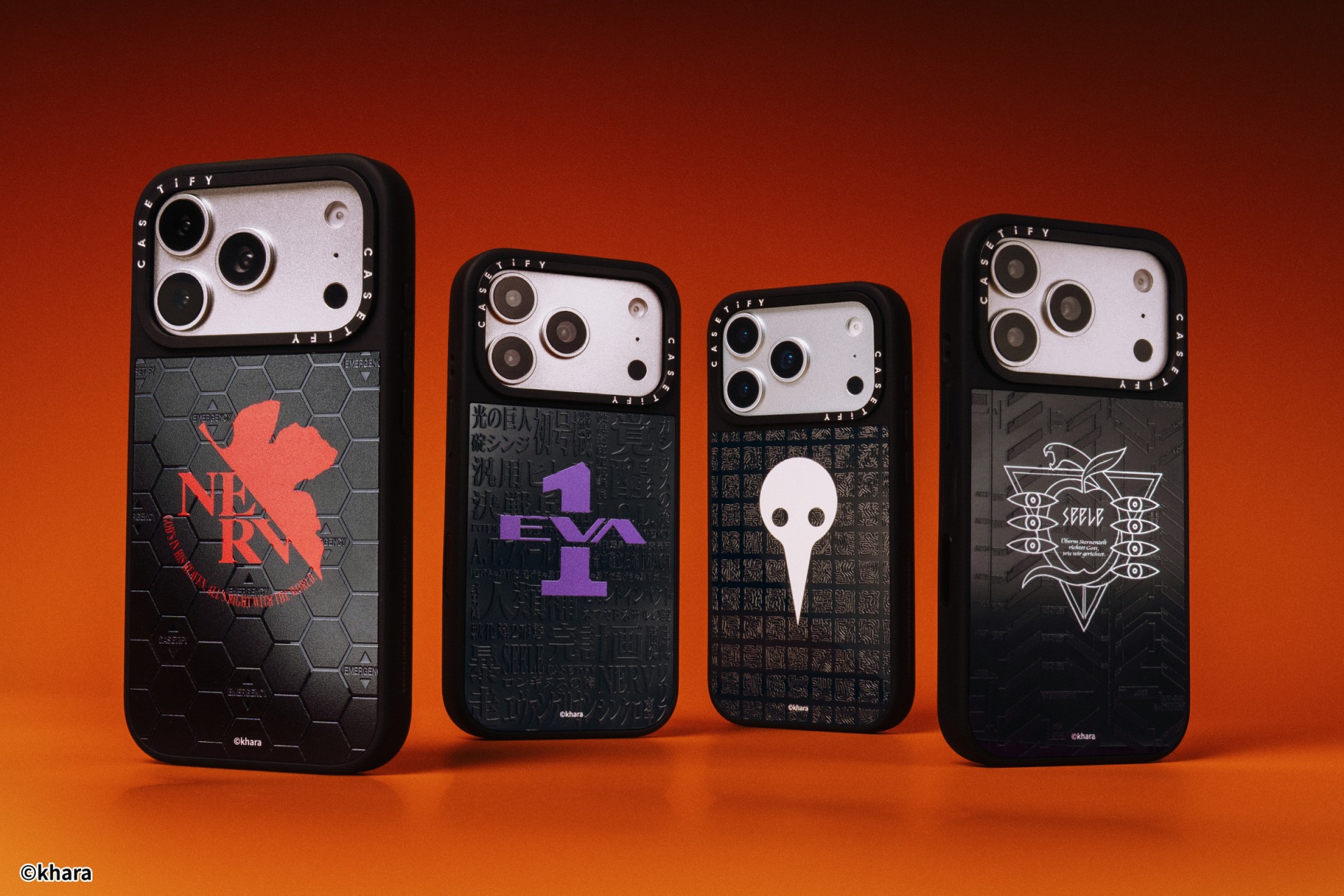
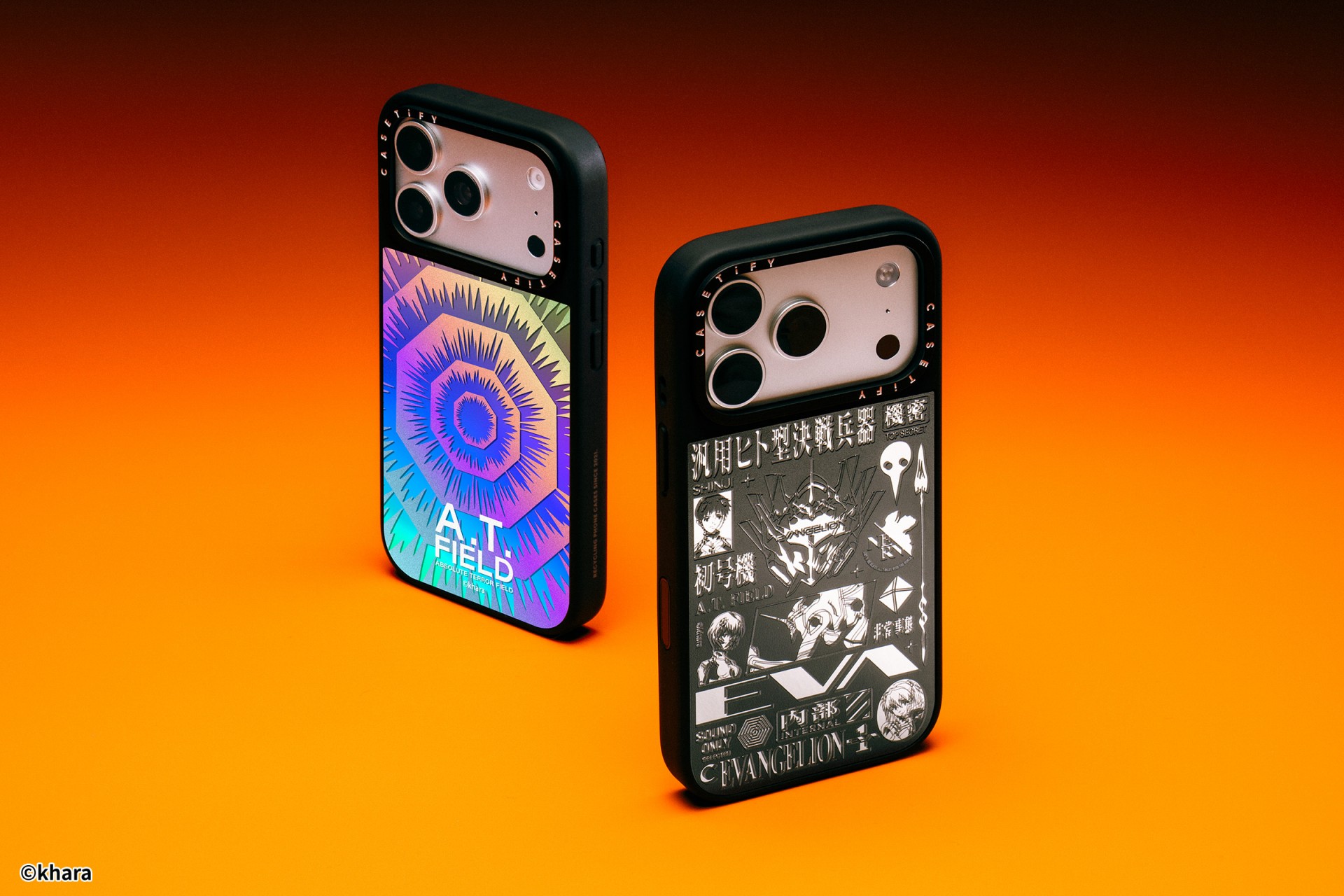
For the first time, buyers can fully customize their Evangelion cases. The drop lets fans mix and match NERV logos, the 4th Angel, character art featuring Shinji Ikari and Rei Ayanami, and bold background graphics. The result is a case that feels like a personal unit build, straight out of the series’ control room.
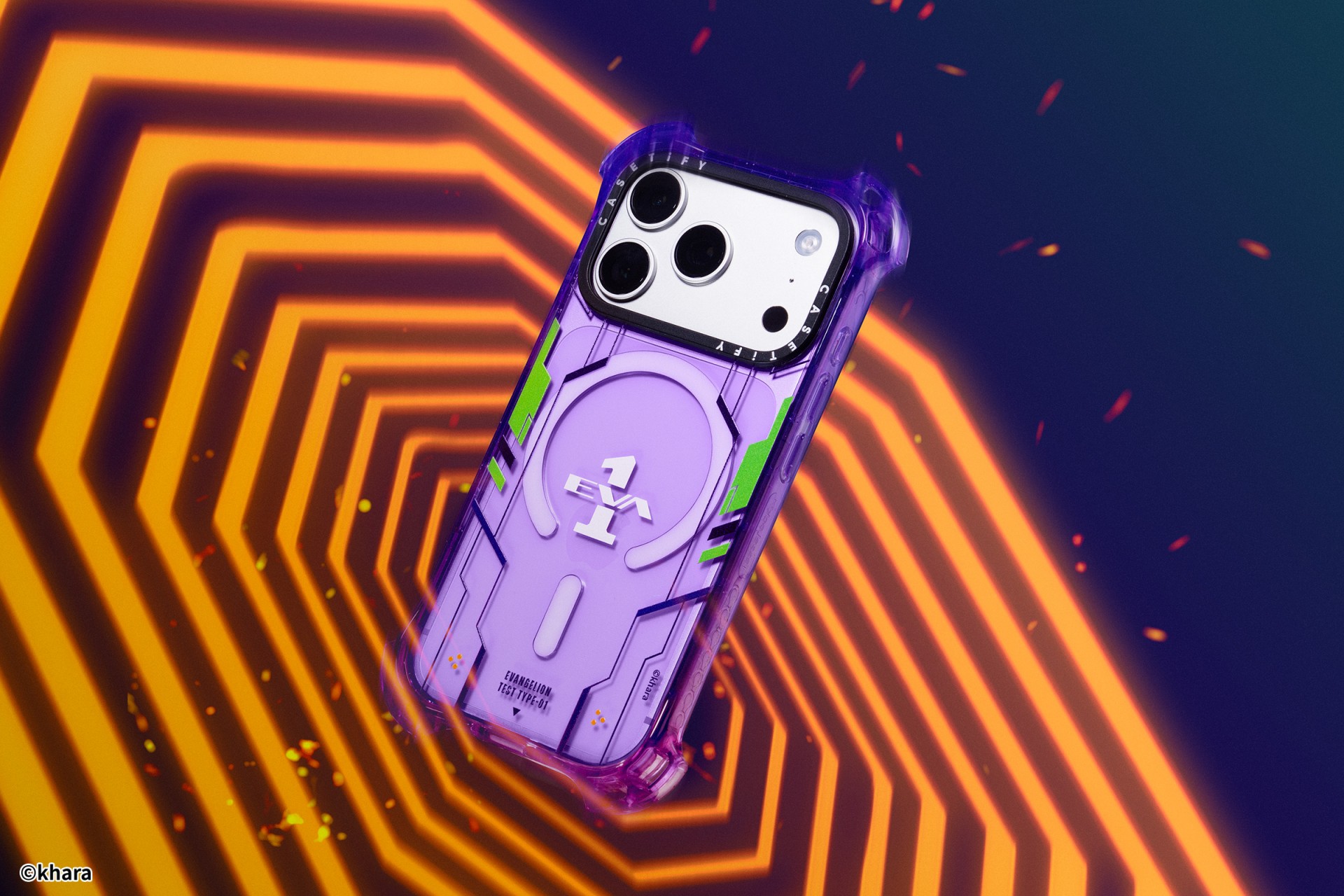
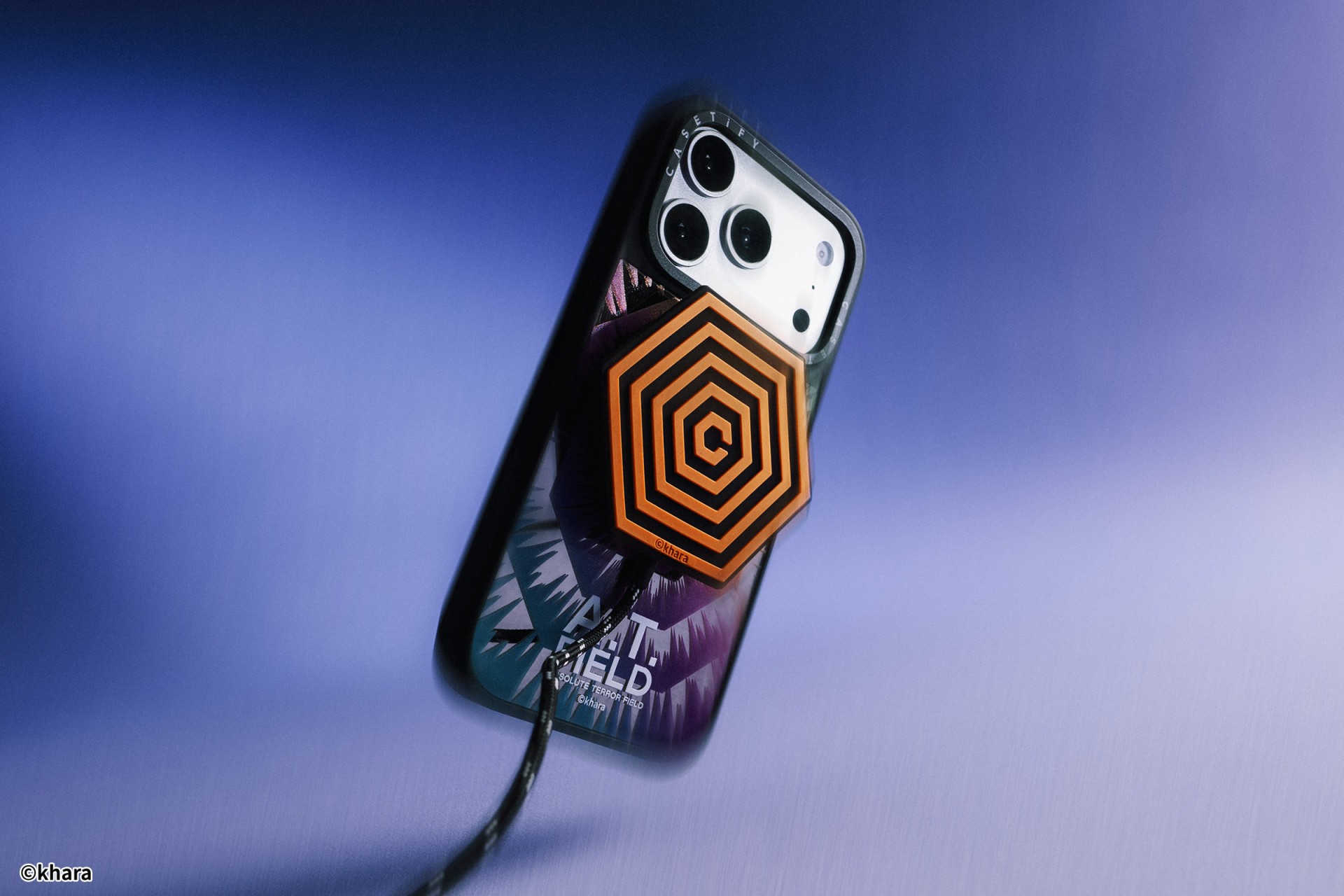
The lineup pulls directly from Evangelion iconography. Designs include classic NERV insignias, holographic “A.T. Field” defense graphics, “Active Time Limit” warnings, and the official 30th Anniversary emblem. Each case uses CASETiFY’s signature impact protection, turning your device into a pocket-sized defensive barrier.
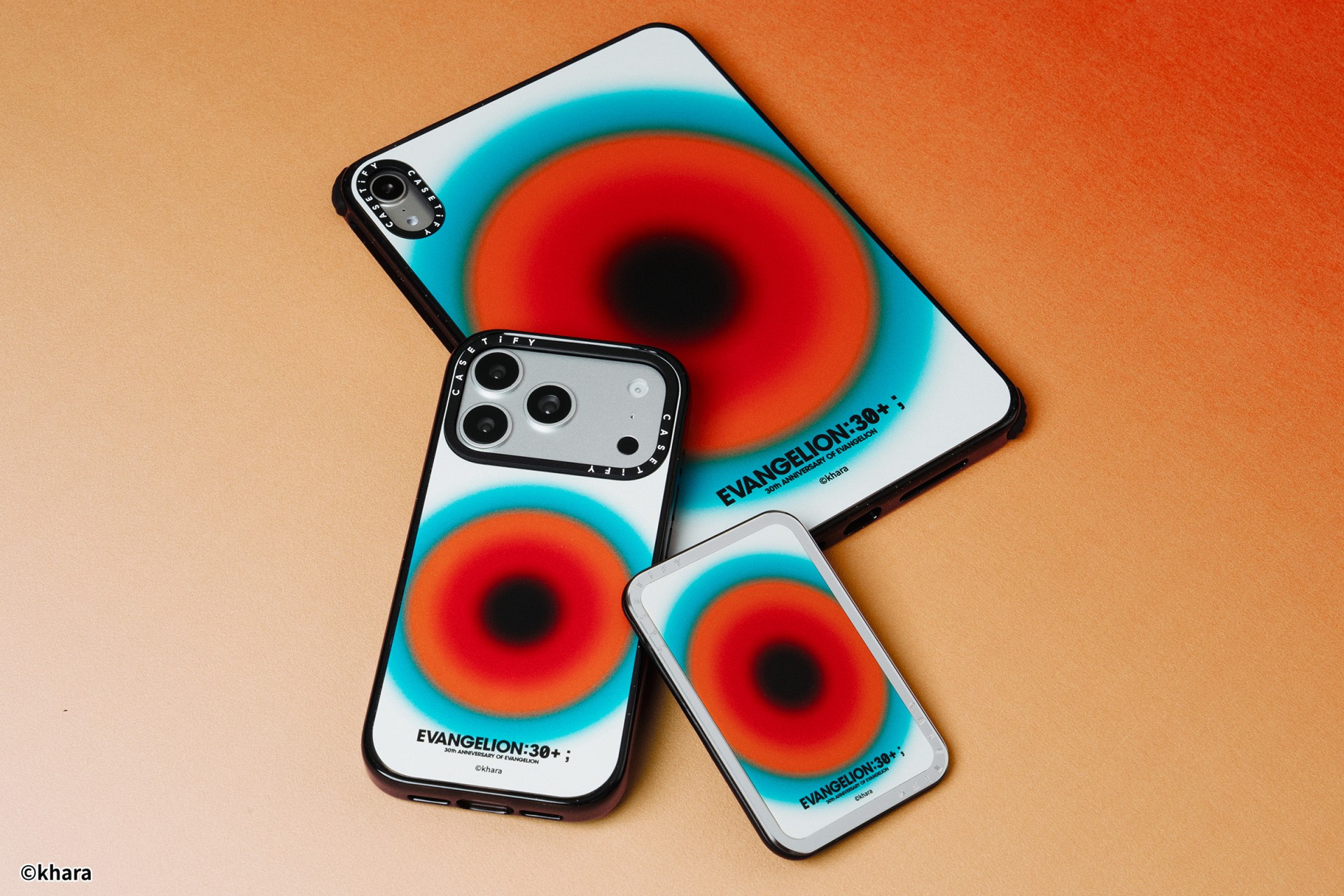
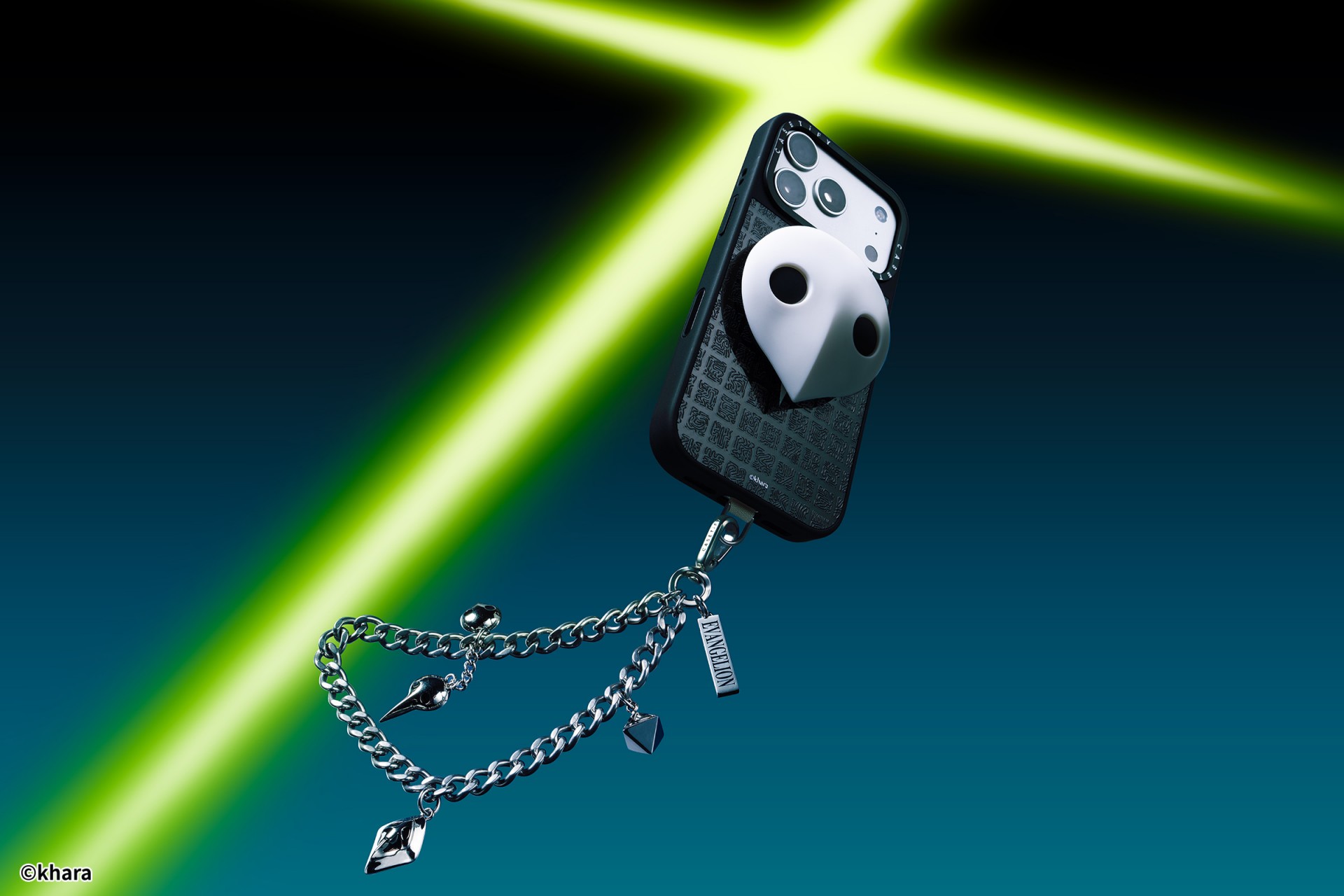
The collection goes beyond phone cases. Fans can also pick up matching AirPods cases, MagSafe wallets, watch bands, and laptop and tablet sleeves to complete their everyday tech setup.
Android users are included in the rollout. The collection supports devices like the newly released Samsung Galaxy S26 series, making it a timely drop for those looking to suit up their latest flagship.
The Evangelion collection is now available via the official CASETiFY website.





Hermès launches a $5,000 MagSafe charger

REDMI Note 15 Series named Presenting Partner for Spartan Race Philippines 2026 season

Stylish, student-friendly HONOR X8d launches

The HONOR X8d is serviceable

Why the OPPO Reno15 5G series is a creator’s essential


-

 Reviews2 weeks ago
The Xiaomi 17 shoots Leica dream
-

 Reviews3 days ago
POCO X8 Pro Max review: A new beast from the far east
-

 News3 days ago
POCO X8 Pro Series: Price, availability in the Philippines
-

 Computers2 weeks ago
GIGABYTE collaborates with Capcom for RE Requiem custom PC
-

 Laptops1 week ago
Apple MacBook Neo Review
-

 Apps1 week ago
Google Maps is finally getting a 3D mode
-

 Entertainment1 week ago
The internet is thirsting over the One Piece Season 2 cast
-
 News2 weeks ago
Globe postpaid opens pre-orders for Samsung Galaxy S26 series