


I’m not exactly what people would call a keyboard enthusiast. That’s a rabbit hole I consciously tried to avoid. I did, however, purchase a Keychron K3 keyboard a little over two years ago just to try it and have been using it ever since. Although, more sparingly recently.
A new keyboard wasn’t in my “to acquire” list but to my surprise, Keychron reached out and asked if we were willing to check out their latest – that’s the Keychron K2 HE. I jumped at the opportunity.
The Keychron K2 HE is still a kickstarter project as of writing. Click here to check out the kickstarter page and back it. Every feature you want to know about the product should be there. That’s why in this article, I’m primarily going to focus on my brief experience with it.
Like typing on clouds

Naturally, the first thing you’ll check with keyboards is what it feels like to type on them. My only real point of reference are the many laptop keyboards I’ve reviewed and the Keychron K3 I own. None of them come close to the extremely satisfying feeling I get when typing on the Keychron K2 HE.
Initially, I thought the keys were a little small for my chubby fingers. But I gave it an hour or two and I quickly adjusted to the size of the keys. Of course, it helps that the “bounce” on each keypress feels incredible. I’m not sure how else to describe it, but it does almost feel like you are typing on clouds.

I’m more familiar with sneaker-cushion lingo. Using that as reference, the bounce and energy return on each keypress of the Keychron K2 HE feels absolutely elite. This will sound like hyperbole, but it’s literally unlike anything else I’ve typed on before.
Keychron said they used double-rail magnetic switches by Gateron on these and perhaps that’s why the bounce and feel on this thing is absolutely insane.
DualSense-like Keys
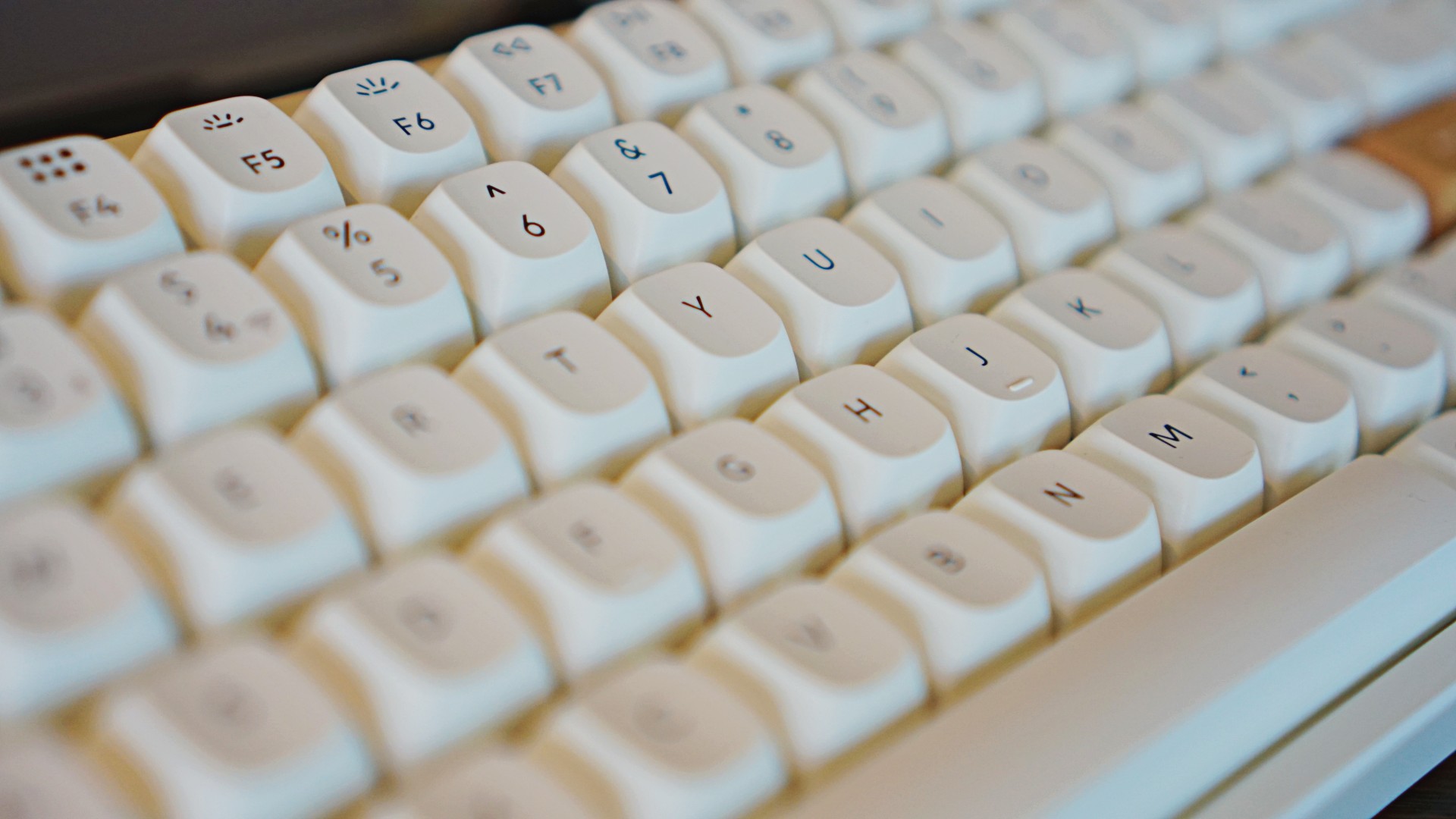
These magnetic switches do more than just provide an incredible feeling when typing. They also allow for what Keychron calls ‘Adjustable Actuation Points’ as well as ‘Dynamic Rapid Triggering’.
With ‘Adjustable Actuation Points’, you’re able to assign how much pressing effort is required to trigger a particular action. That means for certain apps or games, you can make sure you avoid accidental presses or touches.
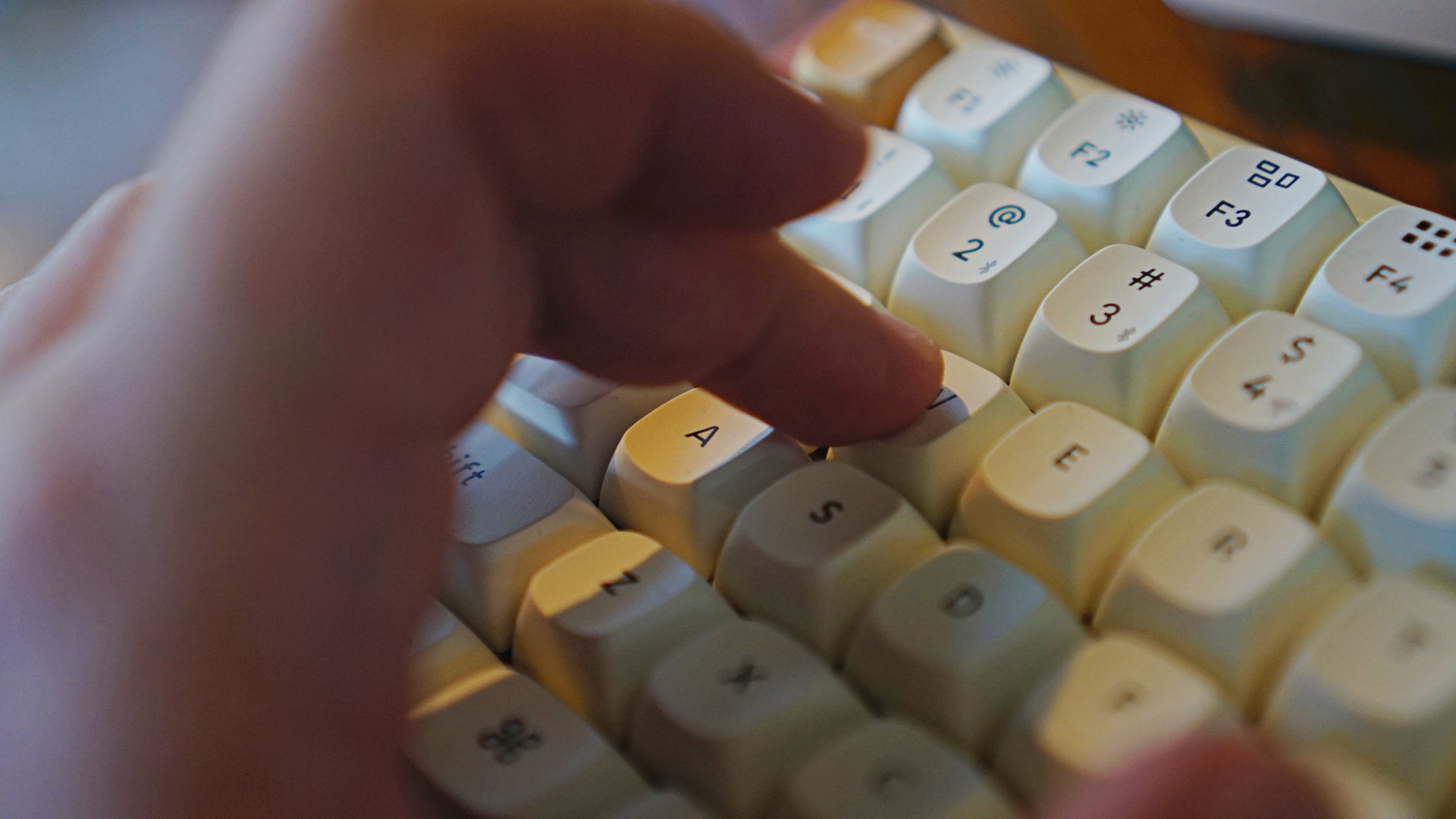
With ‘Dynamic Rapid Triggering’ you can “activate and deactivate keys based on travel distance to gain a consistent edge over your opponents with dynamic rapid trigger technology” . I just lifted that from the Kickstarter page because I’m more of a controller than a keyboard and mouse player when gaming. And I didn’t have a chance to thoroughly test this prior to needing to publish.
The way I understand it functions almost like the Adaptive Triggers on the DualSense controller of the PlayStation 5. In certain games, a half press and a full press on the triggers perform different functions. The keys on the Keychron K2 HE can be programmed in a similar manner.
If you’re all about precision, this is something that will be a major boon for you.
Thankfully, you don’t need an app to make all these adjustments. Just connect the keyboard to your laptop or PC and fire up the Keychron Launcher Web App to customize everything you want to customize. That includes keypresses
A look that will match just about anything

The Keychron K2 HE’s design is elevated by its wooden highlights. It comes in predominantly white or black bodies but it’s the rosewood accents that’ll help it blend into whatever set-up you have.
I was secretly hoping Keychron would send over the black one but I’ve grown to love the white one they sent over.
Toggles, ports and more are your usual affair.

On the left-hand side you’ll find the loan USB-C button. Right next to it you’ll find the Android/PC and Mac/iOS toggle. And right next to that you’ll find the Wired or Bluetooth toggle.

Flip it and you’ll find the two kickstands with two available height adjustments.
The rosewood accents are found on the sides of the keyboard with the escape and enter keys colored in the exact same way.

The Kickstarter Page says there are 22 backlight modes that you can fine tune to your liking. The backlight key on the top-most-right corner of the keyboard lets you cycle through some of the modes.
I tried changing the static color like I would on the Keychron K3 but that didn’t seem to work. For more granular control, your best bet is to go to the web app.
Long-lasting, quick waking

If, like me, you’re the type who doesn’t like to keep his things plugged, you’ll be happy to learn that the Keychron K2 HE will last on battery charge for a pretty long time. I’m already on roughly my second week of use from a full-charge and as of writing, it’s only gone down to 55% – that’s with pretty heavy usage.
I’m typically in front of my laptop 80% of my work time responding to work emails, chats, and copy editing the team’s work. In between those, I also have heavy writing session days when I try to knock off as many reviews, features, and scripts as I can in one sitting.

It’s that reason that I can’t tell you just yet how long it takes to charge this thing from zero because I just haven’t gotten to that point yet. Rest assured I shall update this space when the time comes.
Another big leap I noticed is that the keyboard’s sleep-to-wake speed is almost instantaneous. It’s a stark contrast to the 3-4 seconds that I have to wait before the Keychron K3 starts functioning again from sleep. It’s been one of the most pleasant things about the Keychron K2 HE for me.
Is the Keychron K2 HE your GadgetMatch?

The Keychron K2 HE has reached well-over its target in the Kickstarter campaign. The product starts at US$125 but you’ll need to shell out US$ 135 to get the special edition one with the rosewood accent.
For what you’re getting, I think that’s an absolutely fair price. And with the keyboard’s customizability, you’ll surely get plenty of mileage for it especially if you’re the type who really uses their keyboard a lot.

This is an easy recommendation for me. The Keychron K2 HE is a keyboard that feels absolutely light on your fingers with advanced features and looks to elevate your typing and gaming. It’s a worthy accessory to add to your arsenal and one that deserves GadgetMatch’s Seal of Approval.


Accessories
Bringing Care-a-Lot to my daily carry
This is why my gizmos and workspace finally feel like a warm hug!

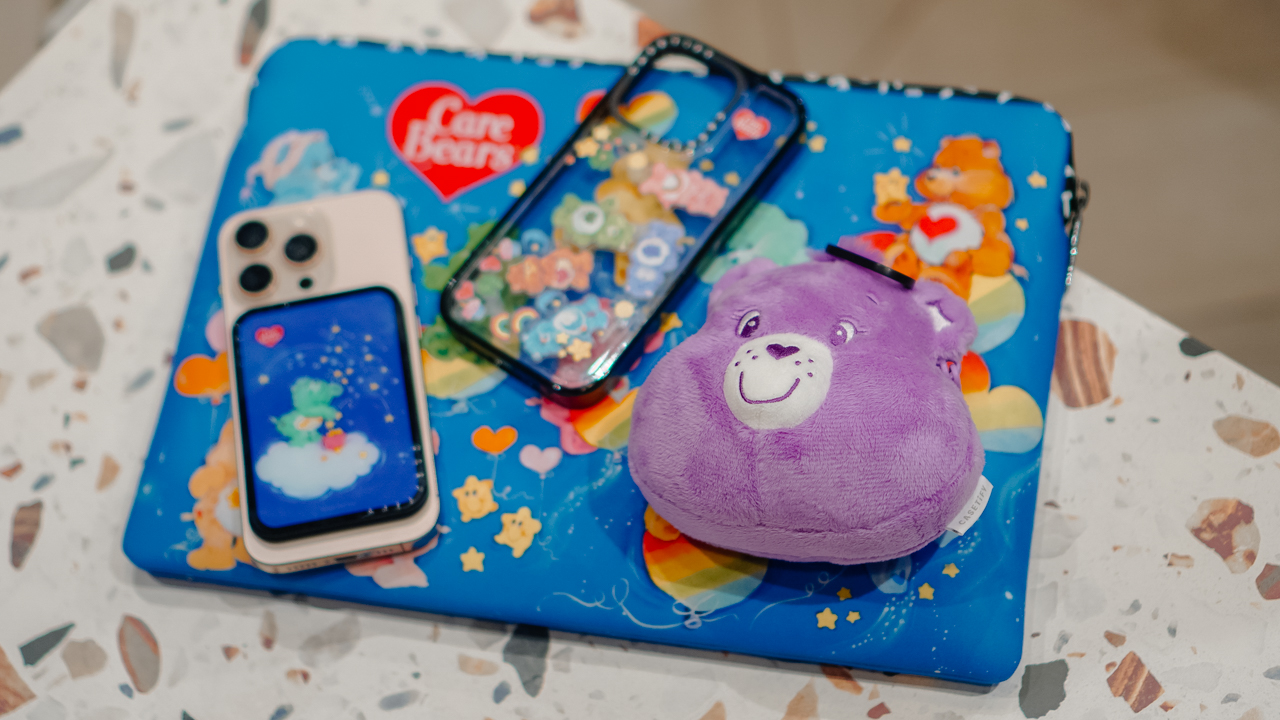
Growing up, the Care Bears taught us that sharing was a superpower and that every emotion had a color.
For many of us, the Care Bears weren’t just characters on a screen; they represented a language of kindness and colorful dreams.
Bringing the CASETiFY x Care Bears collection into my daily rotation feels like carrying a small piece of that “Care-a-Lot” magic wherever I go.
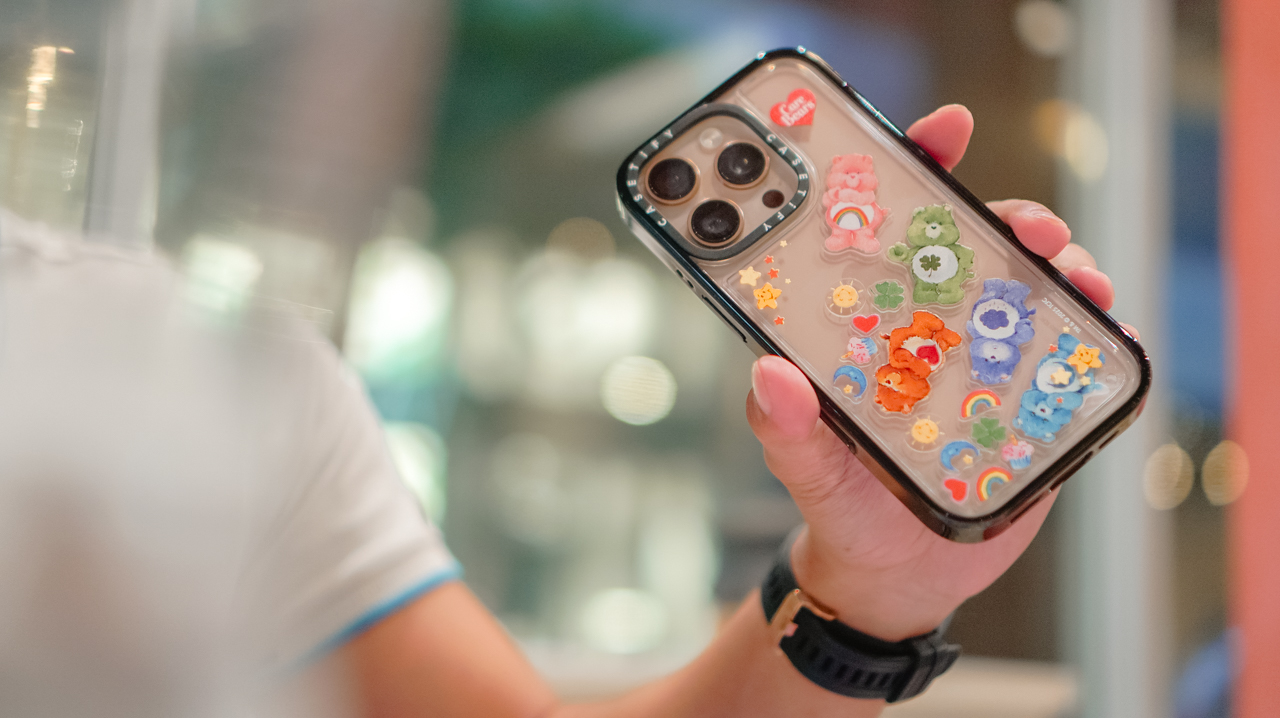
My iPhone 16 Pro now lives in the Care Bears Shake Shake Case (PhP 3,990). It’s a tactile reminder of playfulness in the middle of a busy workday.
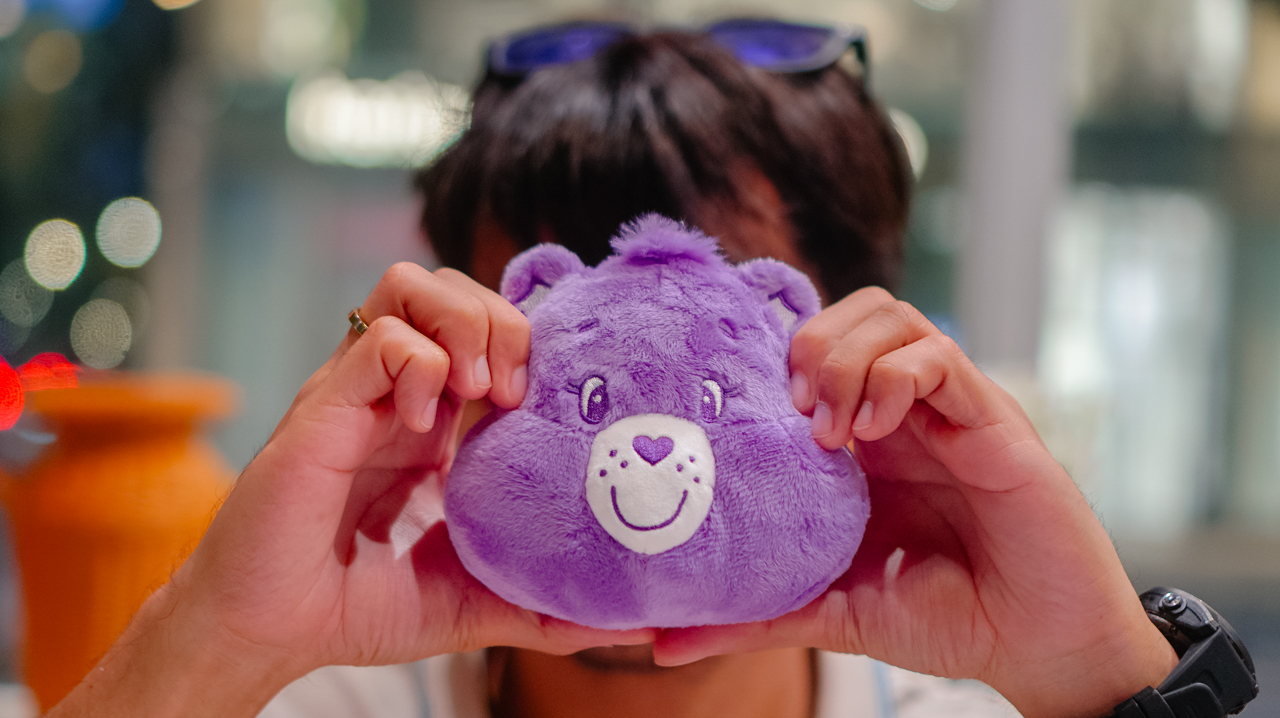
When I’m heading out, the Share Bear Earbuds Pouch (PhP 2,990) clips onto my bag. It keeps my music close while reminding me of the value of sharing. It’s surprisingly versatile, too, fitting my Shokz OpenFit 2+ or even the bulkier case of the JBL Sense Pro.
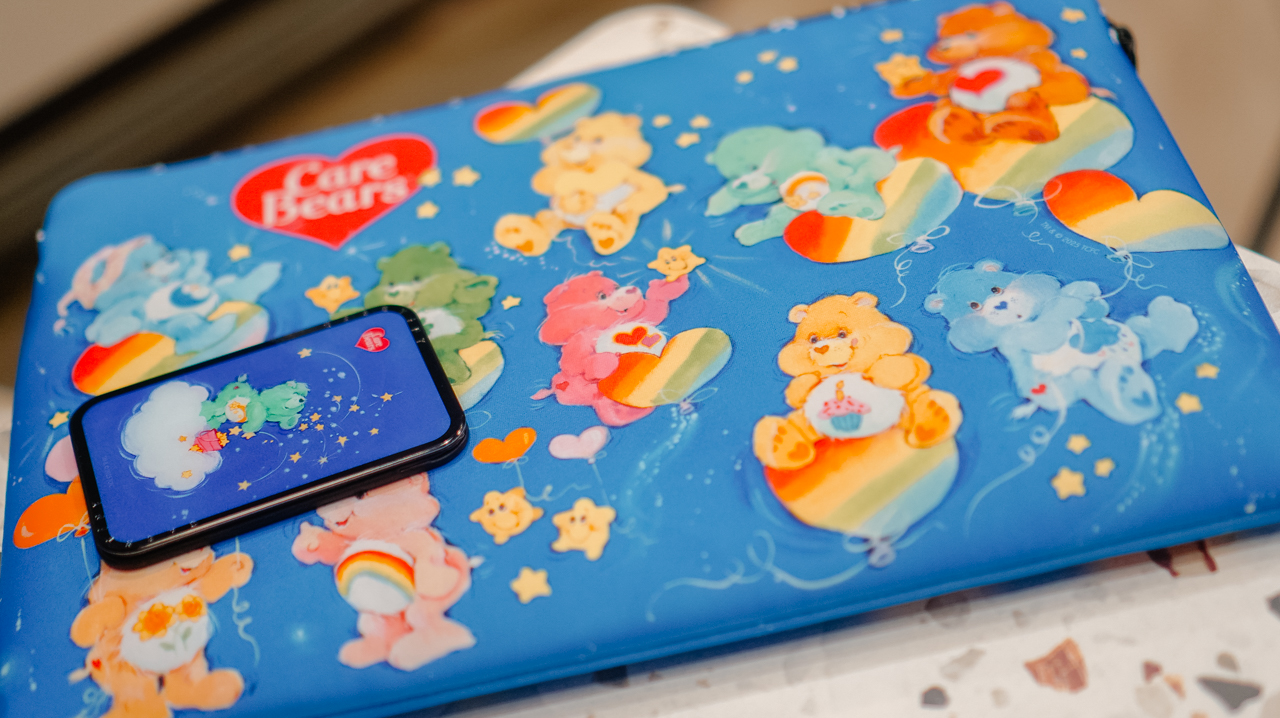
When I switch to a different MagSafe case, the Starry Night Snappy Cardholder Stand (PhP 2,490) magnetically attaches to the back of my phone, adding a bit of celestial whimsy to my day
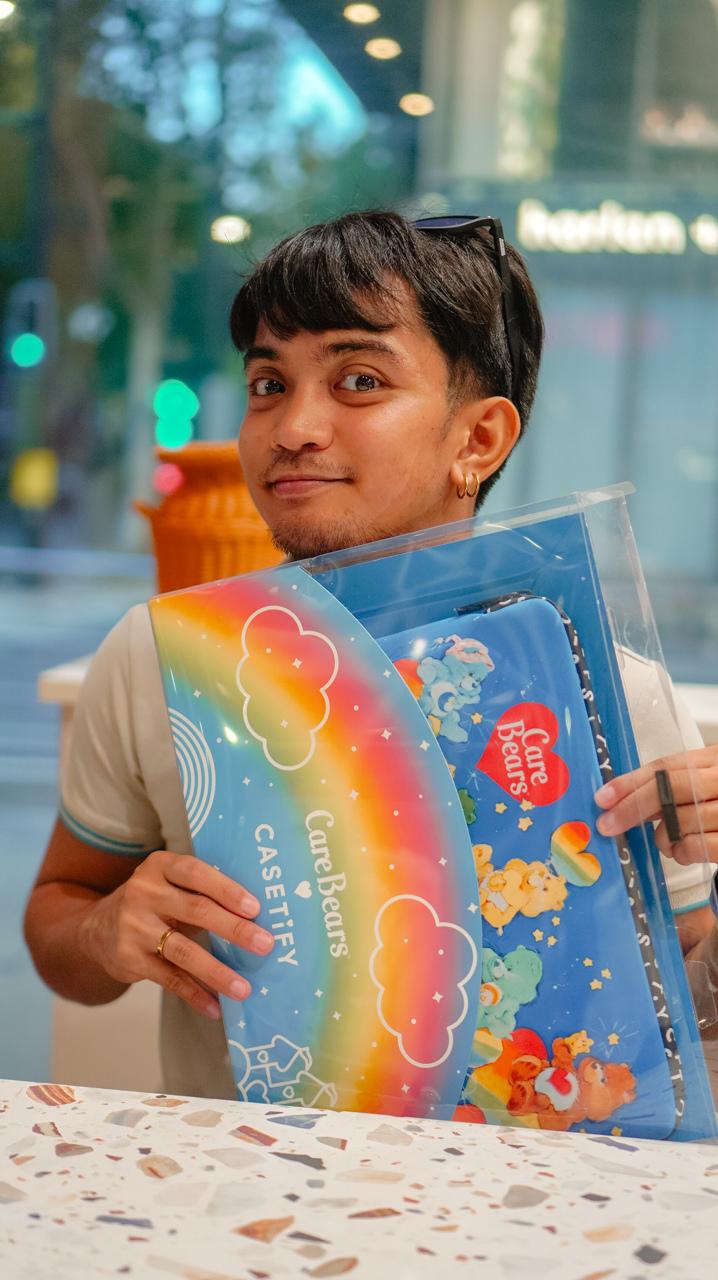
Even my workspace has a new glow. The Twilight Dreams Laptop Sleeve (PhP 3,090) fits my 13-inch MacBook perfectly, wrapping my most important work tool in nostalgic, soft-toned illustrations.
We often look for tech that performs, but we rarely look for accessories that hugs back. This collection does both.
It turns my everyday essentials into a canvas for positivity, proving that even in a digital world, there’s always room for a little more care.
Accessories
CASETiFY relaunches Evangelion collab for 30th anniversary
Fans can now customize their own NERV-ready cases

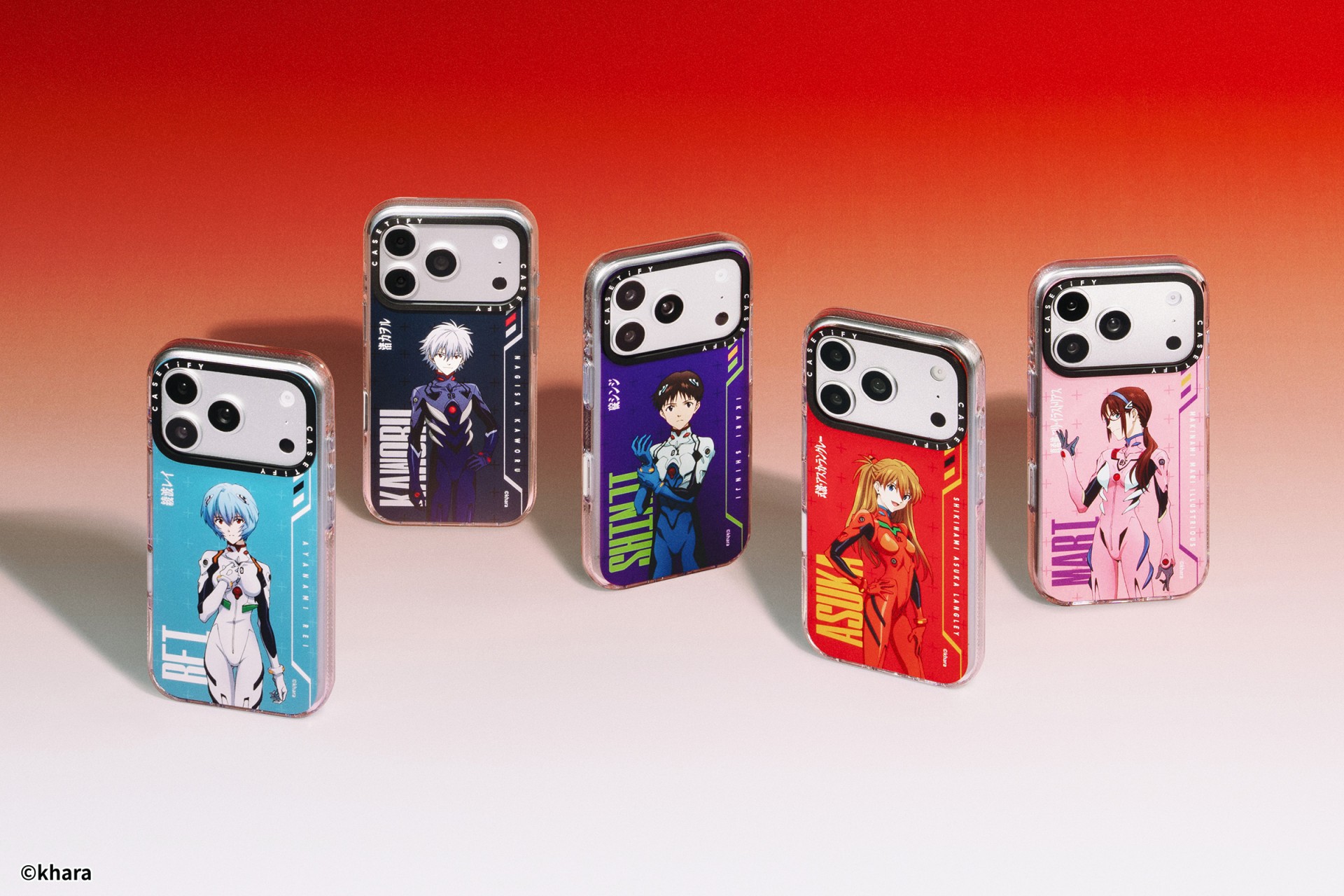
The A.T. Field is activated. To mark 30 years of Neon Genesis Evangelion, CASETiFY has relaunched its highly popular Evangelion collaboration. This time, fans control the sync rate.
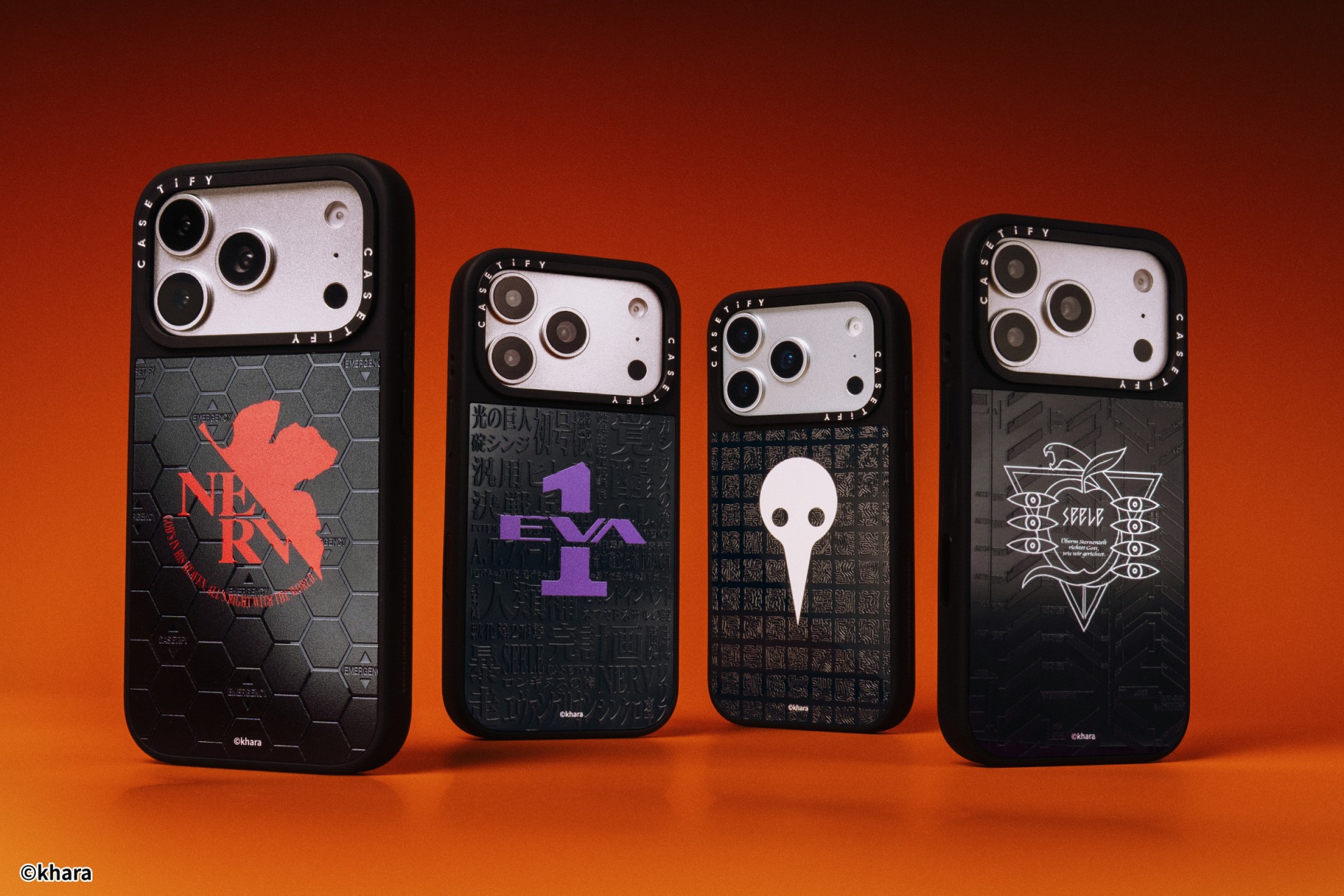
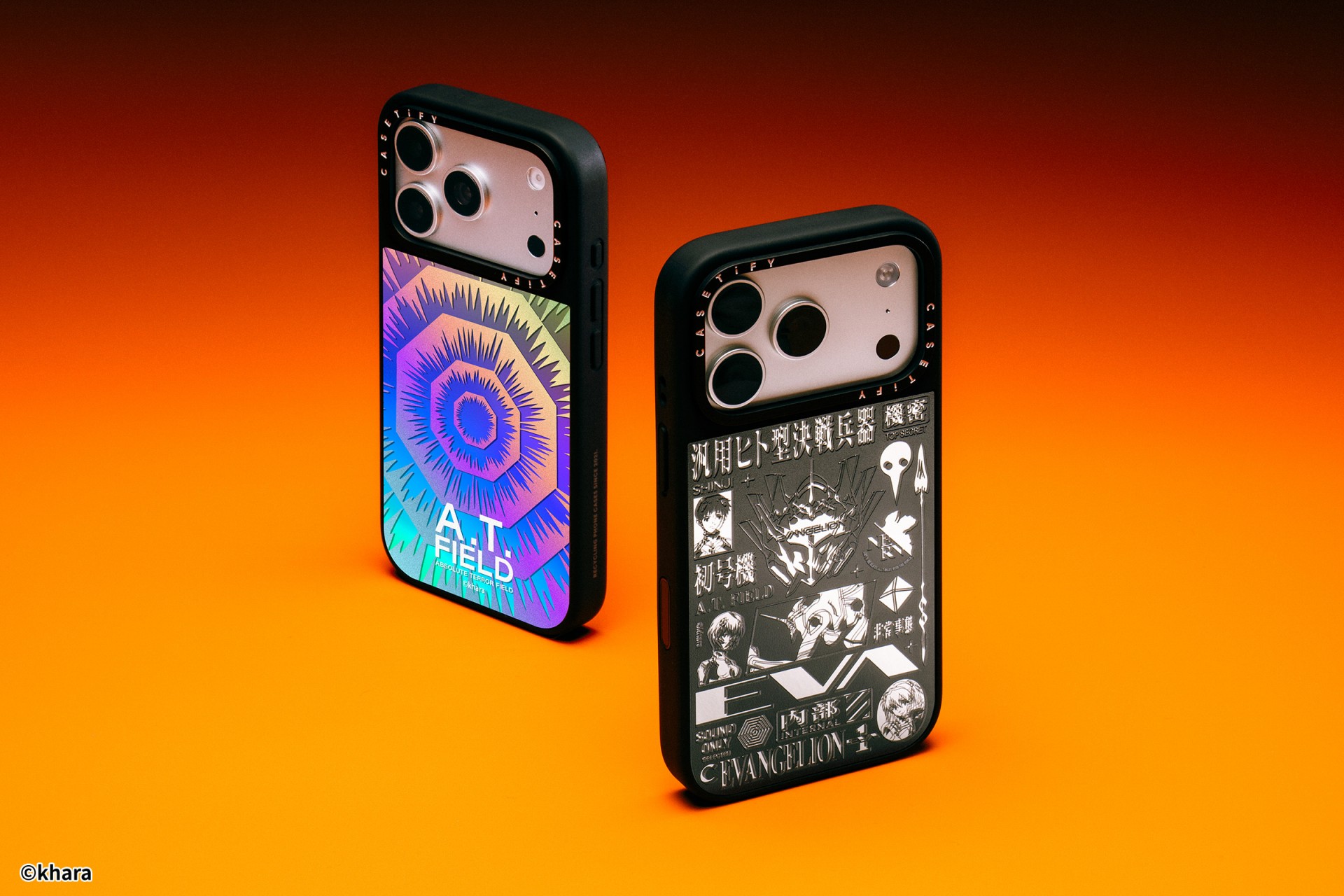
For the first time, buyers can fully customize their Evangelion cases. The drop lets fans mix and match NERV logos, the 4th Angel, character art featuring Shinji Ikari and Rei Ayanami, and bold background graphics. The result is a case that feels like a personal unit build, straight out of the series’ control room.
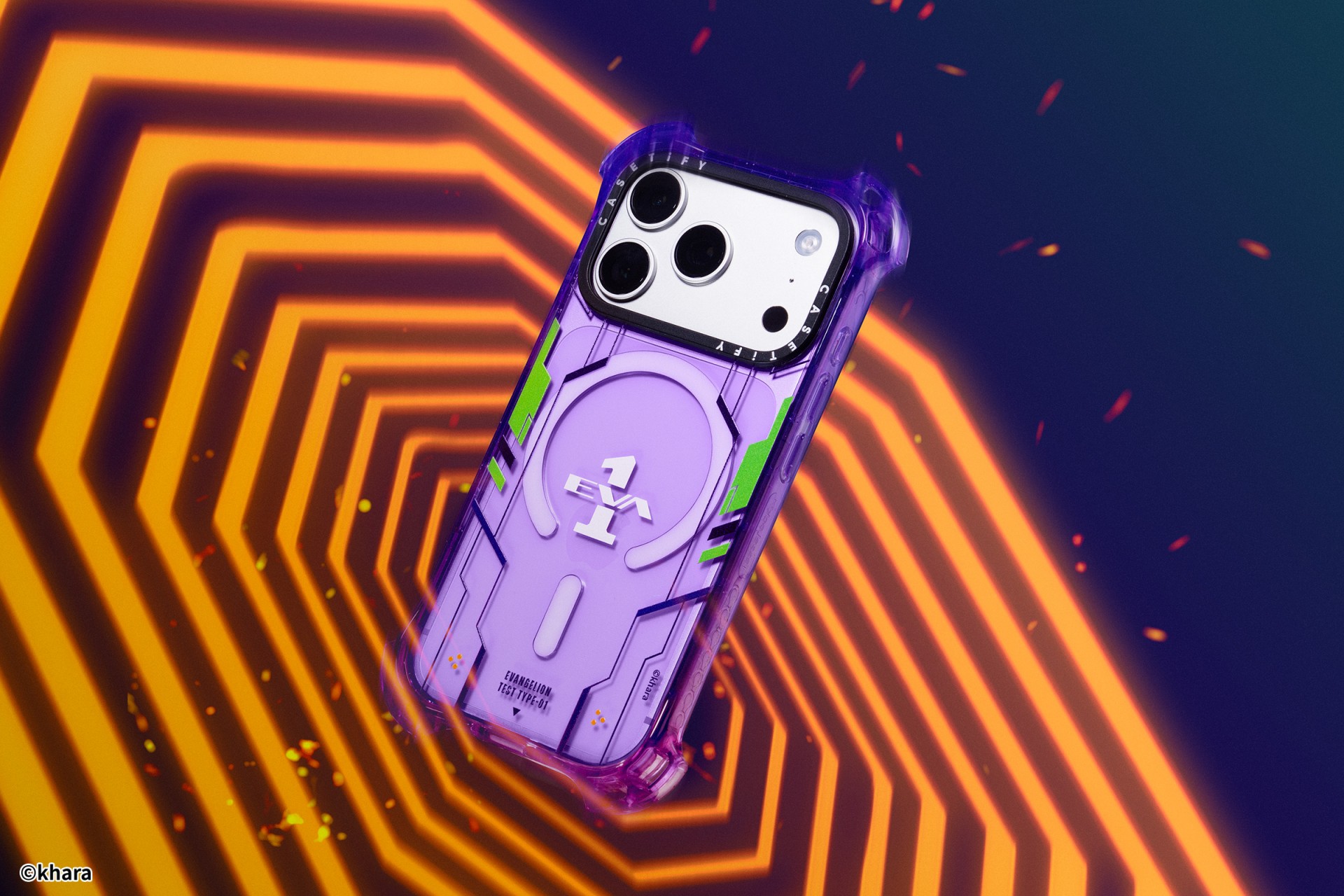
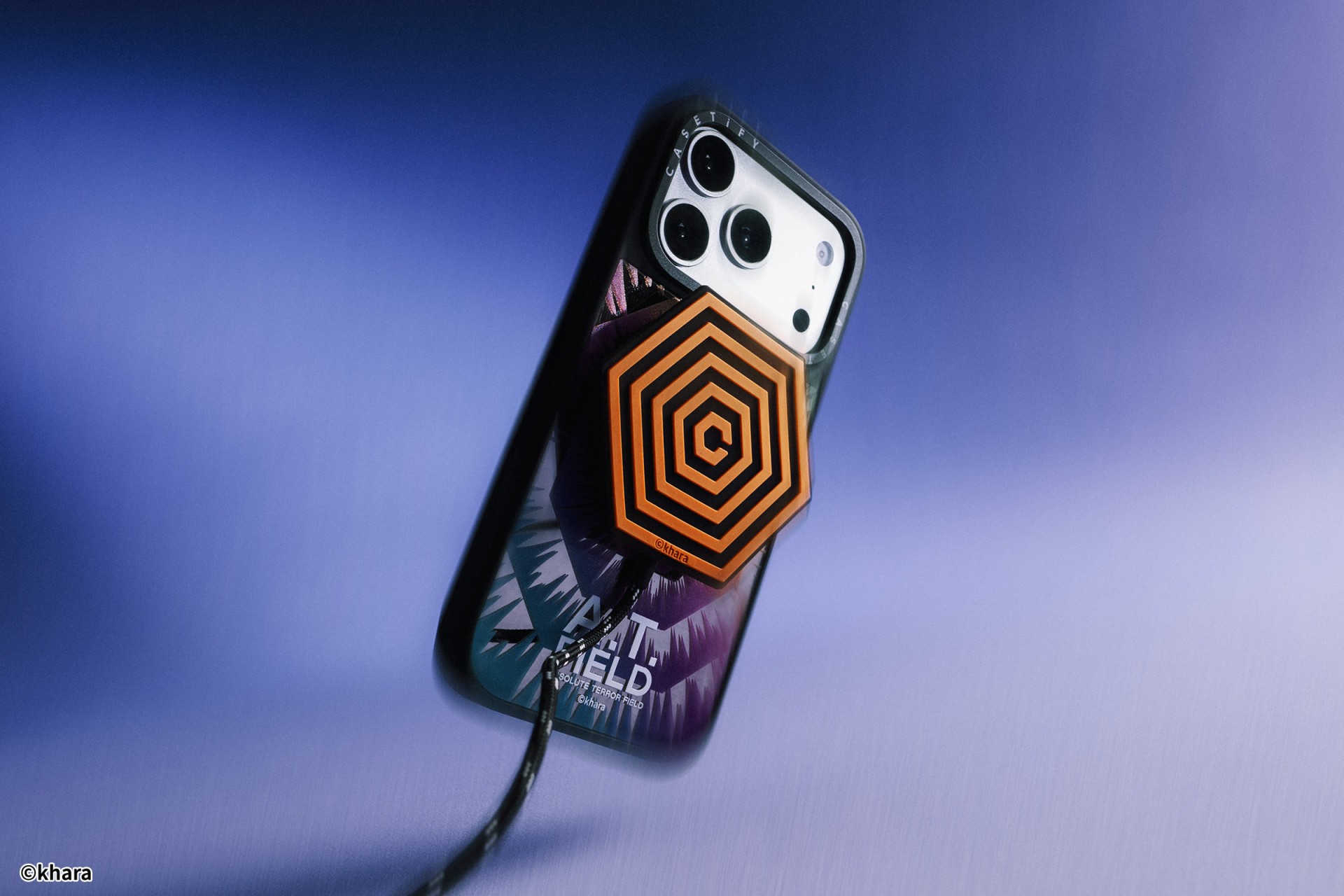
The lineup pulls directly from Evangelion iconography. Designs include classic NERV insignias, holographic “A.T. Field” defense graphics, “Active Time Limit” warnings, and the official 30th Anniversary emblem. Each case uses CASETiFY’s signature impact protection, turning your device into a pocket-sized defensive barrier.
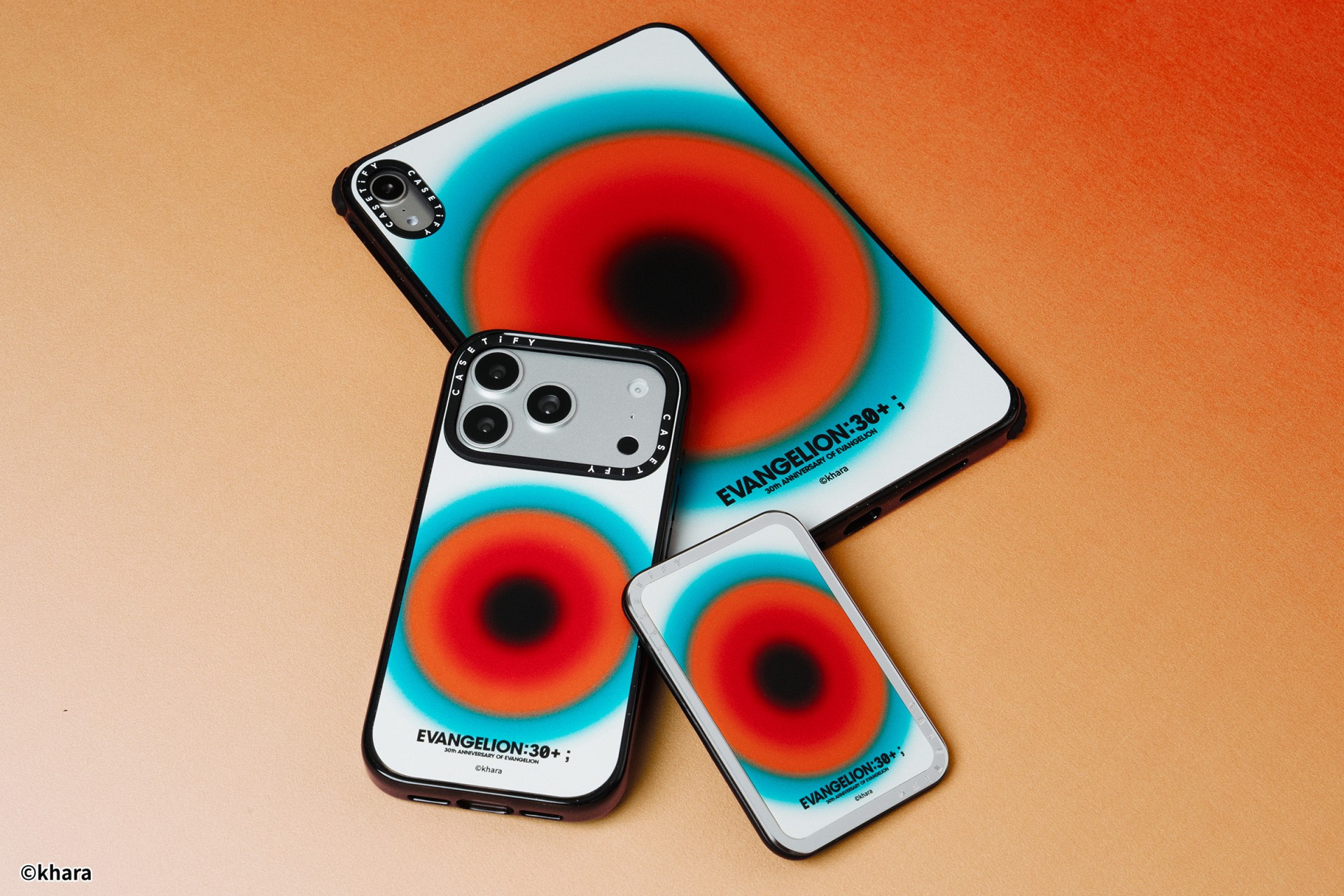
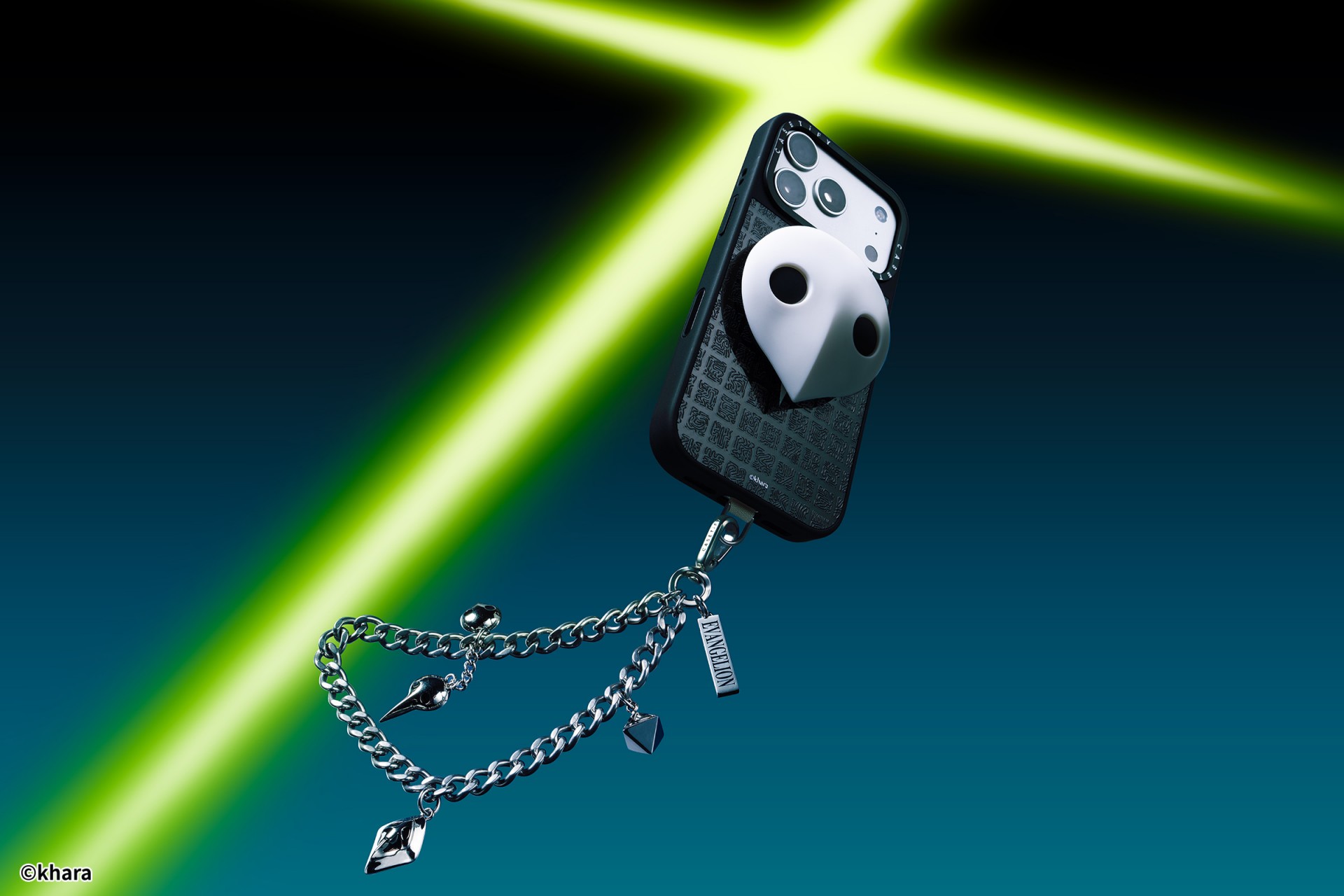
The collection goes beyond phone cases. Fans can also pick up matching AirPods cases, MagSafe wallets, watch bands, and laptop and tablet sleeves to complete their everyday tech setup.
Android users are included in the rollout. The collection supports devices like the newly released Samsung Galaxy S26 series, making it a timely drop for those looking to suit up their latest flagship.
The Evangelion collection is now available via the official CASETiFY website.

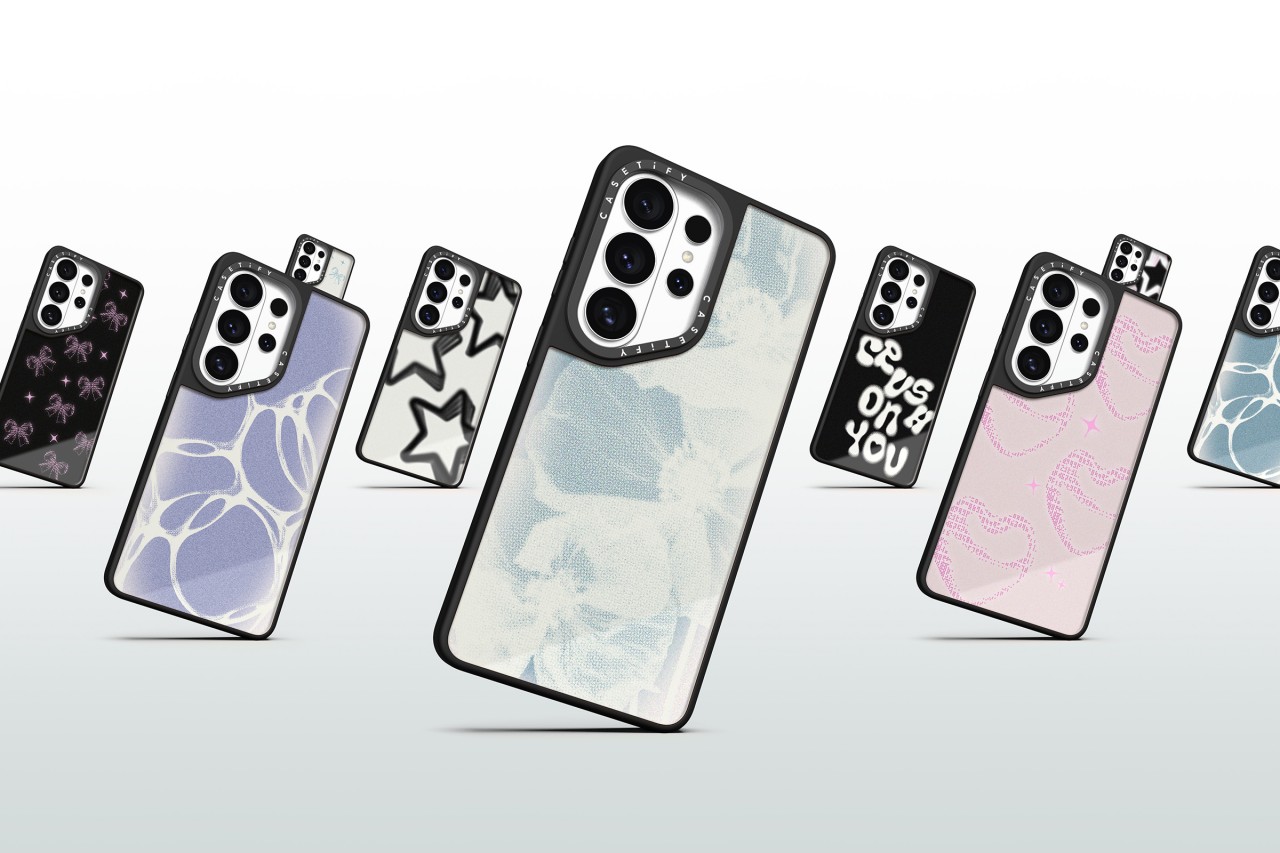
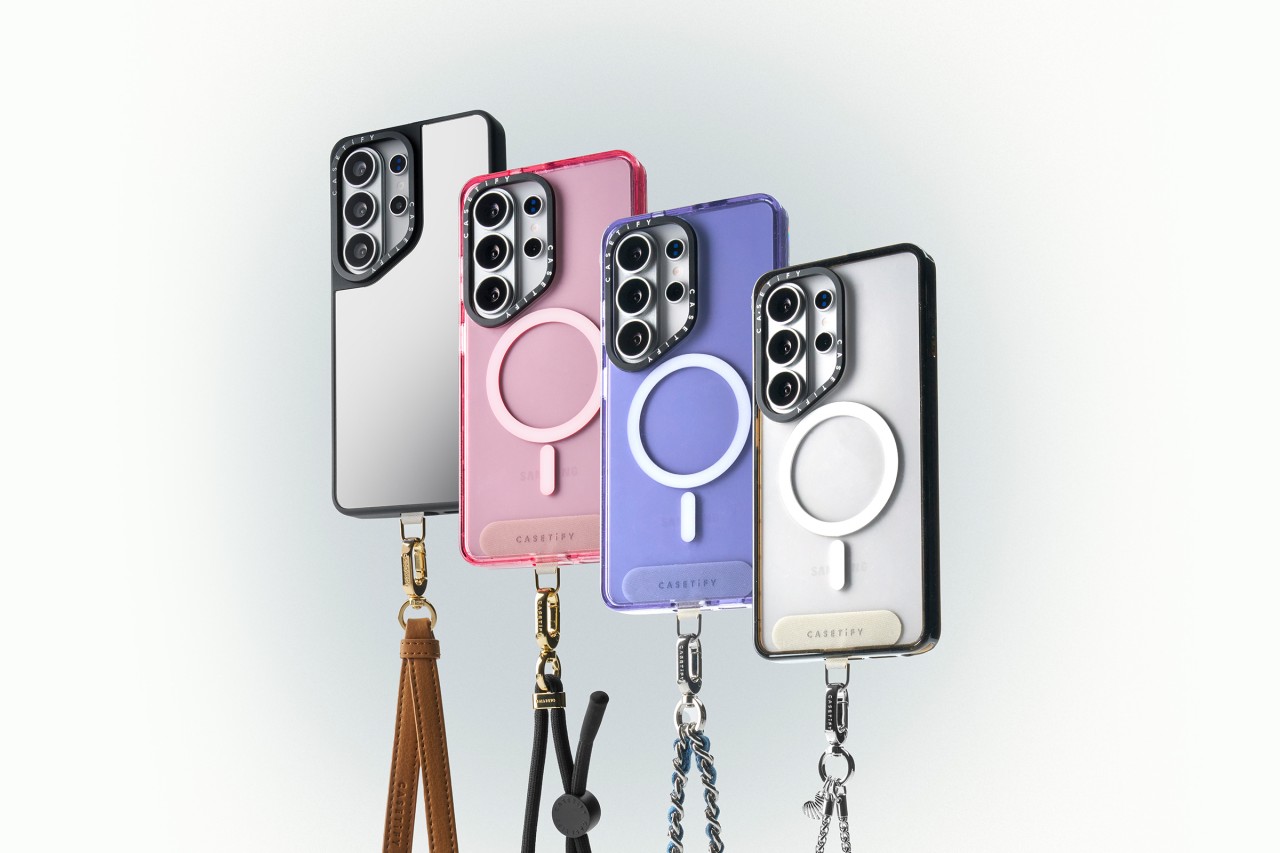
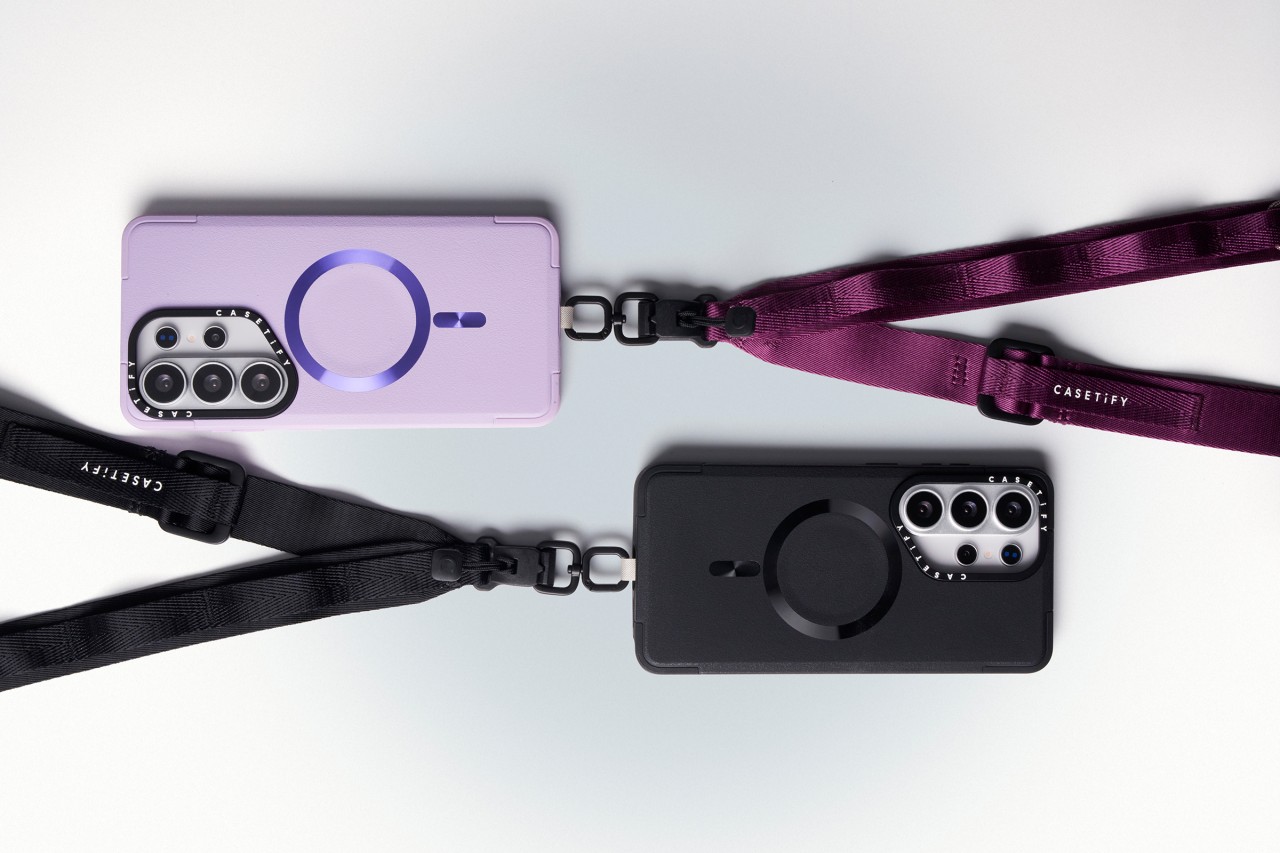
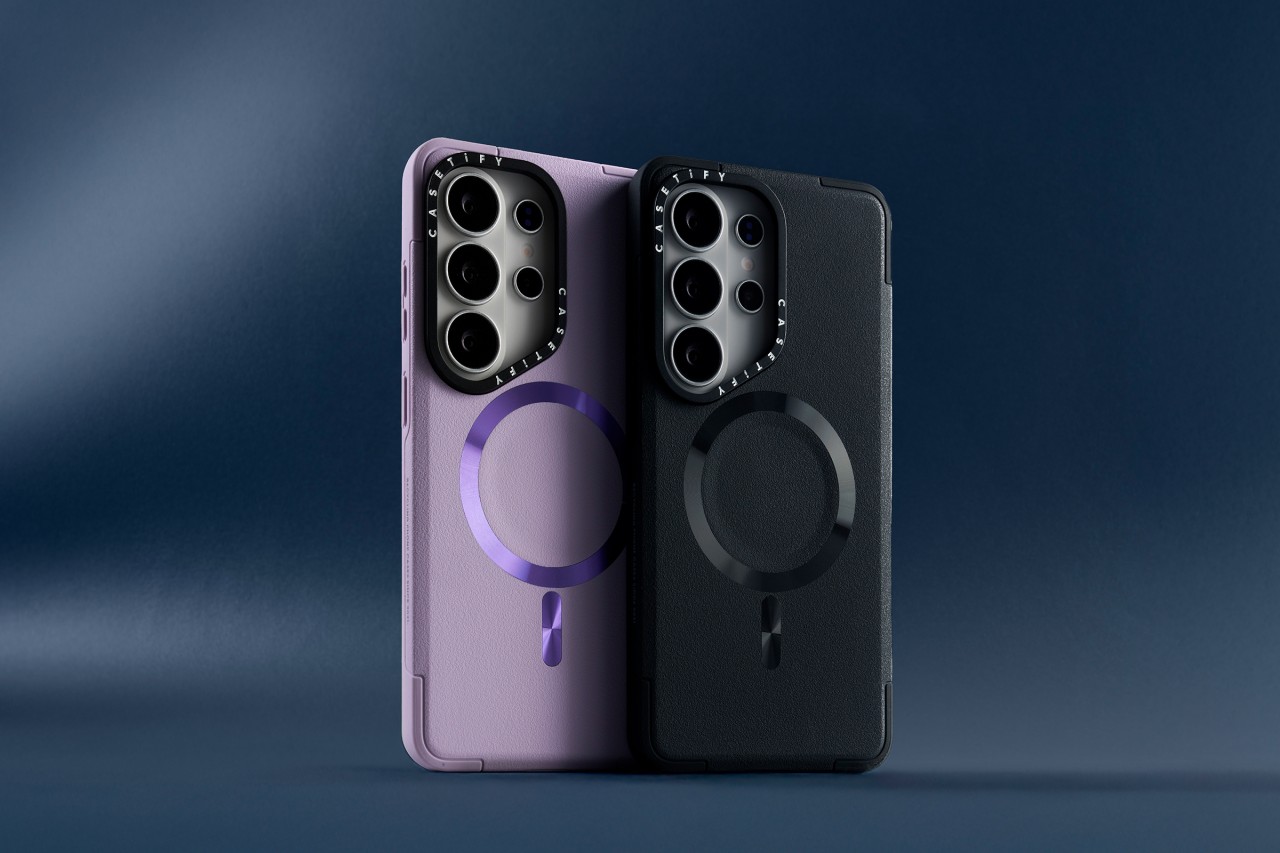
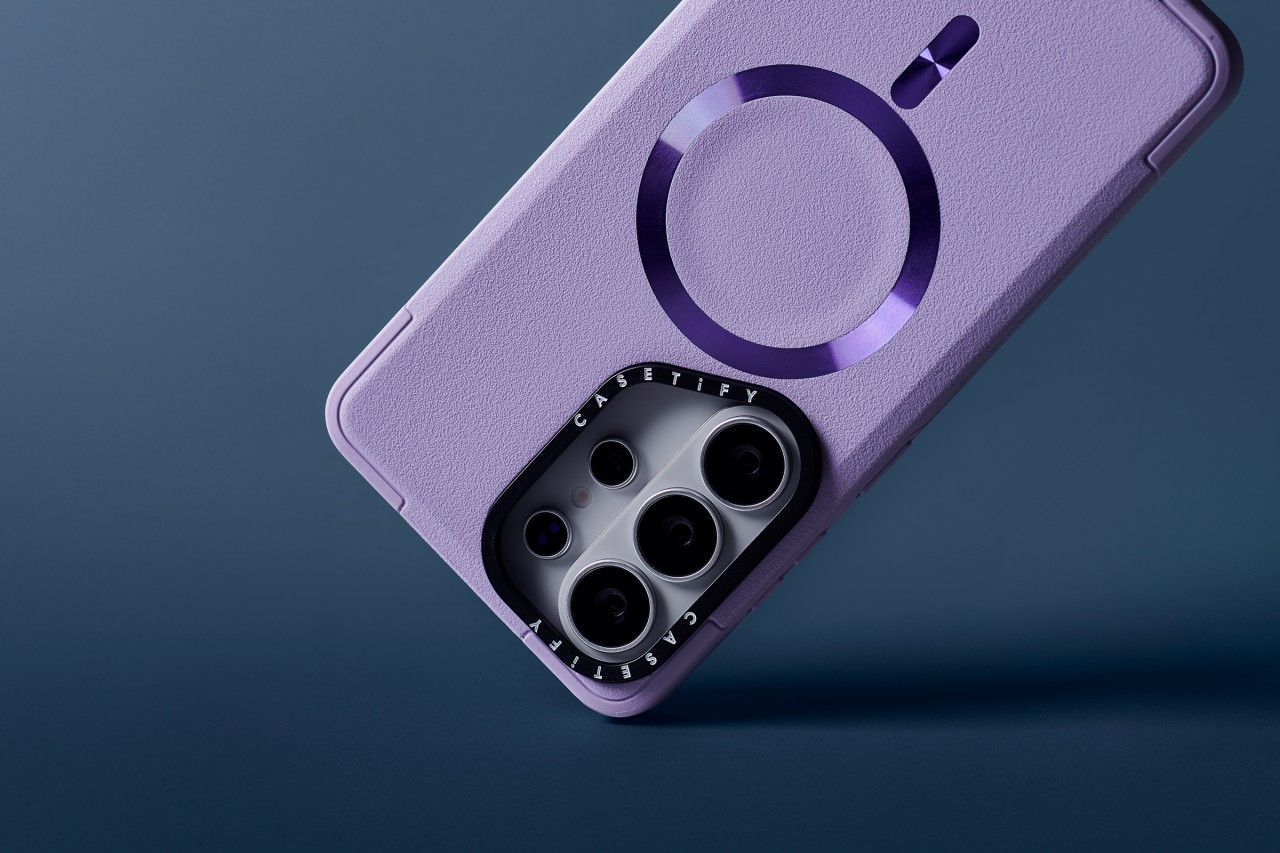
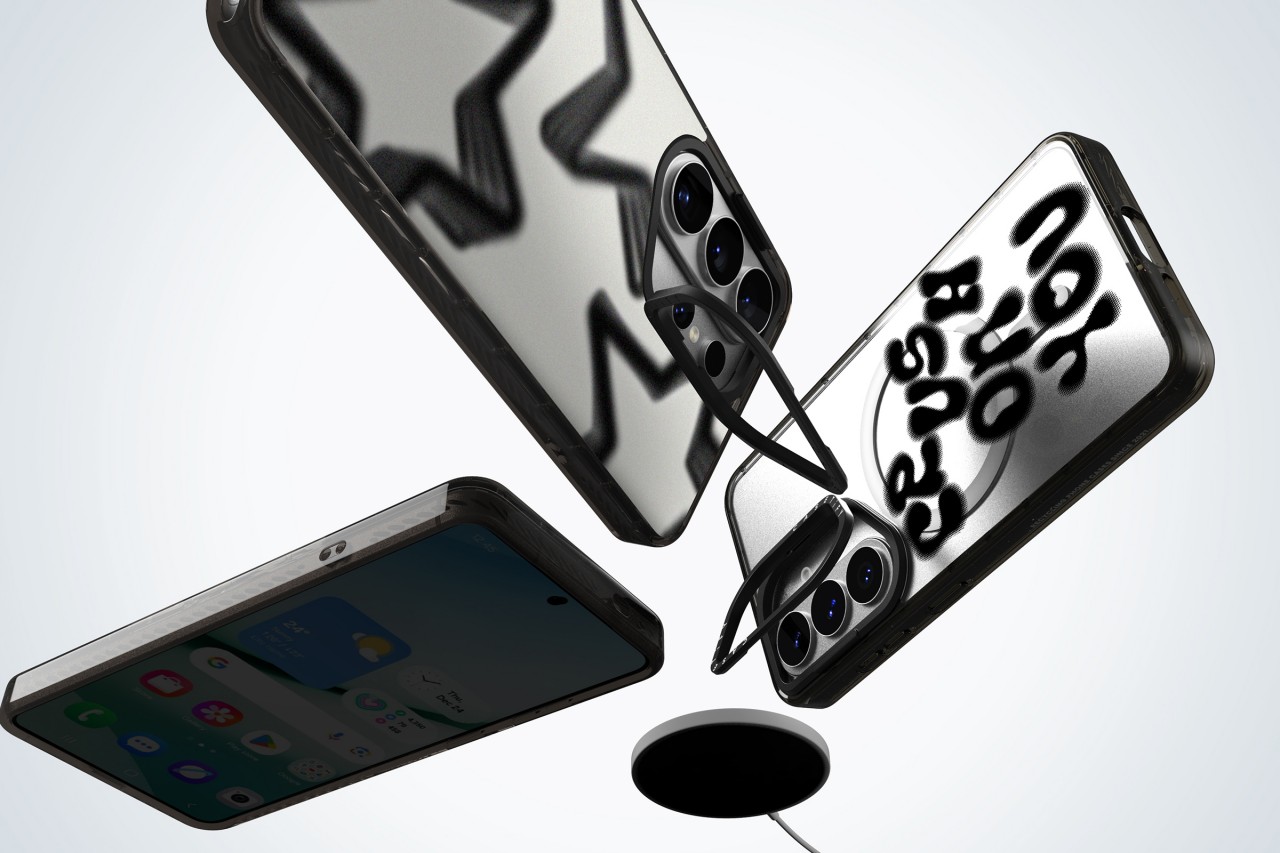
CASETiFY has unveiled its full lineup of cases and accessories for the Samsung Galaxy S26, timed with the flagship’s global debut.
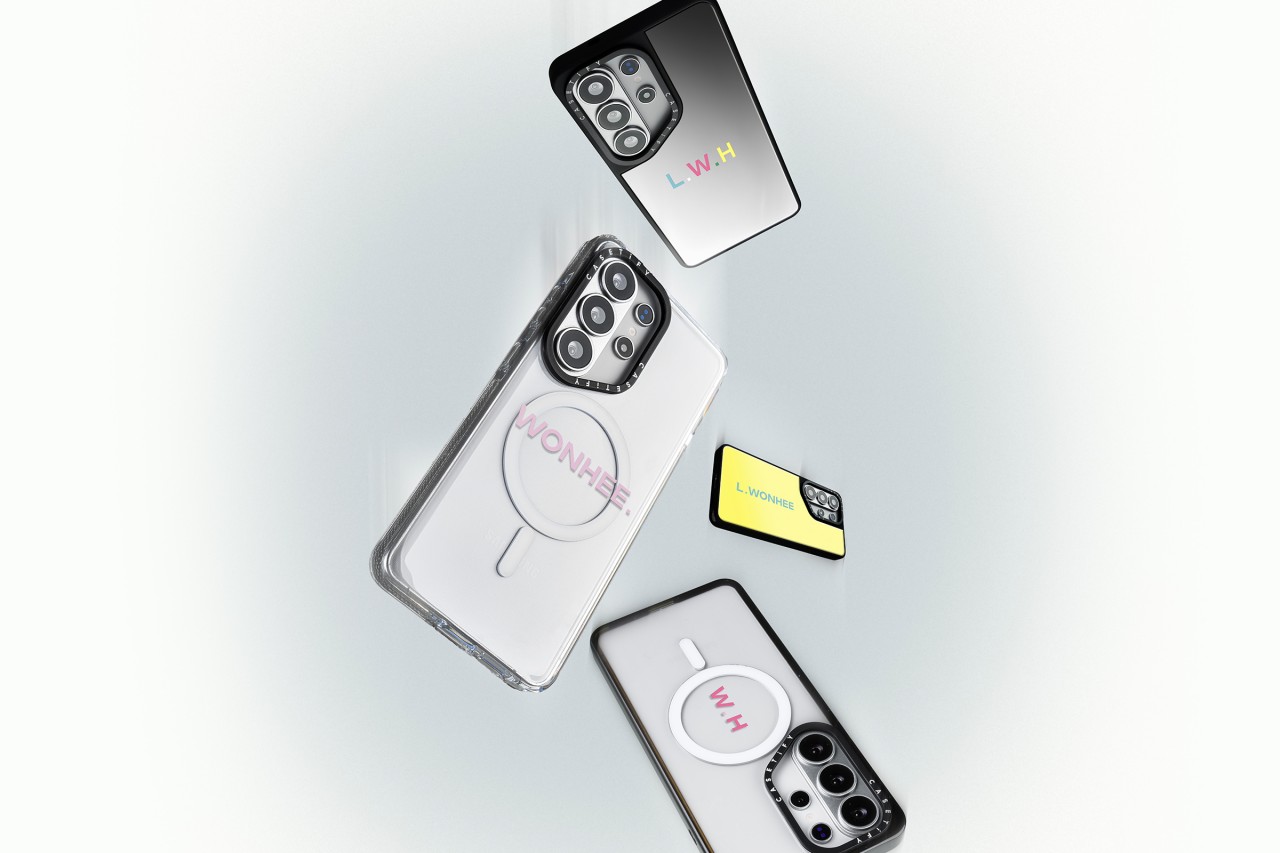
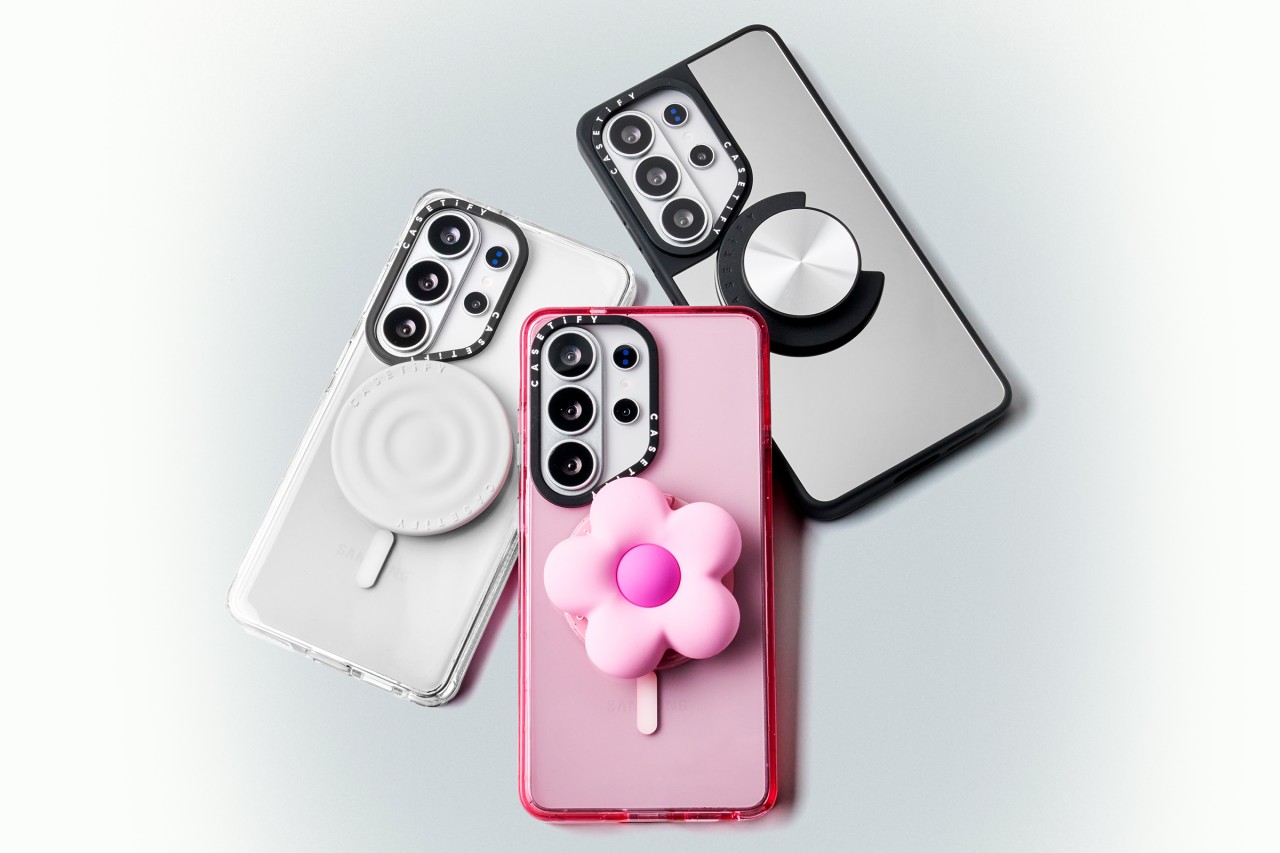
The new collection blends protection with personalization. Users can customize cases with photos and text or choose from bold, artistic prints across multiple case styles. The lineup also includes phone charms, body straps, magnetic accessories, screen protectors, and camera lens covers built specifically for the Galaxy S26.
Orders opened on February 25, 2026 via CASETiFY’s website.
Built for protection and everyday use
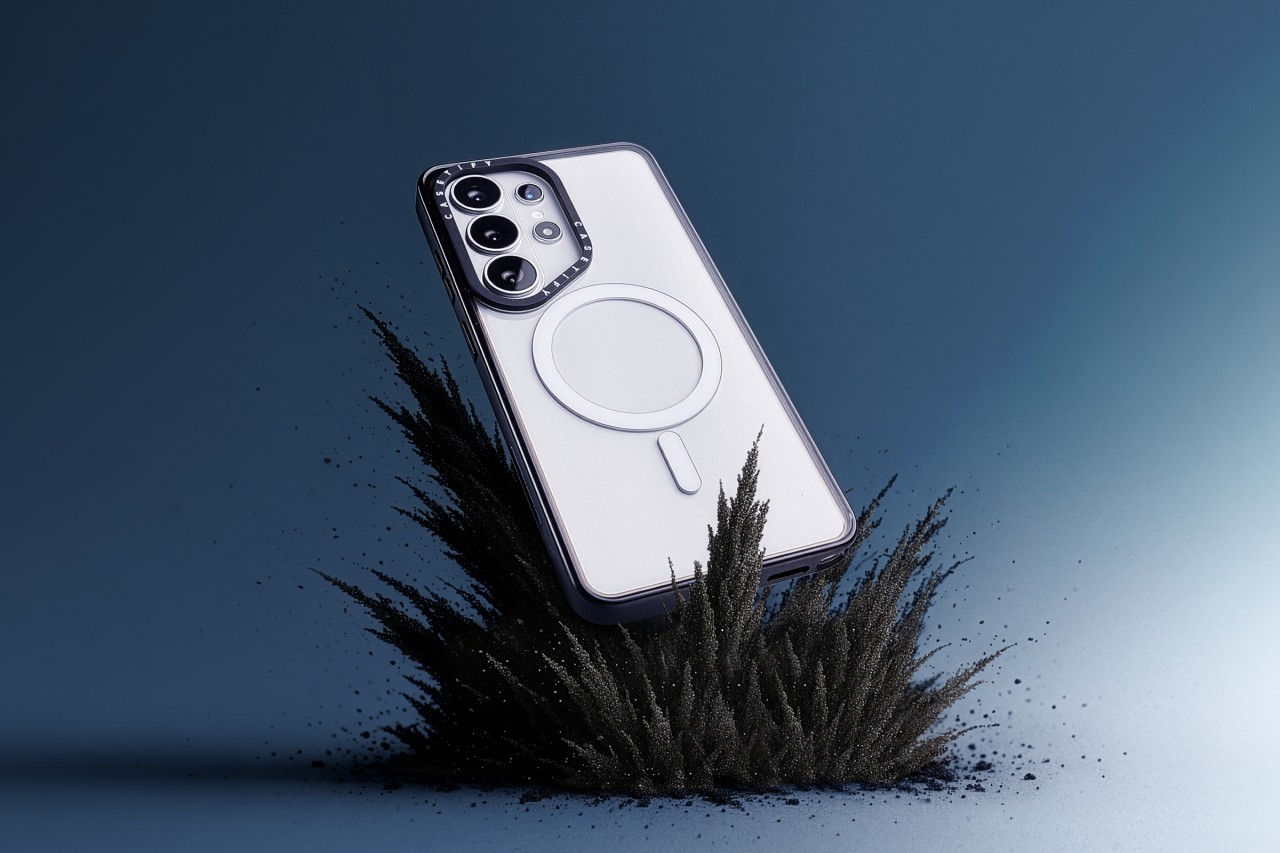
Leading the lineup is the Impact Ring Stand Magnetic Case ($85). It features a lifted camera ring with a built-in stand that adjusts from 0 to 150 degrees for hands-free viewing. The case carries 6.6-foot drop protection, 3x MIL-STD-810G certification, EcoShock cushioning, and CASETiFY’s Duo-Lock bonding system. It also supports wireless charging and magnetic accessories.
The Impact Magnetic Case ($70) increases drop protection to 8.2 feet with 4x MIL-STD-810G certification. It adds side sockets for charms and a raised bezel for screen protection.
For those who prefer a transparent look, the Impact Clear Magnetic Case ($70) focuses on long-lasting clarity and anti-yellowing materials. It offers 6.6-foot drop protection and 3x MIL-STD-810G certification.
Slim, glossy, and grip-focused options
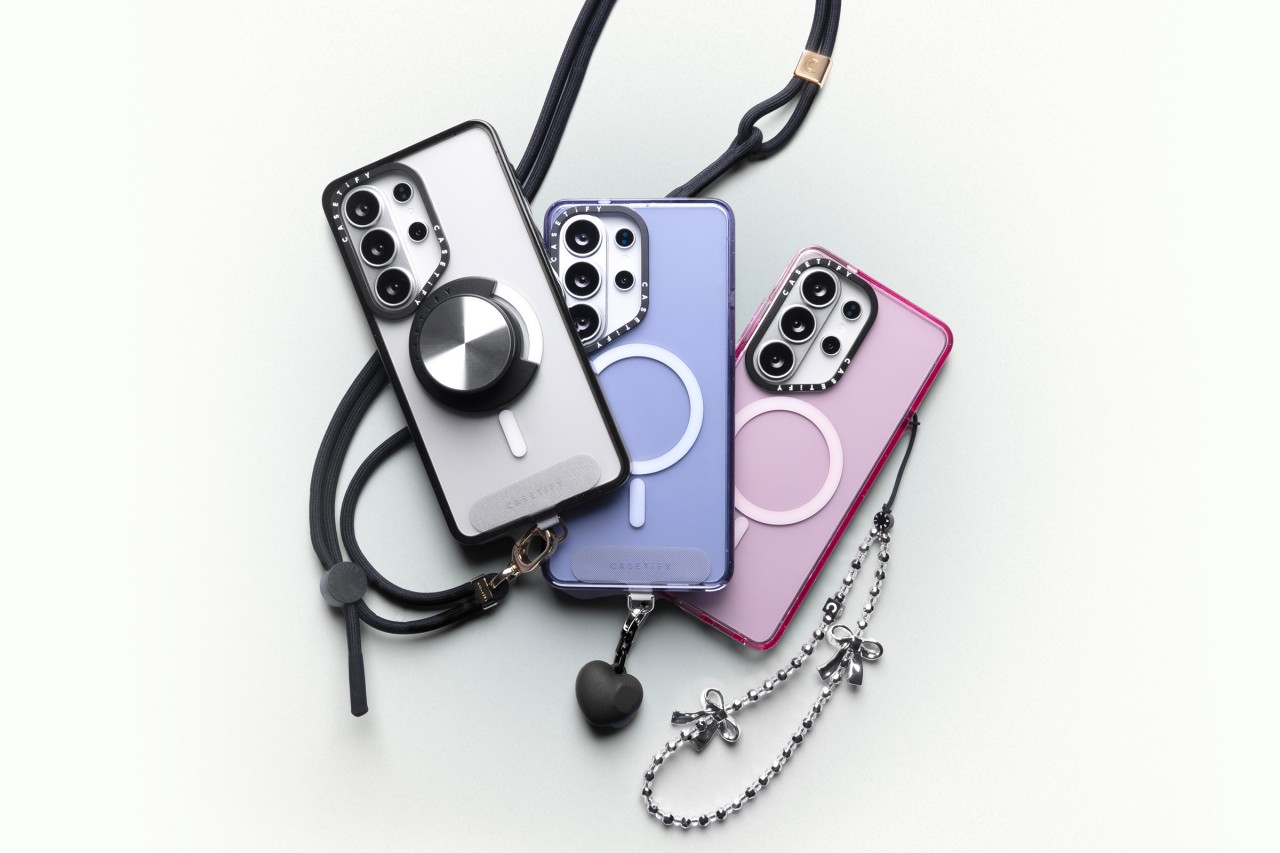
The Mirror Magnetic Case ($70) adds reflective functionality with 4.9-foot drop protection, while the Compact Magnetic Case ($55) targets users who want a lightweight, slim profile with 4-foot drop protection.
The Glaze Magnetic Case ($70) stands out with a scratch-resistant glossy finish and anti-print peel-off technology, paired with mirror functionality and magnetic compatibility.
Rounding out the collection is the Force Case by CASETiFY ($55), designed for enhanced grip and durability. It delivers 6.6-foot drop protection, 3x MIL-STD-810G certification, Duo-Lock bonding, and full wireless charging support.
With multiple case styles and accessory options, CASETiFY’s Galaxy S26 collection gives users room to match their device to their personality without compromising protection.




Zenless Zone Zero Version 2.7 available on March 24

Infinix expands SEA footprint with more official MLBB tourney partnerships

Samsung Galaxy S26 Ultra review: A phone you live with

DJI’s Inspire 3 Basic Package make 8K aerial filmmaking more accessible

Disney+ launches a TikTok-coded vertical feed called Verts


-

 Reviews2 weeks ago
TECNO CAMON 50 Ultra review: End of an era?
-

 MWC 20262 weeks ago
Infinix NOTE 60 Ultra makes a motorsport-inspired debut
-

 MWC 20262 weeks ago
TECNO launches the all-new CAMON 50 series
-
 MWC 20262 weeks ago
TECNO unleashes Tonino Lamborghini collection
-
 Computers2 weeks ago
AMD announces Ryzen AI 400, AI 400 PRO series at MWC 2026
-
 MWC 20262 weeks ago
TECNO debuts latest devices, HiOS 16, upgraded Ella at MWC 2026
-

 Automotive2 weeks ago
Xiaomi Vision Gran Turismo makes global debut at MWC 2026
-

 Reviews1 week ago
The Xiaomi 17 shoots Leica dream