

Accessories
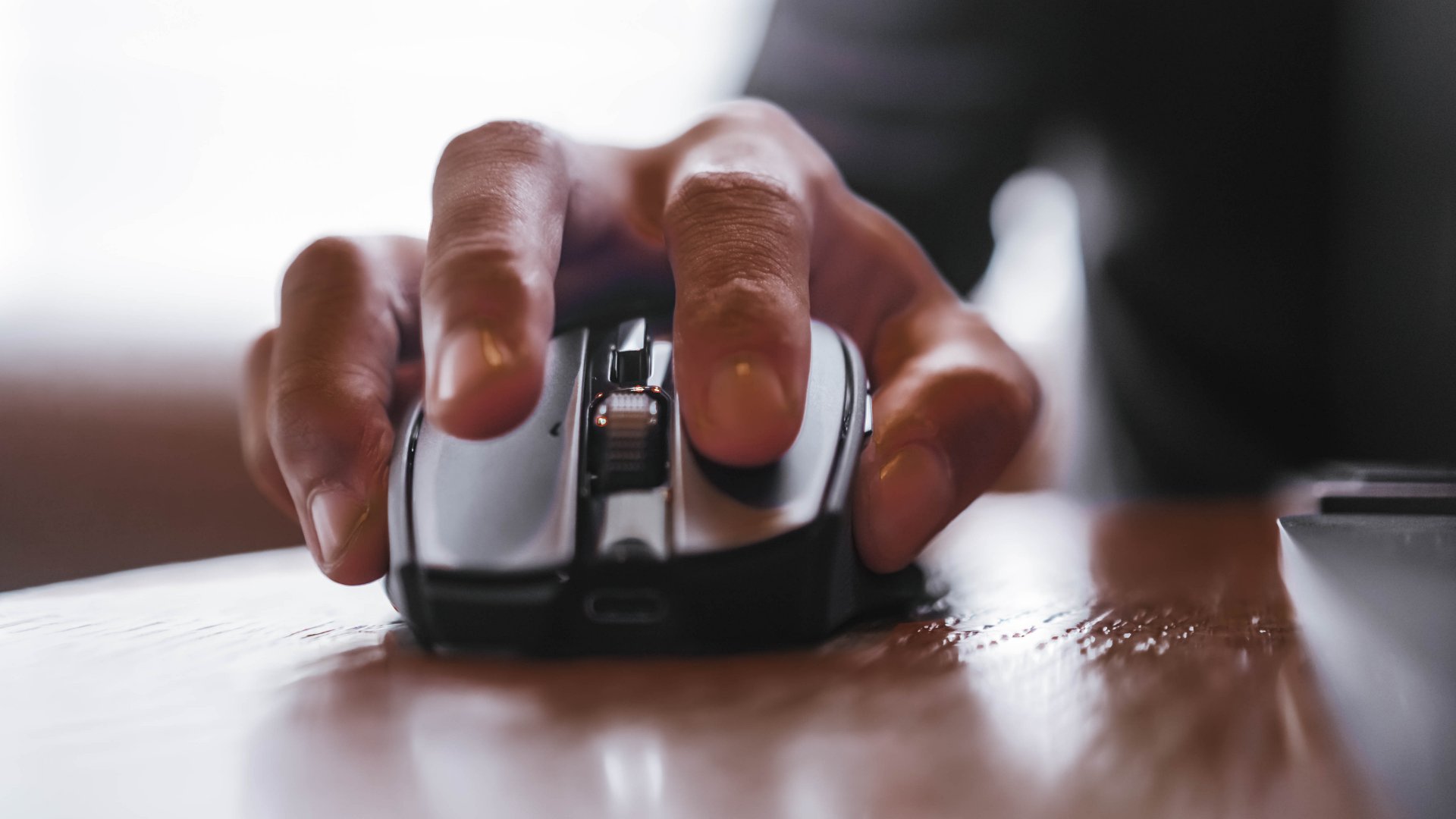
This gaming mouse made me fall in love with working from home again
The Razer Basilisk Mobile may be built for play, but it excels at work!

After months of living out of a suitcase, I found myself home again. You’d think staying in one place would feel easier, but I realized how restless I’d become.
I’ve built a life around movement. I like feeling in control. Maybe that’s why when I started setting up my workspace again, the Razer Basilisk Mobile immediately felt like the right fit.
It’s called “mobile,” but it found its purpose in my quietude.
Small things that carry weight
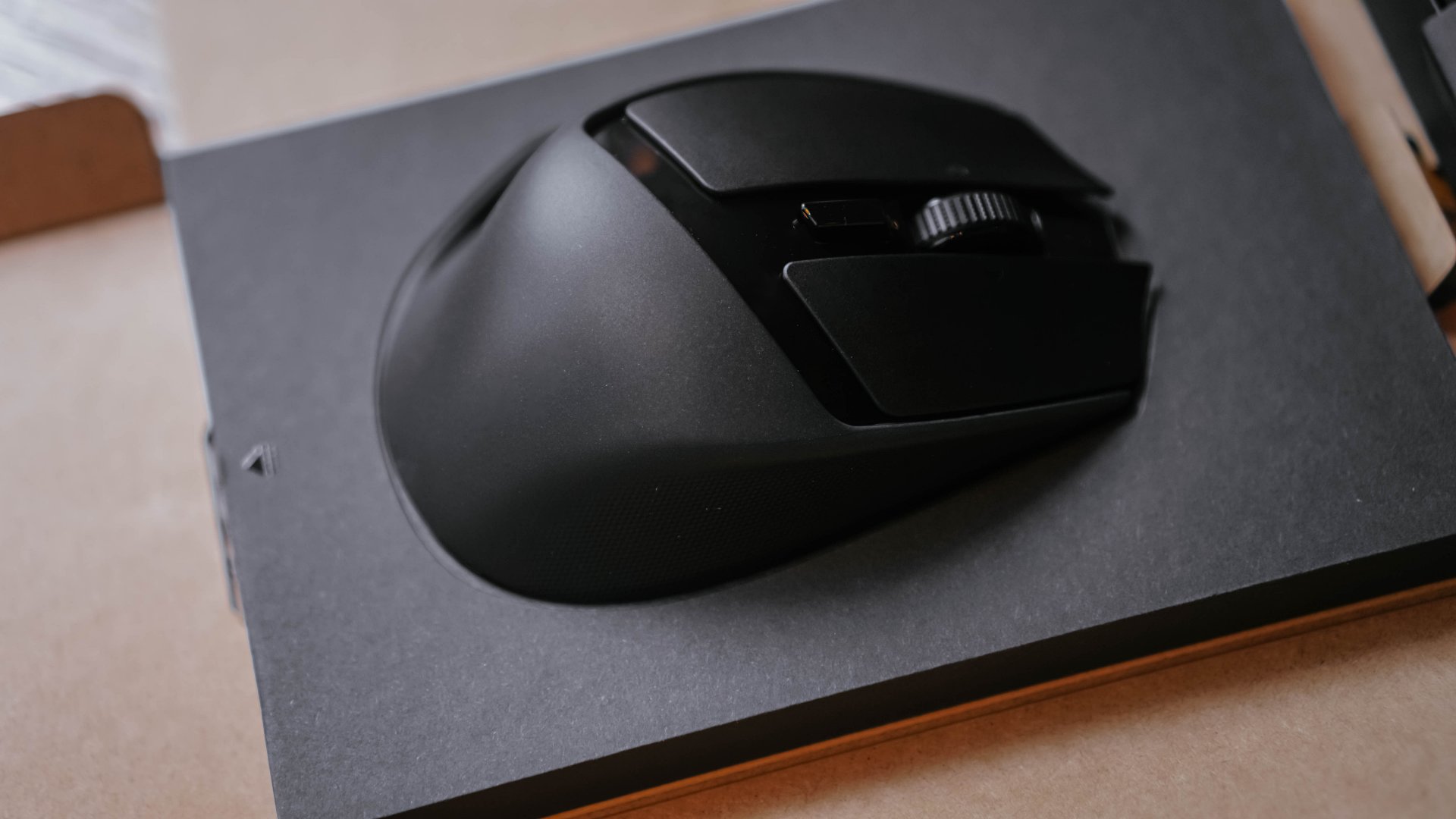
The Razer Basilisk Mobile isn’t intimidating like most gaming gear. It doesn’t scream for attention with flashing lights or aggressive angles.
It’s compact enough to sit quietly beside my laptop, yet sturdy in the hand, like it knows what it’s capable of.
Razer took its fan-favorite ergonomic design and scaled it down for people who need comfort without clutter.
It fits perfectly under my palm during long writing sessions and when I’m deep in photo edits. It’s light enough to move effortlessly.
And because it’s wireless, my desk finally looks clean and ready for whatever kind of workday I’m about to have.
A mouse that adapts to how you think
The Basilisk Mobile has 10 customizable controls, which, on paper, sound like overkill for a writer and creative director.
But after a week of using it, I started wondering how I ever worked without them.
Razer designed these buttons for gamers who need split-second reactions. I use them for something more… domestic.
Copy-paste shortcuts, switching tabs, launching Photoshop, or even triggering my AI note app with a single click.
It’s called the AI Prompt Master, but in my world, it’s a creativity launcher.

It feels like this mouse understands the kind of multitasking life I lead. That I can go from reviewing layouts to color-grading photos and videos, and somehow still keep my hand relaxed and my workflow seamless.
Maybe, that’s what I love most about it? It’s built for play, but it excels at work.
Endurance I can count on
I’ve always believed endurance is a love language. Maybe because I’ve built my own around it.
I’ve raced through obstacle courses and weathered deadlines, but I still managed to show up again to work the next day.
That’s probably why I respect gadgets that stay the course. The Razer Basilisk Mobile runs up to 105 hours on HyperSpeed Wireless and 180 hours on Bluetooth.
For context, that’s weeks of work without charging and when it does need a quick top-up, 10 minutes gives you 7 hours of power.
Precision that feels personal
There’s a state of flow when every click and scroll just feels right. The Basilisk Mobile understands that beat certainly.
Its 18K DPI optical sensor keeps everything precise, whether I’m fine-tuning an image in Lightroom or browsing through hundreds of thumbnails. It moves exactly how I want it to.

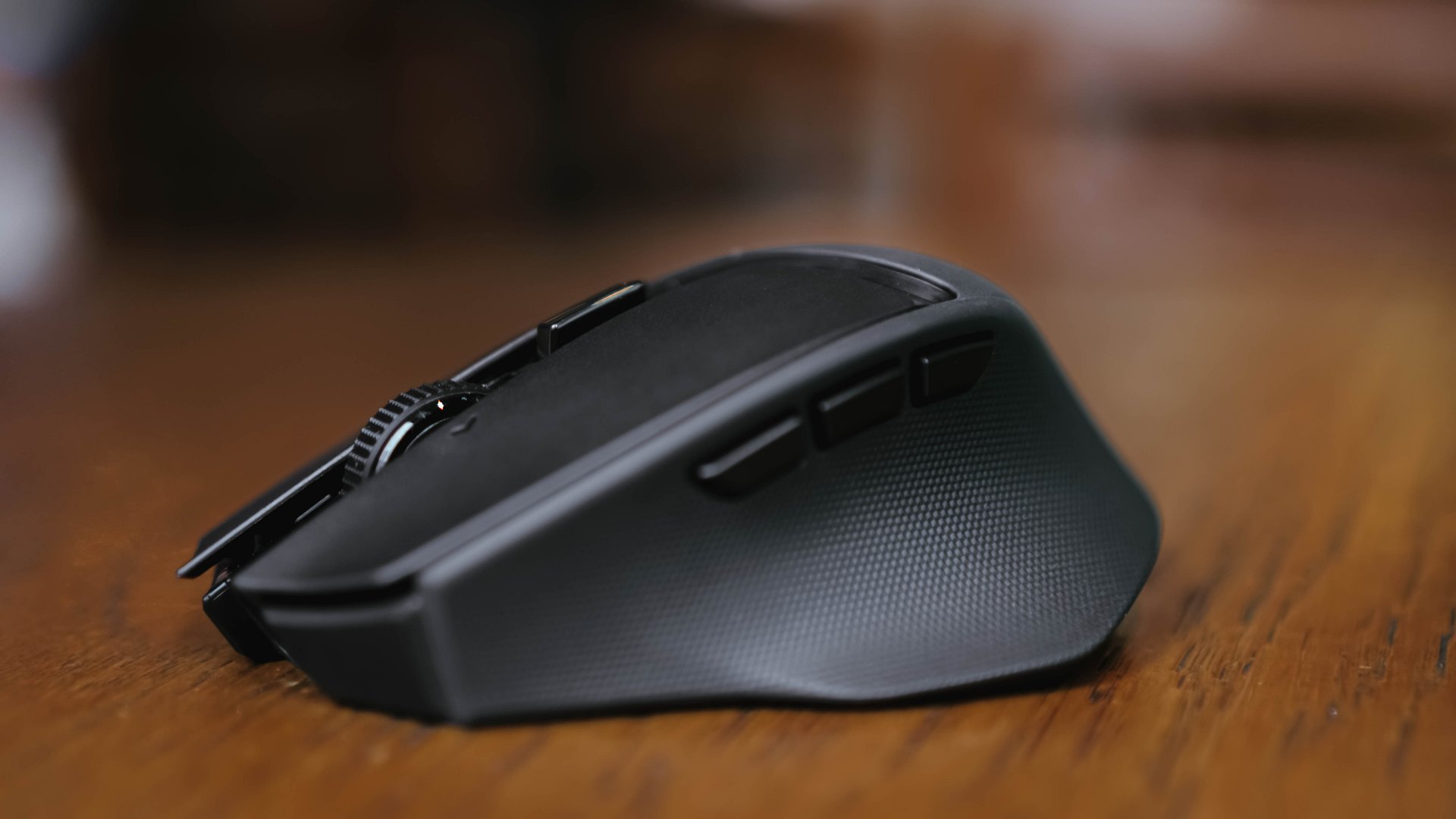
The Razer HyperScroll wheel might be my favorite part. You can switch between two modes: Tactile for that satisfying, notched scroll that makes you feel in control, and Free-spin for when you want to breeze through pages or scripts in seconds.
It’s smooth and accurate. You don’t always notice it, but it’s what makes everything else work.
The kind of comfort that grows on you
Some gadgets take time to get used to. Others feel right from the start. The Basilisk Mobile belongs to the latter.
Its buttons have a crisp, responsive feel, thanks to Razer’s Gen-3 Optical Switches, rated for 90 million clicks.
That’s overkill, sure, but it means I’ll probably grow old with this mouse before it ever gives up.
The 100% PTFE feet glide effortlessly across my mousepad, making even small movements soundless.
It’s a small thing, but it adds to the peace of my workspace

Is the Razer Basilisk Mobile your GadgetMatch?
The longer I used it, the more I realized something. The Razer Basilisk Mobile might be built for gamers, but it found its home with people like me: those who live in the overlap of focus and fatigue.
It’s the kind of device that doesn’t care where you use it. You can edit a highlight reel or write a story. This mouse will be right there with you when you want to feel productive again at your own desk.

Swipe right if you have the bucks to spare for a performance mouse that really works and makes your day-to-day easier.
Swipe left if you want your device to match a specific home office palette or prefer something simpler and more affordable. After all, the Razer Basilisk Mobile retails for PhP 5,995.
@gadgetmatchOn-the-go mouse best paired with the Razer Joro!♬ original sound – GadgetMatch
When I first unboxed it, I thought it would be the mouse I’d take with me when I travel. Turns out, it’s the one that made me stay productive while staying at home.
It taught me that performance isn’t always about speed or reaction time. Sometimes, it’s about stability. It’s about clicking through your day and creating something that feels like you.
And if that’s not gaming energy, I don’t know what is.







Accessories
UGREEN Nexode Pro 160W review: One mighty brick with a powerful trick
All the speed you need in one charging brick

Chargers aren’t just tiny bricks we plug into the wall anymore.
As our everyday gadgets become hungrier in power, chargers have gotten mightier, too.
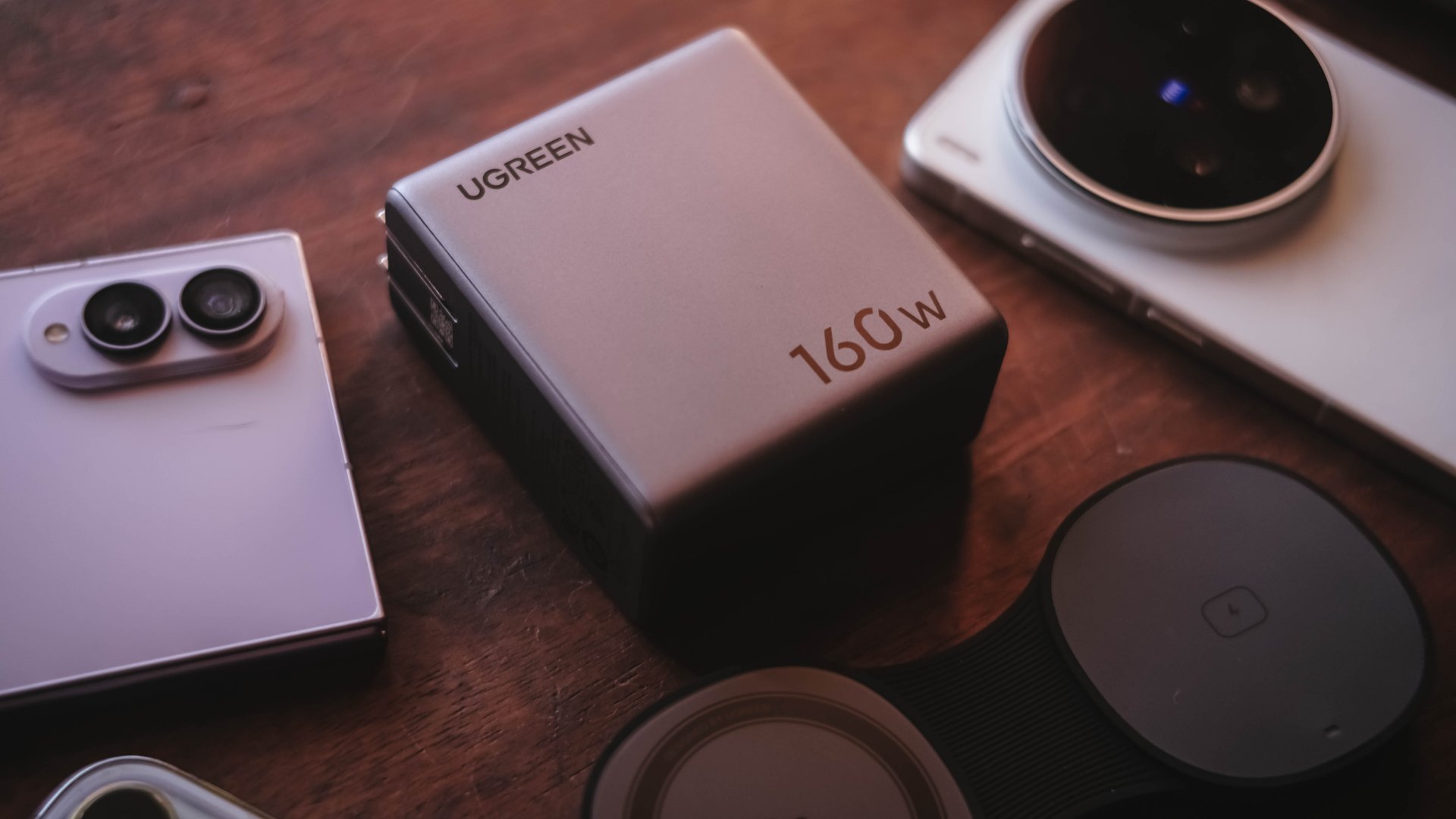
More wattage, more ports, and apparently, more brains. The UGREEN Nexode Pro 160W takes all of those in one thicc body.
A heavy charger with plenty of power
Let’s address the elephant in the room — literally and figuratively. The UGREEN Nexode Pro 160W is one CHONKY charger.
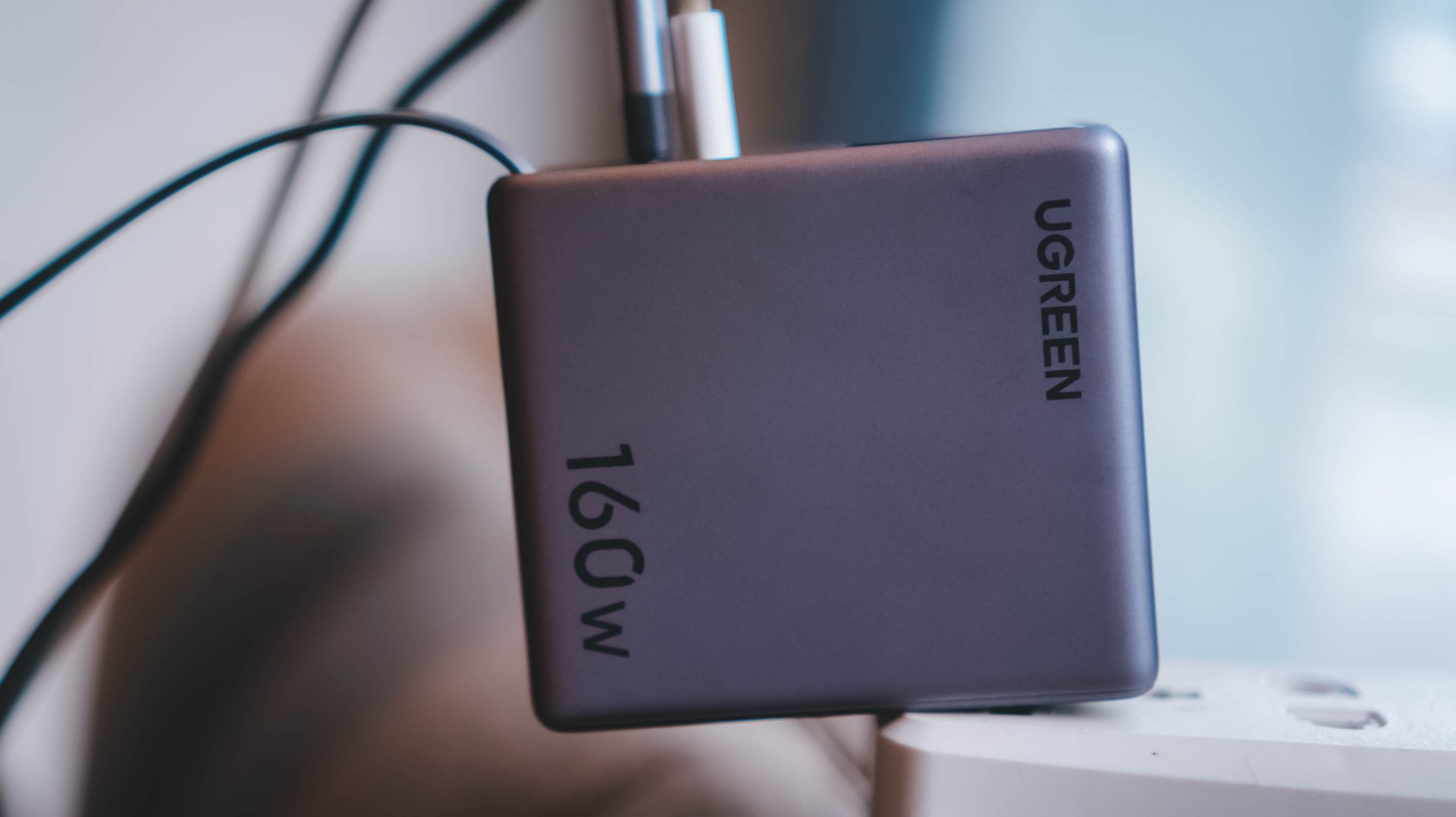
The US version weighs 310 grams, which is heavier than usual charging bricks you’d bring with you.
Visual comparison alone, this is how it tries to dwarf its 100W Uno cousin.
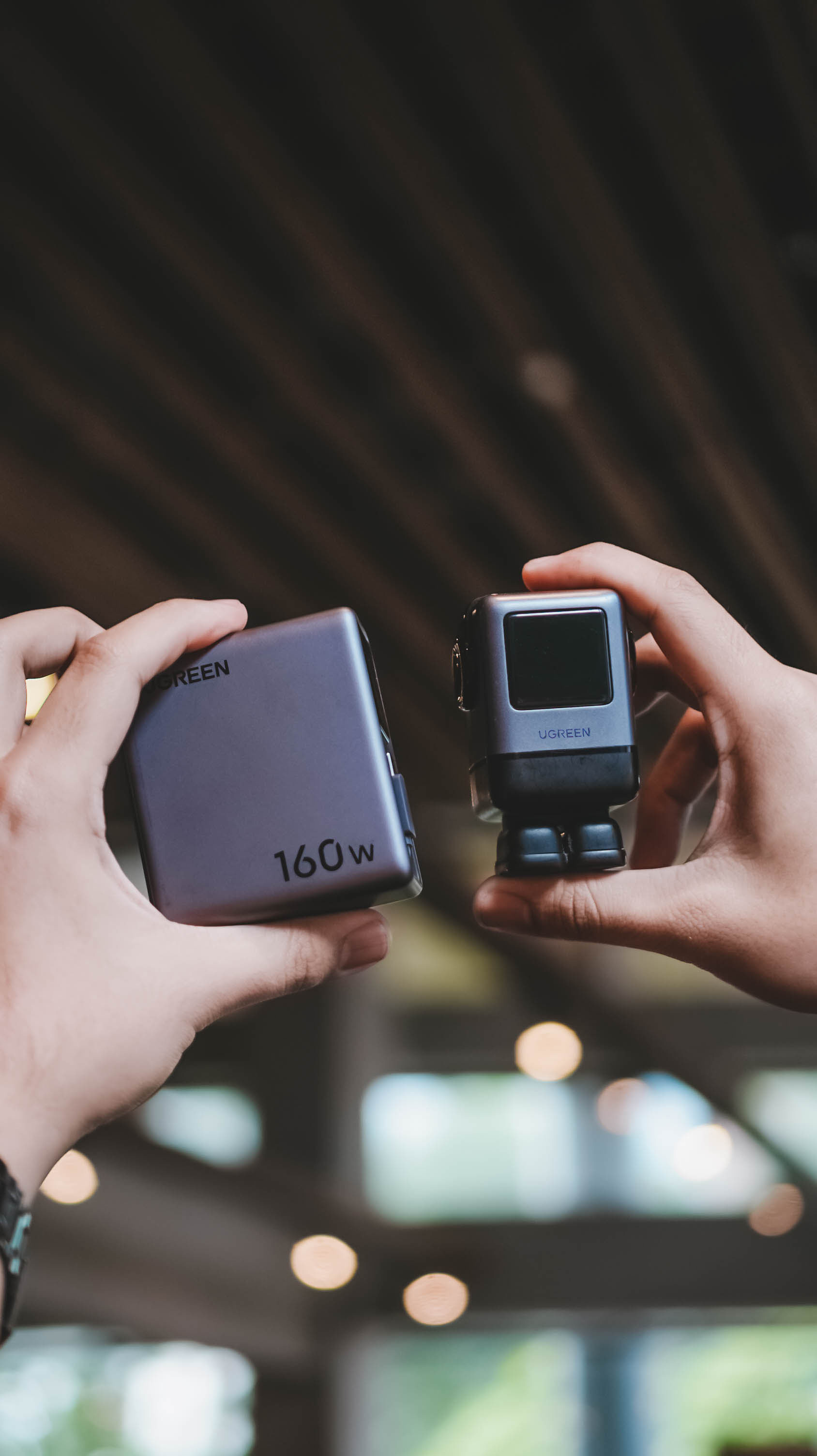
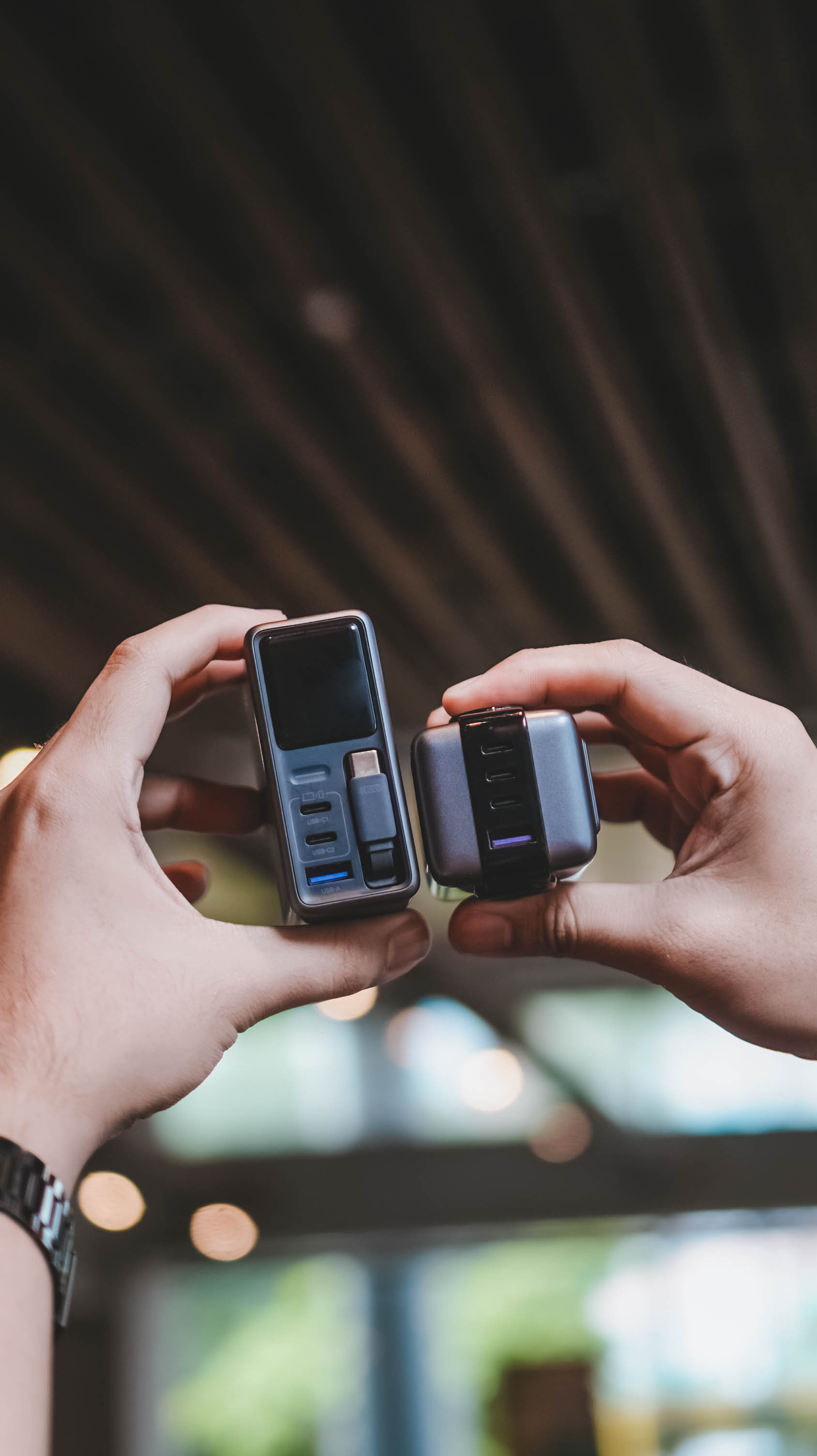
Then again, UGREEN’s Nexode Pro isn’t your conventional charger. And by that, it boasts a total output of 160W — though not saying every port gives a 160W output.
The first USB-C port (C1) is capable of delivering up to 140W. Meanwhile, USB-C2 supports up to 100W, while the lonesome USB-A port can supply up to 22.5W.
To make it even crazier, it also has a retractable USB-C cable — more on that later.
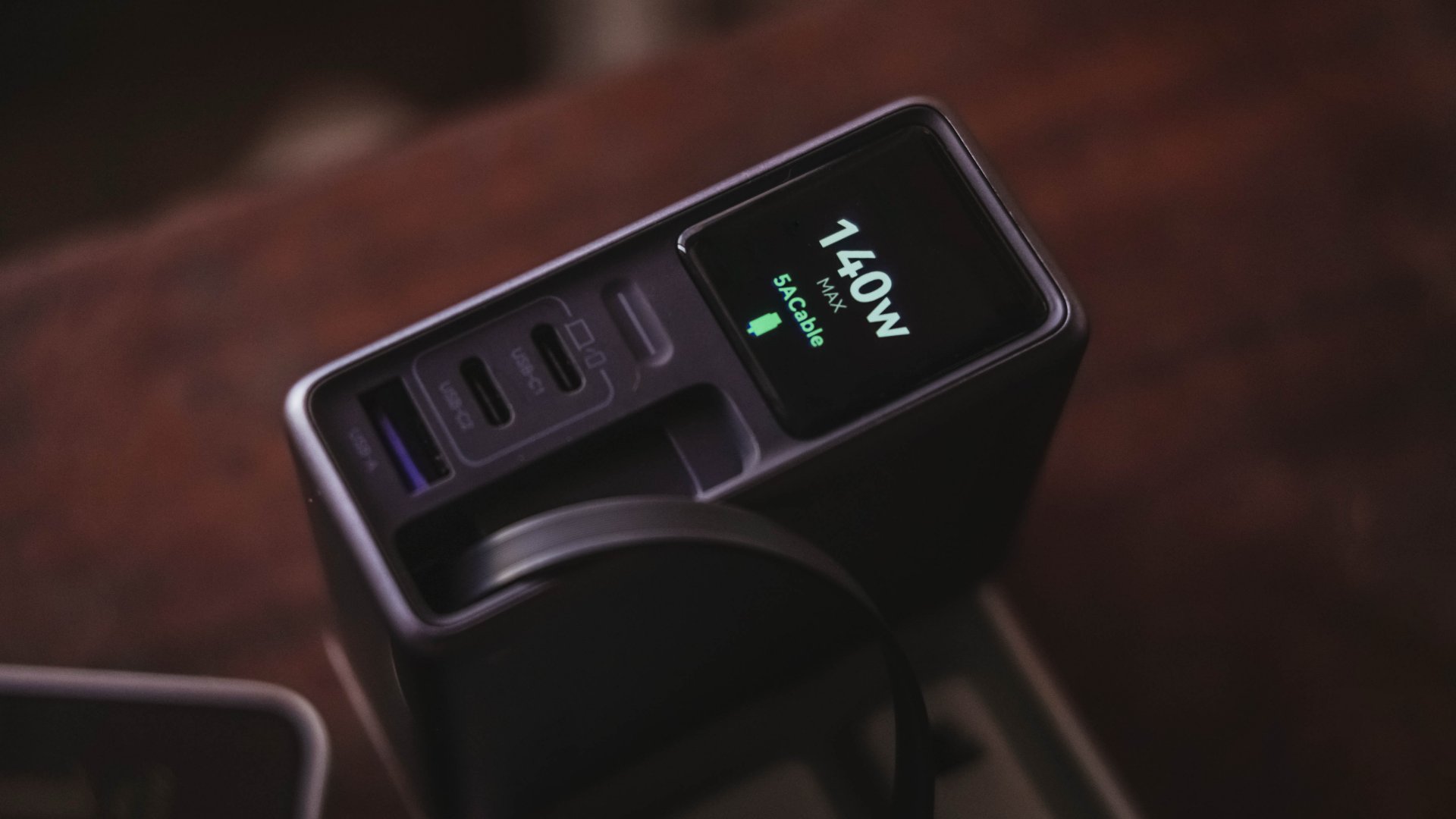
These all mean I can plug in my MacBook Pro, high-end Android flagship, iPhone, and other accessories without ever bringing separate charging bricks for each one.
And honestly, when there’s so much power inside one brick, I’ll generously accept that added heft.
Watt you see is watt you get
One trick up in Nexode Pro 160W’s sleeves is that, it has a front display.
With a touch capacitive button above the USB-C1 port, the display can show not just the general (or combined) charging wattage. It can also show real-time speeds in watts (W), voltage (V), and even ampere (A).
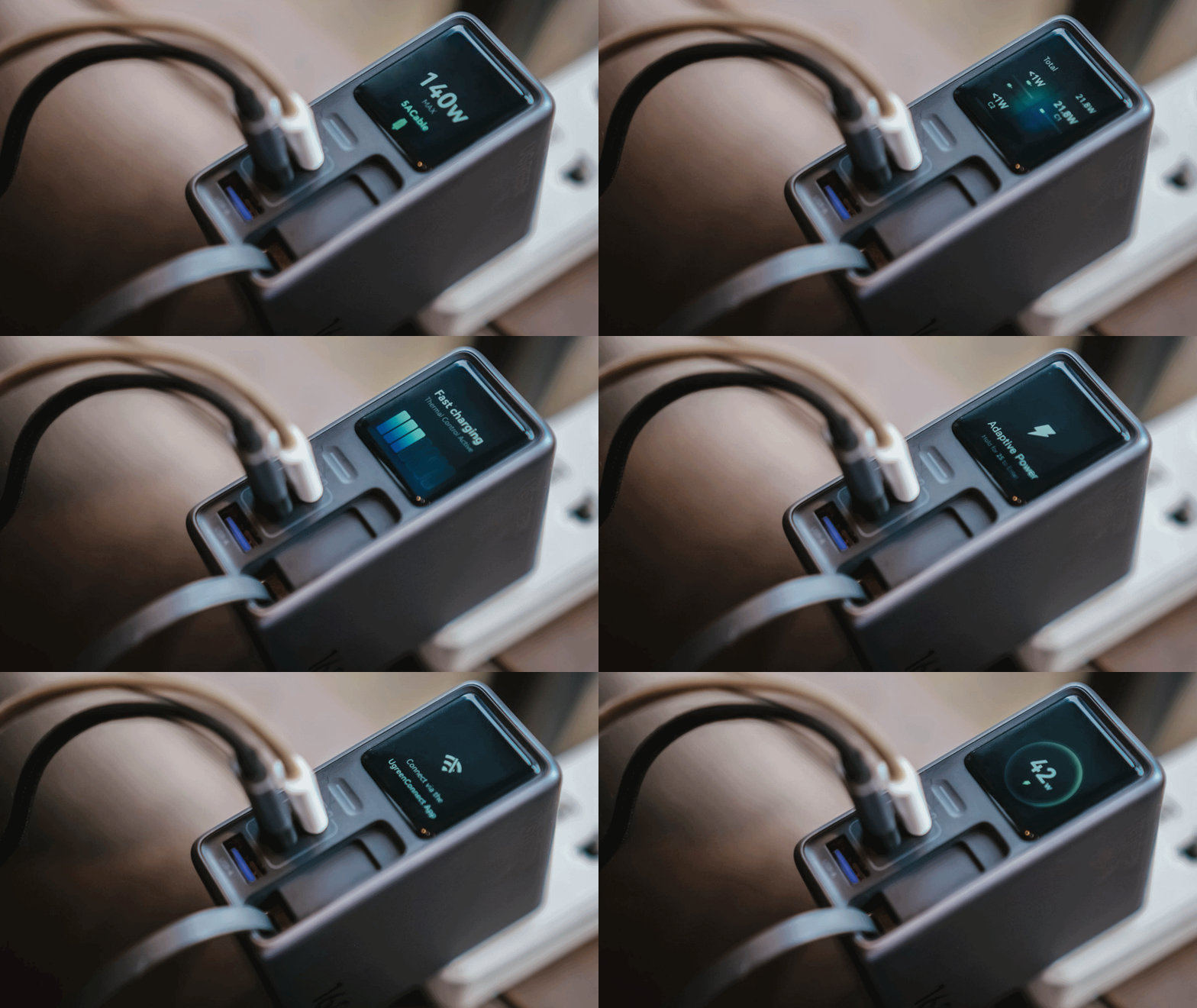
For regular users, it’s probably something you’ll glance at occasionally. For stats nerds? It’s eye candy. For a gadget reviewer like me? A charge test companion.
Seeing real-time charging data gives me a better idea if I have the best charging cable possible for each device. More so, if those devices actually get the charging speeds they require.
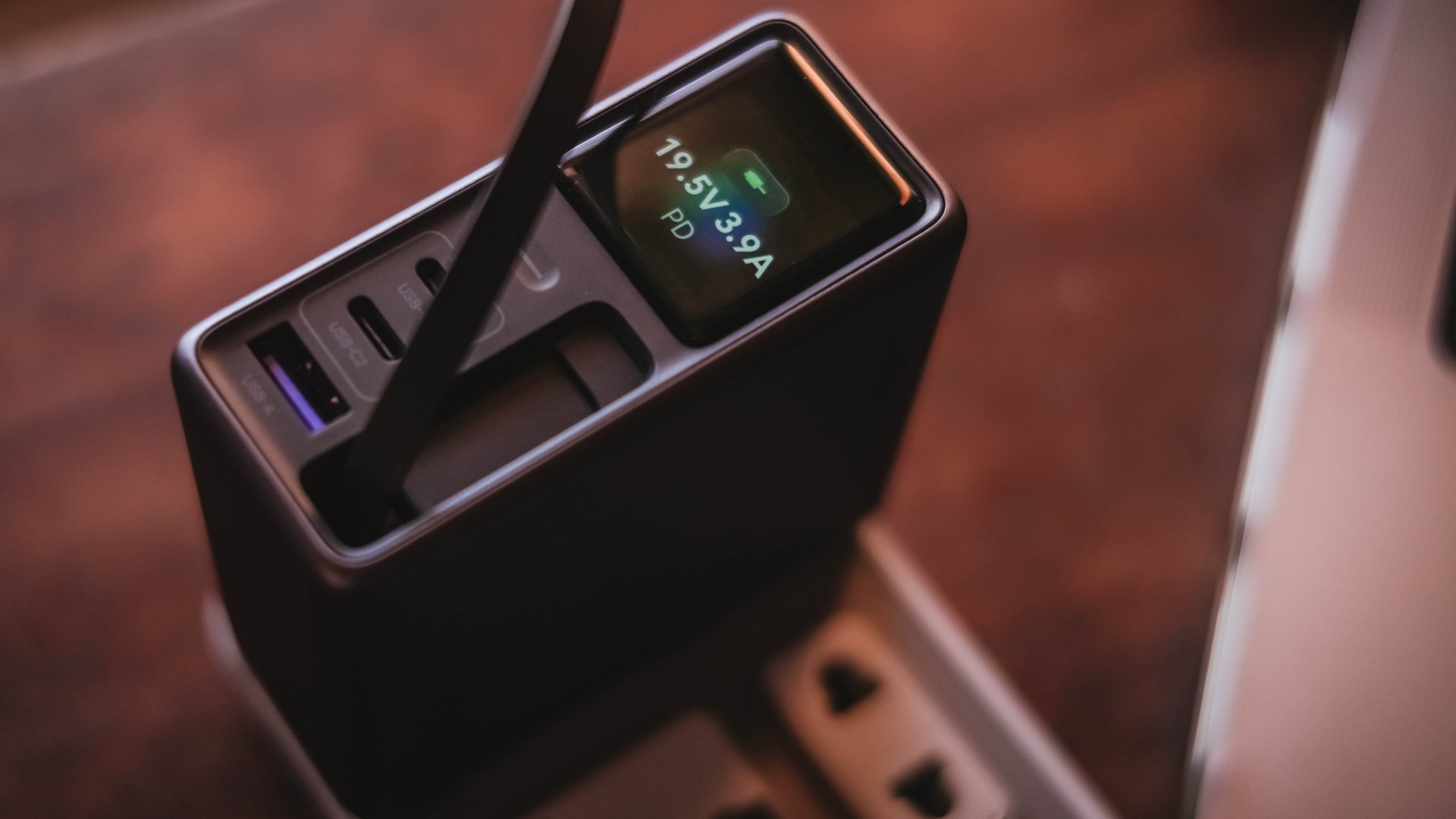
And, if something suddenly starts charging slower than usual, those numbers can help me determine whether the device, charger, or cable might be the culprit.
I can only have my sigh of relief when I see it’s pulling the amount of power I expect.
Even if I always say numbers aren’t everything, the real-time charging data I see with my two eyes is more believable than just relying on that “Fast Charging” indicator.
So, watt did I even get?
Of course, I couldn’t just take that 160W figure just at its face value.
In a not-so-typical GadgetMatch Charge Test, I tried and tested the charger by occupying all ports with the devices I regularly use and watched the numbers fly.
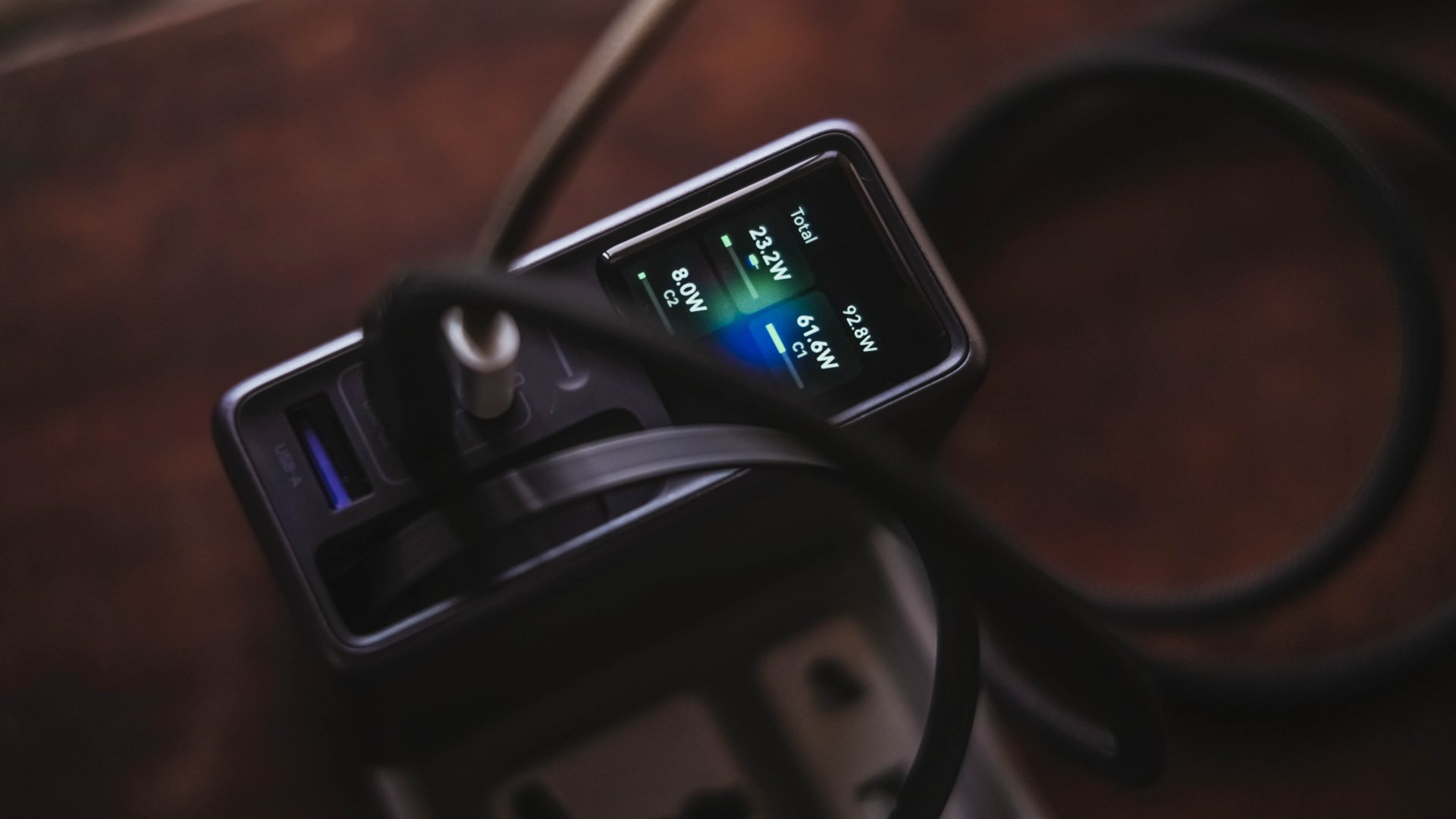
Mind you, I tried my best to make them as equal as possible by draining every device down to 0%. Just so the actual charge test starts at the very base.
From a lengthy documentations in my Notes app, I tried simplifying the results into these table instead:
| Port | Device | Cable Type | 10-minute charge | 30-minute charge | 1-hour charge |
| USB-C1 | 14” M2 Max MacBook Pro | Apple MagSafe 3 to USB-C | 15% | 45% | 84% |
| USB-C2 | Apple iPhone 13 Pro Max | USB-C to Lightning | 7% | 21% | 42% |
| Retractable USB-C | vivo X300 Ultra* *wireless charging |
USB-C to UGREEN MagFlow 2-in-1 Foldable Magnetic Wireless Charger | 2% | 3% | 7% |
| USB-A | HONOR Watch 5 Ultra | USB-A to wireless charging base | 18% | 58% | 76% |
Aside from the charger itself, there are more factors that contribute to a device’s charging output.
One is basically how many devices are connected. Another would be the type of cable used (standard 3A cable or faster yet thicker 5A or 6A cord).
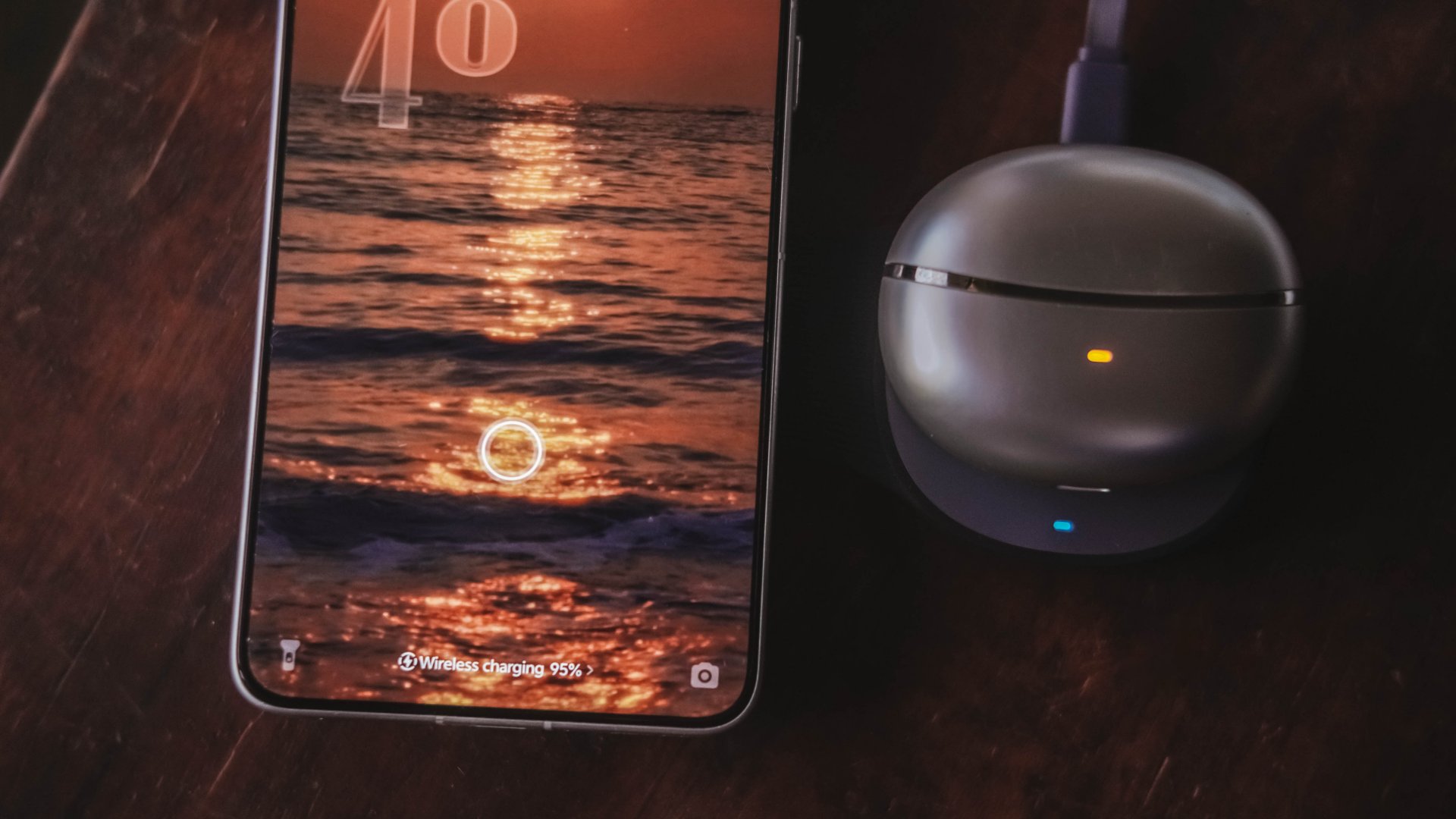
More so, if the best charging mode is used. Even actual room and device temperatures matter, too.
In easier words, a charger boasting 160W power doesn’t mean every device gets its maximum charging speeds simultaneously.
The charger still has to distribute its available power between everything connected.
Pull it, use it, and never lose it
Perhaps its most “secretive” trick is hidden within.
UGREEN has managed to fit a 70cm retractable USB-C cable in its squarish body. Pull it whenever you need it and retract it back inside once you’re done.
It’s incredibly handy when I don’t want to dig through my big and messy backpack.
Worst case scenario? Whenever I forget to bring a cable — which already happened numerous times as an aging young adult who keeps being unnecessarily forgetful.
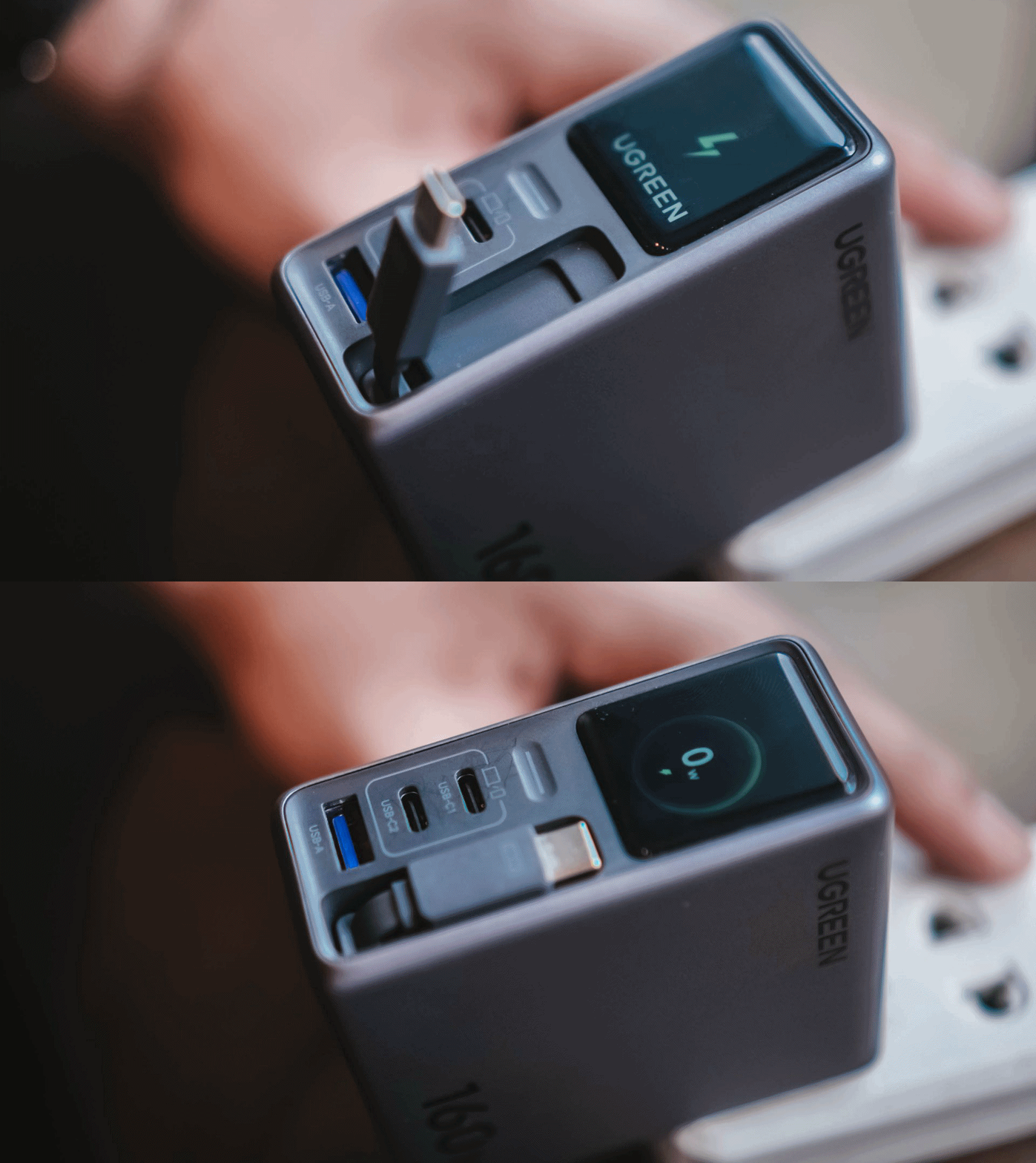
Vincenz’s two cents? He would NOT always rely on using it.
For one, there’s the matter of longevity.
A regular USB-C cable eventually breaks? Replace it. A retractable cable permanently attached to your charger? That’s a different story.
Another would be all about its actual charging speed output. Not every device behaves the same way with that built-in cable.
| Device | Max Charging | Observed Power | 30-minute charge | 1-hour charge |
| 14” M2 Max MacBook Pro | 96W | 68.6W | 53% | 87% |
| vivo X500 Pro Max | 90W | 20.2W~23.6W | 34% | 62% |
| vivo X300 Ultra | 100W | 9.6W~12.9W | 26% | 52% |
| HONOR 600 Pro | 80W | 16.5W | 35% | 64% |
| Samsung Galaxy Z Fold8 | 45W | 17.8W | 41% | 74% |
For instance, my vivo X300 Ultra supports 90W FlashCharge speeds. Yet, I observed only around below a 13W output during one test. Thus, only achieving 26% in thirty minutes.
Even the shiny new vivo X500 Pro Max wasn’t exempted in the list with only being able to achieve 34% in the same time frame.
For added context, using their bundled FlashCharge adapters would have already filled the phones way past the 60% mark.
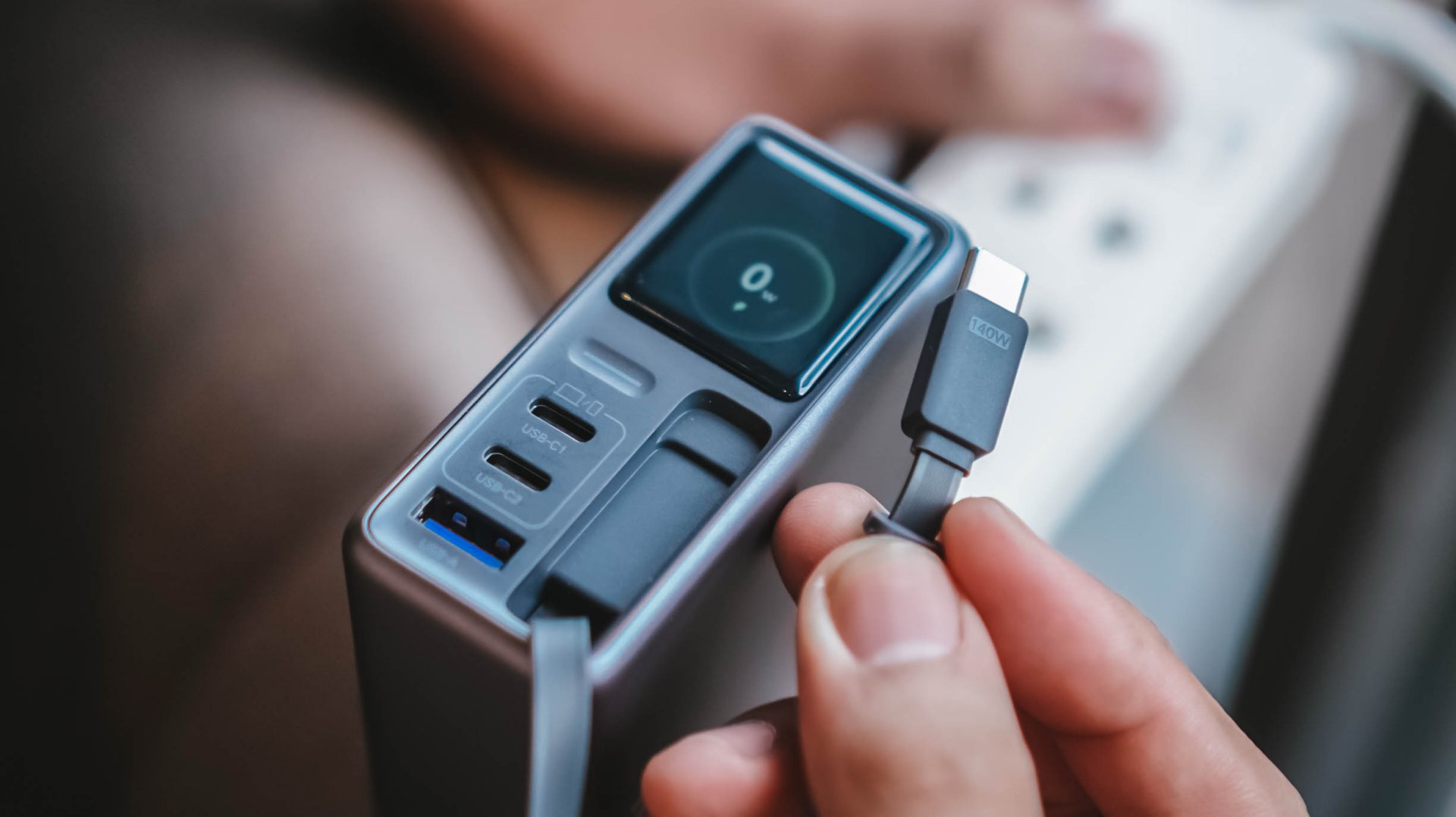
This doesn’t necessarily mean the built-in cable is bad. It just means you shouldn’t expect every proprietary charging standard to hit its advertised maximum just with the cable alone.
So while it’s one of my favorite conveniences here, I still see it as a handy backup rather than the only cable one would ever need.
Connect to inspect
I can’t believe I’m saying this. A charger can now be connected via an app.
Just like me, you’re probably scratching your head the moment you are reading this. Well, after much use, it actually made sense to me.
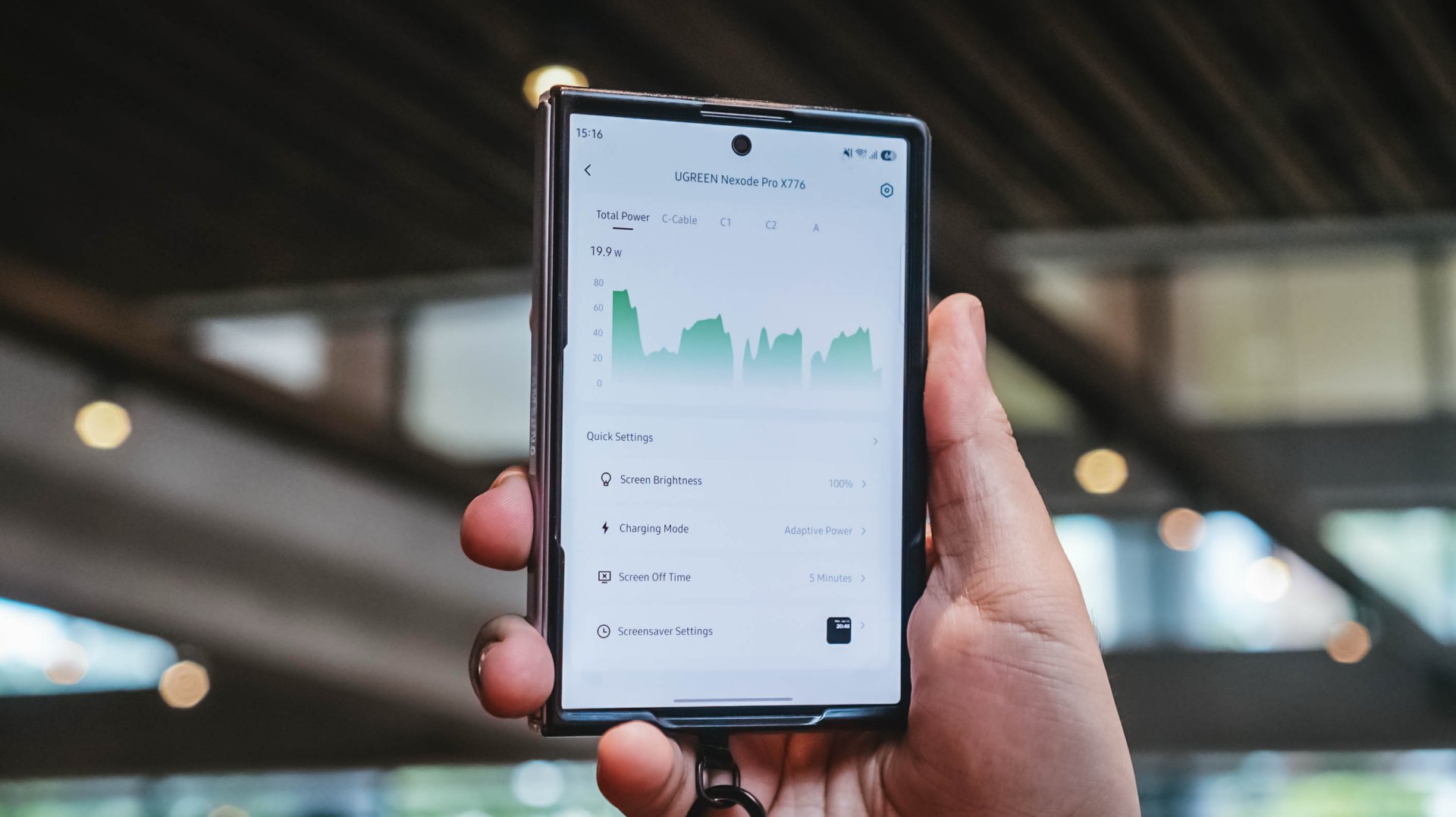
With their new and very own UgreenConnect app, not only you can see and capture charging stats, UGREEN lets you switch between charging modes as well depending on your charging needs.
Heck! You can even turn off ports individually without affecting other devices being charged.
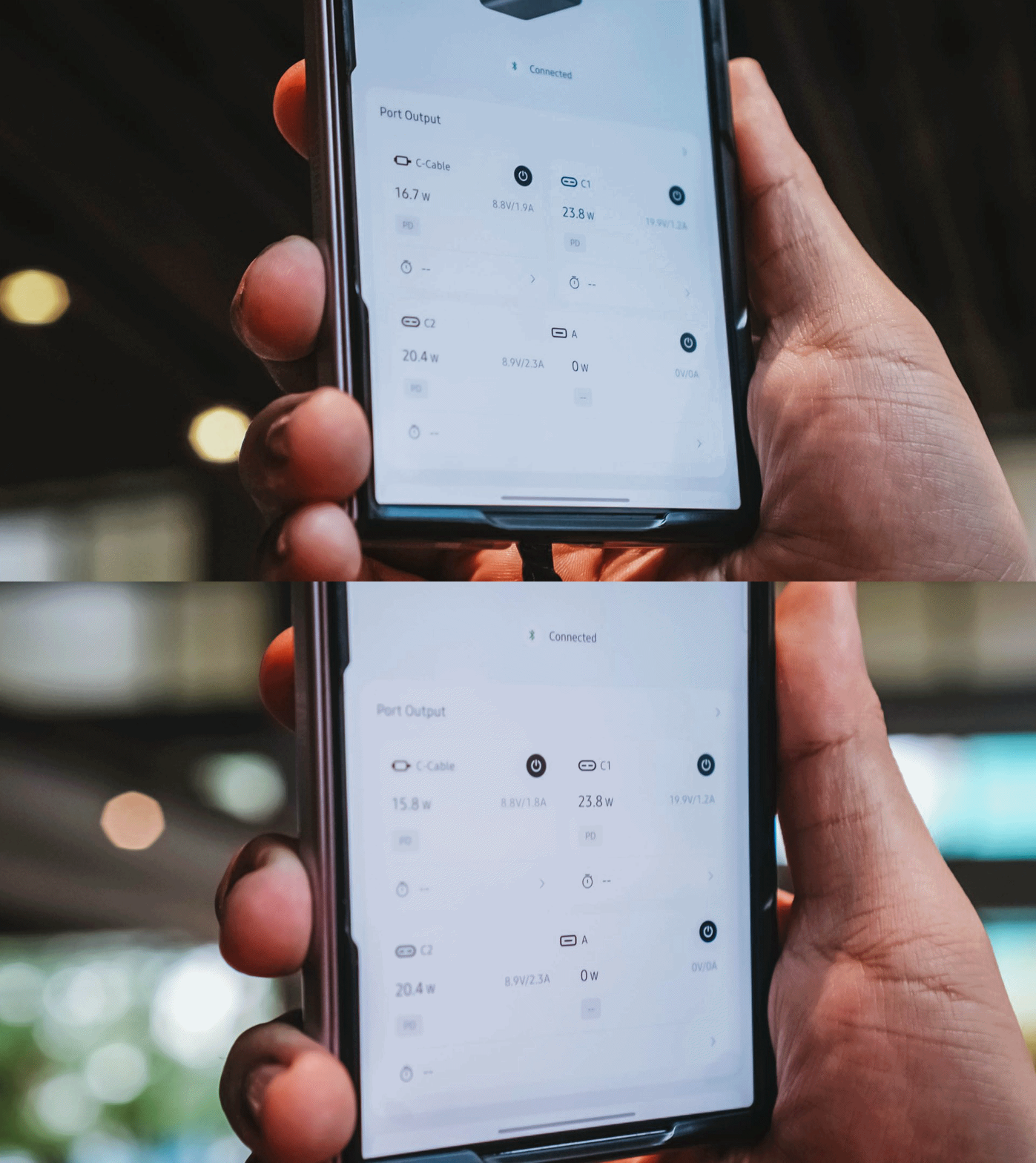
Furthermore, you can also change the display’s brightness and sleep time, customize wallpapers. The Nexode Pro 160W also supports OTA updates.
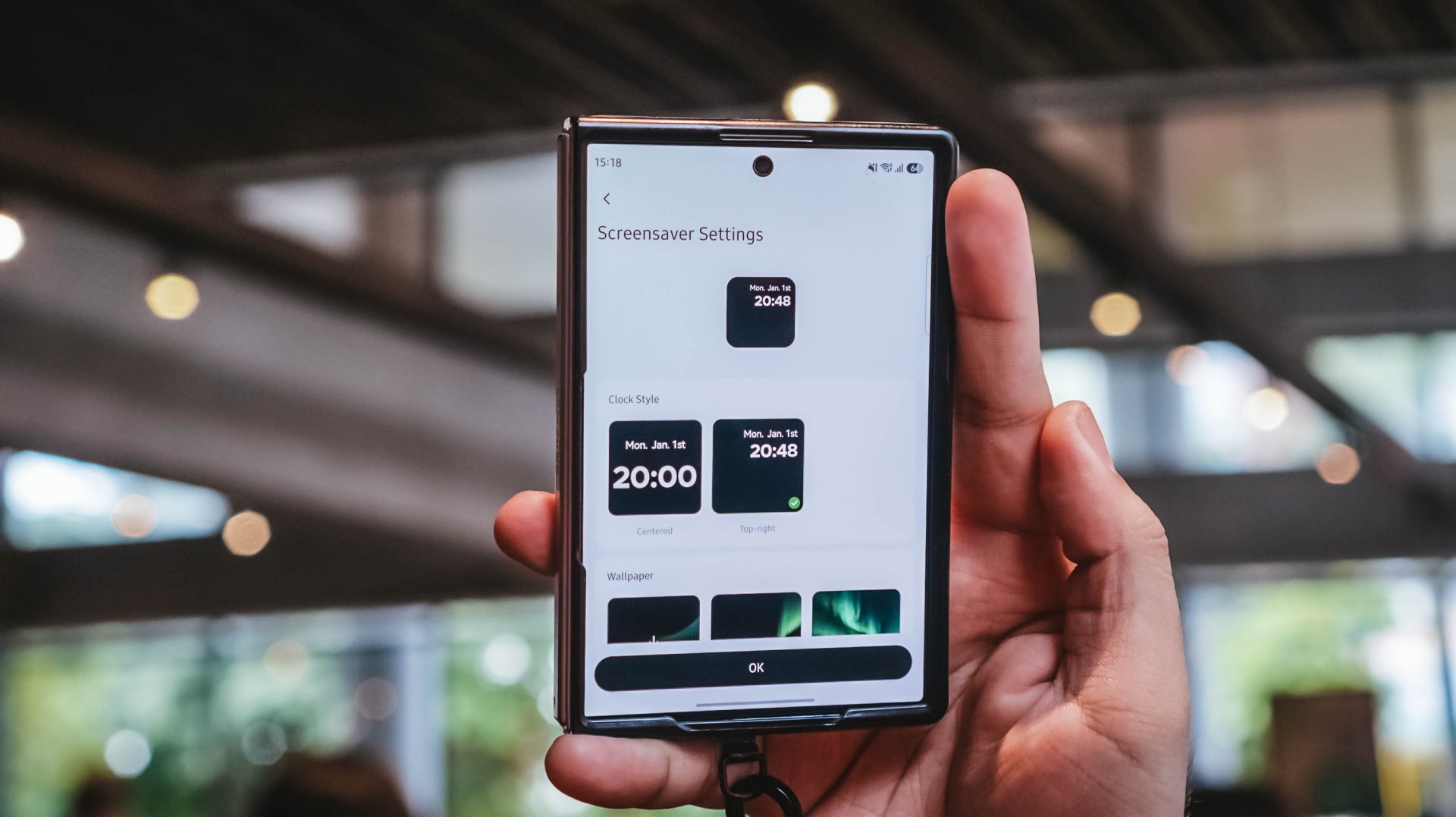
Again, it’s mostly nerdy. But that’s precisely why I like this charger more than what I already have and use.
Feel the heat, keep it neat
The Nexode Pro gets warm. Quite warm, actually.
But, with a charger this large and powerful, that’s hardly surprising given all the charging components packed inside.
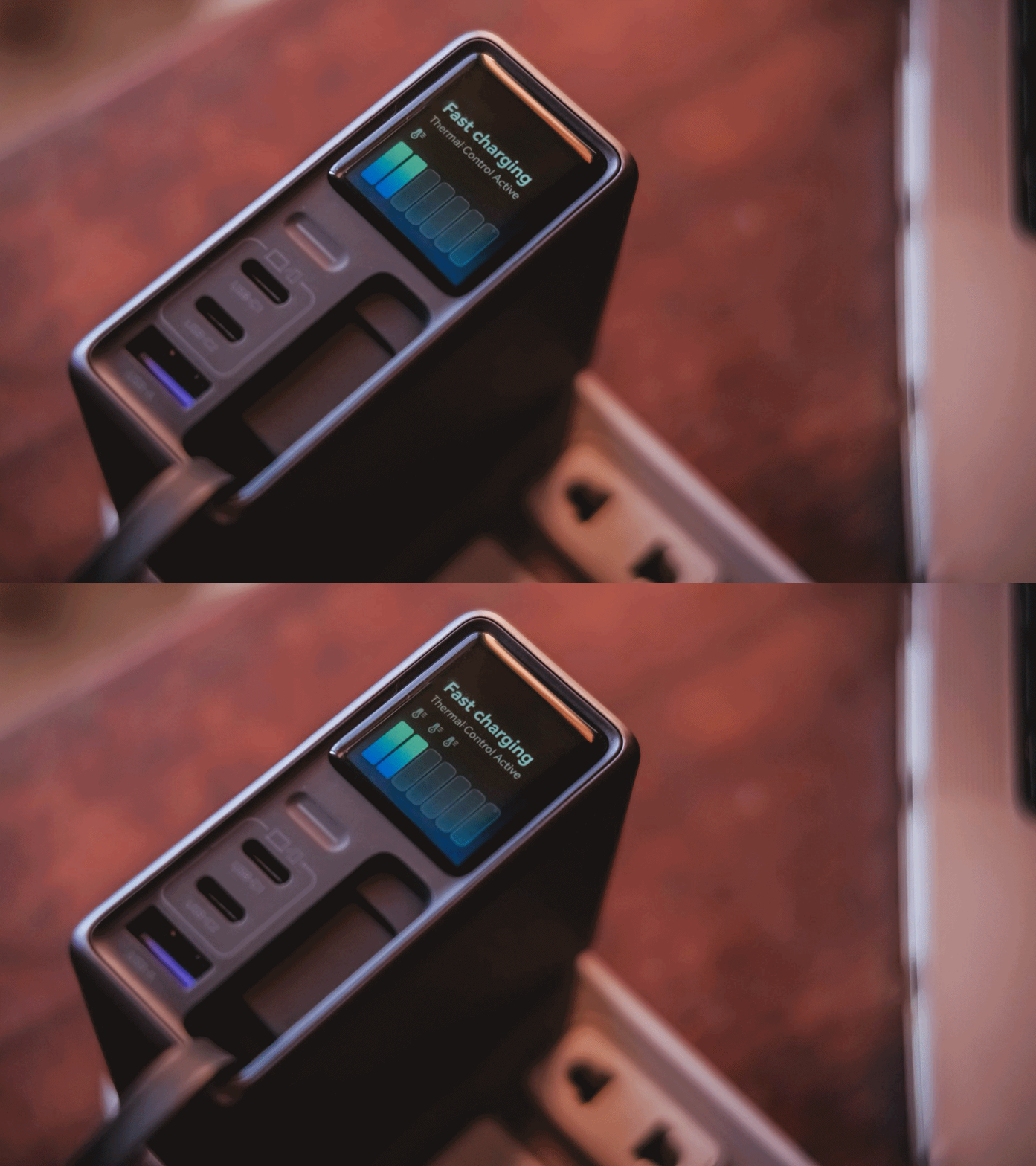
Thankfully, the temperature remained manageable throughout my use. UGREEN also lists Thermal Guard Temperature Control alongside GaN Infinity technology and SmartCharge power distribution.
The different charging modes can also help manage and lessen that heat further.
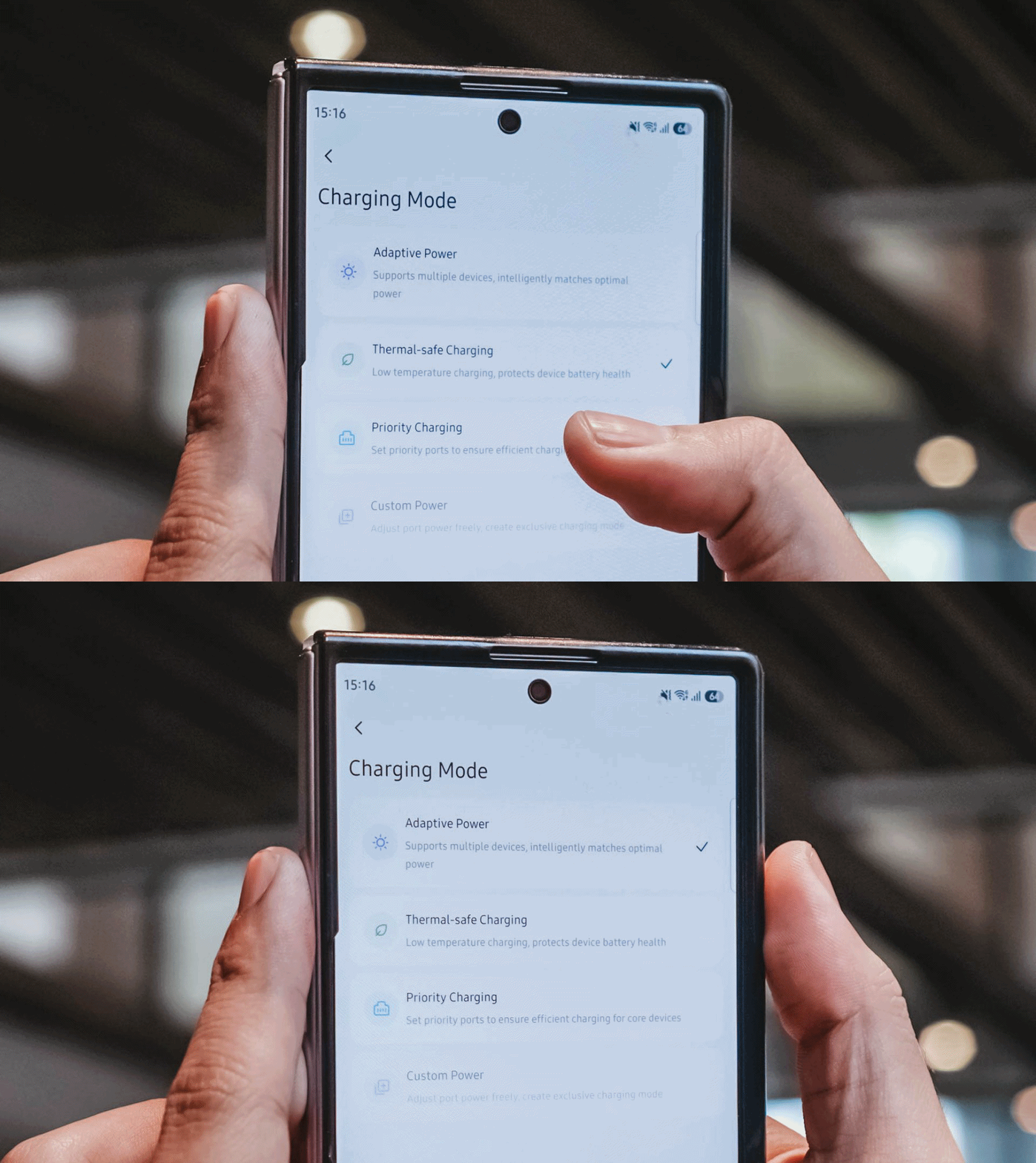
If I don’t need something charged immediately, I can opt for smarter or lower-temperature Thermal-safe charging instead of constantly pushing as much power as possible. Power when I need it. Less heat when I don’t.
Although for my day-to-day use-case, Priority Charging makes the most sense.
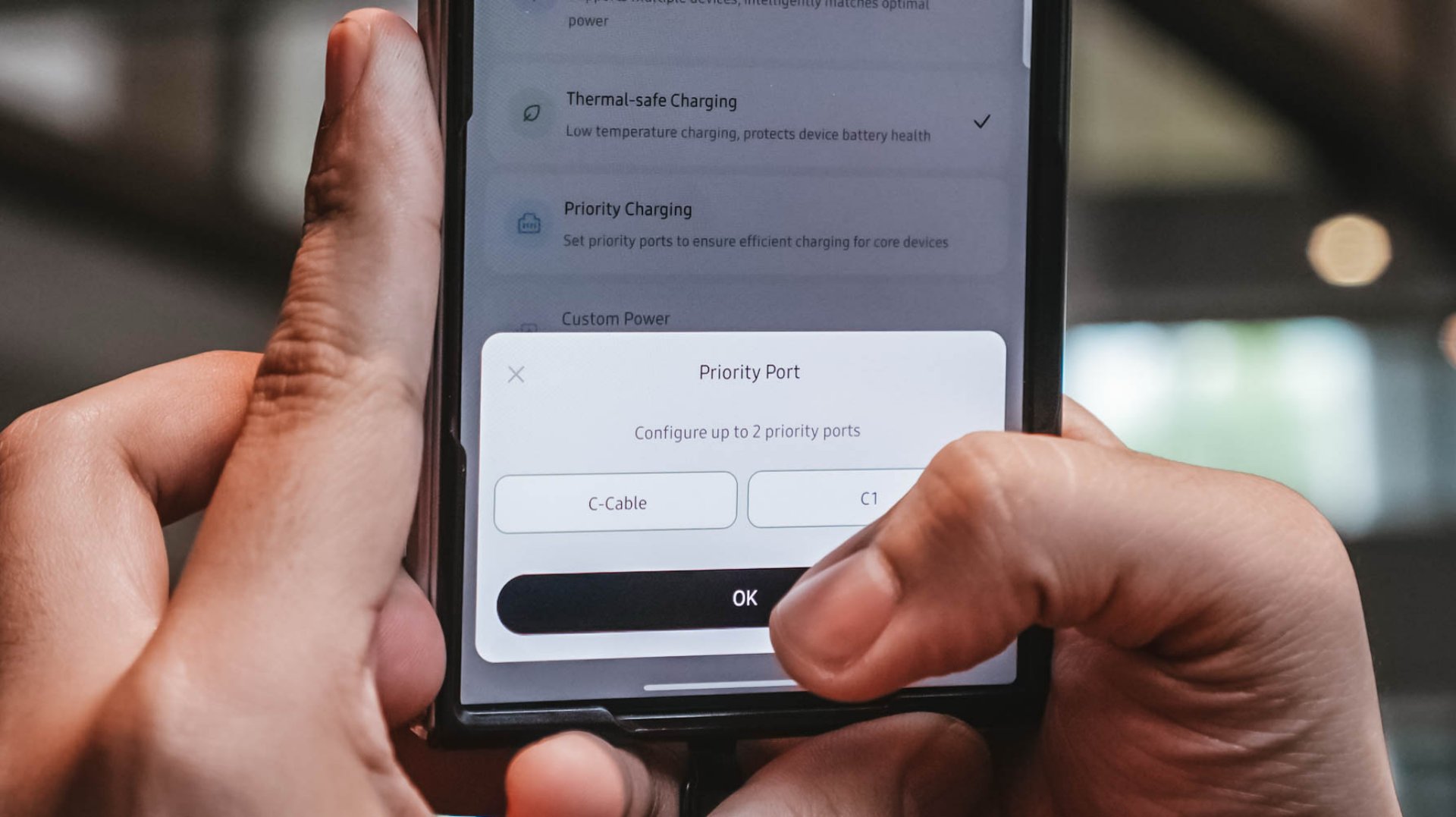
Case in point: I tested this with the vivo X300 Ultra I’m dilly dallying.
| vivo X300 Ultra | Adaptive Charging | Priority Charging |
| Charging Output | 9.6W ~ 12.9W 8.1V / 1.6A |
26.8W ~ 27.2W 7.9V / 3.5A |
| START TIME (from 0%) | 9:11PM | 12:31AM |
| 3 minutes | 4% | 6% |
| 5 minutes | 5% | 8% |
| 10 minutes | 9% | 16% |
| 15 minutes | 13% | 21% |
| 30 minutes | 26% | 42% |
| 45 minutes | 39% | 61% |
| 1 hour | 52% | 80% |
Adaptive Charging obviously charged it slower than ever. But when I enabled Priority Charging, it initially pulled around 30.8W to 31.2W for the first two minutes before settling around 26.8W to 27.2W. That’s still higher than the output through Adaptive Mode.
More so, it was able to reach 42% after 30 minutes and 80% after an hour in contrast to the 26% and 52% level of the former.
My MacBook Pro and flagship Android phones need significantly more power than smaller accessories. So, instead of letting everything fight equally for those watts, I can prioritize whichever device actually needs the extra juice.
Is the UGREEN Nexode Pro 160W your GadgetMatch?
At PhP 4999 / SG$ 140 / MYR 419, the UGREEN Nexode Pro 160W might sound like an overkill if all you need is something to charge your phone every night.
But, if you’re someone like me who owns lots of gadgets and constantly switches between a laptop, several smartphones, at least one tablet, a smartwatch, wireless headphones, and many other gadget ever imaginable, owning this charger quickly makes sense.
That’s most especially for the ultimate convenience it brings by only using one socket and fits right inside your bag’s tight pocket. I can fully rely on one brick instead of carrying multiple clunky chargers around.
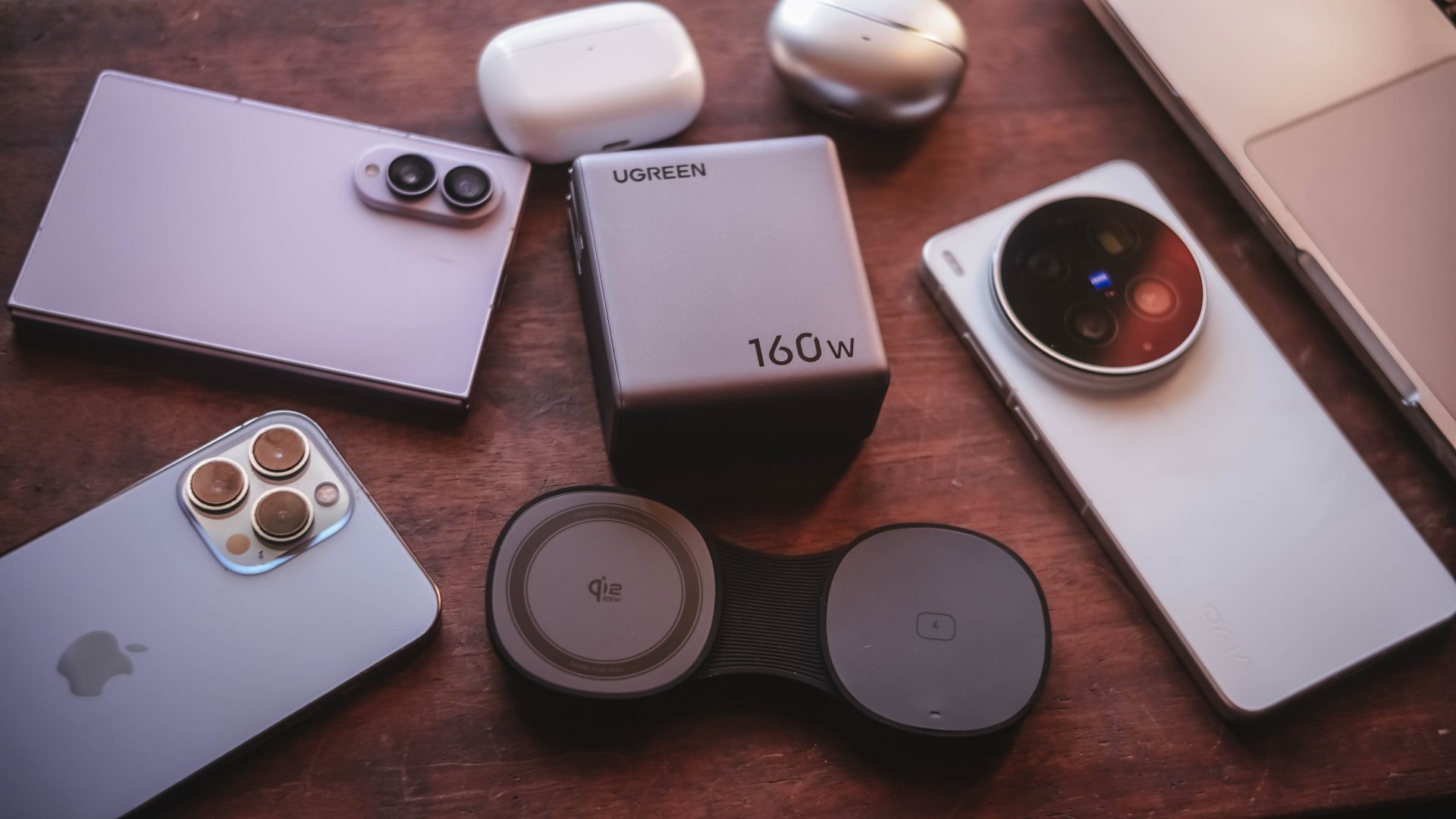
Additives include its display that lets me see stats while doubling as a useful review tool to legitimize the charge tests in the reviews I do.
Charging modes lets me decide which power-hungry device deserves more juice. Priority when I see one getting slow. Thermal-charging if I sense that it’s getting warmer than the usual.
That retractable cable? It’s a real wonder as it will truly save me whenever I forget one in another unintentional scenario.
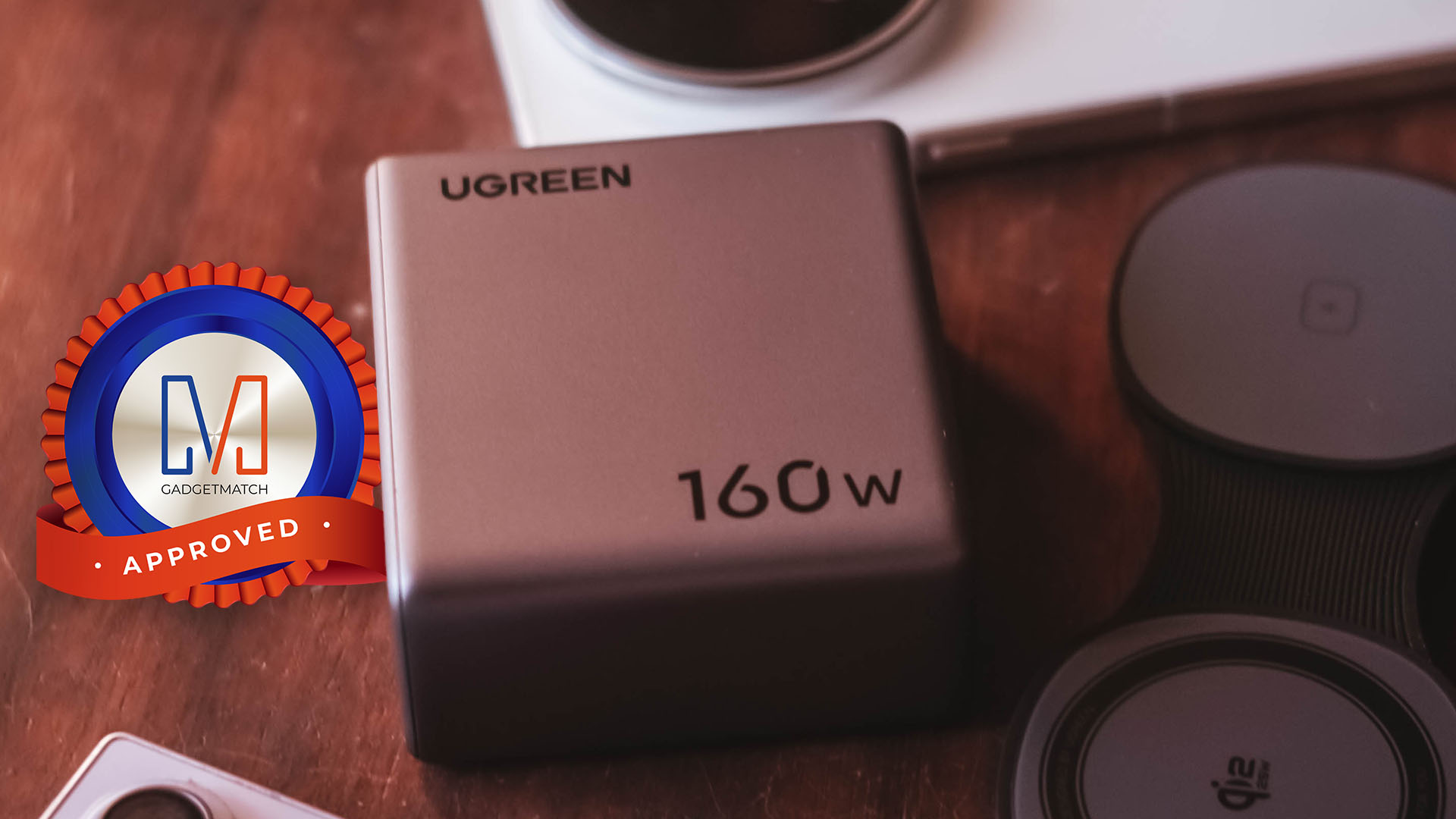
The UGREEN Nexode Pro 160W now has a permanent spot in my charging arsenal. It is a Swipe Right, Super Swipe, and definitely a worthy recipient of the GadgetMatch Seal of Approval.
Accessories
JBL brings a soundtrack to every room
The new lineup spans portable speakers, home audio, earbuds, gaming, and PartyBox.
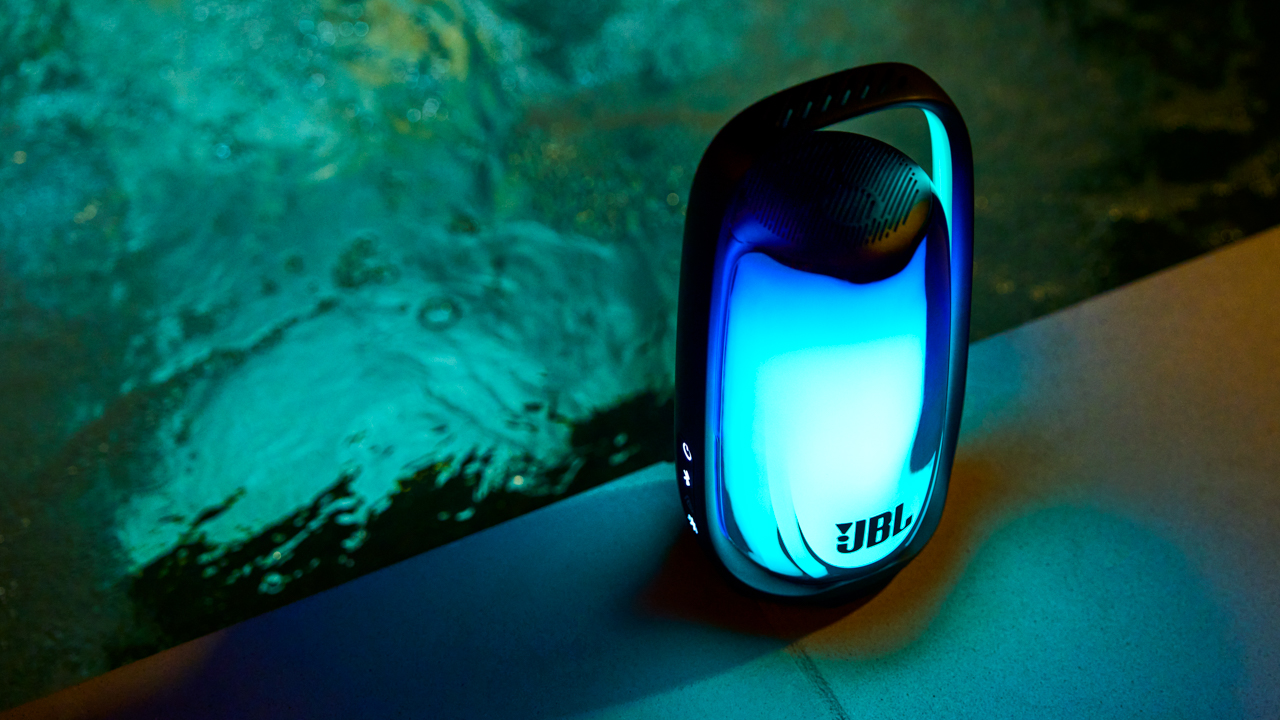
A home has a mood for every room. The living room comes alive when friends arrive. The bedroom gets quieter at the end of the day. The kitchen has its own soundtrack while coffee is brewing and dinner is coming together. Then there is that one space where the volume inevitably goes up once the party starts.
JBL turned this idea into the setting for Sound Amplified, transforming Élan by the Bay into a home where every room had its own way of experiencing sound.
The new lineup moved through different parts of everyday life, bringing together portable speakers, home audio, earbuds, gaming headsets, and PartyBox systems under one roof.
Let the room set the mood
At the center of the experience was the JBL Pulse 6. Its latest evolution combines JBL Legendary Sound with AI Sound Boost and a customizable 360-degree lightshow that moves with the music.
The Pulse 6 itself has become part of the visual experience, with an illuminated handle and new lighting effects that make it feel at home.
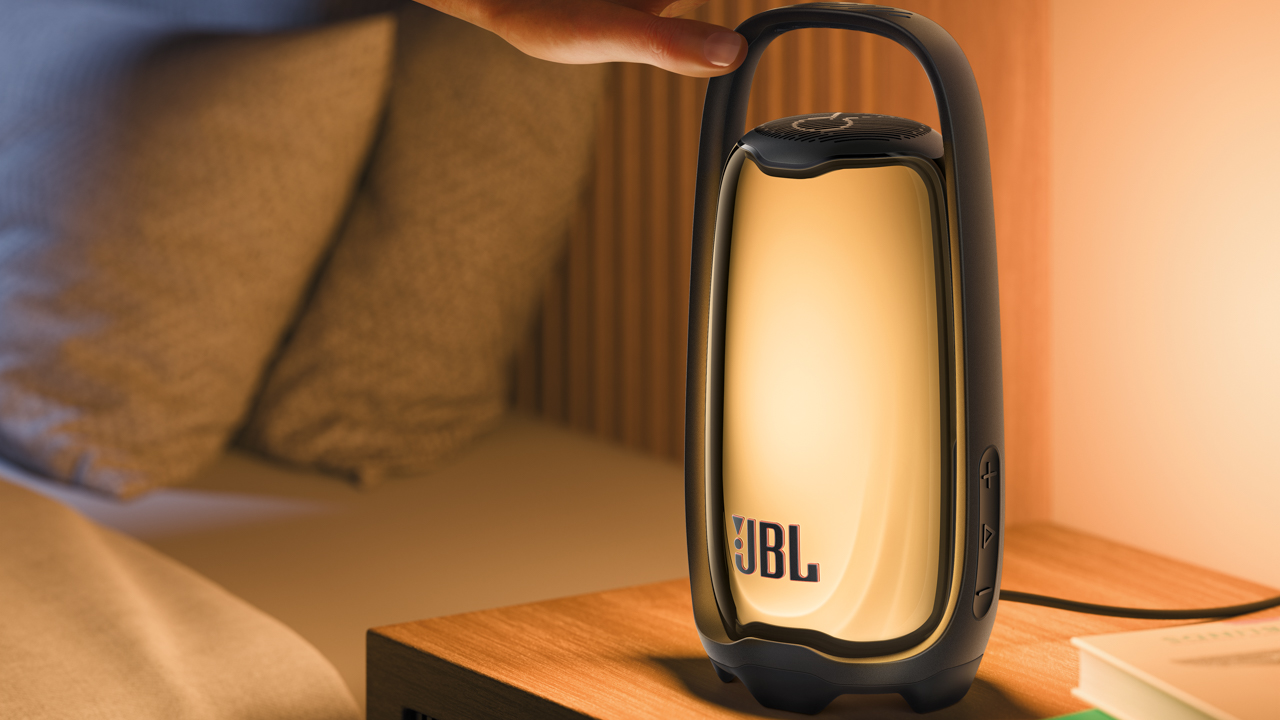
There are party and ambient lighting modes for different moments, while Sunset Mode gradually dims the lights for winding down. A double tap activates Bedside Lamp, giving the speaker another life entirely as a soft light beside the bed.

With up to 12 hours of playtime and IP68 waterproof and dustproof protection, the Pulse 6 is also ready to move beyond the living room.
Through the JBL One app, users can customize the sound and lighting, while Auracast connectivity lets compatible JBL speakers connect and play together.
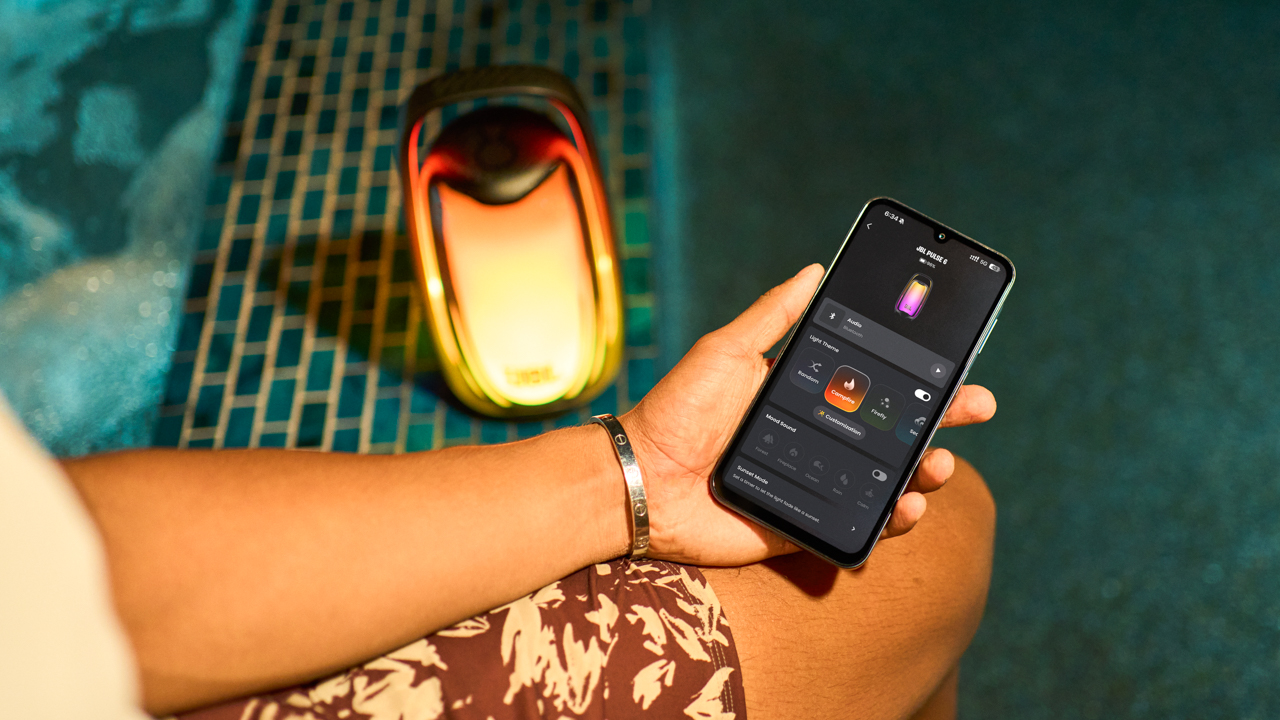
Select PartyBox speakers and JBL PartyLight products can also synchronize their lighting with the Pulse 6 for a larger sound-and-light setup.
When the living room becomes the party
JBL expands its PartyBox lineup with the PartyBox 330 and PartyBox Ultimate 2, bringing bigger sound and more visual energy to gatherings that have outgrown the playlist on someone’s phone.
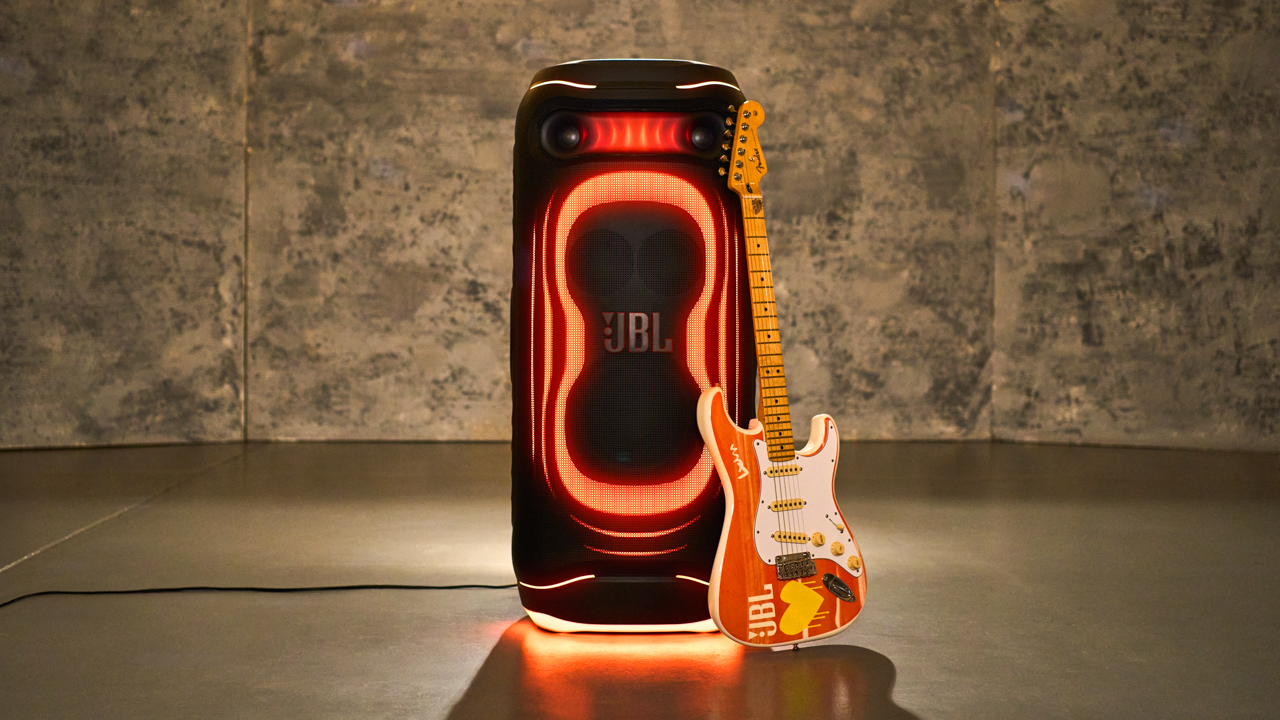
The PartyBox 330 delivers deeper bass, clearer highs, and a redesigned lightshow that reacts to the music. With up to 18 hours of playtime, it’s made to move with the party. Karaoke-ready inputs and compatibility with JBL EasySing Mics also make it easy to turn a casual gathering into a full performance.
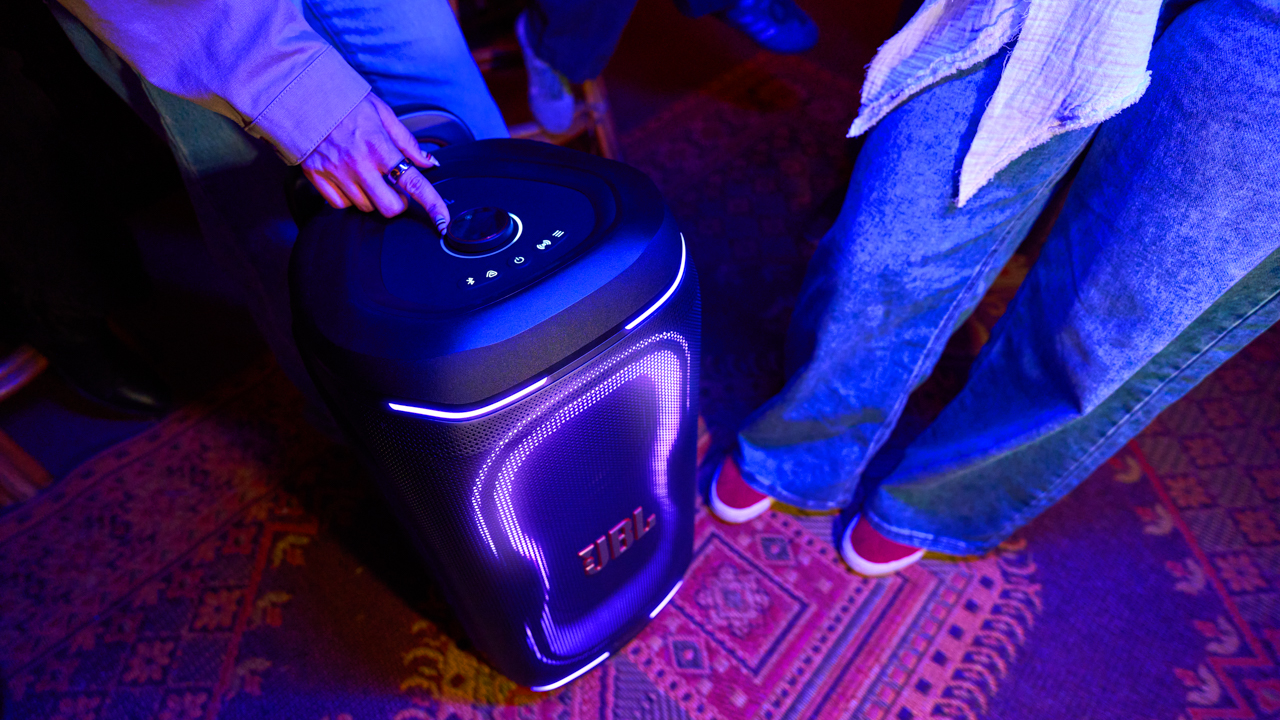
There’s also the PartyBox Ultimate 2, JBL’s most powerful and advanced PartyBox yet. It delivers 1500W of JBL Legendary Sound, with an upgraded acoustic system combining professional-grade tweeters, mid-range drivers, and powerful woofers for deeper bass, richer vocals, and more detail.
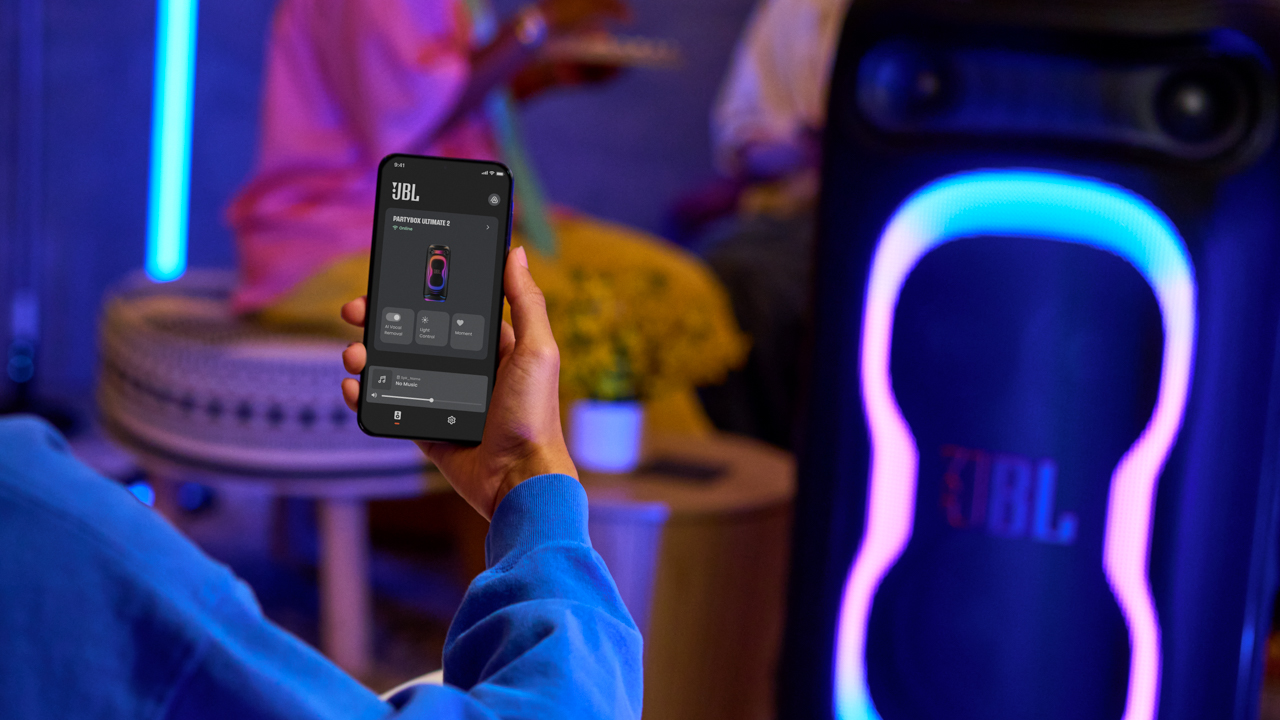
Its full-panel lightshow gives the speaker a presence of its own, while touchscreen controls keep the experience within reach.
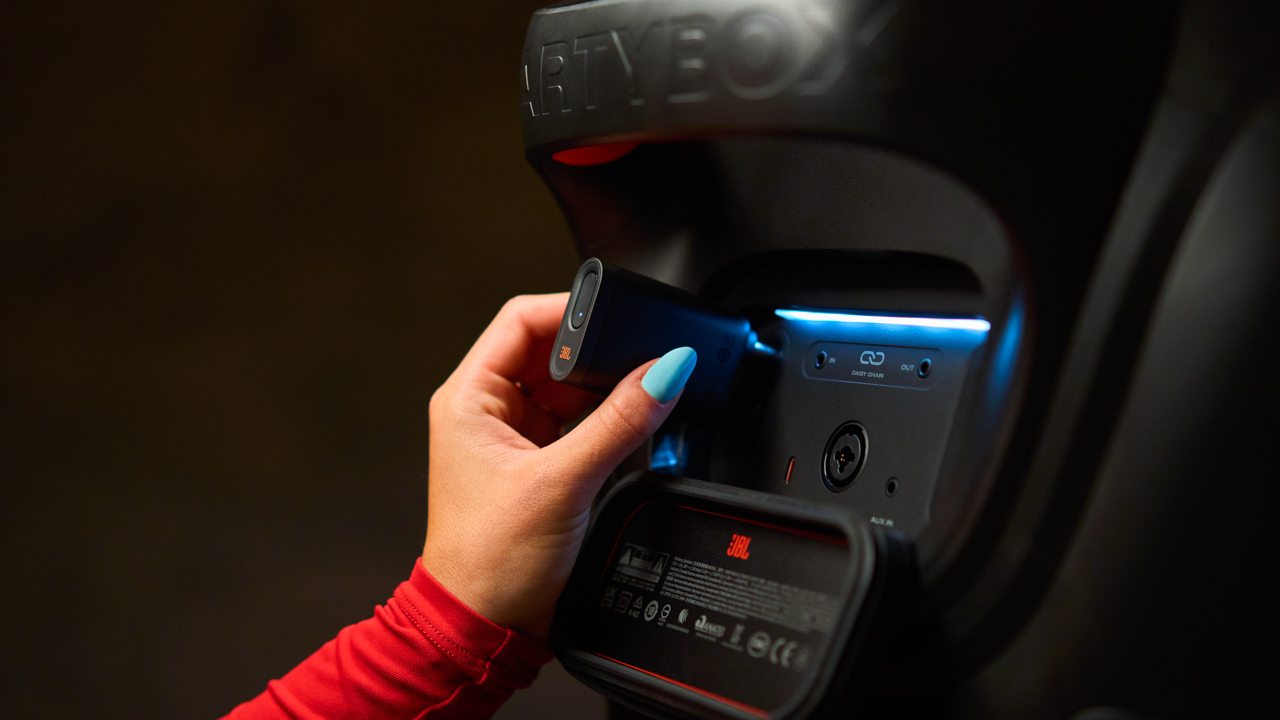
Built-in EasySing AI Vocal Removal can turn favorite songs into karaoke tracks, while interactive party games add another way to keep everyone around the speaker.
A soundtrack for every room
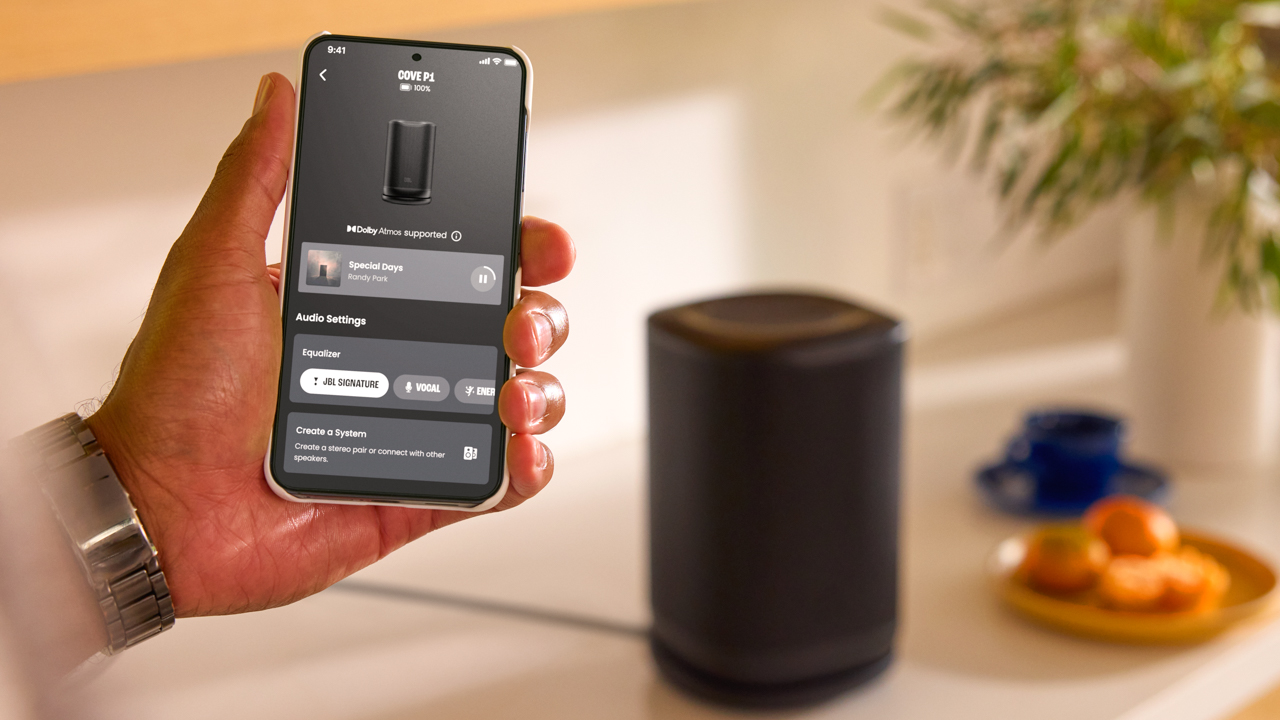
JBL Cove introduces a new whole-home Wi-Fi audio system designed around the way music moves through a house. The JBL Cove M1, Cove P1, and Cove X1 offer different approaches to everyday listening.
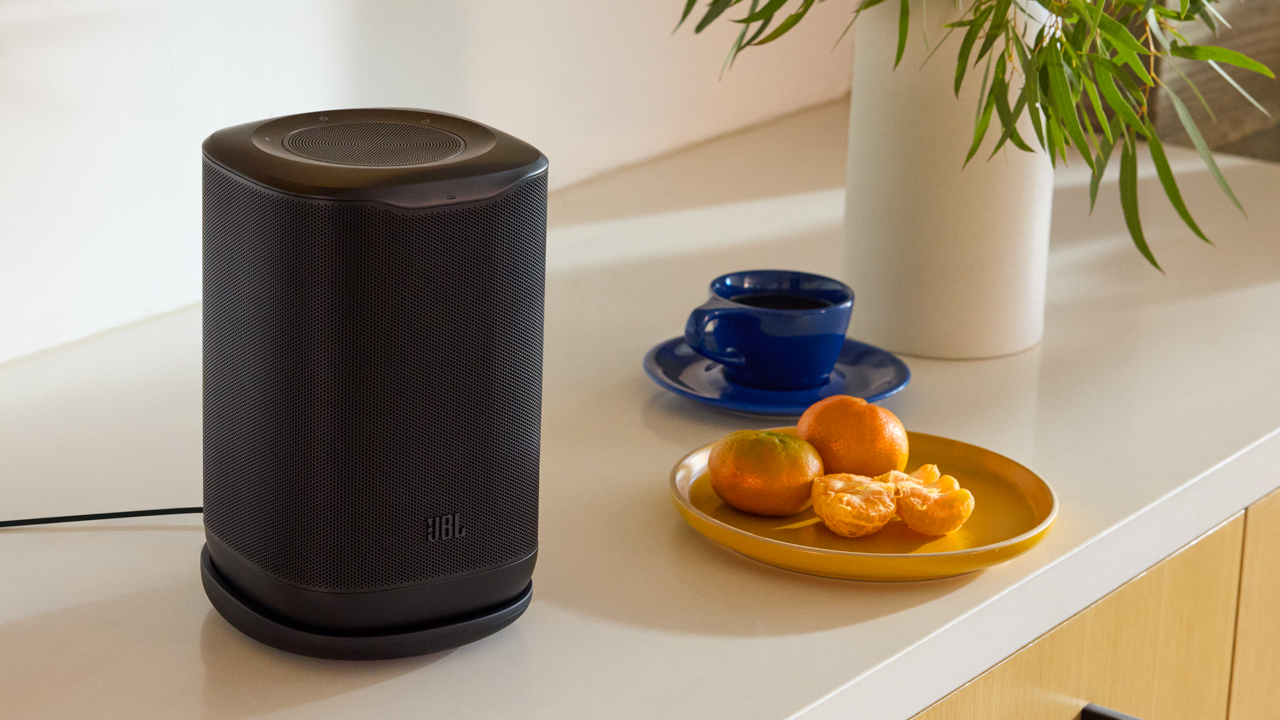
Each speaker can work on its own, as a stereo pair, or as part of a connected system through the JBL One app. Music can follow you around the house, with the option to have the same soundtrack playing throughout or different music in different rooms.
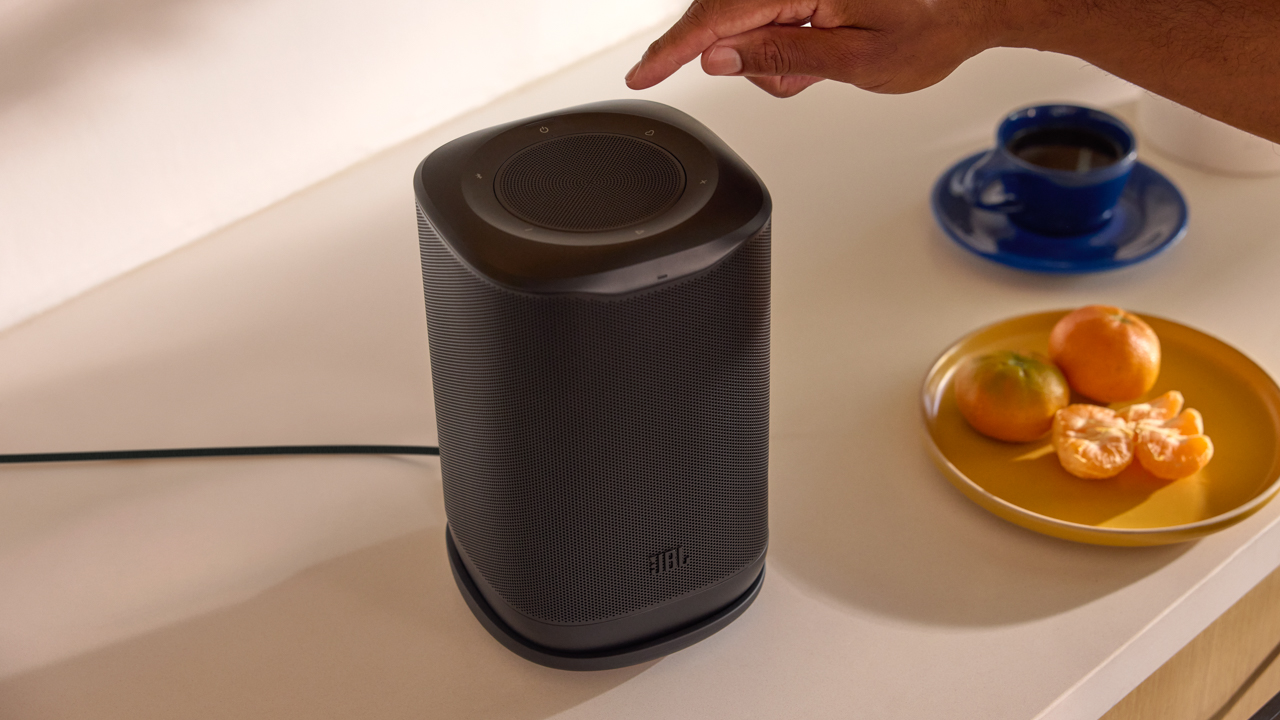
The Cove P1 adds portability with up to 14 hours of playtime, while both the P1 and X1 support Dolby Atmos for greater depth and dimension.
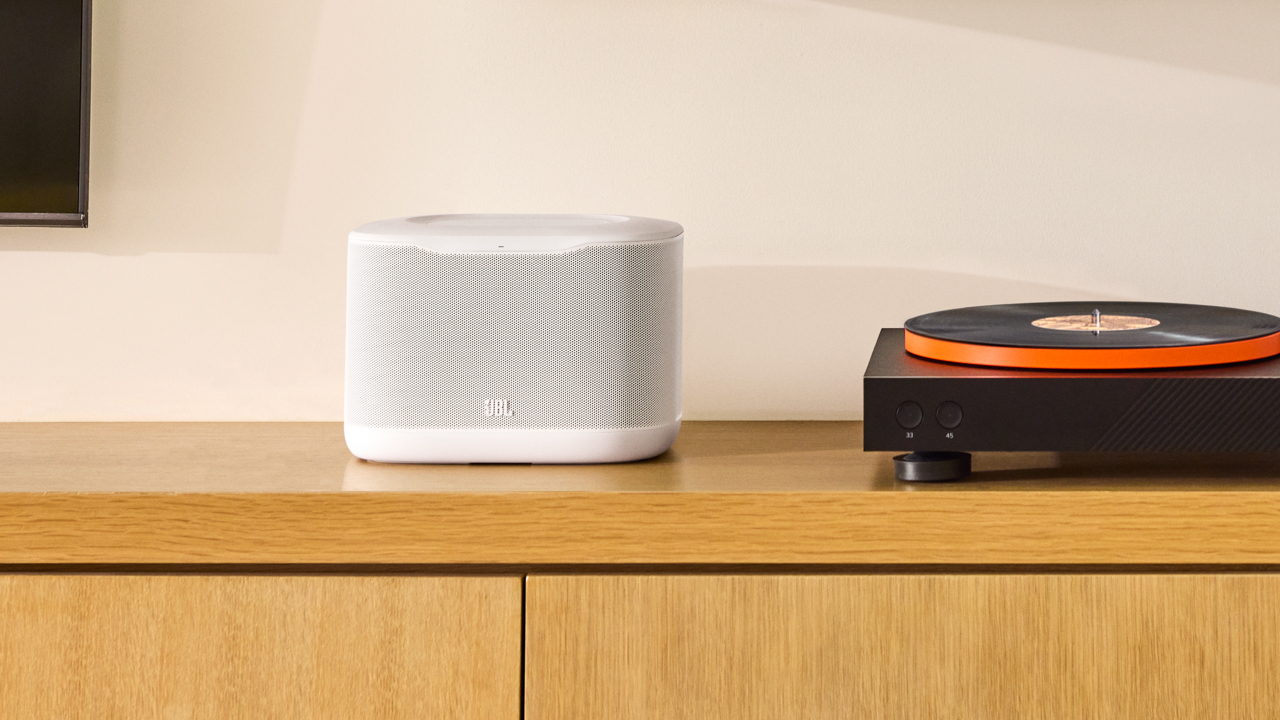
Then there is “Music Follows Me,” a feature that feels particularly suited to the way people actually move around their homes. Press the Moment button and your music can transfer to another room without having to reach for your phone or open an app.
For a more complete home entertainment setup, Cove speakers can also work with compatible JBL Bar Series MK2 soundbars.
The JBL Cinema SB510MK2 and SB550MK2 take that home theater experience further, with dedicated center channels, Dolby Audio, and straightforward connectivity designed to make dialogue clearer and sound more immersive.
Both also feature JBL SurroundPlay technology, allowing users to wirelessly connect compatible JBL portable speakers as rear surround channels. At launch, the JBL Flip 7 is the compatible model, giving movie nights a more complete surround setup.
When the room is in your pocket
JBL’s latest generation of true wireless earbuds comes through the Tune Beam 3, Tune Buds 3, and Tune Flex 3, bringing JBL Pure Bass Sound, immersive spatial audio, and adaptive noise cancelling into everyday listening.
Six built-in microphones with advanced beamforming technology are designed to keep calls clear, while the JBL Headphones app gives users more ways to personalize their listening experience.
The choice between the three comes down partly to fit. The Tune Beam 3 and Tune Buds 3 offer a more sealed in-ear design, while the Tune Flex 3 lets users switch between open and sealing ear tips depending on how much of the outside world they want to let in.
For everyday listening, the JBL Wave Beam 3, Wave Buds 3, and Wave Flex 3 bring JBL Deep Bass Sound, up to 40 hours of total playback, clear calls, and easy connectivity into lightweight designs.
The Wave Beam 3 and Wave Buds 3 feature Active Noise Cancelling with Smart Ambient. The open-style Wave Flex 3 uses Active Noise Reduction with Smart Ambient, keeping the listening experience more connected to the surroundings.

The room where game time happens
The JBL Quantum 120 and Quantum 520 bring JBL Quantum Spatial Sound and customizable audio through JBL QuantumENGINE.
Both feature a detachable 6mm cardioid boom microphone designed to keep voices clear and focused during multiplayer sessions.

The wired Quantum 120 offers straightforward connectivity across multiple platforms, while the wireless Quantum 520 brings flexible connectivity and up to 37 hours of playback.
Sound that lives with you
JBL’s latest lineup makes the case that sound is no longer confined to a single part of the home. Rather than treating audio as something that sits in one corner, JBL built its latest collection around the different ways sound becomes part of everyday life.
Because a home is never really one atmosphere. The mood changes from room to room, and JBL wants to make sure the soundtrack can keep up.
Accessories
UGREEN launches new MagFlow and Nexode Pro charging accessories to Southeast Asia
Here to charge your multiple devices rapidly

UGREEN has finally introduced its new MagFlow and Nexode Pro charging accessories to Southeast Asia. These bring faster wireless charging, improved thermal management, and high-power multi-device charging
Nexode Pro 160W Charger + Retractable Cable
First in the list is UGREEN’s Nexode Pro 160W Charger with Retractable Cable.
This charging adapter offers up to a speedy 160W total output across four charging connections.
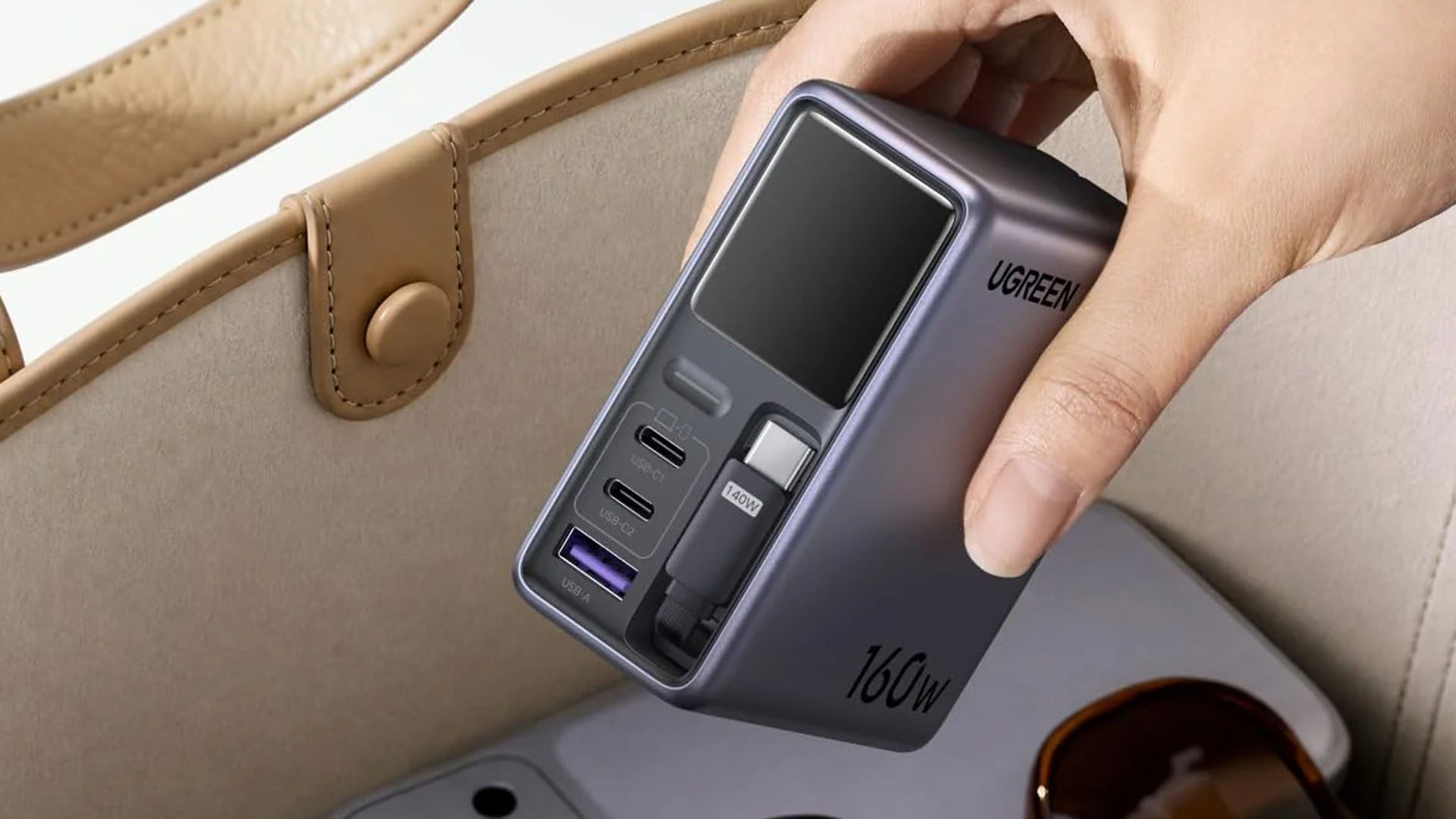
It has three USB-C outputs and one USB-A port, including a built-in 70cm retractable USB-C cable. The USB-C1 port and built-in cable support up to 140W, while USB-C2 supports up to 100W and USB-A reaches 22.5W.
Other features include a smart display, SmartCharge power distribution, GaNInfinity technology, Thermal Guard, OTA updates, and Bluetooth/Wi-Fi connectivity for app-based control.
MagFlow Pro 10,000mAh 25W Magnetic Power Bank
The MagFlow Pro packs a 10,000mAh battery with up to 25W Qi2 wireless charging and 45W USB-C output. Its standout feature is UGREEN’s CryoPulse liquid-cooling system, which uses a visible coolant window and multi-layer heat dissipation to help manage temperatures during wireless charging.
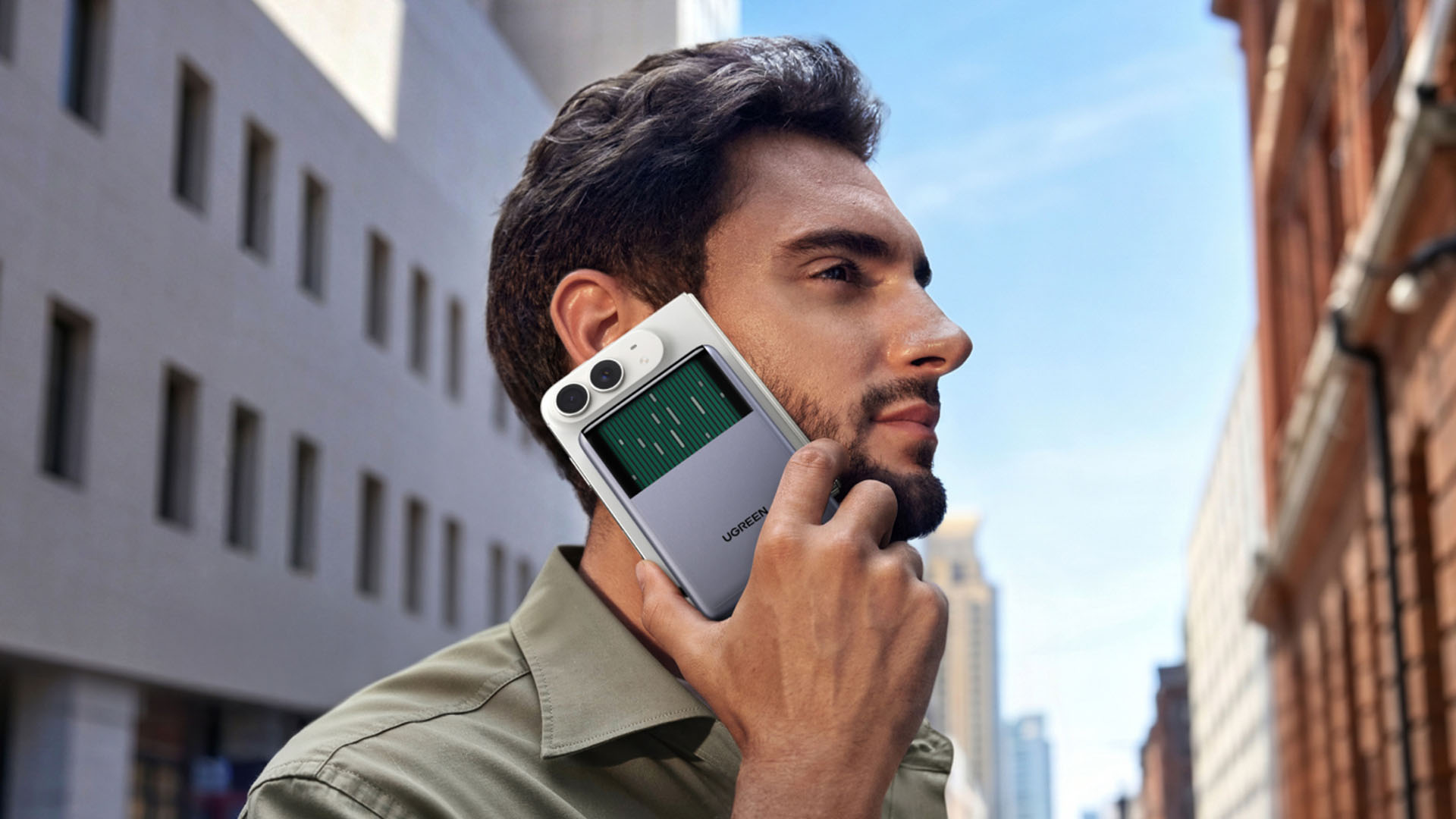
UGREEN says the system can reduce peak phone temperatures by up to 10°C compared to its industry benchmark in testing.
It also features a built-in 45W USB-C cable, USB-C port, charging status display, and 16+1 N52H magnets for a secure magnetic hold.
MagFlow 2-in-1 25W Foldable Wireless Charger
Lastly, the MagFlow 2-in-1 Foldable Magnetic Wireless Charger 25W combines a 25W Qi2 magnetic charging pad with a dedicated earbuds charging area.
It delivers up to 25W to an iPhone and 5W to earbuds, while its foldable design doubles as a phone stand. It also supports simultaneous wireless charging for a phone and AirPods.
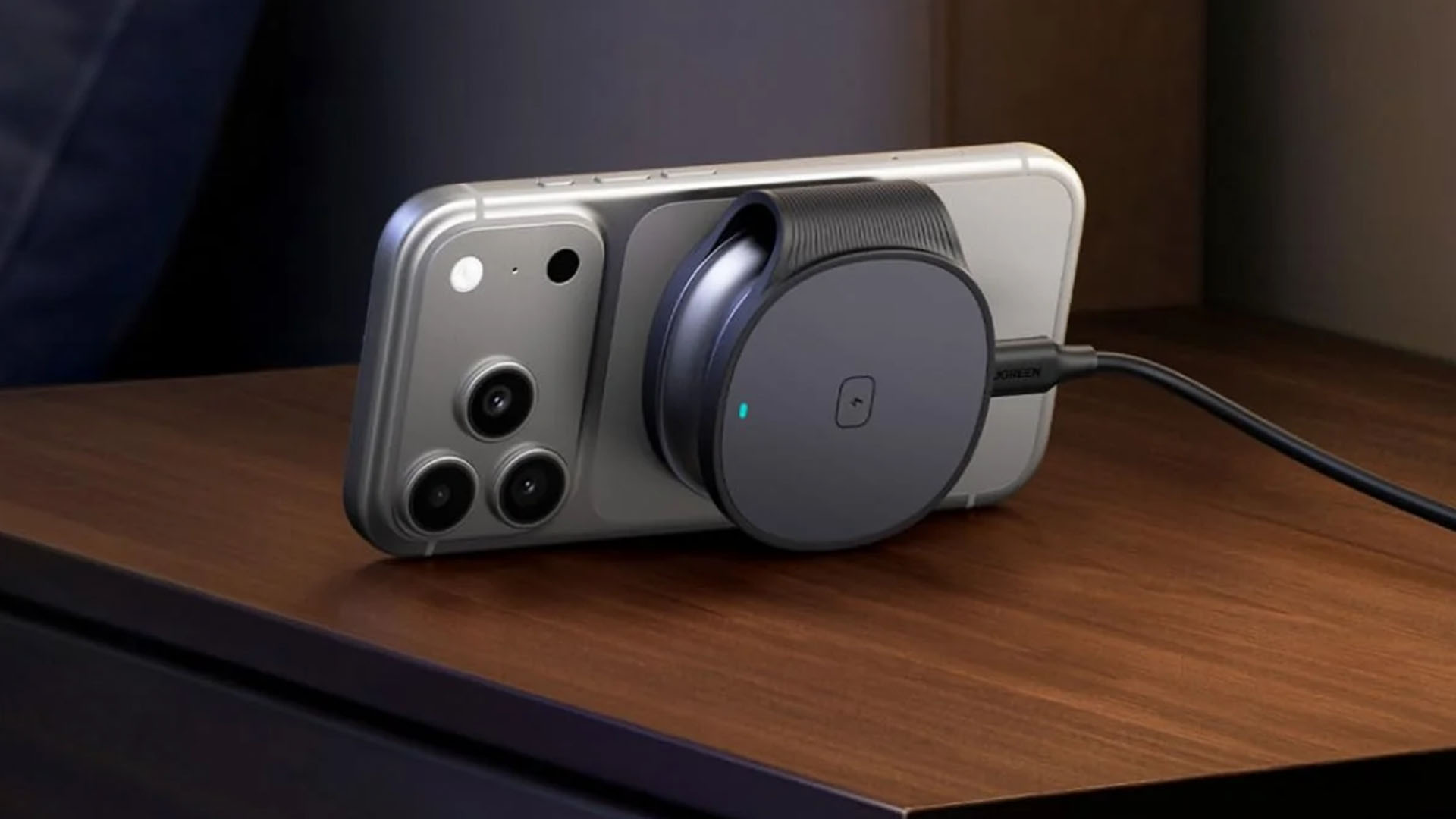
The charger uses 17 N48H magnets for up to 11N of magnetic force and features Thermal Guard temperature monitoring. When folded, it measures 2.37 × 2.86 × 1.05 inches.
Pricing and Availability
As of today (September 30, 2026) all three products are available across major Southeast Asian markets.
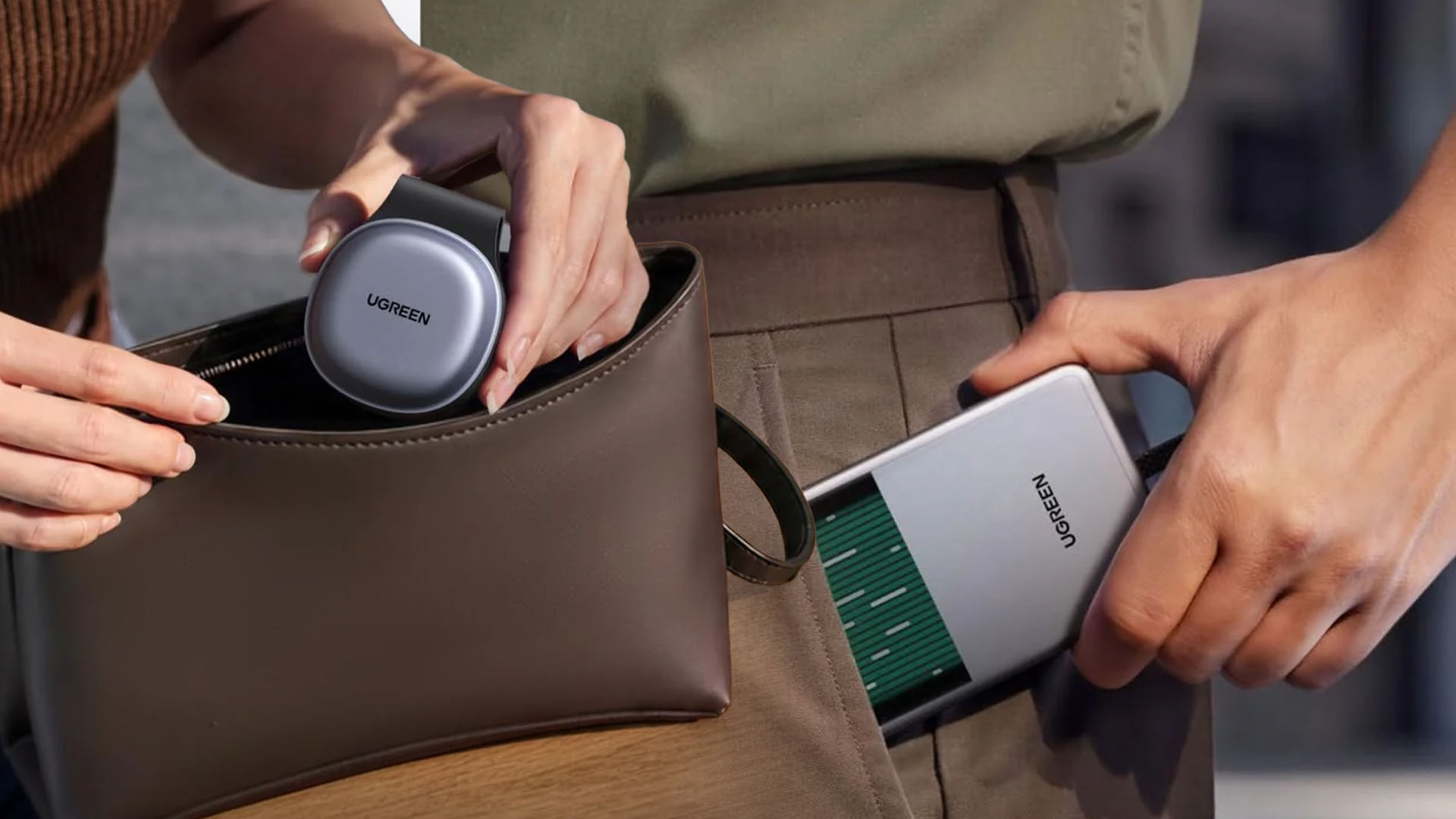
Graphics by Vincenz Lee | GadgetMatch
Nexode Pro 160W + Retractable Cable
- Singapore = SG$ 140
- Malaysia = MYR 419
- Vietnam = VND 2,699,000
- Philippines = PhP 4,999
MagFlow Pro 25W 10,000mAh Magnetic Power Bank
- Singapore = SG$ 154
- Malaysia = MYR 479
- Vietnam = VND 3,690,000
- Philippines = PhP 6389
MagFlow 2-in-1 Foldable Magnetic Wireless Charger
- Singapore = SG$ 64.90
- Malaysia = MYR 189
- Thailand = THB 1990
- Vietnam = VND 1,419,000
- Philippines = PHP 2499


HONOR 600S review
The battery is the highlight.


TECNO CAMON Slim 5G review: Slim on size, big on surprise
Still with some compromise

UGREEN Nexode Pro 160W review: One mighty brick with a powerful trick
All the speed you need in one charging brick
HONOR 600S review

HONOR 600S price, availability in the Philippines

iPhone 18 Pro series pre-orders now open via Power Mac Center

Apple wants to release new iPhones more regularly
TECNO CAMON Slim 5G review: Slim on size, big on surprise

HUAWEI Pura X View is 2026’s first WIDE slab-type smartphone

The CAMON Slim 5G is TECNO’s latest ultra-slim smartphone

iPhone 18 Pro series: Price, availability in the Philippines

DJI Osmo 360 II review: Going all-in on the ecosystem

iPhone 18 Pro series: Price, availability in Singapore


-

 News1 week ago
vivo X500 Series launches with major imaging upgrades
-

 News1 week ago
OPPO Find X10 Pro Max is the first phone with a triple 200MP camera system
-

 Automotive3 days ago
BYD says that way better EV batteries are coming next year
-
 Singapore2 weeks ago
Epson Lifestudio Grand Plus EH-LS970B with 4K projection, more launches
-

 News1 week ago
vivo introduces OriginOS 7 with smarter multitasking and AI features
-
 News3 days ago
HONOR Magic9 Pro Max launches in China with ARRI-powered imaging
-
 Smartphones5 days ago
When TECNO-logy meets Tonino Lamborghini legacy
-
 Accessories1 week ago
70mai launches the A900 series with 4K front, rear recording