
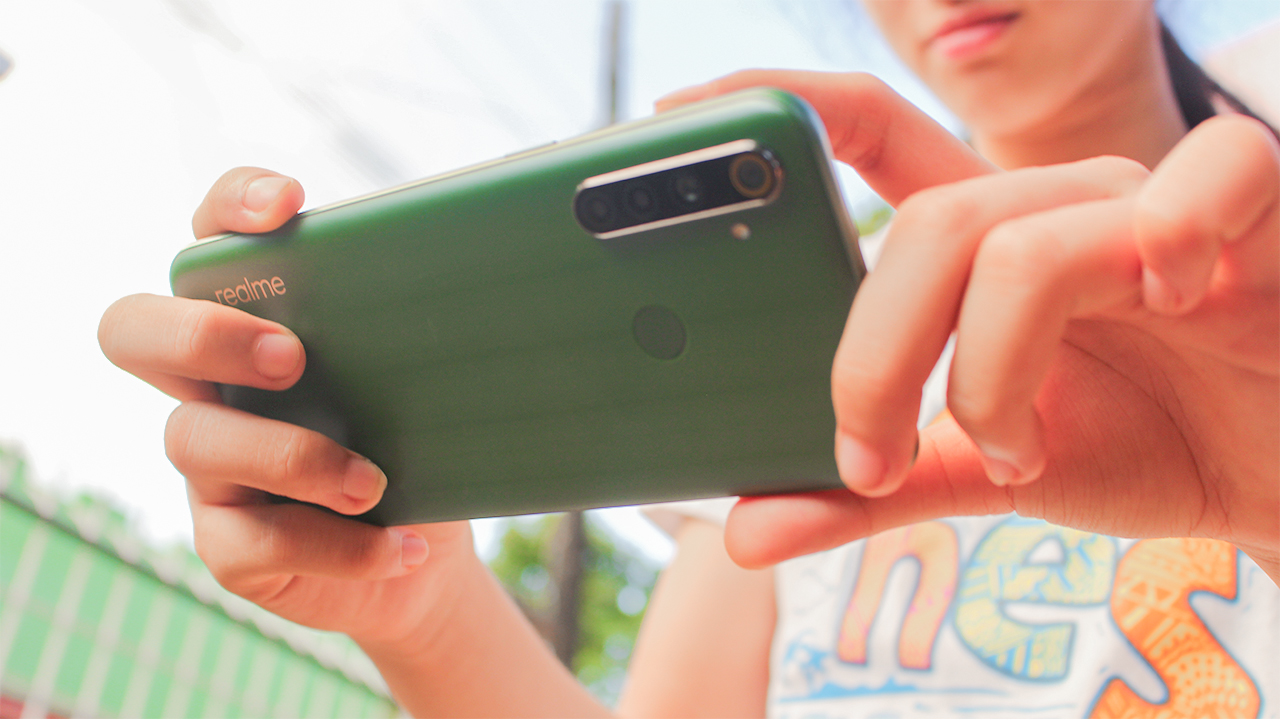

realme had been busy over the past years in making feature-packed smartphones at an affordable price. The realme 5 series last year is compelling evidence that the company nailed it in this regard. That series alone was one of the most sold in the Philippines. Now, Realme is keen to capitalize on its success with the new realme 6 series.
The first device in the series is now officially available in the country. realme 6i builds on the popularity and success of realme 5. Almost everything that made the realme 5 successful makes a return 0n the 6i. There are some aspects too that got improved. But is it enough to be a worthy successor to the realme 5?
That question alone bears a significant impact on how successful this device. realme 6i is once again competing for a spot on one of the best budget smartphones list. Let’s find out how the device 6i fares against the competition.
A polarizing design on the back
Right off the bat, the design of the realme 6i stands out like on the realme 5. This time around, the gradient pattern on the back is different. When hit by light, the back of the device gives a grill-like pattern. The new design pattern is surely polarizing. Some will love it, but others may not. I fall in the latter.
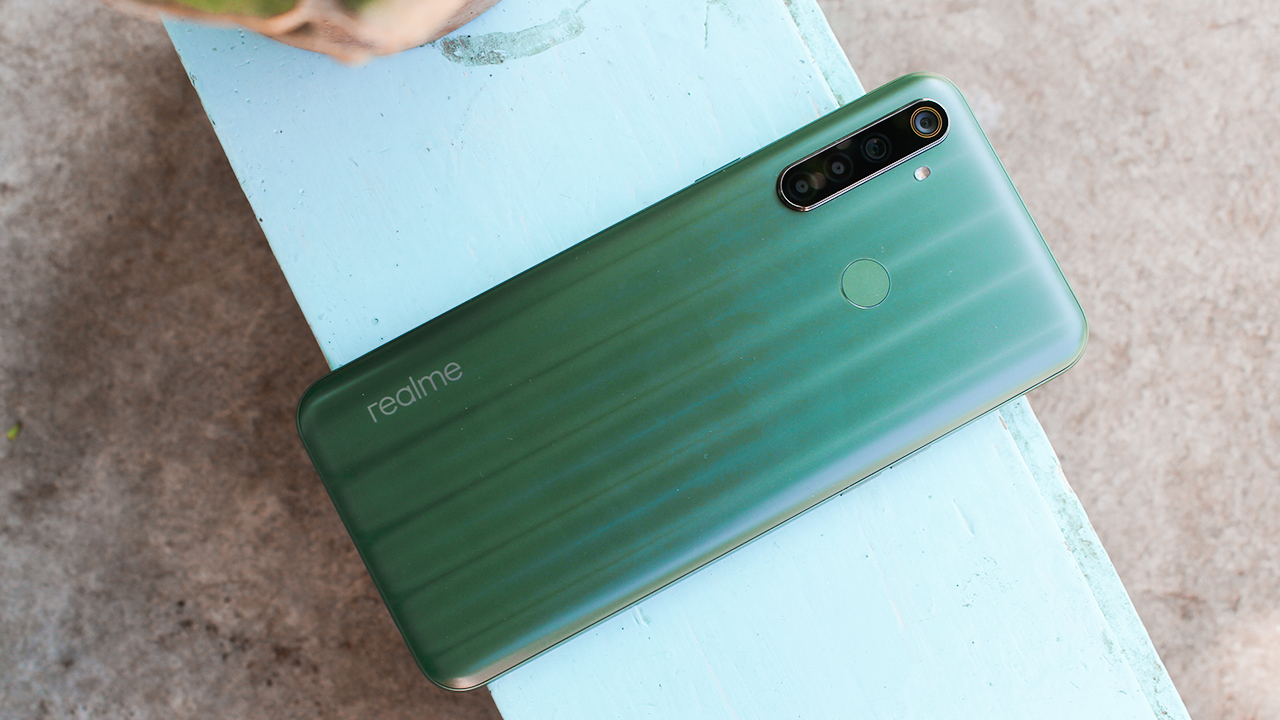
It comes in two colors: Matcha Green and Milk White. Sure enough, if you saw the realme 6i in press renders, you’ll be forgiven for imagining your favorite drink too. In real-world usage though, the colors are much more subdued than what Realme wants you to see. I have the Matcha Green on hand and it looks more like the color of a leaf to me.
It is easy to handle the device despite its large size. Also, you won’t feel that the device is made out of plastic. realme 6i is well-made, and it can trick you into thinking that it’s made from aluminum.
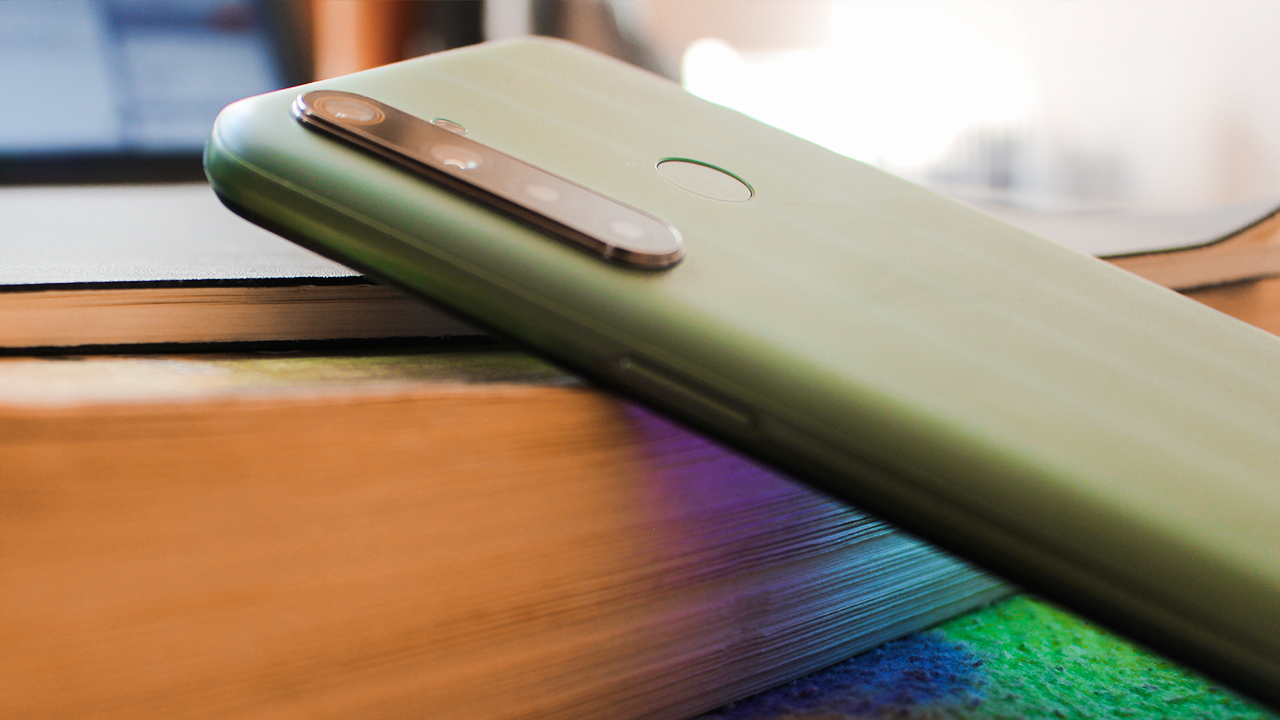
Moving over to the front, you still get a waterdrop notch up top and narrow bezels all-around. The power button is still on the right, and the volume controls are on the left. If there’s one big change this year, that will be the new USB-C port on the bottom. Finally, a budget device with a USB-C. And, there’s still a headphone jack on this device!
Vibrant but dim screen
There’s nothing to write home about realme 6i’s display. It carried over the display from its predecessor. As such, you still get a 6.5-inch 1600 x 720 IPS LCD screen. You won’t notice the individual pixels on this phone and the colors are vibrant enough for HD videos. However, it can’t compare to an OLED screen. On my OnePlus 6T, colors are much more vibrant and saturated. Granted, this is a lower-res screen, but putting an OLED there could have helped in making the display much more true-to-life.

The notch above the display is small that you don’t notice it on day-to-day usage. Plus, the display is almost near the sweet spot of 21:9, so you can use two apps side-by-side comfortably if that’s your fancy.
There’s a major problem with the display though. The maximum brightness of this device is not enough for a comfortable outdoor viewing experience. On a sunny day, I can’t even read the text and see the content on my screen. I don’t know if this is a software or a hardware issue. realme has to fix this problem urgently in the future.
Zippy performance for everyday use
The realme 6i flies through daily tasks. There’s a Helio P90 processor powering the device which is more than enough for day-to-day use. I didn’t notice any lag while browsing the web, peeking through Reddit threads, and viewing my Messenger conversations. Suffice to say, it’s more than capable and can confidently handle any task you throw at it.
Gaming’s a mixed bag, though. For graphics-intensive tasks, the device struggles a bit. When I played the relatively-obscure but polished clone of Minecraft — Survivalcraft — the frame rates dropped to an unacceptable three FPS after setting off multiple explosions. I recommend toning down the graphics a bit if you want to play modern graphically-intensive games.

realme’s own twist to Android 10 is a bit polished, but you can’t help but notice its similarity to iOS and OneUI. However, to distinguish its own OS, it added a few niceties that anyone will surely appreciate in their day-to-day usage. You can customize the navigation gestures and even tweak the icons if you like. Realme UI has come a long way, and overall, I like the coherent design of the icons and the system.
However, that’s where the good side ends. Personally, there’s a lot of performance drawbacks that I experienced on the realme 6i. Chief among them is loads of bloatware on this thing. Right out of the box, I get the Agoda, Opera, Lazada, Facebook, Trip.com, and Webnovel app. I don’t need these apps, along with realme’s own app store that annoyed me every time I install an app from the Google Play Store. Fortunately, I can disable or uninstall these apps.
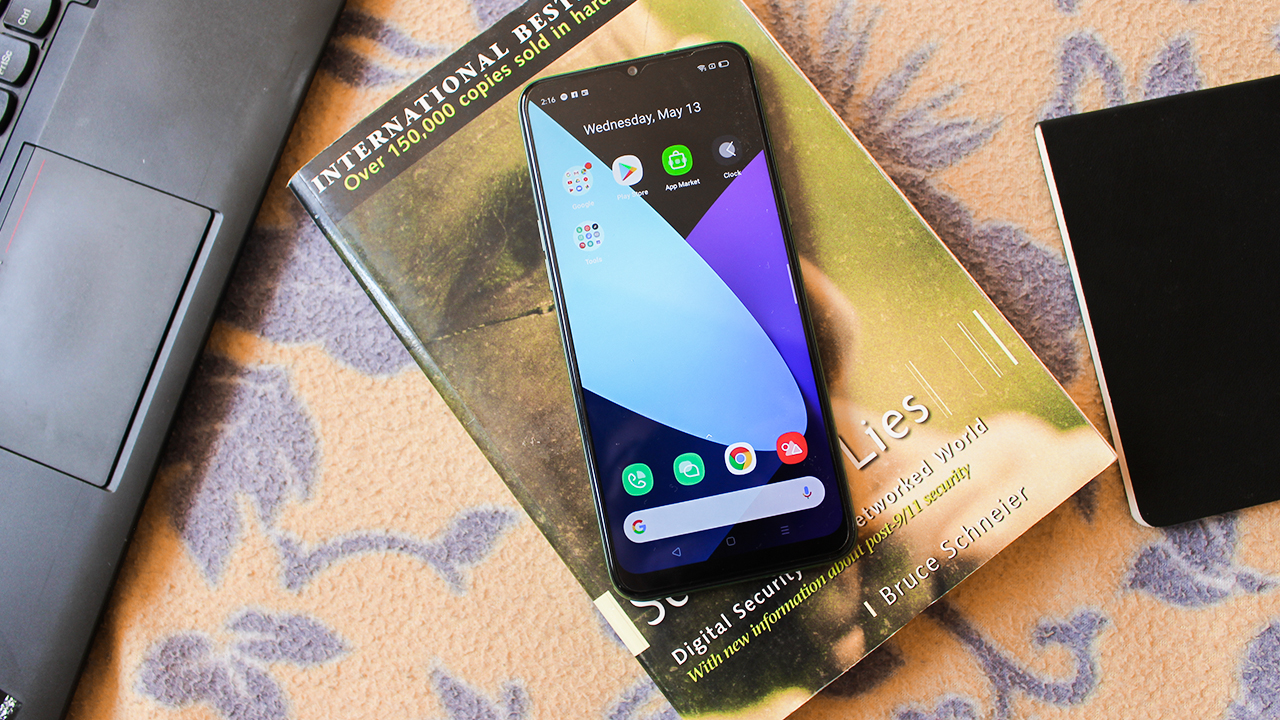
There are gesture bugs and touch input delays too. I can’t count the times I had to double-tap or even triple-tap a button at the bottom of the screen because the screen can’t recognize my touch.
Decent all-around cameras
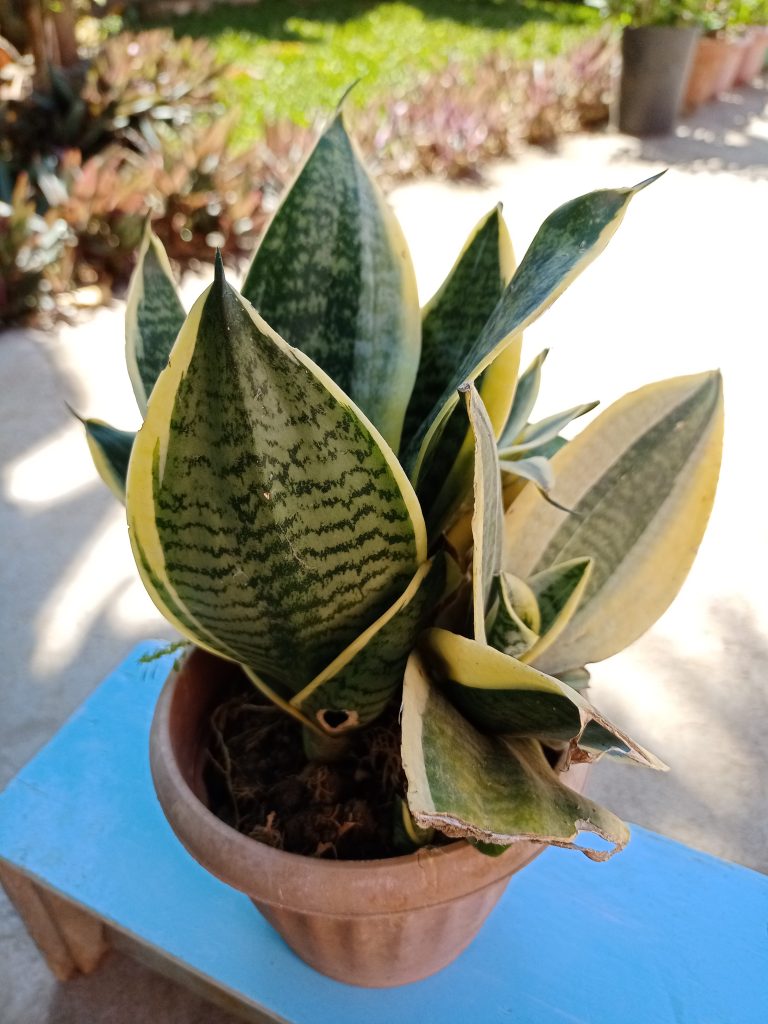
Now onto the tricky part: the camera. realme 6i’s camera takes decent photos if there’s enough light. The photos taken on this thing showed punchy colors and enough details to make it usable for day to day use. On the photos below, I can commend Realme 6i for getting the colors of the foliage right. What I liked most about this photo is how it gets the bokeh right:

And since pizza’s one of the comfort food we miss during the lockdown, we had a pizza delivered right into our house. Look at how the realme 6i nailed the colors green and red bell peppers, white onions, and the bits of meat.

However, I put the emphasis on decent photos: if you really are nitpicking, you will notice that the photos are a bit muted and dull. Take this photo, for example:
-
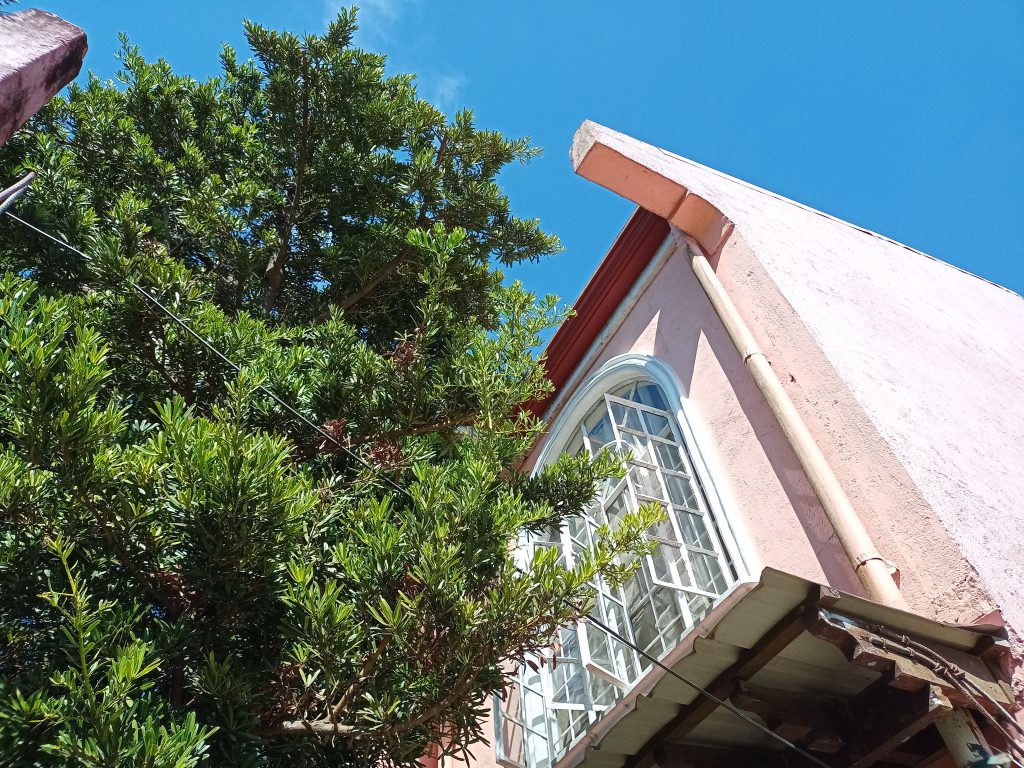
- Without HDR
-
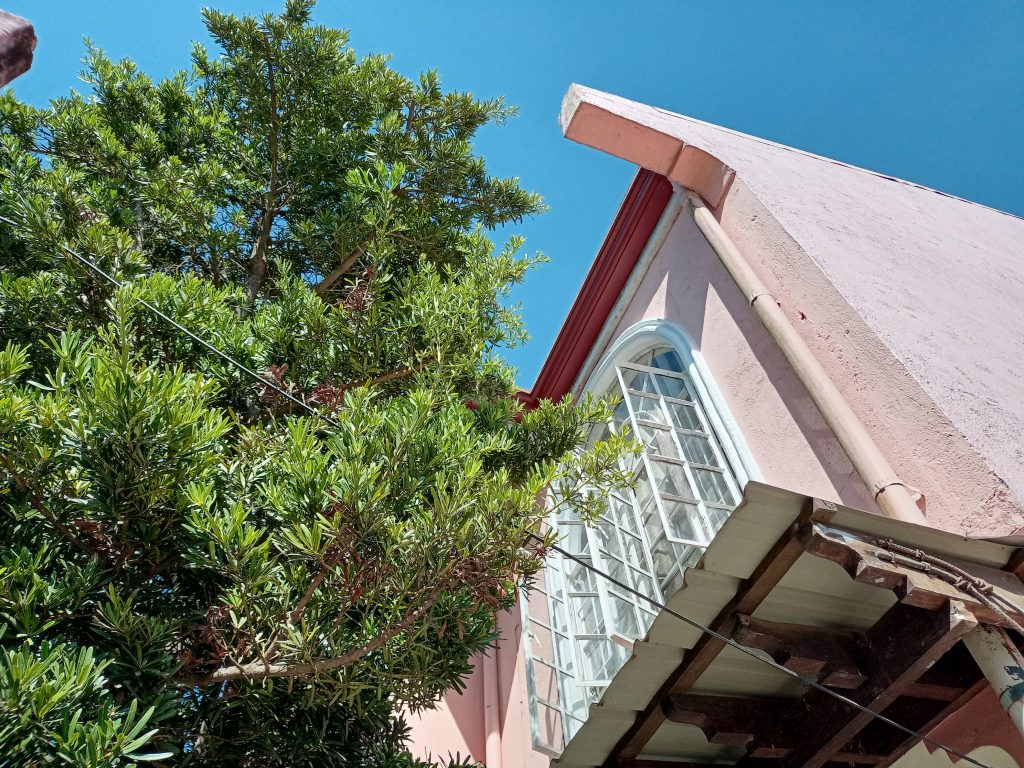
- With HDR
The leaves on the tree turned out nice. However, looking over to the house, I can definitely tell that the color is washed out. In real life, the color is much more vibrant than what realme 6i wants you to believe. The house has a much vibrant pink to it. The issue here could be blamed on getting the white balance wrong.
Turning on the HDR helps to boost the colors a bit. Some details are also recovered too. I recommend turning on the HDR on shots with contrasting scenes like this one to make the photos a bit nicer to look at.
The camera of the realme 6i starts to show its limitation on dimly-light environments too. There’s a night mode on this device to help it capture better photos at night. However, just avoid taking a photo at night since it tends to capture blurry photos.
-

- With night mode
-
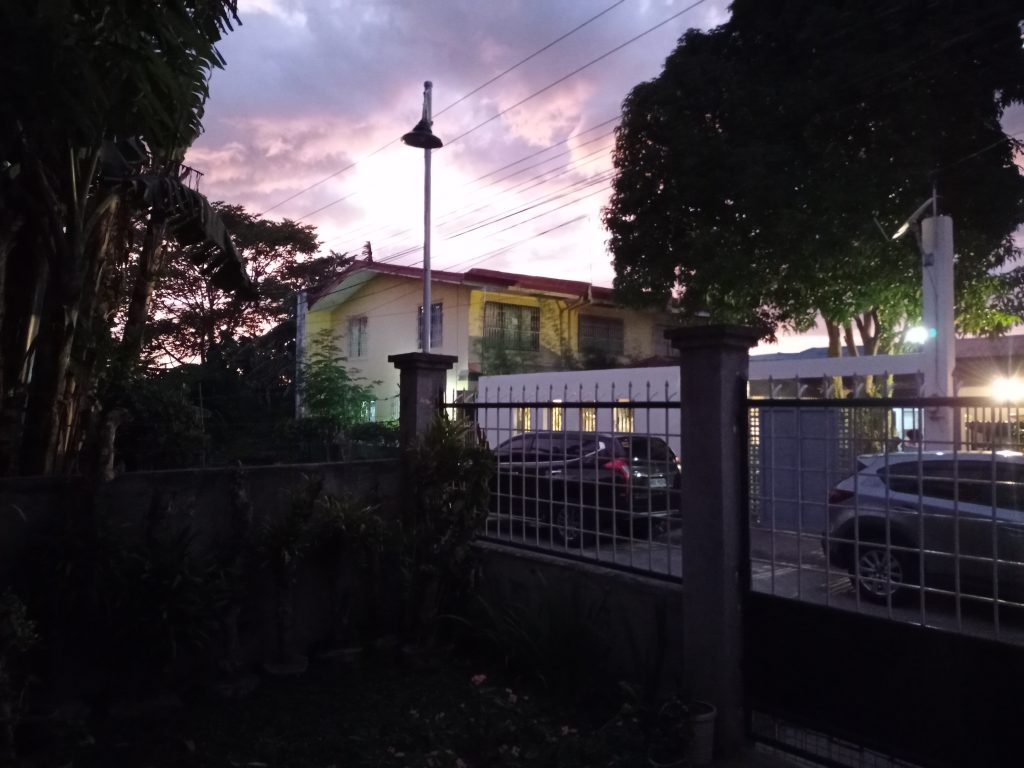
- Without night mode
The camera also had different shooting modes to meet your needs. There’s Panorama mode and Ultra Macro mode so you can take landscape and close-up shots. Personally, I find them useful in certain scenarios, but photos taken with these modes sometimes lack detail with washed-out colors and blurred details.


The shots taken on the front-facing camera of the Realme 6i is fine for social media posts. However, when you look closely at the photos below, you’ll see that the colors are a bit washed-out. The camera tends to smoothen out my face, which is a result of the beauty filter turned on by default. The camera app itself has settings to “beautify” and tweak your face appearance, which is nice for people like me who always have pimple break-outs.


Humungous battery that charges quickly
The battery on this device remains at a massive 5,000mAh. That alone will give you solid two-day battery life for normal use cases. However, if you heavily game on the realme 6i, expect to last only a day. Either way, it is a solid battery champ.
Even better, this device now has a quick-charging feature. realme 5 doesn’t have that feature and as a result, you have to wait for hours just to recharge. With the quick-charging feature, I can just plug the Realme 6i and wait for two hours to go from 20% to 80%. It’s not exactly the fastest, but other devices in the budget segment don’t have this feature yet. So, this is a win-win for users and Realme itself.
Is the Realme 6i your GadgetMatch?

The realme 6i really tries its best to offer the features that made the realme 5 a fan-favorite. In some aspects, it even tried to one-up its predecessor by including new features that really matter to consumers. And I love what realme did this year: they offered fast-charging on their budget device and they even bundled a USB-C. Granted, there are some drawbacks to this device, but they are minor complaints that you won’t notice or can be remedied in future software updates.
Perhaps the one thing that will make you consider this device is the price: the 3/64GB storage retails at PhP 7,490 while the 4/128GB storage retails at PhP 9,490. Combined with the features it has, the realme 6i can be your next GadgetMatch.




News
Shokz OpenFit Pro launches at Power Mac Center, brings open-ear noise reduction
Open-ear, now quieter

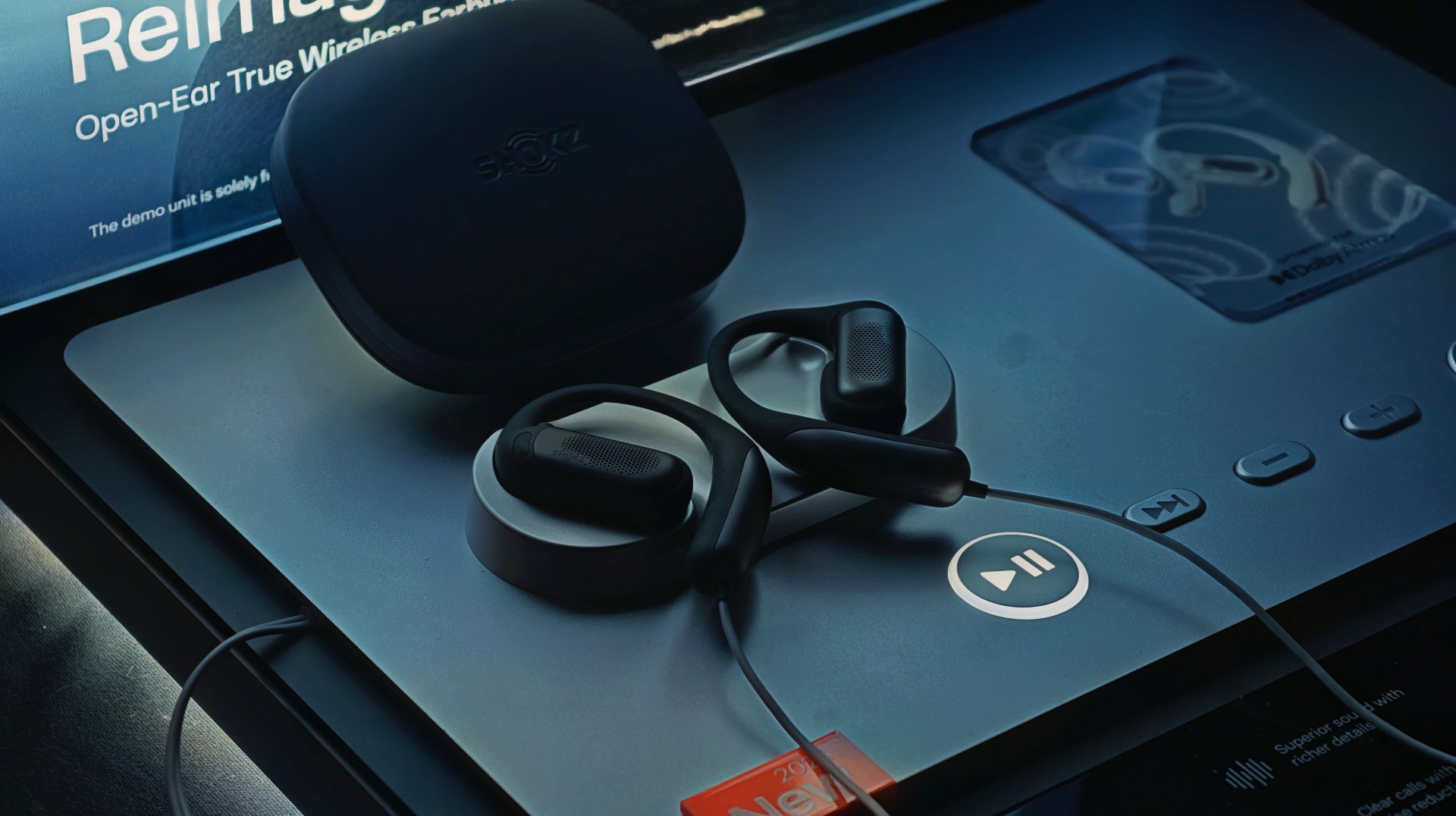
There’s a certain kind of listener this is built for. The kind who wants music on, but not the world off.
That’s exactly where the new Shokz OpenFit Pro steps in. Now officially available at Power Mac Center, the latest from Shokz pushes open-ear audio further with a feature that feels almost contradictory at first: noise reduction—without shutting you out.
It’s a balancing act. And from what we’ve seen at the launch, it’s one Shokz is leaning into hard.
Open-ear, but with focus when you need it
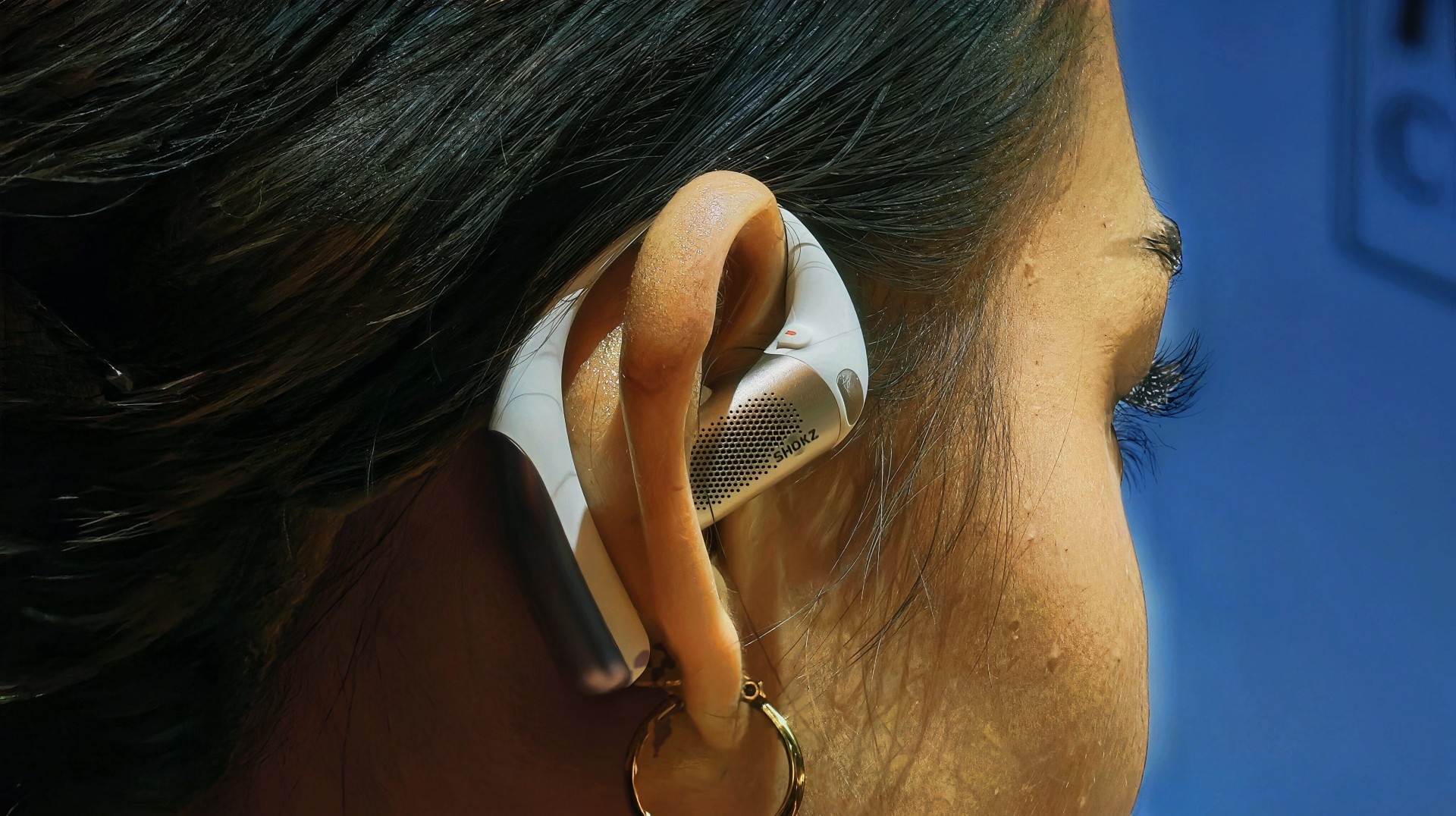
The headline feature here is Open-Ear Noise Reduction—a first for Shokz.
Instead of sealing your ears like traditional ANC earbuds, the OpenFit Pro keeps its signature open design. You still hear your surroundings, but now you can dial in a “focus mode” when things get too noisy.
It works through a triple-mic system paired with an ear-adaptive algorithm, which predicts in-ear noise and counters it with reverse sound waves. The result isn’t total silence, but a cleaner listening experience in places like offices, gyms, or busy streets.
It’s not about isolation. It’s about control.
Bigger sound, richer detail
Shokz is also going after better sound this time.
The OpenFit Pro uses a new Shokz SuperBoost™ dual-diaphragm driver, designed to deliver deeper bass and more detailed highs while keeping distortion low. The 11 × 20 mm driver performs like a larger speaker, giving it more room to breathe compared to typical open-ear buds.
There’s also Dolby Atmos support with head tracking, adding a more immersive layer—especially for supported content.
Built to stay on, all day

Comfort is still a big part of the pitch.
The earbuds use Ultra-Soft Silicone 2.0 and a flexible nickel-titanium ear hook that adapts to different ear shapes. They’re designed to stay secure whether you’re working out, walking, or just going through your day.
The build leans premium too, with an ultra-slim aluminum unibody design that keeps things lightweight and clean.
Calls, battery, and everyday extras

On the practical side, the OpenFit Pro checks a lot of boxes:
- AI-powered triple-mic system for clearer calls (with wind resistance up to 25 km/h)
- Up to 50 hours total battery with the case
- Up to 12 hours listening time (6 hours with noise reduction on)
- 10-minute quick charge = up to 4 hours playback
- Qi wireless charging support
- Multipoint pairing, smart wear detection, and Bluetooth 6.1
It’s also IP55-rated, making it suitable for workouts and light rain.
A different take on listening
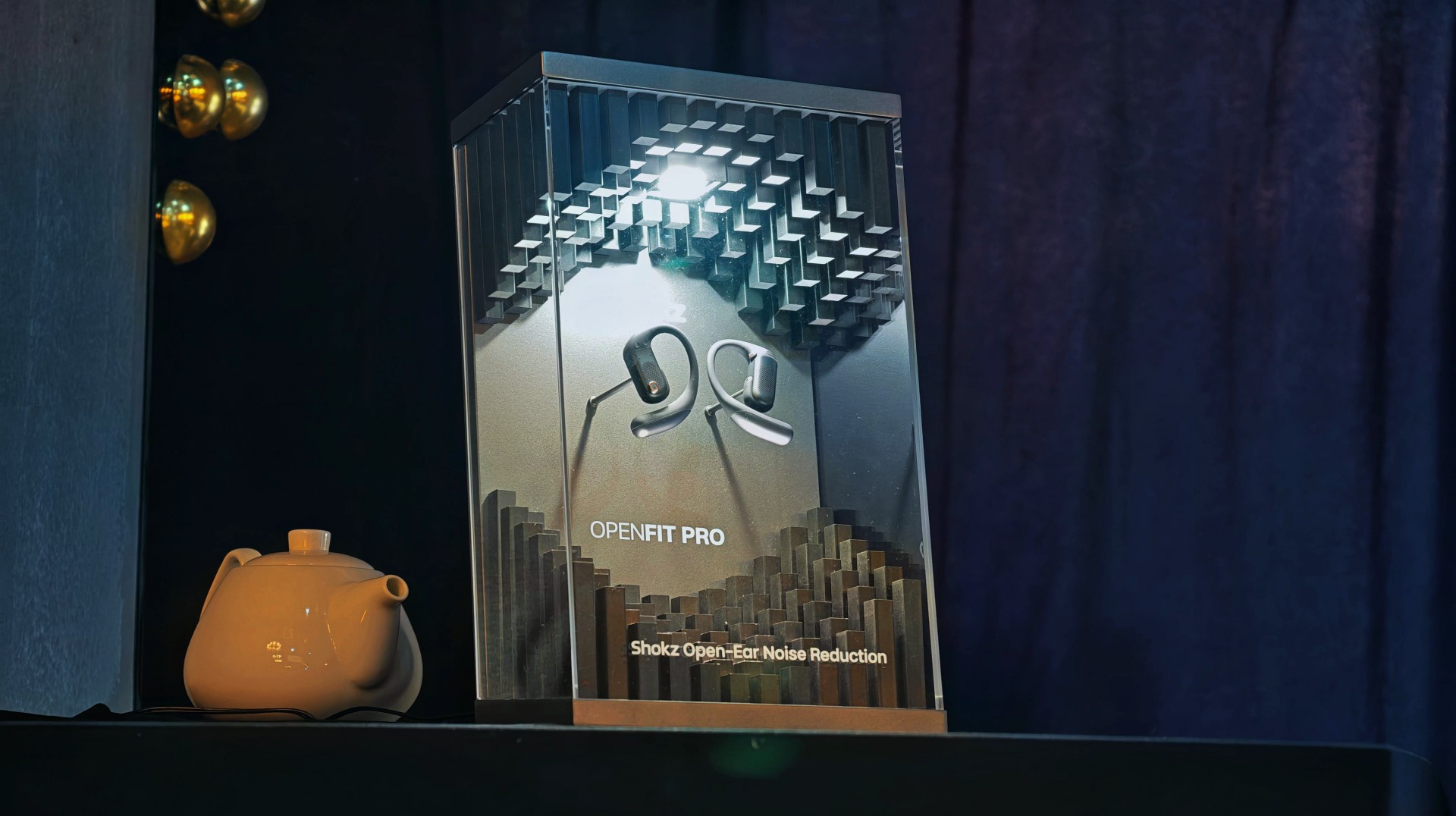
Open-ear audio has always been about awareness and comfort.
With the OpenFit Pro, Shokz is trying to add a third layer: focus on demand.
It doesn’t replace traditional noise-cancelling earbuds. It doesn’t try to. Instead, it gives you the option to stay present—while still tuning the noise down when it matters. And for a lot of people, that might be the better everyday choice.
Price and availability
The Shokz OpenFit Pro retails for Php 14,990 or PhP 2498.33/mo for six months with select credit cards. It’s available in Power Mac Center locations nationwide.
Gaming
God of War: Sons of Sparta takes a more contained approach to Kratos
Filipino devs were part of it.

There’s a version of God of War that lives in most people’s heads. It’s loud. Cinematic. Heavy with consequence. The kind of game that feels bigger than you.
God of War: Sons of Sparta isn’t that. At least, not in the way you expect.
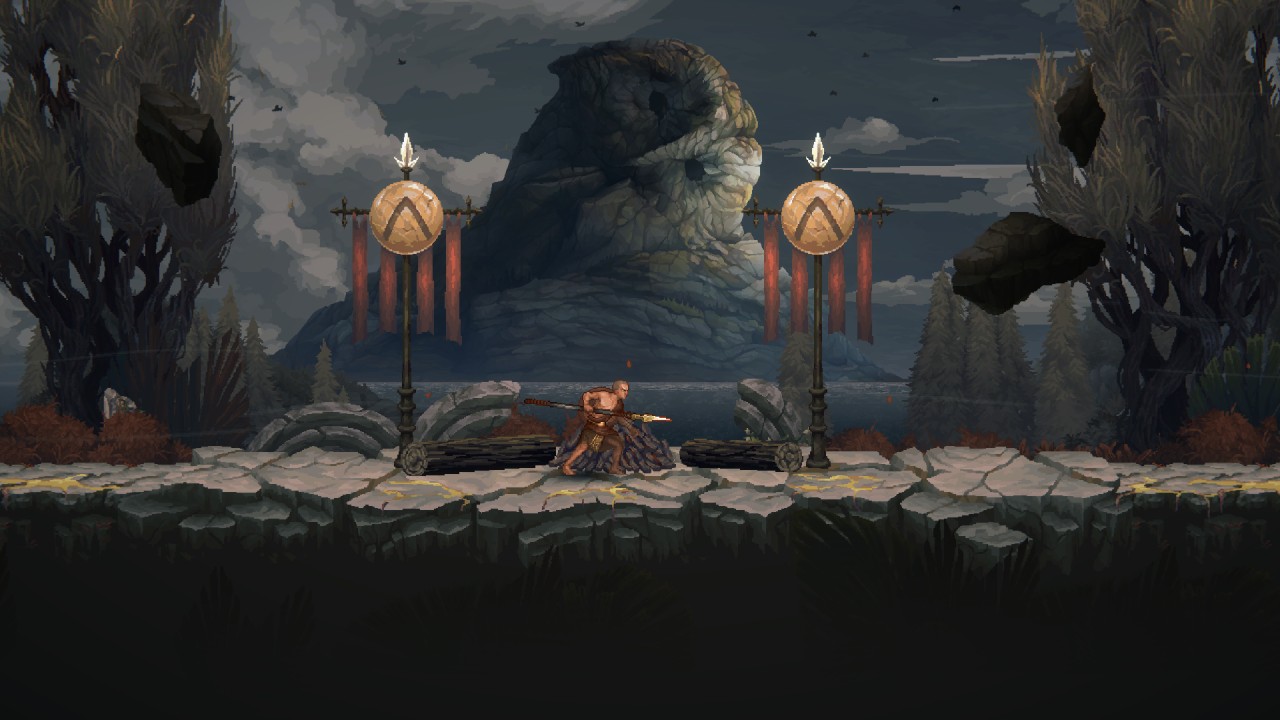
It’s more contained. 2D. Pixel art. But spend a little time with it, and you start to see what it’s trying to do. Not replace the modern games. Not outdo them.
Just… revisit something familiar from a different angle.
A different take on Kratos
Instead of gods and world-ending stakes, Sons of Sparta focuses on Kratos earlier in his life, training as a Spartan alongside Deimos. It’s more contained. More personal.
You’re still fighting through brutal encounters. But the framing feels different. Less about destiny, more about who Kratos was before everything spiraled. And somehow, even in pixel form, it still feels like God of War.
Where Filipino developers come in
One of the more interesting parts of this project is how it came together.
Mega Cat Studios worked closely with Santa Monica Studio to build the game. That includes a strong presence from their Philippine team.
But it’s not framed as a separate unit.
“There is no separation between Mega Cat Pittsburgh and Mega Cat Philippines,” says Art Director Janley Clavio.
“We operate as one phalanx, and were part of the game from the beginning.”
That last part shifts the narrative from “support work” to actual collaboration.

The kind of work you feel more than you see
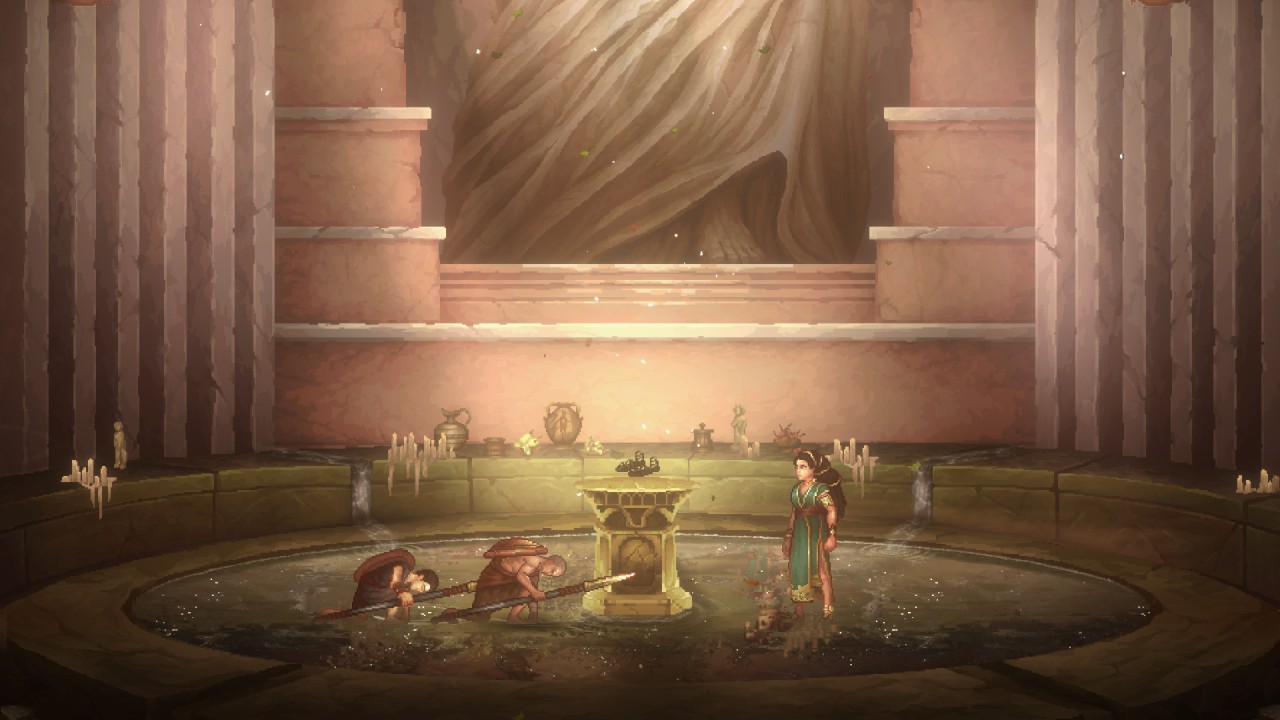
The team contributed to environment art, asset production, and overall polish across different areas of the game. Not the flashy headline stuff. But the kind that shapes how the game feels moment to moment.
“Our work supports the player experience without pulling attention away from the story,” Clavio explains.
Think temple interiors and ruined battlefields. Small details that hint at what happened in a place before you got there. It’s subtle. But it adds up.
Staying true to God of War—even in 2D
Working on God of War comes with a certain weight. Fans know how this world is supposed to look and feel. So, even if Sons of Sparta shifts genres, the expectation doesn’t really change.
“We had to make sure it wasn’t just any retro pixel art game—it had to be a God of War pixel art game,” Clavio says.
That meant studying the details. How materials look. How lighting behaves. How environments guide you. And then translating all of that into something simpler—but still recognizable.
A team that knows when to hold back
One thing that stands out from the conversation is restraint. There’s an understanding that when you’re working on something like God of War, you don’t need to reinvent everything. You just need to get it right.
“When you’re working on something fans already love, your job is to enhance it—not reinvent it.”
That mindset shows up across the game. It respects what came before, but still finds space to do its own thing.
Small details, personal touches
There are also a few quiet nods tucked into the game. Nothing too obvious. Nothing that breaks immersion. But enough for the team to leave their mark.
“For our Filipino artists, it’s a point of pride knowing that a little piece of our culture helped shape a world millions of players will explore.”
It’s not something the game calls attention to. But it’s there.
Not just another spin-off
Sons of Sparta is easy to label as a side project. And sure, it kind of is.
But it’s also a good example of what happens when different teams come together with a clear understanding of what they’re building.
A more contained God of War game that still feels like it belongs. A different perspective on a familiar story. And a project where Filipino developers weren’t just involved. They were part of the process from the start.
It doesn’t try to be the biggest entry in the series. And honestly, it doesn’t need to be.
Accessories
Jackery SolarSaga series: Free power for small devices
Portable solar panels can charge small gadgets directly


As fuel prices continue to surge as of late, one of the ways to make up for the additional expenses is to turn to alternative power sources. That’s including solar power.
And Jackery is here to help Philippine consumers, with the availability of their portable SolarSaga panels.
These solar panels are an alternative to traditional and permanently installed rooftop solar panels. They are engineered for modern and mobile life with portable, lightweight, and sleek designs. They are built primarily to be set up and put away easily, and charge small devices directly.
Simply put the Jackery SolarSaga panels where sunlight is available, and it will convert up to 25% of sunlight into usable energy.
To charge small gadgets like phones and portable fans, or even smartwatches, the SolarSaga panels come with a USB-C and USB-A port.
Another way is connecting the SolarSaga to Jackery’s Explorer power stations like the Explorer 300 Plus or 1000 Plus.
From there, users can power up devices, essentially for free. On its own, the Jackery SolarSaga panels are available in 100W and 200W variants.
The panels are also IP68 rated for water and dust resistance. This makes them usable outdoors when brought to adventures like camping, picnics, or beach trips.
The panels are already available through Jackery’s Lazada and Shopee platforms, as well as Techroom’s Lazada and Shopee accounts.


WWE 2K26 lets you live out all the fantasy matches you could want
But you have to play for hours and hours to unlock everyone.


The HONOR X8d is serviceable
Steady but slow?


POCO X8 Pro Max review: A new beast from the far east
That "Pro Max" naming superlative is more than justified
WWE 2K26 lets you live out all the fantasy matches you could want

Shokz OpenFit Pro launches at Power Mac Center, brings open-ear noise reduction

How the Ford Ranger is powering community resilience

God of War: Sons of Sparta takes a more contained approach to Kratos

Samsung brings AirDrop support to Quick Share with Galaxy S26 series


-
Reviews6 days ago
POCO X8 Pro Max review: A new beast from the far east
-

 News6 days ago
POCO X8 Pro Series: Price, availability in the Philippines
-

 Laptops2 weeks ago
Apple MacBook Neo Review
-

 Apps1 week ago
Google Maps is finally getting a 3D mode
-

 Entertainment2 weeks ago
The internet is thirsting over the One Piece Season 2 cast
-

 Features1 week ago
Galaxy AI on the Samsung Galaxy S26 Ultra
-

 Automotive2 weeks ago
BYD is reportedly considering an F1 team
-

 Gaming2 weeks ago
Resident Evil Requiem will get a story expansion