



Take advantage of Home Credit’s flexible offer and get these remarkable Samsung gadgets,
including the Galaxy Tab S9 series, at 0% interest until January 31, 2025.
Samsung is a top-aspired brand. The excellence of their flagship mobile offerings cannot be understated. But there’s more to the South Korean brand than their top-of-the-line products. Samsung brings some level of excellence across their multiple devices. And you can get your hands on one of them through Home Credit Philippines.
While many are focused on the Galaxy S and Galaxy Z series of devices, their Galaxy Tab series is nothing to scoff at. The Galaxy Tab S9 series offers unique tablet experiences that might just fit your needs.
Thanks to Home Credit’s offers, everyone can get these Samsung devices via flexible installment plans from 12 to 24 months at 0% interest, with as low as zero downpayment, until January 31, 2025. The 0% offers are available at over 15,000 Home Credit partner stores across 75 provinces nationwide.
Before we dive into how each one is different from the other, let’s first look at what the series as a whole has to offer.
Galaxy Tab S9 Series
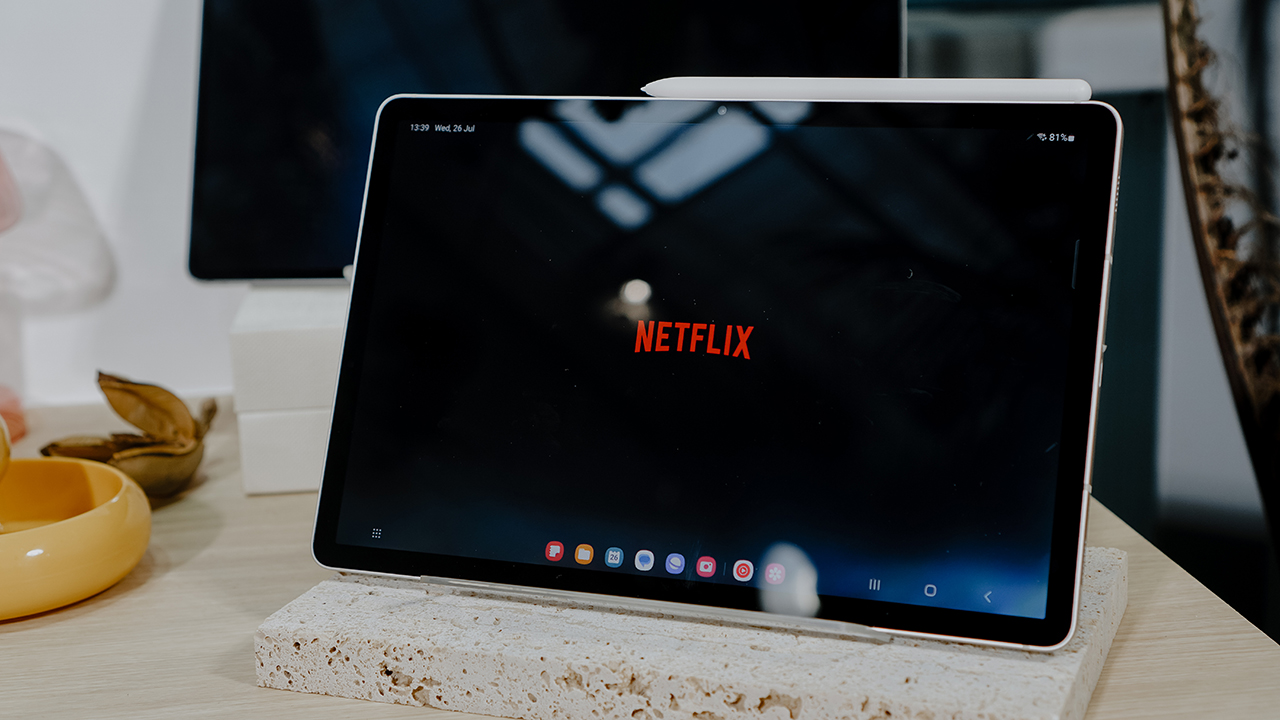
The Galaxy Tab S9 Series is composed of three devices: Galaxy Tab S9, Tab S9+, and Tab S9 Ultra.
All three variants will come with a 13-megapixel rear sensor. However, the Tab S9+ and Tab S9 Ultra will pair this with an 8-megapixel ultrawide camera. The lineup will have a 12-megapixel selfie shooter, but the Ultra will come with two of them working together.
For connectivity, the Tab S9 series can connect via 5G, LTE, Wi-Fi 6E, and Bluetooth 5.3. However, only the Tab S9+ will come with a 5G variant. As always, the series will be compatible with the S Pen. It will also come with an IP68 rating for extra durability.
You also won’t be wanting for power as all three share the same system on a chip (SoC) – the Qualcomm Snapdragon 8 Gen 2.
For an even closer look, here’s a detailed side-by-side comparison.
Specs:
| Galaxy Tab S9 | Samsung Galaxy Tab S9+ | Galaxy Tab S9 Ultra | |
| Display Size | 11” | 12.4” | 14.6” |
| Battery | 8,400mAh | 10,090mAh | 11,200mAh |
| Storage | up to 256GB
microSD up to 1TB |
up to 512GB
microSD up to 1TB |
up to 1TB
microSD up to 1TB |
| Camera | [Rear] 13MP
[Front] 12MP UW |
[Rear] 13MP + 8MP UW
[Front] 12MP UW |
[Rear] 13MP + 8MP UW
[Front] 12MP + 12MP UW |
| Thickness | 5.9mm | 5.7mm |
5.5mm |
| Weight | 1.10 lb | 1.30 lb (5G), 1.29 lb (Wi-Fi) | 1.62 lb |
| Network | Wi-Fi 6E | 5G / Wi-Fi 6E | Wi-Fi 6E |
| IP Rating | IP68 | ||
| Pen | IP68 S Pen Included | ||
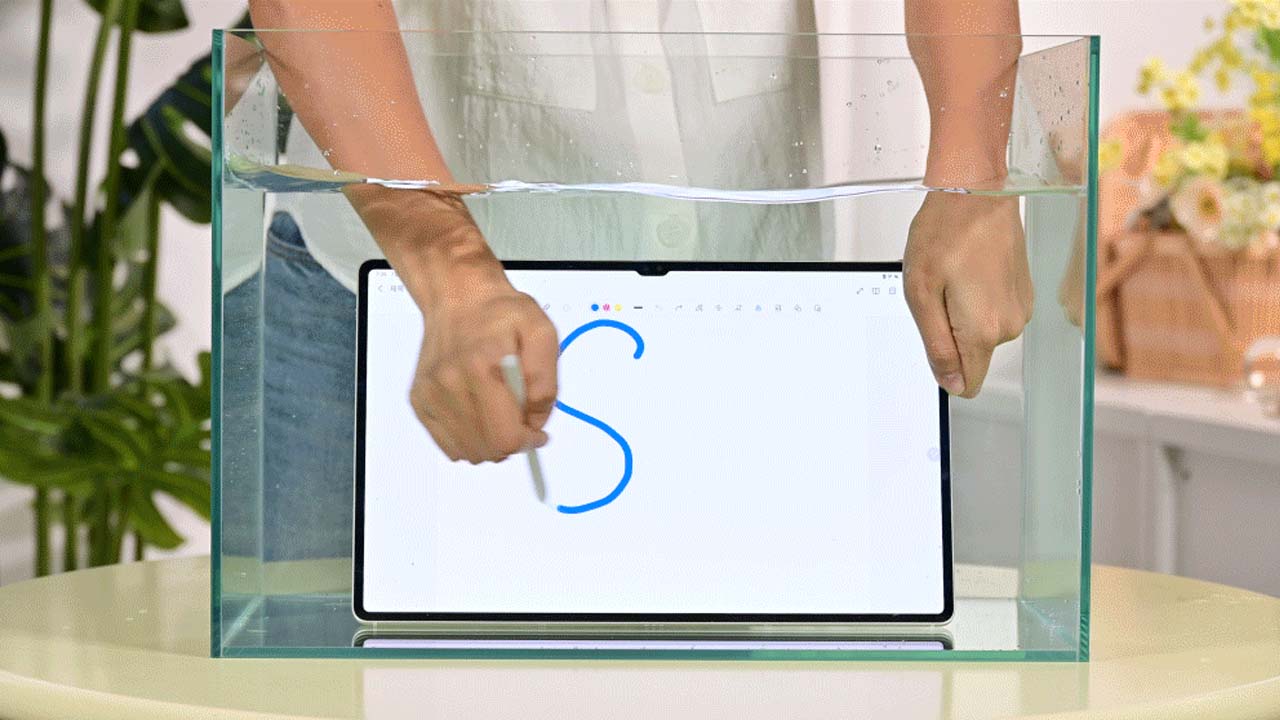
IP68 rating in action.
The differences
From the specs table, you can easily tell the differences among these three tablets. The most obvious one, of course, are the sizes. We have Medium (Tab S9), Large (Tab S9+), and Comically Large (Tab S9 Ultra).
Another interesting quirk is that only the Tab S9+ has a variant with a Wi-Fi + Cellular option. The next glaring difference would be the internal storage options which just follows that tablets’ sizing. Although, all of which can be augmented with a up to a 1TB microSD Card. The same is true for the battery capacities, they more or less just scale up to each tablets’ actual size.
The rest of the specs are pretty much the same. That means you’re getting a similar performance, durability, build, and more across the board.
Now, for the deciding part: which one should you actually get?
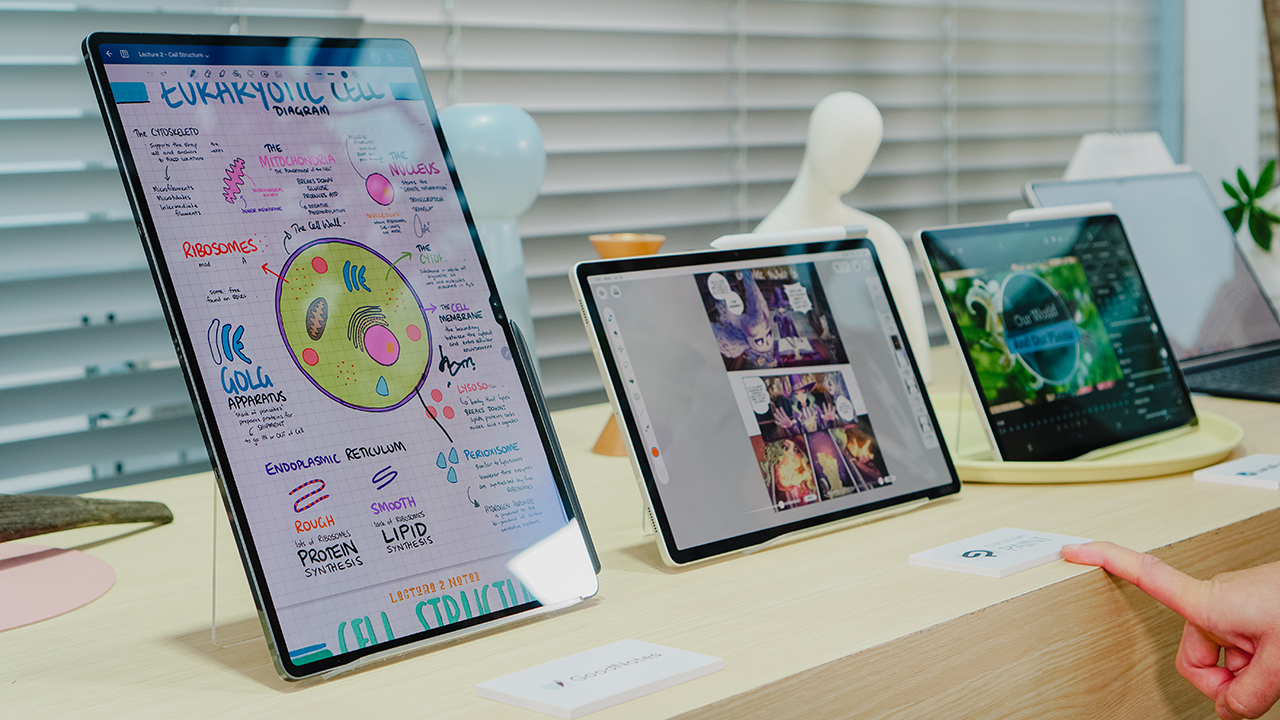
Medium: Samsung Galaxy Tab S9 – The Companion
At 11 inches, we hesitate to call this “Medium.” Perhaps “Regular” is more appropriate as most standard tablets these days seem to be sized 10” or 11”.
This likely is still the most comfortable tablet size for what it was originally intended to be – a companion device to your laptop and smartphone combo. Something in-between the two.
This is the size that we can easily say is the most recommendable to anyone wanting to dip their toes into owning a tablet. Sharing the same SoC as the rest of the lineup, this tablet won’t leave you wanting in terms of performance.
It’s more than good enough for the primary function of tablets which we believe to be media consumption. Naturally, Samsung’s Dynamic AMOLED 2X display has a lot to do with that too. This makes it the perfect companion to catching-up with all your favorite shows and movies across on Netflix, YouTube, Prime Video, Disney+, Prime, and whatever other streaming apps you’re into.
It’s also a pretty good size to take with you when you’re traveling. It’s small enough to comfortably carry and prop-up even in tight spaces while also having a screen big enough for enjoying content.
And if you so choose, you can pair it with a bluetooth keyboard for some measure of productivity.
Large: Samsung Galaxy Tab S9+ – The Laptop Alternative

Some people don’t necessarily need a full-scale laptop to get things done. For them, something like the Samsung Galaxy Tab S9+ will more than suffice.
At 12.4”, it’s a pretty big screen for productivity. Handling emails and working on documents, sheets, and slides will be incredibly seamless. Paired with an S Pen and Samsung’s suite of apps that support it, then it also becomes a tool that can be handy for creative types.
Then there’s the matter of having a Wi-Fi + Cellular option – something unique to the Galaxy Tab S9+. Equip this with a SIM/eSIM and you get a standalone device capable of aiding you in all your productivity needs.
Naturally, it is also a wonderful media consumption device being equipped with the same and even slightly larger Dynamic AMOLED display.
By experience, we can say it’s still pretty comfortable to carry when traveling. It can feel cramped during flights, but there’s still enough space to prop it up and enjoy shows and movies.
Comically Large: Samsung Galaxy Tab S9 Ultra – The Laptop Replacement

On paper, the Galaxy Tab S9 Ultra is the most capable and most supped up among the series. It does carry the “Utlra” name after all. But its 14.6” size makes things a little tricky.
Choosing the Ultra requires some imagination. It’s not like any other tablet simply because of its size. The display is firmly in the laptop territory. In that regard, it really feels like something you can replace your laptop with.
However, it is best suited for those firmly within the Samsung ecosystem. If you already own a few Samsung Galaxy devices, the Galaxy Tab S9 Ultra makes for a more-than-competent laptop replacement.
The Samsung ecosystem is one of the most seamless out there outside of a certain popular fruit brand. Their devices tend to work well together.
Everything mentioned on the Tab S9 and Tab S9+ applies to the Tab S9 Ultra. In terms of performance, productivity, and a media consumption device, it is absolutely exceptional. But its size makes it a little unwieldy and a little tougher to carry around. You’re gonna have to use a larger bag to carry it around.
If that’s no issue to you and you’re already deeply entangled with the South Korean company’s devices, then the Galaxy Tab S9 Ultra will make for an excellent addition to your suite of devices.
Your Galaxy Tab S9 Series Match?
To oversimplify, you can look at each member of the Galaxy Tab S9 Series like this:
- Portability and performance – Galaxy Tab S9
- Portability, performance, and productivity – Galaxy Tab S9+
- Performance and peak productivity – Galaxy Tab S9 Ultra
Whatever you choose, you’re guaranteed to get a fantastic Galaxy Tab. And if you’ve decided, make sure to make the purchase via Home Credit.
Visit Shoppingmall.ph or download the Home Credit App on Google Play or App Store to take advantage of flexible installment plans and 0% interest offers.
This feature is a collaboration between GadgetMatch and HomeCredit.






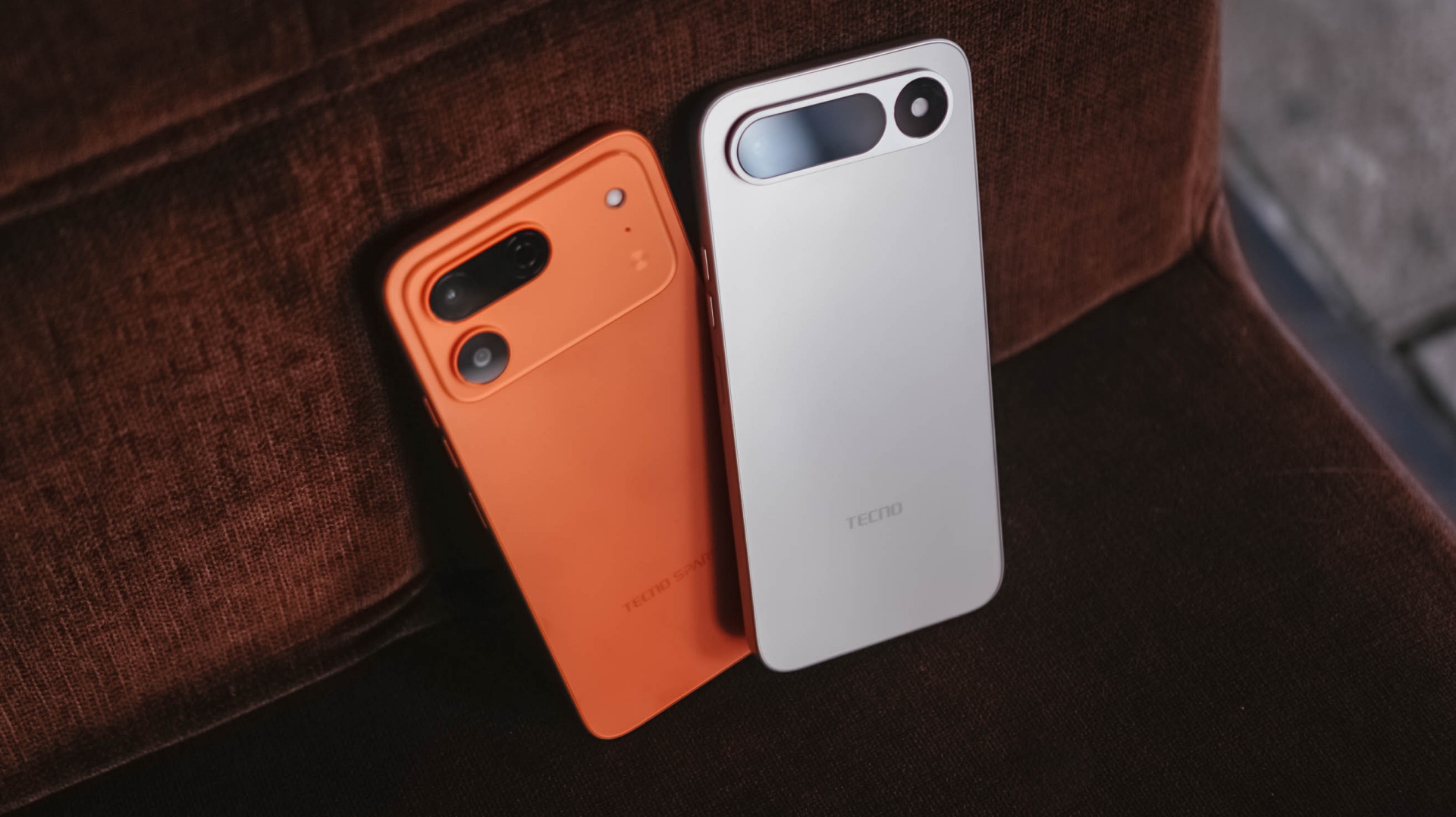
Within two months, TECNO separately launched the SPARK 50 Pro and SPARK 50 5G.
Clearly, the uprising brand aims to target consumers who want to buy a shiny new smartphone within their means. This also meant budget buyers might get confused which to get between the two.
Interested yet still confused? Read more to know which SPARK is your GadgetMatch.
Design
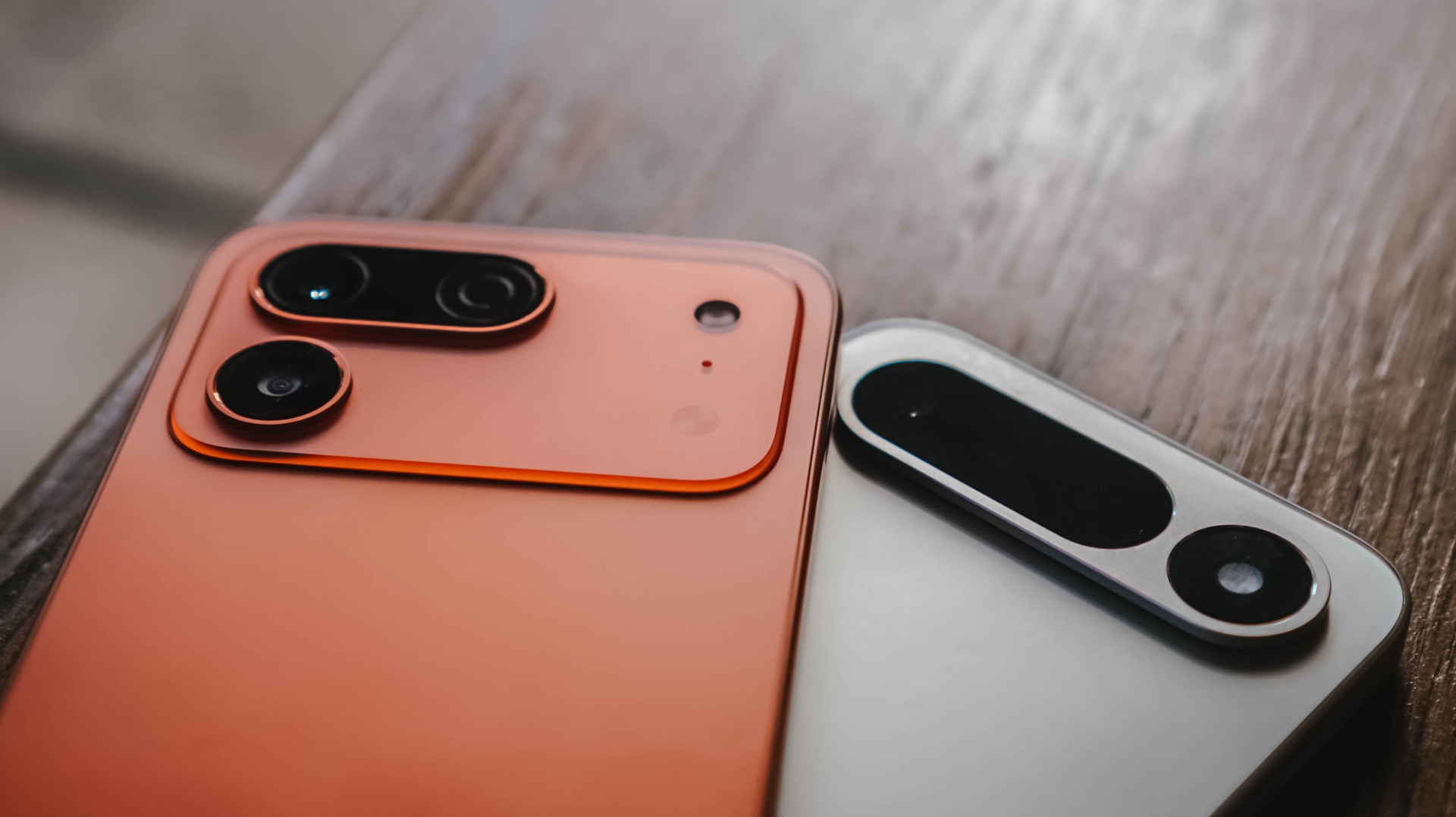
While design is (and will always be) subjective, the design of the TECNO SPARK 50 Pro and SPARK 50 5G are on two different sides of the coin.
The newer SPARK 50 Pro is offered in stronger color choices — from Midnight Blue to the Dynamic Orange I own. Albeit, there are the less flashy Ink Black, Titanium Grey, and Cloud White shades.

On the other hand, the SPARK 50 5G has classier colorways: Champagne Gold, Mint Green and Fantasy Purple. That’s alongside the subdued Ink Black and Titanium Grey options.

Personally, the SPARK 50 5G’s clean-looking horizontal camera bar design was the clear giveaway. While the SPARK 50 Pro is a bit slimmer at 7.8mm, the SPARK 50 5G is still comfortable to hold despite being thicker at 8.18mm.
Furthermore, the Champagne Gold unit I rock looks more premium and doesn’t try to be in with the unnecessary “orange” trend.
Editor’s Choice: SPARK 50 5G
Durability
Usually, design and durability coincide with one another. But, that’s not always the case.
Despite the SPARK 50 5G having an aviation-grade body, it only has an IP64 rating. It can withstand dust particles but, only water splashes and light sprays. Good to note though that it is MIL-STD-810H compliant.
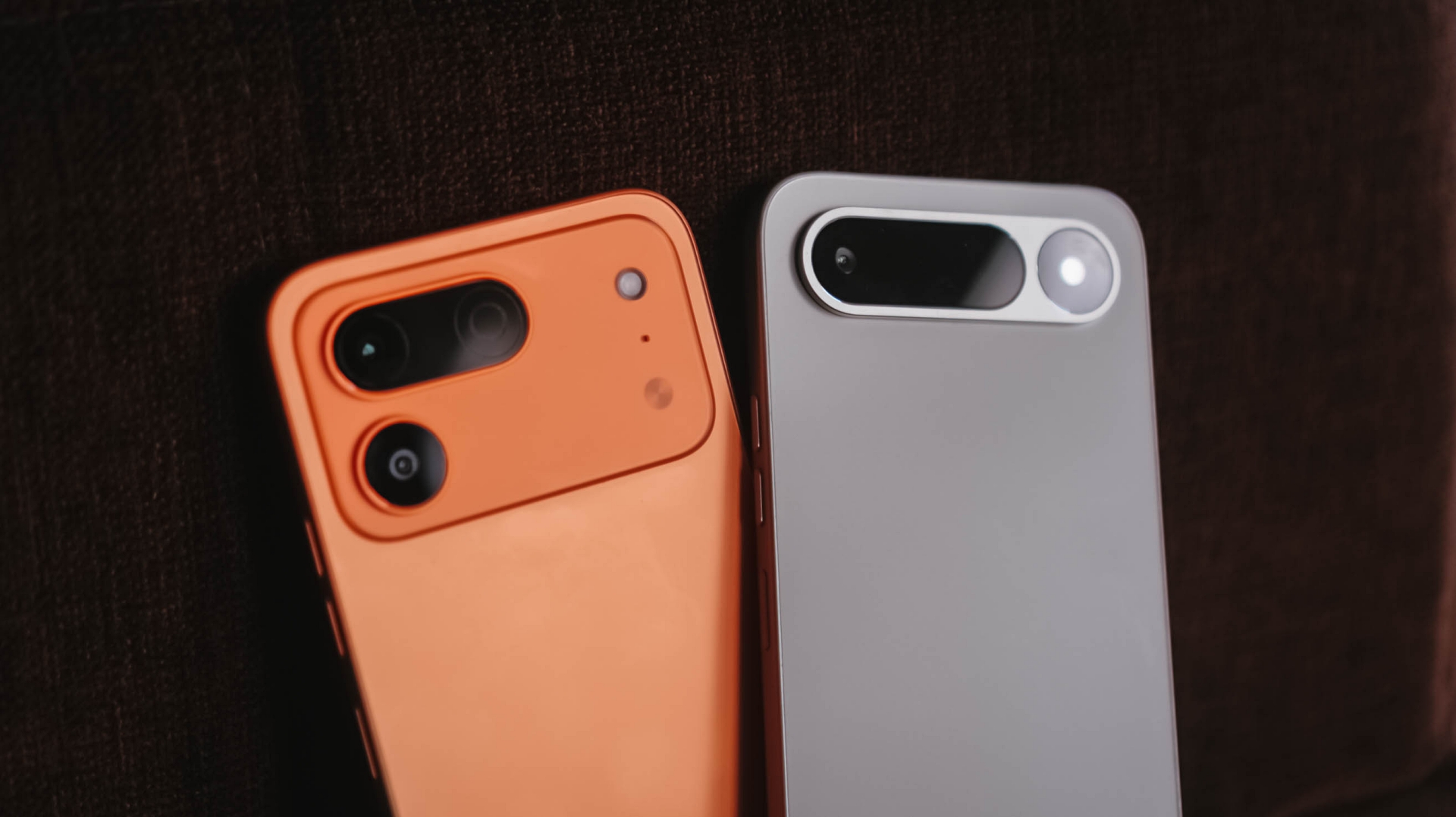
Meanwhile, the less premium-looking SPARK 50 Pro actually boasts the sturdier IP68 and IP69 water and resistance ratings. This means it can withstand dust, water immersion, and even stronger, high-pressure sprays.
This makes the SPARK 50 Pro one of the few phones to have an IP rating previously limited to flagships and higher-end midrangers.
Editor’s Choice: SPARK 50 Pro
Audiovisual
Both the SPARK 50 Pro and SPARK 50 5G share a 6.78-inch IPS LCD display. Both are also 720p in resolution and refresh rate maxes out at 120Hz.
Obviously, these phones don’t have the best in class displays. But, for such segment and price, having such display tech alongside a punch-hole cutout (instead of a raindrop notch) means a lot.

Stereo speakers are also powered by DTS sound. Undoubtedly, these two phones are like identical twins in this segment.
The only thing that the SPARK 50 5G has the upper-hand is none other than its inclusion of 3.5mm audio jack that the SPARK 50 Pro lacks. Still beneficial for people who fully rely on wired audio.
Editor’s Choice: SPARK 50 5G
Performance
While the front part is harder to distinguish from one another, each inner core is what separates these phones apart.
The TECNO SPARK 50 5G is powered by the MediaTek’s Dimensity 6400 SoC.
Of course, it’s not the most powerful out there. But, for its league, it’s a capable chipset that can multitask and run most game titles. Even 5G support never forgotten.
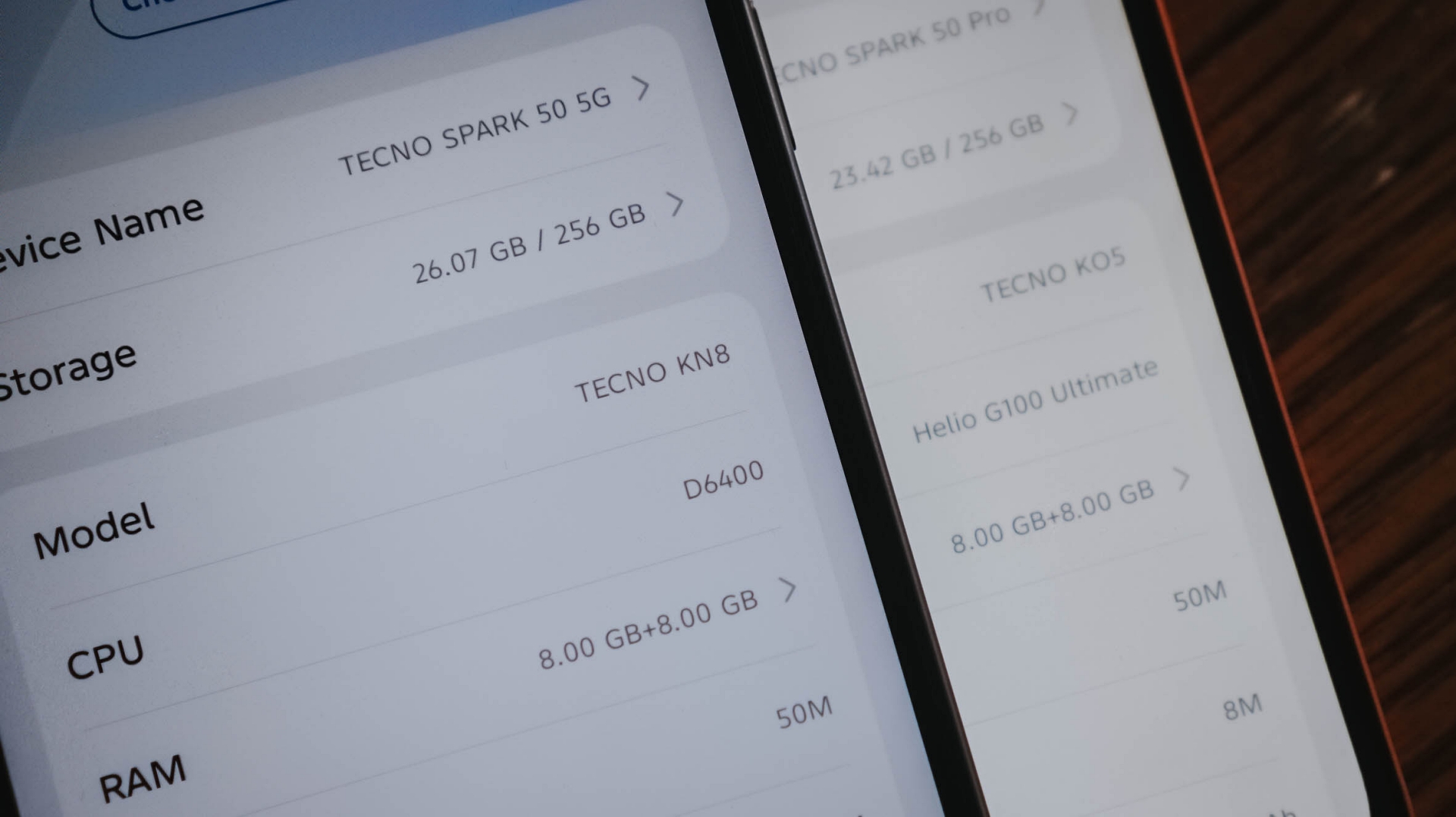
Meanwhile, the SPARK 50 Pro, despite having that “Pro” superlative, only runs the Dimensity G100 Ultimate. CPU speeds are obviously lower. Worse? It’s only limited to 4G speeds.
On the positive note, it gives better camera support.
Memory sizes are available in 4,6, and 8GB with storage options in either 128 or 256GB. Fortunately, these phones still have a dedicated microSD slot.
Editor’s Choice: SPARK 50 5G
Camera
With the camera talk already mentioned, most would think that the 50MP main rear camera of the SPARK 50 Pro and SPARK 50 5G are just the same. Well, they’re not.
Photography duties of the SPARK 50 Pro are mainly handled by Sony’s LYTIA 600 (or LYT-600) image sensor. For reference, that’s the same image sensor found on most modern midrangers.
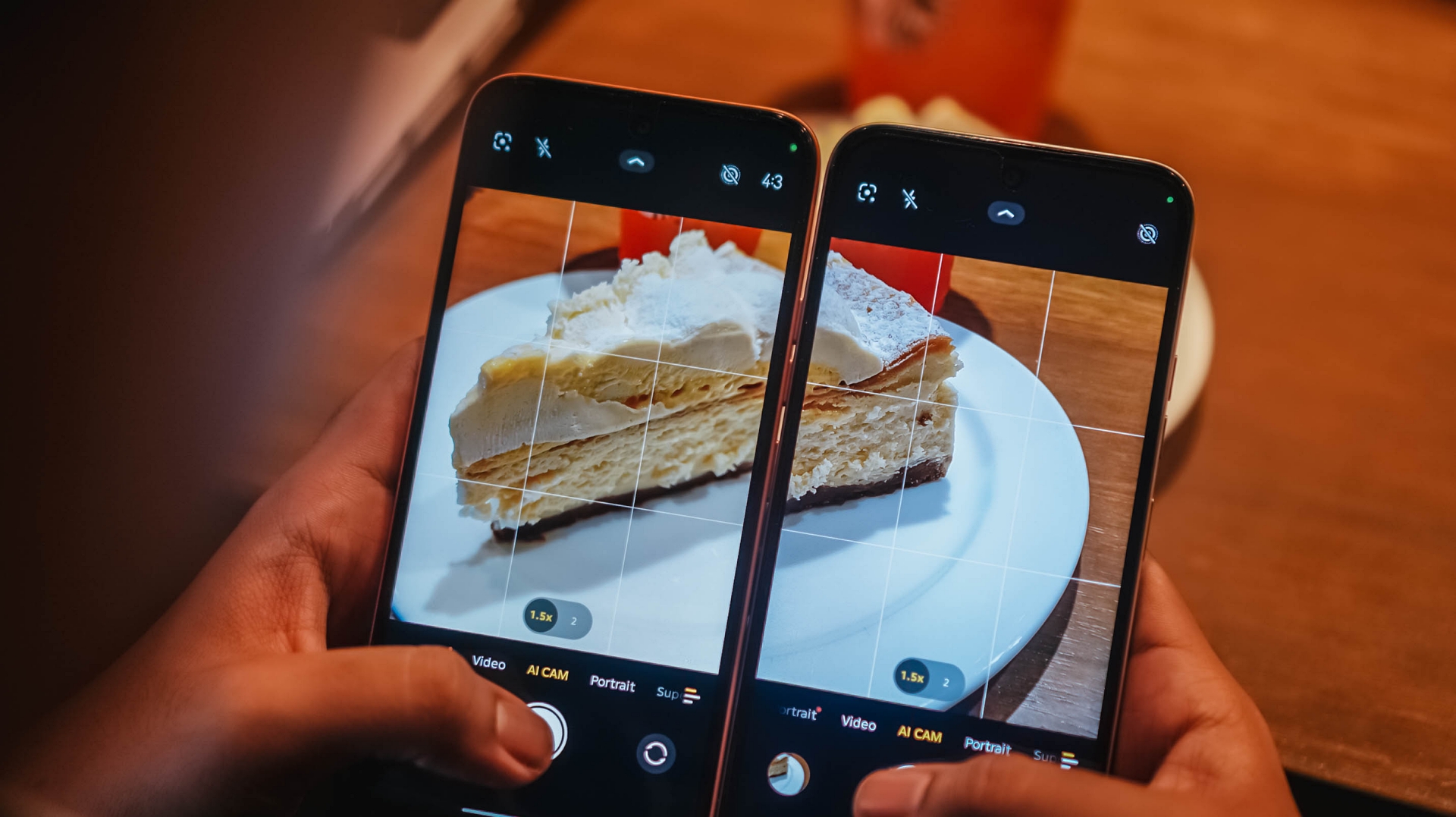
The SPARK 50 5G uses an older Sony Exmor sensor. Aperture slightly differ at f/1.9 and f/1.8 respectively.
For further context, here’s how the two smartphones produce photos.
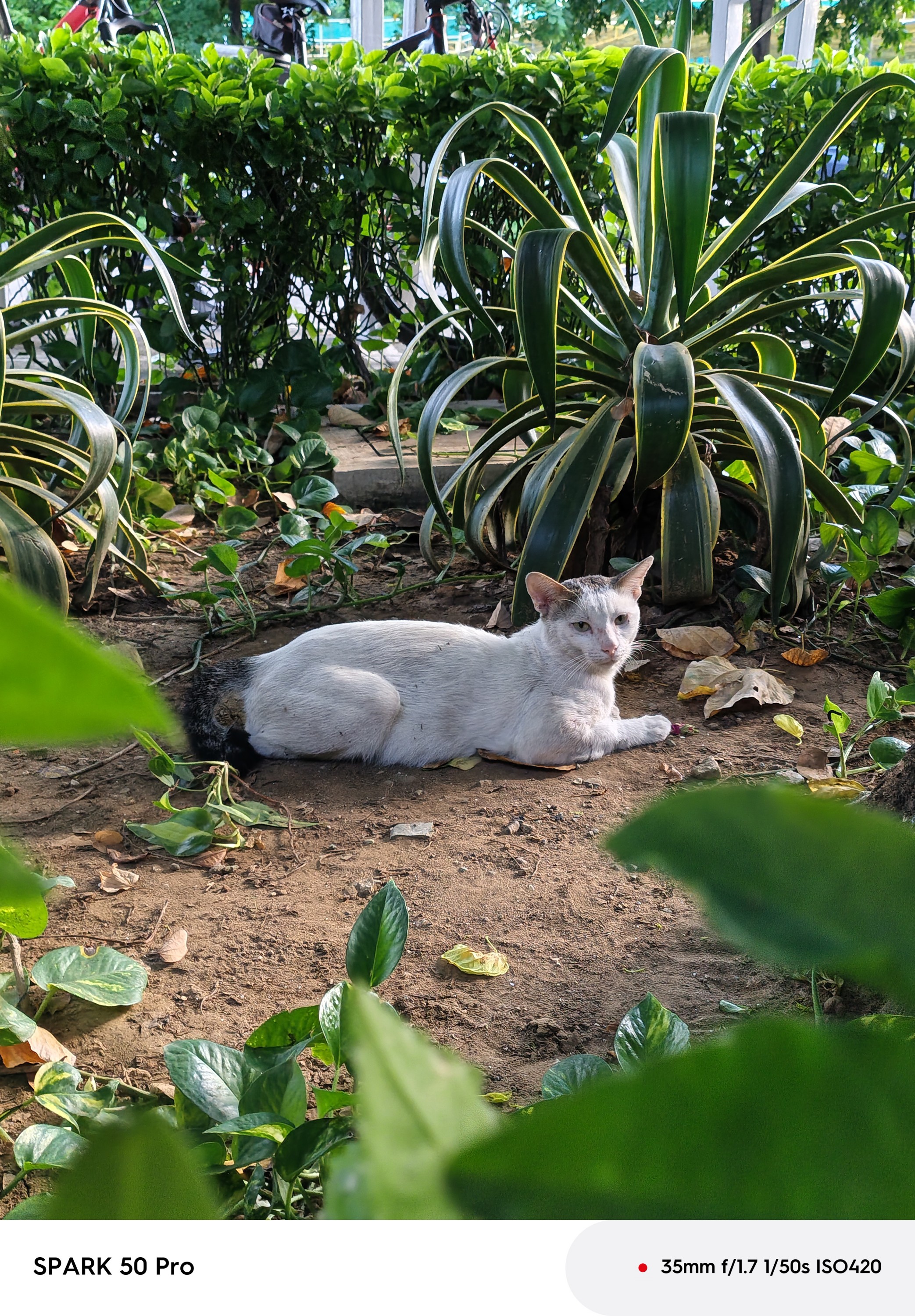









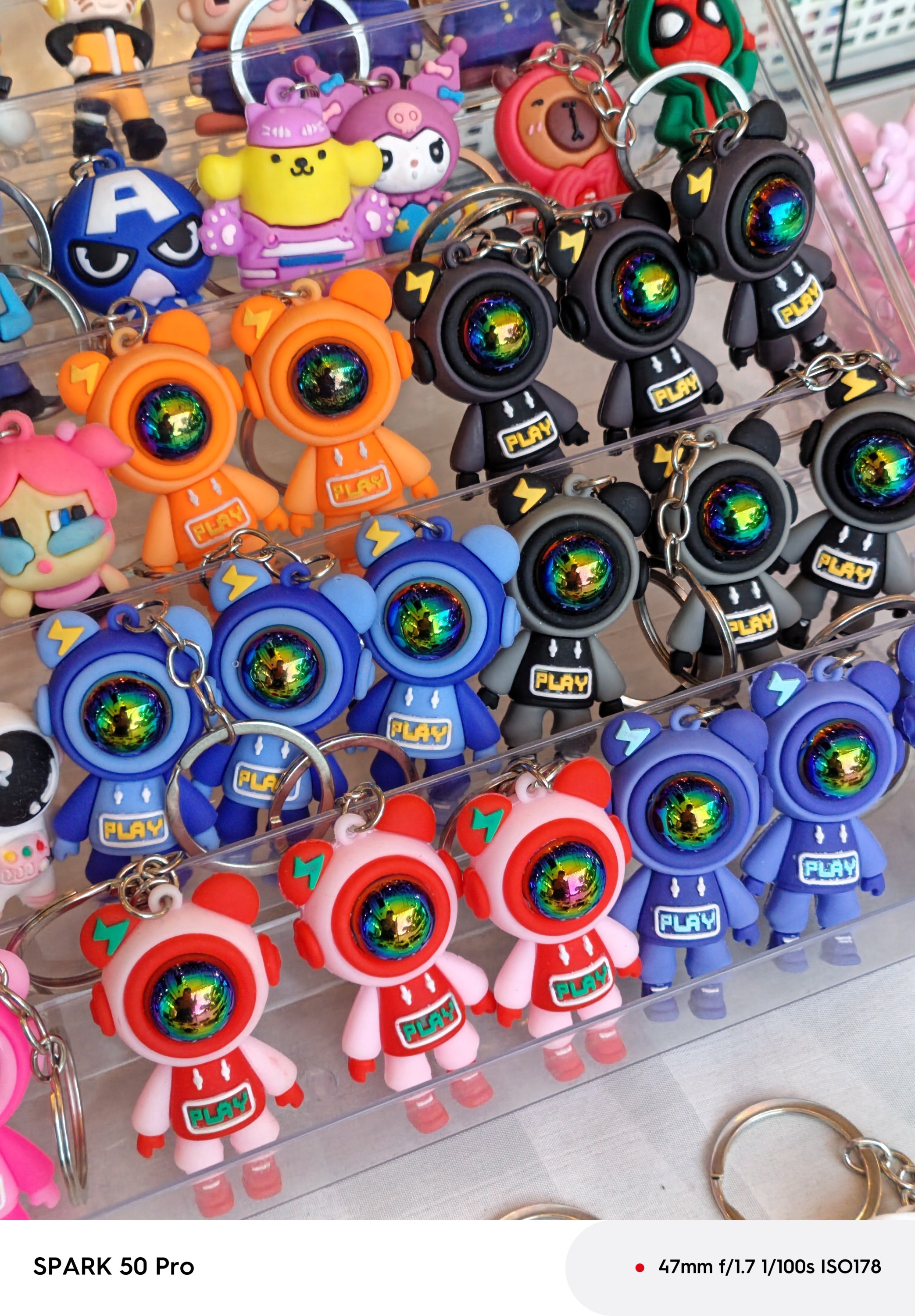
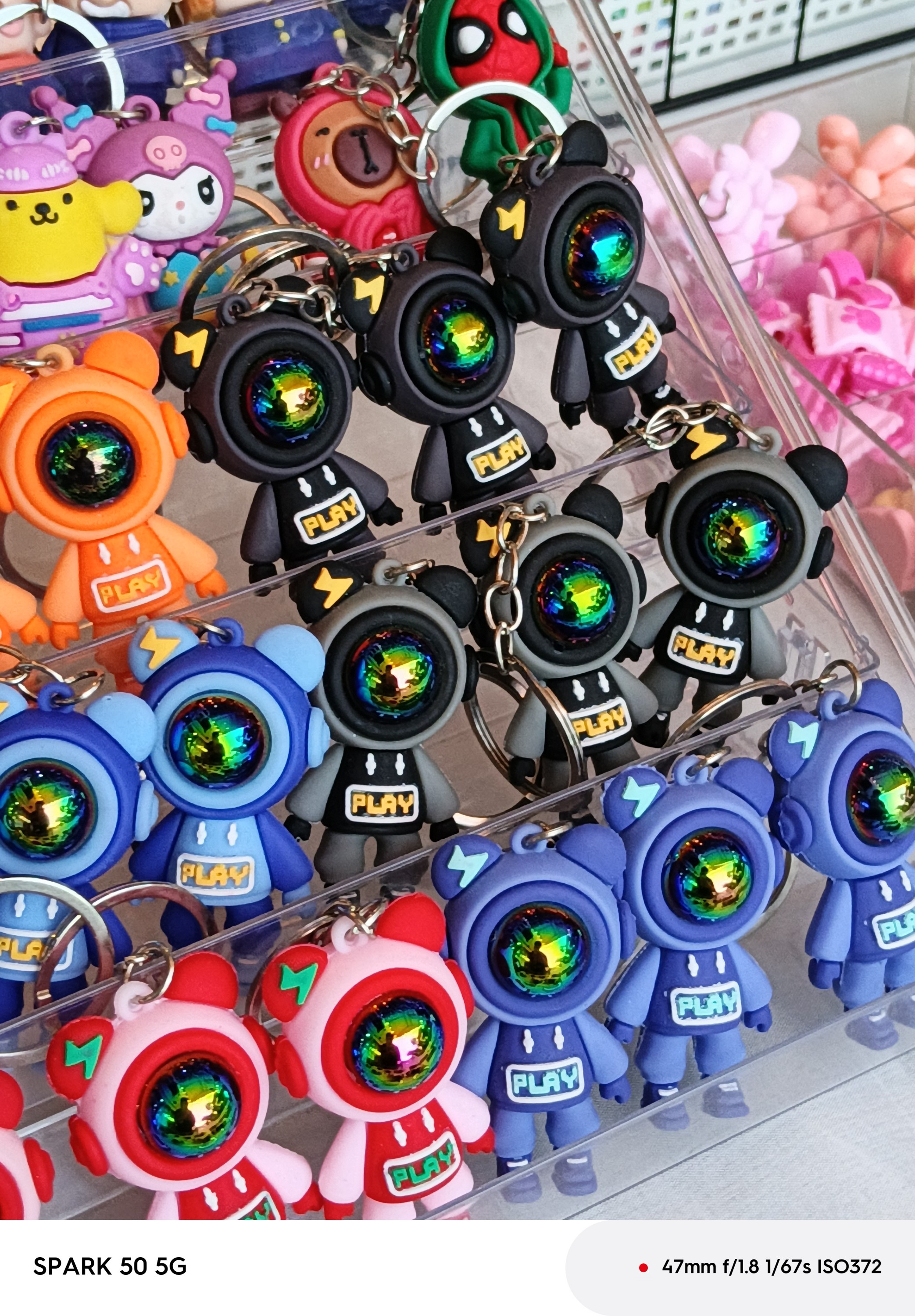

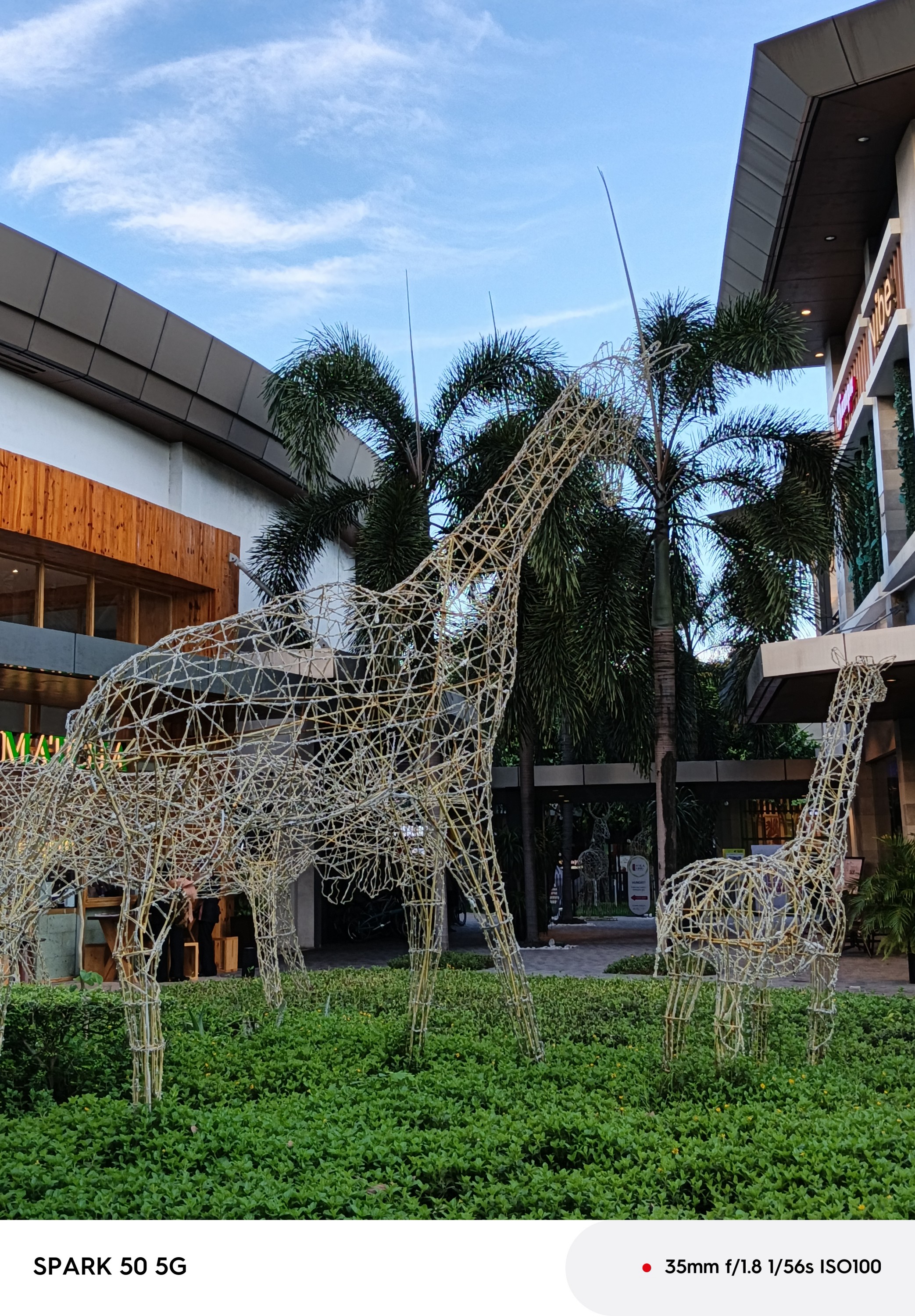








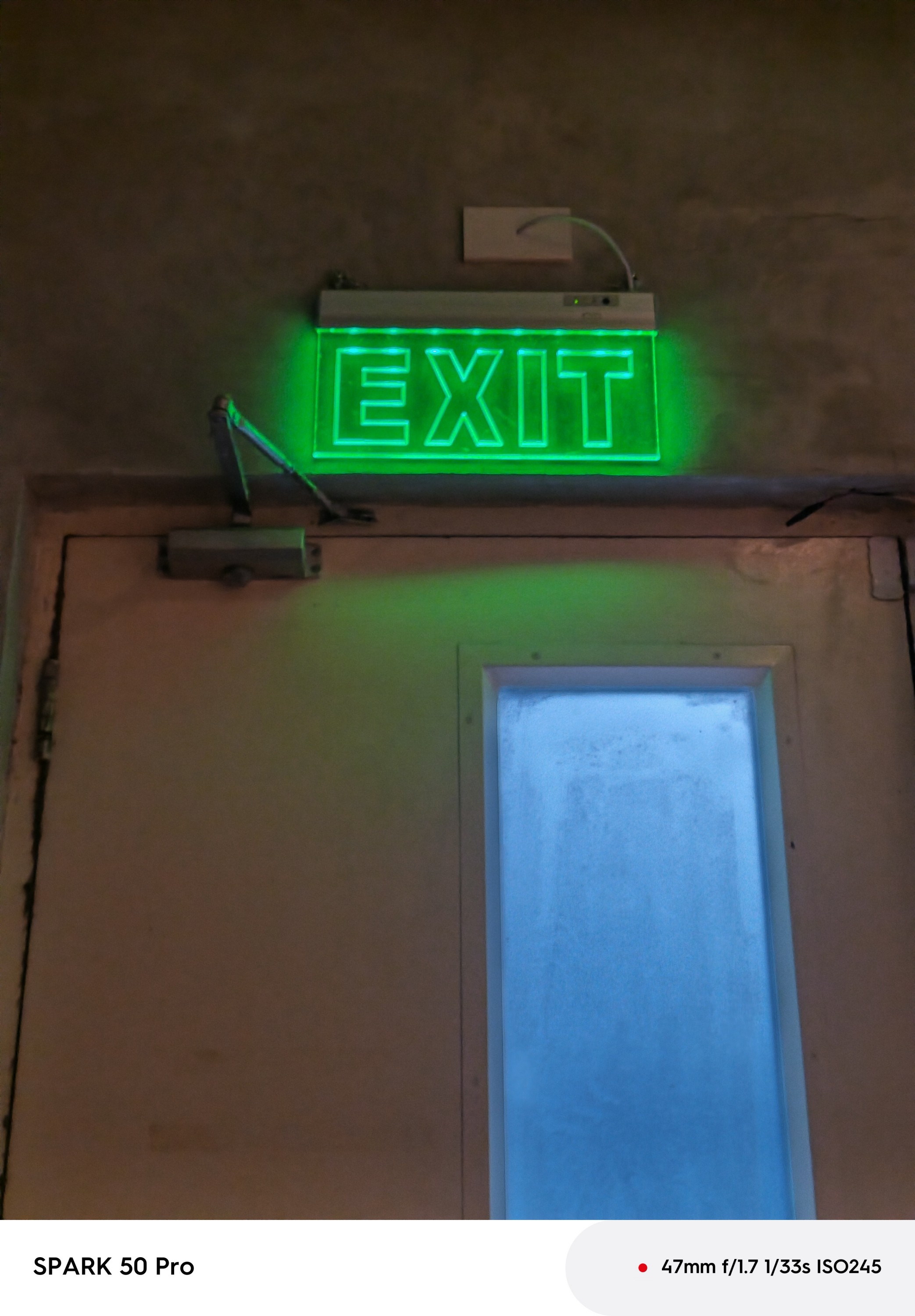
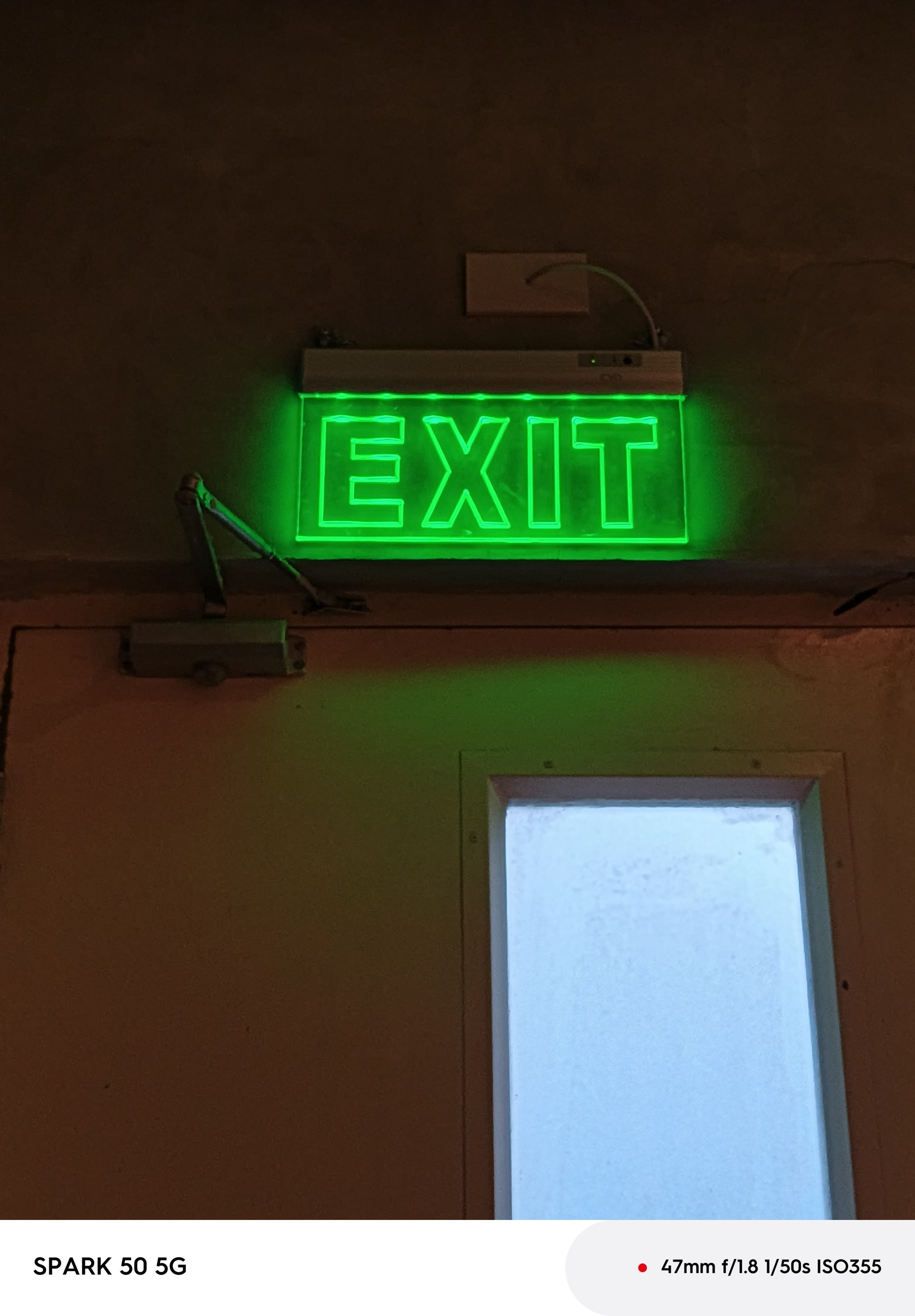
To compensate for that, the SPARK 50 5G tends to over-sharpen and color boost its photo output over SPARK 50 Pro’s natural image rendering.
The SPARK 50 Pro also has a better-looking bokeh falloff than its 5G counterpart.
Editor’s Choice: SPARK 50 Pro
Power
Finally, the highlight of both phones: battery capacity.
ICYMI, the TECNO SPARK 50 Pro has two versions: a single-cell 5600mAh model and a bigger 6000mAh dual-cell version.
The SPARK 50 5G takes it up a notch with an even bigger 6500mAh capacity.

Although that is only a 500mAh (or 900mAh) discrepancy, that battery boost still means a lot for an every day user.
Charging-wise, the SPARK 50 Pro has a faster 60W speed over the regular 45W charging in the 5G version.
IMHO, I would still choose a bigger battery over faster charging speeds. Still, it’s great to have both in a single package.
Editor’s Choice: SPARK 50 5G
Which afforda-phone SPARKs more joy?
If we are going to tally the scores, the clear afforda-phone choice is none other than the TECNO SPARK 50 5G.
It ticks 4 out of 6 boxes — from that classier design to its beastly battery despite that thin chassis. Even better, a 5G-capable chipset and 3.5mm audio jack inclusion that the “Pro” variant simply lacks.
However, that doesn’t mean the SPARK 50 Pro is lackluster.
If you value the cameras and durability more than anything else, the TECNO SPARK 50 Pro is clearly the one you should get.
At the end of the day, it all boils down to how much of your hard-earned savings you are willing to let go.

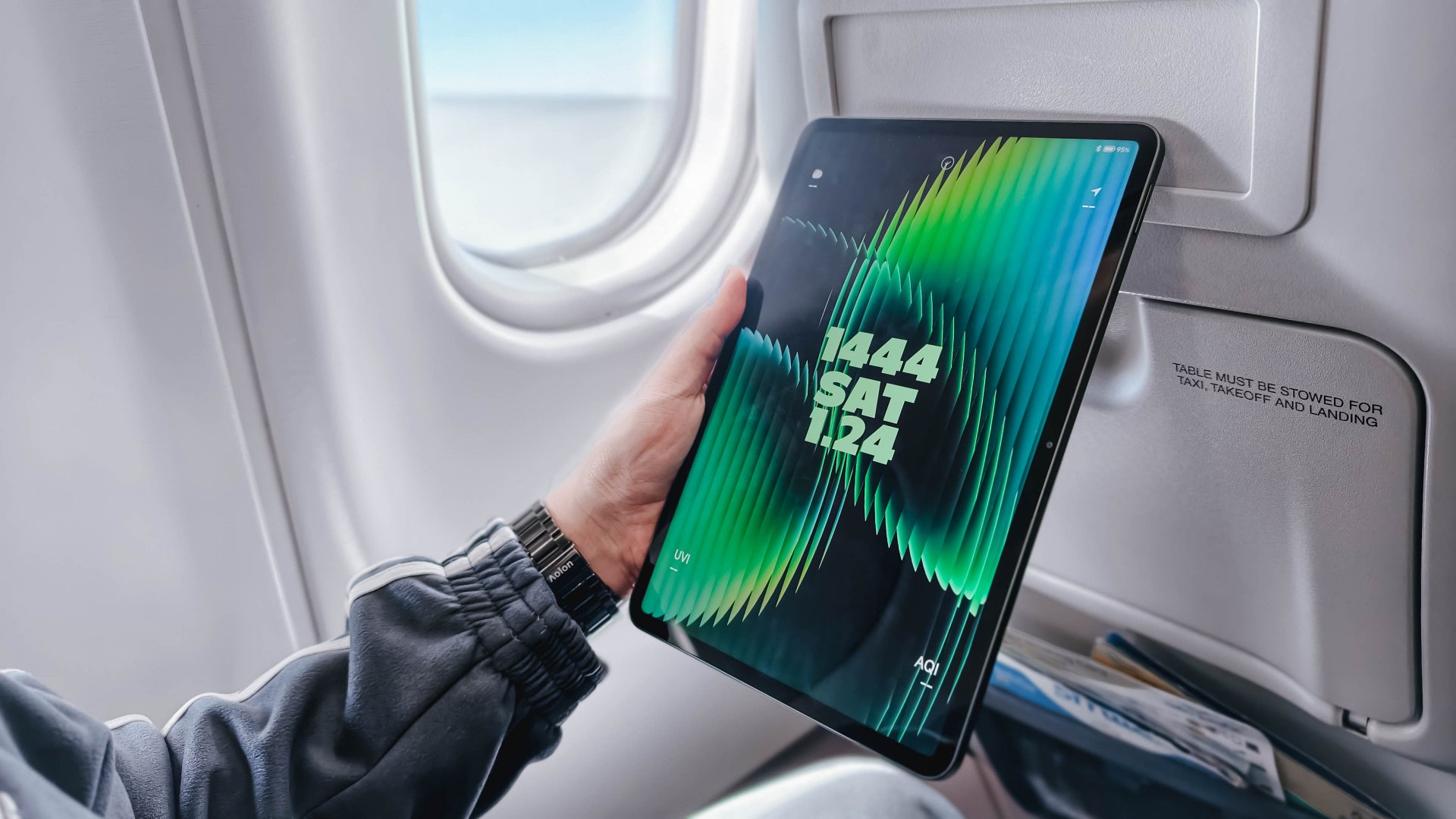
Choosing between the Xiaomi Pad 8 and the Xiaomi Pad 8 Pro feels like picking between a “sweet treat” and a “full-course meal.”
It’s deciding between a reliable travel companion and a specialized workstation. Both tablets rock a slim 5.8mm profile and a manageable 485-gram weight, and a 9200mAh battery.
However, under the hood, they are playing in different leagues. Especially since the “Pro” moniker adds serious muscle to the internals, and a solution for that glossy screen distraction.
Specs at a glance
| Product | Xiaomi Pad 8 | Xiaomi Pad 8 Pro |
| Processor | Snapdragon 8s Gen 4 (4nm) | Snapdragon 8 Elite (3nm) |
| Display | 11.2″ 3.2K IPS LCD (144Hz) | 11.2″ 3.2K IPS LCD (144Hz) |
| Surface | Ultra-Glossy Glass | Optional Matte Nano-Texture |
| Storage/RAM | Up to 12GB LPDDR5X / 256GB | Up to 16GB LPDDR5T / 512GB |
| Rear Camera | 13MP | 50MP |
| Front Camera | 8MP | 32MP |
| Charging | 45W Turbo Charge | 67W HyperCharge |
| Pricing | Starts at PhP 20,999 | Starts at PhP 38,999 |
Why you should pick the Xiaomi Pad 8
The standard Pad 8 is that “Goldilocks” device, hitting that sweet spot between price and premium hardware.
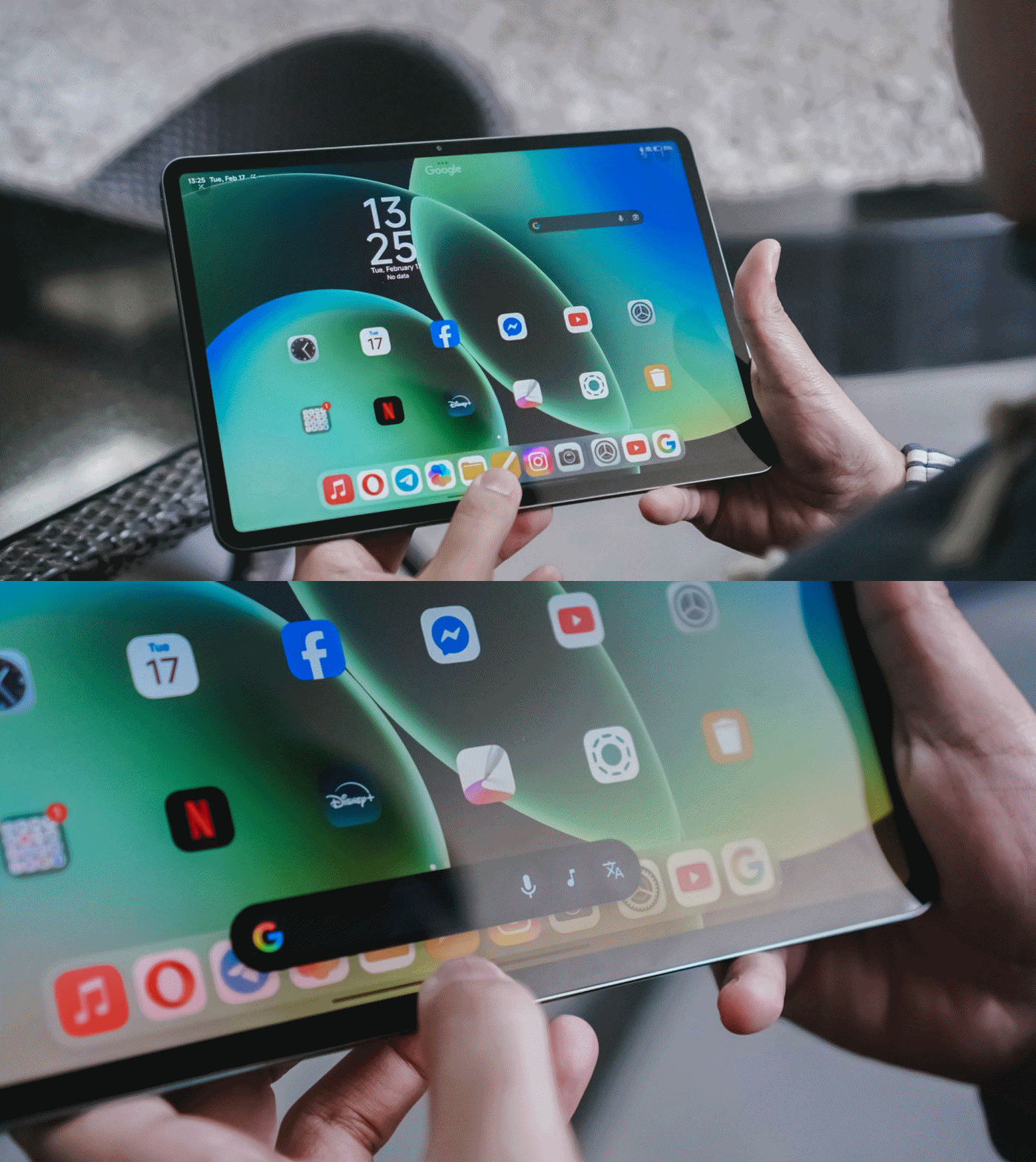
It’s ideal if your tablet usage is centered on media consumption and light productivity. Since it shares the same 11.2-inch screen size as the Pro, it fits perfectly on an airplane tray table, making it a dream for frequent flyers.
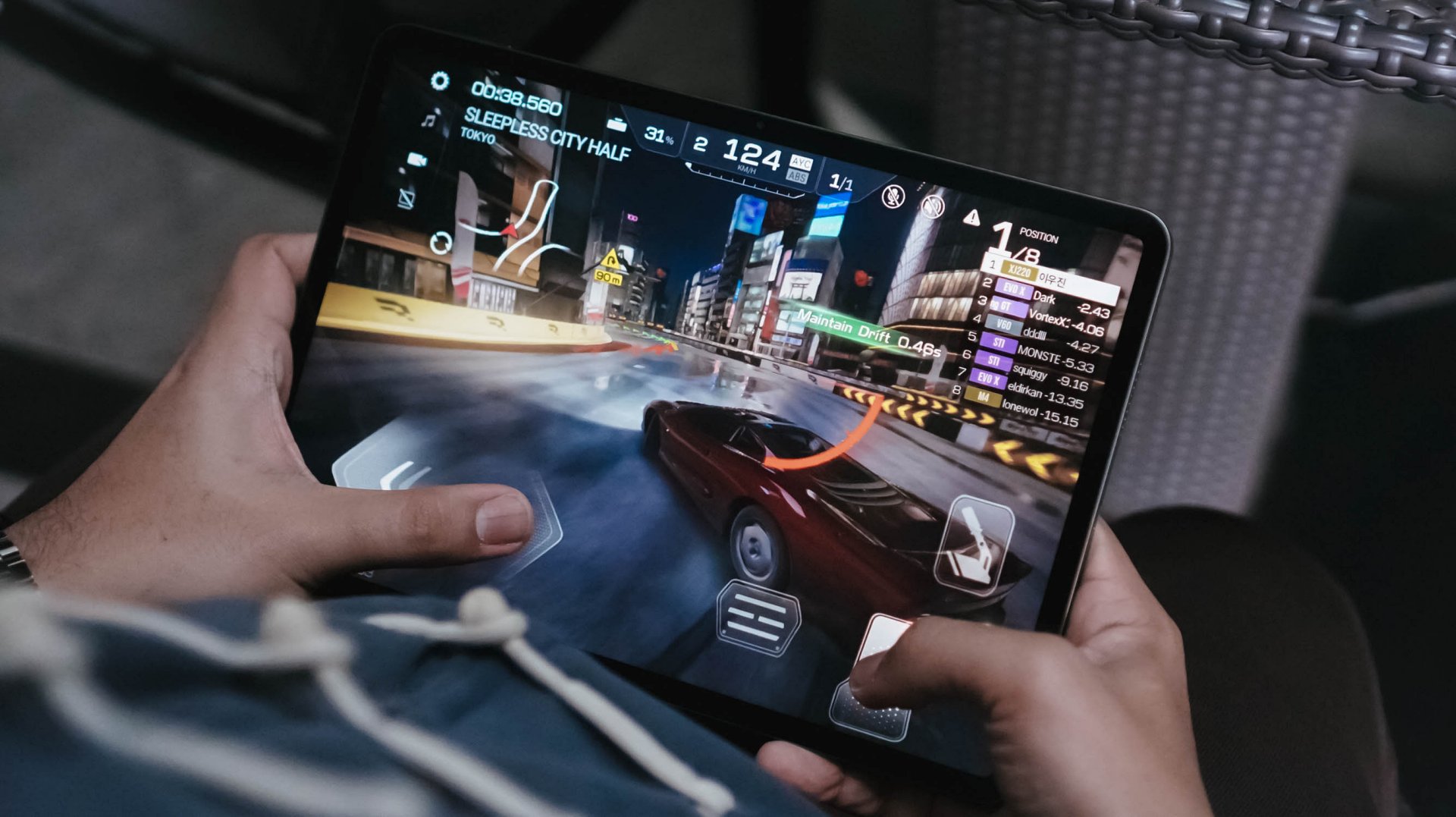
The Snapdragon 8s Gen 4 is no slouch; it still runs titles like Racing Master at 60fps on Ultra-High settings. If you’re a fan of XG or KiiiKiii, you’ll appreciate the quad-speaker setup and Hi-Res Audio support without needing to pay the “Pro” tax.
It’s the smart choice for those who want a capable second screen to complement their main laptop.
Why you should level up to the Xiaomi Pad 8 Pro
The “Pro” is for those who found the standard model’s limitations — like the glossy screen reflections or the 128GB storage ceiling — to be a dealbreaker.
The biggest upgrade is the Snapdragon 8 Elite, a powerhouse chip that turns the tablet into a legitimate workstation for video editing in CapCut or heavy multitasking in HyperOS 3.0.

Beyond power, the Pro version offers a Matte Glass Edition, which completely solves the “reflection” issue that can ruin your movie sessions or drawing time under bright lights.
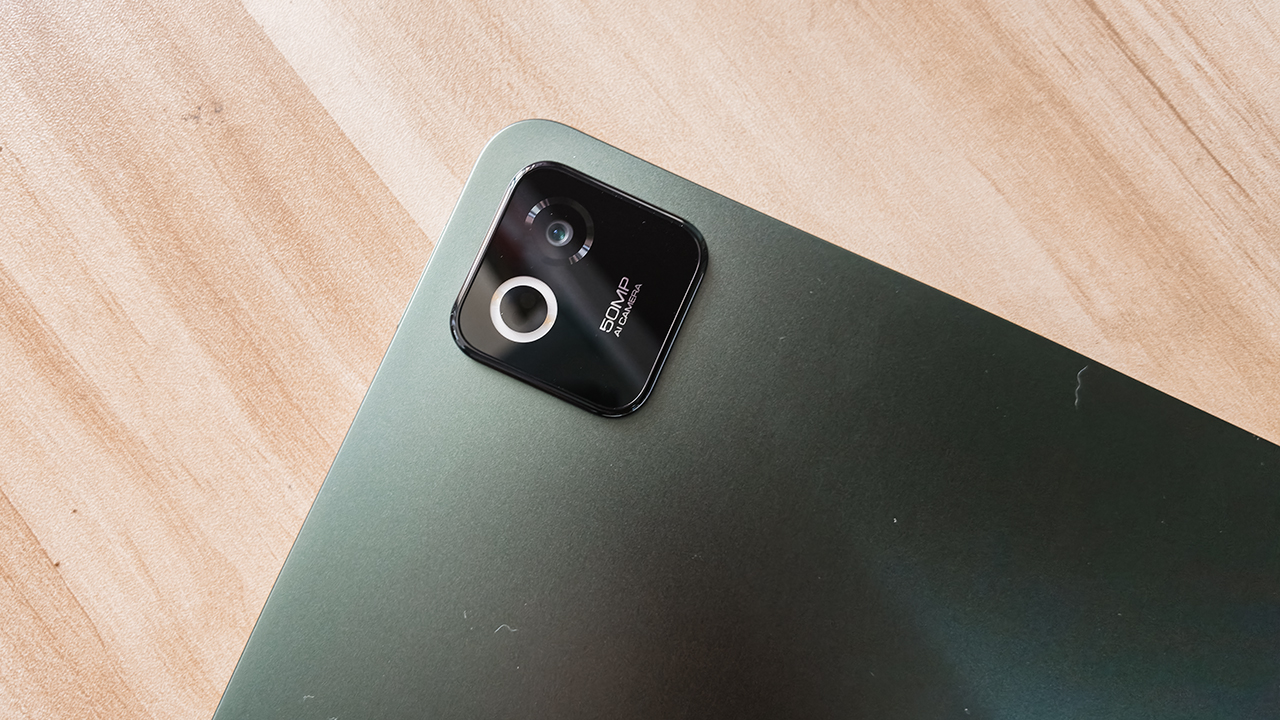
You also get significantly better cameras, such as a 32-megapixel front sensor for professional-looking video calls. There’s also a 50-megapixel rear camera for high-res document scanning.
Finally, the 67W HyperCharge means you spend less time tethered to a wall and more time being productive.
Which Xiaomi Pad is your GadgetMatch?
Swipe Right on the Xiaomi Pad 8 if you want the best value for your money.
It’s thin, light, and powerful enough for 90% of users. It handles gaming, writing, and music playback with ease, making it a worthy recipient of a seal of approval for anyone on a budget.
Just be sure to skip the 128GB entry model and go for the 256GB version to ensure you get those faster storage speeds.

Swipe Right on the Xiaomi Pad 8 Pro if you are a “power user” who hates screen glare. If you plan to use the Focus Pen Pro for serious creative work or need 512GB of space for a massive game library, the Pro is worth the extra investment.
It’s a high-speed machine that charges faster, captures better photos, and runs every app with flagship-level fluidness.
The Xiaomi Pad 8 starts at PhP 20,999 with Normal Keyboard while the Xiaomi Pad 8 Pro starts at PhP 38,999 with Touch Keyboard. Both tablets come with free Focus Pen Pro.
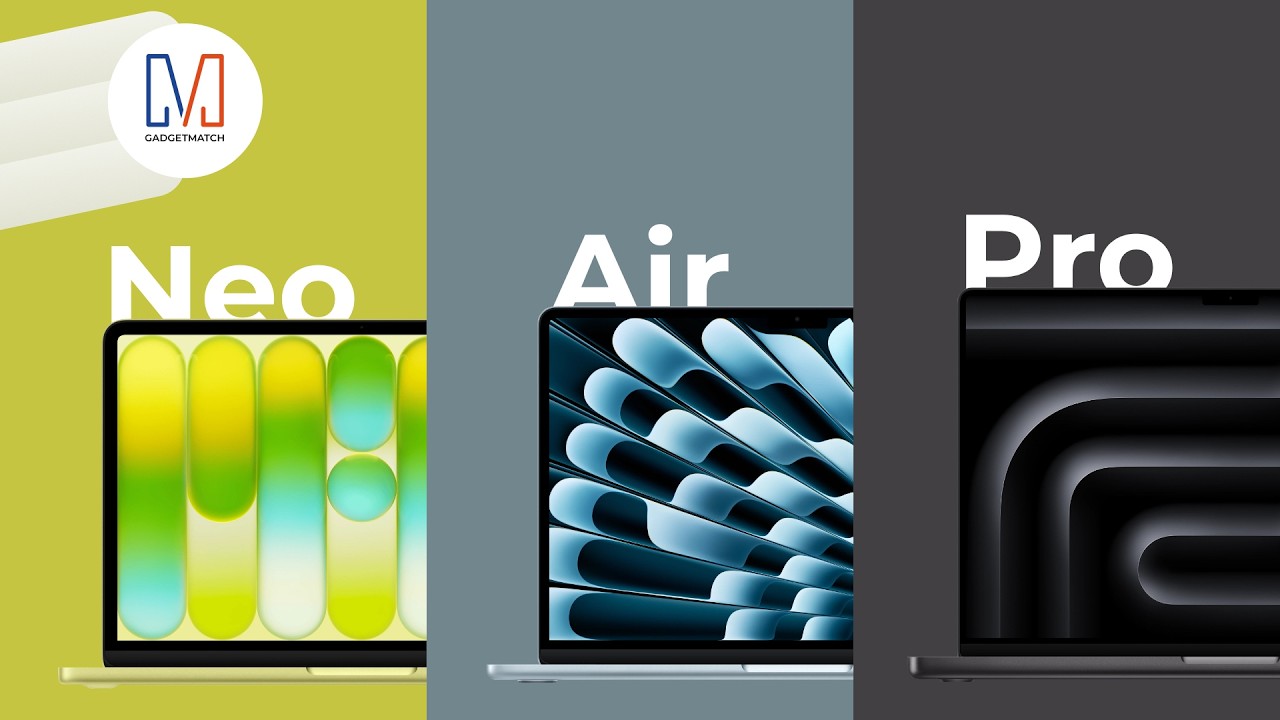
Apple’s MacBook lineup has never offered more choice.
From the $599 MacBook Neo to the ultra-powerful MacBook Pro, there’s now a MacBook for almost every kind of user.
But, are you overwhelmed and torn buying between the MacBook Air, MacBook Pro and the all-new MacBook Neo?
Watch our 2026 MacBook Buyer’s Guide to find your GadgetMatch!


DJI Lito X1 review: Is this the best lightweight drone for creators?
Making a strong case as a travel companion and a capable B-cam!


REDMI Note 17 Pro Max review: A new breed born from AI greed
Welcome to the new normal


Marvel’s Wolverine review: When the claws come out
A brutal, cinematic superhero adventure

The Kia EV3 brings gallery-worthy design in a compact electric form

vivo introduces OriginOS 7 with smarter multitasking and AI features

vivo X500 Series launches with major imaging upgrades

Manila turns up the volume at COVE

Epson Lifestudio Grand Plus EH-LS970B with 4K projection, more launches

realme 16T 5G with 8000mAh battery, IP69 Pro rating launches in PH

HUAWEI Pura X View is 2026’s first WIDE slab-type smartphone

REDMI reveals the refreshed Note 17 and Note 17 Pro series

REDMI Note 17 Series: Price, availability in Singapore

The CAMON Slim 5G is TECNO’s latest ultra-slim smartphone


-

 News2 weeks ago
iPhone 18 Pro series: Price, availability in the Philippines
-
 Singapore2 weeks ago
iPhone 18 Pro series: Price, availability in Singapore
-
 News2 weeks ago
iPhone Duo: Price, availability in the Philippines
-

 News2 weeks ago
vivo introduces refurbished versions of X300 FE, X300 Ultra for less
-

 News2 weeks ago
iPhone Duo: Price, availability in Singapore
-

 Accessories2 weeks ago
CASETiFY upgrades iPhone 18 cases, teases iPhone Duo lineup
-

 News2 weeks ago
HONOR teases Magic9 Pro Max at Venice
-

 Editors' Choice2 weeks ago
GadgetMatch Awards: Best of IFA 2026