


For years, people have grown accustomed to using USB ports for almost all of their devices. Whether you need to charge your phone using your computer or use a controller to play games, you can always count on a USB port to be readily available for you. But 2018 was the year of change and innovation, and the USB port you know and love welcomed change in a big way.
Introducing: USB Type-C, the newest port added to the family. Its round shape brought many new uses and functionalities to your ports. But, how different is it from its much older brothers? How have companies revolutionized its use in mainstream devices?
What is this USB Type-C port?
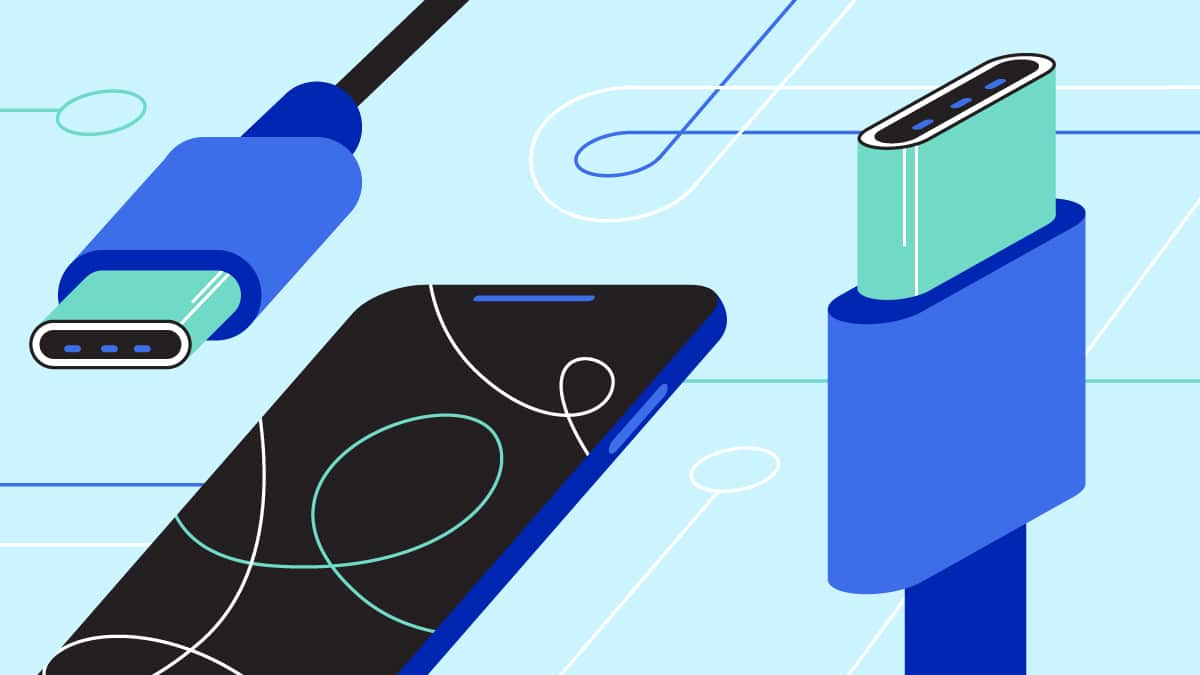
The USB Type-C (USB-C) port is a not-so-recent discovery in the world of tech. The USB Implementers Forum (USB-IF) developed this USB port back in 2013, and launched it into mass production the following year. The connector is a reversible oval shape, much different from the usual rectangular shape of the previous generation. Its reversibility allows any orientation of the cable for transferring files or charging your device.
USB-IF developed USB-C following the USB 3.1 standard. Such a standard was particularly used because of its faster transfer speeds and charging capabilities. With a USB-C port, you can transfer an hour-long movie in less than 30 seconds, provided you have the appropriate connector for it.
Computer and smartphone manufacturers have incorporated the USB-C port in most of their devices. One of the early adopters of the new technology was Apple, with their redesigned 12-inch MacBook in 2015. Other computer manufacturers followed in the later years, especially with the release of the Thunderbolt 3 technology used for gaming machines.
It’s the younger, faster and more all-around sibling
USB-C has been around for the past four years, and it has gradually developed into an all-around port for users. Alongside Thunderbolt 3, the USB-C port posts the highest data transfer speed across all the available USB connections in existence. Not only that, USB-C ports these days can now connect your devices to external GPUs and displays, and charge your devices. Most USB-C ports even support fast charging for smartphones.

While the technology behind it is supported by a USB 3.1 standard, it’s still very much different from other USB ports that use the USB 3.1 protocol. For starters, the USB 3.1 standard found in USB-C ports are USB 3.1 Gen 2 ports, which offer twice as much performance in data transfer as USB 3.1 Gen 1 ports. Most of the Gen 1 ports also use an older USB Type-A standard, which works for most of your gadgets and peripherals today. However, you would need more adapters for other functionalities, like displaying to a monitor.
But the USB-C port is a far cry from the old USB 2.0 and 3.0 protocols, which have been in existence for 14 years (and counting). Data transfer speeds for those two protocols are significantly slower compared to the USB-C port. An hour-long movie would ideally take around one to two minutes on a USB 2.0 port. Also, older USB protocols don’t really allow you to power up devices that need more electricity. So, charging devices on them might not be as fast.
Supercharged with Thunderbolt 3
So, you’re probably wondering what really makes a USB-C port just that fast. It’s not so much that it’s round, or that it’s new; rather, it’s the technology inside it. Late 2015 saw the arrival of the new Thunderbolt 3 standard specifically for USB-C ports. It first started out in most Windows laptops before making it to the 2016 MacBook Pro and several gaming motherboards.
What Thunderbolt 3 does for USB-C ports is to significantly increase its capacity and capabilities by a mile. We’re talking faster file transfer, heightened gaming experiences, and being able to plug in 4K displays for clearer images. Thunderbolt 3 also allows much bigger devices to be charged at a controlled rate. This is mostly evident with the MacBook Pro, several high-end Ultrabooks, and most recently, the 2018 iPad Pro.

The charging capacity brought about by Thunderbolt 3 deals with a tweak to how USB power delivery works. USB power delivery standards state that each USB standard has specific conditions that must be met to power up devices. Early versions of USB ports only allow a small amount of electricity (2.5W) for delivery, while USB-C allows for the full 100W. Basically, you went from just powering up your mouse and keyboard to charging your entire laptop.
What’s to come for USB-C?
At this point in time, you’re already living in the future that the USB-C port hopes to achieve. Suddenly, you can simply bring a USB-C cable around, plug it into a powerbank, and you can already charge your expensive MacBook. More and more devices are starting to adopt USB-C because of its potential to enhance your tech experience as a whole.

However, people still find it difficult to switch to USB-C, and for good reason. Most devices continue to use a USB Type-A or micro-USB connector, especially gaming controllers and peripherals. Also, they can argue that the old ports are more accessible. In a not-so-distant future, using a USB-C port could potentially replace a phone’s headphone jack.
The future of USB-C is still uncertain. Companies will iron out the new technology more so it can become mainstream for the future. Let’s just hope that by the time that happens, there won’t be a USB Type-D yet.






Accessories
Logitech G debuts PRO X2 SUPERSTRIKE with faster click tech
Faster clicks, deeper control

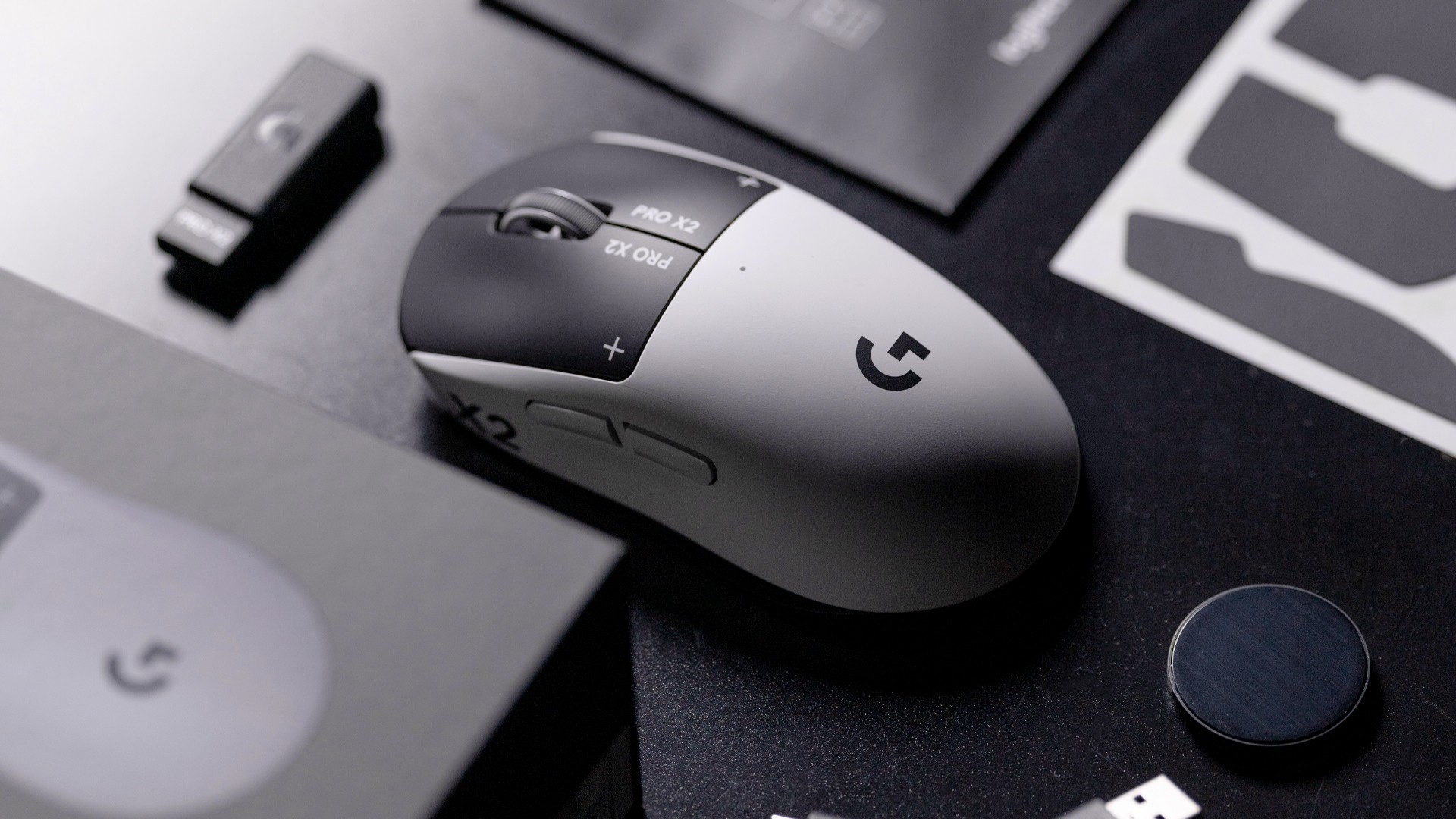
Logitech G is pushing competitive gaming performance further with the launch of the PRO X2 SUPERSTRIKE. It’s a next-generation wireless mouse built around a new click system designed for speed and control.
At the center of the PRO X2 is its patent-pending SUPERSTRIKE technology. It reduces the travel distance needed to register a click, cutting latency by up to 30 milliseconds based on internal testing. The result is faster inputs that can make a difference in high-stakes, split-second moments.
The mouse also introduces the Haptic Inductive Trigger System (HITS), replacing traditional mechanical microswitches. Instead of relying on physical contact, it delivers tactile feedback the moment a click signal is sent, helping players feel each input in real time.
Customizable clicks for competitive play
Developed with esports teams like G2 Esports, NAVI, and BLG, the PRO X2 SUPERSTRIKE focuses on precision and consistency. It supports 10 selectable actuation levels, allowing users to fine-tune how deep a click needs to be before it registers.
These adjustments can be made through Logitech G HUB, giving players the flexibility to match their setup to different games, roles, or playstyles without interrupting gameplay.
The mouse also uses Logitech’s LIGHTSPEED wireless technology with up to an 8kHz polling rate. This ensures fast and stable performance without the limitations of a wired connection.
Precision tracking and lightweight build
Powering the PRO X2 is Logitech’s HERO 2 sensor. It supports up to 44,000 DPI, 888 IPS tracking speed, and over 88G acceleration. Logitech says tracking remains free of smoothing, acceleration, or filtering, allowing for more consistent and direct input.
Despite its performance-focused internals, the mouse keeps a lightweight build at 61 grams. Logitech says this supports faster movements and reduces fatigue during long sessions.
Battery life is rated at up to 90 hours on a single charge, letting players stay in the game longer without interruptions.
Price and availability
The Logitech G PRO X2 SUPERSTRIKE is priced at PhP 11,945. It is available in the Philippines via Shopee and authorized Logitech retailers.
Accessories
Jackery SolarSaga series: Free power for small devices
Portable solar panels can charge small gadgets directly

As fuel prices continue to surge as of late, one of the ways to make up for the additional expenses is to turn to alternative power sources. That’s including solar power.
And Jackery is here to help Philippine consumers, with the availability of their portable SolarSaga panels.
These solar panels are an alternative to traditional and permanently installed rooftop solar panels. They are engineered for modern and mobile life with portable, lightweight, and sleek designs. They are built primarily to be set up and put away easily, and charge small devices directly.
Simply put the Jackery SolarSaga panels where sunlight is available, and it will convert up to 25% of sunlight into usable energy.
To charge small gadgets like phones and portable fans, or even smartwatches, the SolarSaga panels come with a USB-C and USB-A port.
Another way is connecting the SolarSaga to Jackery’s Explorer power stations like the Explorer 300 Plus or 1000 Plus.
From there, users can power up devices, essentially for free. On its own, the Jackery SolarSaga panels are available in 100W and 200W variants.
The panels are also IP68 rated for water and dust resistance. This makes them usable outdoors when brought to adventures like camping, picnics, or beach trips.
The panels are already available through Jackery’s Lazada and Shopee platforms, as well as Techroom’s Lazada and Shopee accounts.
Accessories
UGREEN adds new Nexode Pro power bank, charger to lineup
Intelligent displays, fast-charging, user-focused design
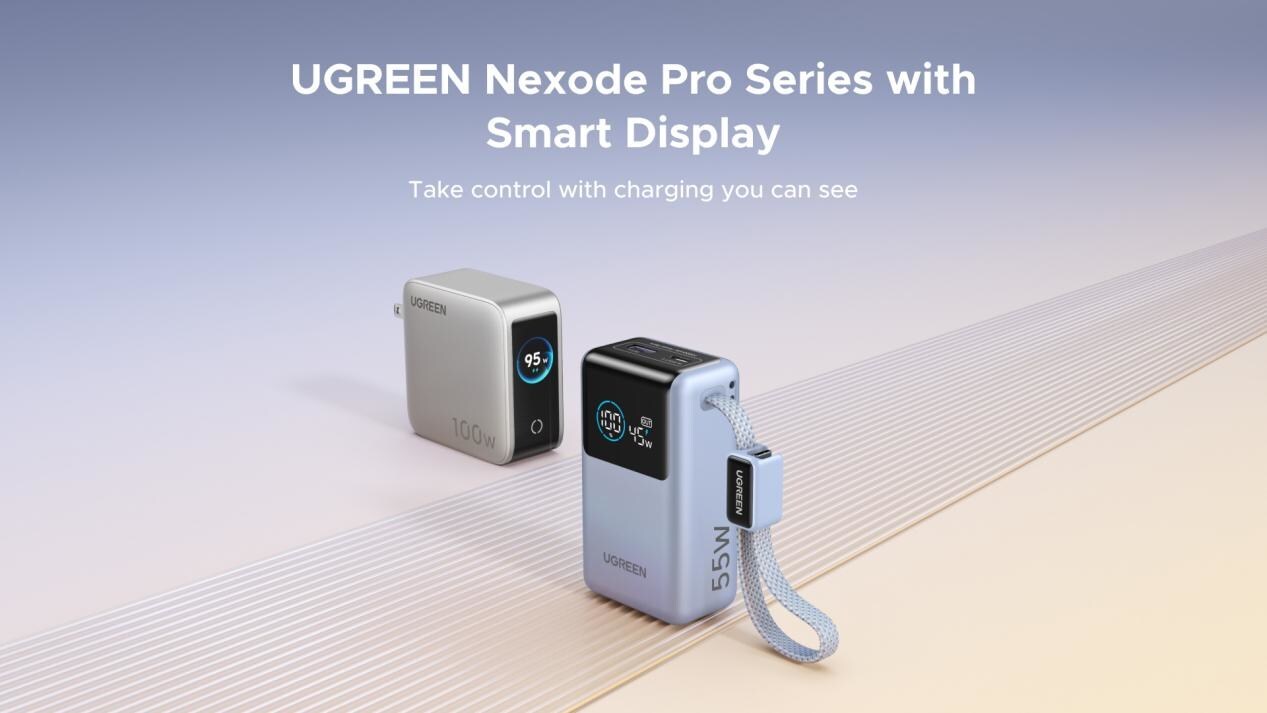
UGREEN has expanded its Nexode Pro charging lineup with two new devices designed for the modern user. They are the Nexode Pro 10000mAh 55W Power Bank and Nexode Pro 100W 5-Port Charger.
These new offerings combine intelligent digital displays, fast-charging capabilities, and user-focused designs for reliable power — whether at the desk or on the move.
The Nexode Pro 10000mAh Power Bank is the ultimate travel companion, delivering strong charging performance in a compact and travel-friendly form.
It supports up to 45W single-port fast charge, meeting the industry standard for high-speed portable charging. It can reach up to 55W as well when charging compatible Xiaomi devices.
The accessory is equipped with two USB-C ports, one USB-A port, and a built-in retractable USB-C cable. As such, it can power up to three small devices simultaneously without requiring extra cables.
With a rated capacity of 36Wh, the power bank also meets airline carry-on requirements.
Meanwhile, the UGREEN Nexode Pro 10W 5-Port Charger supports workstations. It has four USB-C ports, a USB-A port, and up to a 100W output.
It also has a built-in smart TFT display for easy power distribution monitoring.


Galaxy Buds4 Pro review: I thought I was done with in-ears
This Buds4 you


WWE 2K26 lets you live out all the fantasy matches you could want
But you have to play for hours and hours to unlock everyone.


The HONOR X8d is serviceable
Steady but slow?

Samsung Galaxy A57, A37 bring Galaxy AI closer to more users

ASUS launches Zenbook DUO and S14 in the Philippines

Logitech G debuts PRO X2 SUPERSTRIKE with faster click tech

More iPhone switchers this year than Android switchers, report says

Marvel’s Wonder Man greenlit for a rare second season


-

 Reviews1 week ago
POCO X8 Pro Max review: A new beast from the far east
-

 News1 week ago
POCO X8 Pro Series: Price, availability in the Philippines
-

 Laptops2 weeks ago
Apple MacBook Neo Review
-

 Features2 weeks ago
Galaxy AI on the Samsung Galaxy S26 Ultra
-

 Apps2 weeks ago
Google Maps is finally getting a 3D mode
-

 Entertainment2 weeks ago
The internet is thirsting over the One Piece Season 2 cast
-

 Reviews1 week ago
POCO X8 Pro Iron Man Edition review: Midrange phone in superhero armor
-

 Reviews1 week ago
Samsung Galaxy S26 Ultra review: A phone you live with