
Computers
ASUS ROG GR8 II Review


When you think of gaming PCs, large immobile machines come to mind. ASUS has other plans with its ROG-branded GR8 II, which is smaller than Sony’s PS4 Pro but with the might to take on the latest AAA titles.
And it’s not an ugly sight either; in fact, I’d say it’s the most attractive gaming PC in the market right now.
See for yourself:
This is as compact as a gaming PC can get
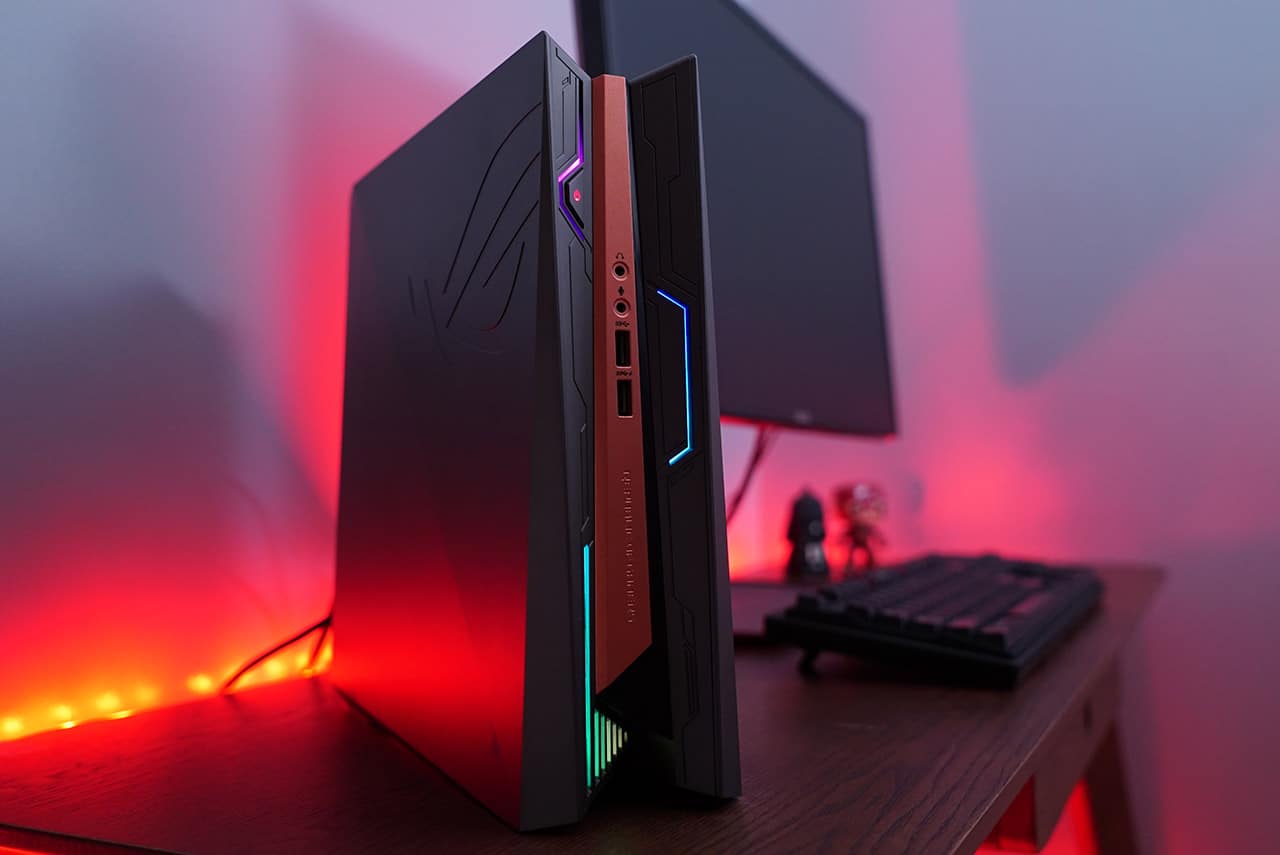
Dimensions: 88 x 299 x 281.3mm; weight: 4kg
And is slim enough to fit into cramped spaces
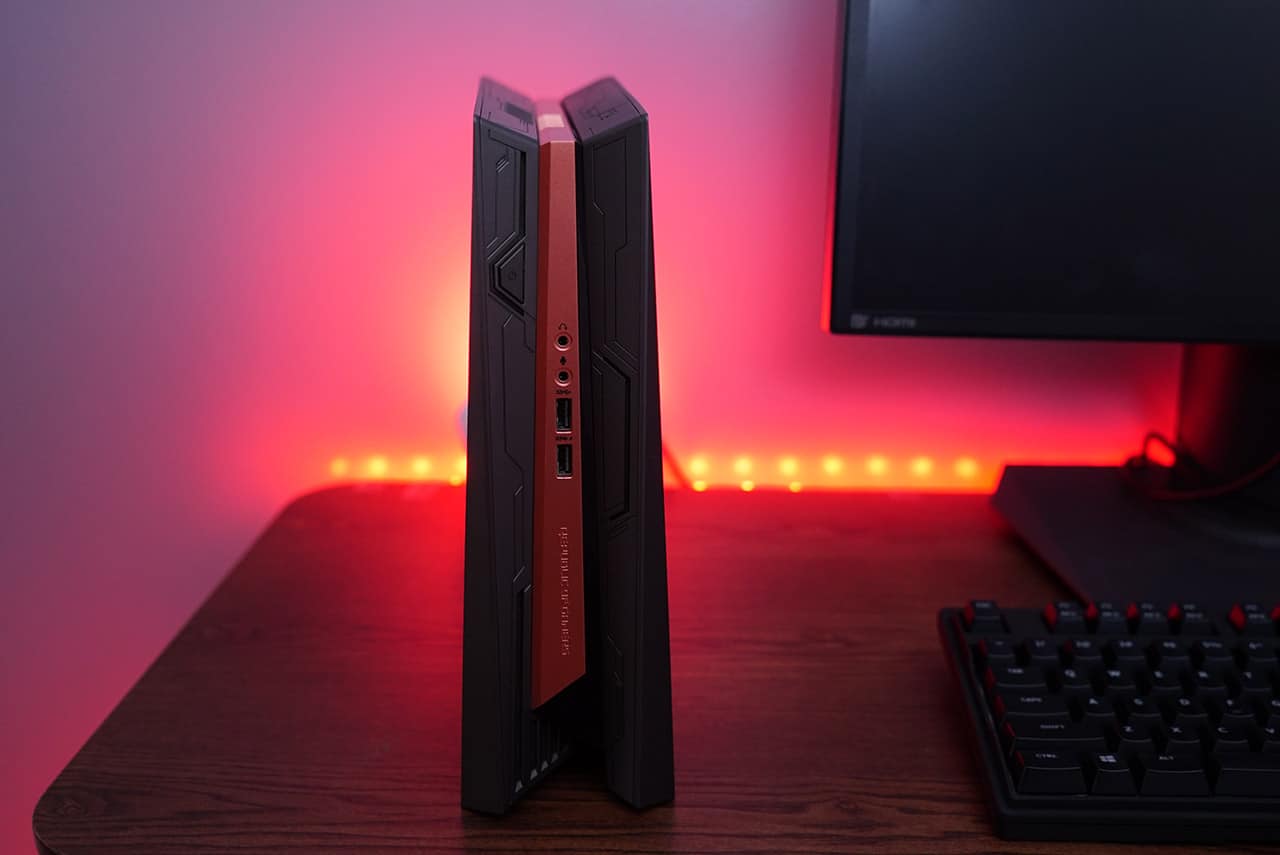
Standing it up is the only practical position, though
You get basic ports in front
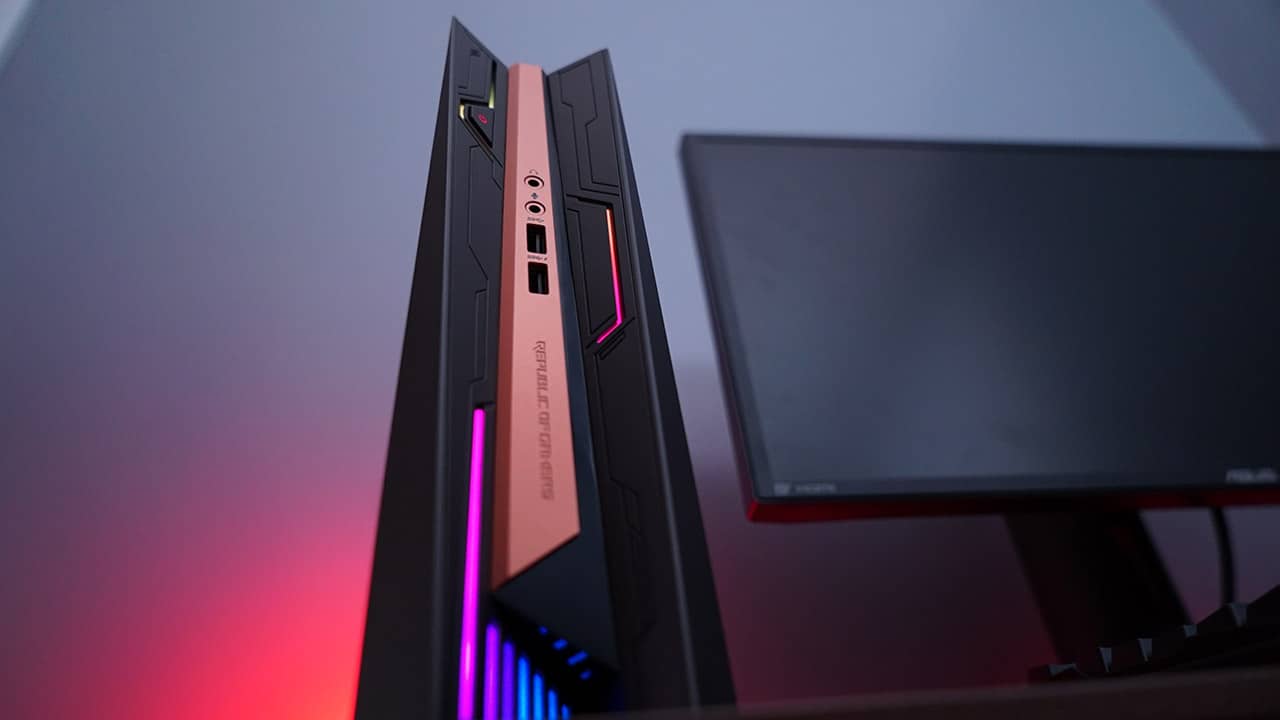
Two USB 3.0 ports and audio outputs, plus gorgeous RGB lighting
And all the rest at the back
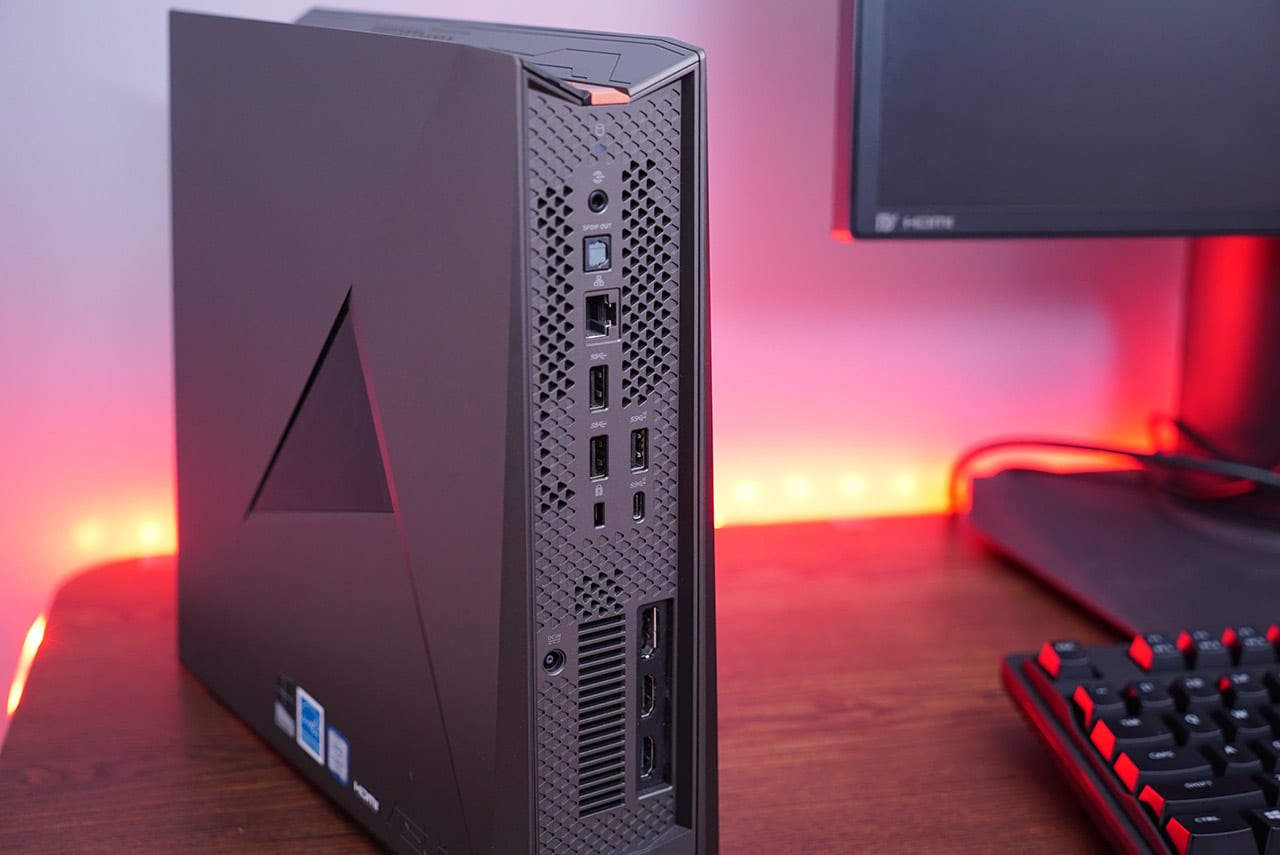
1x USB 3.1 Type-A, 1x USB 3.1 Type-C, 2x USB 3.0, 2x HDMI, 1x DisplayPort, Ethernet, Optical S/PDIF out
Most of the heat comes out from the top vent
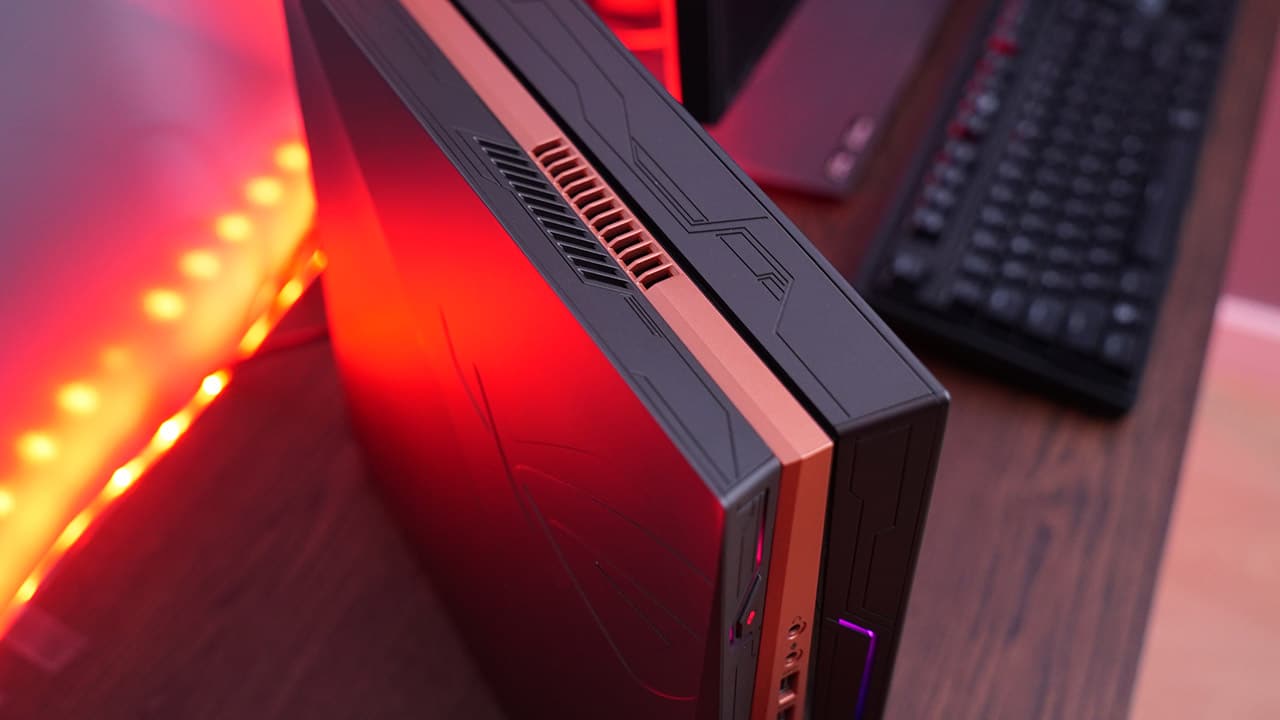
Be sure not to place anything like headphones on top
You need a single Philips screwdriver to open it up

Only four screws need to be removed to remove the side panel for upgrades
Once set up, it looks especially nice with matching ROG equipment
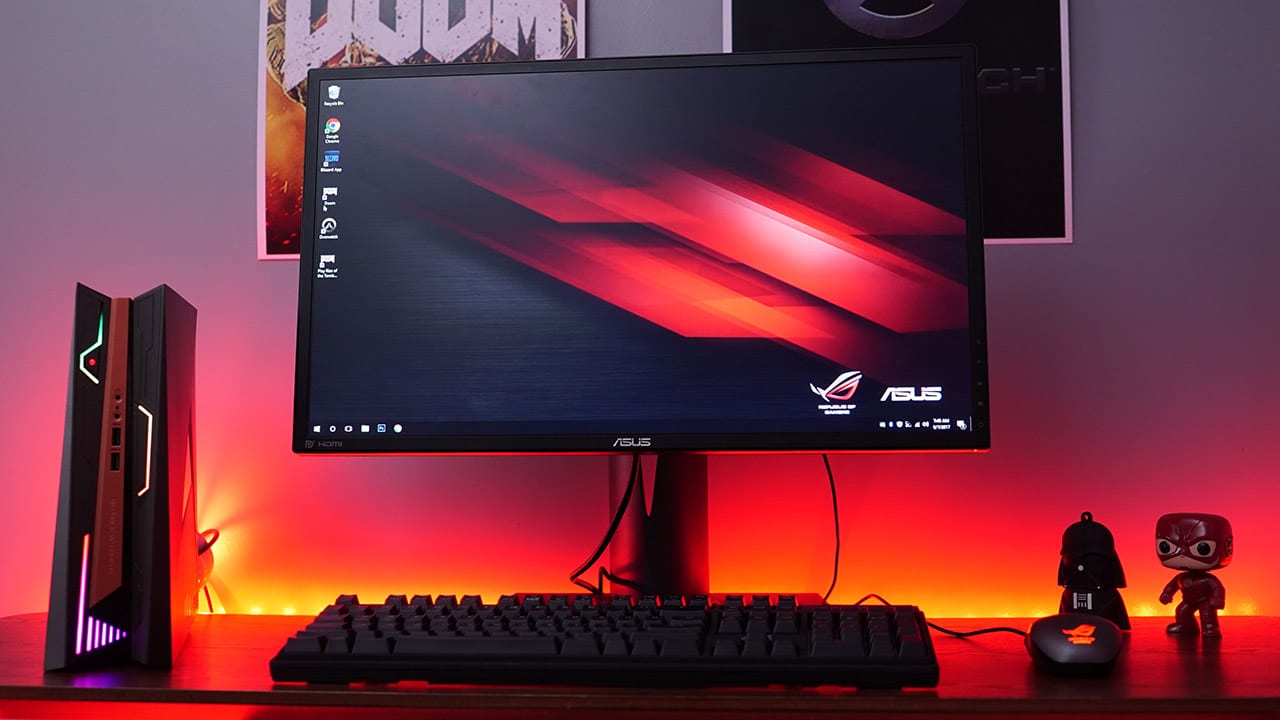
The 24-inch Full HD ROG Swift PG248Q with its 180Hz refresh rate is perfect for high-speed games
How well does it perform?
What’s a good-looking gaming PC without fitting specs to back it up? The GR8 II isn’t going to impress you with Zephyrus-like numbers, but it’s definitely good enough for gaming on high settings at 1080p.
We have an Intel Core i7-7700 processor, a single stick of 8GB DDR4 RAM, 1TB HDD, and NVIDIA’s midrange GeForce GTX 1060 graphics card. These all connect to a custom H110 motherboard.
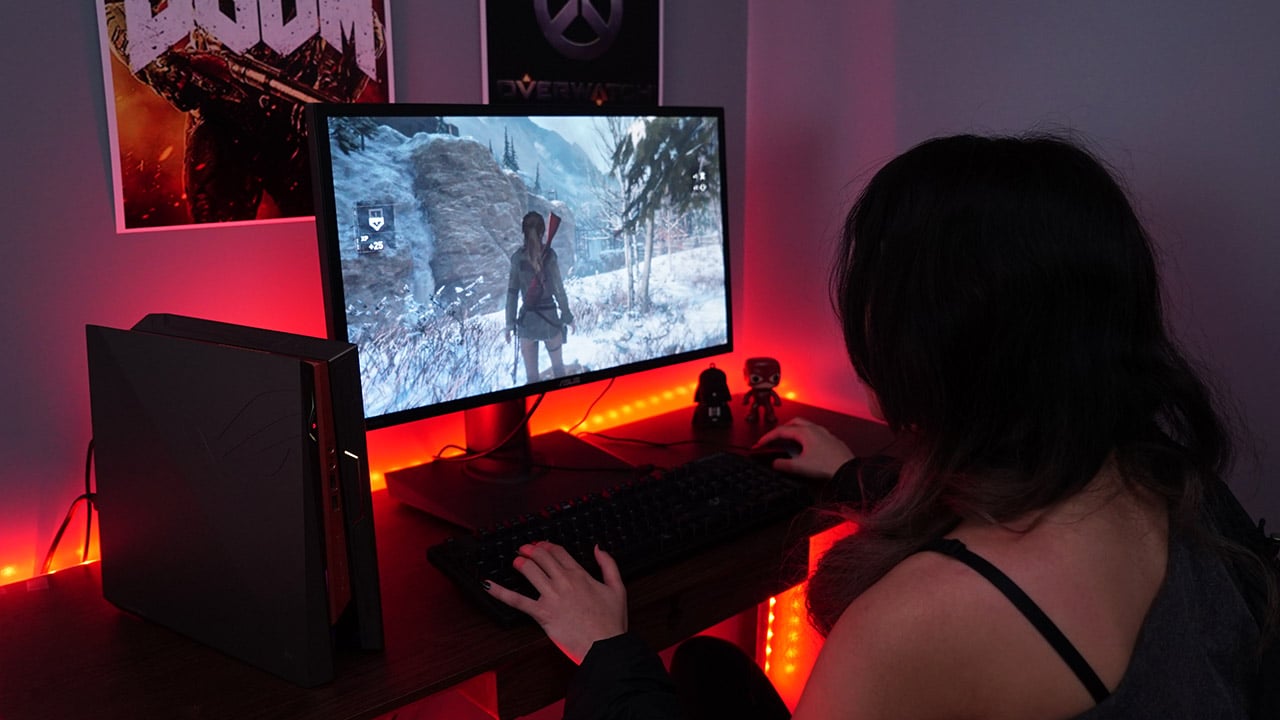
Playing DOOM on Ultra graphics settings consistently gave us over 90fps on our 1080p monitor; and as expected, Overwatch was an absolute cinch, providing us with over 150fps on optimized graphics settings to maximize the same monitor’s G-Sync-enabled 180Hz refresh rate.
The only game that pushed the GR8 II during our tests was Rise of the Tomb Raider. Although it got 68fps according to the built-in benchmark on the highest settings, actual gameplay wasn’t as smooth. It was only when we lowered some of the more intensive settings like hair effects and texture rendering that the game became playable on high settings.
What else is there to know?
A common concern with cramming so much power into a tiny frame is noise and heat build-up. We were expecting the GR8 II to get loud and warm under heavy load because of its lack of ventilation and relatively small fans, but the results were still pleasant.
Thanks to some strategic chopping up of the motherboard, vents and fans are placed where they need to be. It was only while playing games in an absolutely quiet room when we’d hear the roaring of the fans. Definitely nothing that would wake up a sleeping baby, so you can game with peace of mind.

Speaking of the custom motherboard design, it sadly holds back the upgradability of the GR8 II. You can only swap the RAM and HDD, and add an SSD to the lone M.2 slot. The CPU, GPU, and motherboard would need assistance from an ASUS service center for replacements.
The other drawback is the separate 230W power adapter that acts as the unit’s power supply. This is ASUS’ trick to lowering the weight and size of the GR8 II, but this just means more things to carry with you when you transfer battle stations for LAN parties.
Why choose this over a gaming laptop?
This is the question that went through our minds as we used the GR8 II: Doesn’t an equally priced gaming notebook offer a more complete experience with added mobility?
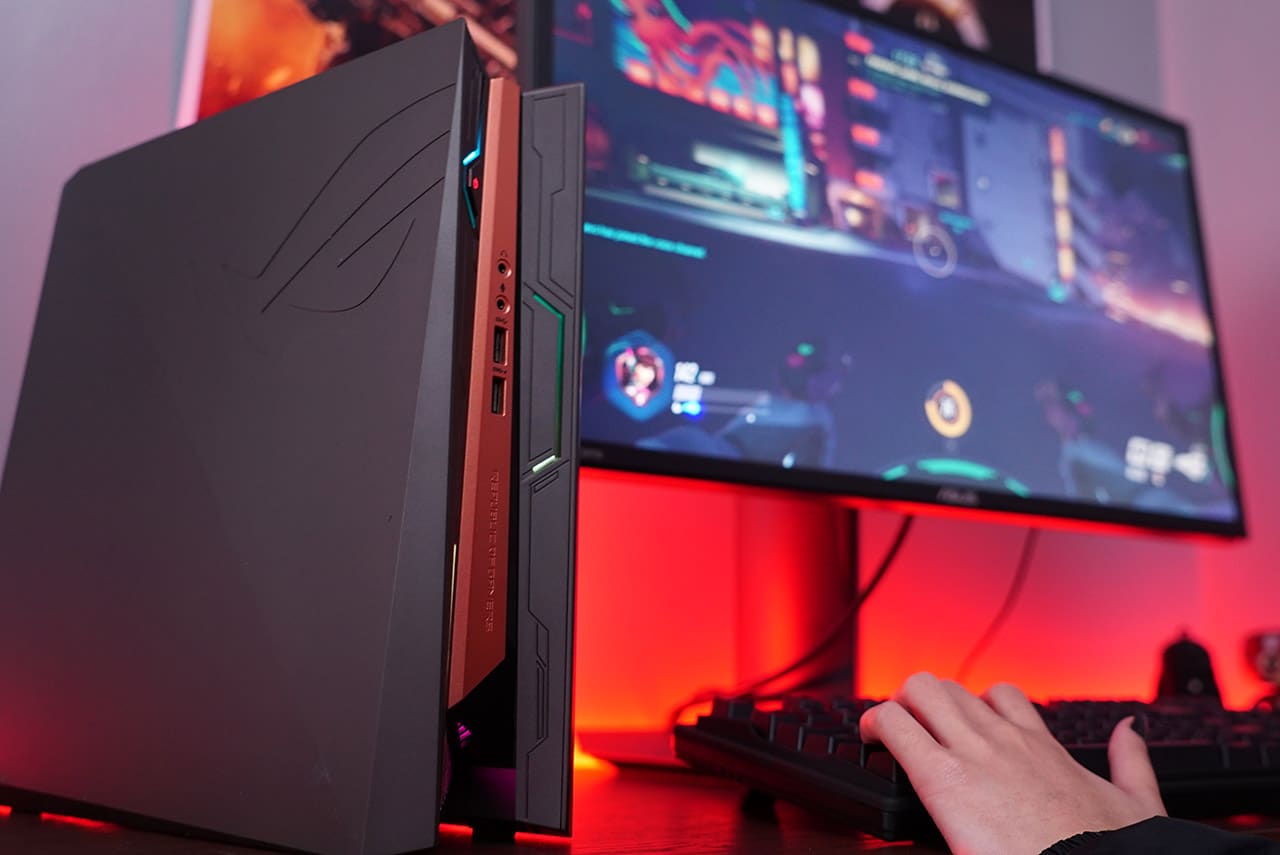
It’s definitely something to ponder over. A gaming laptop owns the same expandability (user-replaceable storage and memory components), wireless connectivity (Wi-Fi and Bluetooth), and an external power supply, but comes with a built-in monitor, keyboard, and battery for short trips. However, what the GR8 II does better is port selection and saving space on a tight desk.
Is this your GadgetMatch?
It all boils down to your gaming needs. While there’s no doubt the GR8 II is more than enough for 1080p gaming at high frame rates, the previous question establishes the compact PC’s position in the market.
The GR8 II feels like a gaming laptop in the body of desktop PC, with the limited upgradeability of the former and immobility of the latter. At the same time, it also doesn’t have the mobility of a notebook nor the sheer possibilities of a true PC tower.

Considering all those factors, it’s clear the GR8 II is somewhere in between the two segments. You’re buying into the idea of a sleek gaming machine that’s designed to look good and deliver respectable performance beyond the minimal physical space it consumes.
Price relies heavily on what configuration you choose; the setup we reviewed costs PhP 69,990 (US$ 1,375) in the Philippines, but you can find a cheaper setup with a Core i5 processor and less storage for around US$ 1,000.
SEE ALSO: ASUS ROG Strix GL702VM Review: Portable gaming powerhouse








Acer is expanding its storage lineup with the PA100 Portable SSD. It’s a compact external drive designed for users who need faster storage across multiple devices.
The PA100 uses USB 3.2 Gen 1 connectivity. It reaches sequential read speeds of up to 560MB/s and write speeds of up to 430MB/s. This makes it suited for everyday tasks such as transferring large files, backing up content, managing documents, and moving media between devices.
Up to 2TB of portable storage
The PA100 comes in three capacities: 500GB, 1TB, and 2TB. This gives users options depending on whether they need extra space for documents and schoolwork or larger collections of photos, videos, and project files.
Acer also designed the drive with mobility in mind. The PA100 has a slim 9mm profile and a lightweight build, while its reinforced construction is designed to withstand everyday travel and handling.
The drive comes with a 2-in-1 USB-C to USB-C and USB-A cable. This allows it to connect to compatible PCs, tablets, smartphones, and other devices without requiring a separate adapter. It also supports major operating systems and USB-C mobile platforms.
Designed for everyday use
Power efficiency is another focus. Acer says the PA100 uses less than 3W during operation, while idle power consumption can drop to as low as 0.62W.
The drive also features an optimized thermal design to help maintain stable performance during extended transfers and daily workloads.
The Acer PA100 Portable SSD is backed by a three-year limited warranty. Pricing and availability may vary by market.
Computers
New Mac mini starts at a whopping $899, only 256GB of storage
It comes with the M6 or the M5 Pro.


Almost two decades ago, Apple was infamous for being an anti-gamer brand. Though the company’s devices touted superior protection against viruses, they couldn’t play video games, alienating a significant chunk of the population and forcing them onto PCs. For a while now, the Mac has changed the status quo, bringing in more powerful hardware that can play games. Today, Apple is championing that cause further through the newly launched Mac mini.
Compared to the chunkier Macs, the Mac mini has a lithe 5” x 5” profile, emphasizing the “mini” in its name. Despite the size, the new mini will tout two flavors of Apple silicon: the M6 and the M5 Pro.
The M6 variant delivers with up to two times faster gaming performance with ray tracing when running Cyberpunk 2077: Ultimate Edition, compared to the previous M4 version. Meanwhile, the M5 Pro version touts up to 4.5 times faster rendering performance with ray tracing in Blender, compared to the M2 Pro. It will come with macOS 27 Golden Gate out of the box.
You won’t have to worry about connectivity, either. The Mac mini comes with compatibility for Wi-Fi 7, Bluetooth 6, and 2.5Gb Ethernet (going up to 10Gb in upgraded versions). It will also have two USB-C ports, three Thunderbolt 5 ports (but only Thunderbolt 4 for the M6 version), and HDMI port, an Ethernet port, and a headphone jack.
Unfortunately, price seems to be another thing that it’s getting from PCs. The new Mac mini has an increased starting price. Specifically, the M6 version starts at US$ 899 (with only 256GB of storage), and the M5 Pro version starts at US$ 1,699 (for 512GB of storage). Preorders are open now, but they ship out on September 22.
SEE ALSO: Apple raises the prices of iPad and MacBook lineups
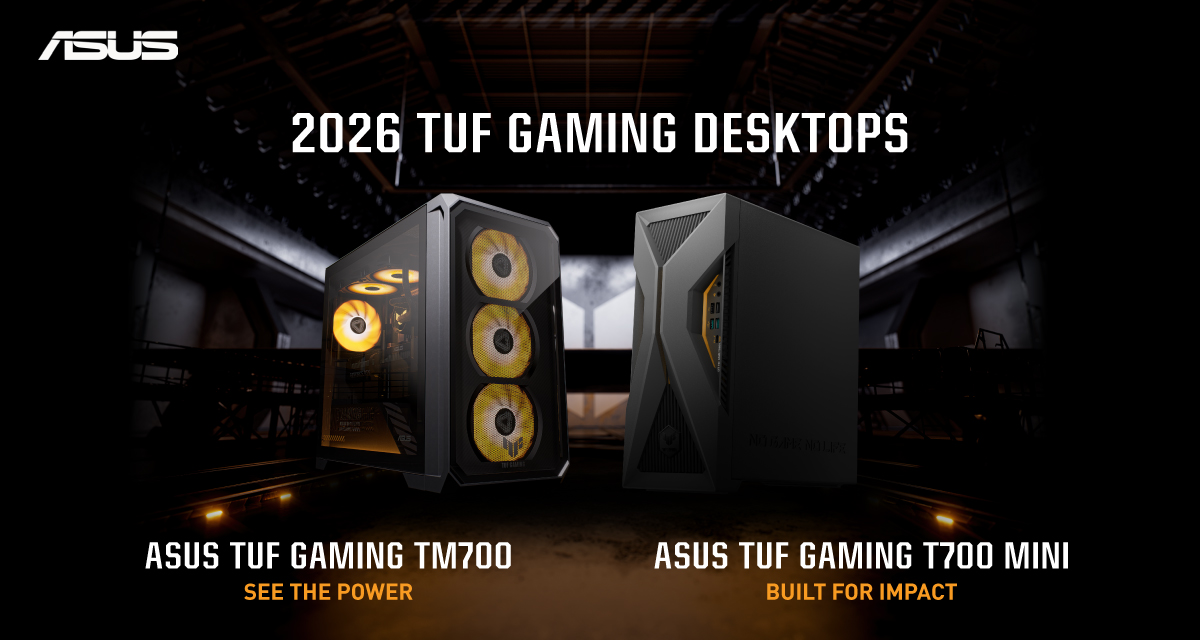
ASUS has announced the arrival of its latest TUF Gaming desktop lineup models: the TUF Gaming T700 and TUF Gaming T700 Mini.
These new offerings bring heavy-duty performance and military-grade durability to gamers, engineered to endure extreme operational demands while delivering rock-solid stability.
The new ASUS TUF Gaming T700, in particular, is engineered to take on modern AAA titles with its uncompromising performance.
It has an aggressive mecha-inspired MIL-STD chassis, including a transparent side panel to put powerful components on display. Vibrant orange ambient lighting also adds a bold finishing touch.
Inside is an AMD Ryzen 7 8700F processor and up to an NVIDIA GeForce RTX 5060 Ti GPU for high-frame rate gaming.
The T700 also features a robust thermal solution equipped with quad 65 CFM fans and a 240mm liquid cooler.
Meanwhile, the TUF Gaming T700 Mini is tailored for competitive gamers while maintaining a compact, battle-tested chassis.
It has an Intel Core Ultra 5 225F desktop processor, paired with with NVIDIA GeForce RTX 3050 graphics.
This combination provides seamless multitasking, crisp visuals, and reliable frame rates across today’s popular titles.
The internal hardware is cooled by a custom thermal matrix featuring dedicated copper heat pipes and a heavy-duty 90mm cooling fan.
True to the TUF Gaming legacy, the T700 Mini is likewise MIL-STD tested to endure extreme operational demands.


Marvel’s Wolverine review: When the claws come out
A brutal, cinematic superhero adventure

Setting your bedsheets ablaze with the Lovense Solace Pro
The closest proxy I could find where I'm guilty as sin


Now Playing: Elden Ring Tarnished Edition
Is the Switch 2 port worth the price?

First Look: Apple iPhone Duo

Xbox saves Kojima’s PHYSINT after PlayStation drops support
Marvel’s Wolverine review: When the claws come out

PH to celebrate 1st ever National Cinema Day; movies start at less than $2

New AGON gaming monitor features up to 1000Hz refresh rate

TECNO MEGAPAD 2 review: Eyes on the size

realme 16T 5G with 8000mAh battery, IP69 Pro rating launches in PH

HUAWEI Pura X View is 2026’s first WIDE slab-type smartphone

REDMI Note 17 Series focuses on long-term reliability

REDMI reveals the refreshed Note 17 and Note 17 Pro series


-
 News5 days ago
HUAWEI Pura X View is 2026’s first WIDE slab-type smartphone
-

 News5 days ago
The CAMON Slim 5G is TECNO’s latest ultra-slim smartphone
-

 Cameras1 week ago
DJI Osmo 360 II review: Going all-in on the ecosystem
-

 Features2 weeks ago
The designated photographer’s new favorite phone: OPPO Reno16 Series 5G
-
 IFA 20261 week ago
TECNO MEGABOOK T15 360 unveiled at IFA 2026
-

 Gaming1 week ago
NBA 2K27 review: A two-way All-Star
-
 Reviews2 weeks ago
Samsung Galaxy Z Fold8 Ultra review: It’s time to get a foldable
-

 Automotive7 days ago
Ford’s new Everest lineup brings V6 engine to the top, tech down the line