
Gaming
ASUS ROG Zephyrus Review: So thin, so powerful

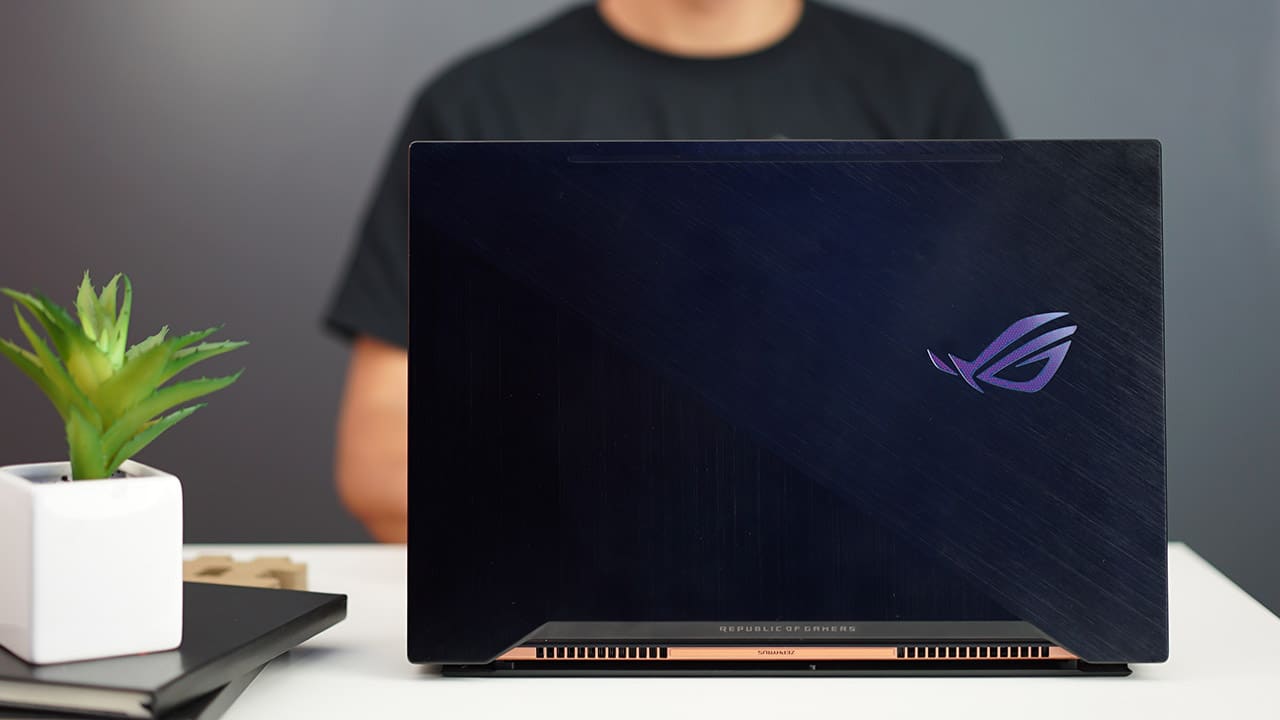
How thin can a high-end gaming laptop get? Looking at the ROG Zephyrus of ASUS, we have a pretty solid answer.
The Zephyrus (GX501) is based on NVIDIA’s recently introduced Max-Q design, which cuts down the size of graphics chips in favor of thinner notebooks without compromising too much power. But wait — haven’t manufacturers been doing this for a while already?
Yes and no. While brands have been striving for that oh-so-slim gaming laptop for ages, it’s only now with NVIDIA’s help that it’s possible to fit a top-of-the-line GeForce GTX 1080 GPU into a frame that’s less than 18mm thick.
In this case, the 15.6-inch Zephyrus has that GTX 1080 within an approximately 17mm, 2.25kg chassis. Here’s how it fares.
It definitely looks and feels like a regular laptop
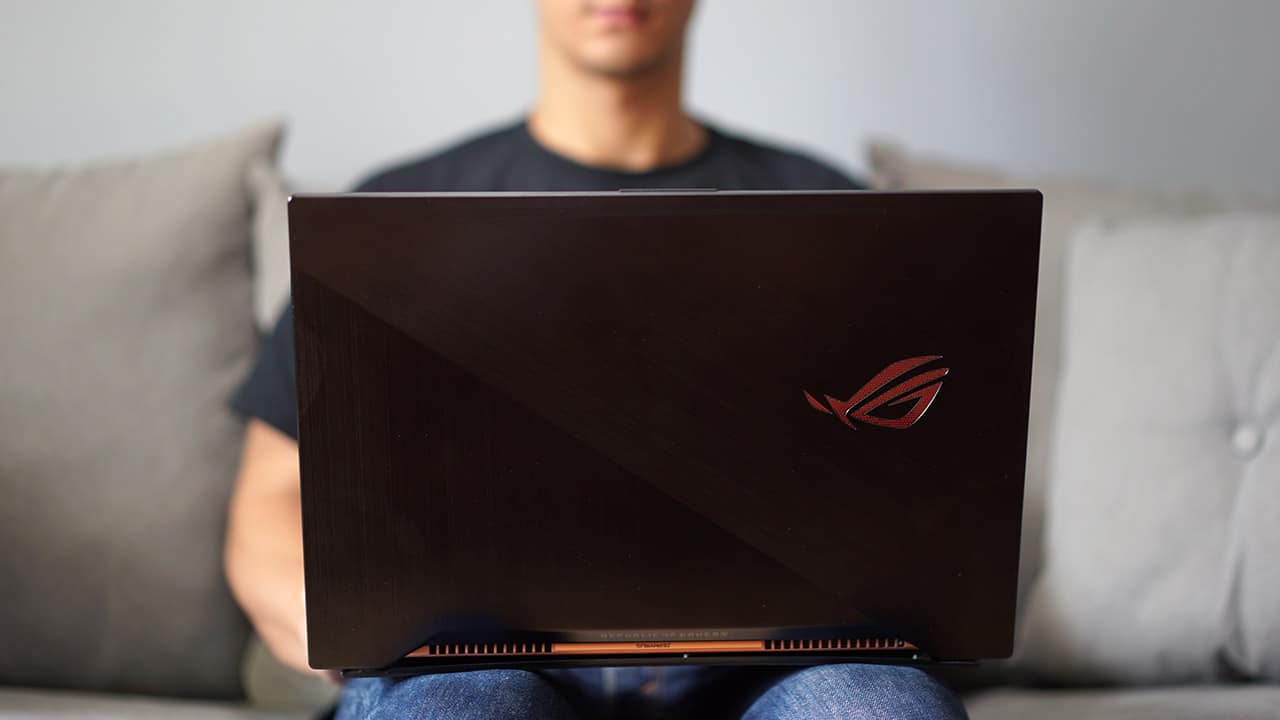
This is one of the few gaming laptops I’d actually allow on top of my lap. My only qualm is in the way the cooling system was built.
ASUS uses this technology called the Active Aerodynamic System, which lifts the rear end of the body when you open the lid for greater air distribution.
While I can attest to the efficiency of the cooling system — not once did it burn my legs or howl like a large washing machine — the design means the bottom plate is somewhat flimsy unless it’s placed on a flat surface.
But that’s fine, since the Zephyrus isn’t designed for traveling writers without a stable workplace; gamers who want to settle down in a LAN party or hotel room will appreciate this form factor.
The hands-on experience may be weird at first

Just look at it: By shoving all the internal components to the upper half, the keyboard had to be pushed to the bottom with the touchpad awkwardly placed to the right.
The abrupt cutoff of the keyboard’s bottom edge, shallowness of the keys themselves, and vertical trackpad have a really steep learning curve. One week of everyday use wasn’t enough to master this setup, and that may be a bad thing.
You must do several practice runs on Overwatch or your preferred MOBA before jumping into competitive play. ASUS bundles a rubber palm rest (as pictured above) to help ease you into the compromised part of the design, but it’s purely for table-top use since it doesn’t attach to the unit itself.
There’s some trackpad magic
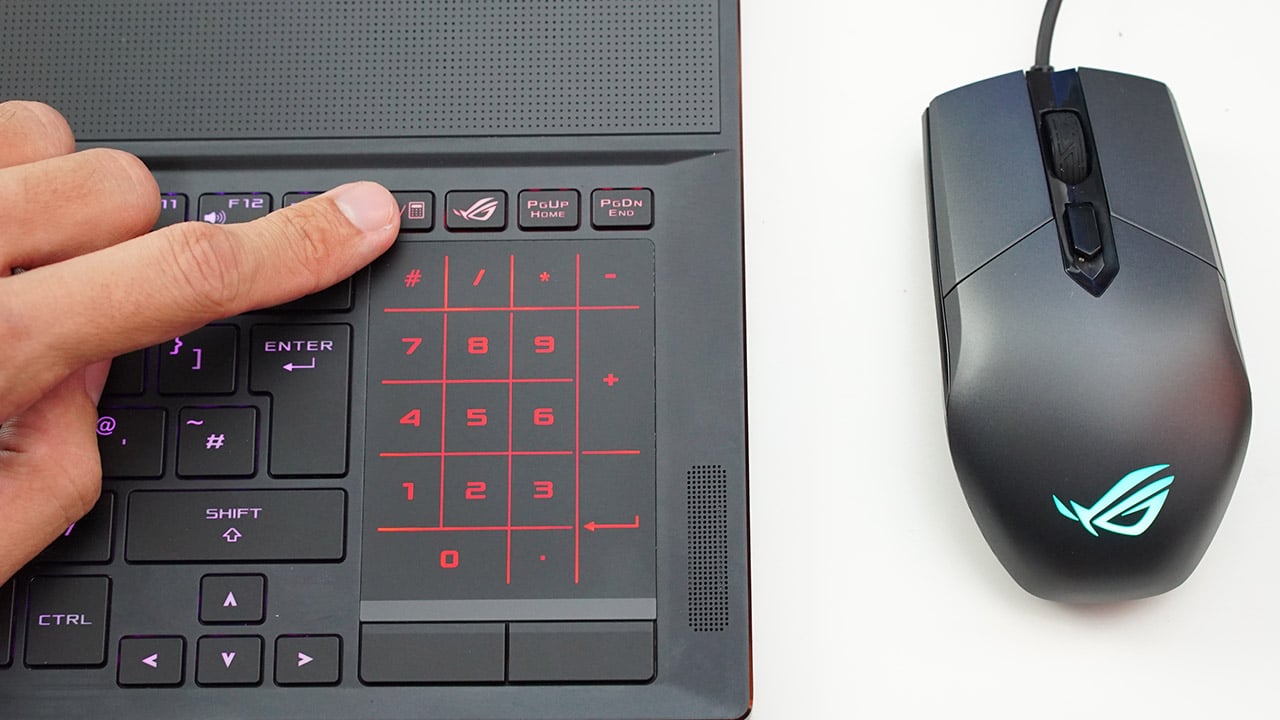
By pressing the button pointed at above, you can transform the trackpad into a fully functional numpad.
If you use the bundled optical mouse — which I found to be quite delightful to use, by the way — you’re better off just ignoring the trackpad altogether in favor of this traditional keyboard-numpad-mouse-palm rest setup.
Actually, this should be the only setup you should consider, especially if you take gaming seriously. Just be sure to take the palm rest and mouse with you, and never leave them behind by accident, which happened to me a couple of times.
Comes with performance that matches a much bulkier PC
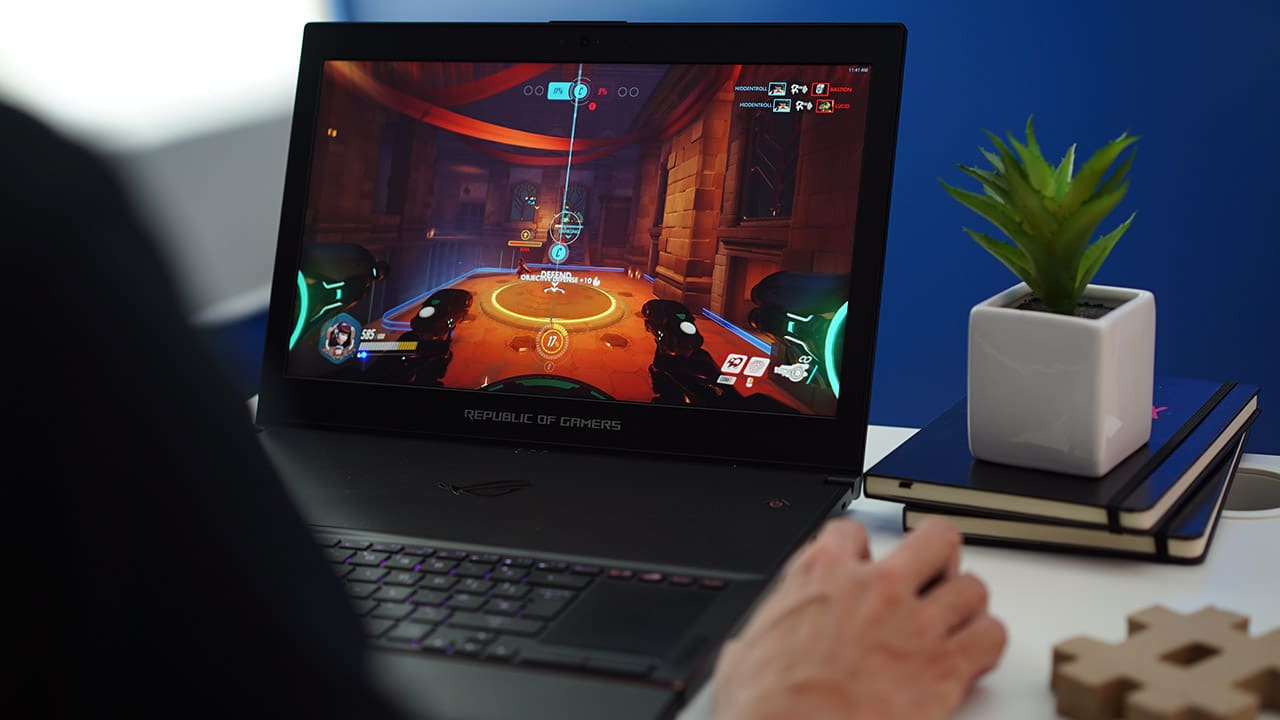
I feel like it’s justified to spend half of this review on the design alone, since this is what the Max-Q philosophy stands for, but this wouldn’t be a gaming article without talking about performance.
There’s no getting around it; the Zephyrus ticks every box for a gaming laptop. The variant we reviewed has the following: An Intel Core i7-7700HQ processor, 24GB of memory, 1TB SSD storage, and of course, a full-fledged GTX 1080 — none of that “mobile version” terminology attached to it.
It’s a given this machine can run through the latest games. Titles like Rise of the Tomb Raider and the latest DOOM can be maxed out on the laptop’s native 1080p resolution with frame rates consistently exceeding 60fps.
To be specific, I got an average of 98.14fps and 58.2fps on the benchmark tests of Rise of the Tomb Raider and Deus Ex: Mankind Divided respectively on Ultra settings and DirectX 12. The maximum temperatures reached during these stress tests were 71 degrees Celsius for the CPU and 70 degrees for the GPU.
More importantly, the Zephyrus we tested has NVIDIA’s G-Sync enabled on the LED-backlit panel to prevent unwanted tearing and stuttering during fast-paced games.
Coupled with the 120Hz refresh rate, this is a godsend for games like CS:GO and Overwatch. Not once did I feel like the Zephyrus held me back during intense gaming with lots of action going on.
Here are closer looks at the finer details
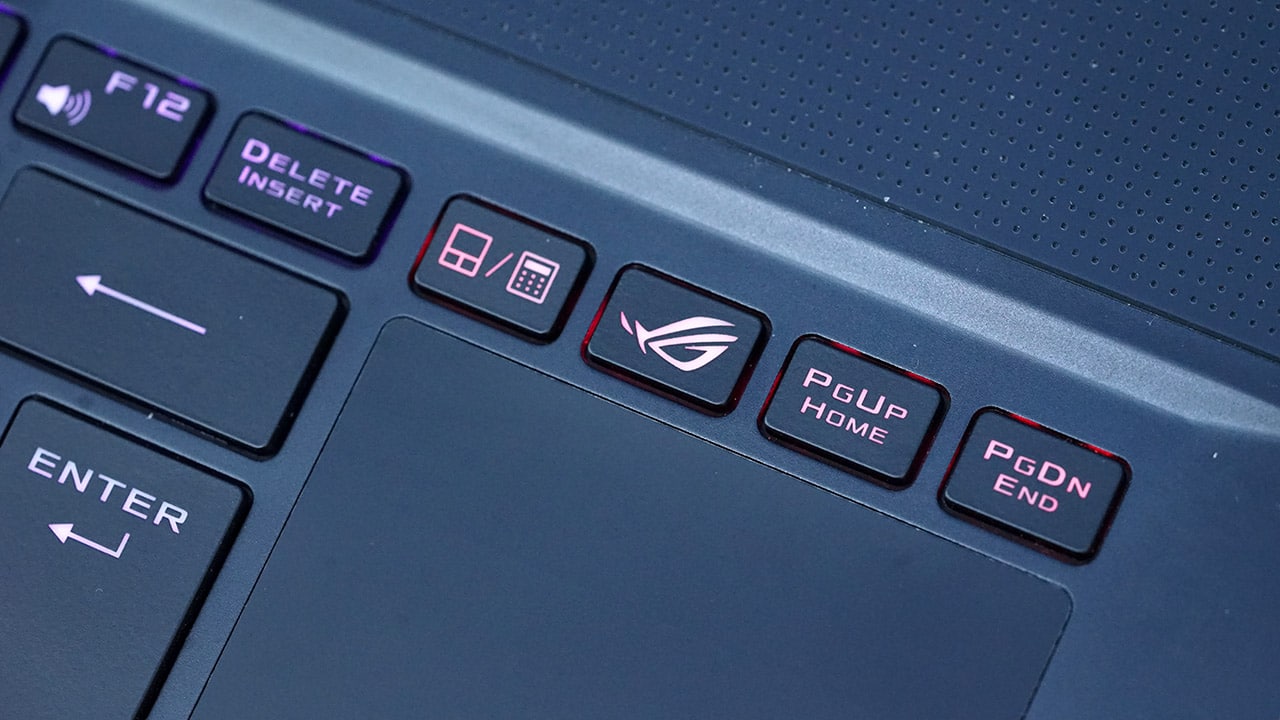
The ROG button opens up ASUS’ own command center for tweaking performance settings and the keyboard’s colors
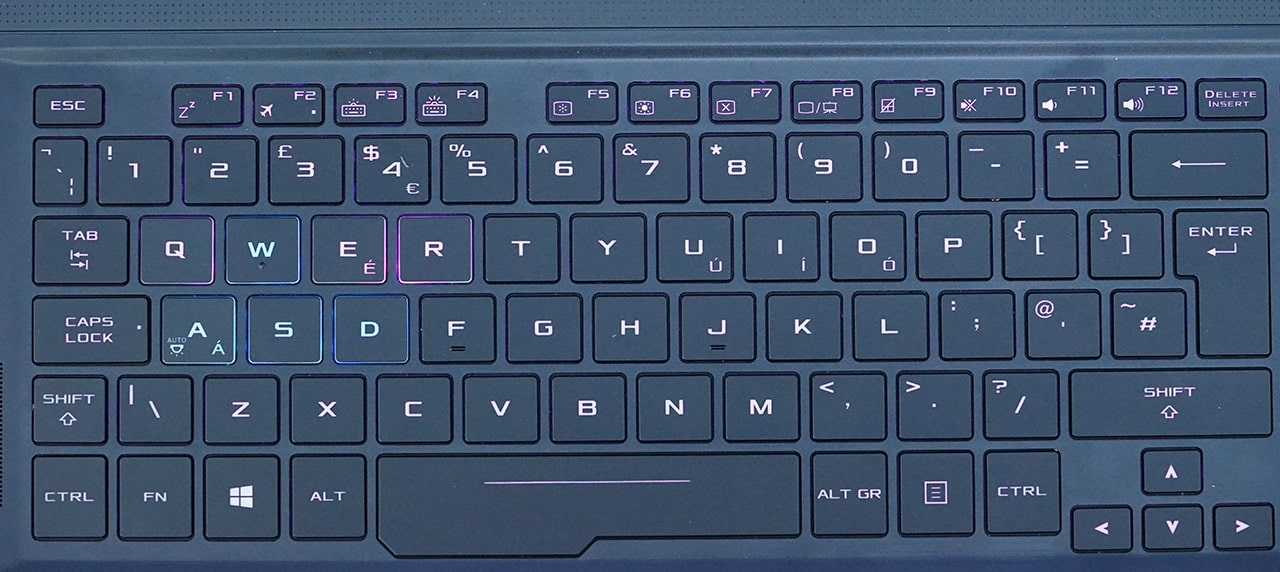
Yes, the left shift key is narrow, really narrow. Every other key is well sized, especially the space bar.
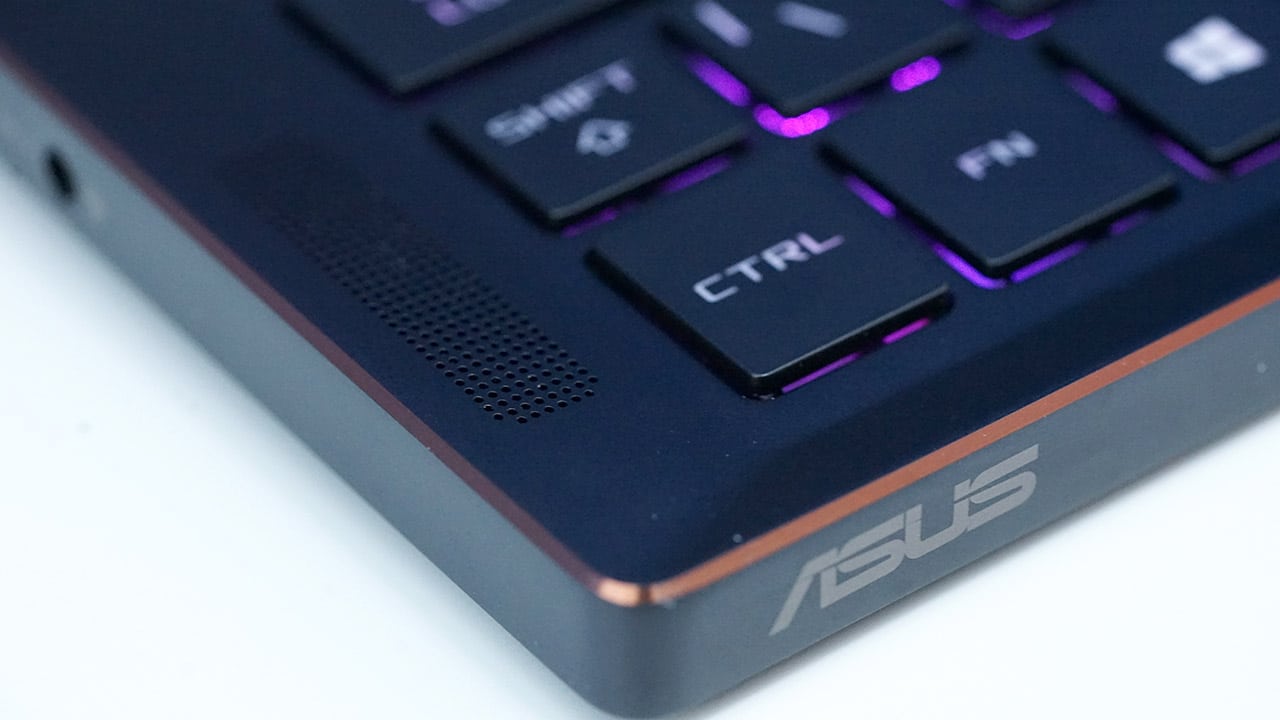
The stereo speakers face upwards and are loud, but not deep in bass. Headphones during gaming are a must.
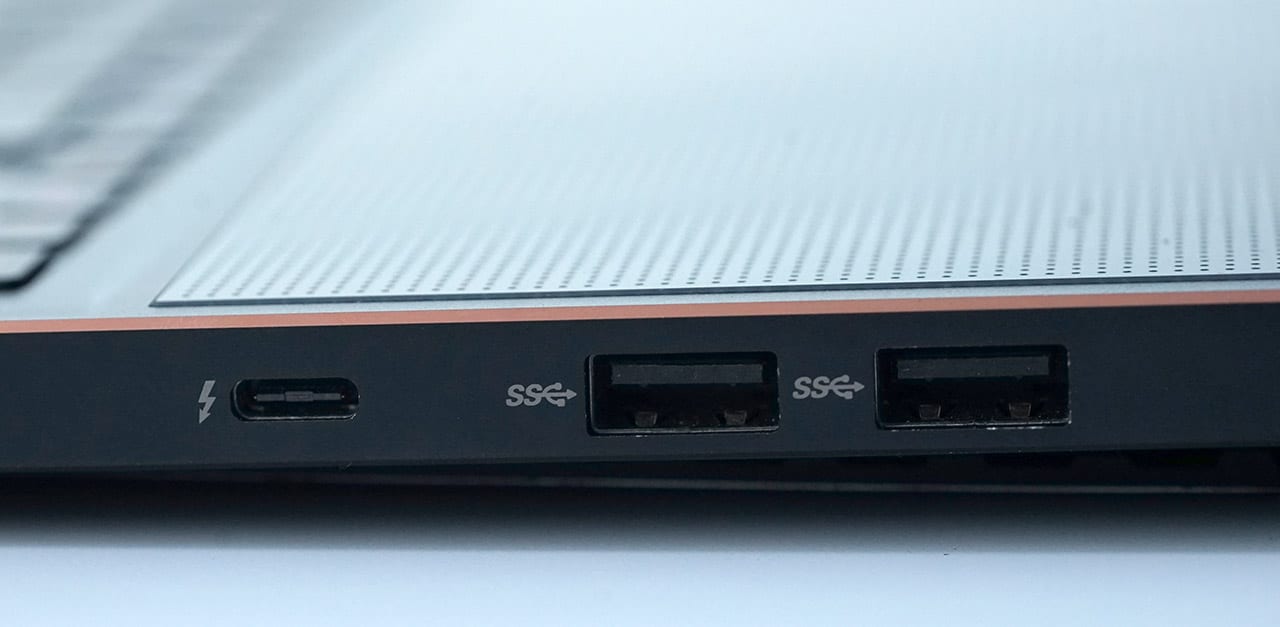
Two full-sized USB 3.0 ports and a Thunderbolt-enabled USB-C port are found on the right side.
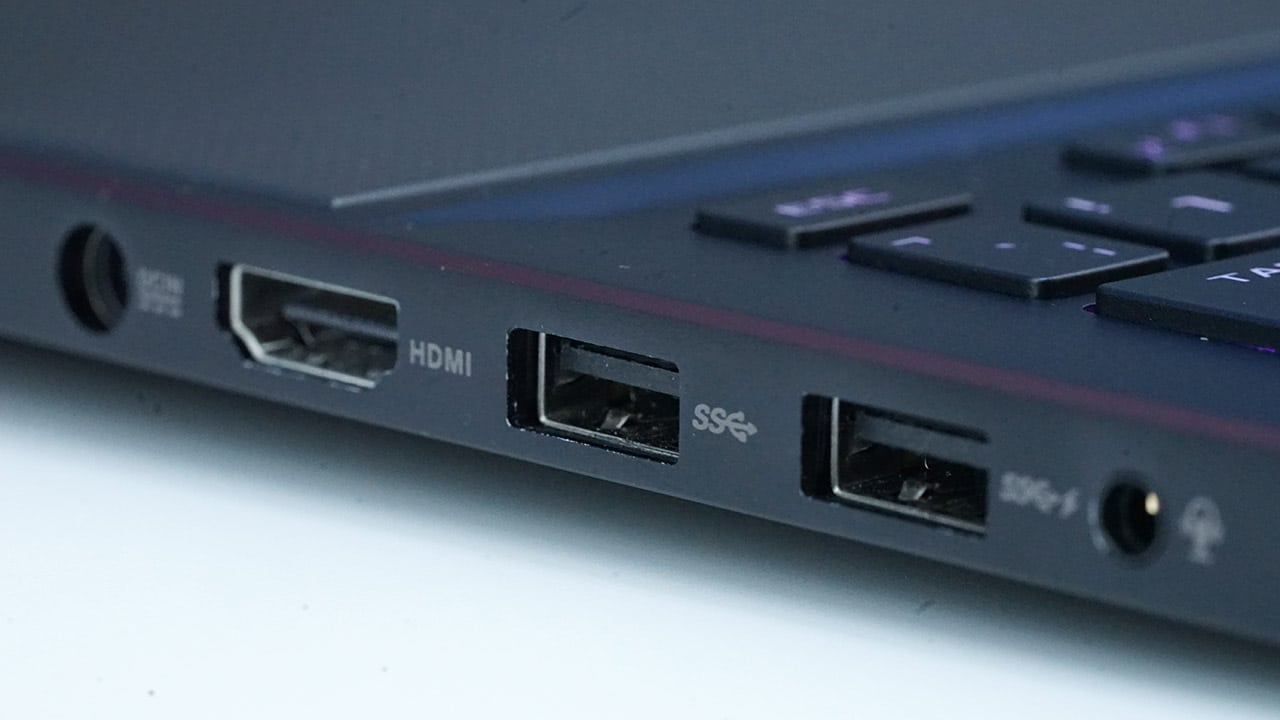
The left side contains two more USB 3.0 ports, a 3.5mm audio port, HDMI, and power port.

Those who are into first-person shooters may choose to highlight the WASD keys like this.
What else is there to know?
With the exception of the somewhat uncomfortable keyboard-trackpad combo and flimsy bottom plate, the Zephyrus seems like it’s about to reach the finish line without any deal-breakers. But wait — I found something!
No matter how many optimization tricks I tried or useless software I uninstalled, I couldn’t for the life of me get this thing to last more than two hours on a single charge.
It turns out that cramming so much high-powered hardware in such a slim profile leads to atrocious battery life. I was never confident enough to unplug the Zephyrus from a wall socket to work or game on the move for more than an hour.
Is this your GadgetMatch?
That’s a tough question. As innovative and well-rounded as the Zephyrus is, its target market is as slim as the laptop itself.
With a starting price of $2,700, it’s way more expensive than building an equally capable desktop PC rig of your own, but it isn’t crazy pricey like some of the behemoths we’ve covered recently.
Our particular model was provided by ASUS Philippines, and it costs slightly more at PhP 179,995 (roughly US$ 3,550) since it has the best-possible configuration.

I often found myself taking a break in between work and gaming sessions to reflect on how far we’ve come since the impractical “mobile” PCs of the past. Those massive machines still exist, but they’re no longer the standard by which all gaming laptops must follow.
At the same time, there are drawbacks to slimming down a computing monster: The chassis loses its sturdy build, the keyboard and trackpad are relegated to awkward spots, and most of all, battery life takes a dive.
I’d say those are weaknesses you can ignore; keep the Zephyrus on a desk, insert the bundled mouse and wrist rest, and stay plugged in. Have to move to a new location? You can easily slide everything into a medium-sized backpack and bring them with you.
SEE ALSO: ASUS ZenFone AR review
[irp posts=”15440″ name=”ASUS ZenFone AR review”]





Gaming
AMD FSR Upscaling 4.1 now available for Radeon RX 7000 Series
Update drops earlier than expected, powering more than 300 supported games

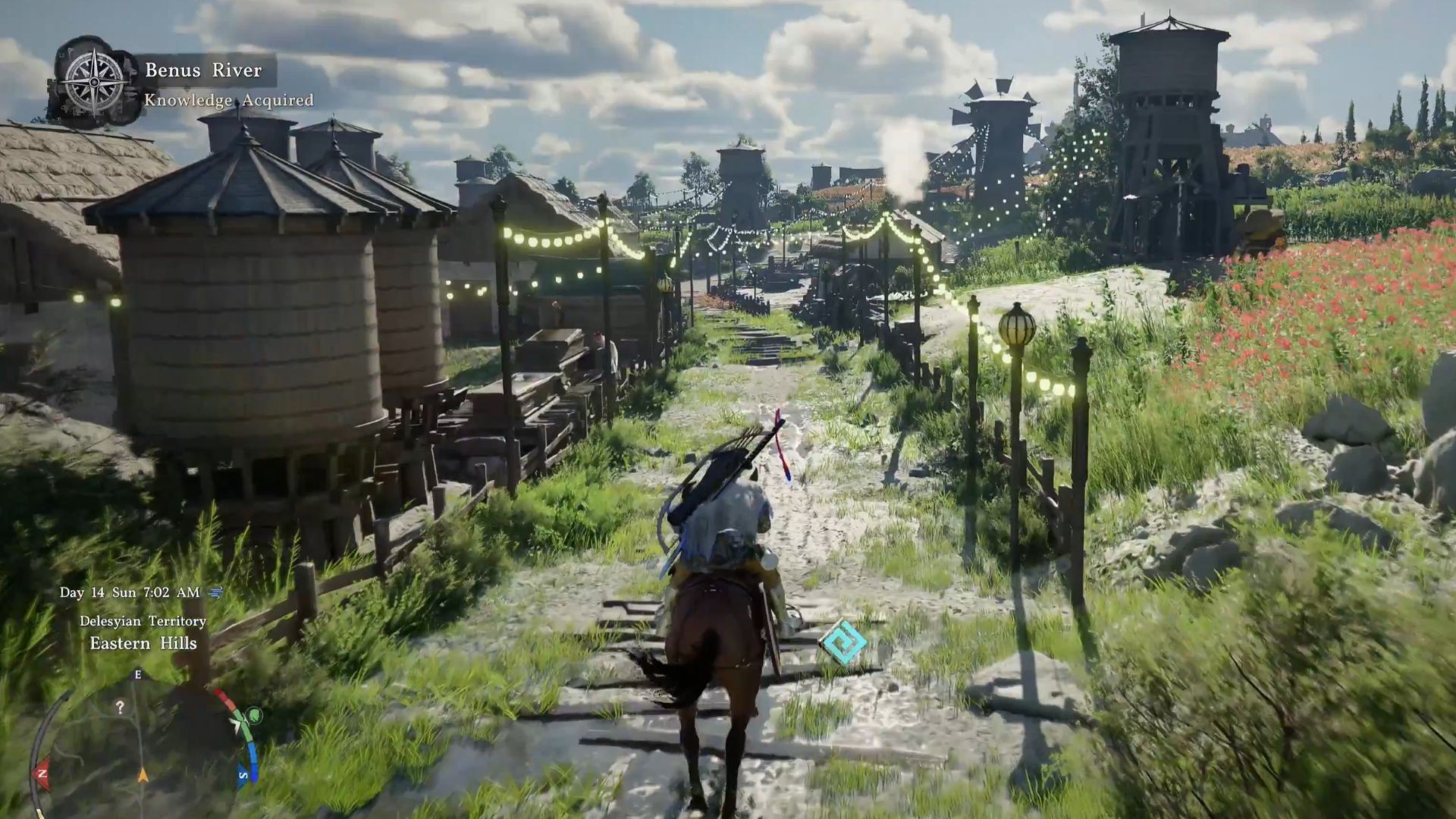
PC and handheld gamers can officially skip the wait, as AMD has launched its FSR 4.1 upscaling technology for Radeon RX 7000 series (RDNA 3) GPUs.
Computing and Graphics Group Senior Vice President and GM Jack Huynh made the announcement on X (formerly Twitter). This development brings machine learning powered gaming to millions of players across more than 300 games.
By downloading the latest AMD Software: Adrenalin Edition 26.6.2 driver, users can unlock the new AI upscaling suite on existing RX 7000 series desktop graphics cards.
(The driver can be downloaded here.)
The update drastically sharpens image reconstruction, delivers far superior temporal stability, and keeps motion ghosting to an absolute minimum. That’s across a massive library of supported titles.
Beyond optimized frame rates out of the gate for those two blockbusters, the release packs vital architecture stability improvements and bug fixes for the broader Radeon ecosystem.
Huynh added that AMD is actively engineering lightweight machine learning models to expand FSR 4.1 optimizations to a wider base of gamers. More details are to come.
Moreover, the driver for the FSR 4.1 upscaling technology will deliver day-one support for two highly anticipated releases: Assassin’s Creed Black Flag Resynced and DOOM: The Dark Ages | Revelations.
if you are wielding an RDNA 3 desktop rig or an RDNA 3-powered handheld, like the ROG Ally X or Lenovo Legion GO, simply open up the AMD Software suite, get the update, and test the new AI tech.
Gaming
GTA VI: New images unveiled as pre-order details, price finally announced
Highly-anticipated title to launch on November 19 for PS5, Xbox Series X|S

Grand Theft Auto VI finally has a price. The highly-anticipated upcoming installment in the series is set to launch on November 19 on PlayStation 5 and Xbox Series X|S.
Pre-orders will begin on midnight, June 25. Available versions are the Standard Edition at US$ 79.99 and the Ultimate Edition at US$ 99.99.
The Ultimate Edition amplifies the single player experience with an exclusive collection of premium vehicles, weapons, apparel, and action threaded across all aspects of Jason and Lucia’s story.
Here are some newly-released exclusive images:








Alongside the Standard and Ultimate Editions, all Grand Theft Auto VI pre-orders and purchases before November 20 will also get the Vintage Vice City Pack.
This is a collection of items that flash back to when the neon burned brightest:







Players who pre-order digital versions of GTA VI will be able to begin pre-loading on November 12. This is to ensure they are able to play at launch on November 19.
The physical version, which contains a download code inside the box, will be available starting November 12 as well to support pre-loading.
Gaming
ASUS brings 2026 ROG Zephyrus Duo, G16, and G14 to the Philippines
New Zephyrus laptops arrive
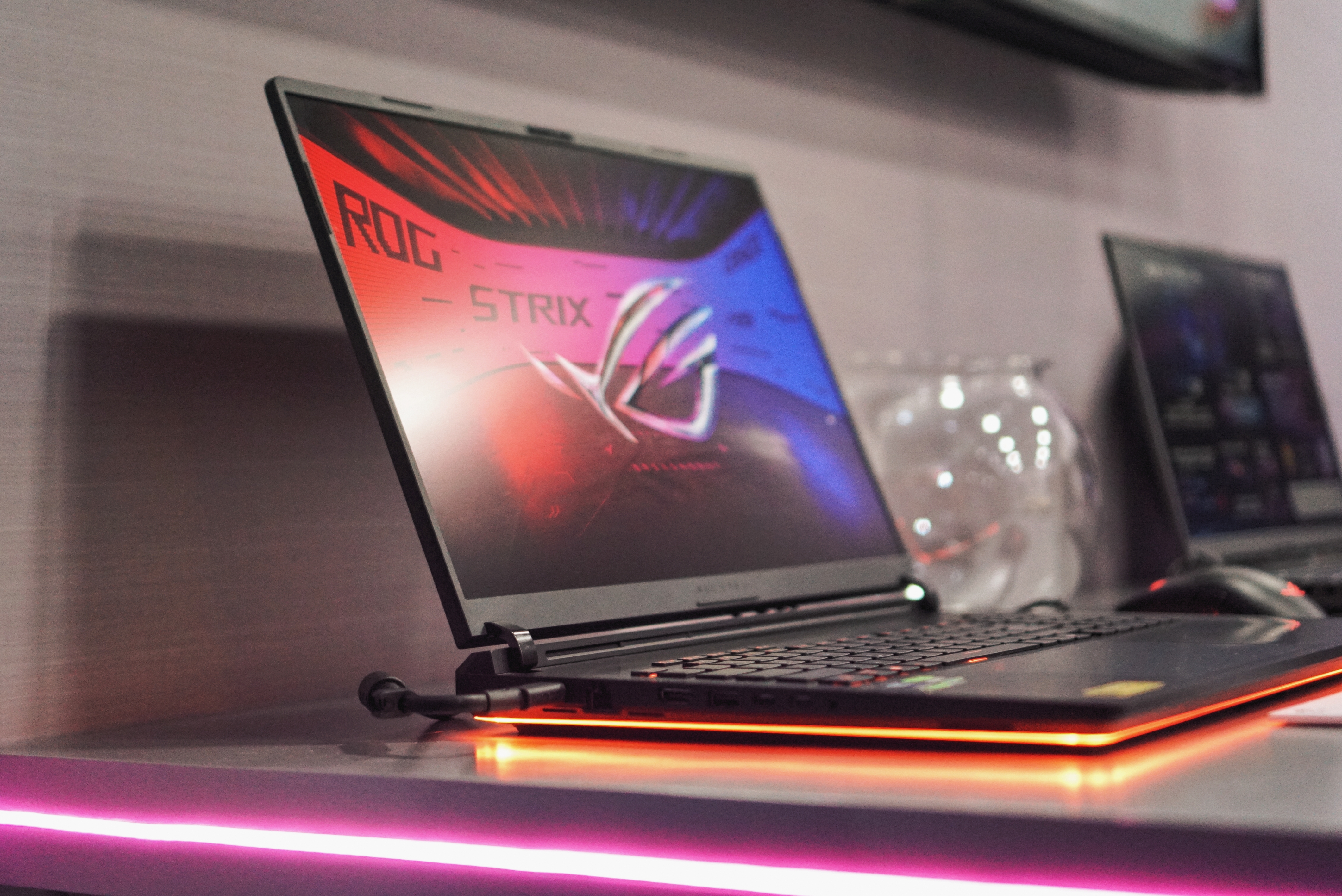
ASUS Republic of Gamers has announced the Philippine availability and pricing of its 2026 ROG Zephyrus lineup.
Headlining the range is the new ROG Zephyrus Duo, joined by refreshed versions of the Zephyrus G16 and Zephyrus G14. The latest models feature Intel Core Ultra processors, NVIDIA GeForce RTX 50 Series Laptop GPUs, upgraded cooling systems, and ROG Nebula HDR OLED displays.
The lineup is available through authorized retailers starting June 24, 2026.
ROG Zephyrus Duo introduces dual-screen gaming
The 2026 ROG Zephyrus Duo (GX651AX) is billed as the world’s first 16-inch dual-screen gaming laptop.
It features two 16-inch 16:10 touch displays with 120Hz refresh rates. Together, they provide up to 32 inches of combined screen space for multitasking, content creation, streaming, and gaming.
The primary display is a 3K ROG Nebula HDR OLED panel with up to 1,100 nits peak brightness, Dolby Vision HDR support, and 100 percent DCI-P3 color coverage.
A new 320-degree kickstand hinge enables multiple usage modes, including Laptop Mode, Dual-Screen Mode, Book Mode, Tent Mode, and Sharing Mode. ASUS ScreenXpert software manages display layouts and transitions between modes.
Powering the device are an Intel Core Ultra 9 386H processor, NVIDIA GeForce RTX 5090 Laptop GPU, 64GB LPDDR5X memory, and 2TB SSD storage.
ROG Zephyrus Duo price in the Philippines
ROG Zephyrus Duo GX651AX-SR071WSM (RTX 5090, 64GB RAM, 2TB SSD) — PhP 559,995
The laptop comes bundled with an ASUS Pen 3.0, ROG Universal Backpack, ROG Gladius III Gaming Mouse, and ASUS warranty package.
ROG Zephyrus G16 gets RTX 5090 option
The refreshed ROG Zephyrus G16 (GU606) retains its slim aluminum chassis, measuring 1.49cm thick and weighing 1.85kg.
Configurations include up to an Intel Core Ultra 9 386H processor and NVIDIA GeForce RTX 5090 Laptop GPU with up to 160W TGP. ASUS says the laptop supports NVIDIA DLSS 4 and Multi-Frame Generation technologies.
The 16-inch display uses a 2.5K ROG Nebula HDR OLED panel with a 240Hz refresh rate, VESA DisplayHDR True Black certification, and NVIDIA G-SYNC support.
Battery life is rated at up to 22 hours of video playback, while ROG Intelligent Cooling combines Tri-Fan Technology, liquid metal, and expanded ventilation for sustained performance.
ROG Zephyrus G16 prices in the Philippines
- ROG Zephyrus G16 GU606AR-TB061WSM (RTX 5070 Ti, 32GB RAM, 1TB SSD) — PhP 289,995
- ROG Zephyrus G16 GU606AX-TB084WSM (RTX 5090, 32GB RAM, 2TB SSD) — PhP 429,995
Both variants include an ROG Exclusive Sleeve and ROG Strix Impact Gaming Mouse.
ROG Zephyrus G14 focuses on portability
The ROG Zephyrus G14 (GU405) continues to target gamers who want a more compact machine.
It measures 1.59cm thin and weighs 1.5kg. Despite its size, ASUS equips the laptop with up to an Intel Core Ultra 9 386H processor and NVIDIA GeForce RTX 5080 Laptop GPU with up to 130W TGP.
The device sports a 14-inch 3K ROG Nebula HDR OLED display with a 120Hz refresh rate, NVIDIA G-SYNC support, and VESA DisplayHDR True Black 1000 certification.
ASUS also redesigned the thermal system with thicker heat pipes, additional copper fins, and improved ventilation to boost cooling performance.
ROG Zephyrus G14 prices in the Philippines
- ROG Zephyrus G14 GU405AP-SY057WSM (RTX 5070, 16GB RAM, 1TB SSD) — PhP 224,995
- ROG Zephyrus G14 GU405AW-SY069WSM (RTX 5080, 32GB RAM, 1TB SSD) — PhP 324,995
Each model ships with an ROG Exclusive Sleeve and ROG Strix Impact Gaming Mouse.
Warranty and launch promos
All 2026 ROG Zephyrus laptops sold locally come with ASUS’ No. 1 Quality & Service Program. This includes a three-year international and local warranty, one-year accidental damage protection, and Premium Care support.
Buyers also receive a gaming mouse, three months of PC Game Pass, an Office 2024 lifetime license, one year of Microsoft 365 Basic with 100GB cloud storage, and up to 700GB of ASUS Cloud Storage.
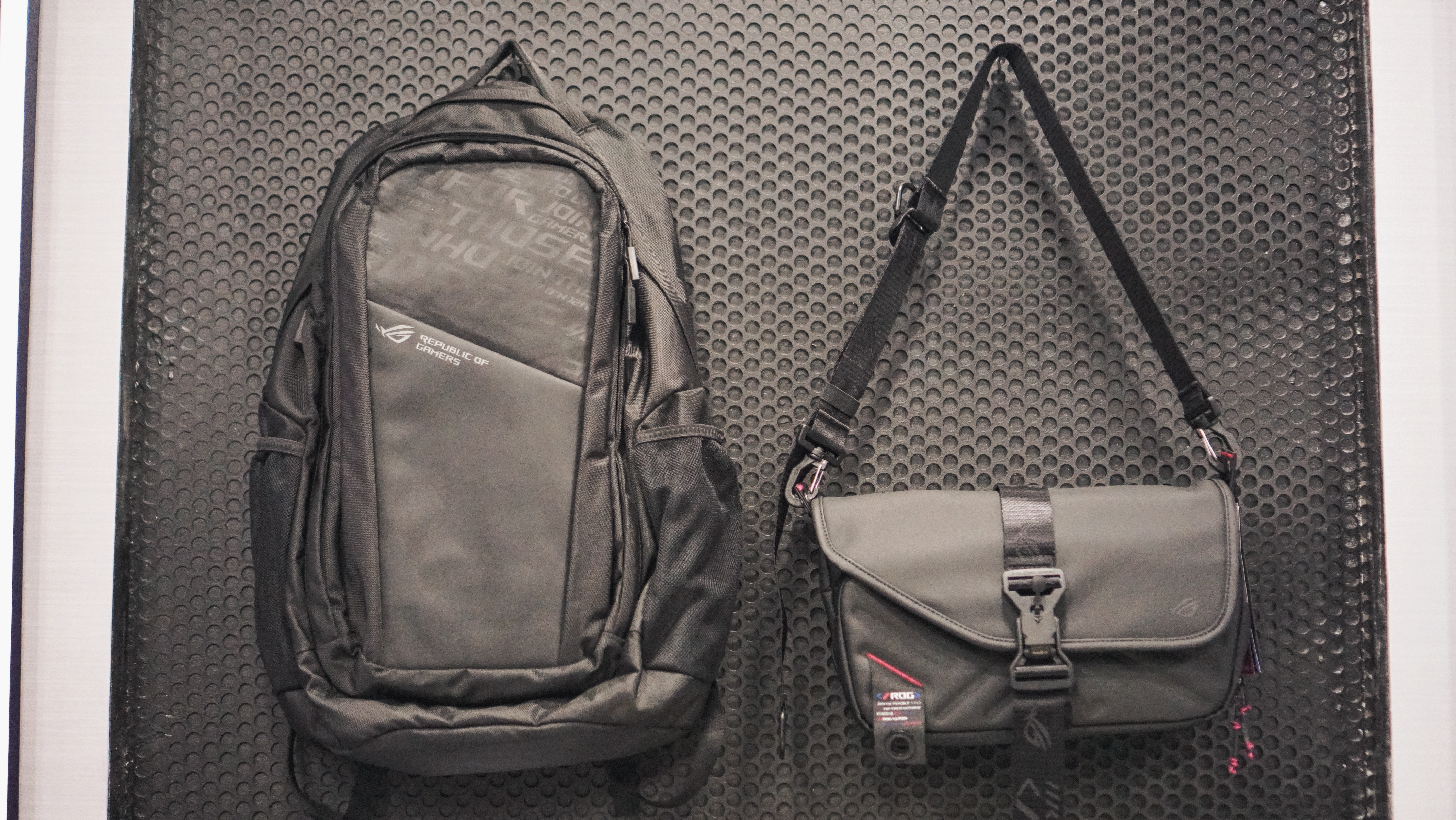
Meanwhile, the new ROG Slash Collection 4.0 accessories, including the Slash Backpack 4.0 and Slash Sling Bag 4.0, will arrive in select ROG stores starting July 2026.







AMD FSR Upscaling 4.1 now available for Radeon RX 7000 Series

GTA VI: New images unveiled as pre-order details, price finally announced

TECNO EllaClaw is your next-gen Agentic AI

HONOR continues APAC expansion, to launch 600 series in Taiwan

Honor, Xiaomi are working on their own Privacy Displays

TECNO’s POVA 8 5G is both futuristic and future-ready

Close without crossing: A Xiaomi 17T Pro photo essay

realme launches P4 Series 5G, including Power with 10,001mAh battery

The Xiaomi Watch S5 proves you don’t have to take it off

Buyer’s Guide: Xiaomi Pad 8 Series


-
 India2 weeks ago
TECNO’s POVA 8 5G is both futuristic and future-ready
-

 Gaming2 weeks ago
Kingdom Hearts IV gets new trailer, confirms Switch 2 release
-

 Gaming2 weeks ago
Final Fantasy fans have two big reasons to look forward to 2026
-

 Smartphones2 weeks ago
Upcoming realme C100 series to feature 8,000mAh battery
-

 News1 week ago
TECNO’s SPARK 50 Pro is the latest budget smartphone battery beast
-

 Buyer's Guide6 days ago
Buyer’s Guide: TECNO SPARK 50 Pro vs SPARK 50 5G
-

 News6 days ago
Budget smartphone realme C100 Series launches
-
 Laptops1 week ago
ROG launches 2026 Strix gaming laptop series