
Accessories
Sony WH-1000XM4 review: As good as it gets
Small improvements add up to a better overall experience

The Sony-WH1000XM line has been much hyped and it’s for a good reason. Ask anyone who’s ever used or reviewed these headphones and they’ll tell you how it’s one of, if not, the best they’ve ever used. The same is true for its latest version — the Sony WH-1000XM4.
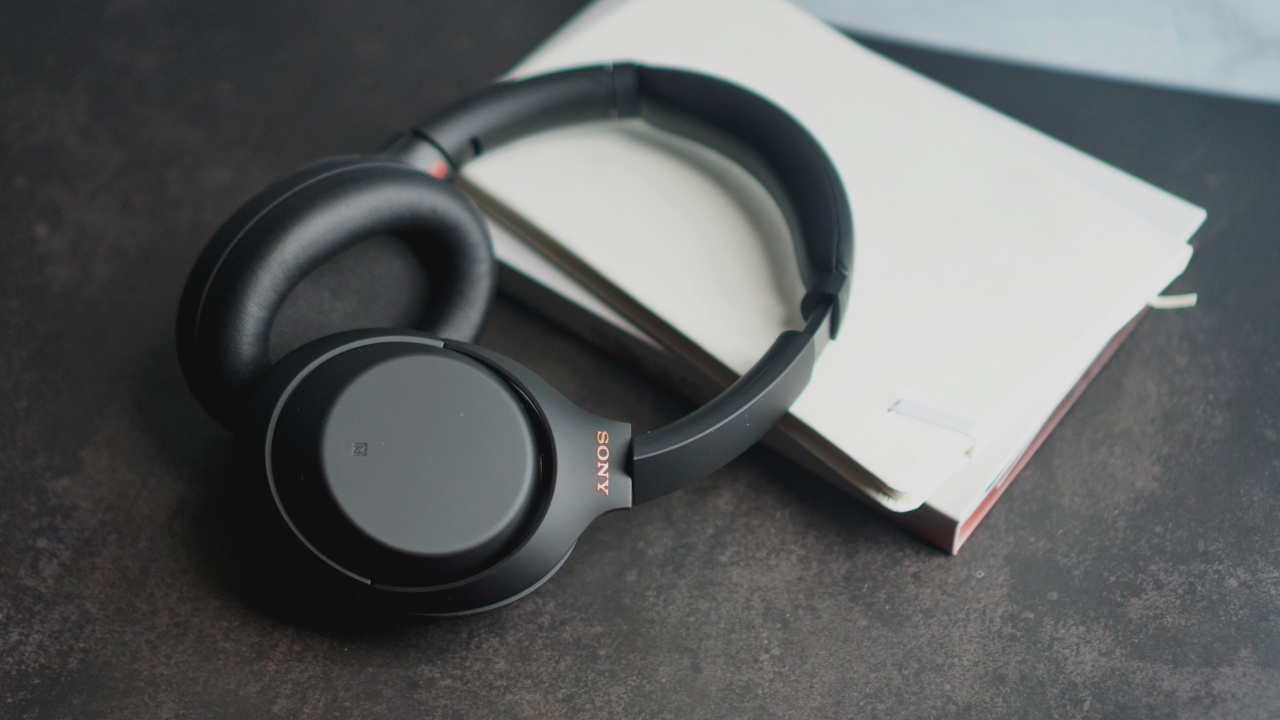
It maintains the simple and sleek design
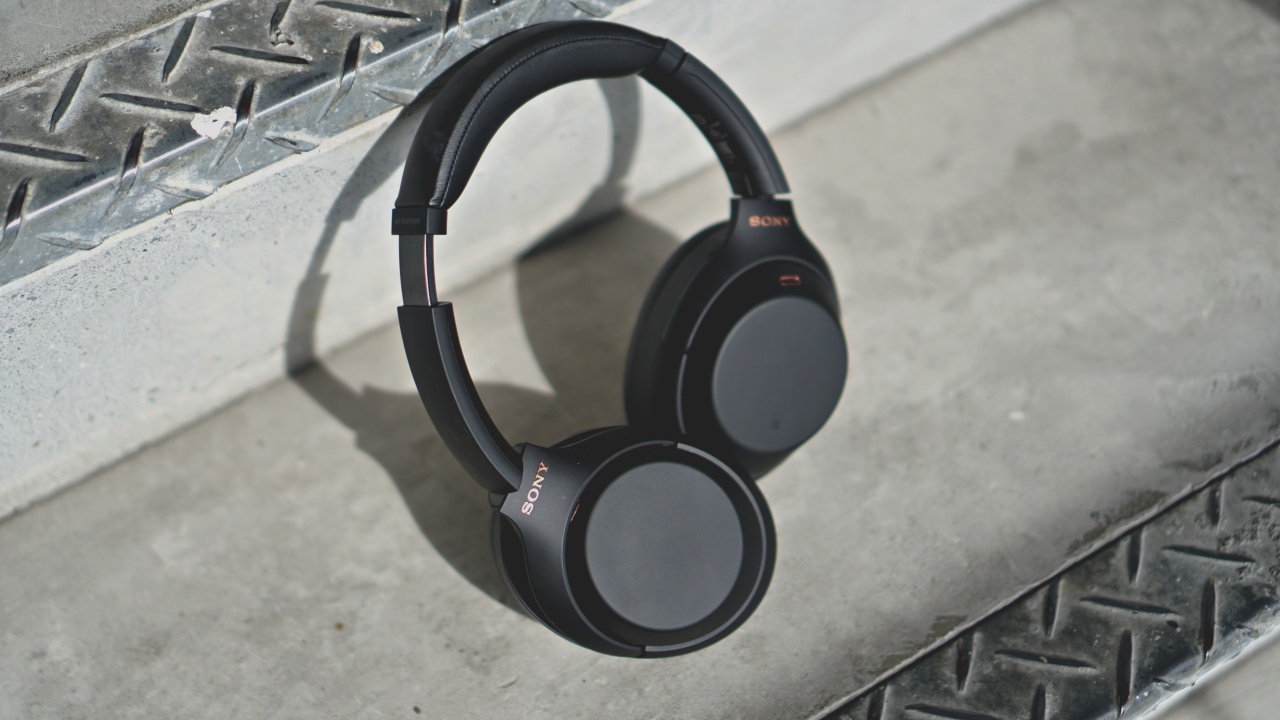
The red marker to quickly point which is right or left is also still here

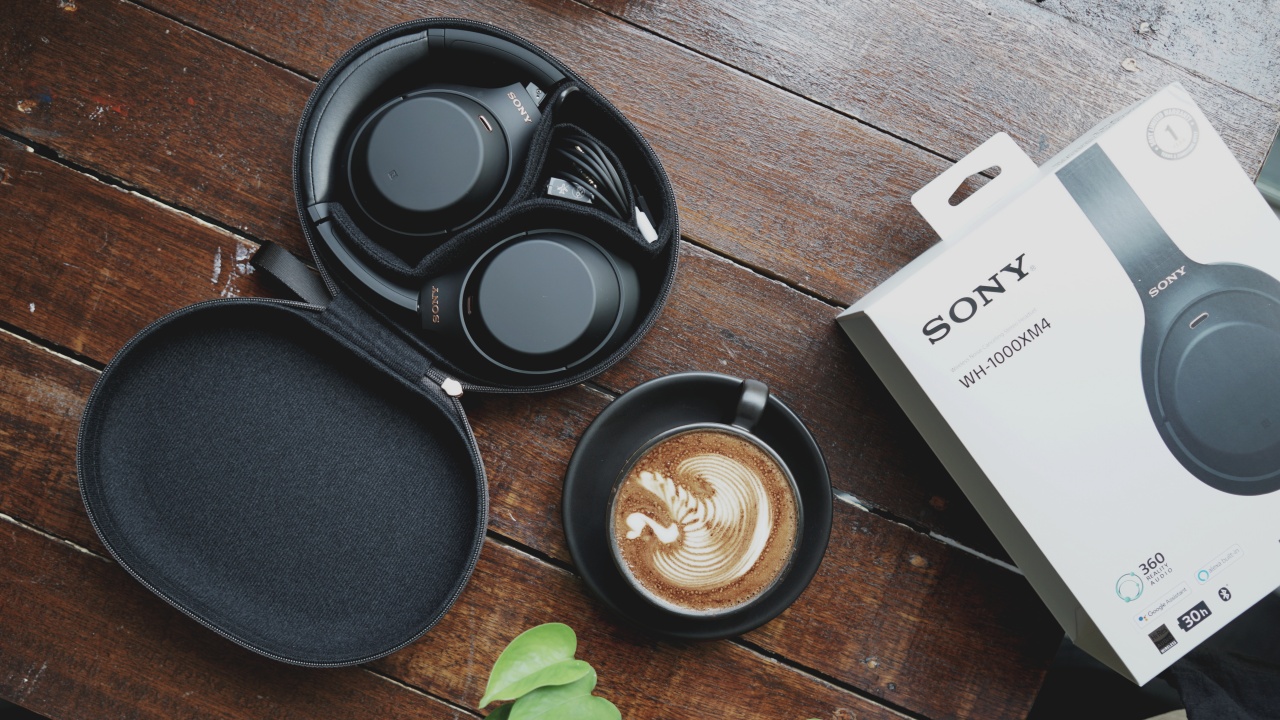
The product’s name is visible on either side so you don’t mistake it for the earlier versions
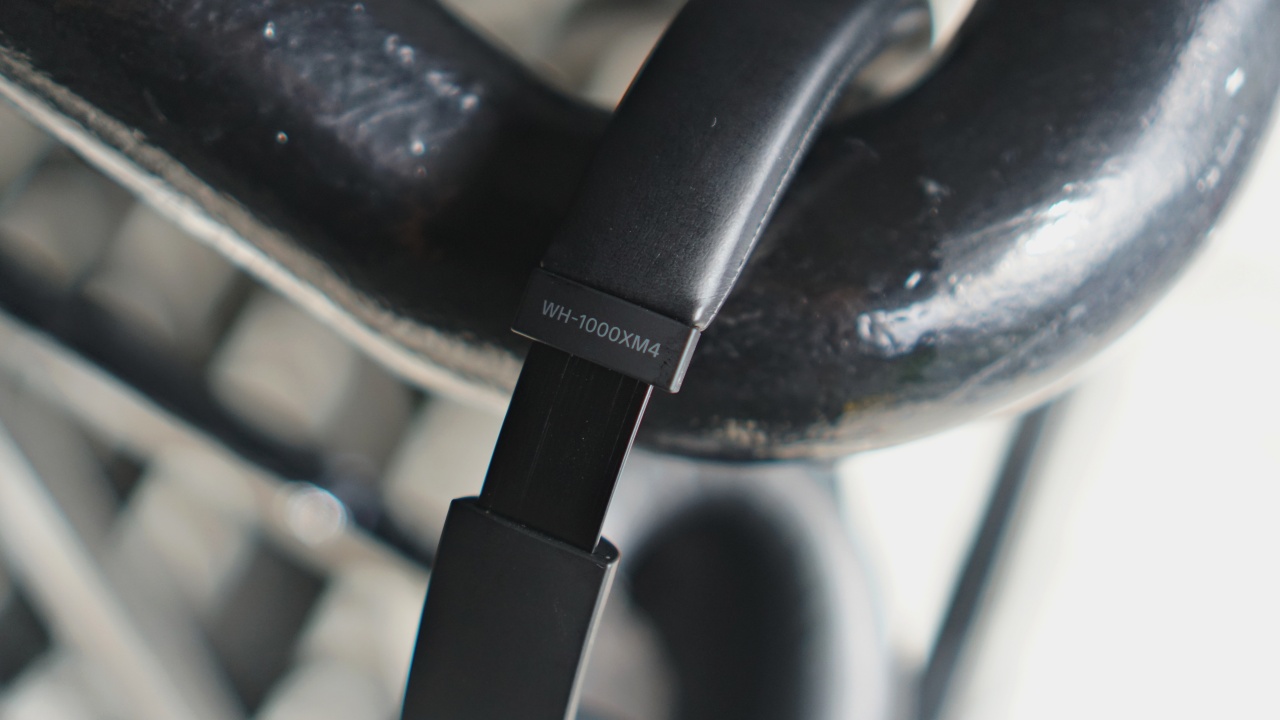
On the left side you’ll find the power button and the custom button that, by default, triggers your preferred Voice Assistant
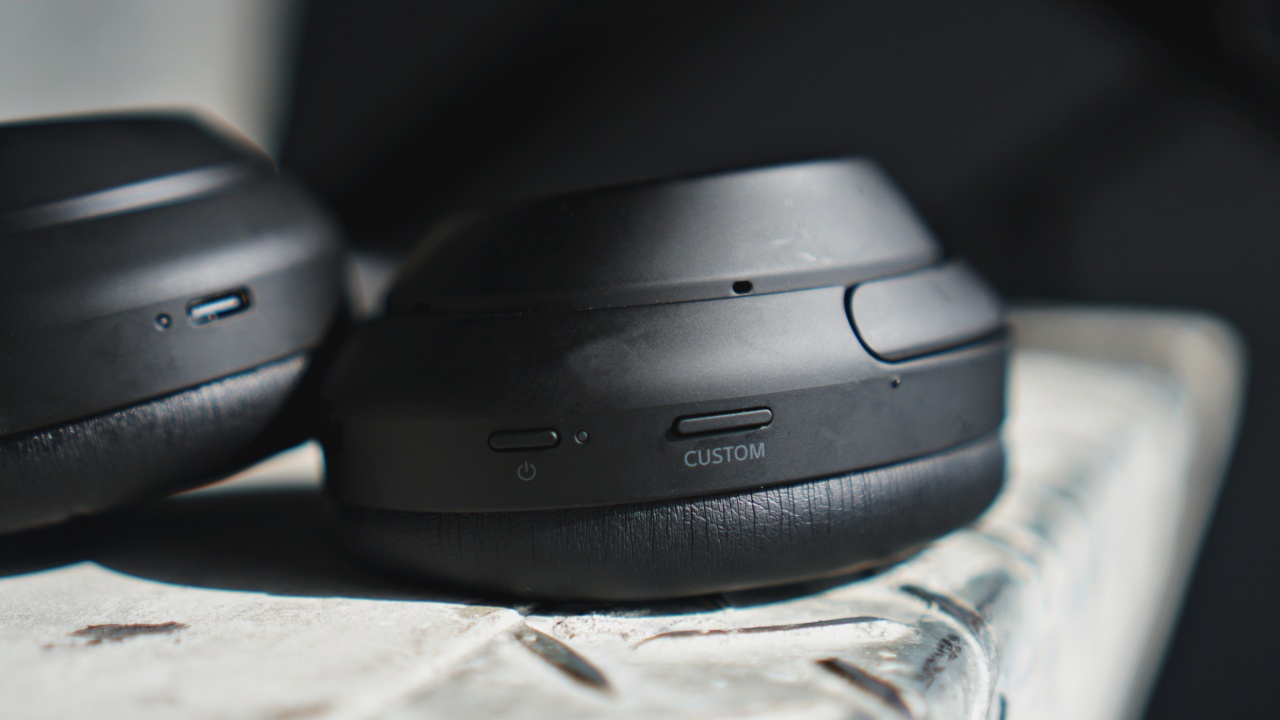
You have the USB port for charging and 3.5mm jack for when you want to stay wired

There’s a sensor inside the left ear cup so it knows right away when you take it off to pause music and conserve battery

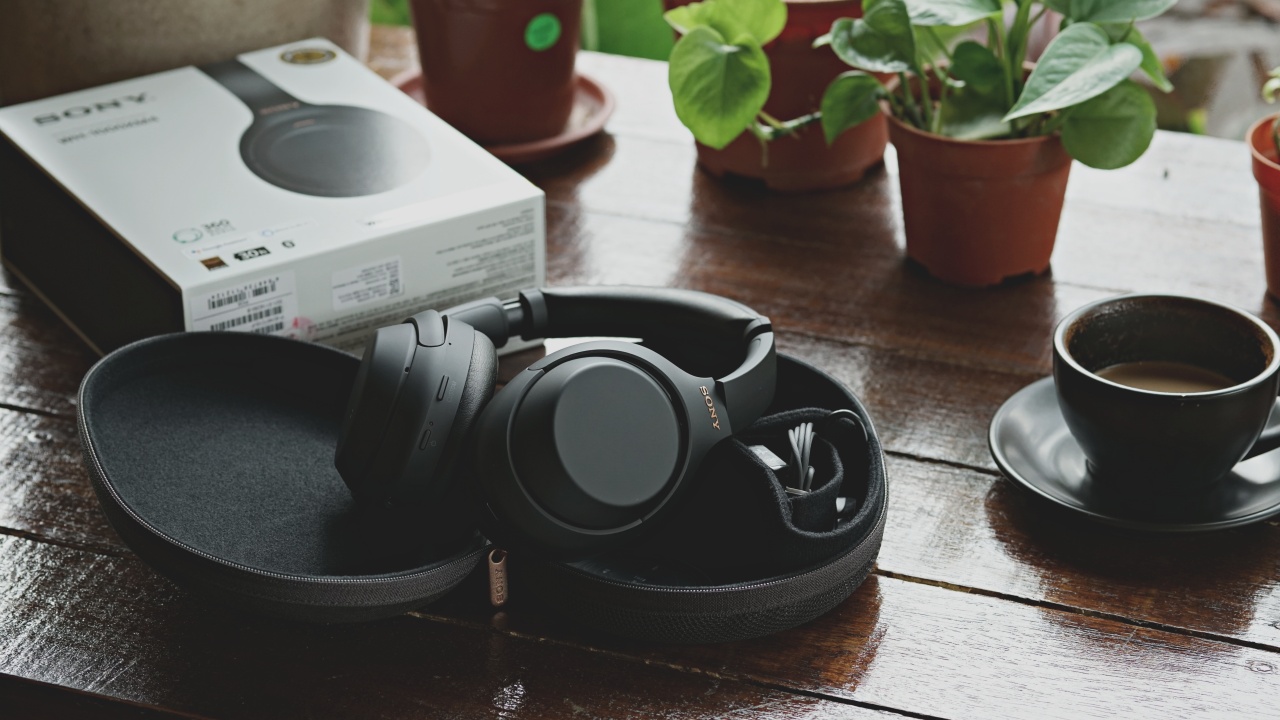
And it still comes with this equally nice and sleek case
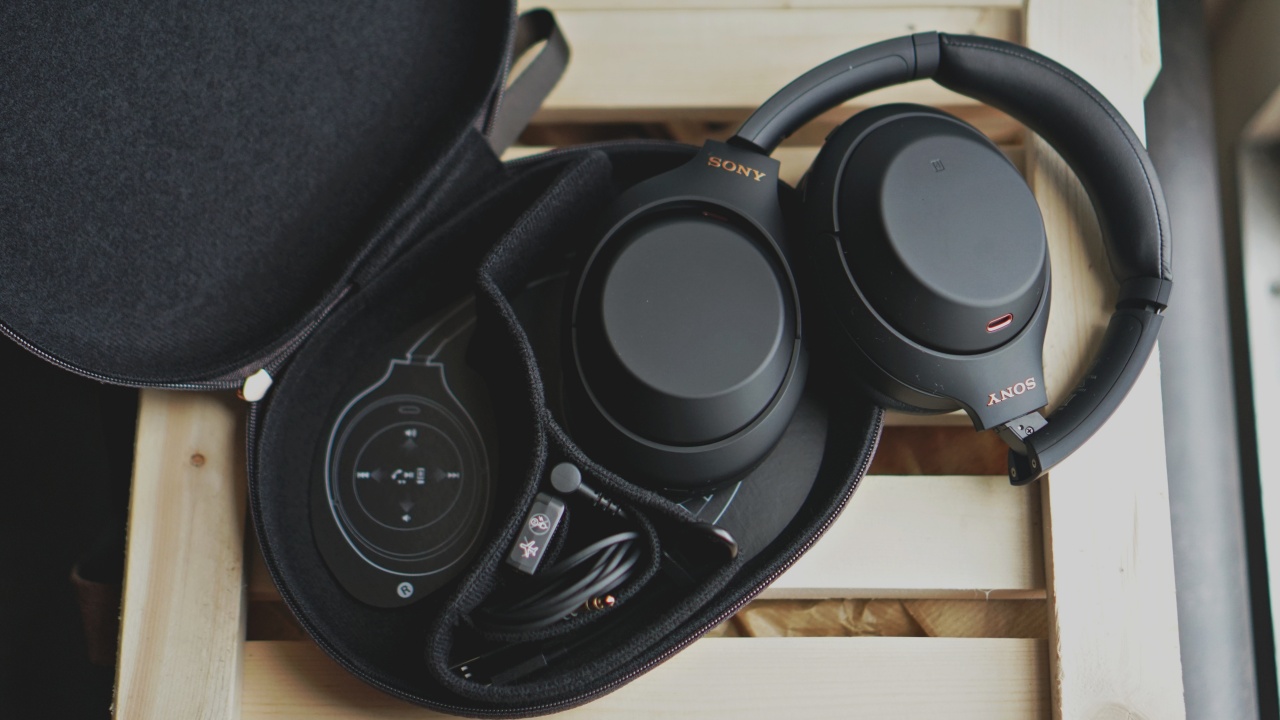
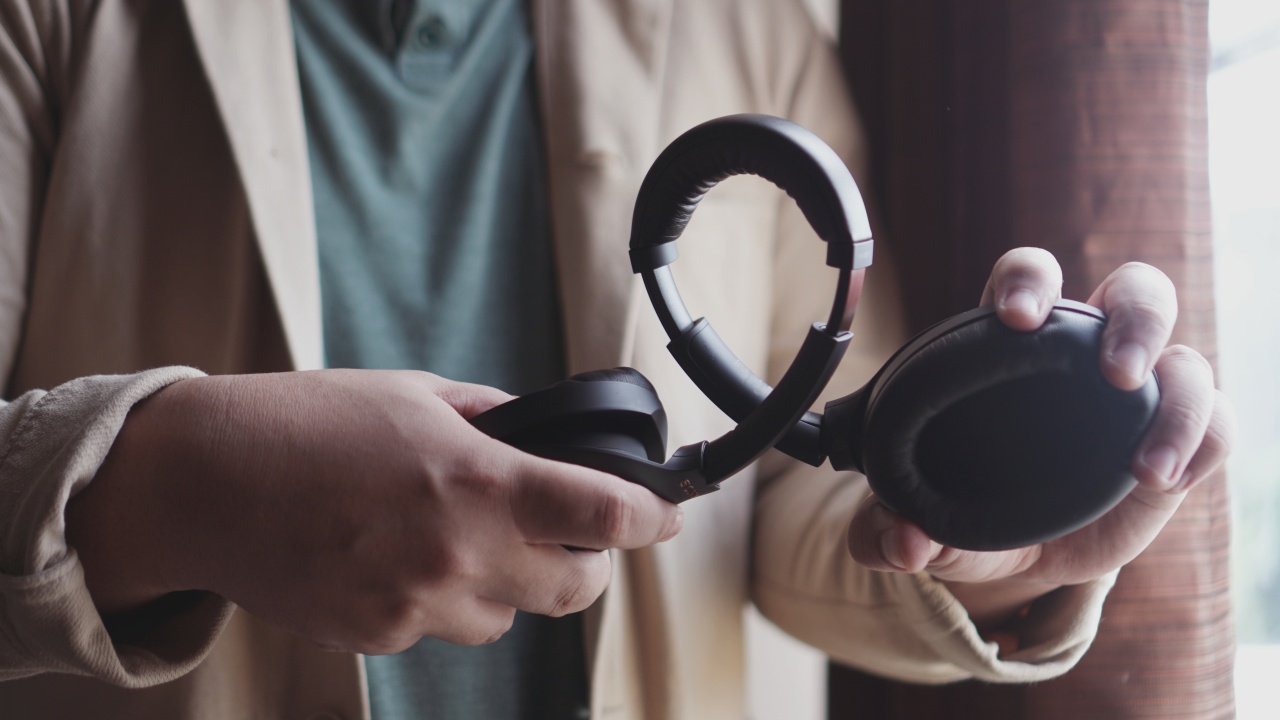
It’s also pretty bendy like the WH-1000XM3, but we don’t recommend you twist it like this often
Sony pretty much improved everything it could possibly improve on save for the name. To answer your questions about the device, Rodneil and CJ share their experiences while using the headphones.

Rodneil (L) going back to the next track and CJ (R) summoning the voice assistant
Oh and about the name, for brevity we’re mostly going to refer to the WH-1000XM4 as just the XM4. We’ll also do the same for other devices in the same line, i.e. WH-1000XM3 to XM3.
What new feature on the XM4 were you most excited about?
Rodneil: I wouldn’t exactly say excited but the ability to pair with two devices simultaneously was a long-time coming feature and I’m glad it finally made it to the XM4. Although, it’s prudent to point out that using the multi-device pairing feature will disable LDAC on phones that support it. That said, it still sounds amazing even with this turned off.
In case you didn’t know, LDAC is Sony’s proprietary audio coding technology which essentially transmits higher quality audio with less data and compression. Most flagship phones support this feature.

I imagine the Speak-to-Chat feature would work great if you’re out and about. However, since I am currently in isolation, the only thing it did was highlight how my voice doesn’t really sound good when I try to sing-along to TWICE’s songs. 😑
CJ: Honestly, I thought Sony did such a great job with the XM3 that I couldn’t think of anything they could have possibly added to the XM4. But using the XM4 over the last week, there’s a few new features that I really value.
As Rodneil mentioned, the ability to pair with two devices simultaneously is probably the most appreciated, even though it disables LDAC.
Funny enough, for me, the new Speak-to-Chat and Ambient Sound Controls turned out to be something I found incredibly useful. It’s like I’m wearing “Smart” headphones.

The XM4 will detect when you’re walking around outside and tune down the noise cancellation to allow you to hear ambient sounds like cars passing by. But most impressive of all, though a little gimmicky at times, it can now detect when you’re speaking and will turn down the noise cancellation and volume.
Pretty handy when you want to stop by that coffee shop to get your morning coffee on your way to work in the morning. Of course, if you find these features too buggy, you can switch them off in the Sony Headphones app.
Where and when would you typically use these headphones?
Rodneil: Pre-pandemic, I would put it on to zone out of the workplace and zone in on whatever I’m working on. Now that we’re in a new normal and I’m working alone at my place, I mostly use headphones during video calls and as accessories when shooting smartphones haha.
But anything with noise-cancelling, for me, is extremely helpful in maintaining focus. I usually put these on when I’m about to go on a writing marathon. I’ve been pretty scatter-brained the past few months and having headphones with ANC really helps me lock in.

Just looking out the window, pondering my life choices while tuning out the world
I also recently downloaded the DLC for Marvel’s Spider-Man on the PS4 and have used the XM4 while gaming. Immersive might be an understatement to describe the experience. It sounds even better on certain other games that really pay a lot of attention to sound.
CJ: Thankfully Malaysia has gotten back to some sort of normality so we’re all out and about right now.
The XM4 is great for my morning commutes to work and back home, be it via the LRT or a GrabCar with a really chatty driver. I’m really antisocial in the mornings and I can’t handle conversations. With the XM4, wear them, switch them on, and the active noise cancellation blocks everything out. You’re on your own private island in the middle of nowhere, just you and your music — it’s amazing.

But that being said, pre-pandemic, the main reason I’d get these headphones would have been for traveling. Long flights, or even a long bus ride, are so much easier to deal with when you have a good pair of noise cancelling headphones. With the crazy long battery life, the great noise cancellation, and the solid audio quality, the XM4 is more than equipped to handle it.
Have you used this during calls, zoom meetings? Did the person on the other line think you sounded okay?
Rodneil: I’m mostly just listening in the handful of calls and meetings I attended while I had these. But on a couple of calls that I had to speak, the other person on the line said I sounded… okay.
I called the same person using a much cheaper pair of TWS earphones but that one had the stem design which had mics. Those mics picked up my voice better than the ones on the WH-1000XM4 and they’re a fraction of the XM4’s price.
However, they can’t hold a candle to the XM4’s sound quality. Just know that these were made primarily for listening and noise-cancelling. The mics on the XM4 are decent but the quality for calls leaves room for improvement.

CJ: Same here actually. They’re just… okay for voice calls. But then, with these headphones they’re all about the audio quality, for listening to music.
I don’t think microphone quality should be high up on your radar of expectations with any of these sorts of high-end ANC headphones.
If you have the XM3, should you upgrade to this?
Rodneil: It’s been over a year since I used the XM3 and I would say that for the most part, you’re getting pretty much a comparable quality performance. Despite the long gap between the devices, the XM4 feels like a refinement of the XM3 instead of a full-on upgrade.
If your only concern is getting top-notch noise-cancellation along with the cleanest, fullest sound you can experience from headphones then the XM3 is still a fine choice. It’s now cheaper wherever you can get Sony headphones and you’re only missing a few bells and whistles like Speak-to-Chat and marginal improvements in overall quality.
CJ: Likewise, I think if you have the XM3, there’s no reason to upgrade to the XM4.
In fact, thanks to the XM4 launching, prices for the XM3 have actually dropped quite a bit, making them even better value for money right now since they are still one of the best ANC headphones out there.
Like Rodneil said, the XM4 is more like a refinement of the XM3. If you’re not on a budget, the XM4 is by far the best ANC headphones right now, and really easy to recommend.
How can Sony top this?
Rodneil: For what it’s trying to be, the Sony WH-1000XM4 is probably as good as it gets. The noise cancellation is best-in-class and the sound quality is the type that will make you want to dance like an idiot.
I guess you can say Sony can tweak the design or add more colors. However, from the get-go it seems that’s not how these are being positioned. And Sony has an entirely different line if you want spunkier looking headphones.
Personally, I think it’s a great chance to reboot and rename (please, Sony, please) this line of headphones should the next one try something radically different while also maintaining everything we love about it.
CJ: Remember when I said I didn’t know how Sony could improve on the XM3? Well, I don’t know how Sony could possibly improve on the XM4 either. It has everything you or I could even want in a pair of noise cancelling headphones, and there’s really no flaw to speak of.
I know a lot of people have voiced their opinions on how Sony needs to innovate on their headphone design though, which would be the only way they could really improve on these.
Maybe they could explore a different, cooler design on an alternate model, kind of like how Bose dropped the new Bose 700NC headphones after the last Bose QC35 II headphones.
Questions from Matchketeers
Michael Lascano — Would like to know if noise cancellation is better for virtual meetings vs bose (700 NC)?
Dornak del Rosario – Microphone comparison of xm3 and xm4 when doing calls.
CJ: IMHO between the Bose 700 and the Sony XM4, I really think the XM4 is the better all around package. Better audio quality, better noise cancellation, better “smart” features. They’re almost the same price but the Sony’s are way better value for money.
For virtual meetings though, I’d wager they sound pretty much identical. It’s only when it comes down to the music listening that you’d hear the difference in soundstage.

Michael Joshua Ano-os — Does it sound better when playing music on YouTube?
Rodneil: It’s certainly better than any other headphones or earphones I’ve used in the past. That’s true whether I’m playing music from YouTube, Spotify, or any other app.
Is this your GadgetMatch?
The Sony WH-1000XM4 is priced as follows:
- Philippines — PhP 19,999
- Malaysia — MYR 1,599
- Singapore — SG$ 549
- US — US$ 349.99
That’s pretty much the launch price of every other headphone in the same line. For some people, that’s a big ask for a pair of headphones. The thing is, you’re not getting just any other pair of headphones.
The Sony WH-1000XM4 is easily the best choice as the premium, everyday headphones. It’s the perfect travel companion — that is, for when we can all actually travel again — and is just a stellar package of sleek and subtle design, astonishing sound quality, and unmatched noise cancellation. You can’t go wrong with these.
In Singapore, Sony is running a trade-in promotion for the WH-1000Xm4. Customers can have SG$ 80 off by trading selected noise cancelling models. Click here to find out the models that qualify and for more details.






Accessories
Father’s Day gift guide: Gadgets for every kind of dad
Dad deserves a gift that won’t collect dust after Father’s Day

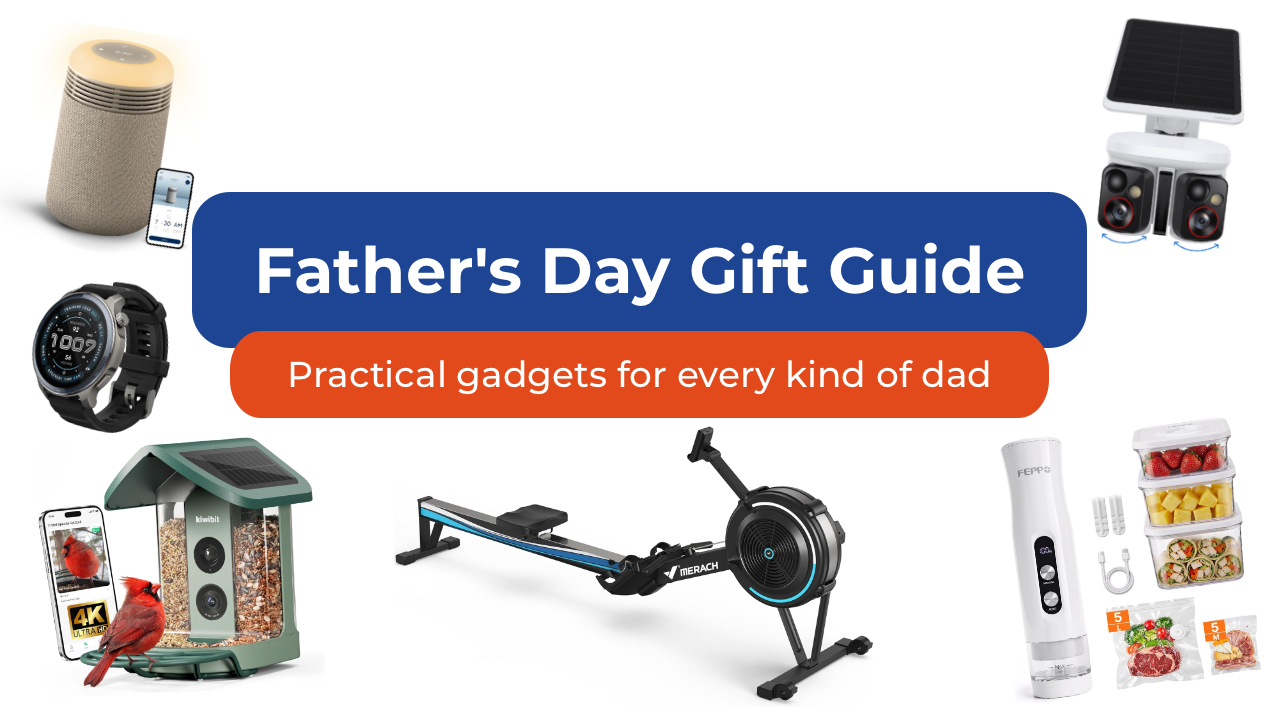
As we get older, Father’s Day shopping gets a lot easier when you stop thinking about the typical dad gifts. Especially since it’s not always your dad you’re shopping for anymore. It could be your grandfather who insists he doesn’t need anything. Maybe it’s your brother who just became a dad and is running on three hours of sleep. Maybe it’s your father-in-law.
Whoever it is, here are some of my favorite picks to give them this year. Spoiler alert: there are no “World’s Best Dad” mugs included in this list.
For the dad who wants a smarter home
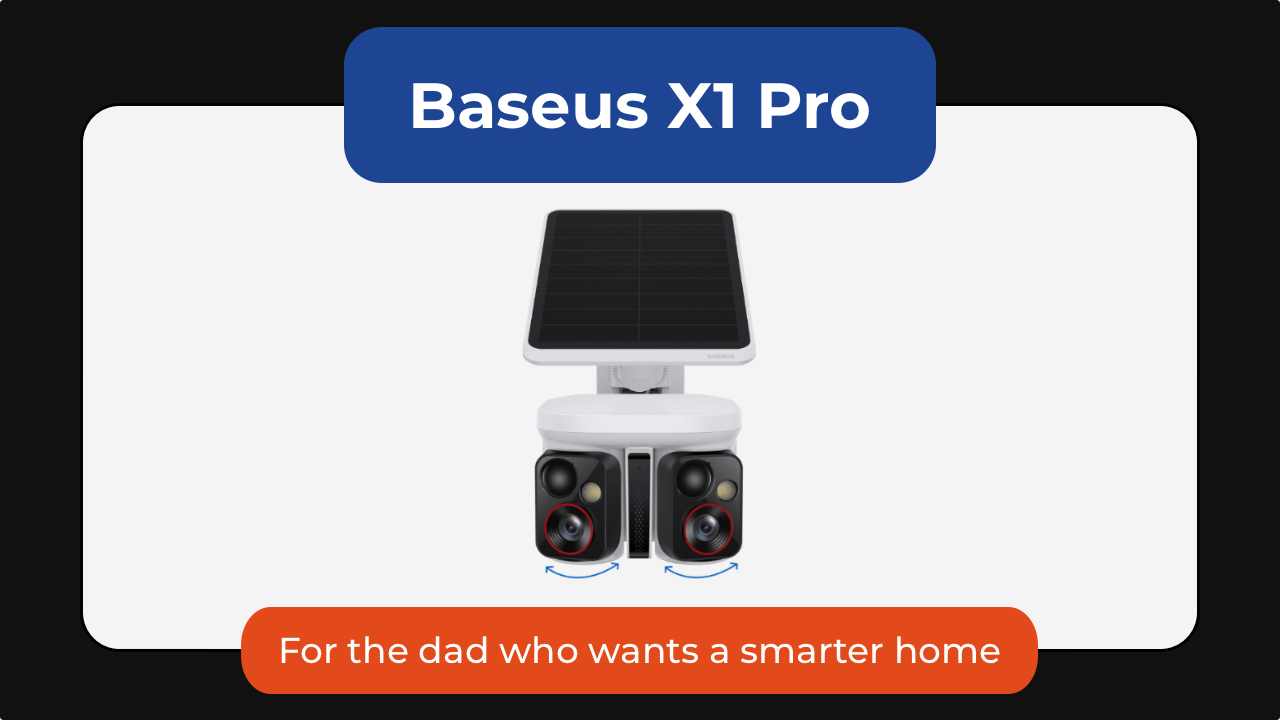
Some of the best tech is the kind you stop noticing because it just runs in the background. The Baseus X1 Pro dual security camera is one of those. It combines a dual-lens design with a wide 210-degree field of view and 300-degree motion tracking, allowing it to cover areas that would normally require multiple cameras.
What makes it stand out is its ability to track two subjects at the same time. Unlike traditional security cameras that can lose sight of one person while following another, the X1 Pro’s dual-lens system can independently follow both, creating a more complete picture of what’s happening around his home.
Its dual 3K cameras capture plenty of detail during the day, while color night vision and 8x zoom make it easier to identify visitors, vehicles, and other activity after dark.
The included solar panel means less maintenance for dad. As little as 20 minutes of direct sunlight can provide enough power for a full day of operation. It’s also got local storage with no monthly subscription fees.
You can get the Baseus X1 Pro for as low as US$119.99 using the code X1PROPRNO1 until June 30th.

And then there’s the Ecovacs Winbot W2 Pro Mini, which solves one of the most ignored chores in any home: cleaning windows. Dad can attach it, let it run, and something everyone’s been avoiding for months just disappears from their mental checklist.
From large glass panels to smaller apartment windows, the compact robot cleaner uses intelligent WIN-SLAM 4.0 navigation to map out the most efficient cleaning path and avoid missed spots. Multiple cleaning modes let you choose between a quick refresh, deep cleaning, edge cleaning, or targeted spot cleaning depending on what the glass needs.
Hard-to-reach windows become less intimidating for dad to clean. Whether it’s a second-story window, a glass door, or a large mirror, the Winbot stays securely attached while it works, turning a tedious chore into a hands-free task.
You can get the Ecovacs Winbot W2 Pro Mini for just under US$240.
For the dad who’s always in the kitchen

Every family has someone who treats grocery shopping like strategy. If that sounds like your dad, then the FEPPO compact food vacuum sealer is a great addition to the family.
It keeps food fresher longer, makes bulk buying from Costco more practical, and turns freezer storage a lot more organized.
Unlike traditional countertop vacuum sealers, the FEPPO is compact, cordless, and rechargeable, making it easy to store when not in use. Despite its size, it delivers strong suction and can seal food in just a few seconds with a single button press.
The included kit comes with 10 reusable BPA-free vacuum bags and three storage containers. The bags and containers are washable and reusable, s not only are you saving space in the fridge or freezer, you’re also helping reduce waste.
I also like that FEPPO designed it with a detachable water tank that collects excess moisture during the sealing process, making cleanup simpler and helping keep the machine running smoothly over time.
It doesn’t look exciting on paper, but once it’s part of dad’s kitchen routine, they’ll wonder how they managed without it, and thank you later.
Get the FEPPO Compact Vacuum Sealer for Food for under US$70.
For the dad who needs any excuse to be outdoors
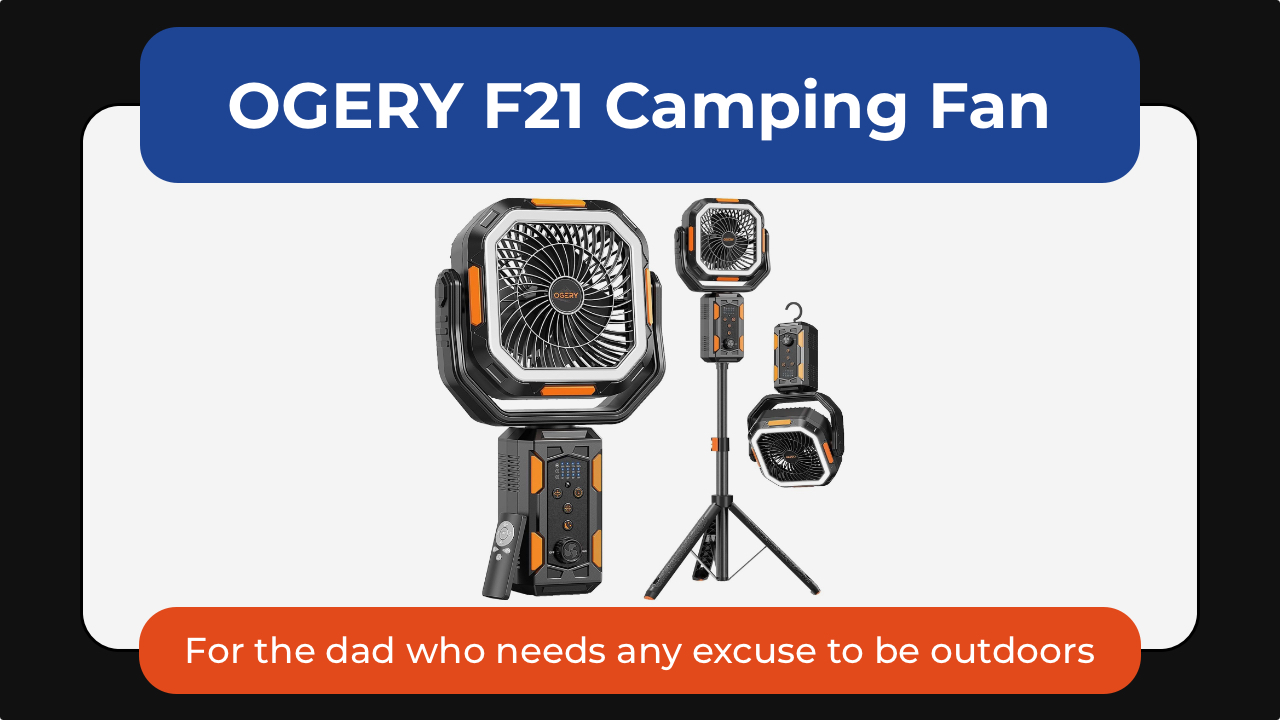
Some dads are indoors dads. Others will take any excuse to be outside. The OGERY F21 camping fan is one of those small upgrades that makes outdoor time noticeably more comfortable—not just for them but for the whole family. Whether it’s camping trips, backyard BBQs, RV adventures, or just surviving peak summer heat, it’s a gift dad would surely appreciate.
What makes it stand out is its versatility. The adjustable tripod lets it work as either a floor fan or desktop fan, while the massive 20,000mAh battery can keep air moving for days on lower settings. It also doubles as an LED lantern and emergency power bank, perfect for camping camping and even power outages.
Dad will love the wide-angle oscillation and the included remote control so he can sit back and relax while cooling down.
The OGERY F21 Camping Fan is available for US$89.99.
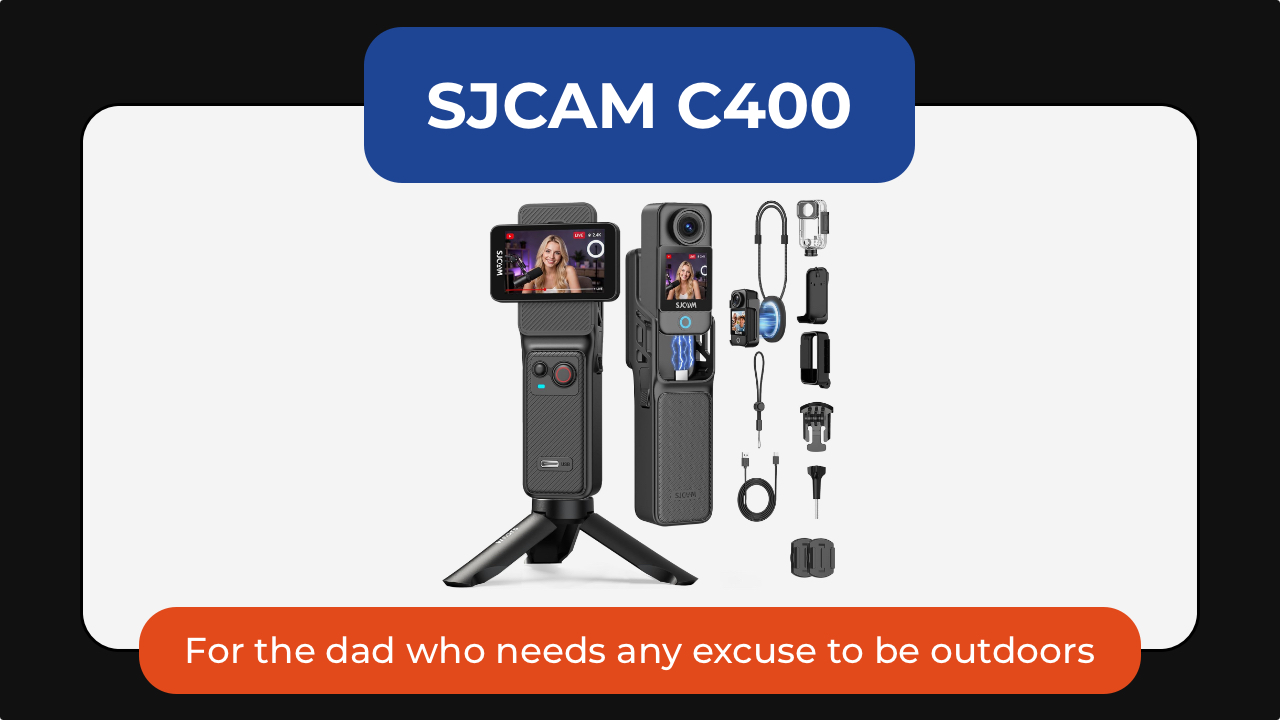
The SJCAM C400 action camera is for the dad who is always doing something worth remembering: biking, fishing, hiking, skiing, traveling, or just being the unofficial family photographer.
It captures 4K video through a wide 154-degree lens, making it easy to record everything from scenic landscapes to fast-moving action. Built-in 6-axis image stabilization helps keep footage smooth even when the camera is mounted to a bike, helmet, or backpack. Its battery life is rated to last up to seven hours so his adventures get documented before needing a top up.
The C400 also supports features like slow motion, time-lapse, and wireless app control, making it equally useful for adventure loving dads or one who simply wants a hands-free way to capture family memories.
Get the SJCAM C400 Action Camera for US$179.99.

And the Kiwibit smart bird feeder turns into something unexpectedly addictive. It’s the perfect gift for the dad who enjoys slowing down and appreciating the little things.
The built-in camera captures 4K video and 8MP photos through a wide-angle lens, allowing you to watch visiting birds up close and even check in after dark with infrared night vision. Two-way audio also lets you listen in on the activity happening outside.
For dads who enjoy learning, Kiwibit’s AI can identify more than 10,000 bird species and send alerts whenever a new visitor arrives. The companion app automatically creates galleries and summaries, making it easy to keep track of backyard regulars.
The feeder itself is thoughtfully designed, too, with a solar-powered roof, removable battery, and a dual-compartment seed hopper that can attract a wider variety of birds. It’s the kind of gift that would keep delivering small moments of joy long after Father’s Day is over.
For the dad who treats his car like a second home

Cars collect everything. The FEPPO cordless vacuum handles the everyday mess: crumbs, dust, snack debris, pet hair, and whatever else somehow finds its way into the car. Powered by a brushless motor, it delivers strong suction while remaining cordless and easy to maneuver around tight spaces like dad’s car.
What makes it particularly useful for busy households is its thoughtful design. The anti-tangle brush helps prevent hair from wrapping around the roller, while a multi-stage HEPA filtration system captures fine dust and allergens before recirculating cleaner air.
Long battery life means it’s ready for quick cleanups without constantly needing a recharge. The different attachments make it easy to clean around the house or car.
The best part is you can get the FEPPO Cordless Vacuum Cleaner for under US$200.
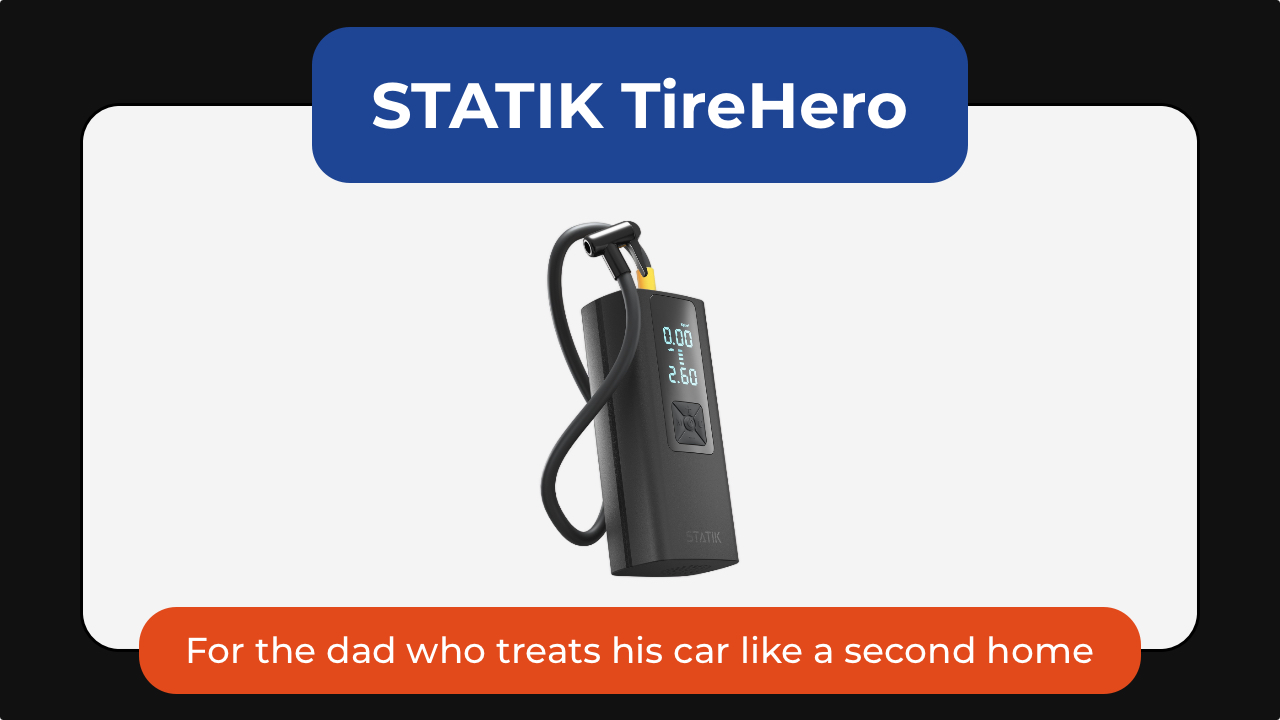
The STATIK TireHero tire inflator is the tool you never think about until you reallyy need. It lives in the glove box until the exact moment it saves you from a low-pressure warning, a road trip delay, or a late-night stop at a gas station air pump.
Beyond inflating car tires, it can also handle bike tires, sports balls, paddleboards, air mattresses, and other inflatables, making it surprisingly versatile for road trips, camping, and family outings. It even doubles as a portable power bank for charging a phone in an emergency and includes a built-in flashlight for nighttime use.
It’s a practical gadget that may not feel exciting when dad unwraps it, but becomes invaluable the first time he actually needs it.
The STATIK TireHero is available for US$59.99.
For the dad who brings people together
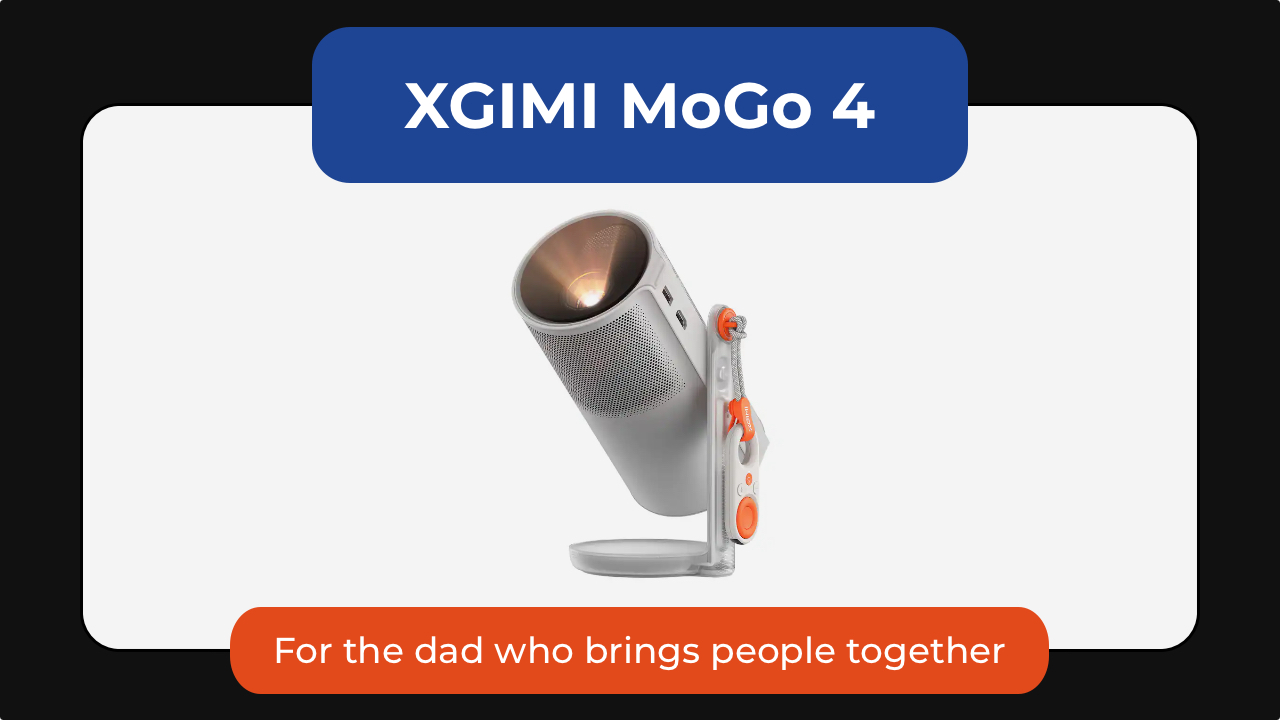
Some of the best gifts will keep on giving. The XGIMI MoGo 4 portable projector turns any blank wall into a movie screen. Dad can set up backyard movie nights, World Cup watch parties, or casual weekend hangouts without needing a dedicated entertainment room.
What makes the MoGo 4 special is how portable it is. About the size of a tumbler, it’s easy to toss into a bag for camping trips, vacations, or visits with family. The built-in battery provides up to 2.5 hours of viewing time so you can enjoy a movie without needing to plug it in. It’s also got a 360-degree adjustable stand and automatic image correction to make setup almost effortless.
Despite its compact size, it delivers Full HD 1080p visuals, built-in Harman Kardon speakers, and Google TV with licensed Netflix support.
The XGIMI MoGo 4 is now US$469.

The Liiton American Peaks whiskey decanter set is for dads who have had a stressful year. It helps them slow down, unwind, and appreciate the ritual of pouring a drink at the end of a long day.
Inspired by some of the most iconic mountain ranges in the US, the set includes a crystal decanter and four whiskey glasses featuring detailed 3D mountain impressions molded into the base. Beyond looking beautiful on a bar cart, the mountain design helps chill and aerate the drink. Place the glass in the freezer and in just 18 seconds he gets a drink that stays cold until the last sip, thanks to its proprietary X1 Crystalline Chill Charge System.
Made from heavy lead-free crystal with a weighted base, the glasses feel substantial in the hand and elevate everything from bourbon to tequila. The included gift-ready presentation box also makes it feel like a truly special Father’s Day gift.
And because the set includes four glasses, it’s just as much about sharing a drink with friends and family as it is enjoying a quiet moment alone.
The American Peaks Whiskey Decanter Set is available for under US$130.
For the dad who likes to express himself

The INKWON TAG is probably the most unexpected product in this entire list. This pocket-sized printer can create stickers, temporary tattoos, iron-on transfers, and photos directly from a smartphone. Paired with the INKWON app, it can turn almost any image into something physical within minutes.
That’s where it gets fun. One day it might be custom stickers for a water bottle. Another day it’s temporary tattoos for his kids. It can even be used to create personalized shirts, tote bags, and keepsakes. For dads who enjoy making things, it’s the kind of gadget that sparks creativity long after Father’s Day is over.
The INKWON TAG starts at US$199.
Not every gift needs to change someone’s routine. Some just make it slightly better.
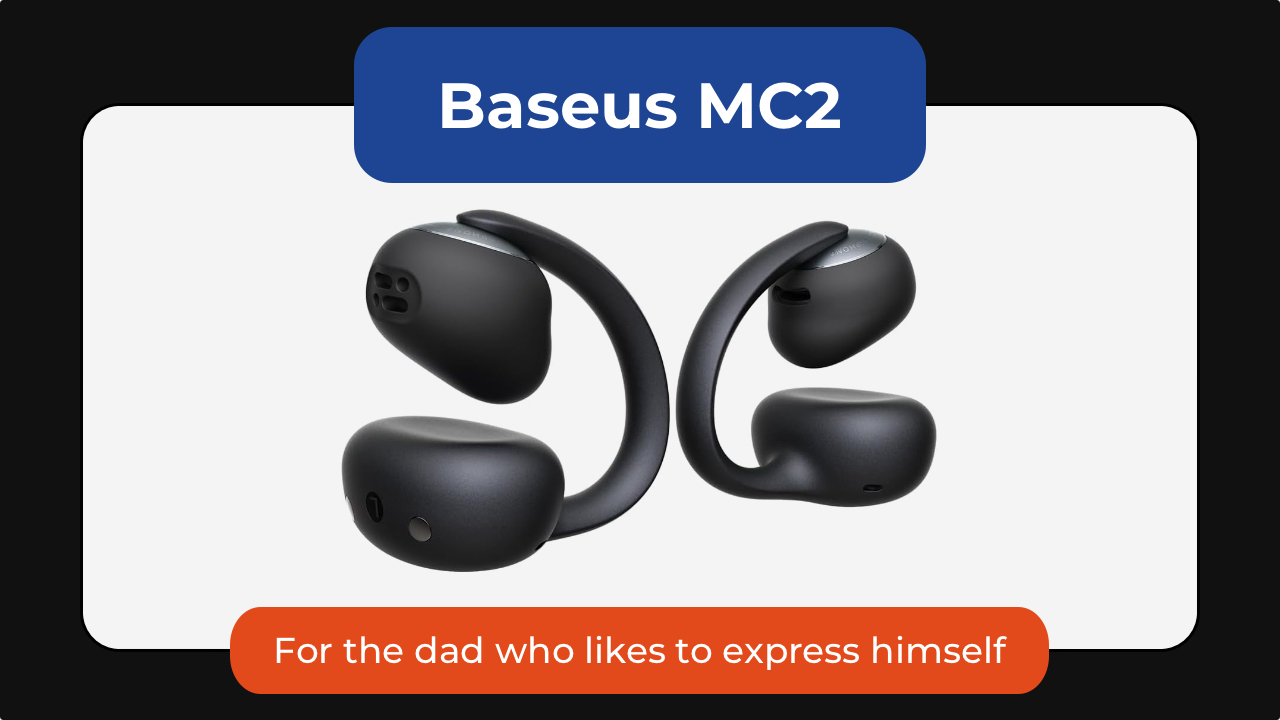
The Baseus MC2 open-ear earbuds are for dads who always have something playing in the background. Unlike traditional earbuds, the open-ear design lets them enjoy music, podcasts, or audiobooks while staying aware of traffic, conversations, and everything happening around them.
They’re lightweight enough to wear for hours, offer impressive battery life, and deliver surprisingly rich audio despite their compact clip-on design.
Get the Baseus MC2 open-ear earbuds for US$49.99 using the code MC2OWSPR.

Then there’s the Posh Tech Hunt distressed leather Apple Watch band, which transforms one of the most common pieces of tech into something with a little more character.
Made from genuine distressed leather, it develops a worn-in look over time that feels more personal. It’s a simple upgrade, but one that can make an Apple Watch feel less like a gadget and more like an everyday accessory. It’s available for US$35.
For the dad who’s focused on staying well
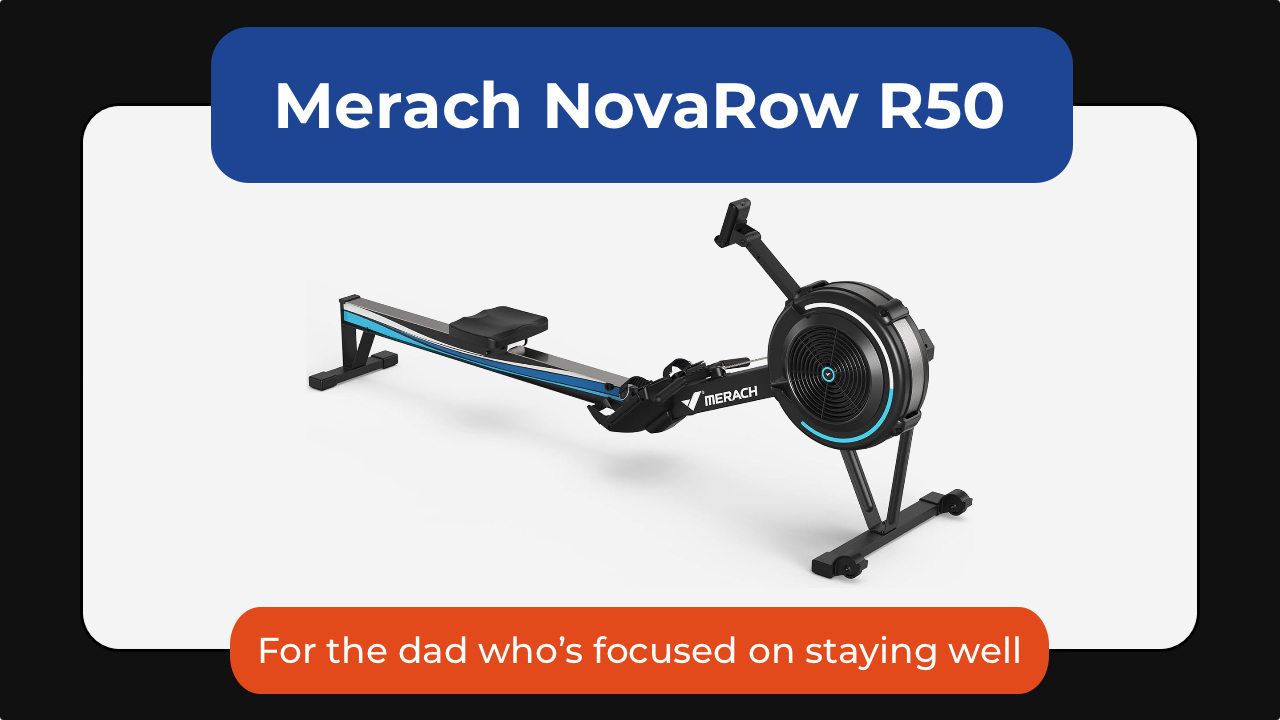
The Merach NovaRow R50 rowing machine is one of the best examples of low-impact fitness that can stick. It’s a full-body workout that engages his legs, core, back, shoulders, and arms, all while being easier on his joints than running or other high-impact exercises.
What makes it work isn’t intensity; it’s consistency. The movement is smooth, the setup is simple, and the Merach app adds guided workouts, performance tracking, and scenic rowing routes that make it easier to show up again tomorrow.
With 10 levels of air resistance, it can grow alongside dad’s fitness journey, whether he’s just getting started or looking for a more challenging workout. It also folds for easier storage, making it a practical option for apartments and home gyms alike.
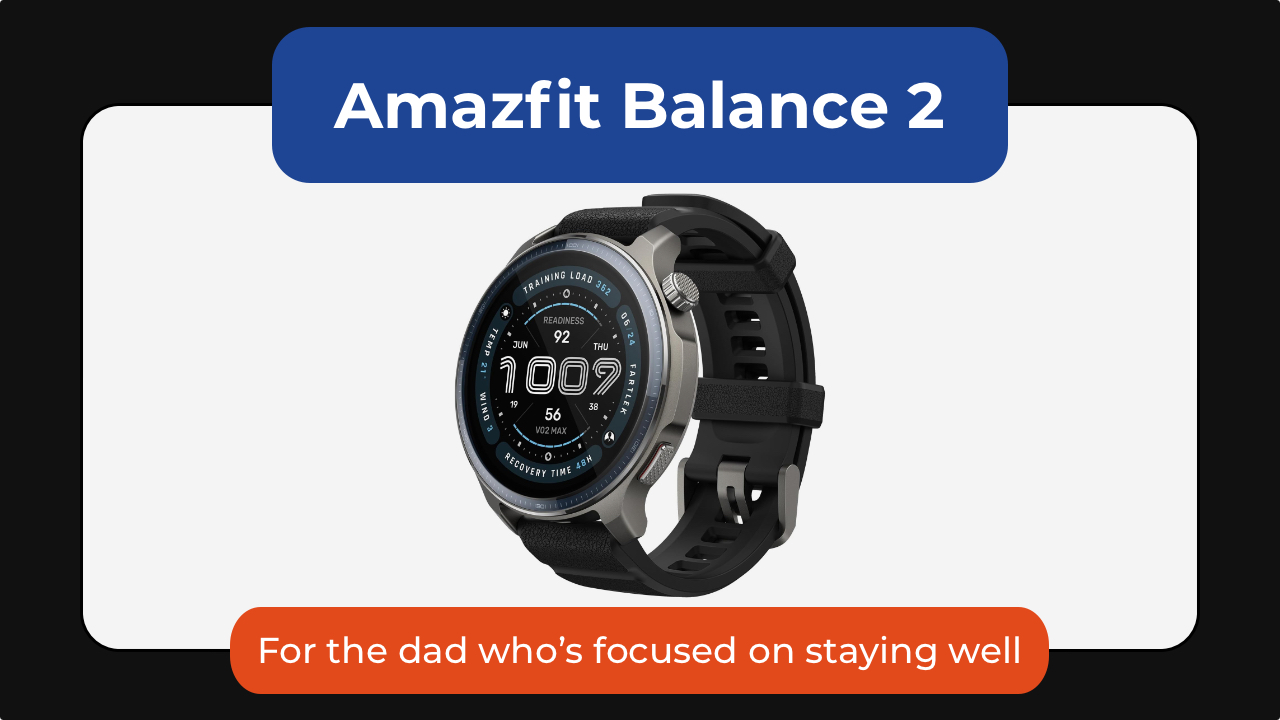
The Amazfit Balance 2 is one I gave to my dad, who’s almost 70. He’s not training for anything nor is he tracking performance. What the smartwatch has done is he is paying a little more attention to himself.
He checks how much he’s moved. He looks at his heart rate. He notices patterns he wouldn’t have thought about before.
At the same time, it scales up for someone who is more active. With over 170 sport modes, recovery insights, golf mapping, scuba support, and up to 21 days of battery life, it’s a great smartwatch no matter the recipient’s fitness level.
Get the Amazfit Balance 2 for US$299.99.

And then there’s the CAVN blood pressure monitor.
Instead of being intimidating or clinical, it’s designed to be simple enough for everyday home use. It’s got a barrel-style design with one-touch operation that removes the hassle of wrapping a cuff properly. Dad can just slide his arm in, press a button, and it does the rest.
It also supports multiple users, stores readings over time, and makes it easier for families to track trends. The large display and color indicators also make it more accessible for older users, too.
The CAVN Blood Pressure Monitor is available for US$179.99.
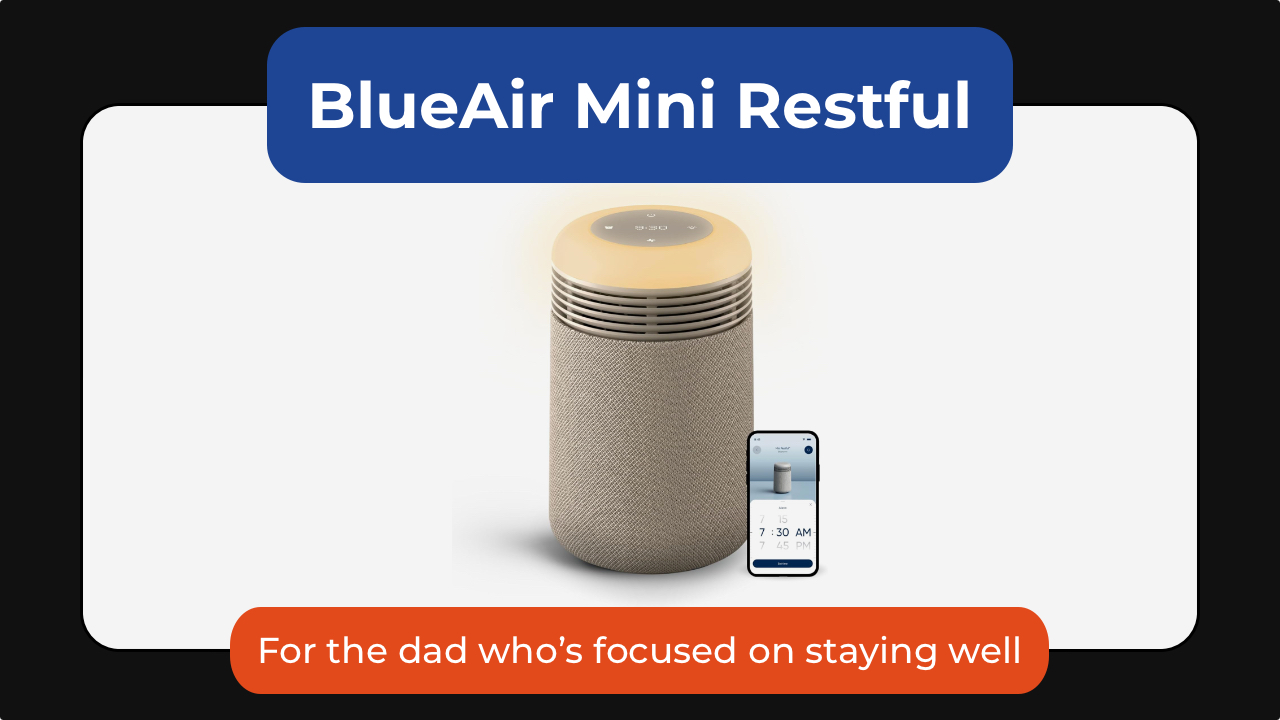
The Blueair Mini Restful sunrise clock air purifier takes a different approach to wellness by improving the environment dad sleeps in.
It combines a medical-grade air purifier, warm evening lighting, and a sunrise-style alarm clock into a single bedside device. Blueair’s HEPASilent filtration technology removes airborne particles like dust, pollen, pet dander, and smoke while operating quietly enough not to disturb sleep.
In the evening, the warm amber lighting helps create a more relaxing wind-down routine, while the sunrise alarm gradually brightens before wake-up time to make mornings feel less abrupt.
Thoughtful extras like soothing wake-up sounds, app controls, and a built-in USB-C charging port make it an easy addition to any nightstand. It’s an all-in-one device for cleaner air, better sleep, and calmer mornings.
The BlueAir Mini Restful is available in Coastal Beige and Midnight for US$199.99.
While smartphone manufacturers have been equipping devices with larger batteries over the past few years, power banks still remain an essential carry.
That’s especially for heavy smartphone users who have to push their device’s power to the limit — be it for gaming, content creation, and similar demanding tasks.
Or, you know, if you just suddenly ran into an unexpected long day and have to spend extra hours outdoors.
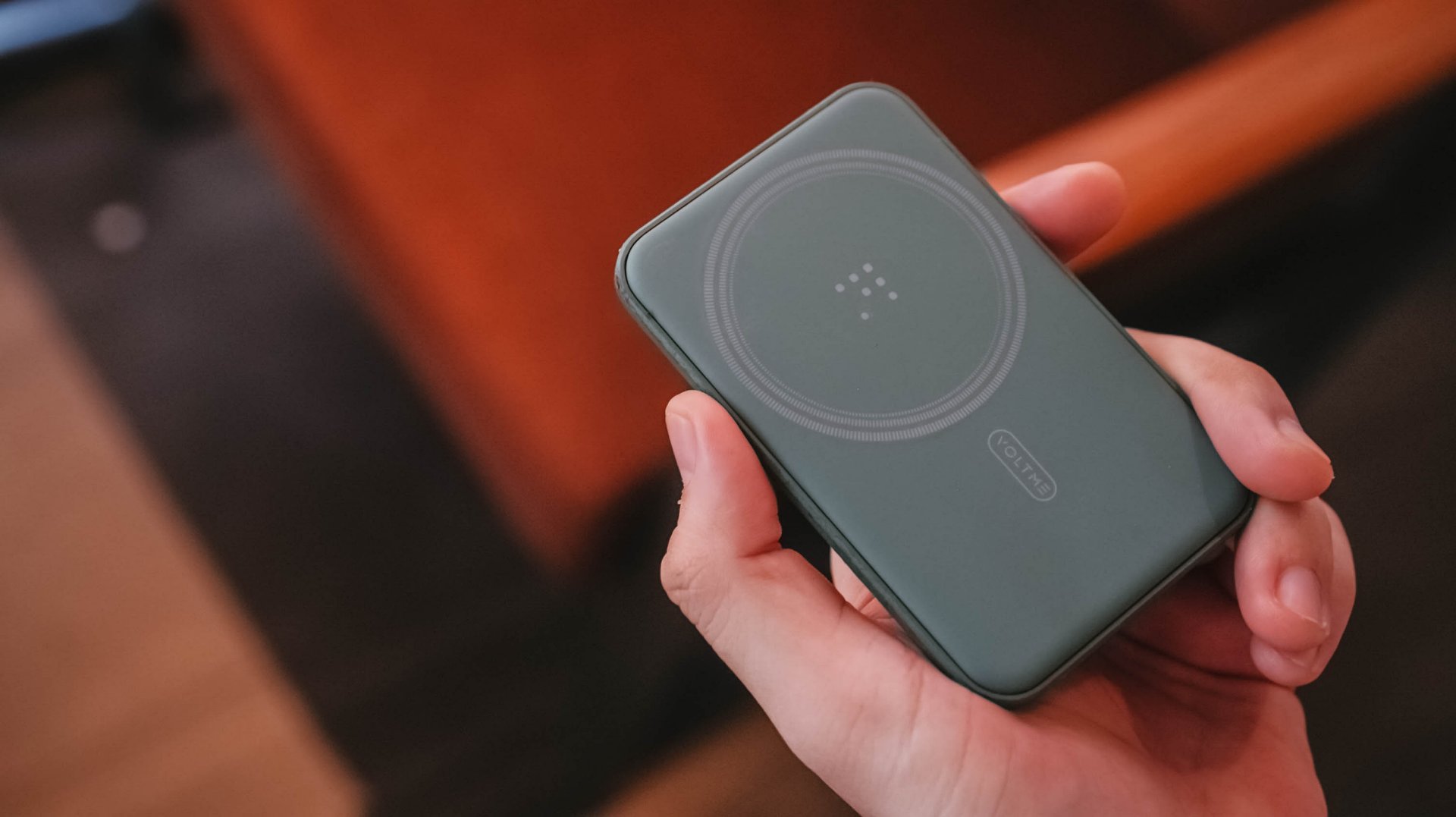
Whatever the case may be, that’s where the VOLTME MagPak 5K comes in. This small, 5,000mAh capacity magnetic power bank easily recharges your phone’s battery wirelessly.
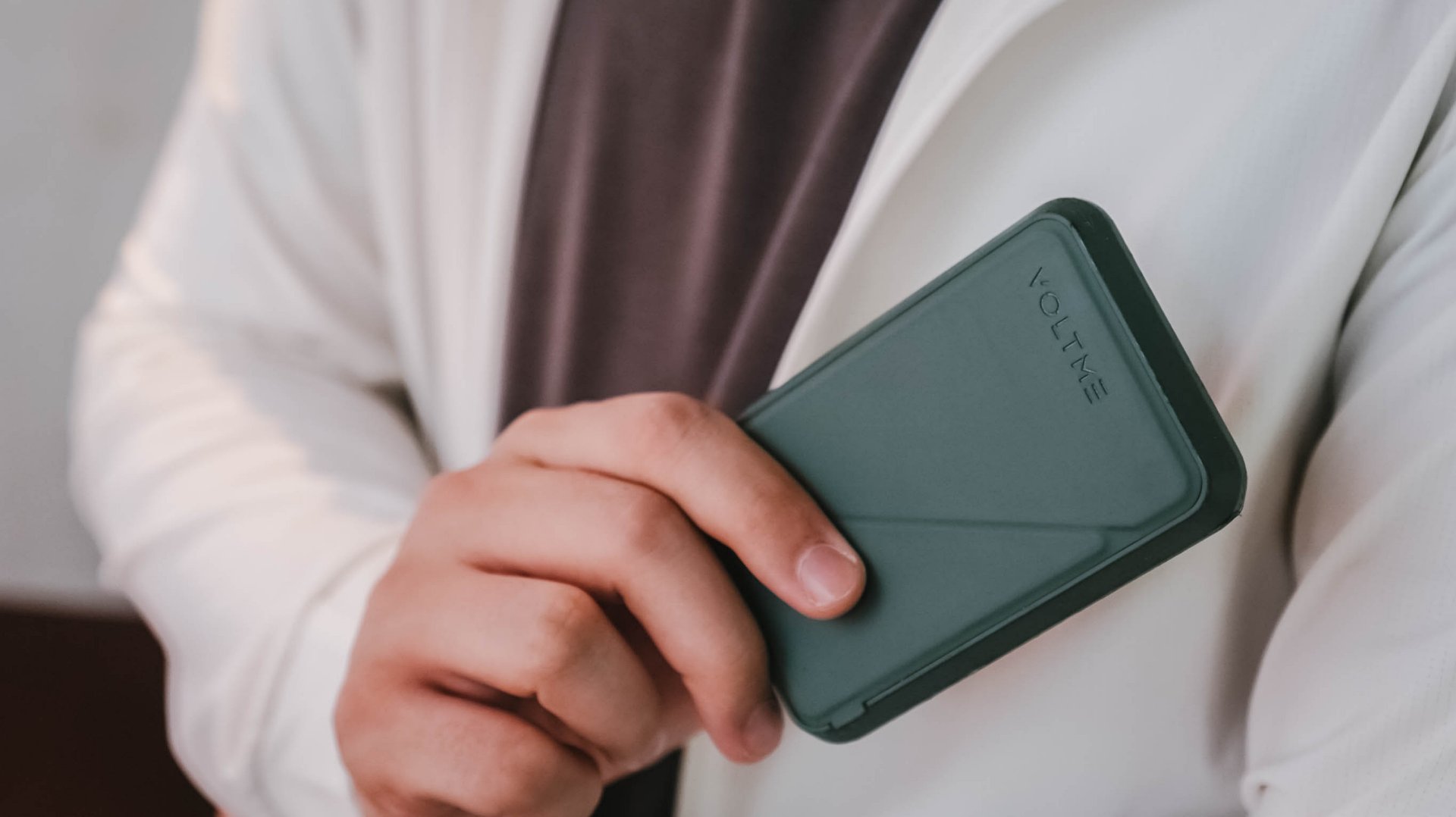
The VOLTME MagPak 5K is chiefly meant for the iPhone 12 to 14 models, but can still pretty much refuel more modern devices, so long as they have magnetic charging capability.
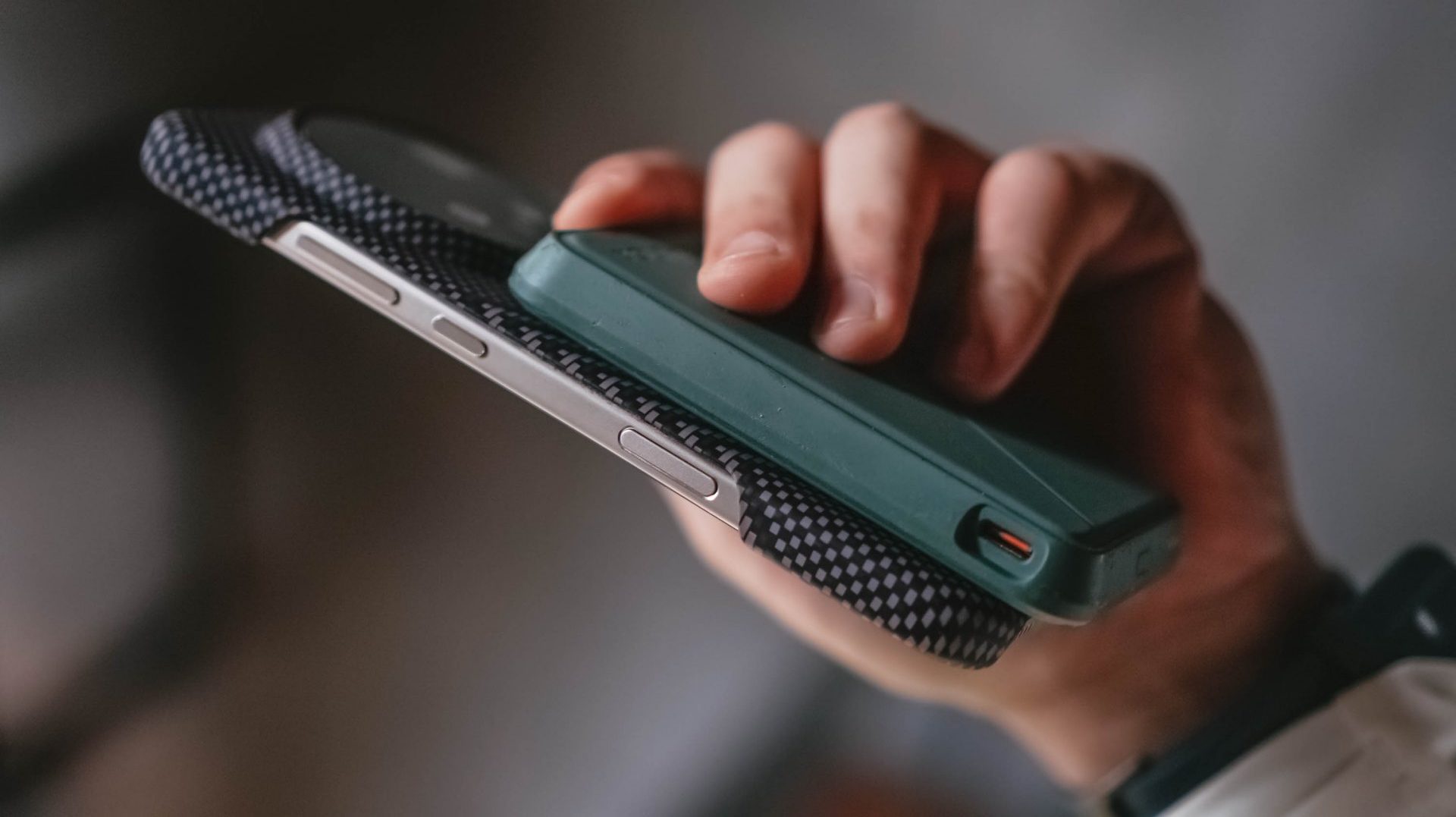
It uses V-Dynamic technology and is MagSafe and 7.5W Qi compatible. With a 9N Magnetic Alignment Force, it has a stronger attachment so users can focus on the titles they play or the scenes they shoot.
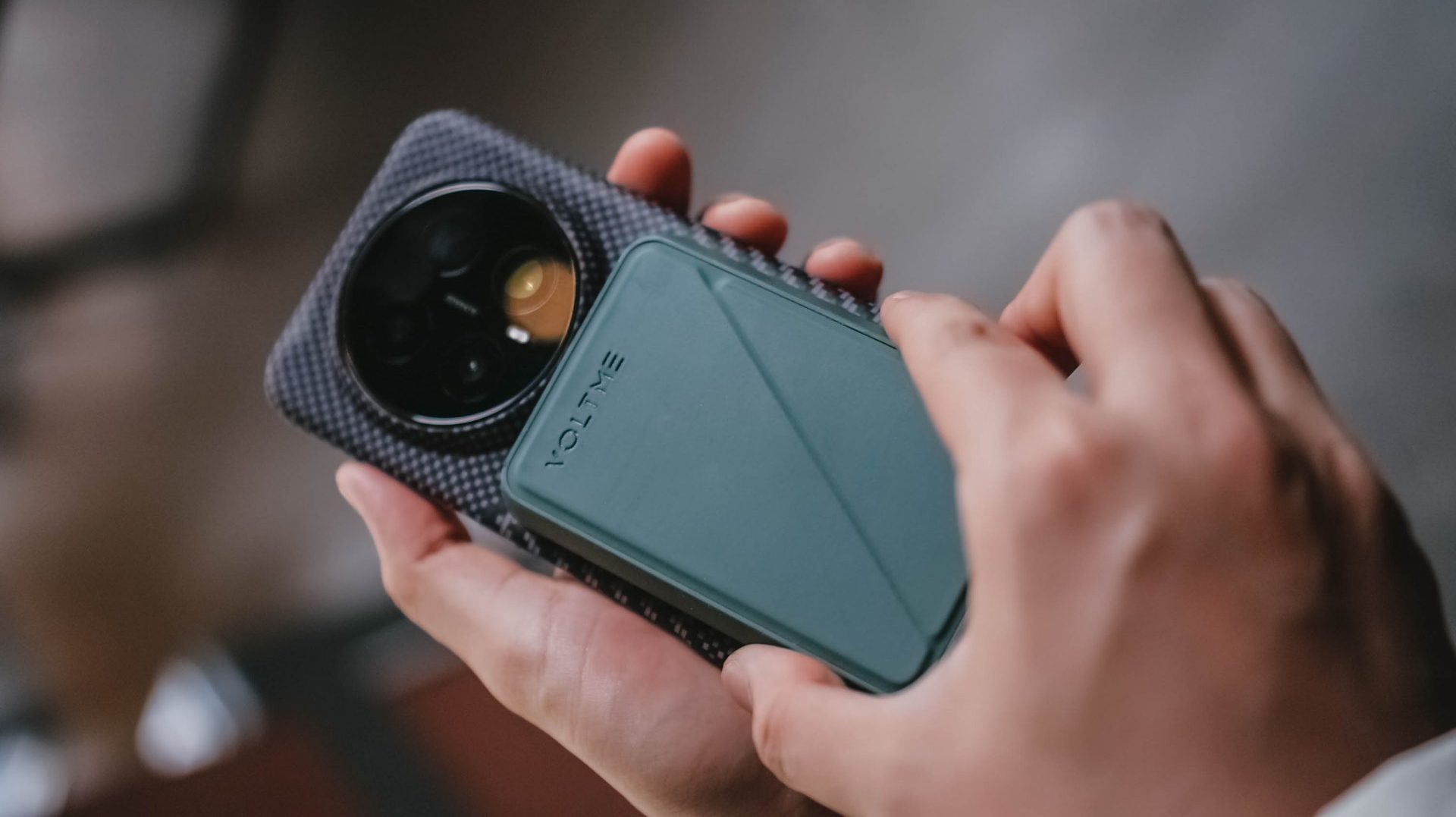
Or, if you want to slow it down while recharging your handset, the power bank comes with a kickstand to help you place your device either horizontally or vertically.
Beyond the magnetic charging capability, the MagPak 5K also supports USB-C to USB-C charging to another device.
You can even simultaneously charge two devices at once, or just opt for the wired charging if that’s what your phone is using.
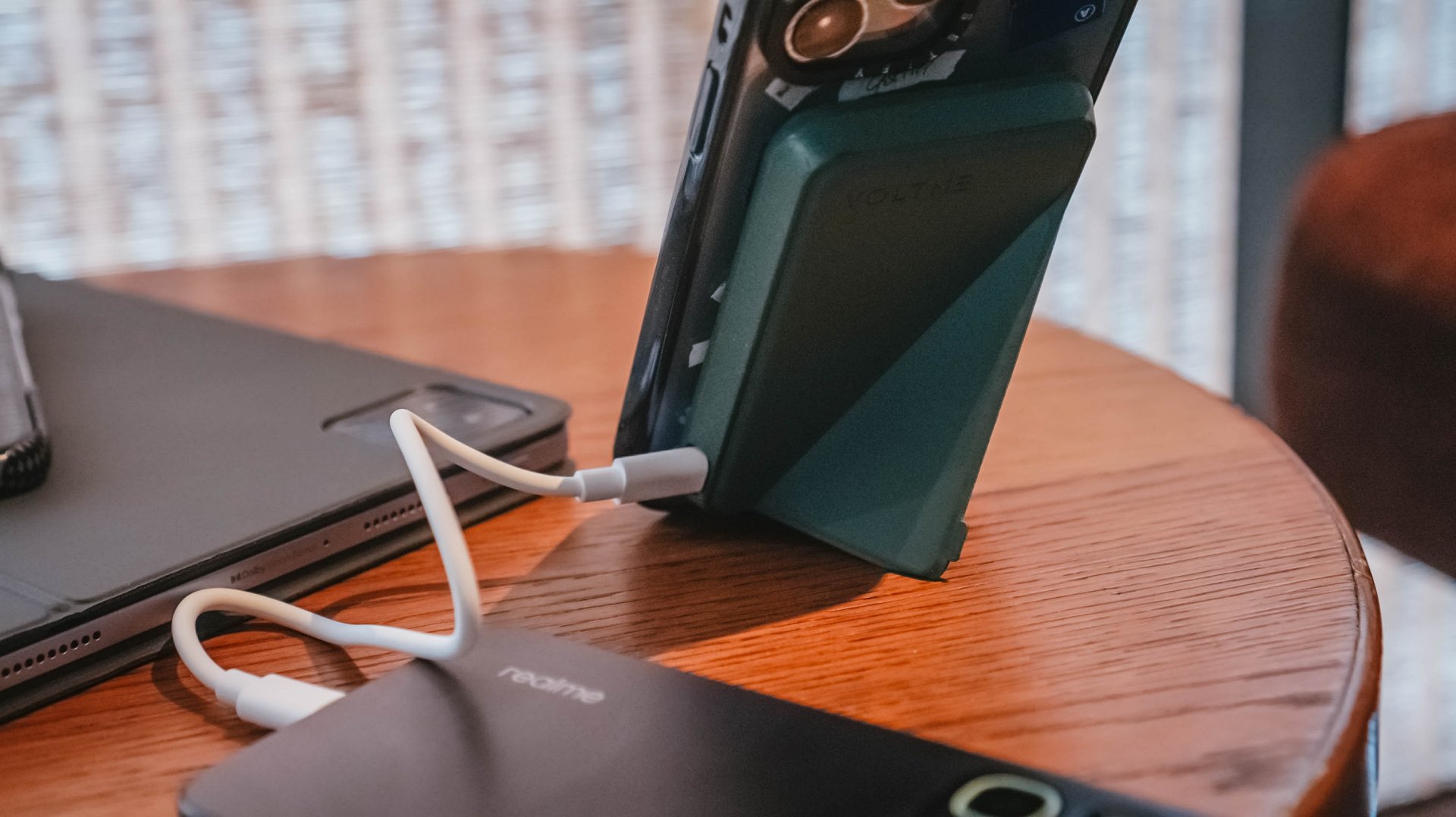
At just 134 grams, it’s an easy carry, and something that fits seamlessly into your pocket. There are also five colors to choose from.
For days where you feel you’ll have extended device usage, it’s best to keep a portable gadget to keep you going.
Who knows, that extra power can spell the difference between going out of battery or being able to transfer money, purchase something at a convenience store with cashless payment, or booking a trip home.
No need to worry about battery drain. Just focus on what you’re doing with your daily life.
Accessories
The Aecooly Cold Air Ultra can chill your skin in ten seconds
It has a misting function and a small water tank.


The world is heating up. While one side of the world is swelteringly humid in anticipation of a rainy season, the other side is gearing up for a scorching summer. Unfortunately, the world needs a more long-term solution. But while we wait for such a remedy, we have personal solutions. Introducing: the Aecooly Cold Air Ultra.
As you can probably see from the rest of its lineup, Aecooly means business when it comes to personal cooling. The Cold Air Ultra, in particular, does more than just move air; it chills the air instantly. The personal fan does this with a misting nozzle (and a small water tank) that delivers an ultra-fine layer of pre-cooled mist. The air itself can reach up to 25m/s. It can cool your skin’s temperature by up to 18F in only ten seconds.
It’s also packed with tech right inside. The Aecooly Cold Air Ultra comes with a full-color touchscreen panel that offers a seamless way to control the air. Besides the screen, it also has two physical buttons to control the power and the misting.
The Cold Air Ultra comes with a sizable 7000mAh battery, which promises up to 10 hours of continuous operation. Additionally, it can charge devices with a 20W two-way fast charging function.
The Aecooly Cold Air Ultra retails for only US$ 39.99. Plus, you can get 20% off with the code GMATCH20 from Amazon.


vivo X300 Ultra review: A “Whole Different Animal”
Got the beast (finally) unleashed!

The realme P4 Power: realme’s midrange power play?
A power bank and a phone — and more


HONOR Watch 6 Review: Less guessing, more knowing
Beyond educated guesses

The vivo X Fold6 is the first foldable to support teleconverter lens

Now Playing: Supergirl

Apple raises the prices of iPad and MacBook lineups

LE SSERAFIM to perform at BlizzCon 2026

Xiaomi opens largest Singapore store yet at VivoCity

TECNO’s POVA 8 5G is both futuristic and future-ready

realme launches P4 Series 5G, including Power with 10,001mAh battery

The Xiaomi Watch S5 proves you don’t have to take it off

Buyer’s Guide: Xiaomi Pad 8 Series

HONOR Magic V6 review: The best version of a book-style foldable?


-
 News2 weeks ago
TECNO’s SPARK 50 Pro is the latest budget smartphone battery beast
-
 Buyer's Guide1 week ago
Buyer’s Guide: TECNO SPARK 50 Pro vs SPARK 50 5G
-
 Singapore3 days ago
Xiaomi opens largest Singapore store yet at VivoCity
-
Reviews7 days ago
vivo X300 Ultra review: A “Whole Different Animal”
-
 News1 week ago
Budget smartphone realme C100 Series launches
-
Reviews1 week ago
HONOR Watch 6 Review: Less guessing, more knowing
-

 Laptops2 weeks ago
ROG launches 2026 Strix gaming laptop series
-
Reviews1 week ago
The realme P4 Power: realme’s midrange power play?