
Computers
Apple updates Final Cut Pro for better editing workflow
An update we’ve all been waiting for


Finally! Apple has announced a Final Cut Pro update after eight months of crash bugs, glitchy export files, and freezing issues. Most content creators and video editors (including me) who rely on Apple’s expensive video editing software will benefit from the latest 10.4.9 update.
The latest update reveals plethora of fixes and improvements to improve the user’s overall editing workaround.
Editing workflow improvements
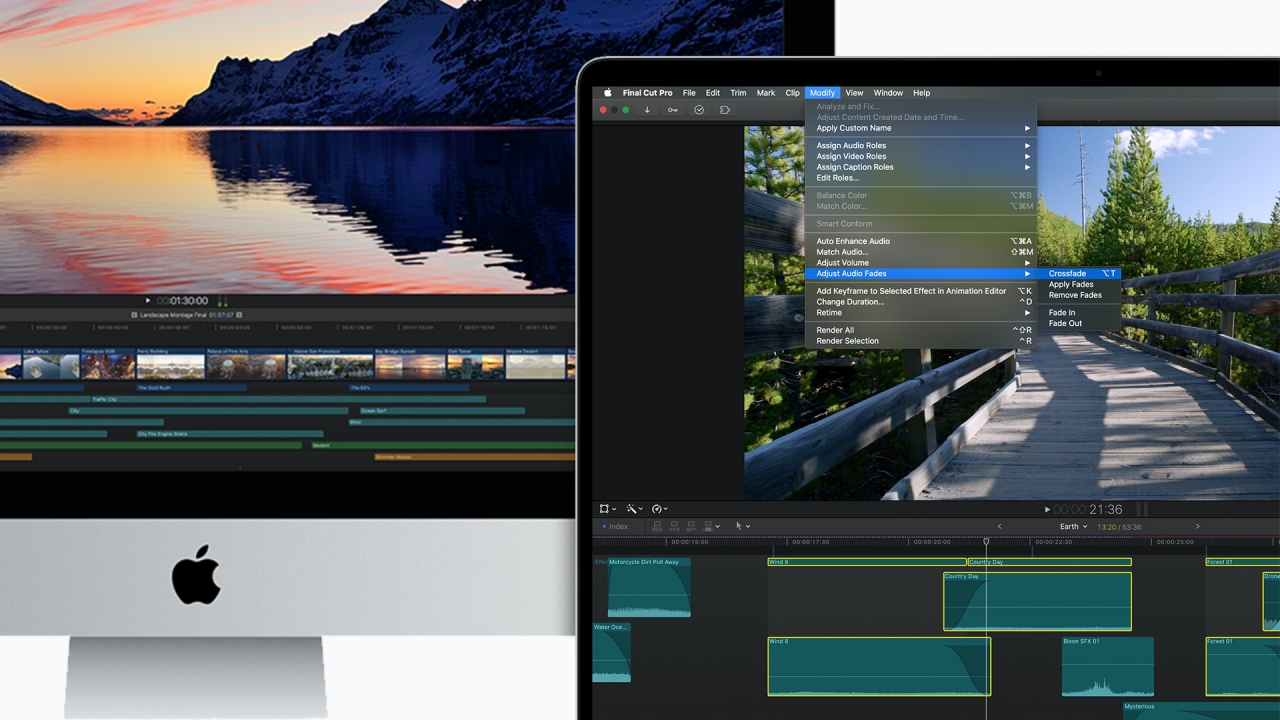
Image by GadgetMatch
Designed for video professionals in mind, the significant workflow improvements result to a more efficient editing and exporting. New features include ProRes RAW camera settings, revealing the ISO, color temperature, and exposure offset right in the inspector pane for the first time.
Users can now add audio crossfades in an easier step — unlike applying Cross Dissolves or manual adjustments before. You can also close a project or clear a timeline history with a new context menu and even sort clips (in List View) based on when the file was last modified.
For resolution-savvy editors, you can now transcode an 8K RED RAW footage two times faster on a Mac Pro and three times more when using a MacBook Pro. There are also improvements when using Metal-enabled plug-ins in both RED RAW and Canon’s Cinema RAW Light. Editing with an 8K Canon Cinema RAW Light codec is also a first time in this latest Final Cut Pro update.
Moreover, stereoscopic 360-degree videos can now be stabilized faster. You can even view it simultaneously through separate eye streams in the 360-degree Viewer.
Proxy Workflows enhancement
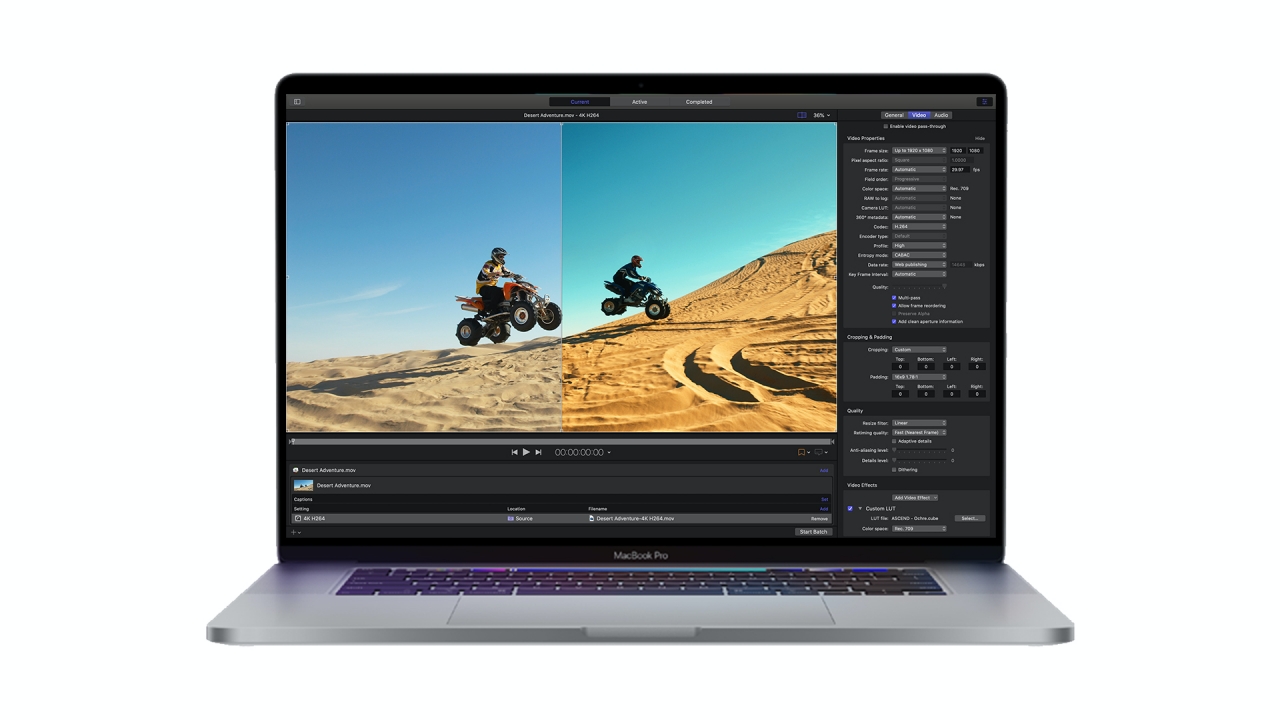
Image by GadgetMatch
Most creatives choose Full Resolution when previewing a project file. But in order to boost computing power and decrease memory consumption, you can now generate proxy media in custom frame sizes of 1/2, 1/4, or even 1/8. Other than that, you can also select proxy media between ProRes Proxy or the default H.264 compression.
Moreover, you can save more storage space by creating a proxy-only copy of a library. If proxy media isn’t available in some of your clips, you can opt to select between original file or optimized media instead.
Better Tools for Social Media
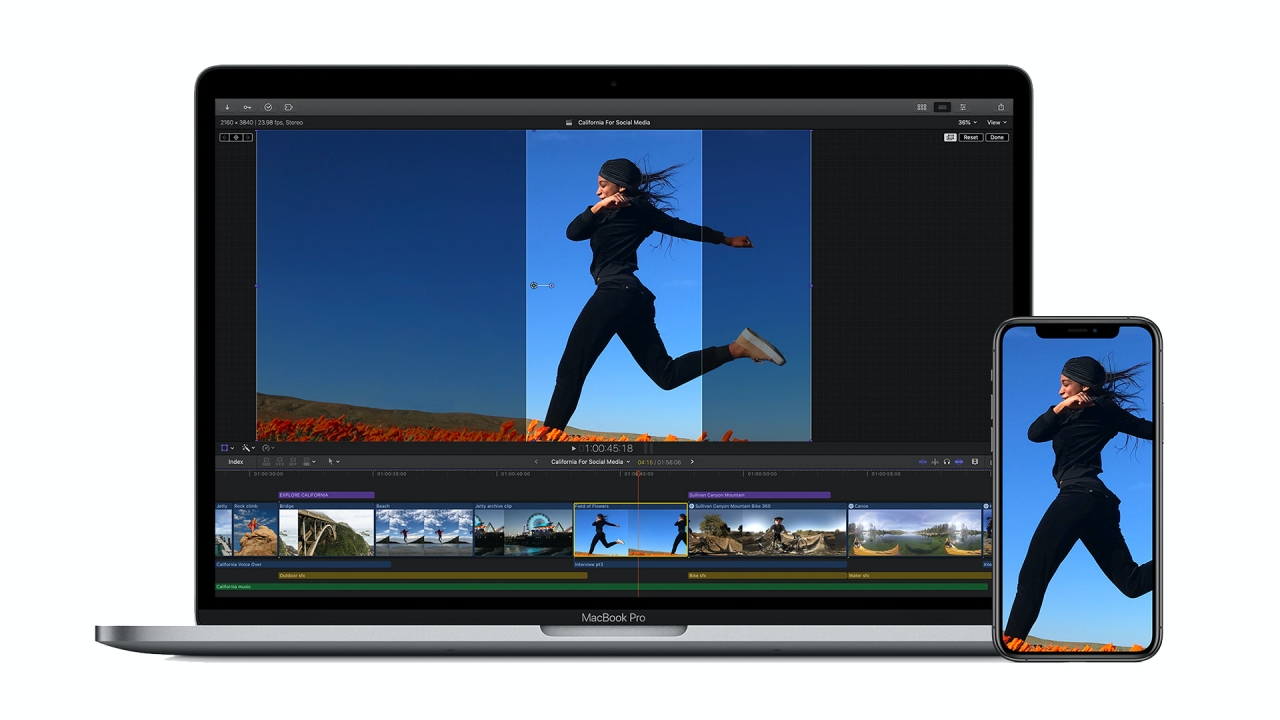
Content creation for social media has been a challenge for most editors especially with differences in aspect ratios and video resolution. Whether that may be Snapchat, Instagram, or Twitter, users can now automatically analyzes dominant motion in projects and later transform them through Smart Conform that’s based on Machine Learning.
When adjusting scale, rotation, and position, you can now see media even outside the crop boundary with the Transform Overscan feature.
There’s also a Custom Overlay feature that serves as a guide when placing texts and graphics in non-landscape videos.
Additional Updates to Motion and Compressor
Motion is the co-existing software for those who want more motion graphics. This app now offers a wider range of choices for those who want to import third-party 3D models. Creators can even select 3D models from the built-in library in the USDZ format for titles, effects, transitions, and generators.
For added creativitiy, the use of keyframes or behaviors will also let the user manually adjust the position, scale, and rotation of a model — even with the use of emitters, lights, cameras and existing replicators.
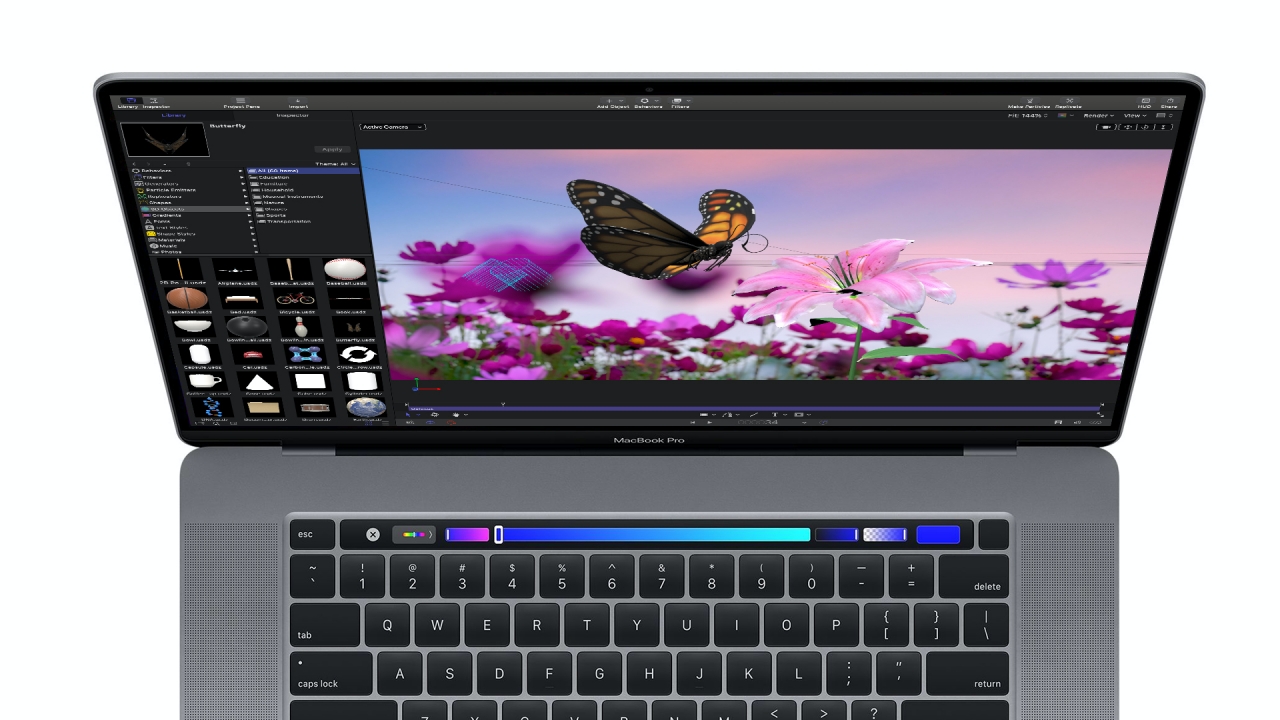
Image by GadgetMatch
Another new tool is the Stroke Filter which helps a motion graphic artist save time instead of outlining elements by hand. This feature automatically outlines a texts and objects based on their alpha channel. A user can later customize it through offset animation, multiple stroke filters, and even the addition of gradient tools to make it more artistic.
Lastly, Compressor also has updated features including support for Custom LUT effects and the ability to use LUTs when converting log-encoded footages to SDR and HDR output files.
A full list of performance and reliability fixes can be found over here.
Still don’t have it?
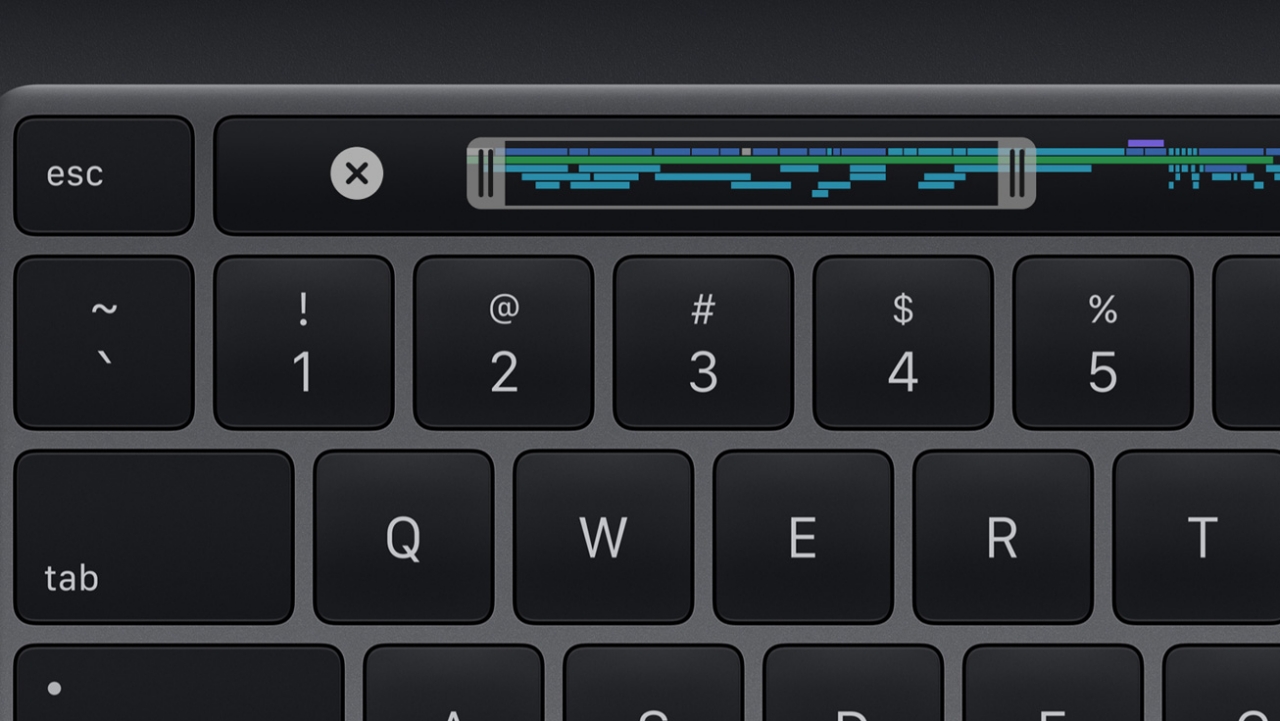
With the ongoing COVID-19 crisis, Apple still offers a 90-day trial of Final Cut Pro for new users. After the free trial, Final Cut Pro will cost you:
- US$ 299 in the US
- GBP 299.99 in Great Britain
- EUR 329.99 in several European nations
- SG$ 448.98 in Singapore
- PhP 14,990 in the Philippines; and
- INR 24,900 in India
Education plan bundles will get you the powerful editing app at a cheaper price. On the other hand, the Motion and Compressor bundle for new users is also being sold for a certain amount not higher than the prices listed above.
Existing users can get the Final Cut Pro, Motion, and Compressor updates for free on the Mac App Store.






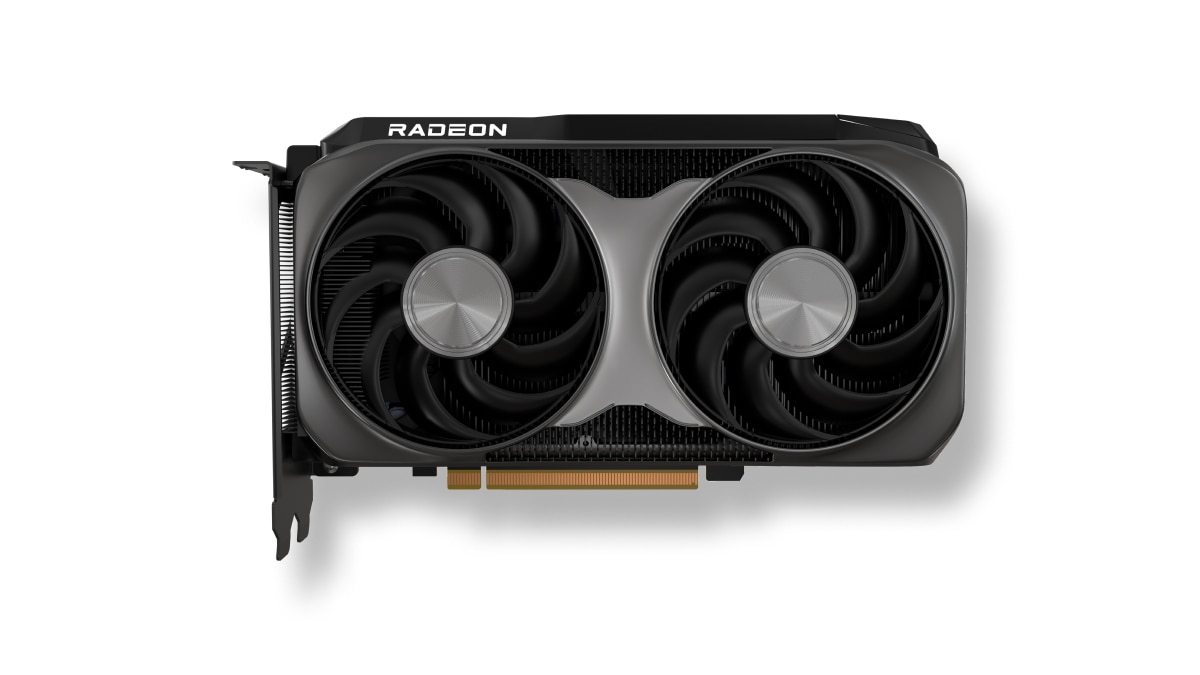
AMD has launched the new AMD Radeon RX 9050 graphics card, expanding the Radeon RX 9000 series with an affordable option.
This brings AMD RDNA 4 gaming technologies to mainstream gamers with a retail price of US$ 279.
The particular GPU is designed for responsive gameplay at 1080p. That’s for esports and modern AAA titles.
Some popular titles it can run at high frame rates on a 1080p resolution include: Cyberpunk 2077, Forza Horizon 6, Pragmata, Call of Duty: Black Ops 7, Valorant, and Tom Clancy’s Rainbow Six Siege, to name a few.
This highly efficient, drop-in upgrade features a 92W TBP and fully supports the latest AMD FSR technologies, next-gen raytracing, and high-quality AV1 video streaming.
Key specs:
- Architecture: AMD RDNA 4
- Compute Units: 16
- VRAM: 8GB GDDR6
- Game Clock / Boost Clock: 1.92 GHz / Up to 2.60 GHz
- TBP: 92W
In line with the Radeon RX 9050 launch, AMD has also released AMD Software: Adrenalin Edition 26.7.1.
This driver introduces official day-one support for Radeon RX 9050, alongside early multiplayer access for Gears of War: E-Day.
Users can download the software here.
Accessories
OBSBOT’s Meet Flip is your next best pocketable 4K webcam
Fold the Flip for further protection
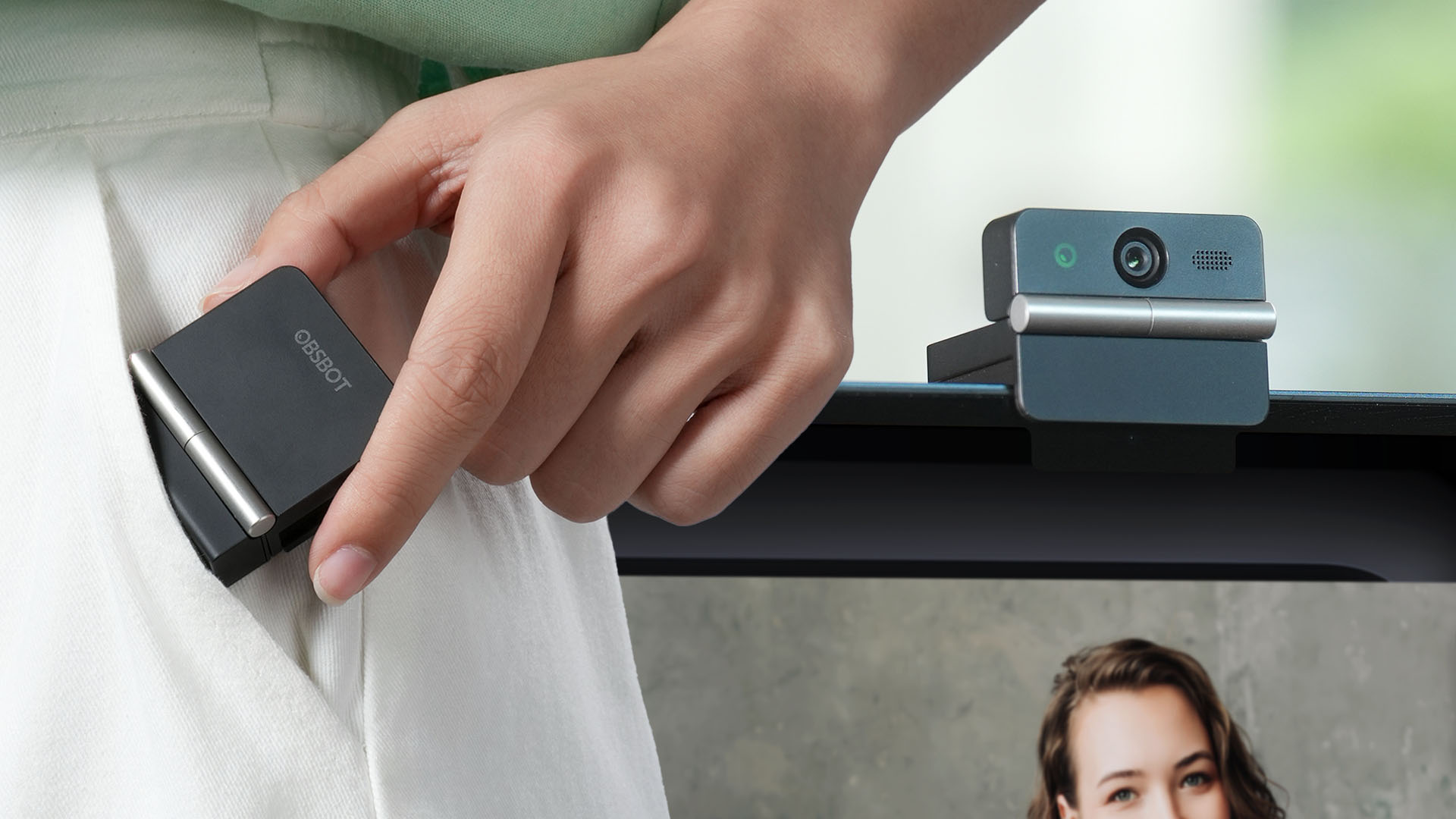
Several months ago, you might remember that OBSBOT revealed the Tiny 3 series of web cameras.
Six months after, they also unveil the all-new Meet Flip. From the name itself, it’s the company’s latest foldable 4K webcam that puts hardware privacy front and center.
Foldable and pocketable
Despite weighing just 37.7 grams, the Meet Flip aims to deliver premium webcam features for all types of users. Be it remote workers, professionals, or content creators.
Graphics by Vincenz Lee | GadgetMatch
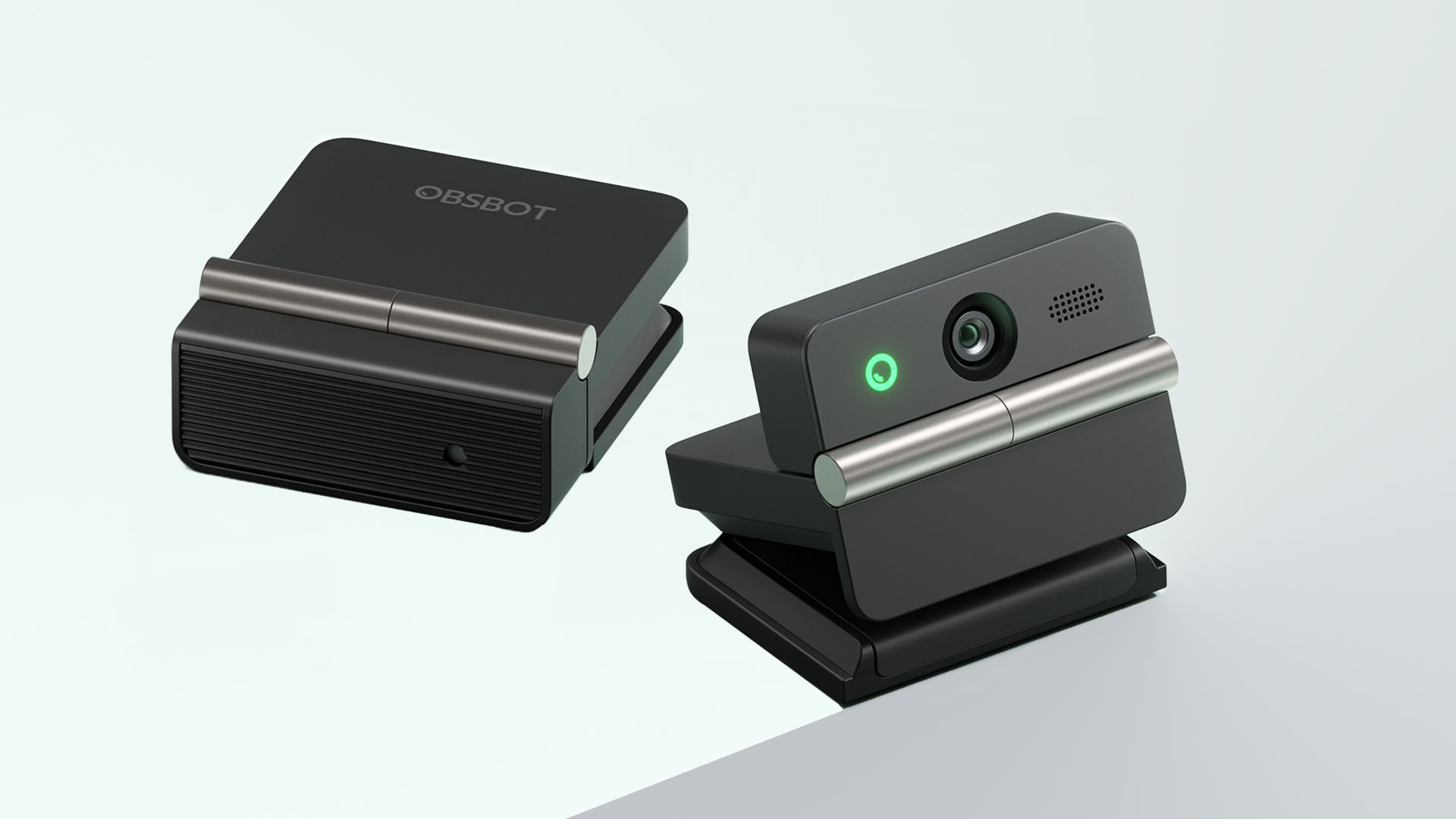
Undoubtedly, the biggest highlight has got to be the webcam’s folding design. Not only it’s portable, it protects your privacy too.
Closing the device physically blocks the lens, giving users a visual confirmation that the camera is no longer active. When it’s time for a meeting, simply unfold it and it’s ready to go.
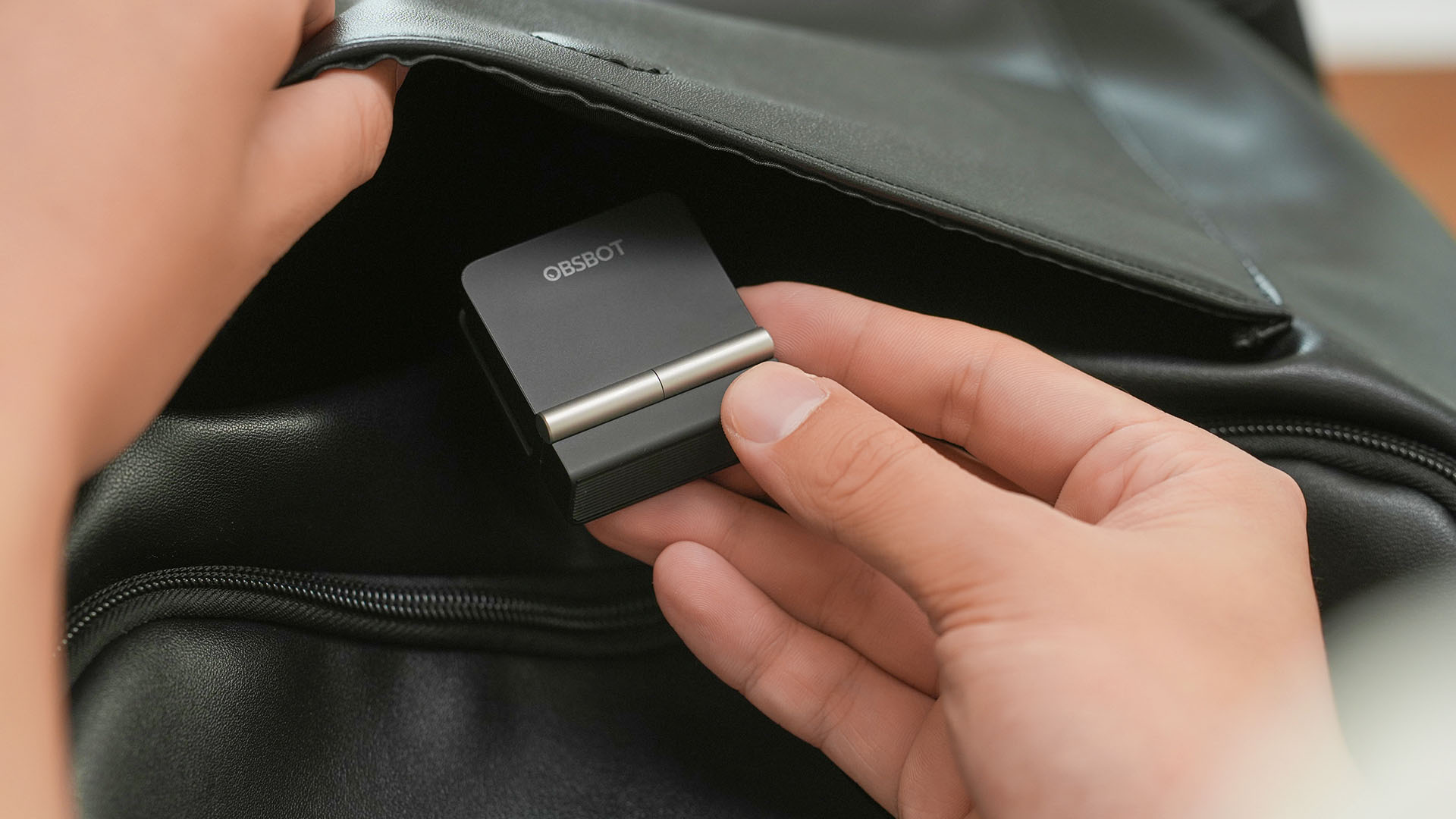
That lightweight body also features a built-in mounting clip that works with laptops, monitors, and tripods. Users can mount it in landscape, portrait, or even upside-down orientations depending on their setup.
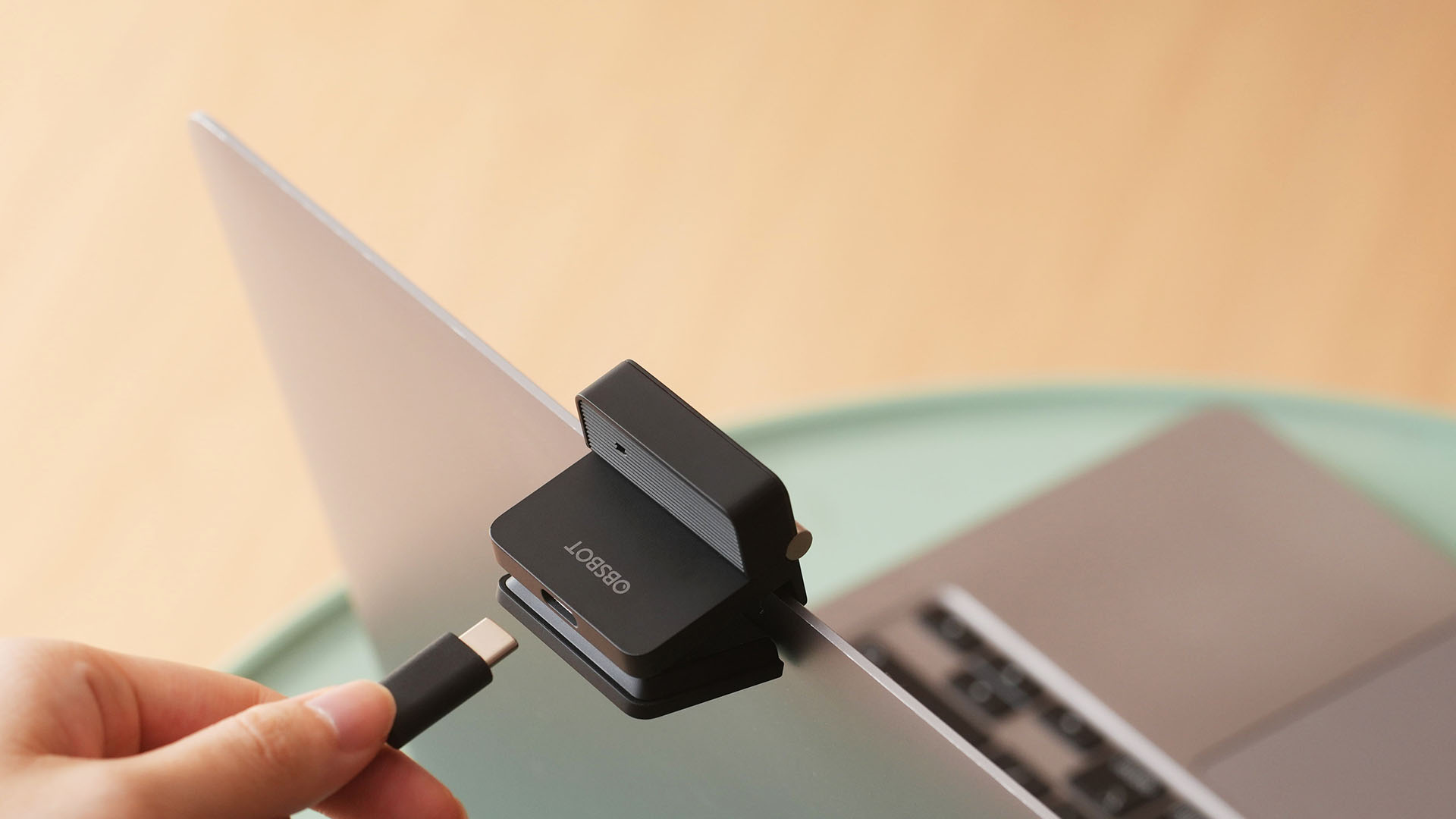
Despite that absurd amount of lightweightness, the OBSBOT Meet Flip is still able to house a 1/2-inch Exmor RS stacked CMOS sensor with Quad Bayer technology. That’s something more commonly found among bigger and higher-end web cameras.
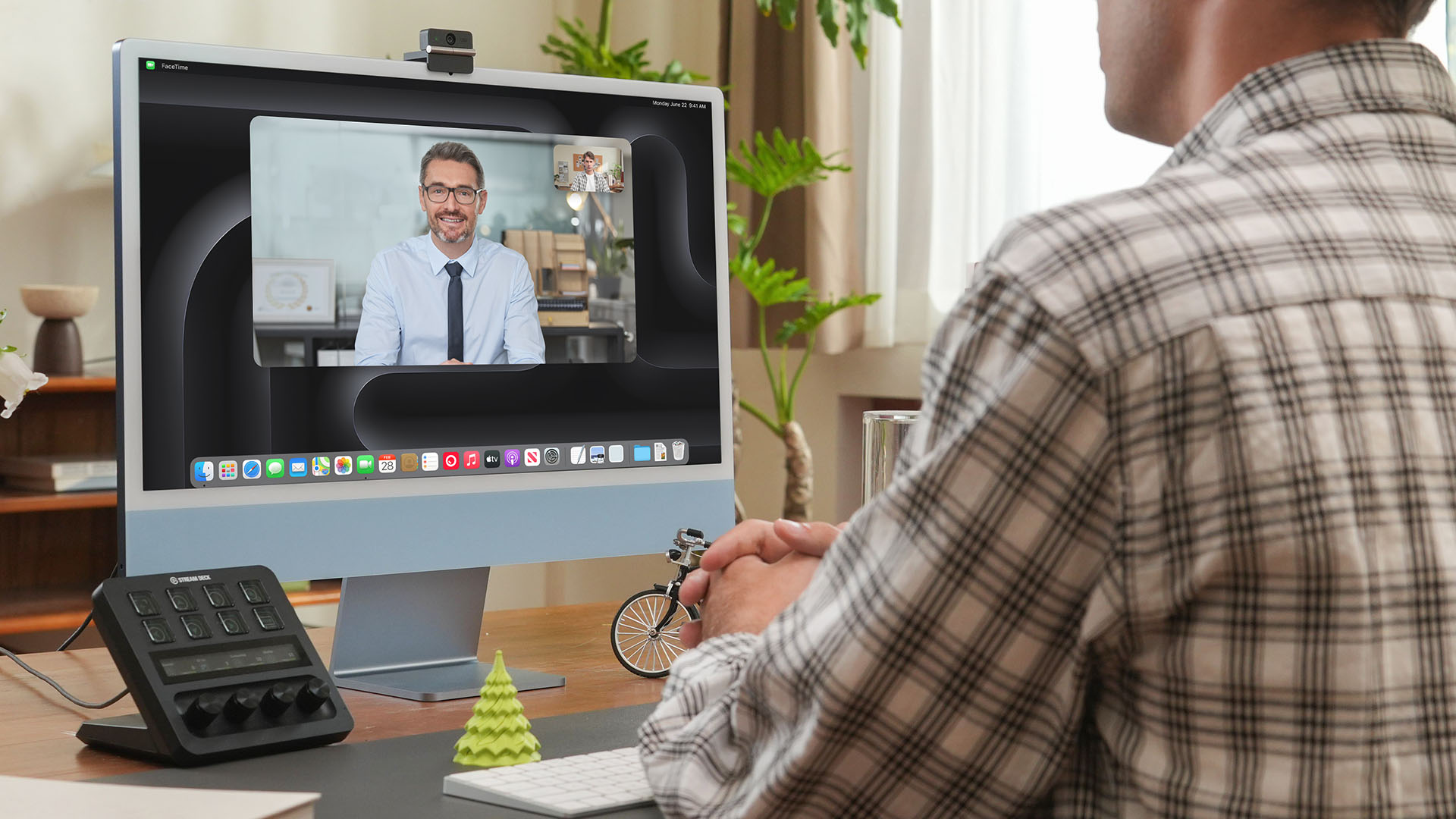
Other camera features include:
- 4K video recording / 30fps
- 1080p recording / up to 60fps
- HDR support for challenging lighting
- Phase Detection Autofocus (PDAF)
- 4x digital zoom
- f/1.8 aperture with ISO 100-6400 support for low-light environments
Beyond just video calls
The OBSBOT Meet Flip isn’t just packed with serious camera hardware, it’s seriously intelligent as well.
The Meet Flip supports AI Auto Framing. This automatically keeps users centered during meetings — regardless if they are presenting alone or with a group. Gesture controls also let users activate framing or adjust zoom without touching the keyboard or mouse.
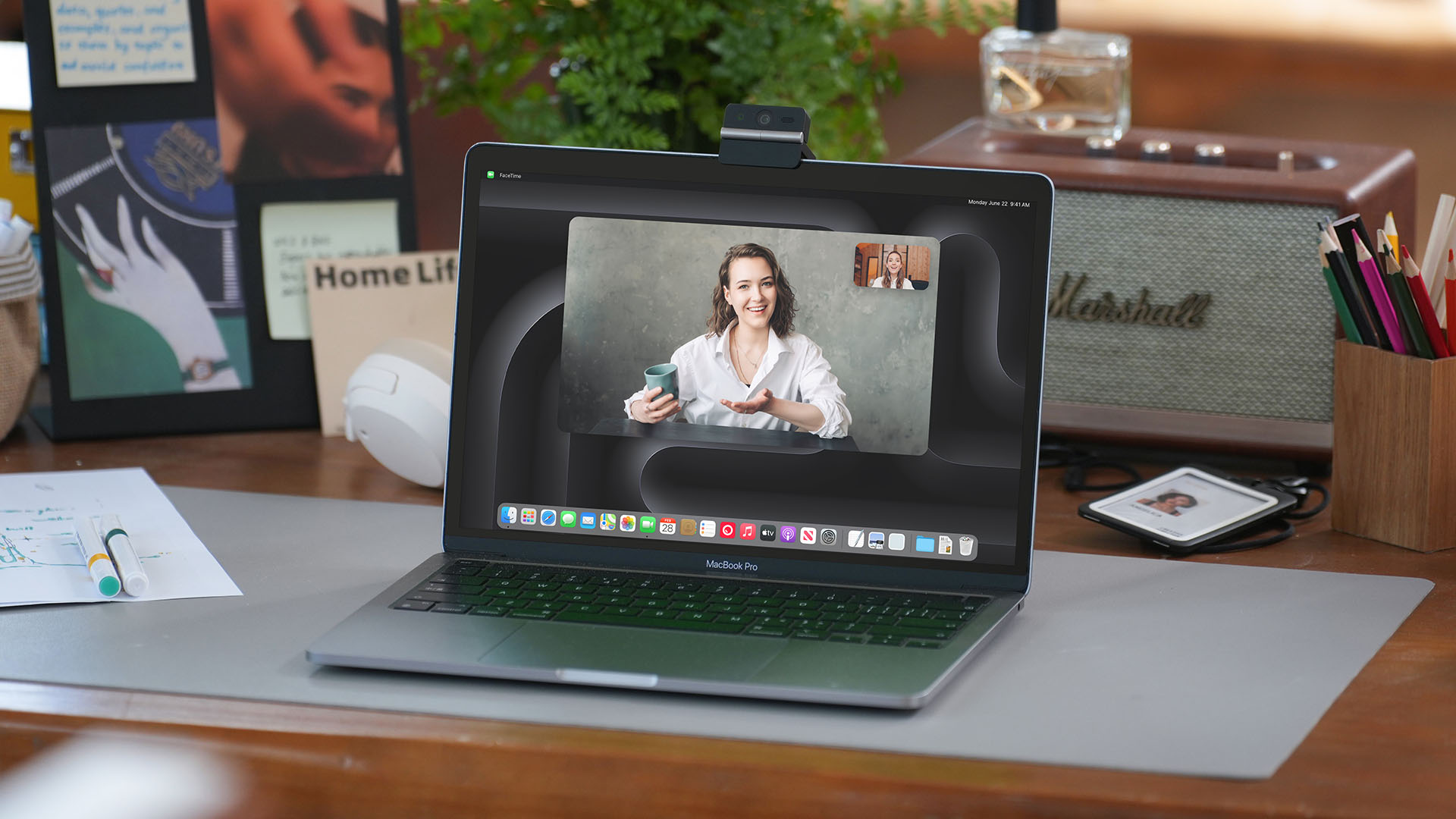
Another standout feature is AI Magic Notes which provides real-time meeting transcription and automatically generates summaries, action items, and key discussion points.
The feature works with Google Meet, Zoom, and Microsoft Teams through OBSBOT Center. Every webcam includes complimentary transcription of 120 minutes.

With that being mentioned, OBSBOT Center also makes users gain access to software features such as background blur, virtual backgrounds, beauty mode, and picture-in-picture overlays for presentations.
Those who want more advanced controls can enable Smart Eye Tracking, teleprompter support, and manual image adjustments.

Audio also gets an upgrade through an intelligent dual-microphone system that offers four recording modes:
- Directional Mode / solo calls
- Dual-Directional Mode / interviews
- Smart Omni Mode / group meetings
- Pure Audio Mode / unprocessed stereo recording
AI Noise Reduction and Automatic Gain Control are also available across most modes to help improve voice clarity.
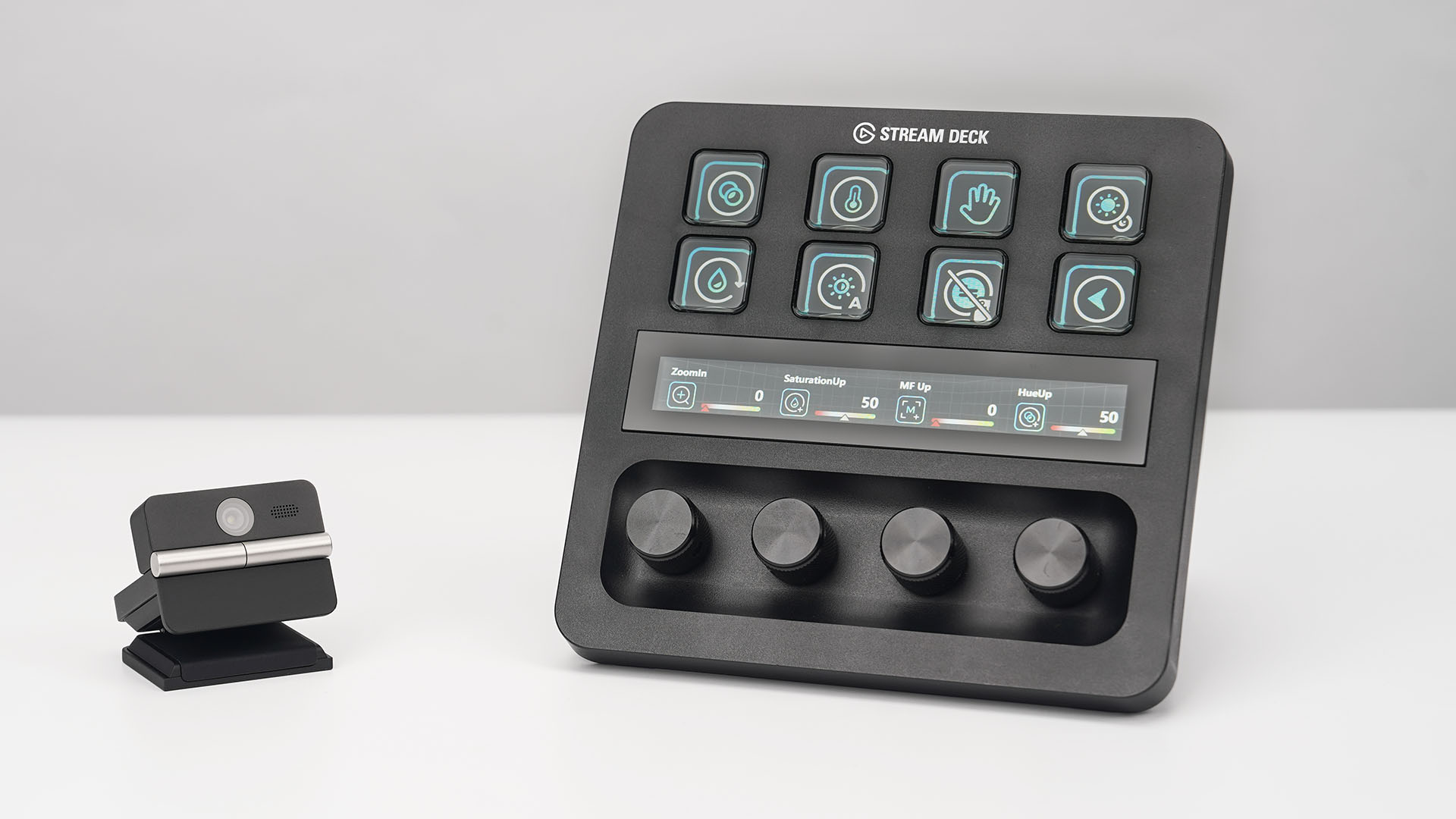
OBSBOT’s Meet Flip is also compatible with mobile devices through the OBSBOT Live app and supports integrations with accessories including Elgato Stream Deck, Nintendo Switch 2, and UVC-to-NDI/HDMI adapters.
Pricing and Availability
The OBSBOT Meet Flip is available starting today for US$119 through OBSBOT’s online store, Amazon US, and select retailers worldwide. Regional pricing may vary.
Computers
AORUS MASTER 16 Gen 2 2026 AI gaming laptop launches
For AI-powered performance, immersive gameplay

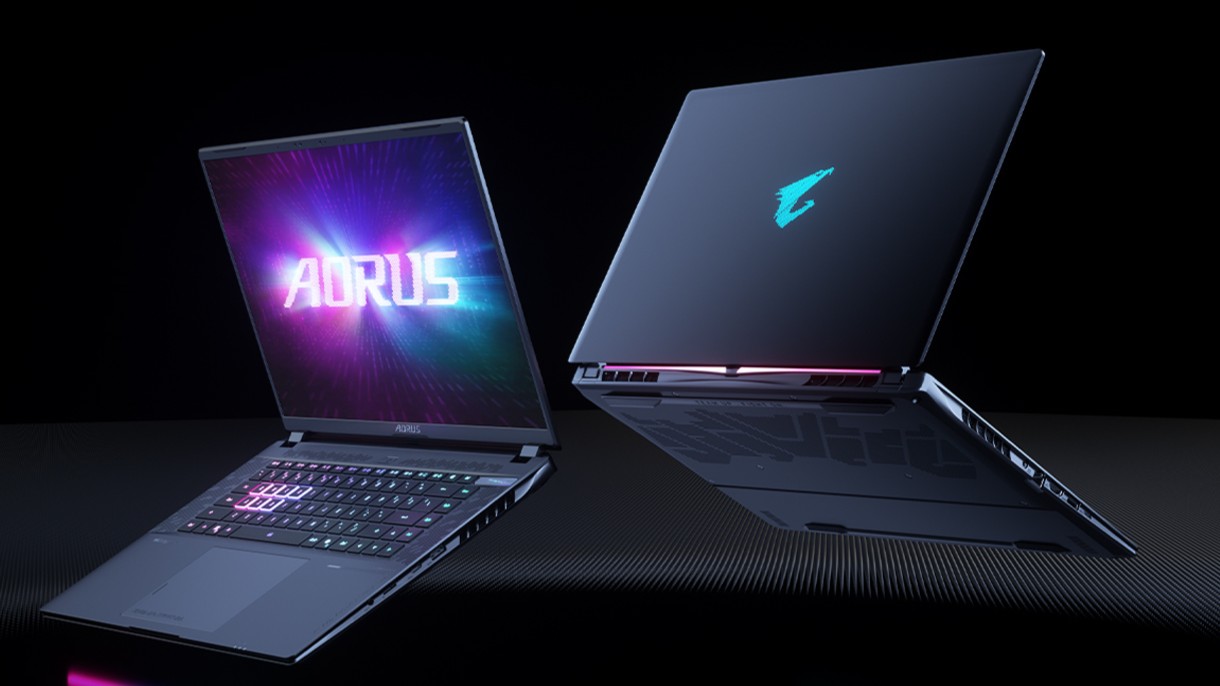
GIGABYTE has announced the availability of the AORUS MASTER 16 Gen 2 2026 flagship AI gaming laptop.
This machine combines desktop-class performance, advanced cooling, and an exclusive AI agent in an ultra-thin 19mm portable design.
It is configurable up to an AMD Ryzen 9 9955HX3D processor and up to an NVIDIA GeForce RTX 5090 laptop GPU. Together, these work to provide close to desktop-level power.
The model also supports MUX Switch to simplify integrated GPU or discrete GPU selection with fast mode.
Beyond gaming, with an advanced GPU AI capability of up to 1824 AI TOPS, the AORUS MASTER 16 Gen 2 2026 is built for next-gen AI-assisted creation and accelerated workflow.
The entire system also leverages the flagship WINDFORCE INFINITY EX thermal solution, featuring a vapor chamber design and the integrated Frost Fan 2.0.
In front is a 16-inch 16:10 2.5K 240Hz OLED display with creator-grade color accuracy. It has up to a 0.2ms response time, 100% DCI-P3, and a 1,000,000:1 contrast ratio.
Furthermore, it is Pantone Validated, TÜV Rheinland Certified, and VESA DisplayHDR 1000. Complementing this is Dolby Atmos and four dual-force speakers with Smart Amplifier.
At the center of the experience is the GiMATE exclusive AI agent. It is designed for more flexible and intelligent system control, streamlining performance management and introducing tools for modern workflow.
For instance, GiMATE Creator integrates generative image models into a manageable local workflow.
Meanwhile, GiMATE Coder supports natural-language code generation, correction, and optimization with Visual Studio Code auto-completion.


30 days later with the ASUS ExpertBook Ultra: Like seeing an ex
Felt exactly as I remembered.

ROG STRIX G16 Review: Building for the moment
Setting it up however you want to make the most out of it


realme C100: Enduring and durable in spite of entry-level realities
Enough power but needs more agility

HONOR Robot Phone’s camera can move on its own

HONOR Robot Phone officially launches after its MWC debut

Marvel Wolverine Limited Edition PS5 bundle SEA pricing

Galaxy Z8 series drives record-high foldable pre-orders in SEA, Oceania

England, Wales start banning Meta Glasses

Hands-on: Samsung Galaxy Z Fold8, Flip8, Ultra

Garmin launches its first screenless fitness band

VinFast debuts two-wheeler models, opens 21 e-motorcycle showrooms

Samsung releases teaser with Spider-Man: Brand New Day Easter eggs

Most of the world’s PlayStations will be officially useless by 2028


-
 Automotive1 week ago
VinFast debuts two-wheeler models, opens 21 e-motorcycle showrooms
-

 Computers2 weeks ago
AMD launches Radeon RX 9050 graphics card
-

 Automotive2 weeks ago
Xiaomi debuts SkyNomad Series featuring new Kunlun platform
-

 News1 week ago
OnePlus officially leaves the United States and Canada
-

 Gaming1 week ago
Call of Duty: Modern Warfare 4 clip shows Losing Ground 1st look
-

 Automotive2 weeks ago
GAC launches new trio of MPVs
-

 News2 weeks ago
TECNO unveils the world’s first 0mm bezel-less phone
-

 Gaming1 week ago
Genshin Impact opens Snezhnaya in Version 7.0 this August 12