


Reviews
LG Velvet review: Flagship reimagined
A refreshing take from LG, a much needed option in 2020

I’ve reviewed many different phones this year and consistently the theme has been this: Phone prices are rising; and there are no exceptions. A faster display, multiple cameras, 5G — it all adds up. If you don’t need all of these extras on a flagship smartphone, what options are there for you?
Instead of launching a revolutionary new phone meant to blow your socks off, LG sought to fill that void with a new breed of flagship smartphone with just the essential features: the LG Velvet.
An introduction
I’ve closely followed the evolution of LG smartphones for more than six years now. In the second half of 2020, the Korean company is shifting gears — from a new design ID to a new name.
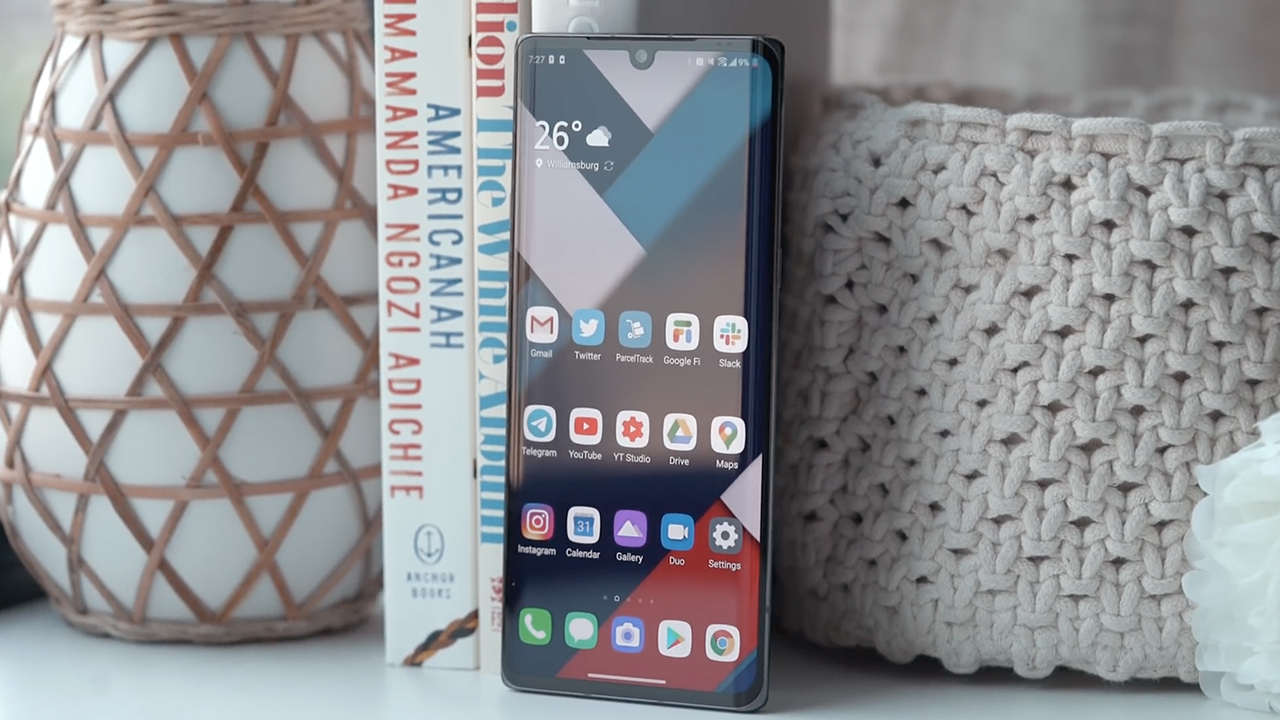
The first phone out of the gate is simply called Velvet, which is a drastic change from their last phone called the LG V60 ThinQ 5G Dual Screen.
LG says that starting with Velvet they are moving away from the G and V Series and adopting more expressive names that better fit each smartphone. Instead of offering similarly designed smartphones with marginally better specs, which is basically what everyone else in the industry is doing, they want to create differentiated products with a clear character.
The Velvet isn’t meant to be the successor to last year’s G8; neither is it a midrange version of the V60.
Who then is the Velvet for? What consumer need does it address? And is it your GadgetMatch?
READ: LG V60 ThinQ 5G Dual Screen review: 2020’s most underrated phone
Evolved design language
If I were to describe LG phones released over the last few years, several words come to mind: uninspired, unexciting, boring, bland. They looked okay but let’s just say they would never have won a smartphone beauty pageant, so most folks did not pay attention.
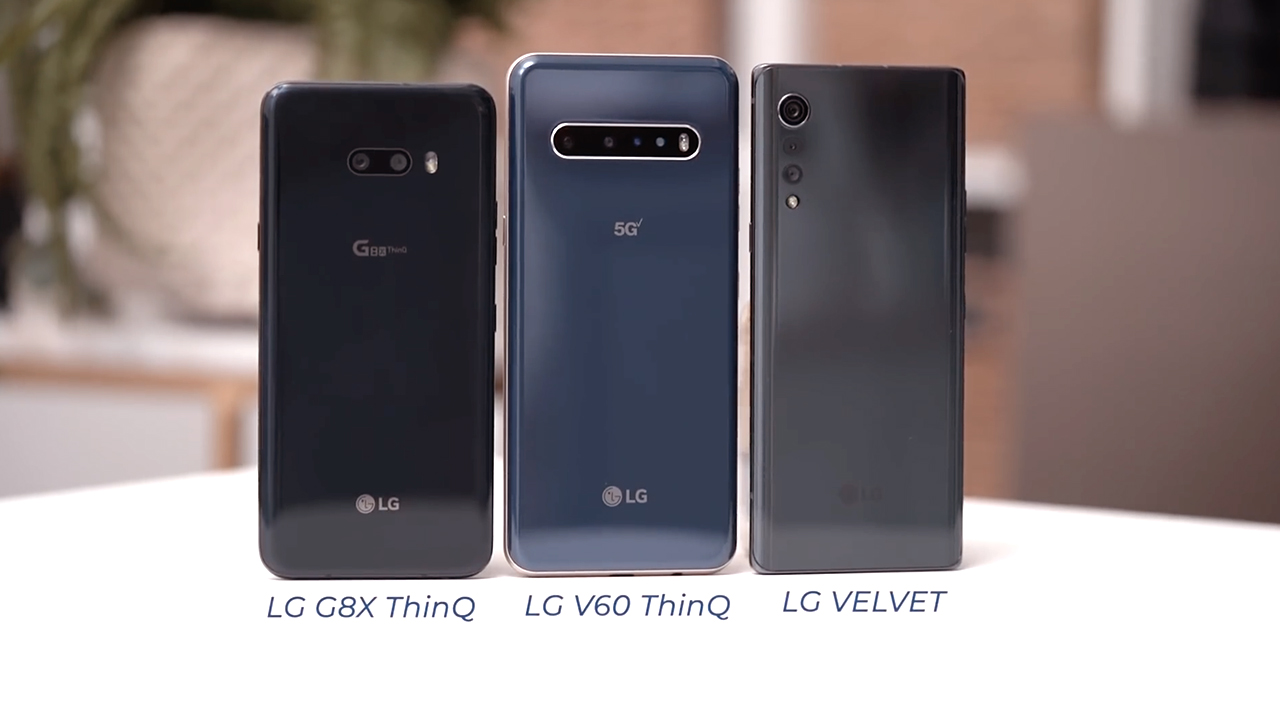
With the Velvet, LG set out to focus on its design. Versus last year’s G8 and the V60, immediately you can tell that LG made an effort. From curves on both its front and back, to what they’re calling a raindrop rear camera — with modules that get smaller as they reach downward. I especially appreciate the clear intent to avoid a huge camera bump.
Did they hit the mark? I’m not sure; I’m finding it hard to make an emotional connection with my review device.

After all the rich vibrant phones that have become my daily drivers this year, my LG Velvet is a bland shade of grey. Although, it is available in a host of other colors: Illusion Sunset, Aurora White, Aurora Green, Aurora Silver and something they’re calling New Black.
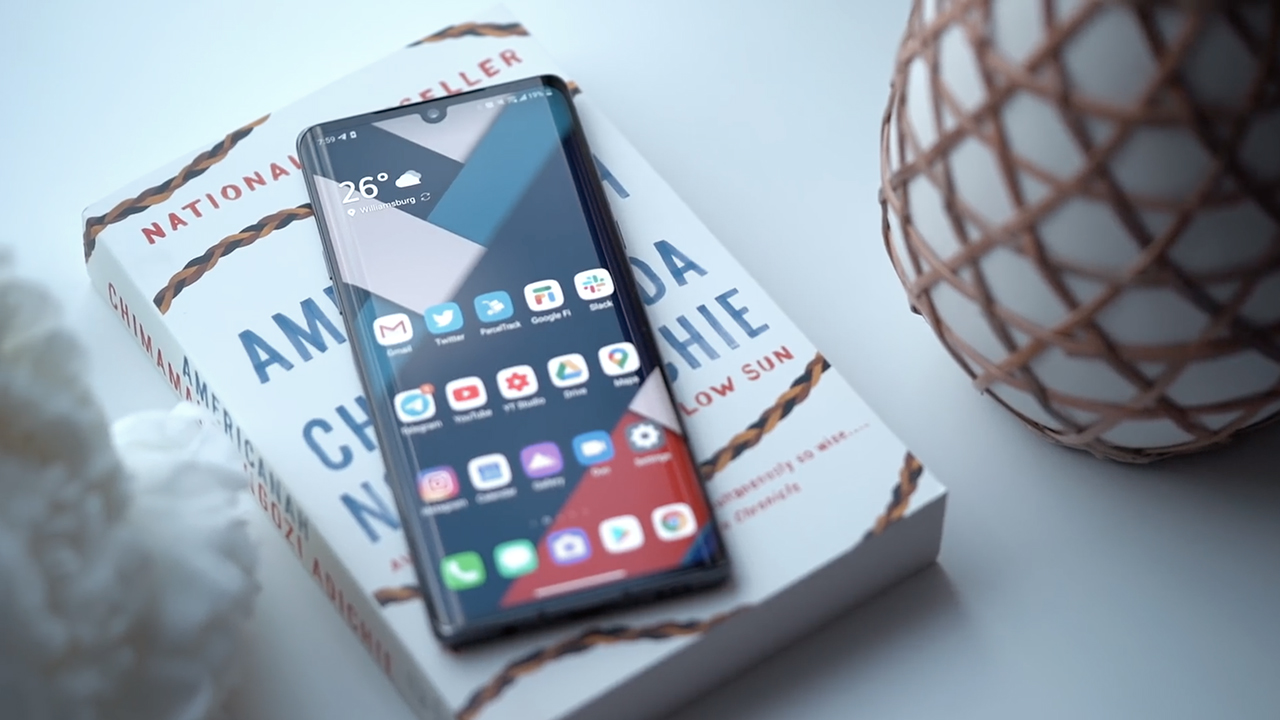
I am also not sure the curved displays were the best choice and overall it doesn’t necessarily look original.
There is, however, a lot to like about the Velvet. There is a certain subdued sophistication about the phone. I appreciate that it’s not too wide so you can hold it securely with one hand and that it’s light enough so that when you use it with the Dual Screen Case, it doesn’t get significantly heavy.
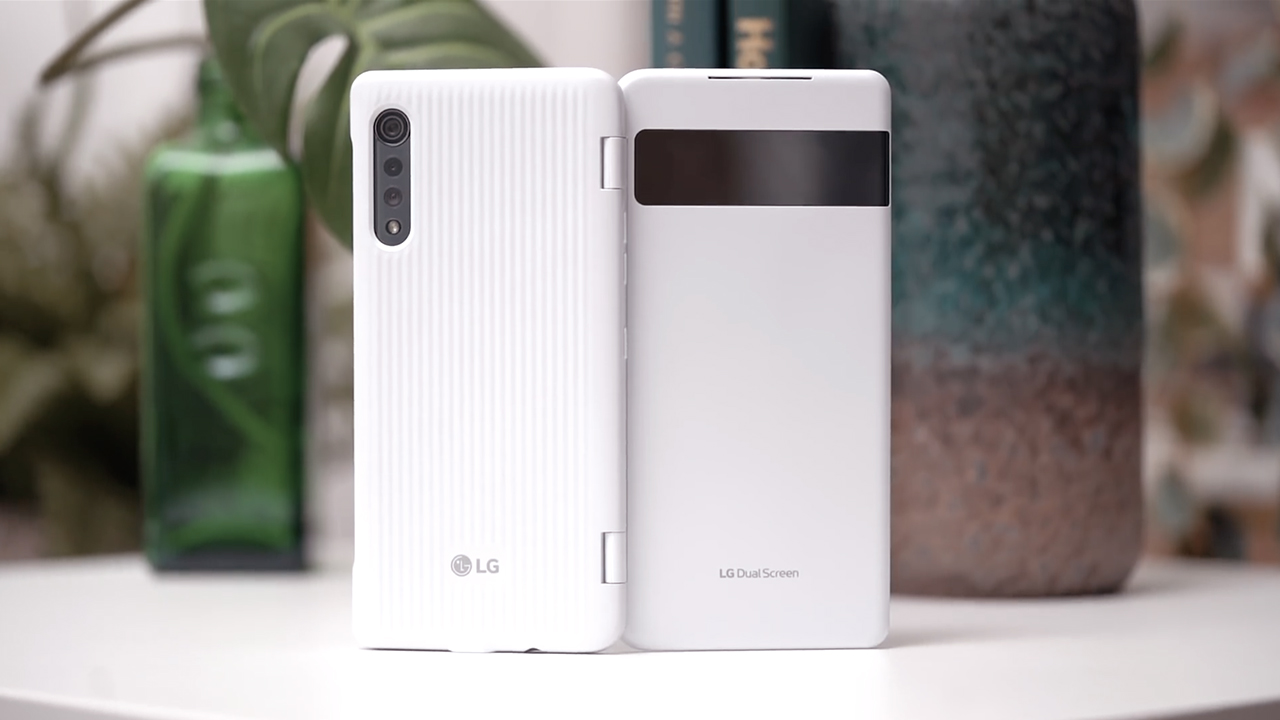
I also like that the Dual Screen case for the Velvet also comes in matte white. It’s refreshing, and it doesn’t pick up smudges like the mirror finish of the V60’s Dual Screen case.
I love that there are well-designed third party cases available for the Velvet at launch. LG partnered with Korean accessory manufacturer Design Skin. I would go as far as saying that these are some of the best designed cases we’ve seen for any phone.

This case has two card slots, comes in an olive shade and a croc skin finish.
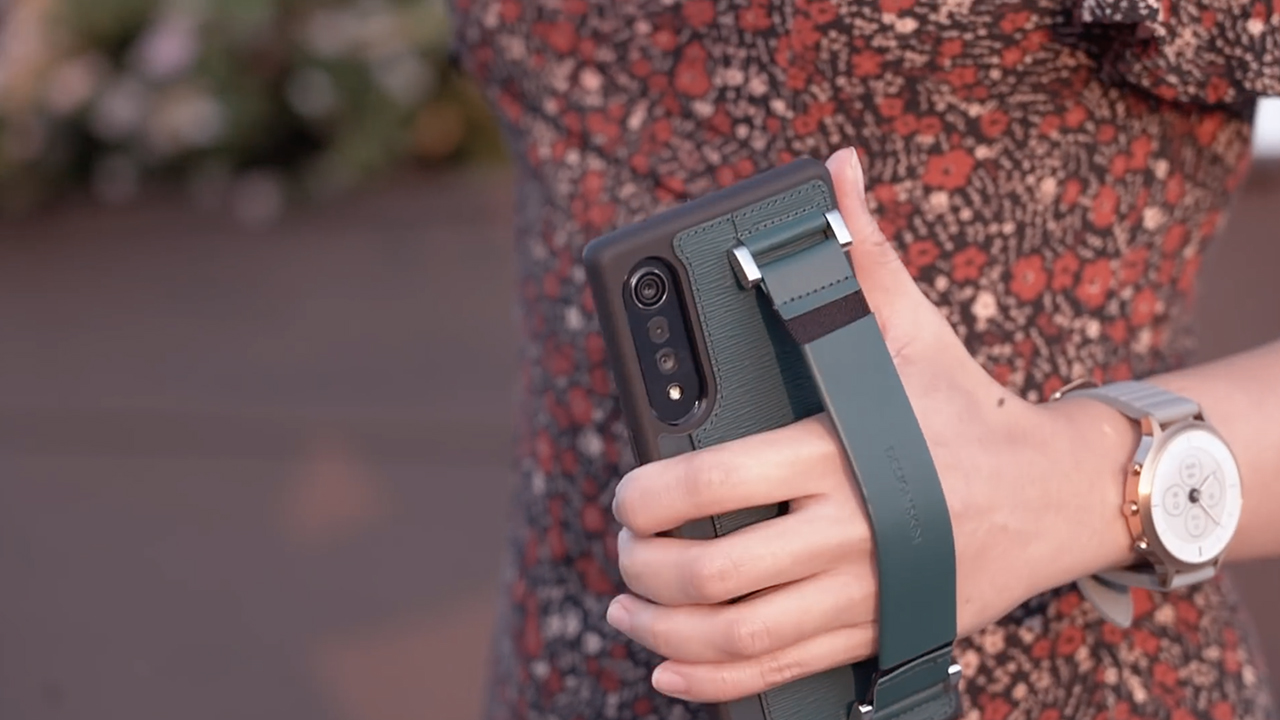
This emerald green one is my favorite. It has an elastic leather strap just like a designer clutch — a stylish way to keep your phone secure when you’re out and about. Hidden underneath is a slot for a card or two.
There are plenty of other case options for the LG Velvet on Amazon ahead of its European and North American debut as well.
A flagship that doesn’t blow your socks off
There are many ways to tackle this next section. It can be about addressing why this phone has a 700-series processor, usually reserved for midrange smartphones, which I feel is the elephant in the room. In the US, the T-Mobile variant is powered by MediaTek’s Dimensity 1000C chip. I want to take this opportunity to challenge the status quo and encourage a new way of thinking.
Silicon technology has improved so much over the last few years that it’s gotten to a point where most people don’t necessarily need a phone with a top of the line processor.
This next statement might come off as controversial, but the everyday user does not need a phone with Qualcomm’s Snapdragon 865.

Snapdragon 765, which powers the LG Velvet, is a very capable processor that can handle the needs of the average consumer. If doing so allows a phone company to pass on savings to you the consumer, I’m all for it.
In essence, I believe that is what the LG Velvet is all about: giving users what they need instead of making them pay for high tech extras that prosumers and tech nerds have come to expect.
It’s a well-rounded smartphone and it comes with support for 5G networks. This is despite the lack of a fast display and out of this world telescopic camera.
In the time that I spent with the LG Velvet, I didn’t experience any hiccups in terms of performance. The phone has enough RAM to handle all the apps that I juggle on a daily basis, and the Snapdragon 765 processor handled everything I threw at it.

Of course Pokemon Go and Raid Shadow Legends might not qualify as graphics intensive games, but my buddies Joshua Vergara and Booredatwork also played a lot of Call of Duty and PUBG, respectively, and they didn’t have complaints either.
Its P-OLED display is bright and vibrant and was a pleasure to consume content on. Like the V60, it has a tear drop notch on the top center of the screen.
Dual Screen, dual fun
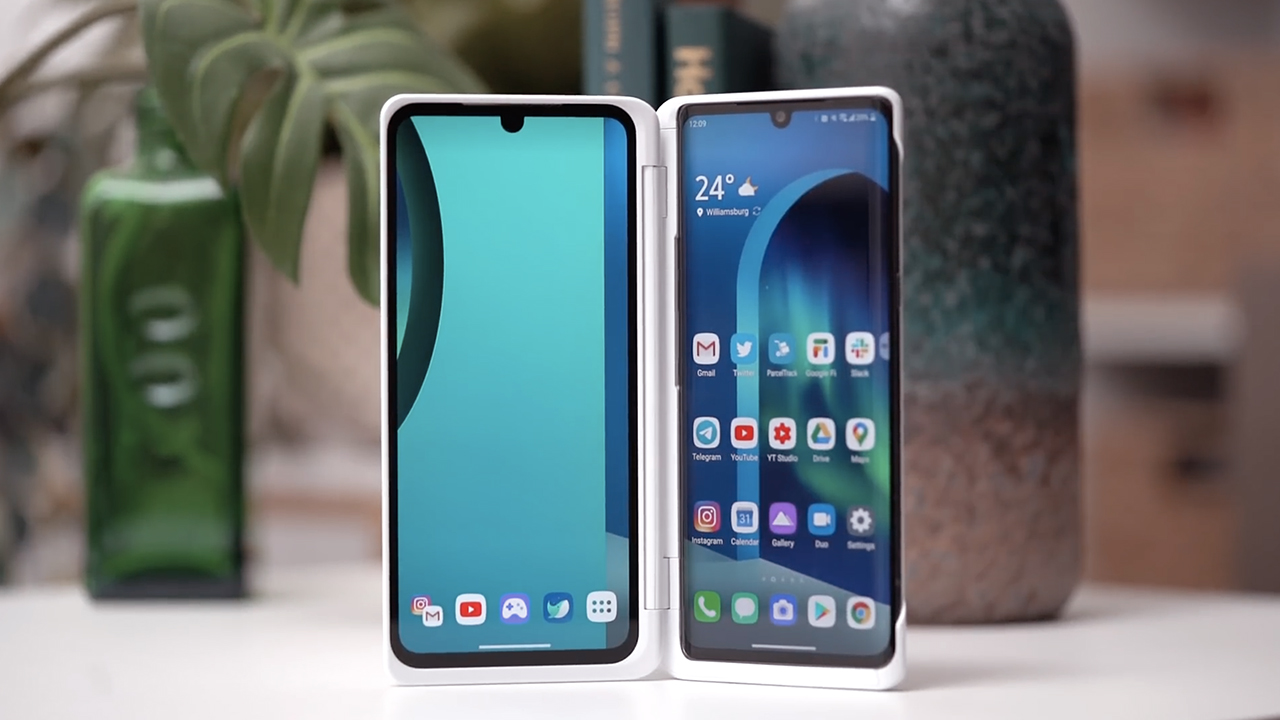
Cementing the company’s commitment to this form factor, the Velvet is compatible with its own Dual Screen case. Depending on where you live, it either comes bundled or is a separate purchase.
In our exhaustive review of the LG V60, we explored all the things you can do with this form factor and why it makes sense as an accessory. If you want an in-depth guide on how you can maximize the dual screen experience, read that review here, or watch it here. My thoughts there apply to the Velvet’s Dual Screen experience as well.

I love being able to use it as a controller to level up my game play, tickling my retro bones using Drastic DS to emulate my favorite Nintendo games from my childhood, and using it as an e-book reader using Librera, which is closer to the experience of reading an actual printed book than.
Of course there’s multitasking: having two documents open at the same time, or a web browser in one and Google Docs in the other. Having that second display for a chat app, a video, or my twitter feed is great and makes a lot of sense for someone like me. You can also save shortcuts for apps that you frequently open together: Spotify and Google Maps when you’re driving for example.
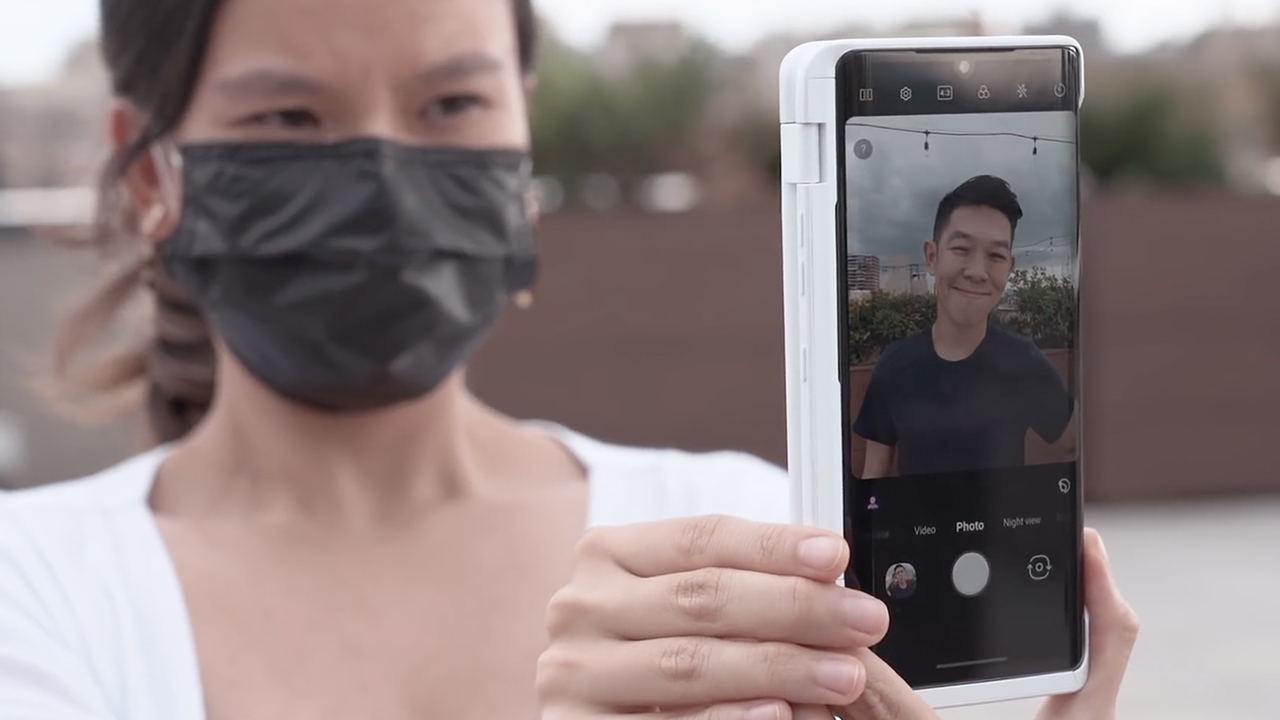
One of my favorite use cases, pun unintended, is flipping the case all the way around and using it as a monitor when photographing others. I also love that I can easily prop the phone up when watching videos or even when I’m on a video call.
Stylus support
Just like the V60, there’s support for any Wacom AES pen on the Velvet. If you’re the type who likes being able to jot down notes the old school way, you can purchase a stylus like Wacom’s Bamboo Ink and use it to take notes, sign documents, or draw on your Velvet.
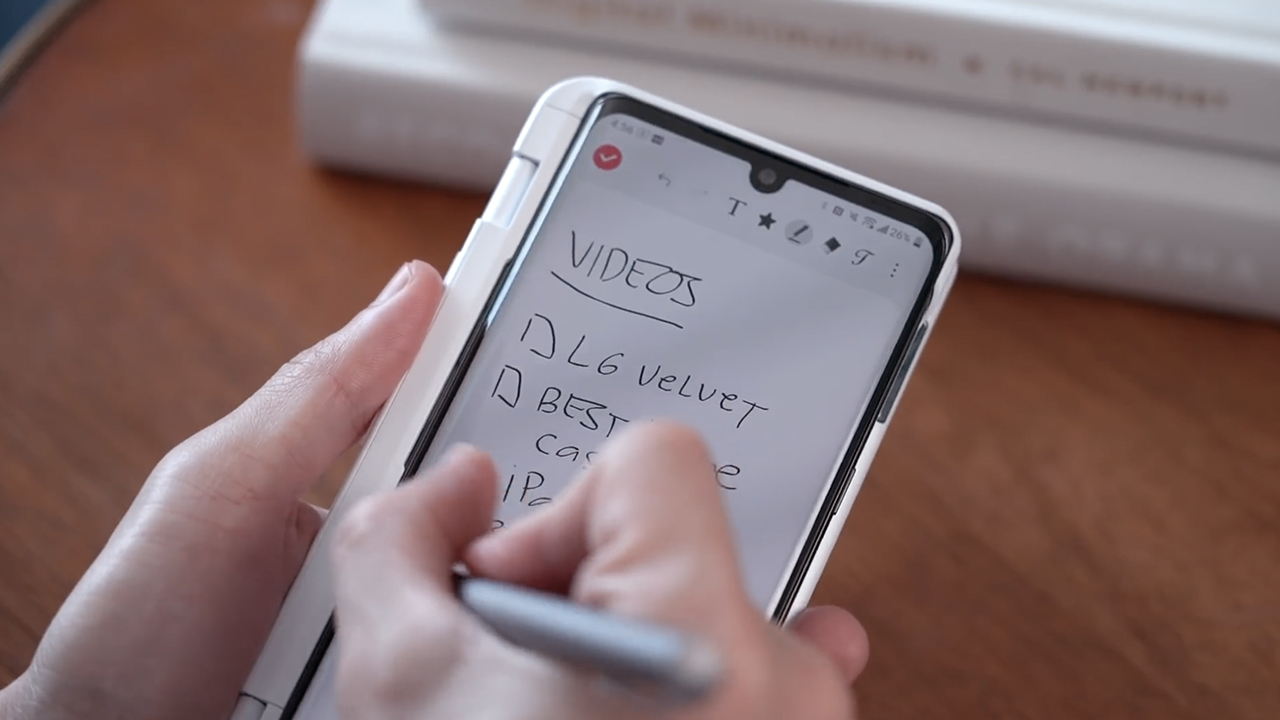
Some will argue that the Galaxy Note comes with a bundled pen and that you can store it in the phone, but old-school note-taking isn’t for everyone. The experience also isn’t as close to pen and paper as the Apple Pencil and the iPad.
What I like about the Velvet, just like the Dual Screen case, is that the extra cost is your choice to make depending on your needs.
Exceptional audio lineage
When it comes to audio the LG V60 is the best phone I’ve reviewed this year. Given its lineage I was curious to see how well the Velvet performed in this department.
The phone comes with stereo speakers, LG’s 3D sound engine, and a headphone jack. The only thing it doesn’t have is Quad DAC support which both the G and V series had been known for. Even in this more affordable segment, LG is still the gold standard when it comes to phone audio.
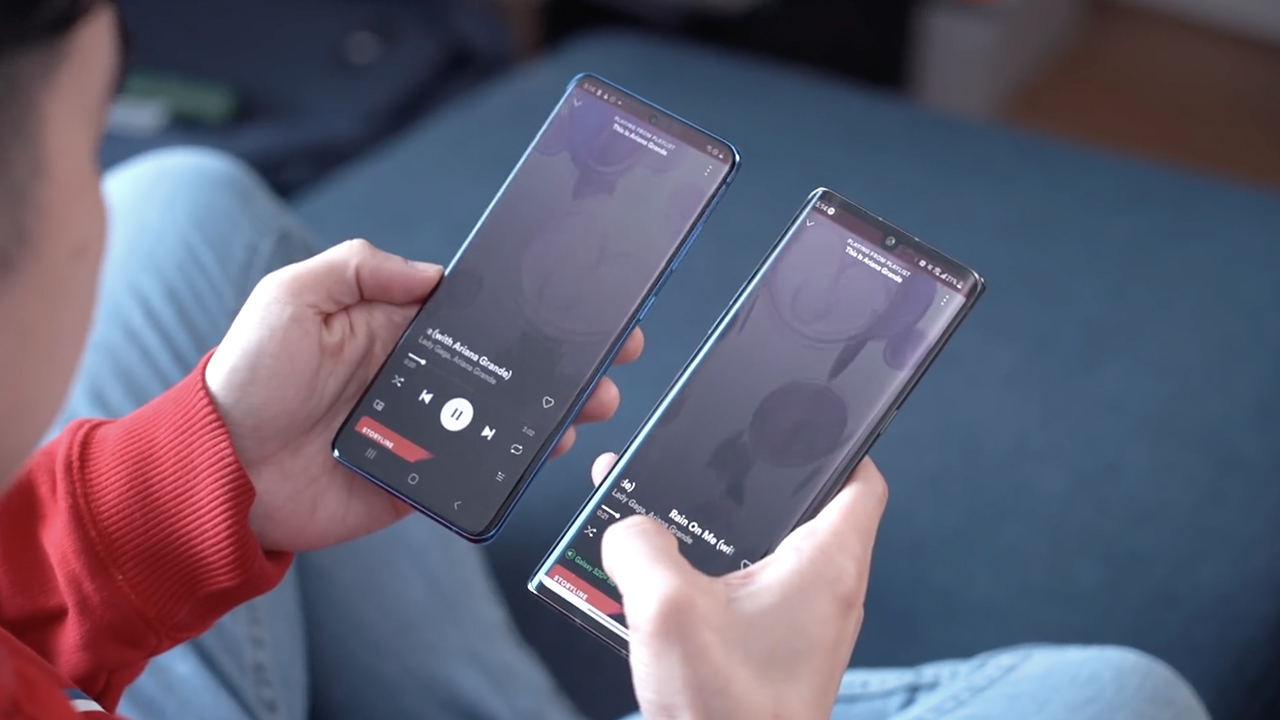
When reviewing the Velvet, I did my usual blind test by listening to songs I know by heart. Its speakers aren’t as loud as the V60 but they are tuned very well. They sound leaps and bounds better than last year’s G8X. It’s also much louder and richer compared to the Samsung Galaxy S20+.
For even better sound you can toggle ON LG’s 3D Sound Engine via the quick settings panel.
Acceptable camera performance

The LG Velvet has three cameras: a standard 48MP wide angle lens, an 8MP ultra-wide angle with a 120 degree field of view, and a 5MP camera dedicated for measuring depth.
This is an important category so I spent a lot of time putting the Velvet’s camera through its paces. Take a look at these sample shots I took around Brooklyn.







With the sun shining overhead, against the light, or even when the sun started to set, the Velvet’s main camera does the job of capturing good photos.


Night Mode also does a decent job when it got dark.


Its ultra-wide angle camera doesn’t perform as well. It was alright during the day, but poor as the sun started to set. Details become fuzzy when there’s not enough light.

The third camera dedicated to creating background blur does a good job cutting subjects out. Phones usually struggle to separate Chay’s hair from the background but the Velvet managed to do it pretty well.
Camera comparison
It’s important to manage our expectations based on how much the Velvet costs. I compared it to the similarly priced OnePlus 8, and the pricier Samsung Galaxy S20+.

During the day when the sun is out, the sky blue, and the model straight off the Paris Fashion Week runway, you’d be hard pressed to pick one photo over the other. All phones did great, captured details well, and produced similar colors.
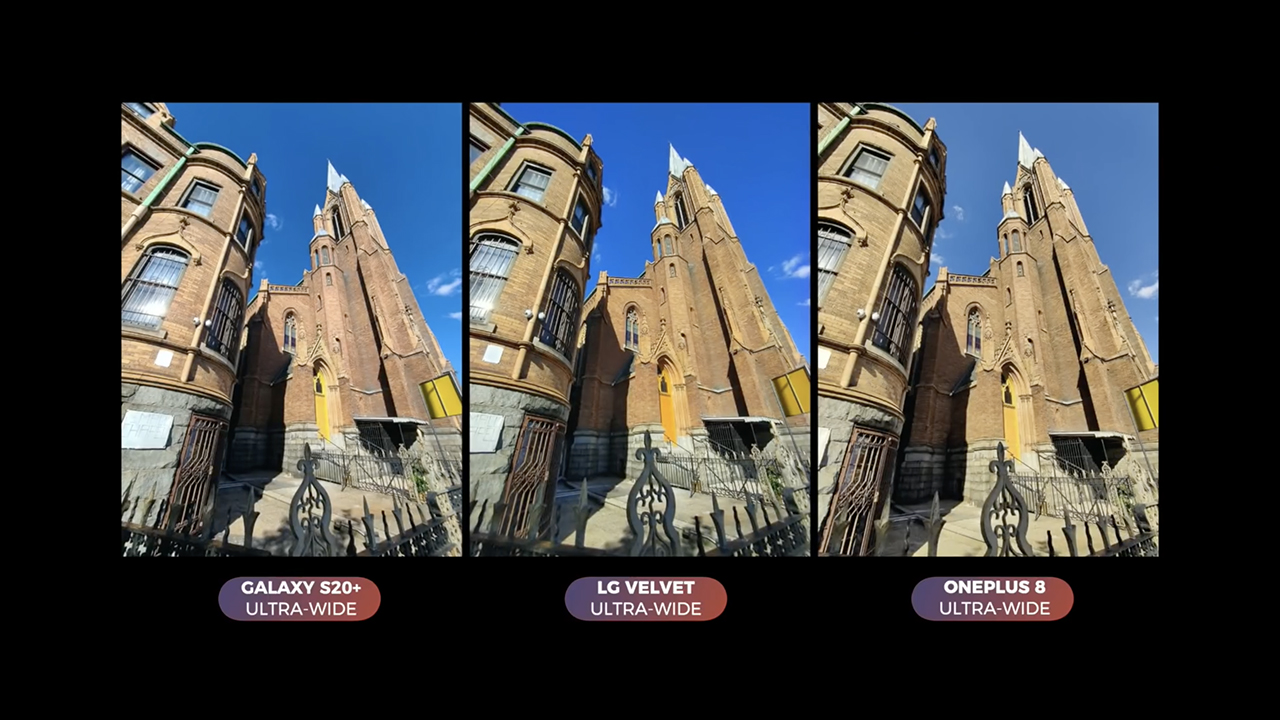
I’d say the same about this ultra wide angle shot. The only difference is that the S20+ has a wider field of view.

It’s a similar case with these photos taken with 2x zoom. Both the OnePlus and Velvet use digital zoom as they do not have dedicated telephoto cameras.

This ultra-wide angle shot is interesting — a test of how all three phones handle backlit subjects. The S20+ and the Velvet handled the harsh lighting conditions very similarly. The OnePlus 8 did the best job at managing highlights. In some cases, it just boils down to camera software, like in this example.
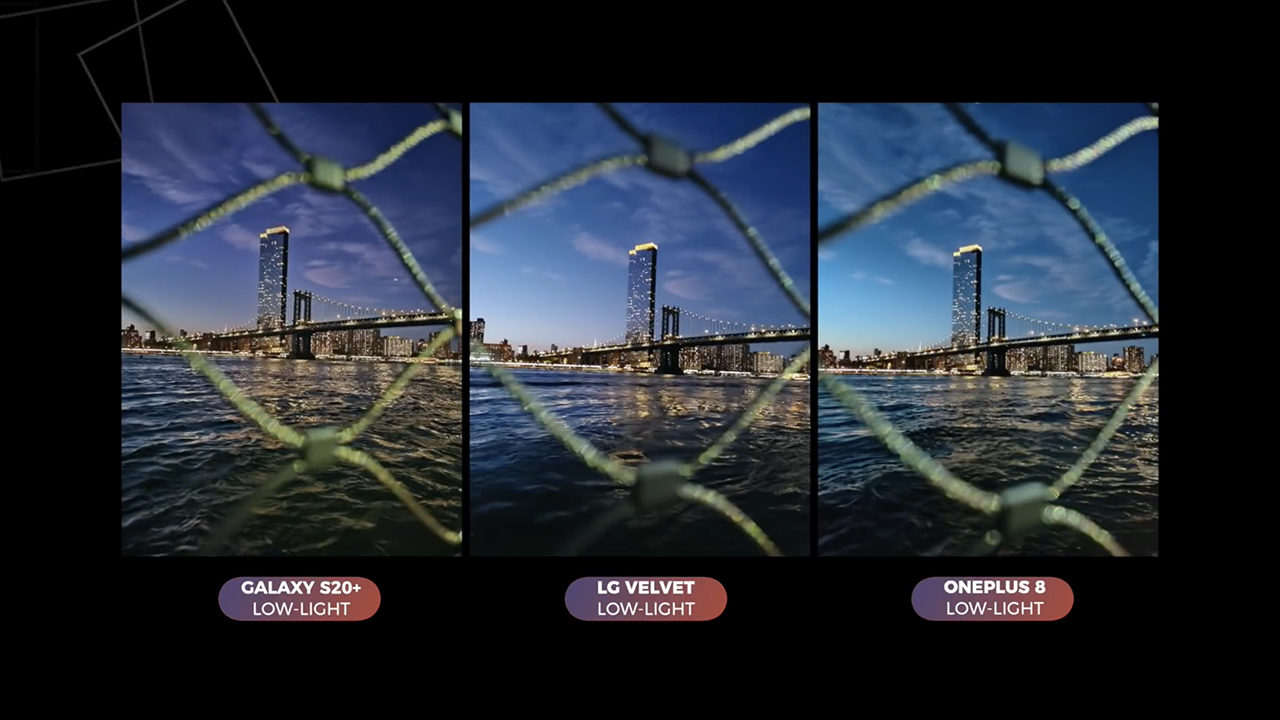
We spent a lot of time comparing the phones after dark. First, this artsy photo of the Manhattan Bridge shot through some fencing.
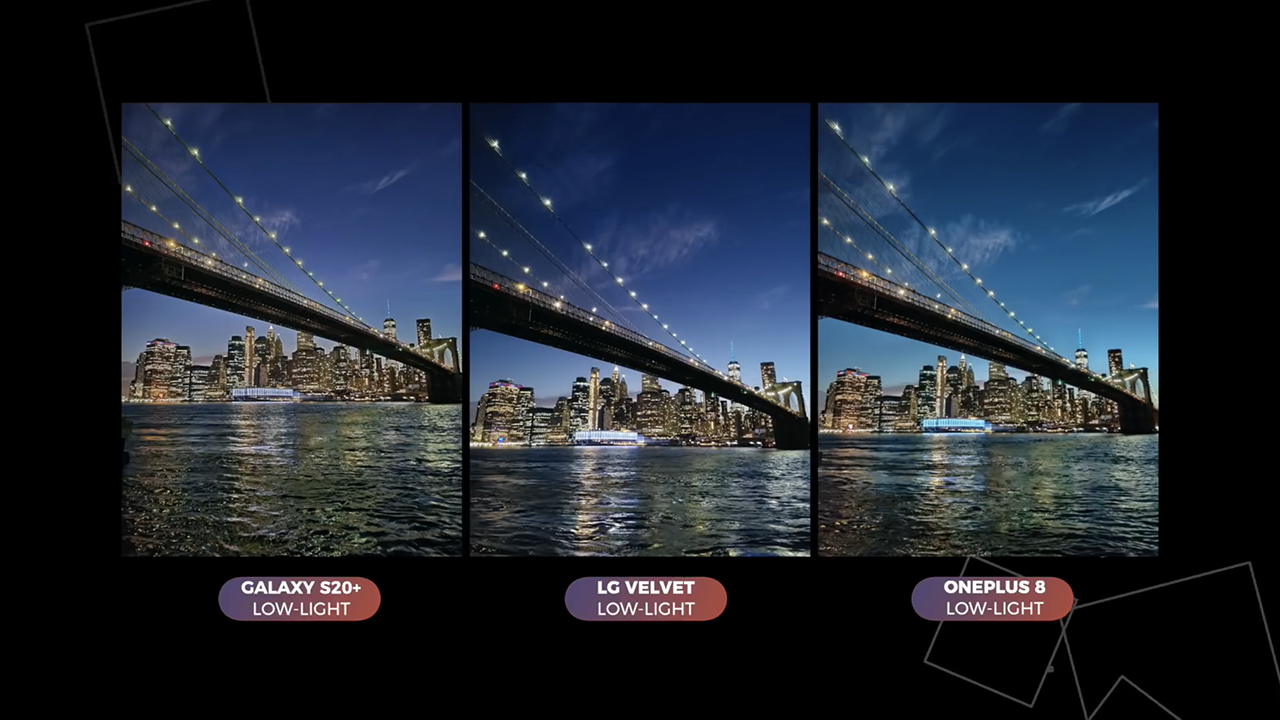
Next is of the Brooklyn Bridge. I did a poll on Twitter and most of you picked the S20+’s photo, with the Velvet coming in second and the OnePlus 8 third. It’s a tough call and really depends on what people are judging for. Some voted for presumed color accuracy, some for detail, some voted based on which one fits their aesthetic best.
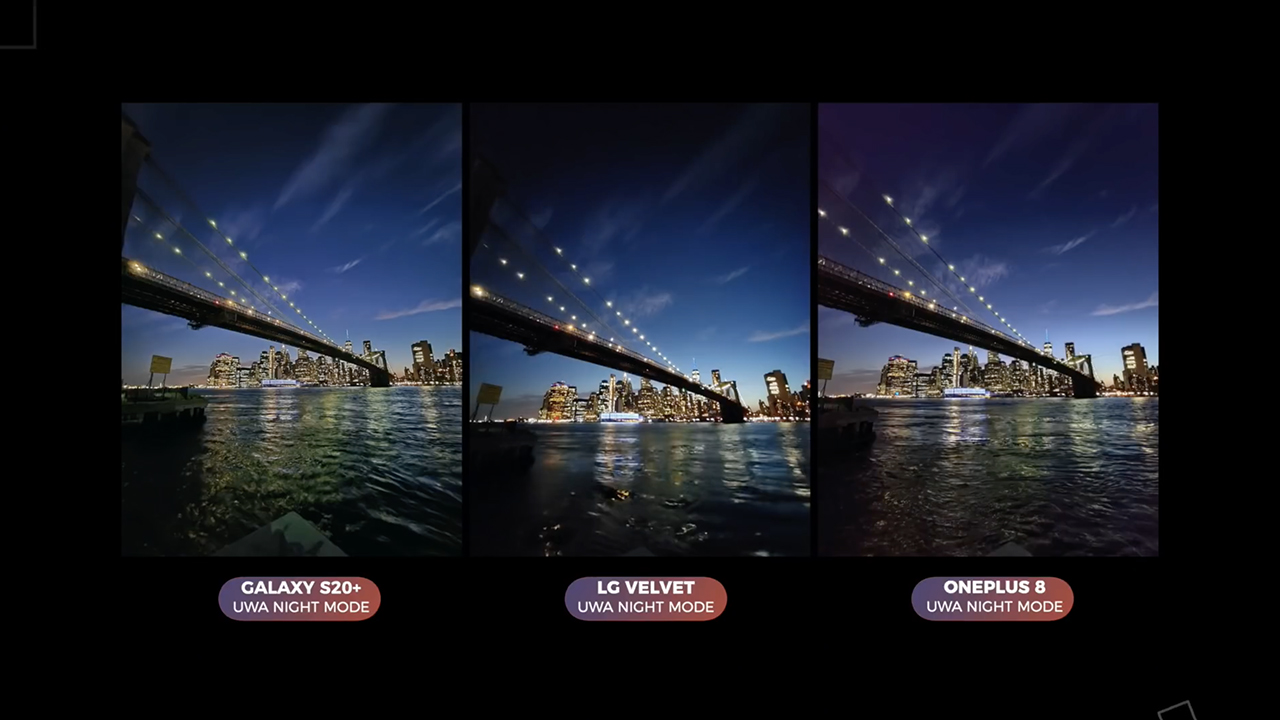
When you switch to the ultra-wide angle camera, this is where the Velvet suffers. Just like in our daytime photos, the Velvet didn’t capture enough detail for it to be usable.
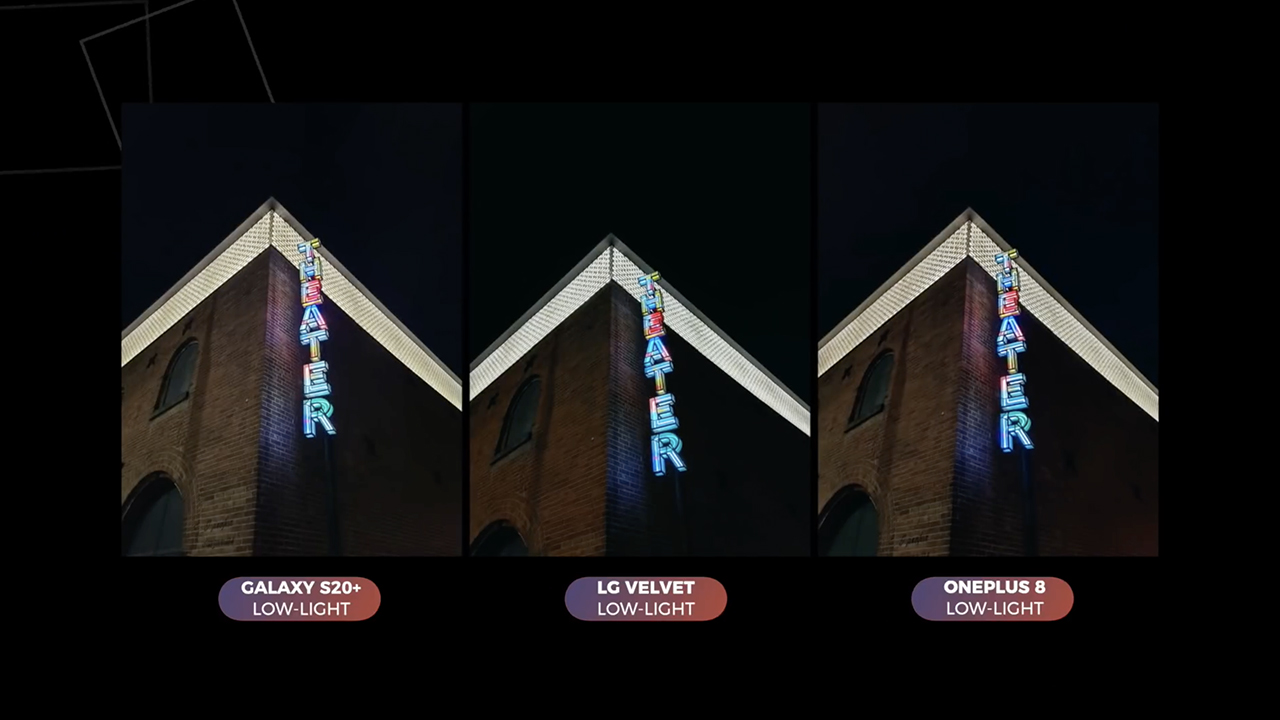
We took more comparisons this time without night mode. For the most part the results were pretty similar across the board.
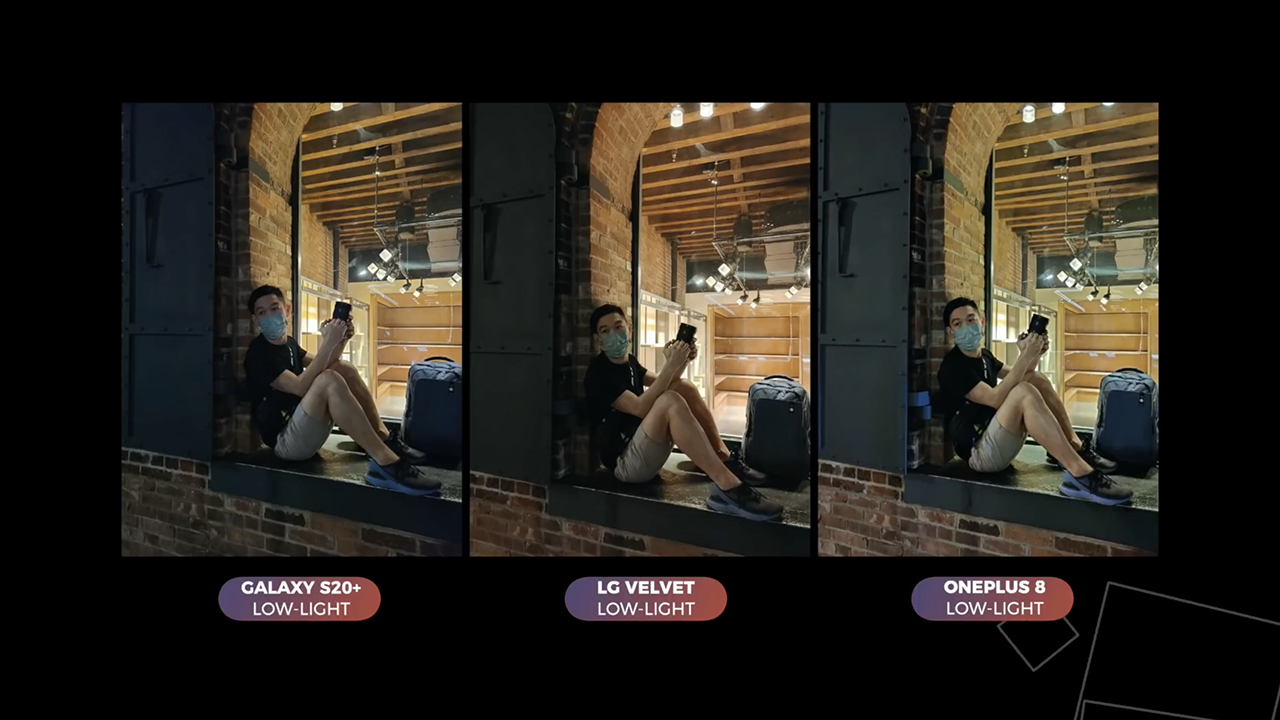
In this last comparison photo, we didn’t use night mode as well. All three phones handled this back lit shot differently, but I think all of them are post worthy.
Overall it’s no surprise that people chose the S20+’s photo in my Twitter poll. It does after all have the best camera hardware of the trio, but the Velvet’s main camera held its own. It produced accurate colors in low light while being the cheapest phone in this shootout.
Its ultra-wide camera is just a let down, especially considering LG was pioneered this feature on smartphones many years back. Maybe they shouldn’t have included it, that might have brought down the price even further.
All-day battery

The LG Velvet comes with a 4300 mAh battery. It lasts me a full day of average use with a little bit left over for the next day. It’s not as long lasting as the V60 but overall its battery life is great.
Charging speeds are also respectable considering its battery capacity. Using the bundled fast charger, I got to 10% after 10 minutes and 70% after an hour. A full charge took just one hour and 52 minutes.
The Velvet also supports wireless charging, and it works even with the Dual Screen case on.
If you get the Dual Screen case, it comes with a USB-C adapter that magnetically latches into place. I think is a great idea. Once you plug it into the bundled USB-C cable, you’re not going to lose it. In case you do, you can buy a replacement online.
Pricing and availability

The LG Velvet was announced in South Korea earlier this year with a KRW 899,800 (US$ 700) launch price. In Europe, pricing vary per country: In Italy, it was going for EUR 650 (US$ 757), bundled with the Dual Screen case and LG’s Tone Free wireless earbuds.
In the US, it starts at US$588 if you get it from T-Mobile, US$599 from AT&T, and US$699.99. Just note that the T-Mobile model has slightly different specs than the unit we reviewed.
Is the LG Velvet your GadgetMatch?

Despite not offering the coolest features smartphone nerds rave about, there’s something interesting about the LG Velvet. It’s a much needed class of device for right now. 2020 is the year when brands known for making flagship killers have all but abandoned that calling.
Prosumers who need more computing power, better cameras, and a faster display should definitely look elsewhere.
The LG Velvet is a solid phone. It’s built well, performs great, and most importantly it comes with a price tag that doesn’t break the bank. For that we give it the GadgetMatch Seal of Approval.

Reviews
realme C100: Enduring and durable in spite of entry-level realities
Enough power but needs more agility

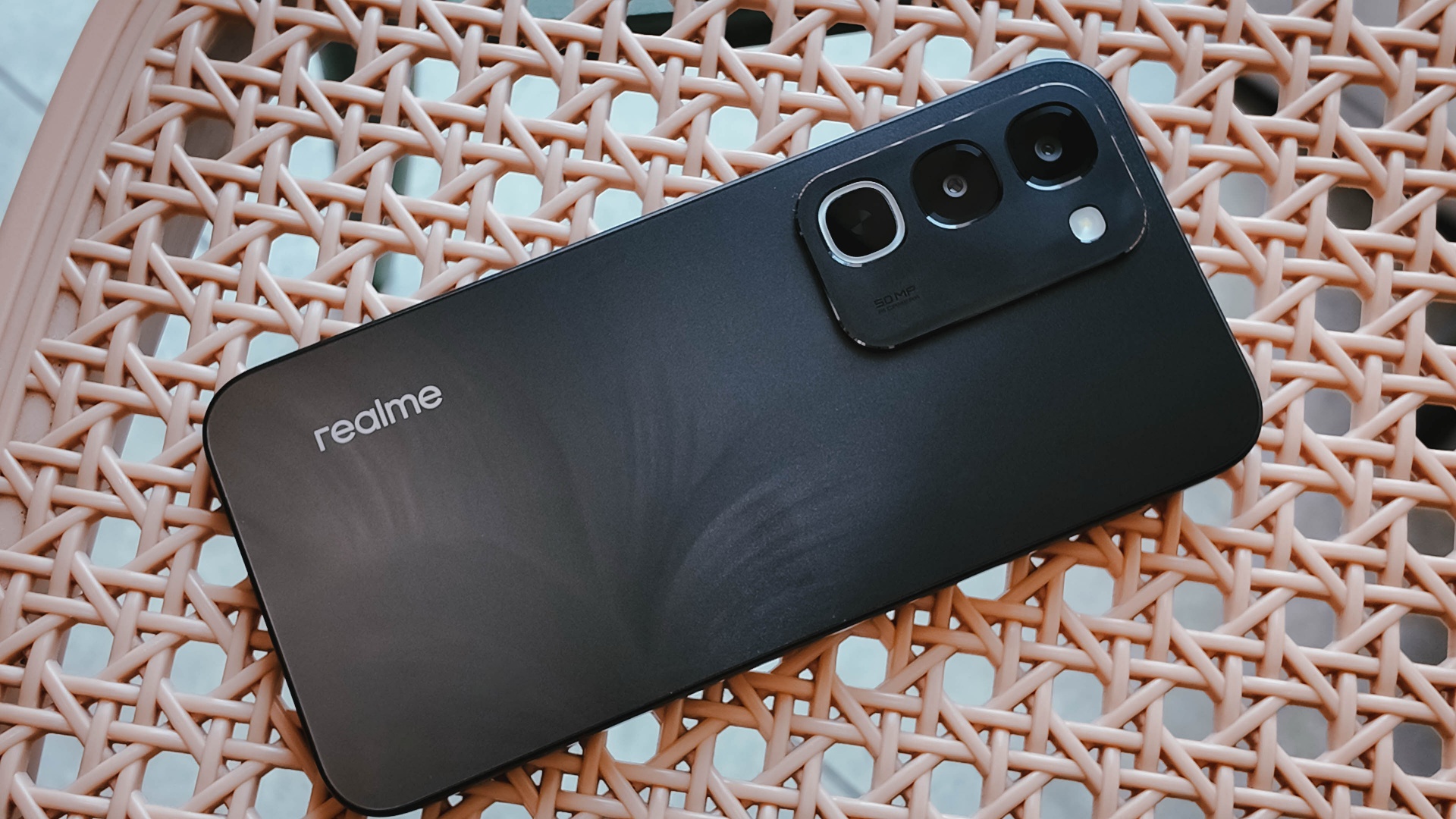
Several smartphone brands have successfully balanced cost and capability in the entry-level and midrange segments. realme, on the other hand, appears to still be navigating this refinement process after the realignment in budget handsets.
The brand’s latest mass market offering, the realme C100, highlights an aggressive focus on physical endurance and battery capacity.
These are two welcome additions to give consumers more value for what they purchase. Yet, there are compromises in other areas that ultimately hold the package back from being a worthy everyday utility.
Long battery life

Bannering the realme C100 is its 8,000mAh Titan battery. This substantial boost in capacity translates to better longevity on a day-to-day basis.
For just casual usage patterns, it can easily last even up to four days. When left on standby, it can even stretch to an impressive nine days or so.
When finally time to recharge, the device supports 45W SUPERVOOC fast charging, which is ample for its segment.
As smartphone brands lean toward offering larger batteries, it’s a positive trade-off for those who don’t plan on purchasing power banks any time soon.
Unoptimized performance
The C100 is powered by a MediaTek Helio G92 Max processor and runs on the Android 16-based realme UI 7.0.
Performance is inconsistent at best. Light social media scrolling and casual streaming aren’t met with hiccups.

But, with gaming, the handset falters a bit, even with the supposedly less demanding titles like Mobile Legends: Bang Bang. There are frame drops, stutters, and a it of lag that disrupts the overall experience.
That’s even with GT Mode turned on.

This would also considerably hamper the workflow of utility workers’ daily routines, should they choose this.
Thankfully, with a long battery life, the C100 is still something you can wield to stay connected throughout the entire day, especially for commuters, students, and young professionals.

However, the lack of 5G connectivity is also a downer, especially if you’ll need a better and faster network.
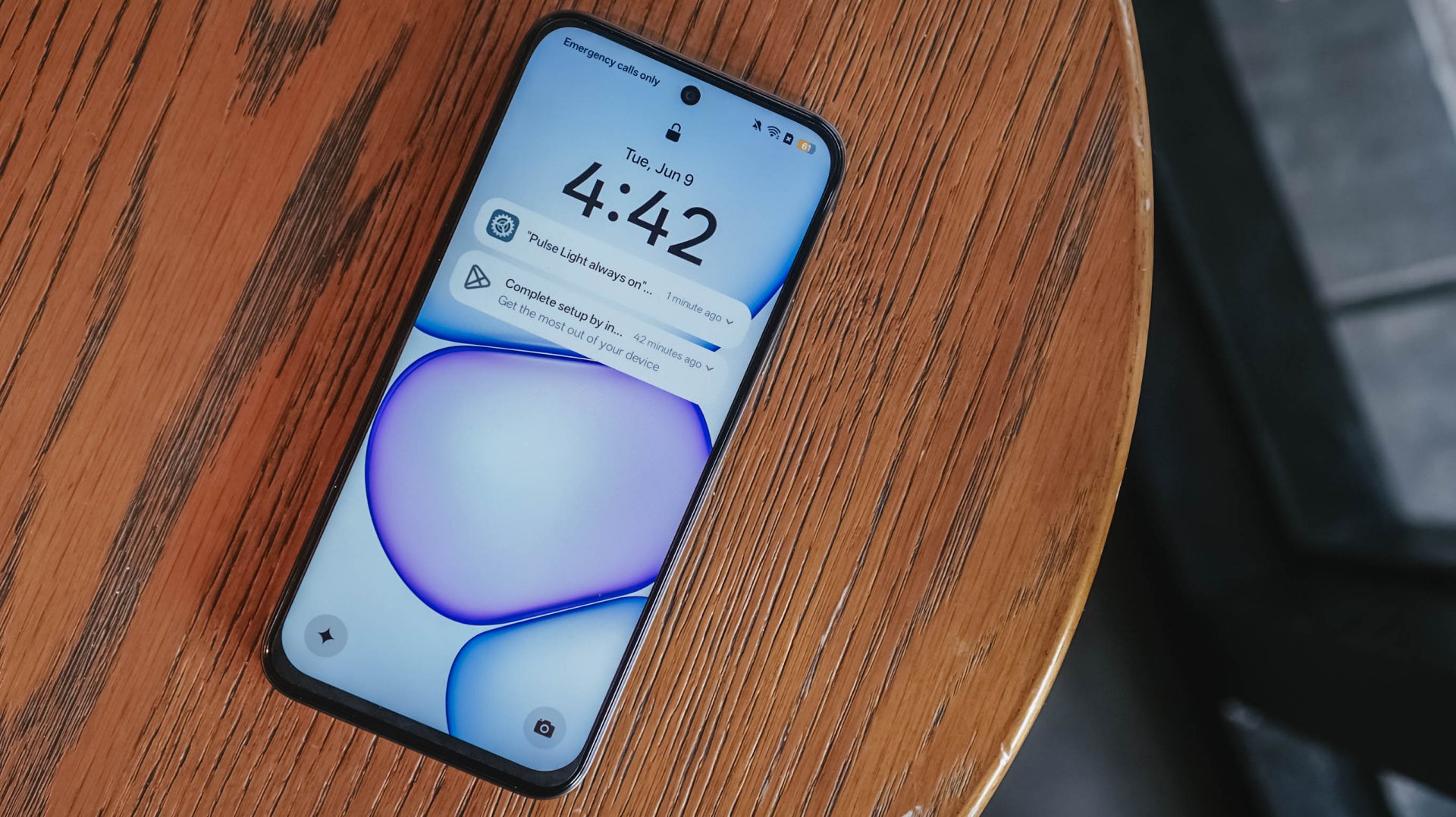
Ideally, I would put it as chiefly just a tool for constant comms and something you’d put on your desk — expecting new messages, emails, and notifications or updates here and there.
Inferior display
In front, the realme C100 sports a 6.8-inch 120Hz display on paper. It has an HD+ resolution but the pixel density sits at just a mere 256ppi.
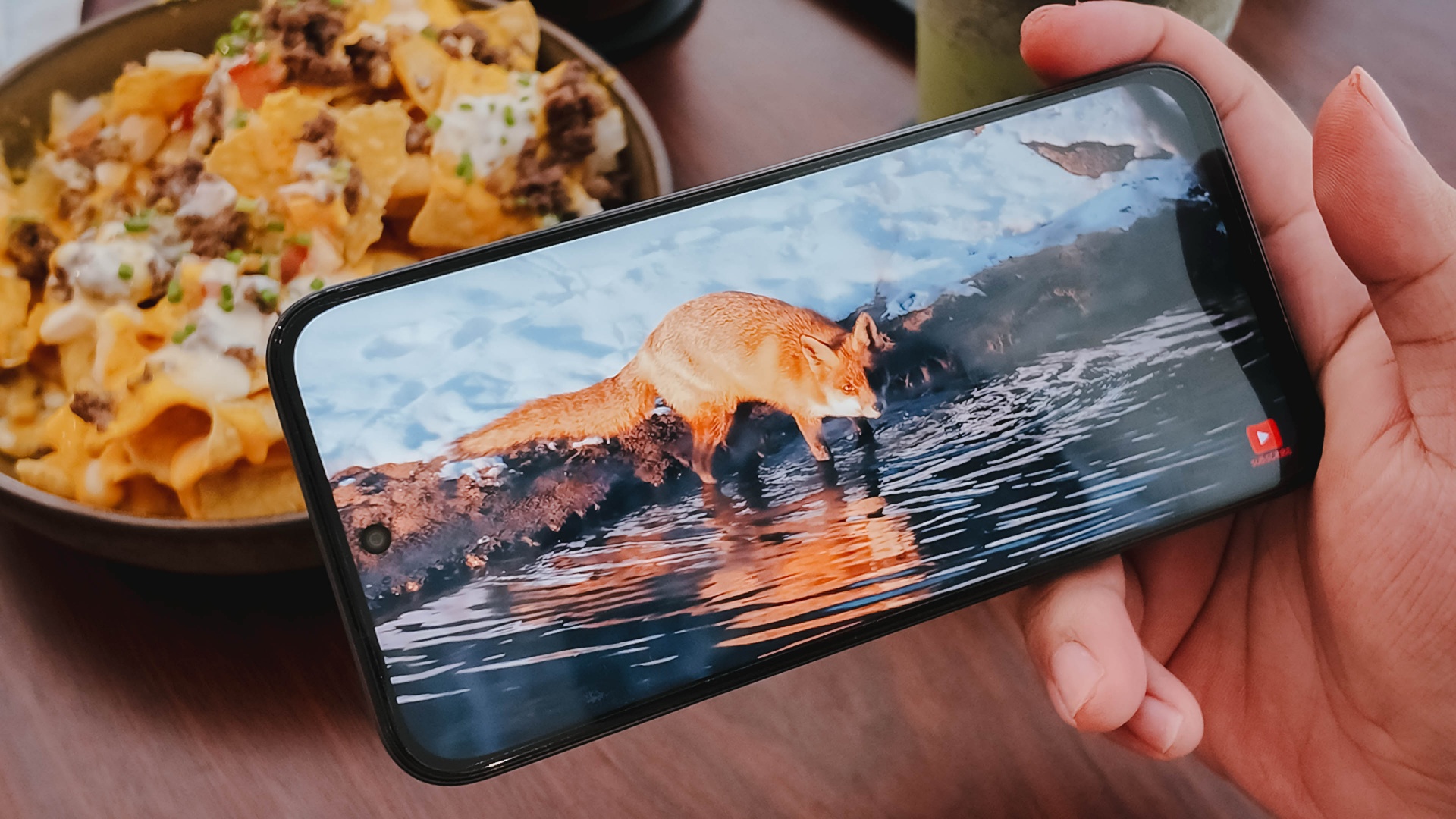
There’s visible graininess or lack of distinct sharpness, be it streaming YouTube or viewing photos you’ve just taken with the device.
The same hardware limitation reminds me of past compromises in previous C series entries. Photos appear muddy and noticeably soft on screen, so it’s difficult to judge image clarity until files are transferred to another display.

The 1,200 nits of peak brightness helps a bit, although it is still a bit trickier to see things under the bright sunlight.
Cameras: Decent, as usual

For its camera, the realme C100 has quite the standard 50MP main camera. It’s decent for captures in terms of color and detail, but I’ve seen better overall quality from previous C series entries.
It’s tough when its indoors and under low light conditions — as expected. Naturally, you can’t expect the same detail outside of 1x zoom.
Some quick samples:

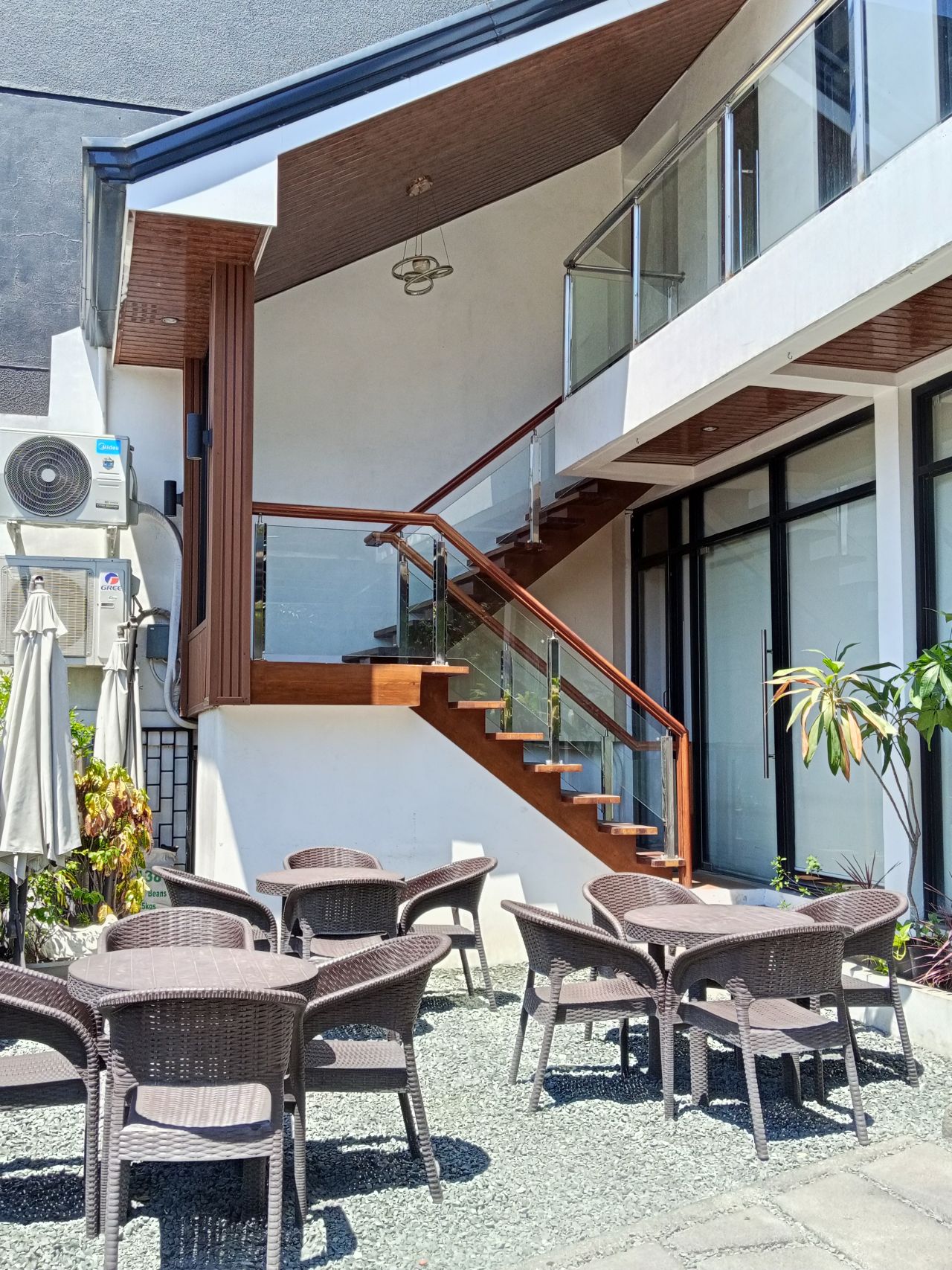








It’s a you-get-what-you-paid for on the stills department; something you’d use for documentation more rather than artistic captures. I would have hoped for more stability with filming, so you can use it for quick reels or splice them for vlogs.
When I asked my nephew to use the phone for a bit, he didn’t take too many images, which tells a lot about what the camera package can offer.
Look and feel
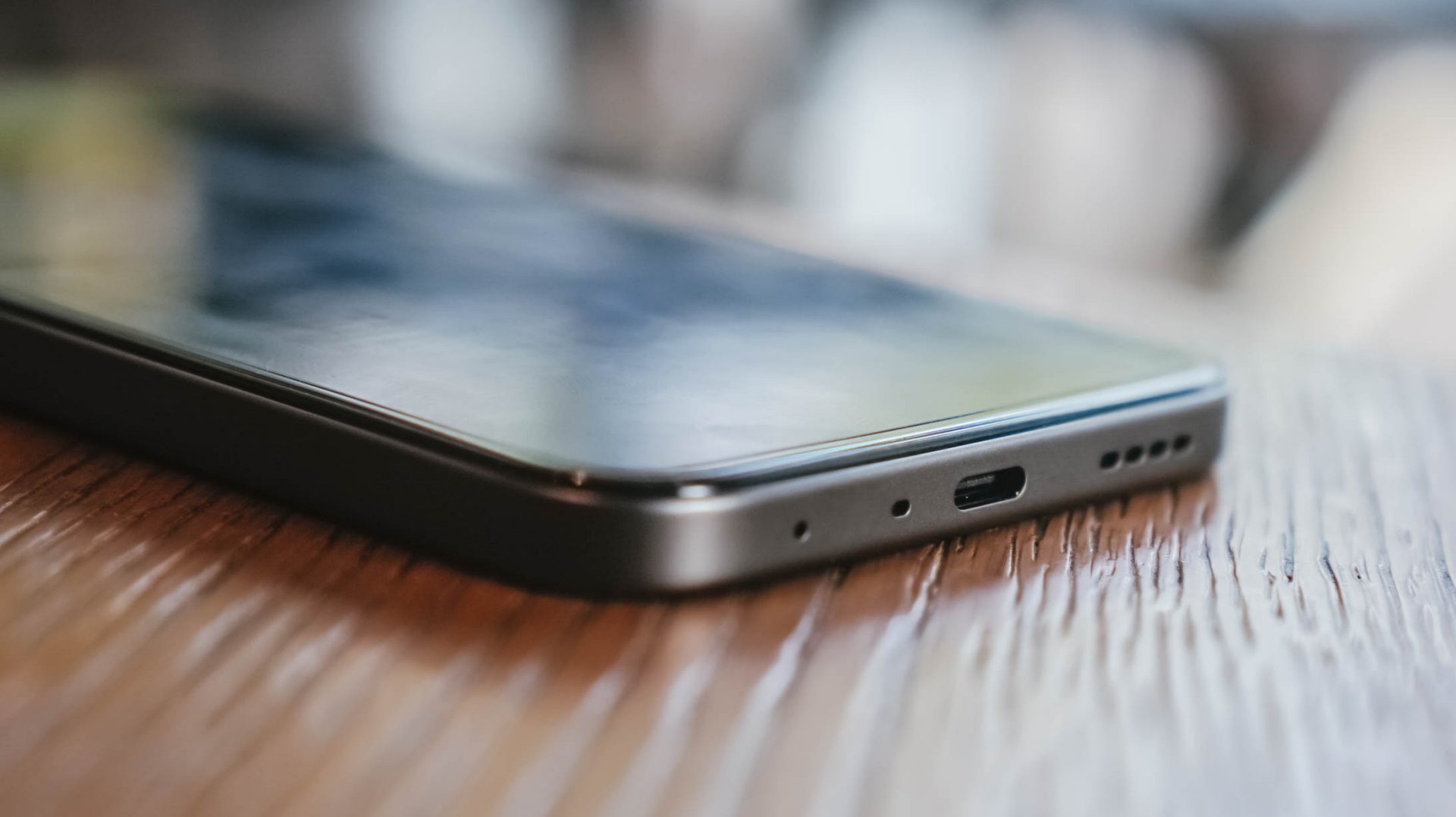
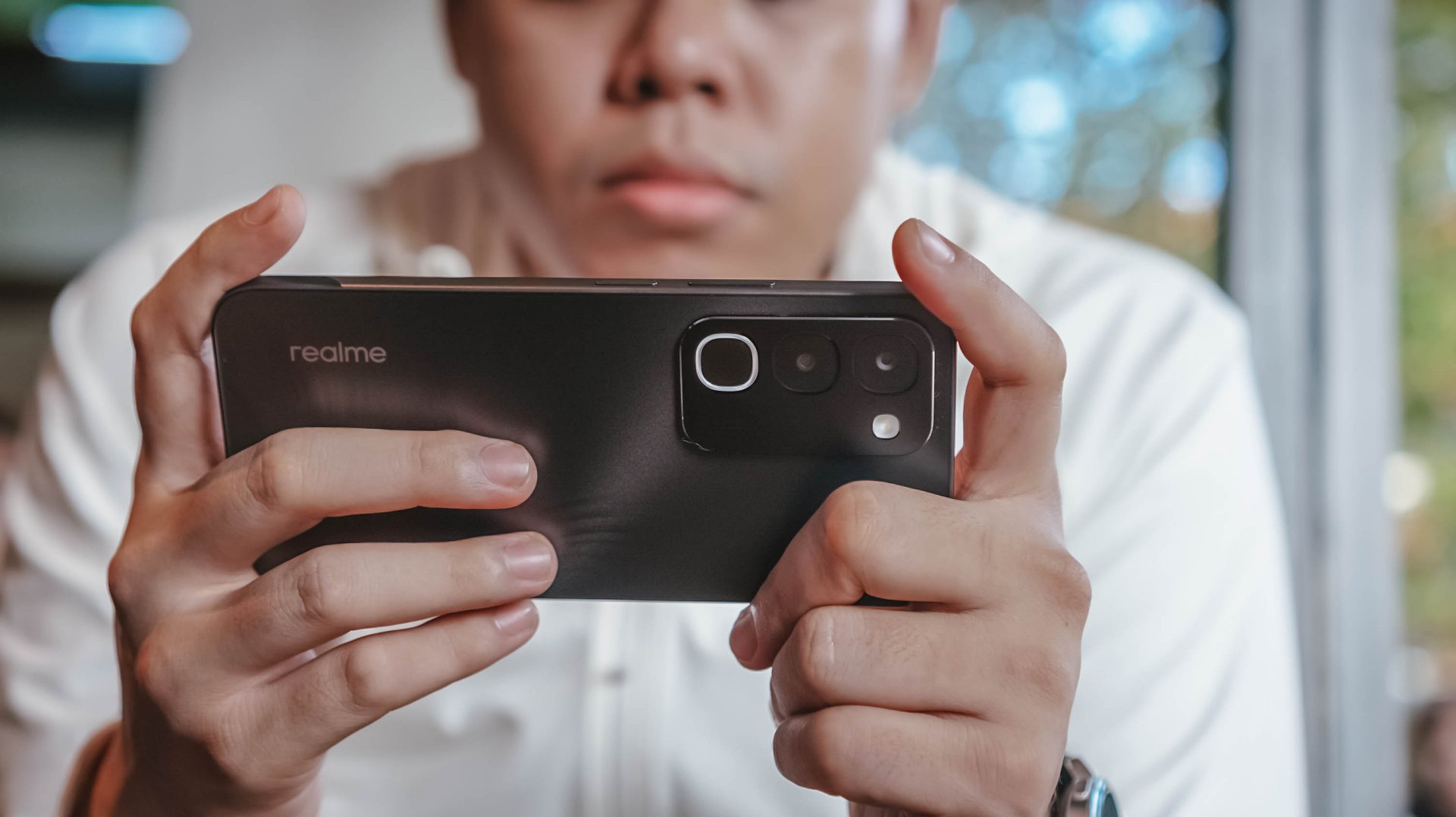
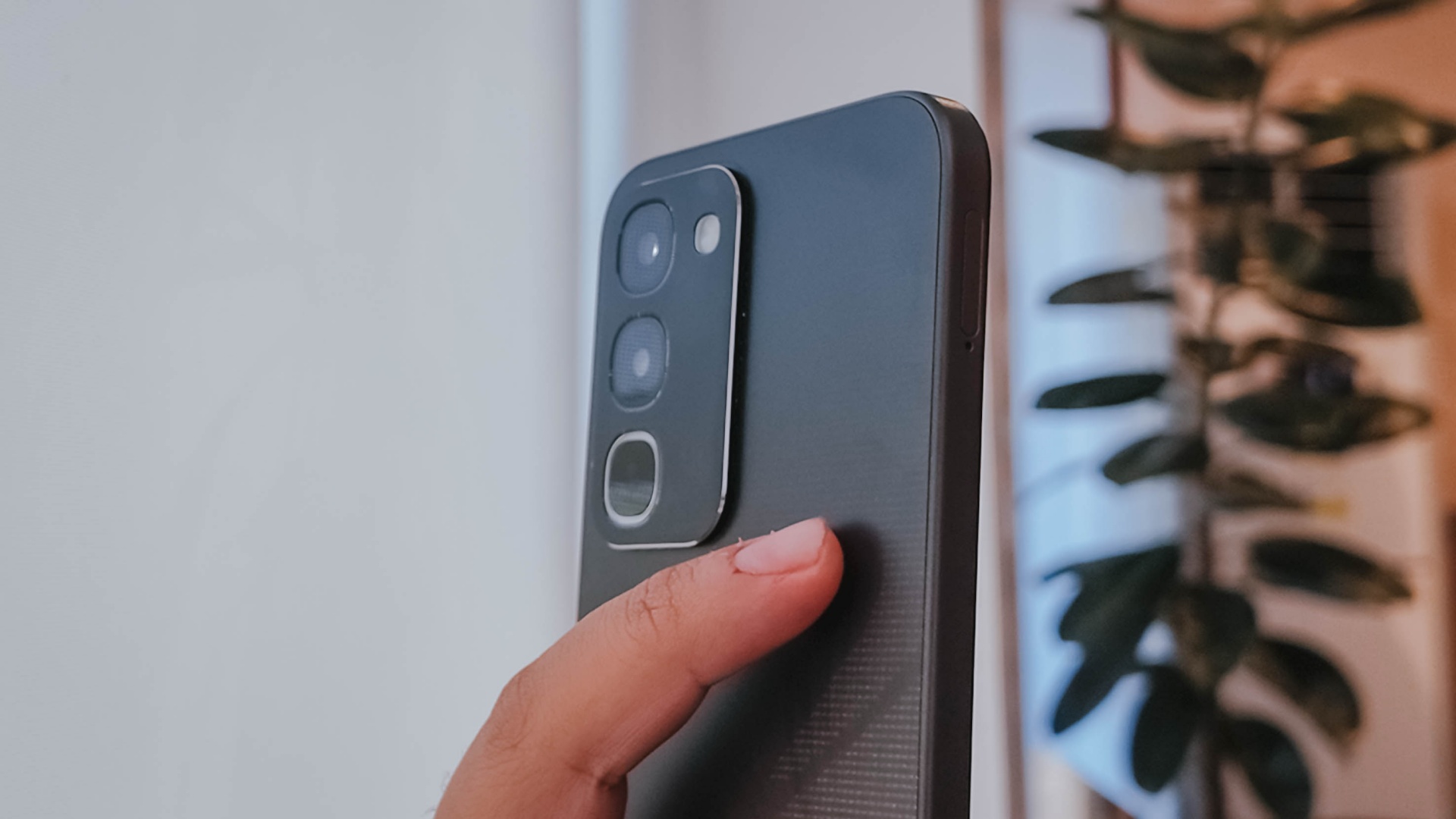
Onto its appearance, the device comes with a simple, squarish build with a faux triple camera island at the back.
It’s nothing we haven’t seen before, though in the place of round cameras, they look more like app icons shape-wise.
There’s slightly curved corners, just the right amount of thickness, a decent 90.4% screen-to-body ratio, and a bit of weight given the larger battery.
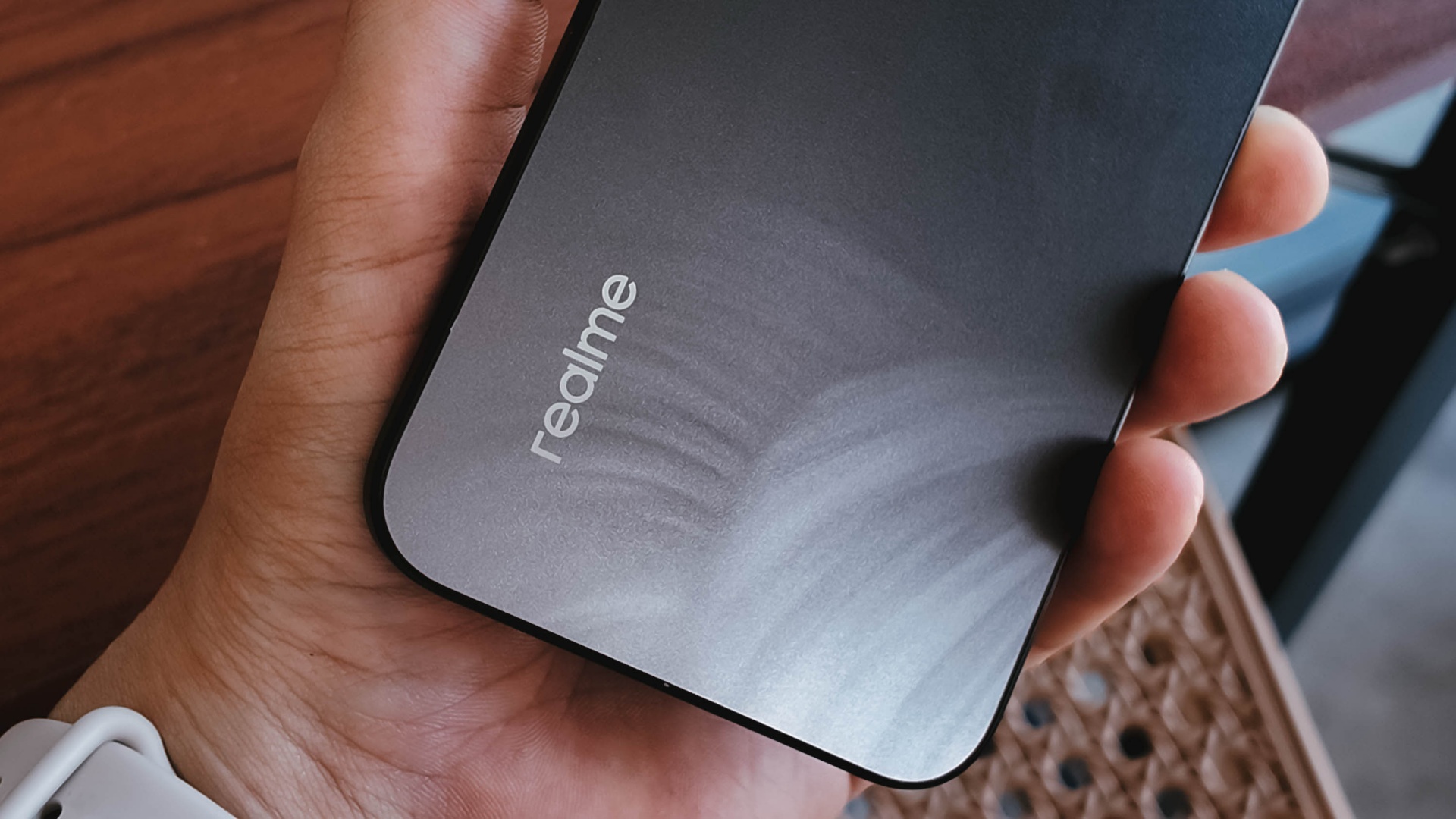
To its credit, the phone has a good grip and a less slippery back, even with its fancy design.
It is obviously great to have ArmorShell Glass protection too, as durability and ruggedness are two non-negotiables in this segment to remain competitive.
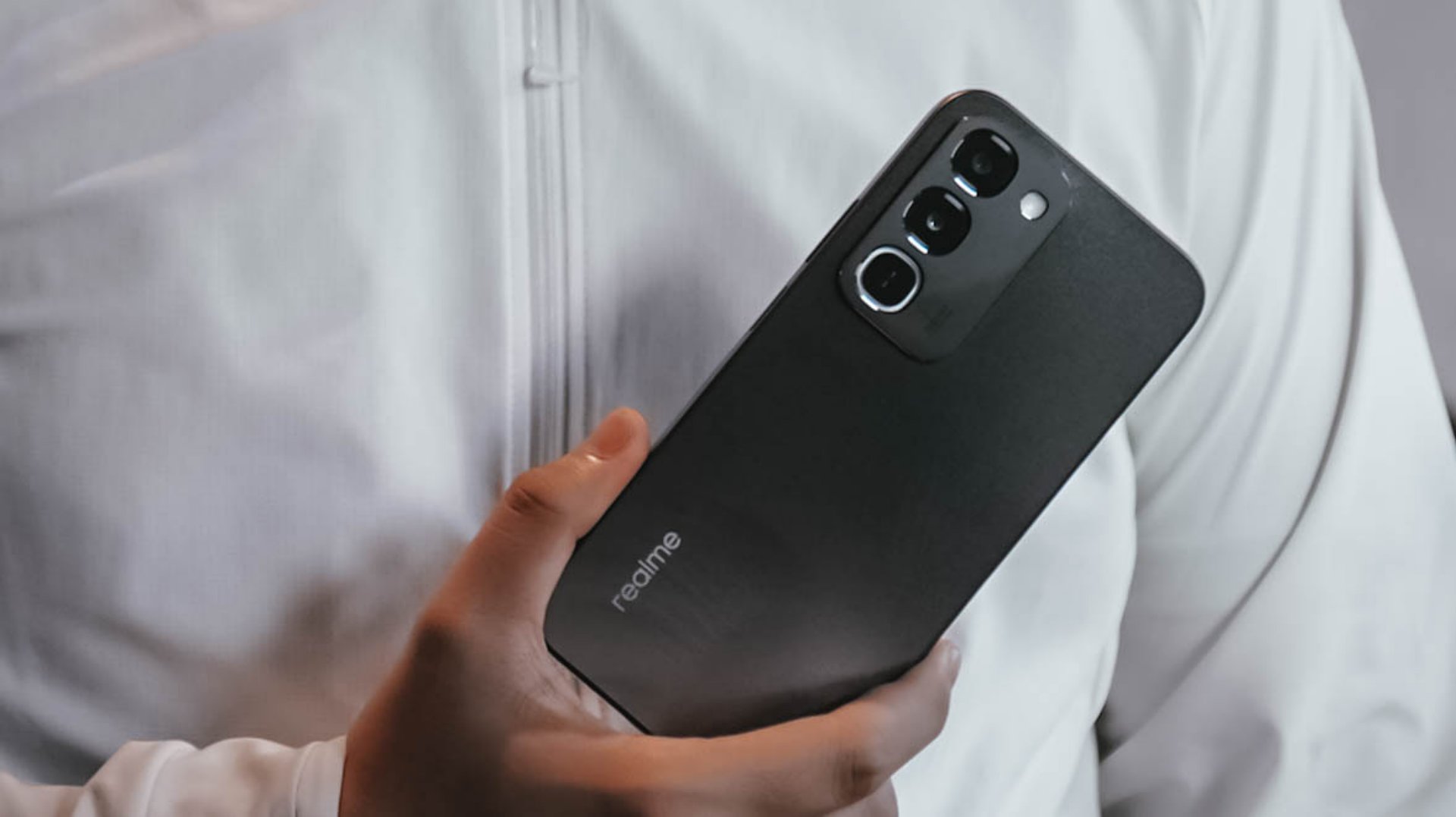
Aside from that, the phone boasts of IP66, IP68, IP69, and IP69K dust and water resistance. The display itself is also optimized for wet touches through Rain Touch Mode.
Is this your BudgetMatch?
For consumers prioritizing raw survival metrics, the final verdict leans toward a Swipe Left. It’s close though.
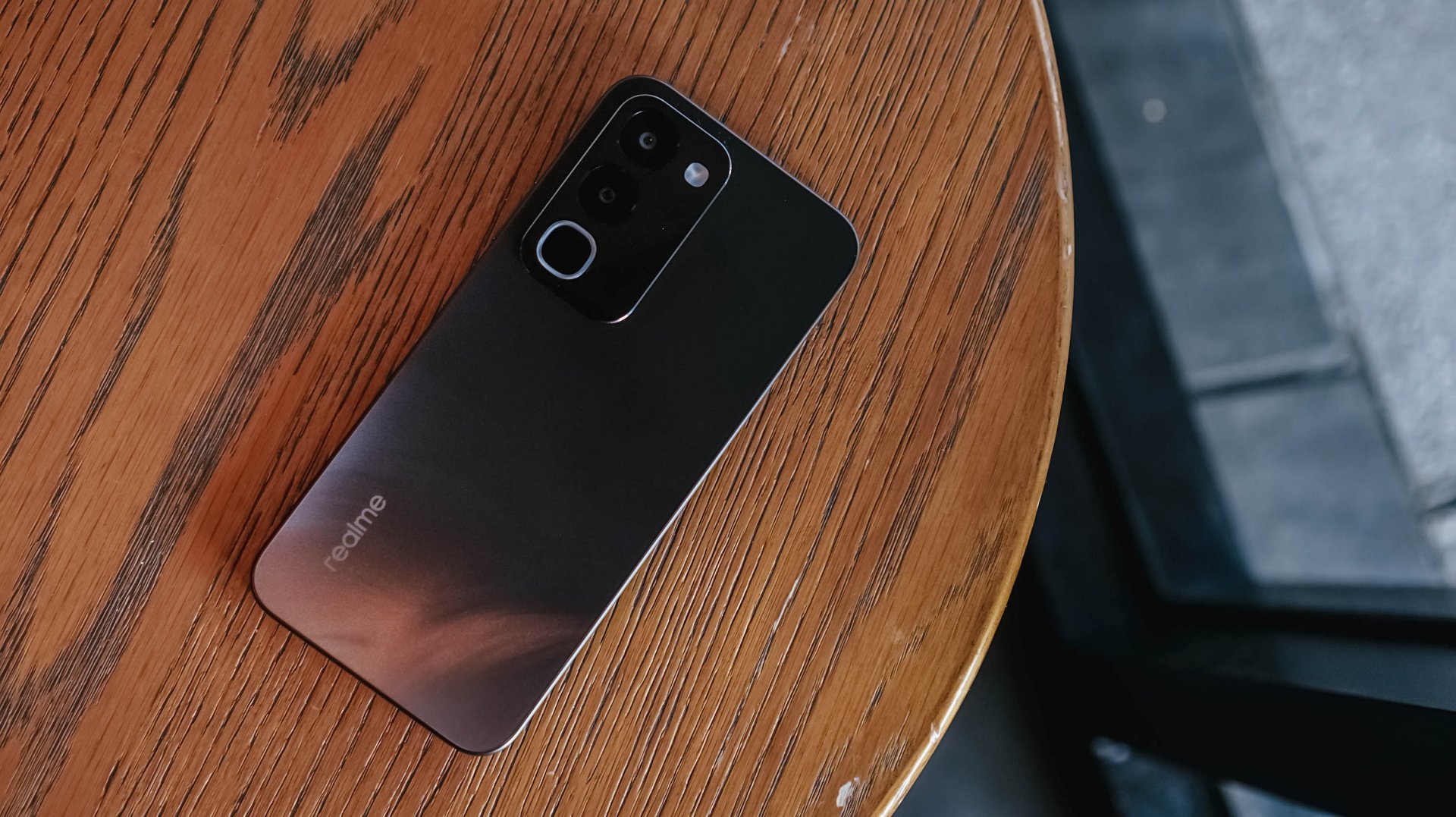
While the market shift toward military-grade drop resistance, high-tier IP waterproofing, and massive batteries makes sense as they save users from the hidden or unexpected costs of broken screens, liquid damage, and purchasing extra power banks, smartphones still requires a baseline level of operational smoothness.
At this price point, there are multiple cheaper alternatives with a more stable and responsive user experience.
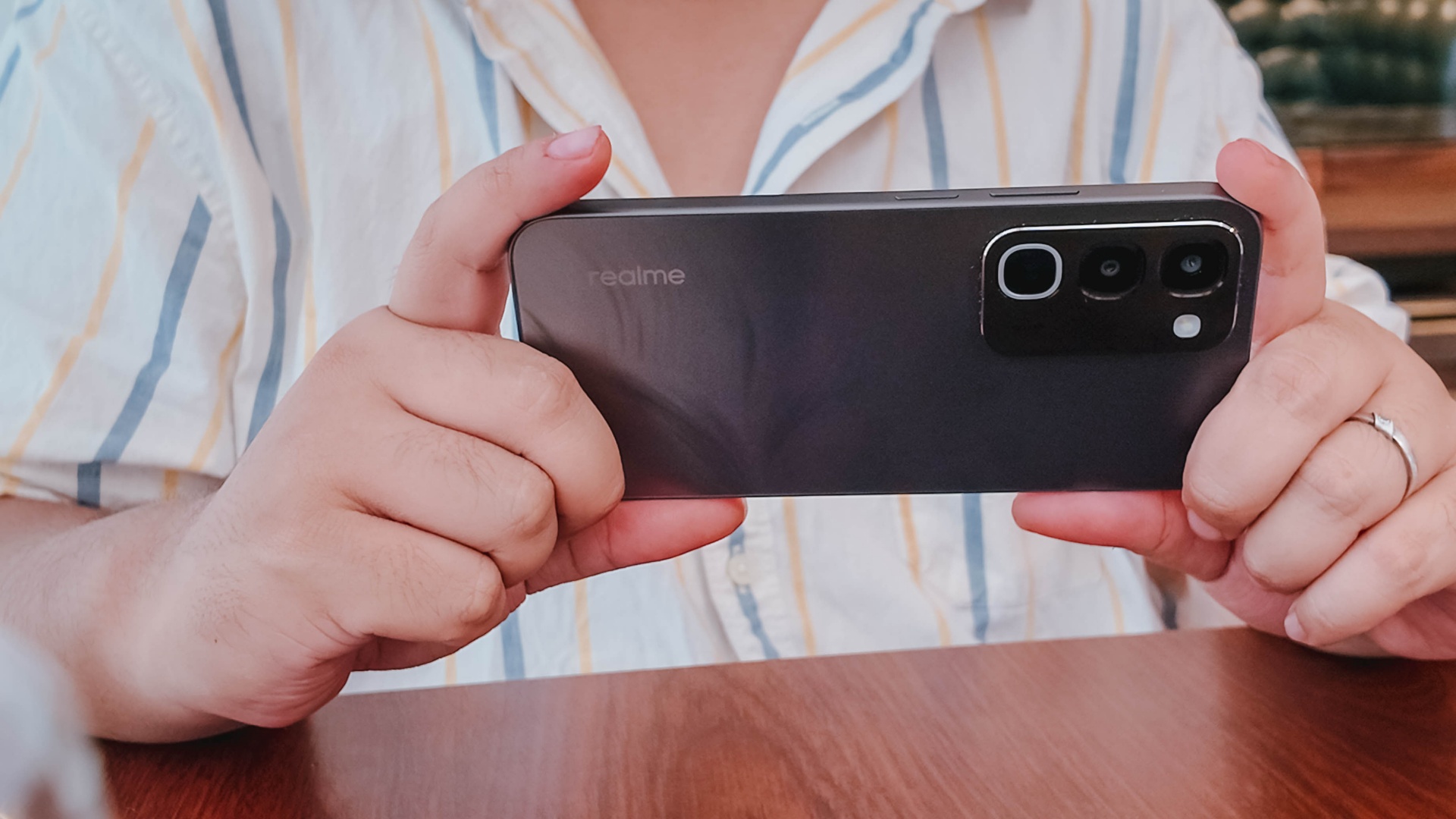
There are also niche options providing a better gaming experience or camera performance, if either one is what you’re after.
There is just too many trade-offs with this particular unit, leaving some critical boxes unchecked.

This is coming from someone who has done countless unboxings and has touched a wide variety of devices — the ASUS ExpertBook Ultra was… alright.
My first impression was that it certainly didn’t wow me as much as I expected it to after having read the brief, nor even after attending the tech seminar where ASUS laid out its vision for the laptop.
That’s probably the strangest thing about the ExpertBook Ultra. Because after having spent more time with it, the laptop grew on me.
Put cheekily, the ASUS ExpertBook Ultra wasn’t the laptop that made my head turn. Instead, it was the laptop that kept showing up consistently. Before I realized it, it’s become the one I wanted to keep coming back to.
And I think that’s the best way to describe my experience with ASUS’ flagship business notebook.
The laptop sneaks up on you.
Built to be carried

I got the laptop right after Computex 2026 coverage. That meant my days were closer to how they normally are. That also meant I had to be more intentional about going out and bringing it with me as I tackled my day-to-day duties.
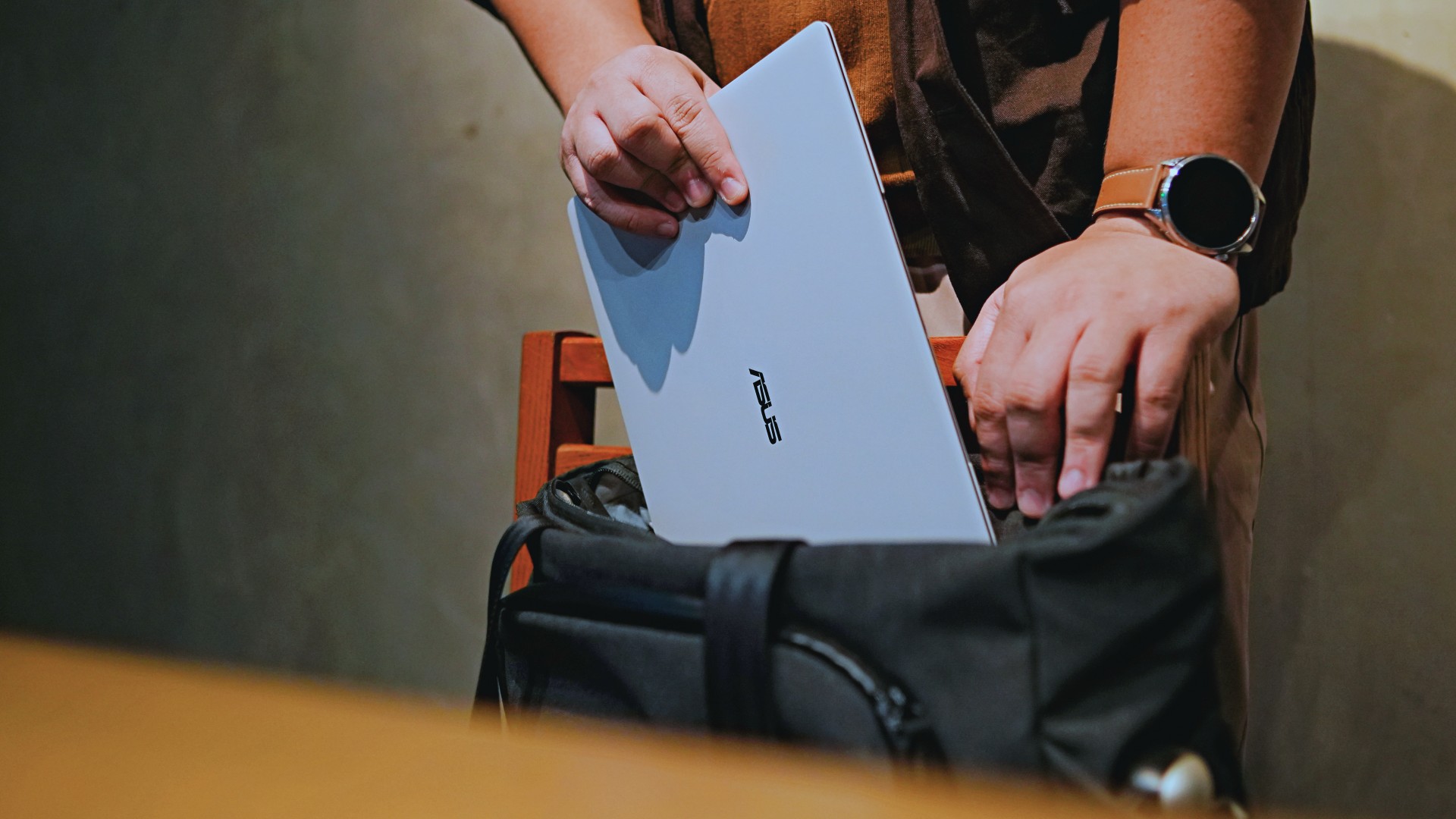
I normally carried it using my trusted EDC — the Alpaka Bravo Tote — and I have to say it definitely felt lighter than my usual laptop, which is the MacBook Pro M4.
The Apple laptop I regularly carry is, I have to admit, chunkier than I would prefer. So having the ExpertBook Ultra for about a week or so literally felt like some load was taken off my shoulders.
Did I ever forget it was there? I wouldn’t go that far.
But if you’re asking me which one I’d rather carry based on build and weight alone, I would, with no hesitation, reach for the ExpertBook Ultra.
That says a lot considering how attached I am to my usual setup.
ASUS likes talking about how light the ExpertBook Ultra is. Normally, that’s the sort of marketing line I acknowledge and quickly move past.
This time, I actually felt it.
The Nano Ceramic effect

One of the first things ASUS will tell you about the ExpertBook Ultra is its Nano Ceramic finish. I’ll admit, it felt like one of those things that sounds good on a slide presentation.
It’s one of those things that look gimmicky at first but actually feels incredible once you come across it on a daily basis.
It’s still early, so you can consider this very much part of the honeymoon phase with the laptop. Even so, the Nano Ceramic finish continues to inspire a bit of awe every time I pick it up.
I do feel like a little weirdo caressing the laptop ever so gently before I begin the day’s work wherever I may be. But that’s just a testament to how good it feels to touch.

And yes, it does reinforce the feeling that, “Hey, I’m working on a pretty fancy piece of machinery.”
It’s easy to underrate the effects of that feeling, but it’s those little intangible things that can sometimes help unlock perspectives and possibilities.
That’s not something you’ll find on a spec sheet. But it’s absolutely part of the experience.
A display that’s difficult to stop staring at

It also helps if STAYC Isa is on screen.
The display is magnificent.
As Captain America would say, “I can look at this all day.” Not the exact phrase, but you’re smart. You get it.
The OLED and matte coating is just a killer combo. Kind of like the Chaewon and Yeji “That’s a No No” challenge collab. Pardon the months-old K-pop reference. I’ve been so busy I haven’t really kept up with what’s new.
Anyway, the combination just comes at you unapologetically and you have no recourse but to bask in it. Maintaining the deep blacks and crisp colors is such a gift to your eyes.
I often sit right next to big windows when I’m out in cafés and the light did nothing to dull the effect of the display.

Two love, two love. I’m falling.
It was so good I often found myself fully diving into STAYC’s 2 LOVE music video in between writing this very review and coordinating with my team.
The matte coating deserves special mention here.
OLED panels already look fantastic. Pairing one with a matte finish that helps cut reflections without sacrificing the strengths of OLED makes for one of my favorite laptop displays in recent memory.
Typing just clicked

This is one of my favorite keyboard experiences. Things just clicked right from the start. No awkward feeling-out phase whatsoever.
I was touch typing like I was Doctor Strange trying to look into over 14 million possible outcomes and still landing on the right key every single time.
The keys feel closer to chiclet-style keyboards than anything else. Even so, the spacing is perfect and the travel satisfying.
Then there’s the haptic touchpad.

I typically don’t like using mice, especially when I’m out and about. With most Windows laptops I’ve used in the past, that eventually becomes a necessity.
That wasn’t the case with the ExpertBook Ultra. It’s easily one of the best-feeling touchpads I’ve used in recent memory.
My standard for touchpads has always been MacBooks. While the software is also doing some heavy lifting in that particular setup, the ExpertBook’s own comes pretty close.
That’s not praise I hand out lightly.
Performance that feels like overkill

Performance is one area where I cannot claim I fully pushed the capabilities of the ExpertBook Ultra.
Most of my tasks are browser-based. Plenty of tabs open, sure, but I don’t think I ever came close to really testing the capabilities of this business notebook. I imagine that would be the case for most of ASUS’ target audience.
Upon seeing the specs, I already knew this was going to be a bit of an overkill for my own use case. My time with it only proved that assessment.
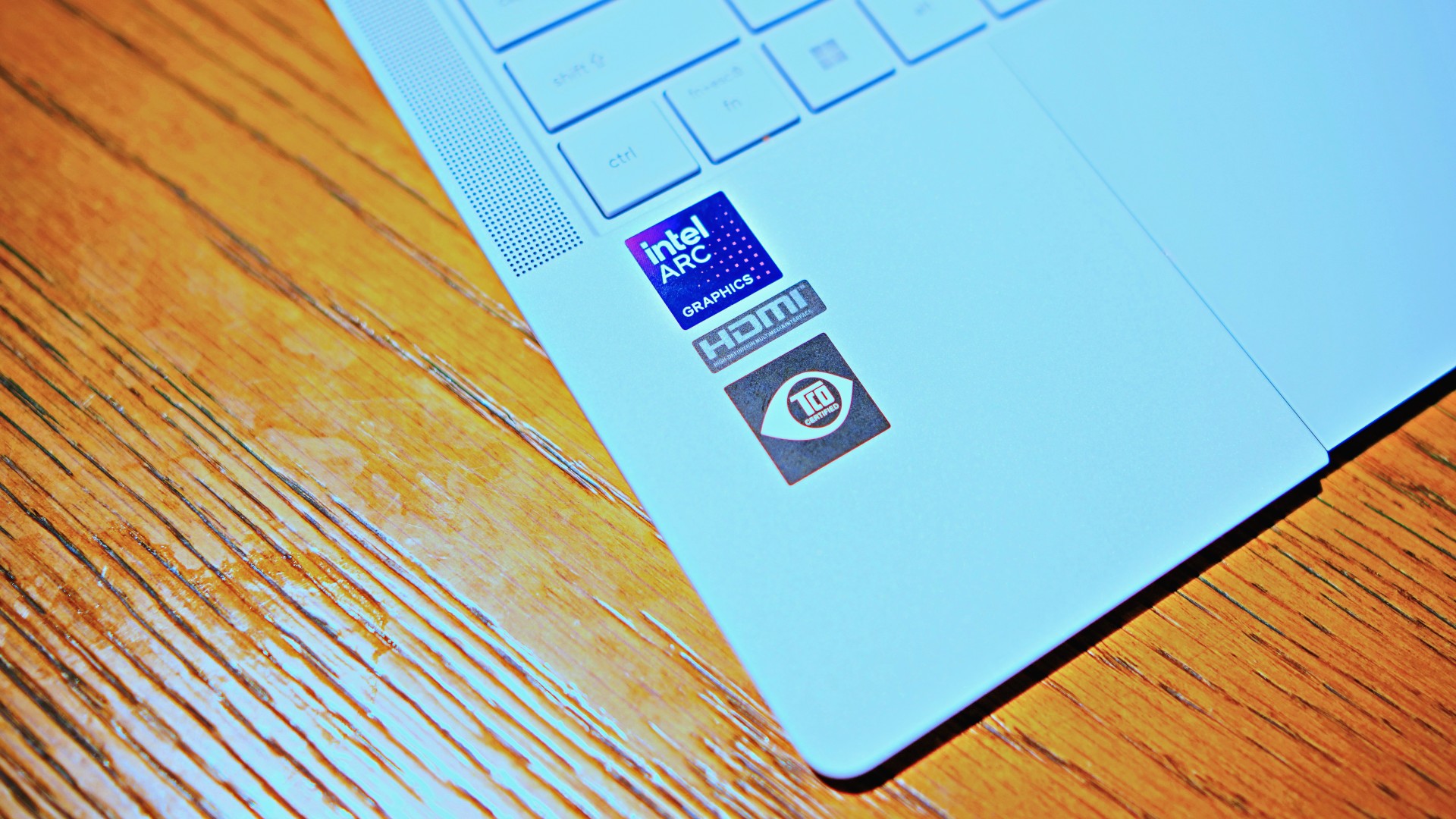
The most I did with it was jump between browser tabs and chat apps, letting ChatGPT help me process unresolved feelings and questionable timing while I dealt with coordinating shoots, writing scripts and reviews, and dealing with external forces that leave me feeling drained.
Never once did the laptop feel slow. Never once did I find myself waiting.
What noise?
Speaking of things I didn’t notice, let’s talk about fan noise.
Again, since I didn’t really push this thing to its absolute limits, the fan never really kicked into high gear at any point during my time with it.
The same goes for thermals.
No task I did ever raised the temperature to uncomfortable levels. The laptop simply went about its business. Which, come to think of it, is probably the most business-laptop thing I can say about it.

Battery life that simply works
I was very impressed with its overall efficiency.
When I go out to work, I typically don’t stay out longer than five to six hours. Most of the time that’s five to six hours of really focused work—with some K-pop loving in between.
Being generally risk-averse, I still always brought my usual charger with me. Not once during my time with the device did I feel the need to plug in while working outside.
I would typically end my café work days somewhere between 30 to 40 percent and only juice the thing up once I got home while it was closed and not in use.
That’s exactly the kind of battery experience I want from a business laptop.
The AI question
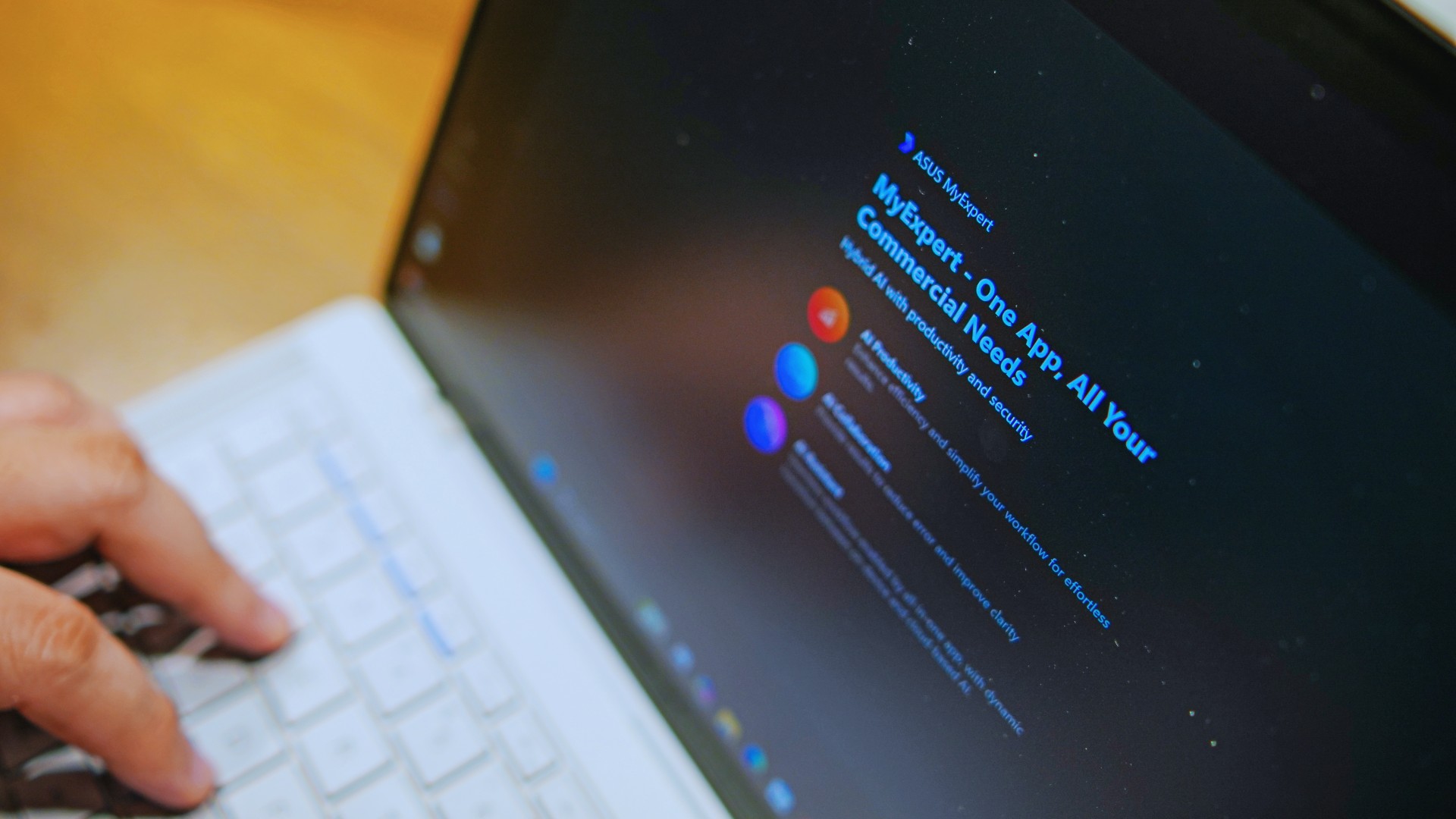
The thing I struggle with when it comes to AI features on this machine is that a lot of them are Windows-based and that’s just not the AI I find reliable.
Right now, many of these features are nice-to-have.
I’m sure one of ASUS’ target users will likely find a use case for them.
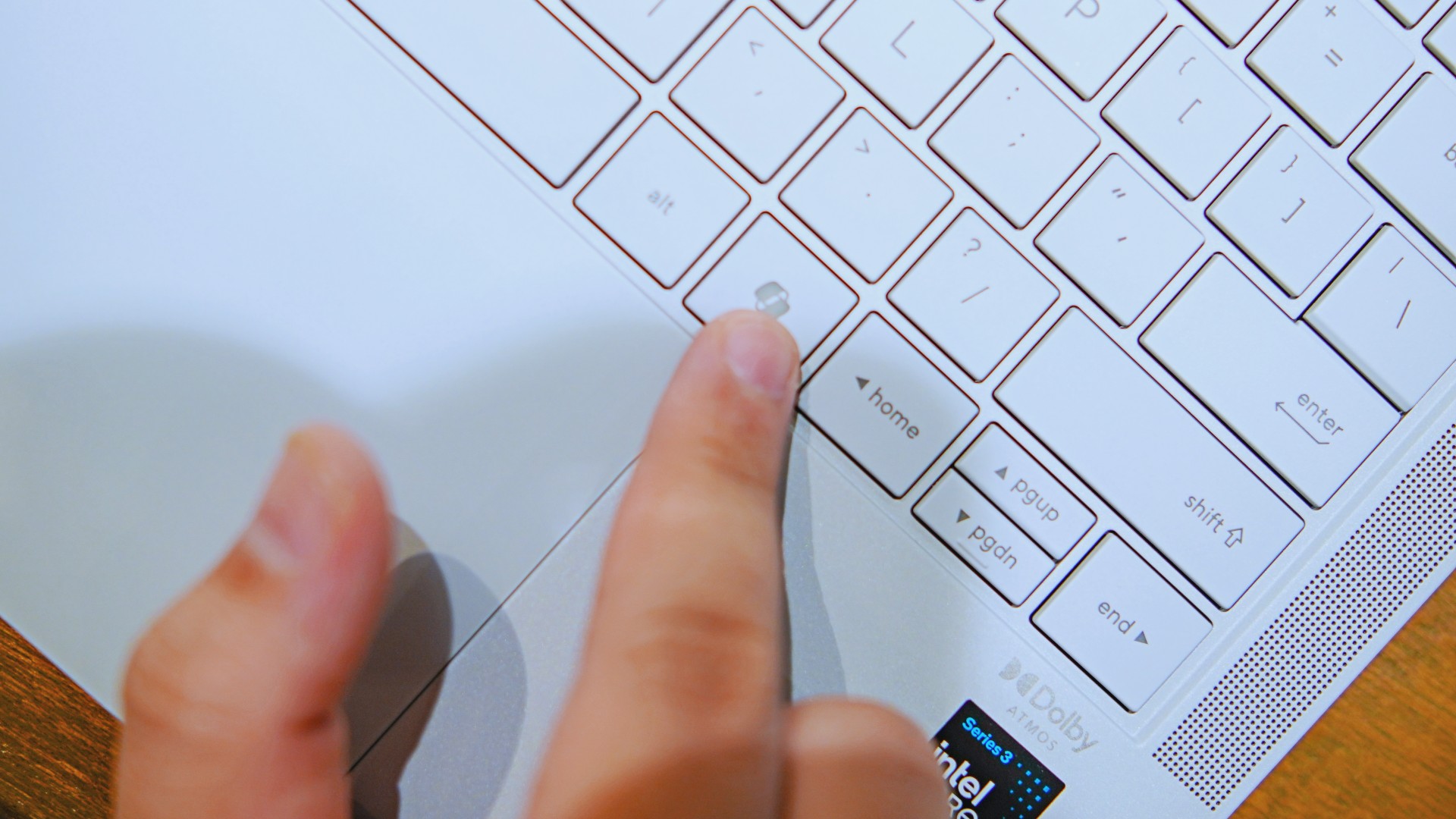
As for me personally, this is one area I’d have to dig deeper into to actually find ways to integrate them into my workflow and general usage.
And honestly, that’s okay. The AI features weren’t the reason I kept reaching for the laptop.
Who is this actually for?

That’s a loaded question. Really, it’s built for anyone who can afford it.
With a starting price of PhP 129,995, this device comfortably sits in aspirational territory.
What I know for sure is that this is a machine for someone who’s already built some momentum in their chosen field and would like to level up.
The ASUS ExpertBook Ultra gives you a machine that can handle your business now and inspire you to dream bigger about your future.
Is the ASUS ExpertBook Ultra your GadgetMatch?
The thing I kept coming back to with the ExpertBook Ultra is that there is no one thing that made me turn to it.
Instead, it’s the combination of everything that it brings to the table. The premium-feeling build, lightweight design, wonderful display, excellent keyboard and touchpad. efficient performance, and the thoughtful extras. Together, they make it a laptop that’s easy to recommend to anyone who’s ready for it.
But what does ready for it actually mean?

It means it’s for people who have leveled up quite a bit in their grind and want a machine that matches their current status and future aspirations.
That’s what the ASUS ExpertBook Ultra represents. A modern classic that’s ready for now and whatever comes next.
That’s why it didn’t wow me. But it certainly won me over.
Reviews
Nexal Watch Sport review: A rugged watch for small budgets
I couldn’t believe that watches this good could come for this cheap.

Between run clubs and HYROX training, fitness these days is a luxury. But it doesn’t have to be. When you realize that buying a new Garmin watch or On running shoe eats so much into your monthly budget, you start to discover those little things that make you go, “hey, maybe I don’t need all that expensive gear just to pound the pavement.” After all, humans perfected running before they figured out wearables.
That’s exactly how I felt with the Nexal Watch Sport.
Rugged as they come
I’ve always had a gripe with affordable smartwatches. Whereas budget smartphones are still able to wow users with unique (and durable) designs, affordable smartwatches often lack that polish, sometimes manifesting in flimsy straps or a clear lack of features.
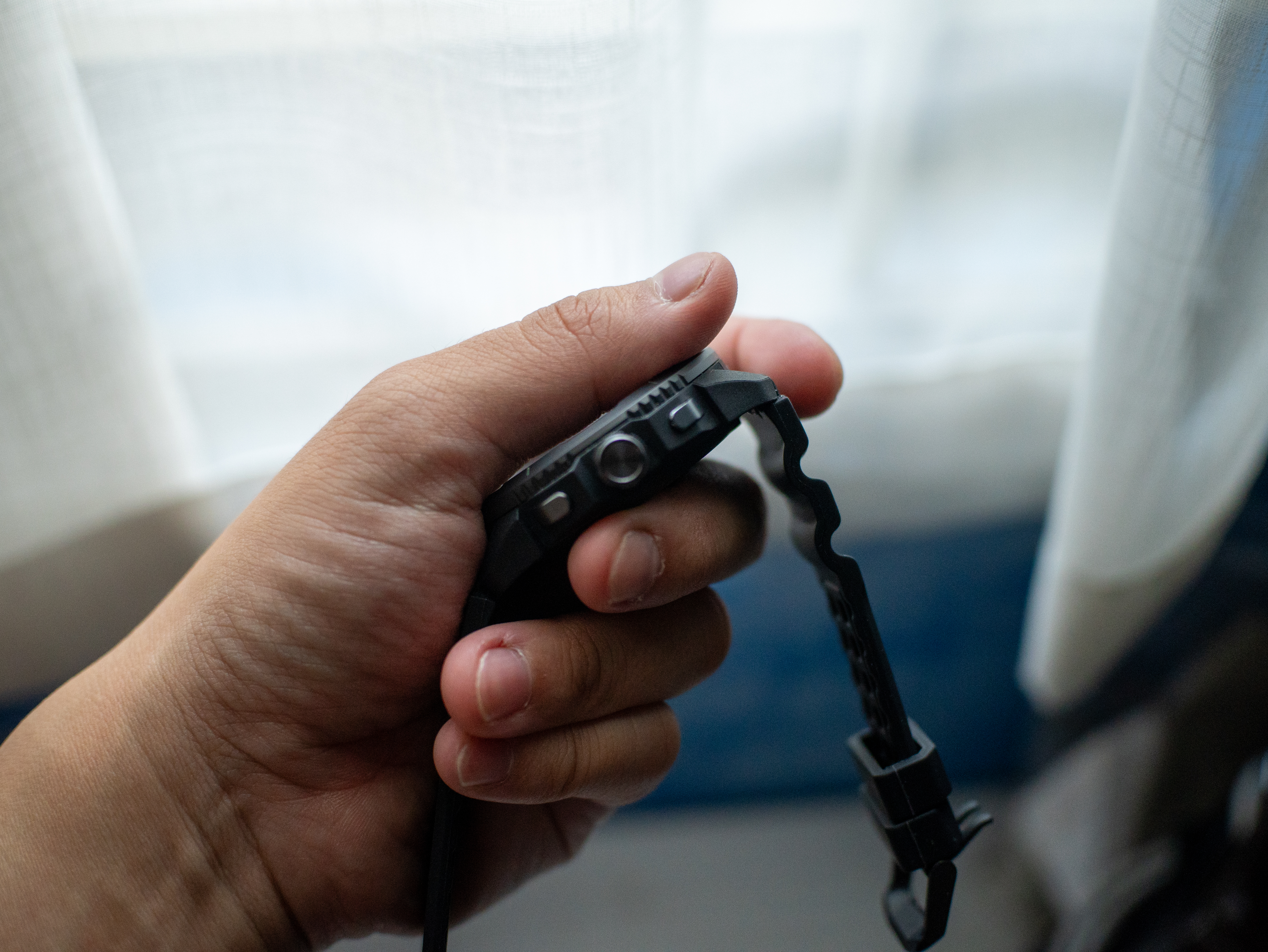
The Nexal Watch Sport doesn’t suffer from that ailment. Housed in a matte black chassis, the wearable can hang with the rest. In spite of the minimalist design, it goes a long way to make me feel like I have an expensive wearable, rather than one that saves my monthly budget.
On the side, it comes with two simple buttons, a rotating crown, and a delightful array of flashlights (which I love, by the way). It’s also pleasantly light and doesn’t drag my wrist down, which is perfect for runners. The strap, though very bendy, lets my wrist breathe amid long runs. Finally, the double hooks ensure that the strap remains fixed to my wrist.

No more missed workouts
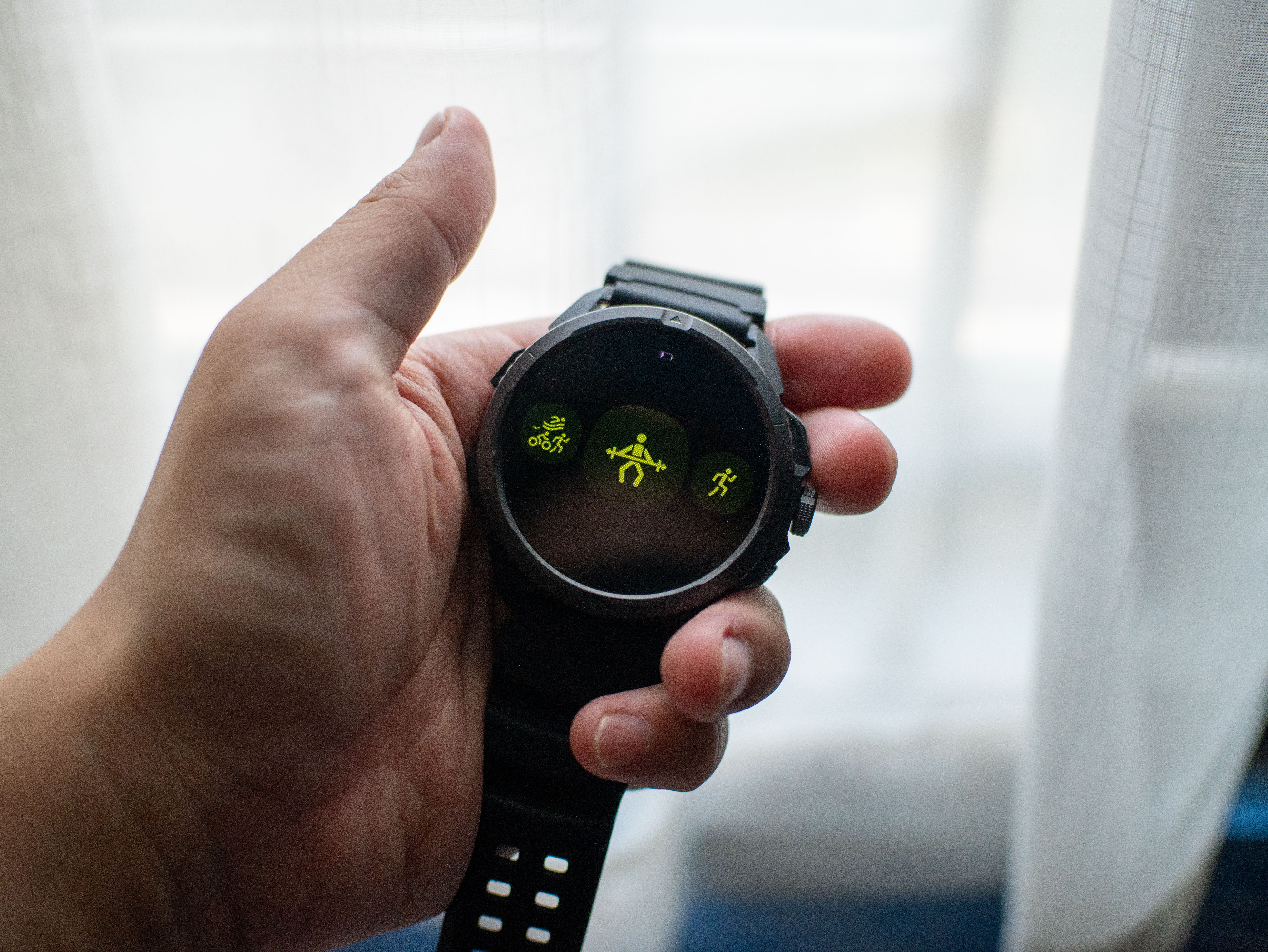
My favorite part about exploring a new smartwatch is going through its list of available workout modes. Offering over a hundred modes, the Nexal Watch Sport has you covered, no matter what you do to get the blood flowing. While you’re naturally getting the usual array ranging from running to lifting weights to pickleball, you’re also getting some pretty niche ones like parkour, darts, and jazz dancing.
Now, I know that I’ll never go for something like parkour, but it’s still nice to have that option. Plus, I’m sure actual practitioners of these sports will appreciate their inclusion. For me, having a wide array of modes to choose from adds that bit of feeling that maybe I can try one of those someday, and that’s an intangible plus with this feature.
As for performance, the modes I used — weightlifting and running — were accurate enough. I didn’t miss my Garmin Forerunner.
A clean interface
Another thing I look out for is the user interface. To my great surprise, the Nexal Watch Sport looks very clean. In fact, the main watch face looks better than a lot of options I’ve seen on either Fitbit or Garmin.
The main interface itself is simple, but that’s just what you need from a smartwatch. You don’t really want to fiddle around with settings on a small screen when all you want to do is to start running.
That said, the smartwatch isn’t the fastest. There’s a pronounced lag of about half a second when you use the screen. Functionally, it’s not too bad, but again, it’s frustrating when you’re about to start a run.
Now that’s a long battery life
“Rugged” describes this smartwatch to a tee. Nexal promises that a single charge can last up to thirty days on light use. Based on my estimates, this is largely true. The Watch Sport keeps on chugging along.
For regular people like me, this extremely durable battery is a boon for those who don’t want to charge their wearables too often. But it’s a godsend for those who prefer rugged outdoorsy sports. If you’re out in the wild, having a durable way to navigate and connect with the world is a must.
In our case, an extra-long battery life is a big benefit for on-the-go lifestyles. Whether I’m just working or working out, this battery is useful.
Is the Nexal Watch Sport your GadgetMatch?
The Nexal Watch Sport costs only PhP 6,999. It’s a bargain compared to even the cheapest models of the more popular brands.
With that price and its abundance of features you’d expect, this is a worthy purchase that you won’t regret. The only real flaw was the relatively slow interface, but that’s still workable. For that, the Nexal Watch Sport gets a Super Swipe.

realme C100: Enduring and durable in spite of entry-level realities
Enough power but needs more agility


The ASUS ExpertBook Ultra wins you over
The laptop sneaks up on you


Nexal Watch Sport review: A rugged watch for small budgets
I couldn't believe that watches this good could come for this cheap.

Apple Watch, AirPods get exclusive offers via Beyond the Box

Canva teams up with SB19 to turn A’TIN’s passion into creativity

SQUARE ENIX STORE Plus expands presence in Asia, Oceania

Maya: Convert purchases to 0% interest Mini Payment plans

Netflix: Kris Aquino makes on-screen comeback with fictional role

Sony launches IER-M500 in-ear monitors
realme C100: Enduring and durable in spite of entry-level realities

Hands-on: Samsung Galaxy Z Fold8, Flip8, Ultra

Garmin launches its first screenless fitness band

VinFast debuts two-wheeler models, opens 21 e-motorcycle showrooms


-
 Automotive7 days ago
VinFast debuts two-wheeler models, opens 21 e-motorcycle showrooms
-
 Computers2 weeks ago
AMD launches Radeon RX 9050 graphics card
-

 Gaming2 weeks ago
God of War Laufey finally confirms its highly anticipated launch date
-

 Automotive1 week ago
Xiaomi debuts SkyNomad Series featuring new Kunlun platform
-

 News5 days ago
OnePlus officially leaves the United States and Canada
-

 Gaming2 weeks ago
NBA 2K27 gameplay trailer showcases new dunk mechanics, Rucker Park, and more
-

 Gaming1 week ago
Call of Duty: Modern Warfare 4 clip shows Losing Ground 1st look
-
 Automotive2 weeks ago
BYD Atto 2 launches with EV, plug-in hybrid options