

Hands-On
3 reasons why the Huawei Watch 3 deserves to be on your wrist
A must-have for those who live and breathe Huawei

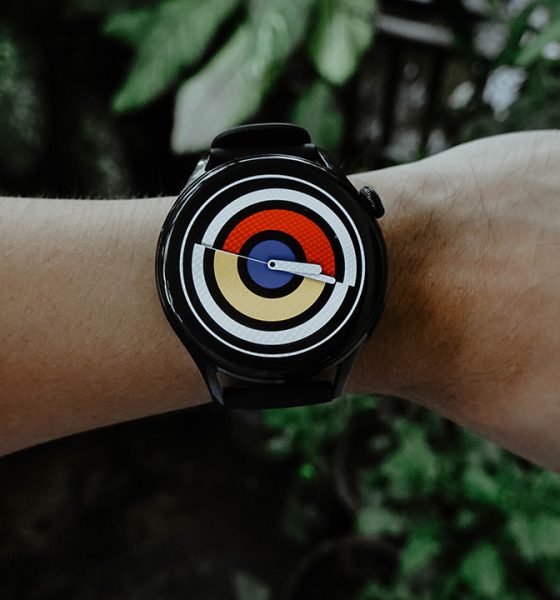
The Huawei Watch 3 has arrived in the Philippines and certainly on my wrist. This sleek-looking smartwatch is Huawei’s new flagship wearable — and there’s more to it than being a regular smartwatch wrapped around that space between your hand and forearm. Here are three reasons why you need to check this smartwatch out, and why it probably deserves to be worn by you.
Beautifully designed
Compared to its predecessors, the Huawei Watch 3 feels like a device that underwent a metamorphosis. A butterfly ready to spread its wings and bring wonders to the world.

The rounded case exudes a classic appeal; a semblance of watches from the recent and distant past. Unequivocally, Huawei kept it sleek with its circular finish. Those tiny details tell me the watch was studied carefully by designers and engineers, putting so much thought while keeping it simple and appealing.
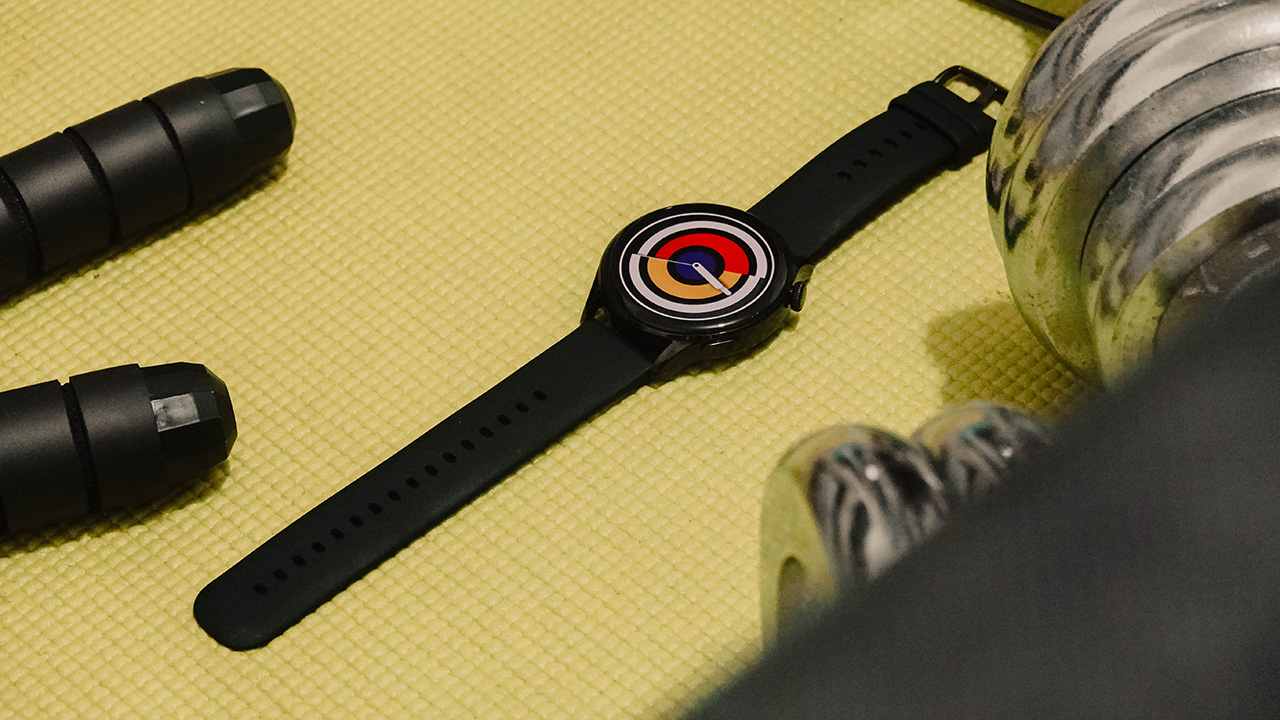
It certainly won’t ruin your outfits in different situations such as casual date nights, quick errands, or sports, and other physical activities. For professional and formal settings though, you might need to invest in a strap that matches perfectly.

I’ve been using the black and plain fluoroelastomer strap, which is suitable for casual settings and active lifestyle, and also it’s the only one available at the moment in my country, but you can mix it with other straps depending on your region. Options include steel, nylon, and leather — and colors vary per style.
Apart from its stylish bearing, the Huawei Watch 3 is designed with features that make it worthy of being called a smartwatch. It sports a 1.43-inch AMOLED display, highlighting a vibrant and vivid display that makes the content visible even if you’re outdoors.
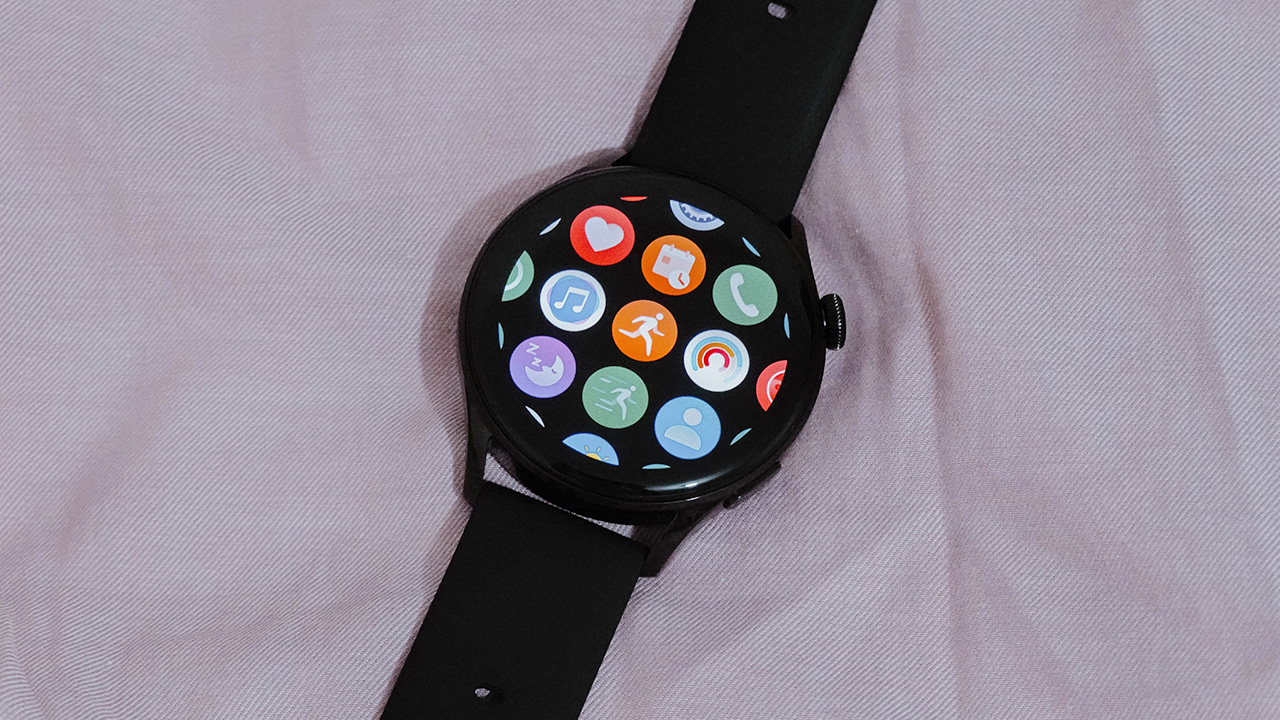
Also, there’s plenty of watch faces to choose from, and the user interface is designed simplistically to make navigation easier.
Top-notch connectivity
The Huawei Watch 3’s battery life averages three days when using the smart mode. Though, it can be extended up to 14 days when using the ultra-long battery life mode. This gives you plenty of time to stay connected without the need for your mobile phone. Dear, it’s time to let it rest comfortably inside your purse or leave it at home.

But how are you going to stay connected if it’s not connected to your phone?
If that is your question, fret not. Huawei equipped the watch with eSim technology, so you just need to go to your carrier and ask for an eSim QR that you can scan on your Huawei Health app, and voila, your smartwatch can use the same mobile number you use on your smartphone.
Now, it’s going to be easy for you to answer calls even when you’re out on a run, or when you’re heading elsewhere and you’re in a hurry. The Huawei Watch 3 runs on HarmonyOS, so the watch comes with pre-installed apps that you can enjoy seamlessly with your other Huawei devices.

There’s an AppGallery, in case you want to install more apps that suit your lifestyle. For music lovers, you can make the watch be your remote control and navigate your music playback. All can be done with a single flick on your wrist!
Your personal health manager
If you’re serious about maintaining an active lifestyle, the Huawei Watch 3 is a candidate as a companion. There’s a Skin Temperature detector that lets you know when your temperature is high. A must-have in this era, right?
It also has SpO2 monitoring, which allows you to track your blood oxygen saturation. Even your heart, Huawei’s TruSeen technology monitors your heart rate so you can be in control of your health, and so you can take care of yourself the way you need it to.

Personally, it felt like all-day health management and I have yet to dive more into it to see what else these features can do. But for now, I enjoy seeing records of my step count, periods of activity, stress levels, and the most important thing — sleep quality.

Other than the fitness trackers, the watch comes with 100+ workout modes with automatic exercise detection for common workouts. To be able to maximize this feature, Huawei’s health app is the way to go.
Can this be your GadgetMatch?
I believe it can, especially if you’re looking for an all-around watch that you can use. It ticks the right boxes: a classic appeal, plenty of straps to mix and match with your outfit, top-notch connectivity, and health management features that allow you to be in control.
The price might be too steep, but it’s a premium smartwatch for a reason. And it’s best used when you’re already enjoying Huawei’s ecosystem, and have plenty of devices that let you enjoy their seamless AI life.
The Huawei Watch 3 retails for PhP 18,999. It will be available on Huawei Store and authorized platforms such as Lazada and Shopee, as well as Huawei Experience stores and other retail partners.







Moving into a new space comes with a long list of things to figure out, and lately, I’ve been paying more attention to something that’s easy to overlook: air quality.
After using the LG AeroMini for about a month, it has become a subtle but welcome addition to my space. It helps make the room feel fresher, while its compact and stylish design fits naturally into my setup. Here are the things that stood out to me most after living with it for a month.
360° purification for a fresher space
One of the things I appreciate about the AeroMini is its 360° air purification, designed to bring purified air in every direction.
For me, this is particularly useful in a new space where I’m spending a lot of time working, relaxing, and just settling in.

Combined with its True HEPA filter, which is designed to remove 99.999% of 0.01μm fine dust and allergens, it gives me added peace of mind about the air I’m breathing every day.
After a month, I can genuinely say that the space feels fresher with it running.

Surprisingly quiet
This is probably my favorite feature.
The LG AeroMini operates at just 26dB, and after using it for a month, what stands out is how easy it is to forget that it’s even running.

I can have it running while I’m working or sleeping without the noise becoming a distraction. For an appliance that’s designed to continuously improve the air around you, I think that’s a big deal.
Sometimes, the best feature is the one you barely notice.
Design that fits my space
Since I recently moved, I’ve been pretty conscious about what I bring into the space. I want things to be functional, but I also don’t want appliances that feel like they’re taking over the room.

The AeroMini’s slim and compact design makes it easy to incorporate into my setup. It doesn’t feel bulky or industrial, and I like that I can leave it out without feeling like I need to hide it away.
For me, that balance between functionality and aesthetics makes it feel more like part of the space rather than just another appliance.
Air quality at a glance
Another feature I’ve found convenient is its Smart Control. Through the app, I can monitor and control the AeroMini while getting real-time updates on the indoor air quality.
It’s a small convenience, but being able to check the air quality without having to interact with the purifier directly makes it easier to keep track of what’s happening in the room.

Easy to maintain
I also appreciate that the AeroMini is designed with an all-in-one dust and deodorization filter that makes replacement and maintenance easier.
That matters to me because the best home gadgets are the ones that don’t create another complicated chore. I want something I can set up, use regularly, and maintain without too much fuss.

After a month, would I keep it?
Yes, and mainly because it quietly fits into my everyday routine.
The LG AeroMini has helped make my new space feel fresher and more comfortable, while its compact design means it doesn’t compromise the look of the room. But if I had to pick just one thing I appreciate most, it’s still how incredibly quiet it is.

It’s one of those upgrades that doesn’t demand your attention. It simply works in the background.
If you’re also looking to make your home a fresher and more comfortable space for yourself and your family, visit https://www.lg.com/ph/ to learn more about the LG AeroMini and how it can fit into your everyday life.
Hands-On
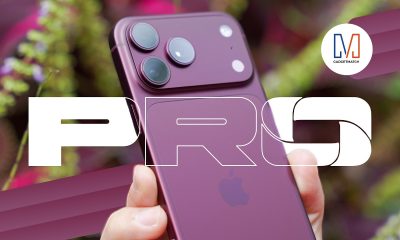
Apple iPhone 18 Pro Series Hands-on
And everything announced during Apple’s September 2026 Event


The latest Apple event isn’t just about the shiny new Apple Duo. There’s a lot to talk about!
In this video, we break down everything Apple has announced during their September 2026 keynote.
First, there’s the updated iPhone 18 Pro and 18 Pro Max. That’s alongside their design and color changes, battery and performance improvements. Even that massive camera upgrade.
There’s even the ANC-infused AirPods 5 alongside the newer Apple Watch Series 12 and Apple Watch Ultra 4. Plus, the latest software updates coming to both these wearables.
So, are these worth the upgrade?

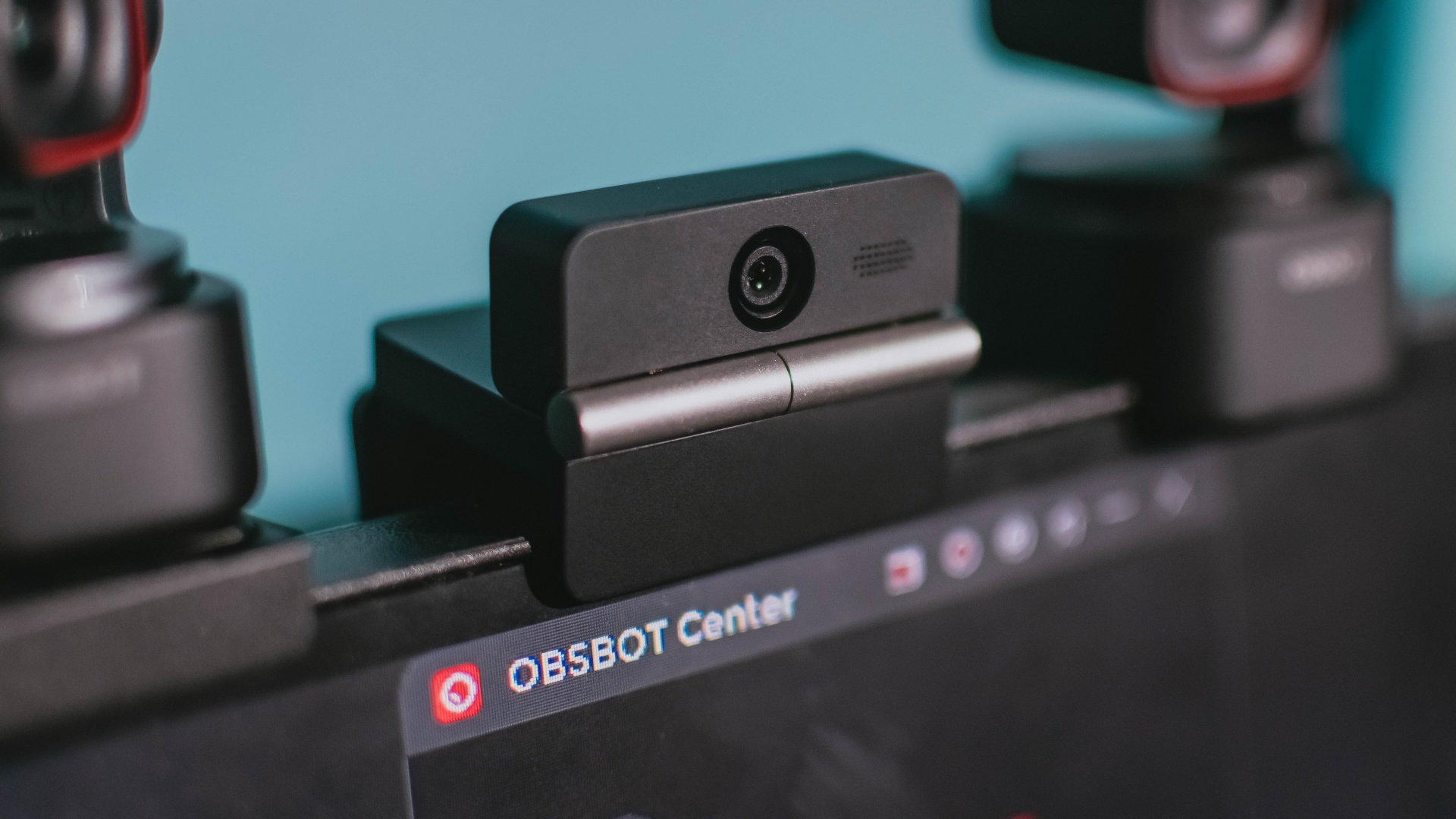
Phones flip and fold. Now webcams do too.
Foldable screens have found their way into phones, tablets, and laptops in recent years. Now, OBSBOT is taking that idea in a considerably smaller direction: the webcam.
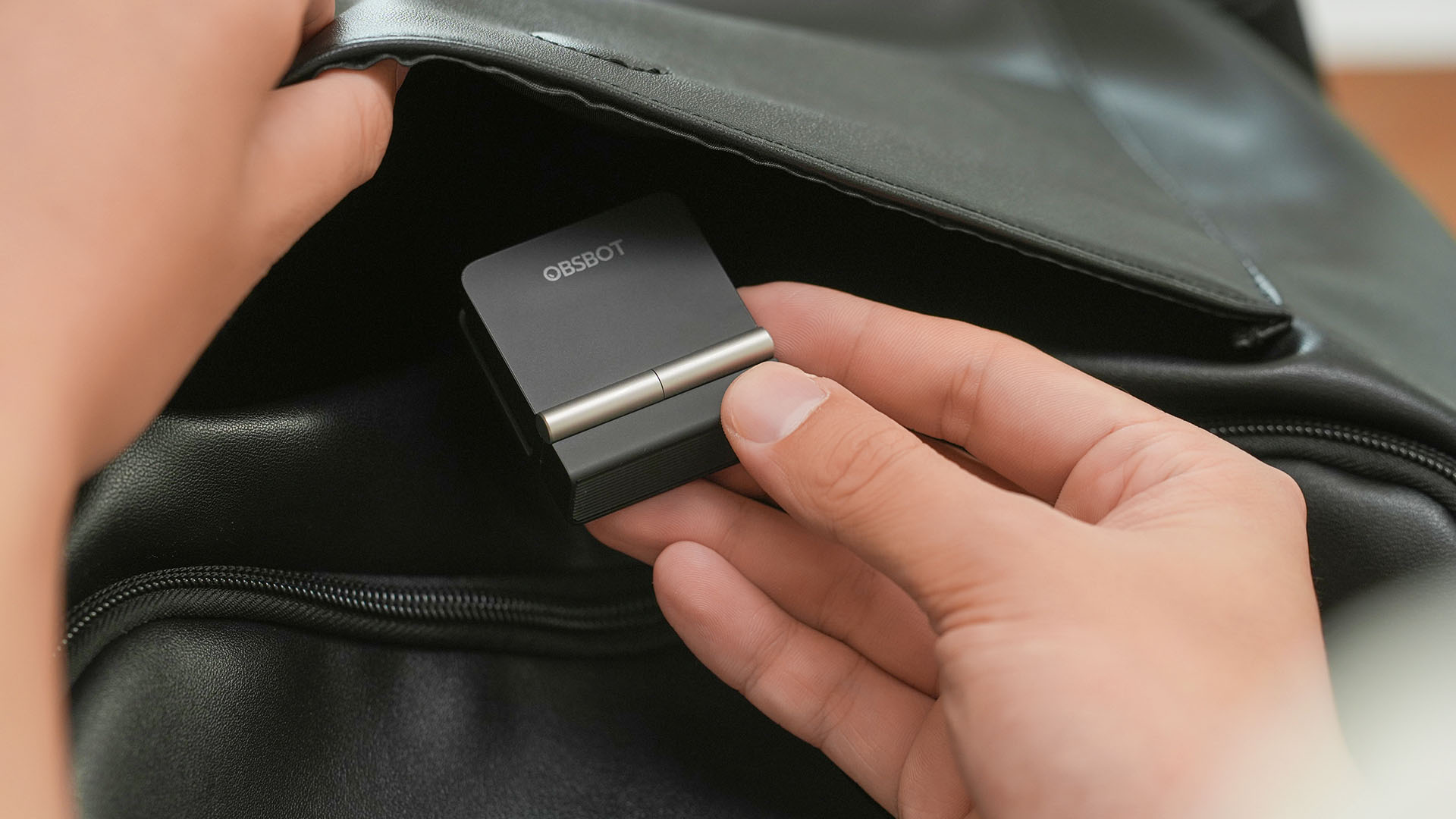
The OBSBOT Meet Flip is the company’s first foldable 4K webcam packing:
- 1/2-inch stacked CMOS sensor
- intelligent audio
- a collection of AI-powered meeting tools
All of these inside a body weighing just 37.7 grams.
A fold that does something, not just a gimmick
The OBSBOT Meet Flip isn’t foldable just to make it easier to throw into a bag.
Closing the webcam physically blocks the lens and puts the device into sleep mode. Open it when you want to be seen, flip it shut when you don’t.
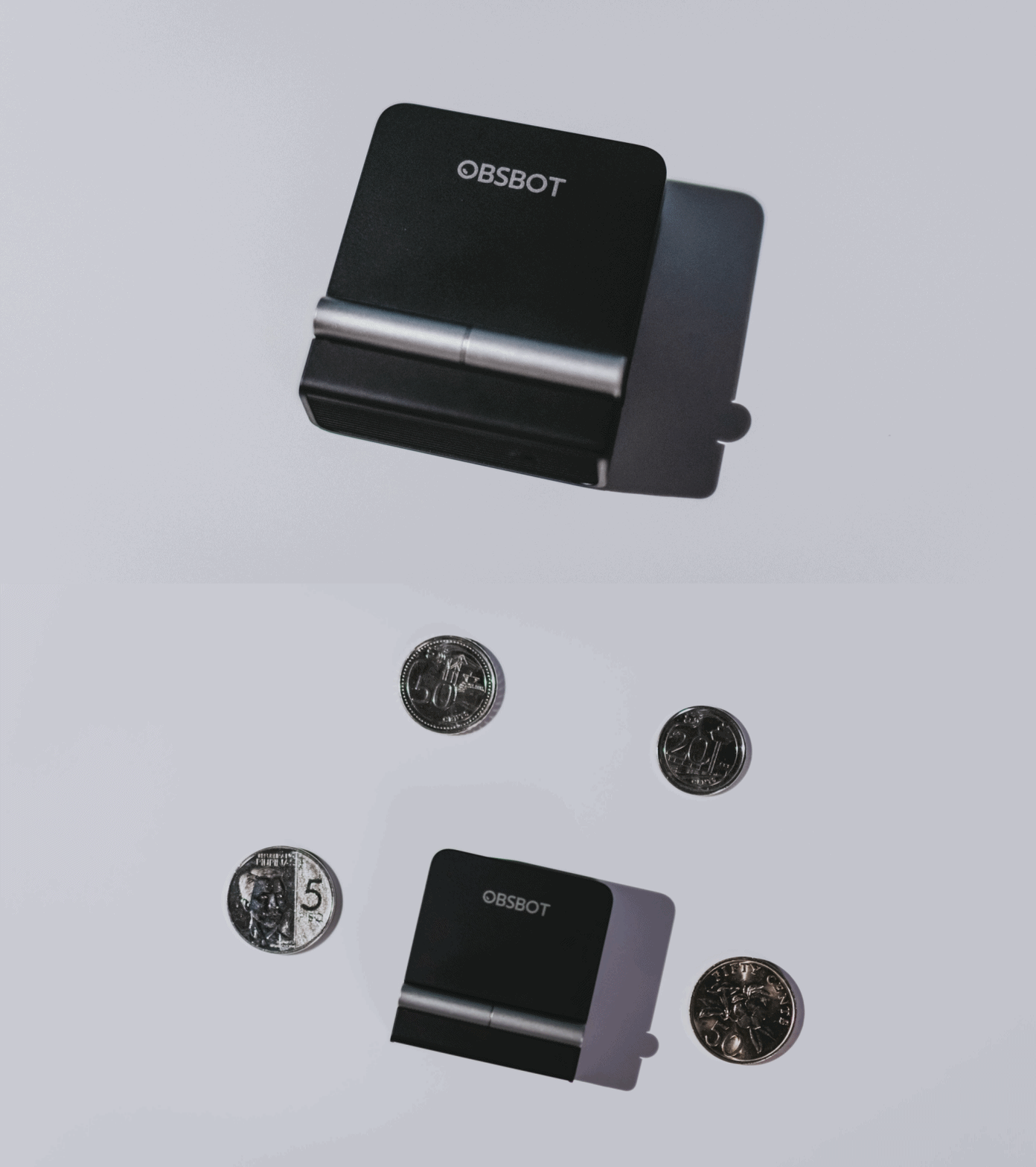
A physical privacy cover isn’t novel in itself. What’s clever here is how it’s part of the folding design.
As someone with a love-hate relationship with data privacy, I almost always keep some physical barrier over my laptop webcam. And if I can avoid having a webcam there entirely, even better.
Serious camera hardware in a pocket-sized webcam
Despite its size, OBSBOT hasn’t treated the Meet Flip like a basic laptop-camera replacement.
Inside is a 1/2-inch Exmor RS stacked CMOS sensor with Quad Bayer technology, capable of recording 4K UHD at 30 fps or 1080p at 60 fps. It also packs an f/1.8 aperture, HDR, PDAF autofocus, ISO 100–6400, and up to 4x digital zoom.
At its core is a 1/2-inch Exmor RS stacked CMOS sensor with Quad Bayer technology.
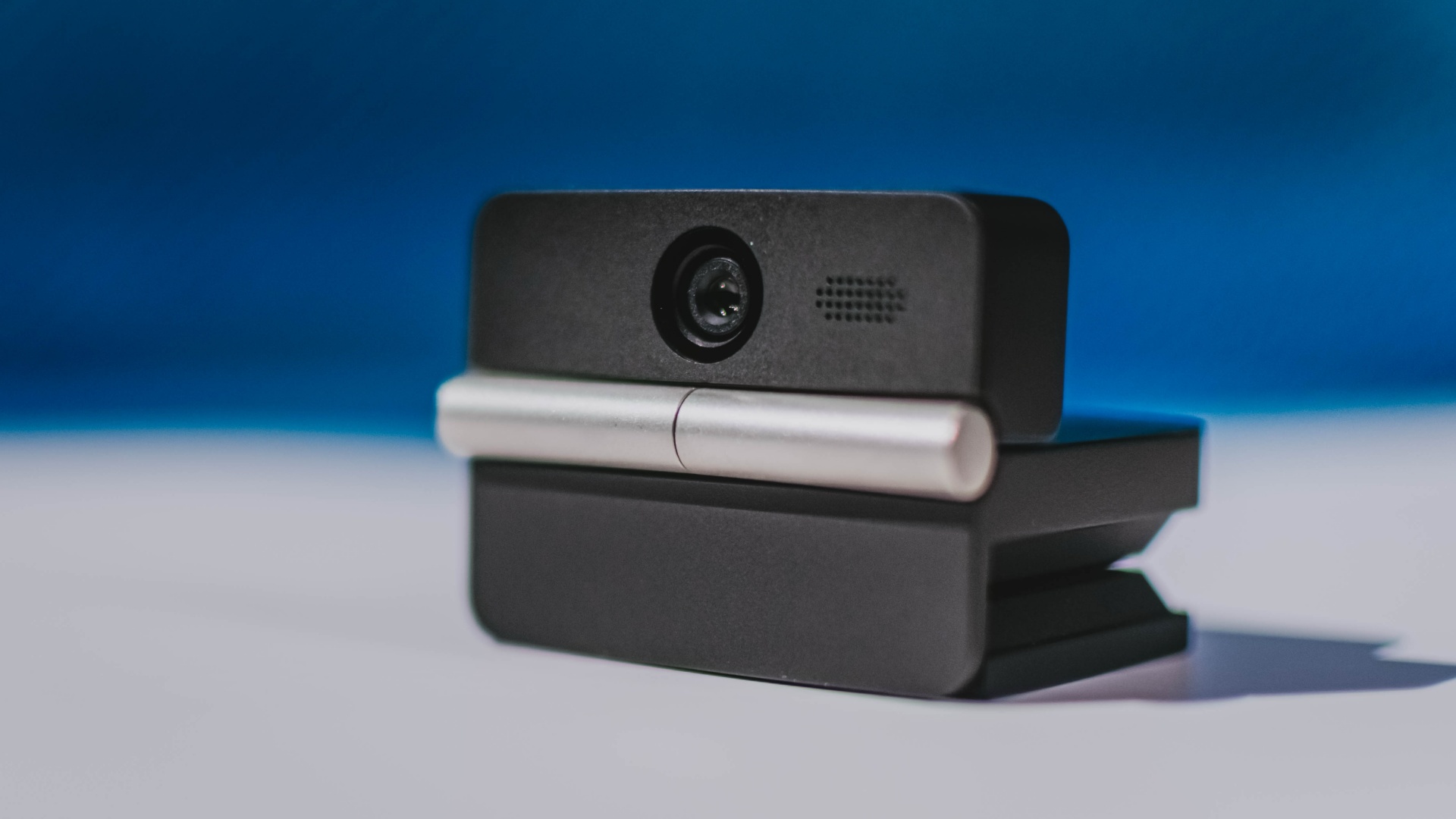
It can record:
- 4K UHD at 30fps
- 1080p at 60fps
You also get:
- f/1.8 aperture
- HDR
- PDAF autofocus
- ISO 100–6400
- up to 4x digital zoom
On paper, that gives the Meet Flip a better shot at handling the situations built-in laptop webcams often struggle with: dim rooms, harsh backlighting, changing lighting conditions, or simply moving around in front of the camera.
HDR helps keep faces visible against bright backgrounds, while PDAF autofocus continuously adjusts focus as you move closer to or farther from the lens.
The wider f/1.8 aperture should also help in less-than-ideal lighting.
The point is that once the Meet Flip is set up, you shouldn’t have to spend much time thinking about the camera itself.
It listens differently depending on the room setup
The Meet Flip also uses an intelligent dual-microphone system combining omnidirectional and directional microphones.
Instead of relying on one pickup pattern for every situation, it offers four audio modes for different setups:
Directional Mode focuses on sound coming from the front, making it the obvious choice for solo calls.
Dual-Directional Mode listens to both the front and rear of the webcam, which could be useful for interviews or conversations between two people sitting across from each other.

Smart Omni Mode is designed for group meetings, picking up voices from around the room.
And Pure Audio Mode provides unprocessed left and right stereo channels for users who would rather handle the audio themselves in post-production.
Auto Gain and AI Noise Reduction also work across the first three modes, helping clean up audio without requiring much manual adjustment.
It gives the Meet Flip more flexibility than a typical webcam microphone, especially if you regularly switch between solo calls, interviews, and group meetings.
AI that doesn’t intrude
AI has become an almost obligatory addition to new hardware in 2026, but several of the Meet Flip’s features put it to work on real-world meeting annoyances.
AI Auto Framing keeps you in frame, with options for:
- Group
- Single Close-up
- Upper Body
- Full Body
Gesture controls can also toggle Auto Framing or adjust the zoom without reaching for a keyboard or mouse.
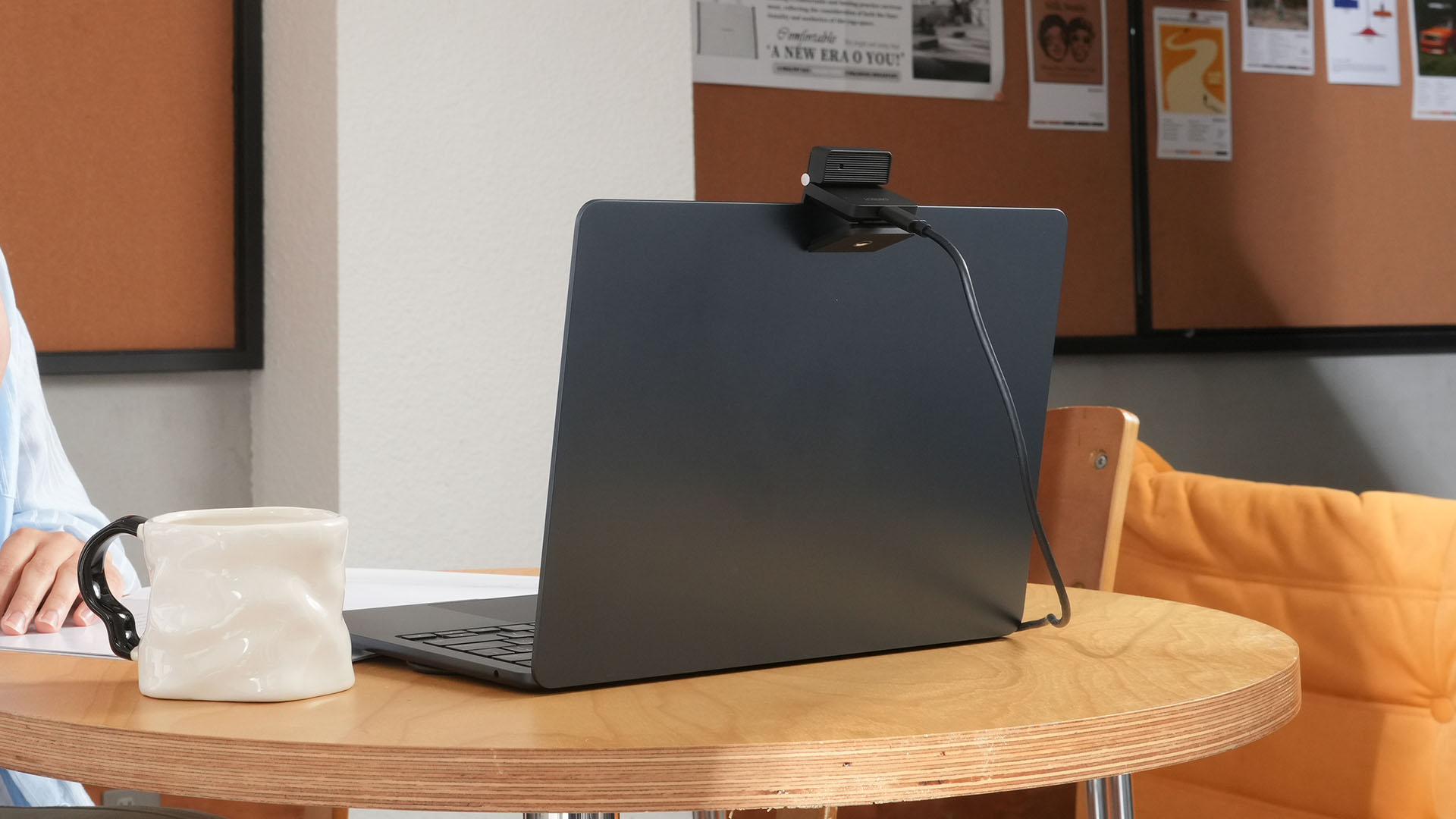
More interesting is AI Magic Notes.
Through OBSBOT Center, it provides real-time transcription and can automatically generate meeting summaries with key points, decisions, and action items. It works across Google Meet, Zoom, and Microsoft Teams.
Although AI Magic Notes is offered as a subscription service, every Meet Flip includes 120 complimentary minutes to get started.
MORE with OBSBOT Center & OBSBOT Live
There are plenty of other software features as well. OBSBOT Center includes:
- Background Blur and Background Replacement
- Real-Time Beauty Mode
- Picture-in-Picture overlays
- Smart Eye Tracking
- Teleprompter support
- Detailed image adjustments
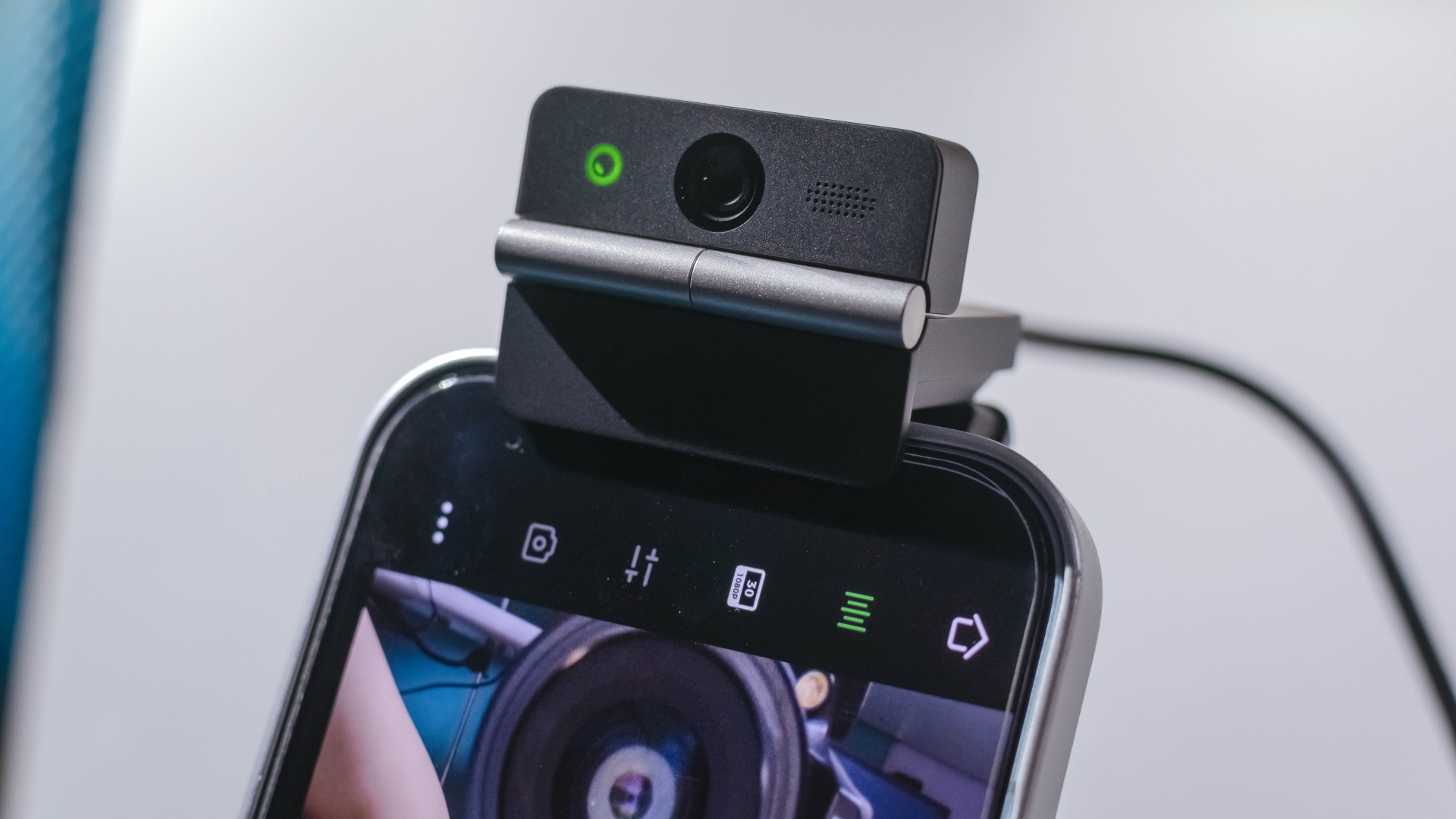
The Meet Flip isn’t limited to laptops or desktops either. Through OBSBOT Live, it can connect directly to smartphones and tablets over USB-C for mobile streaming and content creation.
Flip it open. Fold it away.
None of those features reinvent the webcam on their own.
Taken together, though, they make the Meet Flip a more thoughtful take on a piece of hardware whose basic design and features have barely changed.
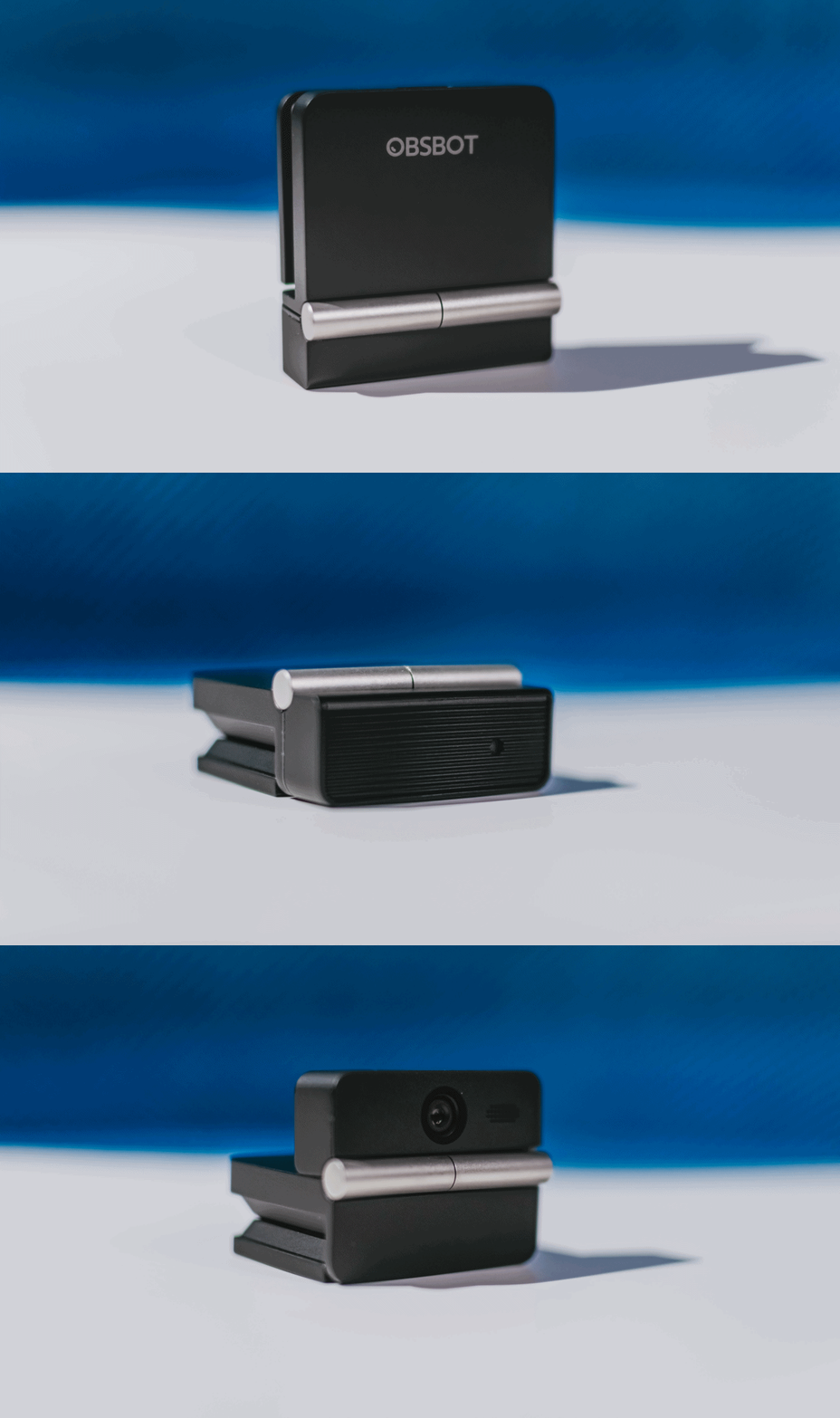
The flip may grab your attention first, but it’s how OBSBOT uses that design alongside its camera, audio, and software features that makes the Meet Flip interesting.
The OBSBOT Meet Flip is now available at US$ 119 and is currently available through OBSBOT’s official store, Amazon US, and select retailers.
&
@gadgetmatchPhones flip. Now webcams do too. 👀 Meet the OBSBOT Meet Flip, a tiny foldable 4K webcam with a lot packed inside. ✨
If you buy one, here’s what you’ll get out of the box!

Dragon’s Dogma 2: Dark Arisen launches with new Official Pawns

Score PhP 22,000 in guaranteed freebies when you pre-order the iPhone 18 Pro at Beyond the Box

Sony unveils world’s 1st Eclipsa Audio-certified mic for smartphones

Garmin Approach S72 brings swing metrics, green reading to your wrist

Garmin Enduro 4 promises up to 320 hours of battery life

vivo X500 Series launches with major imaging upgrades

OPPO Find X10 Pro Max is the first phone with a triple 200MP camera system

TECNO CAMON Slim 5G: Price, availability in the Philippines

BYD says that way better EV batteries are coming next year

HONOR Magic9 Pro Max launches in China with ARRI-powered imaging


-
 Philippines2 weeks ago
TECNO CAMON Slim 5G: Price, availability in the Philippines
-

 Reviews2 weeks ago
TECNO CAMON Slim 5G review: Slim on size, big on surprise
-

 News2 weeks ago
Apple wants to release new iPhones more regularly
-
 News2 weeks ago
vivo X Fold6 makes global debut with 200MP camera and 6900mAh battery
-

 Computers2 weeks ago
ROG brings out the ultra-stylish G1000 gaming desktop
-

 Reviews2 weeks ago
HONOR 600S review
-

 Gaming2 weeks ago
Ghost of Yōtei Complete Edition review: More of a great thing
-
 Reviews2 weeks ago
Apple iPhone 18 Pro Series review