

Reviews
CyberSoul X3 Pro review: Coasting just fine
For commuters who don’t want to use their last three brain cells

Electric kick scooters (EKS) are flocking the streets more than ever. The advent of a personal mobility solution has caught the attention of commuters looking for an alternative form of transportation.
Presently, there is a myriad of electric kick scooters you can find. Several of which are costly to one’s pocket. We’ve driven some EKS in the past and recently, we’ve discovered a new gem unbeknownst to many.
Meet the CyberSoul X3 Pro — an electric kick scooter from CyberSoul, a young transport brand focused on safe, eco-friendly, and effective mobility.
Oh, it’s new! The shape of your body, it’s blue~
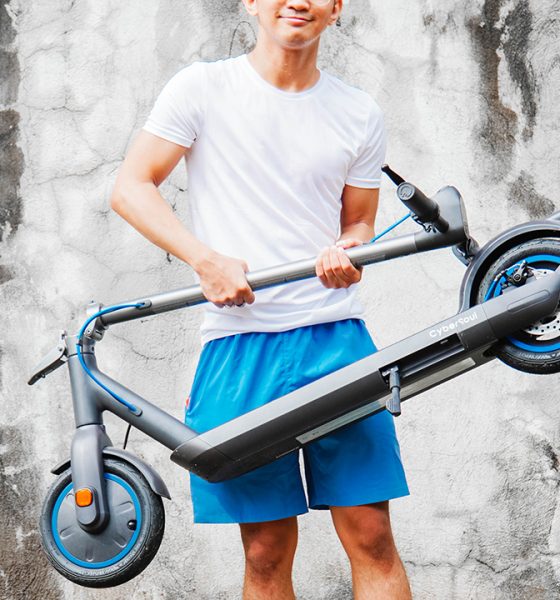
The CyberSoul X3 Pro, which we’ll call X3 Pro for brevity, looks like your typical electric kick scooter. The resemblance is uncanny to most EKS found on the streets.
What sets it apart are the intricate details and thoughtful design to make it functional. And of course, a user experience that’s enjoyable when going in on a ride.

Forgive me for the dust and dirt that you’ll find in the visuals. I’ve been using the X3 Pro for more than a month and even though I’ve been cleaning it regularly, I accidentally took photos and videos outdoors when it rained torrentially.
Granted, the dust, dirt, and wet deck and wheels are inevitable. And it’s something we’ll be talking about later on.
Locked me out and threw a feast
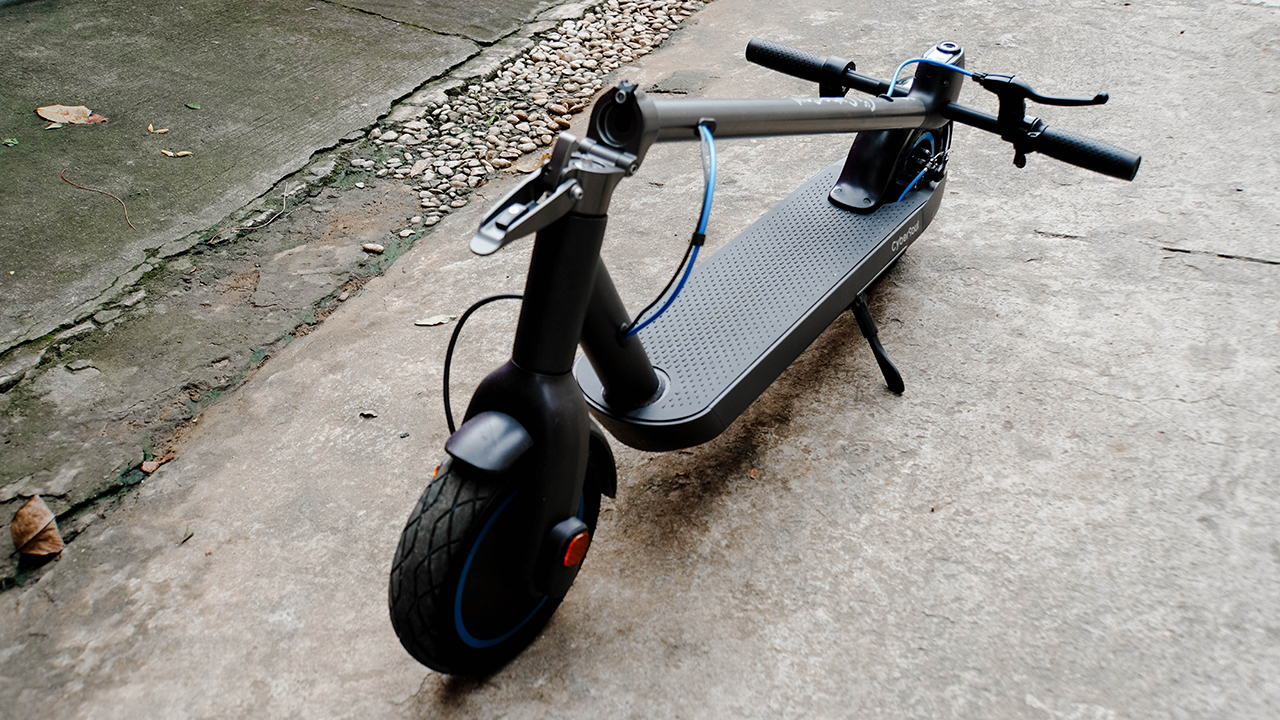
Out of the box, you’ll find the X3 Pro unfolded. It weighs 16.9kg, so lifting the electric kick scooter would be a piece of cake — if you’re a lifter, that is.
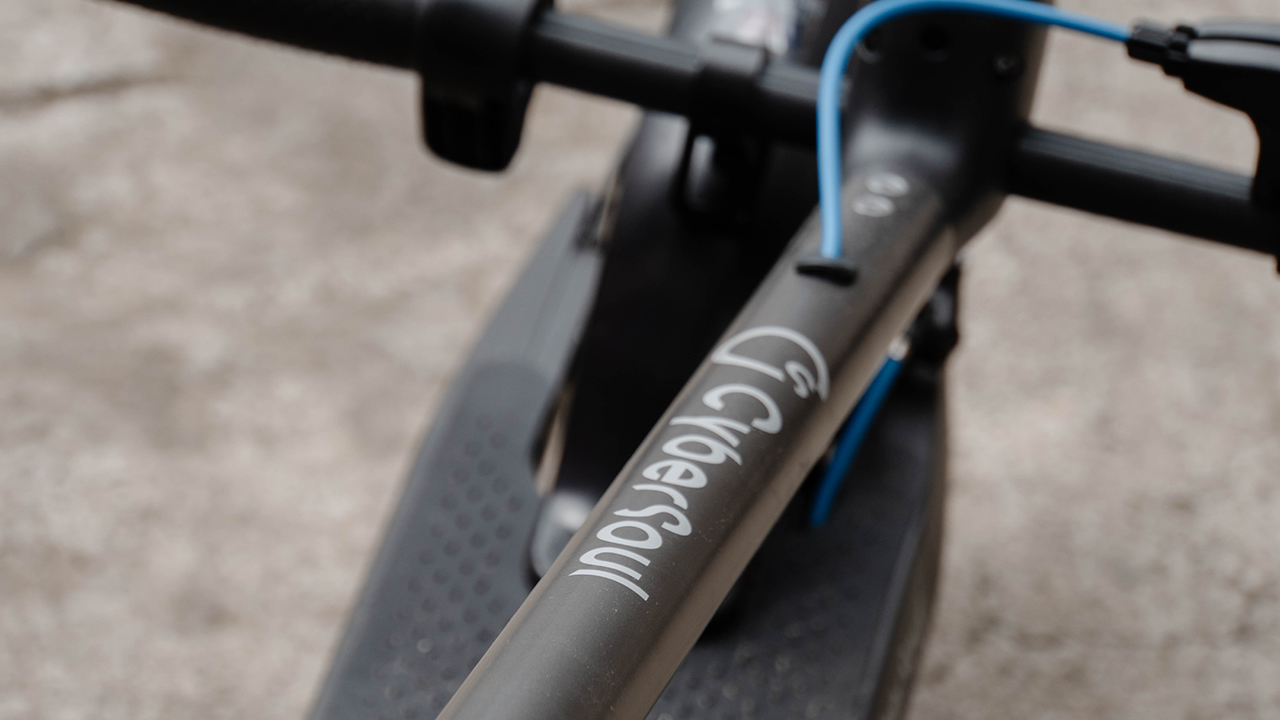
The material’s made of aluminum alloy — a strong yet light component commonly used in aeronautics.

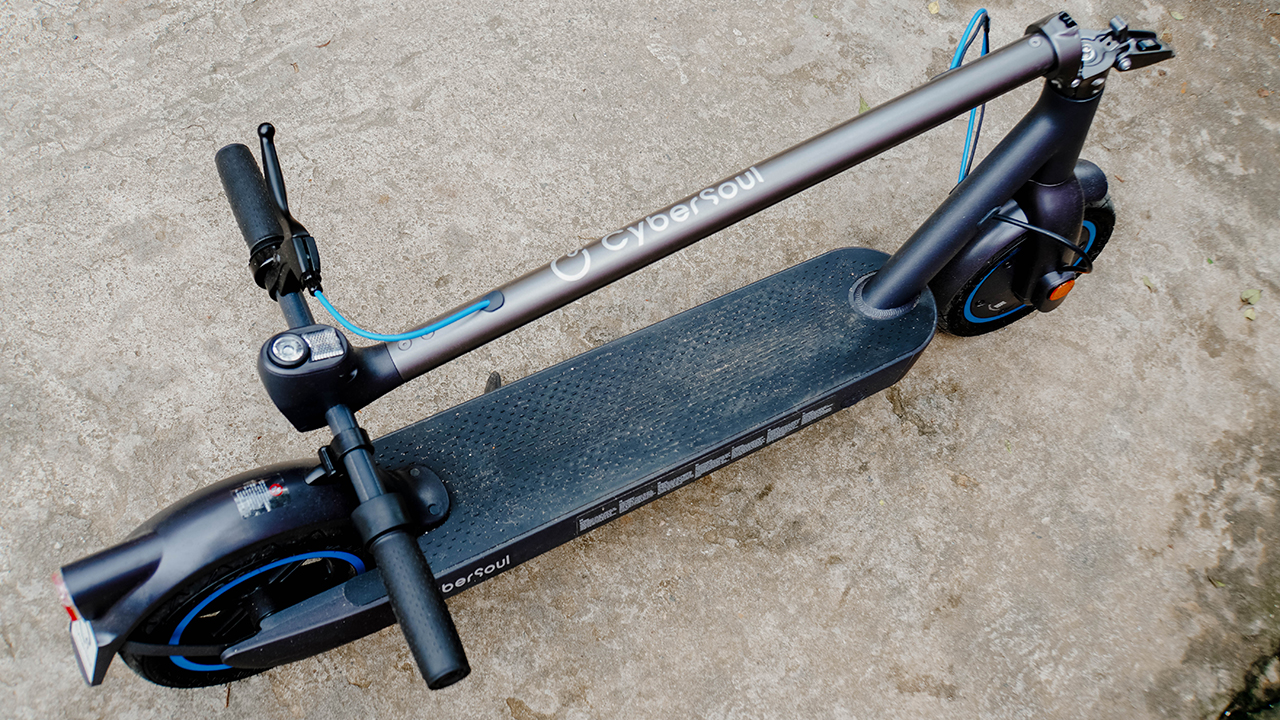
The stem is easy to grip, and you can lock it firmly on a special hook to ensure it stays in its position when folded.

Upfront, you can find the shackle with two locking systems. The inner one automatically locks when you raise the stem, while the other one is a folding shackle familiar to most electric kick scooters.

This type of shackle needs extra pressure for both locking and unlocking the scooter’s stem. Frankly, I always find it difficult to apply pressure on the shackle since it requires strength from your fingers.
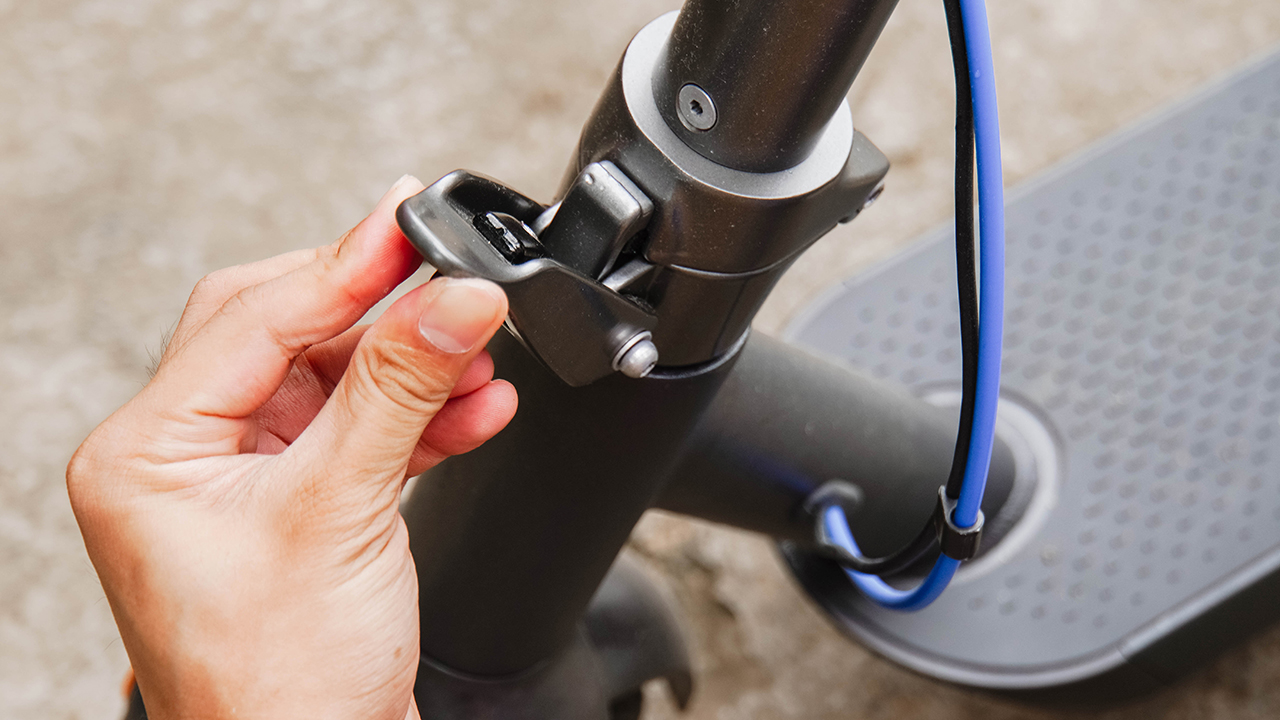
Though it’s hard and extremely tight, the process gave me peace of mind knowing that my electric kick scooter is firmly functional and secure.
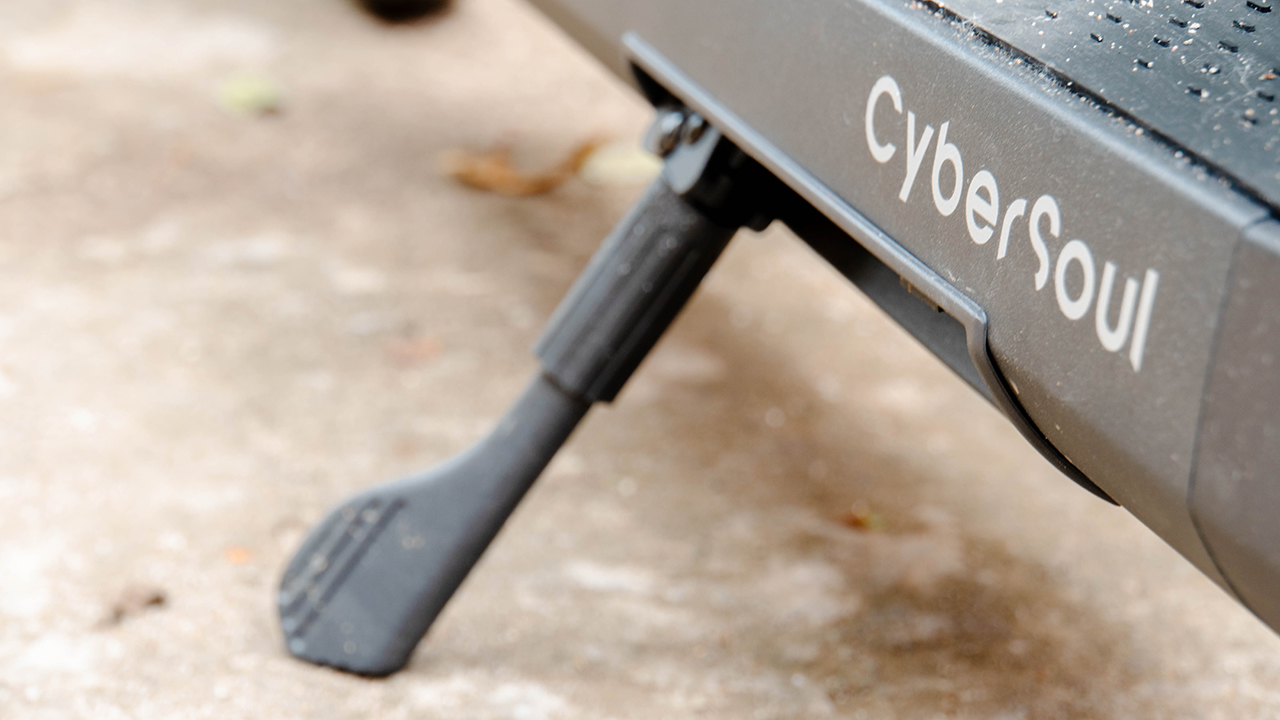
Nonetheless, there’s a stand on its left side so you can park it while you fold and unfold, or just when you need to step away from your EKS for a moment.
Devil’s in the details, babe
The CyberSoul X3 Pro comes with a striking design adorned with intricate details that are both astonishing and bothersome. For one, the engraved style in its wheels and deck accumulate dust and dirt that are grueling to remove.

Unlike the Lenovo M2 Electric Scooter I test drove early this year, the X3 Pro uses a pair of tubeless tires. It’s the same tire you commonly see on automobiles.
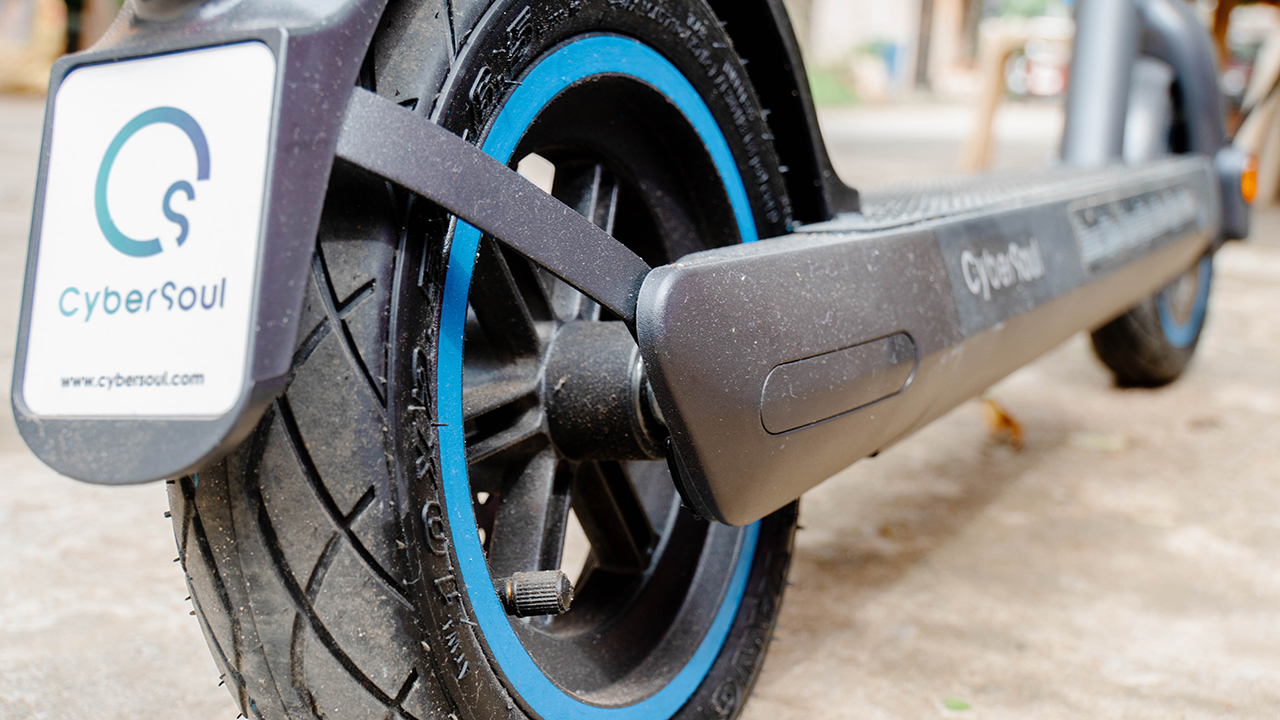
A good thing about tubeless tires is that they’re more heavy-duty, and can keep up with your electric kick scooter’s performance. Tubeless tires are also puncture-resistant so you won’t have to worry about debris puncturing your beloved wheels.
It’s also undoubtedly stronger and can handle heavier load — both the deck and the tires. The X3 Pro has a maximum load of 120kg, so trust that it can carry you wherever you want to go.

The only con I would think about having a tubeless tire is how it can be a pain to have it repaired if it became flat or it badly needs to be changed.
But it shouldn’t be a big deal if you love riding on bicycles, scooters, and motorbikes. Or if you own one. The amount of love and care you’ll tend to those babies will be the same if you have the X3 Pro.

On its back, you can find the X3 Pro sporting a tail light that activates whenever you use the brakes. Speaking of brakes, the X3 Pro uses a double-brake system: an electronic brake on the front wheel and a disc brake on its rear.
Easy as knowing all the words to your old favorite song
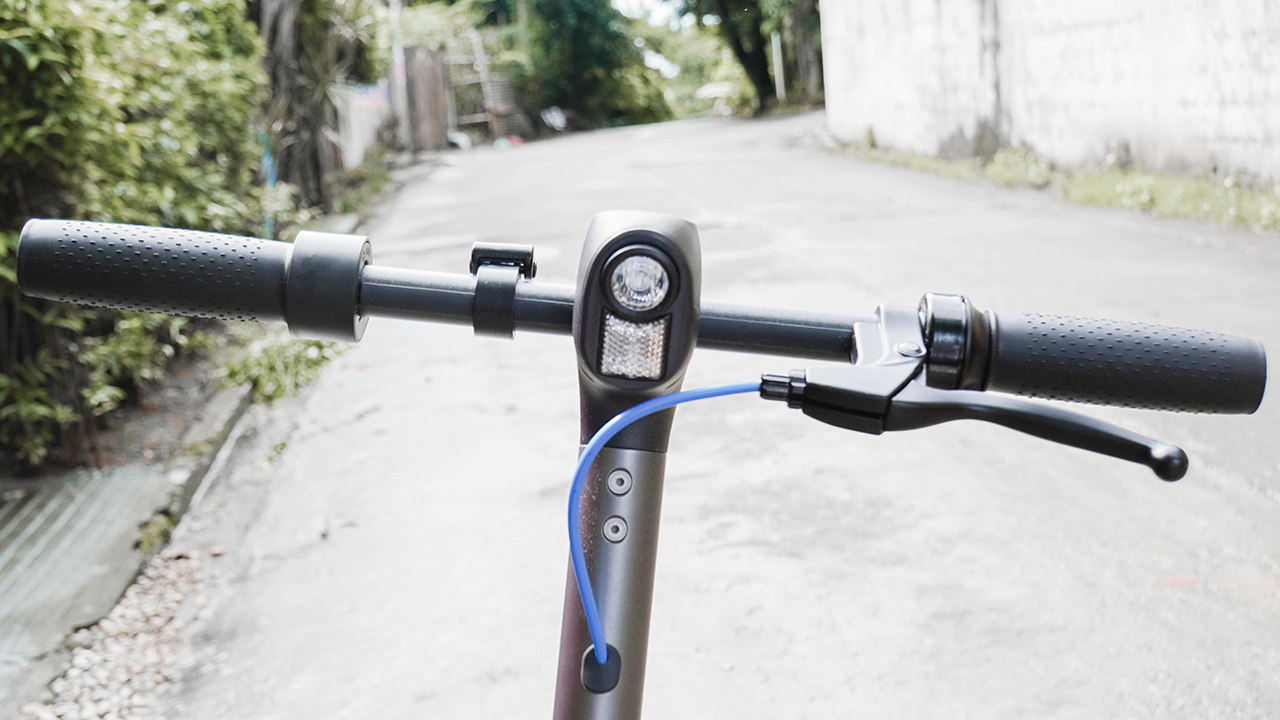
Since we’re talking about brakes, the brake lever can be found upfront, situated on the left side of the handlebar. There’s also a headlight — which lights up decently when used in a dark alley.

Further, there’s a bell that I rarely use because I end up sounding like an ice cream delivery guy. But it’s loud enough to warrant attention from commuters and people on the sidewalk.
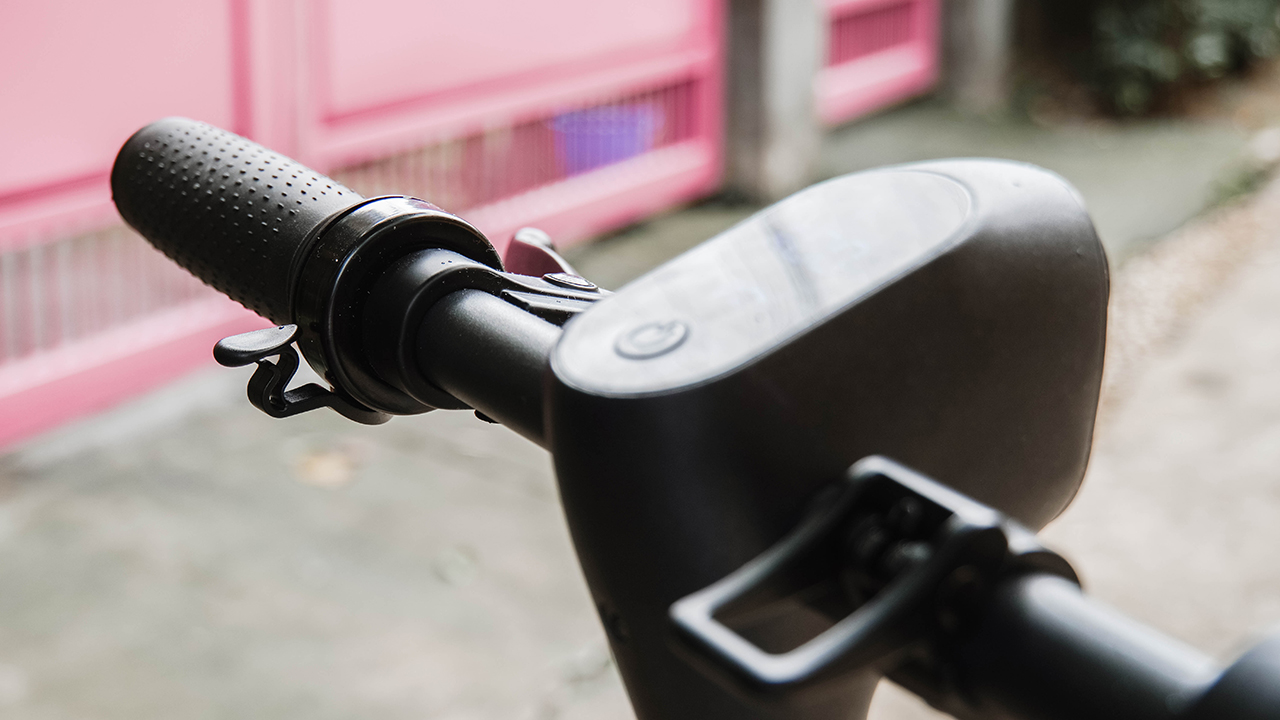
In the middle, you can find the multi-functional power button and the control panel with a simple interface. The display isn’t that legible under extreme sunlight, so you might need to cover it up when you want to preview the panel. Or you can just find a shaded area.
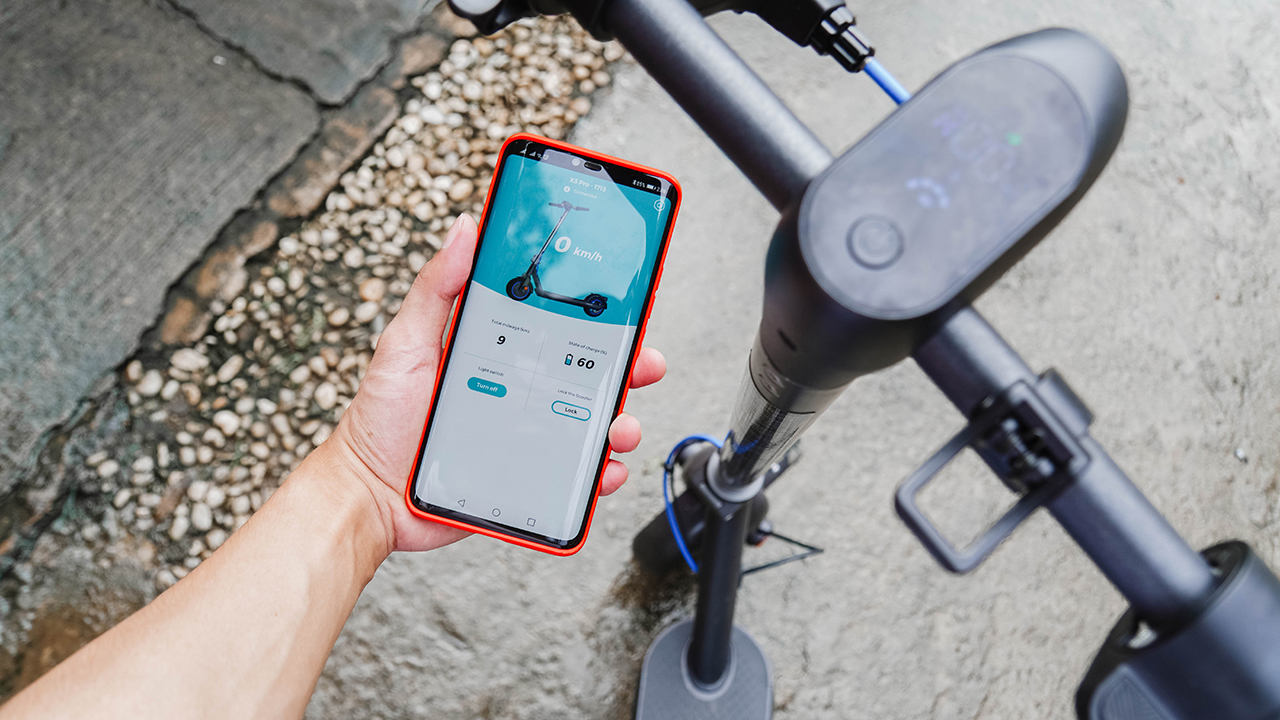
You can also just download the CyberSoul app and connect the X3 Pro through Bluetooth. The app houses important information such as your total mileage, its battery state, a light switch just in case you don’t want to press the button, and an option to lock your scooter for security.
Just a heads-up, having the X3 Pro locked via the app doesn’t mean the EKS will be immovable. You can still move it and let its wheels roll, but you won’t be able to speed up and use the throttle. So, consider having a chain and padlock for security.
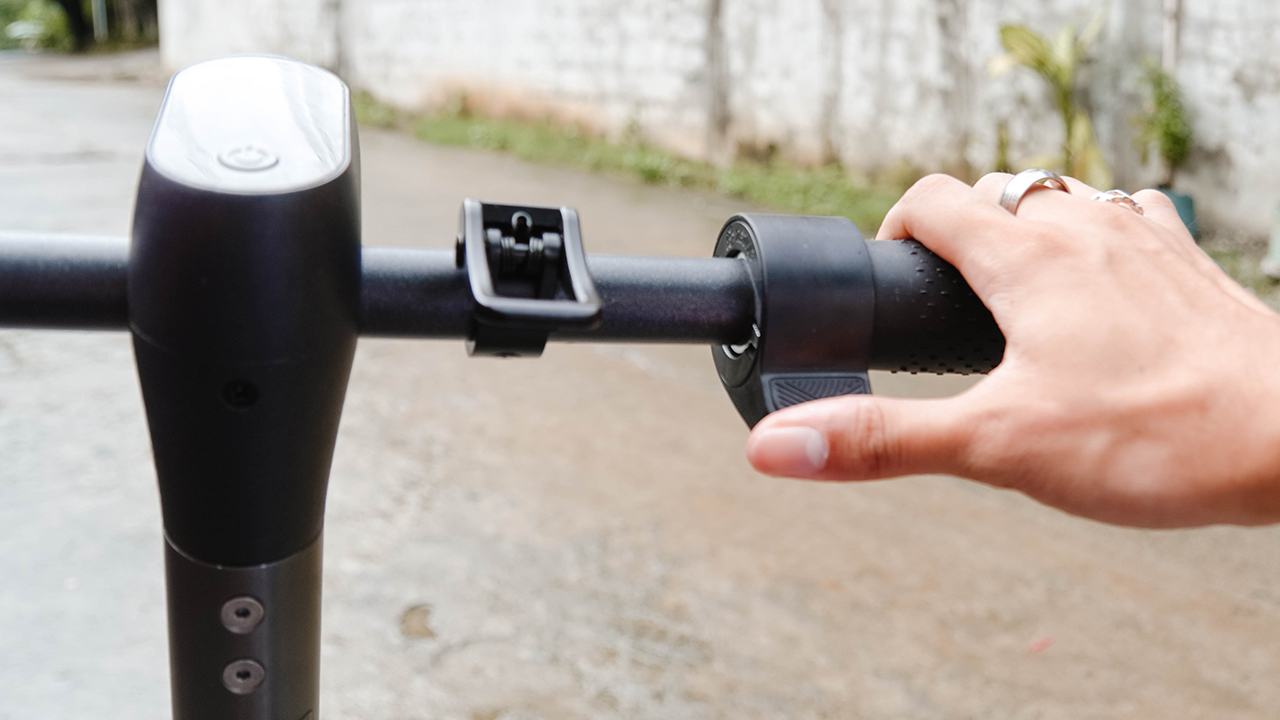
On the right side, you can find the hook that lets you lock the handlebar when folded and the throttle that lets you navigate the electric kick scooter.
Unlike other EKS, the X3 Pro doesn’t use gears. Rather, it has two speed modes to choose from: Relaxing mode and Sports mode. Relaxing mode limits the speed up to 5km/h only, perfect for strolling.
If you want to move faster, you just need to double press the power button to switch modes. Riding while in Sports mode increases the maximum speed up to 25 km/h.
Devils roll the dice, angels roll their eyes
Riding the X3 Pro was blissful and liberating. The electric kick scooter felt durable, safe, and stable every time I step on it. Its deck is larger than the decks from previous electric kick scooters I’ve used before.
Surprisingly, it feels lighter when I was riding it. It was easy steering the handlebar, which I deem essential when navigating curves, slopes, and uneven roads. The performance is impeccable and smooth, thanks to its 300W motor power (which has a maximum output of 600W).

To fully test the electric kick scooter’s capabilities, I went around my village where there are 40- to 60-degree slopes, along with uneven, cracked, and bumpy roads.
It’s the perfect spot for my test drives and I did it gracefully even when the roads are wet caused by torrential rains.
I’ve been an adventurous soul and despite the warnings that electric kick scooters shouldn’t be used on a slippery road, I still did it anyway.
The tubeless tires made a screeching noise, or what I call ‘the sounds of horror’ since the roads were too slippery for the wheels to handle. Despite that, I went downhill on a 40-degree slope.
We were flyin’, but we’d never get far
Riding down like a daredevil, the maximum speed went beyond 25 km/h — capping at 28 km/h. This made the lights flash a warning sign of overspeeding. But I still ignored it. At that time, I was the only one on the road and there were no pedestrians on sight.
But going uphill is another story. With a maximum of 24-degree incline, the X3 Pro struggled driving upwards. Its velocity deteriorated the higher I went — from 23 km/h on a 20-30 degree slope to 19 km/h as I move higher. Then, it alternated between 14 to 15 km/h while I was moving up around 50- to 60-degree slope.

If you didn’t build any momentum, the max velocity would play between 10 km/h to 11 km/h. Riders were laughing at how slow I’ve been going up when they pass by me, and some were even worried if the EKS’s motor can handle the drive.
Move to me like I’m a Motown beat
Moving forward, you need to find a sweet spot when using the throttle. Pressing hard would result in the electric kick scooter speeding up uncontrollably.
When you’re speeding up, especially on a flat surface, removing the pressure on the throttle won’t slow you down. However, putting light pressure on the brake lever would signal the brakes that you’re about to slow down.
Just don’t hit the brake suddenly lest you’ll slip up and possibly crash on a wall. It’s common sense for most motorists, but if you’re a beginner, consider this a heads-up.

On another note, your brake lever is your friend on a downhill ride. The electric kick scooter automatically speeds up when it detects movement on a downward slope, so you don’t need to use the throttle anymore. All you have to do is find the sweet spot for the brake as you slow down sliding on a slope.
Can I go where you go?
I had the CyberSoul X3 Pro for more than a month now, and it has been an excellent companion for short-distance trips. Whether it’s picking up an order at the entrance of our subdivision, or going on a stroll to visit neighborhood cafes.

But for what it’s worth, the X3 Pro can be your solution to the never-ending traffic and unstable transportation system. That is if you live in third-world countries.
Surprisingly, major roads have been adding designated bicycle lanes. The government has regulated electric kick scooters, too, as personal transportation for the average commuter.
My office is situated seven to eight kilometers away. A back-and-forth trip can accumulate a 16-kilometer range — still enough since the X3 Pro has a total range of 55km on a single charge. I’ve never fully drained the battery; the closest I get was having it down to 12 percent in which I realized I need to charge it.

You can fully amp up its juice by charging it for seven hours. I find that a bit slow for an electric kick scooter with only a 12,000mAh battery since most EKS has more. Nonetheless, the X3 Pro doesn’t have a lot of functions to tinker with or background processes that might drain the battery quickly.
It’s still a win for some, especially when you can last two days or more without constantly having your rideable plugged near a wall socket.
Take the long way home
Aside from having an aerospace-graded material, there’s also one feature that the CyberSoul X3 Pro gives me peace of mind: an IP rating.
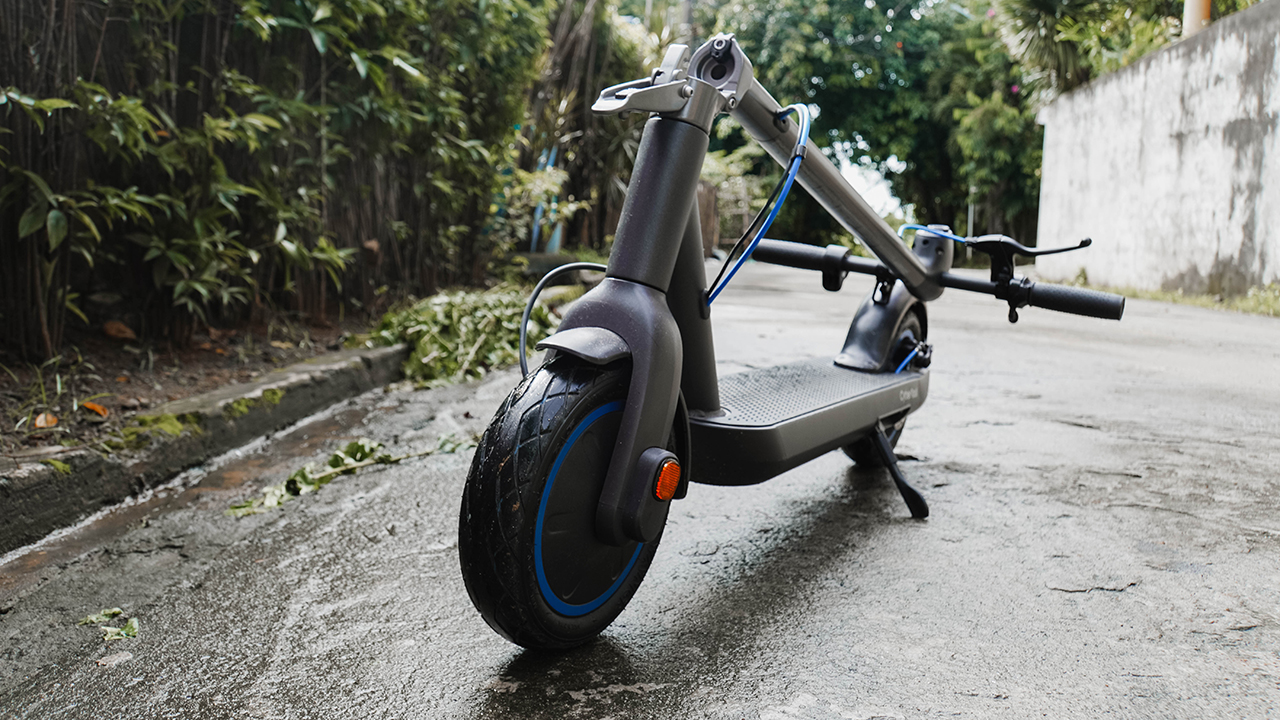
With an IP55 rating for dust and water protection, the X3 Pro can handle the usual dust, dirt, mud, and drizzle of rain. But not enough to ride offroad and during heavy rains.
Of course, it’s ‘kwazy’ to even do that. The right thing to do is wait under a roof to protect you and your electric kick scooter. Case in point: motorists hiding under a footbridge during a sudden barrage of rain.
Having an IP rating gives comfort and security that the circuitry inside your rideable won’t unexpectedly shut down because it drizzled one day when you’re out riding on the streets.

Is this your GadgetMatch?
What I like the most about the CyberSoul X3 Pro is how it exudes an all-arounder vibe. It’s simple, easy to operate, functional, and a bit snazzy. The experience is dedicated to commuters who don’t want to use their last brain cells trying to figure out how to drive from one point to another. Which is remarkable, honestly. Especially for simpletons like yours truly.
It could very well be my GadgetMatch. And anyone who needs a personal mobility solution because they just need to take the matter of transportation into their very own hands. Or feet.

Of course, there are other options to choose from since we all have different needs and lifestyles. But whatever you choose, make sure you wear a decent helmet. And don’t forget to keep your eyes on the road. Lastly, drive safely.
The CyberSoul X3 Pro retails for PhP 26,990. In the Philippines, it’s distributed by Xiaomi Zone — a global authorized reseller available in Lazada.

Gaming
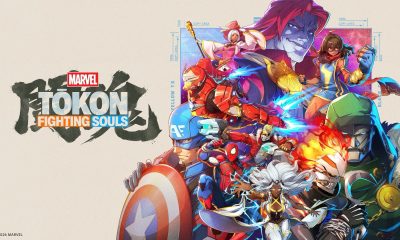
MARVEL Tōkon: Fighting Souls review: Easy to pick up, hard to put down
Welcomes casual and experienced fighting game players

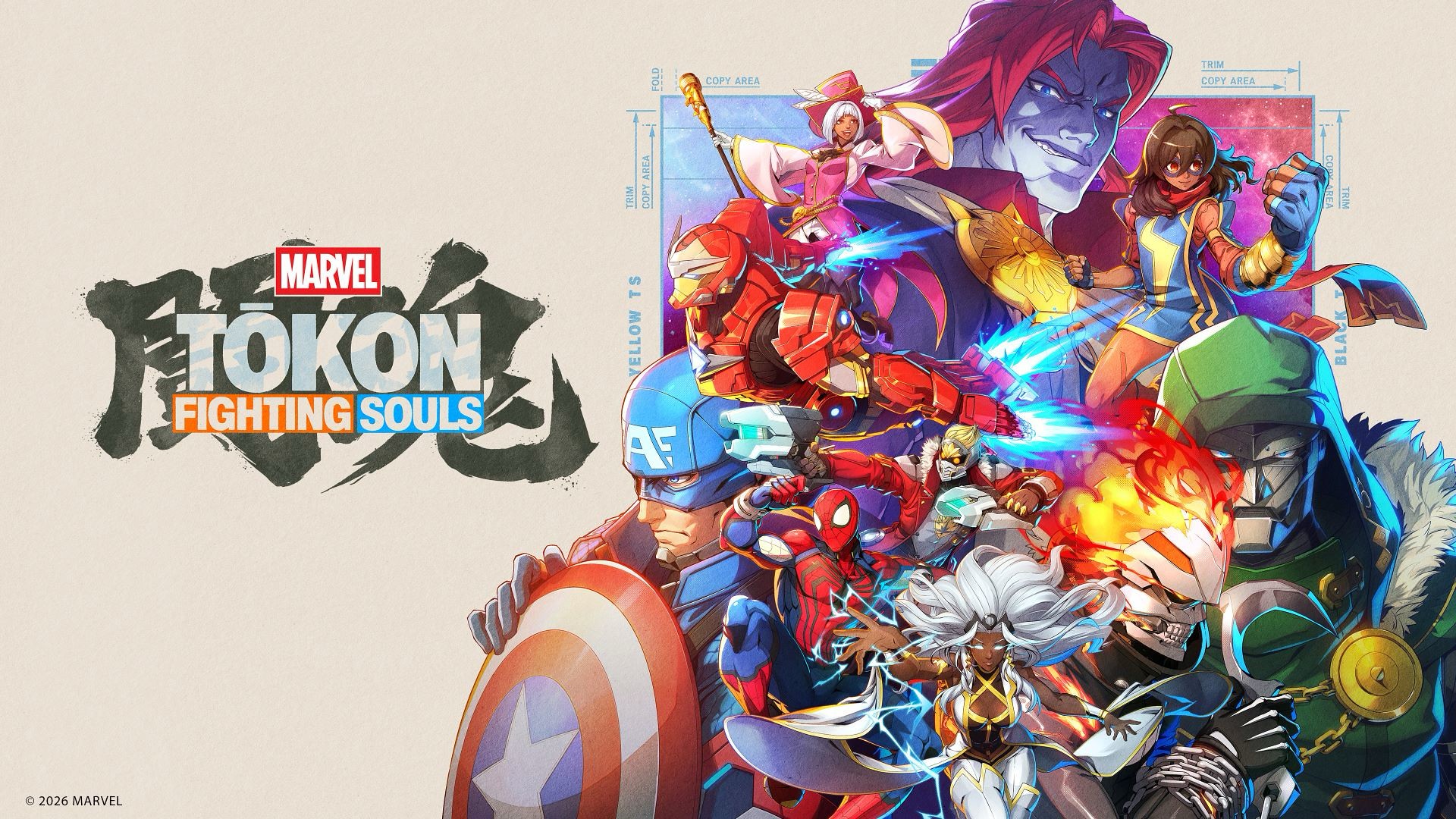
MARVEL Tōkon: Fighting Souls feels like a spiritual successor to the Marvel vs. Capcom fighting games of old — just without the Capcom bit, obviously.
That comparison isn’t just because it features a roster of Marvel heroes and villains throwing hands at each other. Tōkon captures that same feeling of putting together a team of characters you love, watching them bounce off one another, and slowly figuring out how to make them work together.
I’ve always been a casual fighting game player. I can play a little bit, but I’m a benchwarmer at best. I do watch tournament matches every now and again, though, and I can tell when real skill is involved.
It’s kind of like basketball to me. I may not be particularly good at it, but I know a good play when I see one.
After spending some time with Tōkon, I can see the appeal.
It’s welcoming enough for someone like me to jump in and have fun, but there’s enough depth underneath the simple controls to reward players who want to take the time to master it.
The tutorial is important
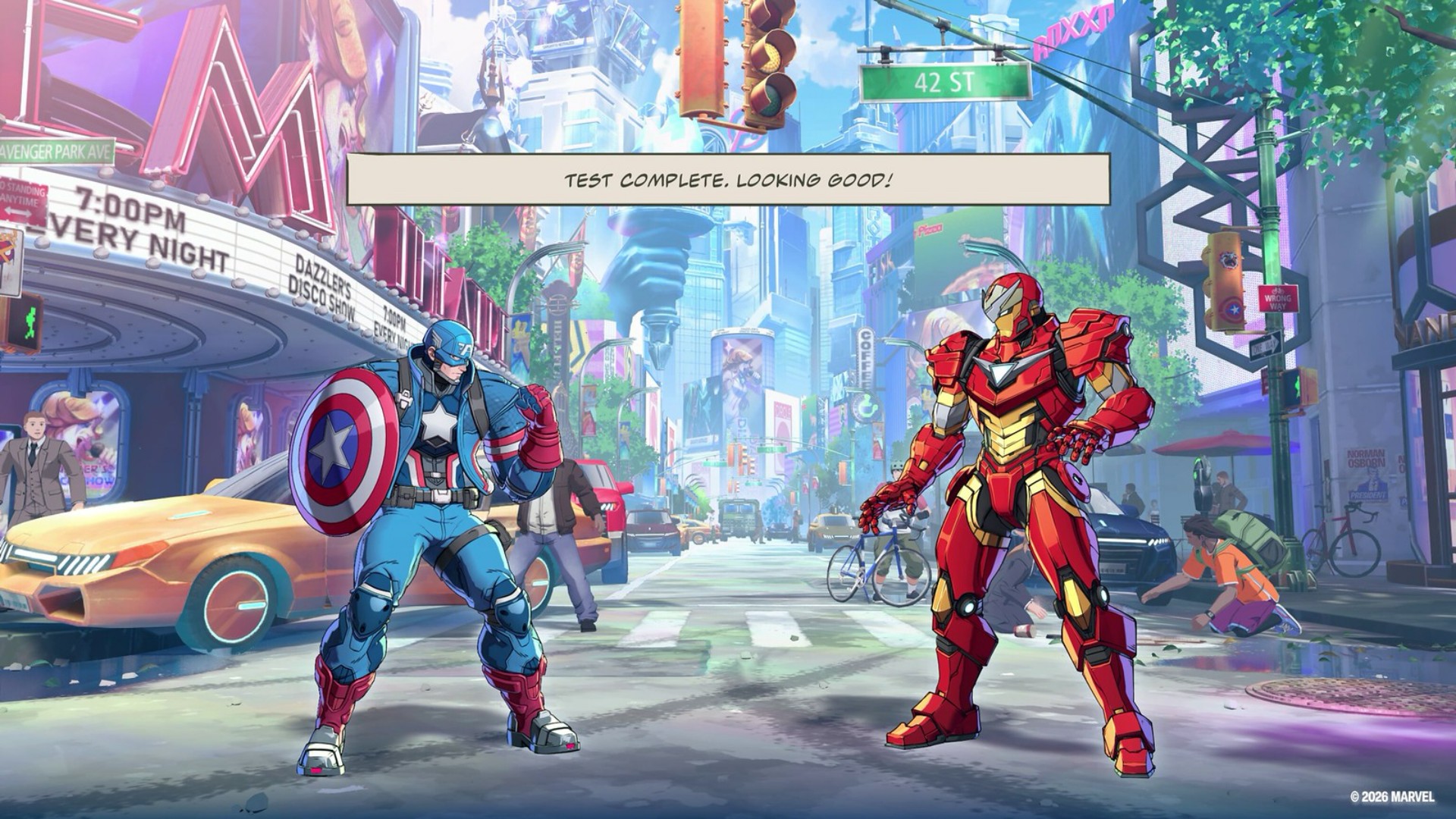
I handled the tutorial portion during the demo, so when I got the full game I jumped straight into Story Mode.
That said, the tutorial is very important.
The button presses seemed easy enough to follow at first. But the deeper the tutorial went, the more complex it started to feel.
That’s not necessarily a bad thing. In fact, it does a good job of gradually guiding you through the game’s mechanics instead of throwing everything at you at once.
Anyone who’s ever played a fighting game at any capacity will have an understanding of how the general mechanics work.
But Tōkon layers its own systems on top of those familiar fundamentals.
The tutorial essentially takes you through the Training Mode. It’s great for getting a feel for how to execute the unique moves per character.
I’m a firm believer that you should just throw yourself at a match and only go back to training if you hit a wall and can’t advance or seem unable to overcome your opponent.
That’s how I prefer to learn.
MARVEL Tōkon: Fighting Souls OPEN BETA_20260726134748
And Tōkon makes that approach viable because the fundamentals don’t feel intimidating.
The game’s official materials also emphasize this balance. It offers adjustable controls, traditional and quick inputs, easy chain combos, character guides, training, and other ways to learn the game’s systems.
There’s more than enough here that the game should feel welcoming to both casual and hardcore fighting game fans.
Four characters, one fight
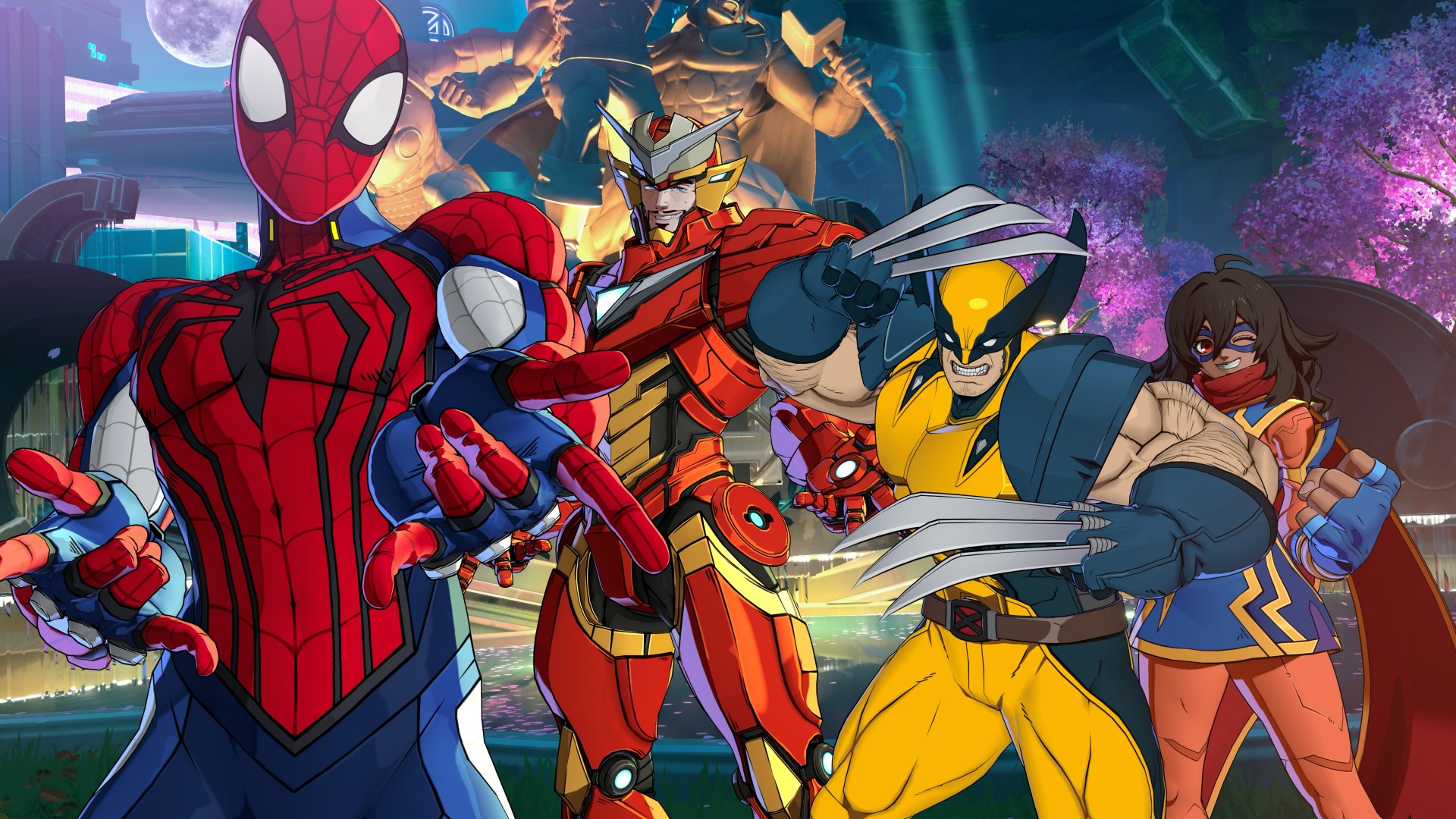
The biggest thing to wrap your head around is probably the game’s 4v4 structure.
You pick four characters: one main fighter and three assists. But you don’t immediately have access to your entire team.
You only get access to the first assist initially. You unlock the other two after a Stage Break happens in a match. A Stage Break is when you finish a combo with the opposing character flying through an extended area of the fighting stage.
So it’s entirely possible to go an entire match without unlocking all your assist characters.
Now that I’ve spent more time with it, though, getting to a Stage Break is actually fairly easy. Landing and chaining combos doesn’t feel too complicated to pull off, so you can get access to the rest of your team without having to perform some impossibly technical sequence.
The assists are great.
You simply hit X or Cross (or the bottom-most face button) for a generic assist, but combining right + X or down + X gives you long-range and air-launch assists.
These are great for opening up your opponents to combos or countering their moves.
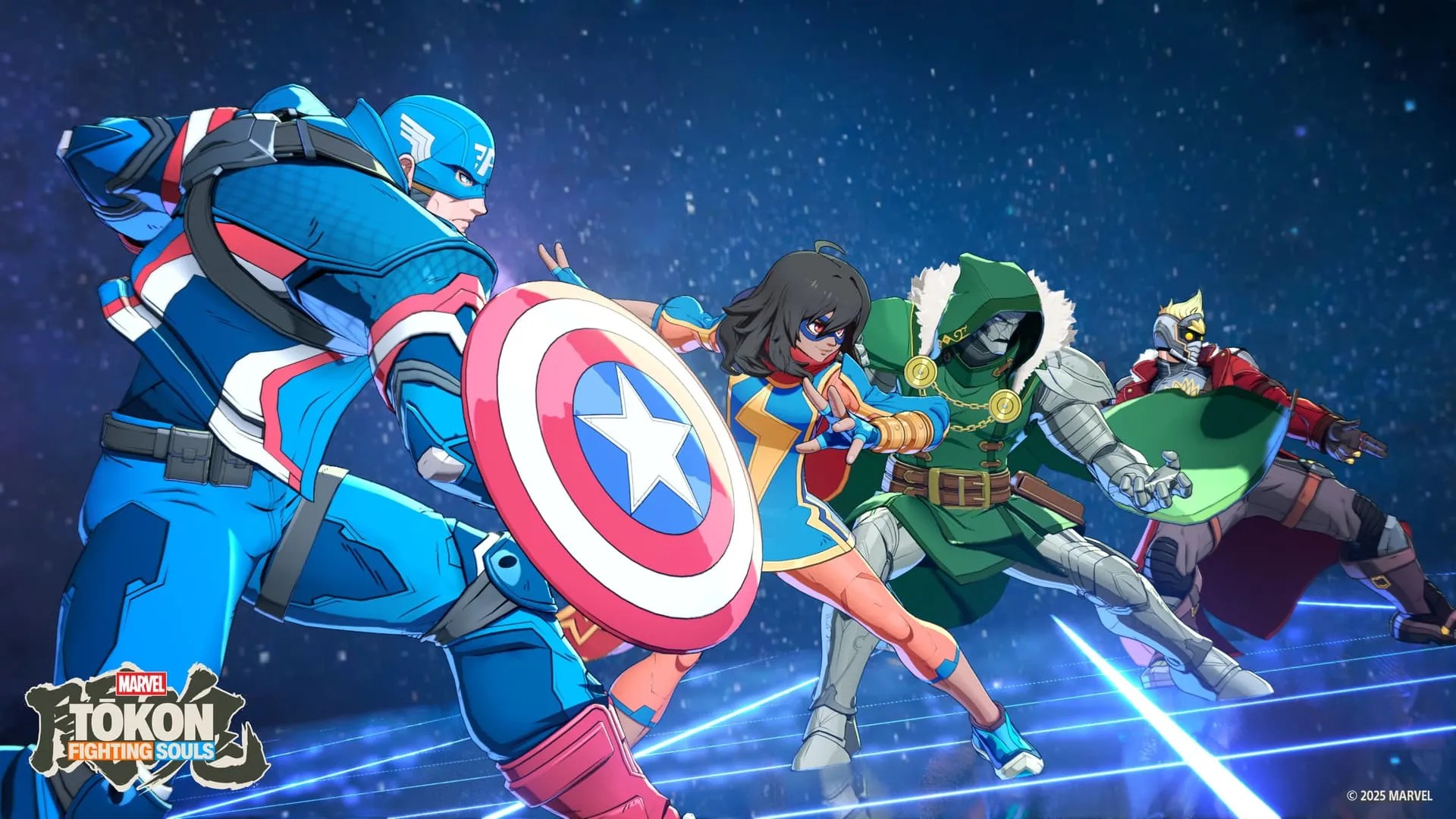
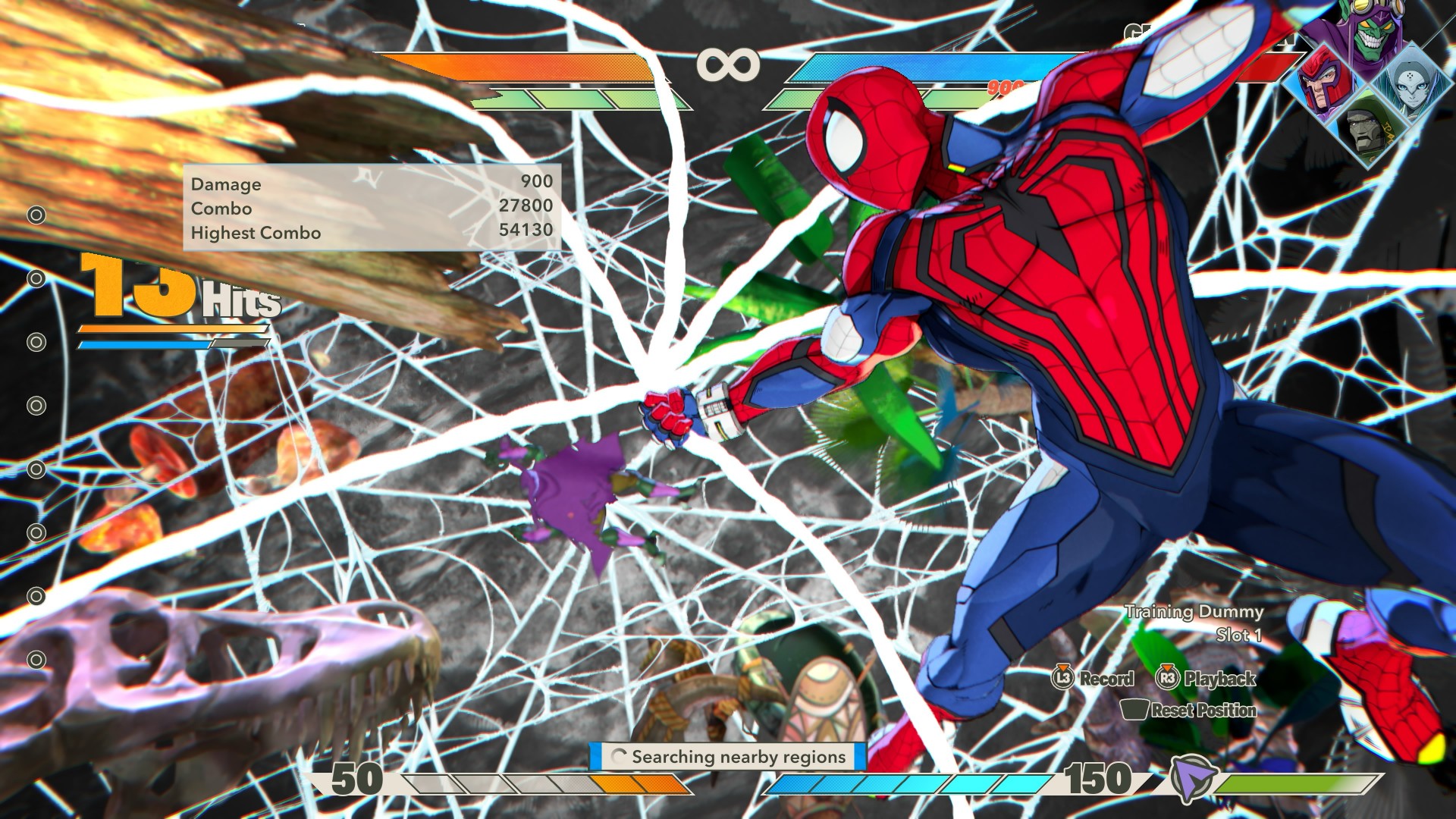
Once you have all your assists available and fill the gauge all the way up to 150, you can execute a Super Attack with every single one of your characters joining the assault.
It’s a fantastic payoff for building up your team.
This is also where Tōkon starts feeling like more than a simple fighter.
The controls are easy enough to understand, but the deeper you get into a fight, the more you start thinking about when to call an assist, how to extend a combo, when to counter, and when to save your resources.
It’s the same kind of satisfaction I get from Dragon Ball FighterZ or Guilty Gear Strive.
Simple controls can get you started.
The complexity comes from figuring out what you can actually do with them.
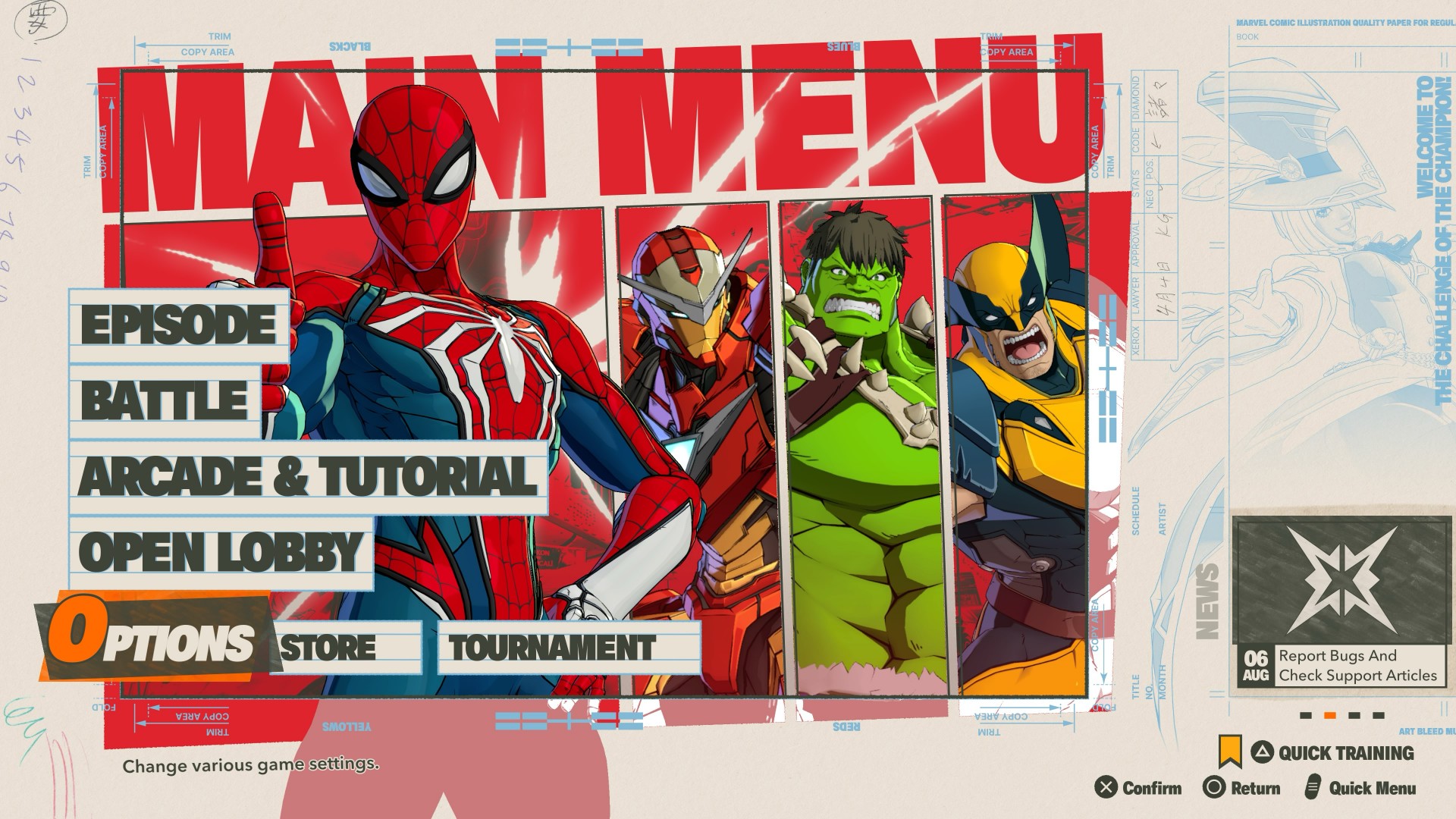
Spider-Man is my guy
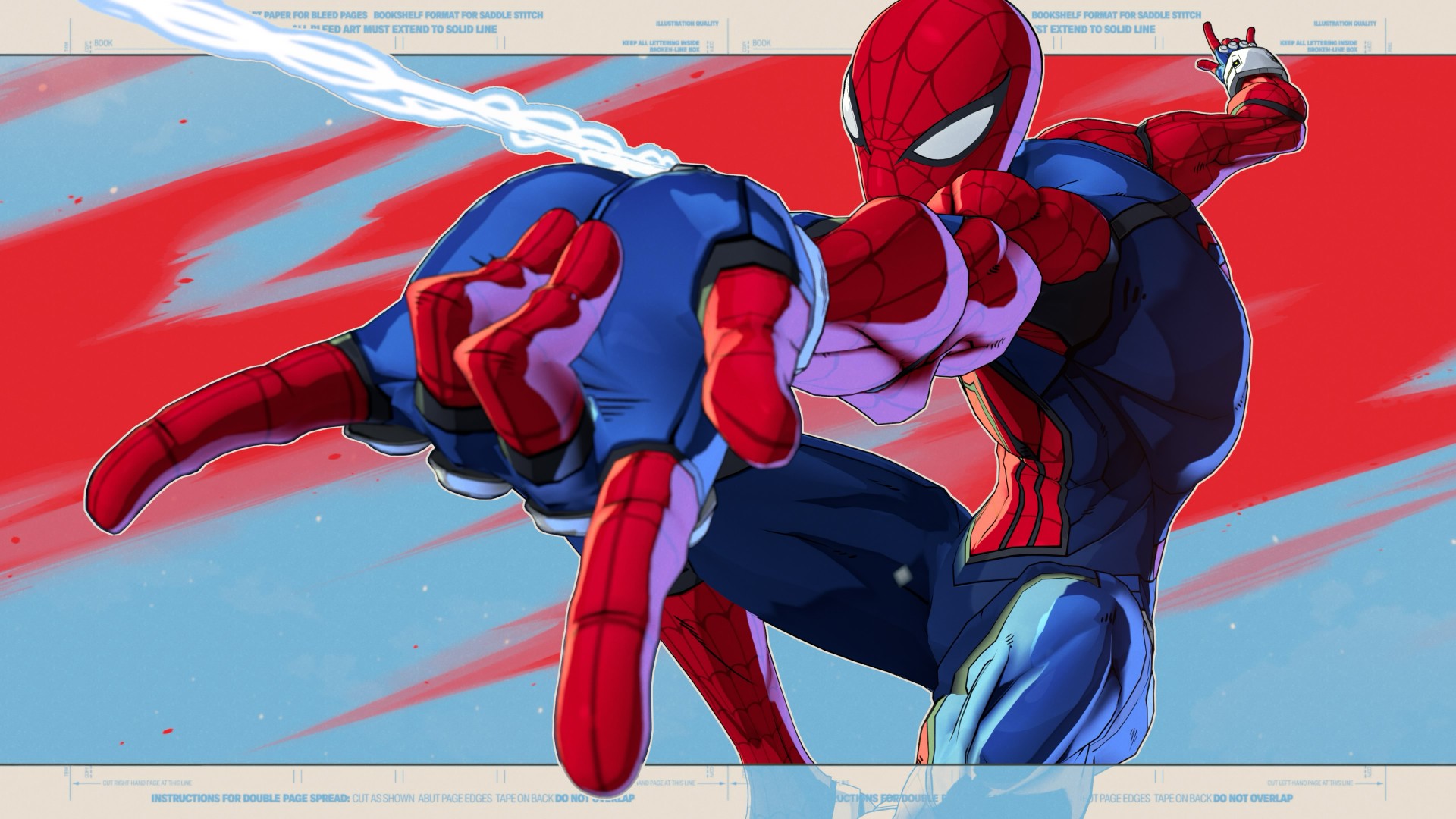
I spent most of my play time using my favorite character of all time: Spider-Man.
Honestly, he feels a little trickier to play than most.
His special move involves him shooting a web, and you can either follow it up with a combo or use it to swing away from attacks.
That little bit of flexibility makes him feel very Spider-Man.
You’re constantly darting around the fight, looking for an opening while also having a way to get yourself out of trouble.
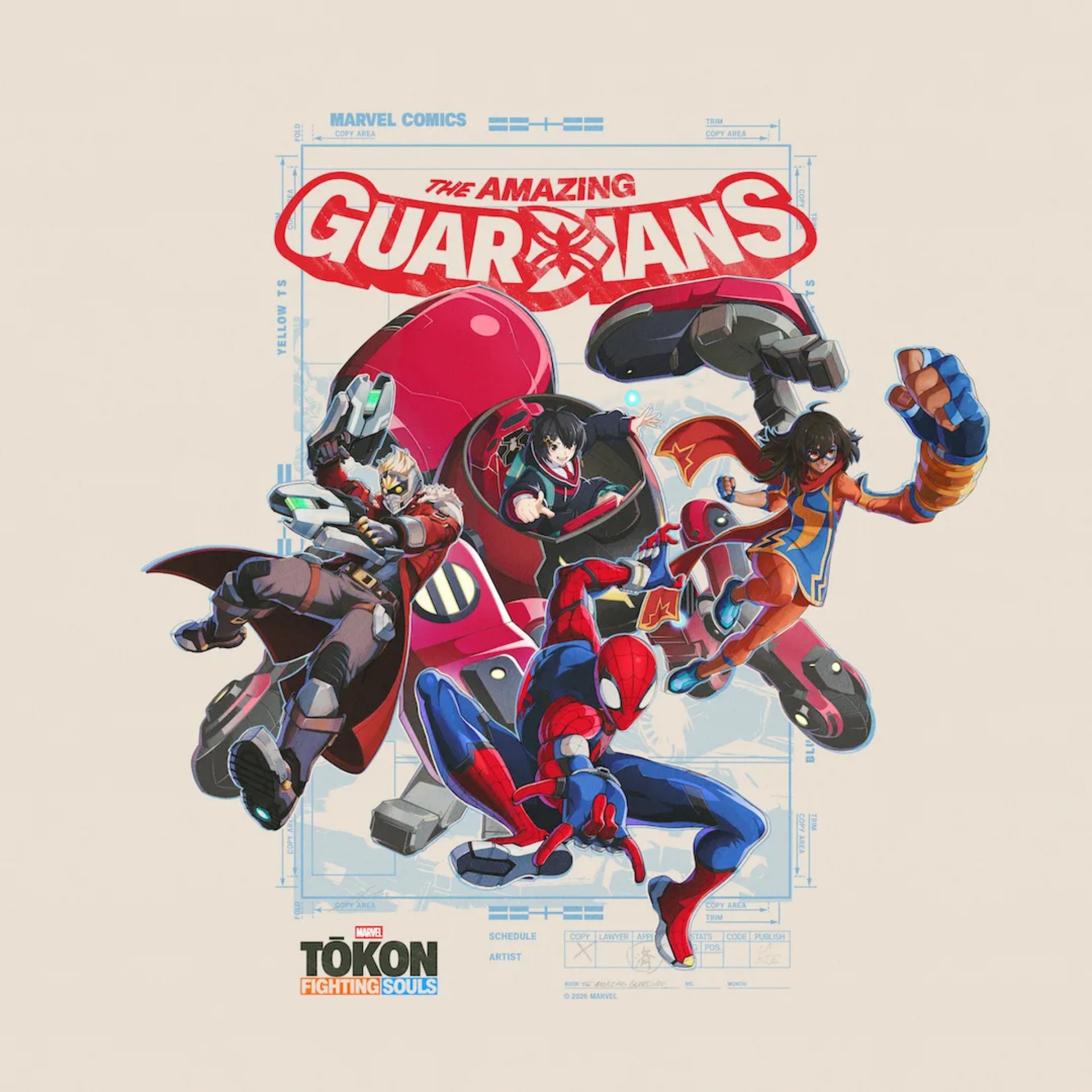
I initially played him with his teammates set by the game: Ms. Marvel, Peni Parker, and Star-Lord.
But outside of the story, I usually always have Wolverine up next.
He’s an aggressive damage dealer and a button masher’s delight.
That’s part of what makes Tōkon’s roster work.
Going through Story Mode gives you a chance to get a feel for how each character handles and who fits your style the most.
With 20 characters available at launch, there’s enough here to mix and match, and you’re bound to find a set that you feel at home using.
And sometimes the character you expect to like isn’t the one you end up enjoying the most.
The characters change how you play
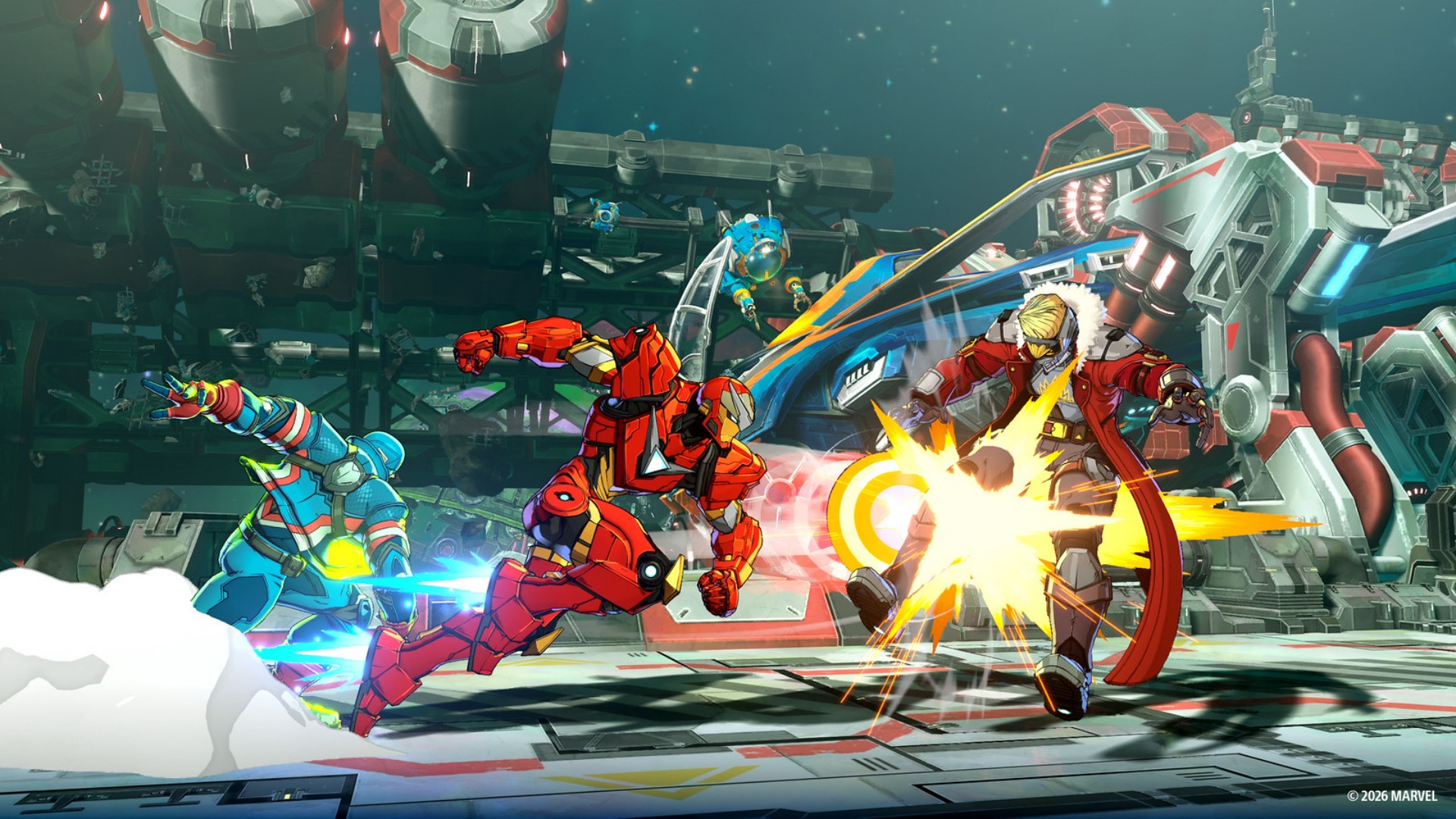
The character I wasn’t particularly interested in but was surprisingly fun for me to use was Blade.
It probably has to do with the types of movement I associate with each character.
With Spidey, I’m always darting around.
With Wolverine, I’m always rushing the enemy.
But with Blade, I suddenly move with more measure.

Something about his stance and attacks makes me want to approach the fight a little more deliberately.
Ms. Marvel was also a character I didn’t care much for at first but ended up enjoying using.
Mostly also because she forces me to dial back a bit and be more deliberate with my movements.
That’s one of the more enjoyable things about Tōkon.
The roster doesn’t just give you different characters with different movesets. It encourages you to approach fights differently.
You’re not necessarily going to play the same way with every character. And that makes finding the right team more rewarding.

Deadpool, meanwhile, has a lot of Easter egg references from other games and franchises.
I haven’t seen them in my own playthrough, though, so it’s frustrating me a bit.
View this post on Instagram
That probably says something about how much Marvel fan service Arc System Works has packed into the game.
Even when I’m not finding the references myself, I know I’m probably missing something.
Losing doesn’t feel cheap
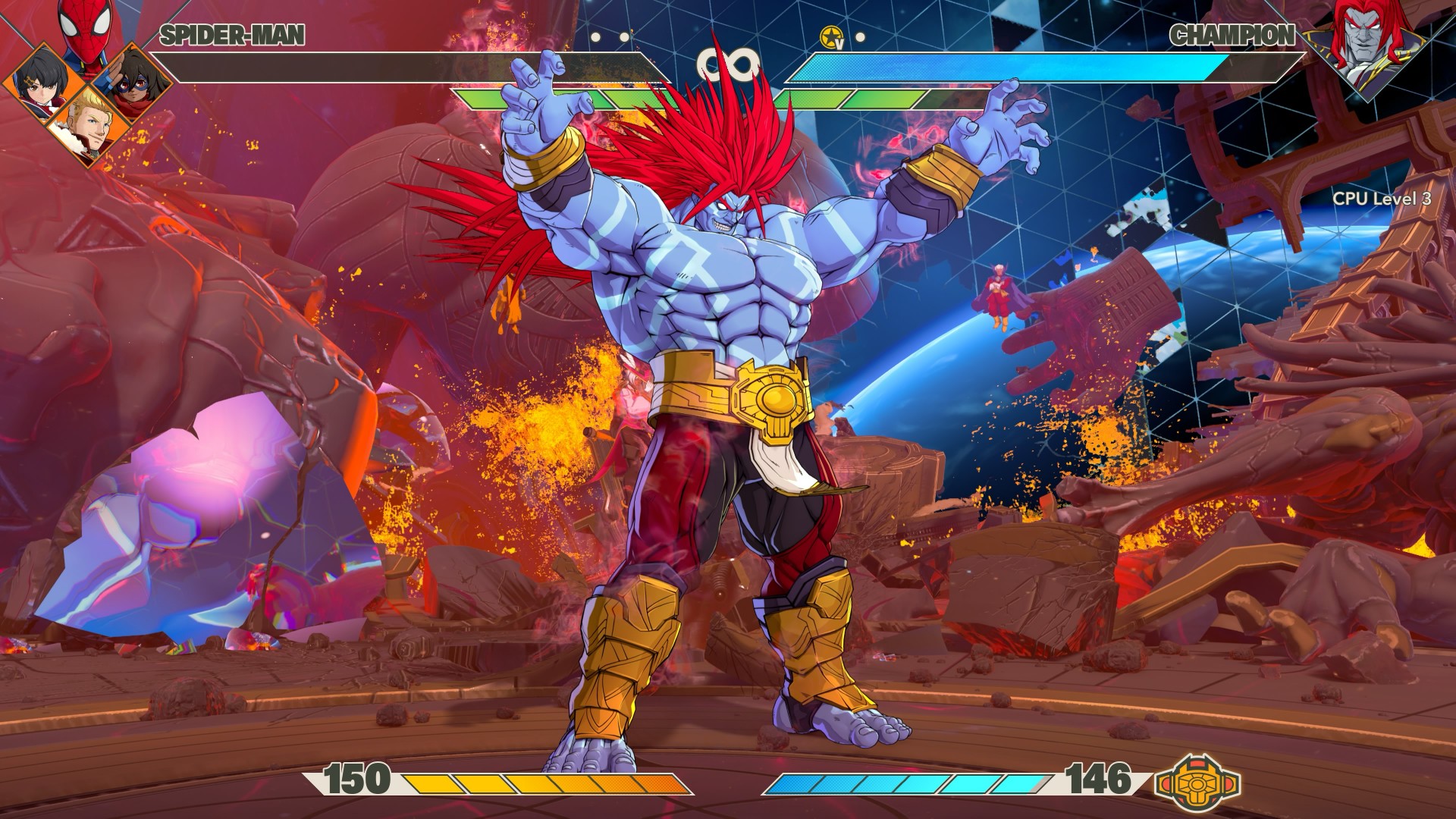
This might be one of the biggest compliments I can give Tōkon.
When I lose matches, it never feels like it’s because the opponent got some sort of buff or something.
I can clearly see where I mistimed a block or a counter, and that led to a devastating string of combos that led to my demise. I don’t mind losing when I understand why I lost.
There’s a difference between getting beaten and feeling like the game simply decided that you were going to lose. Tōkon generally makes me feel like the former.
I’m not suddenly going to pretend I’m good at fighting games. I’m still a casual player. But I can recognize when I made a mistake.
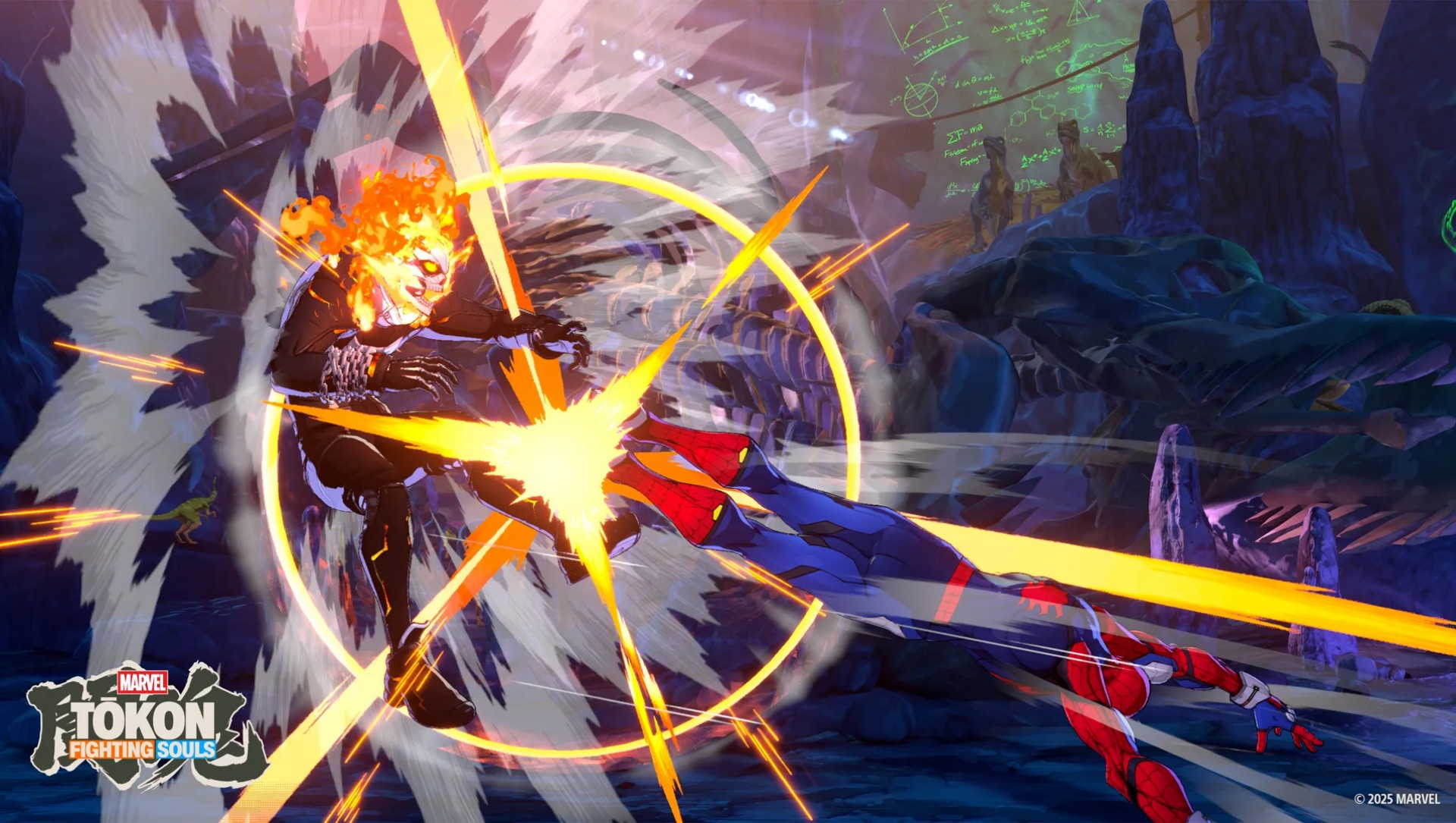
And when I watch a really good player put together a sequence, I can appreciate the skill involved even if I have absolutely no idea how to replicate it.
That’s where I think Tōkon strikes a good balance.
The game lets me enjoy fighting games at my level while leaving the door open for players who want to take things much, much further.
It’s anime as hell

The anime-coded art style has been telegraphed since the game was first announced, so there shouldn’t be any surprises here.
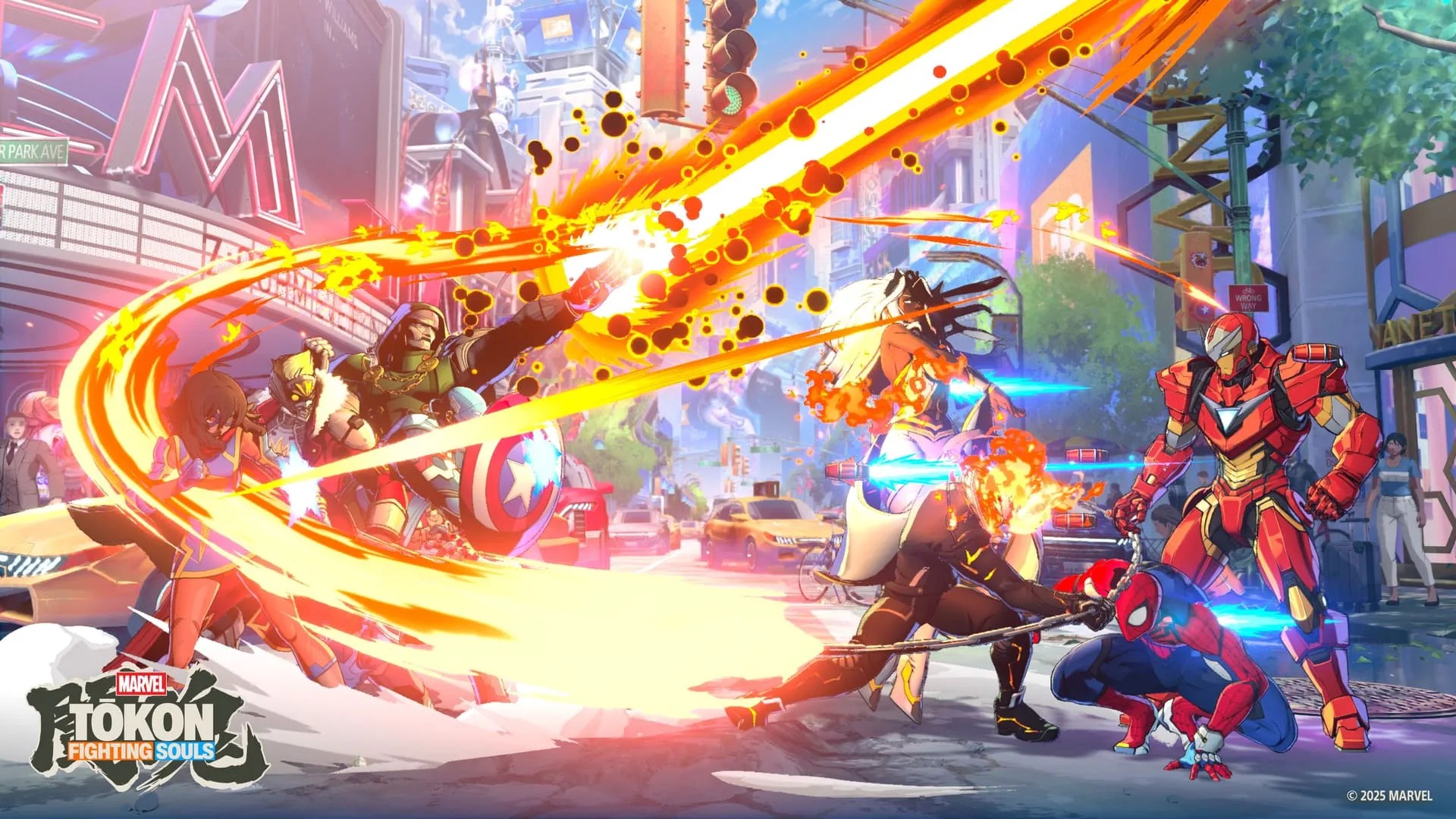
There are plenty of character costume color combinations to choose from, while the animations are truly eye-popping without feeling extremely overwhelming.
The characters move with the kind of exaggerated energy you’d expect from an Arc System Works fighter, but it still feels distinctly Marvel.
Every fight feels like a comic book panel suddenly came to life.
The presentation is particularly good at making the big moments feel big without turning every attack into visual noise.
And then there’s the opening sequence. It is so anime intro-coded and I NEVER skip it. It’s so hype!
Don’t expect a deep Marvel story
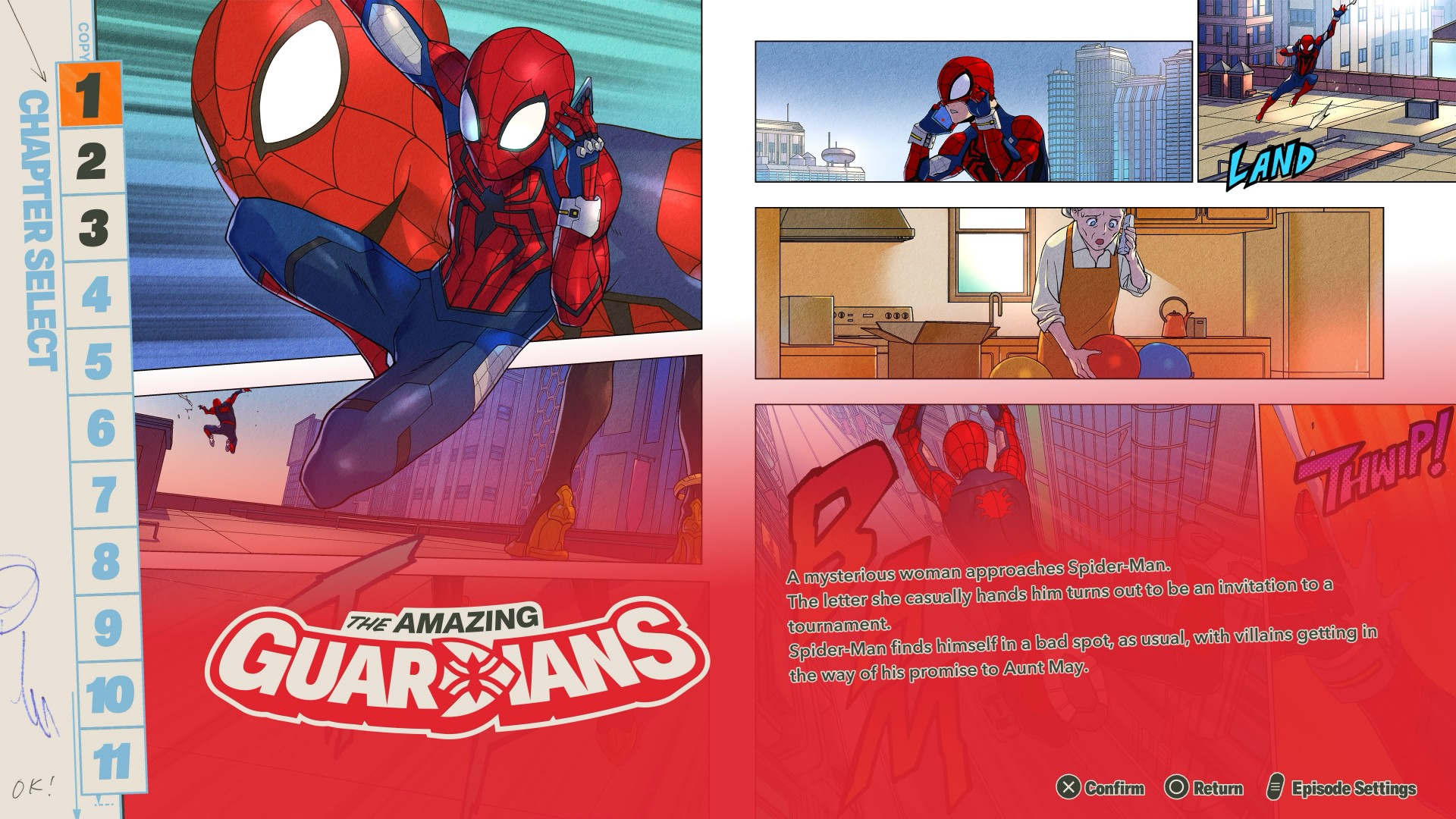
You don’t have to play through each character for Story Mode.
The characters are divided into teams of four, giving each group its own story. The presentation is a mix of anime cutscenes and comic-book-panel-style storytelling.
It’s… alright.
If you’re after any real deep storytelling here, you’re not playing the right game.
There’s enough to keep you mildly entertained, but halfway through your third team you’d probably be over it and would want to just jump straight into fighting — which is the core of the game anyway.

The story gives you an excuse to spend time with different teams and characters.
It lets you learn how they play while giving you a little context for why they’re fighting together.
But Tōkon’s real appeal isn’t its story. It’s what happens when the fight starts.
The fighting is the story

The more time I spend with Tōkon, the more I think this is where the Marvel vs. Capcom comparison makes the most sense.
You pick characters you love, put them together, and figure out how they work.
Then you discover that the character you weren’t interested in is suddenly the one you can’t stop playing.
That’s the loop. And it’s a good one.
Tōkon feels like it understands that a fighting game doesn’t need an elaborate narrative to make you care about its characters.
Sometimes all you need is a character you like, a team that feels good, and a fight that makes you want to hit rematch.
The sound of a good fight
I have to be honest — and a bit embarrassed — I love listening to music, but audio is almost always the last thing I notice when I review games.
I want to say the audio here perfectly complements the visuals.
Nothing feels jarring or out of place.
The music feels appropriate for every stage of the fight, while the in-fight dialogue matches the reactions to what’s happening on screen.
(My setup is an LG C2 TV with a Samsung soundbar. Suffice it to say, I FEEL every hit adequately).
Arc System Works also specifically called out music and sound as areas of focus for Tōkon. After playing it, I can see why.
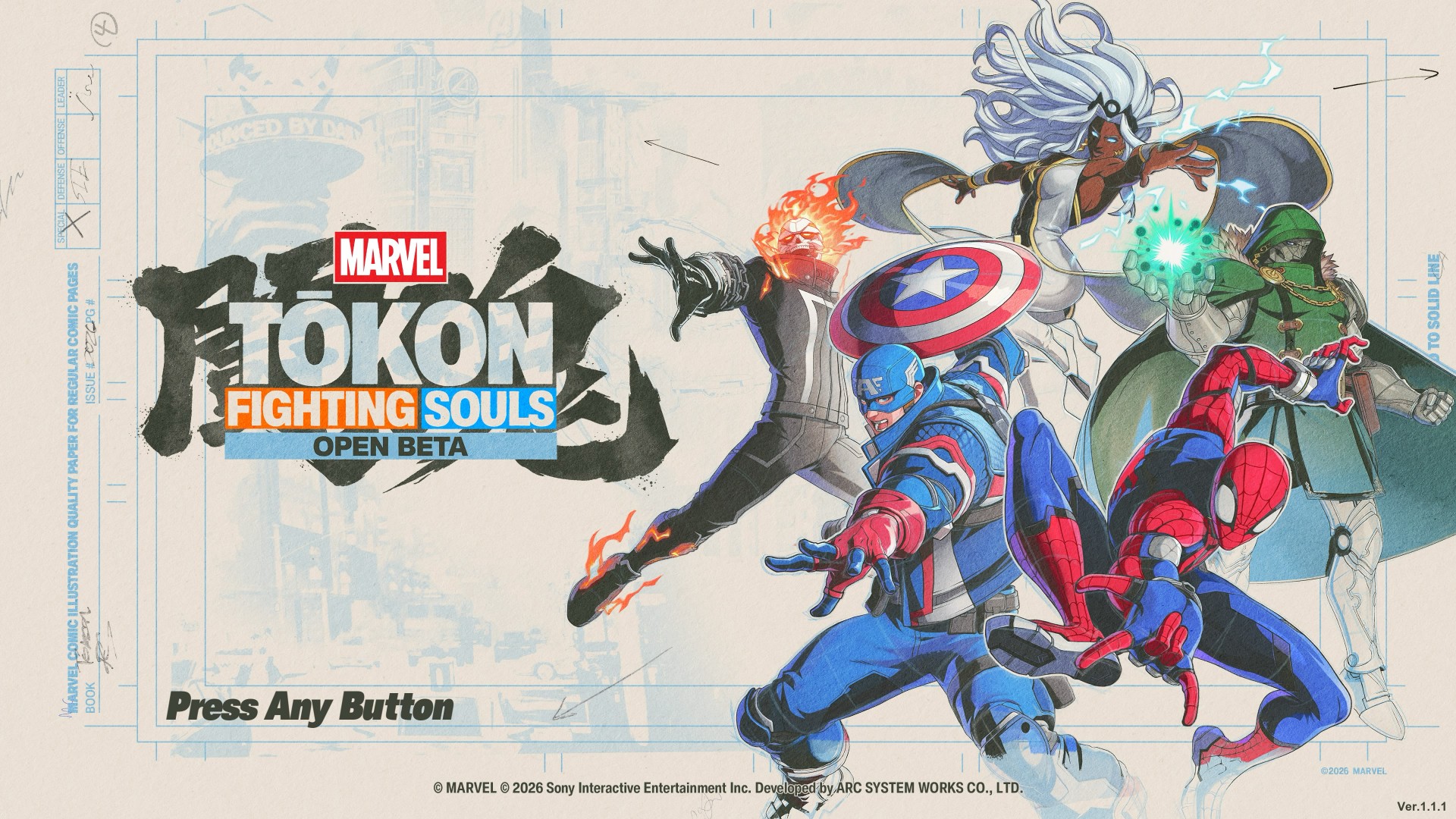
It runs excellently on PS5
MARVEL Tōkon: Fighting Souls OPEN BETA_20260726110851
On PS5, MARVEL Tōkon: Fighting Souls runs excellently.
My runs were mostly PvE, and I encountered no issues whatsoever.
Any input lag is just me having stubby fingers — nothing to do with the game’s performance.
The game also benefits from the PS5’s presentation, with its colorful effects and huge character animations looking particularly good on a big screen.
I played on a 55-inch TV and it made those big super attacks especially satisfying to watch.
The PC version, however, had a much rougher launch.
It was only recently that a patch was released, and we also had challenges redeeming the PC version.
So if you’re deciding between platforms, the PS5 version is the one I can comfortably speak for based on my experience.
Online is where I struggle

MARVEL Tōkon: Fighting Souls OPEN BETA_20260726140314
I don’t like talking about this. I get my ass handed to me too much. But if you’re talking about getting into matches, it does get challenging.
I wait a good five to seven minutes before I can hop into online matches.
And once I do get into a fight, let’s just say my win rate isn’t exactly something I’m going to frame on the wall.
The game’s online offering includes Casual and Ranked matches, along with online lobbies and Room Matches.
The real question for more competitive players will be whether the online community can sustain quick matchmaking as the player base settles after launch.
For a casual player like me, though, the bigger hurdle is simply finding someone willing to beat me up.
A cute little detour
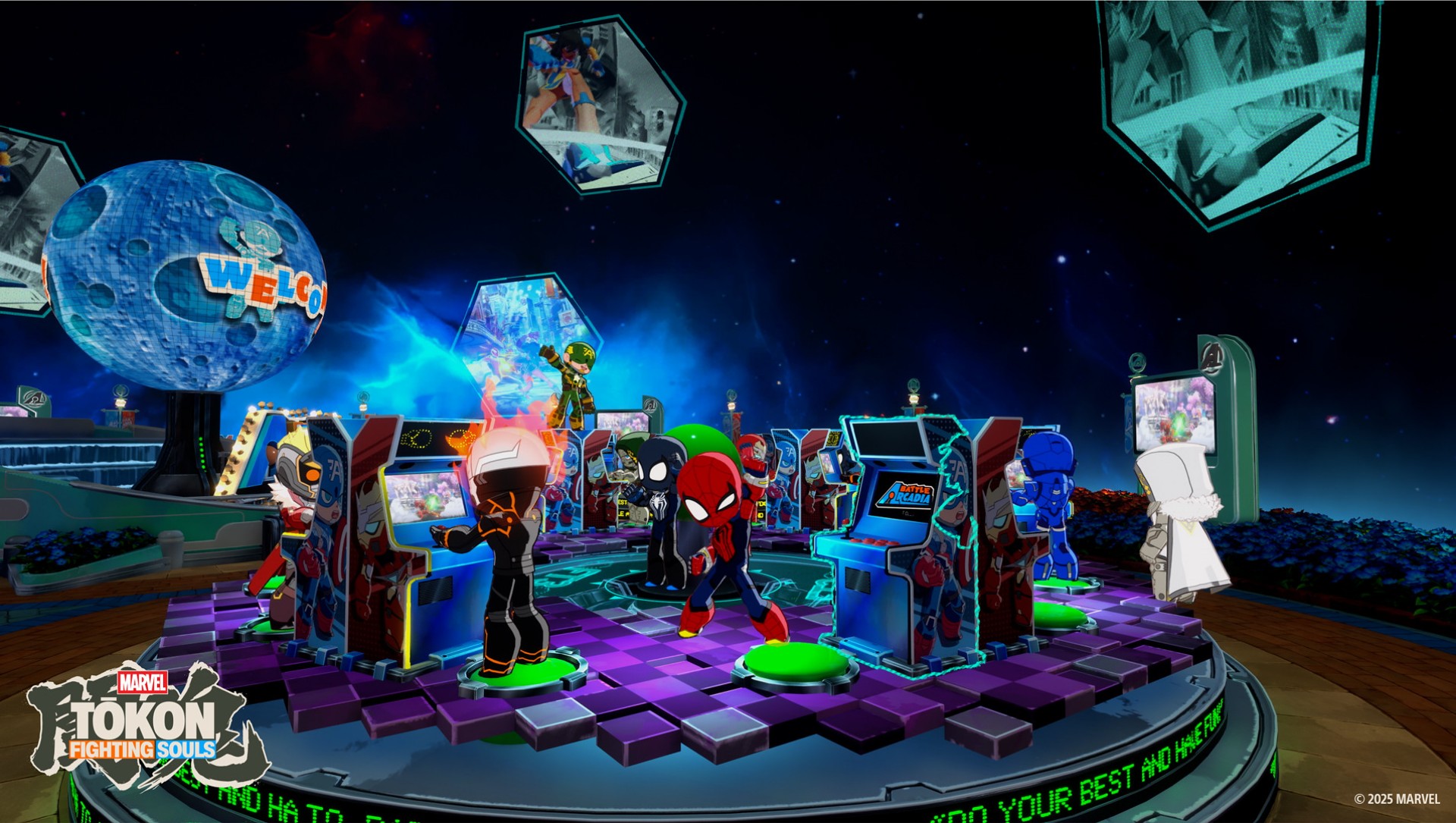
There’s also Arcadia Rumble, a bit of a platformer-type game with the characters rendered in chibi form.
It’s nothing groundbreaking. But I particularly enjoyed the chibi looks as a chibi enjoyer.
The chibi version is an Arc System Works staple, and it’s a cute little change of pace from the much more intense main game.
You don’t need to play it to appreciate Tōkon. But I like that it’s here.
I’m already looking forward to more
The launch roster is already substantial, but I’m particularly excited about the first DLC character: Phoenix Cyclops.
Scott Summers is my guy. And we’re getting the cosmic version? I am waiting with bated breath.
That’s probably the best place to leave Tōkon.
I came into this expecting a fun Marvel fighting game.
What I got was a fighter that is easy enough for a casual player like me to pick up, while constantly reminding me that there is a much deeper game waiting underneath.
It’s not that Tōkon is simple.
It’s that it does a good job of making complexity feel approachable.
You can mash buttons with Wolverine and have a great time. You can swing around with Spider-Man and look for openings. And you can slow things down with Blade or Ms. Marvel and learn to be more deliberate.
If you want to go deeper, the systems are there waiting for you.
Now pickup a controller and take on MARVEL Tōkon: Fighting Souls


Like any millennial, I love a good dose of nostalgia. These days, however, nostalgia is no longer a scarce resource. Remakes and reboots abound, the entertainment world heavily seesaws between all the franchises that made our child- and teenagerhood so fun. Today, the ever-spinning roulette lands on Assassin’s Creed Black Flag.
Launched not too long ago, the original Black Flag was a pirate life simulator disguised as an Assassin’s Creed game. It was a refreshing breath of fresh air for the series coming after the controversial ending of Desmond Miles’ arc. Unsurprisingly, the game is still the most universally lauded entry in the entire franchise. So, if you ignore how recently it came out, Black Flag makes sense as the first Assassin’s Creed to ever get a remake.
But do we actually need this much nostalgia?
New clothes for the original
Assassin’s Creed Black Flag Resynced plays like a dream. It’s the original game but with updated graphics and combat.
Now, the original game still plays very smoothly today. I’d even hazard that the original graphics are still serviceable today, albeit tinged with a tiny bit of datedness. Basically, if I boot up my copy of the original, there’s a very good chance that I’d still find it perfectly modern.
That said, Black Flag Resynced has amazing graphics. There’s a clear difference that elevates the original to heights that put it at par with the newer games. Parkour and combat are also smoother. If you’ve played Shadows or Valhalla, Black Flag Resynced is easy to pick up (or pick up again, for most of you).

There are a few additions, including story content for some characters or even entirely new ones introduced. To be honest, I don’t think they add a lot to the experience, but the additions aren’t bad things at least.
The real meat comes from the tinier quality-of-life changes added to the overall game. For example, those pesky trailing missions are now gone. Stealth is better. Finally, that terrible modern-day storyline was completely removed.
It’s fair to say that Black Flag Resynced is a better version of the game than its original. But, again, is that really enough to warrant buying a new and even more expensive version of a game you bought long ago?
The problem with nostalgia
Earlier this year, I played Yakuza Kiwami 3 & Dark Ties, a remake of the eponymous game from the Yakuza franchise. Though the new version had a substantial expansion bundled inside, it was essentially a trip down memory lane clothed in a “new” skin.
Yes, the nostalgia is largely effective. But after a while, the doubt crept in: It’s just a reskin with some new content. Worse, the reskin is a coat of paint that the series has been using for so many years now.
Black Flag Resynced starts to feel the same. Eventually, the appeal of playing a beloved game runs out, especially since it’s a game that hasn’t been out long enough to develop a more intense form of longing. As such, there’s a bigger burden for it to prove why it should exist.

It’s a hard sell. The original game is just much too recent. In fact, it still holds up well today, despite some inconveniences. The new version is, like Yakuza Kiwami 3, mostly translating the game into a modern system familiar to modern players. But it’s a system that hasn’t really changed much over the years. With another game following the same format, it’s all blending into a homogenous soup.
The Assassin’s Creed franchise needs a reinvention. Though the previous Shadows fulfilled a generational wish to bring the series to feudal Japan, it was just another Assassin’s Creed game but with two protagonists. It’s the same thing with Black Flag Resynced, just another Assassin’s Creed game but with better graphics (and ship combat).
Nostalgia is doing a lot of heavy lifting in Black Flag Resynced. The game isn’t really a reinvention, and if you’ve played the newer titles recently, nostalgia might not be enough.
Is Assassin’s Creed Black Flag Resynced your GameMatch?
If you’ve played the original and just want to experience the same game on a modern system, then Black Flag Resynced is perfect for you. It’s the same enjoyable experience with a bundle of small quality-of-life improvements.
However, it doesn’t reinvent the wheel. If you’re tired of the same old Assassin’s Creed formula, the remake probably won’t do much for you, either.

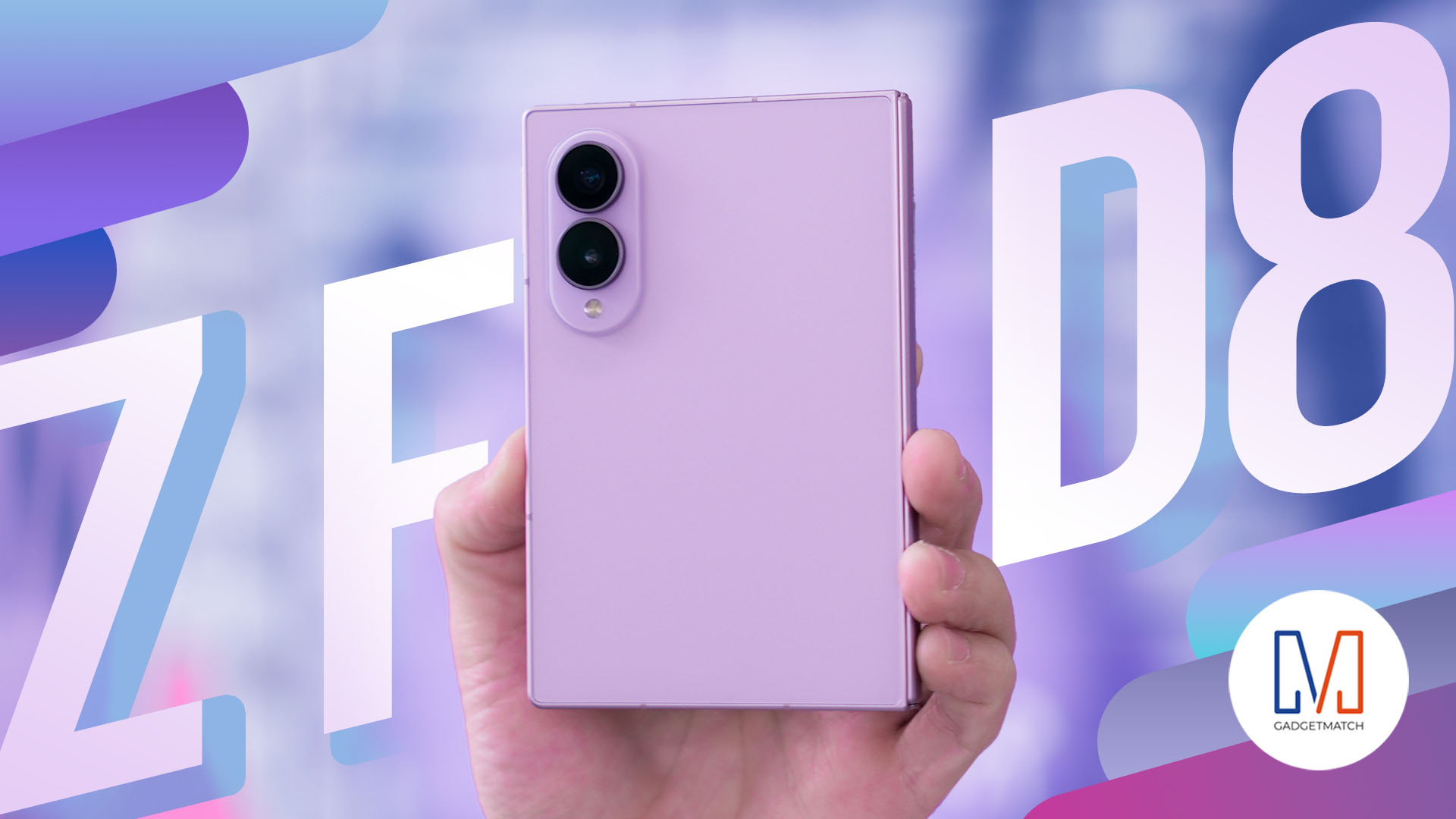
THE Michael Josh has reviewed every Galaxy Fold since the beginning. But, for almost three weeks, the Samsung Galaxy Z Fold8 has been the phone he reaches for every single day.
In this Galaxy Z Fold 8 review, he is sharing what it’s actually like to live with Samsung’s latest foldable. From the size and multitasking to the cameras, battery, software, durability, and all the little things that become more obvious after weeks of daily use.
Here’s our long-term review on the newest Samsung Galaxy Z Fold8.

MARVEL Tōkon: Fighting Souls review: Easy to pick up, hard to put down
Welcomes casual and experienced fighting game players


Now Playing: Assassin’s Creed Black Flag Resynced
Nostalgia does a lot of heavy lifting.

Samsung Galaxy Z Fold8 Review
8 Galaxy Folds later, Samsung finally nailed It!

UNDERTALE: The Determination Symphony gets two more shows

HUAWEI Pura X View is 2026’s first WIDE slab-type smartphone

These Polaroid x Pokémon cameras are just the cutest things
MARVEL Tōkon: Fighting Souls review: Easy to pick up, hard to put down

Samsung might launch the Galaxy S26 FE next week

Hands-on: Samsung Galaxy Z Fold8, Flip8, Ultra

VinFast debuts two-wheeler models, opens 21 e-motorcycle showrooms

Sony announces new FX5 full-frame camera

NBA 2K27 cover athletes unveiled: Wemby, Clark, DRose

CASETiFY revives Spider-Man collection for Brand New Day


-
 Laptops2 weeks ago
ROG STRIX G16 Review: Building for the moment
-

 Singapore4 days ago
REDMI Note 17 Series focuses on long-term reliability
-

 Laptops2 weeks ago
30 days later with the ASUS ExpertBook Ultra: Like seeing an ex
-

 News4 days ago
realme 16T to come with 8,000mAh battery, 7-year battery health guarantee
-

 Philippines2 weeks ago
Smart opens HUAWEI Pura 90s Series pre-orders with exclusive freebies
-

 News2 weeks ago
TCL expands mobile lineup with latest NXTPAPER series
-
 Gaming1 week ago
Marvel Wolverine Limited Edition PS5 bundle SEA pricing
-

 Deals2 weeks ago
Apple Watch, AirPods get exclusive offers via Beyond the Box