


Reviews
CMF by Nothing Phone 1 review: Best bang for your buck
Great hardware + an attractive price tag

A midrange smartphone is a delicate balancing act between packing in the best possible hardware and lowering the price tag to a manageable level. Lean one way, and it floats over to flagship-level pricing. Lean the other way, and you’ll end up with an overpriced budget phone. Once in a blue moon, however, there comes a midrange phone that offers the most impressive specs for the most attractive price. Behold one such phone: the CMF Phone 1.
Design: Simply outstanding
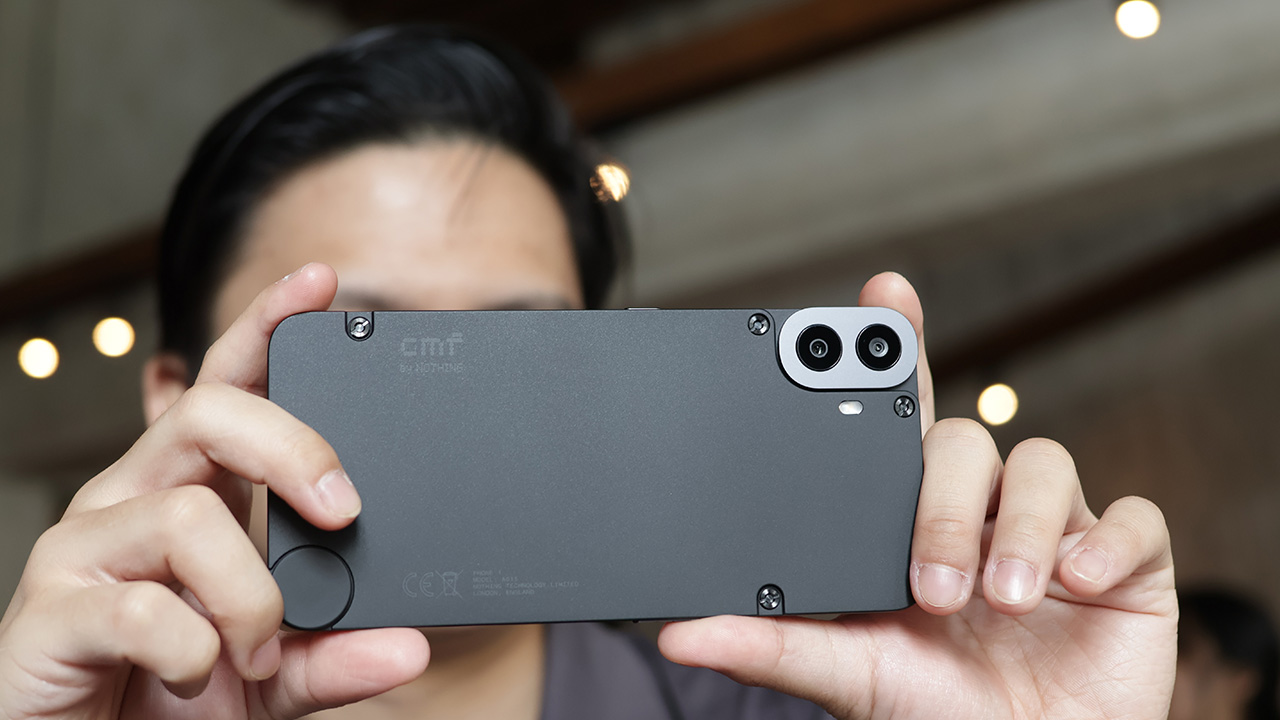
Apropos to Nothing’s branding, the CMF Phone 1 stands out with a unique design atypical of other smartphones in the same price range. Whereas most other midrange phones offer quirky design gimmicks or just use boilerplate layouts, this one has a gorgeous matte panel that you can swap out easily.
The simplicity speaks volumes. It’s elegant. If it weren’t for the two rear cameras, it’s easy to mistake the phone for a flagship. It’s also easy to forget that the panel is made of plastic.
As for swapping out, you can easily switch the rear panel with a flathead screwdriver and CMF’s palette of options including Light Green, Orange, and Blue.
Plus, it also has a corner dial you can twist off. Unfortunately, this doesn’t connect to any features inside the phone. Instead, you can screw in additional accessories including a lanyard, a wallet, and a stand.
Overall, the phone’s minimalism and modularity are astounding. The only way to make it better is to make the dial have some sort of function inside the phone.
Performance: Midrange at its finest
As a midrange device, the CMF Phone 1 shouldn’t be anything to write home about. But it just does.
Underneath, the smartphone carries the Snapdragon 7300. It’s a step below the Snapdragon 8 series, but it hovers very closely because it uses 4nm architecture, resulting in better performance. It’s also paired with 8GB + 2GB of RAM and 256GB of internal storage.
After a few days of using the phone as a daily driver, I can say that the CMF Phone 1 is a capable device especially if you’re just using it for day-to-day activities such as going on social media and editing photos or videos.
However, it can also handle bouts of moderately intensive gaming, too. I expected hiccups, but the phone played Zenless Zone Zero remarkably well on medium settings and at 60fps framerate. While there were still a few stutters in scenes with heavy particle effects, the phone’s ability to keep up with the modern standards of mobile gaming is impressive.
Heat was not an issue either. Though the screen did heat up to some degree, it was never unbearable after an hour of straight gaming. The rear panel also insulates the back well.




Camera: A decent shooter
With only two lenses at the back, the camera department might be where the CMF Phone 1made some concessions. It comes with a 50-megapixel Sony IMX882 main sensor and a 2-megapixel depth lens for portraits.
The duo is still capable, though. Daytime shots are well lit and offer good color accuracy with enough vibrancy. Subjects are also laid over a comfortable amount of bokeh without looking too artificial. However, there is a slight lack of clarity whenever photos are zoomed in.
Here’s a big plus, too: The phone doesn’t struggle too much under low-light conditions. Though there is some noticeable difficulty with getting good shots, great-looking ones are still achievable. Contrast and lighting are similarly decent especially for a midrange phone.
Lastly, selfie shots are decent, taken with a 16-megapixel shooter. There is some upscaling, but it doesn’t make selfies look like plastic dolls. That’s a plus.

Software: Living with Nothing’s DNA
Exterior design isn’t the only selling point that this smartphone takes from Nothing. It has Android 14 baked with Nothing OS installed.
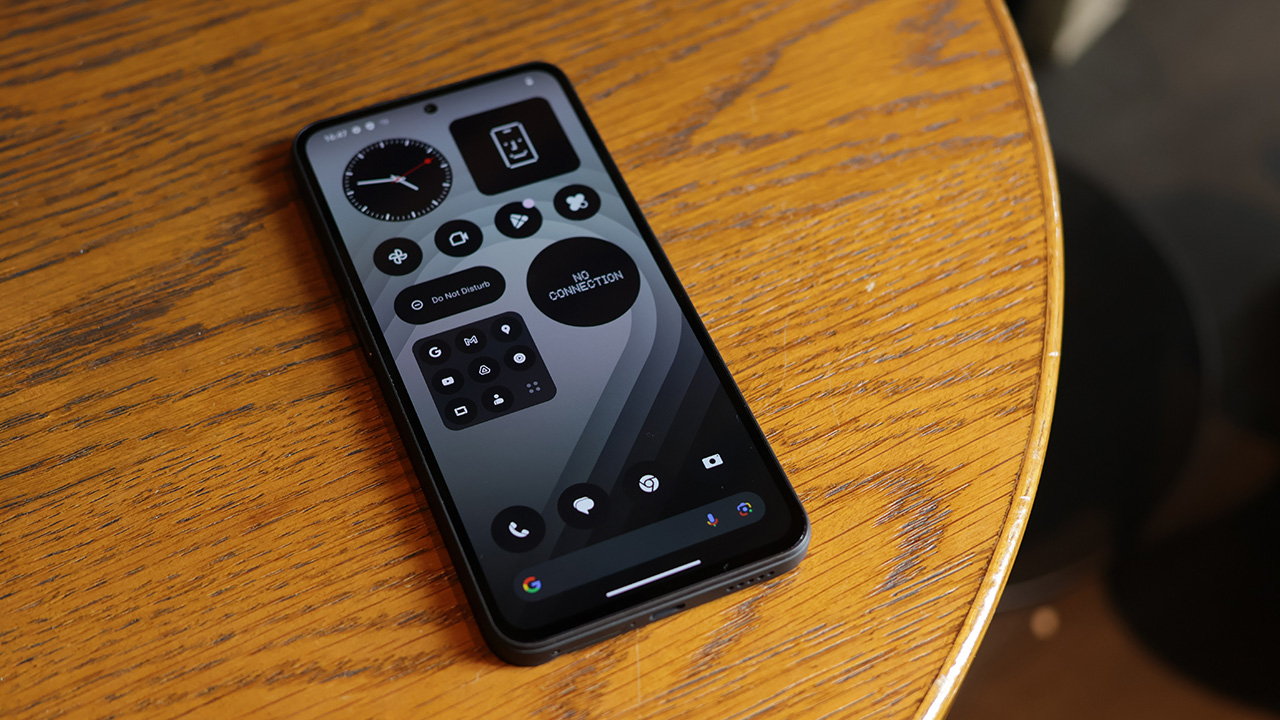
The software thrives with Nothing’s dot matrix design. It just feels like a cohesive design that wants to make life easier for you, the smartphone user. Besides the design, it also comes with the ability to add actually useful widgets to the home screen including weather and a screentime monitor.
Out of the box, there’s scarcely anything more than cracking open the Nothing OS, even if you take away the design and the widgets. And it’s all for one good reason: no bloatware. There’s barely a single piece of unnecessary software on this thing. It’s so refreshing, especially for the midrange market.
Ecosystem: Complete the set
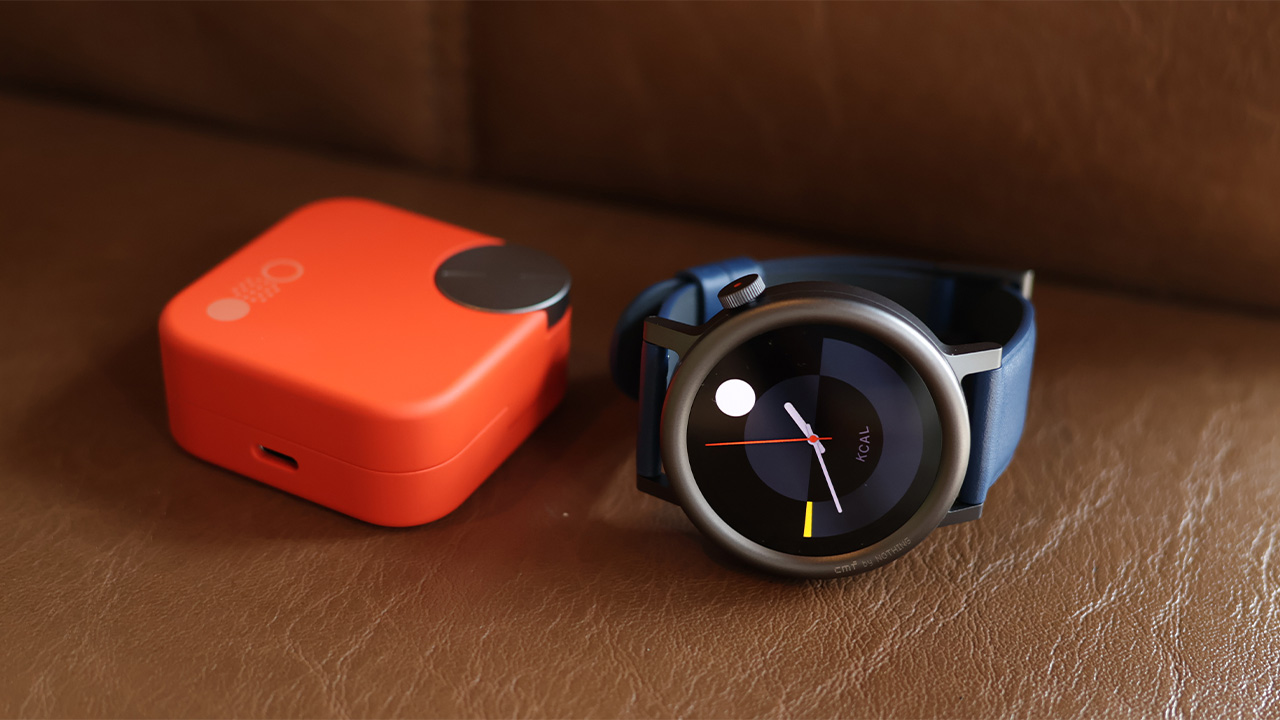
Besides the new phone, CMF by Nothing also launched the Buds Pro 2 and the Watch Pro 2. And yes, they all go together. Both come with Fast Pair, making it a breeze to connect to the Phone 1. (Obviously, don’t do it in a public place, unless you want dozens of strangers just connecting to your new accessory.)
Let’s look at the Buds Pro 2 first. The main attraction is, of course, the unique case. Rather than just a simple case, there’s a programmable button/dial. Through the Nothing X app, you can set what pressing the button or turning the dial will do. Personally, I still prefer having gestures incorporated into the earbuds themselves, but a controllable case is a nifty and unique solution in its own right.
The next accessory is the Watch Pro 2. Much like the phone and the earbuds, the smartwatch is simple but attractive. The one crown is a nice touch. Plus, inside, the watch still has the same minimalistic design from Nothing. It goes beyond the standard design all too common in the smartwatch market.
Overall, there are definitely better options for earbuds and a smartwatch. However, if you’re looking for a couple that pairs well with the Phone 1, then CMF by Nothing’s other offerings are a worthy choice.

Battery: Maybe not all day, every day
The CMF Phone 1 has a 5000mAh battery. After a day of regular use, the phone scrapes by through the day with just a tiny bit of change left. If you’re looking at a standard day out and about, a single charge should be enough. However, if you’re looking to extend (or use more intensive apps), you might want to have a powerbank ready.
Now, if you want to do some gaming on your downtime, the phone can suck out a lot of battery. Just an hour on ZZZ already sapped 20 percent of a full charge.
Charging was a breeze, at least. With a fairly decent charge, you can fill up an empty battery in just an hour.
Is this your GadgetMatch?
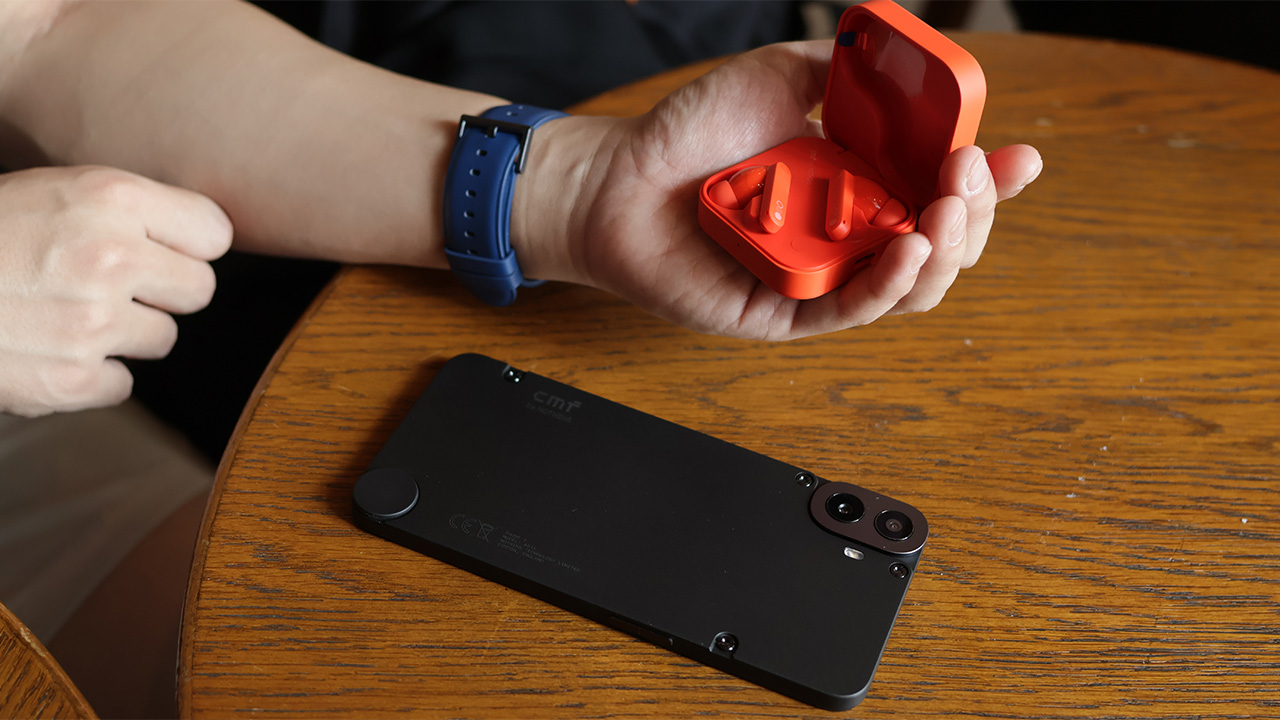
The CMF Phone 1 costs PhP 15,490. Meanwhile, the Buds Pro 2 costs PhP 3,790, and the Watch Pro 2 costs PhP 4,390.
Even bundled altogether, the price tags of all three devices just feel criminal. A midrange smartphone this good shouldn’t cost this little, but it does. The two accessories are also bang for your buck.







There’s a very specific thought that came to mind the moment I finished Marvel’s Wolverine.
“Damn, we finally have a pretty darn good Wolverine that’s not Hugh Jackman.”
I have nothing but respect for what Hugh Jackman has done with the character over the past two decades. His portrayal has shaped how a lot of people see Wolverine. But after all that time, it’s refreshing to see another actor take a proper swing at James Logan Howlett.
Liam McIntyre is fantastic here.
This isn’t exactly a live-action adaptation, but it’s about as close as you can get to having an actor perform Logan and Wolverine without putting a camera in front of him. And my god, does he perform.
McIntyre gives Logan a range of emotions that I wanted to see from the character. He isn’t just a dude acting all tough. He’s a man piecing together broken memories, balancing found-family relationships, and trying to be kind and helpful without ever becoming sappy.
For a story-driven action game like this, that’s important. Your lead can’t be insufferable when you’re going to spend more than 20 hours with him.
Thankfully, Logan is someone you can root for while he’s being a total badass.
That’s really what Marvel’s Wolverine is: a blockbuster you get to play.
A formula that works

When I first started playing Marvel’s Wolverine, I wasn’t convinced it was particularly great.
It felt familiar. Formulaic, even.
But then, after a while, I couldn’t put the controller down. That changed my mind pretty quickly.
I’m a binge watcher. If a narrative is engaging, I’m hooked. This is why I gravitate toward story-driven games, especially the kind of games that have become the money-makers for PlayStation.
Marvel’s Wolverine scratches that exact itch.
The story pulled me forward. The characters kept me invested. The combat was fun. And the set pieces are absolutely bat-shit insane.
It’s a perfect blend of all of those things.
The 21-hour campaign didn’t feel like a 21-hour campaign. It felt like I was binging an interactive, movie-quality TV series with hour-long episodes. I kept telling myself I would stop after a chapter, only to find myself wanting to see what happens next.
There were nights when I stayed up longer than I normally would just to make sure I reached a natural break point.
That’s a pretty good sign.
The funny thing is that I could still see the formula while playing it.
There are story beats you can probably figure out ahead of time. If you’ve played Insomniac’s Marvel’s Spider-Man, you might even recognize some of the ways the studio likes to structure its stories. As someone who’s been exposed to plenty of superhero stories, there isn’t much here that I would call life-changing or groundbreaking.
But it doesn’t really need to be. The execution is what makes it work.
Insomniac understands how to make these games feel like movies that you play. It understands compelling storytelling, character work, proper pacing, and dynamic gameplay.
More importantly, it understands when to let you breathe.
Knowing when to slow down

Logan and Raven (Mystique) at a bar in Madripoor
The rhythm of Marvel’s Wolverine is one of its biggest strengths.
You’ll go through a quiet character moment. Then you explore a little. There’s some dialogue. The action picks up. A fight escalates. And suddenly you’re in one of the game’s massive set pieces.
Then it lets you breathe again.
That sounds simple because it is. But getting that rhythm right is harder than it looks.
There were moments when I thought a fight was going to go on forever. Then it would stop right when I started thinking that.
The game knows when you’ve had enough.
That matters because Wolverine’s combat can get pretty intense.
But because the combat sections are spaced out properly, I was almost always looking forward to the next group of enemies I could mow down.
The quiet moments are just as important. I absolutely loved them.
They give you a breather from the violence, but they also help steady you on where the story is going. The action, violence, character work, and jaw-dropping set pieces all serve each other.
It’s a balance Insomniac executed fantastically.
This is Wolverine as a combat fantasy

If there’s one thing I think Insomniac absolutely nailed, it’s the feeling of unleashing Wolverine in combat.
Playing as Spider-Man in Insomniac’s games gives you an especially strong connection to the character because his traversal is so unique. Swinging through New York is such a huge part of what makes you feel like Spider-Man.
Wolverine doesn’t quite have that.
He’s more ground-bound, and that means some of the experience feels closer to playing a traditional hack-and-slash character.
But when the fighting starts, it’s a different story.
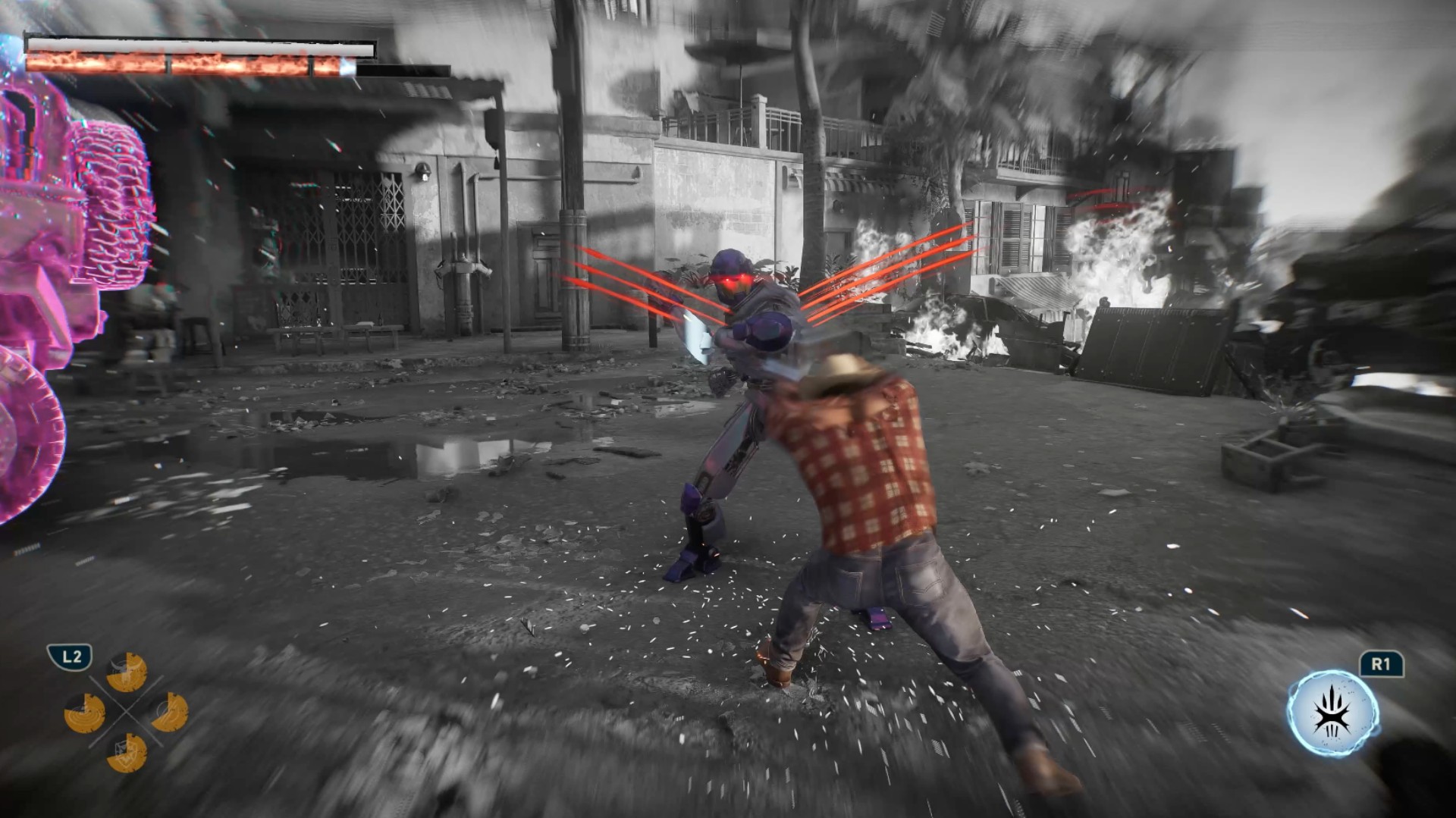
I felt like a savage force of nature wailing on enemies.
Rage
The game gets the important parts of Logan’s physicality right. His aggression. His durability. His healing factor. His claws.
Even the Rage system makes sense.
I particularly love how Rage feeds into his healing factor. That gameplay loop feels like a fantastic implementation of his mutant abilities. You’re building Rage, using it to stay in the fight, and generally making Wolverine feel like the nearly unstoppable force he’s supposed to be.
I do wish Rage felt a little more feral, though.
Wolverine is still pretty much in control when Rage kicks in. You deal more damage, but I was hoping for something that made it feel like Logan was losing control a little bit.
Maybe that’s asking for too much. I’m no game developer.
But it would have been an interesting way to express what Rage means for Wolverine beyond simply making him stronger.
Getting better feels good

The combat has enough going on to support a campaign that stretches beyond 20 hours.
Techniques become instrumental in making you feel like you’re getting better at combat. Adaptations let you build Logan around how you actually play.
I’m not particularly good at dodging and parrying, so I leaned into a tankier build. I equipped Adaptations that helped me absorb hits and extended the parry window because parrying is an important combat mechanic.
And whenever I successfully pulled off a parry, I felt like a complete badass.
That’s a good feeling to have several hours into a game.
The combat loop itself can naturally become repetitive. You’re fighting enemies, building Rage, using Techniques, and mixing up your combos.
But I never really got tired of it.
The one exception was a wave-based challenge that asks you to fight through a ridiculous number of enemies. Getting to the highest rank takes around 45 waves, and I could already feel my hands hurting around Wave 30.
That’s the kind of challenge you need to prepare for. Take it on, then take a break.
Thankfully, that was the only part of the combat that felt genuinely tiring to me.
And yes, if you’re here for the blood and gore, you will not be disappointed.
I’m not even that big a fan of excessive violence, but it works here.
There’s a famous Wolverine line about being the best at what he does, even if what he does isn’t very nice. The violence in this game supports that idea to a tee.
Marvel’s Wolverine earns its M for Mature rating.
Logan’s story is more personal than it looks

Wolverine being a superhero is the draw.
But underneath all the claws and mutant powers, this is really a story about a man trying to figure himself out.
It’s important to know going in that this is a pre-X-Men story. The game doesn’t immediately throw you into the familiar X-Men setup you might expect.
Instead, Logan is piecing together who he was, who he’s been, who he is, and ultimately who he wants to be.
It just happens to take place in a world where mutants exist.
I was never the biggest Wolverine fan. In fact, I hated how the live-action Fox movies treated him as the X-Man when the X-Men have always been an ensemble to me.
I say this as a Cyclops fan.
God bless Hugh Jackman and everything he has done for Wolverine, but his portrayal inevitably shaped the character’s place in popular culture.
Insomniac’s Logan feels a little different — and maybe the fact that he’s canonically a “short king” here makes him seem more appropriate.
He’s a man trying to do right by the people around him while also trying to figure out how to do right by himself.
He’s broken. His memories are fragmented. He has people around him that he cares about. And underneath the rough exterior is someone who is simply trying his best to make sense of his present reality.
That made him surprisingly easy to root for.
Jean Grey is having a moment

Best Jean Grey in modern media?
And then there’s Jean Grey.
I did not expect Jean to become one of my favorite parts of Marvel’s Wolverine.
But here we are.
I think a lot of people primarily know Jean through a few familiar ideas. The love triangle between Scott and Logan. The Phoenix. Getting overwhelmed by her powers.
The 1990s animated series had plenty of moments where Jean felt weak, while the live-action movies eventually speed-ran toward the Phoenix side of the character.
Marvel’s Wolverine gives her room to simply be Jean.
She’s headstrong. She can take care of herself and the people around her. She has her own motivations and a steadfast desire to protect her found family of mutants.
She can hold her own in a verbal spat just as easily as she can throw down with her mutant abilities.
She could just as easily have been marketed as the second lead of this game.
She’s fantastic.
Easily one of my favorite versions of Jean Grey.
And I think she’s about to get a lot more fans.

Between Sadie Sink’s Jean in Spider-Man: Brand New Day and this version from Insomniac, Jean Grey is suddenly having a moment.
I just don’t think we’ve gotten enough versions of Jean where she gets to be her own person.
Here, she is.
And she’s also incredibly charming.
A world that doesn’t need to be open
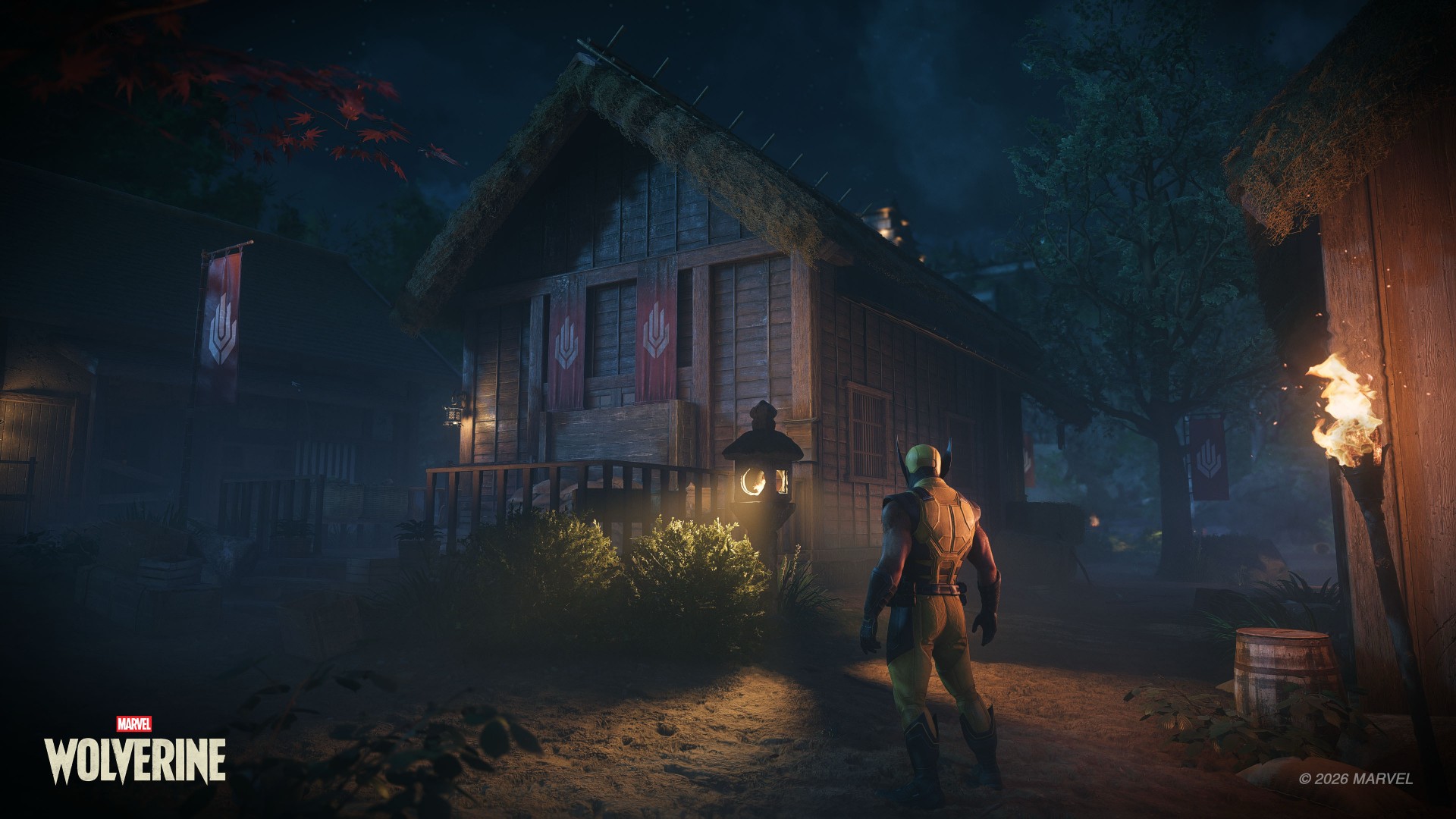
One thing I appreciate about Marvel’s Wolverine is that it doesn’t feel like Insomniac looked at its previous games and decided everything had to become bigger.
This isn’t an open-world game and that’s perfectly fine.
Not everything needs to be openworld.
The structure actually reminds me more of Ratchet & Clank: Rift Apart than Marvel’s Spider-Man. You move through contained environments, but they don’t feel like one long tunnel.
The locations are distinct. There’s room to explore. There are things to find. And the optional activities are tied to gameplay mechanics, which makes them feel more useful than simple checklist items.
Madripoor was especially memorable to me.
Part of that is because it’s a Southeast Asian-adjacent location, and that’s where I’m from. I’d love to see a more fully explorable version of Madripoor someday.
The game’s global structure also reminded me a little of how Captain America: Civil War handled its different locations.
The game also has plenty of little X-Men winks that made me go, “I understood that reference.”
The Mission Replay screen also recreates that famous meme of Logan lying on his bed and staring at a framed photo.
They did the Wolverine meme lol https://t.co/3kSO4i3n0t pic.twitter.com/bvc5q1A8Ye
— Genki✨ (@Genki_JPN) August 28, 2026
These touches never feel like they’re there just for the sake of checking a box. They add personality to the world and make it feel like Insomniac understands the character and the people who have grown up with him.
It makes the adventure feel bigger without forcing the game to become a massive open-world playground.
That’s the right choice for this particular story.
The blockbuster moments

The set pieces are where Marvel’s Wolverine really goes for it.
There are plenty of moments where you might just stop and think, “Woah.”
The action is high-octane. The spectacle is ridiculous. And there are sequences that genuinely made me want to shout at the screen.
The motorcycle sections are probably what I’ll remember most.
I sucked at them but they were fun as hell.

They should make the motorcycle sections playable separately.
That’s a pretty good description of a lot of the game’s biggest moments. They’re designed to make you feel like you’re inside a giant action movie, and they succeed.
What’s important is that the spectacle never felt disconnected from the rest of the game.
The quieter scenes prepare you for the big moments. The story gives them context. The combat gets you there.
Everything serves everything else.
And after 21 hours, I wasn’t thinking about which individual feature was the most innovative.
I was thinking about the experience as a whole.
A complete package

Another thing Insomniac gets right here is what happens after the credits.
Marvel’s Wolverine feels complete.
You can replay missions and go back for objectives you missed. There’s Photo Mode. There’s New Game Plus available right away. There’s optional content waiting for you.
You have plenty to do even after the credits roll.
That’s especially notable because the lack of New Game Plus and limited post-game content were among the major criticisms of Marvel’s Spider-Man 2. Wolverine addresses those concerns from day one.
Personally, I want to go back through the other missions before jumping into another full playthrough. And when I do replay the game, it won’t necessarily be because I want to discover some completely different combat experience.
I just want to experience the story again.
That’s something I tend to do with Insomniac’s games.
Not groundbreaking. Just really, really good.

Omega Red
If I had to point to the biggest weakness of Marvel’s Wolverine, it’s predictability.
Nothing here feels particularly groundbreaking or new.
The story doesn’t have a lot of twists that genuinely surprised me. There are plenty of story breadcrumbs that make it possible to figure out where certain things are heading.
But by the time I reached the end, I didn’t really care.
The execution was good enough that I was hooked regardless.
And the game leaves plenty of room for what Insomniac could potentially do next.
I can’t say much more without getting into spoiler territory.
Let’s just say I’m a thousand percent excited.
The one character I genuinely wish had gotten more to work with is Lady Deathstrike.
Her hatred for Logan makes sense within the story, but she felt too one-note to me. Her background suggested there could have been more there, and I don’t think the character quite got the material she deserved.
That’s about as far as my major complaints go.
Combat can be repetitive because combat is naturally going to be repetitive. The game isn’t reinventing the genre.
But nothing became egregious enough for me to point at and say, “This is a problem.”
That’s because Marvel’s Wolverine is remarkably consistent.
Wolverine knows what it wants to be

Marvel’s Wolverine isn’t the game that will fundamentally change how we think about superhero games.
It doesn’t need to be.
It’s a pretty darn awesome action game that feels like a movie.
More importantly, it’s a game that understands the character it’s trying to portray.
When you’re watching Logan piece together his memories, trying to understand the people around him, or figuring out what kind of person he wants to be, the game gives you room to care about him.
When the claws come out, it lets you become a savage force of nature.
Then, when you’ve had enough, it gives you a quiet moment to breathe.
That’s the formula. It’s familiar. It’s predictable. And it works. Really, really well.
I started Marvel’s Wolverine thinking it was simply another polished PlayStation blockbuster.
By the time the credits rolled, I had spent 21 hours completely hooked.
I sat for about two hours afterward just taking the whole thing in and sorting through my thoughts.
Whew.
What an experience.

Marvel’s Wolverine reminded me why I keep coming back to story-driven action games in the first place. It doesn’t need to reinvent the formula. It just needs to execute it well enough that you forget you’re playing a game and get completely swept up in the experience.
That’s exactly what it did to me.
Marvel’s Wolverine isn’t groundbreaking. It doesn’t need to be. It’s just damn good at being the kind of game I want to play.
GadgetMatch verdict: Swipe Right.
Marvel’s Wolverine is one of the very best at what it does. And what it does is pretty astonishing. It delivers a polished, cinematic, character-driven experience that makes it very easy to lose 20-plus hours to it.
Lifestyle
Setting your bedsheets ablaze with the Lovense Solace Pro
The closest proxy I could find where I’m guilty as sin


For almost a decade, I’ve reviewed gadgets. I used to tell people some of them are easy to evaluate. Switch them on, test what they can do, decide if they’re worth your money.
A few years ago, I dabbled in the intersection of pleasure and technology. I hadn’t thought about testing another intimate device until the Lovense Solace Pro was offered to me during a trip to London.
Writing about it felt unexpectedly difficult. It’s a piece of technology built explicitly around intimacy, and I had just parted ways with someone I loved deeply.
It feels surreal to write about physical pleasure when your heart is somewhere else entirely. In between panic attacks, I found myself seeing visions, longing for trysts without ever touching his skin, indulging in fatal fantasies that gave way to labored breath.
No one warns you how grief blurs the line between wanting to be touched and refusing it entirely. I craved connection; I just couldn’t bring myself to ask for it from someone real.
In a moment of raw vulnerability, I reached out to the Lovense Solace Pro. It was the closest proxy I had to an experience I genuinely wanted with someone who was no longer there.
Guilty as Sin?
This wasn’t my first time testing technology built around intimacy. I still remember when placing a Bluetooth chip inside a sex toy felt like a novel concept.
Back then, app connectivity just meant adding remote controls to something that already worked on its own. Sex technology has grown considerably more sophisticated since, and Lovense has continually pushed that evolution forward.

The Solace Pro shows how far their ecosystem has extended beyond basic app controls. It combines connected devices, interactive patterns, content synchronization, and artificial intelligence.
The AI-powered thrusting stroker is designed for hands-free use and comes with a sturdy desk mount. Holding the 1.2kg device during a session tires your hands fast, which makes the mount a necessary addition, not a bonus.
The mount lets you adjust the angle up to 180 degrees. Hands-free works only when the alignment actually matches your body.
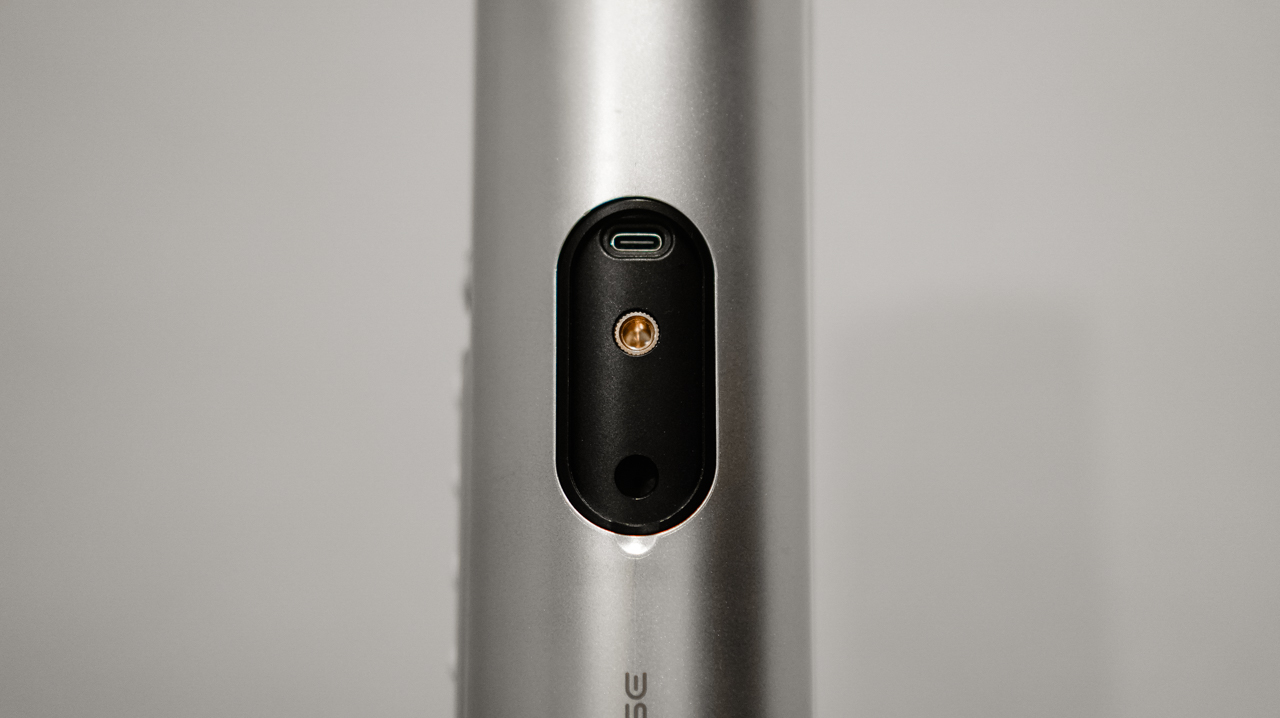
Mounting the toy to my office desk and adjusting my chair height worked well enough. But I no longer have the reckless enthusiasm of an eighteen-year-old who can indulge anywhere.
The bedroom remains my sacred space for intimacy.
One slip and falling back into the hedge maze
The standalone hardware gives you plenty of built-in controls to adjust stroke speed and intensity in small increments.

But opening the Lovense Remote app unlocks a much higher level of personalization. Pleasure is deeply subjective, so having room to experiment matters.
The app lets you explore various patterns and build your own sequences. It’s built to let you discover what suits your body, rather than forcing your body to adapt to the hardware.
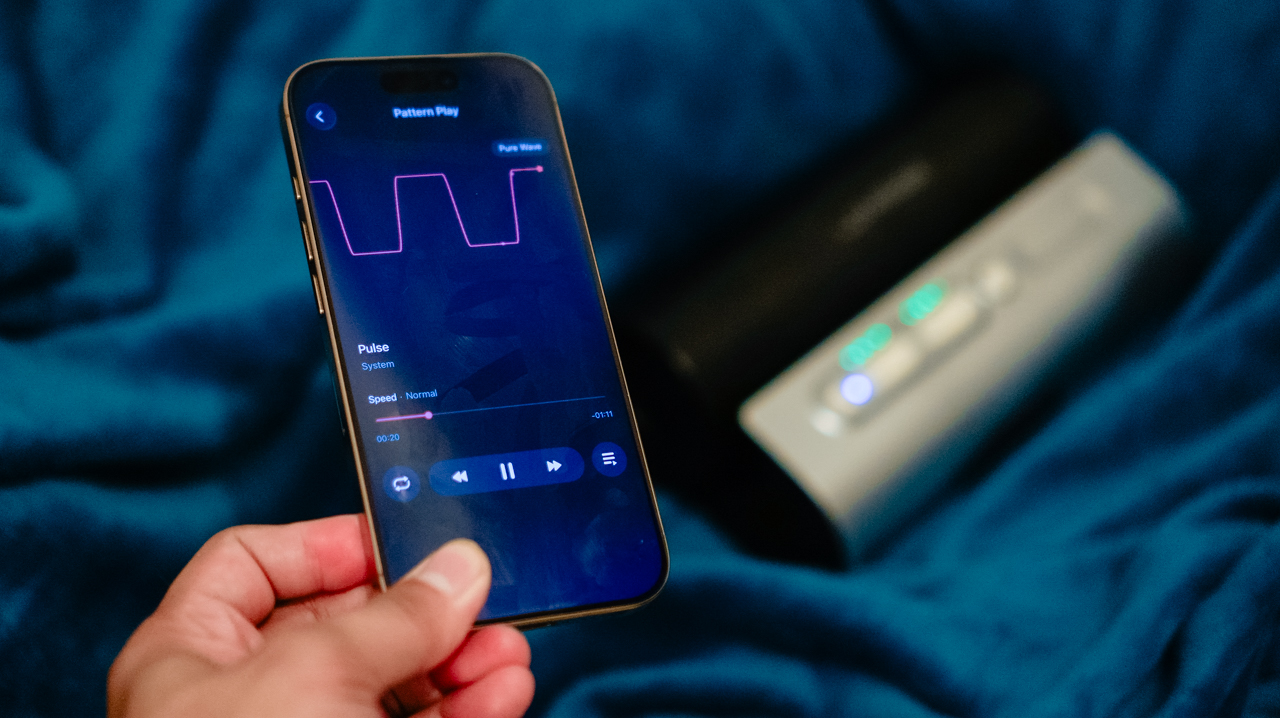
The AI Sync feature stands out. It pairs the device’s movements with interactive content or livestreams through VibeMate, an AI browser that syncs using audio cues.
During a 36-minute session watching my favorite creator, Titus Low, the tracking stayed smooth and lag-free. The feature works just as well in practice as it sounds on a product page.
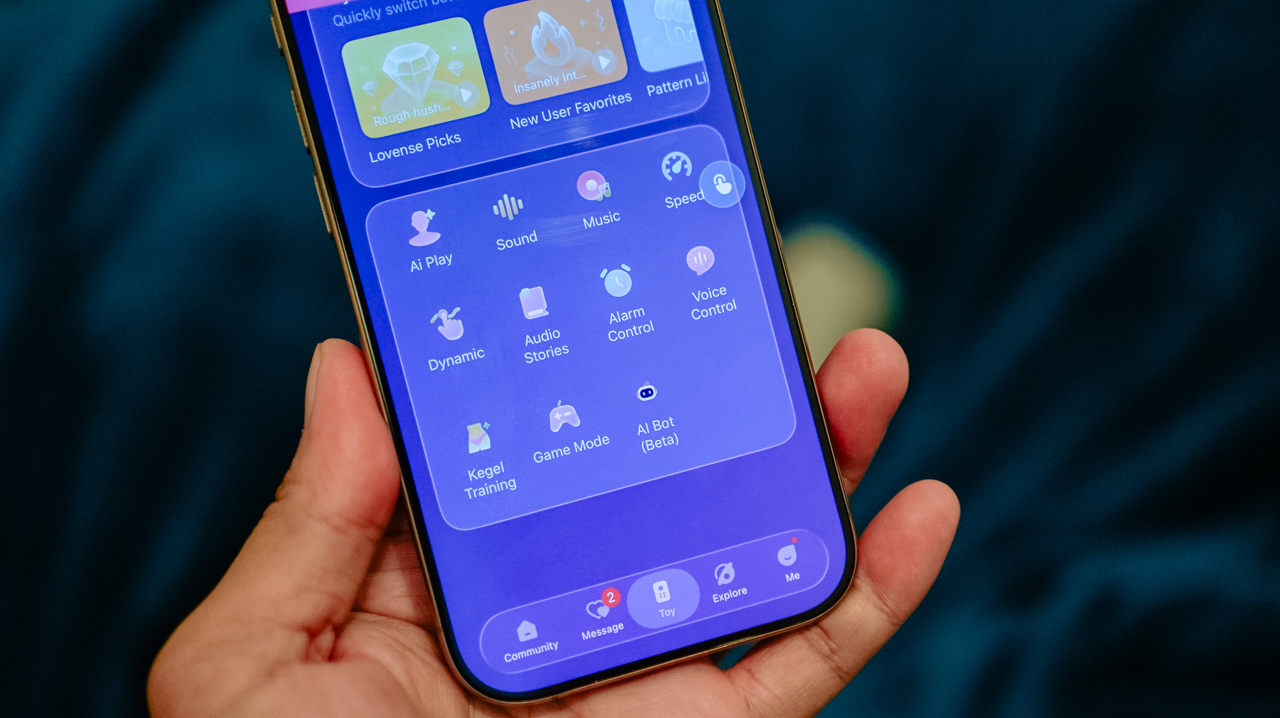
Beyond video sync, AI Play and Game Mode offer more interactive options. The real appeal isn’t replacing human intimacy.
It’s making solo routines feel less repetitive, giving your senses dynamic stimuli to respond to.
What if the way you hold me is actually what’s holy?
Lovense rates the Solace Pro at up to 300 strokes per minute. I couldn’t, as a matter of fact, count how many strokes there were when pleasure enveloped my whole body.
The soft TPE sleeve does a lot of the work here. It keeps the experience feeling supple, not rigid, despite the heavy hardware around it.
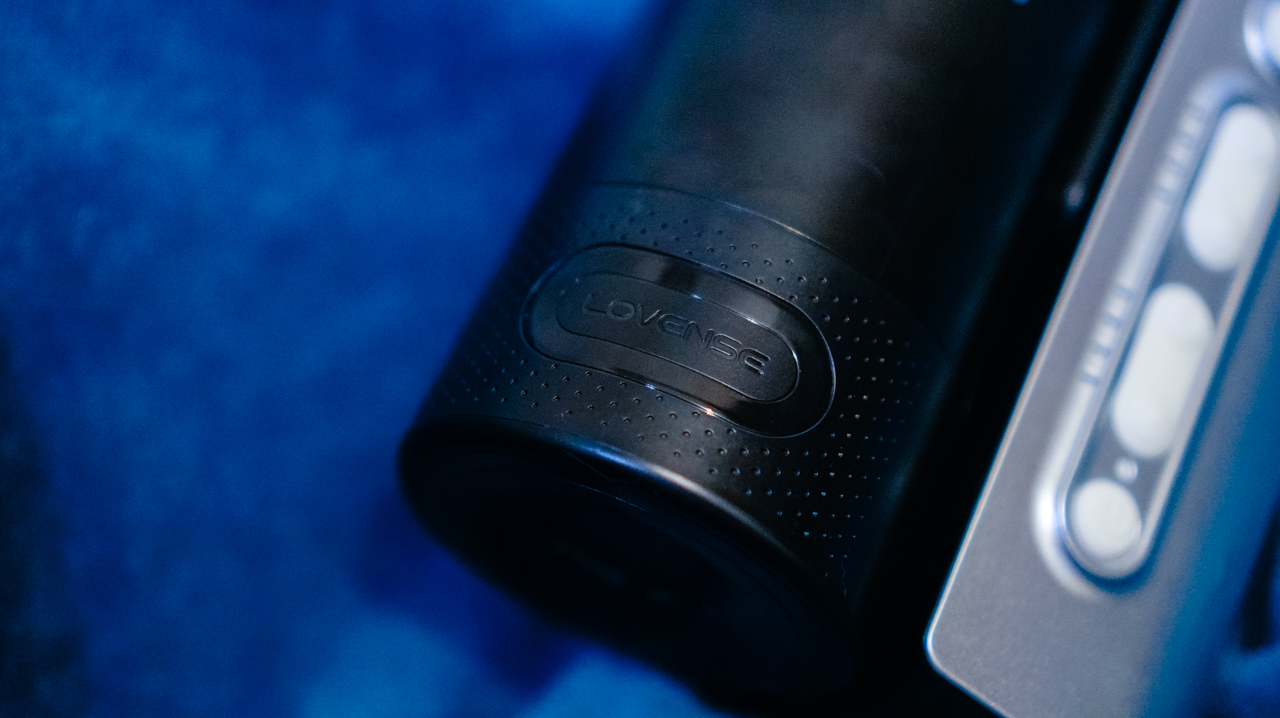
Ambient sound shapes the mood too. The device is rated at 63dB, about the volume of an ordinary conversation. The mechanical noise gets more noticeable at higher intensity.
I get distracted by the sound, so I turn up whatever I’m watching to compensate. Earbuds work even better if you want the sensation to lead, not the machine’s hum.
Battery life is respectable. Lovense rates it at 14 hours of use, 120 hours on standby. Two months in, I still haven’t drained it, and I haven’t charged it since.
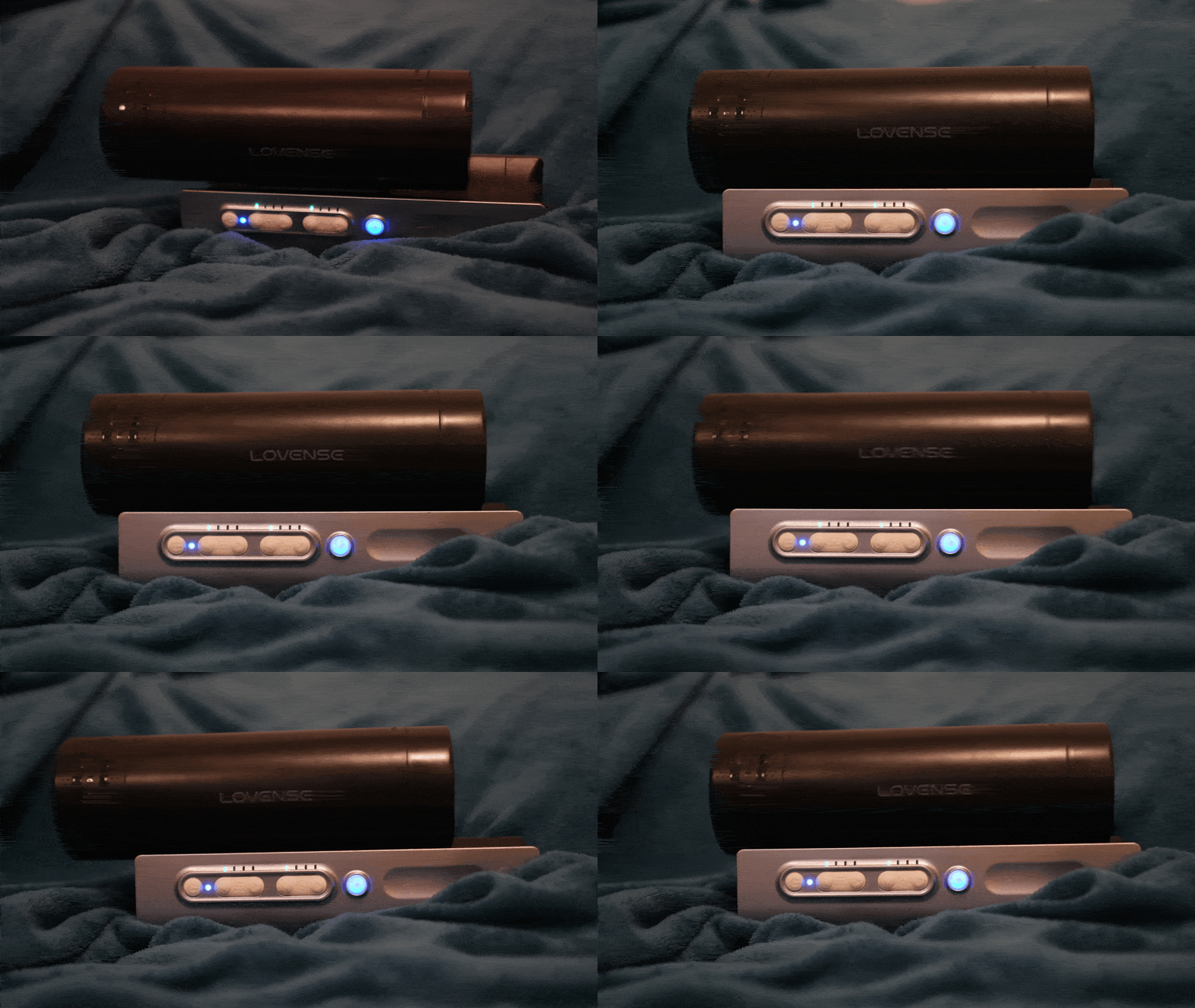
You’re unlikely to use it continuously anywhere close to 14 hours, though. But keeping that in mind, that kind of battery life still means plenty of sessions between charges.
They don’t know how you’ve haunted me so stunningly
Like most devices from the brand, the Solace Pro supports partner syncing for long-distance play.
Releasing control of my pleasure to a partner sounds intoxicating in theory, yet having a feature designed for someone you love feels haunting when that person is no longer in your life.
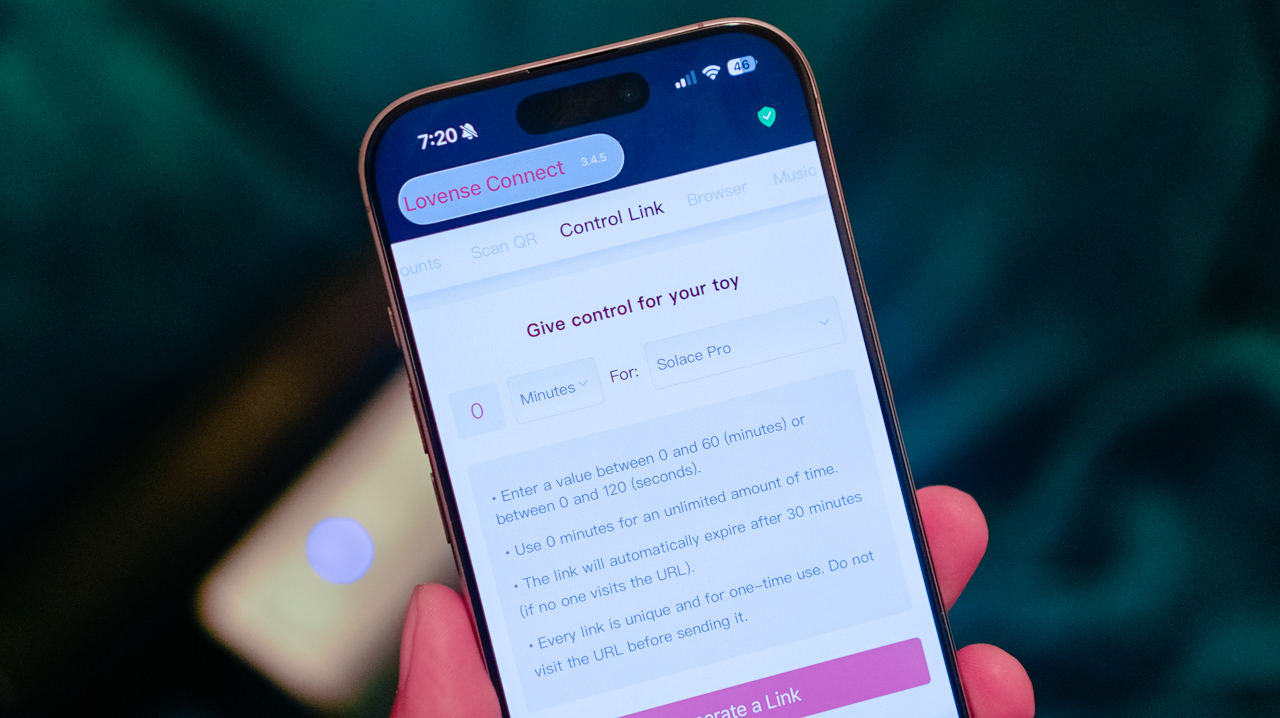
The device became something to lean on through the grief, stepping in during moments when I longed for the touch of my former partner.
It highlighted the strange borderland between fantasy and reality, where you try to keep these longings locked inside a vault while your imagination does everything it can to break the door down.
In those quiet moments, the fantasy alone is enough to make my bedsheets feel ablaze. There are nights when I have screamed his name into the silence, feeling the longing building up like waves, crashing over my grave.

Beyond the emotional weight, the practical side of owning an intimate device is also emotionally taxing. It requires proper maintenance.
Keeping the toy clean and completely dry is simple ’cause you remove the inner sleeve, rinse it, and let it drip-dry. And the sleeve is easily replaceable, meaning, the entire unit remains useful over time.
Amidst all this grief and longing, who needs a boy when you can have a toy? At least this one isn’t going to make you cry while you’re 30,000 feet up in the sky.
Is the Lovense Solace Pro your GadgetMatch?
At US$399, the Lovense Solace Pro is a premium intimate device. The question, then, isn’t whether its connected technology justifies the price. It’s whether you actually want all that technology wrapped around the experience.
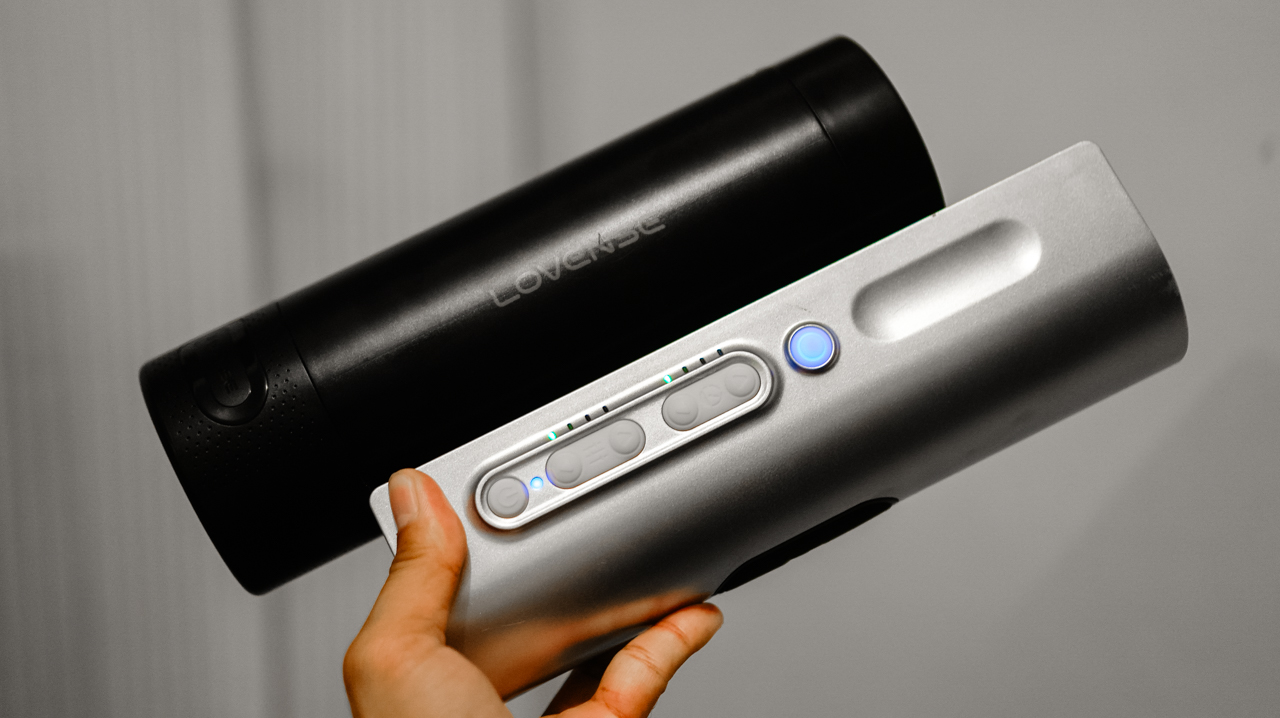
Swipe Right if you’re looking for a premium solo experience with smart features, hands-free control, and enough customization to keep things from feeling repetitive. Get it here.
If you’re looking for a simple stroker that you can pick up and get the job done, consider this a Swipe Left.
The Solace Pro makes sense for someone who wants to explore physical pleasure without asking themselves to be emotionally available to another person before they’re ready.
It gives you control over how you experience pleasure, whether that means letting the app dictate the rhythm, experimenting with different patterns, or simply finding your own pace.
Honestly, technology cannot replicate the feeling of being wanted by someone you love. It cannot replace their hands, their presence, or the connection that makes intimacy mean something. Instead, it gives you agency over your own experience.
The Solace Pro cannot replicate the person I want. It cannot make me forget him, either. What it can do is give me somewhere to put the longing when it gets too loud.

How do you review one of the greatest games of all time?
Elden Ring is one of those games that needs no introduction. Launched in 2022, the difficult fantasy RPG rapidly skyrocketed into the year’s top spot. Then, it got even better with 2024’s Shadow of the Erdtree, a sizable DLC that packed in a new map with new challenges. Now, I’ve reviewed both and found them well worth the price of admission. So, what else is there to say?
Well, late last month, Elden Ring launched its much-awaited port for the Switch 2 through a Tarnished Edition, a bundle that conveniently pairs the base game with the DLC in one package. In an instant, there are now two new things to talk about: How well does the game perform on a Switch 2? What does the Tarnished Edition add?
Is Elden Ring worth getting for the Switch 2?
Compared to the original Switch, the second Switch features a way better processor. Games aren’t locked to the limitations of yesteryear: 720p resolution, 30fps. However, the Switch 2 still isn’t the best console for chasing performance. Personally, I’ve been using it almost exclusively for first-party Nintendo games and older (and smaller) titles.
That said, Nintendo has grandiose dreams for its latest console. Starting with Cyberpunk 2077, the console wants to be a home for modern games, too, and Elden Ring is the perfect candidate for that.
Naturally, a Switch 2 port can fill fans with consternation especially after they’ve experienced the legendary game on more powerful consoles. Is the Switch 2 a good match?

Yes, if you don’t mind playing at 30fps. Unfortunately, Elden Ring is locked to only 30fps on the console. Though a good chunk of the population is clearly fine with the framerate, it’s a bit of a struggle for me especially in handheld mode.
Maybe it’s my aging eyes, but having a game so close to my face but locked at 30fps doesn’t make for a good time. I got dizzy pretty quickly. It also didn’t help that the handheld mode had several stutters.
As with other games on the platform, docked mode had significant improvements. Sure, it’s still locked at 30fps, but a consistent framerate is much better than a stuttering one. Despite the downgrade, the Switch 2 can handle the game well.
Is the Tarnished Edition worth getting?
Most FromSoftware games will get a complete edition eventually. All of the Dark Souls titles got one, and Elden Ring is no exception.
The biggest difference here is that the Tarnished Edition is technically exclusive to the Switch 2. It’s the only package available for the console. It includes the base game, the expansion pack, two new starting classes, new skins for Torrent, and new armors. It’s the most comprehensive way to play the entirety of Elden Ring, excepting Nightreign.
If you’re on another platform, the Tarnished Edition updates — the new classes, skins, and armors — are available only through a Tarnished Pack purchased separately. Is it worth the price?

The most exciting part of the update is the addition of two new classes: Heavy Knight and Idus Knight. For me, I prefer the Heavy Knight, a hardy class focused on heavy armor, endurance, and strength. It’s a very straightforward class for those who prefer direct damage. Idus Knight, on the other hand, focuses on dexterity and faith, if you prefer playing with quicker attacks and miracles.
The rest, in my opinion, is just cherry on top. The new armor and customization options are nice to have, but I don’t have a strong feeling that it’s worth the price of an extra DLC.
Is Elden Ring Tarnished Edition your PlayMatch?
As I said, it’s hard to review the special edition or a port of a universally acclaimed game. Focusing on the minutiae of performance and slight upgrades doesn’t feel like it does Elden Ring justice. The game earned 2022’s Game of the Year for a reason.
That said, I can’t recommend Elden Ring and Shadow of the Erdtree enough. If you haven’t played it yet and only have a Switch 2, the Tarnished Edition gets a Swipe Right and a Super Swipe.
However, if you’ve already finished the game and have no intention of playing it elsewhere (especially on a potentially weaker platform), this gets a Swipe Left. You can shell out a few bucks for the Tarnished Pack, though, if you really want to support the game.
SEE ALSO: Elden Ring review: Should you play the hardest game of 2022?


Marvel’s Wolverine review: When the claws come out
A brutal, cinematic superhero adventure


Setting your bedsheets ablaze with the Lovense Solace Pro
The closest proxy I could find where I'm guilty as sin


Now Playing: Elden Ring Tarnished Edition
Is the Switch 2 port worth the price?

Match Pulse: Passport-sized foldables

Burgundy is the new Black!

Apple is reportedly working on its own gaming controllers

BlizzCon 2026 announces World of Warcraft: Forever and Diablo V

Apple iPhone 18 Pro Series Hands-on

TECNO MEGAPAD 2 review: Eyes on the size

realme 16T 5G with 8000mAh battery, IP69 Pro rating launches in PH

HUAWEI Pura X View is 2026’s first WIDE slab-type smartphone

REDMI reveals the refreshed Note 17 and Note 17 Pro series

REDMI Note 17 Series focuses on long-term reliability


-
 News1 week ago
HUAWEI Pura X View is 2026’s first WIDE slab-type smartphone
-

 News1 week ago
The CAMON Slim 5G is TECNO’s latest ultra-slim smartphone
-

 Cameras2 weeks ago
DJI Osmo 360 II review: Going all-in on the ecosystem
-

 IFA 20262 weeks ago
TECNO MEGABOOK T15 360 unveiled at IFA 2026
-

 Gaming2 weeks ago
NBA 2K27 review: A two-way All-Star
-
 Reviews2 weeks ago
Samsung Galaxy Z Fold8 Ultra review: It’s time to get a foldable
-

 News5 days ago
iPhone 18 Pro series: Price, availability in the Philippines
-

 IFA 20261 week ago
TECNO’s POVA 8 Pro gets a stealthy makeover