

In recent years, projectors have become an ideal home entertainment option for those who don’t have plenty of space for a TV setup. It’s also a good choice if you prefer watching a large image and just generally adore the cozy vibes.
But here’s the hard truth: if you want a high-quality and durable home projector, you’ll likely need to shell out a lot of money. Projectors can be costly very quickly as you hunt for better specs.
Enter budget projectors — the economical and more accessible counterparts. There are lots of these out there. The problem is, it can be difficult to track down the ideal affordable projector with some acceptable measure of quality and reliability.
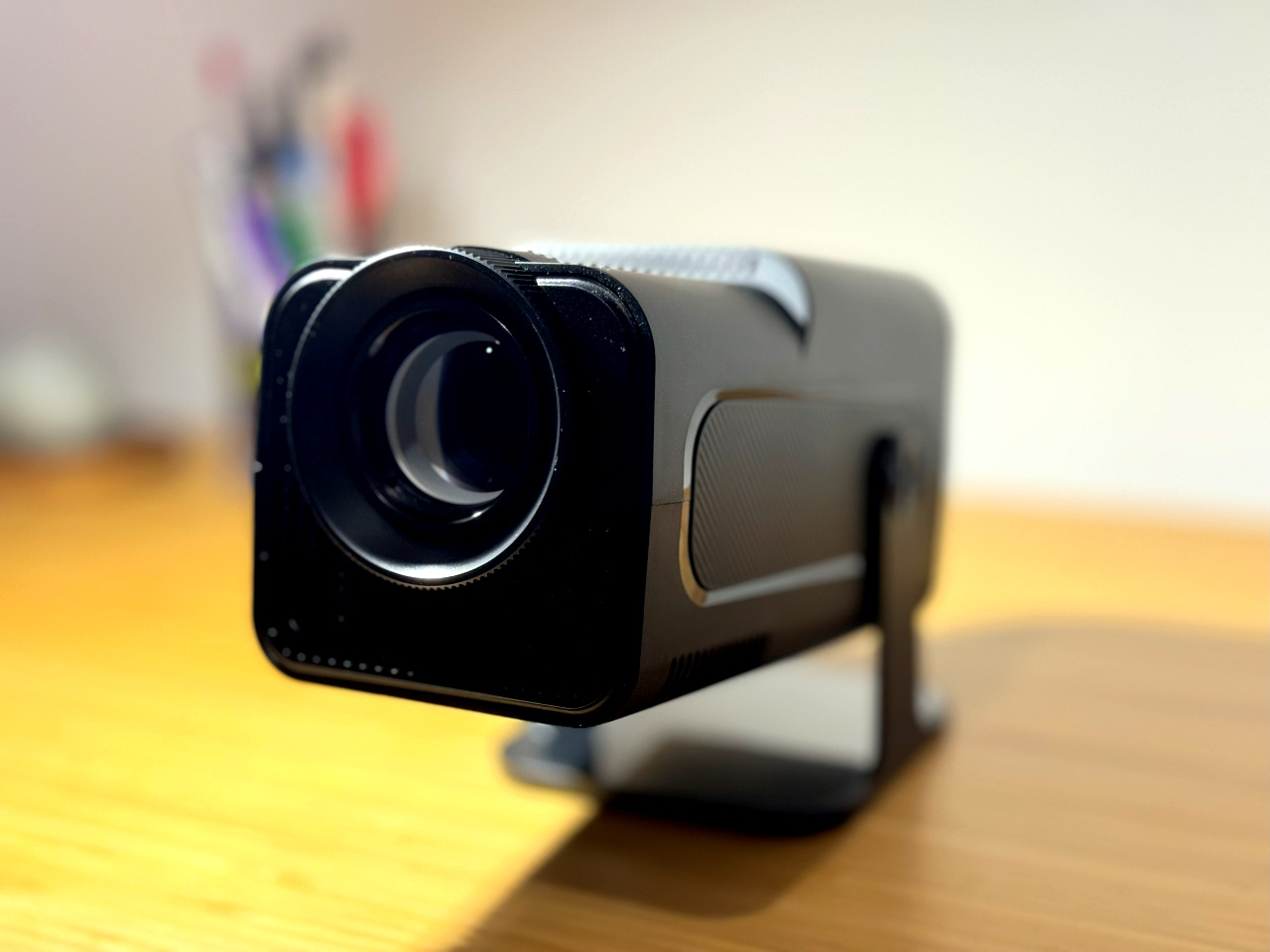
Fortunately, the new XGODY Gimbal5 Full HD projector seems to fit the bill.
XGODY Gimbal5 specs
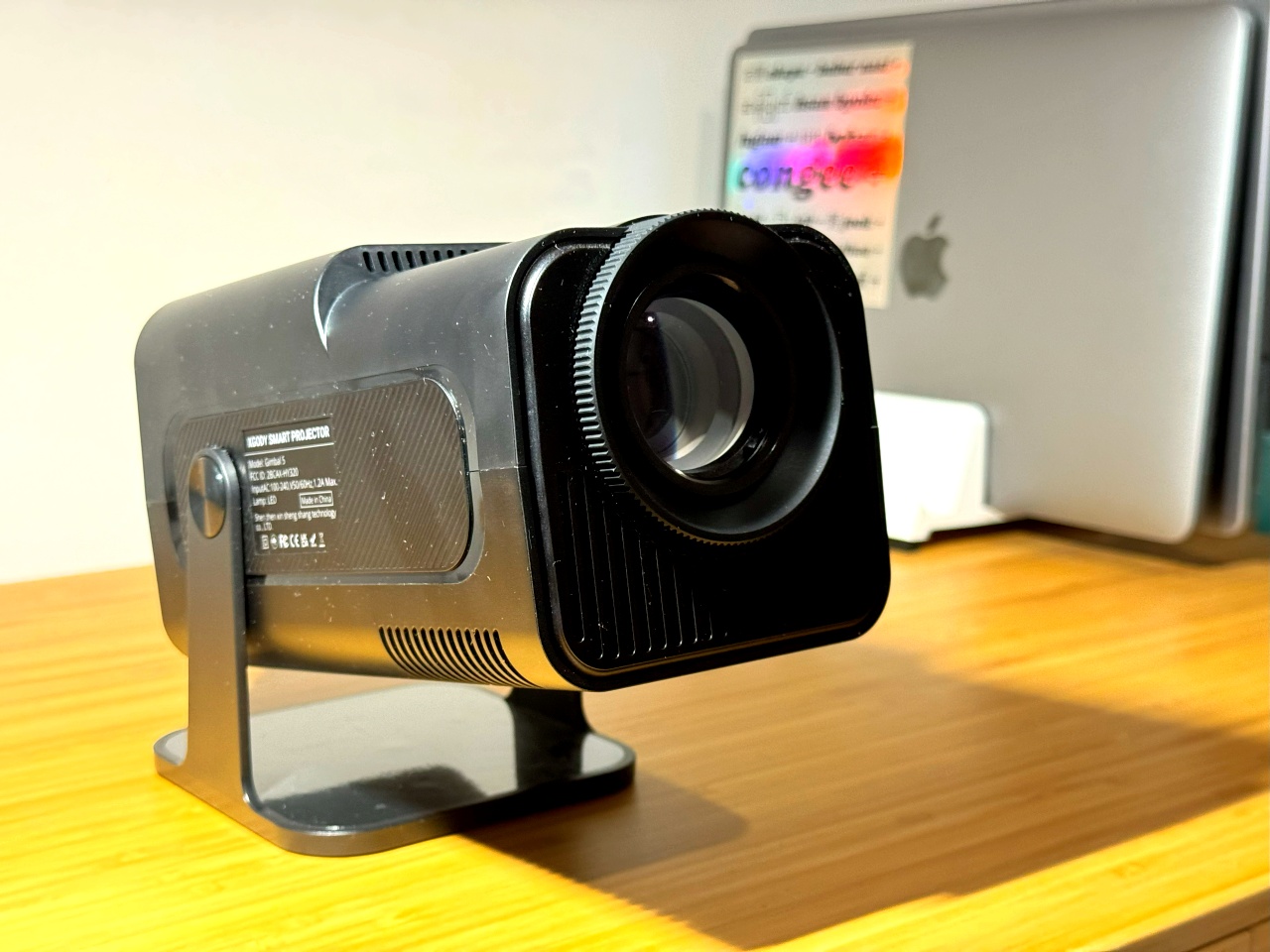
The Gimbal5 is priced at USD 119/ PhP 4,260 depending on where you’re purchasing from. More on that later. Its basic specs include:
- Display image resolution: 1920 x 1080 pixels
- Display type: LCD
- Brightness: 250-300 ANSI lumens
- Short-throw projector with a minimum throw distance of 1.5 meters
- Manual and auto-keystone capabilities
- Up to 50% display image zoom
- Up to 150 inches screen display
- USB playback and online playback support of up to 4K
- Equipped with AndroidTV 11.0 operating system
- Dual-band wifi and Bluetooth 5.4
- Built-in 3W speakers
- One USB port
- One HDMI port
- Pre-installed apps such as Google Store and Netflix
Image projection quality and brightness

MCU Fan?
The biggest selling point of this budget projector is its image display image resolution. That’s the end resolution of the picture projected on your wall or screen.
It’s not easy to find a budget projector that displays your favorite K-dramas at native 1080p resolution. Typically, more affordable projectors have a 720p display image resolution.
As a fair warning if you’re on the projector hunt: make sure to double-check the actual display image resolution in the specs. Brands like to highlight a projector’s capacity to support files and images at 4K resolution in their marketing. This can easily confuse first-time buyers to think that the projected image will be in 4K.
To be clear, a projector that supports 4K resolution means it can play, say, a Marvel film from Disney+ with 4K resolution. But it will still come out as 1080p on your wall or screen if 1080p is the display image resolution of the projector.
Display image resolution isn’t the only thing that contributes to a projector’s image quality. The other key factor is brightness.
You’ll find that brands like to shout about the lumens of their projectors. Essentially, lumens refers to the amount of light a projector emits. The brighter the light, the better the image — and the more expensive the projector.
You’ll likely see lumens numbers in the tens of thousands, and it’s very hard to know what would be considered a good number of lumens. This is where the concept of ANSI lumens comes in.
ANSI lumens

ANSI lumens is a standardized measurement of the amount of light coming out of a projector. This makes it harder to blow up the number to indicate brightness. (Naturally, another top tip if you’re buying a projector is to look for ANSI lumens rather than just lumens.)
Here, it’s a matter of preference. Upwards of 300 ANSI lumens is quite solid, especially for watching in the dark. But some people expect their projectors to display images just like a TV, and that means much higher ANSI lumens.
With projectors, you won’t get the same clear image as you would on a TV during the day or if the lights are switched on in the room at night. But daytime watching should be fine if you’ve got blackout curtains or blinds.
When I first put on Avengers: Endgame on the XGODY Gimbal5 with its 250-300 ANSI lumens, I was satisfied with how it looked in the dark. However, I can’t say I’m able to comfortably watch a film on the Gimbal5 during the day without pulling down my blackout blinds. The brightness simply couldn’t cut it.
This doesn’t have to be a dealbreaker though. If you’re not too fussed about watching during the day and would expect to watch at night, then the Gimbal5 is worth the trade-off in less brightness for affordability.
Sound quality
While the image quality of the XGODY Gimbal5 is pretty solid for a budget projector, I will say that the speakers aren’t anything to write home about.
The Gimbal5’s speakers are basic and, at maximum volume, can slightly distort if a scene you’re watching suddenly increases its volume. For example, when there are explosions or a fight scene. Similarly, this doesn’t have to be a deal-breaker unless you’re someone who is a stickler for quality audio.
When watching with the Gimbal5, I generally stayed within the 60-80% volume range without background noise, or up to 100% otherwise. This was also dependent on whether I was watching something quieter like arthouse films or loud ones like superhero films. This is for a room of roughly 10 square meters or about 108 square feet in size. Ultimately, I’d say this projector could do with more powerful speakers.
One of the major drawbacks of projectors versus TVs is the fan noise the former inevitably comes with. The Gimbal5 fairs marginally better on this front as the fan isn’t as loud — at least compared to my old projector, which sounded like it was about to take off.
When watching something with lots of quiet scenes, the Gimbal5’s fan noise wasn’t too disruptive for me. I could pretty much tune it out. But there is still some noise — especially if you’re not used to it — so keep that in mind.
Flexibility for your space

Flexibility with space is the biggest advantage of projectors. And the Gimbal5 checks this box nicely, albeit with a point for improvement.
It has a small enough body that I could plop it on my windowsill, which I would say is about the width of a standard hardback book. It’s also possible to do 180-degree rotations with it, so you’ve got some options for positioning.
My one gripe about its rotating body is I wish it didn’t snap into a specific position as it rotated. It would be nice if it tilted smoothly without snapping (but also without slipping). The snapping upon rotation meant I couldn’t get the precise angle I needed for my wall. I’ve had to make do with inserting a folded piece of paper underneath the stand to tilt it just right.
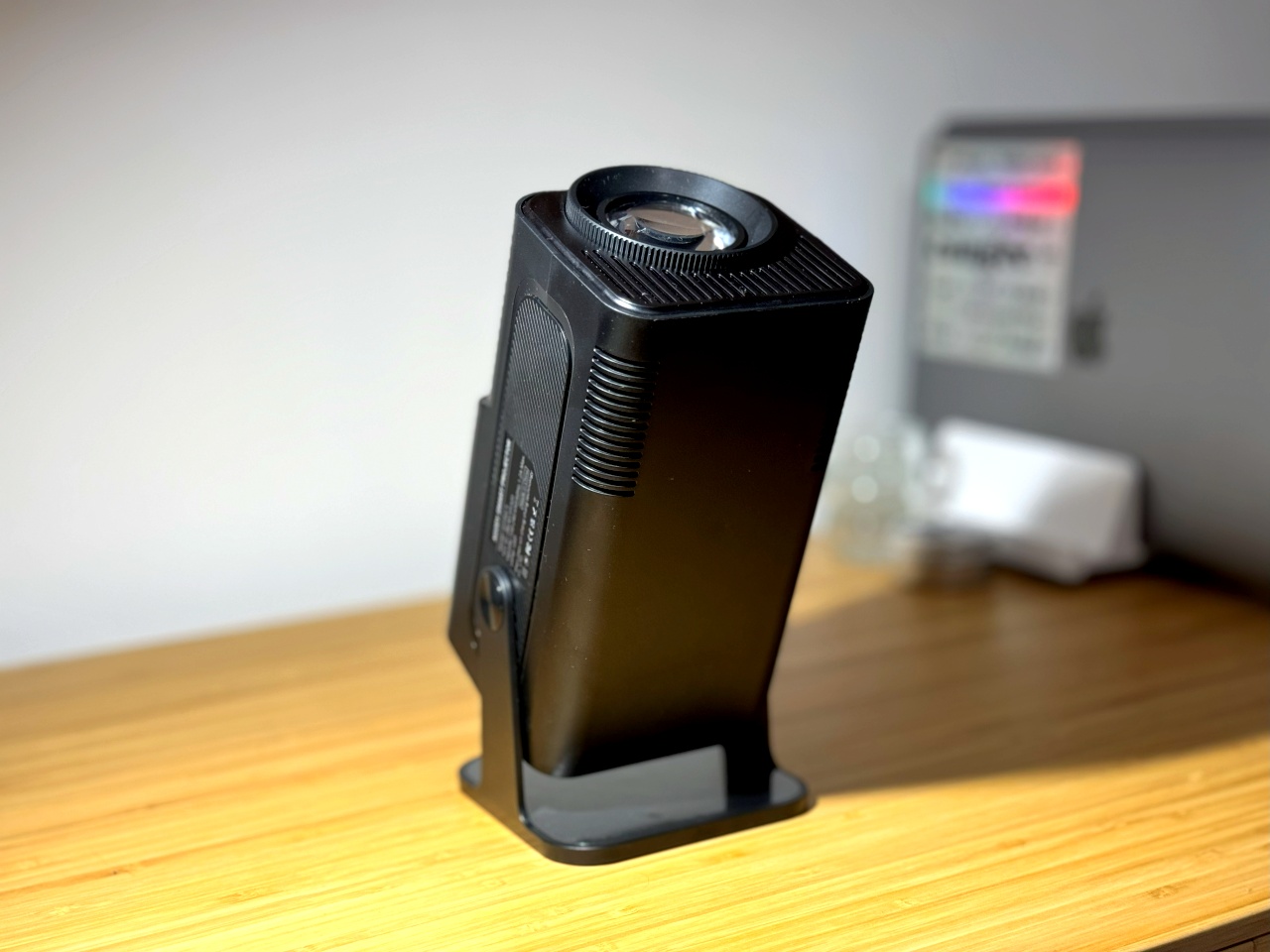
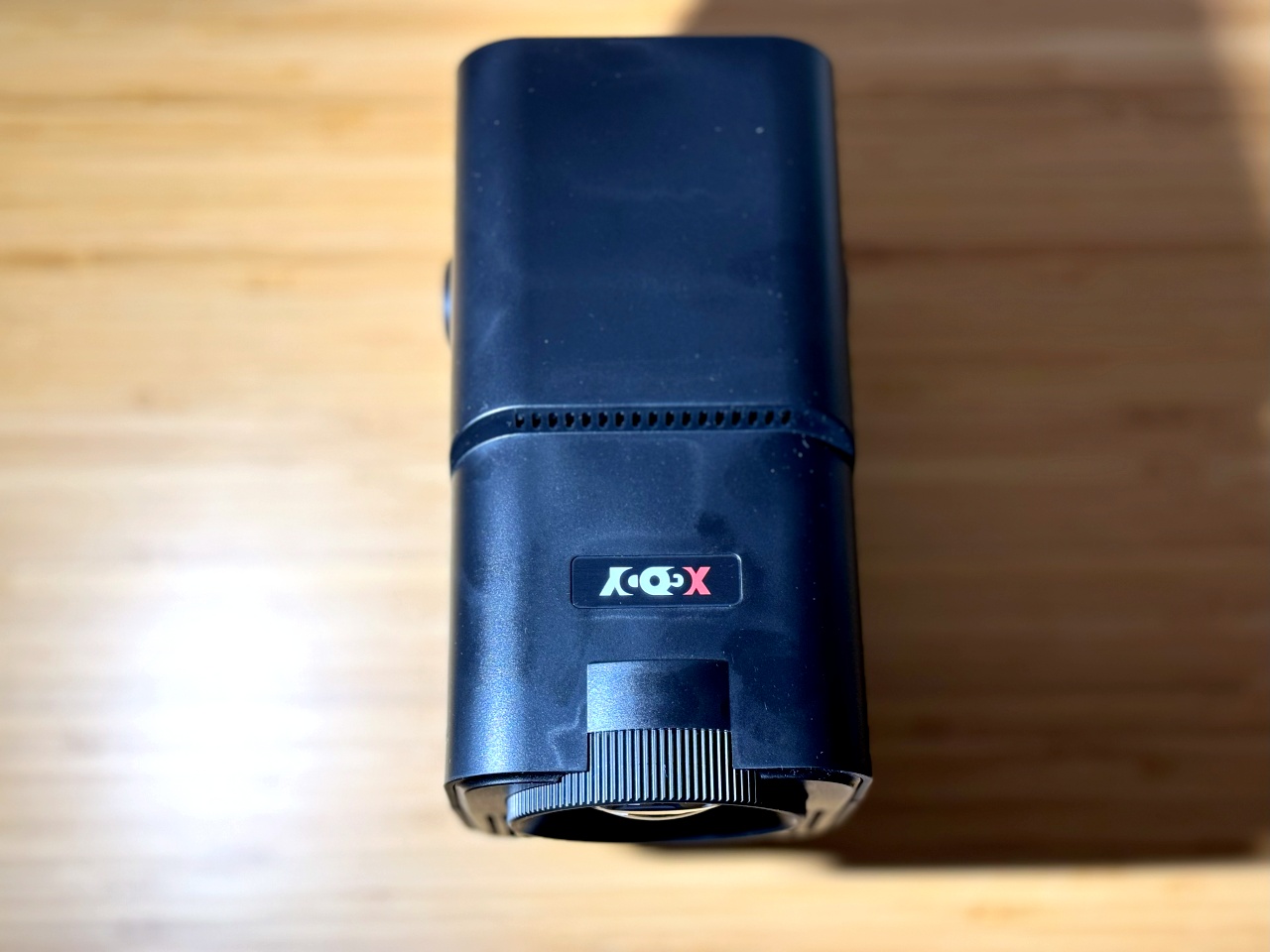
The manual and automatic keystone correction plus the zoom feature did come in very handy. These let you better adjust the display image according to the space you’re using.
As mentioned earlier, my XGODY Gimbal5 sits on the windowsill. As such, it projects across the room to the opposite wall. It’s thanks to the zoom feature that I’m able to adjust the display image to a reasonable size, rather than settle for a blown-up image that bleeds onto my ceiling because of the throw distance from projector to wall.
Gaming capacity

Legend of Zelda
I tried gaming with this projector using my Nintendo Switch and I didn’t experience any noticeable lag while using the controller.

Pokemon
The only bit of hassle is the single HDMI port, which means I have to unplug my Google TV and then plug the Switch so I can game with a hundred-inch image.
Built-in software

XGODY’s Gimbal5 comes with an Android operating system, including a pre-installed Netflix app. That’s something you might not always find in other projectors.
As a budget projector, I didn’t expect much from its operating system. And I was right for it. The built-in system is very laggy and you could easily lose patience fiddling with it. Even the volume adjustment using the remote can get a bit unresponsive.
I’ve completely bypassed the built-in system and only ever use my Google TV plugged into the HDMI port to navigate smoothly and watch. I highly recommend doing the same.
A budget projector that punches above its weight

Despite its shortcomings, the XGODY Gimbal5 is overall a solid projector to have if you’re on a budget and not very particular with your specs. You may need a bit of patience here and there with its kinks. But, for the price, I think it’s worth it.
It’s a Full HD display image, it’s small, lightweight, flexible, and punches just above its weight as a budget projector. If nothing else, it’s an ideal entry-level kit for those wanting to dip their toes in the world of home projectors.
There’s a chance you probably won’t be able to put it — much like any other budget projector — through the wringer of all-day watching for many years. But take care of it and it should last you a good enough time to get your money’s worth.
Where to buy
USA: Buy from Amazon
50% discount code: 32XGODYG5K9
Philippines: Buy from Shopee
Latest discount code: XSST25698
Use the discount code and store coupons to save PhP 1,090.

Accessories
Father’s Day gift guide: Gadgets for every kind of dad
Dad deserves a gift that won’t collect dust after Father’s Day

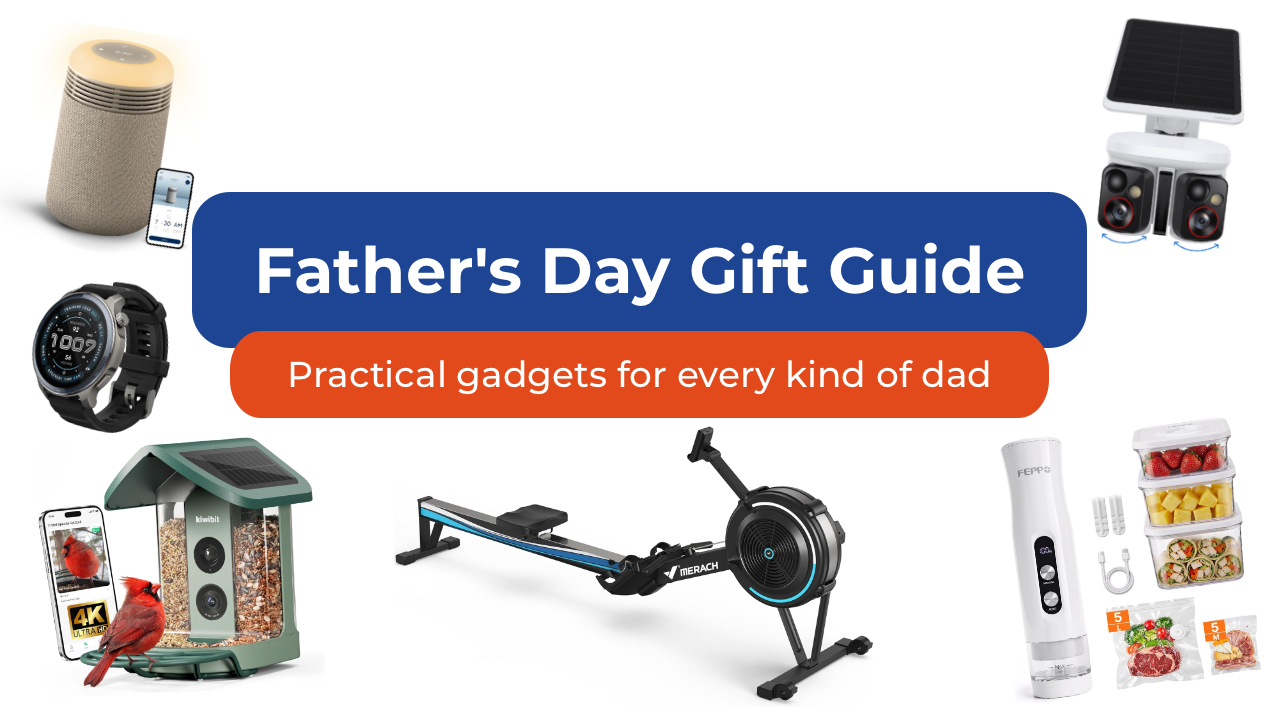
As we get older, Father’s Day shopping gets a lot easier when you stop thinking about the typical dad gifts. Especially since it’s not always your dad you’re shopping for anymore. It could be your grandfather who insists he doesn’t need anything. Maybe it’s your brother who just became a dad and is running on three hours of sleep. Maybe it’s your father-in-law.
Whoever it is, here are some of my favorite picks to give them this year. Spoiler alert: there are no “World’s Best Dad” mugs included in this list.
For the dad who wants a smarter home
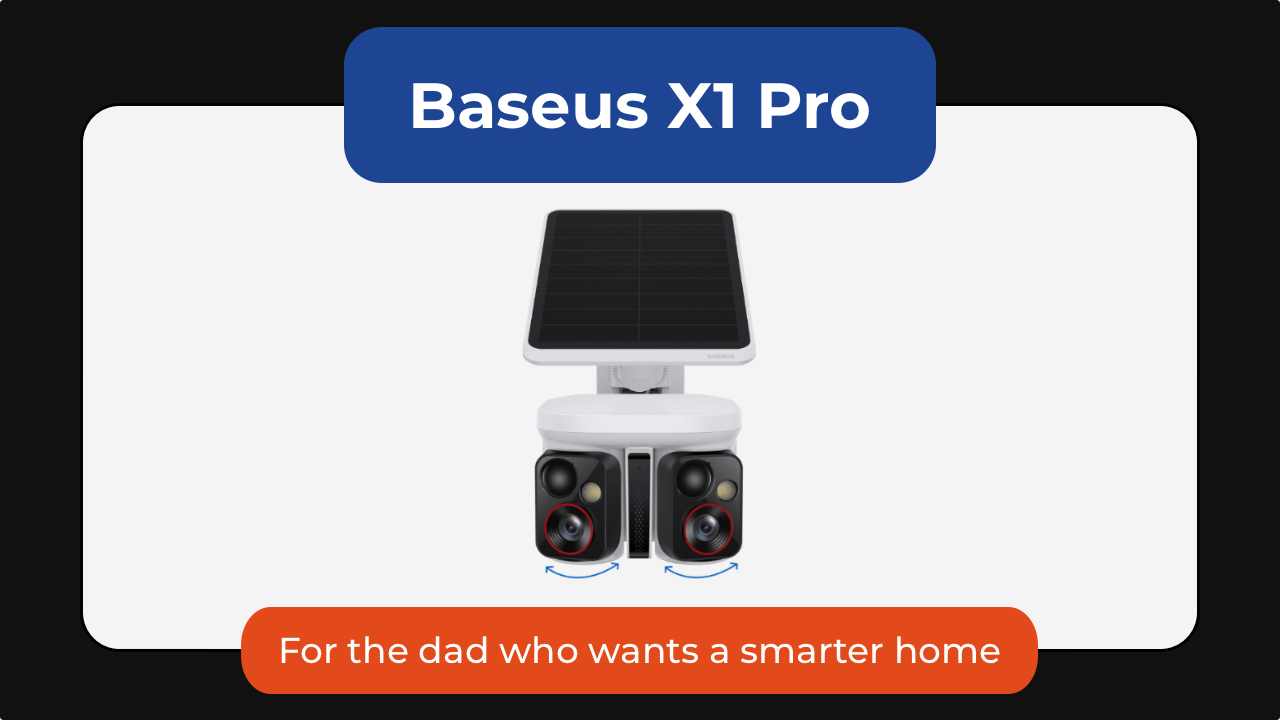
Some of the best tech is the kind you stop noticing because it just runs in the background. The Baseus X1 Pro dual security camera is one of those. It combines a dual-lens design with a wide 210-degree field of view and 300-degree motion tracking, allowing it to cover areas that would normally require multiple cameras.
What makes it stand out is its ability to track two subjects at the same time. Unlike traditional security cameras that can lose sight of one person while following another, the X1 Pro’s dual-lens system can independently follow both, creating a more complete picture of what’s happening around his home.
Its dual 3K cameras capture plenty of detail during the day, while color night vision and 8x zoom make it easier to identify visitors, vehicles, and other activity after dark.
The included solar panel means less maintenance for dad. As little as 20 minutes of direct sunlight can provide enough power for a full day of operation. It’s also got local storage with no monthly subscription fees.
You can get the Baseus X1 Pro for as low as US$119.99 using the code X1PROPRNO1 until June 30th.

And then there’s the Ecovacs Winbot W2 Pro Mini, which solves one of the most ignored chores in any home: cleaning windows. Dad can attach it, let it run, and something everyone’s been avoiding for months just disappears from their mental checklist.
From large glass panels to smaller apartment windows, the compact robot cleaner uses intelligent WIN-SLAM 4.0 navigation to map out the most efficient cleaning path and avoid missed spots. Multiple cleaning modes let you choose between a quick refresh, deep cleaning, edge cleaning, or targeted spot cleaning depending on what the glass needs.
Hard-to-reach windows become less intimidating for dad to clean. Whether it’s a second-story window, a glass door, or a large mirror, the Winbot stays securely attached while it works, turning a tedious chore into a hands-free task.
You can get the Ecovacs Winbot W2 Pro Mini for just under US$240.
For the dad who’s always in the kitchen

Every family has someone who treats grocery shopping like strategy. If that sounds like your dad, then the FEPPO compact food vacuum sealer is a great addition to the family.
It keeps food fresher longer, makes bulk buying from Costco more practical, and turns freezer storage a lot more organized.
Unlike traditional countertop vacuum sealers, the FEPPO is compact, cordless, and rechargeable, making it easy to store when not in use. Despite its size, it delivers strong suction and can seal food in just a few seconds with a single button press.
The included kit comes with 10 reusable BPA-free vacuum bags and three storage containers. The bags and containers are washable and reusable, s not only are you saving space in the fridge or freezer, you’re also helping reduce waste.
I also like that FEPPO designed it with a detachable water tank that collects excess moisture during the sealing process, making cleanup simpler and helping keep the machine running smoothly over time.
It doesn’t look exciting on paper, but once it’s part of dad’s kitchen routine, they’ll wonder how they managed without it, and thank you later.
Get the FEPPO Compact Vacuum Sealer for Food for under US$70.
For the dad who needs any excuse to be outdoors
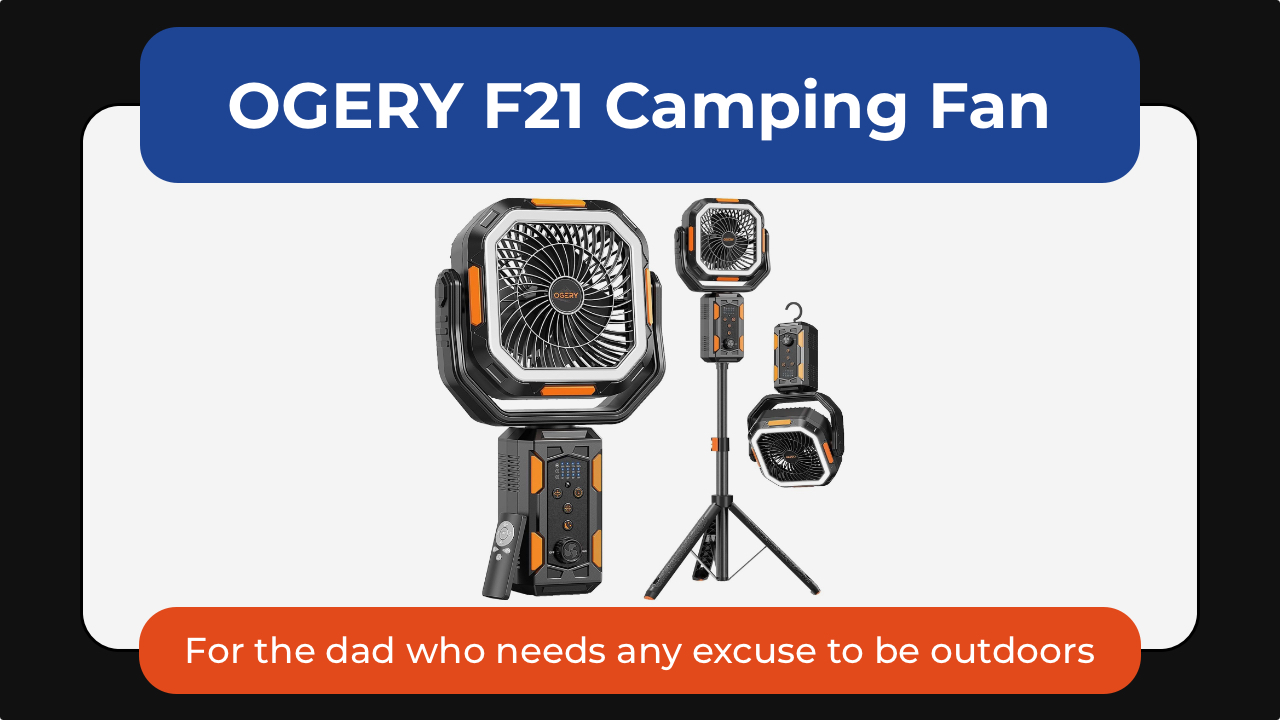
Some dads are indoors dads. Others will take any excuse to be outside. The OGERY F21 camping fan is one of those small upgrades that makes outdoor time noticeably more comfortable—not just for them but for the whole family. Whether it’s camping trips, backyard BBQs, RV adventures, or just surviving peak summer heat, it’s a gift dad would surely appreciate.
What makes it stand out is its versatility. The adjustable tripod lets it work as either a floor fan or desktop fan, while the massive 20,000mAh battery can keep air moving for days on lower settings. It also doubles as an LED lantern and emergency power bank, perfect for camping camping and even power outages.
Dad will love the wide-angle oscillation and the included remote control so he can sit back and relax while cooling down.
The OGERY F21 Camping Fan is available for US$89.99.
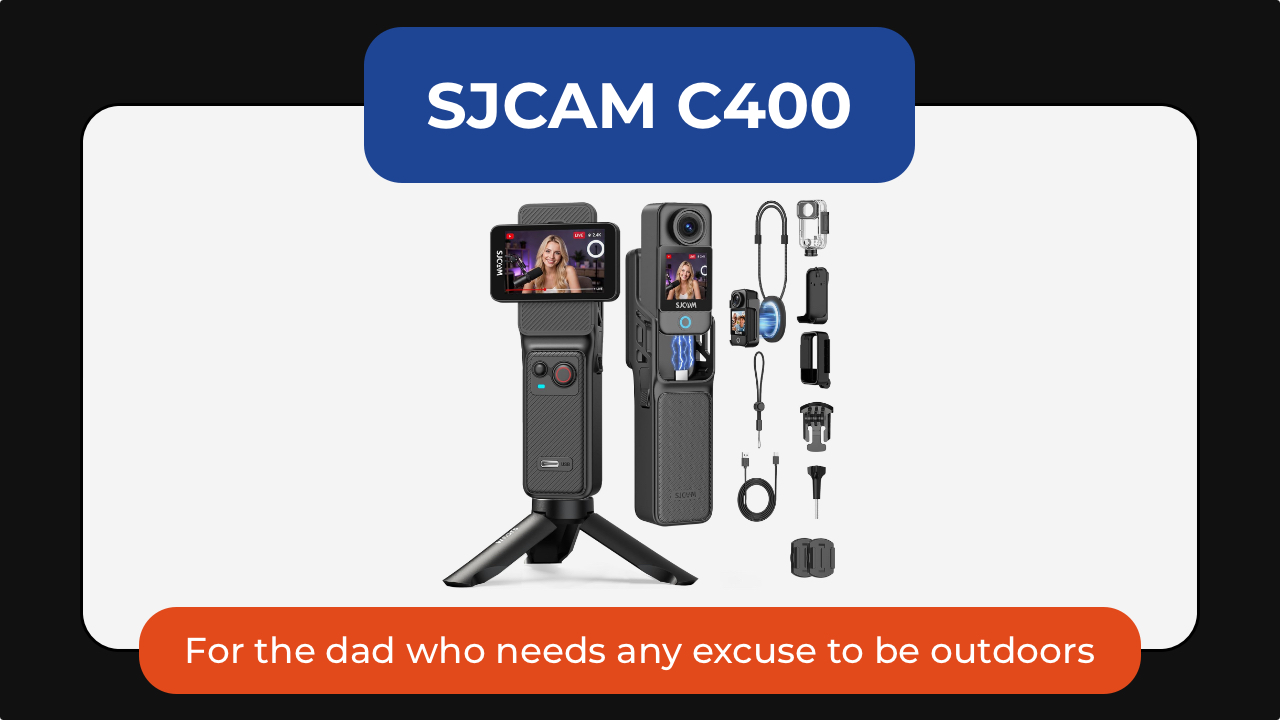
The SJCAM C400 action camera is for the dad who is always doing something worth remembering: biking, fishing, hiking, skiing, traveling, or just being the unofficial family photographer.
It captures 4K video through a wide 154-degree lens, making it easy to record everything from scenic landscapes to fast-moving action. Built-in 6-axis image stabilization helps keep footage smooth even when the camera is mounted to a bike, helmet, or backpack. Its battery life is rated to last up to seven hours so his adventures get documented before needing a top up.
The C400 also supports features like slow motion, time-lapse, and wireless app control, making it equally useful for adventure loving dads or one who simply wants a hands-free way to capture family memories.
Get the SJCAM C400 Action Camera for US$179.99.

And the Kiwibit smart bird feeder turns into something unexpectedly addictive. It’s the perfect gift for the dad who enjoys slowing down and appreciating the little things.
The built-in camera captures 4K video and 8MP photos through a wide-angle lens, allowing you to watch visiting birds up close and even check in after dark with infrared night vision. Two-way audio also lets you listen in on the activity happening outside.
For dads who enjoy learning, Kiwibit’s AI can identify more than 10,000 bird species and send alerts whenever a new visitor arrives. The companion app automatically creates galleries and summaries, making it easy to keep track of backyard regulars.
The feeder itself is thoughtfully designed, too, with a solar-powered roof, removable battery, and a dual-compartment seed hopper that can attract a wider variety of birds. It’s the kind of gift that would keep delivering small moments of joy long after Father’s Day is over.
For the dad who treats his car like a second home

Cars collect everything. The FEPPO cordless vacuum handles the everyday mess: crumbs, dust, snack debris, pet hair, and whatever else somehow finds its way into the car. Powered by a brushless motor, it delivers strong suction while remaining cordless and easy to maneuver around tight spaces like dad’s car.
What makes it particularly useful for busy households is its thoughtful design. The anti-tangle brush helps prevent hair from wrapping around the roller, while a multi-stage HEPA filtration system captures fine dust and allergens before recirculating cleaner air.
Long battery life means it’s ready for quick cleanups without constantly needing a recharge. The different attachments make it easy to clean around the house or car.
The best part is you can get the FEPPO Cordless Vacuum Cleaner for under US$200.
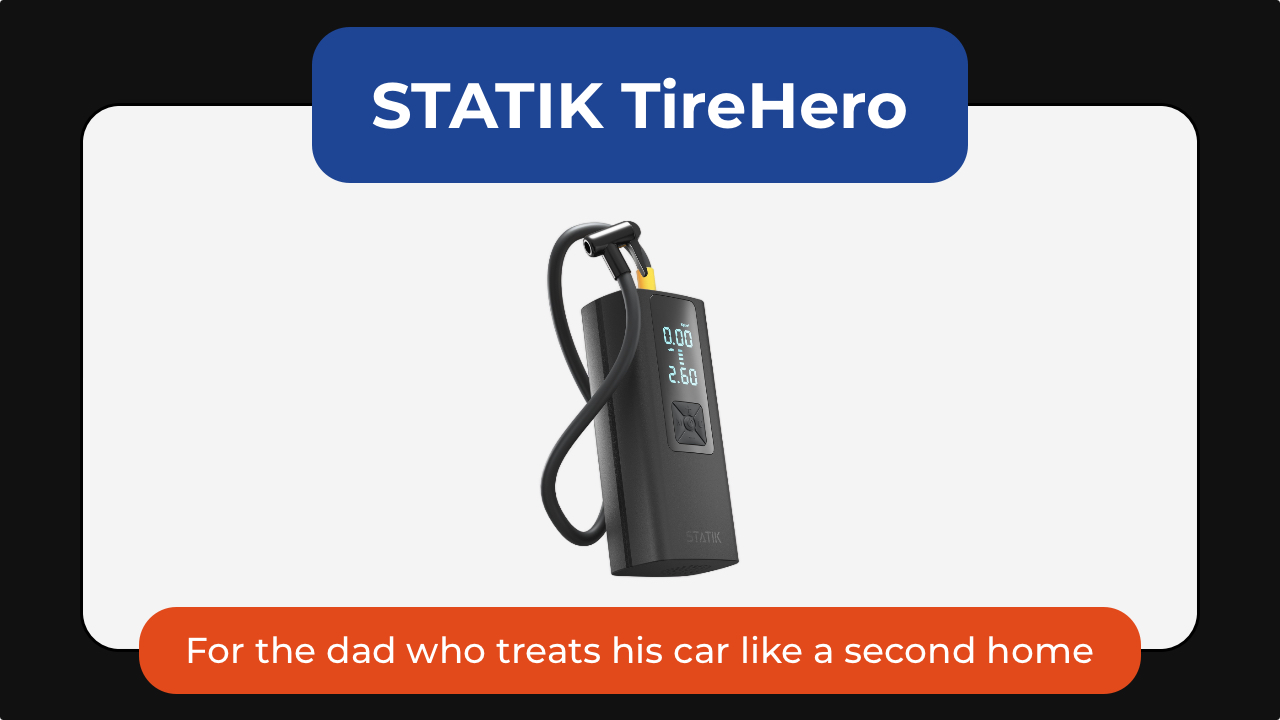
The STATIK TireHero tire inflator is the tool you never think about until you reallyy need. It lives in the glove box until the exact moment it saves you from a low-pressure warning, a road trip delay, or a late-night stop at a gas station air pump.
Beyond inflating car tires, it can also handle bike tires, sports balls, paddleboards, air mattresses, and other inflatables, making it surprisingly versatile for road trips, camping, and family outings. It even doubles as a portable power bank for charging a phone in an emergency and includes a built-in flashlight for nighttime use.
It’s a practical gadget that may not feel exciting when dad unwraps it, but becomes invaluable the first time he actually needs it.
The STATIK TireHero is available for US$59.99.
For the dad who brings people together

Some of the best gifts will keep on giving. The XGIMI MoGo 4 portable projector turns any blank wall into a movie screen. Dad can set up backyard movie nights, World Cup watch parties, or casual weekend hangouts without needing a dedicated entertainment room.
What makes the MoGo 4 special is how portable it is. About the size of a tumbler, it’s easy to toss into a bag for camping trips, vacations, or visits with family. The built-in battery provides up to 2.5 hours of viewing time so you can enjoy a movie without needing to plug it in. It’s also got a 360-degree adjustable stand and automatic image correction to make setup almost effortless.
Despite its compact size, it delivers Full HD 1080p visuals, built-in Harman Kardon speakers, and Google TV with licensed Netflix support.
The XGIMI MoGo 4 is now US$469.

The Liiton American Peaks whiskey decanter set is for dads who have had a stressful year. It helps them slow down, unwind, and appreciate the ritual of pouring a drink at the end of a long day.
Inspired by some of the most iconic mountain ranges in the US, the set includes a crystal decanter and four whiskey glasses featuring detailed 3D mountain impressions molded into the base. Beyond looking beautiful on a bar cart, the mountain design helps chill and aerate the drink. Place the glass in the freezer and in just 18 seconds he gets a drink that stays cold until the last sip, thanks to its proprietary X1 Crystalline Chill Charge System.
Made from heavy lead-free crystal with a weighted base, the glasses feel substantial in the hand and elevate everything from bourbon to tequila. The included gift-ready presentation box also makes it feel like a truly special Father’s Day gift.
And because the set includes four glasses, it’s just as much about sharing a drink with friends and family as it is enjoying a quiet moment alone.
The American Peaks Whiskey Decanter Set is available for under US$130.
For the dad who likes to express himself

The INKWON TAG is probably the most unexpected product in this entire list. This pocket-sized printer can create stickers, temporary tattoos, iron-on transfers, and photos directly from a smartphone. Paired with the INKWON app, it can turn almost any image into something physical within minutes.
That’s where it gets fun. One day it might be custom stickers for a water bottle. Another day it’s temporary tattoos for his kids. It can even be used to create personalized shirts, tote bags, and keepsakes. For dads who enjoy making things, it’s the kind of gadget that sparks creativity long after Father’s Day is over.
The INKWON TAG starts at US$199.

Not every gift needs to change someone’s routine. Some just make it slightly better.
The Baseus MC2 open-ear earbuds are for dads who always have something playing in the background. Unlike traditional earbuds, the open-ear design lets them enjoy music, podcasts, or audiobooks while staying aware of traffic, conversations, and everything happening around them.
They’re lightweight enough to wear for hours, offer impressive battery life, and deliver surprisingly rich audio despite their compact clip-on design.
Get the Baseus MC2 open-ear earbuds for US$49.99 using the code MC2OWSPR.

Then there’s the Posh Tech Hunt distressed leather Apple Watch band, which transforms one of the most common pieces of tech into something with a little more character.
Made from genuine distressed leather, it develops a worn-in look over time that feels more personal. It’s a simple upgrade, but one that can make an Apple Watch feel less like a gadget and more like an everyday accessory. It’s available for US$35.
For the dad who’s focused on staying well
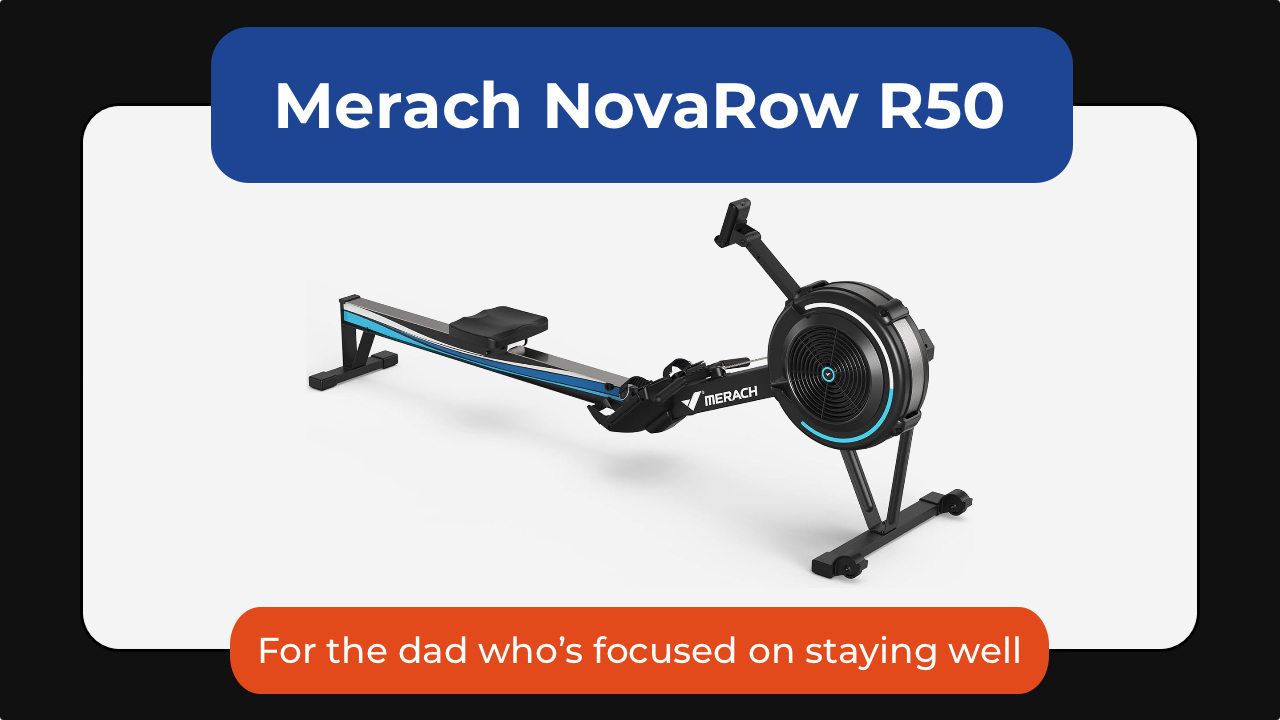
The Merach NovaRow R50 rowing machine is one of the best examples of low-impact fitness that can stick. It’s a full-body workout that engages his legs, core, back, shoulders, and arms, all while being easier on his joints than running or other high-impact exercises.
What makes it work isn’t intensity; it’s consistency. The movement is smooth, the setup is simple, and the Merach app adds guided workouts, performance tracking, and scenic rowing routes that make it easier to show up again tomorrow.
With 10 levels of air resistance, it can grow alongside dad’s fitness journey, whether he’s just getting started or looking for a more challenging workout. It also folds for easier storage, making it a practical option for apartments and home gyms alike.
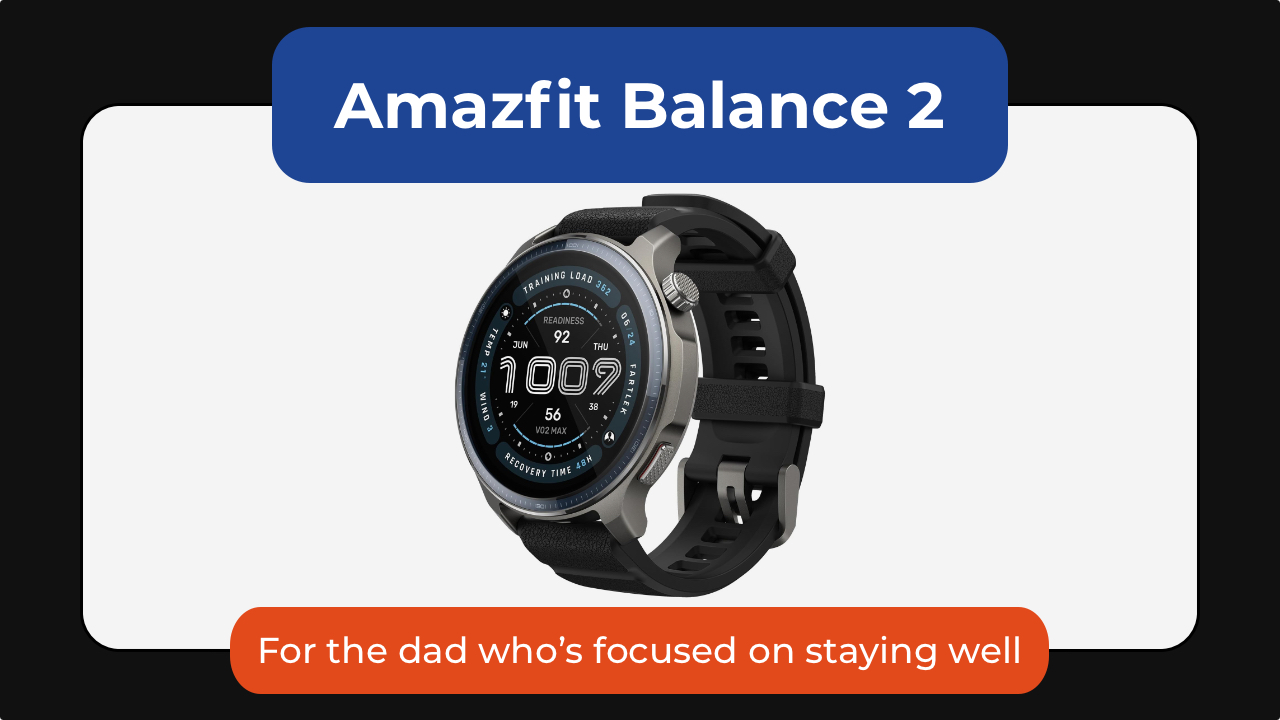
The Amazfit Balance 2 is one I gave to my dad, who’s almost 70. He’s not training for anything nor is he tracking performance. What the smartwatch has done is he is paying a little more attention to himself.
He checks how much he’s moved. He looks at his heart rate. He notices patterns he wouldn’t have thought about before.
At the same time, it scales up for someone who is more active. With over 170 sport modes, recovery insights, golf mapping, scuba support, and up to 21 days of battery life, it’s a great smartwatch no matter the recipient’s fitness level.
Get the Amazfit Balance 2 for US$299.99.

And then there’s the CAVN blood pressure monitor.
Instead of being intimidating or clinical, it’s designed to be simple enough for everyday home use. It’s got a barrel-style design with one-touch operation that removes the hassle of wrapping a cuff properly. Dad can just slide his arm in, press a button, and it does the rest.
It also supports multiple users, stores readings over time, and makes it easier for families to track trends. The large display and color indicators also make it more accessible for older users, too.
The CAVN Blood Pressure Monitor is available for US$179.99.

The Blueair Mini Restful sunrise clock air purifier takes a different approach to wellness by improving the environment dad sleeps in.
It combines a medical-grade air purifier, warm evening lighting, and a sunrise-style alarm clock into a single bedside device. Blueair’s HEPASilent filtration technology removes airborne particles like dust, pollen, pet dander, and smoke while operating quietly enough not to disturb sleep.
In the evening, the warm amber lighting helps create a more relaxing wind-down routine, while the sunrise alarm gradually brightens before wake-up time to make mornings feel less abrupt.
Thoughtful extras like soothing wake-up sounds, app controls, and a built-in USB-C charging port make it an easy addition to any nightstand. It’s an all-in-one device for cleaner air, better sleep, and calmer mornings.
The BlueAir Mini Restful is available in Coastal Beige and Midnight for US$199.99.
Computers
Samsung’s SECRET That Made OLED Even Better
Say hello to the new QD-OLED Penta Tandem display tech by the Korean giant


Samsung Display just unveiled QD-OLED Penta Tandem technology. This is a next-generation display structure that stacks five emission layers to improve brightness, efficiency, and overall OLED performance.
In this video, we simplify what Penta Tandem actually is, how it works, and show you two monitors that already have the technology — specifically from MSI and Dell.
For more details, check out Samsung Display here.
Health
Spring reset: Growing more at home with Auk Mini
From kitchen counter experiment to everyday habit
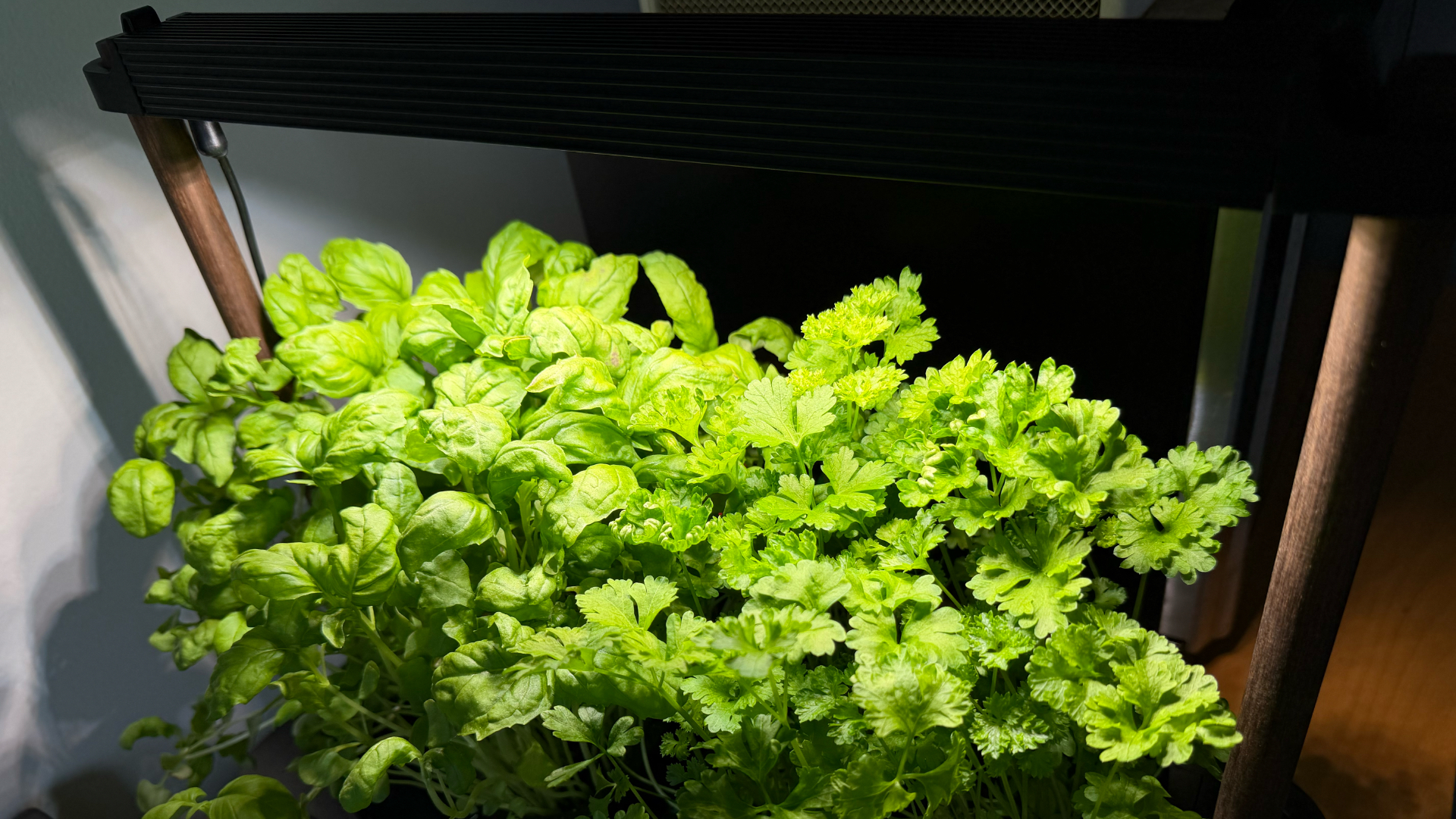
Spring and summer rolling around almost always makes me want to reset something in my routine.
A few years ago, it was growing broccoli sprouts in a jar. Getting the Auk Mini over Christmas felt like the natural next step.
From sprouts to something more
Starting with sprouts was easy. After having them at a family gathering, it clicked that I could actually grow something, even in our small apartment. Anyone, including my husband can do it on the kitchen counter, and upkeep takes less than a minute a day. Watching something grow and actually eating it made me realize how nice it is to have fresh greens around all the time.
The Auk Mini builds on that. Instead of just one thing in a jar, now I have herbs growing consistently at home.
Getting started was easy
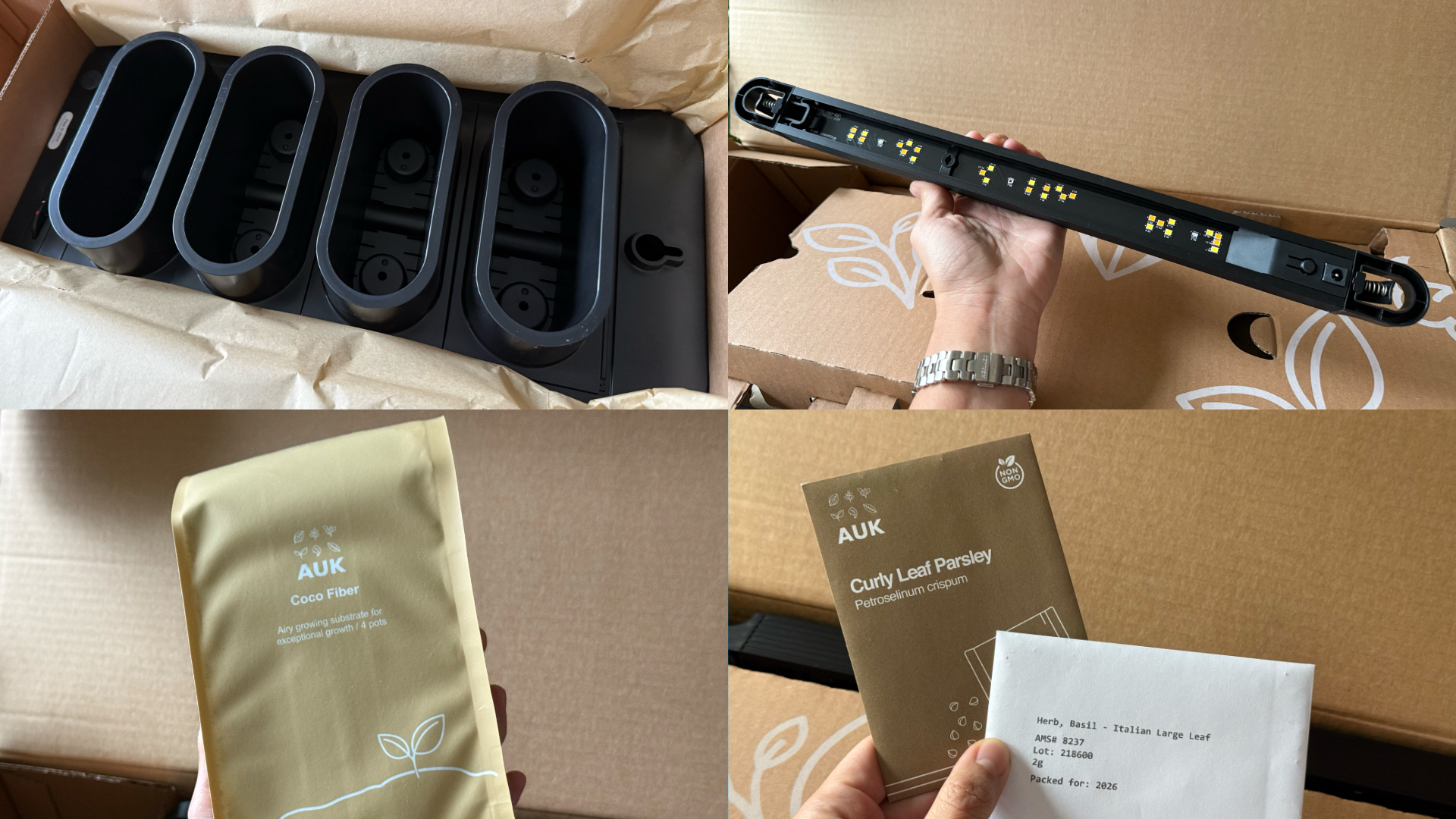
This was the part I was most unsure about, but it ended up being very straightforward. Setup took a few minutes, the instructions were clear, and nothing felt overly technical. The kit comes with everything you need to start: Auk Mini itself, seeds for planting, coco fiber, and nutrients that you add to the water to support both growth and flavor.
Once it’s up and running, it mostly takes care of itself. The lighting system handles what the plants need throughout the day, and the watering system keeps everything consistent. I have been away on trips, and I still come home to herbs that are healthy and fresh, waiting to be trimmed and added to my food.
It fits real life and small spaces

Fresh herbs growing beside my microwave
Living in a New York apartment, space is limited. While there are community gardens I could participate in, it’s not as convenient as having access to your own, especially when you’re in the middle of a snowstorm or a heatwave.
The Auk Mini sits beside my microwave, on a table that used to be my desk. It doesn’t feel like I added a new project to my life – it just blends in. I have the black and walnut version, which works well with the rest of my space, but it also comes in white, with oak or cork as other finishes, if you want something lighter.
Watching and competing
My husband and I set it up together and turned it into a challenge: who would harvest first?
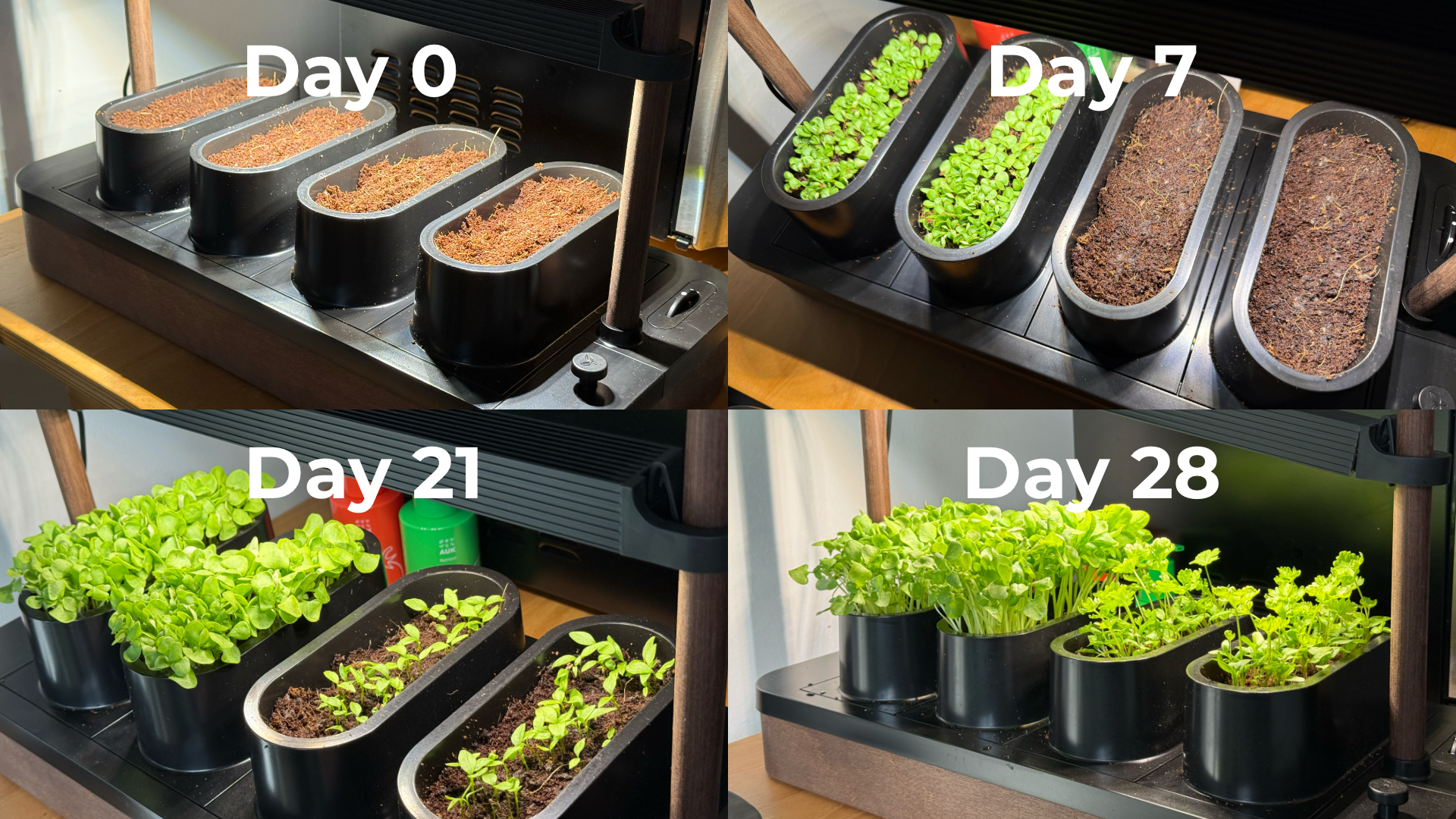
Our kit came with basil and parsley. He planted basil, which sprouted first. I took on parsley, which grew much slower and wasn’t ready for harvest until a little over six weeks later. The competition was a small thing, but it made the whole process more fun. We started paying attention to growth day by day, and it’s satisfying when you finally get to use what you grew.
One thing we learned pretty quickly is that different plants grow at different speeds, which can make lighting placement a little tricky in a shared setup like the Auk Mini. Since the basil grew faster and taller, we had to angle the light unevenly so it wouldn’t burn the basil while still giving the parsley enough exposure to catch up.
It changed how I use herbs
Basil and parsley used to be something I added as garnish. Now I’m using them all the time because they’re right within arm’s reach.

Learned to be creative and made pasta from scratch, made better with fresh herbs
I’ve been making sauces, marinades, pesto, even building meals and cocktails around them. It’s expanded the flavors we use in home cooking, and forced me to experiment instead of defaulting to our go-to recipes inspired by East Asian cooking. In fact, the biggest hurdle I’ve encountered is not having enough recipes in my repertoire that use herbs.
Even when a dish doesn’t call for it, I’ll cut some and add it anyway. Every time I did, it made the dish better. When something is always available and always fresh, you naturally start using more of it. And if you trim it properly, it just keeps growing back. It doesn’t go bad or get forgotten in the fridge.
You can grow anything you want
One of my favorite things about Auk Mini is that it’s not a proprietary system. They do offer other kits like a chili and tomato set or an Italian cuisine mix, but you can also grow your own choices.
I joined a Facebook group of Auk growers, and it’s been inspiring to see how others are using and expanding their indoor gardens. It makes me excited to try things that are harder to find or expensive in the U.S., especially vegetables and herbs I grew up with, like pechay, moringa, lemongrass, pandan, and kangkong.
A small step toward something bigger

Constant fresh herbs within reach
Growing herbs indoors reminds me of something from years ago. In university, I did an immersion program in a low-income community. We recommended sustainable food systems for the stay-at-home moms we met — including hydroponics systems — both as a source of extra income and fresh food.
That experience stayed with me, but I never acted on it. This feels like a small, techie version of that idea: a hydroponic system that works in real life, in a small space, and is easy to keep up with.
Is the Auk Mini your GadgetMatch?
Starting with sprouts showed me I could easily grow something. The Auk Mini showed me I can keep going and expand it. Now I have fresh greens ready whenever I need them.
It starts at $259, which isn’t the cheapest way to get into hydroponics. If you don’t use herbs on the daily like I do, the cost is even harder to justify. But that’s also why I recommend it even more. It’s convenient, it’s fresh, and at the same time it challenges you to be more creative with food.
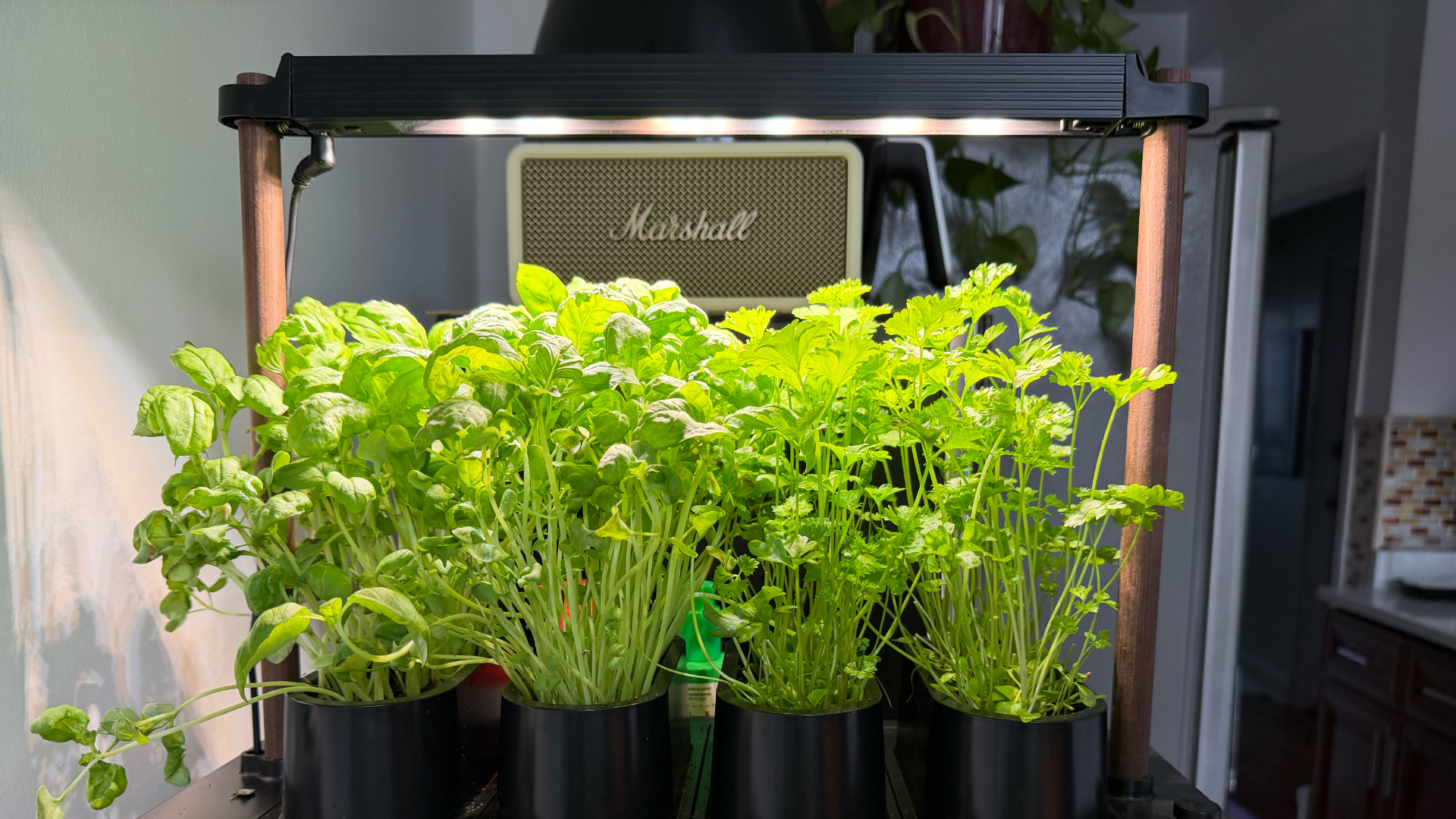
Basil and parsley keep growing in the Auk Mini after multiple harvests
Auk Mini’s ease of setup and maintenance, and flexibility make it worth it, especially if you don’t know where to start. It was a great hobby to start the year with, and an even better habit I’ve kept building on five months on. It’s given me confidence I can grow my own food for the rest of my life, one way or another.
Editor’s Note: Since this article was first published, Auk has updated the name Auk Mini to Auk Mini 1. They also announced the Auk Mini 2, currently on preorder starting at $199. This newer model has a smaller footprint, redesigned lighting, new colorways, and the ability to use larger plant pots.


DJI Lito X1 review: Is this the best lightweight drone for creators?
Making a strong case as a travel companion and a capable B-cam!


REDMI Note 17 Pro Max review: A new breed born from AI greed
Welcome to the new normal


Marvel’s Wolverine review: When the claws come out
A brutal, cinematic superhero adventure

When your body talks, the Galaxy ecosystem listens

MediaTek launches the Dimensity 9600 Pro

Qualcomm unveils the Snapdragon 8 Elite Gen 6 series

OPPO Find X10 Pro Max is the first phone with a triple 200MP camera system

70mai launches the A900 series with 4K front, rear recording

realme 16T 5G with 8000mAh battery, IP69 Pro rating launches in PH

HUAWEI Pura X View is 2026’s first WIDE slab-type smartphone

REDMI reveals the refreshed Note 17 and Note 17 Pro series

REDMI Note 17 Series: Price, availability in Singapore

The CAMON Slim 5G is TECNO’s latest ultra-slim smartphone


-

 Hands-On2 weeks ago
Apple iPhone 18 Pro Series Hands-on
-

 News3 days ago
vivo X500 Series launches with major imaging upgrades
-
Gaming2 weeks ago
Marvel’s Wolverine review: When the claws come out
-

 Gaming1 week ago
BlizzCon 2026 announces World of Warcraft: Forever and Diablo V
-

 Singapore5 days ago
Epson Lifestudio Grand Plus EH-LS970B with 4K projection, more launches
-
Reviews1 week ago
REDMI Note 17 Pro Max review: A new breed born from AI greed
-

 First Look2 weeks ago
First Look: Apple iPhone Duo
-

 Entertainment2 weeks ago
PH to celebrate 1st ever National Cinema Day; movies start at less than $2