
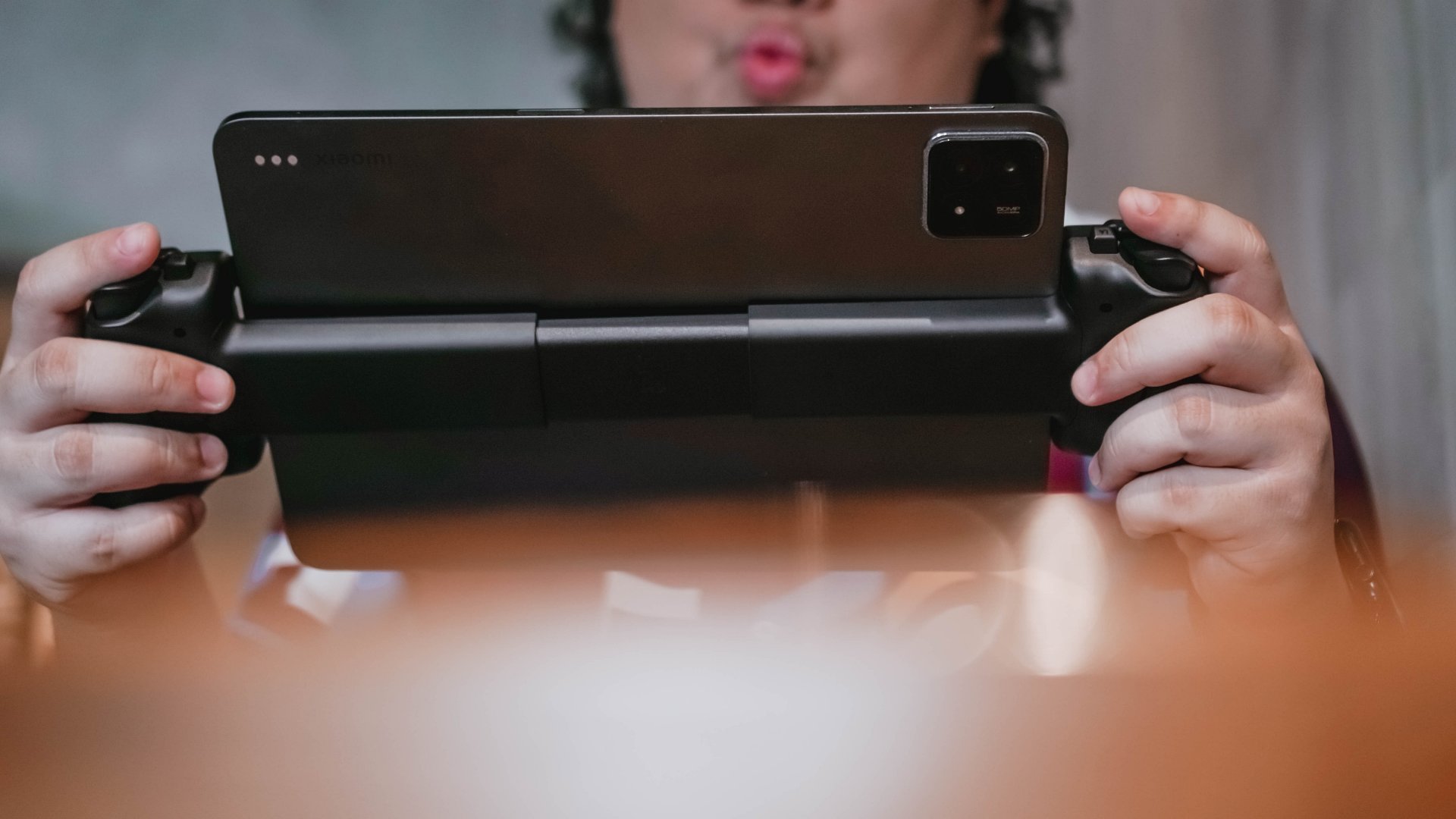

The moment tablets crossed the 10-inch line, mobile gaming accessories hit an identity crisis. Most controllers were built for phones. Most stands felt like stopgaps. And most Bluetooth pads forced you to choose between comfort and portability. The Razer Kishi V3 Pro XL feels like Razer’s answer to that problem. It isn’t subtle. It isn’t small. It’s a controller built for people who already treat their tablets as entertainment machines.
Using it made me rethink where the line between handheld gaming and home gaming really sits. It pulls your screen closer, locks in your grip, and turns big-screen mobile play into something that feels almost console-native. It doesn’t replace a handheld or a living room setup, but it lives confidently in the space between them.
First impressions: big in every sense
The Razer Kishi V3 Pro XL looks big in photos, but nothing prepares you for how colossal it feels the first time you snap a tablet onto it. The extended frame is oversized by design, and the feeling never fades no matter how often you use it. You adjust to the span of the controller, but it never stops feeling humongous.
Mounting the tablet is straightforward. The USB-C island aligns cleanly, and anyone familiar with mobile controllers will get the hang of it immediately. Even newcomers won’t have much trouble. I tested it with 11.2-inch and 12.4-inch Android tablets and the weight sits right in the middle. You always feel your device pulling down the center. I imagine that a 13-inch iPad would make that feeling even more pronounced.
What struck me most in this early stage was how much presence the whole setup had. You don’t just hold a controller. You commit to it.
Ergonomics that feel instantly console-like
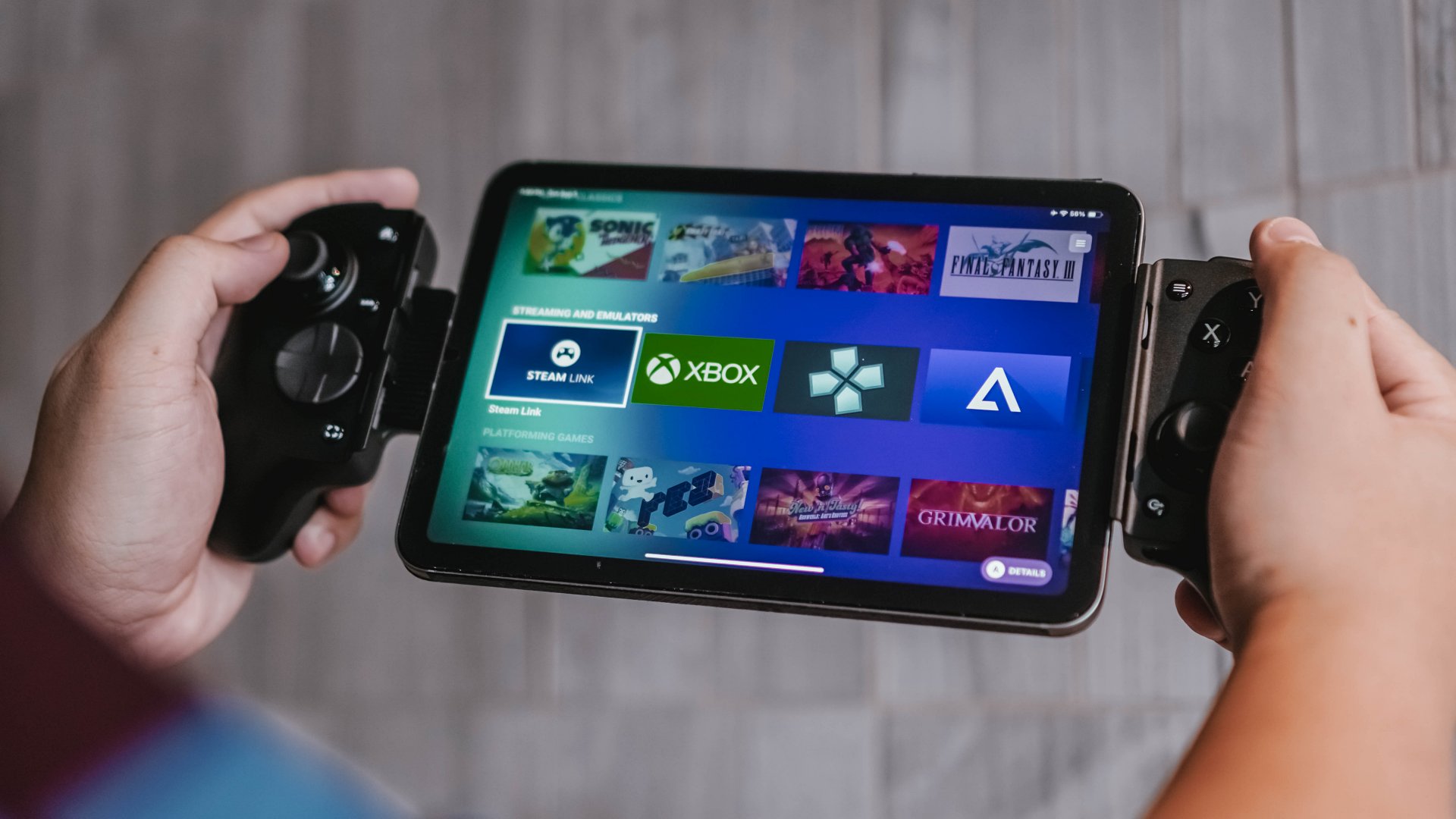
Once the tablet is mounted, the Kishi V3 Pro XL spreads your hands wider than usual but lands in a surprisingly natural position. It feels console-like right away, not like a mobile accessory that’s pretending to be one. I’ve spent plenty of time using PC handhelds and this actually feels more comfortable than most of them.
After about half an hour, the weight starts hitting your wrists and forearms. It is not unbearable, but you feel it. I never played it on a desk since that’s not how I naturally use mobile controllers. Most of my sessions happened on my bed or on a couch at home. I only ever used it outside if I found a quiet spot with a wall behind me, but that has more to do with my comfort levels than the controller’s ergonomics. No matter where I played, arm strain was consistent.
Still, the controller’s shape and weight distribution feel considered. It never feels cheap or fragile. It sits in your hands like something designed for long sessions, even if your arms feel the toll over time.
Buttons, sticks, and the premium difference
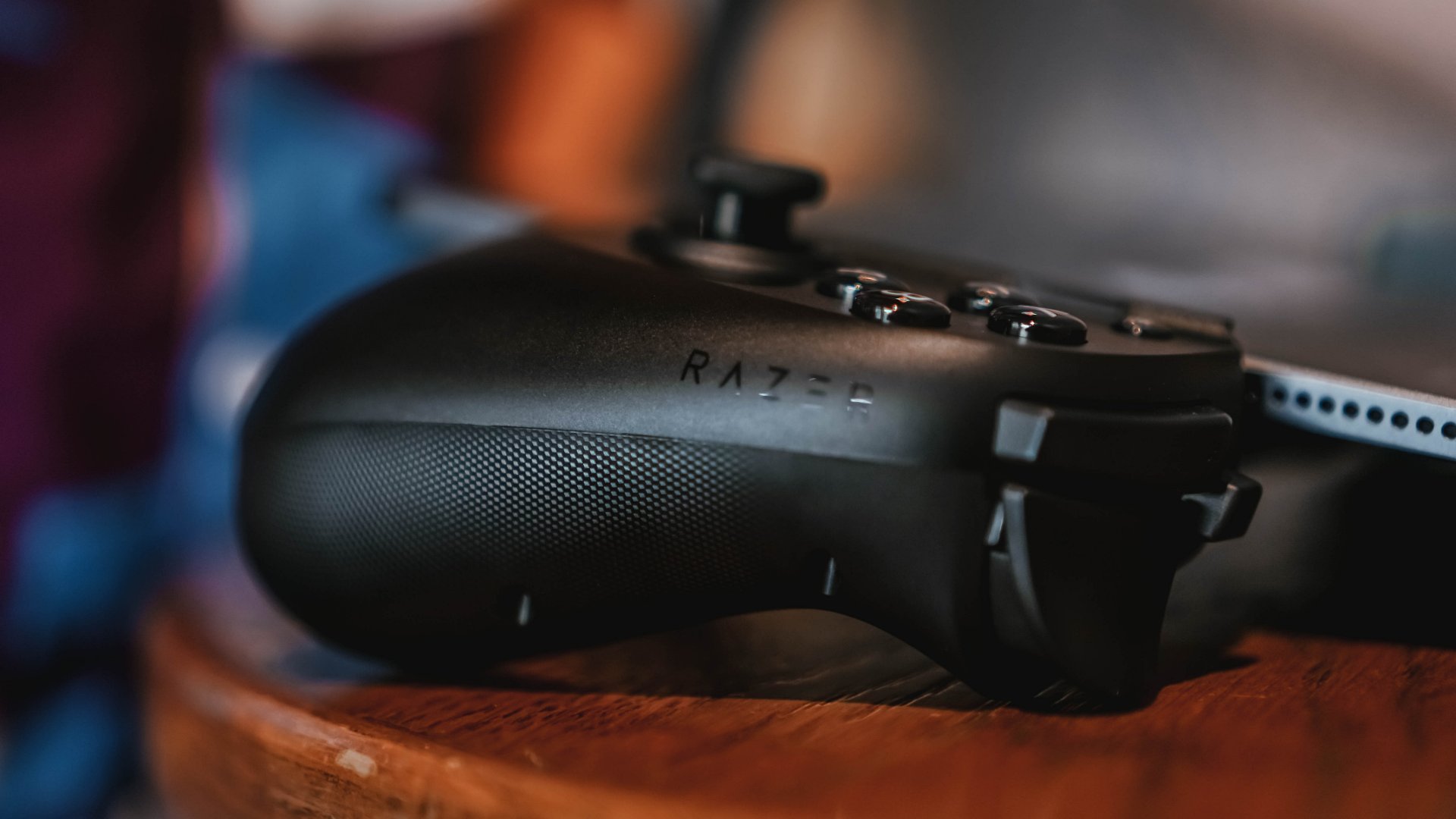
The TMR thumbsticks impressed me from the first moment I flicked them. They feel stable, smooth, and incredibly responsive. There’s no sense of impending stick drift and no mushiness. I stuck with the default caps because they felt great right out of the box.
The claw-grip bumpers also add to the premium feel. Mid-game, they feel like the kind of triggers you expect from high-end controllers, just spaced wider apart. There’s a confidence to them that I didn’t expect.
Compared to a Bluetooth controller, the input precision doesn’t feel drastically different during moment-to-moment gameplay. You might shave some latency since the Kishi uses a physical connection, but the real difference is the cohesion of everything being attached directly to your tablet. Nothing feels detached.
Haptics that feel intentional
I didn’t immediately clock what the Razer Sensa HD haptics were doing until I started writing about them. The rumble feels more intentional than the generic shakes most controllers offer. It is not on the level of Sony’s DualSense, but it is a step up from standard rumble motors.
The vibration is tuned well for the XL setup. Never too strong, never too weak. Just enough to make combat and impact moments feel present without overwhelming the larger device.
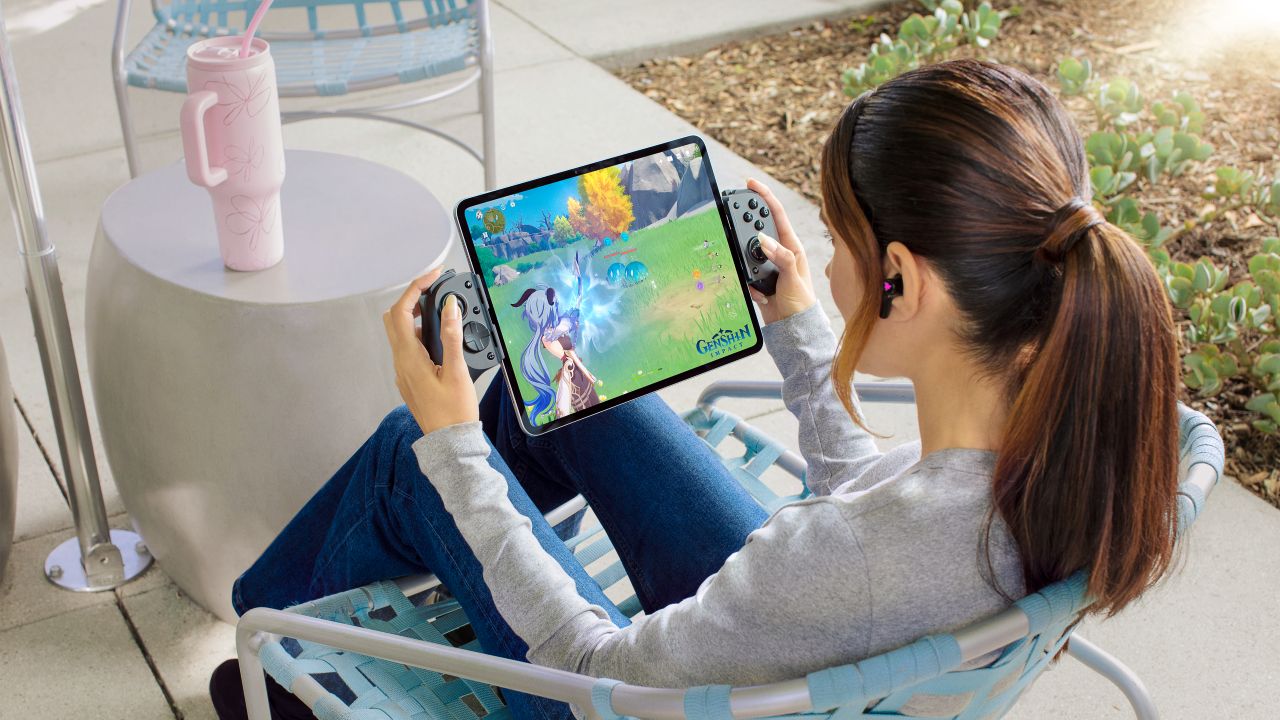
Tablet gaming becomes something else entirely
Most of my time with the Kishi V3 Pro XL was spent playing Zenless Zone Zero, along with a few other games that support native controller input. I prefer that to mapping, so I stuck with titles where everything worked out of the box.
What stood out was how close the experience felt. An 11.2-inch screen pulls the game toward you in a way smaller devices never do. The Kishi’s build quality adds to that console-like feeling. It’s premium, solid, and never feels like it’s one wrong move away from snapping.
The setup stays stable even when you shift positions in bed or lean back on the couch. No flexing, no wobbling. The XL size is always obvious, but the stability helps offset that.
The moment the XL form factor “clicked” was the same moment it overwhelmed me. It feels XL all the time, and that’s part of its appeal.
PS Remote Play machine
I briefly tested the Kishi V3 Pro XL on PC and didn’t find much to say since it felt unnatural to play while looking up at a monitor. But Remote Play was where the controller shined.
I used it to tackle side quests, grind through tasks on RPGs, or jump into NBA 2K while a movie or podcast played in the background. As someone who plays mostly on PlayStation, the layout is different but I had enough experience with asymmetrical controllers that muscle memory didn’t take long to adapt. This setup made me realize I never needed a PS Portal. I get the same experience on a larger and better screen.
Razer Nexus served as a quick launcher and worked well once I figured out how to trigger Remote Play from it. After that first moment of confusion, everything ran smoothly.
Charging, audio, and the practical bits
Passthrough charging works but felt slower than I wanted. In most cases, I just placed the whole setup down, charged the tablet, and came back to play later. It’s there when you need it, but it isn’t a standout feature.
I didn’t get to test the 3.5 mm audio jack since I didn’t have the right headphones with me. I used Bluetooth instead and didn’t experience delays or sync issues.
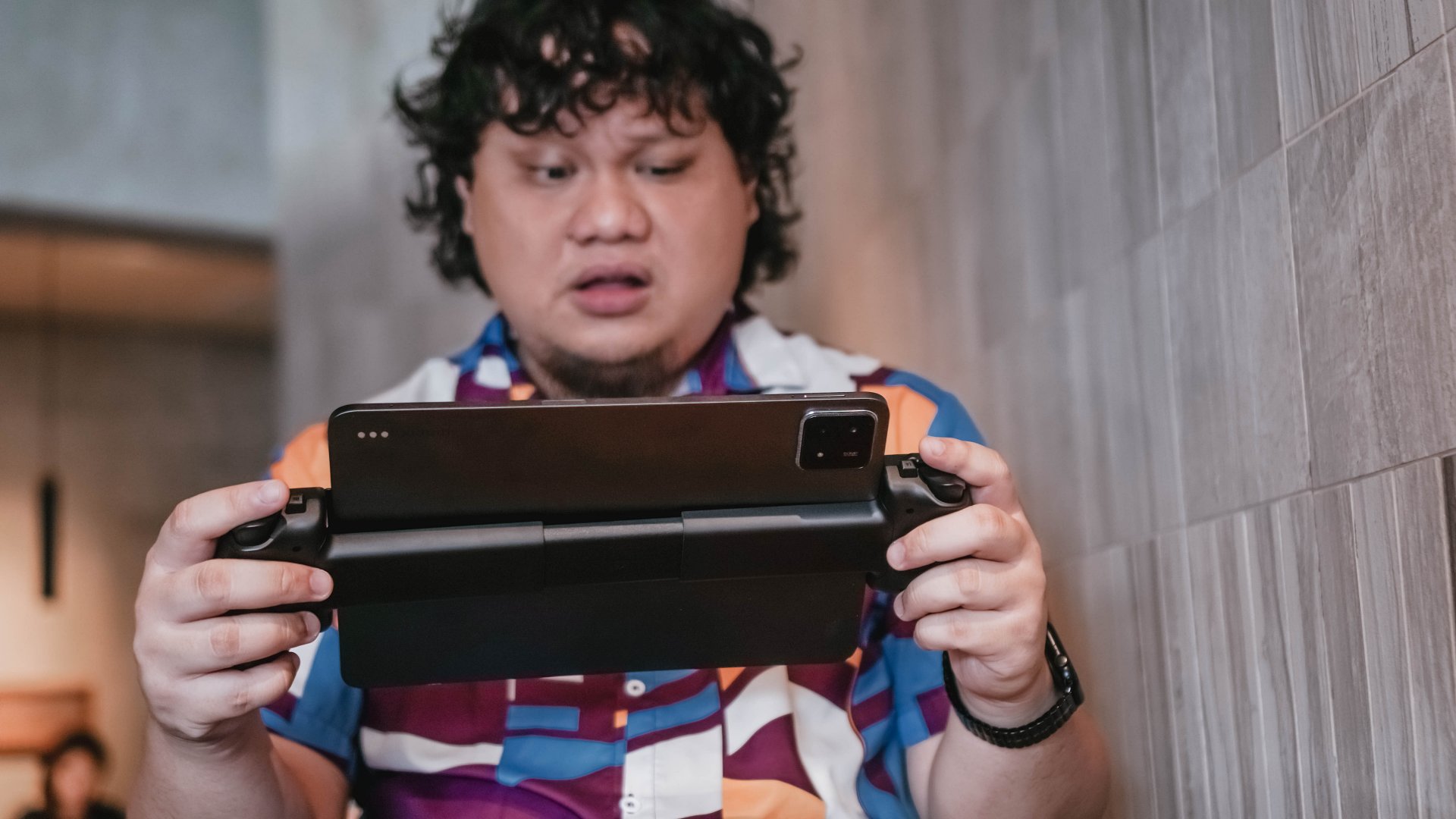
Portability and day-to-day use
The Kishi V3 Pro XL is portable in the literal sense but not in the practical one. You can bring it outside, but you need a big enough bag and a willingness to carry something that demands space and attention. For me, it’s a cozy-spot accessory. I only use it outside when I know I can tuck myself away in a quiet corner.
It fits only in larger bags and definitely demands its own space. Detaching the tablet is always easy.
Where it shines
Remote Play is where the Pro XL feels most valuable. It lets you enjoy console games in a more relaxed way while still keeping the full controller experience.
Zenless Zone Zero also looked incredible on the big screen. All that color and action hitting you up close feels electric. If you juggle a lot of tasks, look for mobile games with built-in controller support. They’re rare but usually worth the download.
Is the Razer Kishi V3 Pro XL your GadgetMatch?
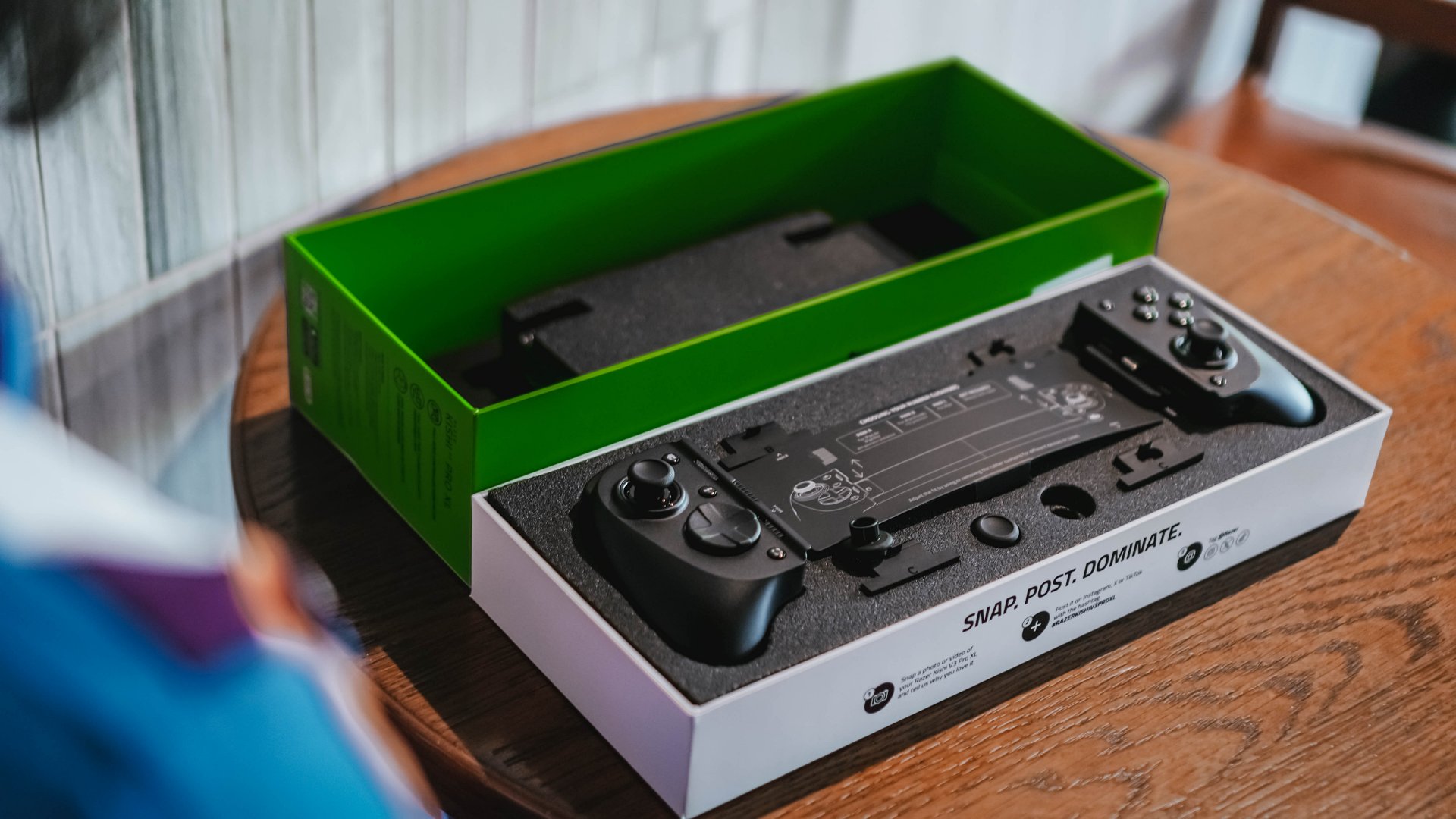
The Razer Kishi V3 Pro XL works because it knows exactly who it’s for. If you own a tablet that’s ten inches or larger, this is the controller that makes your device feel like a real handheld console. I used it every chance I got, and it changed how I look at gaming on bigger screens.
If you already use a Bluetooth controller and a tablet stand, the difference comes down to size and cohesion. With big tablets, this setup simply feels better. It’s one device, one frame, and one experience. If this sounds like an upgrade to your setup, this is most certainly a Swipe Right.
And if your tablet keeps getting bigger every year, you might eventually see this XL form factor as the one that makes the most sense.






Accessories
Apple is working on AirPods with built-in cameras
References to the wearable were spotted inside a new macOS beta.

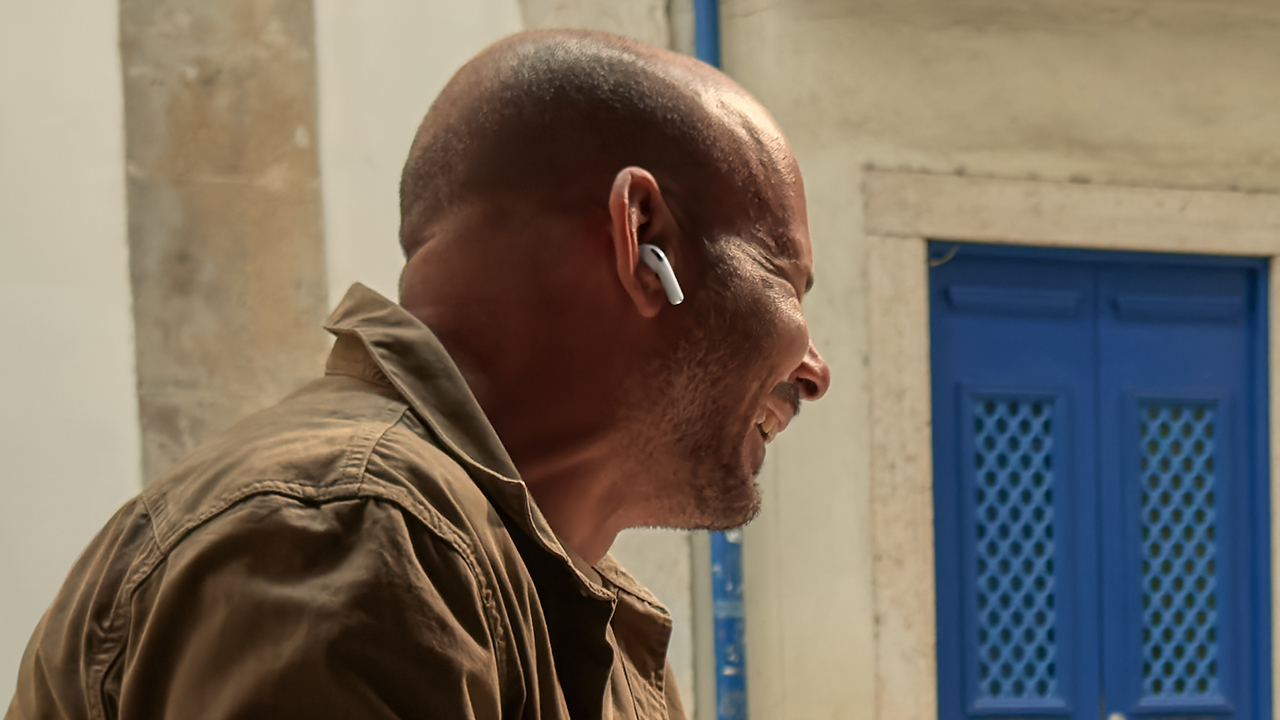
The launch of operating system betas is a cause of celebration for those digging into what’s next for a brand. No other company does that better than Apple. Today, Apple released a new release candidate for macOS Tahoe 26.7. As expected, the release has a treasure trove of references to unreleased devices, including a new type of AirPods with built-in cameras.
Let’s get the obvious out of the way first. The references include a slew of unreleased iPads, Macs, and HomePods. Since these devices are already expected to come out, they’re hardly worth nothing. This includes the iPhone 18 series. If anything, the references confirm the iPhone Ultra, the rumored entry into the foldable market, but that’s it.
Now, the more interesting inclusion is a pair of AirPods with cameras. Despite the controversies surrounding cameras on smart glasses, Apple is reportedly building audio-based wearables with cameras themselves.
In a short demo video (also obtained from the macOS beta via MacRumors), the AirPods can apparently “save” things that it sees, including a book you might want to search for later. In that way, the built-in camera acts more like a voice assistant, rather than a recording device.
Though the references don’t confirm a launch date, it’s likely that the camera-based AirPods will come out sometime soon. After all, why would a blatant reference be inside a publicly available beta?
SEE ALSO: The iPhone 18 might sell out for an unexpected reason

Phones flip and fold. Now webcams do too.
Foldable screens have found their way into phones, tablets, and laptops in recent years. Now, OBSBOT is taking that idea in a considerably smaller direction: the webcam.
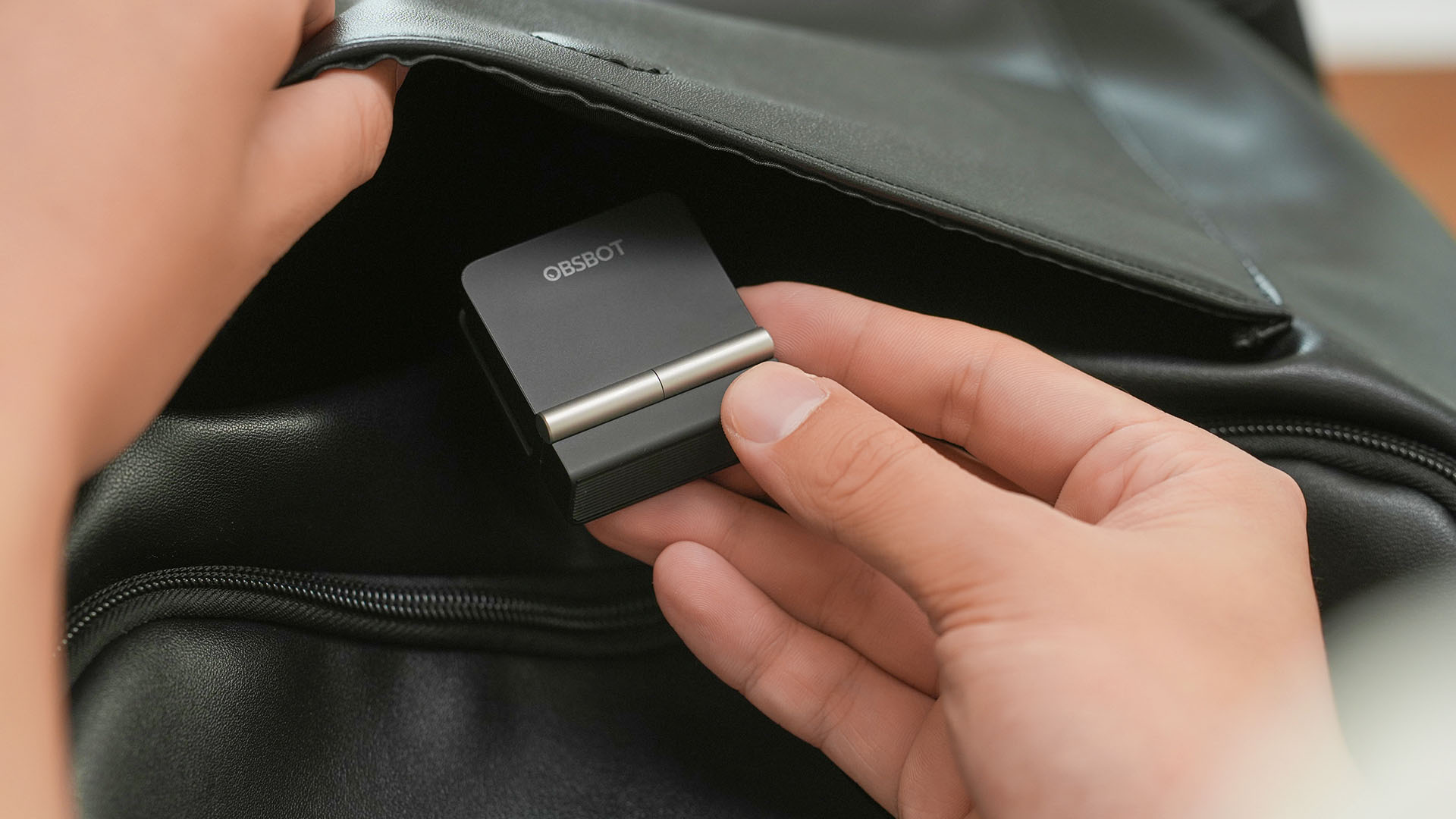
The OBSBOT Meet Flip is the company’s first foldable 4K webcam packing:
- 1/2-inch stacked CMOS sensor
- intelligent audio
- a collection of AI-powered meeting tools
All of these inside a body weighing just 37.7 grams.
A fold that does something, not just a gimmick
The OBSBOT Meet Flip isn’t foldable just to make it easier to throw into a bag.
Closing the webcam physically blocks the lens and puts the device into sleep mode. Open it when you want to be seen, flip it shut when you don’t.
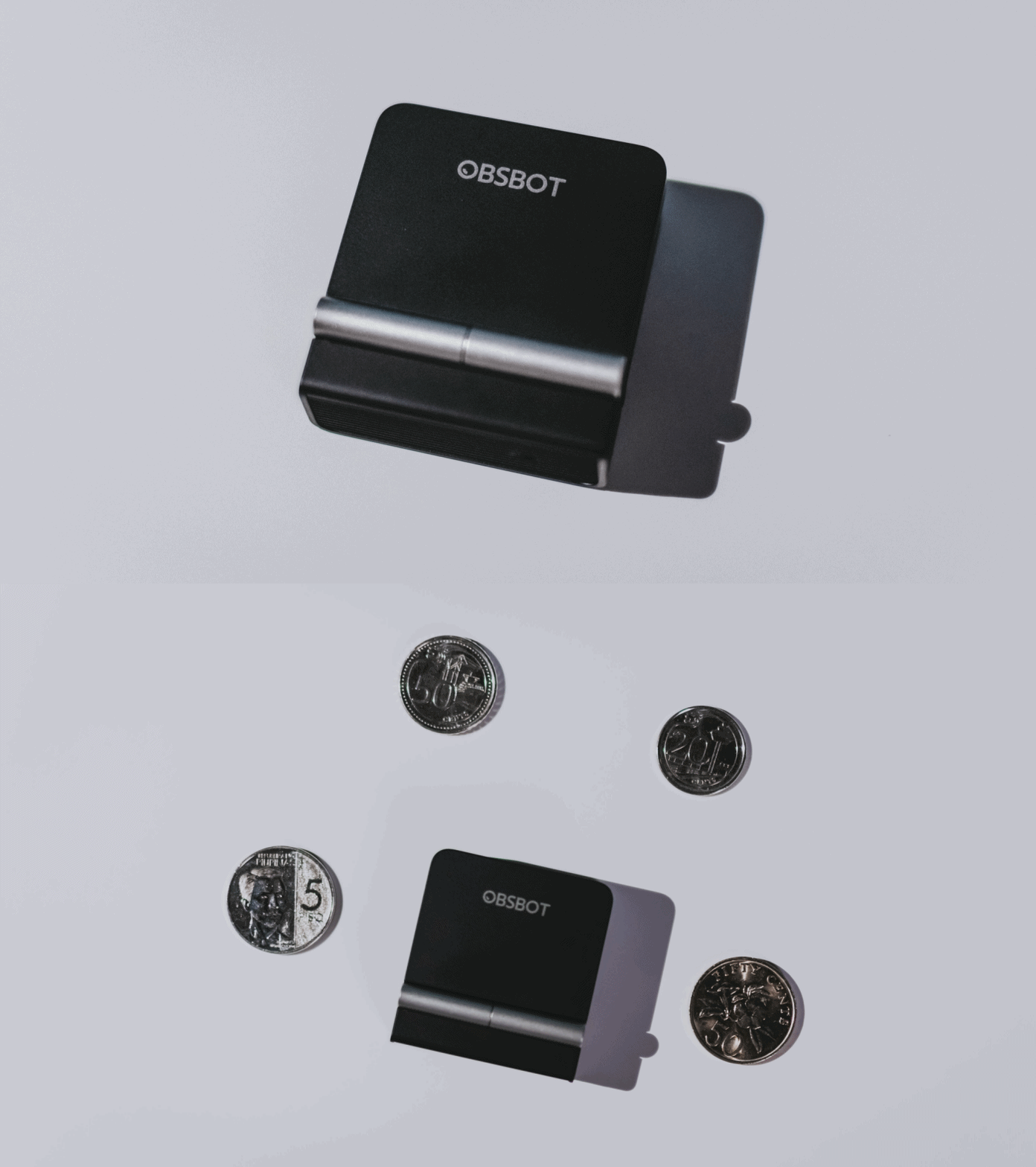
A physical privacy cover isn’t novel in itself. What’s clever here is how it’s part of the folding design.
As someone with a love-hate relationship with data privacy, I almost always keep some physical barrier over my laptop webcam. And if I can avoid having a webcam there entirely, even better.
Serious camera hardware in a pocket-sized webcam
Despite its size, OBSBOT hasn’t treated the Meet Flip like a basic laptop-camera replacement.
Inside is a 1/2-inch Exmor RS stacked CMOS sensor with Quad Bayer technology, capable of recording 4K UHD at 30 fps or 1080p at 60 fps. It also packs an f/1.8 aperture, HDR, PDAF autofocus, ISO 100–6400, and up to 4x digital zoom.
At its core is a 1/2-inch Exmor RS stacked CMOS sensor with Quad Bayer technology.
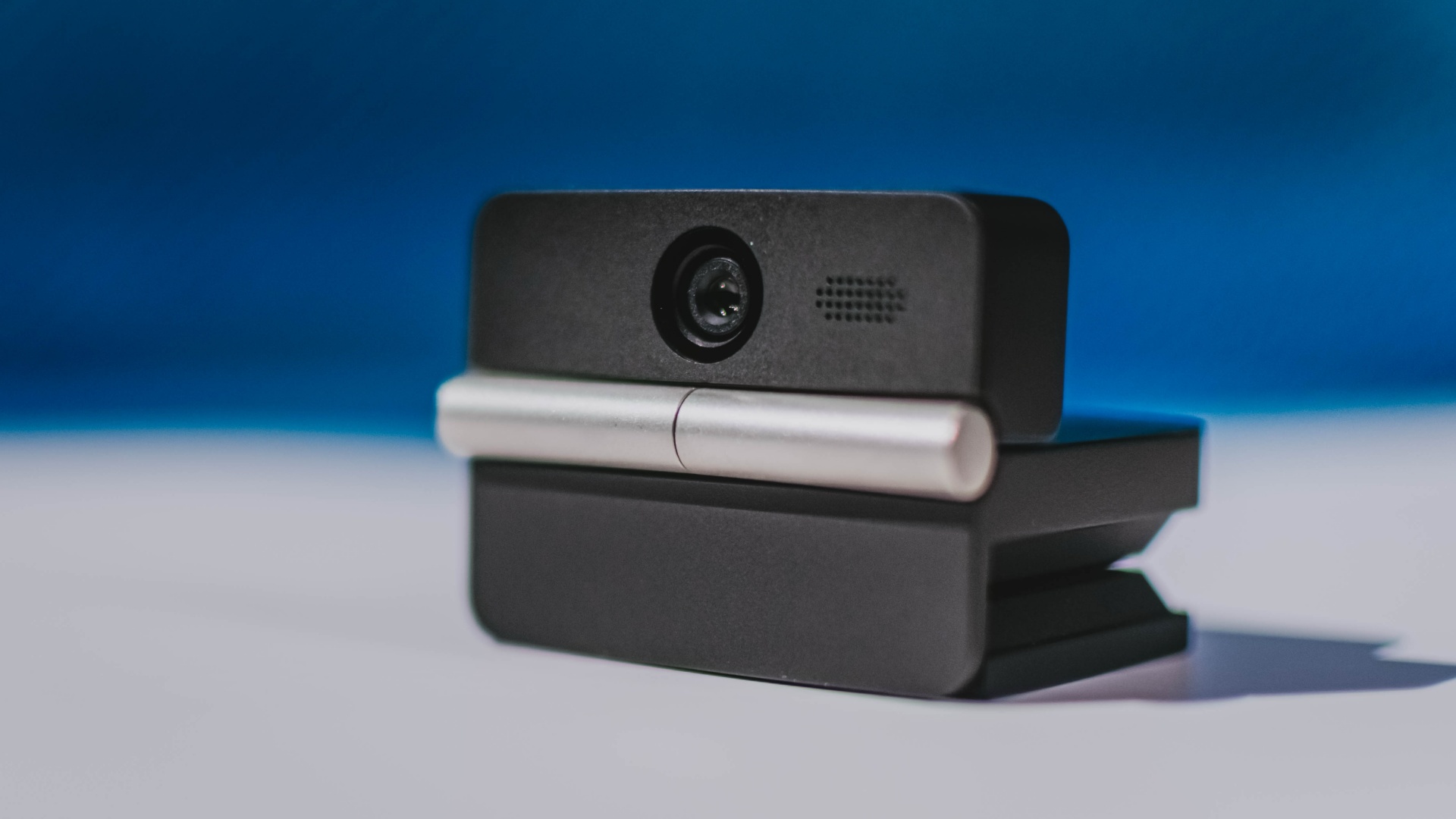
It can record:
- 4K UHD at 30fps
- 1080p at 60fps
You also get:
- f/1.8 aperture
- HDR
- PDAF autofocus
- ISO 100–6400
- up to 4x digital zoom
On paper, that gives the Meet Flip a better shot at handling the situations built-in laptop webcams often struggle with: dim rooms, harsh backlighting, changing lighting conditions, or simply moving around in front of the camera.
HDR helps keep faces visible against bright backgrounds, while PDAF autofocus continuously adjusts focus as you move closer to or farther from the lens.
The wider f/1.8 aperture should also help in less-than-ideal lighting.
The point is that once the Meet Flip is set up, you shouldn’t have to spend much time thinking about the camera itself.
It listens differently depending on the room setup
The Meet Flip also uses an intelligent dual-microphone system combining omnidirectional and directional microphones.
Instead of relying on one pickup pattern for every situation, it offers four audio modes for different setups:
Directional Mode focuses on sound coming from the front, making it the obvious choice for solo calls.
Dual-Directional Mode listens to both the front and rear of the webcam, which could be useful for interviews or conversations between two people sitting across from each other.

Smart Omni Mode is designed for group meetings, picking up voices from around the room.
And Pure Audio Mode provides unprocessed left and right stereo channels for users who would rather handle the audio themselves in post-production.
Auto Gain and AI Noise Reduction also work across the first three modes, helping clean up audio without requiring much manual adjustment.
It gives the Meet Flip more flexibility than a typical webcam microphone, especially if you regularly switch between solo calls, interviews, and group meetings.
AI that doesn’t intrude
AI has become an almost obligatory addition to new hardware in 2026, but several of the Meet Flip’s features put it to work on real-world meeting annoyances.
AI Auto Framing keeps you in frame, with options for:
- Group
- Single Close-up
- Upper Body
- Full Body
Gesture controls can also toggle Auto Framing or adjust the zoom without reaching for a keyboard or mouse.
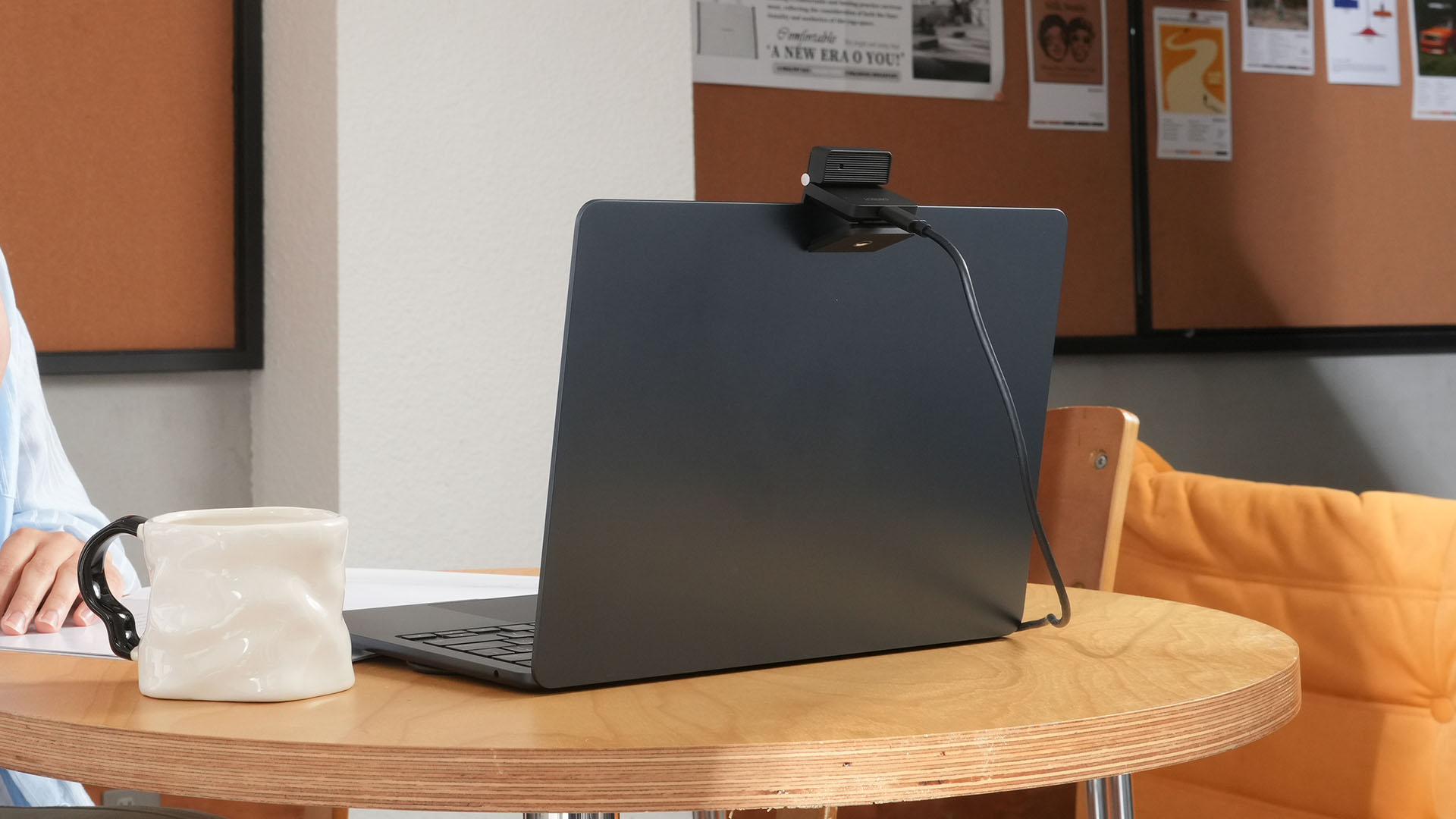
More interesting is AI Magic Notes.
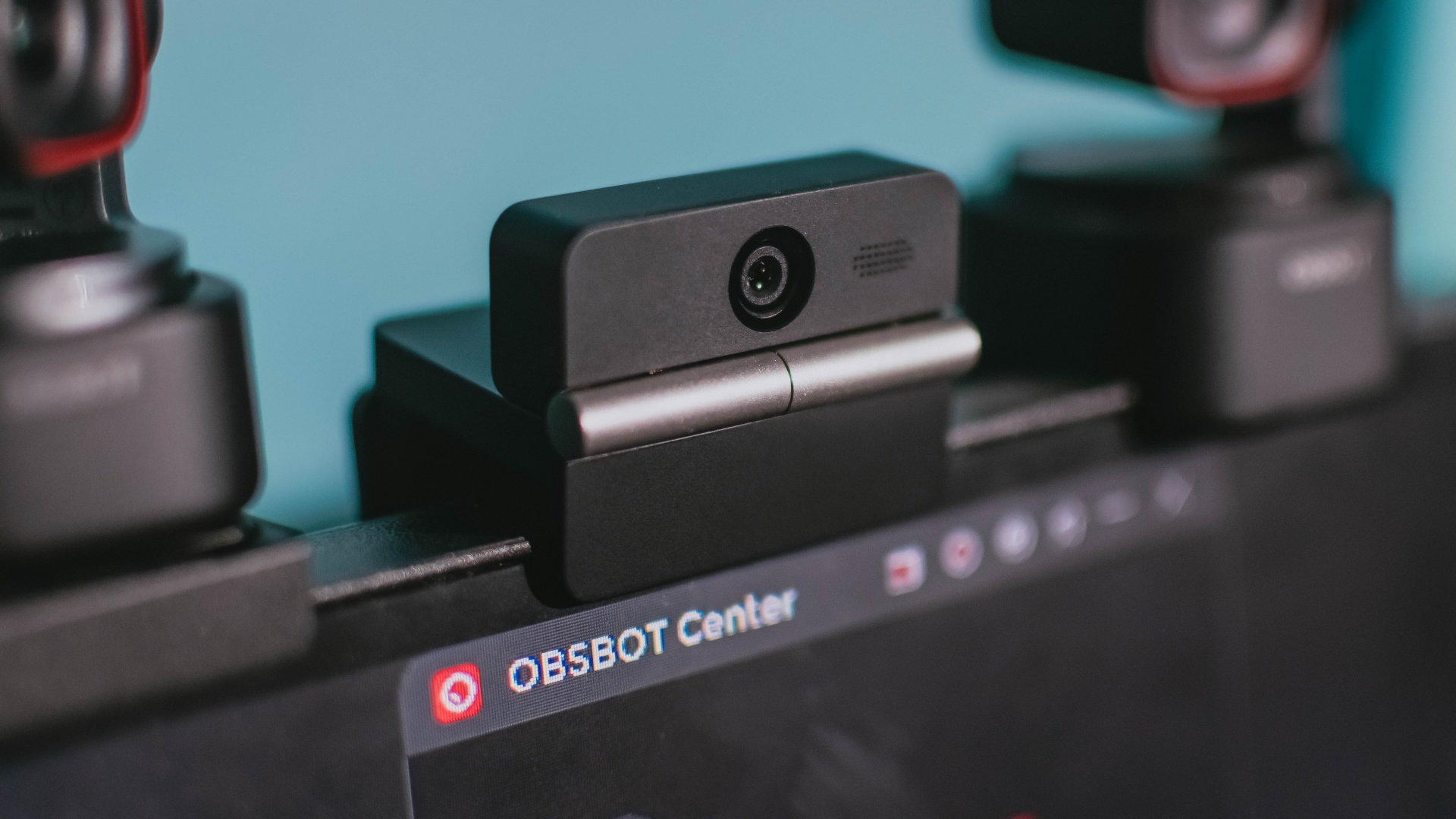
Through OBSBOT Center, it provides real-time transcription and can automatically generate meeting summaries with key points, decisions, and action items. It works across Google Meet, Zoom, and Microsoft Teams.
Although AI Magic Notes is offered as a subscription service, every Meet Flip includes 120 complimentary minutes to get started.
MORE with OBSBOT Center & OBSBOT Live
There are plenty of other software features as well. OBSBOT Center includes:
- Background Blur and Background Replacement
- Real-Time Beauty Mode
- Picture-in-Picture overlays
- Smart Eye Tracking
- Teleprompter support
- Detailed image adjustments
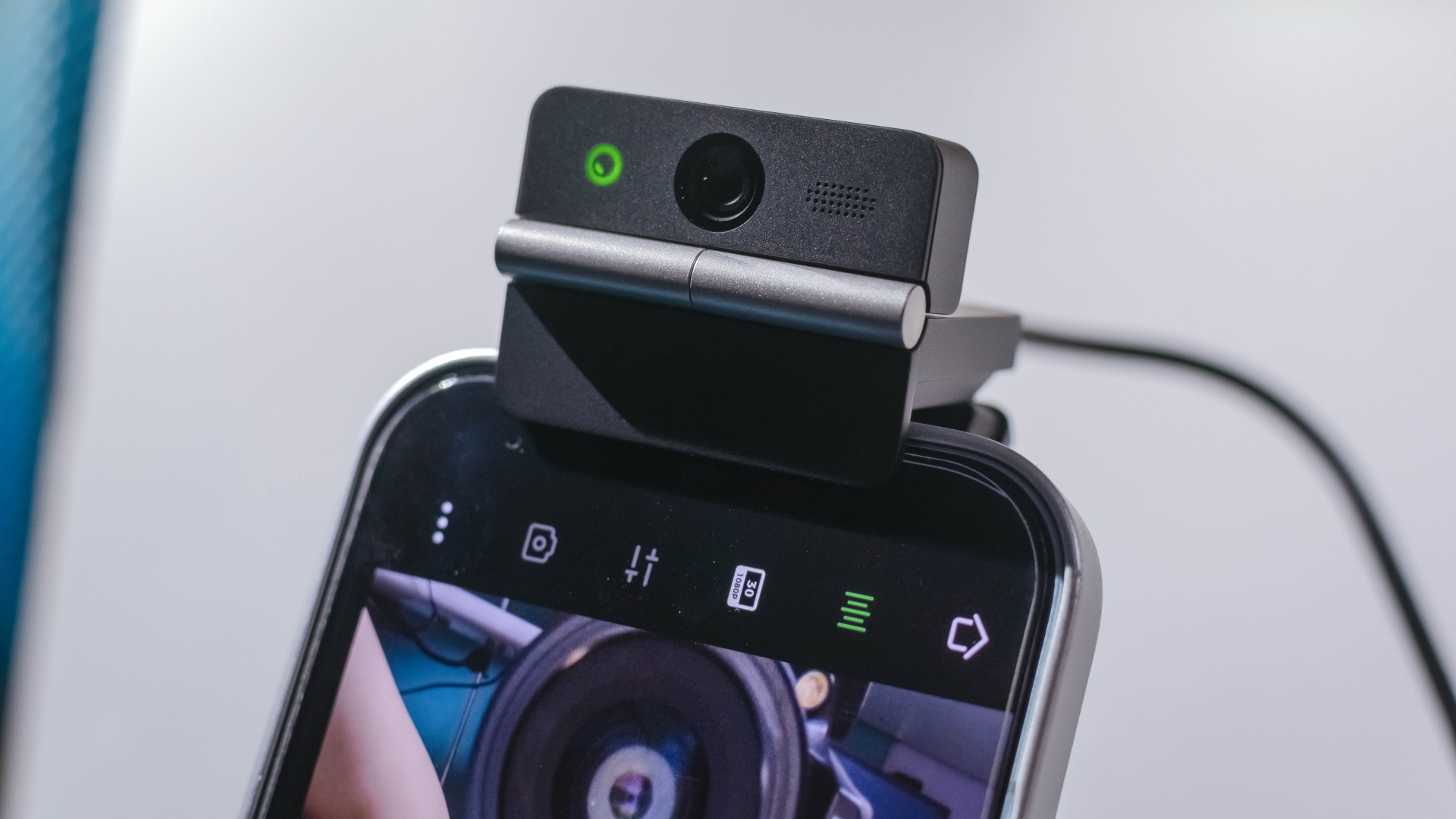
The Meet Flip isn’t limited to laptops or desktops either. Through OBSBOT Live, it can connect directly to smartphones and tablets over USB-C for mobile streaming and content creation.
Flip it open. Fold it away.
None of those features reinvent the webcam on their own.
Taken together, though, they make the Meet Flip a more thoughtful take on a piece of hardware whose basic design and features have barely changed.
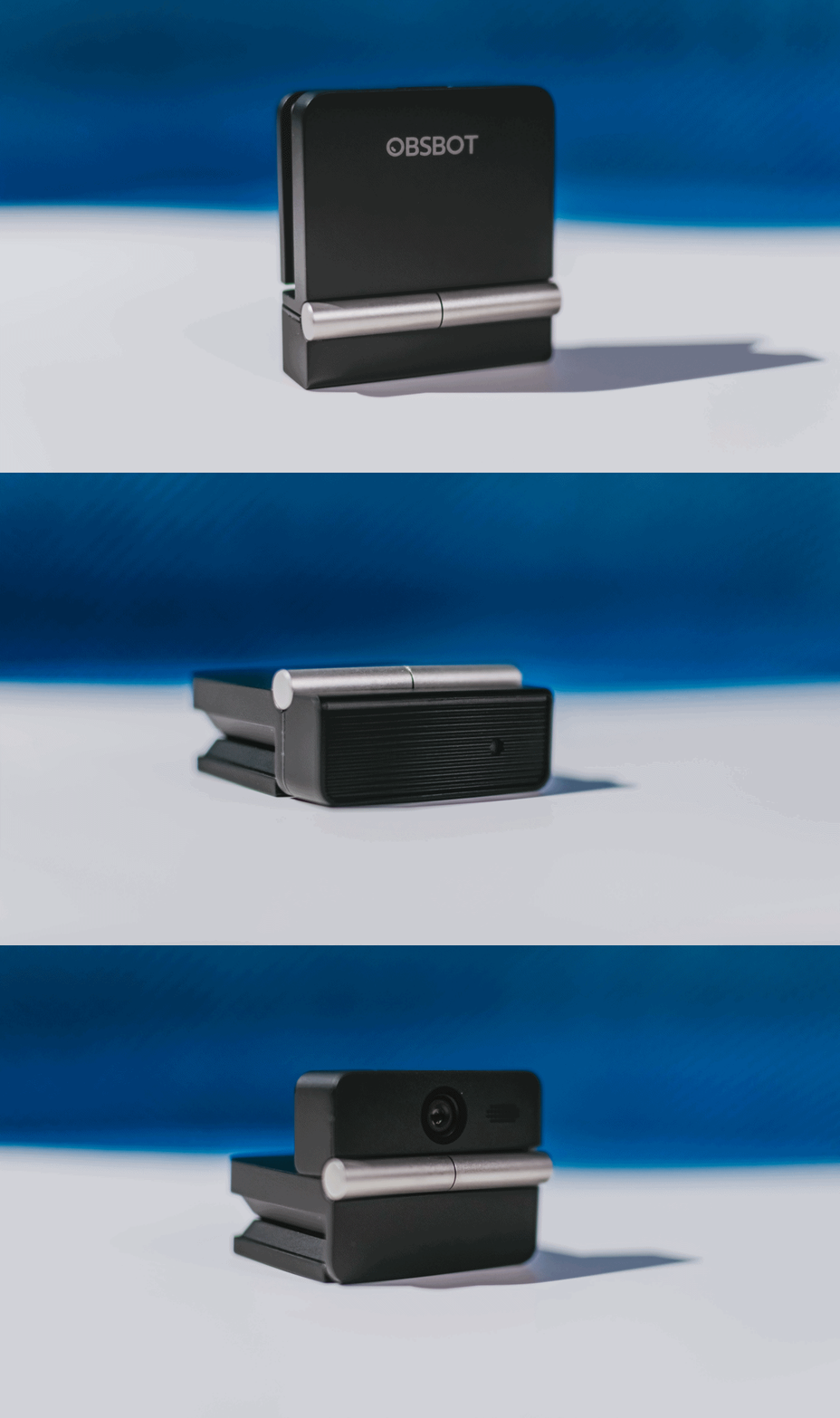
The flip may grab your attention first, but it’s how OBSBOT uses that design alongside its camera, audio, and software features that makes the Meet Flip interesting.
The OBSBOT Meet Flip is now available at US$ 119 and is currently available through OBSBOT’s official store, Amazon US, and select retailers.
Accessories
England, Wales start banning Meta Glasses
The smart glasses are now banned in courtrooms.

Earlier this year, New York became the first state to issue a blanket ban against smart glasses in courtrooms. The new regulation marks one of the first public spaces to prevent the contentious devices. Now, England and Wales are following suit in their courtrooms by banning Meta glasses inside.
As reported by The Guardian, courtrooms in both countries will confiscate Meta Glasses from those taking them into the building. Owners can retrieve them again upon exit.
Like the decision in New York, the English and Welsh bans are simple enough to follow. As it is everywhere, it’s forbidden to record video inside courtrooms in England and Wales. Because Meta Glasses have cameras (and are primarily used for their video capturing capabilities), they fall under prohibited items.
Notably, smartphones are not included on this list, despite having sizable cameras themselves. Although, to be fair, it’s much more difficult to discreetly record video using a smartphone. Smart glasses pride themselves with the ability to take videos seamlessly.
Meta Glasses are having such a moment today. Though some users, especially creators, are excited for them, a significant chunk of the population is concerned over their ability to take videos without subjects knowing they’re being recorded. Some users have even found ways to disable the built-in LED indicators which should, in theory, warn the public that the glasses are recording. It’s since turned into a privacy nightmare.


Now Playing: Assassin’s Creed Black Flag Resynced
Nostalgia does a lot of heavy lifting.


Samsung Galaxy Z Fold8 Review
8 Galaxy Folds later, Samsung finally nailed It!


30 days later with the ASUS ExpertBook Ultra: Like seeing an ex
Felt exactly as I remembered.

Apple is working on AirPods with built-in cameras

Samsung might be working on an even wider foldable

Here’s what you should watch before Avengers: Doomsday

realme 16T to come with 8,000mAh battery, 7-year battery health guarantee

TCL unveils C7L SQD-Mini LED TV, new entertainment lineup

Hands-on: Samsung Galaxy Z Fold8, Flip8, Ultra

VinFast debuts two-wheeler models, opens 21 e-motorcycle showrooms

Garmin launches its first screenless fitness band

Sony announces new FX5 full-frame camera

NBA 2K27 cover athletes unveiled: Wemby, Clark, DRose


-

 News2 weeks ago
OnePlus officially leaves the United States and Canada
-
 Laptops1 week ago
ROG STRIX G16 Review: Building for the moment
-

 Gaming2 weeks ago
Tides of Annihilation opens first public demo at Gamescom 2026
-
 News2 weeks ago
Google will force Android users to use Gemini next month
-

 Gaming2 weeks ago
Gangstar Mirage City launches on August 20 with SEA localization
-

 Gaming2 weeks ago
Street Fighter 6 adds first Filipino fighter Yasmine to its roster
-

 Deals2 weeks ago
nubia expands gaming lineup with Neo 5 Max, Neo 5 GT Special Edition
-
Laptops1 week ago
30 days later with the ASUS ExpertBook Ultra: Like seeing an ex