
Accessories
5 Google Pixel Buds alternatives: Real-time translations


When the Google Pixel Buds were announced, the reaction was along the lines of: “Google’s Pixel Buds translation will change the world.” But, the first thing I thought was, I wonder how it compares to what’s already out there?
I’m a native English speaker, who doesn’t have the best nack for languages. I also live in Taiwan which is a Chinese-speaking country, and I run a German-language website. There is no one more ready for a real-life Bable fish than I am.
Before I head into the Pixel Bud Alternatives, let’s take a quick look at the device that’s turning heads.
Google Pixel Buds
The Pixel Buds are neck buds, not truly wireless earbuds.
To start a translation, you hold your finger down to the earbud and say, “Help me speak French,” and speak a phrase. When you lift your finger, the Translate app speaks and displays your translation. Then, the person you’re speaking to holds a button down on your phone and says their reply, which you hear in your ear.

I’m a little dubious that this is any more convenient than just passing your phone back and forth and doing everything there, but it’s nice that only one set of translations is done over the phone’s speaker. A fairly natural voice does the translation, which is a step up from what we currently hear through Google Translate. This isn’t real time, but it’s very fast.
It doesn’t work offline and the Pixel Buds will eventually be able to translate between 40 languages, but so far, it only translates Japanese.
Google says they should last about five hours on a charge; the case can charge them four times.
I found even more offline translators at StartUp LaunchPad. Found at the Global Sourcing Fair, StartUp Launchpad is a Hong Kong Conference that showcases brand new startups looking for distributors. This happens twice a year and Mobile Geeks has made a habit of attending since it gives a sneak peek at the technology trends that are coming out of China to the rest of the world.
Le Trans

Le Trans is about the size of a bar of soap and can translate 29 languages, which is a lot of combinations! They’re mostly using Google’s translation library but have added in a few others, as well. You use an app to select which languages are being translated but it doesn’t work offline, meaning it’s not a great solution if you’re traveling.
LeTrans will be launching on Kickstarter in December with a shipping date for sometime in 2018. I did get to go hands-on, but the sample wasn’t working, so I’m reserving judgment on this until I have working samples and a price point.
Travis the Translator
Travis launched on Indegogo back in April and raised US$ 1.63 million in funding. Travis can translate 80 languages, 20 of which work offline. It’s not a headset like the Pixel Buds; it’s a MiFi-like pod that has a built-in speaker and headphone jack, so you can plug in your own.
Travis works for up to 12 hours and uses AI to become more intelligent. It works to understand your accent better and provide more accurate translations taking context into account. As you see in the video above, you can just place Travis between you and carry on a normal conversation. You have to wait for the translation to be read out, but it’s very fast and natural.

Travis doesn’t provide a full list of what translation engines they’re using but claims the best translation engine for each language is different, which is why they are using so many solutions. This makes Travis more interesting than Pixel Buds, which as far as I know, just uses Google Translate.
You can pick up Travis for US$ 169 plus shipping through their Indiegogo campaign, but the price will rise to US$ 229 when they go on sale. Travis is meant to ship towards the end of November to current backers and be ready for the market in the winter of 2017.
So far, I think that Travis offers the most interesting solution for a live translation device. For a full list of all 80 languages, visit their website.
Pilot Translating Earpiece
Pilot fits into your ear, offers live translation of 15 languages, and will stream music, take calls, deliver notifications, or act as your phone’s personal assistant. You can share the earpiece with the person you’re having the conversation with so you can both have a translation device. I have strong feelings against sharing my earbuds with a stranger, so it’s a good thing that you can use the Pilot app on the phone to listen and translate.
Currently, Pilot is not available offline, but they’re planning on adding it later. You’re also dependent on using the app for translation and the app will be available for free in November so you can download it to find out if it’s any good.
Pre-orders of the Pilot Translating Earpieces start at US$ 249 (US$ 299 when it goes on sale) and come with free access to Latin/romance languages (French, Italian, Portuguese, Spanish, along with English). However, adding more languages like Arabic, Mandarin Chinese, German, Greek, Hindi, Japanese, Korean, Polish, Russian, Turkish, etc. will cost you more.
Ili Wearable Translator
Ili can be worn around your neck or simply held in your hand and pointed at people’s faces, like in the video above. Ili is around the same size as your phone, but it’s not as wide. It doesn’t offer instant translation and has 0.2 seconds of delay.
Ili isn’t a universal translator — it’s travel-focused — so this is the context of the content it has available. Due to its limited size and the fact that it’s offline, it essentially holds a translation dictionary.

That said, there is quite a lot encompassed in the travel: “Ili is here to help you when it comes to dining, shopping, finding transportation, and much more,” according to the company. If you believe their YouTube channel, these are quite a lot of scenarios.
The biggest issue/disappointment is that Ili is one way — one language to another, not back again. Forget having a conversation, Ili claims that its goal is to help you be understood by others. Understanding what’s being said to you will have to wait for another version.
Ili has support for three languages from English, meaning English to Spanish, Mandarin, or Japanese and two languages from Chinese.
Bragi Dash Pro
Bragi Dash Pro is currently available and Mobile Geeks has reviewed it. Though I can’t say we were impressed with the performance, I’m hopeful it’ll improve.
All you need to do to have a conversation with someone who speaks another language is throw Dash Pro earbuds in, and you’ll instantly be able to understand someone who’s speaking in one of 40 foreign languages.
The problem is that there’s no compelling reason to use the Dash Pro for translation, unless both people in the conversation are using the earbuds. You can’t hand one earbud off to the other person so they can also benefit from the translator. If the other person doesn’t have their own pair of headphones, you still have to hold your phone out so that the person you’re talking to has a microphone to talk into and a speaker to hear your own words translated into their language. Otherwise, they’d have to talk directly into your ear, and they wouldn’t get your voice translated back into their language. At that point, it’s far easier for you to both speak into — and hear translations from — the same device.
The earbuds act as an accessory for an app called iTranslate, which already claims five million monthly active users and is one of the more high-rated translation apps in both the Apple Store and on Google Play.
This article originally appeared on Mobile Geeks. Nicole Scott, who was GadgetMatch’s companion and guide to its very first StartUp Launch Pad experience, shared her experience on the bi-annual conference at the Global Sourcing Fair in Hong Kong.
SEE ALSO: Ideebank Mic is a portable karaoke machine
SEE ALSO: Nemonic mini printer prints sticky notes, doesn’t need ink!
[irp posts=”23754″ name=”Gululu water bottle is also a virtual pet”]






Accessories
Insta360 Flow 2 update improves Android support, adds new iOS features
Better Android lens support

Insta360 Flow 2 update improves Android support, adds new iOS features
Excerpt: Better Android lens support
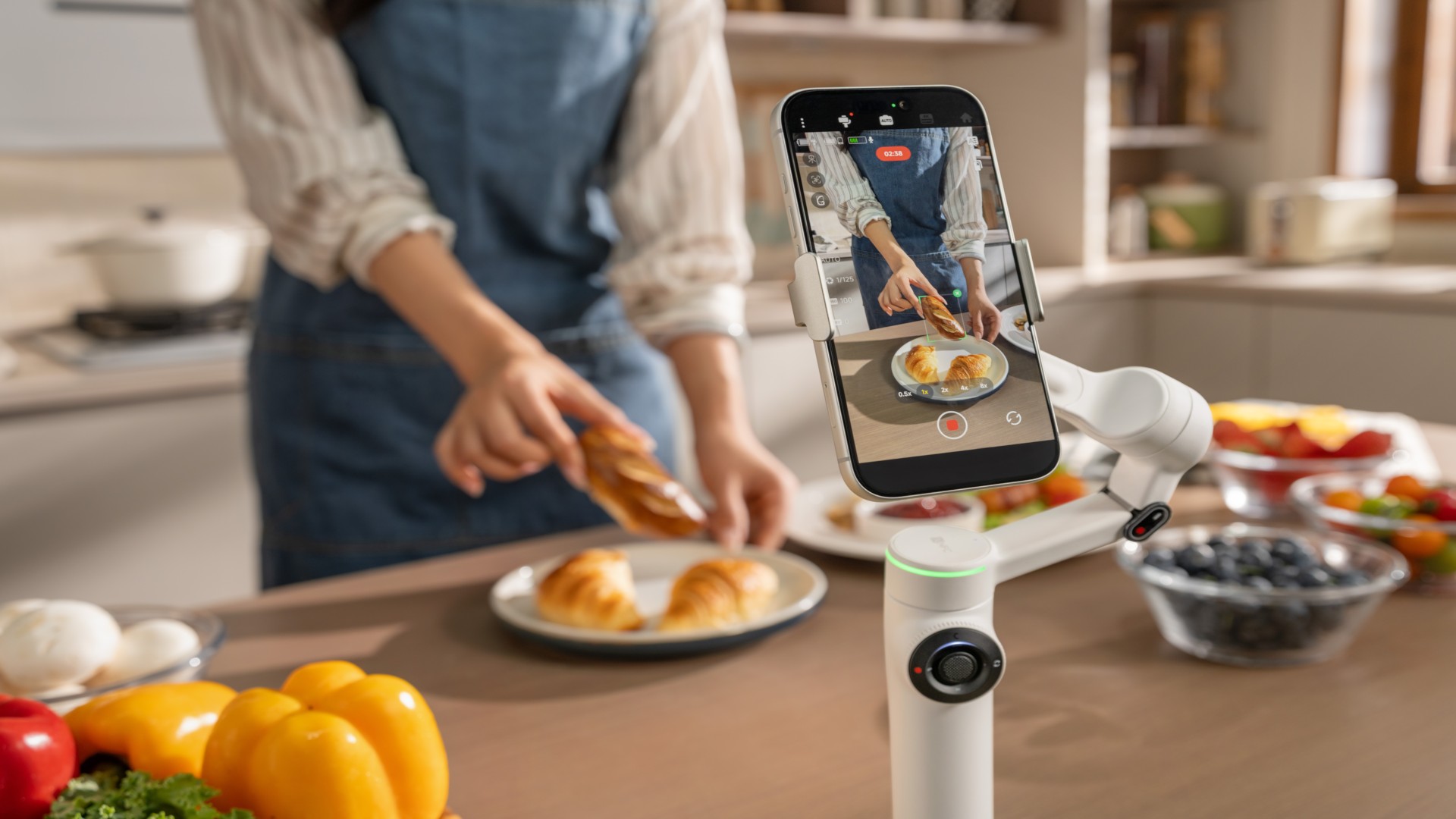
Insta360 has released a major spring update for its Flow 2 series handheld gimbals, bringing wider Android compatibility and new features for iPhone users.
The update focuses on improving how the Flow 2 and Flow 2 Pro work across different devices. It expands support for flagship Android phones while adding new shooting tools for iOS, making hands-free, stabilized video easier to capture without extra gear.
Android finally gets full lens access
One of the biggest changes is native multi-lens support on Android. When paired with the Insta360 app, the Flow 2 series can now access ultra-wide and telephoto lenses on supported devices from Samsung, Google Pixel, vivo, OPPO, and more.
This means users can shoot at full resolution using their phone’s native cameras, whether capturing wide landscapes or zoomed-in details. The update brings Android performance closer to what iPhone users have been getting, especially in more dynamic shooting scenarios like concerts, sports, and vlogging.
The improved lens access also works with features like Widescreen Mode, helping users create smoother, more cinematic footage with better framing flexibility.
Faster 360 panoramas for quick sharing
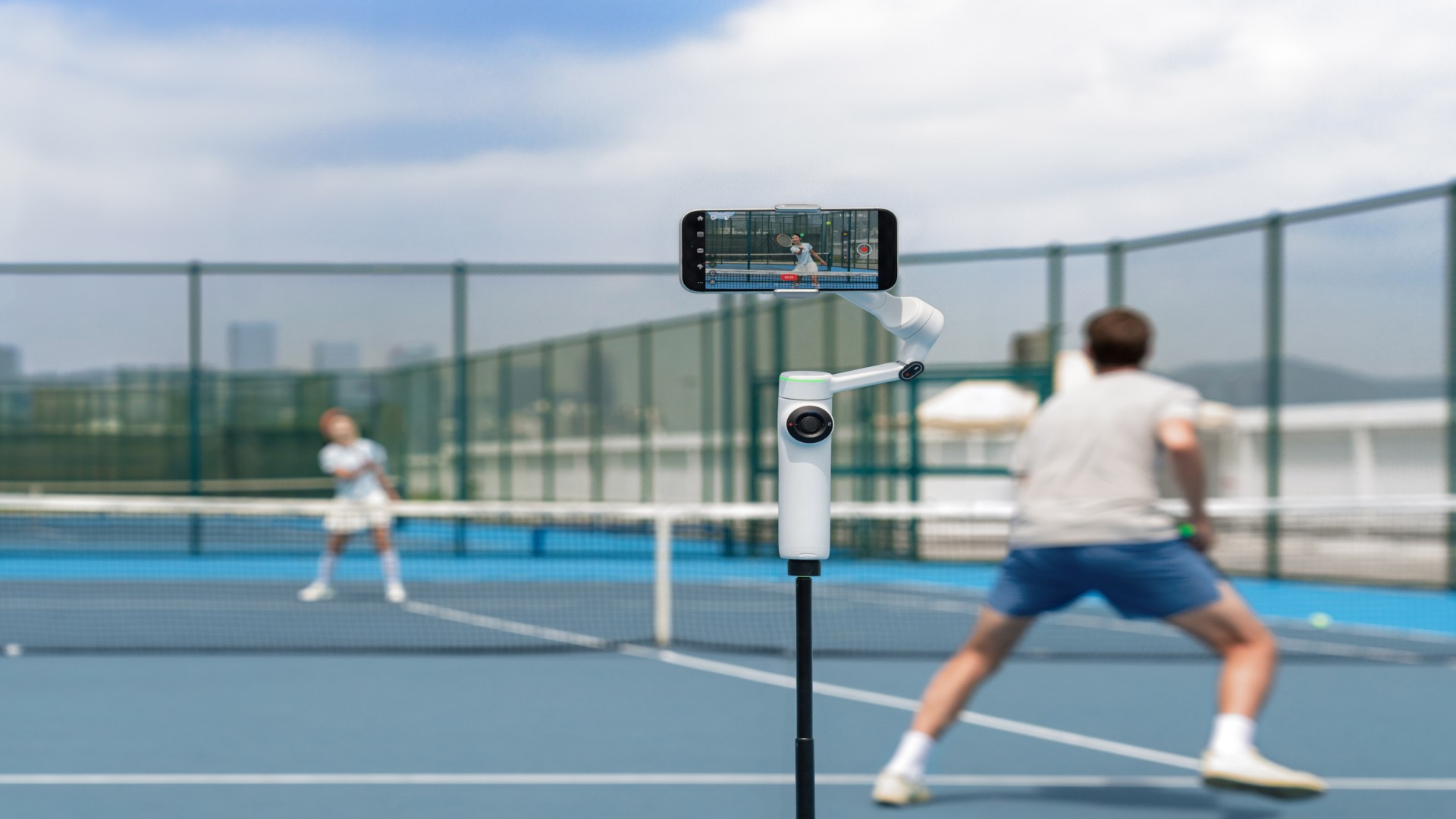
The Flow 2 series continues to stand out with its ability to capture full 360-degree panoramas. With the new 360 Panorama 2.0, stitching is now 50% faster, producing results in about 20 seconds.
Users can capture everything in one go, then choose their preferred framing afterward. The feature also supports interactive sharing via links, letting viewers pan and explore the image on platforms like TikTok and Instagram.
Creative templates such as Tiny Planet are also available for quick edits, making it easier to turn panoramic shots into shareable content.
Dual View adds more angles in one take
Dual View Mode introduces multi-angle recording without the need for additional cameras. It allows simultaneous recording using the front and rear cameras, or even dual rear lenses, producing three clips in a single take.
This is useful for creators who want to capture reactions alongside the main shot or experiment with different focal lengths at once. Combined with AI tracking, the feature keeps subjects centered while adding more variety to footage.
Apple Watch control for hands-free shooting
For iPhone users, the update adds Apple Watch control, turning the watch into a remote for the gimbal.
Users can start or stop recording, adjust settings, switch modes, and even control zoom using the Digital Crown. This allows for better control during solo shoots, especially when the phone is mounted on the gimbal at a distance.
Smarter tracking and remote control tools
The update also improves several AI-powered features across the Flow 2 series.
AI Tracker now works across more Android apps, enabling subject tracking during video calls, livestreams, or hands-free recording. Multi-person tracking keeps groups in frame, while Active Zoom Tracking allows up to 15x zoom while maintaining focus on moving subjects.
There’s also a new smartphone remote control feature, which lets users operate the gimbal using a second phone. This adds flexibility for more complex shooting setups without interrupting the shot.
Availability
The update is available now through the Insta360 app and the official website. Compatibility may vary depending on the smartphone model.
Accessories
Jabra launches PanaCast Room Kit for simpler hybrid meetings
The function room setup that doesn’t need an IT guy


Jabra is expanding its hybrid work ecosystem with the new PanaCast Room Kit.
It’s a video conferencing solution built for meeting rooms. But it skips the usual complexity. No tangled cables, no custom programming, and no need for IT on standby.
The kit is designed for teams of three to 15 people. Setup takes minutes: Connect the cameras, place the speakers and microphones, and link everything with a single cable.
That’s it. A standard room becomes a smart collaboration space without the usual friction.
Built for inclusive meetings
At the center of the experience is the PanaCast 55 VBS.
It uses a 180-degree multi-camera system powered by onboard AI. Jabra’s Virtual Director technology tracks speakers and reframes the view in real time.
Everyone stays visible. Even those seated at the far end of the table.
The goal is simple. Make remote participants feel like they’re in the room.
Audio keeps up with that promise. The PanaCast SpeakerMic extends coverage up to 11 meters. Every voice comes through clearly and at a consistent volume. No need to raise your voice just to be heard.
No-fuss by design
The system adds a Huddly L1 camera for a secondary angle. This gives meetings a more complete and inclusive view.
There’s also the Jabra Control IP touch controller. It handles meetings with simple, one-touch controls.
Everything works together with minimal input. No manual pan-tilt-zoom adjustments. No audio balancing. The AI handles it.
Enterprise-ready, plug-and-play simple
The PanaCast Room Kit is fully UC-certified. It works with Microsoft Teams, Zoom, and Google Meet.
It also runs on the Microsoft Device Ecosystem Platform (MDEP), bringing enterprise-grade security and reliability.
The idea is straightforward. High-end meeting tech shouldn’t be hard to use.
From small huddle spaces to larger boardrooms, the kit scales without added complexity. It removes the usual barriers to hybrid collaboration.
Whether it’s a quick team sync or a full boardroom discussion, the PanaCast Room Kit aims to give everyone a front-row seat.
Accessories
Sony announces open-back INZONE H6 Air
Deeper and tighter bass, more immersive gaming soundscape
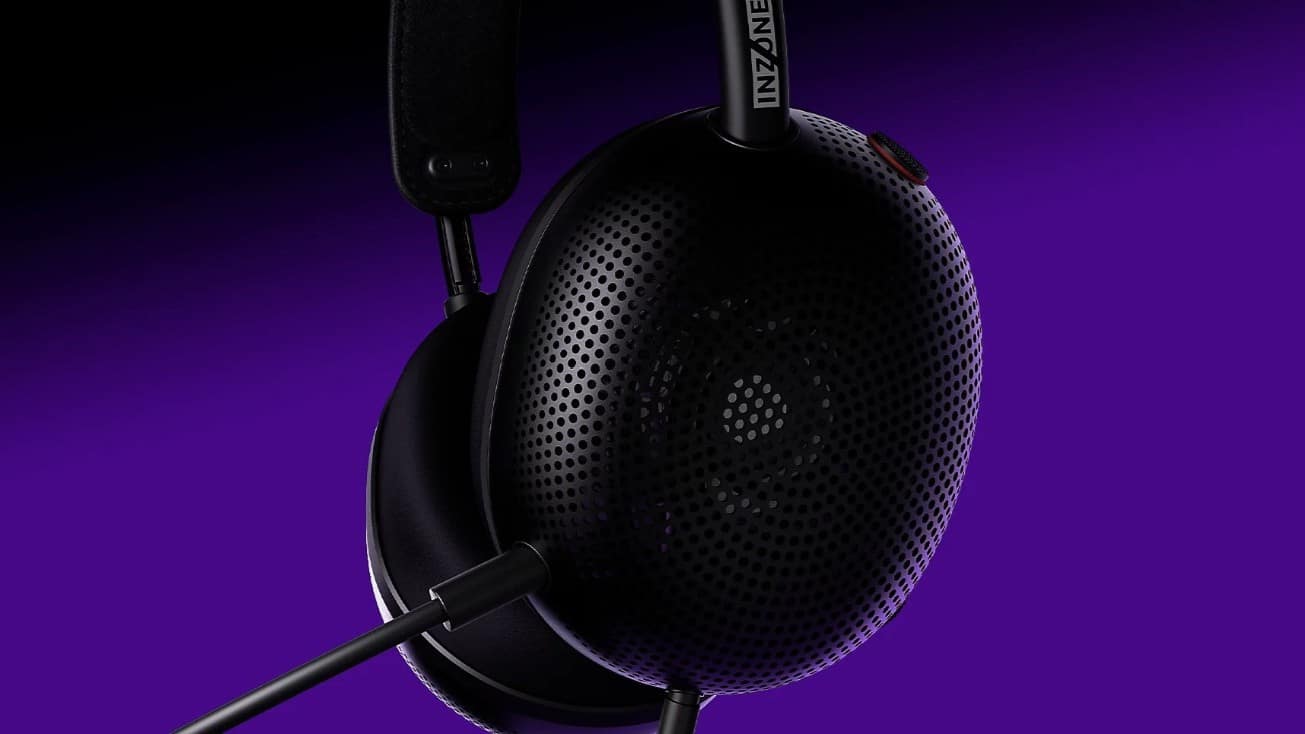
Gamers are set to get another immersive headphones from Sony with the launch of the INZONE H6 Air.
This latest offering features an open-back acoustic structure and custom drivers for deep and tight bass, thanks to back ducts integrated into the drivers.
The open-back structure also helps with a realistic immersive sound field, making gamers feel they are in the game space.
This design minimizes internal reflections by leaving the housing unobstructed. The result is accurate sound field reproduction exactly as game creators intended.
The Sony INZONE H6 Air also features precision-tuned driver units engineered with the same technology as Sony’s renowned MDR-MV1 open-back studio monitor headsets. It is specially adapted for this particular wearable.
Back ducts integrated into the driver unit help deliver deep and controlled bass reproduction, while maintaining clear separation of mids and lows. This detail is helpful especially for titles where rich sound detail matters.
Crafted with premium aluminum, the INZONE H6 Air is also one of Sony’s lightest gaming headsets at just 199 grams. The headset uses the same spring hinge headband design seen on the INZONE H9 II.
Furthermore, the headset features an “RPG/Adventure” equalizer profile as it is developed with sound engineers from PlayStation Studios.
This specific profile is optimized for RPG and adventure titles, recreating the acoustic experience of a sound studio and delivering an immersive listening experience.
An additional cardioid boom mic focuses on voice angled towards the user’s mouth, eliminating unnecessary side noise.
Fnatic Edition devices, INZONE Buds Glass Purple
In addition to the Sony INZONE H6 Air, Sony has launched the Fnatic Editions of the INZONE Mouse-A, INZONE Mat-F, and INZONE Mat-D.
This next step in the collaboration between Sony and Fnatic makes the professional esports club even more present in fans’ daily gaming experience.
Rounding out the new releases is the INZONE Buds in Glass Purple colorway. This joins the previous black and white options, giving owners plenty of choices to suit their styles.


vivo X300 FE review: Don’t judge the camera by its cutout
A midrange-sized camera bar doesn't mean mid camera performance


PRAGMATA is not for the faint of heart
Already a Game of the Year contender for all the feels

5 games with the nubia Neo 5 GT 5G
Niche device, but is worth the price?

Zero Latency VR is opening its first local venue this July

New luvit card offers flexible Buy Now, Pay Later installments

These are the best Android 17 features (if you hate AI)

Sony Xperia 1 VIII arrives with AI Camera Assistant, bigger telephoto sensor

Switch 2 finally gets a Choose Your Game bundle


-
 Singapore1 week ago
vivo Y Series launches in Singapore with bigger battery, durability upgrades
-

 Automotive2 weeks ago
The VinFast VF6 is perfect for urban travelers
-
Gaming1 week ago
PRAGMATA is not for the faint of heart
-

 Features2 weeks ago
A Galaxy summer to remember
-

 Laptops6 days ago
Spotlight: ASUS Zenbook A16
-

 Gaming1 week ago
Star Wars: Galactic Racer launches October 6
-

 Gaming7 days ago
Stranger Than Heaven is a Yakuza prequel with Snoop Dogg
-

 News6 days ago
iPhone 17 is the best-selling phone of 2026 so far