


Laptops
Dell Latitude 7390 2-in-1 Review: The complete business laptop
Yet another great business laptop from Dell

It’s not every day that I get to review devices designed for business. If you haven’t noticed, there are laptops meant for average consumers while others are for enterprise. What I have here is part of the Latitude lineup from Dell, which is basically their business-oriented series.
I’ve always loved using a ThinkPad (when it was still under IBM) back in the day when bulky and heavy laptops were a common sight, and the Dell Latitude 7390 2-in-1 kinda gives off the same vibe but with a modern kick, of course. Since the name already implies it, this business laptop has a 360-degree display hinge. That means it can all do the usual modes we’ve seen on other 2-in-1s in the market.

Right off the bat, the Latitude 7390 2-in-1 is not the most interesting laptop you’ll see. Let me run you through the physical aspects of the laptop starting with the display.
This 2-in-1 laptop has a 13.3-inch IPS screen with a 1080p resolution, multitouch input, and Active Pen support. According to Dell’s specs sheets, it’s got Gorilla Glass 4 which explains why the display feels so smooth when I use it as a touchscreen, yet it’s tough and scratch-resistant.
You can also see that it has pretty slim side bezels — a trend not only found on smartphones. The top and bottom portions of the display are about the same size as with most regular laptops, which means you get a webcam that’s in a proper position. The extra bezel real estate also acts as resting place for your thumb when using the 2-in-1 in tablet mode.

As for the ports, the Latitude 7390 2-in-1 has plenty! This is what I love about business laptops, they don’t compromise ports and they stay away (as much as possible) from dongles. On the left side, we have two USB 3.1 Type-C ports (with DisplayPort and Thunderbolt 3 support), a full-size HDMI 1.4, and a USB 3.1 Gen 1.
To the right is another USB 3.1 Gen 1 port, a microSD card reader, 3.5mm combo jack, and a Noble Wedge Lock slot. The power button and volume rocker are also on the right side, making them accessible even if the laptop is positioned differently. There’s also a SIM card slot in select models (like mine) if you want to put a data SIM for LTE connectivity.

For a modern and sleek laptop, the Latitude 7390 2-in-1 has a plethora of ports. It’s not that bulky either and I find its size to be just right for my lap. Most ultra-portable notebooks I’ve used lately only have a couple of USB-Cs, so having full-size ports brings back the convenience I missed. No dongles, no adapters.
Another business-like trait of this laptop is its keyboard. If you’re already accustomed to short-travel keys, typing on the Latitude 7390 2-in-1 is a breath of fresh air. It’s not as great as I’d like it to be because it’s a bit on the mushy side; I want a more positive response when typing like what I get from mechanical keyboards, but without the clicky noise. Having said all that, the keyboard is still a joy to type on.
The trackpad, on the other hand, is so-so. It’s a two-button touchpad using Windows Precision Drivers with a smooth yet textured surface. I definitely prefer glass touchpads, but this ain’t bad either.

The overall color of the device is black which makes the laptop look stealthy yet appealing. Even my colleagues prefer the look of the Latitude 7390 2-in-1 over some of the other laptops we’ve reviewed. But, as the one who used the Latitude 7390 2-in-1 as a daily computer for three weeks now, there’s more to the looks of it.
Built from magnesium and coated with soft-touch matte black paint, the Latitude 7390 2-in-1 feels solid and sturdy. The matte coating certainly helps with the grip and overall feel of the laptop. There’s no creaking and I never had an issue with the display’s hinge — no wobbling whatsoever. Perhaps, the only gripe I have about having an extra firm hinge is not being able to open the laptop with one finger.
A business-minded design is not necessarily blunt
When we went to Taipei for Computex 2018, the Latitude 7390 2-in-1 was my daily driver, and I was thankful for having it with me. The particular model I have has an 8th-gen Intel Core i7 with 8GB of memory and 256GB SSD. That’s more than enough to keep the laptop from slowing down when I have multiple programs open.
I’m not exactly a heavy-user of laptops since my work is mostly done online, but imagine having Google Chrome with multiple tabs opened and pinned at the same time. I didn’t have to worry about lags and I never had a single issue in performance.

Above is a photo of me remotely working on a bench in one of the spacious streets around Taipei. This is a typical scenario where I have to pull out my laptop and get some quick work done while roaming around. This is when I noticed that the display’s maximum brightness is not enough to battle the sun but if it’s cloudy, the anti-reflective coating of the display (Dell’s claim there is) helps with the visibility of the screen’s content.

Since it’s a 2-in-1, I have to take advantage of the 360-degree hinge. For business, setting the laptop in stand mode (pictured above) puts it in an ideal position for presentations. Or, if you’re like me, you can use it to binge-watch shows on Netflix and enjoy GadgetMatch videos on YouTube.
Before I used the Latitude 7390 2-in-1 as my main laptop, I had been using an ultra-portable notebook and a tablet convertible. The limitations of the two, especially with the ports, were a deal-breaker for me. Maybe that’s why I love using the Latitude 7390 2-in-1 — it has all the ports I need plus I can rely on its robust (but not bulky) body.
It can last the whole day
To be honest, I’d recommend the Latitude 7390 2-in-1 to anyone looking for a laptop that can last on the road. With its built-in 60Whr battery, I can work and play on the laptop for almost 10 hours before it automatically puts itself to sleep. When it’s time to plug it in, the included 60W charger fills up the laptop in just an hour and 45 minutes.
Did I already mention that the laptop charges through USB-C? This means you can use your laptop’s charger for your phone, so you’ll need to bring only one charger for all your USB-C devices.

Charging via USB-C doesn’t only simplify things, it also brings new possibilities. Throughout my usage of the Latitude 7390 2-in-1, I seldom brought its charger. Instead, I carried a pretty big power bank that’s capable of charging laptops through USB-C ports.
If you think power banks are just for smartphones, you’re mistaken. Dell also sells a power bank called Notebook Power Bank Plus with a high 65W power delivery, so it’s capable of charging laptops including the new MacBooks.
Is this your GadgetMatch?
Obviously, it’s my GadgetMatch, but my needs and preferences are not the same as yours. If you’re looking for a laptop that complements office lifestyle, the Dell Latitude 7390 2-in-1 will surely be a perfect companion priced at PhP 76,000 for this configuration in the Philippines.
Even if you want a laptop you can use every day that doesn’t limit your productivity, the Latitude 7390 2-in-1 is still a great choice. This isn’t a multimedia or gaming laptop, but light gaming and common editing software (e.g. Adobe Photoshop and Premiere) will work fine.






Editors' Choice
GadgetMatch Awards: Best of IFA 2026
Xiaomi 18 Fold, Govee, XGIMI, ARZOPA, Cuktech and more!


We’re back at IFA 2026 in Berlin, checking out some of the coolest and most interesting tech on the show floor.
From smart home lighting and portable displays to projectors, power solutions, foldables, and more, these are some of the products and brands that caught our attention this year.
In this video, we take a look at:
- AI Lighting https://bit.ly/4xmY342
- Z3FC Portable Monitor https://bit.ly/4gRk7wD
- D14 Digital Photo Frame https://bit.ly/4qYlRJ6
- 30 Ultra Desktop Charging Station https://s.whaee.com/tXBornw
- 10 Ultra Charger https://s.whaee.com/UsWT4U2
** Use code CUKTECH09, valid until September 30
XGIMI
ASUS x NVIDIA RTX SPARK
- ProArt P16: https://asus.click/h7607_gm
- ProArt P14: https://asus.click/h7407_gm
- ProArt GR1X
Watch until the end for our favorite finds from IFA 2026!
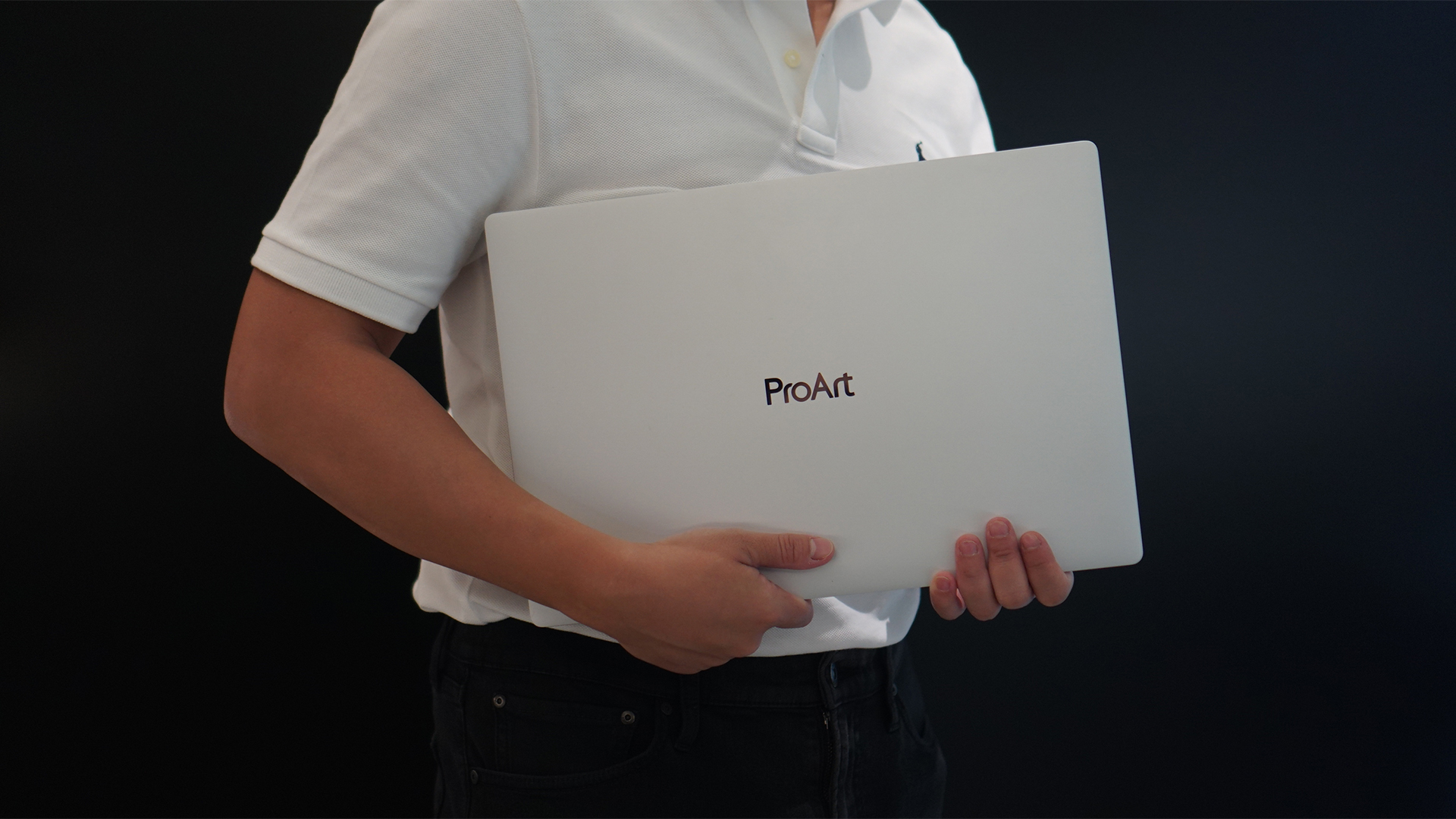
Select ASUS and ROG laptops now come with three months of Google AI Pro or Google AI Plus at no extra cost. The offer starts September 7 and covers eligible models from the 2025, 2026, and upcoming 2027 lineups.
Google AI Pro includes 5TB of cloud storage, while Google AI Plus comes with 400GB. Both plans also provide access to a range of Google’s AI-powered tools and features.
More Google AI on ASUS laptops
Eligible customers can use the Google Gemini app, Deep Research, Google Flow, Gemini in Google apps, and Gemini Notebook, among other features. Availability varies depending on the Google AI plan and supported features.
Google AI Pro offers higher usage limits and expanded access to Google’s more capable Gemini models. It also includes additional developer and agentic tools such as Google Antigravity, Jules, and AI Studio, subject to availability and plan terms.
Google AI Plus provides elevated access to Google’s AI tools alongside features for creative generation and productivity.
The offer covers more than just AI features. Google AI Pro’s 5TB of cloud storage and Google AI Plus’ 400GB give users additional space for documents, photos, videos, research, and other projects.
Available across select ASUS models
The one-year program starts September 7 and applies to selected ASUS and ROG laptops in supported markets. Eligible models span the ROG, TUF Gaming, ProArt, Zenbook, and Vivobook families, including select 2025 and 2026 models and upcoming 2027 devices.
Customers can redeem the offer exclusively through the MyASUS app. ASUS has published the full list of eligible models and the offer’s terms and conditions on its website.
Check the full list of eligible ASUS laptops
ASUS is also running its No. 1 Quality, School-Ready Deals promotion until September 15, 2026. The promo offers additional deals for students, gamers, and professionals buying select ASUS and ROG devices.
The company’s No. 1 Quality and Service package also includes up to three years of international and local warranty, service access across more than 90 countries, and over 100 ASUS Service Centers and Drop-Off Points in the Philippines. Eligible laptops also come with one year of Local Accidental Damage Protection and up to six free device cleaning claims.

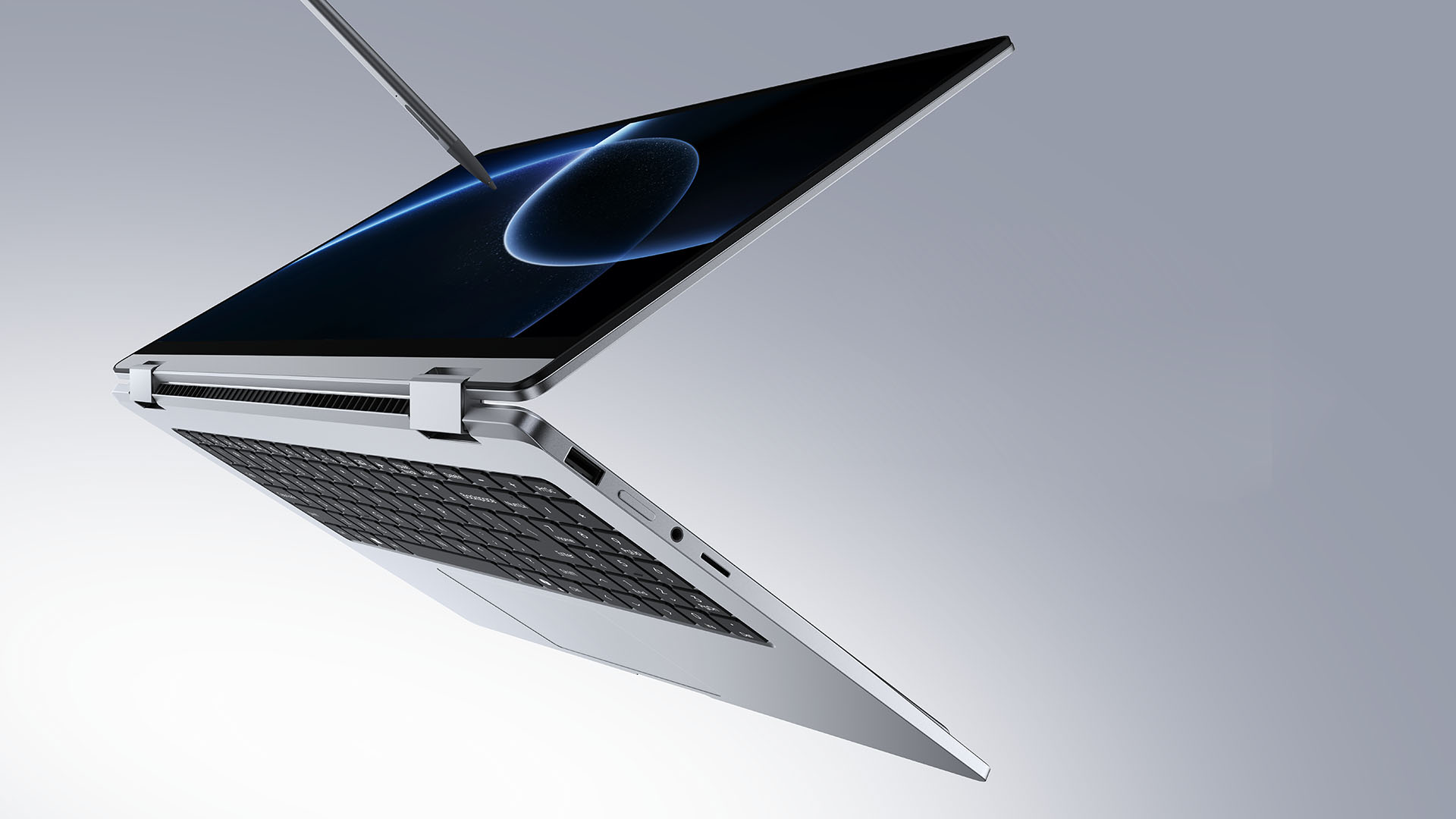
TECNO is making its MEGABOOK lineup a little more flexible.
At IFA ShowStoppers 2026, the uprising tech brand unveils the MEGABOOK T15 360 with two more laptops and three phones tagging along.
One laptop, four modes
The MEGABOOK T15 360 series is the brand’s first laptop lineup with a 360-degree hinge and touchscreen display.
By that, it’s more than just a conventional laptop. It can also be a tablet or a portable display via Tent mode or Stand mode. This added feat makes everything more versatile as TECNO’s existing laptops are only limited to the clamshell form factor.
Both models feature a 15.6-inch screen with the standard 16:9 aspect ratio. As alluded earlier, it’s a touchscreen laptop consisting of 10-point multitouch points. There’s also optional MPP 2.0 active pen support if you want to write or draw directly on the display.
So what’s the difference?
Well, the regular T15 360 gets a Full HD 60Hz panel with 320 nits brightness.
Meanwhile, the Pro version takes it up a notch with a faster 120Hz refresh rate, sharper 2.5K display resolution, full 100% sRGB coverage, and higher 350 nits brightness.
Both laptops come in an all-metal chassis made using CNC machining. The convertible design doesn’t come at the expense of a more conventional laptop build.
Performance uncompromised
TECNO isn’t treating the T15 360 as a lightweight convertible that has to compromise on performance.
You can get up to an Intel Core Ultra 9 185H processor, paired with an LPDDR5X RAM. The storage is based from PCIe M.2 2280 SSD — with select models having a secondary M.2 slot for utmost expansion.
There’s also a 70Wh battery plus support for a speedy 65W PD GaN charger. Connectivity includes up to Wi-Fi 6E and Bluetooth 5.4, alongside seven built-in ports.
Practical stuff were neither forgotten. There’s a backlit keyboard with a dedicated number pad, a fingerprint reader underneath its power button, dual speakers with DTS Ultra, a webcam, and dual digital microphones.
TECNO’s OneLeap feature also rounds things out by letting the MEGABOOK work with other TECNO’s smartphones, tablets, and other PCs for cross-device collaboration.
Two more MEGABOOKs
TECNO also brought two other MEGABOOKs to IFA.
The MEGABOOK K15S WCL is the more straightforward option. It uses Intel’s newer Wildcat Lake platform with a 16:10 display, a 70Wh battery, and 65W GaN charging — all in a premium, all-metal body.
Then there’s the MEGABOOK T17 Ultra. Ultra by its name, it goes big with a massive 17.3-inch 16:9 display. It can be configured with up to an Intel Core Ultra 9 processor and LPDDR5X memory. It also features a massive 99.99Wh battery and speedy 100W GaN PD fast charging.
Wait! There’s even more…
Beyond laptops, TECNO reveals the true form of its Next-Gen Bezelless Concept Phone at IFA 2026.
As announced more than a month ago, this concept uses a redesigned display architecture, internal stacking, structural engineering, and screen packaging to eliminate the physical black border around the display, resulting in what TECNO calls a true 0mm display border.

Beside a phone prototype, there are two consumer-ready products as well.
The POVA 8 Pro 5G Tonino Lamborghini Limited Edition combines the POVA series’ performance-focused approach with Tonino Lamborghini’s design language.
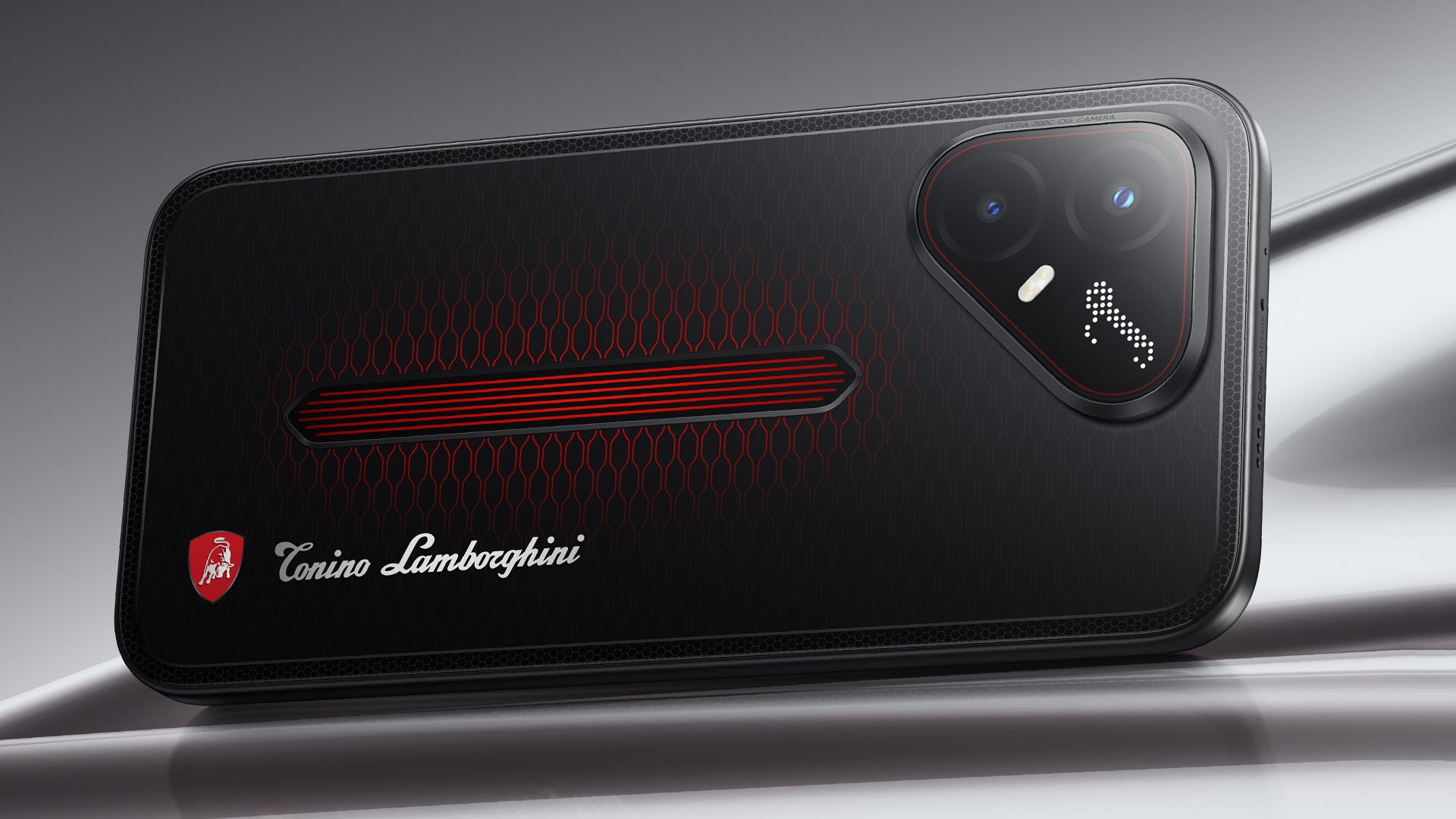
It uses a MediaTek Dimensity 7400 Ultimate 5G chipset alongside TECNO’s custom-made P1 Graphic Chip and a 5K IceShield vapor chamber cooling system. Specific details will be announced on September 4, 2026.
Meanwhile, the CAMON Slim 5G focuses on a thinner form factor, measuring just 6.39mm thick.
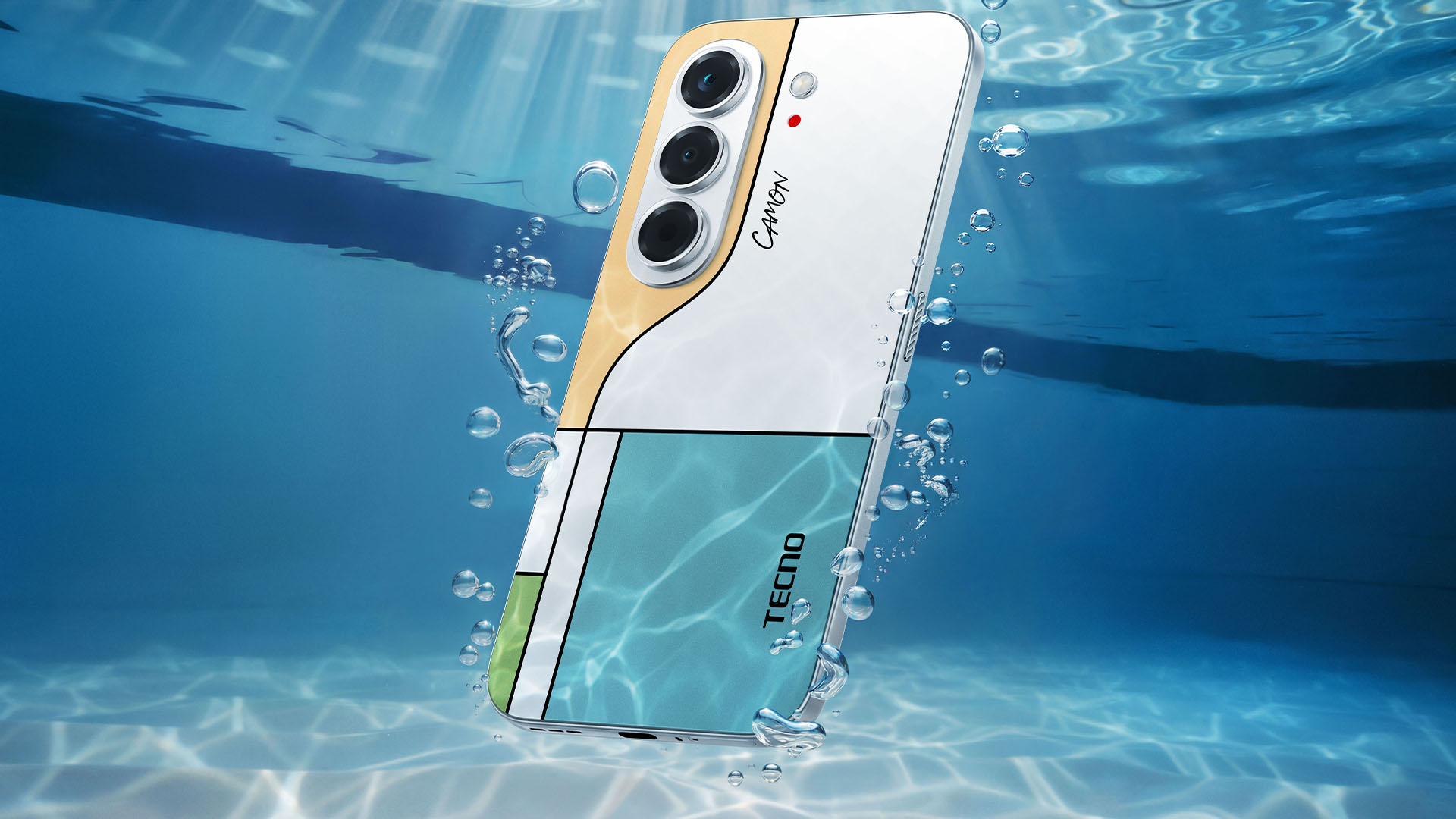
TECNO says it combines the CAMON line’s imaging features with AI capabilities and artistic colorways. More specifications will be revealed on September 7.
Pricing and Availability
The MEGABOOK T15 360 Series is expected to arrive in Europe by Q4 2026.
Depending on the configuration choice, the MEGABOOK T15 360 will start between EUR 899 ~ EUR 999. The MEGABOOK T15 360 Pro will cost as much as EUR 1099.
No pricing info were announced for the other MEGABOOKs and two phones as of writing.


DJI Lito X1 review: Is this the best lightweight drone for creators?
Making a strong case as a travel companion and a capable B-cam!


REDMI Note 17 Pro Max review: A new breed born from AI greed
Welcome to the new normal


Marvel’s Wolverine review: When the claws come out
A brutal, cinematic superhero adventure

Jackery Explorer 300D: Power and portability in one

Nike’s Alphafly 4 is built for the part of the marathon ~that actually hurts~

SEGA, Netflix announce Crazy Taxi film adaptation

Smart launches LiveSmart App for exclusive deals
DJI Lito X1 review: Is this the best lightweight drone for creators?

TECNO MEGAPAD 2 review: Eyes on the size

realme 16T 5G with 8000mAh battery, IP69 Pro rating launches in PH

HUAWEI Pura X View is 2026’s first WIDE slab-type smartphone

REDMI reveals the refreshed Note 17 and Note 17 Pro series

REDMI Note 17 Series: Price, availability in Singapore


-
 News2 weeks ago
HUAWEI Pura X View is 2026’s first WIDE slab-type smartphone
-

 News2 weeks ago
The CAMON Slim 5G is TECNO’s latest ultra-slim smartphone
-

 News1 week ago
iPhone 18 Pro series: Price, availability in the Philippines
-

 Automotive2 weeks ago
Ford’s new Everest lineup brings V6 engine to the top, tech down the line
-
 Singapore1 week ago
iPhone 18 Pro series: Price, availability in Singapore
-
 News1 week ago
iPhone Duo: Price, availability in the Philippines
-
 IFA 20262 weeks ago
XGIMI announces AURA 3 Series 4K 120Hz UST projectors
-

 Philippines2 weeks ago
Smart cuts 5G Home WiFi price