


Most of the applications you’re currently using must have rolled out their own version of dark mode by now. The smooth transition from a light to dark interface can be done through a push of a button, or by sending the moon emoji on Messenger. A lot of people also find dark mode quite sexy, and that’s probably because of the screen they’re looking at.
A lot of newly released smartphones now have OLED screens, and dark mode seems to work best on such displays! But why is that? How do OLED panels allow dark mode to flourish?
Better, blacker, affordable screens
Organic LED (light-emitting diode) or OLED is essentially a kind of display technology. In a nutshell, OLED panels allow for better and clearer images and colors.
Thin layers of carbon fiber make up OLED screens. Because of these lightweight fibers, screens show brighter and more vibrant colors. Apart from that, OLED screens show deeper blacks and reduce instances of motion blur when navigating. The best part is that OLED screens are becoming gradually cheaper to manufacture. That explains why more and more of today’s smartphones use this panel.
More colorful than the rest
In comparison to regular LED screens of the past, OLED promises more accurate colors by producing light from individual pixels, instead of relying on backlighting. Back then, LCD screens relied heavily on the backlight of the display to make colors pop. Although, such displays also make the colors seem washed, especially when compared to OLED.

Image credit: Denise Chan
However, OLED’s colors don’t always turn out better than on LED and LCD screens. One such case is when you turn your screen’s brightness to its maximum, especially under strong daylight conditions. LED and LCD screens are designed to perform relatively better in color accuracy when your screen’s brightness is set to max. OLED screens were not designed for maximum brightness, so colors at that point would be saturated.
Which OLED is best?
There are two types of OLED technologies that currently exist: AMOLED and PMOLED. A lot of people hear AMOLED tossed around a lot because lots of smartphones use it. Essentially, AMOLED uses a storage capacitor that controls how much light each individual pixel will give off. It’s the one responsible for projecting all sorts of vibrant colors on most OLED smartphone screens. Apart from that, AMOLED screens do support wider resolutions at a more affordable and efficient rate.

PMOLED, on the other hand, does not have a storage capacitor and instead relies on user control. Essentially, the user will control lighting settings, and the individual pixels will adjust accordingly. You can find PMOLED screens on smaller devices like older iPods and pocket Wi-Fi devices. Take note that these screens use more power to implement such color changes.
Joining the dark side
Ever since dark mode rolled out for different apps and interfaces, people have been contemplating on switching to it — and for good reason. On normal LED or LCD screens, the new feature does not bode well with the technology. The depth of the black their dark mode possesses is not reflected well, to the point that the blacks look more gray than actual black. This is much more obvious when the screen’s brightness is turned all the way up.
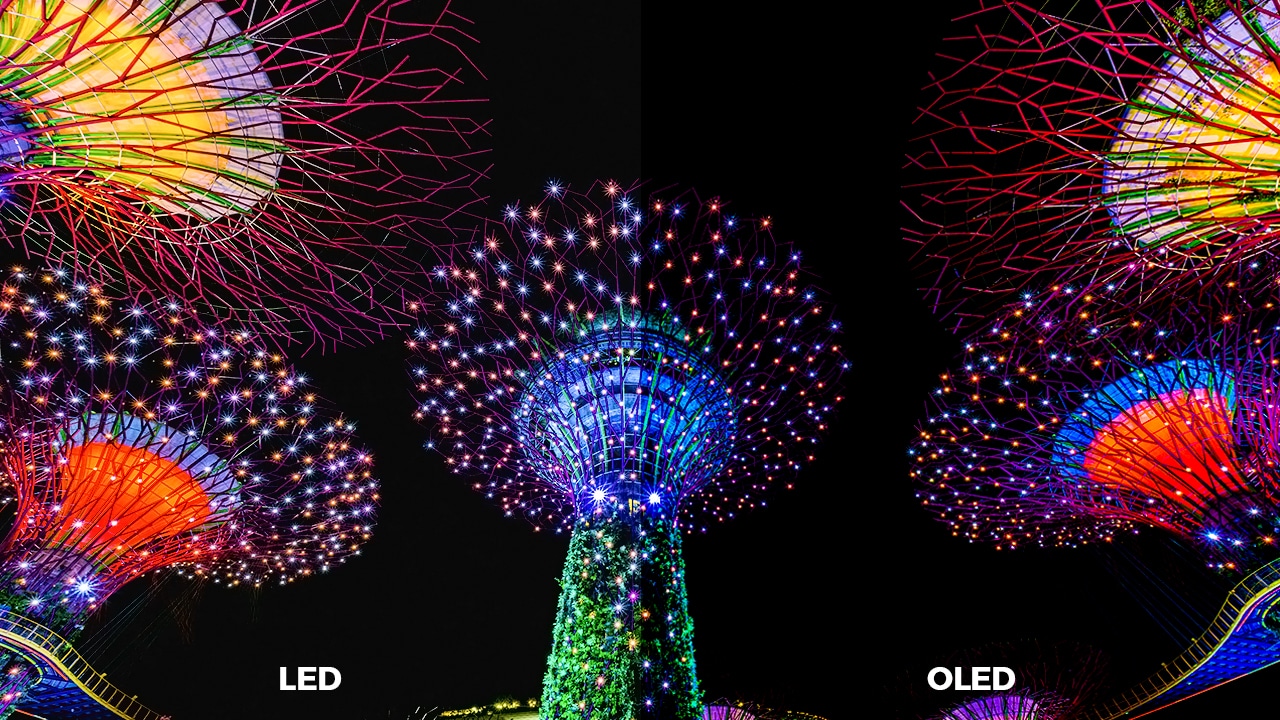
Image credit: Mike Enerio
Aesthetically, dark mode looks better on OLED screens because of the technology’s emphasis on deeper blacks. Most OLED screens have capacitors that control light passing through each pixel, which also works for blacks and whites. As such, dark mode shows up deeper and blacker, which is the intended look compared to regular modes. But, there’s actually more to just aesthetics for this mode.
It’s also been proven that dark mode on OLED helps save your battery life. Google confirmed this at its Android Dev Summit, citing that on max brightness, blacks consume less power than all other colors. Individual pixels need less electricity to show blacks on screen, which results in lower power consumption through time. Note that Google got these findings through tests on their original Pixel smartphones and their own apps like YouTube.
What’s left for OLED and dark mode
Apps and operating systems are now starting to embrace or consider incorporating dark mode into their software. While apps like Twitter and YouTube introduced such an option early on, others are beginning to take notice. Of course, you’re gonna need the right screen to fully immerse yourself.

Image credit: Simone Dalmeri
It has been proven: OLED and dark mode are indeed a perfect match. But, it is entirely up to you whether you want to stay in the light or switch to the dark side.








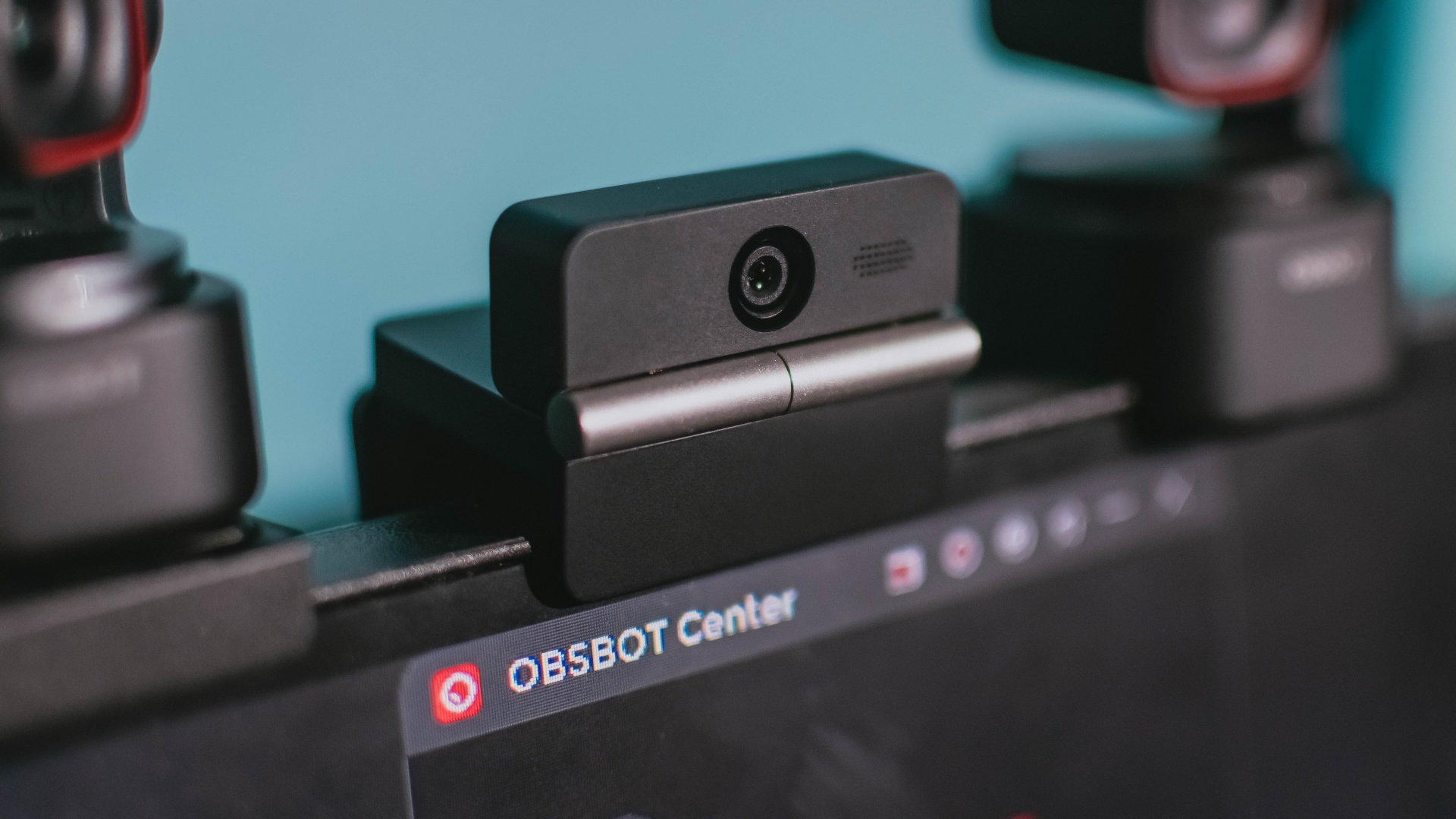
Phones flip and fold. Now webcams do too.
Foldable screens have found their way into phones, tablets, and laptops in recent years. Now, OBSBOT is taking that idea in a considerably smaller direction: the webcam.
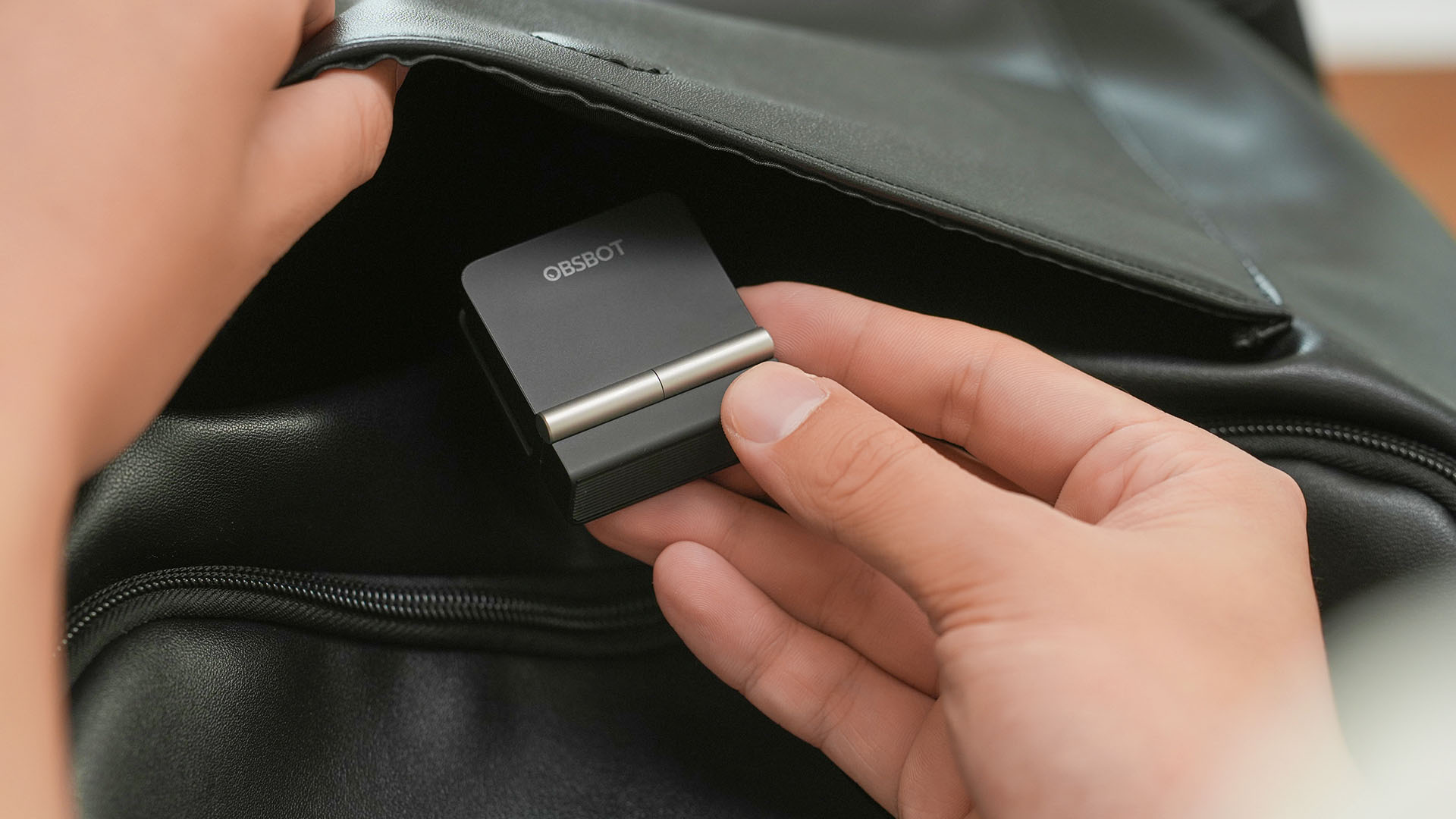
The OBSBOT Meet Flip is the company’s first foldable 4K webcam packing:
- 1/2-inch stacked CMOS sensor
- intelligent audio
- a collection of AI-powered meeting tools
All of these inside a body weighing just 37.7 grams.
A fold that does something, not just a gimmick
The OBSBOT Meet Flip isn’t foldable just to make it easier to throw into a bag.
Closing the webcam physically blocks the lens and puts the device into sleep mode. Open it when you want to be seen, flip it shut when you don’t.
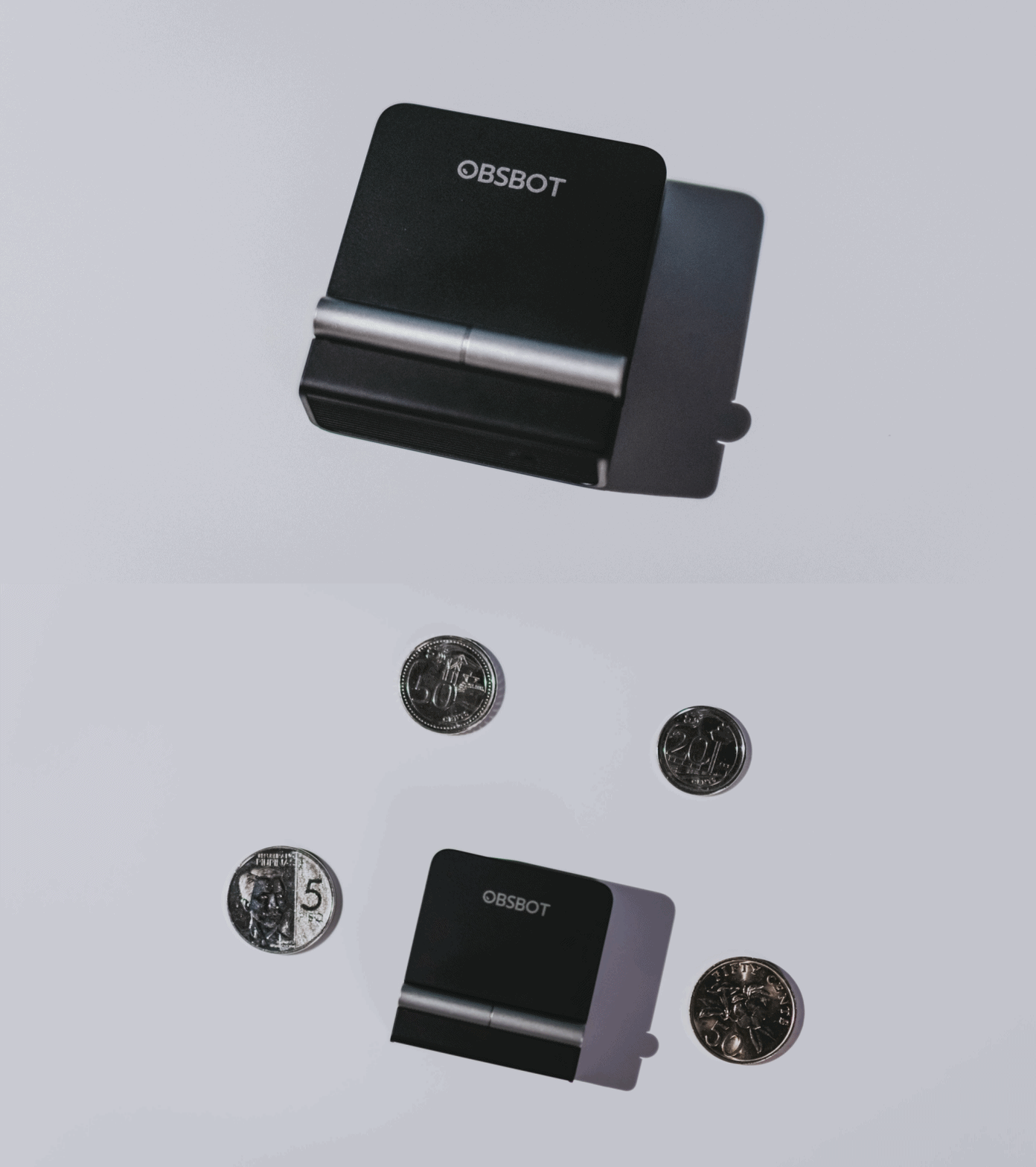
A physical privacy cover isn’t novel in itself. What’s clever here is how it’s part of the folding design.
As someone with a love-hate relationship with data privacy, I almost always keep some physical barrier over my laptop webcam. And if I can avoid having a webcam there entirely, even better.
Serious camera hardware in a pocket-sized webcam
Despite its size, OBSBOT hasn’t treated the Meet Flip like a basic laptop-camera replacement.
Inside is a 1/2-inch Exmor RS stacked CMOS sensor with Quad Bayer technology, capable of recording 4K UHD at 30 fps or 1080p at 60 fps. It also packs an f/1.8 aperture, HDR, PDAF autofocus, ISO 100–6400, and up to 4x digital zoom.
At its core is a 1/2-inch Exmor RS stacked CMOS sensor with Quad Bayer technology.
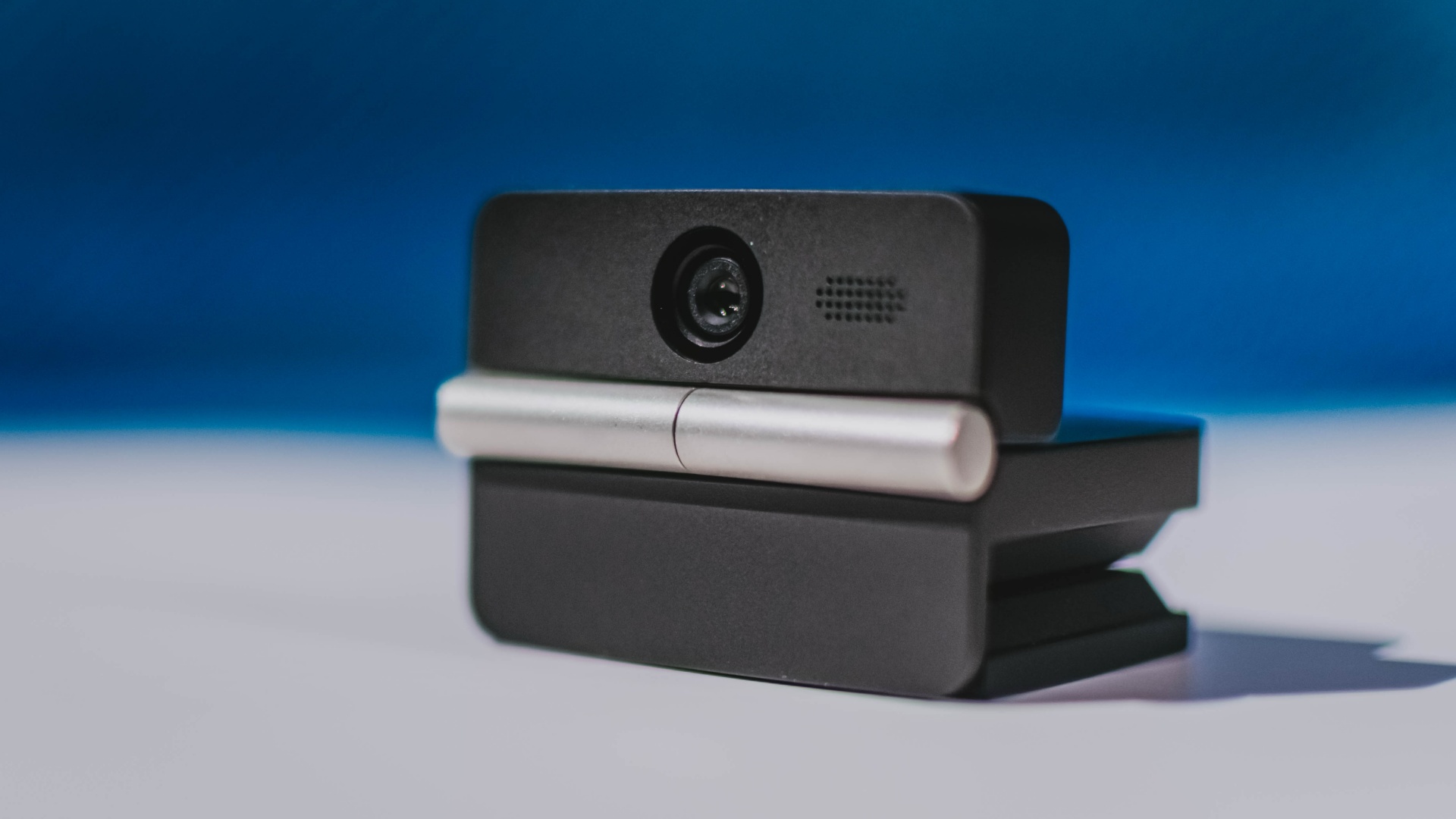
It can record:
- 4K UHD at 30fps
- 1080p at 60fps
You also get:
- f/1.8 aperture
- HDR
- PDAF autofocus
- ISO 100–6400
- up to 4x digital zoom
On paper, that gives the Meet Flip a better shot at handling the situations built-in laptop webcams often struggle with: dim rooms, harsh backlighting, changing lighting conditions, or simply moving around in front of the camera.
HDR helps keep faces visible against bright backgrounds, while PDAF autofocus continuously adjusts focus as you move closer to or farther from the lens.
The wider f/1.8 aperture should also help in less-than-ideal lighting.
The point is that once the Meet Flip is set up, you shouldn’t have to spend much time thinking about the camera itself.
It listens differently depending on the room setup
The Meet Flip also uses an intelligent dual-microphone system combining omnidirectional and directional microphones.
Instead of relying on one pickup pattern for every situation, it offers four audio modes for different setups:
Directional Mode focuses on sound coming from the front, making it the obvious choice for solo calls.
Dual-Directional Mode listens to both the front and rear of the webcam, which could be useful for interviews or conversations between two people sitting across from each other.
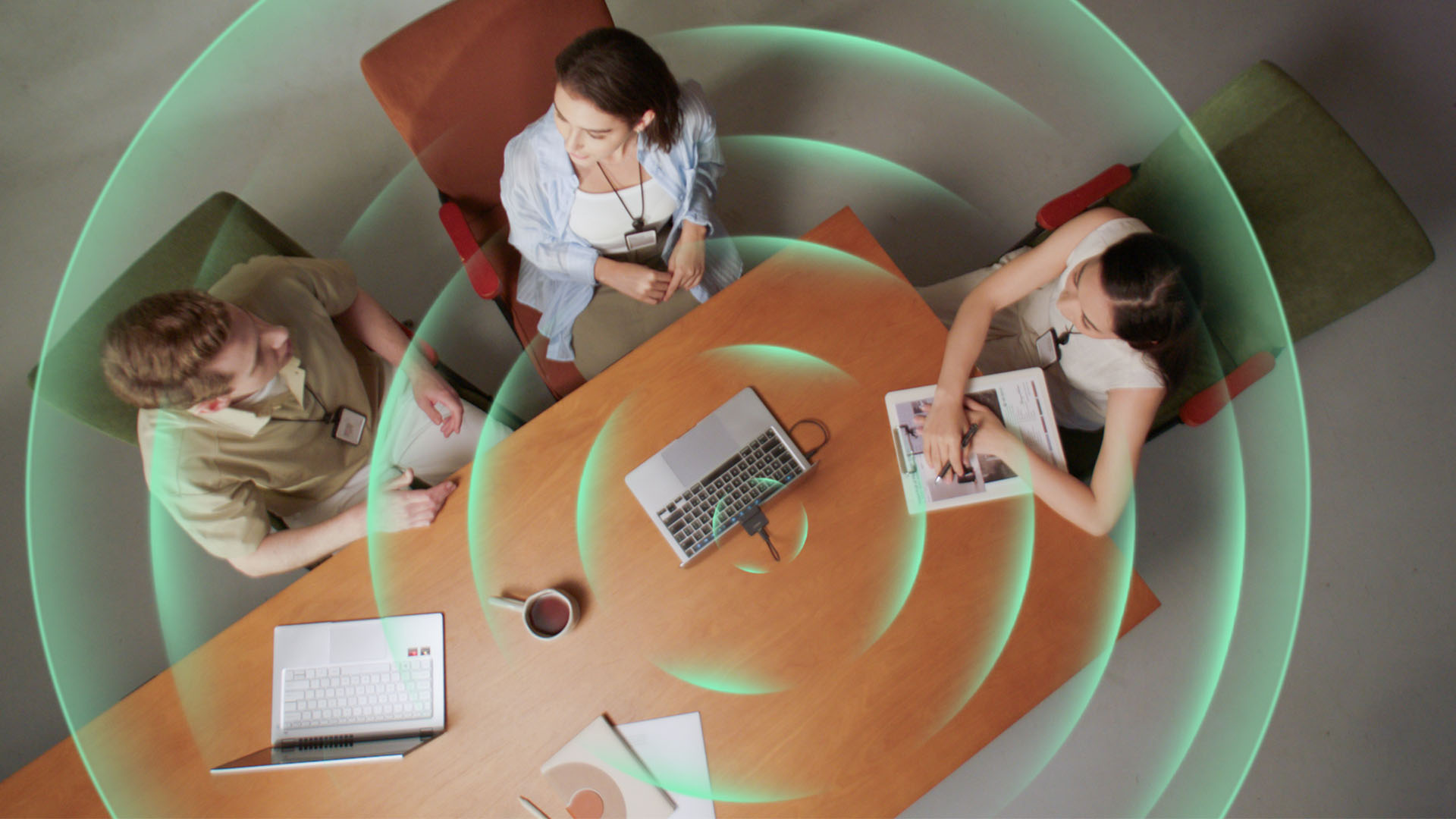
Smart Omni Mode is designed for group meetings, picking up voices from around the room.
And Pure Audio Mode provides unprocessed left and right stereo channels for users who would rather handle the audio themselves in post-production.
Auto Gain and AI Noise Reduction also work across the first three modes, helping clean up audio without requiring much manual adjustment.
It gives the Meet Flip more flexibility than a typical webcam microphone, especially if you regularly switch between solo calls, interviews, and group meetings.
AI that doesn’t intrude
AI has become an almost obligatory addition to new hardware in 2026, but several of the Meet Flip’s features put it to work on real-world meeting annoyances.
AI Auto Framing keeps you in frame, with options for:
- Group
- Single Close-up
- Upper Body
- Full Body
Gesture controls can also toggle Auto Framing or adjust the zoom without reaching for a keyboard or mouse.
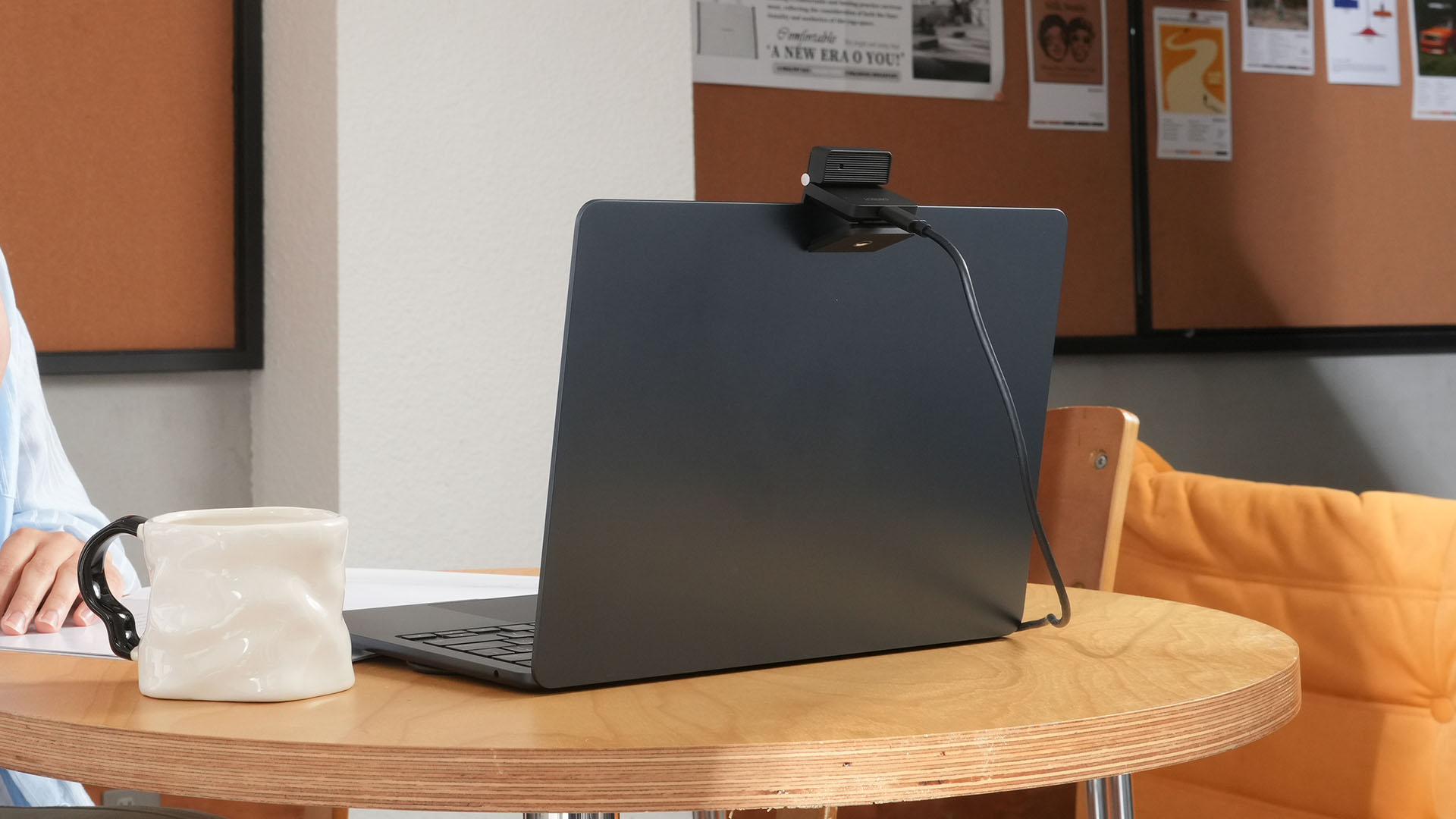
More interesting is AI Magic Notes.
Through OBSBOT Center, it provides real-time transcription and can automatically generate meeting summaries with key points, decisions, and action items. It works across Google Meet, Zoom, and Microsoft Teams.
Although AI Magic Notes is offered as a subscription service, every Meet Flip includes 120 complimentary minutes to get started.
MORE with OBSBOT Center & OBSBOT Live
There are plenty of other software features as well. OBSBOT Center includes:
- Background Blur and Background Replacement
- Real-Time Beauty Mode
- Picture-in-Picture overlays
- Smart Eye Tracking
- Teleprompter support
- Detailed image adjustments
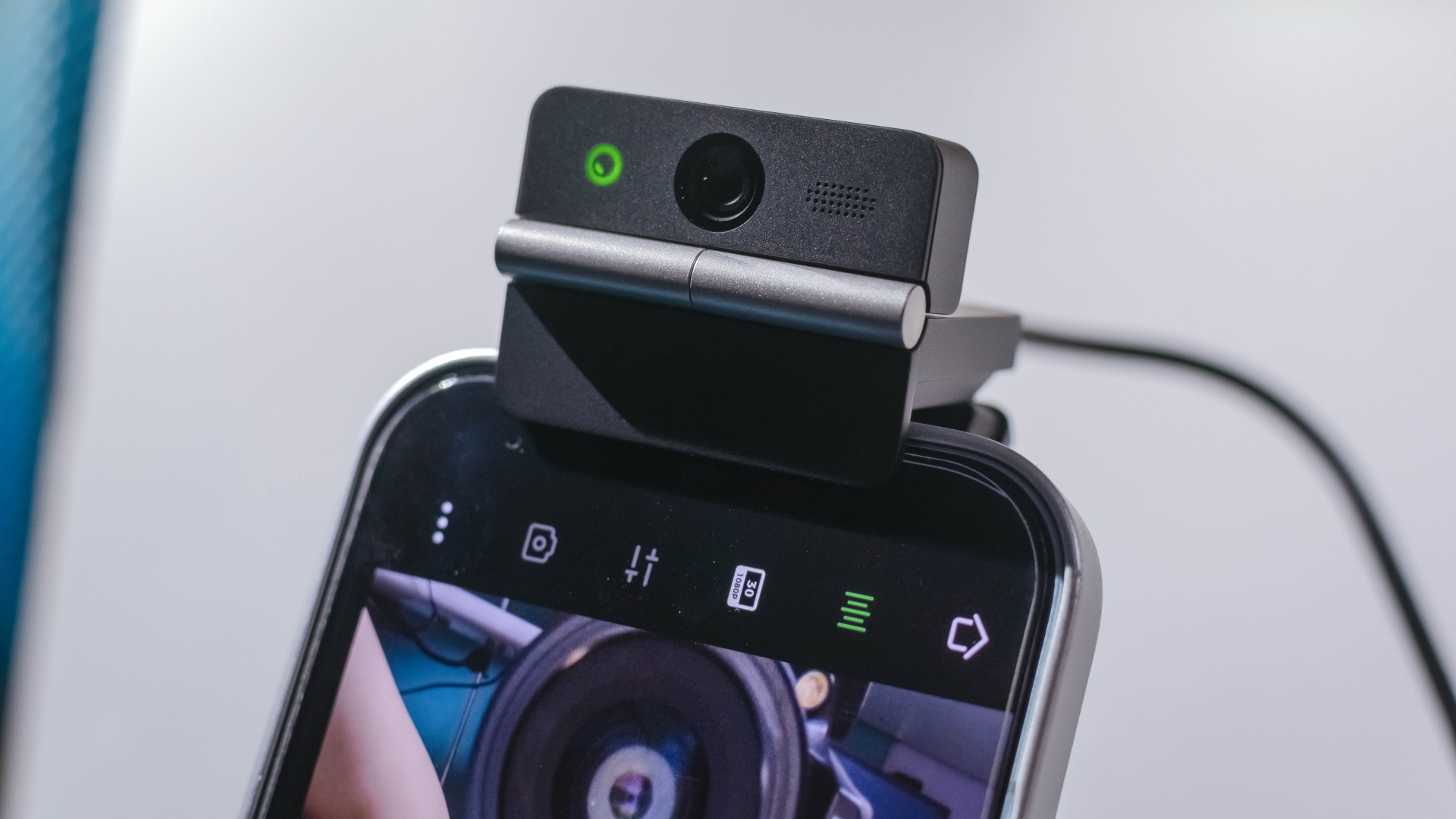
The Meet Flip isn’t limited to laptops or desktops either. Through OBSBOT Live, it can connect directly to smartphones and tablets over USB-C for mobile streaming and content creation.
Flip it open. Fold it away.
None of those features reinvent the webcam on their own.
Taken together, though, they make the Meet Flip a more thoughtful take on a piece of hardware whose basic design and features have barely changed.
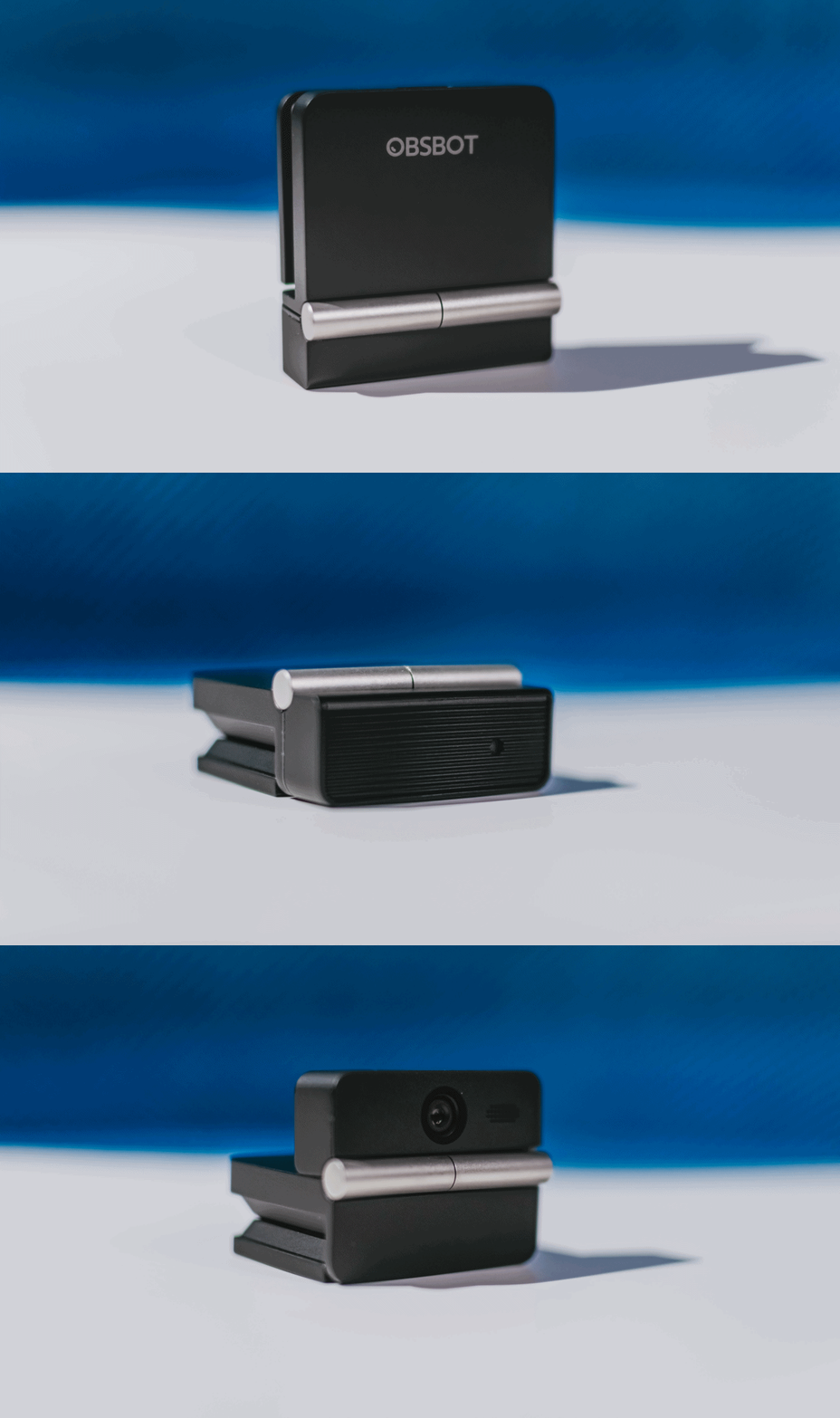
The flip may grab your attention first, but it’s how OBSBOT uses that design alongside its camera, audio, and software features that makes the Meet Flip interesting.
The OBSBOT Meet Flip is now available at US$ 119 and is currently available through OBSBOT’s official store, Amazon US, and select retailers.

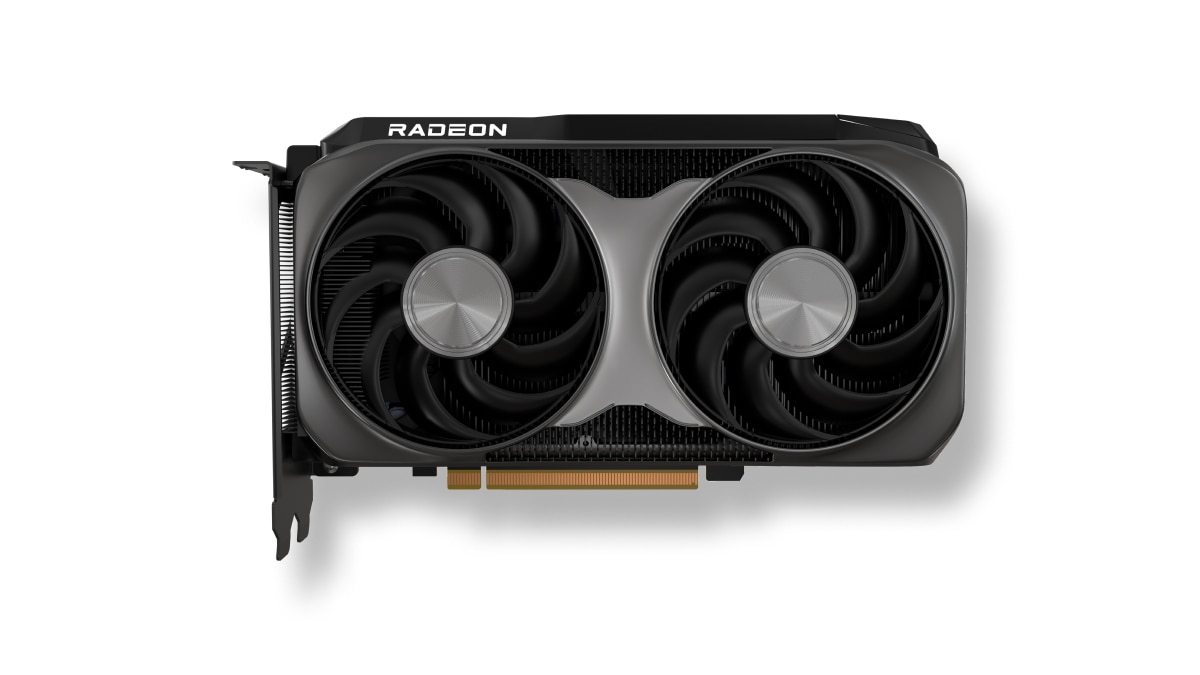
AMD has launched the new AMD Radeon RX 9050 graphics card, expanding the Radeon RX 9000 series with an affordable option.
This brings AMD RDNA 4 gaming technologies to mainstream gamers with a retail price of US$ 279.
The particular GPU is designed for responsive gameplay at 1080p. That’s for esports and modern AAA titles.
Some popular titles it can run at high frame rates on a 1080p resolution include: Cyberpunk 2077, Forza Horizon 6, Pragmata, Call of Duty: Black Ops 7, Valorant, and Tom Clancy’s Rainbow Six Siege, to name a few.
This highly efficient, drop-in upgrade features a 92W TBP and fully supports the latest AMD FSR technologies, next-gen raytracing, and high-quality AV1 video streaming.
Key specs:
- Architecture: AMD RDNA 4
- Compute Units: 16
- VRAM: 8GB GDDR6
- Game Clock / Boost Clock: 1.92 GHz / Up to 2.60 GHz
- TBP: 92W
In line with the Radeon RX 9050 launch, AMD has also released AMD Software: Adrenalin Edition 26.7.1.
This driver introduces official day-one support for Radeon RX 9050, alongside early multiplayer access for Gears of War: E-Day.
Users can download the software here.
Accessories
OBSBOT’s Meet Flip is your next best pocketable 4K webcam
Fold the Flip for further protection

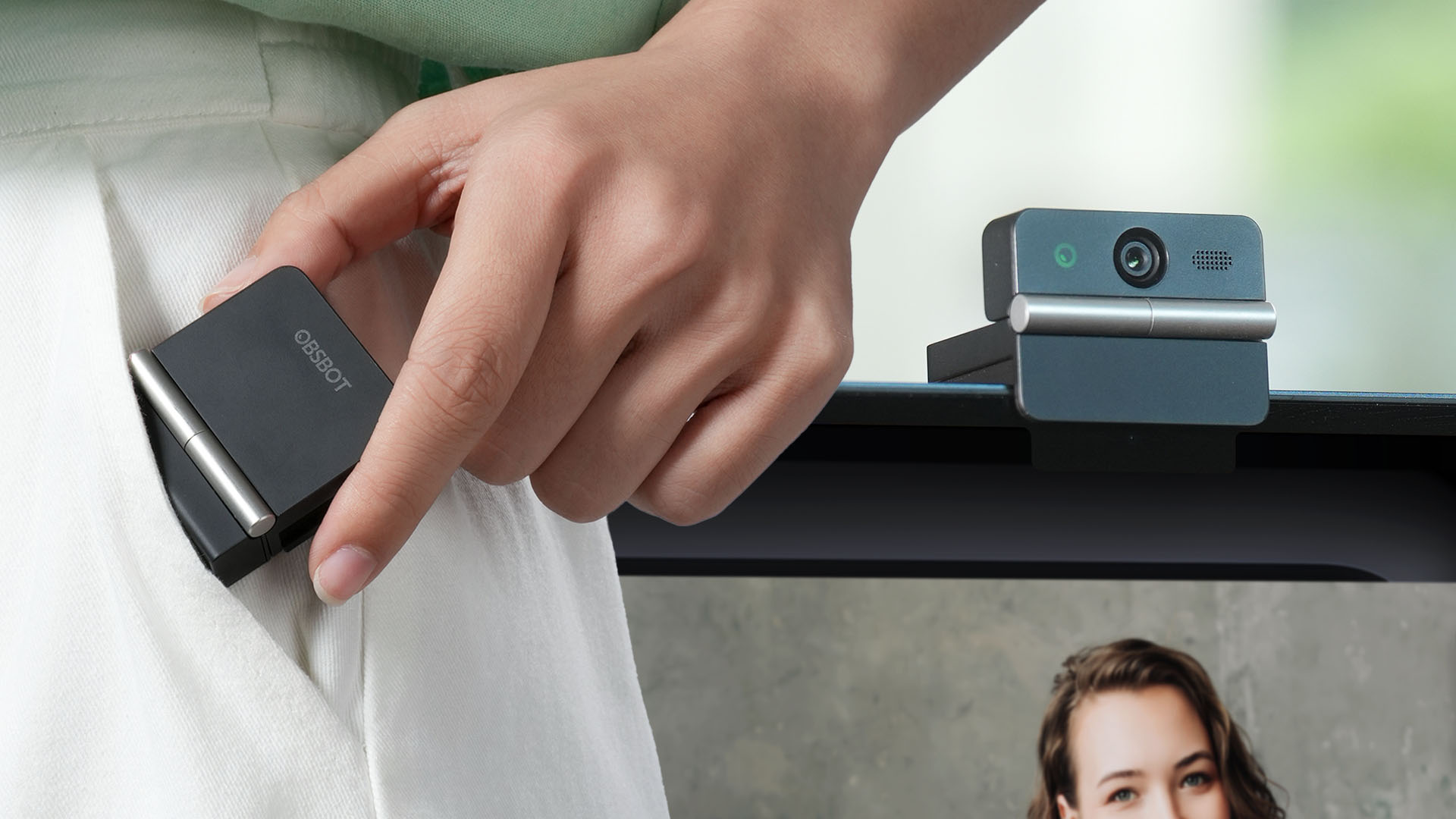
Several months ago, you might remember that OBSBOT revealed the Tiny 3 series of web cameras.
Six months after, they also unveil the all-new Meet Flip. From the name itself, it’s the company’s latest foldable 4K webcam that puts hardware privacy front and center.
Foldable and pocketable
Despite weighing just 37.7 grams, the Meet Flip aims to deliver premium webcam features for all types of users. Be it remote workers, professionals, or content creators.
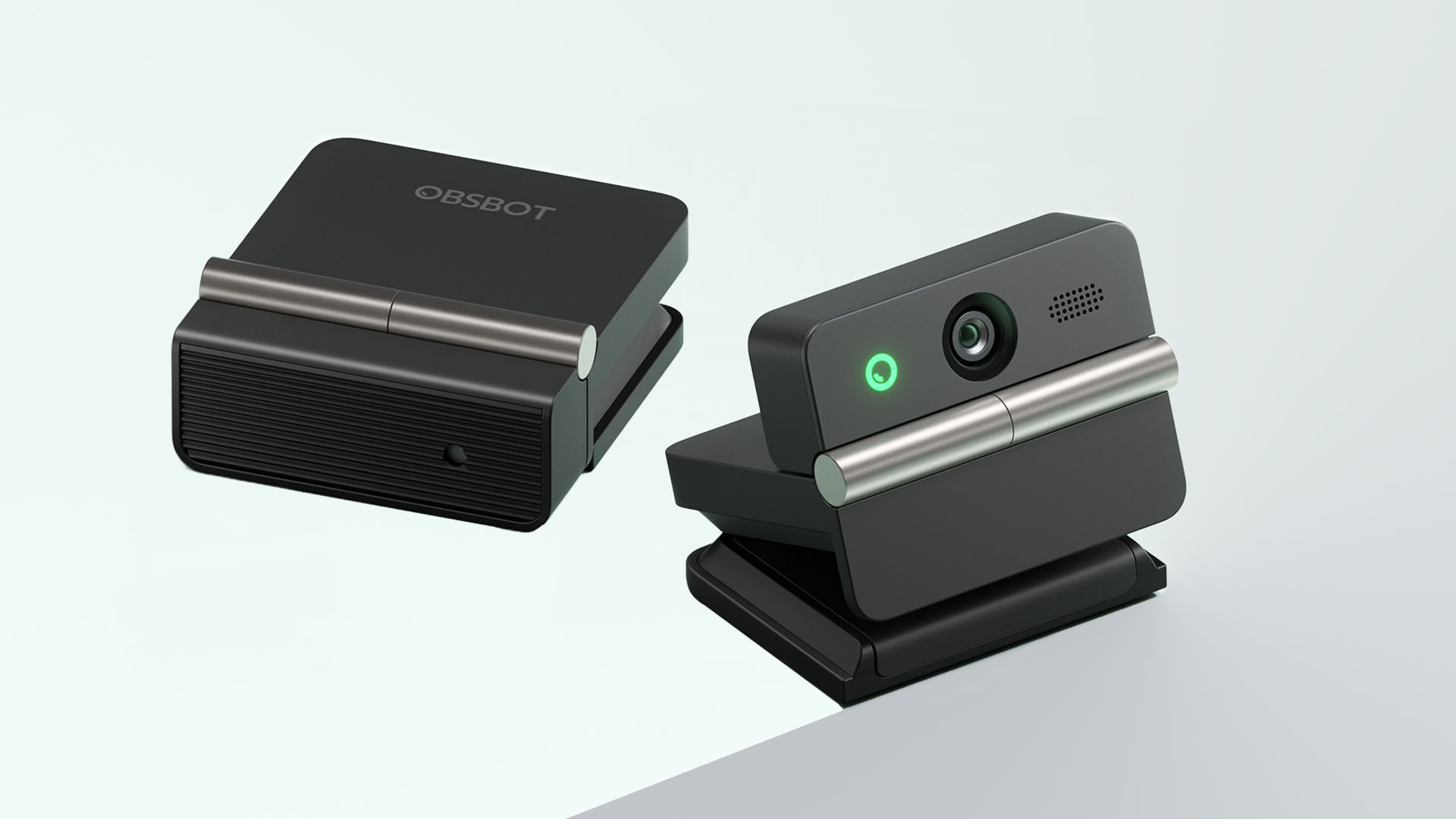
Graphics by Vincenz Lee | GadgetMatch
Undoubtedly, the biggest highlight has got to be the webcam’s folding design. Not only it’s portable, it protects your privacy too.
Closing the device physically blocks the lens, giving users a visual confirmation that the camera is no longer active. When it’s time for a meeting, simply unfold it and it’s ready to go.
That lightweight body also features a built-in mounting clip that works with laptops, monitors, and tripods. Users can mount it in landscape, portrait, or even upside-down orientations depending on their setup.
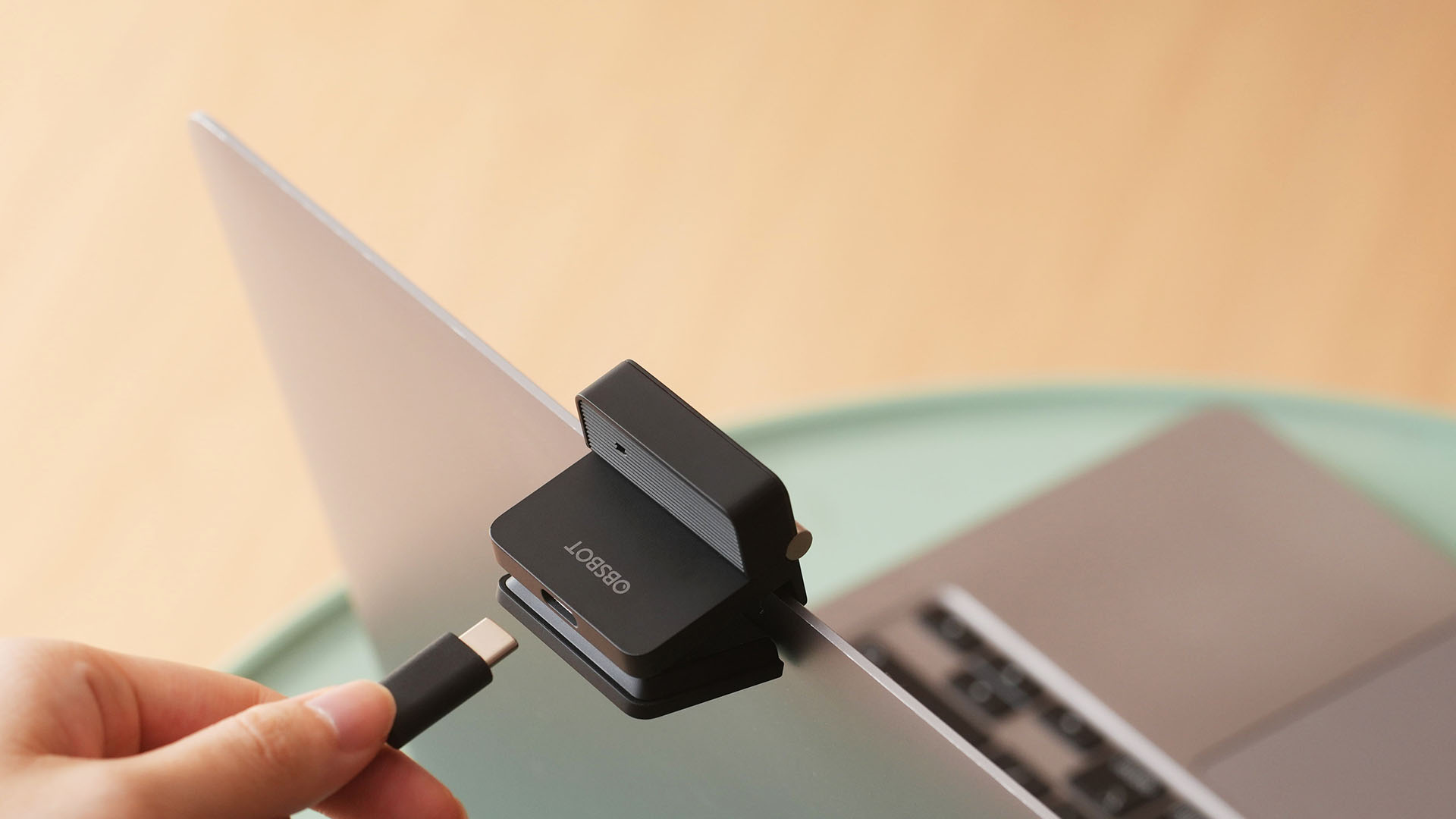
Despite that absurd amount of lightweightness, the OBSBOT Meet Flip is still able to house a 1/2-inch Exmor RS stacked CMOS sensor with Quad Bayer technology. That’s something more commonly found among bigger and higher-end web cameras.
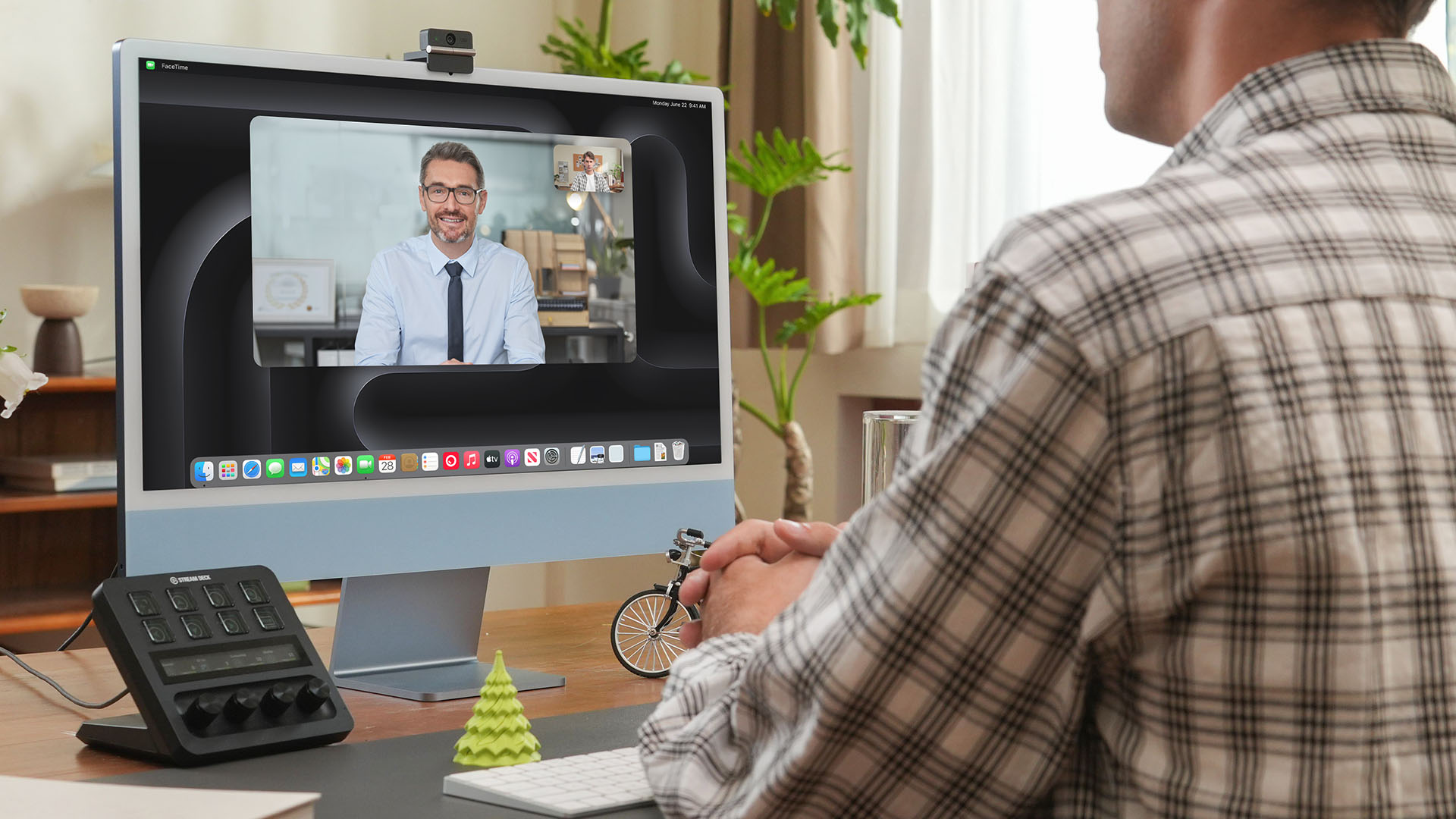
Other camera features include:
- 4K video recording / 30fps
- 1080p recording / up to 60fps
- HDR support for challenging lighting
- Phase Detection Autofocus (PDAF)
- 4x digital zoom
- f/1.8 aperture with ISO 100-6400 support for low-light environments
Beyond just video calls
The OBSBOT Meet Flip isn’t just packed with serious camera hardware, it’s seriously intelligent as well.
The Meet Flip supports AI Auto Framing. This automatically keeps users centered during meetings — regardless if they are presenting alone or with a group. Gesture controls also let users activate framing or adjust zoom without touching the keyboard or mouse.
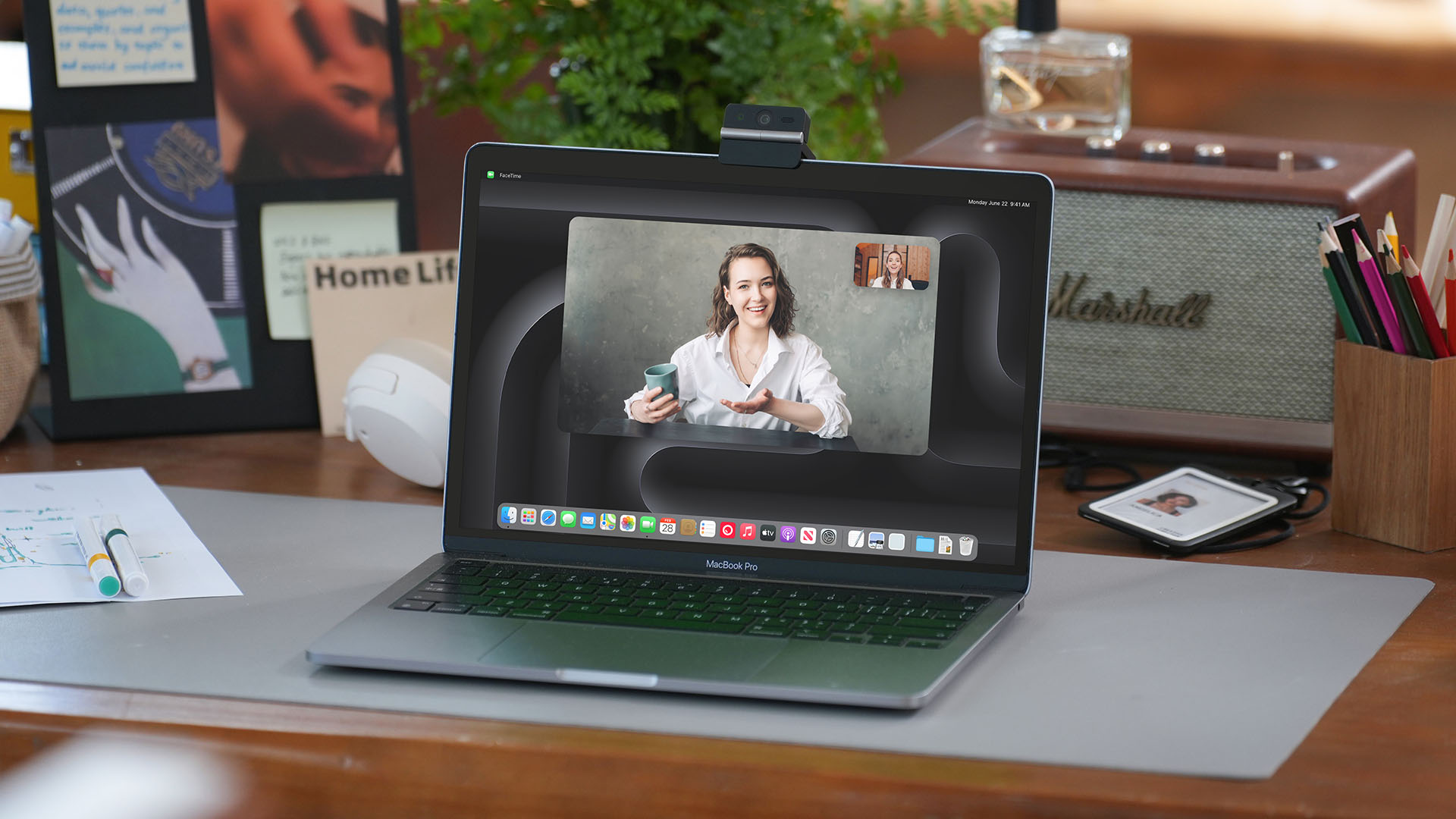
Another standout feature is AI Magic Notes which provides real-time meeting transcription and automatically generates summaries, action items, and key discussion points.
The feature works with Google Meet, Zoom, and Microsoft Teams through OBSBOT Center. Every webcam includes complimentary transcription of 120 minutes.

With that being mentioned, OBSBOT Center also makes users gain access to software features such as background blur, virtual backgrounds, beauty mode, and picture-in-picture overlays for presentations.
Those who want more advanced controls can enable Smart Eye Tracking, teleprompter support, and manual image adjustments.
Audio also gets an upgrade through an intelligent dual-microphone system that offers four recording modes:
- Directional Mode / solo calls
- Dual-Directional Mode / interviews
- Smart Omni Mode / group meetings
- Pure Audio Mode / unprocessed stereo recording
AI Noise Reduction and Automatic Gain Control are also available across most modes to help improve voice clarity.
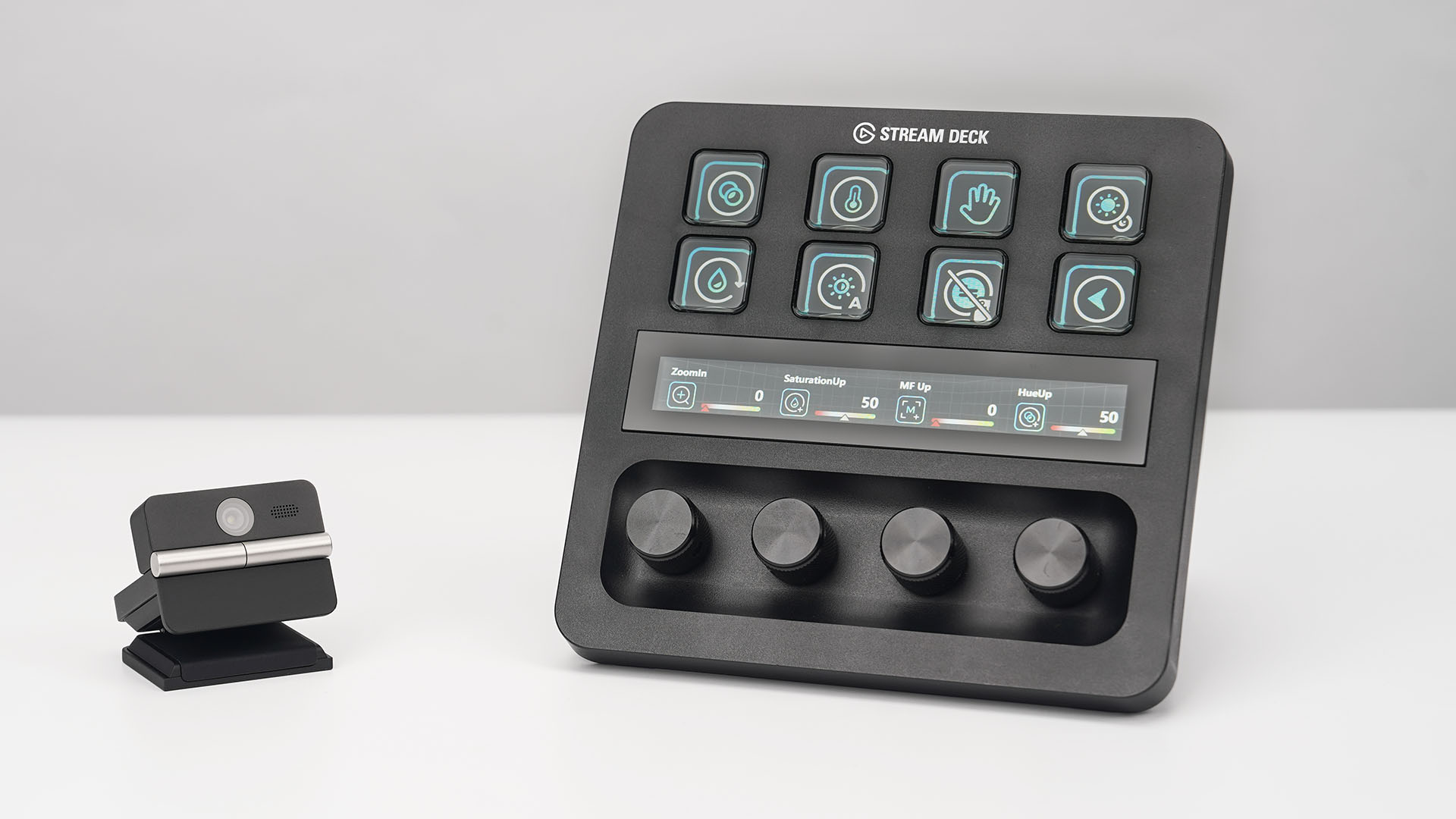
OBSBOT’s Meet Flip is also compatible with mobile devices through the OBSBOT Live app and supports integrations with accessories including Elgato Stream Deck, Nintendo Switch 2, and UVC-to-NDI/HDMI adapters.
Pricing and Availability
The OBSBOT Meet Flip is available starting today for US$119 through OBSBOT’s online store, Amazon US, and select retailers worldwide. Regional pricing may vary.

Samsung Galaxy Z Fold8 Review
8 Galaxy Folds later, Samsung finally nailed It!

30 days later with the ASUS ExpertBook Ultra: Like seeing an ex
Felt exactly as I remembered.

ROG STRIX G16 Review: Building for the moment
Setting it up however you want to make the most out of it

OBSBOT Meet Flip Hands-on
Samsung Galaxy Z Fold8 Review

Smart showcases cloud gaming platform in partnership with Blacknut

What your smartphone color choice reveals about you

New EV player XPENG to launch in the Philippines in September

Hands-on: Samsung Galaxy Z Fold8, Flip8, Ultra

VinFast debuts two-wheeler models, opens 21 e-motorcycle showrooms

Garmin launches its first screenless fitness band

Samsung releases teaser with Spider-Man: Brand New Day Easter eggs

Most of the world’s PlayStations will be officially useless by 2028


-
 Automotive2 weeks ago
VinFast debuts two-wheeler models, opens 21 e-motorcycle showrooms
-

 Automotive2 weeks ago
Xiaomi debuts SkyNomad Series featuring new Kunlun platform
-

 News1 week ago
OnePlus officially leaves the United States and Canada
-

 Gaming2 weeks ago
Call of Duty: Modern Warfare 4 clip shows Losing Ground 1st look
-

 Automotive2 weeks ago
GAC launches new trio of MPVs
-

 Gaming2 weeks ago
Genshin Impact opens Snezhnaya in Version 7.0 this August 12
-
 News1 week ago
Google will force Android users to use Gemini next month
-

 Gaming1 week ago
Tides of Annihilation opens first public demo at Gamescom 2026