


Gaming
Lenovo IdeaPad L340 Gaming Laptop Review: Flaming hot productivity and gaming
Blue, truly is the warmest color

Gaming laptops are a joy to have, when you own one. You have a device that basically delivers everything you need: productivity and leisure in one package. The only real drawback to even buying one is the price tag, as crazier specs demand crazy prices.
It’s only fairly recently that manufacturers decided that gaming on the go doesn’t have to be expensive. Lenovo has one device that fits the bill in terms of affordability, and also incorporates top-line specs for heavy duty performance. This is what the Lenovo IdeaPad L340 Gaming Laptop is all about.
But is it truly a worthy investment? Let’s find out.
It has a 15-inch FHD IPS display, with thin bezels at the side

It comes with a backlit keyboard in the shade of blue

It can literally flex all the way, 180 degrees style

It comes with a powerful NVIDIA GTX 1650 graphics card
An excellent laptop for productive workload
I will just put it out there: the Lenovo IdeaPad L340 Gaming laptop is one productive machine. Powered by a 9th generation Intel Core i5 processor and 8GB of RAM, I could do anything ever so quickly. Multitasking felt like a breeze when using this device, and not a single drop in overall performance all throughout.
Because of the processor and RAM configuration, you won’t be limited to just the usual tasks. On this device, I did manage to do photo and video editing, and the device did not lag at any point. Mix that with document typing, audio and video streaming, and no signs of lag detected.

What bothered me for just a bit was the fact that the device came with a 1TB HDD. If there was an SSD inside, boot times would have been faster. When I first opened the device, it took about five to seven minutes before the device fully booted up. If you’re in a rush to get that paper or report submitted, this could be a problem for you.
Game like an absolute beast with the GTX 1650
I was thoroughly impressed with the onboard NVIDIA GTX 1650 for this device. It comes with 4GB of VRAM, which allows greater graphics processing at a high rate. I played most popular PC titles at their maximum settings and observed no loss in performance all throughout.

Popular titles like Fortnite: Battle Royale and Apex Legends all peaked at 60 FPs, with highs of 65 to 70 FPS on their highest setting. Every time I got a chance to play, frames rendered in quite smoothly — which is essential for intense gameplay.

Other titles like Counter Strike: Global Offensive and Rocket League garnered an average of 113 FPS. Of course, granted that these titles are not the most graphically-demanding compared to the others. Still, I experienced buttery-smooth gameplay, and GeForce Experience did its part with optimizations in between.
A laptop that actually respects your privacy
Every time you get a new laptop, you’re always afraid of the deep web getting to you. So you go on ahead and patch your webcams up with a piece of paper or a bandage. I’m not only to believe that to be honest, but this device does — and has found a solution to it.
The Lenovo IdeaPad L340 Gaming laptop comes with its own physical Privacy Shutter. If you’re too worried about your own privacy, you can just slide that thing to the left. I honestly found this a nifty solution instead of having to waste a good piece of paper or bandage.

Of course, if you don’t like that, you can just simply do it on the keyboard. Nonetheless, this is quite possibly the first device I’ve seen in a while that has that sort of technology. Finally, a laptop that actually cares for your privacy above all else, right?
Long lasting performance, when you’re not gaming full time
On paper, Lenovo promised this device could last up to nine hours with moderate use, at 70 percent brightness. Upon continuous use of the device, I did manage to get only up to seven hours when using it according to the same conditions.
Of course, when you’re gaming full time, the amount of time is cut into half with NVIDIA’s Battery Boost turned on. Still, even on a regular workload, you get the longevity of use you could possibly ask for in this device.

Lenovo also introduced its Rapid Charge technology even with their proprietary charger. I managed to get its charge level to 80 percent in a matter of 20 minutes, which is great for on-the-go users. To me, this is a great feature to have but I was hoping that they took advantage of the Thunderbolt 3 USB Type-C as the main charging port.
The areas that can do better
Despite every feature I could possibly rave about, there were others that I couldn’t give a total pass. First, the trackpad failed at the one thing it should be doing: gesture tracking. All but one Windows Precision gesture actually worked — and of all things, it’s the right click. I don’t have a problem clicking the bottom right side of the trackpad, but the fact that they missed out on that gesture is disappointing.
Second, as much as I raved about the webcam’s physical shutter, the webcam itself leaves much to be desired. I understand that it is just an HD 720p webcam, but there are other devices with the same webcam and are relatively better than this one. Photos have a ton of grain on them even just by loading the camera alone.

Finally, this device’s backlit keyboard was not astounding. I do prefer full-sized keyboards, plus key travel was easy to get used to. It’s the backlighting of the keyboard that was under par, in my opinion. It has three levels of back-lighting, but its brightest level does not properly stick out. And I’ve seen devices with brighter backlit keyboards even in full light.
Is this your GadgetMatch?
At PhP 49,995, the Lenovo IdeaPad L340 Gaming laptop is one powerful machine. You get the latest hardware necessary for productivity and powerful gaming, all in one package. It delivers powerful performance for productivity tasks, photo and video editing — perfect for content creators.

Gamers can easily get a kick out of this device thanks to the NVIDIA GTX 1650 inside. Playing popular titles feel like an absolute breeze, especially in high-octane moments just to score the victory. Although if you do want to play a little longer, you will need to bring the charger everywhere you go.
Overall, you can look for nitty-gritty design flaws all you want. You can admire all the other features the device offers. But, when it comes right down to it, this gaming laptop does exactly what you need it to do — and so much more.








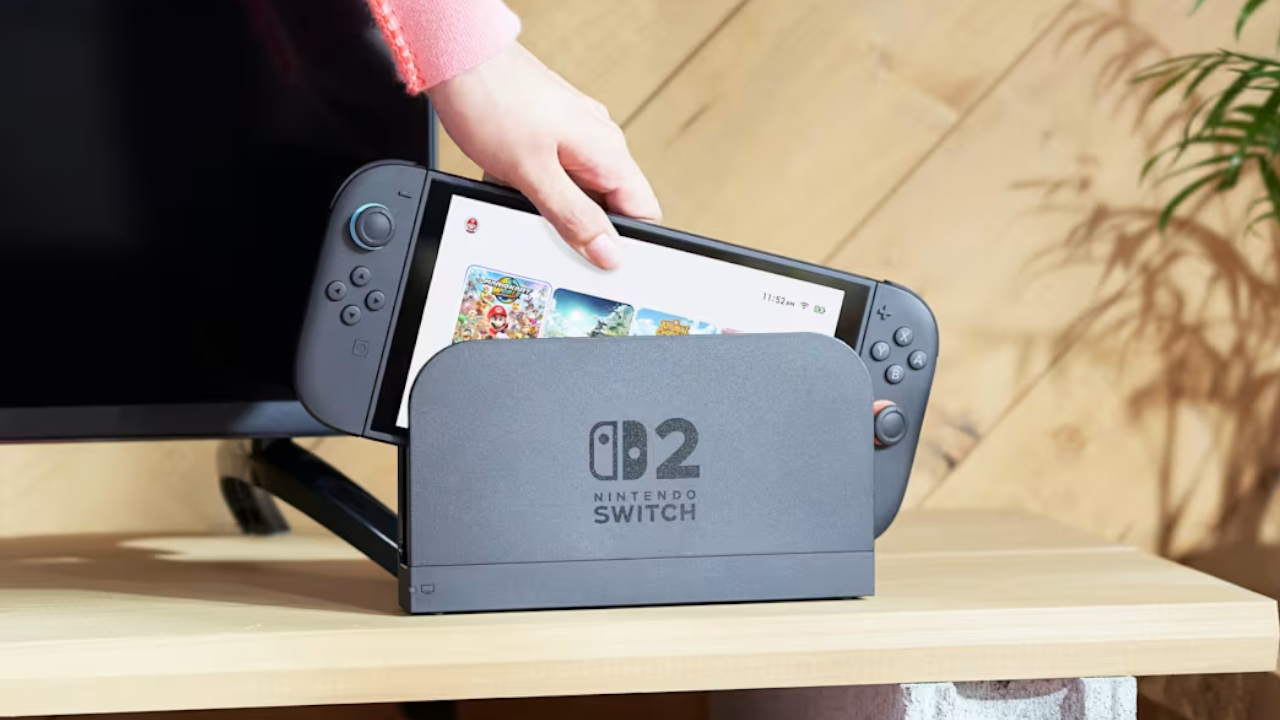
With Nintendo finally opening the eShop and Nintendo Switch Online in the Philippines, you might be wondering how you can switch your account’s region to the right country. After all, before today, you might have set your shop to the neighboring Singapore or other countries that aren’t named the Philippines. If you’re in the same boat, here’s a quick how-to, so you can enjoy paying for services in Philippine peso.
First, you need to log into your Nintendo Account. Take note: you can do this only through their website via a browser, so don’t fiddle around with your Switch or Switch 2 just yet.
Upon logging in, you’ll be redirected immediately to your profile’s information, including your country or region of residence. Just click Edit and select your desired country in the drop-down menu.
Nintendo will then present you a few notices regarding changing your region. The important bit is that you can’t carry over your account balance to the next region. So, if you have a hefty sum tucked away in your current region, it might be wise to spend it before switching. Likewise, your credit card might not work if it was issued from the current region.
Once you agree to the terms, everything’s set!
All you need to do is access the eShop on your console and sign in again. Afterwards, the corresponding services should be in your currency of choice.
For a list of detailed changes and prices, check out our coverage here.
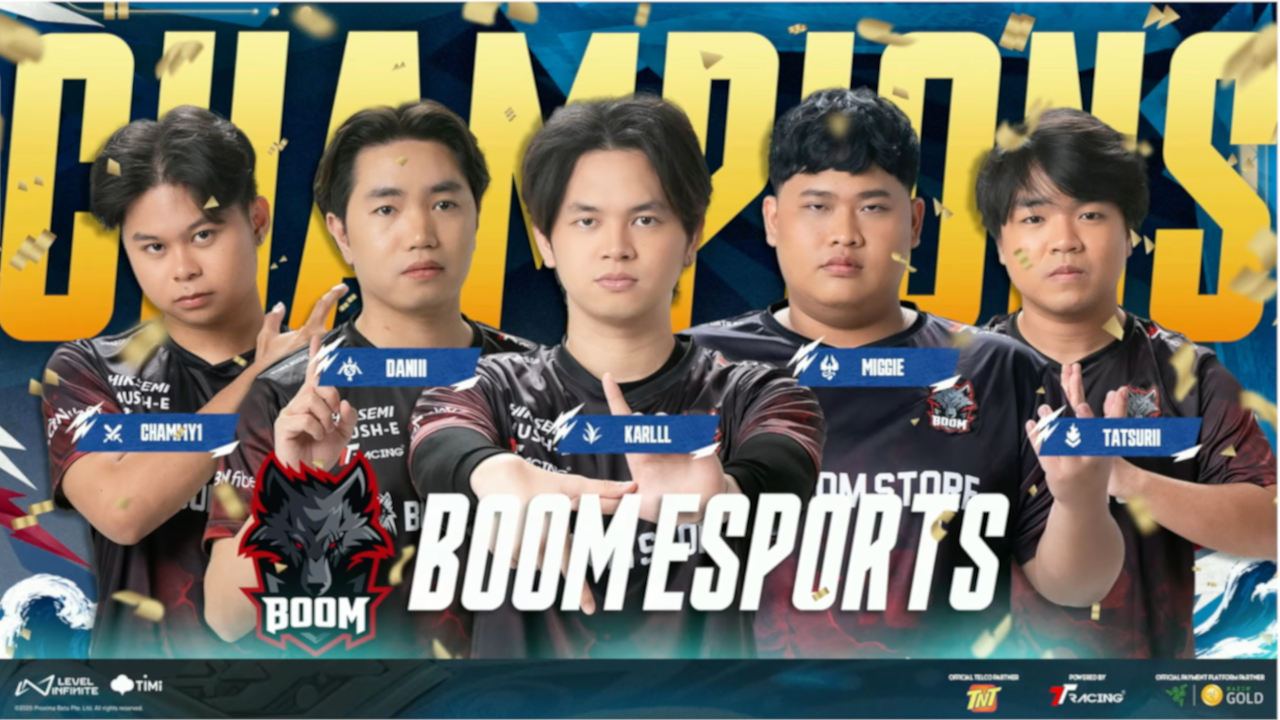
Another Esports calendar in the Philippines wrapped up nicely this past weekend, only from the other side of the MMORPGs. At the Samsung Hall in SM Aura last November 9, the fourth installment of the Honor of Kings official Philippine league came to its exciting conclusion as four teams entered with rich prizes up for grabs. Here’s what went down on the final day of the Philippines Kings League Fall 2026:
Early in the afternoon, the third split of the Kings Campus Series crowned a new champion hailing all the way down from Cebu. In a thriller of a five-game series, the University of Cebu Webmasters took down the University of Sto. Tomas Teletigers Helios, 3-2, and took home the grand prize of Php 140,000. From start to finish, both teams exchanged heart-stopping plays and showed excellent flashes of teamwork that brought the series to a decider.
In the evening, the culmination of the PKL for 2026 took place with the Fall 2026 Grand Finals between the reigning champions in BOOM Esports against JGames Esports. Last November 8, JGames earned a place in their first ever Grand Finals after besting TNT Tropang Alab in a full best-of-seven series. However, even with all the momentum coming from their run in the Lower Bracket, JGames would only settle for 2nd as Boom Esports dominated the matchup, 4-1 and became the first back-to-back champions of the PKL.
The night capped off with a showcase of the three Philippine representatives to the Honor of Kings International Championships in Jakarta this December.


Players who digitally pre-ordered Grand Theft Auto VI can now pre-load the game ahead of its launch.
Rockstar Games confirmed that pre-loading is available to all digital pre-order customers. Those who purchased the code-in-box version can also begin downloading once they receive and activate their codes.
The announcement also reveals new performance details for PlayStation 5 and Xbox Series X|S.
GTA VI targets 30fps on consoles
Rockstar says Grand Theft Auto VI was built from the ground up for the current generation of consoles.
The game targets 30 frames per second on both PlayStation 5 and Xbox Series X|S.
According to Rockstar, this approach allows the game to maintain the visual fidelity and density of Leonida’s environments.
The developer says it is pushing both platforms to their limits to bring the game’s expansive world to life.
PS5 Pro gets exclusive visual enhancements
PlayStation 5 Pro players can expect additional graphical improvements.
These include enhanced image clarity through PlayStation Spectral Super Resolution (PSSR) and ray-traced shadows exclusive to the PS5 Pro.
The PS5 version also features integrated DualSense haptic feedback, with adjustable settings for accessibility.
Rockstar is also highlighting improved spatial audio through Tempest 3D Audio and faster loading times on PlayStation consoles.
Cloud gaming and Remote Play support
Grand Theft Auto VI will also be playable through Xbox Cloud Gaming on Xbox Series X|S and Xbox One.
The cloud version will use Xbox Series S graphics settings. However, performance may vary depending on internet speeds and other streaming conditions.
The game will also support Remote Play on both PlayStation and Xbox.
Alongside the announcement, Rockstar released a new video featuring “Blood in Your Eyes” by Tove Lo, taken from Grand Theft Auto VI: The Album.
Players can visit the official GTA VI website for more information.


Apple iPad mini OLED review
Has the mini gone PRO?!


ROG G700 review: The best prebuilt PC you can get off the shelf
This PC will make you stop worrying about specs.

HP OMEN Max 16 review: Gamer-maxxing in deep black
Peripherals deemed necessary to max this out

realme Christmas raffle: Win an XPENG EV, more

Avengers Endgame: Encore debuts on Disney+

NVIDIA CEO Jensen Huang resigns after scandals

Insta360 X6: Never worry about missing the shot

Power Mac Center x ADAM elements pop-up offers holiday deals

Your coffee nook is getting a makeover with Starbucks’ holiday collections

vivo V80 debuts with ZEISS cameras

vivo V80 review: Good phone, tough sell

OPPO Find X10 Series: Price, availability in the Philippines

TECNO CAMON Slim 5G gets launch discounts, free MagBadge


-
 Lifestyle2 weeks ago
Your coffee nook is getting a makeover with Starbucks’ holiday collections
-

 Lifestyle2 weeks ago
Sticker season is back, and so is the planner your ~friends~ might fill in for you
-

 Gaming2 weeks ago
Wild Rift Patch 7.3, celebrates K/DA comeback
-

 News7 days ago
Sony revives classic Walkman headphones with USB-C MDR-3R
-

 Gaming2 weeks ago
FromSoftware’s The Duskbloods delayed to 2027
-

 Gaming2 weeks ago
Demon Slayer: The Hinokami Chronicles 2 launches on Switch 2
-

 Features2 weeks ago
Inside Infinix’s first global concept store in Bali
-

 Philippines2 weeks ago
LG showcases its latest AI TVs in the Philippines