
Laptops
The Acer Spin 713 is a premium 2K Chromebook
Built for consumers and businesses

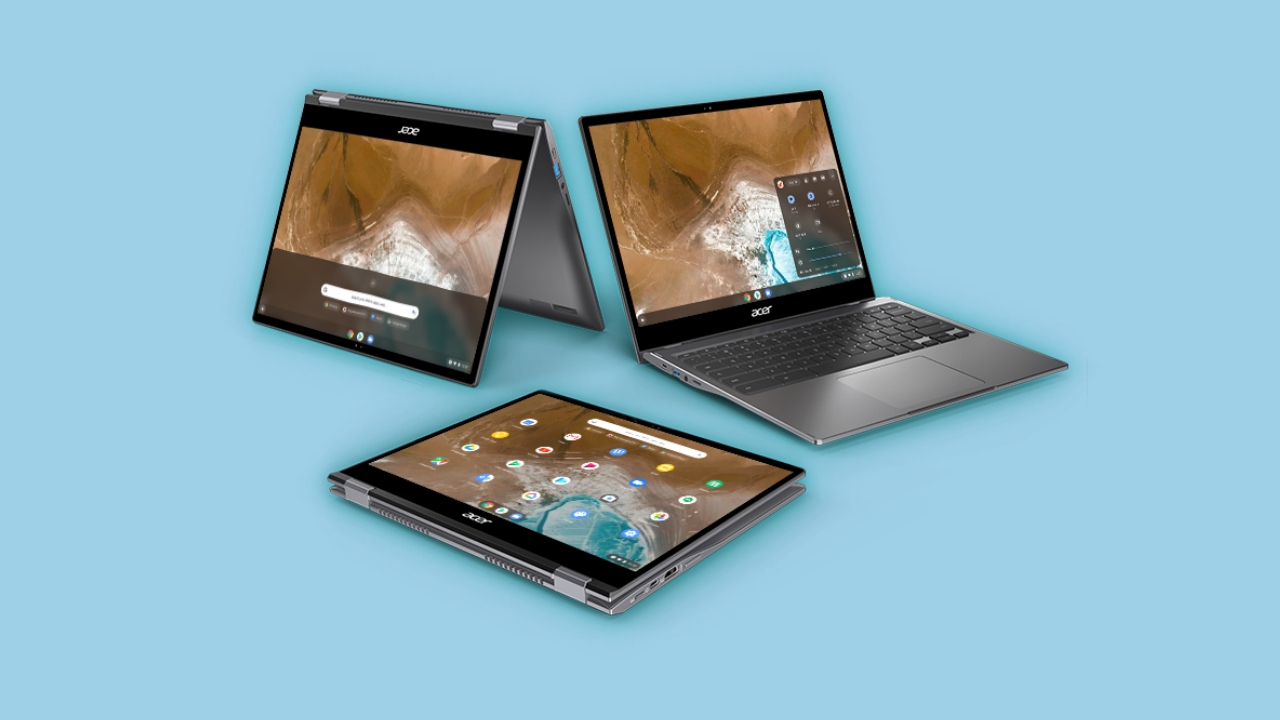
Acer prides itself as one of the premiere suppliers of competitive chromebooks, and during the Next At Acer conference, they took it to another level with the Acer Spin 713.
The Spin 713 is built both for regular consumers and businesses. It has enough power and connectivity to deliver efficient performance when working in the cloud.

It’s powered by the latest 10th Gen Intel Core processors and a 2K 13.5-inch VertiView display with a 3:2 aspect ratio for extra vertical space and reduced scrolling.

Complimenting these features are a fast-chargeable battery that should deliver 10 hours of usage with up to 16 GB DDR4 SDRAM and up to 256 GB of PCIe NVMe SSD storage.
It’s available for the Chrome Enterprise Upgrade. It’s a program that helps businesses manage multiple devices. The upgrade simplifies the process of deploying, managing and powering a cloud workforce.
Acer Chromebook Spin 311 also announced
On the more consumer-friendly side of things, Acer also launched the Acer Chromebook Spin 311. It’s an 11.6-inch convertible Chromebook designed to handle schoolwork and everyday projects.
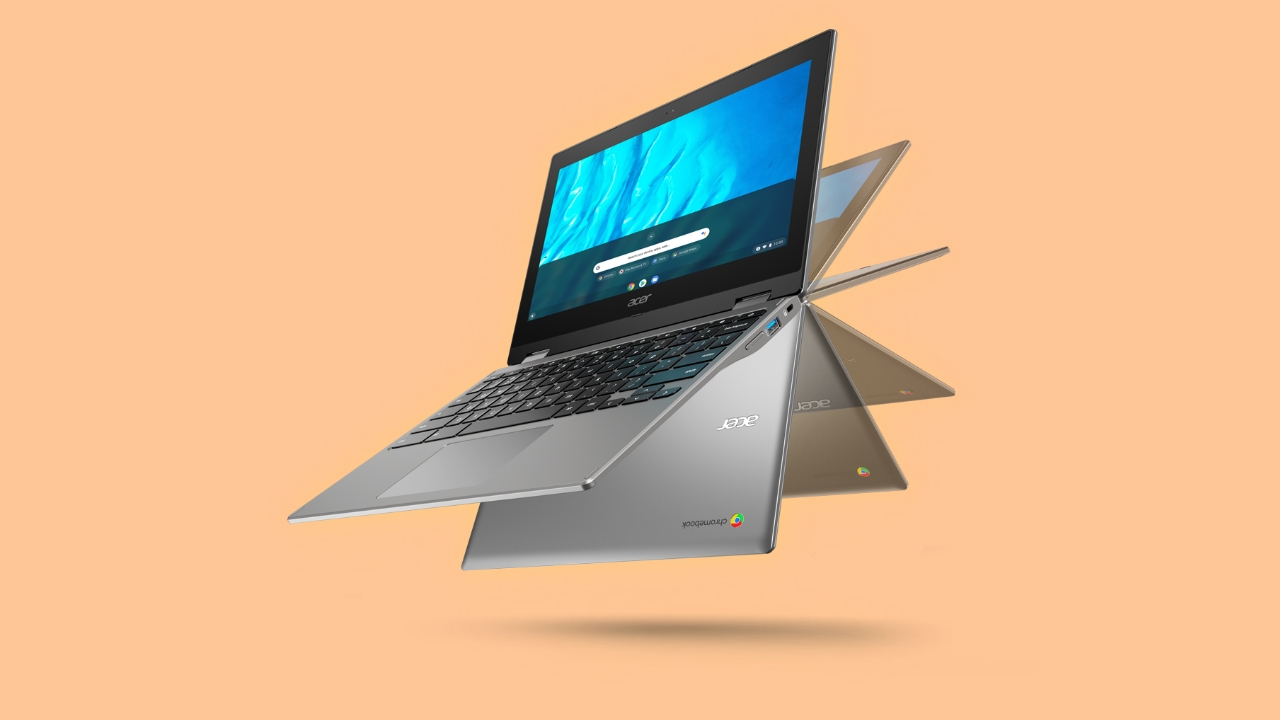
It’s powered by a Mediatek MT8183 processor and promises a 15-hour battery life.
Android App Support
The new Chromebook Spin 713, Chromebook Enterprise Spin 713 and Chromebook Spin 311 fully support Android apps via Google Play, so customers will have access to all the apps they regularly use whether it’s for productivity, creativity, services and more.
Price and Availability
The Acer Chromebook Enterprise Spin 713 will be available in North America in August starting at US$ 1099; and in Europe in August, starting at EUR 899.
The Acer Chromebook Spin 713 (CP713-2W) will be available in North America in July starting at US$ 629.99; and in Europe in June, starting at EUR 699.
The Acer Chromebook Spin 311 (CP311-3H) will be available in North America in July starting at US$ 259.99; and in Europe in June, starting at EUR 299.
Exact specifications, prices, and availability will vary by region.







Laptops
Apple unveils new 14-inch MacBook Pro M5
Up to 3.5x more AI performance, faster storage, up to 24 hours battery


Apple has introduced the new 14-inch MacBook Pro M5. It brings faster performance, greater efficiency, and a major leap in AI capability to the Mac lineup.
The next big leap in AI for the Mac
The M5’s 10-core GPU design brings up to 3.5x faster AI performance than M4, and 6x faster than M1. This makes it ideal for everything from text-to-image generation in Draw Things. It’s also great for faster large language model (LLM) processing in LM Studio.
The enhanced 16-core Neural Engine further speeds up AI-driven workflows such as data modeling, video enhancement, and deep learning . Meanwhile, the 2x faster SSD supports up to 4TB of storage for loading large AI models and handling heavy creative projects.
Next-level performance with M5
M5’s world-fastest CPU core drives up to 20% faster multithreaded performance for code compiling, multitasking, and creative apps like Premiere Pro and Blender. Its GPU enables up to 1.6x faster graphics and 1.6x higher frame rates in games like Cyberpunk 2077: Ultimate Edition compared to the previous generation.
For developers and professionals, over 150GB/s of unified memory bandwidth makes it easier to run large AI models or manipulate complex 3D scenes. AI video tools such as Topaz Video now process enhancements up to 7.7x faster than M1, while compiling code in Xcode is up to 2.1x faster.
Big gains for M1 and Intel upgraders
Upgraders from Intel-based Macs will see up to 86x faster AI performance, 30x faster GPU performance, and 5.5x faster CPU speeds. M1 users get up to 6x faster AI, 6.8x faster GPU with ray tracing, and 2x faster CPU performance.
Battery life rises dramatically — up to 14 more hours than Intel models, and four more hours compared to M1. Fast charge powers the MacBook Pro to 50% in 30 minutes using a 96W USB-C adapter.
The 14-inch Liquid Retina XDR display hits 1600 nits peak HDR brightness, while the 12MP Center Stage camera, studio-quality mics, and six-speaker Spatial Audio system deliver superior audio-visual experiences.
macOS Tahoe and Apple Intelligence
Running macOS Tahoe, the new 14-inch MacBook Pro brings major updates to Spotlight, Continuity, and Live Activities, alongside a redesigned interface with Liquid Glass effects and new customization options.
With Apple Intelligence, users can summarize messages, translate calls in real time, and automate tasks using smarter Shortcuts and app-integrated models — all while keeping data private and on-device.
Built for sustainability
The new MacBook Pro supports Apple 2030, the company’s goal of achieving carbon neutrality across its products and supply chain by the end of the decade. It’s made from 45% recycled materials, including 100% recycled aluminum, rare earth elements, and cobalt. The device is built using 55% renewable electricity and ships in 100% fiber-based packaging.
Pricing and availability
Customers can pre-order the new 14-inch MacBook Pro with M5 starting October 17 at apple.com/sg/store and in the Apple Store app. It will be available in stores and begin shipping to customers starting Wednesday, October 22.
The 14-inch MacBook Pro with M5 starts at SGD 2,199, or SGD 2,049 with education pricing, and comes in space black and silver. Configure-to-order options and accessories are available at apple.com/sg/mac.
Laptops
The Lenovo Yoga 7i Aura Edition gets it right after ten generations
All ten generations lead up to this.


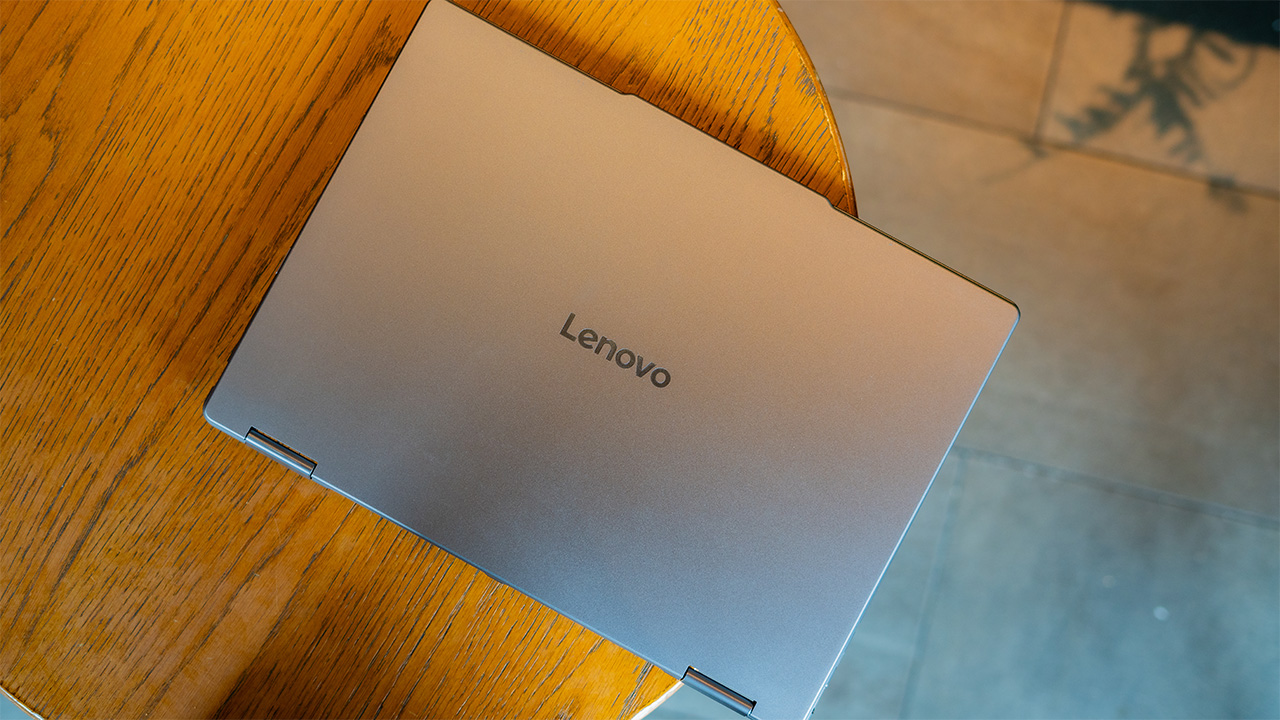
To me, the original foldable is the Lenovo Yoga. Sure, a laptop technically folds, but a true foldable can shift between different form factors. That’s what the Yoga series can do. Now, ten generations later, the Yoga 7i Aura Edition is back, guns blazing and ready to take on the world again.
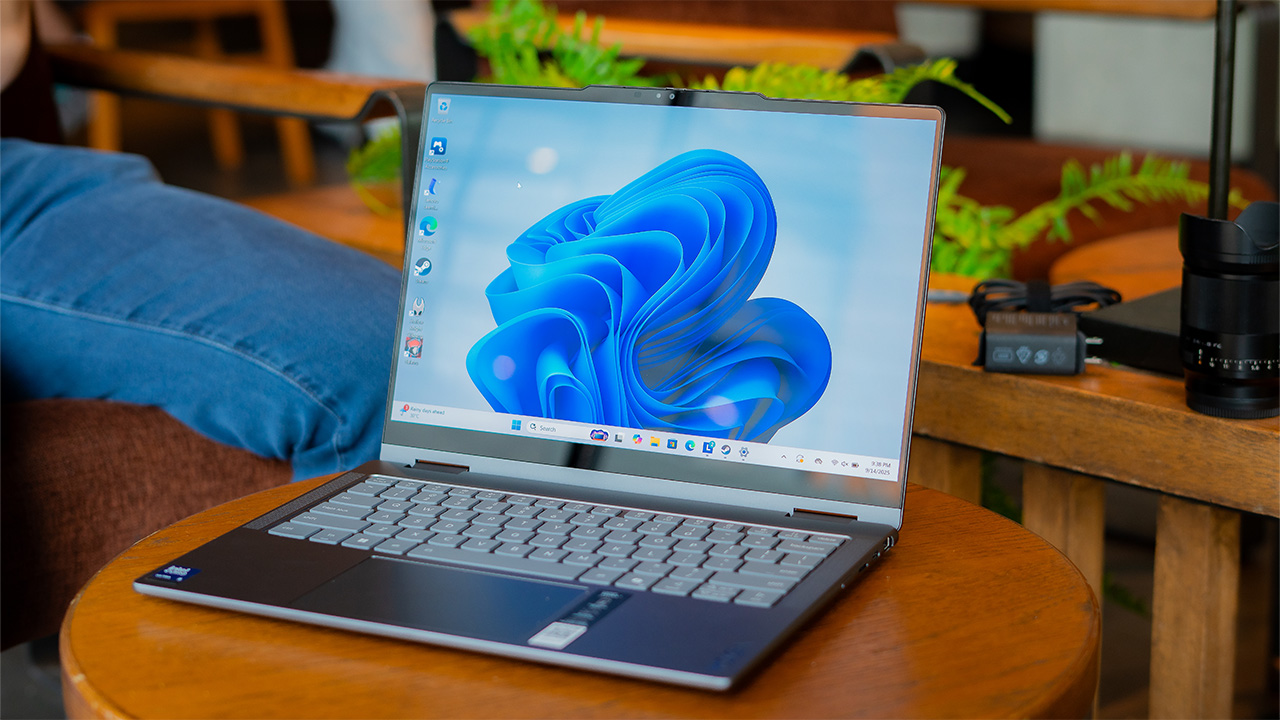
How many ways can you use the Yoga?
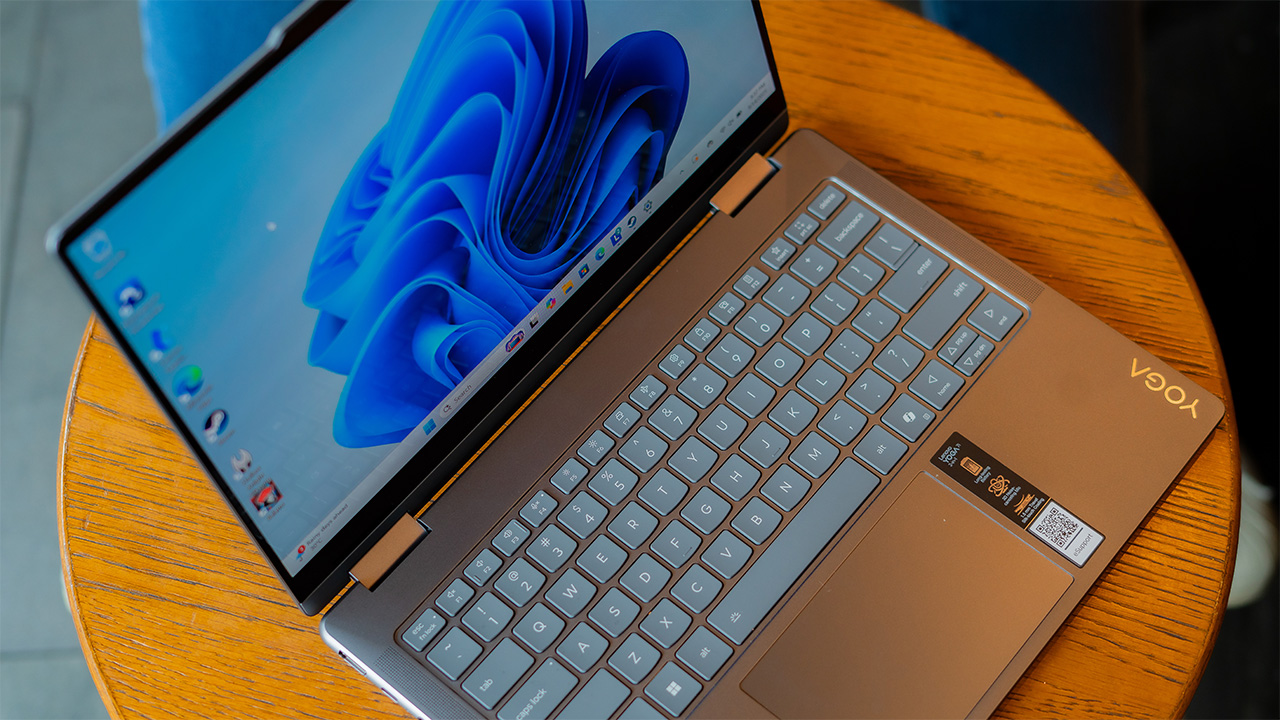
As always, the biggest draw of the Yoga 7i is its flexibility. This isn’t just any normal laptop. With its flexible hinge, you can fold it into a tent or into a tablet. All three modes are usable in their own way, of course.
Ten years ago, I never found a genuine way to use the other modes. I always asked myself, “Why would I ever use the other modes if the laptop mode is good enough?” Now, using all three modes just feels natural. It might be that I’m at an age that appreciates clearer division of tasks, but it could also be Lenovo’s better designs. And I’m leaning towards the latter.
Each mode feels like there’s a reason why it should exist. Instead of just a quirky design choice, both tent and tablet modes have worthy uses.
More power underneath
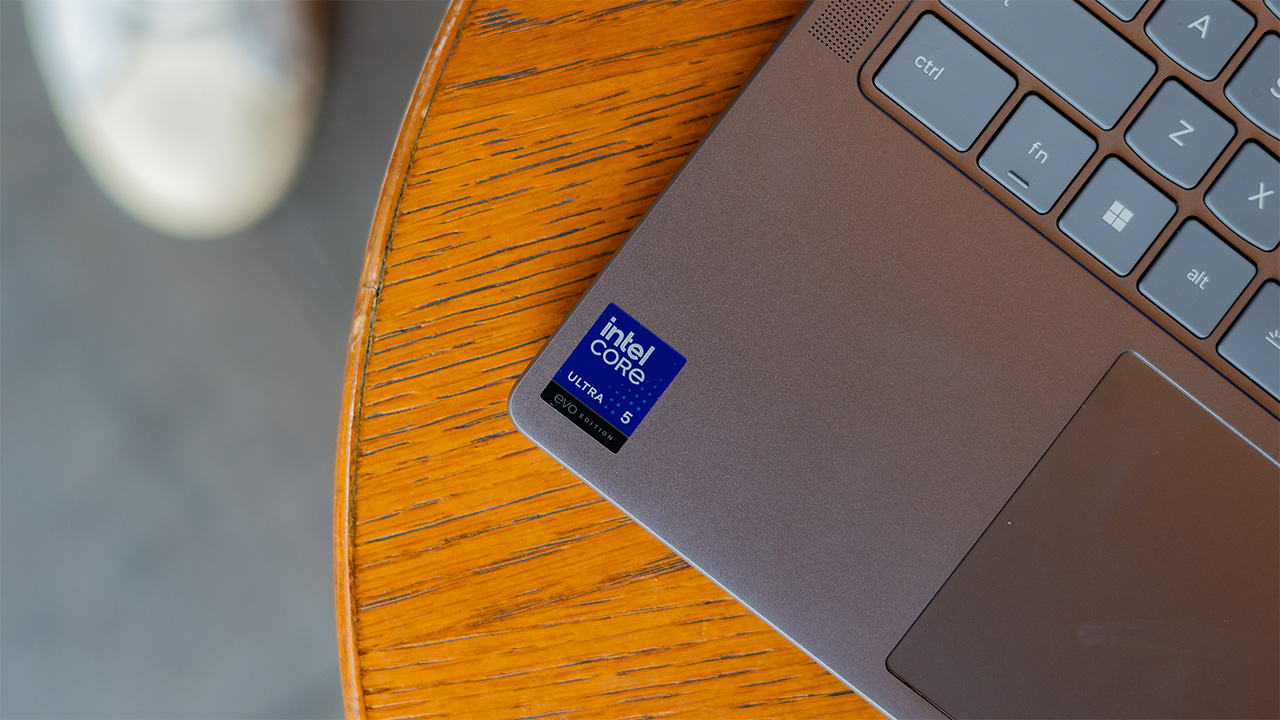
Despite how light the Yoga 7i is, it’s packing much more power underneath its chassis. It has an Intel Core Ultra 5 processor, paired with 16GB of RAM and 1TB of internal storage.
This looks like overkill. If you’re using this notebook purely for work, this is definitely too much. But for the package that it’s coming with, it feels like a bonus. Yes, it can handle all your daily work needs but also so much more.
Midway through testing, I was invited to showcase more of what the processor can do. At the time, my approach to the Yoga 7i was as an all-arounder, rather than as a premium or a gaming notebook. It felt pointless to force the notebook into a gaming-sized cubbyhole. Boy, was I wrong.
This thing can handle games. Obviously, it won’t be enough to play modern titles that need beefy graphics. The integrated graphics chip is impressive, though. Silksong was a no-brainer; the hardware worked even only on battery power. Overwatch 2 also worked, but I had to tone down some settings to get a smoother frame rate. Finally, if I forced it with lower settings, the notebook could even play a bit of Forza Horizon 5.
This performance was more than I expected from this lithe notebook. Going back to our quandary in the previous section, this is where the Yoga 7i’s tent mode shines: as an entertainment hub after a long day’s work.

OLED is finally here
Speaking of being an entertainment hub, the Yoga 7i just sparkles with its 14-inch WUXGA OLED screen. Once again, the notebook’s unassuming looks doesn’t betray the beasts lurking underneath.
Recently, I’ve gotten so enamored with displays that support True Black 500. The Yoga 7i is brilliant at showcasing deep blacks and vibrant colors. Playing the dark levels of Silksong, the contrast melds almost seamlessly with the black bezels. It’s easy to forget that you’re staring at a screen. Besides gaming, the notebook feels perfect for watching movies.
Similarly, the touchscreen was smooth and responsive. However, if you’re particular about smudges, fiddling around with the touchscreen display can leave fingerprints. The package does come with a stylus, though. The Lenovo Pen works well enough for using the device without fingers.

It’s a confusing layout
Anyone who’s used a laptop and a tablet before will know that the both of them have different layouts. The former, of course, has a keyboard and a power button right above it. Meanwhile, the latter has its power button on the side.
The Yoga 7i has a unique layout. Rather than the traditional placement for a notebook, Lenovo’s latest convertible laptop has its power button on the side, much like a tablet. This throws me off so much. Normally, when you carry a laptop while it’s in use, you grasp it by its sides. If that’s also where the power button is, there will be times when you’ll accidentally press the button by mistake. This was a big point of frustration because it felt like I had to relearn the simple act of picking up a laptop.
Additionally, it’s still unnatural for me to have a full keyboard behind a tablet. The Yoga 7i features novel ways to use a convertible notebook. But the price is coping with tiny irregularities foreign to how you normally use a notebook or a tablet.
A powerful enough battery
The Yoga 7i has a 70Whr battery. This seems pretty standard for a notebook. However, because it’s not a beefy machine, you can squeeze out more hours than with a normal laptop.
In my experience, it can handle a full 8-hour workday with ease. If I had to force it, the battery can last even longer. It wasn’t until the 12-hour mark before I felt too anxious to keep going on pure battery power.
It’s easy to charge, though. The notebook uses a USB-C port for power delivery. The charging brick is also conveniently small. If you’re familiar with it, it’s the same brick you’ll find with the Legion Go. It’s as small as a smartphone brick. Coupled with how light the notebook already is, it’s a breeze to carry the entire package for working outside.
Is the Lenovo Yoga 7i Aura Edition your GadgetMatch?
Ten generations in, I’m still constantly impressed with the Yoga series. At first, I thought that it was a quirky addition to the laptop market. Now, because of all the improvements that can pack powerful hardware in a small package, I’m even more impressed.
The Lenovo Yoga 7i Aura Edition is a distillation of the past ten generations of the series. On its own, it is already a capable notebook for everyday tasks. Coupled with its flexibility, the 2-in-1 convertible is a head turner and a unique piece for your digital ecosystem.
Plus, it’s affordable! It costs only PhP 81,995.
With all of that said, the Yoga 7i Aura Edition gets a Super Swipe. Though my tastes lean more toward premium and gaming devices, the notebook impresses with great hardware and an affordable price.
Laptops
ASUS unveils latest ExpertBook B5, P5 laptops, more
Improved durability, security, performance, versatility, and AI processing
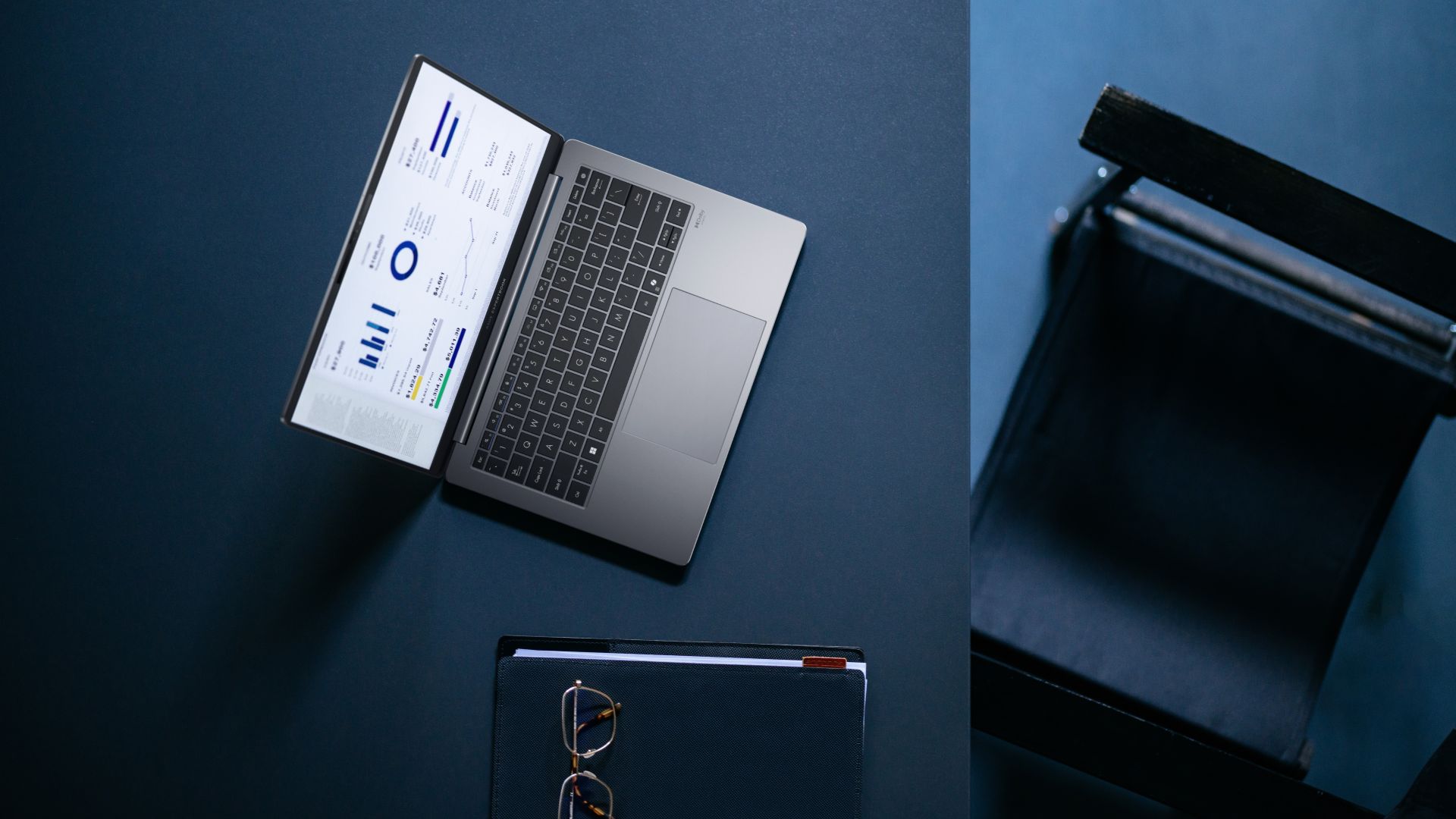
ASUS has unveiled its latest ExpertBook B and P series laptops in the Philippines, which include powerful series headliners in the ExpertBook B5 and ExpertBook P5.
These latest laptops all come with improved durability, security, performance, versatility, and AI processing tailored for the current generation of professionals.
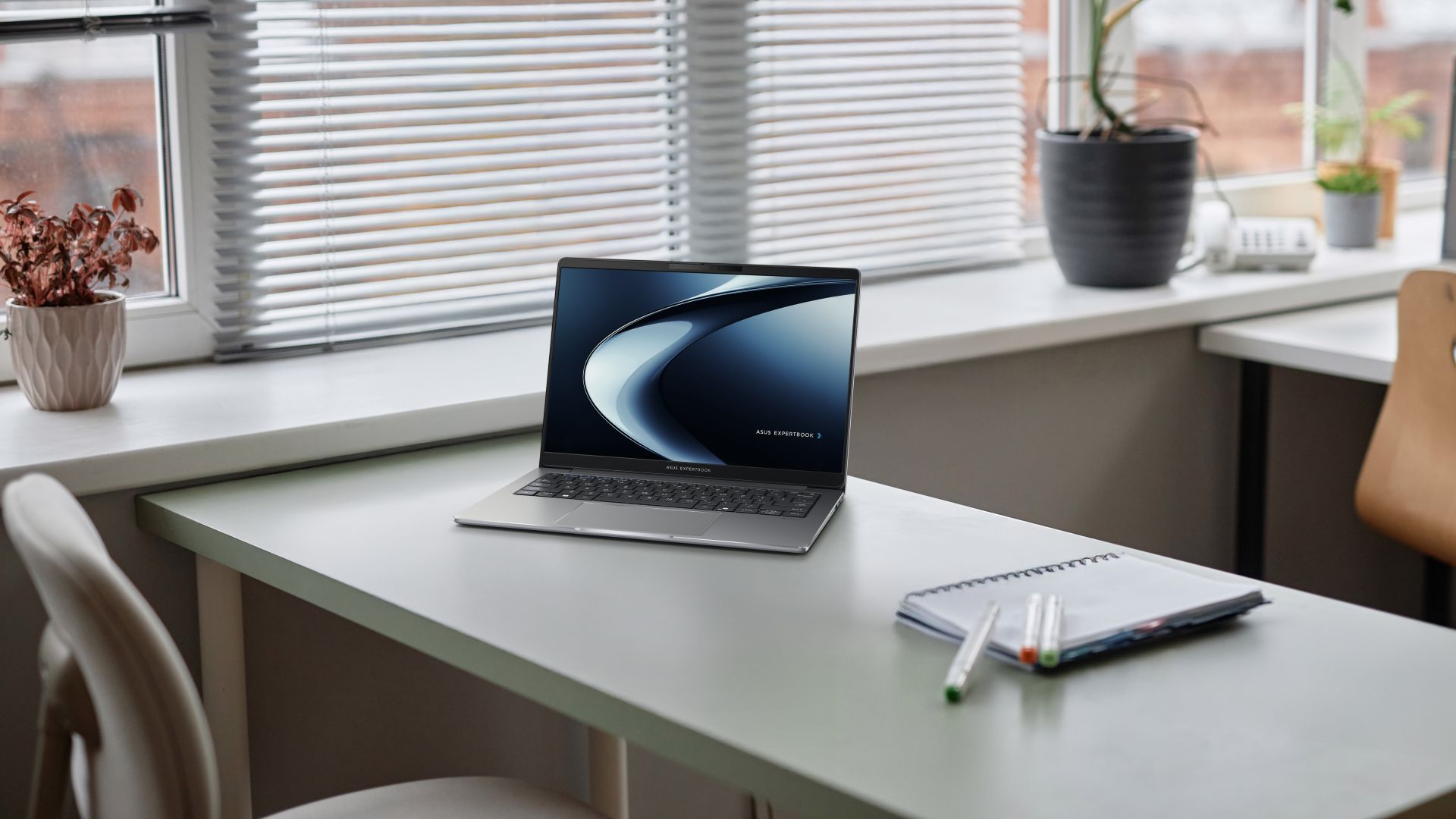
Headlining the new P series models is the ASUS ExpertBook P5, which the company dubs as a “serious productivity weapon” for professionals.
It is powered the latest Intel Core Ultra processors (Series 2) for up to three times AI performance boost and up to 47 NPU TOPs.
In front is a 14-inch 2.5K 155Hz display for stunning clarity and ultra-smooth visuals. Inside is an all-day battery that can provide up to 28 hours of screen time.
All these features are housed in a sleek, aluminum chassis that is durable and lightweight at just 1.27 kilograms.
ASUS ExpertBook P series
Meanwhile, the ASUS ExpertBook PM3 is powered by up to AMD Ryzen AI 7 PRO processors and up to 64GB of DDR5 dual-channel memory and up to 3TB of dual SSD storage.
Users can choose from either a 14-inch or 16-inch 2.5K 144Hz anti-glare display. The PM3 models come with ASUS ExpertCool thermal design, and can run up to 18 hours on a single charge.
Furthermore, the ASUS ExpertBook P3 features a 16:10 anti-glare display, ExpertCool for better airflow, and up to 13 hours of battery life.
It comes with an assortment of ports: two full-function USB 3.2 Gen 2 Type Cs, two USB 3.2 Gen 1 Type As, HDMI 2.1, TDMS, audio combo jack, RJ45 LAN, and Kensington Nano Security Slot.
This variant is powered by up to 13th Gen Intel Core i7 processors.
Lastly, the ASUS ExpertBook P1 offers users a great entry-level laptop for work and other tasks. It comes with an FHD display, up to an Intel Core i7 processor, and ample RAM and internal storage with room for expansion.
Pricing
- ASUS ExpertBook P5 (P5405CSA): Starts at PhP 82,995
- ASUS ExpertBook PM3 (PM3406/PM3606): Starts at PhP 78,495
- ASUS ExpertBook P3 (P3405CVA/P3605CVA): Starts at PhP 61,495
- ASUS ExpertBook P1 (P1403CVA/P1503CVA): Starts at PhP 42,995
ASUS ExpertBook B5
On the other hand, bannering the new ExpertBook B series releases is the ASUS ExpertBook B5. Pricing starts at PhP 82,995.
This notebook combines the latest Intel Core Ultra 7 processors with Intel vPro and NVIDIA graphics for up to 99 total-platform TOPS.
That way, it is built to power even the most intensive multitasking sessions for business professionals, accelerating productivity.
In front is a 2.5K 144Hz display, while on the sides are two Thunderbolt 4 Type-C ports and HDMI 2.1, along with a card reader and nano SIM slot for 4G connectivity. The laptop also supports Wi-Fi 7 for ultra-fast speeds.
In spite all of these, the ExpertBook B5’s lightest configuration weighs just about 1.29 kilograms, making it portable for those always on the go.
AI ExpertMeet: AI for work
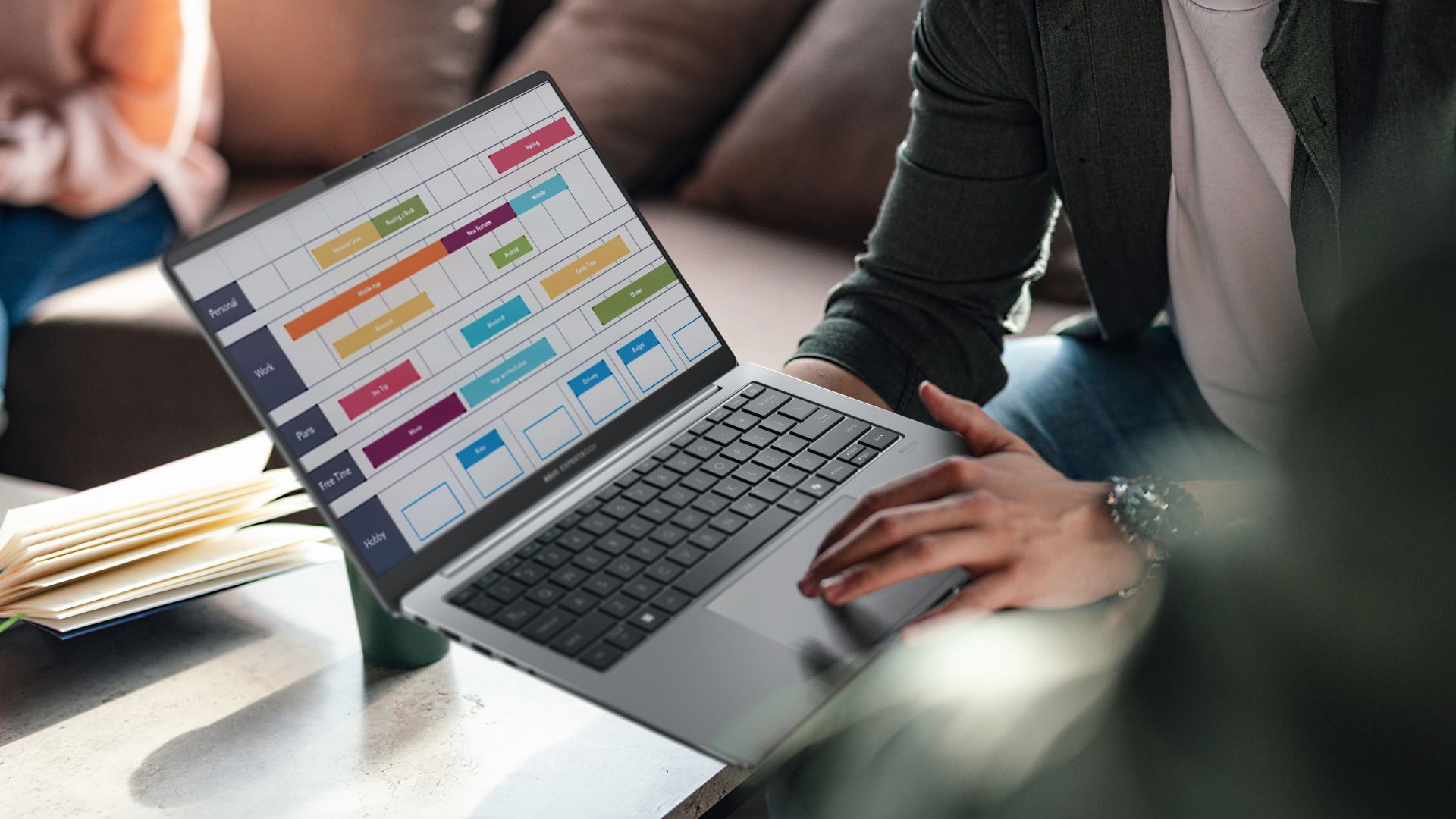
The new ExpertBook B and P models also introduce the AI ExpertMeet software, which is ASUS’ suite of AI-powered tools to enhance productivity and efficiency.
Among its key highlights are AI Meeting Minutes which can capture and transcribe meetings, turning audio into clear text for easy review.
There’s also AI Translated Subtitles for instant subtitles for live calls and recordings on the fly, as well as translations.
For video conferencing, there’s AI Noise Cancellation, AI Camera, and Webcam Watermark. AI Audio, meanwhile, can block off noise when a user records sound.
Multi-presenter mode also acknowledges multiple unique voices from different locations and distances so they are all conveyed at a similar volume.
ASUS ExpertGuardian, Military-Grade Standard compliance
All new ASUS ExpertBook models, including the entry-level options, also come with commercial-grade and NIST SP 800-155-compliant BIOS.
Coupled with Windows 11 Secured-core PC technologies, the laptops create a fortified defense against software vulnerabilities.
On top of these, ASUS offers a comprehensive five-year support for BIOS and driver updates.
Lastly, all new ASUS laptops have Military-Grade Standard compliance (MIL-STD-810), with the company subjecting models to more than 20 tests.
This is to ensure the laptops’ enhanced durability and longevity, complementing what it can provide on the performance and processing power side of things.
Tests include:
- 50,000 open and close cycle tests for the hinge
- Drop test as high as 1.2 meters
- Rump pressure test
- Water spill-resistance test for keyboard
- Metal plate-reinforced I/O ports tested to endure up to 9 kilograms
- Screen durability
- Various temperature tests (freeze/thaw test, solar radiation test, humidity test)
- Altitude test of up to 15,000 feet
- 5,000 USB Type-A connections
- Twist test to simulate normal handling and carrying
Laptops also come with 3-year on-site service, plus Accidental Damage Protection and 1-year plus international coverage in over 80+ countries under ASUS’ Comprehensive Warranty.


‘Quezon’ muddies the president’s legacy to inspire true change
It's the movie that the country needs now.


Samsung Galaxy S25 FE review: Closer to flagship than ever
Thoughtfully refined


The HONOR MagicPad 3 is an almost perfect premium pad partner
Ever-reliable for work, chill, and play BUT with some catch

Power Mac Center iPhone 17 midnight launch draws massive crowd
‘Quezon’ muddies the president’s legacy to inspire true change

OPPO Find X9 series are now live in China

Maya unveils Pink Glitter Visa Card, BLACKPINK concert promos

Samsung launched a charger that’s incompatible with all its phones

Xiaomi 17 Pro Max takes a jab at Apple’s iPhone 17 Pro Max

The Xiaomi Pad Mini is discounted until October 13

DJI Osmo Nano review

Xiaomi 15T Pro review: Big battery, clean shots, smooth performance
The HONOR MagicPad 3 is an almost perfect premium pad partner

This is the BRIGHTEST 4K Projector In Its Class!

Unboxing: Ghost of Yotei Collector’s Edition

Unboxing the latest Apple Watch × Hermès

Lenovo Yoga 7i Aura Edition: Ten generations of foldable goodness

21-Day Battery, Pro Sports Tracking: HUAWEI WATCH GT 6 Series
-
 Cameras1 week ago
DJI Osmo Nano review
-
Reviews1 week ago
The HONOR MagicPad 3 is an almost perfect premium pad partner
-
Reviews6 days ago
Samsung Galaxy S25 FE review: Closer to flagship than ever
-

 Reviews2 weeks ago
TECNO Slim review: Smexy, Antifragile Slab
-

 News6 days ago
vivo X300 Pro headlines Dimensity 9500 and Sony’s LYT-828 image sensor
-

 Reviews2 weeks ago
The Xiaomi OpenWear Stereo Pro is a midrange wearable in premium packaging
-

 Enterprise2 weeks ago
Tim Cook might soon step down as Apple’s CEO
-
 Apps2 weeks ago
You can now connect your Spotify account to ChatGPT