
Computers
Acer’s new Predator Orion 5000 goes up to 9th-gen Core i9, RTX graphics
Even more serious power


Acer’s well-received Predator Orion 5000 has gotten an upgrade, and it includes some of the best hardware you can find on any gamer-centric desktop PC to date.
The new Orion 5000 (model name PO5-605S) can now accommodate up to a 9th-generation Intel Core i9-9900K processor with a Z390 chipset and GeForce RTX 2080 graphics card. That’s a seriously powerful combo, especially since the CPU can be overclocked thanks to Cooler Master’s liquid cooling system.

You also get up to 64GB of RAM and an assortment of SSD and HDD options on easy-to-swap expansion bays. 2.5Gbps Ethernet is available, as well as tunable RGB lighting visible through the mid-tower’s see-through panels.

“With the latest gaming technologies like a GeForce RTX GPU and overclockable 9th-gen Intel Core i9-9900K processor, the new Orion 5000 packs enough power to satisfy even the most demanding gamers,” said Jeff Lee, General Manager for Stationary Computing, IT Product Business, Acer Inc.
Acer also announced a new 43-inch Predator LFGD (large format gaming display) which features a 4K resolution and 144Hz refresh rate. Its VA panel offers Adaptive Sync and a wide color gamut of 90 percent of the DCI-P3 color space.
No exact pricing or availability dates have been mentioned, but these two products will definitely hit Asian markets in the coming months.







Computers
ASUS announces latest ExpertCenter Mini Towers, P400 monitor PCs
Compact, powerful, efficient, AI-ready, and versatile

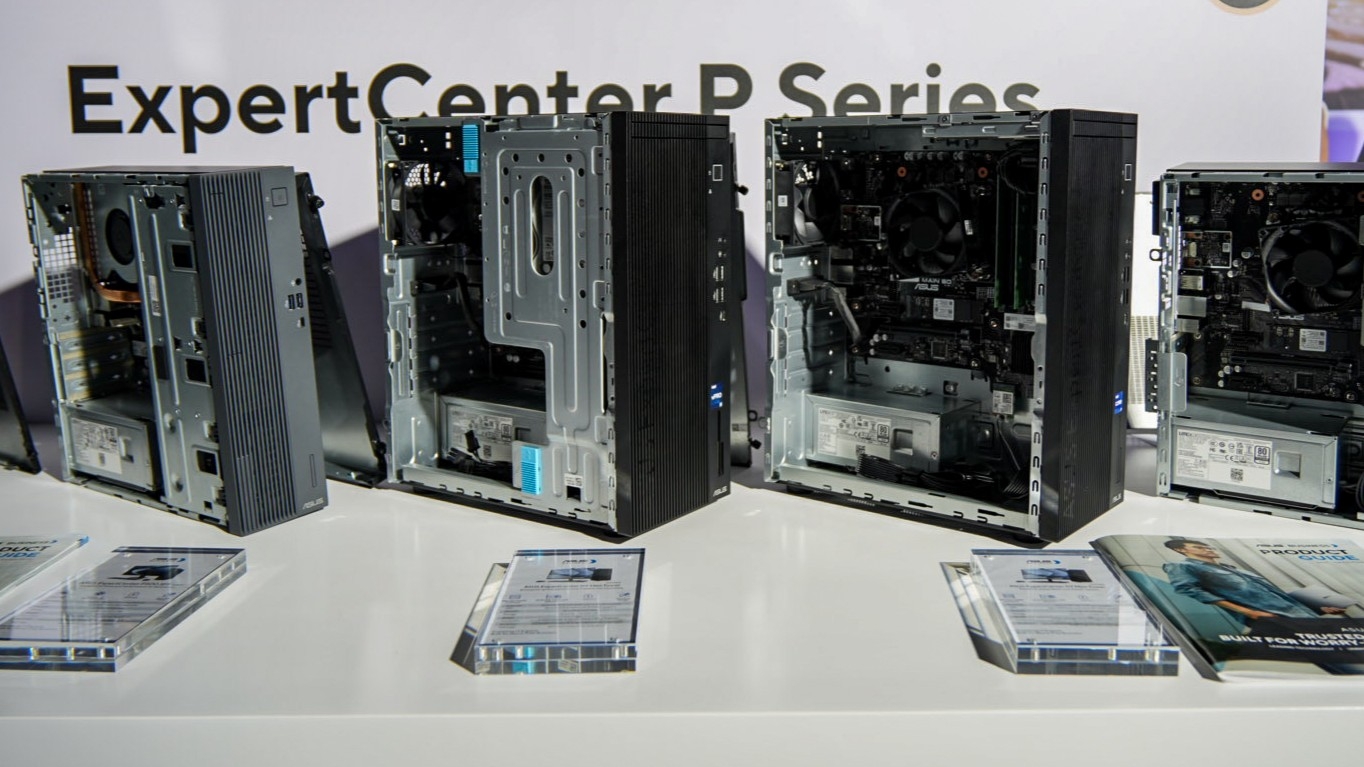
ASUS has announced its latest ExpertCenter Mini Towers and P400 AiO series, which join the company’s lineup of new ExpertBook P and B series laptops.
The two Mini Towers come in the ExpertCenter P500MV and ExpertCenter P500SV desktops.
The P500MV Mini Tower is a 15.9L chassis and is packed with up to Intel Core i7 processors for up to 95W thermal design power (TDP).
There’s a full array of I/O ports so users can easily connect the P500 to a wide range of business peripherals.
It has three front-mounted USB ports and an optional Smart card and SD reader. At the back, there’s an HDMI and DisplayPort, audio jack channels, and further USB ports, as well as a LAN port.
ASUS’s Tower Air Cooler system, meanwhile, complements everything with cooling efficiency. The three partially-flattened heat pipes connect to a large fan for a larger heat-dissipation area.
As such, CPU performance is boosted and power consumption is reduced by up to 38%.
For a smaller, more space-saving option, there’s the 8.6L P500SV. It likewise comes with an assortment of ports, capable processors, and room for memory and storage expansion with an easily-removable side panel and components arranged similarly to those inside laptops.
ASUS ExpertCenter AiO P400 series

Meanwhile, the all-in-one P400 series monitor PCs have the 24-inch ExpertCenter P440 and 27-inch ExpertCenter P470 as options.
These workstations combine a compact design with less components and cable with powerful performance and AI features.
Instead of a Mini Tower or chassis, the back of the monitor already houses all the PC components. And yet, it’s not even too bulky. Plus, there’s also room for up to 64GB of RAM and 2TB SSD storage.
Both models have FHD displays with a 93% screen-to-body ratio and support Dolby Atmos audio for a premium experience for various tasks.
They feature ASUS Splendid for four different preset modes for the display. Users can also add a manual preset to tailor the display settings for scenarios like video editing or even just streaming.
The P400’s stands are also height-adjustable and VESA-compatible for wall-mounting or placement in various environments.
The display is tiltable left and right and rotatable for vertical orientations. And specifically, the 24-inch variant has a touchscreen display.
ASUS ExpertMeet
Like all of ASUS’s new business laptop releases, the ExpertCenter P500 desktops and P400 monitor PCs come with ASUS AI ExpertMeet.
There’s AI Meeting Minutes which can capture and transcribe meetings, turning audio into clear text for easy review.
Users can also leverage AI Translated Subtitles for instant subtitles for live calls and recordings on the fly, as well as translations.
For video conferencing, there’s AI Noise Cancellation, AI Camera, and Webcam Watermark. AI Audio, meanwhile, can block off noise when a user records sound.
Multi-presenter mode also acknowledges multiple unique voices from different locations and distances so they are all conveyed at a similar volume.
ASUS ExpertGuardian
The aforementioned devices also come with commercial-grade and NIST SP 800-155-compliant BIOS.
Coupled with Windows 11 Secured-core PC technologies, the laptops create a fortified defense against software vulnerabilities.
On top of these, ASUS offers a comprehensive five-year support for BIOS and driver updates.
And like the ExpertBook P and B series laptops, even the Mini Towers and monitor PCs likewise have Military-Grade Standard compliance to withstand tough conditions.
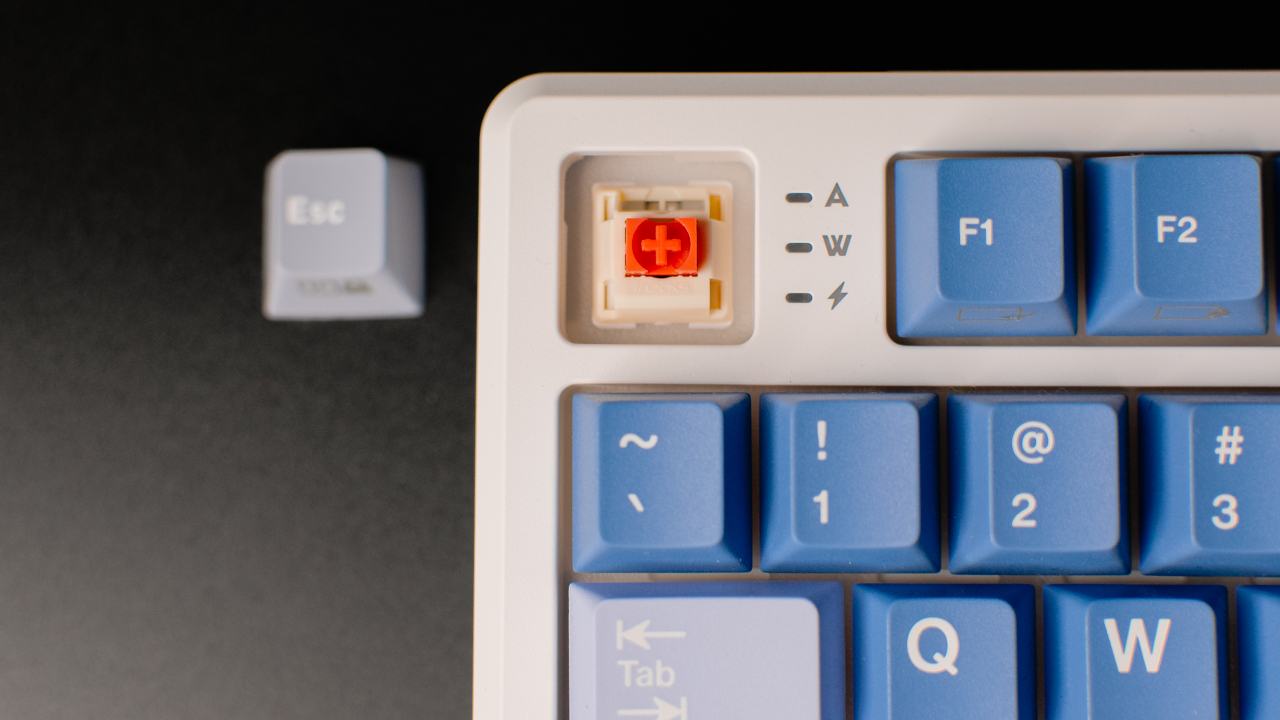
Compact keyboards are often seen as a compromise, but the iRocks K103R proves otherwise.
With its 75% layout, tri-mode connectivity, and enthusiast-level build, it manages to shrink desk space without cutting productivity. It’s designed for users who want portability and flexibility without losing the essentials.
First Look
The K103R comes with 81 keys in a compact 75% layout. This design keeps the all-important function row and navigation column, while trimming down unused space to free up more of your desk.
It’s the sweet spot for those who want something smaller than a full-size keyboard but aren’t ready to give up the keys they use daily.

At under a kilogram, it’s light enough to carry around, making it a practical companion for people who split their time between home, office, and café setups.
Its tri-mode connectivity — USB-C cable, Bluetooth, and 2.4 GHz dongle — gives you flexibility to connect however you prefer, whether that’s wired for gaming sessions, wireless for presentations, or Bluetooth for working on multiple devices.
And with a high-capacity 3,750mAh battery, the K103R is built to keep up with long hours. It lasts more than four workdays on a single charge, giving you 36 hours of use with the RGB lights on, or a whopping 160 hours with the lights off.
That’s the kind of endurance that lets you forget where you left the charging cable.
First Date
Typing on the K103R feels refined, thanks to its gasket mount construction. The added cushioning between plate and case softens each keystroke, delivering a smoother and more responsive feel compared to tray-mount boards.
It also comes hot-swappable, meaning you can swap out switches without soldering, which is ideal for enthusiasts who like experimenting, or for anyone who wants peace of mind when it comes to repair and longevity.
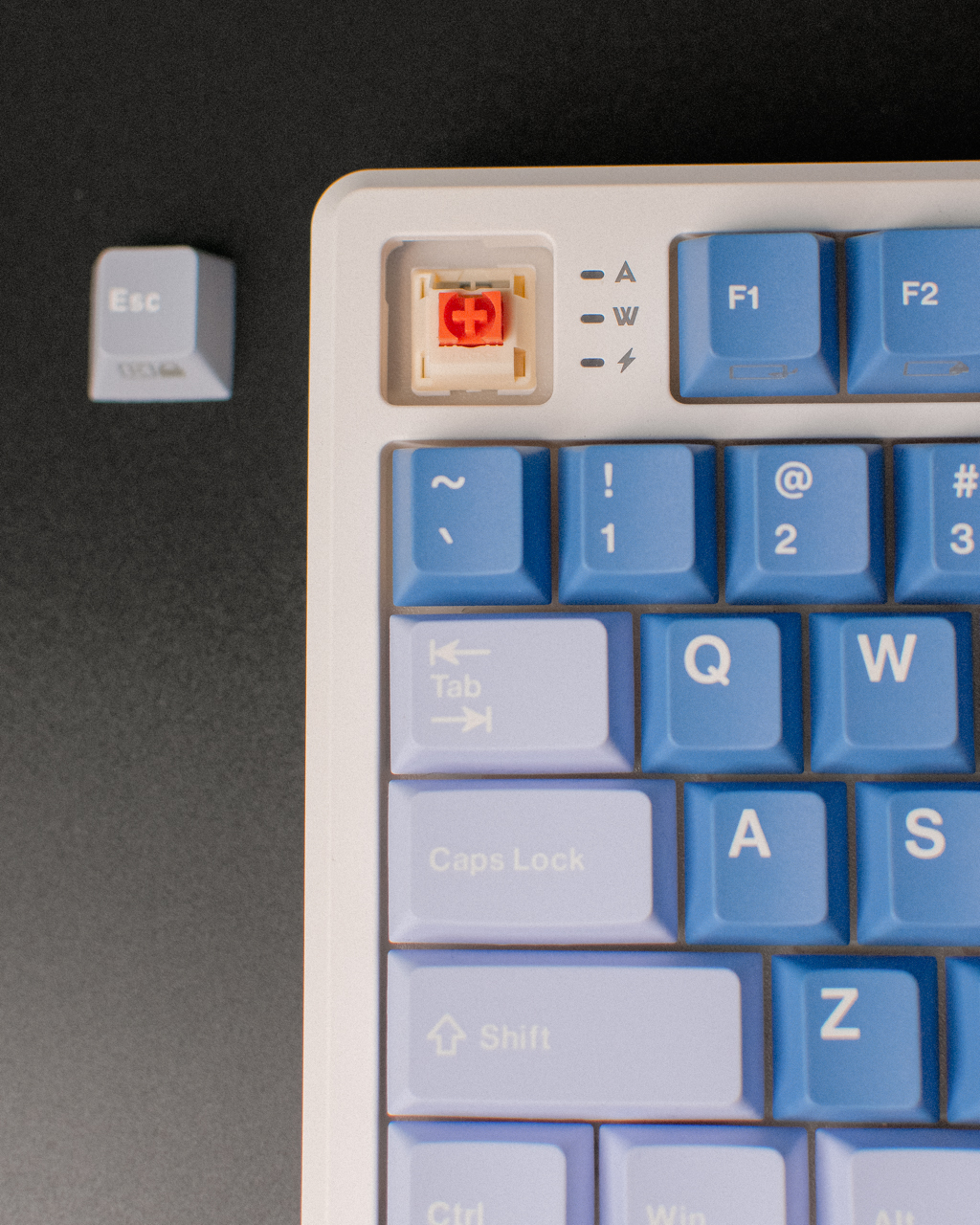
Out of the box, you can choose between three of iRocks’ in-house switches: the Silent Bubble Switch for a tactile yet quiet feel, the Bubble Switch for a more classic tactile bump, or the Berry Switch if you prefer a smooth linear press.
Our Silent Bubble Switch unit provided a balance that made sense for both quiet offices and noisy cafés: tactile enough to stay satisfying, but muted enough to stay considerate.
Then there’s the lighting. Per-key RGB lets you customize every key to match your workspace mood or game aesthetic.
The solid 0.78kg chassis resists flex, keeping the board planted during long typing or gaming sessions, while the customizable lighting adds that hint of personality without going over the top.
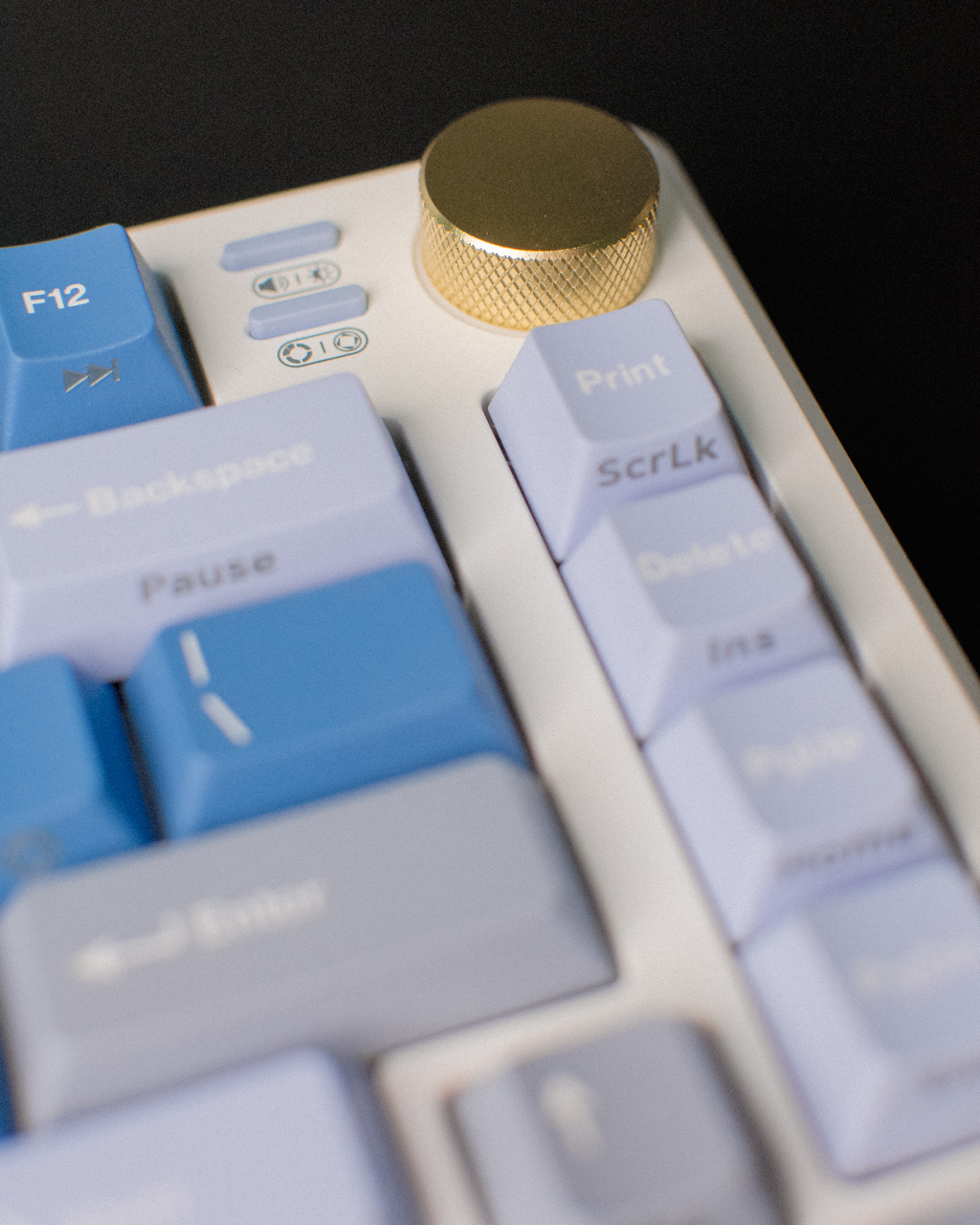
First Impressions
The iRocks K103R doesn’t feel like a “downsized” keyboard. Instead, it feels like a complete package that just happens to take up less space.
Its thoughtful layout, reliable tri-mode connectivity, and enthusiast-friendly touches like hot-swap support and gasket mounting make it a strong option whether you’re working, studying, or gaming.
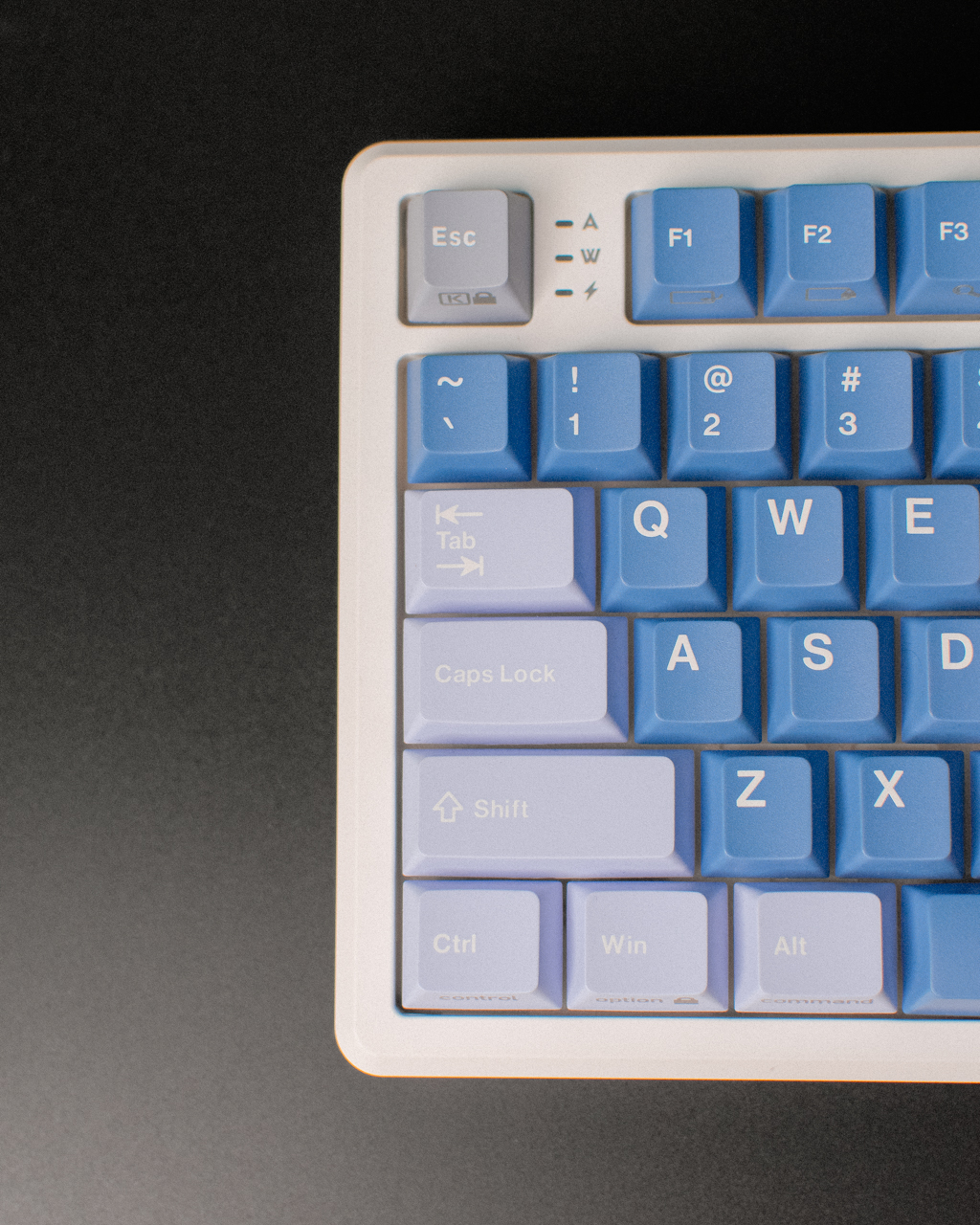
What makes it stand out is how it manages to balance professional practicality with enthusiast-grade features, all in a portable size.
It’s compact without compromise, making it not just a smart purchase but a smart investment if you’re looking for a long-term daily driver.
Accessories
The iRocks K85R balances function, build, and design
Everything you need, all in one board

Keyboards can make or break how productive you feel.
The iRocks K85R steps up as a full-size mechanical board that doesn’t drown in gimmicks.
Instead, it brings together thoughtful design, practical features, and a solid typing experience that strikes the right balance for both work and play.
Build, design
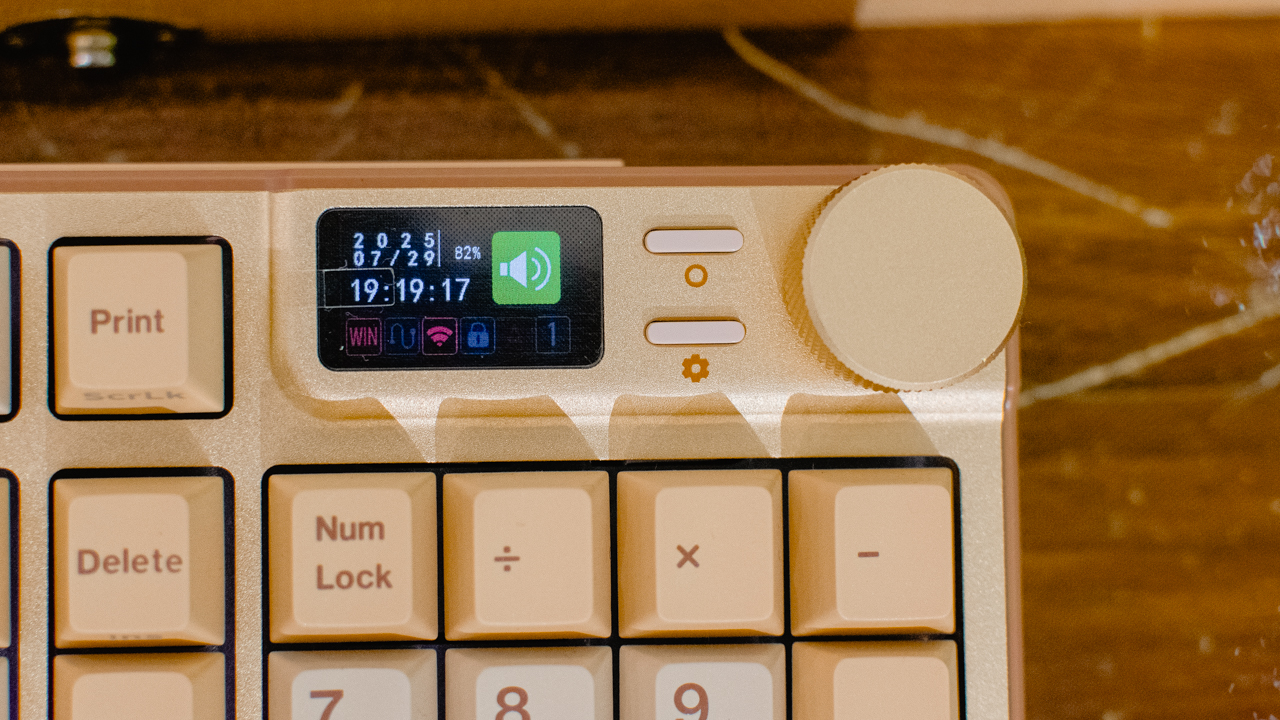
The iRocks K85R is a full-sized wireless mechanical keyboard built with productivity in mind. One standout feature is its dedicated control knob and screen, which enable on-the-fly setting adjustments.
And with onboard memory, you don’t have to load up their software to make these changes.
The knob feels sturdy and smooth to use, while the screen adds practicality by giving you instant feedback.
This combo brings a thoughtful touch that puts the K85R a step above more basic entry-level boards.

The K85R’s metal top plate and sturdy plastic case work together to deliver a rigid, durable build.
The polished metal accents, including the knob, add a clean and professional touch that leans more towards a minimalist office aesthetic than a flashy gaming board. This balance makes it versatile for both work setups and casual play.
Features, functionality
The K85R offers practical features that make it easy to live with daily.
It supports both wired USB-C and wireless 2.4 GHz connectivity, with a polling rate of up to 1000Hz in either mode. So, whether you’re gaming or working, responsiveness won’t be an issue.
With a dedicated control knob, you can manage key functions on the fly. Adjust volume, switch between tasks, or adjust screen brightness without opening any software.
Plus, with onboard memory, your custom lighting profiles and macros stay saved directly on the keyboard, so your setup goes wherever you do.
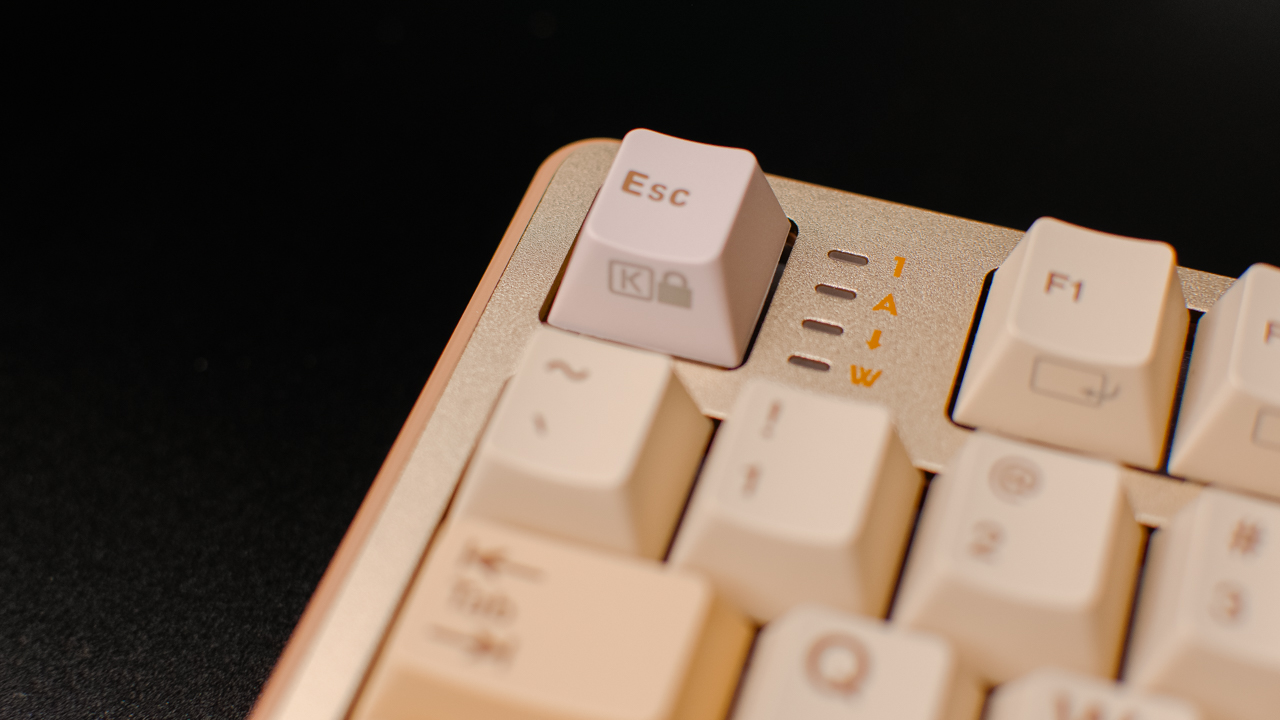
The only caveat is software support: while the keyboard works fine on macOS, iRocks’ configuration software is Windows-only. Mac users can still use the K85R without trouble, but customization options might be limited.
Switch and typing experience
You can choose from three of iRocks’ in-house switches for this keyboard: Silent Bubble Switch (tactile, quiet), Bubble Switch (tactile, louder), and Berry Switch (linear).
Our unit came with the Silent Bubble Switches, and here are the key specs: Actuation force: 45 ± 10gf, Pre-travel: 2.5 ± 0.5mm, Total travel: 3.7 ± 0.5mm.
Typing on these feels slightly stiffer than mainstream tactiles, due to the longer pre-travel and medium-to-heavy actuation force. The good thing about this is there’ll be minimal to no accidental presses.
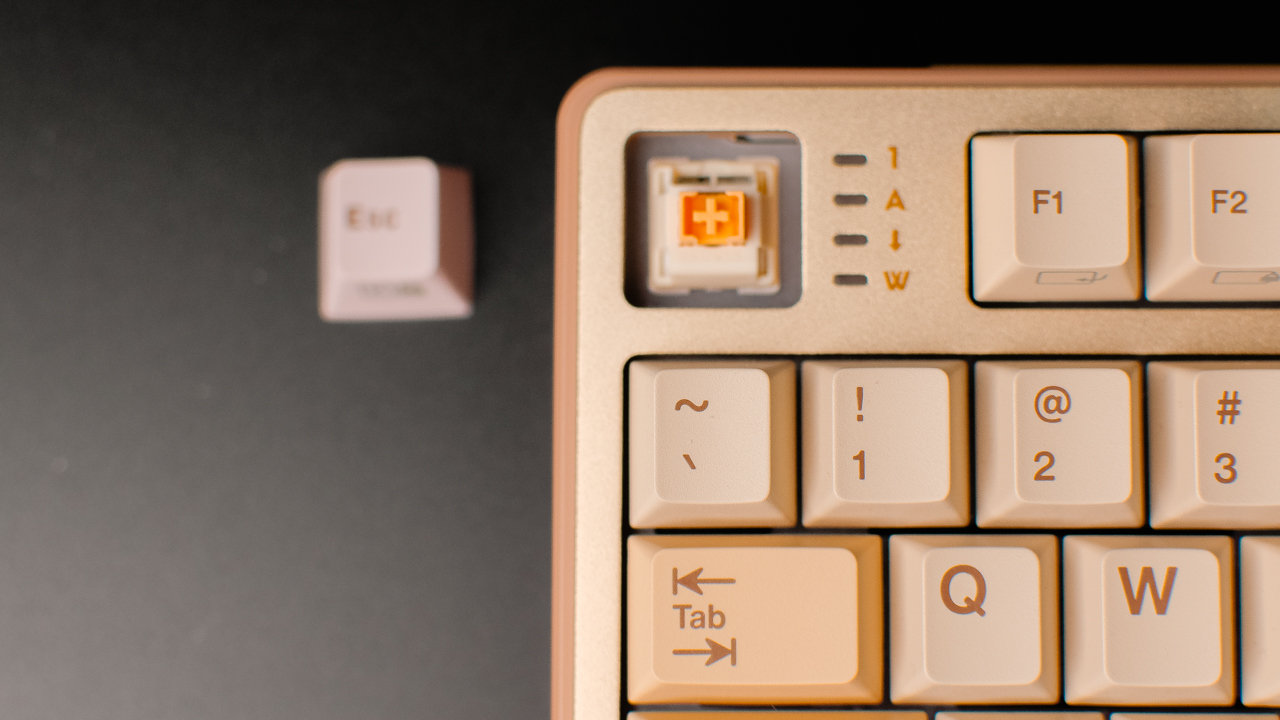
Despite the tad stiffer feeling, the shorter overall travel balances things out, providing a soft feeling before bottoming out. The shorter travel distance also makes bottoming out feel snappier and more deliberate.
Overall, this quiet but tactile typing experience is ideal for shared spaces, like offices or cafes. And if the Silent Bubbles aren’t your thing, the K85R’s hot-swappable sockets let you swap to your preference.
Is this your GadgetMatch?
The iRocks K85R strikes an excellent balance of functionality, build quality, and clean design. It’s great for productivity-first users who want a full-size keyboard with a genuinely useful control knob.

Starting at US$ 99, it stands as a strong mid-range option. The K85R is a well-rounded keyboard and a worthy addition to any enthusiast’s arsenal.
If you’re looking for a professional, versatile mechanical keyboard with hot-swap flexibility and thoughtful features, the K85R is well worth considering — and for us, it’s a Swipe Right.


vivo X200 Pro review: 200+ Days After
6.5 months with vivo’s mighty underrated flagship


The Lenovo Yoga 7i Aura Edition gets it right after ten generations
All ten generations lead up to this.


Digimon Story Time Stranger: Back to the digital past
A (personally) nostalgic Digimon return

The new Lenovo Legion Tab comes with a free GameSir G8+ this month

The Xiaomi Pad Mini is discounted until October 13

realme 15T also releasing on October 8

realme 15 Pro named official M7 World Championship gaming phone

Celebrate your teacher and win rewards with this PMC campaign

HUAWEI FreeBuds SE4 review: Solid sound and ANC on a budget

Logitech adds comfort and speed to 2025 keyboard, mice lineup

First Look: Apple iPhone Air, 17, and 17 Pro

Xiaomi 17 Pro Max takes a jab at Apple’s iPhone 17 Pro Max

Redmi 15C review: Big features on a small budget

Unboxing: Ghost of Yotei Collector’s Edition

Unboxing the latest Apple Watch × Hermès

Lenovo Yoga 7i Aura Edition: Ten generations of foldable goodness

21-Day Battery, Pro Sports Tracking: HUAWEI WATCH GT 6 Series

The Glow That Changed Everything + Govee TV Backlight 3 Pro GIVEAWAY
-
 News2 weeks ago
Xiaomi 17 Pro Max takes a jab at Apple’s iPhone 17 Pro Max
-

 Reviews2 weeks ago
The HONOR Magic V5 feels like coming home
-

 News2 weeks ago
Xiaomi 15T Series, next-gen AIoT products launched globally
-
 Reviews2 weeks ago
Xiaomi 15T Pro review: Big battery, clean shots, smooth performance
-

 Gaming2 weeks ago
Ghost of Yotei review: A tale sharpened by vengeance
-

 News2 weeks ago
Xiaomi 15T Series, Gold Collection pricing in the Philippines
-

 Gaming1 week ago
Monster Hunter Wilds Title Update 3 drops September 29th
-
 Features2 weeks ago
21-Day Battery, Pro Sports Tracking: HUAWEI WATCH GT 6 Series