
Accessories
Anker recalls powerbanks at high risk of overheating
DTI Philippines instructs users to return affected batteries ASAP

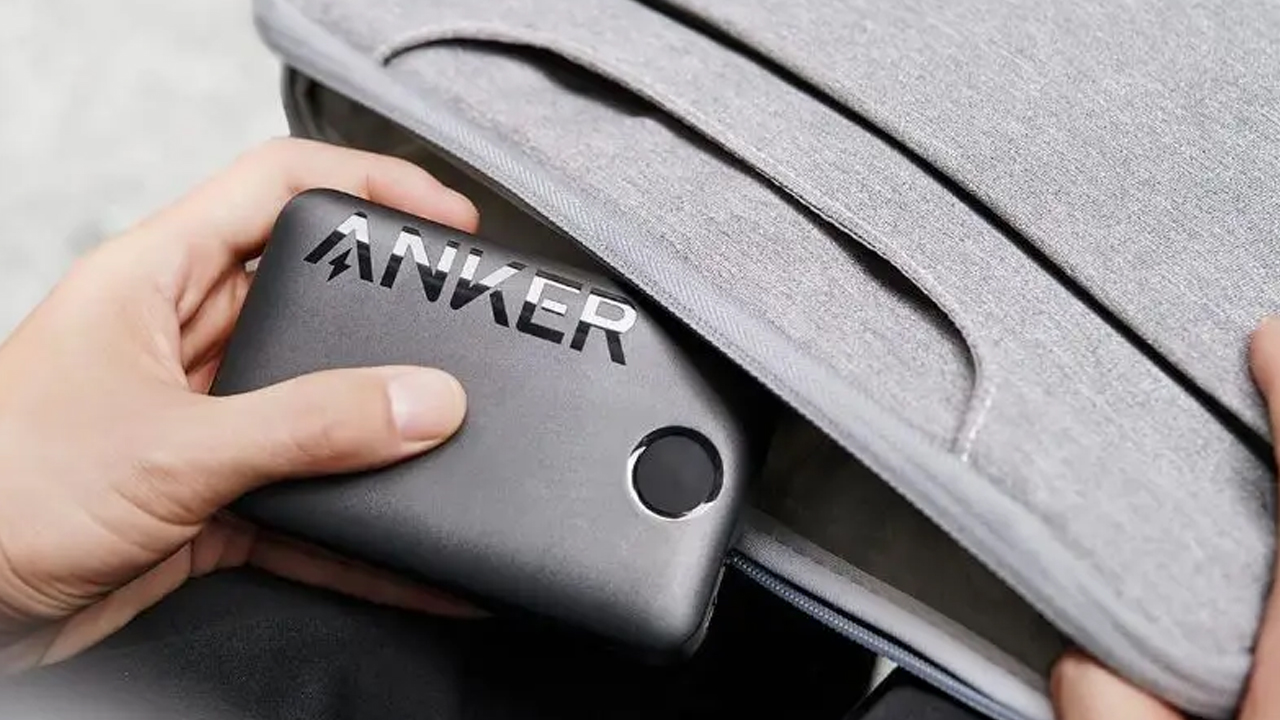
Powerbanks used to be one of the most essential things you can pack for a long trip. Now, the former darling of the travel industry is facing a reckoning. Owing to several overheating incidents all over the world, several countries and companies are starting to impose heavier restrictions against powerbanks. In the Philippines, the Department of Trade and Industry (DTI) has issued a recall warning for several powerbank models from Anker.
In the battery industry, there’s nowhere else to go but up: larger battery capacities and faster charging speeds. Naturally, transferring that much power has its risks. In several incidents globally, powerbanks have begun to overheat and combust. That’s already a problem by itself, but it’s an even bigger issue when it happens in an airplane thousands of feet in the air. As such, airlines have begun restricting how travelers can use powerbanks on planes.
Today, DTI Philippines has announced a recall notice for Anker. The powerbank company is inviting users to return any of the following models if they own one:
- A1257 – Anker Power Bank
- A1647 – Anker 335 Powercore 20000mAh
- A1652 – Anker MagGo Power Bank
- A1689 – Zolo Power Bank 20000mAh
- A1681 – Zolo Power Bank 20000mAh with Lightning cable
Users can check their model number printed on the device itself. According to the notice, these models are at high risk of overheating. In a hot country like the Philippines, the risk should be significantly higher.
Once returned, Anker (or the participating retailer) should replace the affected unit or issue a refund.
Now, even if you don’t have any of the affected units, it’s still best practice to avoid overcharging your powerbank or leaving it unattended while it’s charging something else.
SEE ALSO: Anker powers my work trips





Accessories
Jackery Explorer 300D: Power and portability in one
Uninterrupted workflows for digital nomads, freelance creatives, more

For digital nomads, freelance creatives, and even work-from-home professionals, staying productive on the move means carrying around multiple gadgets, cords, adapters, and power banks to survive the day.
Having to carry such weight, quite literally, is vital for maintaining workflow continuity.
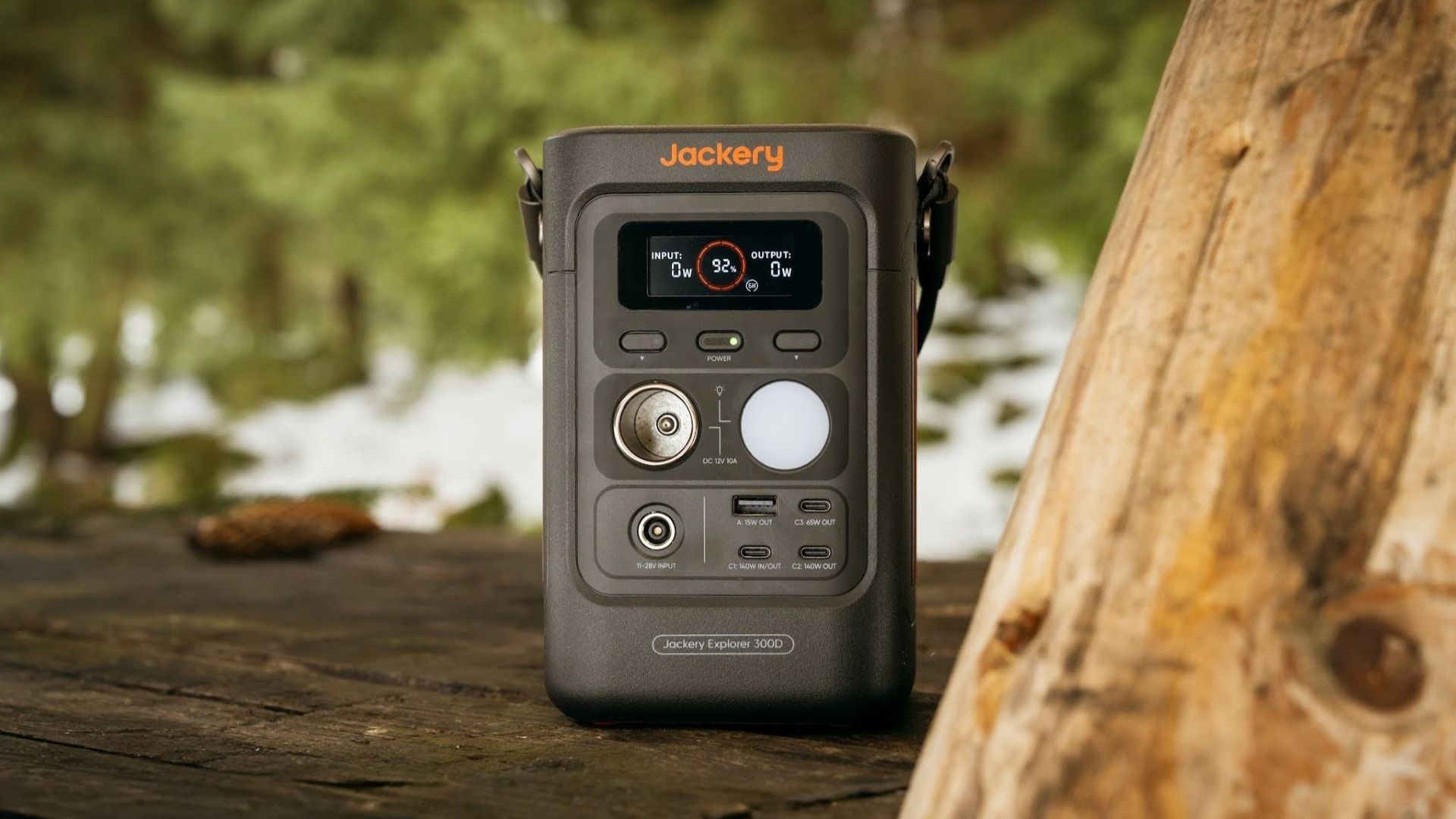
For a more seamless experience and to have just one extra portable device to power all working parts, there’s the Jackery Explorer 300D.
Launched just last month, this grab-and-go offering from Jackery is designed for the modern lifestyle.
It moves away from Jackery’s traditional aesthetic with a sleek, speaker-like form factor. It weighs just 2.5 kilograms and is 64% smaller than standard 300W units in the market.
This ultra-compact size was made possible by a smart engineering choice of swapping bulky traditional AC wall outlets for highly efficient DC-only and USB-C ports — which also helps eliminate idle power loss.
With a 288Wh capacity, the Jackery Explorer 300D holds enough juice for up to nine power banks.
It can keep a Type-C fast-charging laptop for up to three to four full cycles, a Wi-Fi router alive for hours, and recharge cameras or drone batteries up to five times for a lengthy production day.
For smaller gadgets like smartphones and portable fans, the power station can juice them up for up to 22 times.

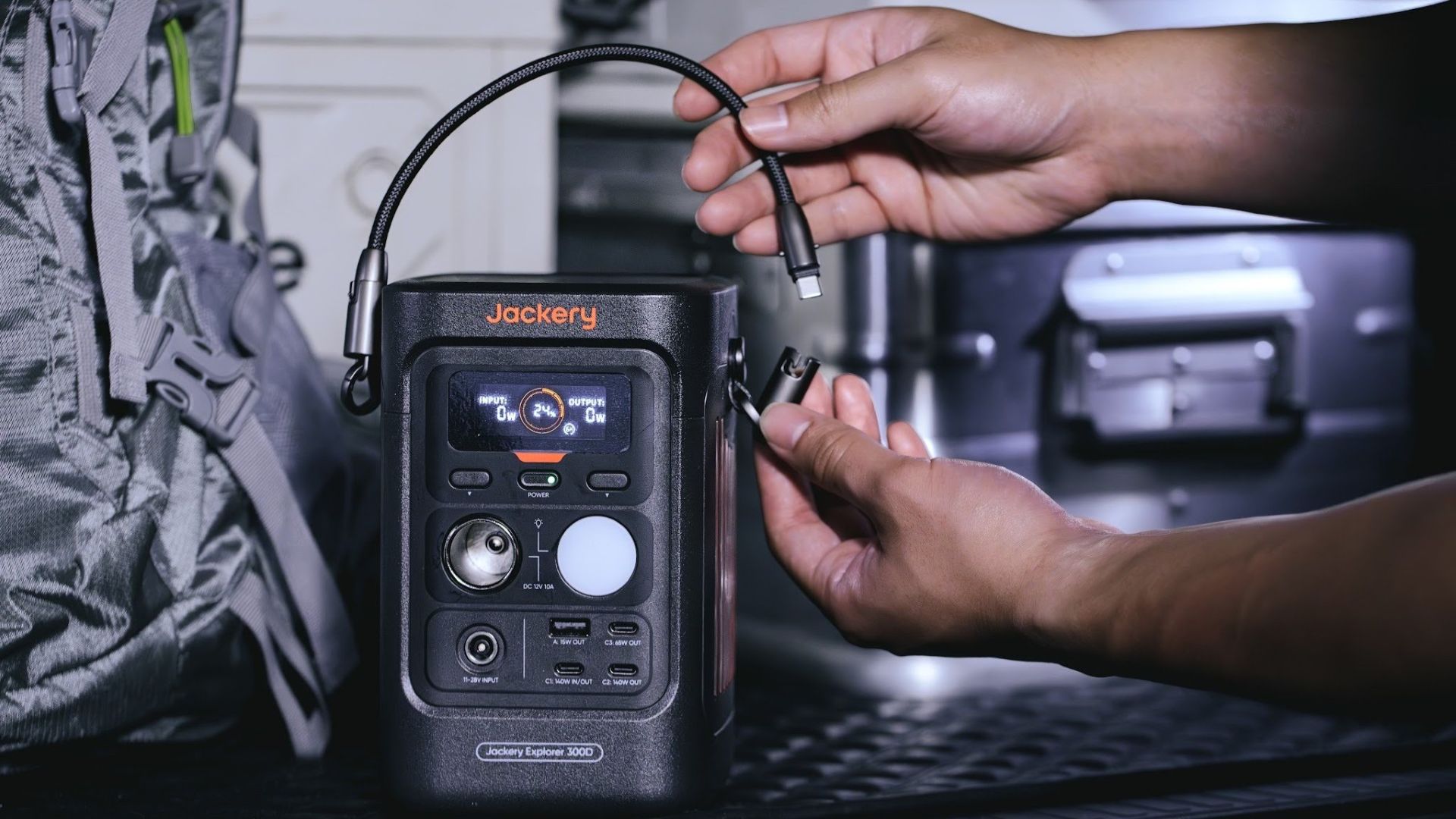
It can even charge five devices simultaneously with a total of three USB-C ports, a USB-A port, and a DC 12V car charger port.
All these ensure users are never disconnected, wherever they may set up their mobile office.
Another brilliant touch is the two-in-one shoulder strap that easily unclips to double as a heavy-duty 140W USB-C charging cable.
The everyday carry is available via Lazada and Shopee, and at the official Jackery kiosk in SM Fairview, as well as other partner stores.
Accessories
Apple is reportedly working on its own gaming controllers
It might launch under the Beats brand.
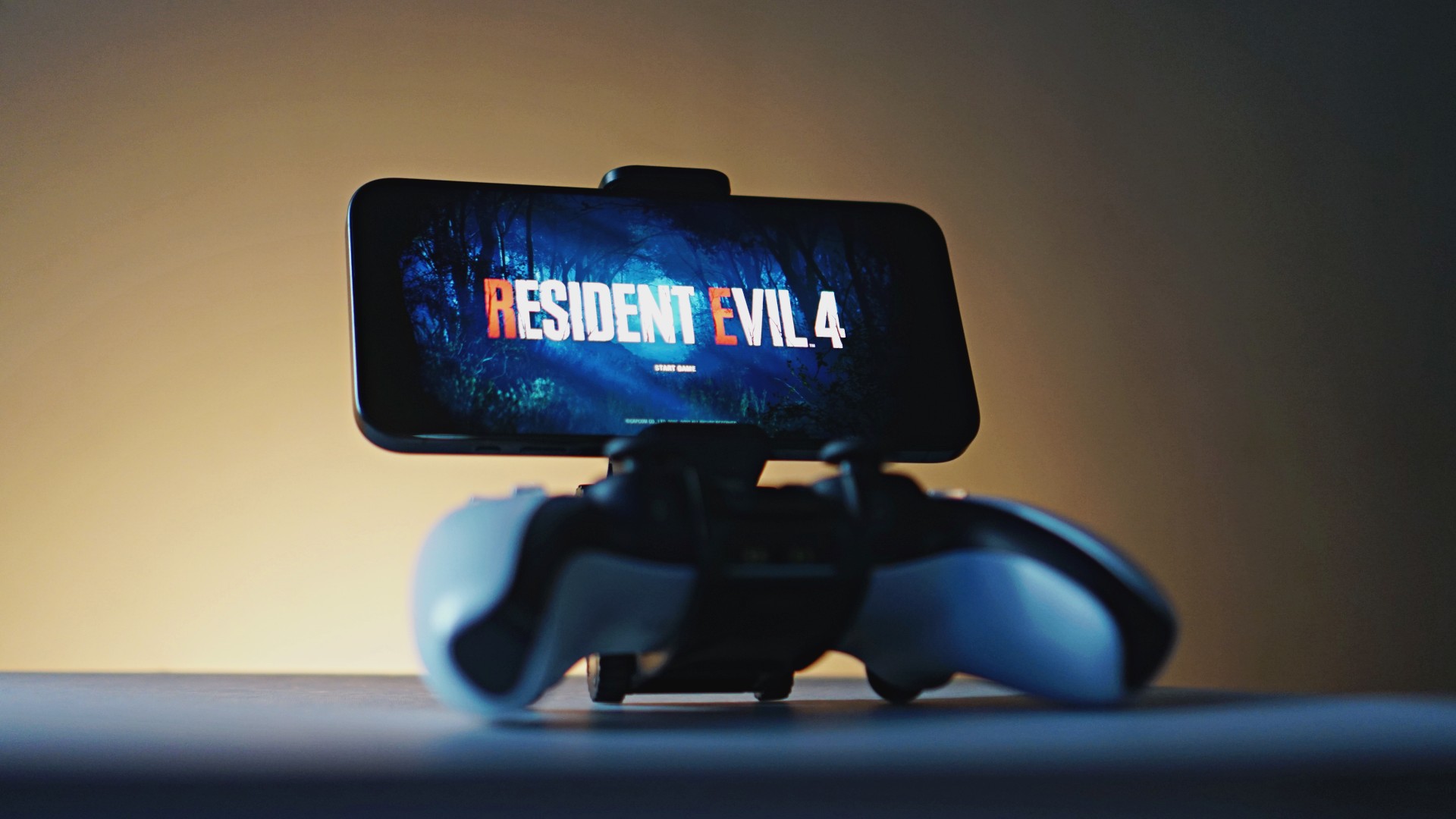
Last week, the iPhone Duo changed how you look at the ubiquitous smartphone. Foldables are in, and Apple is right there with it. But the company isn’t stopping with the foldable segment. Apple is reportedly working on its own branded game controllers.
According to Bloomberg, Apple has been working on a controller since last year. Further, a piece of code linked to macOS 27.4, spotted by MacRumors, includes references to two unknown gaming controllers.
Because Apple just concluded its huge event this month, it will likely be a while before we see confirmation of this controller. And it could be anything. Of course, because the Duo is fresh on our minds, the easiest answer is a mobile controller than can maximize the foldable’s ability to stand by itself. It could also use Apple’s larger screens like the iPad, the MacBook, or the Mac. Some even speculate that this could be Apple’s stronger push into the gaming market.
Outside of the actual hardware, the reports are also claiming that the controller will arrive by way of Beats, rather than from Apple itself. At first, the branding comes off as a surprise, but then again, Beats hasn’t really evolved past an audio brand in a long, long time. Is it time to revitalize Beats as something more than just a peddler of headphones?
SEE ALSO: First Look: Apple iPhone Duo
Accessories
New AGON gaming monitor features up to 1000Hz refresh rate
New level of speed, flexibility for competitive gaming


AGON by AOC has released the new AGON Pro AGP277QK dual-mode gaming monitor for the competitive segment.
This new offering features up to 1000Hz refresh rate at HD and 540Hz at QHD so gamers have the flexibility to prioritize either clarity or speed.
The 27-inch IPS gaming monitor comes with NVIDIA G-SYNC, synchronizing the monitor’s refresh rate with the GPU to help minimize screen tearing, stuttering, and input lag.
This is combined with 0.3ms MPRT and 1ms GtG response times for fast-moving action that is sharp and responsive, giving competitive players a clear visual advantage.
Moreover, the AGON Pro AGP277QK features VESA DisplayHDR 400 certification for enhanced contrast and more vivid, lifelike visuals.
Delta E < 1 color accuracy also provides precise color reproduction not just for gaming but even other scenarios like content creation.
For even smoother high frame-rate gameplay, MBR Sync combines motion blur reduction with variable refresh rate (VRR) technology. This helps maintain clarity during rapid movements.
The monitor also includes Low Input Lag, customizable Light FX ambient RGB lighting, Gaming Mode presets, and Shadow Control.
The display comes with HDMI 2.1 and DisplayPort 2.1 connectivity, along with a height-adjustable stand and G-Menu support.


DJI Lito X1 review: Is this the best lightweight drone for creators?
Making a strong case as a travel companion and a capable B-cam!


REDMI Note 17 Pro Max review: A new breed born from AI greed
Welcome to the new normal


Marvel’s Wolverine review: When the claws come out
A brutal, cinematic superhero adventure

Epson Lifestudio Grand Plus EH-LS970B with 4K projection, more launches

Jackery Explorer 300D: Power and portability in one

Nike’s Alphafly 4 is built for the part of the marathon ~that actually hurts~

SEGA, Netflix announce Crazy Taxi film adaptation

Smart launches LiveSmart App for exclusive deals

TECNO MEGAPAD 2 review: Eyes on the size

realme 16T 5G with 8000mAh battery, IP69 Pro rating launches in PH

HUAWEI Pura X View is 2026’s first WIDE slab-type smartphone

REDMI reveals the refreshed Note 17 and Note 17 Pro series

REDMI Note 17 Series: Price, availability in Singapore


-
 News2 weeks ago
HUAWEI Pura X View is 2026’s first WIDE slab-type smartphone
-

 News2 weeks ago
The CAMON Slim 5G is TECNO’s latest ultra-slim smartphone
-

 News1 week ago
iPhone 18 Pro series: Price, availability in the Philippines
-
 Singapore1 week ago
iPhone 18 Pro series: Price, availability in Singapore
-
 News1 week ago
iPhone Duo: Price, availability in the Philippines
-
 News2 weeks ago
HUAWEI Mate XT 2 tri-fold launches with Kirin 9050 Pro
-
 News2 weeks ago
vivo introduces refurbished versions of X300 FE, X300 Ultra for less
-

 News1 week ago
iPhone Duo: Price, availability in Singapore