
Laptops
ASUS Transformer 3 Pro review


Some people want high-powered gaming machines; others already have simple laptops that can do it all. The ASUS Transformer 3 Pro is part of a tiny gray area in between, and it’s quite the niche.
If you’re familiar with Microsoft’s line of Surface convertibles, you’ll know what you’re getting with the Transformer 3 Pro. They look and function alike, but the ASUS has a few more tricks up its sleeve.
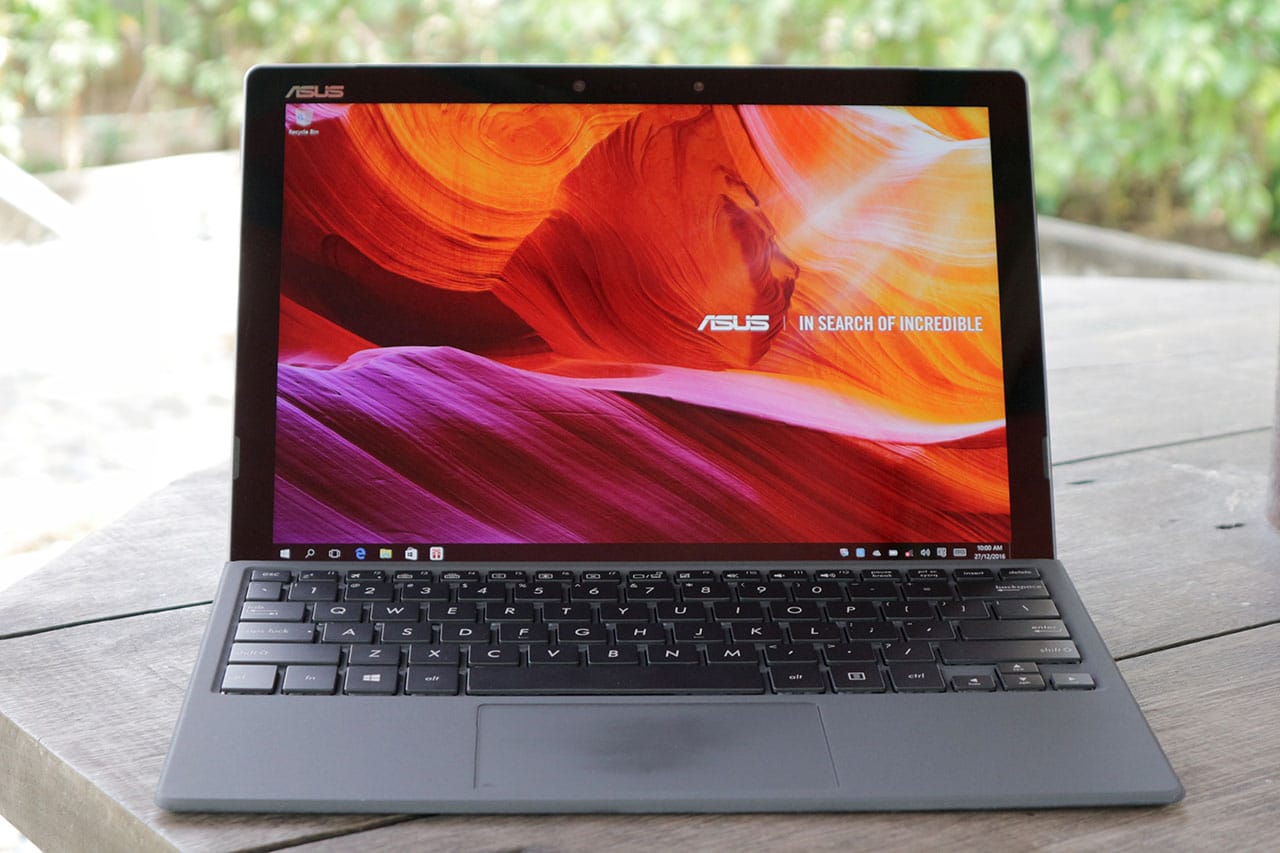
The model I’m reviewing here is also known as the T303U. If you want to get technical, mine has a decent configuration with a sixth-generation Intel Core i5 processor, 8GB of memory, and 512GB SSD storage.
Not bad, eh? The only downside is the price: PhP 69,995 in the Philippines, or about $1,400 in most markets. That’s pricey, so you better read on before making the investment.
It’s surprisingly comfortable in all positions
What bothered me when I reviewed previous convertibles were the awkward resting positions on my lap. The Transformer 3 Pro manages to break that curse.
The main unit comes with a built-in kickstand, which is as long as the entire tablet part and has 155 degrees of flexibility. This means it can easily rest on any type of surface, whether you have the bundled keyboard case attached or not.
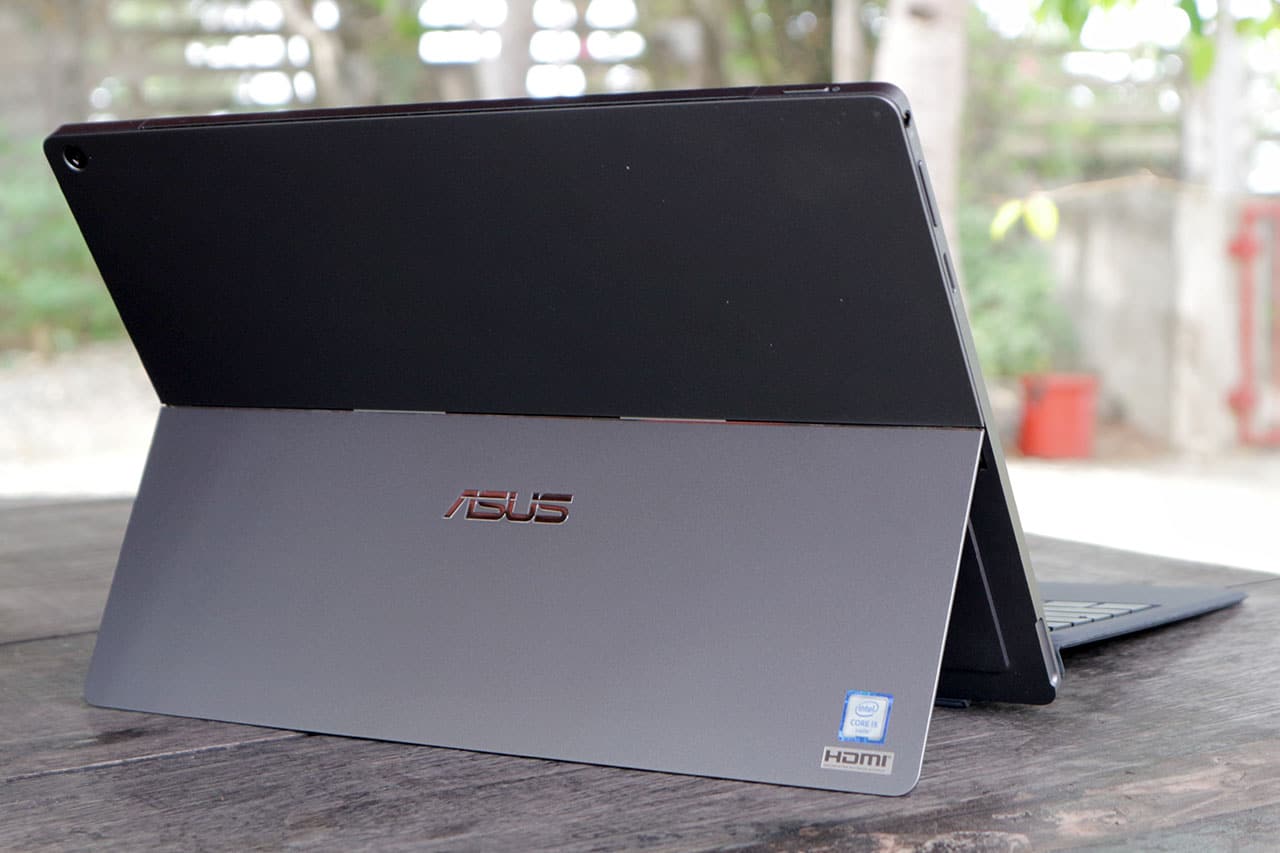
Latching on the keyboard is as simple as letting the magnets of both units attract one another. And even with the two parts put together, the whole thing feels so light. The tablet weighs in at about 790g, but you’d think it’s lighter thanks to the slim 8.35mm profile.
This thing can run fast
Based on the specifications we mentioned earlier, you can already tell this convertible can blaze through everyday tasks. The question is: How far much farther can it go?
Without a dedicated graphics card, the Transformer 3 Pro will struggle when handling high-definition video editing or playing games like Tomb Raider or the new Doom. But that’s to be expected, really.

What you can get away with is heavy editing on Photoshop while having several tabs open at the same time in Chrome. I’m writing this review on a Transformer 3 Pro, and I’m split-screening Google Docs with YouTube videos playing and Photoshop ready in the background.
But expect lots of heat on top
Obviously, you’re going to experience lots of heat when putting a laptop-level Core i5 chipset in a thin tablet. It doesn’t help that the whole thing is made of “premium alloy.” Solid? Yes, but the heat spreads all over the top half of the unit.
Since the Transformer 3 Pro doesn’t have the lighter Core M processor found in most convertibles — or even in the cheaper non-Pro Transformer 3 — a cooling fan had to be installed, and it blows hot air upwards.

That’s a good thing, actually, as it keeps heat away from your face or lap. Still, you’ll want to give the tablet some time to cool down before slipping it back in your bag, especially if you save the heavy loads towards the end of your work session.
Speakers get loud; display’s not that bright
Something I enjoy using during my time with the Transformer 3 Pro are the loud front-facing stereo speakers. They’re a breath of fresh air after all the crappy speakers I’ve had to endure with other tablets. This is one of the few instances where I don’t have to reach for external speakers just to watch Netflix flicks.

On the other hand, the screen isn’t that bright. While I appreciate the perfectly sized 12.6-inch 2880 x 1920-pixel display, the overall sharpness and well-saturated colors aren’t enough to make the screen clearly readable under sunlight. It’s a shame, since convertibles like this are designed to be used absolutely anywhere.
Wonky trackpad and keyboard, ugh
Here we go again: another Windows convertible, another awkward trackpad. Expect it to miss double-clicks and right-clicks, and mistakenly zoom in on whatever you’re viewing when you least expect it. I’d sometimes reach a point where I’d have to restart the whole thing just so it would go back to “normal.”
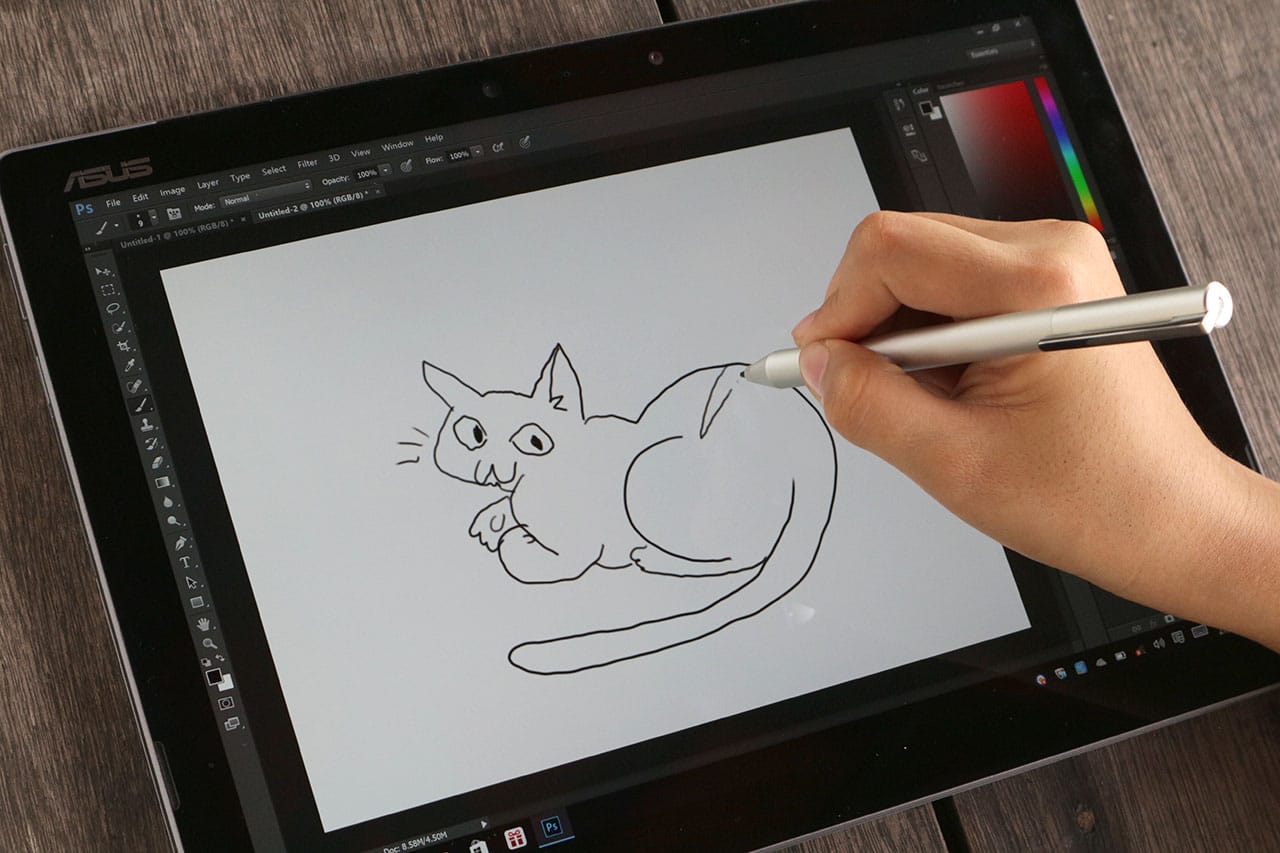
Same issues apply to the bundled pen. Although it works a lot like the one that comes with the Microsoft Surface line, with 1024 levels of pressure and two physical buttons for mouse-like controls, it’s difficult to write legibly or draw anything beyond rough sketches. Fortunately, the pen makes use of a removable AAAA battery instead of built-in charging like the Apple Pencil, and ASUS bundles the hard-to-find battery in the box.
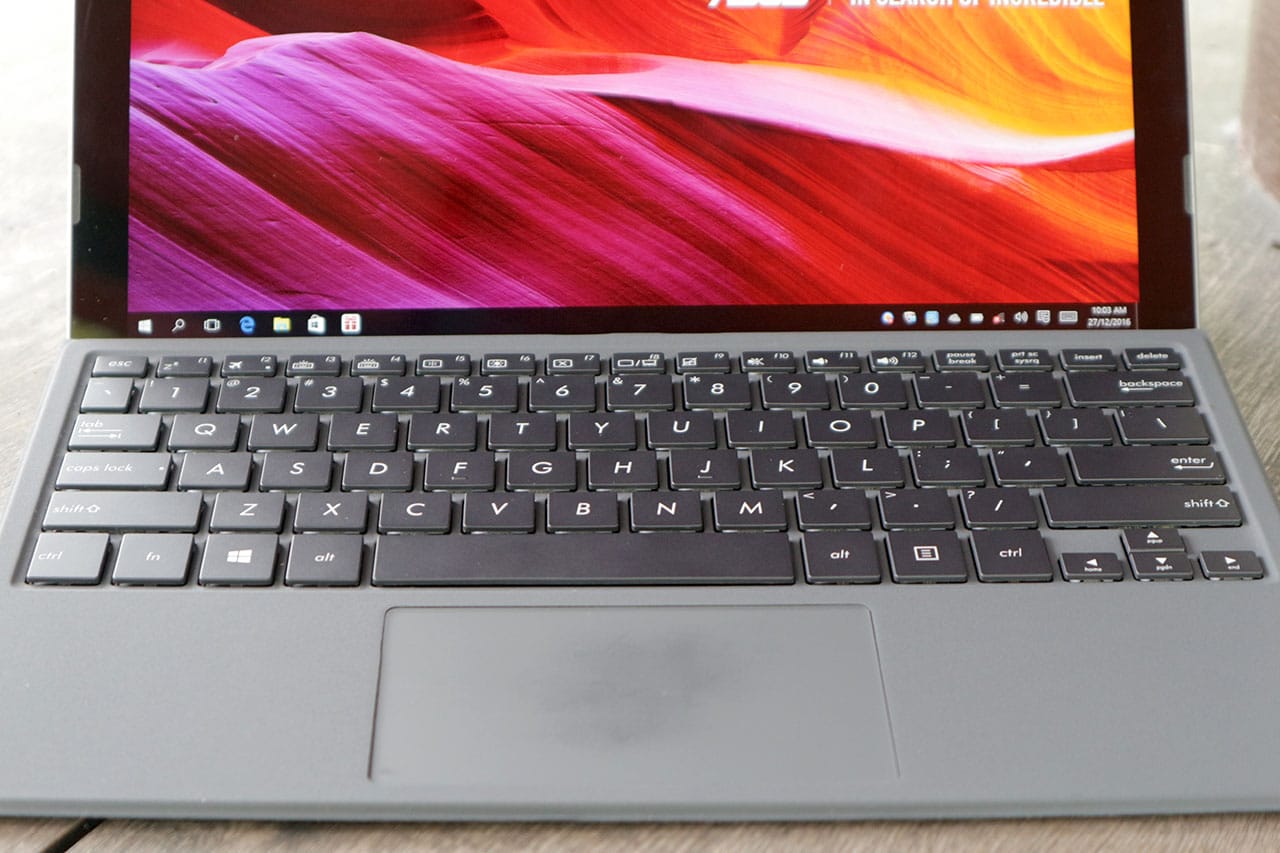
The keyboard isn’t that great, either. While I appreciate the well-spaced keys and their relatively long travel, they have too much resistance, requiring stronger presses while typing. You’ll get used to it eventually, but you also have to deal with a glitchy connection to the tablet. Any slight nudge, and it’ll disconnect instantly; that’s a problem if you move a lot while it’s on your lap.
On the bright side, the keyboard has evenly distributed backlighting. This is invaluable while working in the dark, since the keyboard has an all-black design. You can also choose from three brightness levels.
Hello, ports and cameras
The latest tech trend I hate most is sacrificing connectivity options in favor of a single USB Type-C port and multiple dongles. Apple’s new MacBook started this horrible idea, and companies have been following suit in order to trim down components and rip off consumers with extra accessories. ASUS is having none of that here.

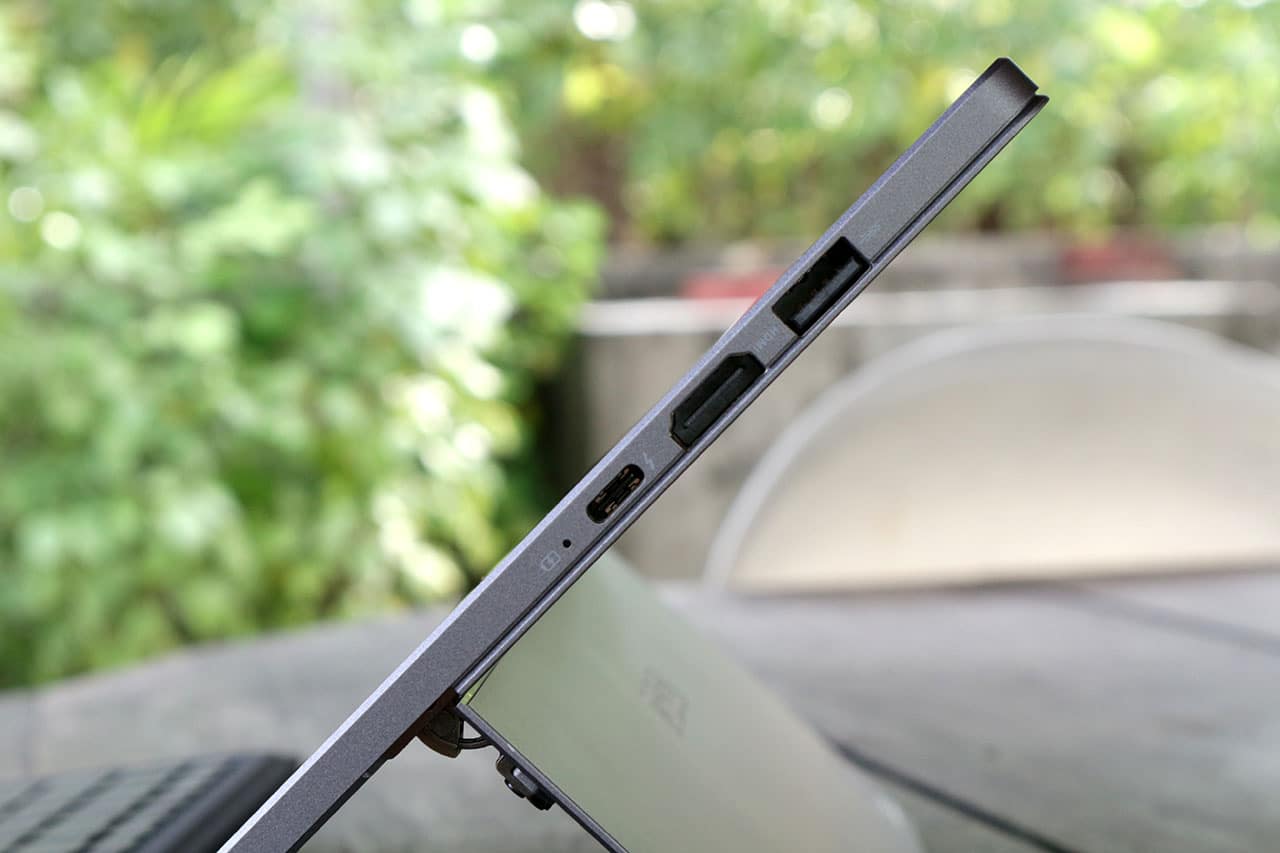
For starters, the Transformer 3 Pro has a single full-sized USB 3.0 for all those flash drives you have lying around, and a USB Type-C port with Thunderbolt 3 support. Then you have a full-sized HDMI port, microSD slot, and — thank goodness — a 3.5mm headphone jack. I never had to consider bringing adapters along for a trip.
Finally, we have a 13-megapixel camera at the back, and a 2-megapixel shooter in front with an infrared camera beside it. I honestly never thought of using the main camera for taking pictures — and don’t have any sample photos, sorry — but the front-facing camera works flawlessly for Windows Hello, which allows you to log in using your beautiful face.
Where art thou, battery life?
This part hurts the most. As much as I love the speed and overall completeness of the Transformer 3 Pro, its battery life is terribly average.
I’d normally expect at least six to seven hours of usage on a single charge from a convertible; this hybrid can manage only four hours with brightness set at 50 percent and Wi-FI turned on the whole time. And that’s if you’re lucky — three and a half hours is the norm if you go beyond simple web browsing and add photo editing into the mix.
At least you get fast charging. It took me less than two hours to reach a hundred percent, and that’s for a battery capacity much larger than any smartphone’s.
Is this your GadgetMatch?
Of all the Microsoft Surface clones that have been released, the Transformer 3 Pro does it best, and even eclipses the pioneer in a few aspects, such as physical connectivity and audio-visual quality.
This Transformer is also a step above the Core M-equipped convertibles we’ve reviewed recently, thanks to a much more powerful Core i5 processor coupled with plenty of storage and memory. Yet, in spite of all the goodness, you must take some things into consideration before investing in this product.
For one, it’s a little too powerful — yes, you read that right. You don’t need this much processing muscle for surfing the web and light editing. That’s why there’s a plain Transformer 3 with a starting price of only $799. What’s the difference? It has a more energy-efficient Core M processor and a single USB Type-C port, but comes with two additional speakers and an even thinner frame.
And, no matter how you look at it, the Transformer 3 Pro is expensive. For the same price, you could afford an ASUS gaming laptop with a real graphics card and better keyboard-trackpad combo. Sure, you’d end up with a heftier notebook without a touchscreen, but it’s far more capable in all other aspects.
[irp posts=”8791″ name=”ASUS ZenFone 3 Deluxe review”]






Laptops
Alienware celebrates 30th anniversary with new Area-51 laptops
The series features Alienware 30, an all-new design language.

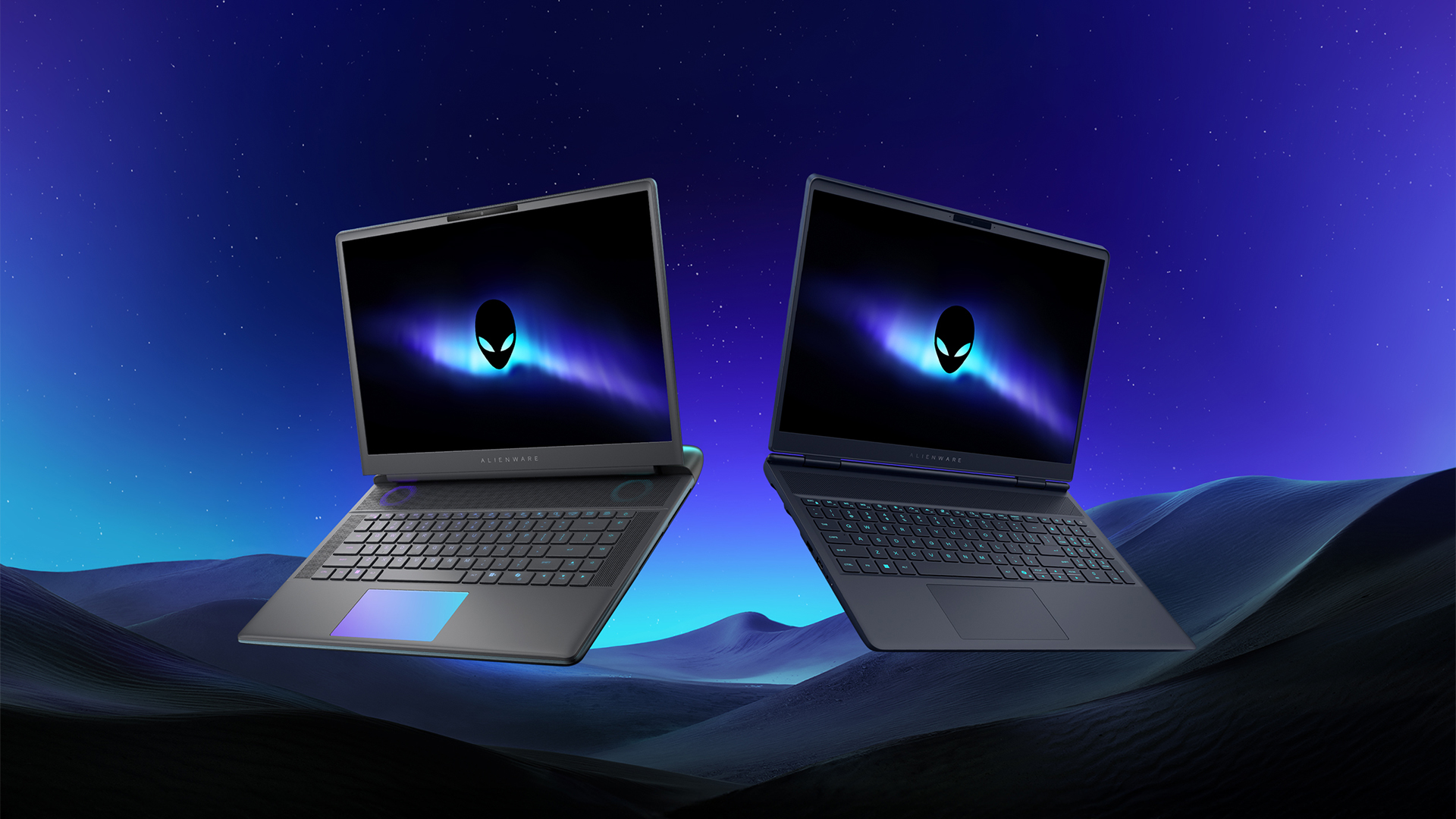
Despite the rise of more gaming brands, Alienware is still one of the most recognizable names for gamers who want dedicated hardware. This year, the brand is celebrating its 30th anniversary. To commemorate the milestone, Alienware has launched the new Area-51 and Aurora notebooks.
Alienware Area-51
Alienware’s Area-51 lineup is the brand’s flagship line of notebooks, packing in the best of the best from the industry. This time is no different.
First of all, the new series will rock Alienware 30, a new design philosophy made especially for the 30th anniversary. On the outside, the laptops have fluid contours, emphasizing curves opposed to the industry’s more angular contemporaries. It also has a Zero Hinge, which hides the laptop’s hinge from view. Finally, it has pillowed palm rests to make usage easy for long gaming sessions.
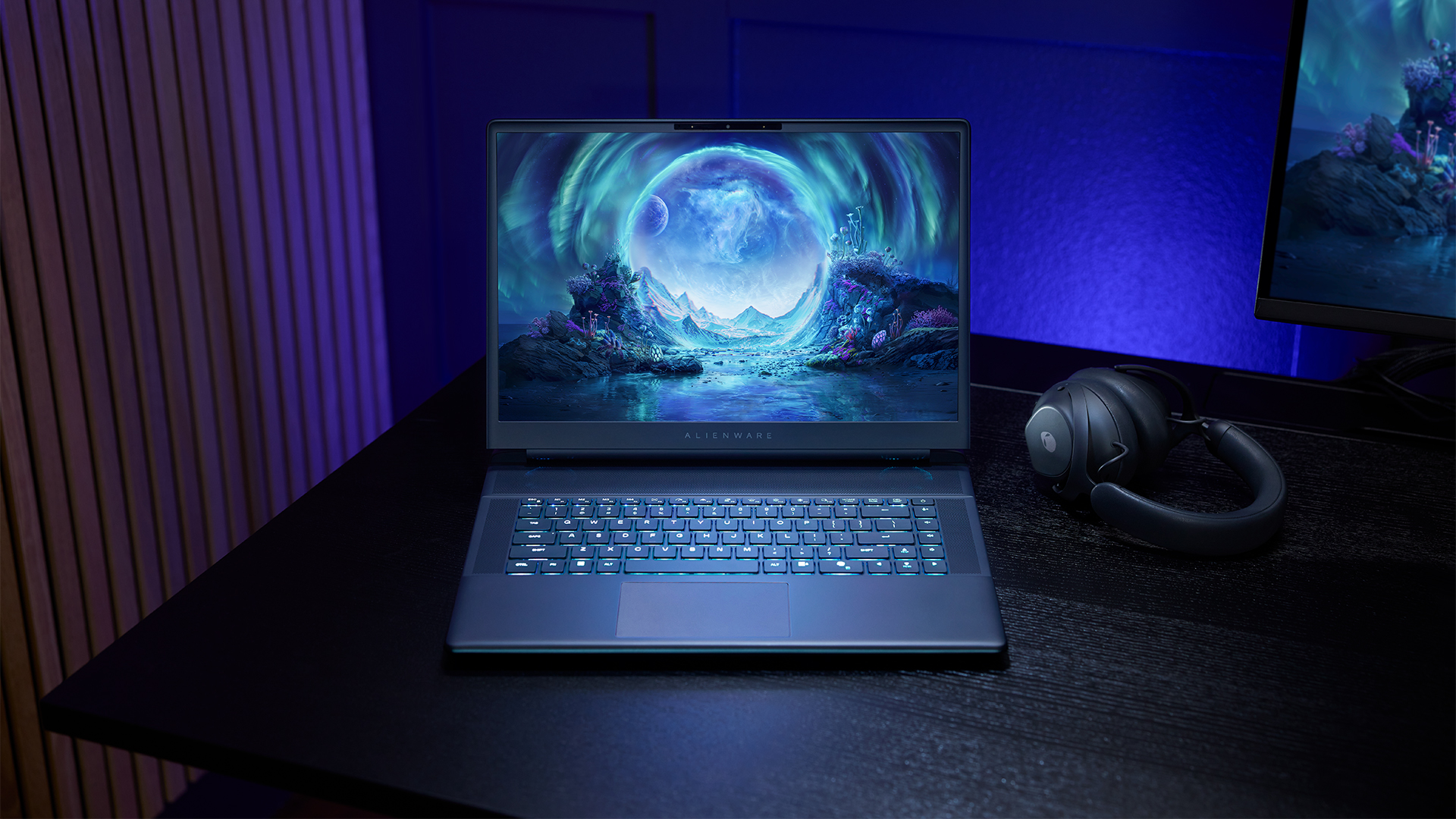
The 16-inch model can rock up to a WQXGA Anti-Glare OLED screen, featuring 240Hz refresh rate and 620 peak HDR nits. It will also have an LCD option. Alternatively, the 18-inch model has a WQXGA screen, featuring 300Hz refresh rate and 500 nits of brightness.
Inside, the Alienware Area-51 boasts up to an Intel Core Ultra 9 290HX processor and up to an NVIDIA GeForce RTX 5090 24GB GPU. For memory, gamers can enjoy up to 64GB Dual-Channel DDR5. Finally, for storage, the series can rock up to 2TB SSD natively but can support up to 3 slots, allowing for up to 12TB of internal storage.
The series will have a sizable 96Whr battery. This is complemented by a 280W adapter and the brand’s largest fans by volume to keep things cool.
Alienware 16X Aurora
For those who portability over raw power, the new Alienware 16X Aurora fits inside any day-to-day kit. For example, it ditches the thermal shelf typical of most gaming notebooks today to increase portability. It has rounded edges to make it easier to grasp and to create a slightly pillowed palm rest, similar to its flagship counterpart.
The 16-inch WQXGA OLED panel touts 240Hz refresh rate, 0.2ms response time, and 620 nits HDR peak brightness.
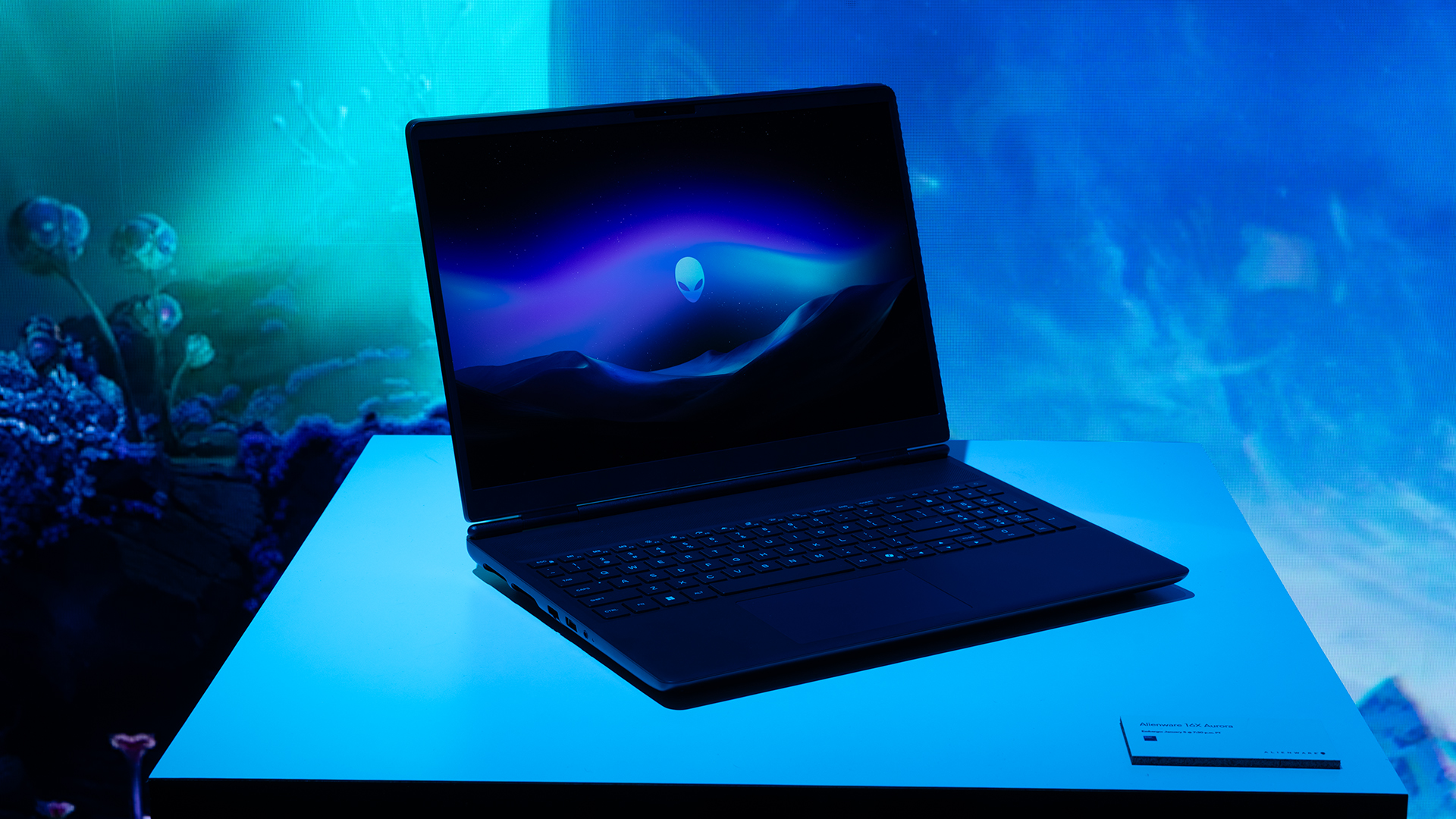
Inside, the notebook has up to an Intel Core Ultra 9 275HX processor and up to an NVIDIA GeForce RTX 5070 Ti GPU. These specs are paired with up to 64GB Dual-Channel DDR5 memory and up to 2TB SSD.
Finally, the Alienware 16X Aurora will have a 90Whr battery. This is supported by up to a 280W charger (for the RTX 5070 variant).
Price, availability
Both series are available starting today, March 17.

Apple disrupts the industry with their latest MacBook — an affordable to say the very least.
If you’re a student, a first-time Mac owner, someone who’s been priced out of this ecosystem their whole life, someone who just needs a laptop for basic tasks but one that looks great, without slowing them down, this is it!
Or maybe you’re torn choosing between the MacBook Neo and the more powerful M5 MacBook Air?
Well, that’s what we’re here for. Here’s our review with the all-new MacBook Neo.
Laptops
Hands-on: NEW iPhone 17e, iPad Air, MacBooks, Studio Displays
What Apple has announced other than the MacBook Neo


The MacBook Neo was the star of yesterday’s Apple event, and it has every right to be but it’s been a big week for Apple.
So as promised, we also went hands-on with every other device announced this week: iPhone 17e, M4 iPad Air, M5 MacBook Air, MacBook Pro with M5 Pro and M5 Max chips, and the new Studio Displays.





Now Playing: Hoppers

Jackery SolarSaga series: Free power for small devices

UGREEN adds new Nexode Pro power bank, charger to lineup

nubia to launch new Neo 5 series gaming phones on March 28

SHINOBI: Art of Vengeance’s SEGA Villains Stage out on April 3


-

 Reviews5 days ago
POCO X8 Pro Max review: A new beast from the far east
-

 News5 days ago
POCO X8 Pro Series: Price, availability in the Philippines
-

 Laptops2 weeks ago
Apple MacBook Neo Review
-

 Computers2 weeks ago
GIGABYTE collaborates with Capcom for RE Requiem custom PC
-

 Apps1 week ago
Google Maps is finally getting a 3D mode
-

 Entertainment2 weeks ago
The internet is thirsting over the One Piece Season 2 cast
-

 Features1 week ago
Galaxy AI on the Samsung Galaxy S26 Ultra
-

 Automotive2 weeks ago
BYD is reportedly considering an F1 team