


Laptops
ASUS Vivobook Pro 14 OLED: Creators’ vision turned reality
One fine content creating machine

I’ve said this before and I’ll say it again — ASUS is a brand who isn’t afraid to be different. Not only do they give us devices with the best possible specs but also create devices that are actually enjoyable to use and have innovation with real world purpose and functionality.
If the consumers need it, they probably have a device for this specific niche.
Today, with content creation being a thriving industry, ASUS focuses on the needs of creators this time as they unveil their new ASUS Vivobook Pro 14 OLED.
Now, let’s see how much power and potential did ASUS pack in this compact laptop.
Specs-tacular
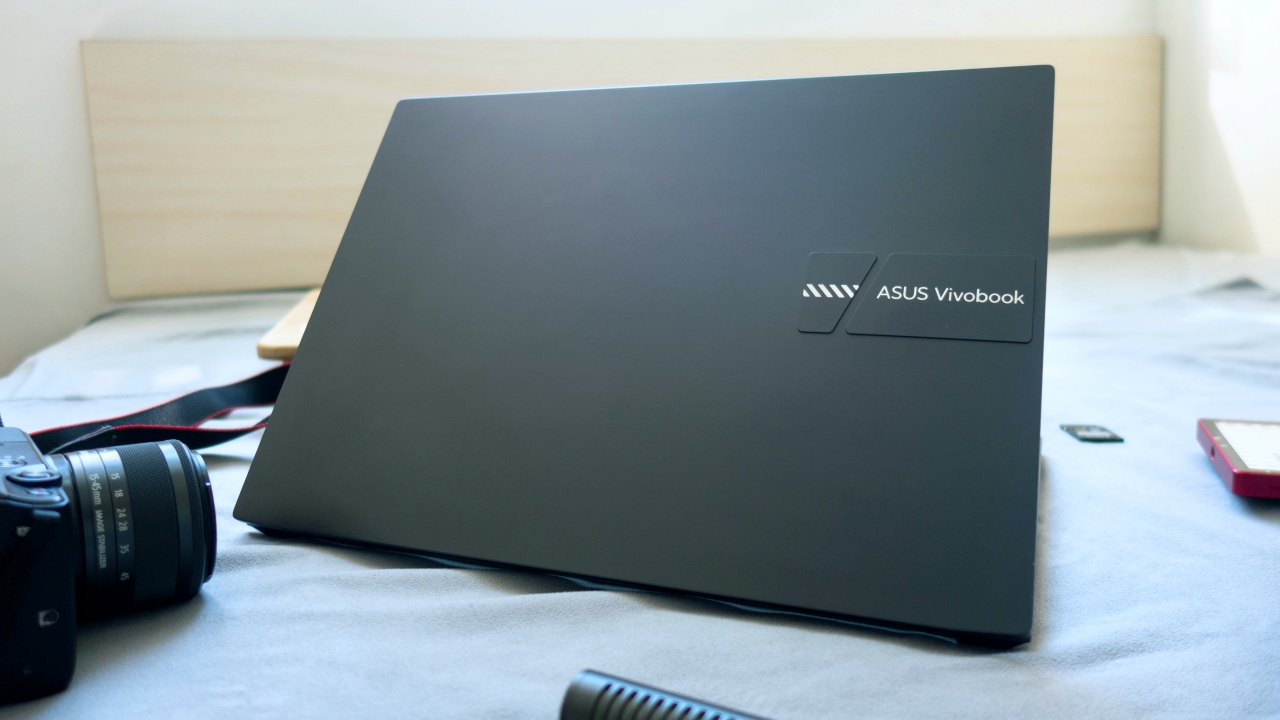
The Vivobook Pro 14 OLED is running on the Ryzen 9 5900HX processor paired with the NVIDIA RTX 3050 with 16GB of DDR4 RAM and 512GB SSD storage.
I’ve been reading about this CPU for a while now so when I saw this processor in the specs sheet, it was just pure excitement for me. I felt like a kid opening a Christmas present as I already had an idea of what this processor could offer.
It’s an eight core, sixteen thread CPU which competes and in some instances even beats its competition from Intel, the Core i9 11980HK. To put it further, it’s among one of the fastest laptop processors this 2021.
Designed for creators

Despite being a heavy weight in terms of specs, the Vivobook Pro 14 OLED is a light weight in its actual design. This device is almost as portable as an ultrabook weighing only 1.45kg with a thickness of 17.9mm. I can’t even imagine how ASUS is able to pull off packing these specs in such a small profile.
If I were to describe how this laptop looks in one word, it would be “refined.” It feels clean and minimalist and doesn’t grab too much attention with the way it looks.
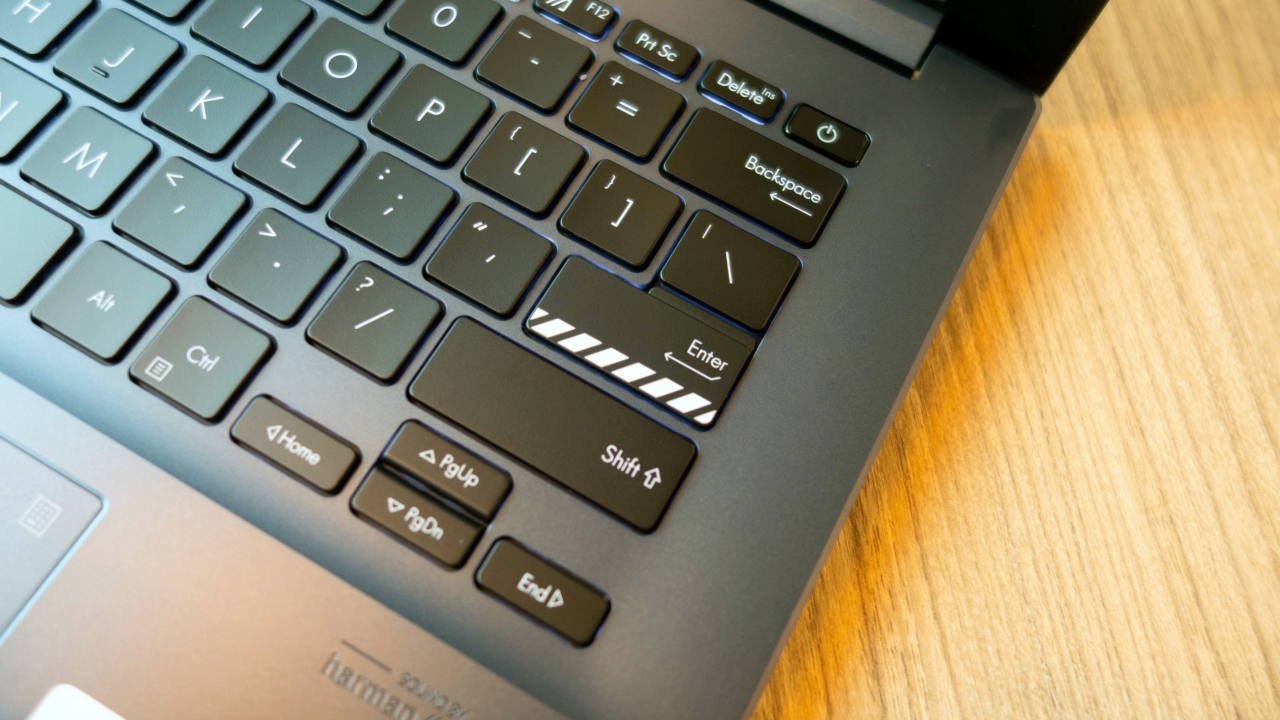
Flipping the lid open, you’ll notice the print on the Enter key which seems to subtly hint the stripes we see on film set clappers. A subtle detail which makes us creators feel right at home.
The top lid is made of aluminum material with a machine embossed cutout housing the Vivobook branding which looks modestly different but also relatively attractive.

The frame holding the keyboard feels strikingly similar to those of the Zenbook book line and it feels robust to the touch.

We have a great deal on the port selection on this device. Placed on its right side is a USB-A, full sized HDMI, USB-C, microSD card reader and a 3.5mm headphone jack. And on the left are two USB-A ports.
The Vivobook Pro 14 OLED comes in two color options, the Quiet Blue and Cool Silver.
Vividly visual

I used to have the ASUS Zenbook OLED as my top contender for the best laptop display but really, this one just takes the crown. We’re looking at a 14-inch, 16:10 aspect ratio, 2.8K resolution, OLED display with a 90Hz refresh rate and it looks dazzling!
Seriously, this is just so good for photo editing. You’ll definitely notice the sharpness and every little detail in the photos as you’re editing.
It comes with all the benefits of the OLED technology having the ability to display true blacks and very vibrant colors that doesn’t rely on its brightness. I was actually able to see details in darker parts of the image I was editing that I didn’t even notice on my personal laptop.

Of course, being intended for creators, we expect this would be guaranteed under some sort of display capability verification. In this case, we are getting a DCI-P3 color gamut rating of 100 percent, Pantone Validation and certified with 70 percent lower blue light emissions.
In other words, this is a display panel which won’t get you lost in comparing your colors with other devices or even print media and long hours of editing won’t be eye-straining.
Convenience at your fingertips
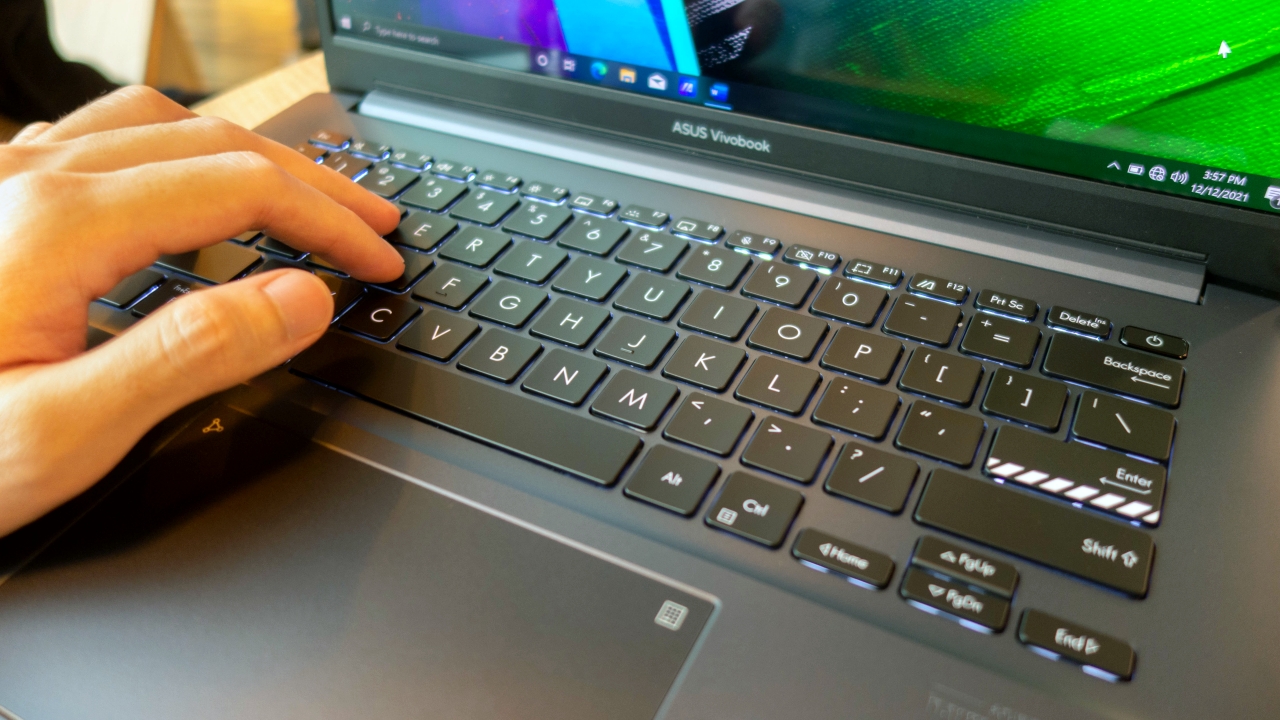
Whenever I get to use a new laptop, it usually takes a while to adjust to typing on the keyboard. I adjusted fairly quickly with the Vivobook Pro 14 and it is quite a pleasure to use. The key sizing is comparable to the ones in 15-inchers and they feel like they’re full sized. It also has substantial feedback and key travel. I wasn’t feeling mushyness while typing on it and it also doesn’t feel cramped having adequate key-spacing. Setting the key mapping on Adobe Premiere and my hands sat nicely on my assigned shortcuts.
This keyboard also illuminates with white backlight which is helpful when we’re using it in a dimly lit environment. I can see this being very handy for wedding SDE editors. They’re usually editing in makeshift locations. It also won’t ruin the wedding mood since it doesn’t look gaming oriented.

Placed on the top right corner of the keyboard is the fingerprint power button. This lets us log in to our Windows account without having to type on a password which substantially decreases log on time without compromising security.
While it matches the look of the other keys, I don’t think accidentally hitting it to shut off the device would be a concern since it does have a different actuation feel than the other keys. It also helps that it’s leveled slightly lower than the keys beside it.
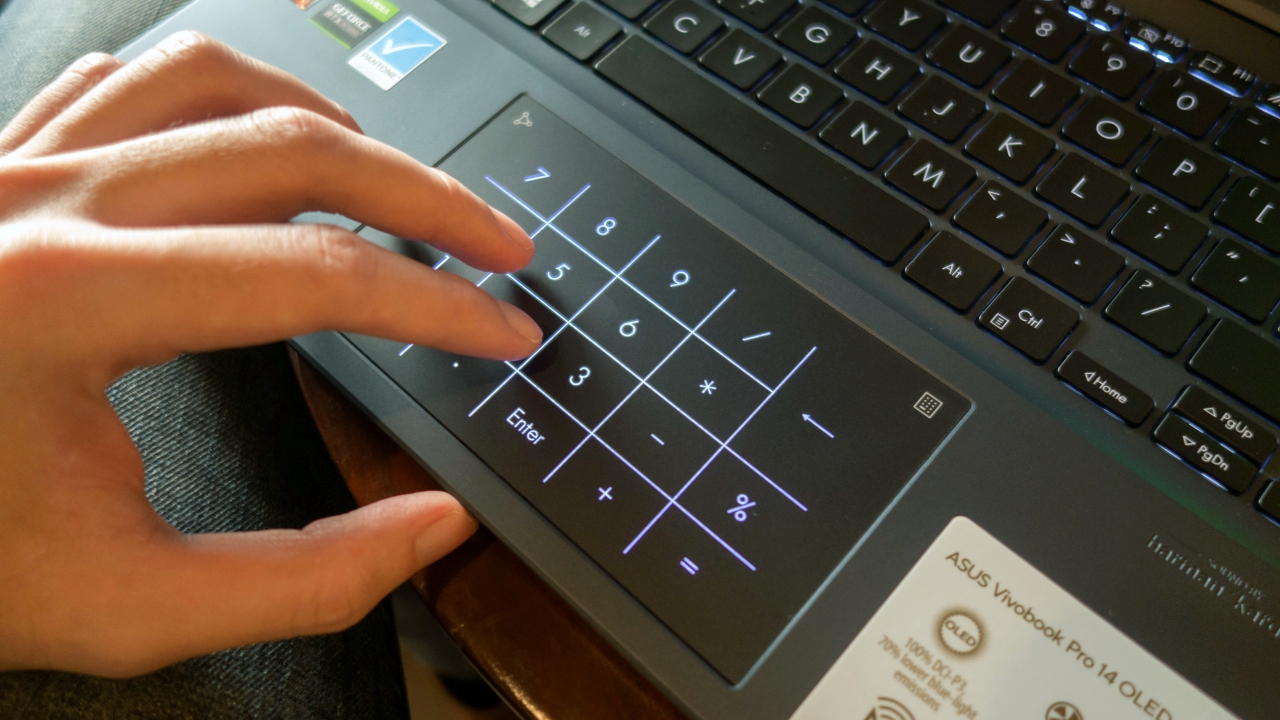
ASUS is again using their NumberPad 2.0 on the trackpad on this device. It’s a dual function trackpad that functions both as a trackpad and a number pad. Users can access it by holding on the icon on its top right corner. It’s considerably large and I can say, it’s pretty good at recognizing my touch gestures. It’s also smooth with a nice slippery feel.
Remarkable performance
I’m pretty confident with the specs on this laptop so I decided I’d edit a pile of backlog videos I had to finish on it. I didn’t realize how much time is wasted whenever I edit on my personal laptop as this eliminates stuttering and the loading times when choosing clips. Even the short lag when applying effects or switching tabs was gone. I also found myself not having to pre-render sequences and still this laptop does not back down.
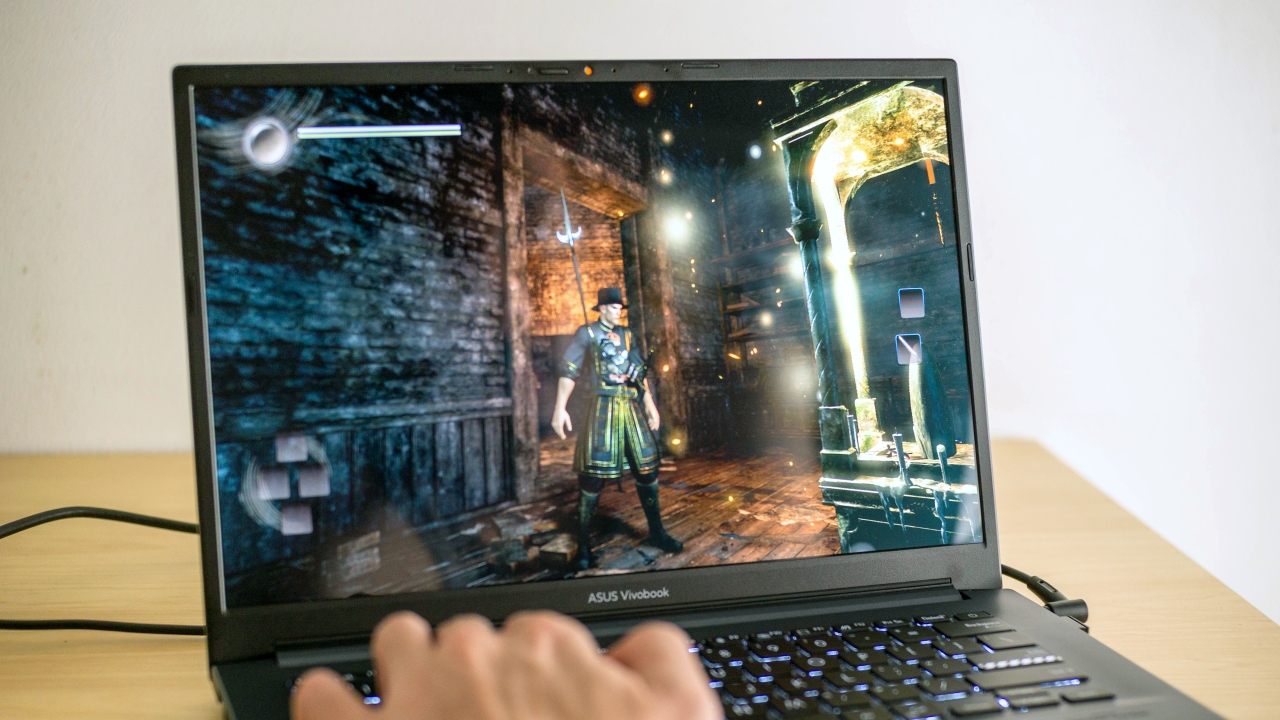
Given that this laptop has a lot of power, I figured it would do well in some gaming since us creators, we also like to play games. So I went on and gave Nioh a shot. Without holding back on the settings, the game ran flawlessly with everything maxed out at its full 2.8K glory.
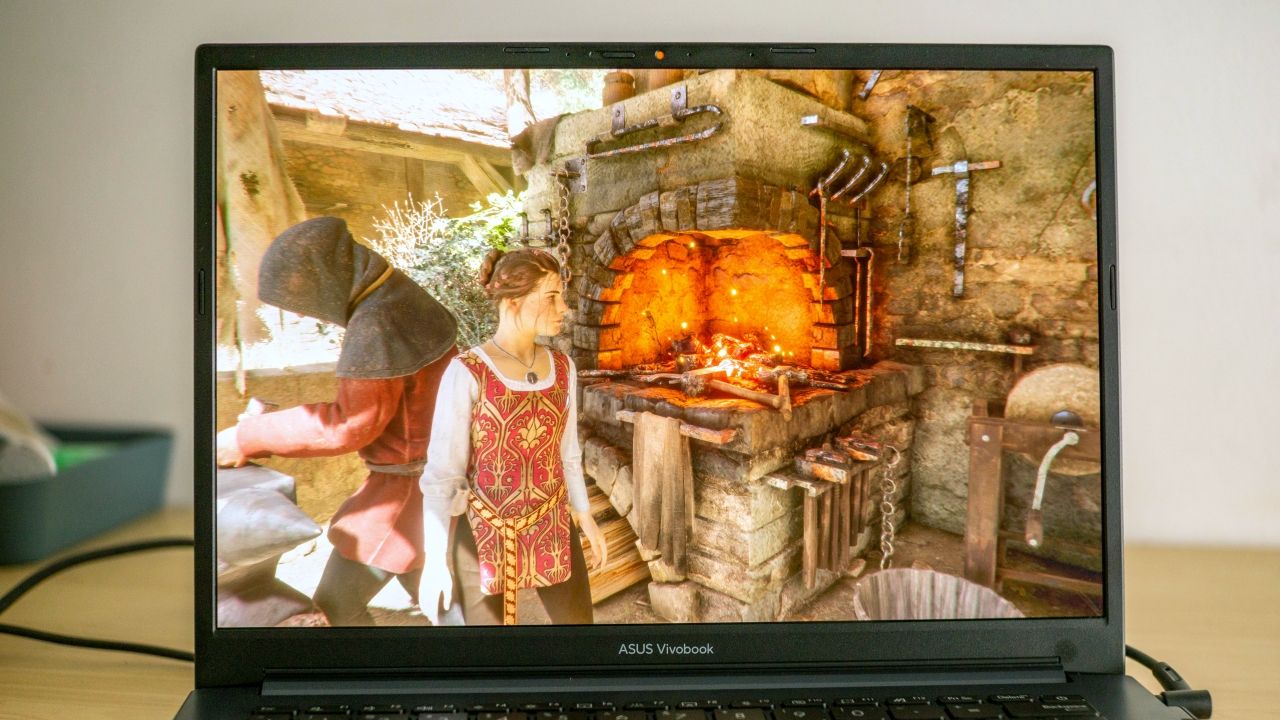
For a more graphically intensive game like A Plague Tale: Innocence, the RTX 3050 is respectably capable of running it at ultra settings at its highest resolution having only a few dropped frames. Though these games might be a bit dated, these are still triple-A titles and are still demanding. Which means if we’re just planning on running esports titles, then we can expect this laptop to handle those with ease.
It’s also worth mentioning that the Vivobook Pro 14 OLED comes pre-installed with Windows 10 out of the box. However, immediately upon logging in the first time, I already had the prompt if I wish to upgrade to Windows 11.
Cool and quiet

We do know that high power in a small package is a recipe for overheating. But that is not entirely true with the Vivobook Pro 14 OLED. This has the Dual-fan ASUS IceCool Plus technology implemented inside of this slim body.
During my Nioh gameplay, it managed to get 79 degrees Celsius and occasionally hit the 80 degree mark but only for less than a second. What’s more impressive is that it’s really quiet. You can barely hear it running unless you place your ear near the body of the laptop.
Battery and charging
Battery performance would of course vary person to person. And since I prefer not to compromise my experience, I mostly kept the brightness setting pretty high, keyboard backlight turned on and doing a variety of moderate to heavy tasks. I was able to get a decent five hours on battery which would likely get even longer if I was behaving a bit on my usage and on power saving mode.
For charging, it took two hours and nine minutes to get it from 15 to 100 percent which is pretty average for a high performance laptop but quite slow if compared to modern ultraportable laptops.
Is the ASUS Vivobook Pro 14 OLED your GadgetMatch?

I know I may sound like such a fanboy of this laptop all throughout this review and now that we’ve come to the end, I guess I can say I am.
It just has a lot of strong points that really makes it an irresistible choice.
As a creator, I can confidently say that I can give up my existing laptop and use this in a snap without second thoughts. If I would look for something I didn’t like about it, it’s probably because it isn’t mine. But I wouldn’t mind saving up for it since I know it’ll pay itself back with the work it’s gonna be doing for me.
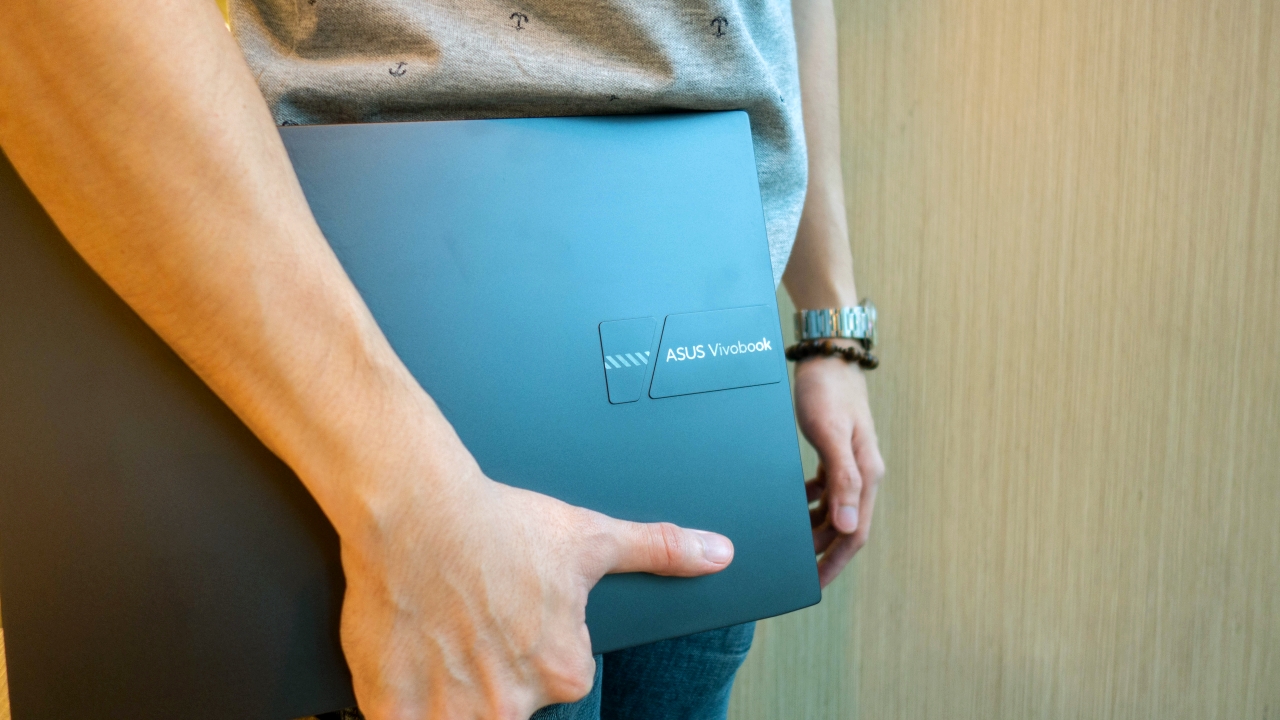
The ASUS Vivbook Pro 14 OLED has a price of PhP 74,995 for this R9 5900HX, RTX 3050, 16GB RAM with 512GB SSD variant. There’s no doubt that this is a really good value for what you’re paying for.
It’s also available for PhP 59,995 for the R5 5600H, RTX 3050, 8GB RAM with 512GB SSD variant. Meanwhile, there’s one that costs PhP 47,995 for the R5 5600H, AMD Integrated graphics, 8GB RAM and 512GB SSD variant.





Laptops
Alienware celebrates 30th anniversary with new Area-51 laptops
The series features Alienware 30, an all-new design language.

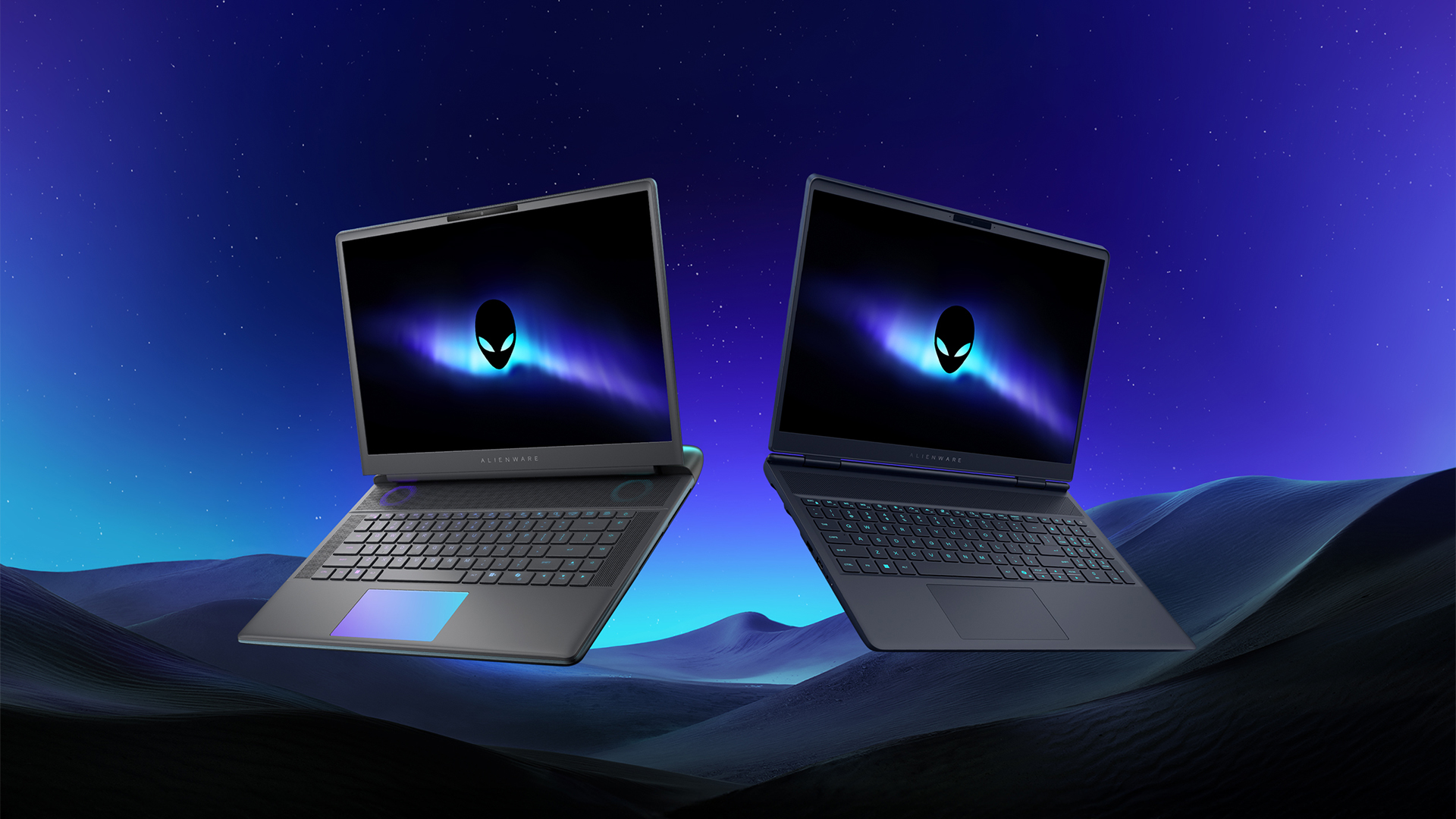
Despite the rise of more gaming brands, Alienware is still one of the most recognizable names for gamers who want dedicated hardware. This year, the brand is celebrating its 30th anniversary. To commemorate the milestone, Alienware has launched the new Area-51 and Aurora notebooks.
Alienware Area-51
Alienware’s Area-51 lineup is the brand’s flagship line of notebooks, packing in the best of the best from the industry. This time is no different.
First of all, the new series will rock Alienware 30, a new design philosophy made especially for the 30th anniversary. On the outside, the laptops have fluid contours, emphasizing curves opposed to the industry’s more angular contemporaries. It also has a Zero Hinge, which hides the laptop’s hinge from view. Finally, it has pillowed palm rests to make usage easy for long gaming sessions.
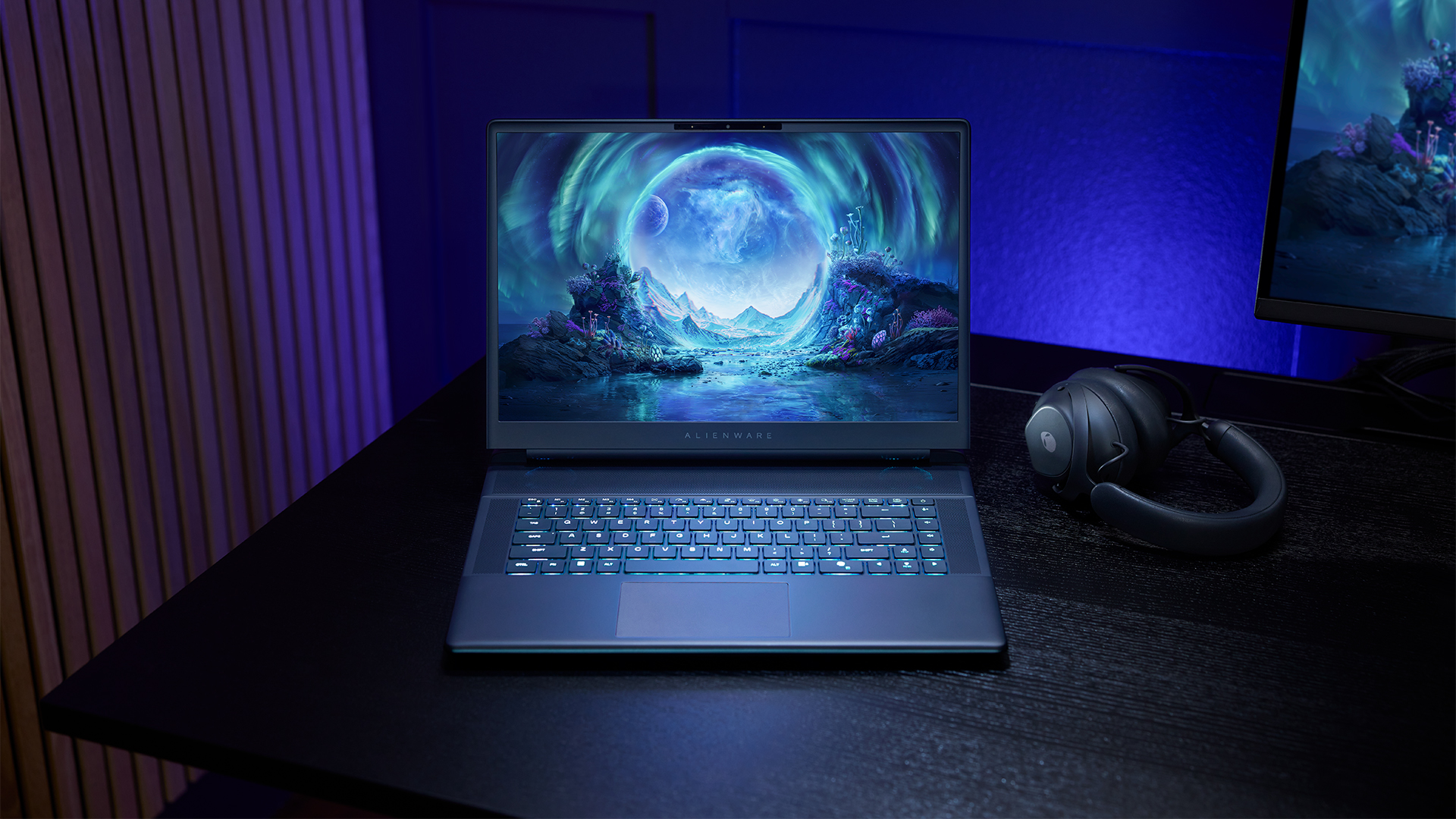
The 16-inch model can rock up to a WQXGA Anti-Glare OLED screen, featuring 240Hz refresh rate and 620 peak HDR nits. It will also have an LCD option. Alternatively, the 18-inch model has a WQXGA screen, featuring 300Hz refresh rate and 500 nits of brightness.
Inside, the Alienware Area-51 boasts up to an Intel Core Ultra 9 290HX processor and up to an NVIDIA GeForce RTX 5090 24GB GPU. For memory, gamers can enjoy up to 64GB Dual-Channel DDR5. Finally, for storage, the series can rock up to 2TB SSD natively but can support up to 3 slots, allowing for up to 12TB of internal storage.
The series will have a sizable 96Whr battery. This is complemented by a 280W adapter and the brand’s largest fans by volume to keep things cool.
Alienware 16X Aurora
For those who portability over raw power, the new Alienware 16X Aurora fits inside any day-to-day kit. For example, it ditches the thermal shelf typical of most gaming notebooks today to increase portability. It has rounded edges to make it easier to grasp and to create a slightly pillowed palm rest, similar to its flagship counterpart.
The 16-inch WQXGA OLED panel touts 240Hz refresh rate, 0.2ms response time, and 620 nits HDR peak brightness.
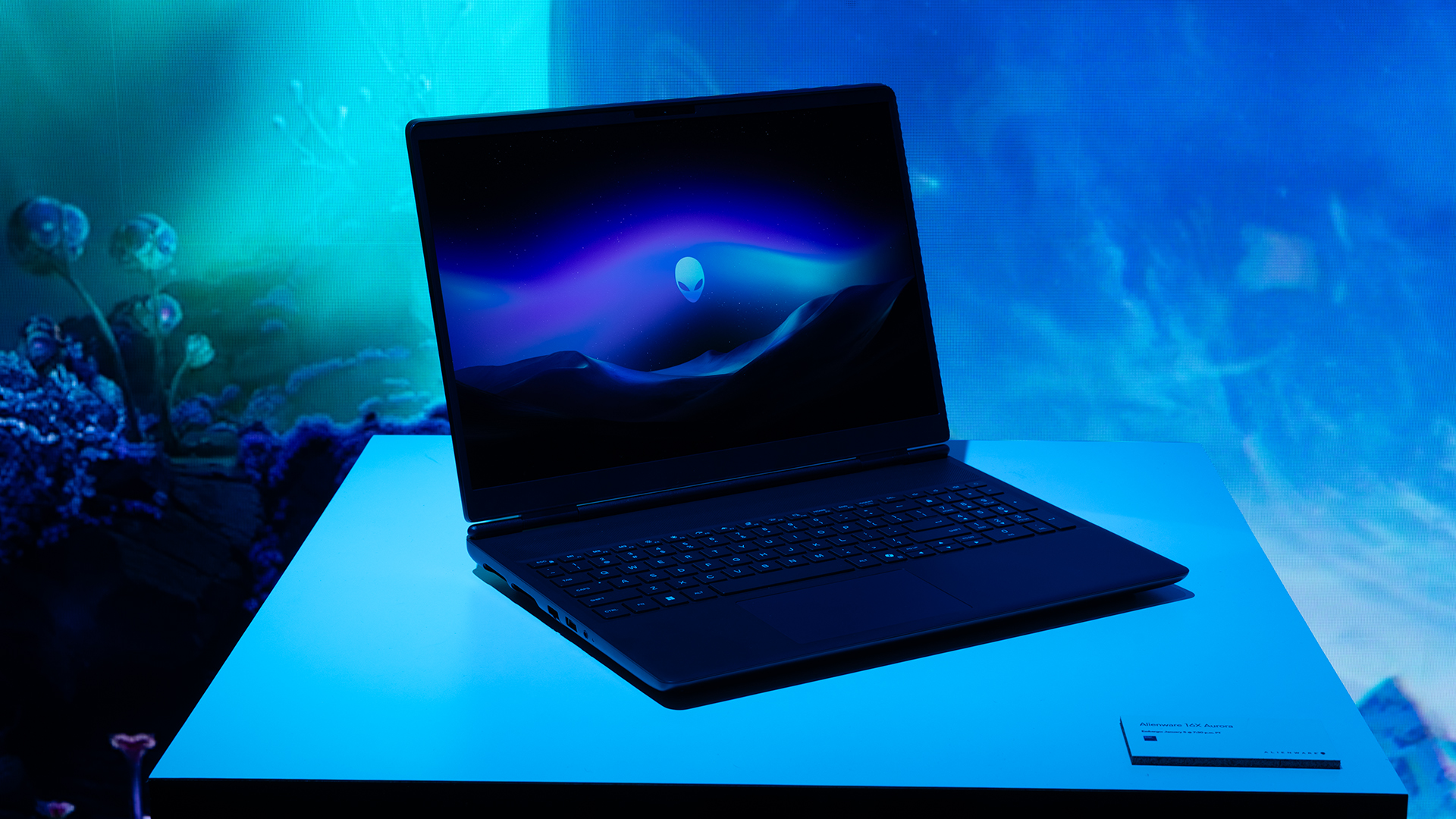
Inside, the notebook has up to an Intel Core Ultra 9 275HX processor and up to an NVIDIA GeForce RTX 5070 Ti GPU. These specs are paired with up to 64GB Dual-Channel DDR5 memory and up to 2TB SSD.
Finally, the Alienware 16X Aurora will have a 90Whr battery. This is supported by up to a 280W charger (for the RTX 5070 variant).
Price, availability
Both series are available starting today, March 17.
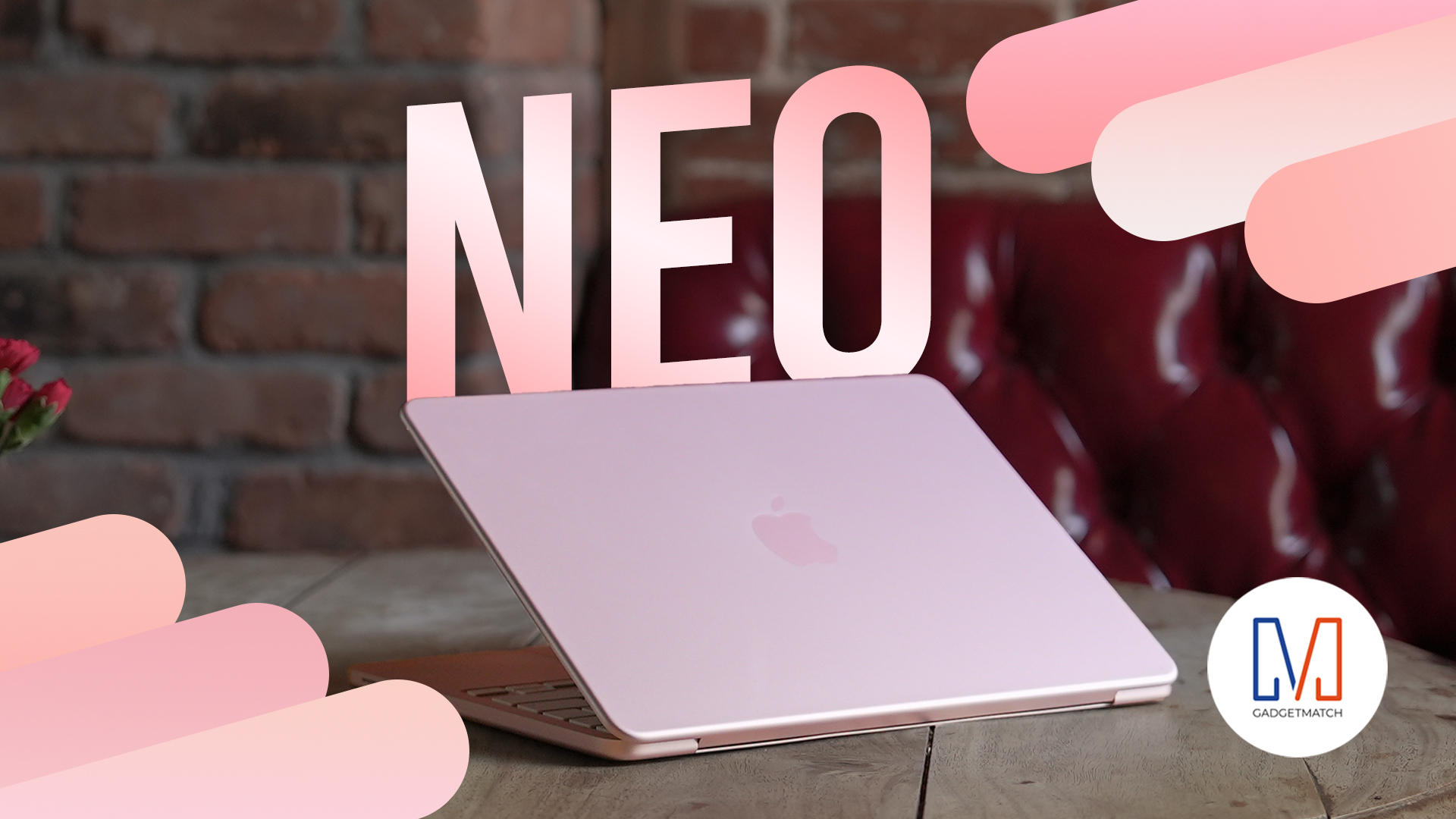
Apple disrupts the industry with their latest MacBook — an affordable to say the very least.
If you’re a student, a first-time Mac owner, someone who’s been priced out of this ecosystem their whole life, someone who just needs a laptop for basic tasks but one that looks great, without slowing them down, this is it!
Or maybe you’re torn choosing between the MacBook Neo and the more powerful M5 MacBook Air?
Well, that’s what we’re here for. Here’s our review with the all-new MacBook Neo.
Laptops
Hands-on: NEW iPhone 17e, iPad Air, MacBooks, Studio Displays
What Apple has announced other than the MacBook Neo


The MacBook Neo was the star of yesterday’s Apple event, and it has every right to be but it’s been a big week for Apple.
So as promised, we also went hands-on with every other device announced this week: iPhone 17e, M4 iPad Air, M5 MacBook Air, MacBook Pro with M5 Pro and M5 Max chips, and the new Studio Displays.





nubia to launch new Neo 5 series gaming phones on March 28

SHINOBI: Art of Vengeance’s SEGA Villains Stage out on April 3

AMD poised to lead agentic AI era with high-performance CPUs

CIPTA debuts AI GPU server, edge workstation at CloudFest 2026

Dune: Part Three teaser trailer: First look at Robert Pattinson’s Scytale


-

 Reviews4 days ago
POCO X8 Pro Max review: A new beast from the far east
-

 News4 days ago
POCO X8 Pro Series: Price, availability in the Philippines
-

 Laptops1 week ago
Apple MacBook Neo Review
-

 Computers2 weeks ago
GIGABYTE collaborates with Capcom for RE Requiem custom PC
-

 Apps1 week ago
Google Maps is finally getting a 3D mode
-

 Entertainment1 week ago
The internet is thirsting over the One Piece Season 2 cast
-

 News2 weeks ago
Globe postpaid opens pre-orders for Samsung Galaxy S26 series
-

 Features1 week ago
Galaxy AI on the Samsung Galaxy S26 Ultra