





Making sure that your subject is well-lit is a basic rule people abide by when taking any photo. It’s easy to think that capturing Instagrammable scenes should be reserved only for when there’s enough light. What do you do then if the most beautiful moments happen without the sun?
With a little help of technology, you can preserve your memory of watching hot air balloons fly over sunrise in Cappadocia and Istanbul’s iconic buildings after sunset. Here are some tips on how you can get creative and achieve Instagrammable shots using Ultra Dark Mode on the OPPO Reno2:
1. Wake up early for sunrise



If sunrise is at 7:00, wake up and get ready at 4:00 am. When you’re trying to capture the sky change from gray to blue to a beautiful gradient as sunlight spreads over the horizon, you’d be surprised at how fast it will all happen.
2. Climb a rooftop for sunset

We tend to take sunsets for granted because we catch them almost anywhere. When traveling, try to find a spot with an overlooking view of the town or city you’re in. You can climb a rooftop to get a different perspective than what you’re used to and watch the sky and the clouds explode with colors, and see the lights turn on one by one.
3. Stay for blue hour


Most people leave and pack their cameras as soon as the sun goes down, but blue hour is just as beautiful, if not even more. Capturing landscapes durning the few minutes of vibrant blue sky when buildings and structures are still visible — but with little artificial lights turned on — registers better in photos than when you try to take them during sunset. Unless you’re not trying to get a silhouette shot, that is.
4. Use shadows for portraits


Who says you can’t take portraits after sunset? Look for patterns using available props and create shadows on your subject using artificial light. You’d be surprised with what you can capture.
5. Illuminate impossible scenarios


With Tripod Mode, you can expose subjects longer and essentially allow the Reno2 to see in the dark. You can also use this mode to light complicated subjects evenly, like the iconic Hagia Sofia even when all you’re relying on are tiny spotlights. Just make sure to put the phone down somewhere stable if you don’t have a tripod with you for a crisper shot.
This feature was produced in collaboration between GadgetMatch and OPPO.








@gadgetmatch A phone that does more… so you can focus more on the moments that matter. The Galaxy S26 Ultra lets Galaxy AI handle the small stuff so you can stay present for the moments that matter. Also great for the occasional KPop concert video. Pre-order until March 17 and get double storage worth up to PhP 14,000. https://www.samsung.com/ph/smartphones/galaxy-s26-ultra/buy/ #GalaxyS26Ultra #EverydaywithGalaxyAI @samsungph ♬ original sound – GadgetMatch
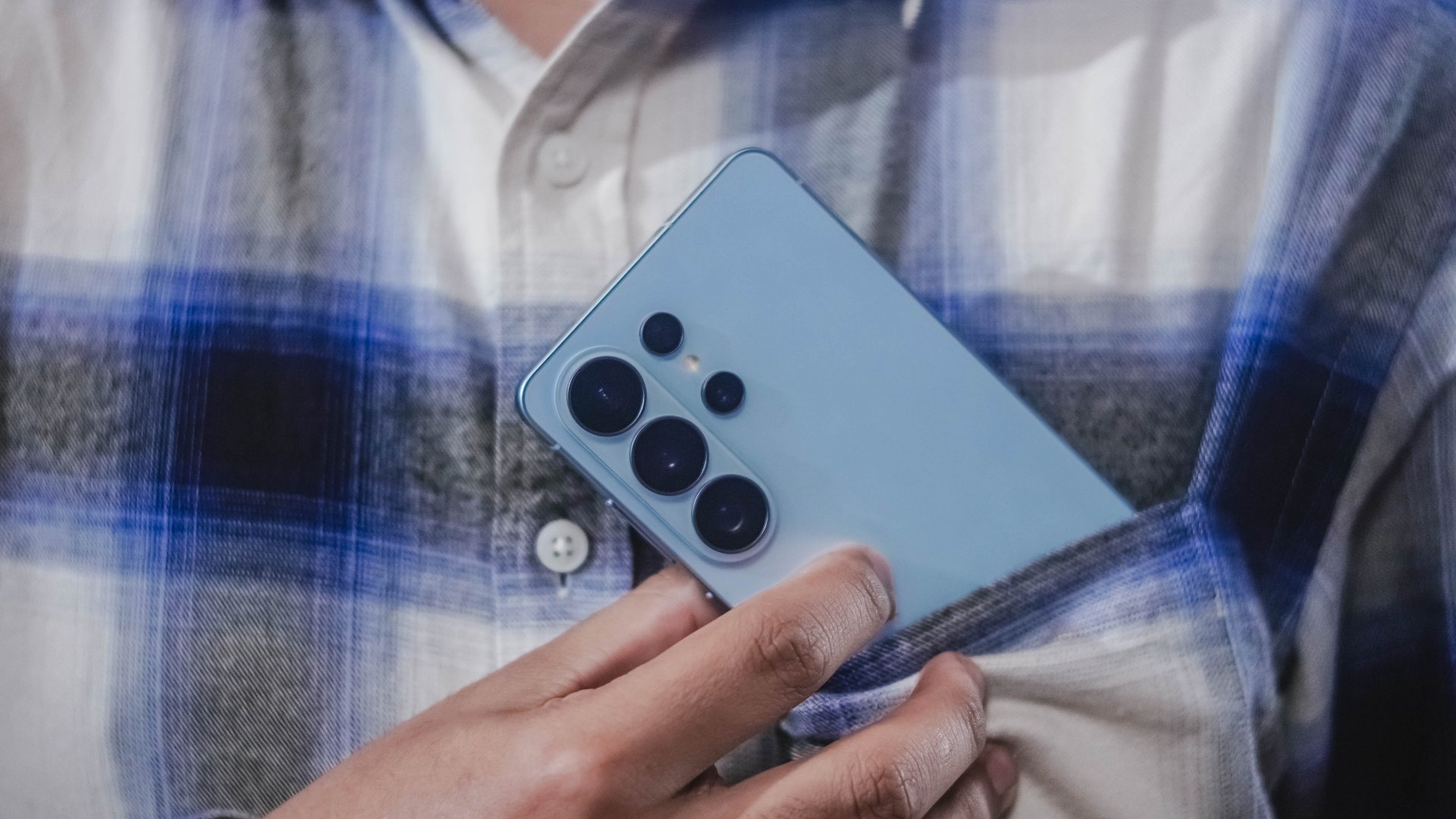
Here’s the dream: a phone that helps you stay on top of things, so you can focus more on what matters.
That’s basically the idea behind Galaxy AI on the Samsung Galaxy S26 Ultra.
Instead of adding more things to do, the phone helps take care of the small stuff for you. Things like reminding you what’s next, or surfacing the information you need right when you need it.
So you spend less time digging through apps and more time actually doing the things you planned to do.
Editing photos is easier too. With Photo Assist, you can just describe the change you want… and Galaxy AI fills in the rest.
And if you’re cleaning up a video, Audio Eraser can reduce background noise — even from clips on third-party apps like Instagram or YouTube.
The point isn’t to make your phone the center of attention. It’s to make it helpful enough that you can forget about it for a while. Until something worth capturing happens.
And when things get a little chaotic — like concerts, street performances, or just life moving fast — Super Steady Video helps keep your shots level.
That’s definitely coming with me to the next K-pop concert.
The Galaxy S26 Ultra. Smarter phone. Slightly less stressed me.
Pre-orders are open now — with double storage for early buyers, plus additional discounts and installment offers from participating banks.
Which is great… because apparently I shoot way too many videos.

The Galaxy S26 Ultra introduces something we haven’t really seen on a mainstream smartphone before: a built-in Privacy Display.
If you’ve ever used a privacy screen protector, you know the concept. Tilt the phone slightly and the screen becomes difficult to read from the side. Samsung is now doing that at the pixel level — no accessory required.
More importantly, this isn’t a blunt on-or-off feature. You can toggle it manually, or activate it only for specific apps. That means you can leave it off while watching YouTube, but turn it on automatically for banking apps, messages, or anything more sensitive.
It’s the kind of feature that doesn’t look impressive in a spec sheet, but makes a lot of sense in real life. Public transport. Coffee shops. Airports. Open offices. These are places where people casually glance at your screen without meaning to — or sometimes with intention.
Samsung says the feature works without significantly affecting sharpness or color, though we’ll need extended testing to determine how it impacts brightness and overall clarity in different lighting conditions.
In a year filled with AI headlines, Privacy Display stands out because it solves a very human problem. It’s subtle. It’s practical. And it feels designed with everyday use in mind.
Samsung Galaxy S26 Series – Specs
| Feature | Galaxy S26 Ultra | Galaxy S26+ | Galaxy S26 |
| Display | 6.9″ Dynamic AMOLED 2X
|
6.7″ Dynamic AMOLED 2X
|
6.3″ Dynamic AMOLED 2X
|
| Rear Camera: Ultra Wide | 50MP, F1.9, 0.7 µm | 12MP, F2.2, 1.4 µm | 12MP, F2.2, 1.4 µm |
| Rear Camera: Wide | 200MP, F1.4, 0.6 µm | 50MP, F1.8, 1.0 µm | 50MP, F1.8, 1.0 µm |
| Optical Quality 2x | |||
| Rear Camera: Telephoto 1 | 10MP, F2.4, 1.12 µm | 10MP, F2.4, 1.0 µm | 10MP, F2.4, 1.0 µm |
| 3x optical zoom | |||
| Rear Camera: Telephoto 2 | 50MP, F2.9, 0.7 µm
|
— | — |
| Front Camera | 12MP, F2.2, 1.12 µm | 12MP, F2.2, 1.12 µm | 12MP, F2.2, 1.12 µm |
| Processor | Snapdragon® 8 Elite Gen 5 for Galaxy (3 nm) | Exynos 2600 (2 nm)* | Exynos 2600 (2 nm)* |
| Memory (RAM) | 12GB / 16GB | 12GB | 12GB |
| Storage | 256GB / 512GB / 1TB | 256GB / 512GB | 128GB / 256GB / 512GB |
| (Micro SD: N/A) | |||
| Battery | 5,000 mAh | 4,900 mAh | 4,300 mAh |
|
|||
| Dimensions | 78.1 x 163.6 x 7.9 mm
214 g (Sub6/mmWave) |
75.8 x 158.4 x 7.3 mm
190 g (Sub6/mmWave) |
71.7 x 149.6 x 7.2 mm
167 g (Sub6) |
| Colors | Standard: Cobalt Violet (Hero), Sky Blue, Black, White
Online: Silver Shadow, Pink Gold |
Standard: Cobalt Violet (Hero), Sky Blue, Black, White
Online: Silver Shadow, Pink Gold |
Standard: Cobalt Violet (Hero), Sky Blue, Black, White
Online: Silver Shadow, Pink Gold |

Audio Eraser was already one of the more useful AI tools in recent Galaxy phones. On the S26 series, it becomes more practical.
It now works across third-party apps.
In the demo, Samsung showed background noise being removed from WWE footage. We tested it ourselves using a noisy K-pop fancam on YouTube. The results were surprisingly effective. Crowd noise softened. The main audio became clearer. And it didn’t sound aggressively distorted.
That’s the key difference between flashy AI and useful AI. This one feels usable.
Instead of being limited to clips shot directly on the phone, Audio Eraser can now clean up videos from streaming apps or social platforms. That opens up more real-world scenarios — from improving a saved concert clip to cleaning up dialogue in shared content.
It’s not the kind of feature you upgrade your phone for. But it’s the kind of feature you’ll appreciate once it’s there.
And in a year where Samsung is doubling down on AI, this might be one of the clearest examples of it working in service of the user.
Samsung Galaxy S26 Series – Specs
| Feature | Galaxy S26 Ultra | Galaxy S26+ | Galaxy S26 |
| Display | 6.9″ Dynamic AMOLED 2X
|
6.7″ Dynamic AMOLED 2X
|
6.3″ Dynamic AMOLED 2X
|
| Rear Camera: Ultra Wide | 50MP, F1.9, 0.7 µm | 12MP, F2.2, 1.4 µm | 12MP, F2.2, 1.4 µm |
| Rear Camera: Wide | 200MP, F1.4, 0.6 µm | 50MP, F1.8, 1.0 µm | 50MP, F1.8, 1.0 µm |
| Optical Quality 2x | |||
| Rear Camera: Telephoto 1 | 10MP, F2.4, 1.12 µm | 10MP, F2.4, 1.0 µm | 10MP, F2.4, 1.0 µm |
| 3x optical zoom | |||
| Rear Camera: Telephoto 2 | 50MP, F2.9, 0.7 µm
|
— | — |
| Front Camera | 12MP, F2.2, 1.12 µm | 12MP, F2.2, 1.12 µm | 12MP, F2.2, 1.12 µm |
| Processor | Snapdragon® 8 Elite Gen 5 for Galaxy (3 nm) | Exynos 2600 (2 nm)* | Exynos 2600 (2 nm)* |
| Memory (RAM) | 12GB / 16GB | 12GB | 12GB |
| Storage | 256GB / 512GB / 1TB | 256GB / 512GB | 128GB / 256GB / 512GB |
| (Micro SD: N/A) | |||
| Battery | 5,000 mAh | 4,900 mAh | 4,300 mAh |
|
|||
| Dimensions | 78.1 x 163.6 x 7.9 mm
214 g (Sub6/mmWave) |
75.8 x 158.4 x 7.3 mm
190 g (Sub6/mmWave) |
71.7 x 149.6 x 7.2 mm
167 g (Sub6) |
| Colors | Standard: Cobalt Violet (Hero), Sky Blue, Black, White
Online: Silver Shadow, Pink Gold |
Standard: Cobalt Violet (Hero), Sky Blue, Black, White
Online: Silver Shadow, Pink Gold |
Standard: Cobalt Violet (Hero), Sky Blue, Black, White
Online: Silver Shadow, Pink Gold |





Now Playing: Hoppers

Jackery SolarSaga series: Free power for small devices

UGREEN adds new Nexode Pro power bank, charger to lineup

nubia to launch new Neo 5 series gaming phones on March 28

SHINOBI: Art of Vengeance’s SEGA Villains Stage out on April 3


-

 Reviews5 days ago
POCO X8 Pro Max review: A new beast from the far east
-

 News5 days ago
POCO X8 Pro Series: Price, availability in the Philippines
-

 Laptops2 weeks ago
Apple MacBook Neo Review
-

 Computers2 weeks ago
GIGABYTE collaborates with Capcom for RE Requiem custom PC
-

 Apps1 week ago
Google Maps is finally getting a 3D mode
-

 Entertainment2 weeks ago
The internet is thirsting over the One Piece Season 2 cast
-

 Features1 week ago
Galaxy AI on the Samsung Galaxy S26 Ultra
-

 Automotive2 weeks ago
BYD is reportedly considering an F1 team