


Lifestyle
Tried and tested: 8 months with the Casetify Bounce Luggage
’tis a carry-on that aged with me through trips across Asia

If there’s anything I’ve learned from years of packing and unpacking, it’s that your suitcase becomes more than storage. It’s a witness to every moment you sprint to make it before boarding closes.
Eight months ago, I decided to give the CASETiFY Bounce 21-inch Carry-On Roller a shot.
I knew CASETiFY for their bold phone cases, the ones designed to survive accidental drops. So, when they introduced their luggage line, I was curious: Could they protect more than our phones?
The answer, I found, lies in the scratches and stories my Bounce Luggage now carries.
A suitcase that travels like I do
This carry-on has seen more than its fair share of boarding gates. It rolled with me through Cebu’s crowded airport, and waited on the ferry dock in Siquijor, dust settling on its shell as I crossed islands.

It followed me through Taipei’s night markets and Bangkok’s busy streets. Each destination left a mark — literally — but the suitcase never faltered.
What I admire most is that it doesn’t try to hide the wear. The German-engineered Bayer Makrolon polycarbonate shell has scratches, yes, but it’s still intact.
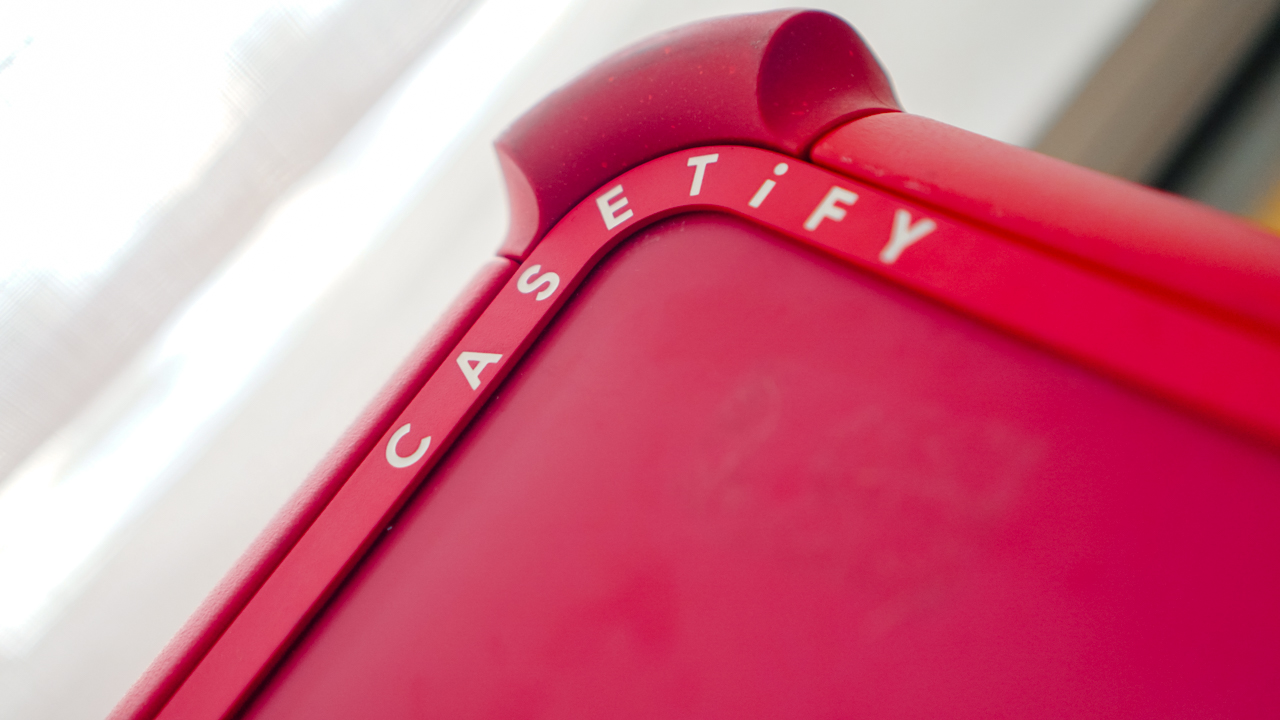
The Bounce Bumpers, placed on each corner, took the brunt of impact when the bag was tossed around. This is the kind of luggage that embraces life on the move, rather than resisting it.
Durability meets design
CASETiFY calls it Bounce Technology, and after months of real-world testing, I believe it.
The reinforced corners absorbed shocks that would have dented or cracked other luggage.

Meanwhile, the 360-degree Hinomoto Lisof wheels kept me moving swiftly, even across less forgiving ground. (Hello, Bangkok!)

The aircraft-grade aluminum handle locked into place without wobbling, giving me control when I needed to weave through the busy airport terminals.
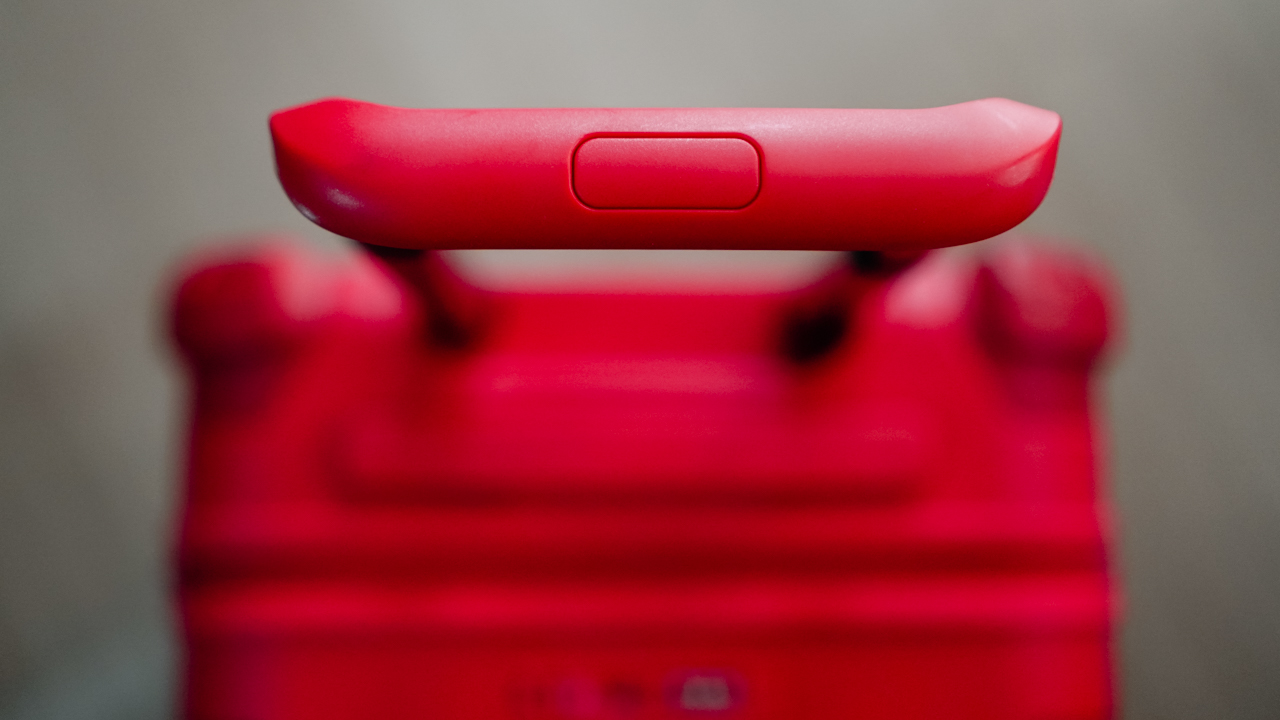
Even the zippers deserve credit. The puncture-resistant YKK double racquet coil design, paired with TSA-approved locks, gave me peace of mind when I had to check in my bag on international flights.
It’s a detail I didn’t think much of before, but when you’re traveling alone, those things matter.

Inside, the Bounce Luggage played well with my habit of organized chaos. The tech pack and packing cubes made sense for someone like me — always carrying gadgets, chargers, and gear, alongside a week’s worth of outfits.
Every trip felt more put together because of it.

A suitcase that feels like mine
Practicality aside, what sets the Bounce Luggage apart is how personal it feels. CASETiFY brought its customization flair into this line, letting travelers design their carry-on with fonts, colors, and accents.
Mine reflects my personality before I even open it. It’s not just another black suitcase spinning on the carousel. It’s painted in red, striking like yours truly.
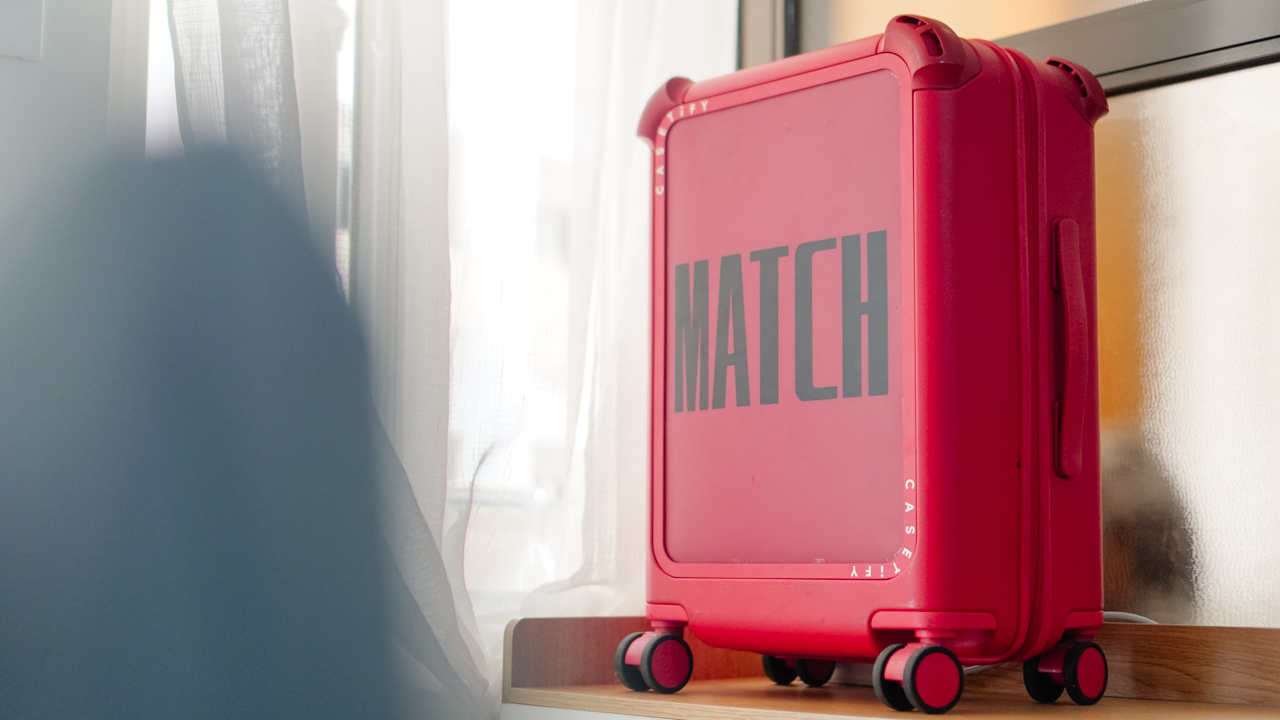
There’s something comforting about knowing my luggage reflects me in a world where airports can make everything feel the same. It turns a functional object into a travel companion.
Beaten but better
Eight months later, my CASETiFY Bounce Luggage doesn’t look new. It’s beaten and bruised. Yes, it’s far from showroom-ready.
Yet I’ve grown to love it even more in this state. Each scratch reminds me of a place I’ve been; each scuff a reminder of what it survived.
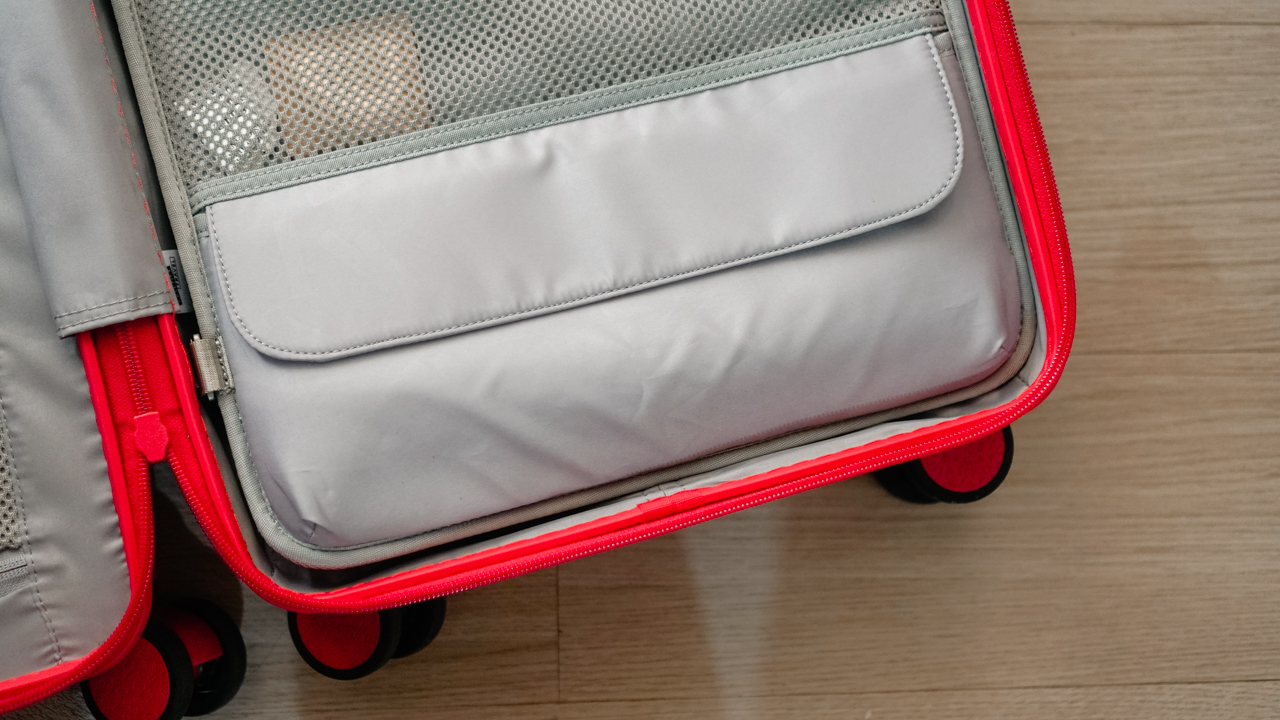
That’s what I want in a suitcase. Not something that stays flawless, but something that endures alongside me.
CASETiFY’s move into travel felt like a gamble at first. After all, who would’ve expected a phone case brand to make a mark in luggage?
And yet, with the Bounce Luggage, they’ve proven that their promise of durability and self-expression can scale up. They made a bag and a reliable partner for people who see travel not as a luxury, but as a way of life.
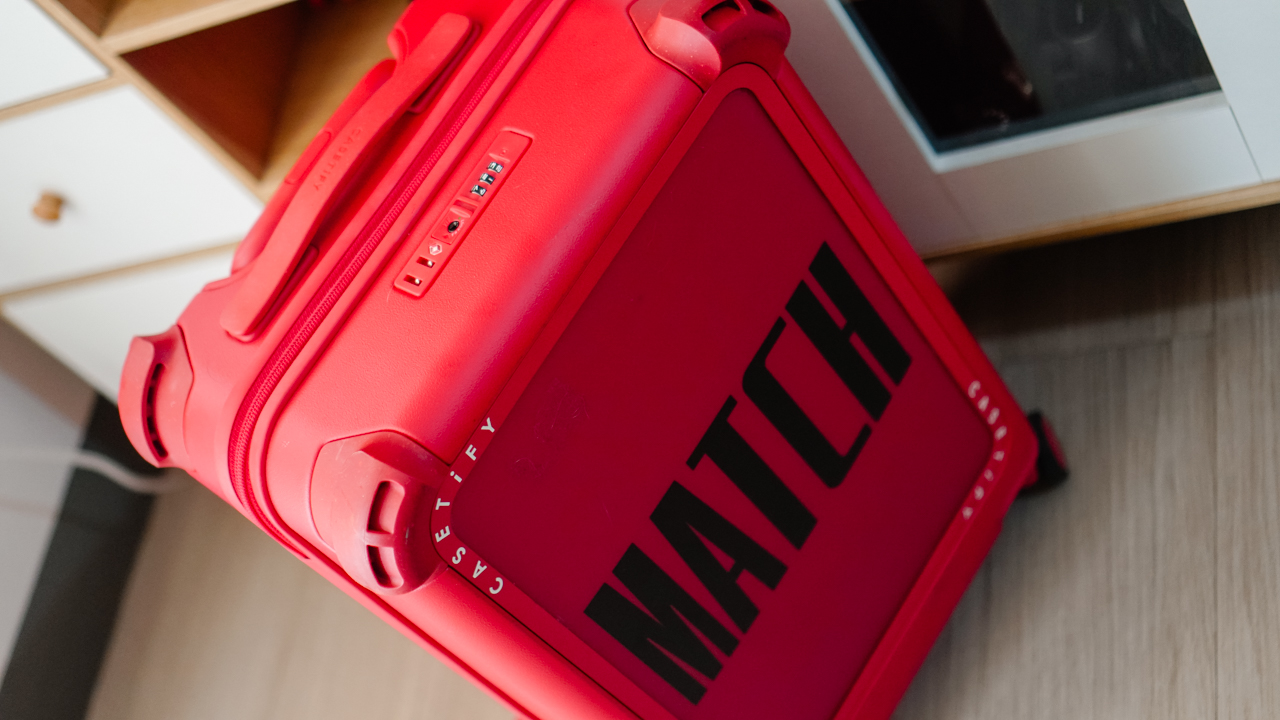
My Bounce Luggage has been with me through countless gates and flights. It has lived through cramped overhead bins, and being tossed around. And it’s still standing, ready for the next adventure.
Travel will always be messy and unpredictable, but it will always be fun and exciting. With the CASETiFY Bounce Luggage, it’s proof that the right gear can help you carry those experiences home.
The CASETiFY Bounce 21-inch Carry On Roller retails for US$ 399. The Tech Pack Organizer is priced at US$ 50, while the Packing Cube Set costs US$ 35.




Entertainment
Spider-Man: Brand New Day first trailer hits hard — and gets weird
What’s happening to Peter?

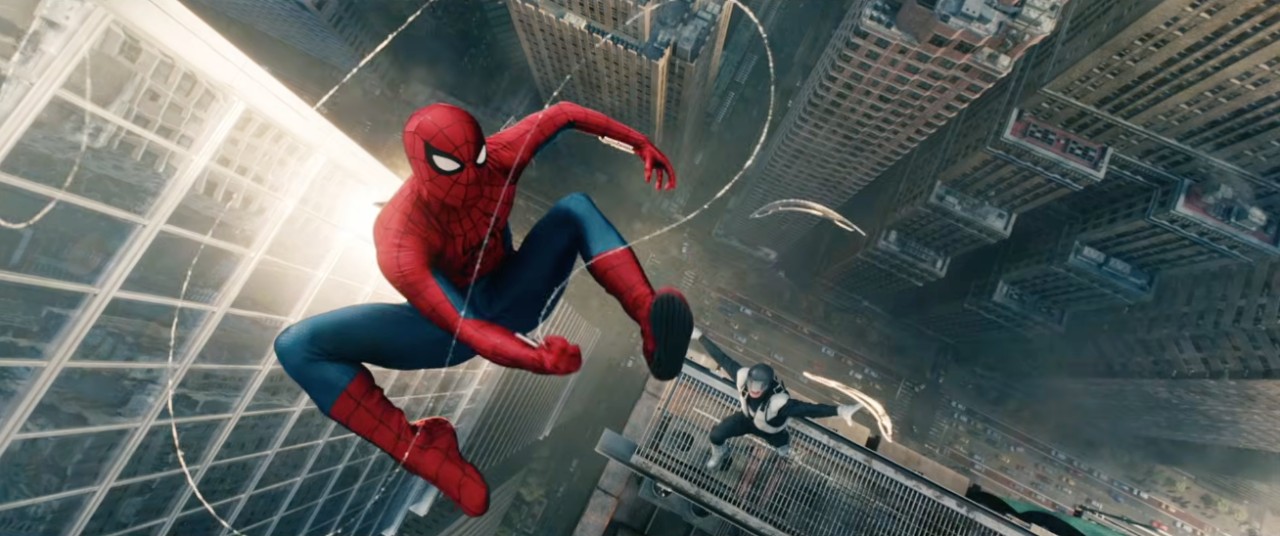
Spider-Man is back — and this time, it doesn’t feel safe.
The first trailer for Spider-Man: Brand New Day just dropped, and it’s equal parts heartbreaking, chaotic, and… a little unsettling. The kind of trailer that makes you pause halfway through and go, “Wait, what is happening to Peter?”
Because this isn’t just about swinging through New York anymore.
This is about what happens after Peter Parker chooses to disappear.
A lonelier Spider-Man
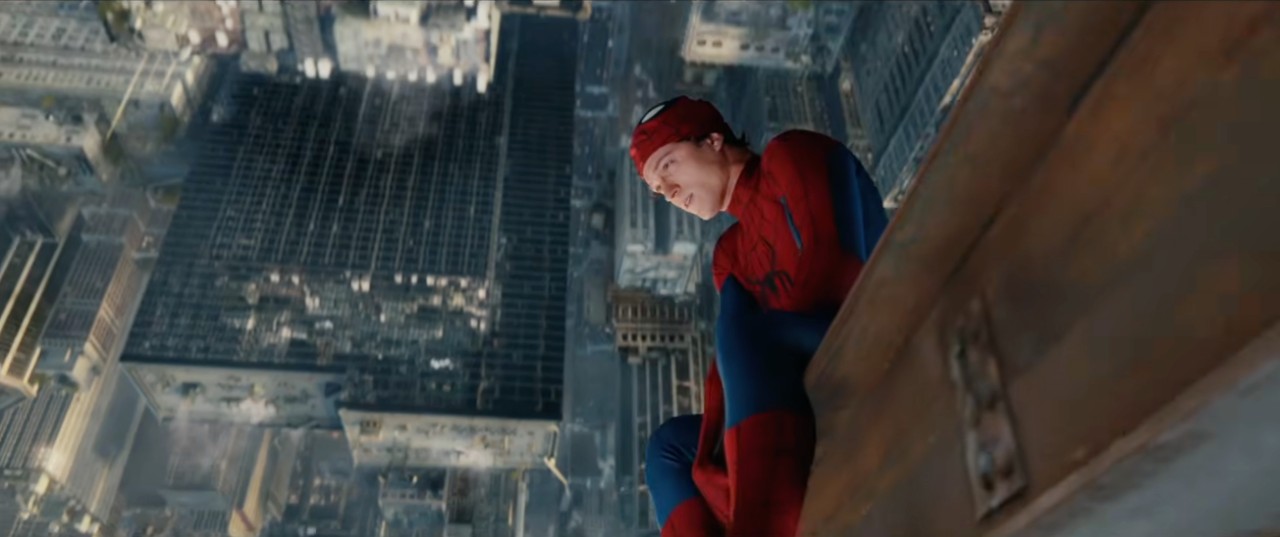
The trailer opens with Peter hanging upside down high above the city, quietly watching MJ and Ned Leeds celebrate their first day at MIT.
They’ve moved on. They’re happy. And Peter… doesn’t exist to them anymore.
That idea lingers through the next few scenes. He rehearses introductions like a stranger trying to fit in and washes his bloodied suit in a laundromat. He carries on as Spider-Man, even receiving a Key to the City — while Peter Parker fades into the background.
Things get violent, fast
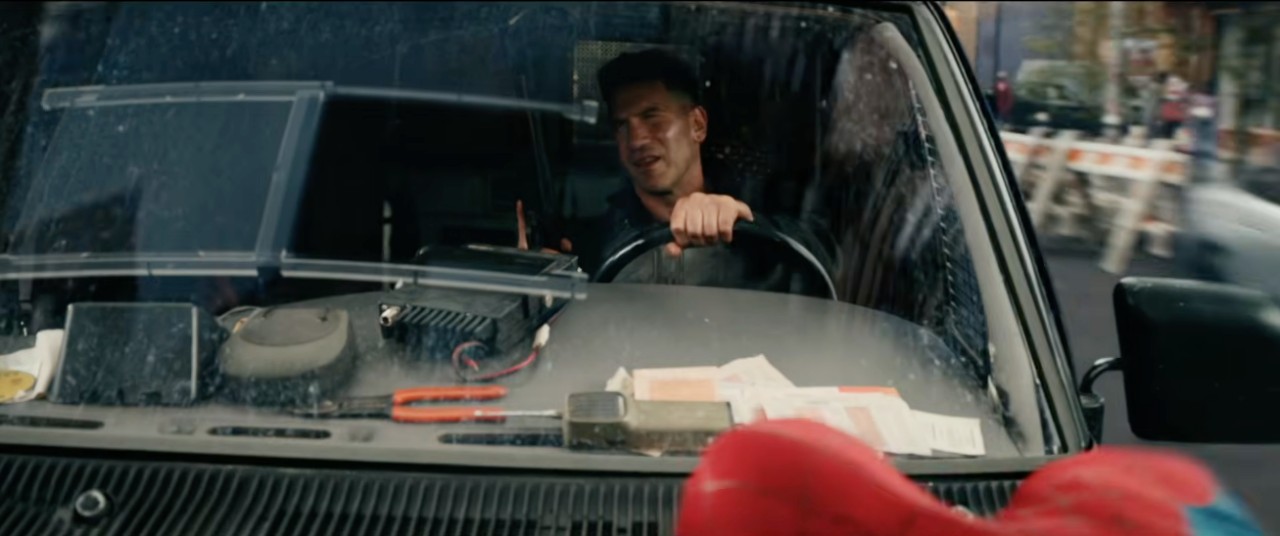
Then the trailer flips.
We see a little moment between Frrank Castle (The Punisher) and Spidey. The exchange was lighthearted but also brutal. Spidey ends up immobilizing Frank and tells him to “Go home.” Could be a quick nod to Tom Holland’s “Home” trilogy in the Marvel Cinematic Universe (MCU).
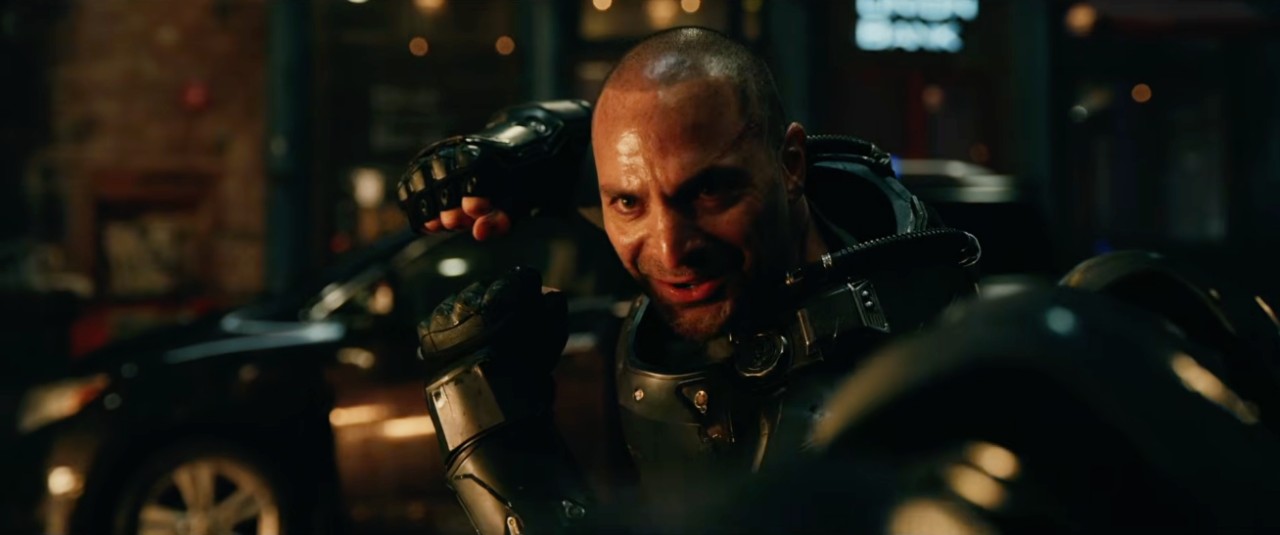
And in the middle of it all, Scorpion finally emerges as a major threat, alongside a brute with mechanical gauntlets and a swarm of red-clad ninjas.
This isn’t your usual friendly neighborhood lineup.
Something is wrong with Peter
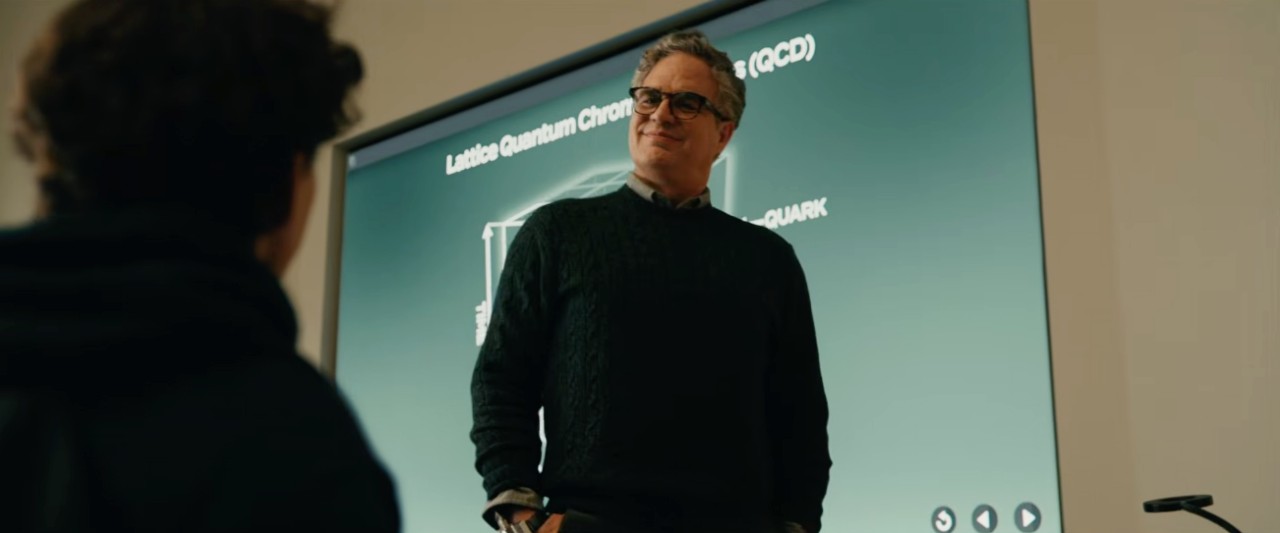
And then there’s the part that really sticks.
Peter starts deteriorating. He looks sick. Sweaty. Unstable. At one point, he collapses completely.
Then comes the reveal: Peter trapped inside a massive web cocoon — before violently breaking out of it.
He seeks out Bruce Banner, who seems to confirm what we’re all thinking — something is very wrong with Peter’s DNA. His warning? Mutation at this level is dangerous.
Paired with the narration about a spider’s life cycle and Banner’s warning, it really feels like the film is setting up a Man-Spider arc. A version of Peter where the mutation goes too far. Where the line between hero and something else starts to blur.
If that’s where this is headed, Brand New Day might be the most unsettling Spider-Man story we’ve seen on screen.
And still… MJ
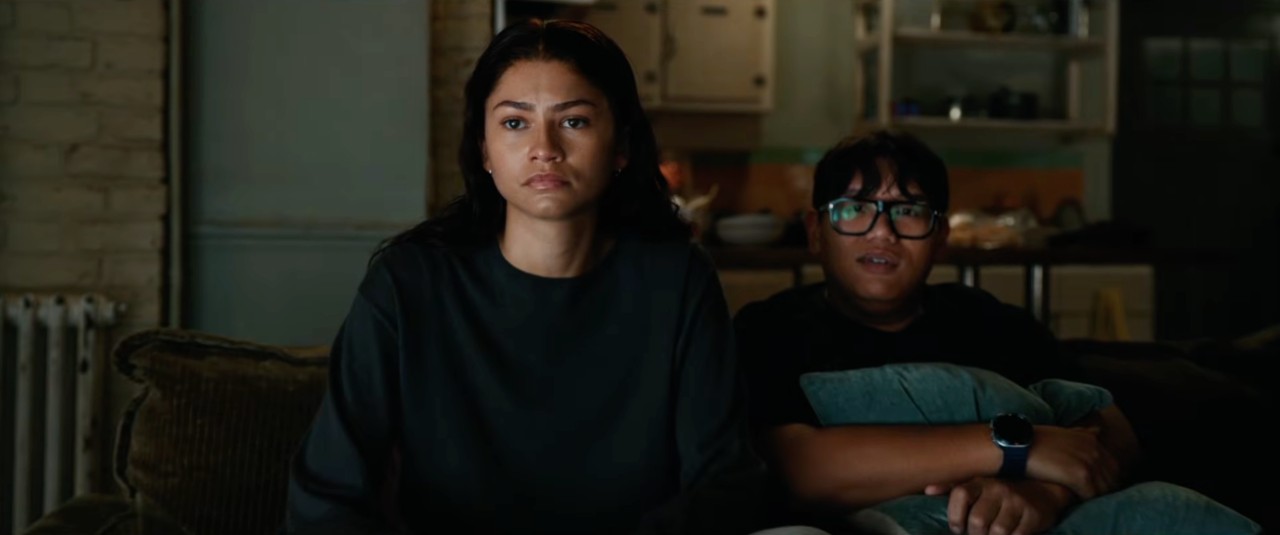
The trailer closes things out with a quiet moment.
Peter shows up at MJ’s door with flowers, trying to reconnect in the simplest way he can.
She smiles. Introduces herself. Like they’ve never met. And Peter, of course, plays along. Just a friendly neighbor from across the hall.
It’s soft. It’s painful. And it lands harder than any punch in the trailer.
I’m all in
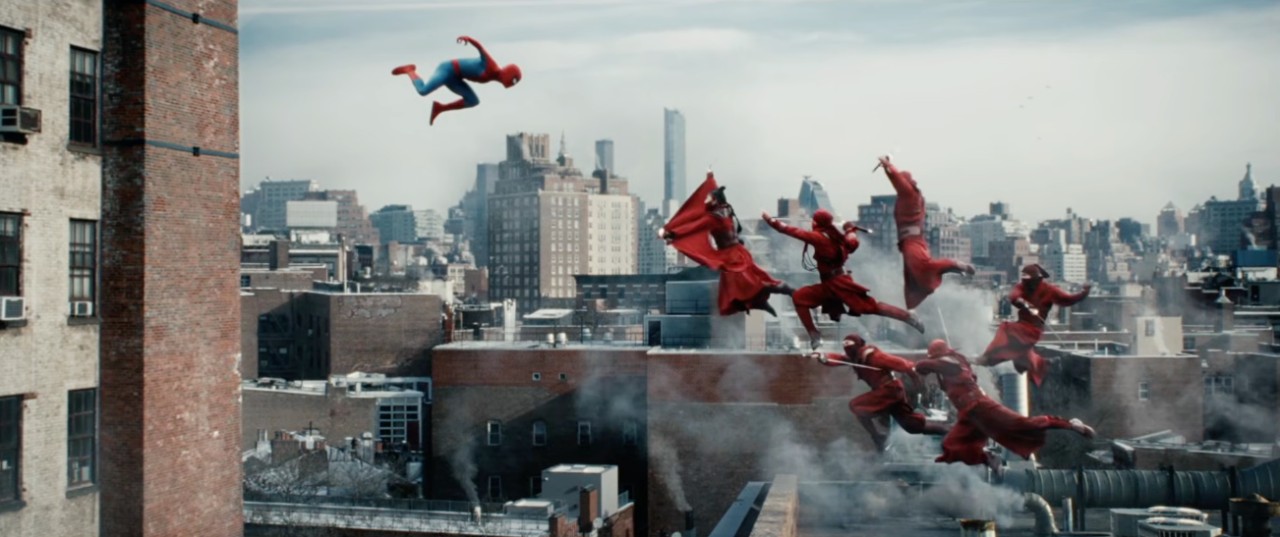
Between Frank Castle’s brutality, Bruce Banner’s warning, the arrival of Scorpion, and the possibility of a full-on Man-Spider transformation…
Yeah. This one feels different.
Can’t wait. I’m so hyped.
Spider-Man: Brand New Day is coming to theaters on July 31.
Lifestyle
TUMI’s “Mediterranean Escape” brings vacation energy to Spring 2026 lineup
Travel-inspired hues, textures

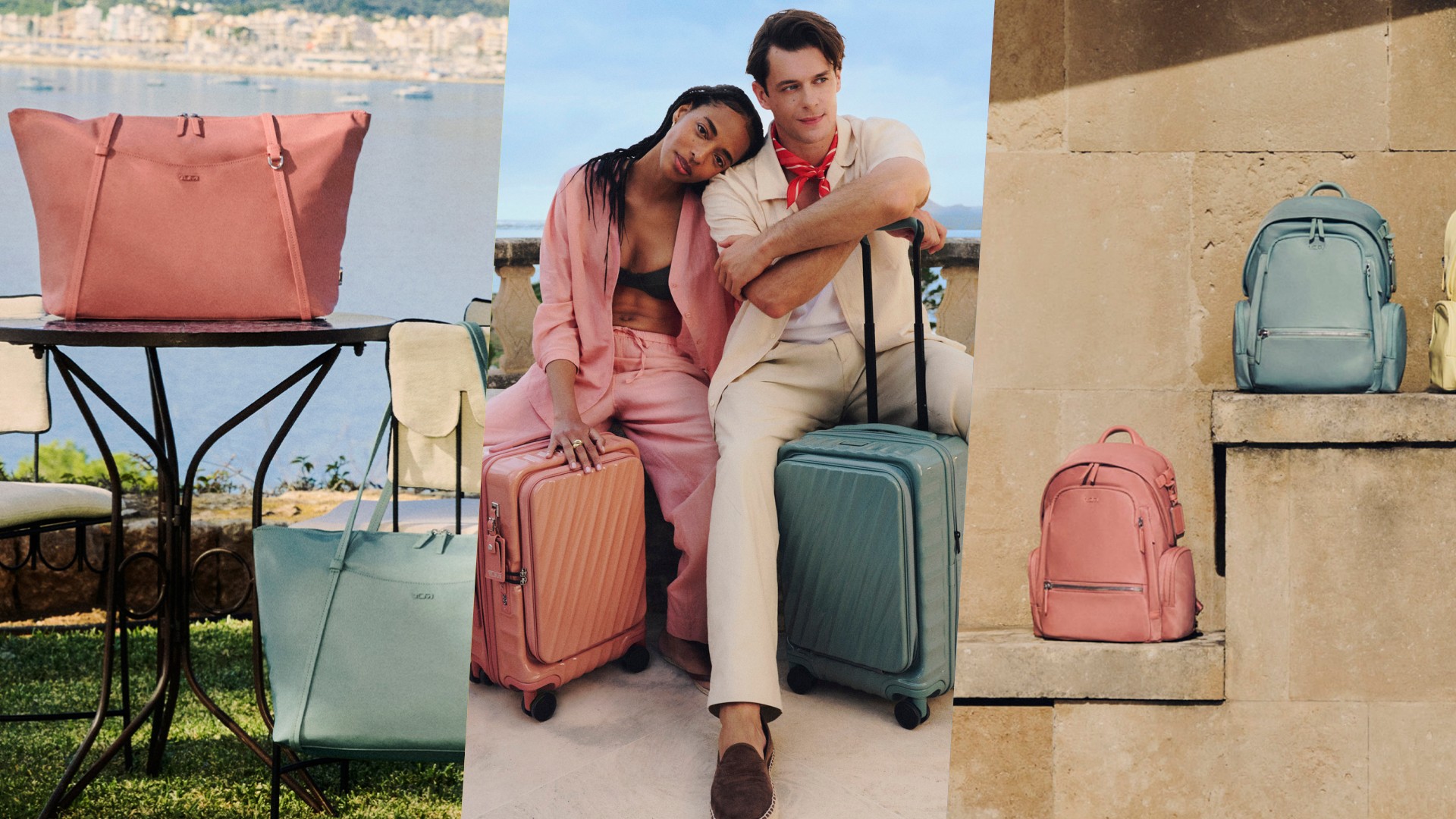
TUMI is leaning into the spirit of slow, intentional travel with its Spring 2026 campaign and collection, “Mediterranean Escape.”
Unveiled globally, the seasonal lineup draws inspiration from the warmth, rhythm, and sensory richness of the Mediterranean coast. The result is a collection that blends expressive colors, tactile materials, and destination-driven design across the brand’s core travel and lifestyle pieces.
Shot in Mallorca, Spain, the campaign captures a relaxed, transportive mood — positioning travel not just as movement, but as an immersive, emotional experience.
Color leads the story
At the center of the collection is a refreshed seasonal palette applied across TUMI’s most recognizable silhouettes, including the 19 Degree line.
New hues include thyme green, sun-washed terracotta, and sunlit yellow — tones that reflect coastal landscapes and summer light. The 19 Degree Aluminum range also introduces Horizon Blue, a shade inspired by the meeting point of sea and sky, adding depth to the collection’s metallic finishes.
These updates continue TUMI’s push to balance form and function while making its designs feel more expressive and lifestyle-oriented.
Textures and prints expand the lineup
Beyond color, “Mediterranean Escape” introduces new material directions and prints across multiple collections.
A raffia-inspired woven capsule brings a more relaxed, artisanal feel to select bags from the Olas and Harrison lines. The material choice adds warmth and texture while keeping the brand’s structured design language intact.
Accessories also play into the theme. Bag charms shaped like olives, flowers, and lemons reference Mediterranean markets and coastal scenery, while functional pieces like the Belden Sunglass Charm cater to long, sun-filled days.
The collection also debuts a new Mediterranean Print, rolling out across items from Voyageur, Tegra-Lite, Belden, and Nassau collections. The print adds visual personality without straying from TUMI’s focus on usability.
Travel, but more intentional
According to Creative Director Victor Sanz, the collection reflects a shift toward more mindful travel — one that emphasizes sensory experiences and emotional connection.
That philosophy carries through both design and storytelling. The campaign presents TUMI in a more relaxed, playful light, while still anchored in the performance and precision the brand is known for.
“Mediterranean Escape” also extends beyond products, with planned global activations aimed at bringing the theme to life through immersive experiences.
Availability
The TUMI “Mediterranean Escape” Spring 2026 collection is now available via TUMI’s official Philippine website.
For more updates and behind-the-scenes content, the brand encourages fans to follow its social channels.

Disney+ has significantly expanded its sports offerings on the streaming platform with the addition of the 2026 March Madness.
Both the NCAA Division I Men’s and Women’s Basketball Tournaments — one of the most anticipated events in American collegiate sports — will be streamed live on Disney+. This marks the expansion of ESPN’s global NCAA rights agreement onto the platform.
Both tournaments feature high-stakes, single-elimination formats with 68 squads each, building suspense from the opening rounds to the iconic Final Four.
Entering the 2026 tournament, the University of Florida Gators and University of Connecticut Huskies return as defending men’s and women’s champions, respectively.
The March Madness integration leverages ESPN’s long-standing NCAA rights portfolio, which includes more than 40 championship events.
ESPN has been the exclusive broadcaster for Women’s March Madness for over three decades now, and the development marks a strategic shift to bring live collegiate sports to Disney+ audiences across several regions.
The development also comes after the recent global rebranding of Star to Hulu, as well as the integration of live NBA games.
With a unified interface, there’s even more sports content for subscribers to browse, ranging from live broadcasts to acclaimed sports documentaries.
There’s the 30 for 30 series, Bad Boys, D. Wade: Life Unexpected, Dream On, and even The Last Dance featuring Michael Jordan and the Chicago Bulls’ 1997-98 run.


POCO X8 Pro Max review: A new beast from the far east
That "Pro Max" naming superlative is more than justified


POCO X8 Pro Iron Man Edition review: Midrange phone in superhero armor
POCO x MK15


Now Playing: Project Hail Mary
It's a treat for those who loved the original book.

GoTyme Bank, Visa partner for FIFA World Cup 2026 raffle giveaway

Spider-Man: Brand New Day first trailer hits hard — and gets weird

TUMI’s “Mediterranean Escape” brings vacation energy to Spring 2026 lineup

Switch 2 now lets you play old games in 1080p

OPPO Find N6 launches globally with near crease-free foldable display


-

 Reviews2 weeks ago
The Xiaomi 17 shoots Leica dream
-

 Gaming2 weeks ago
Ubisoft confirms Assassin’s Creed: Black Flag remake
-

 Gaming2 weeks ago
PlayStation will stop releasing its games on PC
-

 Hands-On2 weeks ago
OPPO Reno15 F 5G hands-on
-
 Gaming2 weeks ago
Project Helix is Xbox’s next console, and it plays PC games
-

 Computers1 week ago
GIGABYTE collaborates with Capcom for RE Requiem custom PC
-

 Entertainment7 days ago
The internet is thirsting over the One Piece Season 2 cast
-
 News2 weeks ago
Globe postpaid opens pre-orders for Samsung Galaxy S26 series