
Drones
DJI Neo 2 review: Fly without fear
This lightweight, beginner-friendly drone feels like the easiest way to start flying!


There is something special about flying a drone that you rarely get from any other gadget.
It’s a mix of control and creativity; a balance between trust and instinct. For many beginners, that feeling often sits behind a wall of fear because most drones look complicated or intimidating.
The DJI Neo 2 tries to remove that barrier by being extremely lightweight, very easy to use, and designed for people who want to start capturing aerial shots without a long learning curve.
Fast and stress-free setup experience
Setting up the DJI Neo 2 is straightforward from the moment you lift it out of the box. The essentials are already attached.
There is no complicated assembly and no moment where you feel unsure about whether you placed something correctly. Even if you have never flown a drone before, the app gives clear instructions that guide you through each step.
The best part is how quickly you can get it airborne. Many drones require calibration, adjustment, or balancing, which can take time when you are shooting alone.

The Neo 2 keeps the process light and fast. Beginners will appreciate how it eliminates the feeling of doing something wrong. Meanwhile, experienced users will enjoy how little downtime it creates on set.
There is one thing to keep in mind, though. The app-only setup and control still feel limited.
@gadgetmatch Unboxing the DJI Neo 2 🫶 #foryou #fyp ♬ original sound – GadgetMatch
When we relied entirely on the smartphone instead of the RC controller, the drone occasionally drifted or performed slight movements without being prompted.
It’s not unsafe, but it’s unpredictable enough to make you switch back to the controller immediately. It’s clear that the Neo 2 is at its best when paired with the RC controller rather than being used independently.
Tiny drone built for big adventures
The Neo 2 keeps things light. It is small enough to slip into a travel bag without effort and light enough to carry around all day without thinking about it.
The design leans toward convenience, which is perfect for beginners and travelers. The built-in propeller guards make it less stressful to use in tighter areas or in locations with people nearby.
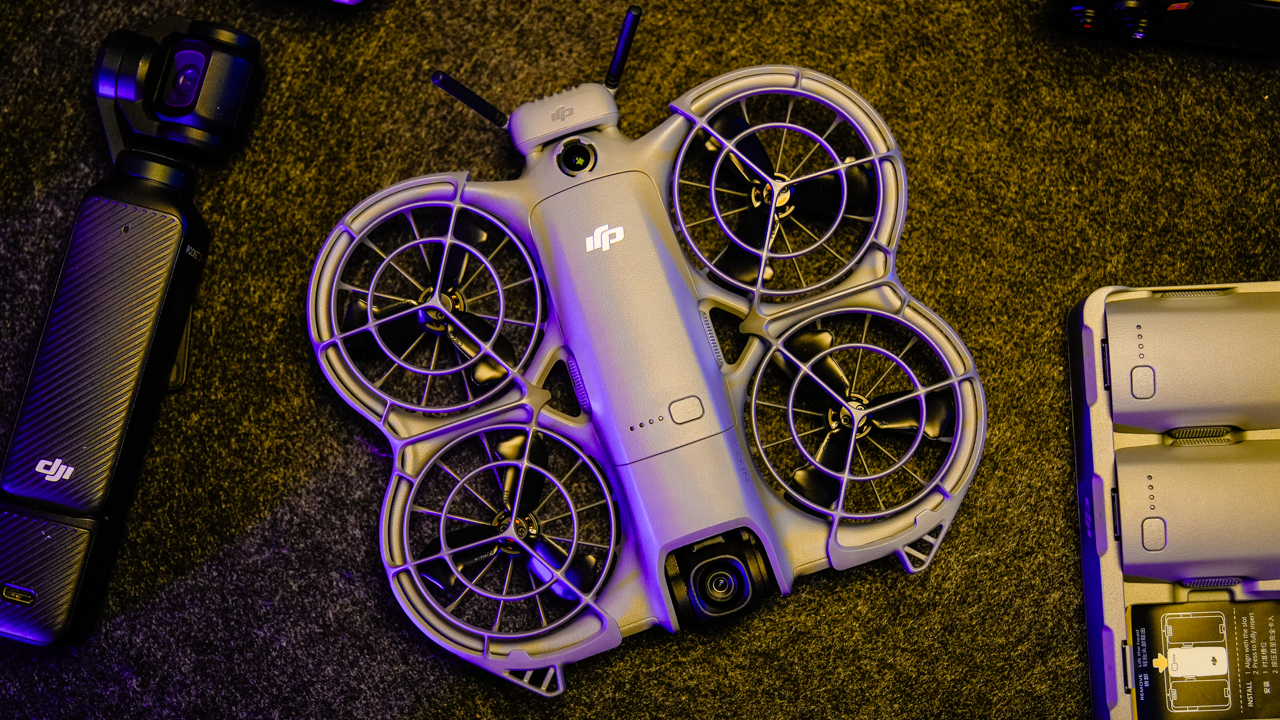
Compared to something like the DJI Mini 3 that we use, the Neo 2 feels more compact and easier to bring. It doesn’t demand a bulky case and can fit into the pockets and pouches already in your bag.
Despite being small, the drone doesn’t feel fragile. The materials are solid, and the protected propellers provide a sense of safety.
It still produces noticeable noise when flying, although not enough to interrupt a scene or disturb people the way larger drones might.

The lightness creates both convenience and compromise. It helps with portability, but it also means the drone is more sensitive to strong wind.
Though, the Neo 2 remains stable in mild conditions, but extremely windy environments are not ideal for a drone of this size.
Smooth, steady flying
If you stick to the RC controller, the flight performance feels confident and reliable. The controls respond instantly.
Takeoffs are smooth, landings feel steady, and the drone handles mid-air adjustments with ease. For a lightweight model, the stability is impressive.

The Neo 2 is not designed for aggressive flying or extreme distances. It thrives in controlled environments such as parks, beaches, small event venues, or tourist spots.
It’s agile and quick when needed, yet it avoids feeling overly sensitive. This is where the drone succeeds: It keeps the learning curve gentle while still giving creators the freedom to move.
There is a different experience when switching to app-only control or gesture mode. The drone sometimes shifts slightly even when the subject is not moving.
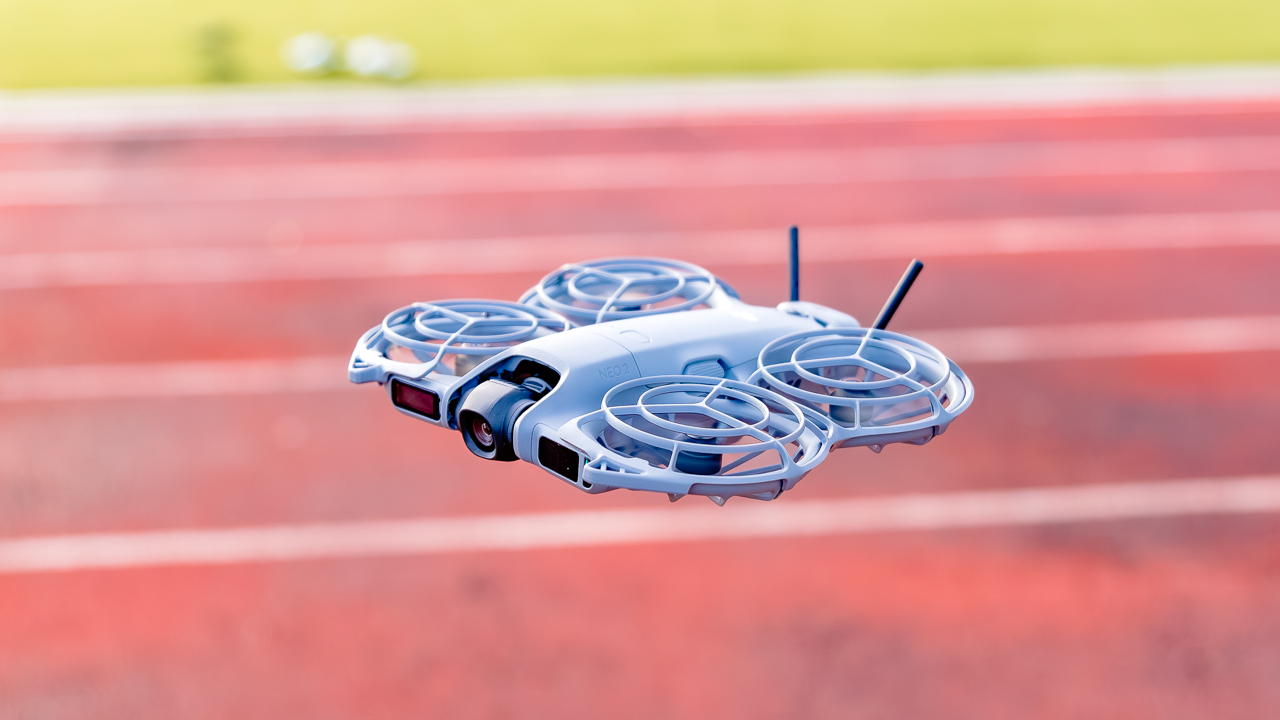
These micro-movements are not dangerous but they make the drone feel less predictable. New users might find this unsettling.
Also, gesture and app control feel like playful features rather than tools for serious shooting. But overall, the Neo 2 flies well within its intended conditions.
If you want stable and responsive performance for simple to moderate shots, it surely delivers.
@gadgetmatch Flight test with the DJI Neo 2 #djineo2 #djineo #dji ♬ original sound – GadgetMatch
Better-than-expected footage
The camera on the Neo 2 delivers much better output than expected for its size. Our footage looked sharp without feeling harsh; colors appeared vivid and lively.
The contrast leans slightly stronger than neutral, although it remains pleasing for most lifestyle, travel, or social content.
It will not outperform larger drones with bigger sensors, but it produces footage that is perfectly usable for everyday shooting.

The dynamic range feels average, though. It handles highlights well enough and keeps shadows from breaking down too quickly.
In daylight, the Neo 2 captures scenes that look polished and clean. The drone also handles fast-moving subjects without smearing or losing clarity.
Low light is where it reaches its limit. As soon as the environment gets darker, the image loses sharpness and detail. Though, this is expected from a drone its size.
If your shooting habits revolve around golden hour, indoor events, or nighttime flights, you will notice the compromise.
But if most of your aerial shots are done in daylight, the Neo 2 performs exactly as needed.
Useful tools with a few playful extras
DJI packed several features into the Neo 2 to make flying easier.
From Subject tracking, to obstacle avoidance, and automated flight modes — they all work well.
We found subject tracking particularly useful because it reduces the pressure of managing framing manually. The drone stays aware of movement and adjusts its position to maintain a steady shot.

Meanwhile, Obstacle avoidance also helps maintain confidence when flying near structures or in tighter areas.
In our experience, Gesture and voice control are the fun features that most people experiment with once or twice. They function as intended, although they are not as reliable as traditional controls. Frankly, we believe they are best used for casual moments rather than professional content.
If your goal is to shoot quickly and accurately, you will always return to the RC controller.
The intelligent features add value to the Neo 2, especially for beginners who want support while learning. They give the drone personality while keeping the experience practical.

Best in quick bursts?
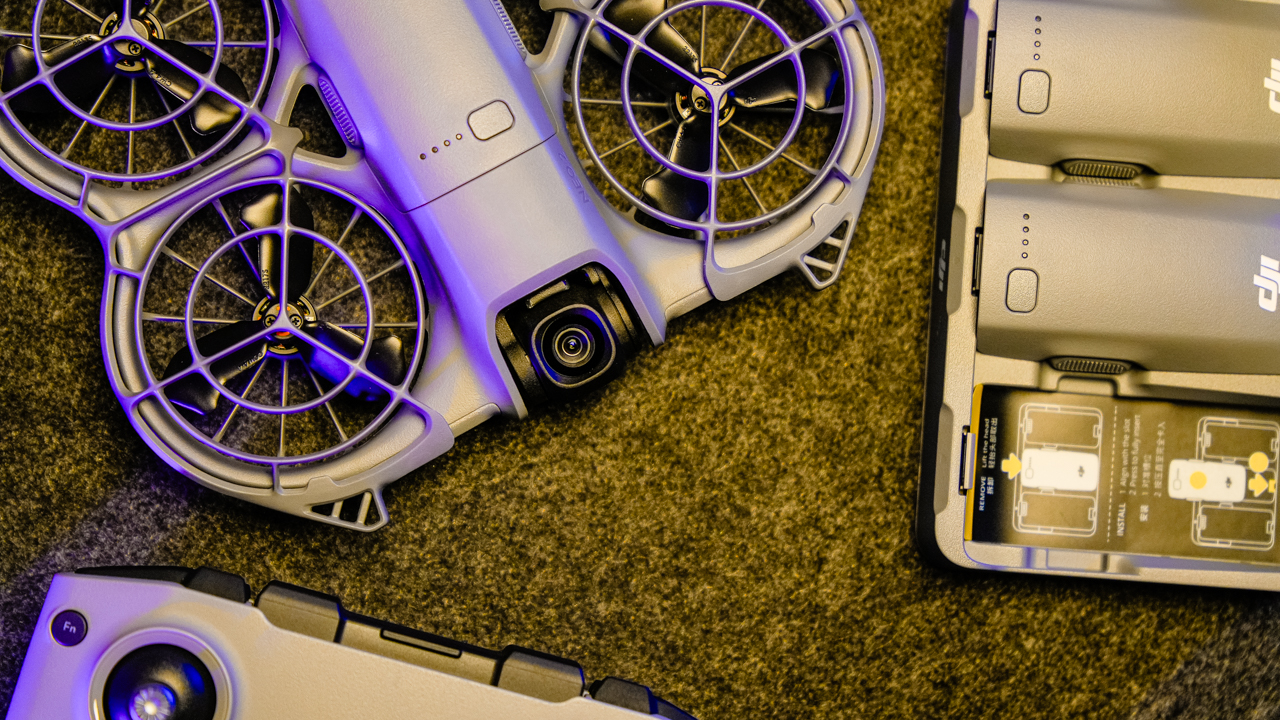
Battery life remains the Neo 2’s biggest limitation. Each battery lasts around thirteen to fifteen minutes during active use.
This is enough for quick shots or small sequences, but not enough for long-distance flying or complex cinematic passes.
If you are producing a full day of content, you will need multiple batteries.
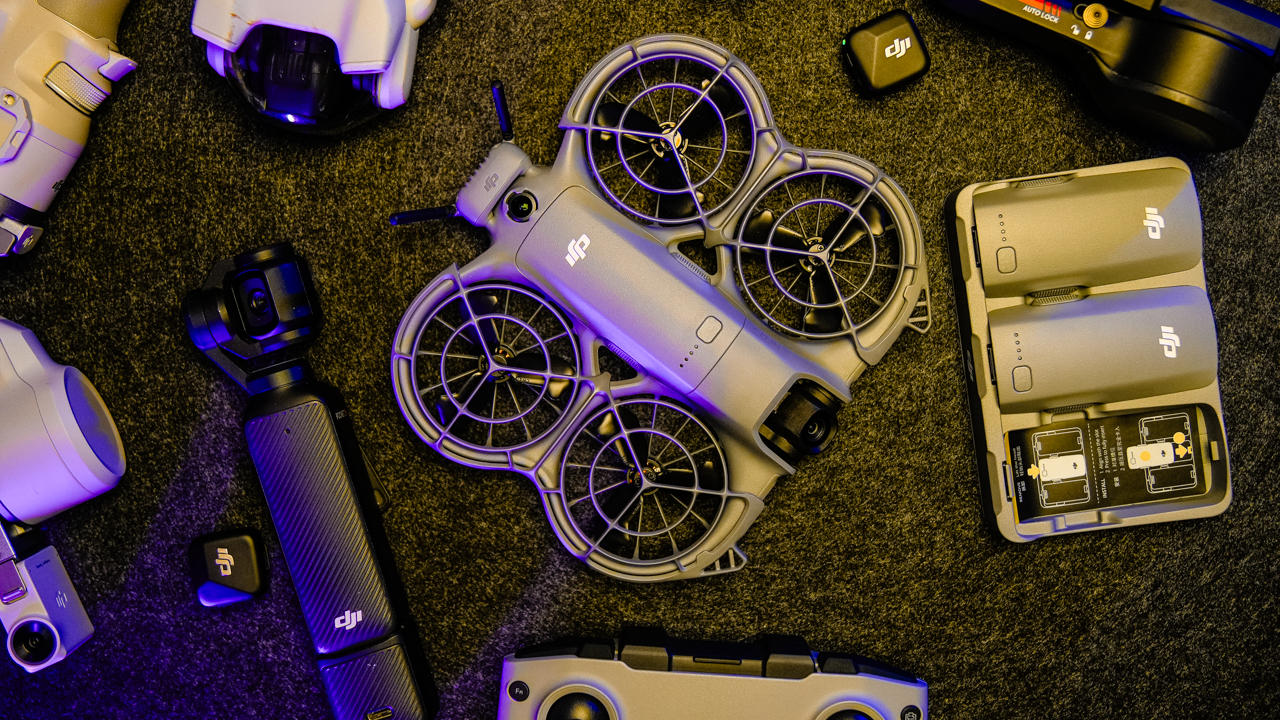
Charging takes about ninety minutes for a full cycle. The charging hub makes life easier because it allows several batteries to power up at the same time.
The convenience helps offset the short flight time, although you will still need to manage your workflow around the limited battery capacity. Simply put, the Neo 2 is a drone you fly in short bursts.
Is it safe to fly?
The drone behaves well when paired with the RC controller. The controls stay consistent and the connection remains stable. The size also makes it safer to fly in busy or narrow areas. We flew it near groups of people without causing disruption.

Signal strength becomes less dependable when flying with the app alone. Wi-Fi range limitations appear earlier, and the drone may drift slightly when relying on mobile controls.
It also tends to shift up or down during gesture mode even without obstacles. These moments are small but noticeable.

There was one connectivity issue after an app update where the RC controller stopped pairing with the drone. Switching to another phone solved the problem.
It became a reminder that software updates can sometimes produce unexpected behavior.
Despite these observations, the Neo 2 performs safely when used within its intended range and paired with its controller.
Smooth editing workflow
Transferring footage from the Neo 2 is smooth and efficient. A 15GB file transfer takes about six to seven minutes, which is quick for on-the-go shooting.
The connection between the drone and phone remains stable throughout the process, and the files stay intact with no corruption.
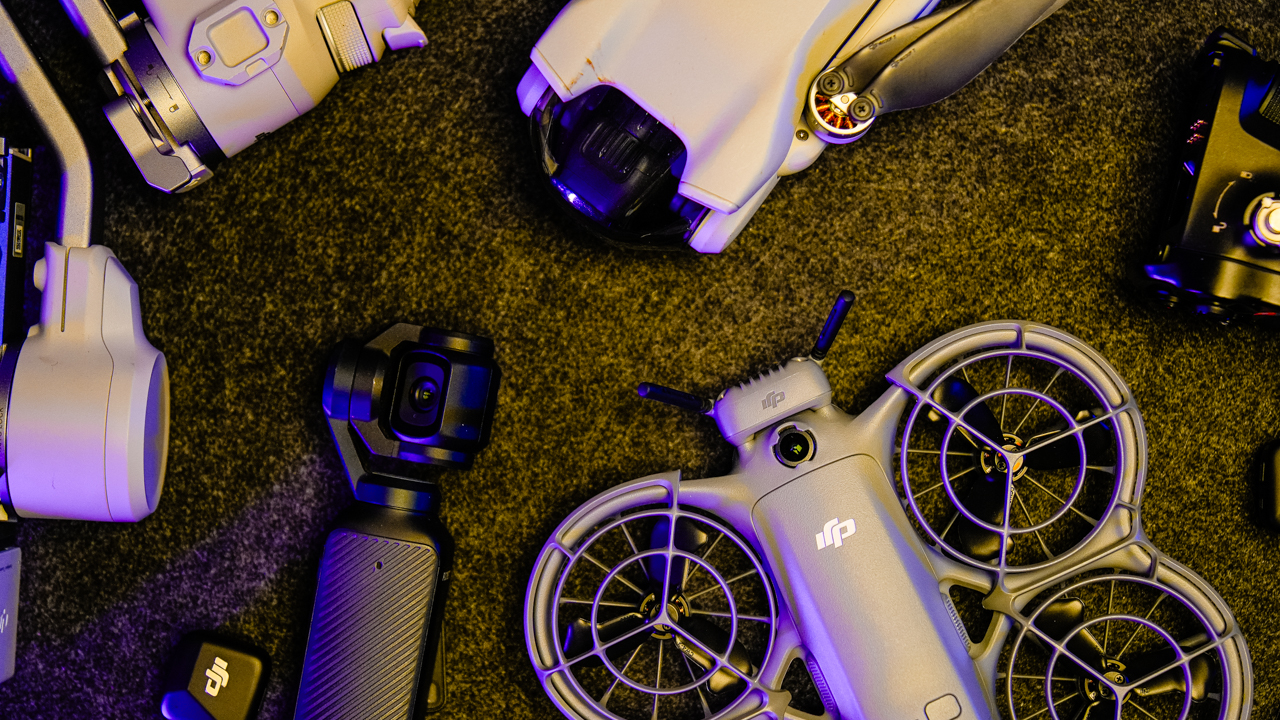
Editing workflow remains seamless. The footage imports cleanly into common editing software without compatibility issues. Apart from the controller detection problem after an app update, the Neo 2 keeps the post-production process stress-free.
For content creators who prioritize speed, this matters. A drone that slows down the workflow loses purpose.
The Neo 2 supports fast delivery, making it practical for travel vlogs, family videos, lifestyle content, and simple events.
Is the DJI Neo 2 your GadgetMatch?
The DJI Neo 2 stands out because it understands its role. It’s not trying to be a high-end filmmaking machine.
What it delivers is ease, portability, and confidence for people who want to start flying without fear.
It’s easily your GadgetMatch if you want a personal drone that is lightweight and reliable with a controller. It suits new creators who want to add aerial shots to their projects, and it helps travelers who pack light and want quick access to drone footage.
Also, it supports casual events and small professional projects where convenience matters more than long-distance performance.

Swipe right if you want a friendly and dependable starter drone that produces good daylight footage, supports tracking and obstacle avoidance, and fits easily into your travel bag.
Swipe left if you need long battery life, advanced cinematics, or heavy-duty performance for commercial shoots. The Neo 2 is not built for extreme conditions or demanding workflows.
The DJI Neo 2 is a drone for everyday creativity. It delivers confidence, simplicity, and enough power to bring aerial storytelling into your routine. For many new pilots, this is exactly what a personal drone should be.
The DJI Neo 2 retails for PhP 12,390. To make it extra, the Fly More Combo retails for PhP 20,590 which also provides extra batteries and charging hub, along with more controls.





Antigravity A1’s Philippine debut at BGC High Street on December 13 signaled a shift towards a more intuitive and immersive drone flight experience, making it easier for new users while still offering depth for seasoned creators.
Billed as the world’s first all-in-one 8K 360 drone, the Antigravity A1 made its Philippine debut through a one-day pop-up showcase attended by members of the media, filmmakers, and creators. Instead of focusing solely on raw specs, the event focused on the actual experience of flying, filming, and storytelling. How it powers creativity through an immersive and intuitive experience.
EZ, VR-like piloting
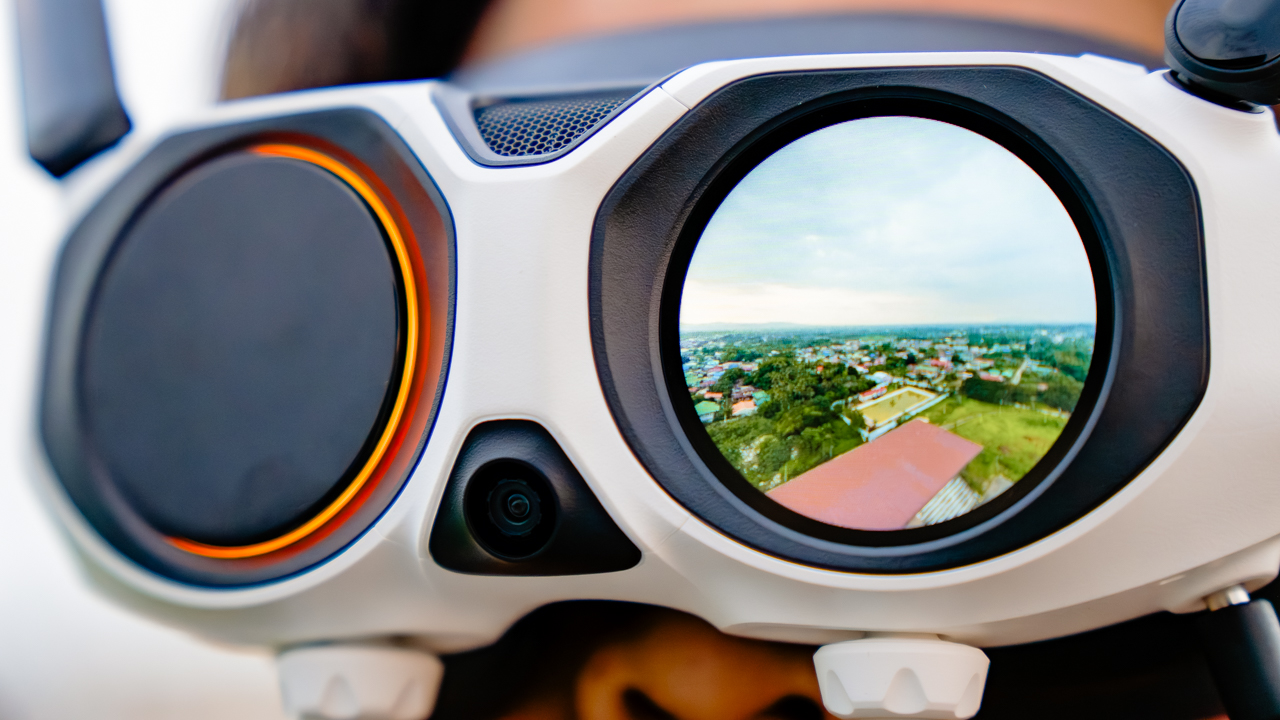
Most drones are built around precise piloting and careful camera framing. The A1 takes a different, revolutionary approach. At the heart of the A1 is its dual-lens camera system, capable of capturing 8K 360-degree video. Instead of committing to a single angle mid-flight, creators can record the entire environment in one pass, then choose the best framing later in post-production.
Rather than relying solely on traditional joysticks, the Antigravity A1 is designed for a headset-first flying experience. Using Vision Goggles paired with a motion-controlled grip, pilots steer the drone by pointing where they want to go. The experience almost feels like a VR video game. High-resolution Micro-OLED displays and real-time head tracking add to the immersion. For experienced pilots, classic FPV controls will become available. This demonstrates that the Antigravity A1 adapts precisely to the user’s skillset.
Compact & Travel friendly
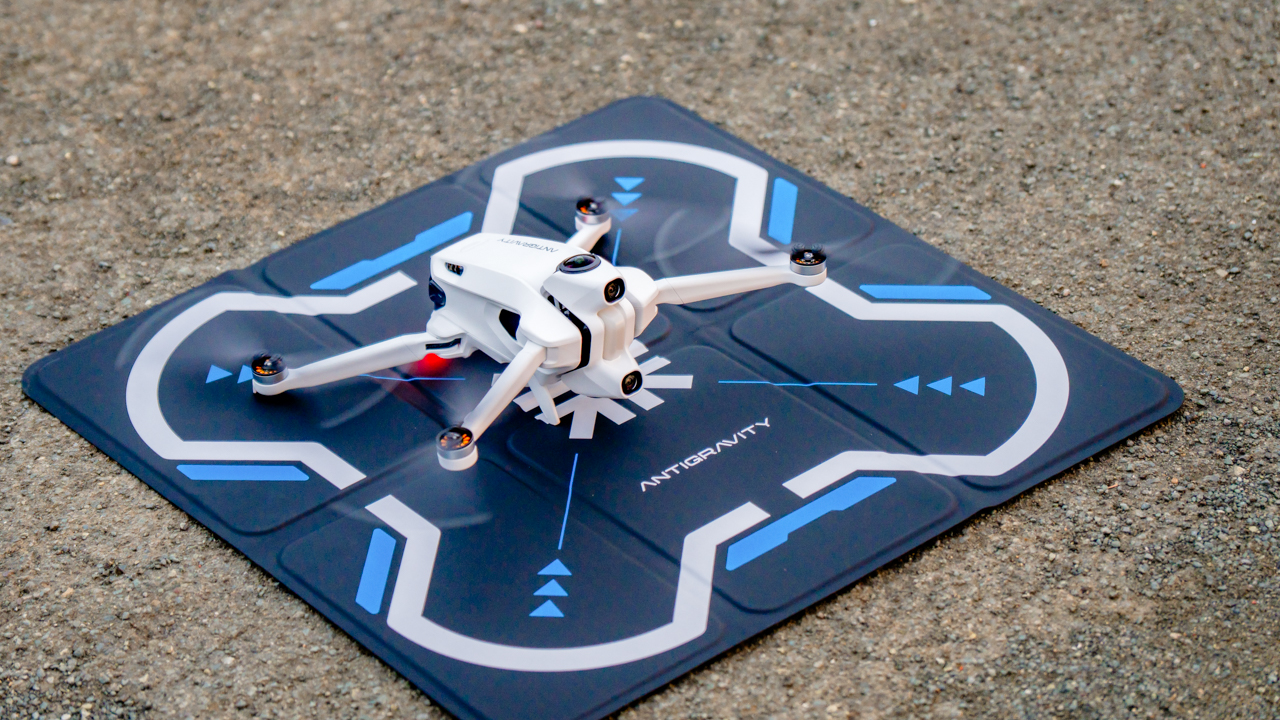
Weighing 249 grams, it fits within sub-250g drone regulations in many regions, making it easier to travel with and operate responsibly.
Battery life reaches up to 24 minutes, with optional high-capacity batteries available for longer sessions. A retractable landing gear protects the camera lenses during takeoff and landing while keeping the view unobstructed.
First live flight in the Philippines
The BGC High Street pop-up featured the first live demo flight of the Antigravity A1 in the Philippines, led by brandfilmmaker Sid Maderazo. The demonstration gave attendees a firsthand look at how the drone performs in real-world conditions, highlighting its intuitive controls and immersive flight experience.
The demo also showed how the A1 lowers the barrier to entry for newcomers, while still offering enough creative depth for experienced pilots and filmmakers.
The event concluded with a celebratory toast, marking Antigravity’s official entry into the local market and signaling its ambitions for a new chapter in aerial creativity.
Price and availability in the Philippines
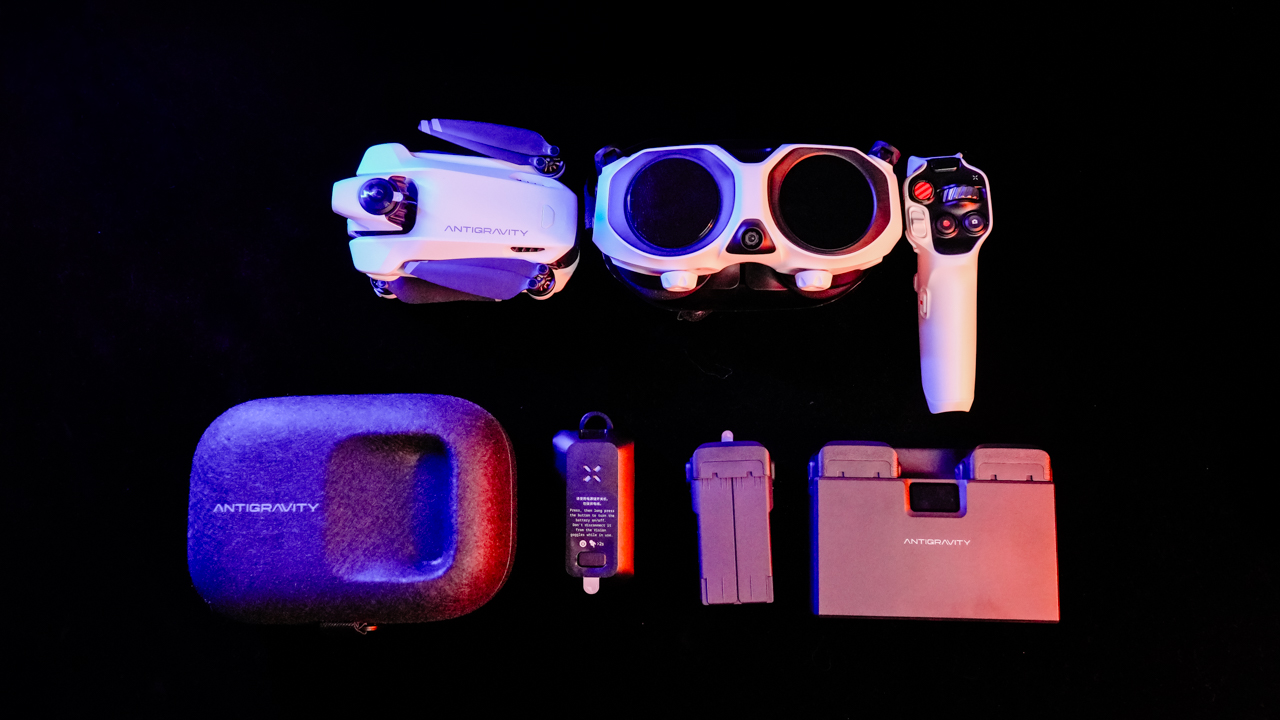
The Antigravity A1 is now available nationwide through authorized Insta360 retail stores in the Philippines. It comes in three bundles:
- Standard Bundle – ₱84,990
- Explorer Bundle – ₱97,990
- Infinity Bundle – ₱104,990
Each bundle includes the Antigravity A1 drone, Vision Goggles, and Grip Controller, with additional accessories varying by package.
You can also shop online through official e-commerce platforms:
- Shopee: Insta360 PH
- Lazada: Insta360 Philippines
- TikTok Shop: Insta360 Philippines

When a drone removes the pressure of framing your shot, something shifts. Instead of thinking like a cameraman in mid-air, you start feeling like a passenger—gliding, peeking, drifting wherever curiosity points. That’s the Antigravity A1’s biggest trick. It frees you from the usual anxiety of lining up subjects and horizons, and instead hands you a 360° canvas where everything is the shot.
You’re not just flying a drone here. You’re capturing possibilities.
A learning curve that feels worth it
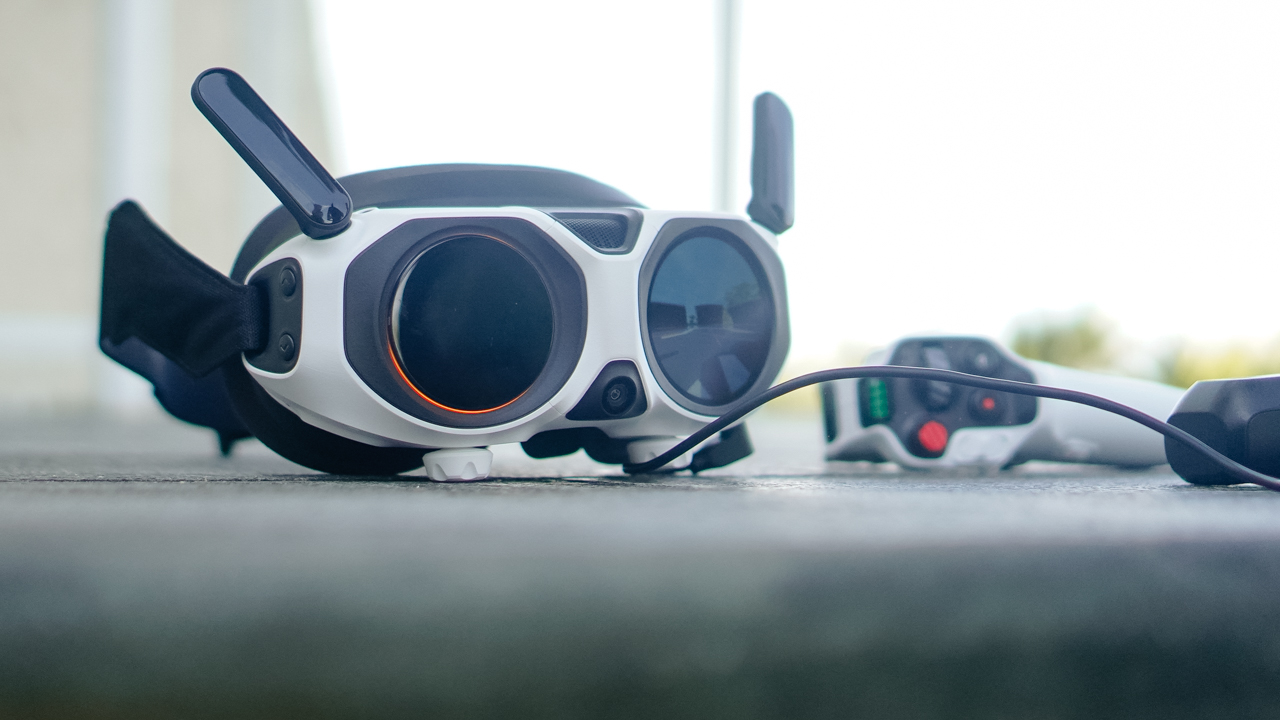
Our first encounter with the A1 wasn’t graceful. The whole kit—the drone, the motion controller, the goggles—looked like more gear than we’d ever want to carry. And honestly, it’s not light. The carrying case helps, but if you’re a creator who travels with limited space, you’ll feel the bulk.
But something changes after you watch Antigravity’s tutorial videos. The setup starts making sense. The workflow becomes clearer. And suddenly this intimidating kit clicks into a system that feels thoughtfully built.
Yes, the A1 demands more commitment than a typical foldable drone. But once everything is running, it also rewards you in ways those drones simply can’t.
Because the moment you let go of traditional framing, the experience opens up.
Flying feels different — and surprisingly freeing

The first few minutes gave us honest-to-goodness vertigo. The goggles trick your brain for a moment, and we had to remind ourselves that we weren’t the ones flying… only the drone was. But after that initial adjustment, the A1 became one of the easiest drones we’ve flown.
This is coming from a team used to a standard RC controller.
The motion controller does have a tiny millisecond delay, but nothing deal-breaking. Once you start moving with it, the A1 responds fast enough to match your intent. The result: a strange but enjoyable combination of freedom and precision.
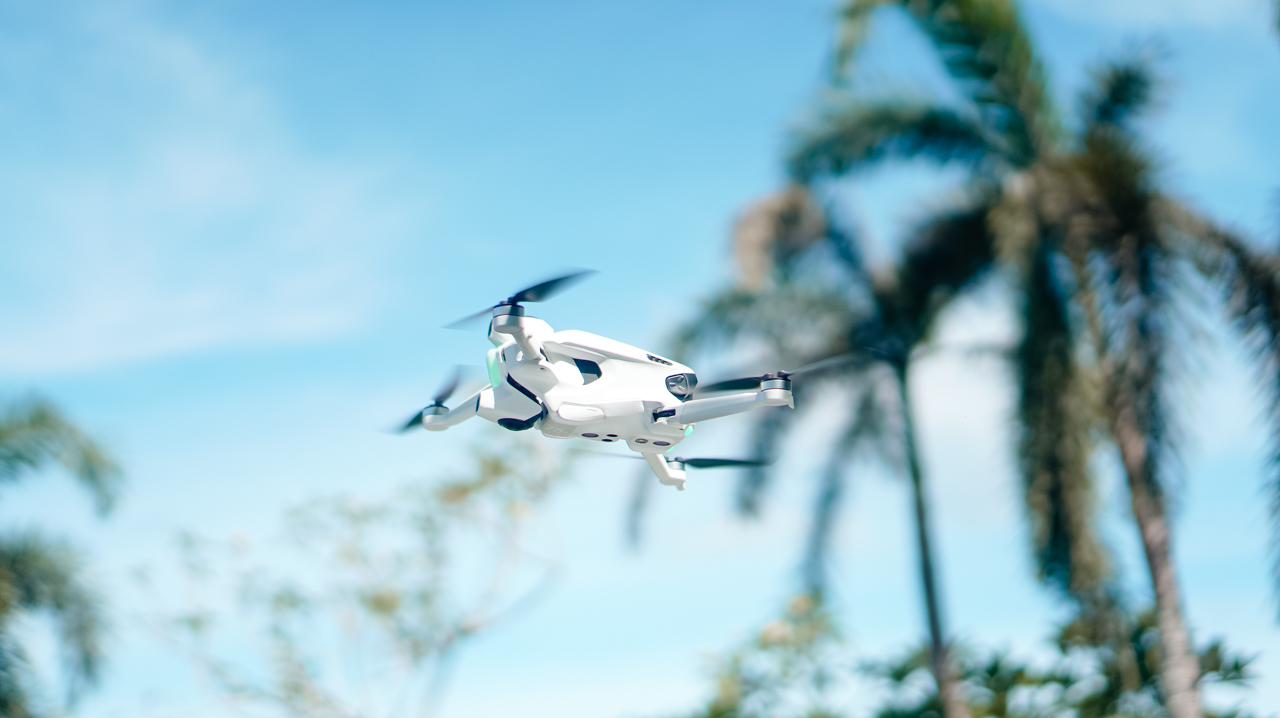
Range is a bit trickier. The spec sheet promises up to 5km, but real-world conditions paint a very different picture. In our subdivision, we managed only about 500–800 meters before warnings popped up.
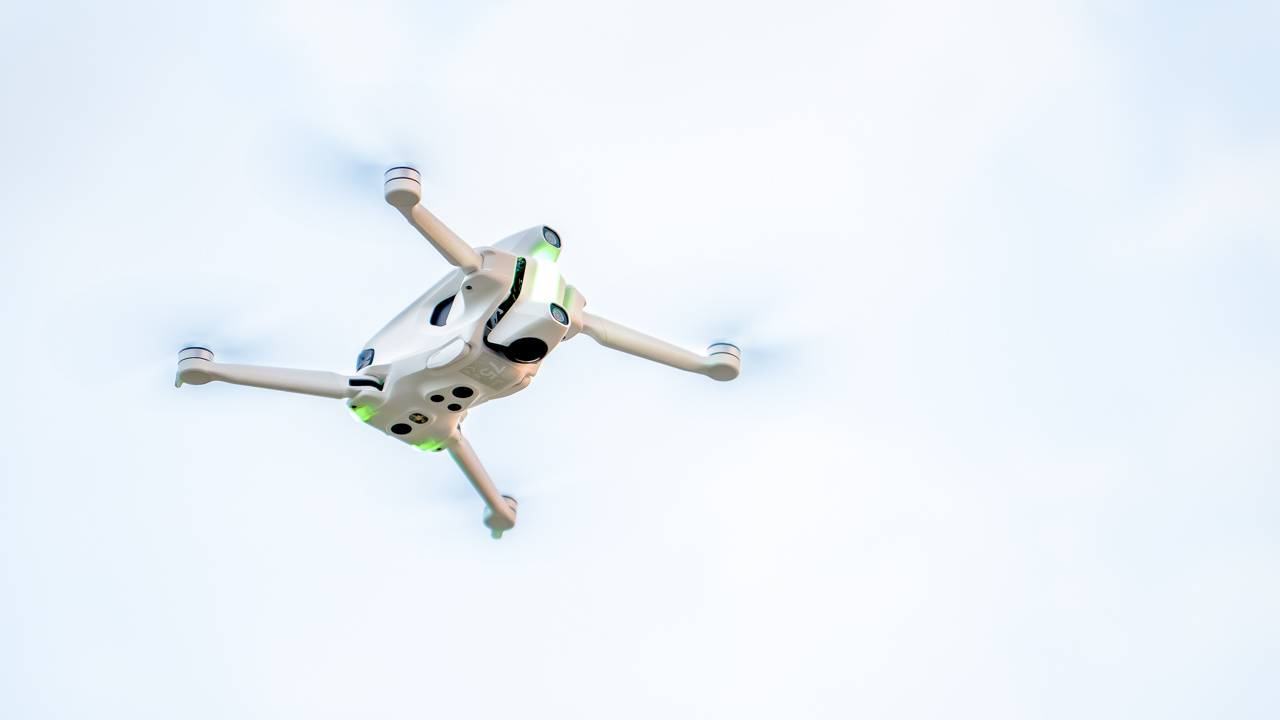
In a more open field, we pushed farther—around 1.5km—before the connection dropped again. We’re guessing interference, but it’s a reminder that real-world flight always has variables.
Still, when it’s in the air, the A1 feels smooth, confident, and ready for creativity.
A camera that encourages imagination
This is where the A1 shines the most.
The 8K 360° camera is excellent in well-lit environments. Stitching between lenses is clean, and the lack of blind spots means you can essentially treat the entire sky as a playground. Missed your subject? Reframe later. Didn’t tilt fast enough? Fix it in post.
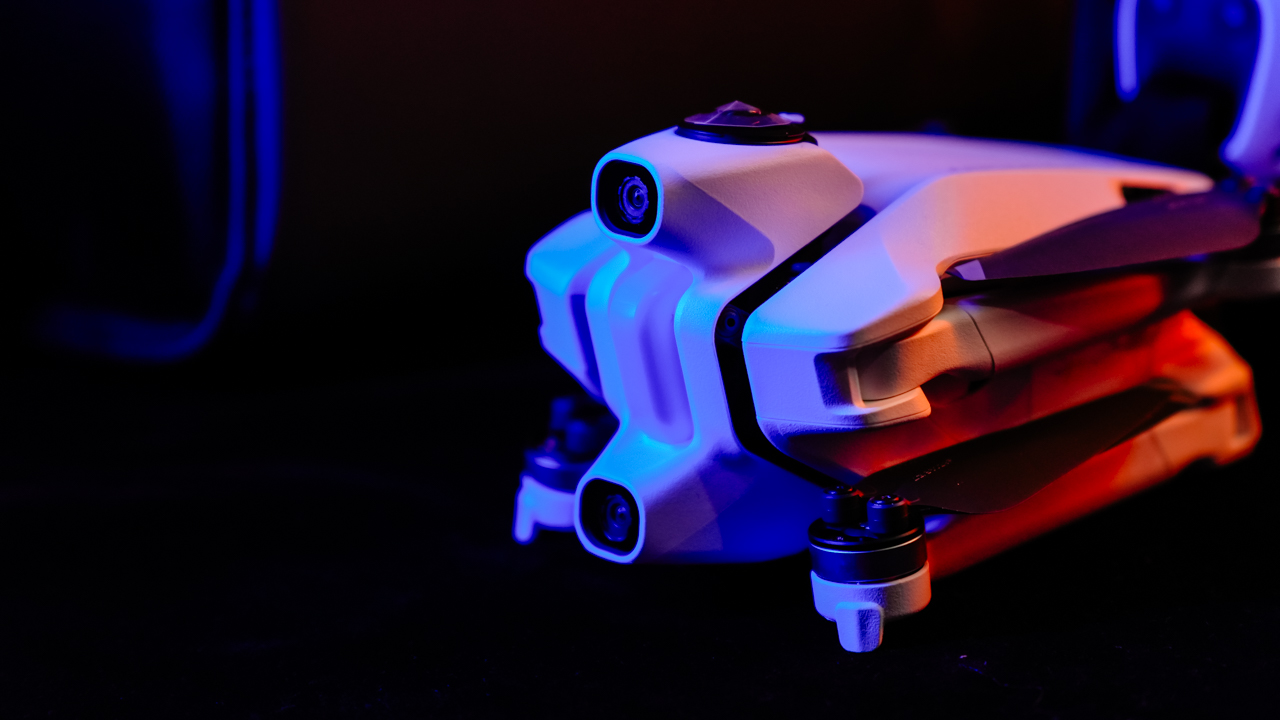
The camera encourages experimentation because it removes punishment. It lets you fly for fun—and edit with intention later.
Obstacle avoidance also works well, at least in proper lighting. The goggles flash colors and beep based on distance: yellow at around 2.5–5 meters, red when you’re close—around 1–1.5 meters. Just remember: this system does not work in the dark. If visibility is low, the sensors won’t save you.

Return-to-Home, on the other hand, is rock solid. We unplugged the goggles by accident and the drone immediately started flying back. Same thing happened when the signal dropped. It’s reassuring, especially for a drone that encourages bold flights.
The workflow is both smooth… and frustrating
Antigravity’s card reader is great. Plug it into your phone and the app picks it up right away. It reads, writes, and lets you edit without transferring files into internal storage. It’s efficient, and it saves so much time and space.
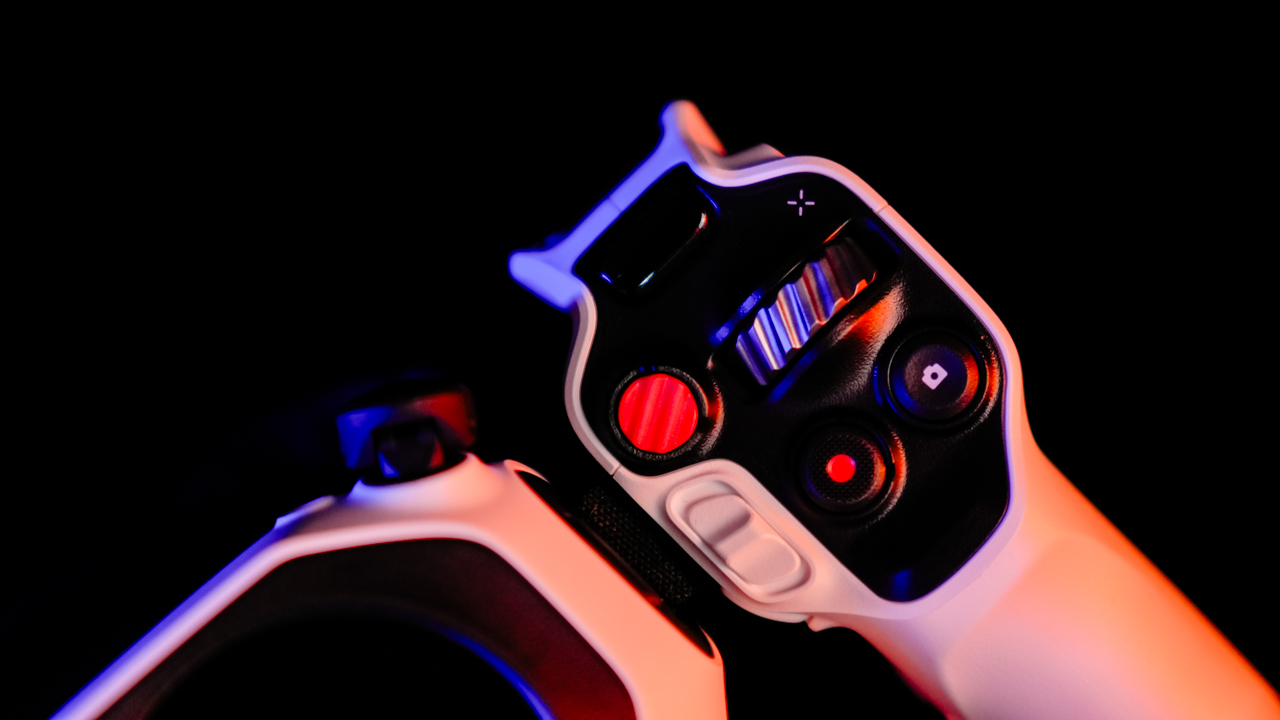
Wireless transfer, however, needs work. Our phone refused to connect to the drone directly. No wireless transfers, no visibility, just repeated errors. For a product aimed at fast social-ready workflows, this is a weak spot.
Antigravity Studio—the brand’s own editing app—feels familiar if you’ve used CapCut or similar tools. Layout is intuitive, and even if it has its own style, newcomers won’t get lost. You can start editing almost immediately.
Is the Antigravity A1 your GadgetMatch?
The Antigravity A1 isn’t trying to compete with traditional drones. It’s trying to change the way we capture the world from above. And in many ways, it succeeds.
It’s not the smallest setup. It’s not the easiest to pack. And its wireless transfer issues are frustrating.

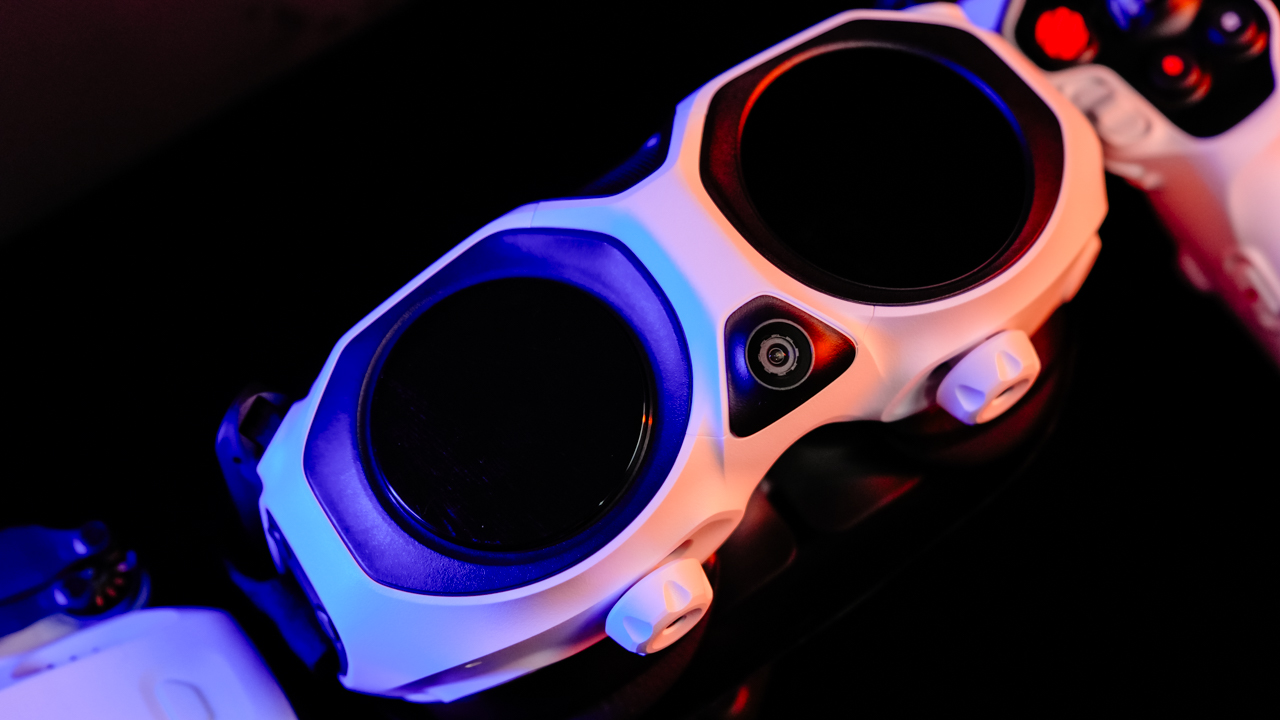
But once you’re in the air, flying through its goggles, seeing a spherical 8K world you can reframe later—it becomes an entirely different creative experience. The kind that makes the weight worth carrying. The kind that makes you want to go out and try something new.
If you’re a creator who’s tired of shooting the same angles and the same predictable drone footage, the Antigravity A1 opens up a new lane.
One that feels a little wild, a little experimental, and a lot of fun.

Antigravity has officially launched the Antigravity A1, the world’s first all-in-one 8K 360 drone. It marks the arrival of a brand-new product category the company calls the 360 Drone. Instead of simply piloting a camera in the sky, the A1 is built to let anyone experience the sensation of flight — immersive, intuitive, and free-form.
A headset-first way to fly
Incubated by Insta360 and partners, the A1 uses a headset-first system. Its Vision Goggles aren’t just an accessory — they’re central to the experience. With dual 1-inch Micro-OLED displays and Pancake optics, the goggles let users freely look around the sky in real time, putting exploration and perspective first.
Piloting is simplified through the Grip controller and FreeMotion Mode, where pointing the controller becomes your flight path. No steep learning curve. For experienced pilots, FPV Mode remains available for precise directional control.
Features like Sky Path automate repeatable flight routes, letting creators focus purely on the view while sharing the experience by passing the goggles around to friends and family.
Capture everything in one flight
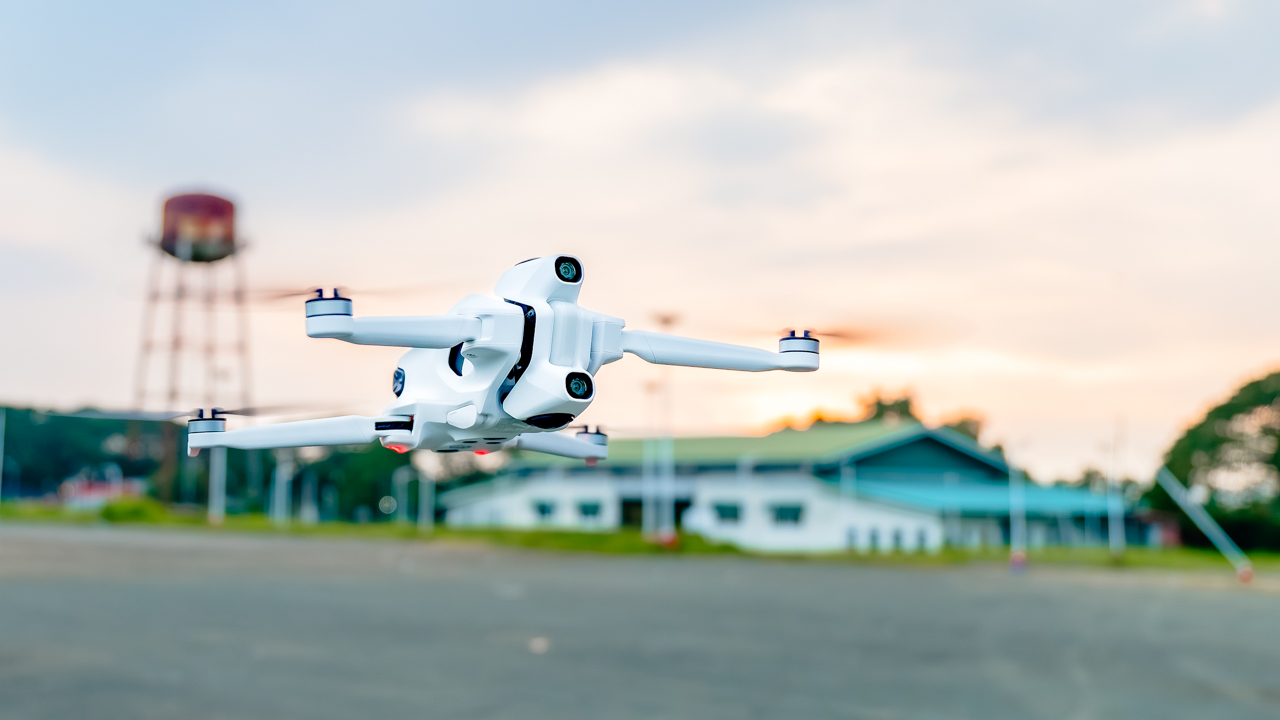
At the heart of the drone is a dual-lens 1/1.28-inch sensor capable of shooting 8K 30fps, 5.2K 60fps, or 4K 100fps in full 360°. The entire environment is captured in one take — no missed angles, no gimbal corrections.
Using Fly First, Frame Later, users can reframe in post, create Tiny Planet effects, or track subjects seamlessly. FlowState Stabilization keeps footage stable even in challenging wind.
Portable, compliant, and practical

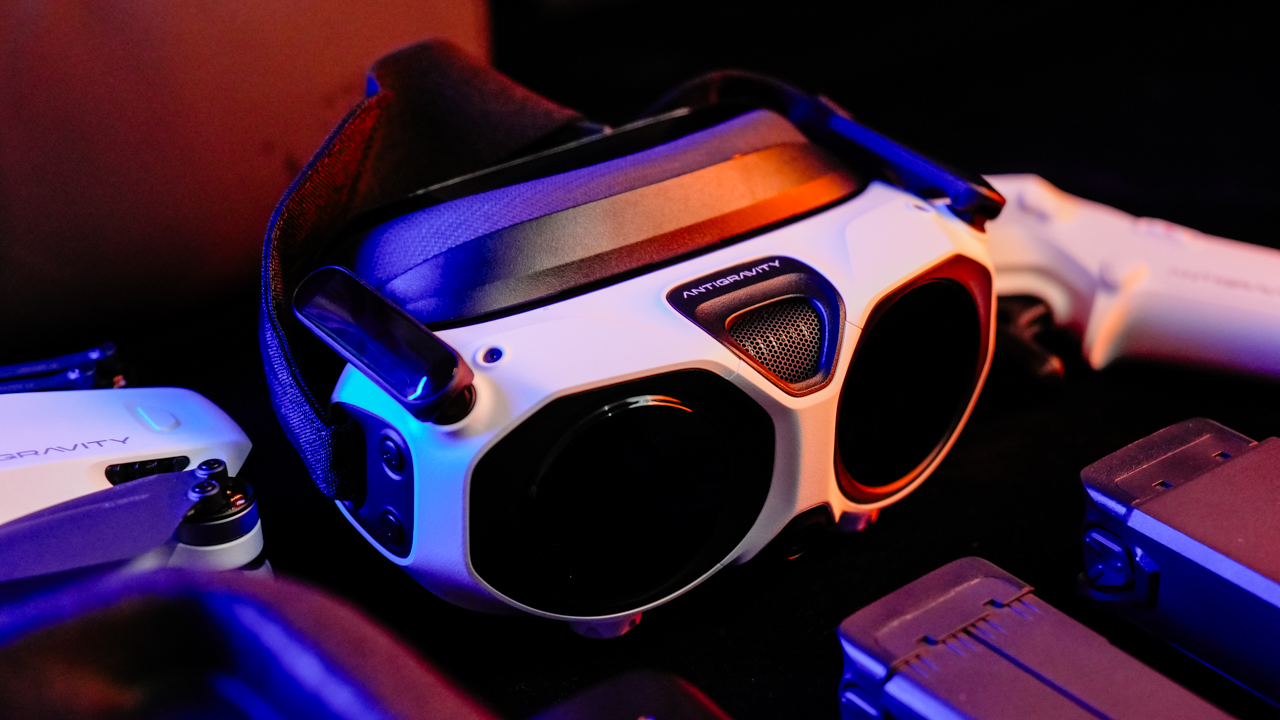
Despite its cinematic ambitions, the A1 remains travel-ready at just 249g, making it compliant with EU C0-class and other sub-250g drone regulations. It can fly up to 24 minutes, or 39 minutes with the optional high-capacity battery.
A retractable landing gear protects the lower lens during takeoff while keeping the camera’s 360° view fully unobstructed for invisible-drone shots.
Intelligence designed for creativity and safety
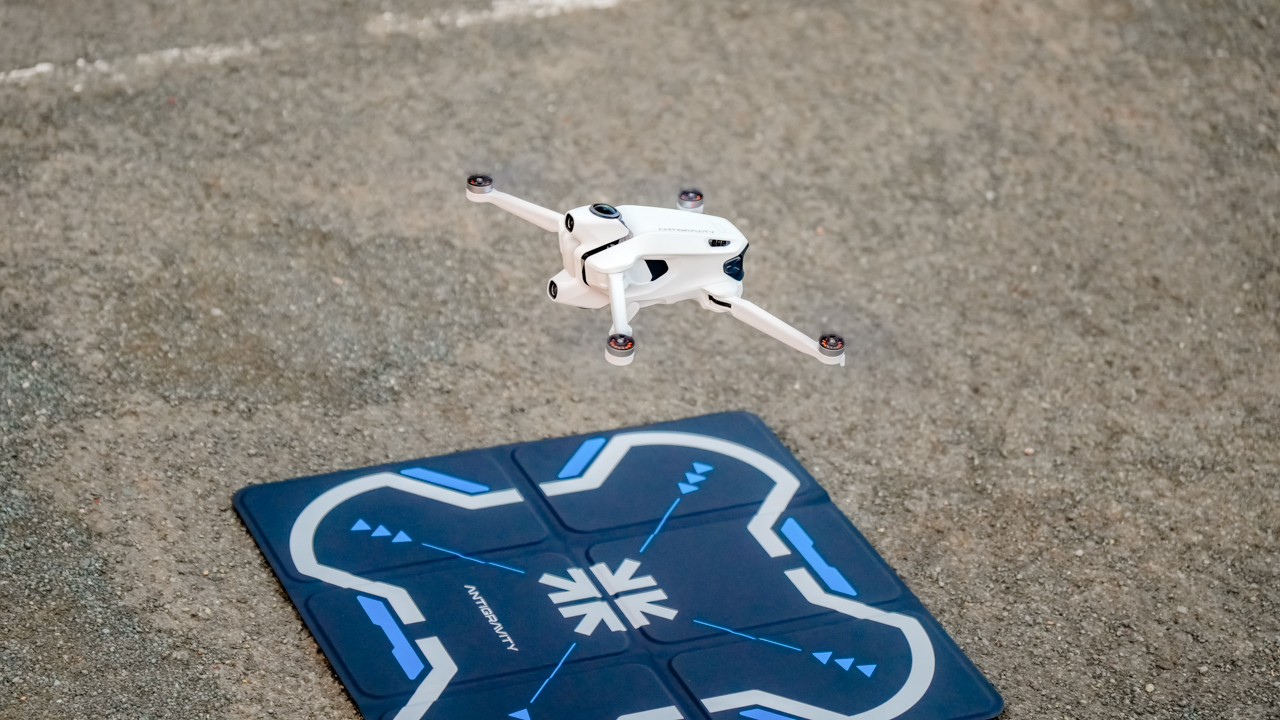
The A1 is equipped with creative shortcuts through Sky Genie for one-tap orbit, spiral, and other cinematic moves. Deep Track handles subject framing automatically, and Virtual Cockpit overlays fantasy elements like a flying dragon — with more skins coming soon.
Safety and longevity are built in with user-replaceable lenses and propellers, Return-to-Home, and a smart payload detection system that prevents unsafe modifications. Antigravity Care offers replacement and flyaway protection for added peace of mind.
Award-winning from day one
Even before launch, the A1 has already earned major global recognition. This includes the TIME’s Best Inventions 2025, Red Dot Award: Design Concept 2025, Good Design Award 2025, CES Innovation Awards 2026. It also garnered over 20 media awards at IFA 2025.
Pricing and availability
The Antigravity A1 goes on sale December 4, 2025 in multiple bundles worldwide:
- Standard Bundle — USD 1,599 / PHP 84,990
- Explorer Bundle — USD 1,899 / PHP 97,990
- Infinity Bundle — USD 1,999 / PHP 104,990
All bundles include the A1 drone, Vision Goggles, and Grip controller with varying accessories depending on user needs.
Antigravity says the A1 isn’t just a better drone — it’s a new way to experience flight and storytelling from above.
-

 Reviews2 weeks ago
The Xiaomi 17 shoots Leica dream
-

 Hands-On2 weeks ago
OPPO Reno15 F 5G hands-on
-
 Gaming2 weeks ago
Project Helix is Xbox’s next console, and it plays PC games
-

 Reviews3 days ago
POCO X8 Pro Max review: A new beast from the far east
-

 Computers2 weeks ago
GIGABYTE collaborates with Capcom for RE Requiem custom PC
-

 News3 days ago
POCO X8 Pro Series: Price, availability in the Philippines
-

 Laptops1 week ago
Apple MacBook Neo Review
-

 Entertainment1 week ago
The internet is thirsting over the One Piece Season 2 cast