
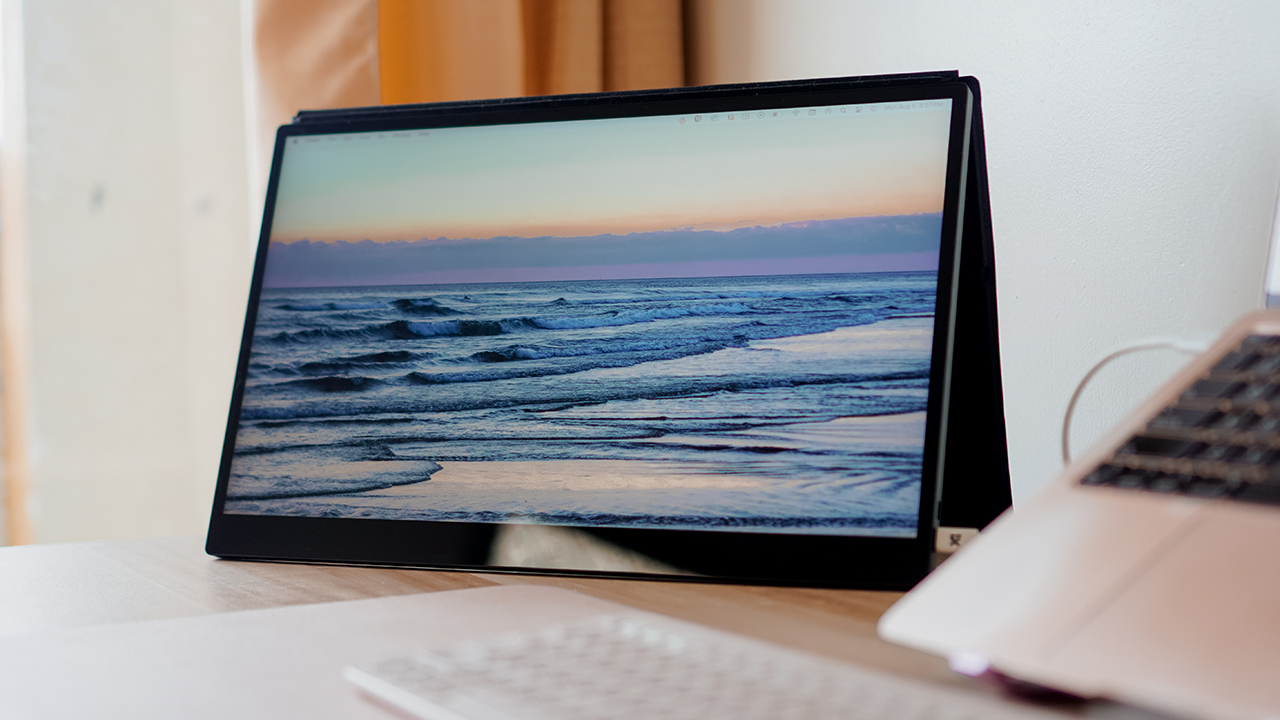

Computers
The best portable display for the multi-passionate
BRB, traveling again with my espresso 17 Pro

Life took a big twist when I started living in a suitcase. For months, I’ve been traveling from one place to another, bringing only my MacBook Air and iPad Pro.
I’m not going to lie, I find it challenging to deliver my tasks when I’m always on the go. I find it hard to stay on my toes and on top of my business when a lot of variables pull my energy.
When everything’s uncertain and unpredictable, I crave some sort of control. Perhaps, the secret to working remotely is setting up a station akin to the ones I have at home.
I get to bring most peripherals and accessories, except one thing that I miss the most: My 34-inch monitor. With that in mind, I turned into the espresso 17 Pro.
Dubbed as the world’s thinnest portable touchscreen monitor, I brought it with me for nearly six months of traveling.
Best in portability
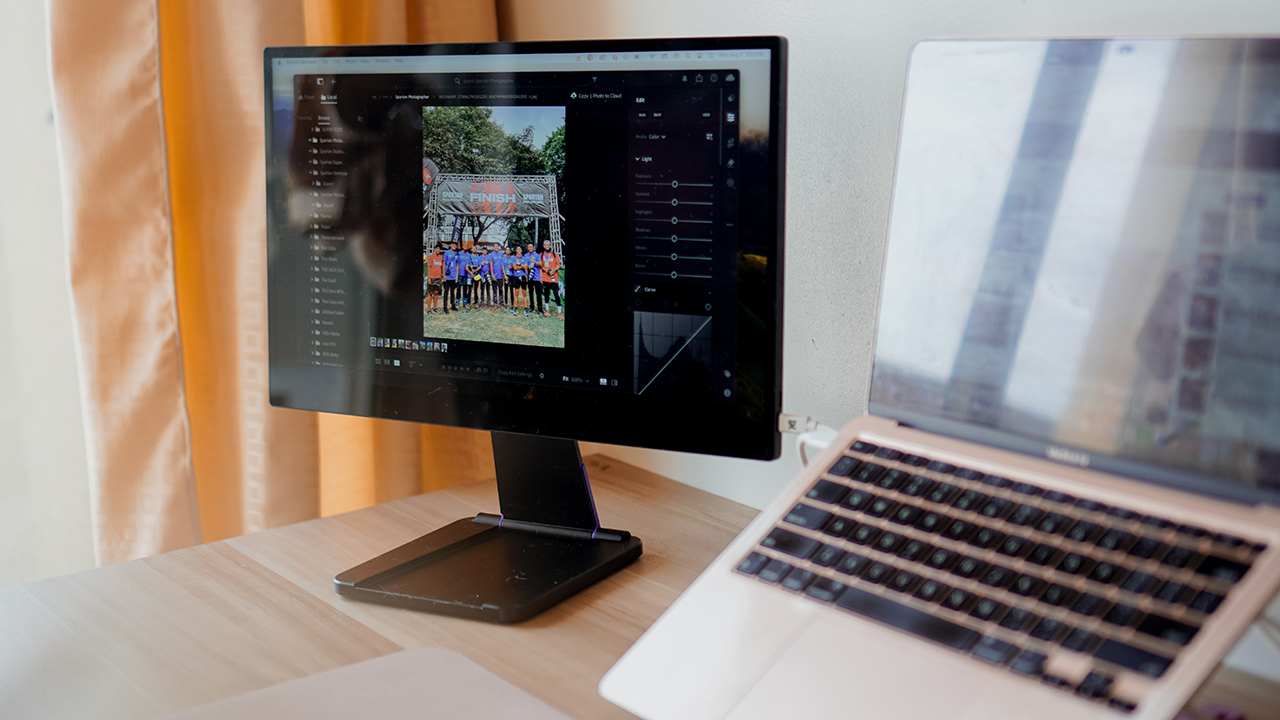
The espresso 17 Pro is a 17-inch 4K touch display with an ultra-thin and extra lightweight design. It works well with any laptop, particularly my MacBook Air.
I got to put it inside a dedicated Herschel briefcase that I bring along in my flights or in road trips. Along with its accessories such as a portable stand, a magnetic case, and a pen, I made any table my own remote working station.
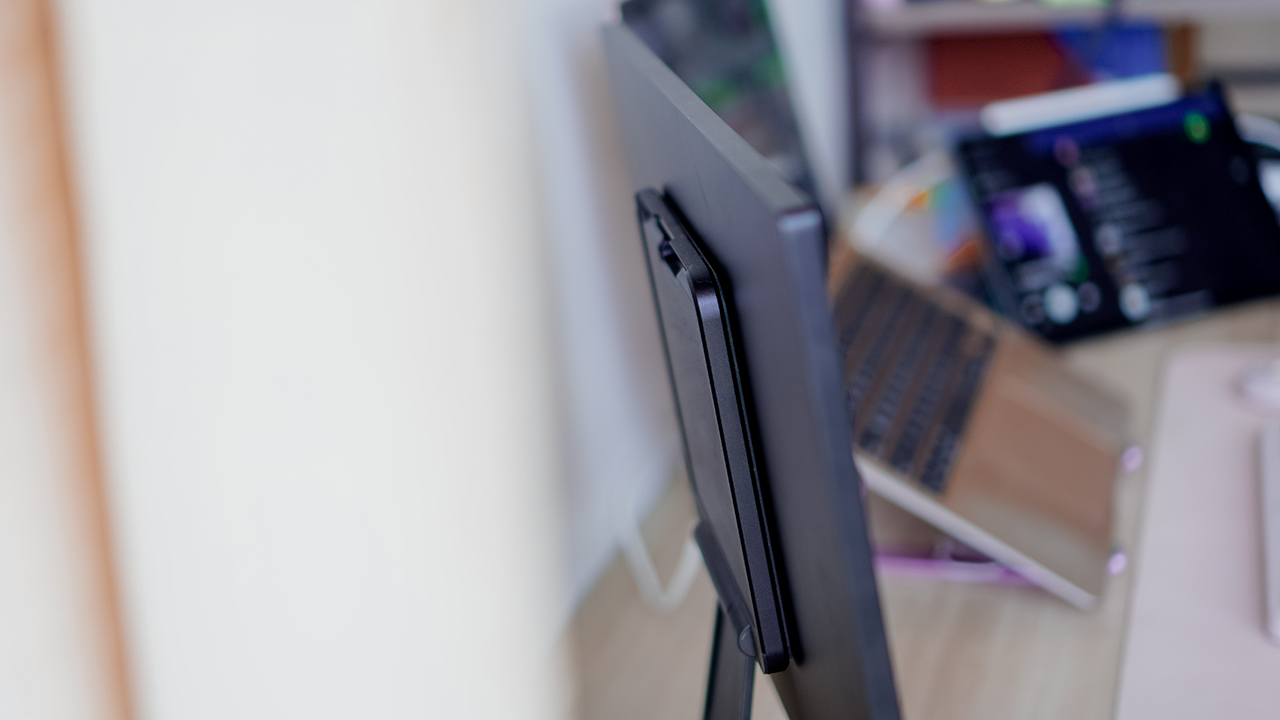
So far, I brought it with me when I was living on the road for a few weeks — driving to different provinces mounting events while also doing my day job. I also took it to the skies — hopping off to China, Hong Kong, and Vietnam.
While I cannot take out the display inside the planes and trains, I made sure to use it as an extra screen real estate when I’m settled in a hotel.
Made for creatives on the go

The espresso Display uses an aerospace aluminum with scratch-resistant glass, which enabled me to work even at the harshest conditions.
It has a 4K resolution display and even though it doesn’t use an OLED panel, it looks like it uses Apple’s displays.
I personally believe that one of its strength is replicating a professional-grade color similar to what my MacBook Air provides. The experience felt like my MacBook’s display really extended to a secondary monitor.

But if you use a different laptop, there are various display settings that you can choose from.
Though it uses a professional-grade color and screen calibration, the 450 nits brightness proved to be challenging for most creative professionals working outdoors.
I once worked inside a canopy tent during a Spartan Race when I was under duty at their media team. We were stationed in Areza, a vast estate in Lipa City, Batangas, where sandstorms whirled during the day.

Even when the sun was scorching hot and I was under the mercy of a small shade, I still managed to edit over a thousand photographs through Adobe Lightroom while using the espresso Display.
Although, I had to squint my eyes multiple times to do a quality assurance check for every photo we’ll be submitting.
Hungry for power
Regardless of the weather conditions, I get to show up through various work I need to do with its display’s capabilities.
Whether it’s writing a piece on the latest gadget, a review on the recent automobile I drove, drafting project proposals, editing short-form videos, or color-correcting photographs, the espresso 17 Pro allowed me to put my best work wherever I am.

My only gripe is how power-hungry the display is. My MacBook Air typically lasts a day in a single charge even with all the types of work that I do.
Connecting the espresso Display gave my machine around two hours of battery life, prompting me to charge my device for another hour or two.

Although, the espresso Display sports two (2) USB-C ports which you can use to power the device and connect the display. The espresso Display can transfer the power to the MacBook Air, albeit at a snail pace.
What I do instead is try to finish my work in batches, so I can take a pause and enjoy the outdoor while my devices charges.
An artist’s friend
Fun fact: the espresso Display acts like a 17-inch touchpad. I find it amusing that I have a 17-inch display that works like a tablet, a monitor, and a trackpad when I don’t feel like using a mouse.
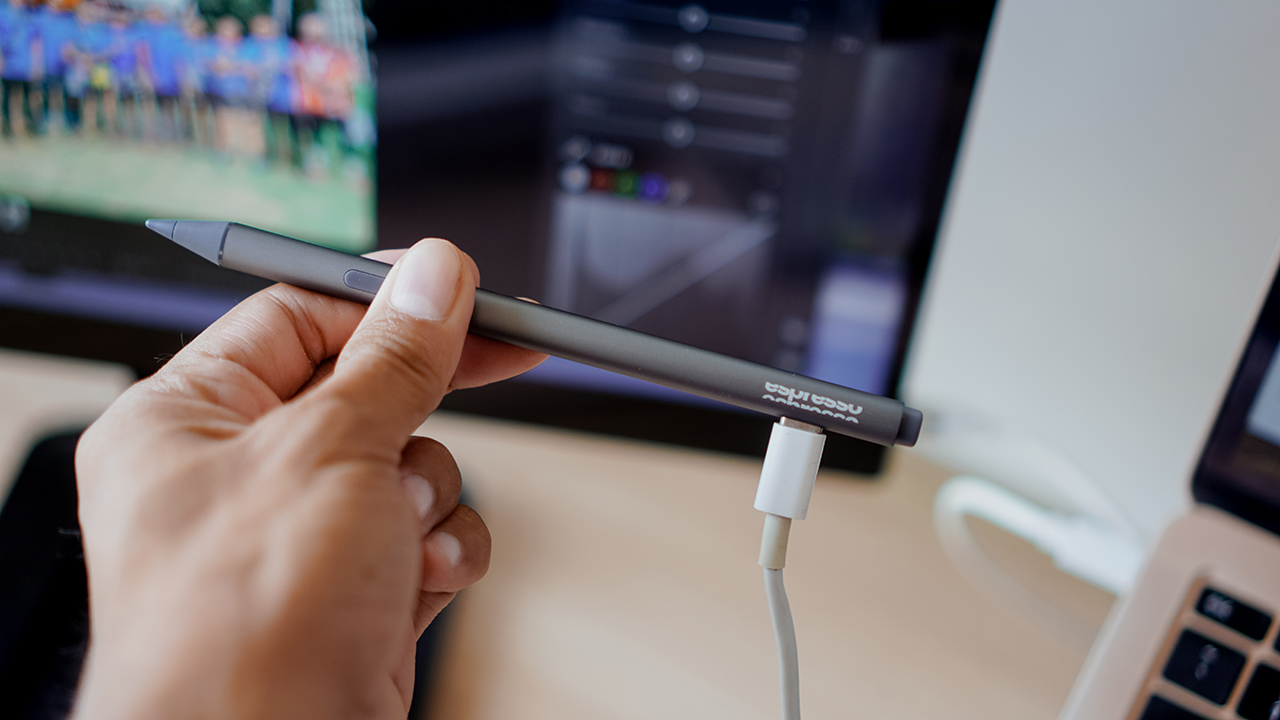
It’s particularly helpful for illustrators, since you can pair the display with an espresso Pen. It made me remember my artist life from a decade ago, when I used to spend hours playing with my Wacom Interactive Displays just to draw and sketch my musings. But that’s not who I am anymore.

The Creator is a paper-like surface that makes the espresso feel like its a paper notepad.
Of all the features of the espresso Display, I didn’t bother with the espresso Pen and its software such as Jot and espressoFlow. While it makes the experience more personalized, I revel in the fact that I have a secondary display that allows me to work whenever, wherever.
That alone is enough for me to consider the espresso Display. For its extra features, I’m sure artists would marvel at the display and its capabilities.
The price of an investment
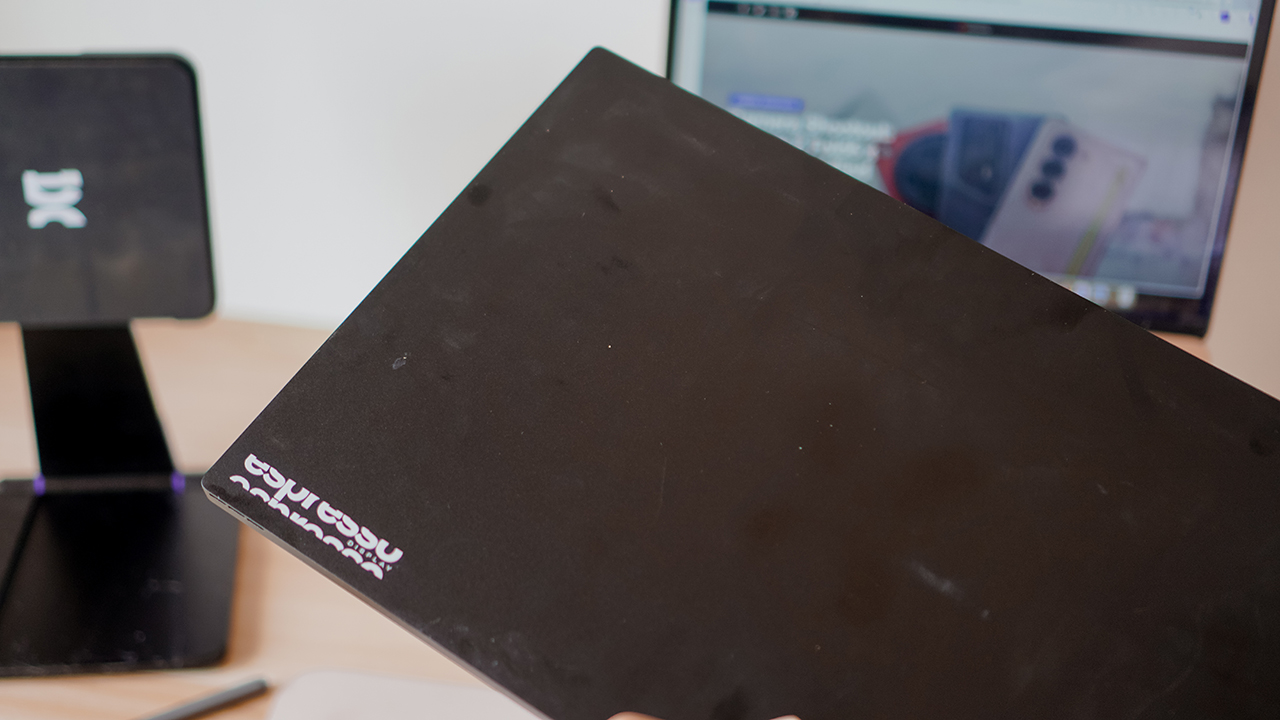
The espresso 17 Pro retails at US$ 799. Though it’s quite expensive, the device is still a worthy investment. I swear, I’m never traveling for work again without this.
For the same bundle that I used, the Pro bundle retails at US$ 1016 and contains the espresso 17 Pro, a Stand Pro, a magnetic microfibre case, the espresso Pen, a paper-esque surface called Creator, and a USB-C to USB-C port.
Is this your GadgetMatch?
There’s a reason why the espresso 17 Pro buzzes among creators. It’s marked with freedom — enabling any professionals, creators, artists, or just any user to show up in their work in the best way possible.
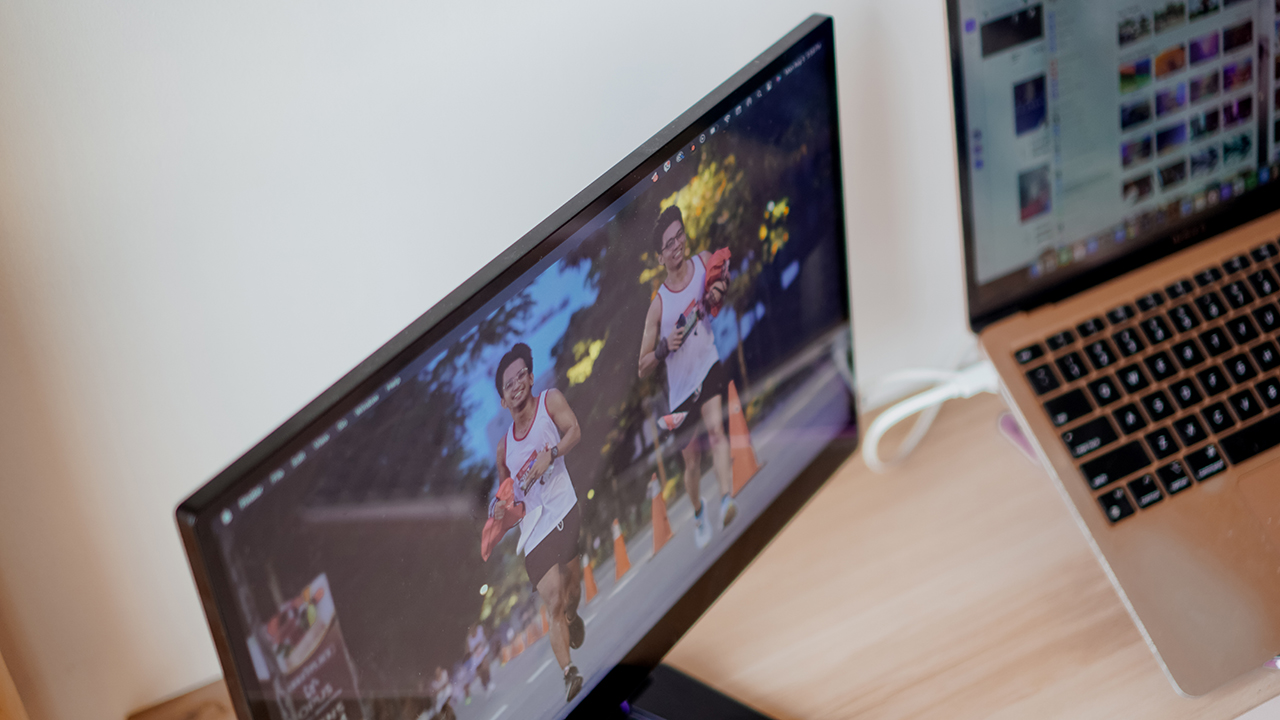
Whatever type of work you do, the espresso 17 Pro is versatile enough to take on your demands. Calling it the world’s thinnest portable touchscreen monitor is an understatement.
With professional-grade resolution, extra-fine design, and interactive features, the espresso 17 Pro is no doubt the best portable display for the multi-passionate.
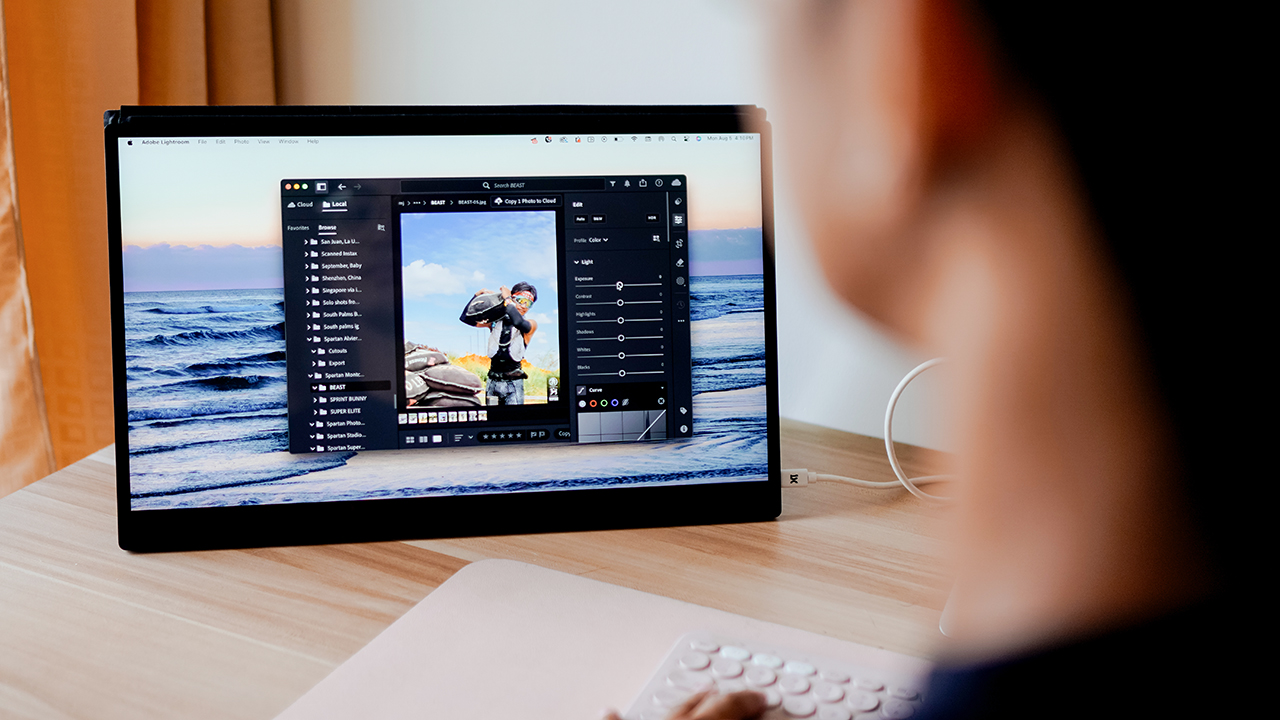
The espresso 17 Pro deserves the GadgetMatch Seal of Approval.
Editor’s Note: This review was written while listening to Sabrina Carpenter’s hit song, ‘Espresso’.







Computers
Lenovo tech behind DreamWorks Animation hit ‘Forgotten Island’
Partnership powers modern demands of animation production


DreamWorks Animation’s Forgotten Island has definitely become a big screen hit, debuting with a 100% Rotten Tomatoes score and being well received particularly by a large Filipino fanbase.
And behind the movie is DreamWorks Animation’s partnership with tech giant, Lenovo. The collaboration is helping power the former’s production slate, including the studio’s animated feature inspired by Filipino culture, mythology, and experiences.
In 2025, DreamWorks expanded its relationship with Lenovo by naming the company its preferred compute services, workstation, and solutions provider.
Such partnership brings together Lenovo workstations, high-performance infrastructure, data center technology, and services to support the demanding needs of modern animation production.
It is a collaboration that builds on years of work between the two companies. DreamWorks has used Lenovo workstations as part of workflows across the studio.
Lenovo infrastructure has also supported the large-scale computing requirements involved in creating animated worlds and characters.

Still in cinemas, Forgotten Island follows lifelong best friends Jo and Raissa, voiced by Grammy and Academy Award winner H.E.R. and Filipino actress Liza Soberano.
As the two prepare to take different paths after high school, they unexpectedly find themselves transported to Nakali, a fantastical island populated by magical and mythological creatures rooted in stories from their Filipino families.
The film is written and directed by Academy Award nominee Joel Crawford and Januel Mercado and produced by Academy Award nominee Mark Swift, the filmmaking team behind Puss in Boots: The Last Wish.
Its voice cast also includes Dave Franco, Jenny Slate, Manny Jacinto, Dolly de Leon, Jo Koy, Ronny Chieng, and Lea Salonga.
Computers
ROG brings out the ultra-stylish G1000 gaming desktop
Plus, here’s a couple of sleek transport options from ROG.

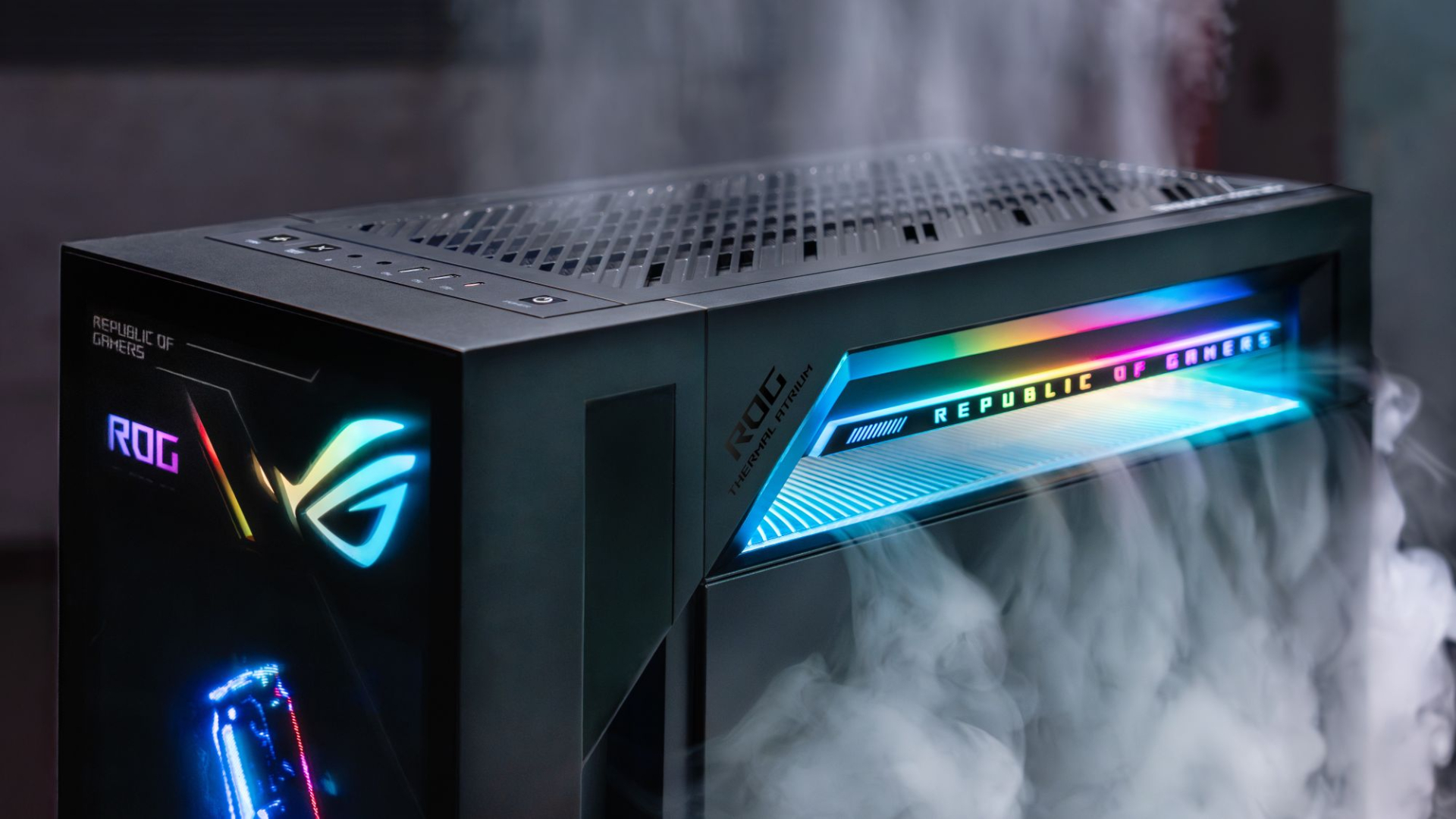
Despite how much higher prices are going today, there are still so many options if you want a PC for yourself. However, only a handful of brands will offer you quite as much style doing so as ASUS. Today, ROG has revealed the new G1000 gaming desktop.
For the first time ever in a prebuilt PC, the ROG G1000 comes with a built-in AniMe Holo, a holographic fan with customizable visuals using Armoury Crate and Aura Sync. Additionally, the holographic fan is inside its own chamber, preventing it from interfering with the main system. Instead, the desktop uses the ROG Thermal Atrium, which uses three fans to channel fresh air through a 420mm AIO liquid cooler.
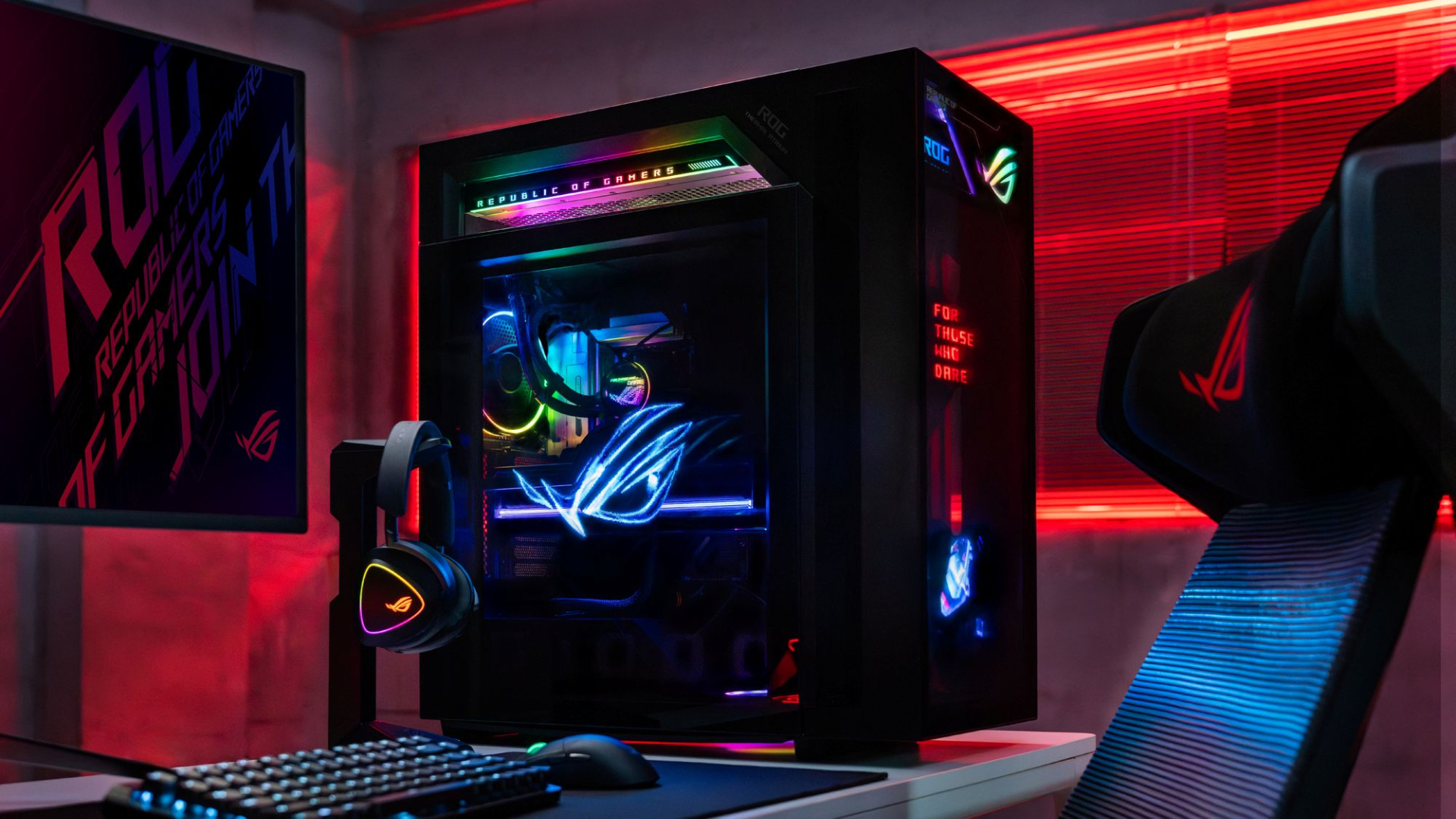
Now, the ROG G1000 isn’t just a pretty face. Inside, the 104L desktop comes with a Ryzen 7 9800X3D processor. It also comes equipped with the ROG Astral GeForce RTX 5080, up to 128GB DDR5 memory, and 1TB SSD for storage. New purchases will also come with a gaming keyboard and mouse, a year of Microsoft 365 Basic, Office Home 2024, and an ASUS No. 1 Quality and Service warranty.
The ROG G1000 will be available from ROG Exclusive Stores and will start at PhP 399,995.
Celebrating ROG at 20
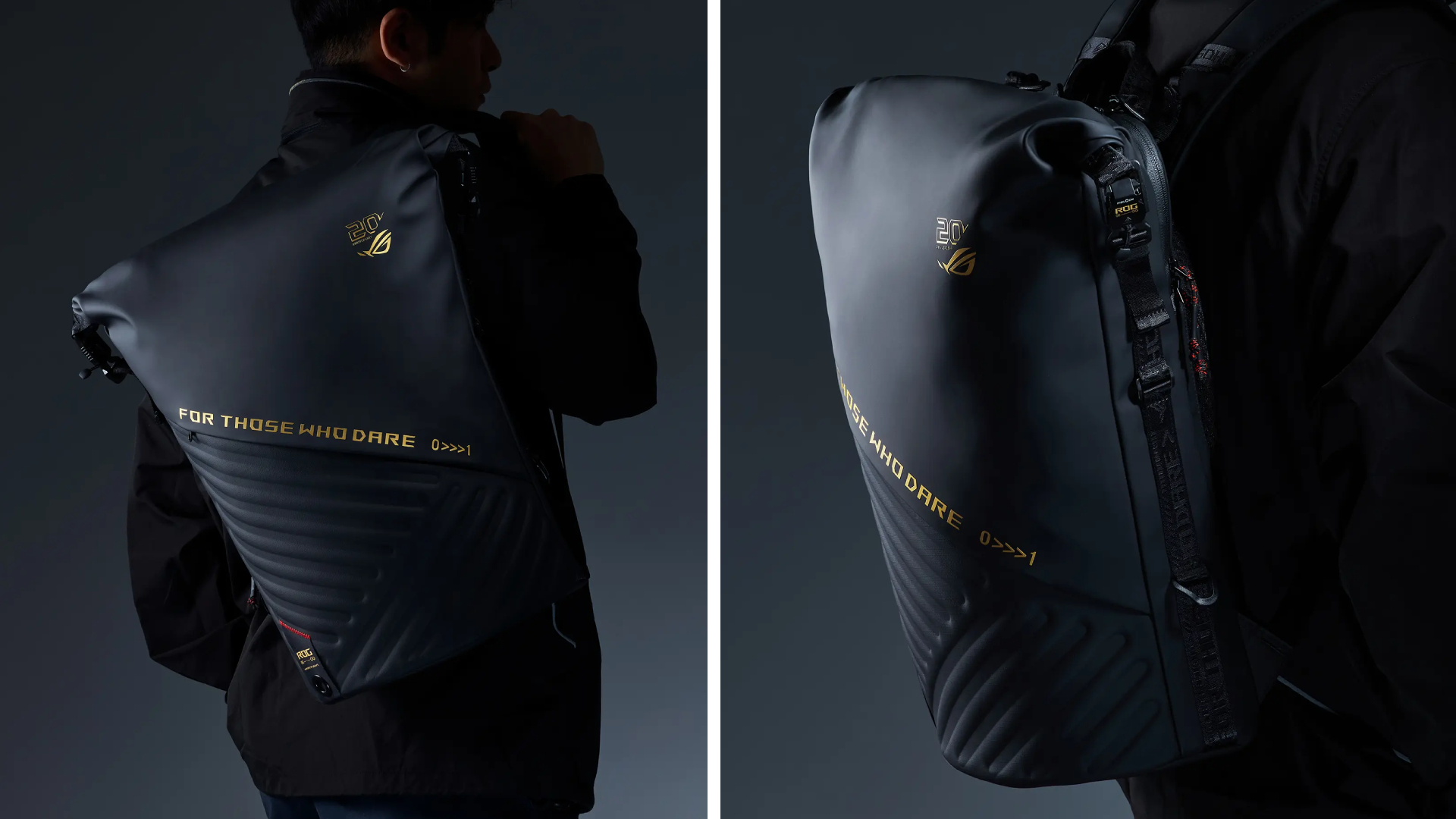
Besides the new desktop, ROG is also launching a couple of storage and transport options for your prized gaming possessions. The ROG SLASH Backpack Edition 20 is a sleek backpack that can fit an 18-inch laptop with enough room for peripherals and accessories. It also comes with a custom FIDLOCK Magnetic quick-release, black-and-translucent-gold buckle. It will be available next quarter for PhP 10,995.
Meanwhile, the ROG SLASH Hard-Case Luggage Edition 20 is designed specifically for transporting your hard-earned gaming devices. The light-but-durable aluminum frame comes with a specialized compartment for laptops, handhelds, and accessories. It also has removalbe foam dividers to better customize the case for your needs. Finally, it has 360-degree silent skate wheels for smoother rolling. The luggage will be available starting next quarter for PhP 15,995.


Acer is expanding its storage lineup with the PA100 Portable SSD. It’s a compact external drive designed for users who need faster storage across multiple devices.
The PA100 uses USB 3.2 Gen 1 connectivity. It reaches sequential read speeds of up to 560MB/s and write speeds of up to 430MB/s. This makes it suited for everyday tasks such as transferring large files, backing up content, managing documents, and moving media between devices.
Up to 2TB of portable storage
The PA100 comes in three capacities: 500GB, 1TB, and 2TB. This gives users options depending on whether they need extra space for documents and schoolwork or larger collections of photos, videos, and project files.
Acer also designed the drive with mobility in mind. The PA100 has a slim 9mm profile and a lightweight build, while its reinforced construction is designed to withstand everyday travel and handling.
The drive comes with a 2-in-1 USB-C to USB-C and USB-A cable. This allows it to connect to compatible PCs, tablets, smartphones, and other devices without requiring a separate adapter. It also supports major operating systems and USB-C mobile platforms.
Designed for everyday use
Power efficiency is another focus. Acer says the PA100 uses less than 3W during operation, while idle power consumption can drop to as low as 0.62W.
The drive also features an optimized thermal design to help maintain stable performance during extended transfers and daily workloads.
The Acer PA100 Portable SSD is backed by a three-year limited warranty. Pricing and availability may vary by market.






Linkin Park: Unshatter is the band’s kintsugi

Bambu Lab opens first Authorized Store in the Philippines

Lenovo tech behind DreamWorks Animation hit ‘Forgotten Island’

Samsung joins the clip-on earbud trend with the Galaxy Buds On

vivo X Fold6 makes global debut with 200MP camera and 6900mAh battery

HUAWEI Pura X View is 2026’s first WIDE slab-type smartphone

The CAMON Slim 5G is TECNO’s latest ultra-slim smartphone

iPhone 18 Pro series: Price, availability in the Philippines

vivo X500 Series launches with major imaging upgrades

iPhone 18 Pro series: Price, availability in Singapore


-
 News2 weeks ago
vivo X500 Series launches with major imaging upgrades
-

 News2 weeks ago
OPPO Find X10 Pro Max is the first phone with a triple 200MP camera system
-
 Automotive6 days ago
BYD says that way better EV batteries are coming next year
-

 News2 weeks ago
vivo introduces OriginOS 7 with smarter multitasking and AI features
-

 News6 days ago
HONOR Magic9 Pro Max launches in China with ARRI-powered imaging
-
 Accessories2 weeks ago
70mai launches the A900 series with 4K front, rear recording
-
 Smartphones1 week ago
When TECNO-logy meets Tonino Lamborghini legacy
-

 Smartphones6 days ago
TECNO CAMON Slim 5G teases an ultra-slim design ahead of launch