
Apps
Facebook will pay for your voice recording, if you agree
It’s for their smart speaker


Much has been said about Facebook’s track record for violating user’s privacy. As such, the company took some steps to rectify its shortcomings. However, the company remains firm on its data collection practices. After all, data from the users provide a lot of revenue opportunities for the company.
The company is now trying out an odd way to let it collect these data. Facebook is now resorting to paying willing users to have their voice recorded. By consenting to Facebook’s collection of your voice and personal details, you can get rewards which you can also exchange for a measly amount of money.

If you are eager to try out this Facebook’s new scheme, you can do so by downloading the Viewpoints app. The company launched the app months ago to test out new features for its platform. Through the app, you can receive an invite from the company prompting you to say “Hey, Portal” and the name of your 10 friends in exchange for a reward. Apparently, the social networking company is very eager to know everybody on this planet.
There’s a caveat for trying out though. Only US users can sign-up at the moment. Additionally, you have to say out the prompt five times in order to receive a single reward.
Where will Facebook use the data collected from you? The company is actively developing its new smart speaker — Facebook Portal. By donating your voice to a company with serious privacy violations in the past, you will help them fine-tune the product’s interaction with people.
The company assured that all activity coming from its Viewpoints app will never be shared on Facebook. Also, the company promises to never share all collected data with any other third-party companies without your permission. However, the company still has the right to use other data including payment and device data for better ad targeting.
A step in the right direction?
Over the years, governments and individuals have scrutinized major tech companies for invasive data collection practices. Much of the scrutiny lies in the lack of consent and permission and the scope of data collection. Facebook, in particular, got a bad rep over the years for collecting data anonymously. Worse, the company failed to safeguard this collected data, resulting in leaks with major political implications.
So maybe, this is a step in the right direction for the company. Data collection agreed upon by the users legitimizes the company’s practices — even if it is invasive and unnecessary in the first place.






Apps
Apple Creator Studio: Creative apps bundled into single subscription
All the tools you need, one payment

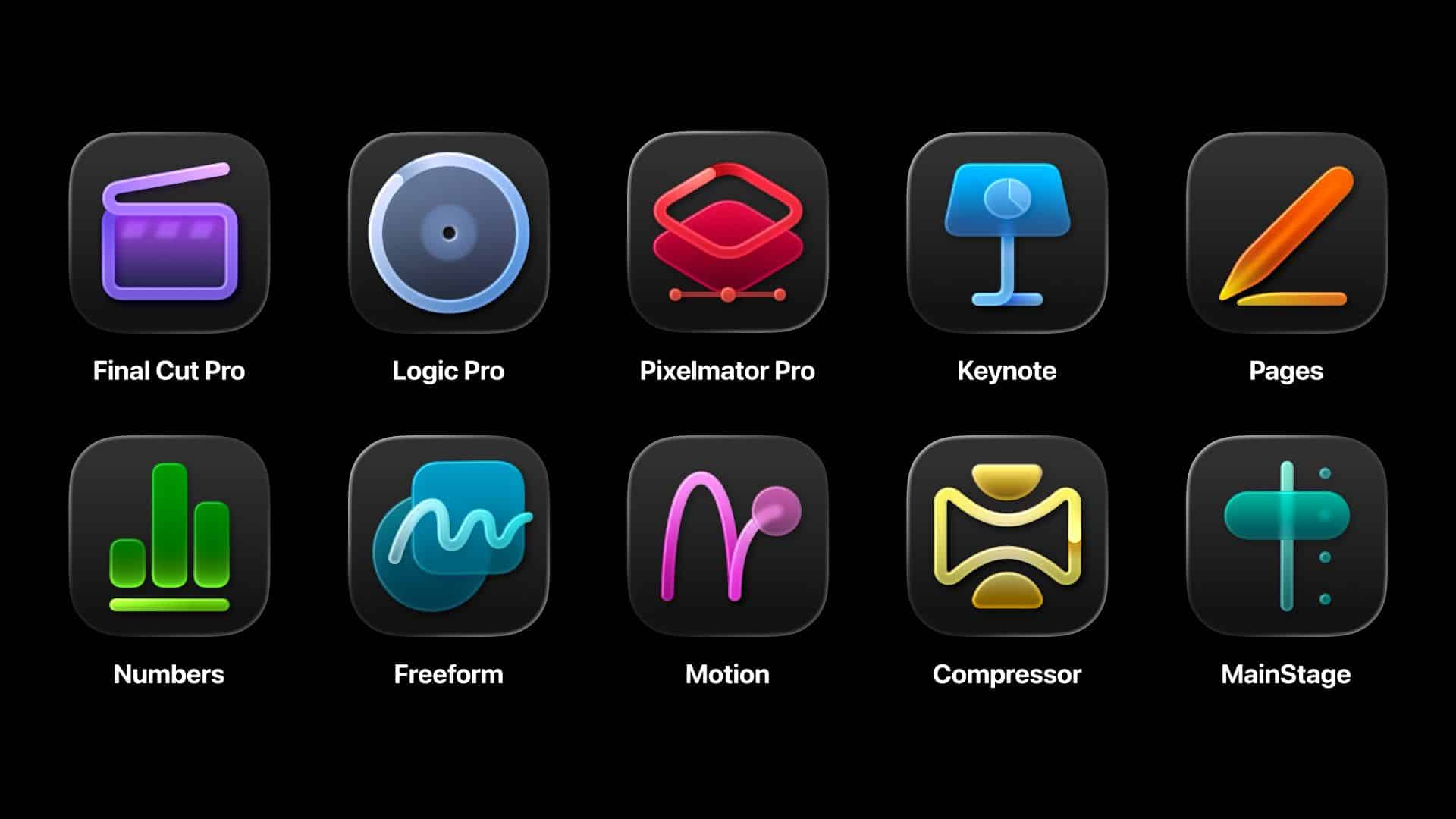
Apple has officially streamlined its popular creative apps into one single subscription suite with the introduction of Apple Creator Studio.
The collection includes some of the most useful apps for today’s creators: Final Cut Pro, Logic Pro, Pixelmator Pro, Motion, Compressor, and MainStage.
New AI features and premium content in Keynote, Pages, and Numbers also make the Apple Creator Studio an exciting subscription suite. Freeform will eventually be added to the lineup.
The groundbreaking collection is designed to put studio-grade power into the hands of everyone. It builds on the essential role Apple devices play in the lives of millions of creators worldwide.

The apps included cover video editing, music making, creative imaging, and visual productivity to give modern creators the features and capabilities they need.
Final Cut Pro introduces exceptional new video editing tools and intelligent features for Mac and iPad.
For the first time, Pixelmator Pro is also coming to iPad with a uniquely crafted experience optimized for touch and Apple Pencil.
Logic Pro, meanwhile, for Mac and iPad introduces more intelligent features like Synth Player and Chord ID.
Apple Creator Studio will be available on the App Store beginning January 29. In the Philippines, the rates are PhP 399 a month or PhP 3,990 annually.
There is also a free one-month trial which includes access to:
- Final Cut Pro, Logic Pro, and Pixelmator Pro on Mac and iPad
- Motion, Compressor, and MainStage on Mac
- Intelligent features and premium content for Keynote, Pages, Numbers, and later Freeform for iPhone, iPad, and Mac
College students and educators can subscribe for a discounted price of PhP 149 per month or PhP 1,490 per year.
Apps
Apple gives up on making AI, inks a deal with Gemini to power Siri
Gemini gets another feather in its cap.


In the not-too-long-ago past, the biggest names of the tech industry competed to build their own AI software. Now, though some brands are still on the hunt, it’s easier to name certain software that have more successfully drowned users in a flood of AI-powered features. Today, Google gets another win by adding Apple’s Siri to its Gemini cap.
In the past, Apple peddled Apple Intelligence, an upcoming AI-powered system to compete against the giants of the industry. However, much like other features from other brands, Apple Intelligence came out half baked with features still lacking months after the initial launch.
Now, Apple has signed a deal with Google to use Gemini for a revamped Siri. The former plans to launch a new version of Siri later this year. Because of the deal, the voice assistant will start using Gemini as a foundation for its own services. Currently, Samsung’s Galaxy AI already uses Gemini.
Formerly a battleground between so many competing brands, it’s now looking like a battle between two major companies: Google and OpenAI. Google now has a huge grip, though. Both Samsung and Apple are no slouches when it comes to owning market share in the world’s smartphones.
Now, as consumers, Apple’s deal probably doesn’t mean much besides the continued influx of features that add little to no value to a smartphone.
SEE ALSO: Google paid Samsung a lot of money to install Gemini on Galaxy
Apps
Microsoft continues to shove Copilot where it’s not wanted
This time, it’s reportedly coming to File Explorer.

If you look at a modern keyboard, you’ll find that the Copilot button is the cleanest one on the entire panel because no one ever willingly presses it. And yet, Microsoft still believes in the feature’s value. To show their odd commitment, the company is reportedly adding Copilot to File Explorer.
According to @phantomofearth from X (via Windows Central), a new Windows 11 preview build will add a button beside File Explorer’s navigation menu. Currently, the button is invisible and doesn’t do anything. However, the report says that the feature is tied to something called “Chat with Copilot.” It’s becoming clear that the system aims to add the AI software right inside the file organization app.
Besides revealing the potential addition of the egregious feature inside File Explorer, @phantomofearth also added mock-ups of a desktop with Copilot right on the taskbar, hinting at a potential nightmare of the feature lording itself over where it’s not wanted.
Thankfully, the preview build doesn’t always represent a final version of the system. There’s still a chance that Microsoft will not add the AI to the File Explorer.
As of late, Microsoft has received a lot of flak for persistently pushing Copilot onto users, regardless of how they feel about the feature. The company is also facing criticisms in the background for being a major proponent of AI data centers in the United States, which, in turn, have caused the prices of tech to skyrocket this year.
SEE ALSO: Dell admits AI PCs were a mistake


Now playing: Final Fantasy VII Remake INTERGRADE on Switch 2
Final Fantasy VII Remake, handheld again


HONOR X9d 5G review: Tougher, more long-lasting and optimized
Beyond all the marketing, it's a compelling all-around smartphone that actually works well


Redmi Note 15 Pro+ 5G review: The midrange fashion piece
Work-ready and style-friendly!

VinFast updates battery subscription policy for large upfront savings

Xiaomi SU7 Ultra makes Gran Turismo 7 debut

3D printing made accessible: Bambu Lab enters Philippine market

OBSBOT launches AI-powered 4K Tiny 3 series webcams

Soundtrack for the city: HIDDEN.NY x AIAIAI TMA-2 headphones

HONOR X9d 5G launches in the Philippines: Price, preorder, availability

POCO M8 Pro review: Goin’ loco over this POCO

OPPO A6 Pro: Adequate tool, no definitive punch

Infinix NOTE Edge debuts: High-end features for accessible pricing

HONOR Magic8 Pro review: What sorcery is this?


-
 News2 weeks ago
Infinix NOTE Edge debuts: High-end features for accessible pricing
-
Reviews2 weeks ago
Redmi Note 15 Pro+ 5G review: The midrange fashion piece
-

 Features2 weeks ago
Can the REDMI Note 15 Pro+ 5G Survive?
-
Reviews1 week ago
HONOR X9d 5G review: Tougher, more long-lasting and optimized
-

 Gaming2 weeks ago
Civilization VII coming to Apple Arcade this February 5th
-

 Automotive1 week ago
BYD expands PH presence with entry of DENZA luxury EVs
-

 News1 week ago
HONOR slaps the iPhone Air with the all-new Magic8 Pro Air
-

 News1 week ago
Beyond the Box, Digital Walker turn over Tesla Model Y to iPhone 17 raffle winner