
Gaming
Final Fantasy VII Remake Intergrade free demo released
For Nintendo Switch 2, Xbox

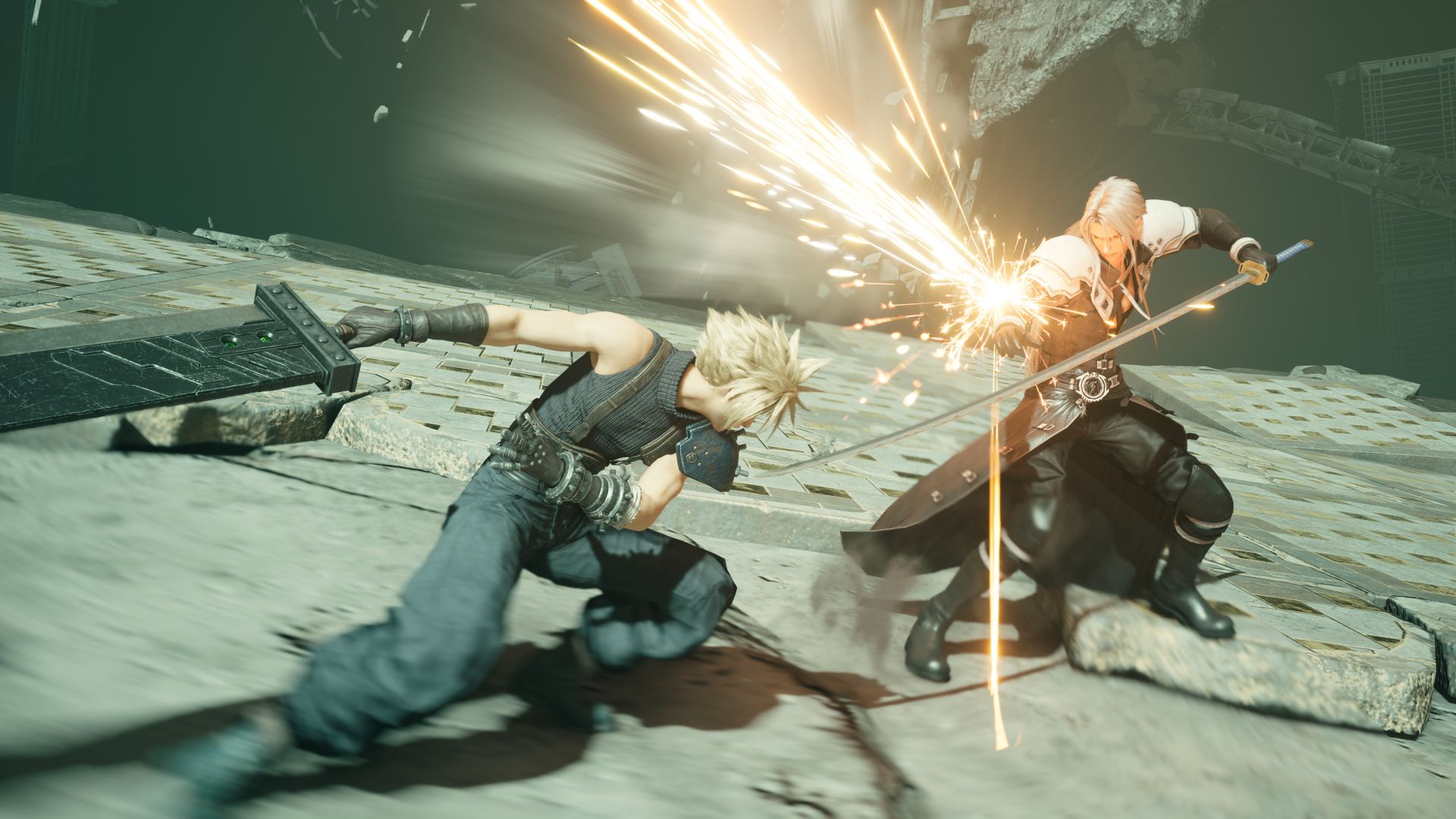
Square Enix has released a free demo for Final Fantasy VII Remake Intergrade which is launching on January 22, 2026.
The demo is available on Nintendo Switch 2, Xbox Series X|S, and Xbox on PC. Players can carry their save data from the demo period over to the full game and claim the bonus items “Revival Earrings” and “Survival Set” in the process.
In addition, the game has Xbox Play Anywhere support. This means players can enjoy seamless progression across console and PC platforms.
Switch 2 users can enter the following codes to download the demo via the “Redeem Code” option on the Nintendo e-Shop:
- United States: D3GM3304HKQBB2VB
- Europe: D3GM3304HKPBB2VB
- Japan: D3GM3304H3DBB2VB
- Korea: D3GM3304H3CBB2VB
- Hong Kong and Taiwan: D3GM3304H3BBB2VB
- Southeast Asia: D3GM3304HY9BB2VB
Meanwhile, the free demo for Xbox Series X|S and Xbox for PC is available via this link.
Aside from the aforementioned platforms, the visually enhanced and expanded version of the original 2020 remake is already available on PlayStation 5, Steam, and Epic games.
What players can expect
In the demo, players can experience the game’s iconic opening chapter, in which the mercenary Cloud Strife and the underground resistance group Avalanche attempt to destroy a Mako Reactor powering the dystopian city of Midgar.
In their fight against the Shinra Electric Power Company, Cloud and his comrades are thrust into a larger conflict that will decide the fate of the planet.
Final Fantasy VII Remake Intergrade features improved graphics and performance. Aside from that, the game includes FF7R EPISODE INTERmission.
This exciting additional story features fan-favorite ninja Yuffie Kisaragi as she embarks on a thrilling new adventure.
Players can expect expanded gameplay mechanics, refined combat systems, and immersive storytelling that deepens the lore of Midgar.
Square Enix has also released a new One-Winged Angel trailer:




Gaming
The hunt begins: The Witcher in Concert hits Manila with surprises in tow
The Continent comes alive
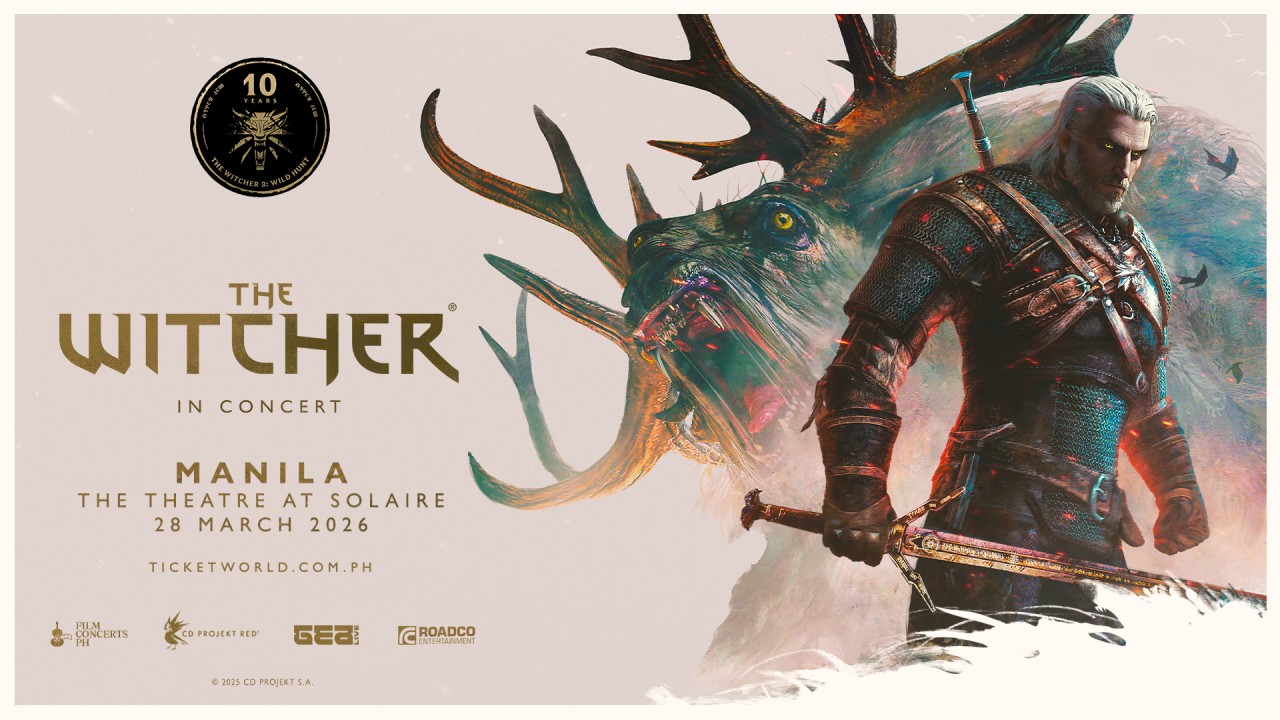
If you’ve ever heard a haunting chant echo through a battlefield or felt the weight of a choice that isn’t as simple as good or evil, then you already know—the Path has a way of calling you back.
And if you haven’t stepped into that world just yet, consider this your invitation.
With less than two weeks to go, The Witcher in Concert is set to take over Manila for a one-night-only performance. It’s happening on March 28, 2026 at The Theatre at Solaire—bringing with it not just the music of a beloved RPG, but a full-on return to the Continent.
Celebrating the 10th anniversary of The Witcher 3: Wild Hunt, the concert transforms one of gaming’s most iconic soundtracks into a live experience. Expect performances from selected musicians of the Filharmonika Orchestra alongside Percival Schuttenbach—the Polish folk-metal band whose distinct sound helped define the game’s identity. Paired with in-game visuals, it’s a show designed to feel both nostalgic and entirely new.
As the night draws closer, here are three things fans can look forward to:
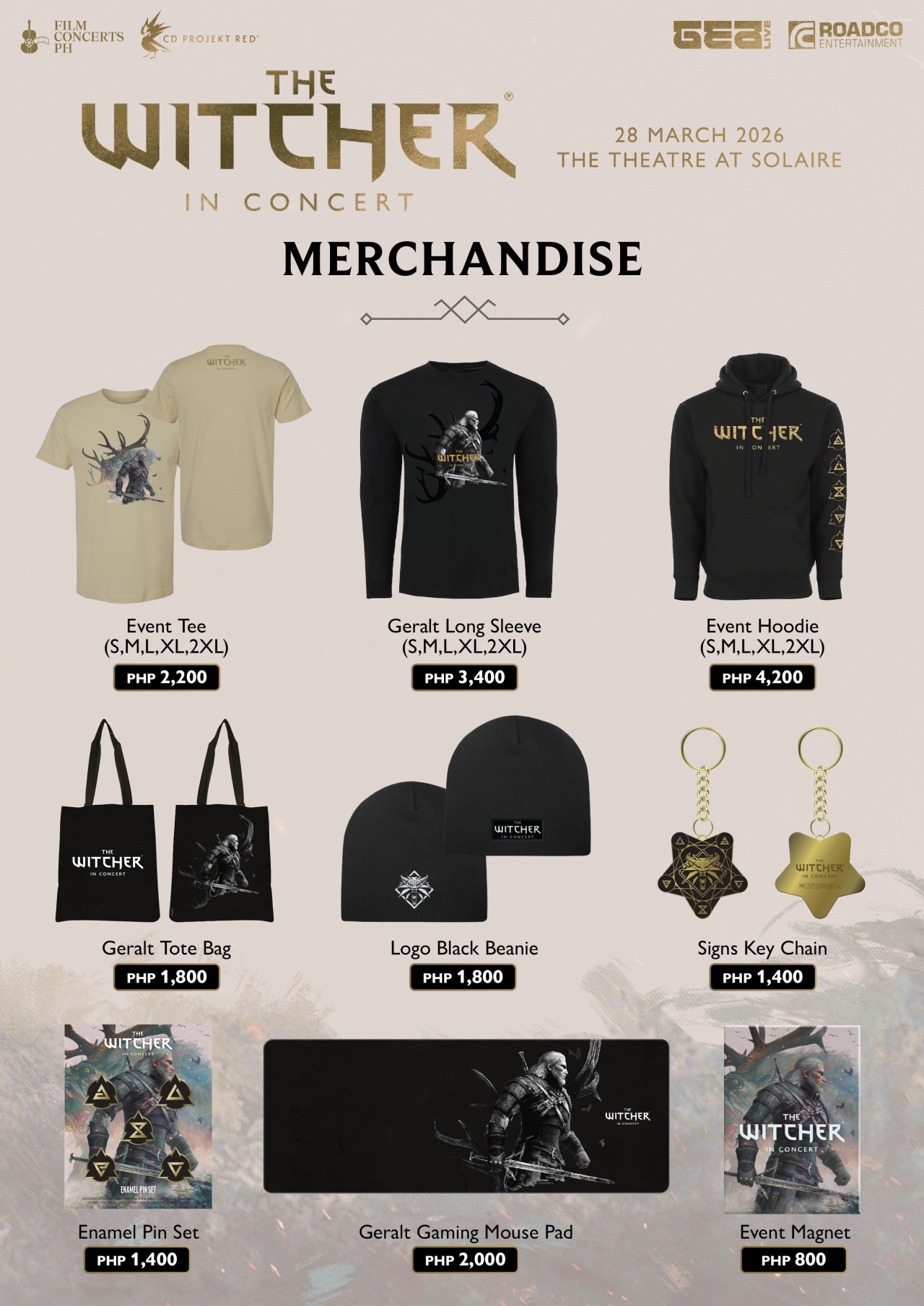
Relics from the Continent: official merchandise
For those who want to take a piece of the experience home, exclusive event merchandise will be available in limited quantities.
This includes the following:
- Event Tee (PhP2,200)
- Geralt Long Sleeve (PhP3,400)
- Event Hoodie (PhP4,200)
- Beanie (PhP1,800)
- Tote bag (PhP1,800)
- Key chain (PhP1,400)
- Enamel pin set (PhP1,400)
- Event magnet (PhP800)
- Geralt gaming mouse pad (PhP2,000)
It’s the kind of loot drop fans won’t want to miss.
The path to Solaire: getting there made easier
Getting to the venue is part of the journey—and this time, it’s a little easier. Attendees can use the Grab code FCPH2026 to get 20% off rides (up to PhP75). With the condition of a minimum fare of PhP250. The promo is valid for two rides per user and applies to trips to and from Solaire Entertainment City.
A rare encounter: meet Percival Schuttenbach
For a handful of lucky fans, the experience goes beyond the stage. Ten winners will get the chance to meet Percival Schuttenbach and receive an autographed CD.
To join, ticket holders need to share any official The Witcher in Concert post on their Instagram Story. They need to write what they’re most excited to hear live and tag @filmconcerts.ph. They need to submit their entry before March 24, 2026 at 5:00 PM. Winners will be announced on March 25.
Answer the call
As the Continent arrives in Manila, fans are encouraged to lean all the way in—whether that means coming in cosplay as a monster hunter, mage, bard, or something far more dangerous.
Tickets are available via TicketWorld and participating outlets nationwide.
The Path is open. The question is—will you answer the call?
Gaming
Monopoly: Star Wars Heroes vs. Villains launching on June 11
Introducing a team-based, cinematic twist to the classic board game
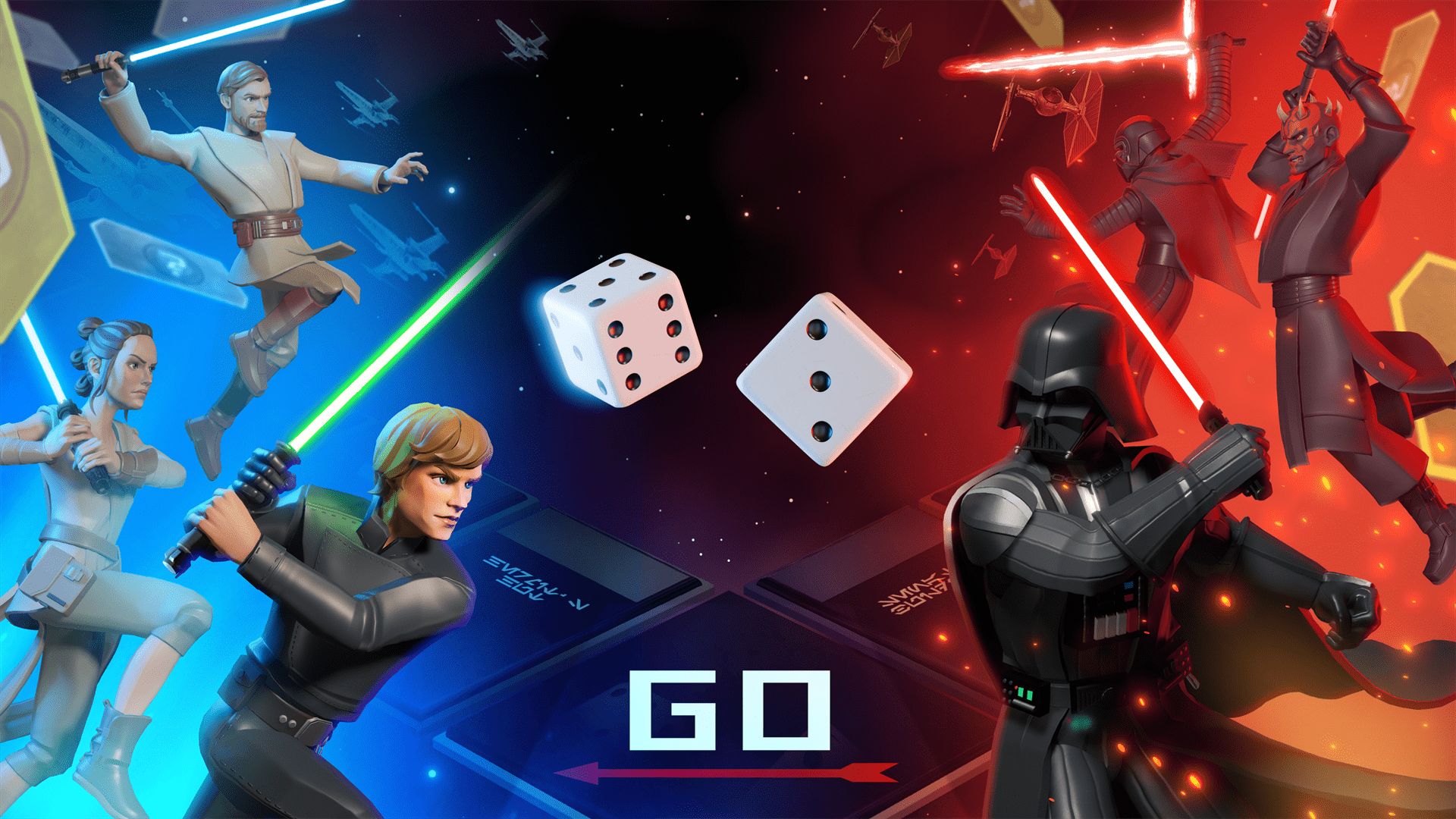
Monopoly: Star Wars Heroes vs. Villains will launch on June 11, Ubisoft has announced. It will debut on PlayStation 5, Xbox Series X|S, Nintendo Switch 1 and 2, GeForce Now, and PC through Steam, Epic Games, and the Ubisoft Store.
The Behavior Interactive title introduces a team-based combat twist to the traditional real estate board game. It includes competitive 2v2 and 3v3 modes, available online and through couch co-op.
This transforms the classic Monopoly gameplay into an action-packed, strategic showdown where teamwork and hero combinations matter.
Every turn carries high stakes as properties change hands in an instant. Dynamic GO events also introduce game-altering twists.
The full reveal will be on April 29.
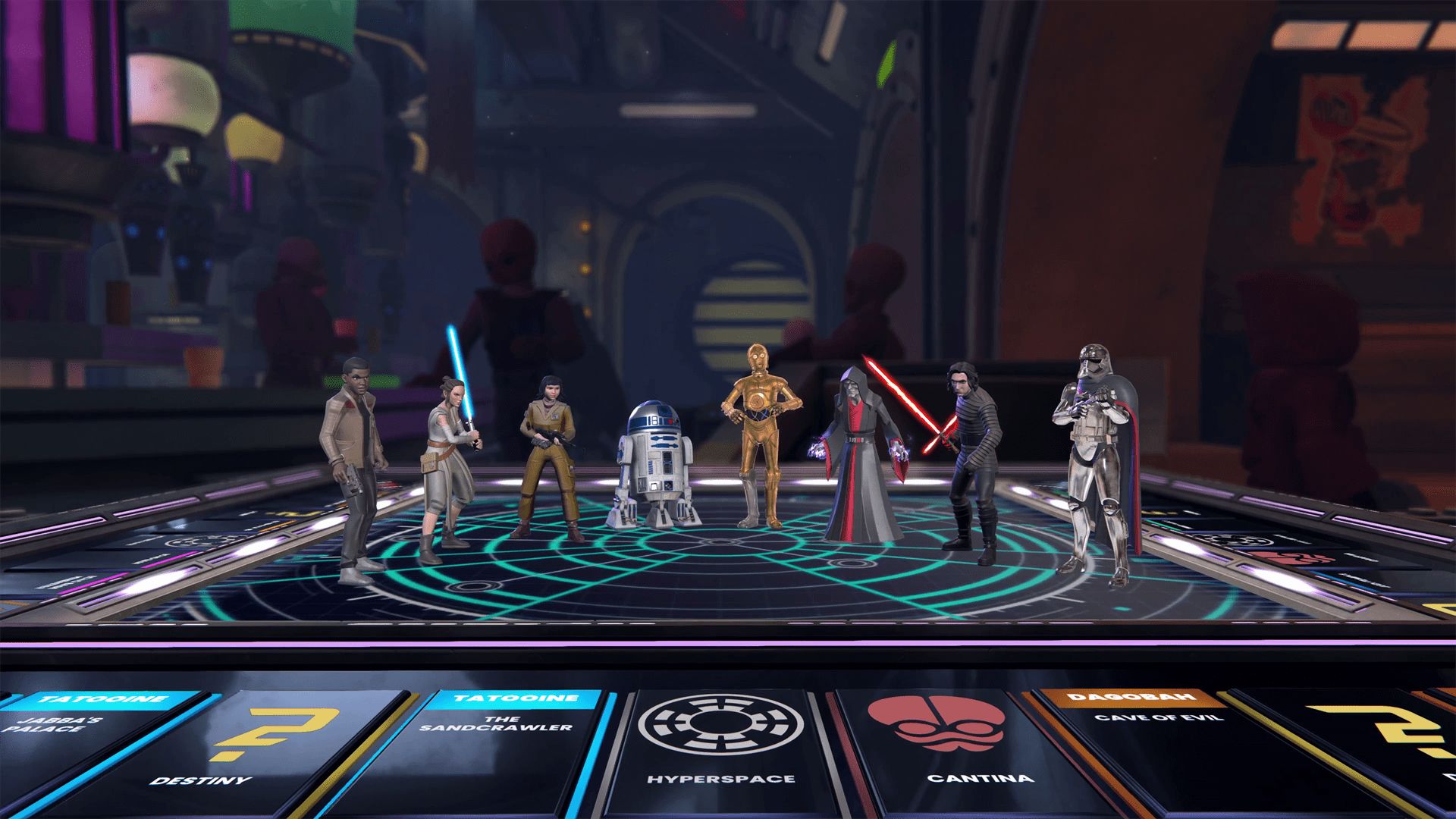
Monopoly: Star Wars Heroes vs. Villains transports players into the Star Wars galaxy with a custom Monopoly board, packed with iconic locations from across the saga.
The gameplay is reimagined with thrilling cinematic moments, themed spaces, and dynamic elements. These make up for a refreshed experience from start to finish.
Players can choose from a wide roster of Star Wars heroes and villains. There’s plenty of options, from Luke Skywalker and Princess Leia to Darth Vader and Darth Maul.
Each character brings unique abilities to shape the team’s strategy and affect the match’s complexion with every roll of the dice.
Gaming
Switch 2 now lets you play old games in 1080p
It tricks old games into thinking that the console is docked.

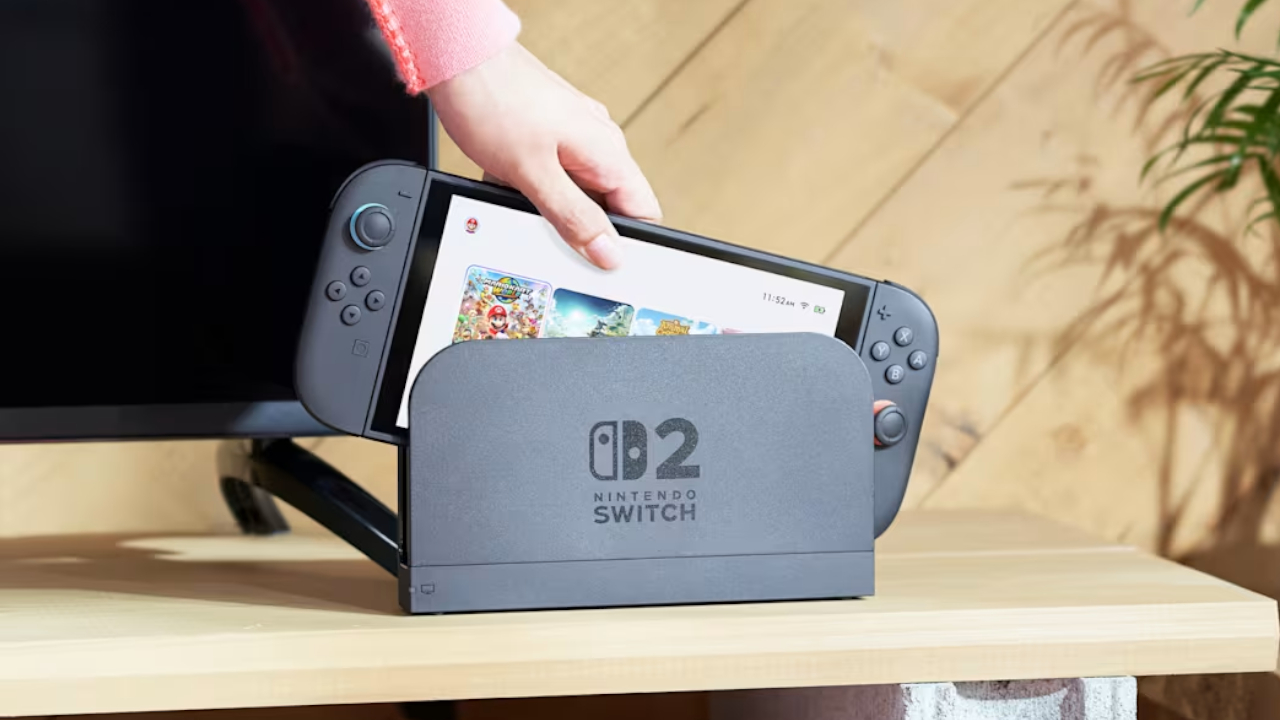
The Switch 2’s popularity is astonishing, to say the least. Just recently, a single game, Pokémon Pokopia, was responsible for taking the free times of over two million players on the Switch 2. Now, Nintendo has released a new feature which should make the console much more playable, especially for those who already had the original Switch.
Today, the Switch 2 received the 22.0.0 system update. Though the update is mostly a variety of smaller updates, one feature, called the Handheld Mode Boost, stands out among the rest. As per the patch notes, “Handheld Mode Boost will cause compatible Nintendo Switch software to run as if the console is being played in TV mode.” Put simply, the feature will unlock 1080p resolution for older games.
For gamers who had the original Switch, game resolution was a huge problem. The first console lived on a 720p screen, so the early games supported only lower resolutions. The only exception is when the console was docked, which allows 1080p resolution.
Now, the Switch 2 supports backwards compatibility. Players can access their older Switch games on the new console. The catch, however, is that these games are still stuck in 720p. Some titles, at least, have released an update to increase resolution on the new console.
Handheld Mode Boost tricks the console into thinking that it’s hooked up to the dock. In effect, the game will play in 1080p. The catch, however, is that it also thinks that the Joy-Cons are a single Pro controller, so players might lose some game features. It’s still a decent price to pay, though.
In other news, the update has also updated the naming of the “Hong Kong/Taiwan/South Korea” to “Hong Kong/Taiwan/South Korea/Southeast Asia,” potentially hinting that Southeast Asia might finally get an online store.
SEE ALSO: Now Playing: Yakuza 0 on Switch 2




Stylish, student-friendly HONOR X8d launches

The HONOR X8d is serviceable

Why the OPPO Reno15 5G series is a creator’s essential

The hunt begins: The Witcher in Concert hits Manila with surprises in tow

WATCH: The Super Mario Galaxy Movie final trailer


-

 Reviews2 weeks ago
The Xiaomi 17 shoots Leica dream
-

 Hands-On2 weeks ago
OPPO Reno15 F 5G hands-on
-
 Gaming2 weeks ago
Project Helix is Xbox’s next console, and it plays PC games
-

 Computers1 week ago
GIGABYTE collaborates with Capcom for RE Requiem custom PC
-

 Laptops1 week ago
Apple MacBook Neo Review
-

 Reviews2 days ago
POCO X8 Pro Max review: A new beast from the far east
-

 Entertainment1 week ago
The internet is thirsting over the One Piece Season 2 cast
-

 Apps7 days ago
Google Maps is finally getting a 3D mode