


Cameras
Fujifilm X-A5 review: The perfect camera to up your social media game
Yep, I did an #OOTD challenge

When the Fujifilm X-A5 was announced, I was beyond excited.
You see, I own and shoot with a pink X-A3 for my stuff outside of work and my personal vlogging.

Still from boyfriend’s vlog. That’s me shooting with the XA-3!
And sure, the fact that it was a pretty bright pink was part of what convinced me to get the X-A3, but it’s not just the color that drew me to this shooter. I wanted a small camera that I could bring on trips without being too bulky, something my frail arms could actually hold up for times I do decide to vlog. My non-negotiable was that “flippity screen” (yes, folks, I made that term up), the camera screen that flips upwards so you can see yourself as you shoot or record.
So, when the XA-5 came out, I was curious to see what improvements this new mirrorless camera had.
Quick specs
If you’ve already noticed by now, this will not be your typical camera review. For the benefit of those looking for camera specs, I’ll list them here, but know that this would probably be the last I mention them in this whole piece. This review will revolve around my experience with the X-A5 in the context of my needs when it comes to cameras.

Here’s a photo of me with the X-A5 for those of you who, like me, get bored with specs 😅
The Fujifilm X-A5 is a mirrorless camera — this means it’s lighter and more compact than DSLRs. It’s equipped with a 24.2-megapixel APS-C image sensor and is capable of reaching ISO 12800 (which may mean good things for low-light shots). It’s also the first X series camera with phase detection which means that this device will focus twice as fast as previous cameras, like my X-A3. The body comes bundled with an XC 15-45mm f/3.5-5.6 kit lens and it has a built-in internal flash.
Now that we got that out of the way, let’s move on.
Looks matter
In true Fujifilm fashion, this camera looks like a pretty Instagrammable itself. The body has clean matte aluminum-silver details that extend to the buttons and the back. The body itself is textured and comes in black, brown, or pink. Of course, I pushed for the pink one.
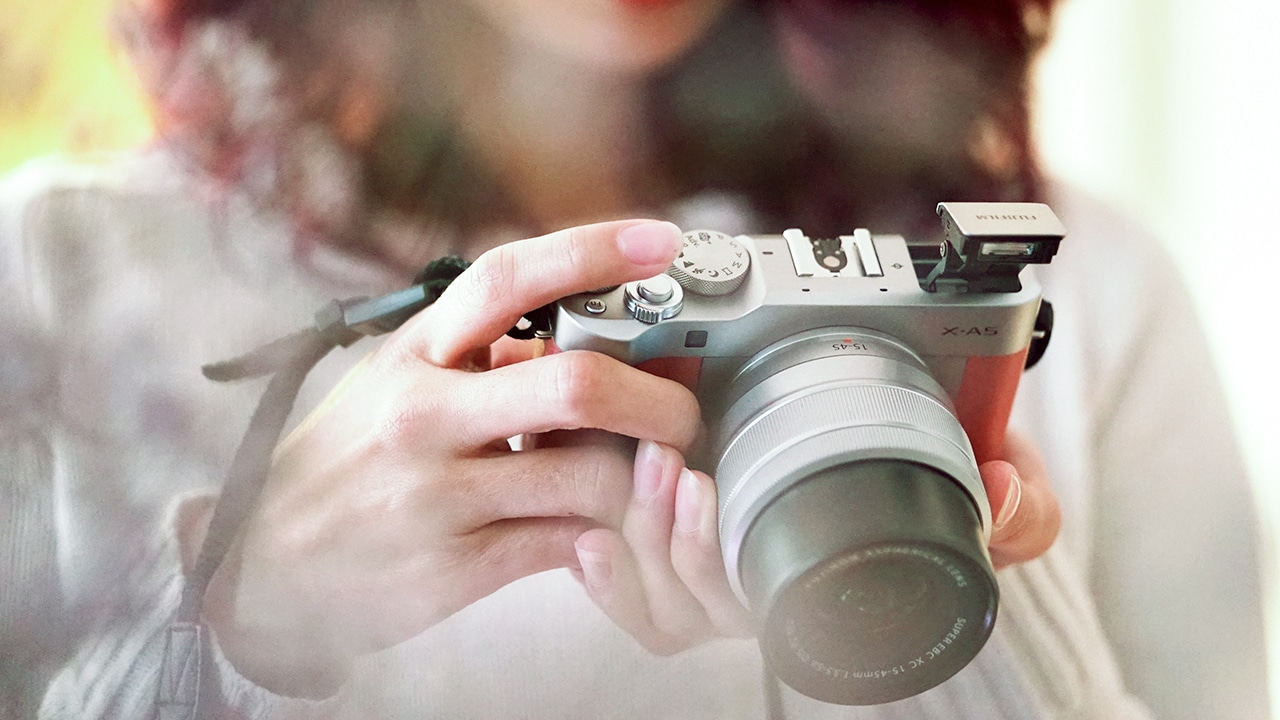
The pink on this camera is a little brownish. My X-A3 was a brighter pink.
Button placements are about the same: On/Off toggle with the shutter button, mode dial, exposure compensation dial, and a function key up top, and the usual buttons like menu, video record, playback, and other shortcuts are on the back of the camera. The display is also a touchscreen for easier navigation. Basically, if you’ve used an X series Fujifilm camera before, you’ll know where everything is. 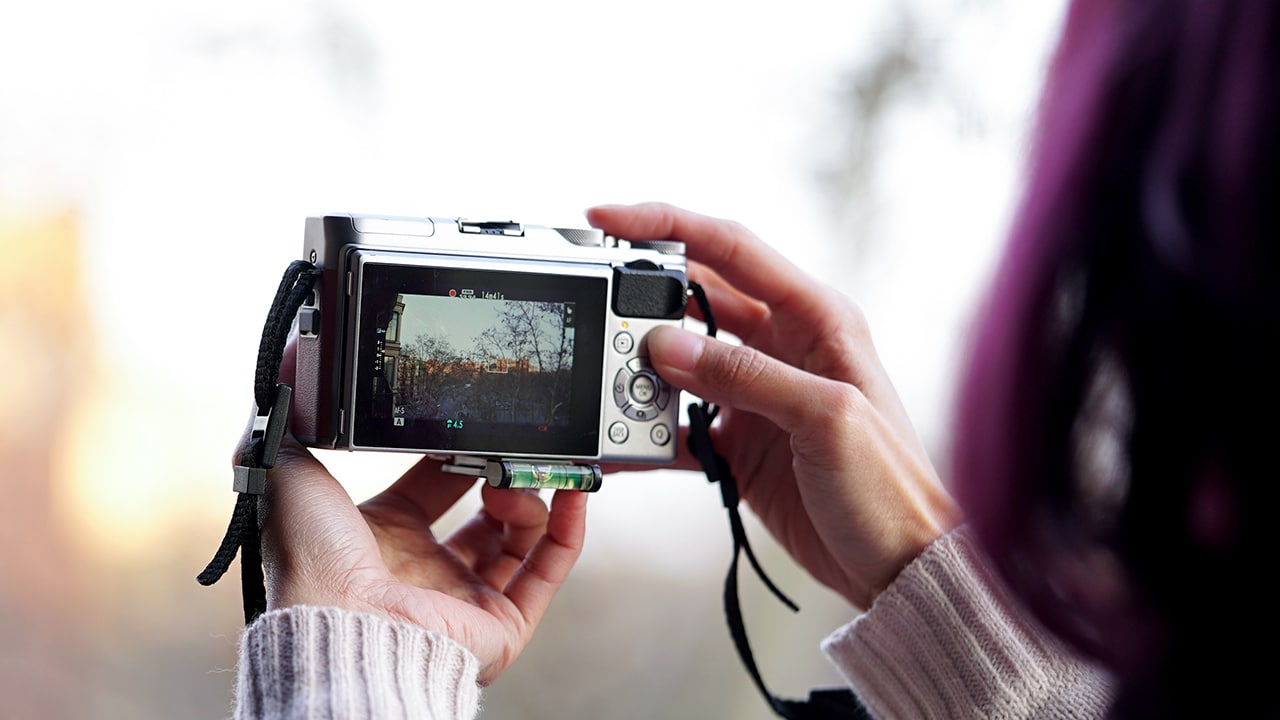
This camera, dubbed Fujifilm’s smallest mirrorless camera, is light and it fits my hands perfectly. Although, I’d have to admit: There isn’t much of a size difference between the X-A5 and my trusty X-A3, save for the X-A3’s bigger kit lens.
The thing is, there’s no way I’m lugging around a big camera on vacation trips and the X-A5 (as well as my old X-A3) is a size that I find acceptable — it’s not as bulky and it’s small enough to fit in my bag with everything else I decide to bring around on trips.
Pointing and shooting
Fujifilm is a beloved brand in photography and it comes as no surprise that this camera can capture stunning pictures. I mean look at these sample shots…

Like, look at them! They can be stock photos!

The hot cocoa looks super delicious!

The color and the blur is on point
Although I know my camera basics, I am not the best in shooting or handling cameras, mine or otherwise. The X-A5 was amazingly easy to use, especially since I’m already familiar with the past model. Honestly, I’ve had my share of crappy photos but these samples actually impressed me. Low-light photos, however, are a different story. Like many devices on the market now, you don’t exactly get the best photos when lighting conditions aren’t ideal.
The X-A3, my previous camera, only had Wi-Fi connectivity which means that it could only transfer photos when my phone is connected to the camera’s Wi-Fi. This process was a little cumbersome as that connection gets cut when you switch back to an actual network to get on the internet. That is now a problem of the past. The XA-5 is equipped with Bluetooth connectivity so that mean transferring photos from camera to your phone is so easy — you can even do it automatically and while connected to the internet through Wi-Fi.
Also, tourist selfies can go from this:

Shoutout to the photobomb couple at the back!
To this:

I’m controlling the camera with the phone in my hand through the Fujifilm remote app
Yep, connecting the camera to the app allows you to take photos and videos remotely. This means you don’t need another person to take your photos; you can control everything with your phone.
#OOTD Challenge!
Now, I generally suck at #OOTDs and posed travel content in general but I felt it was time for a challenge. I’d seen a lot of Instagram influencers tout their Fujifilm cameras so I wondered: Could I take the same photos with this thing?
Since I was traveling with the boyfriend when I was testing out this camera, I enlisted his help and had him be my token Instagram Boyfriend — ah the things we do for work!
I stood at random picturesque spots in Hong Kong and did the best travel/wanderlust/OOTD poses I could muster (which always translated to me looking up, for some reason). Since I’m not so big on editing, I only used the VSCO app on my phone to slightly adjust these photos and add a filter. Again, transferring photos to my phone for editing (and eventual posting) was a breeze because of connectivity functions. The results are as follows:

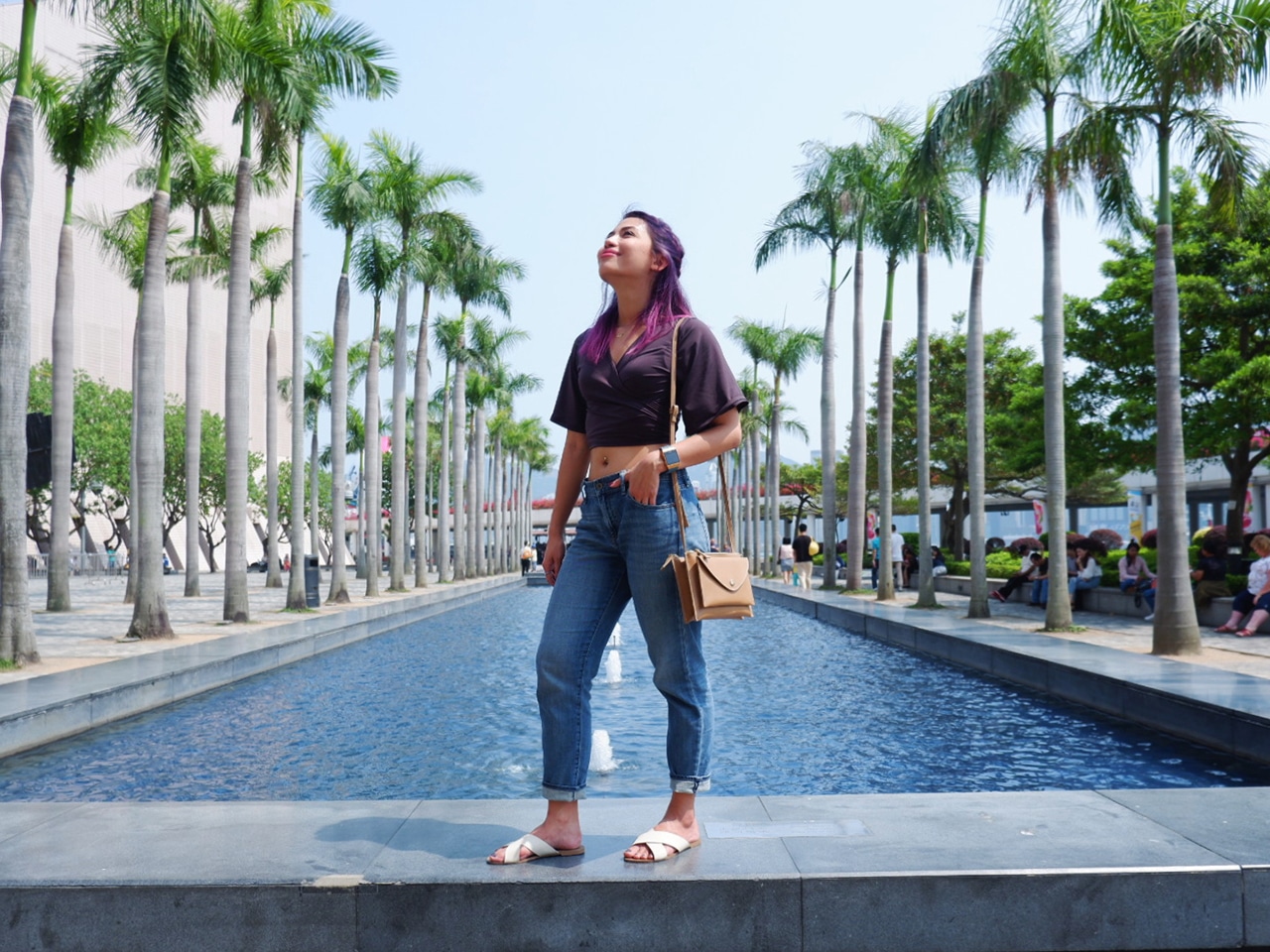

Needless to say, I was pretty happy with the pics, despite my awkward and repetitive posing. Expect these shots to be on my Instagram feed soon.
Videos and vlogging
One of the big things I use my camera for is vlogging. The fact that this thing is light is a big plus for me because it’s the weight my frail arm can handle as I hold out the camera to shoot myself. I mean, I have no idea how people actually shoot video with those humongous vlogging rigs, but that’s not a problem with the X-A5.

Although I’ve shot vlogs with this camera, my main gripe with this thing is that there’s no movie mode on it. This makes it a little hard to preview settings on the screen for shooting video — a problem I’ve grappled with on my X-A3 as well. The camera is capable of recording in 4K, which is literally bigger videos, but the camera display lags too much on that setting so I’d suggest sticking to a lower resolution like 1080p.
What’s great though is that there’s a touch-to-focus feature on video now, something only previously found on the photo mode. The X-A5 is also equipped with an audio port so you can now improve your vlog audio with an external mic.
Is the Fujifilm X-A5 your GadgetMatch?
Obviously, there are bigger, badder, and more expensive cameras out there that do a whole lot that this dainty thing can’t. But, that’s not the point (and those cameras are probably not pink). This shooter is designed for a certain demographic: those, like me, who want a simple, easy-to-use device in a light, compact, and stylish body. It’s not the best camera out there and at its price point, that would be pretty impossible. Nonetheless, it’s a camera that I really enjoy using.

If you’re like me and you’re looking for a more compact camera for IG photos and social media posts with great phone and app integration, you should consider the X-A5. It’s a great camera for beginners and enthusiasts who are just wetting their toes in the pool of content creation.
The Fujifilm retails for US$ 599 in the US and PhP 34,990 in the Philippines.
SEE ALSO: Fujifilm X-A5 is brand’s smallest and lightest mirrorless camera



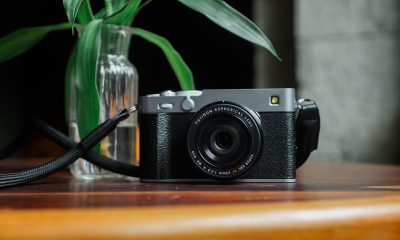

Cameras
DJI’s Inspire 3 Basic Package make 8K aerial filmmaking more accessible
A streamlined kit for independent filmmakers!

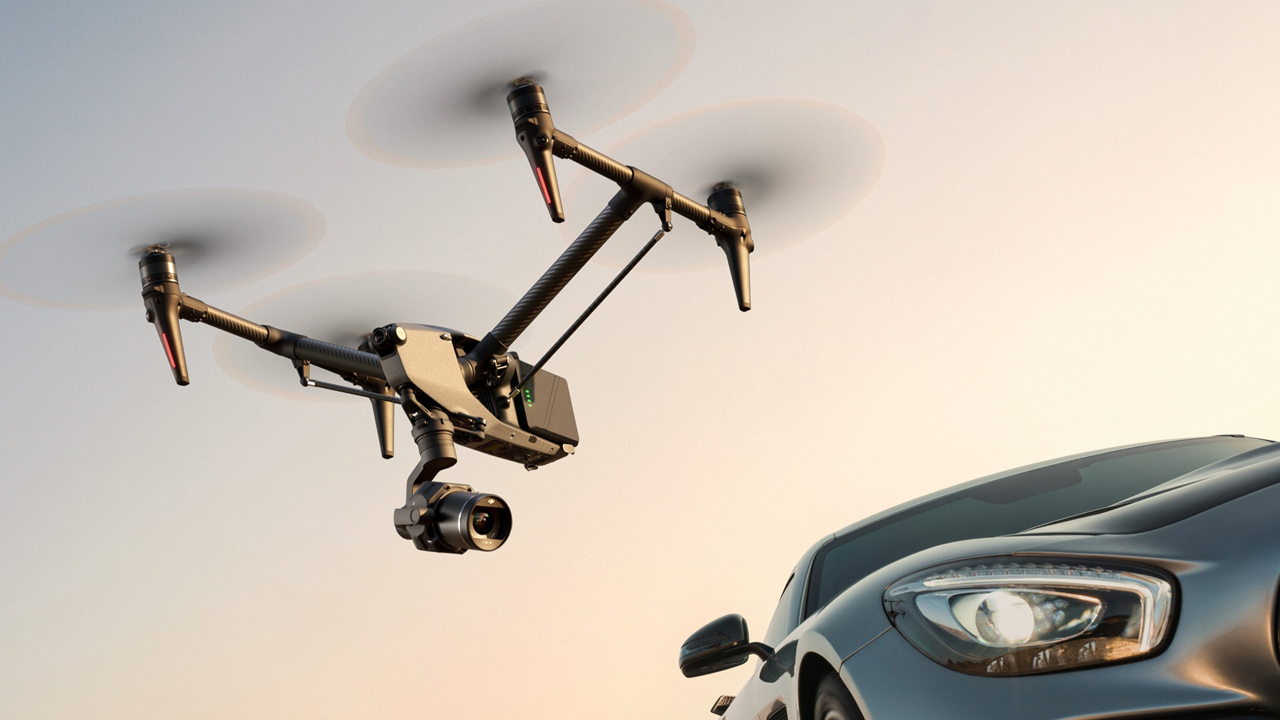
DJI has officially introduced the Inspire 3 Basic Package, a streamlined kit designed to lower the barrier of entry for professional aerial cinematography.
Since its debut in 2023, the Inspire 3 has established itself as the primary choice for studio film and television productions.
This new package provides a cost-effective path for independent filmmakers to integrate 8K aerial imaging into their workflow or for production houses to scale their existing fleet.
Cinema-grade performance in a portable form factor
The Inspire 3 remains a revolutionary all-in-one drone, built to handle the rigorous demands of high-end sets.
At the core of the package is the Zenmuse X9-8K Air Gimbal Camera, which features dual native ISO and more than 14 stops of dynamic range.
These specifications translate to high-fidelity footage that retains authentic colors and accurate skin tones, even when filming in challenging urban environments or varying lighting conditions.
By utilizing the DJI Cinema Color System (DCCS) and the O3 Pro transmission system, the drone acts as a reliable partner in movement, ensuring that technical performance supports the creative vision without the need for overly complex setups.
Essential tools for modern production
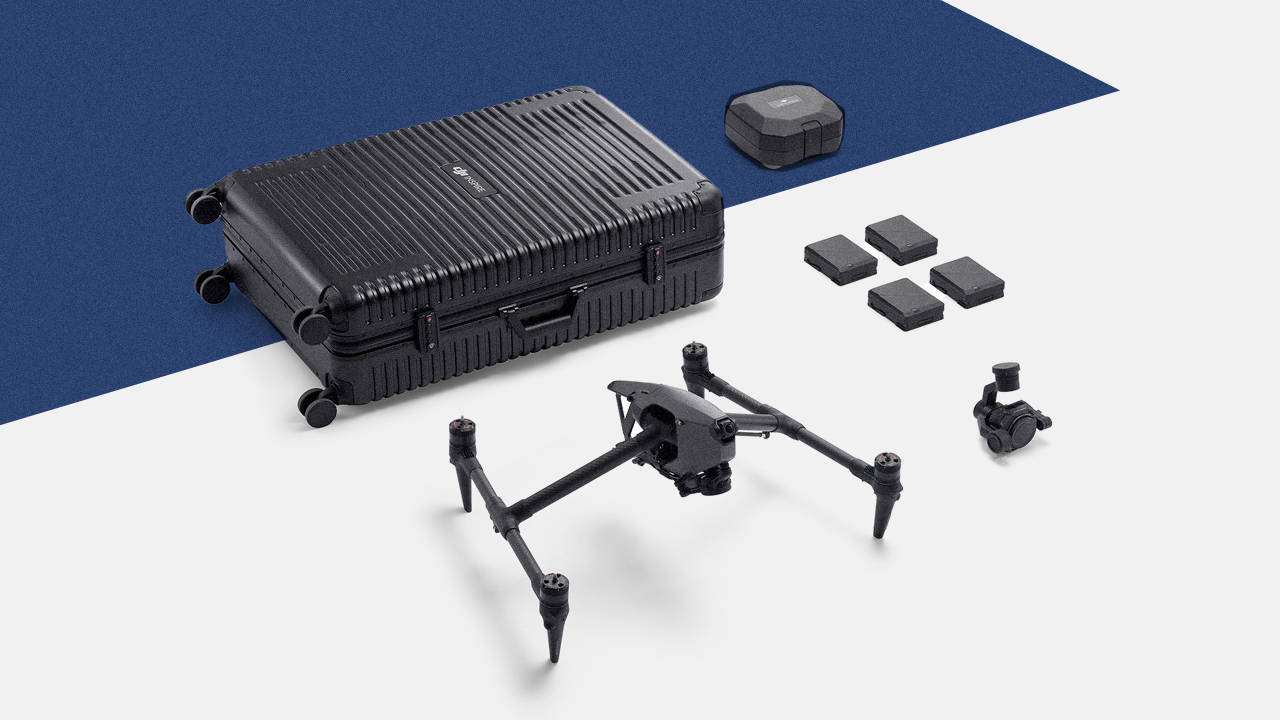
The Basic Package is curated to include the core hardware necessary for professional use while allowing for modular expansion. The kit features:
- The Inspire 3 Aircraft and Zenmuse X9-8K Air Gimbal Camera
- Four TB51 Intelligent Batteries to support extended shooting schedules
- Specialized storage solutions, including the Inspire 3 Trolley Case and Gimbal Camera Case
Filmmakers who require the full ecosystem can still purchase key peripherals separately, such as the RC Plus remote controller, allowing the gear to grow alongside their specific project needs.
Price, availability
The DJI Inspire 3 Basic Package is available starting today through authorized retailers and the official DJI store. The package retails for PhP 615,049.
This release reinforces the philosophy that while technology provides the tools, the focus remains on the life and stories captured through the lens.

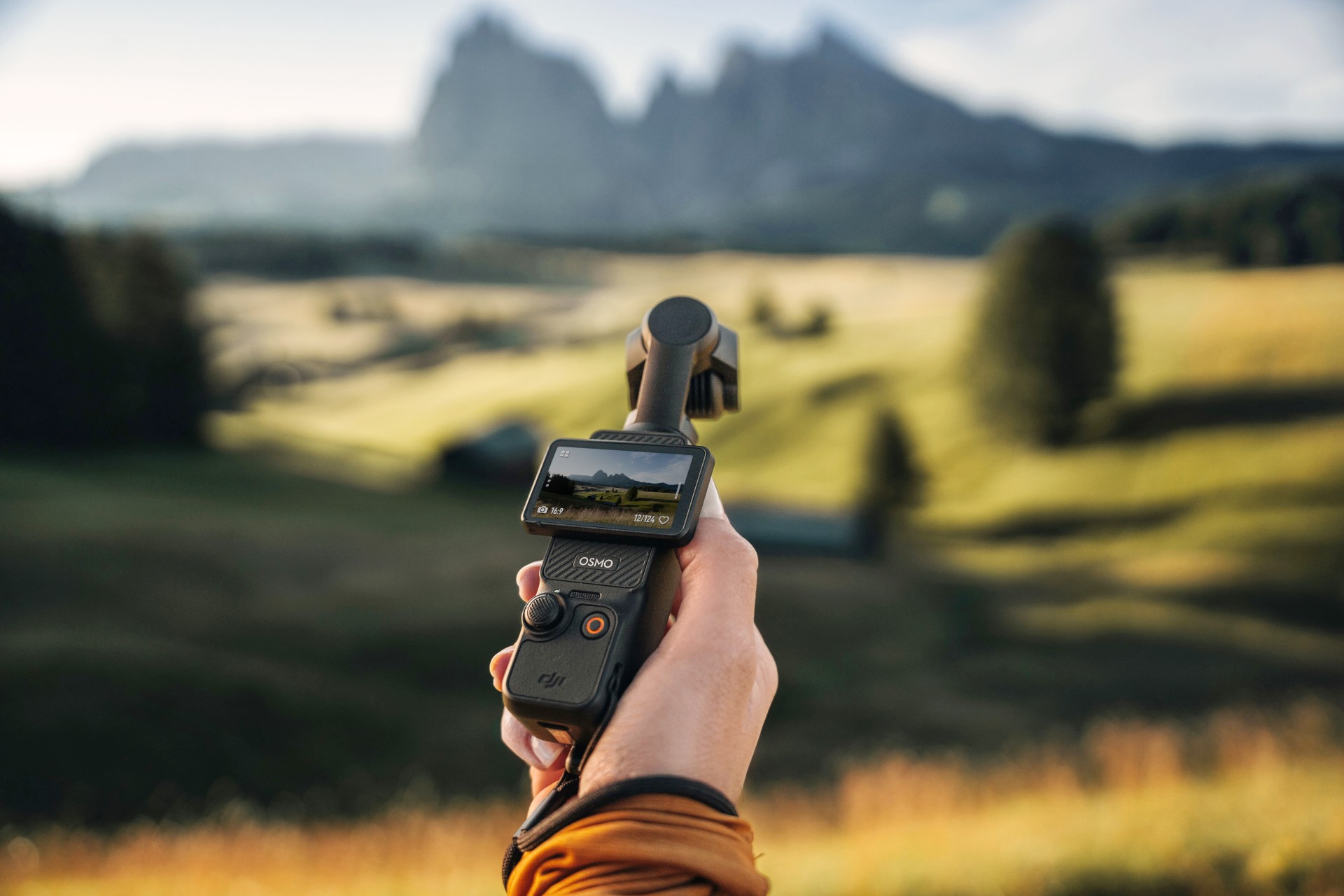
The DJI Osmo Pocket 3 might be the most popular camera in recent history. The tiny action camera constantly sells out, thanks to creators and would-be vloggers. Because of the current generation’s popularity, everyone is looking forward to the next-generation Osmo Pocket 4. Though it’s still unannounced, the new camera has suddenly made a surprising appearance out in the wild.
The leak shockingly comes from an authorized DJI retailer in Kuala Lumpur. Supposedly, a customer entered the store with what they claimed was an Osmo Pocket 4. The store, DronesKaki, even shot a now-deleted video of the unannounced camera, rescued by New Camera.
Based solely on the short video, the Osmo Pocket 4 looks and feels very familiar to those who’ve already used the Pocket 3. The three-axis gimbal system still keeps shots in place for taking videos while on the move. The 2-inch rotating screen looks identical to the current one, especially because of intuitive settings and controls.
However, the biggest standout is the built-in LED light sitting atop the camera. Despite how convenient and easy to use it is, the Pocket 3 doesn’t exactly shine in low-light conditions, prompting users to always bring an external flash. If the leak is true, the Osmo Pocket 4 cures this issue to some extent. (Built-in flashes aren’t usually standout solutions, but they can work in a pinch.)
Still, take the leak with a grain of salt. Though the store could have deleted the video because of a request from DJI, they could have also deleted it because it’s not the Osmo Pocket 4. At this point, we won’t know, but current rumors speculate that the camera is launching soon.
SEE ALSO: DJI Osmo Action 6 review: An adventurer’s best friend
Cameras
Canon PhotoMarathon returns, introduces video, open categories
Happening on April 18 in BGC, Taguig


The Canon PhotoMarathon is officially returning this year and is introducing more categories for enthusiasts to join in.
The 2026 edition, the 19th in the Philippines, will happen on April 18 at the BGC Amphitheater in Taguig City.
For the first time, Canon is opening the competition to non-Canon users. Even those with just smartphones can register. The brand has also added a video category.
Here’s a quick breakdown of the contest categories and their corresponding prizes:
Main Category (Photo)
- Open to Canon users only
- Prize: Canon EOS R6 Mark III with RF24-105mm f/4-7.1 IS STM
Open Category (Photo)
- Open to all camera brands
- Prize: Canon EOS R8 with 24-50mm
Video Category
- Open to all camera brands
- Canon Prize winner: Canon EOS R50 V
- Non-Canon Prize winner: Canon Powershot V1
The full mechanics will be announced on the day of the competition itself to make it even more challenging for those taking part.
To join, simply download the Canon PH Delightful app, create an account, go to the Events tab and select the Canon PhotoMarathon banner. Registration is already open.
To build up hype for the upcoming event, Canon will host photowalks, school tours, and regional tours leading up to the PhotoMarathon.
These are designed to engage photographers at every skill level. Admission is free and open to all digital camera users.


WWE 2K26 lets you live out all the fantasy matches you could want
But you have to play for hours and hours to unlock everyone.


The HONOR X8d is serviceable
Steady but slow?


POCO X8 Pro Max review: A new beast from the far east
That "Pro Max" naming superlative is more than justified
WWE 2K26 lets you live out all the fantasy matches you could want

Shokz OpenFit Pro launches at Power Mac Center, brings open-ear noise reduction

How the Ford Ranger is powering community resilience

God of War: Sons of Sparta takes a more contained approach to Kratos

Samsung brings AirDrop support to Quick Share with Galaxy S26 series


-
Reviews6 days ago
POCO X8 Pro Max review: A new beast from the far east
-

 News6 days ago
POCO X8 Pro Series: Price, availability in the Philippines
-

 Laptops2 weeks ago
Apple MacBook Neo Review
-

 Apps2 weeks ago
Google Maps is finally getting a 3D mode
-

 Features2 weeks ago
Galaxy AI on the Samsung Galaxy S26 Ultra
-

 Entertainment2 weeks ago
The internet is thirsting over the One Piece Season 2 cast
-

 Automotive2 weeks ago
BYD is reportedly considering an F1 team
-

 Gaming2 weeks ago
Resident Evil Requiem will get a story expansion