

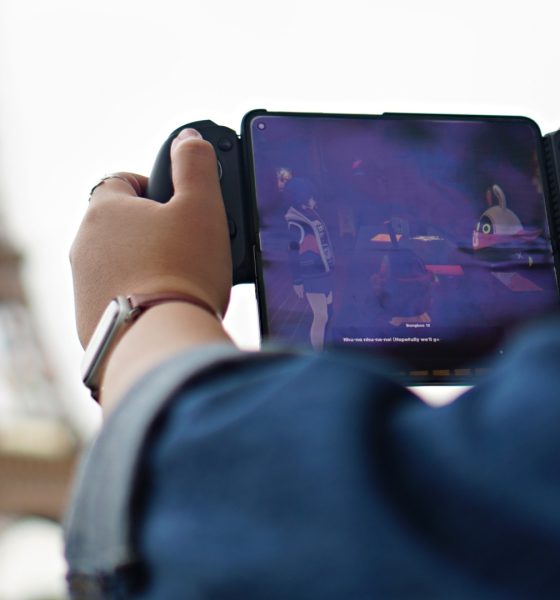

This might just be the only bluetooth controller you’ll ever need. Yes, that’s hyperbole. But the GameSir G8 Plus’ versatility makes it a truly compelling option.
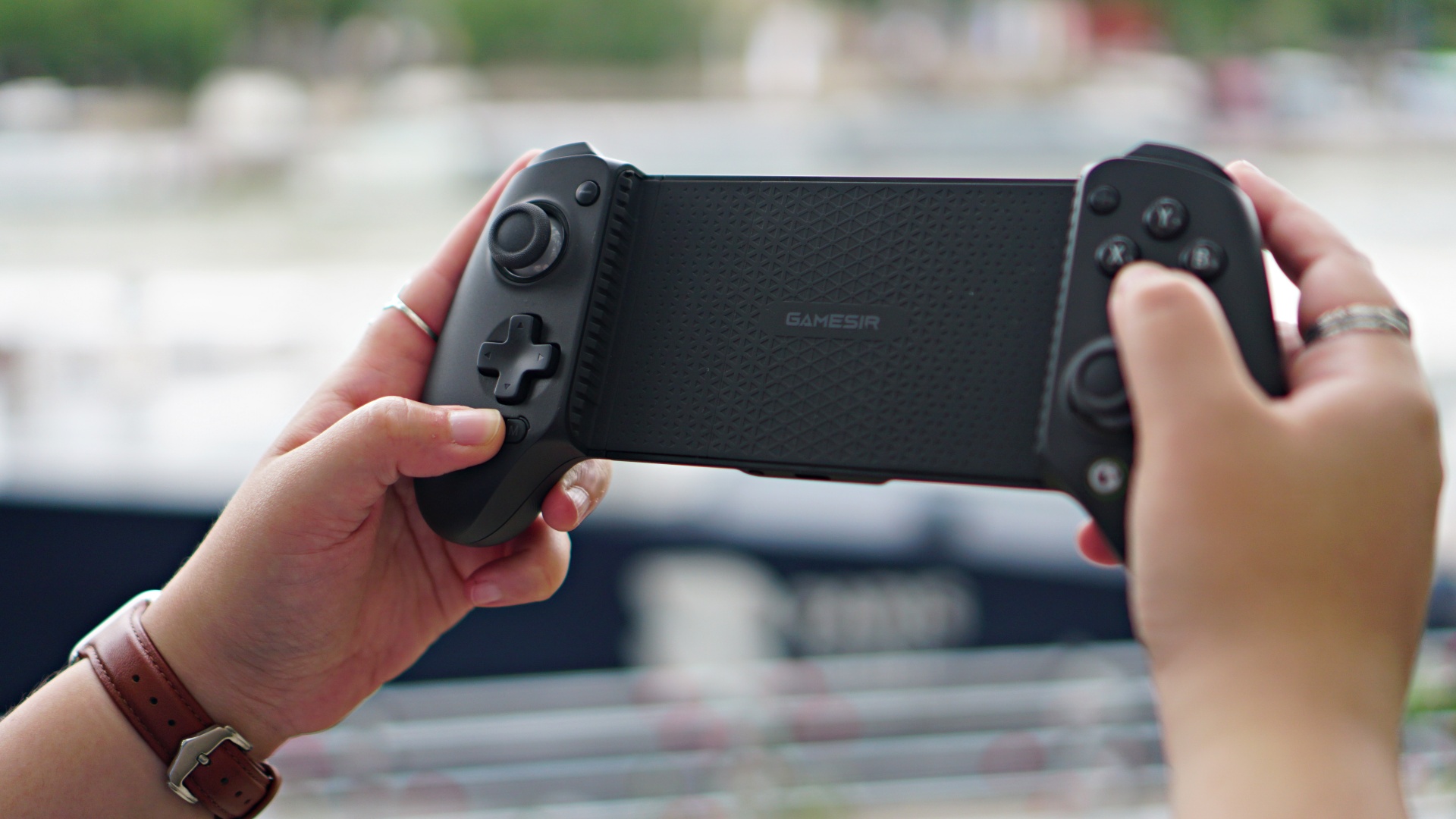
Let’s get the basics out of the way. What makes this a “Plus?” How is it different from the G8 Galileo? Here’s a quick table comparing the two.
| G8 Plus | G8 Galileo | |
| Connection | Bluetooth (Mobile Devices)
Wired or Wireless dongle (PC) |
Type-C |
| Compatible Platforms | Switch/Android/iOS/Tablet/PC | Android/iPhone 15 Series |
| 6-axis gyroscope | Yes | No |
| Battery | 1000mAh | No |
| Rumble Motor | Yes | No |
| Detachable Component | Faceplate/Stick Cap/ Face
Button |
Faceplate/Stick Cap |
| Headphone Jack | No | Yes |
| Compatible Device Length | 120-215mm/4.72-8.46in | 110-185mm/4.33-7.28in |
| Weight | 313.5g | 242.9g |
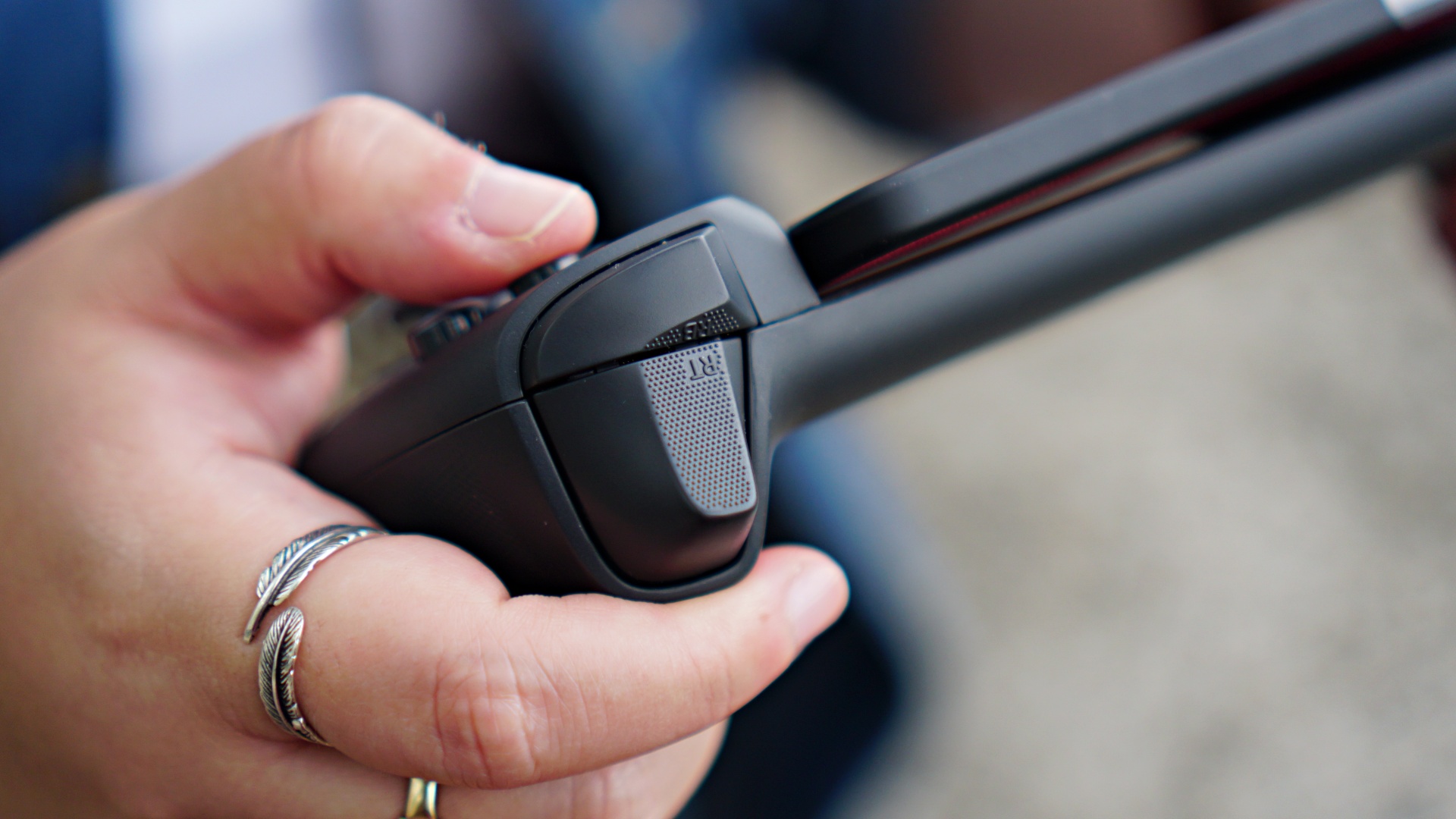
The rest of the excellent stuff found in the G8 Galileo are also in the G8 Plus. Those are Hall Effect sticks and triggers, tactile switches, and overall full-controller grip. It’s ergonomically sound and makes for a really good gaming experience.
Now that that’s out of the way, what’s it actually like to play on them?
With foldables
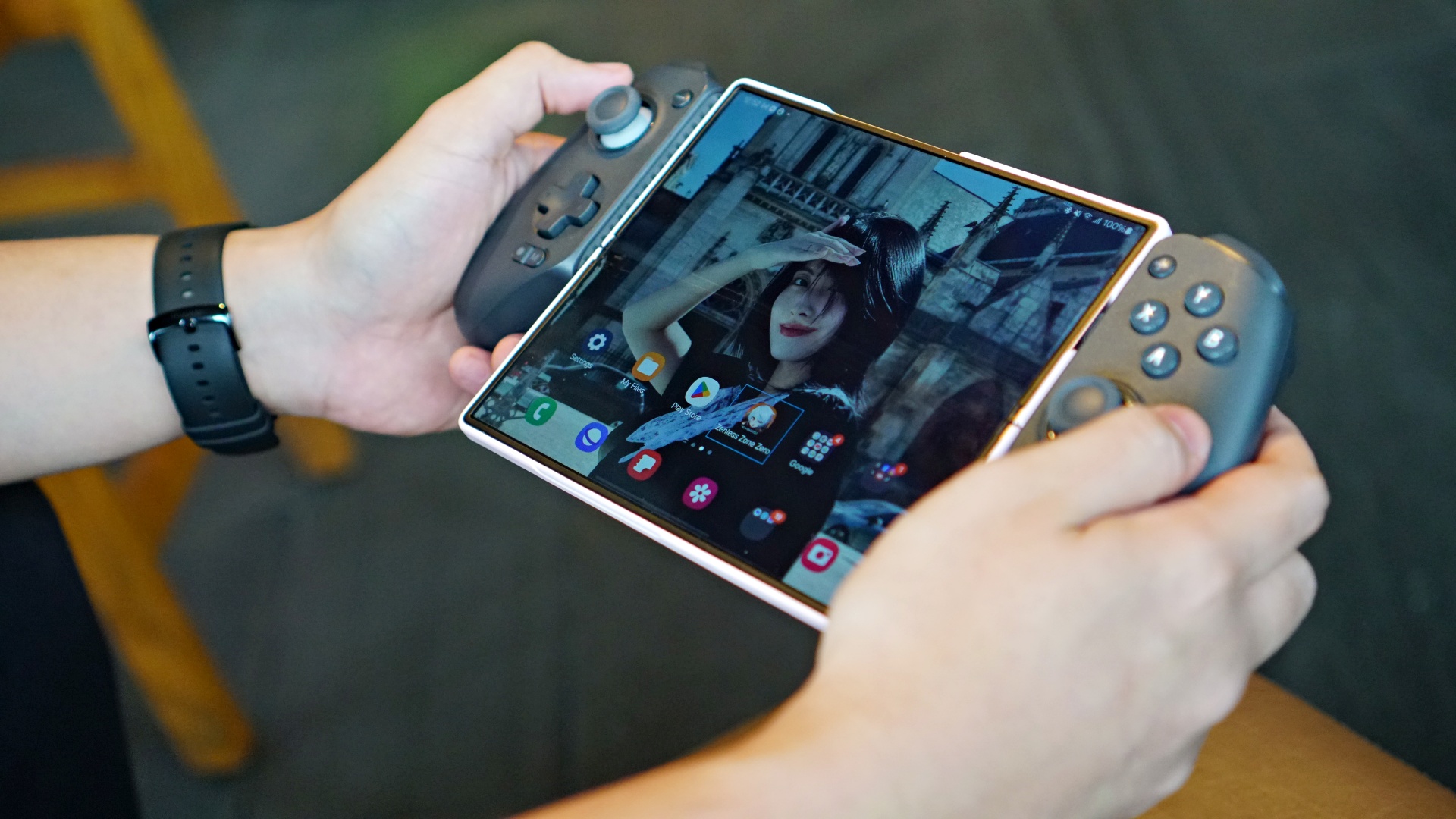
When it comes to mobile gaming, my devices of choice are foldables. During my testing period, I used the GameSir G8 Plus with the OPPO Find N3, HONOR Magic V2, and even the recently launched Samsung Galaxy Z Fold6.
I almost exclusively played HoYoverse’s latest, Zenless Zone Zero or ZZZ. It’s a game who’s mobile version is controller compatible when played on Android. It’s come to a point that I can’t play the game anymore without a controller.
View this post on Instagram
Navigation and, most importantly, combat, just feels extremely good with a controller. Dealing a barrage of normal attacks and capping it off with a special attack while mixing with dodging using the face buttons feel intuitive.
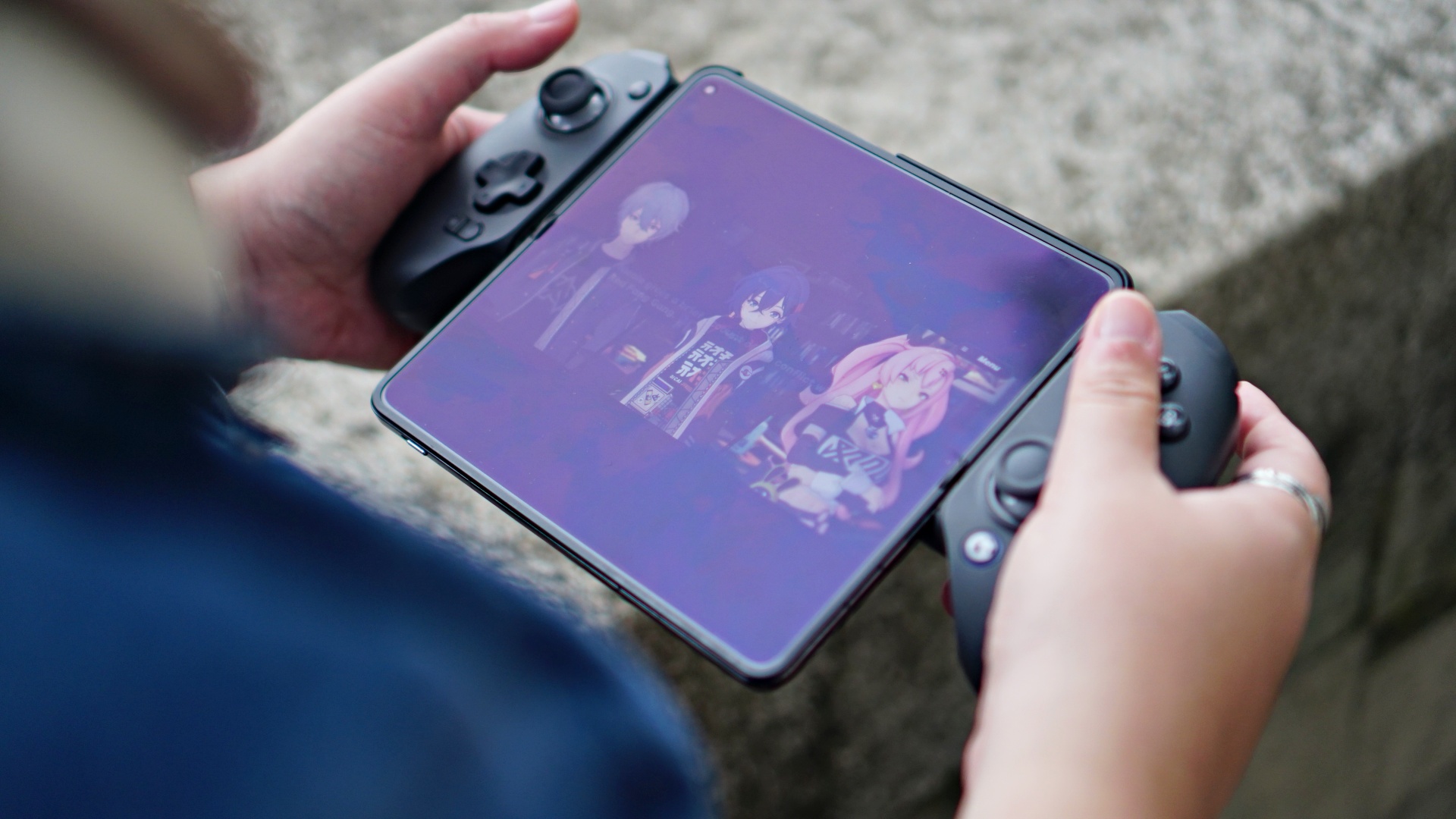
Zenless Zone Zero
Things elevate further when you counter certain attacks from enemies with a character switch using the Triggers. As someone who primarily plays on consoles and with gamepad controllers, the whole experience felt mostly seamless.
I say mostly because the connection between the controller and the device had some hiccups during the first few times I connected them to the foldables. This didn’t persist and was more seamless when I settled with playing on the Galaxy Z Fold6.
Connecting to different devices
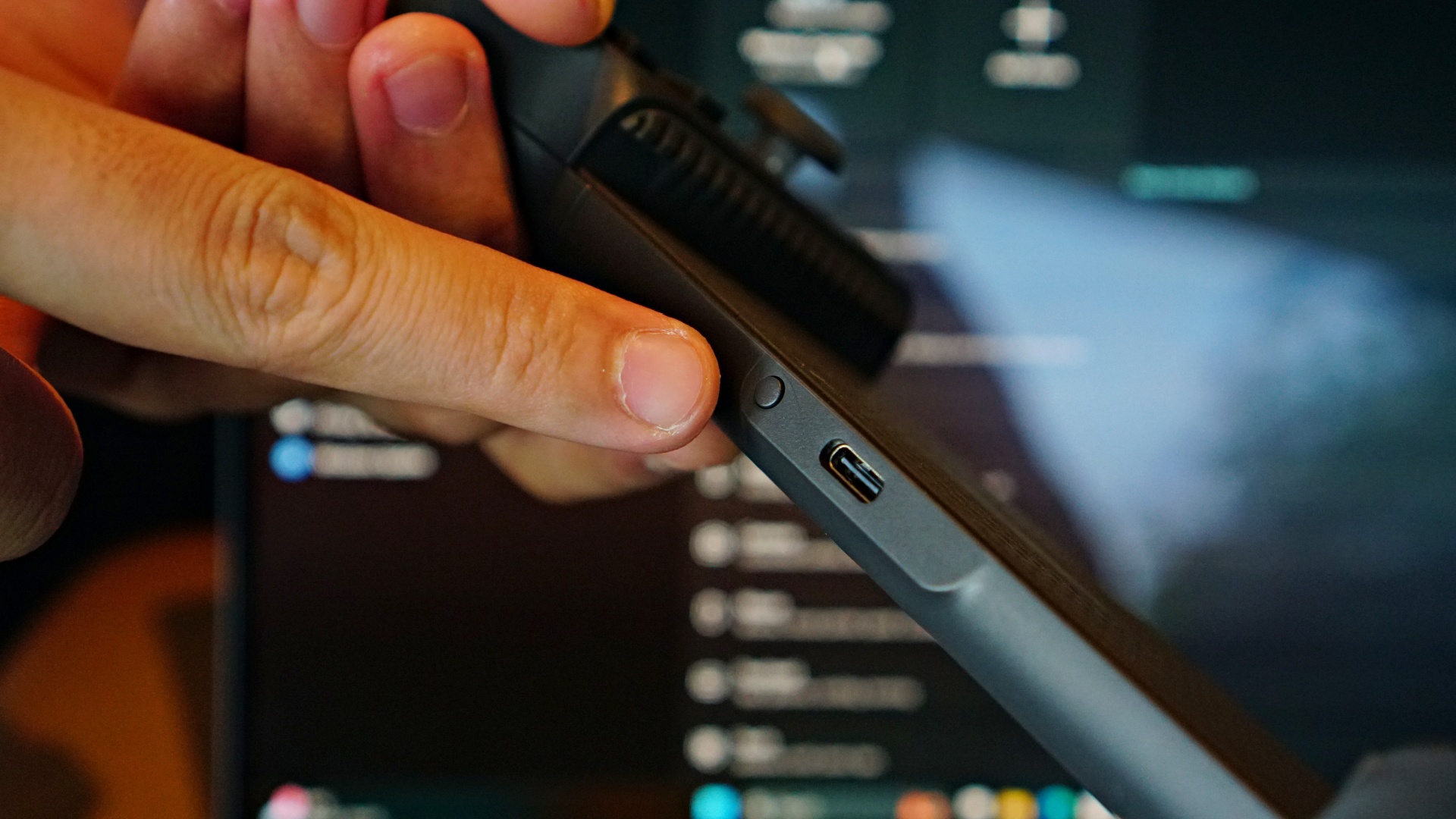
This is the Pairing button
I didn’t have as much of a problem when I connected it to a 12.4-inch tablet. The experience here felt a little different. Instead of having the screen sandwiched between the controller, I was playing similar to how I would on consoles – with the controller in hand and the tablet safely situated on a flat surface.
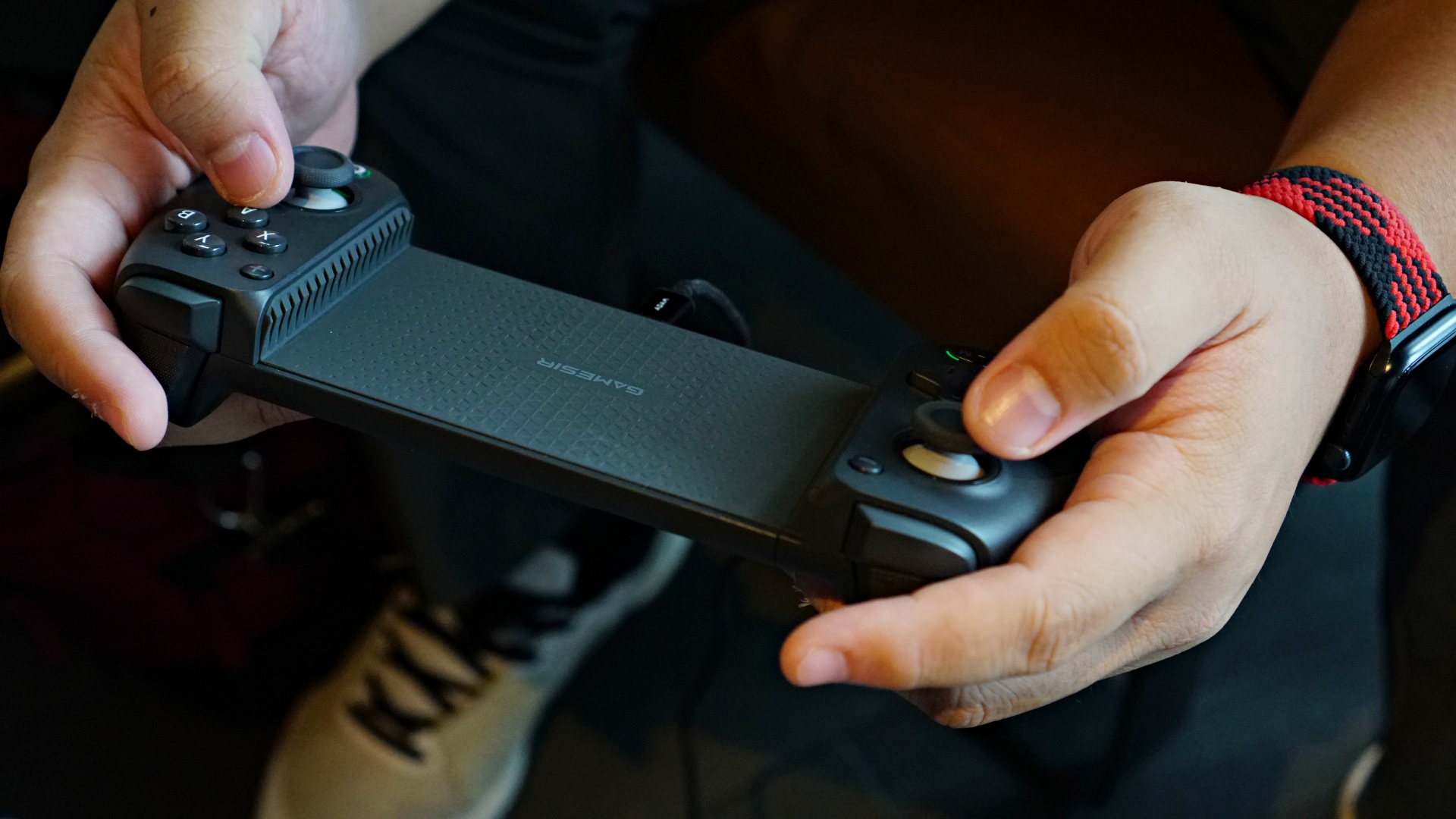
With the gap in the middle of the GameSir G8 Plus, I admit this was a little funky to look at. But thanks to the way the grips of the controller are designed, it almost felt like using a regular controller after a while. It’s just a larger gap, which I sometimes missed when I went back to using a DualSense controller.
As detailed in the table, at the top of the article, the G8 Plus is compatible with iOS, Android, Tablet, Switch, and PC. You can select four modes when pairing. By default, mine was mostly in DS4 mode which is achieved by pressing and holding the button next to the screenshot button and the Y face button. When doing this, the GameSir Logo on the lower right part of the controller turns to blue.
Here’s a complete list of the different connection modes with their color indicators on the Home/Power button (the one with the GameSir Logo).
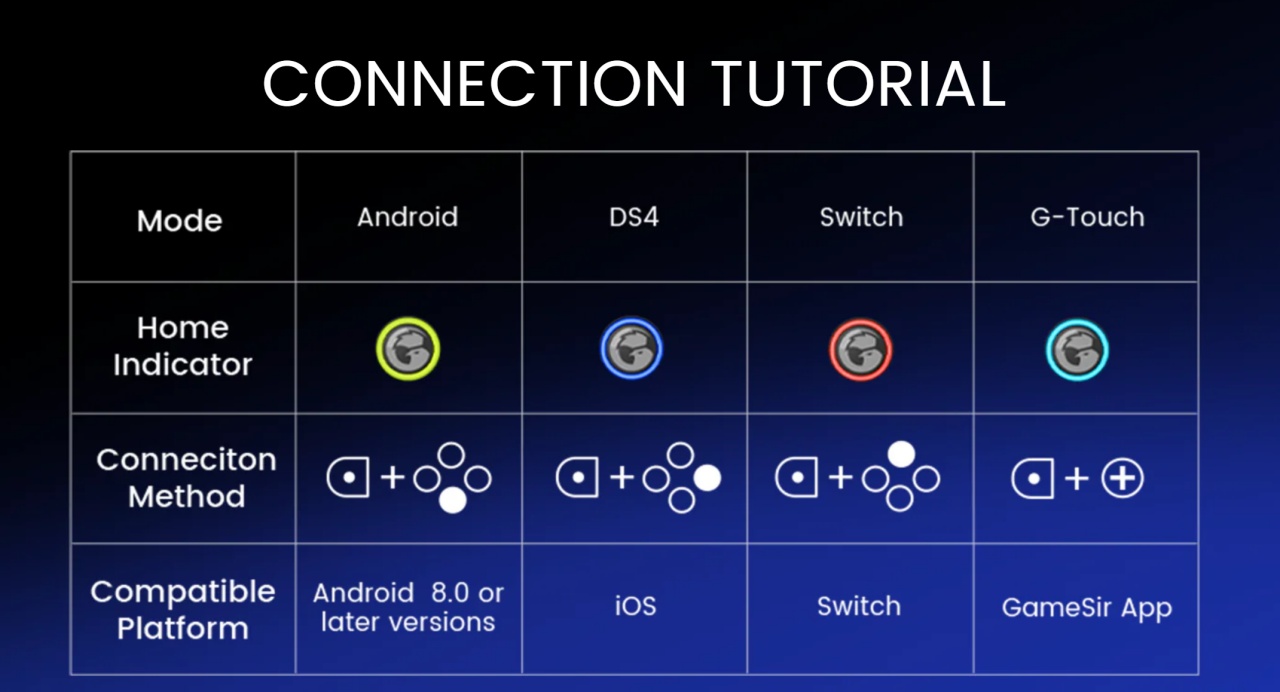
Connection woes
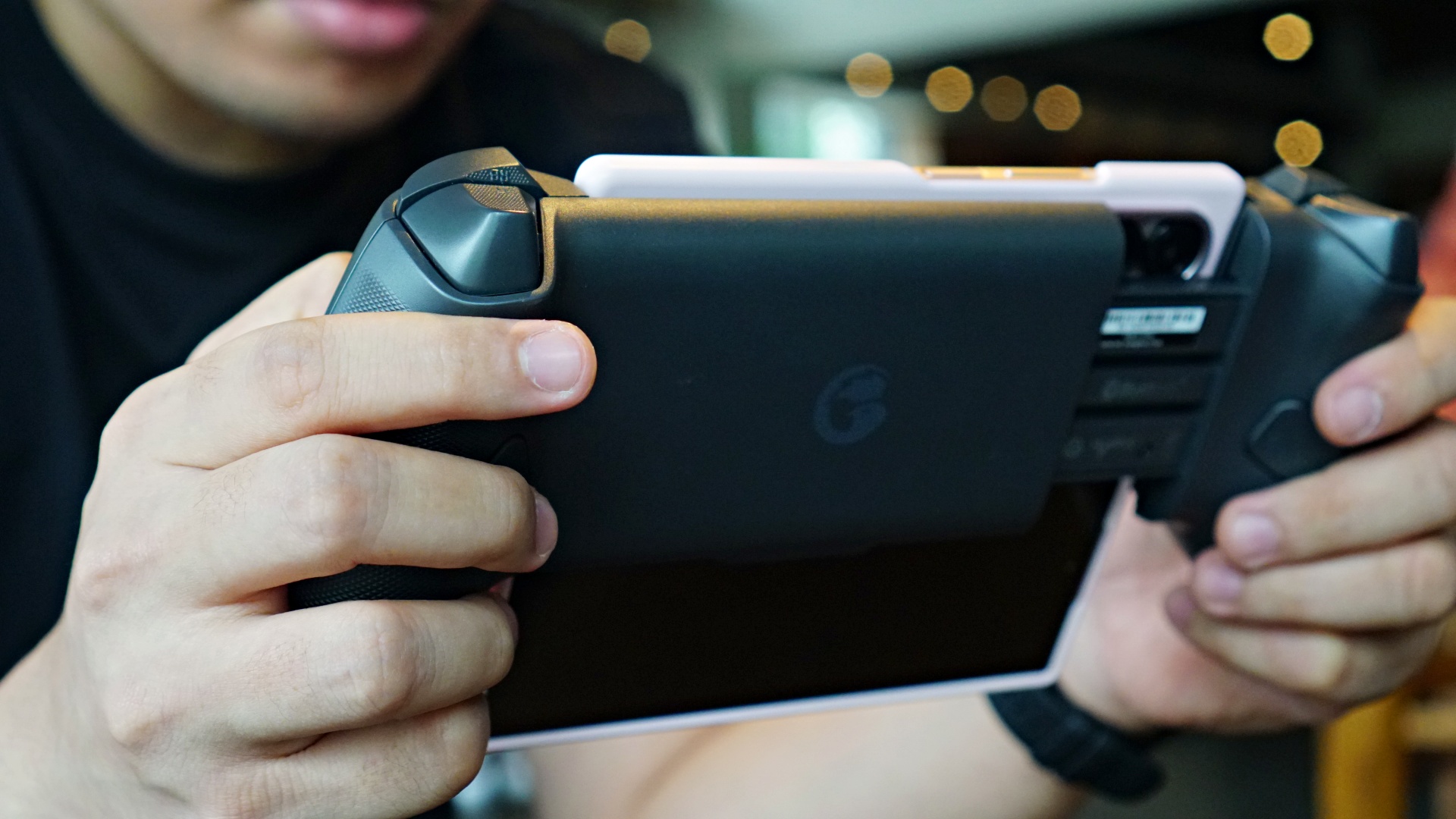
I found that pairing with different devices is relatively easy. However, some games don’t always recognize right away that a controller has been paired. For this instance, I suggest just restarting the game/app until it recognizes the controller.
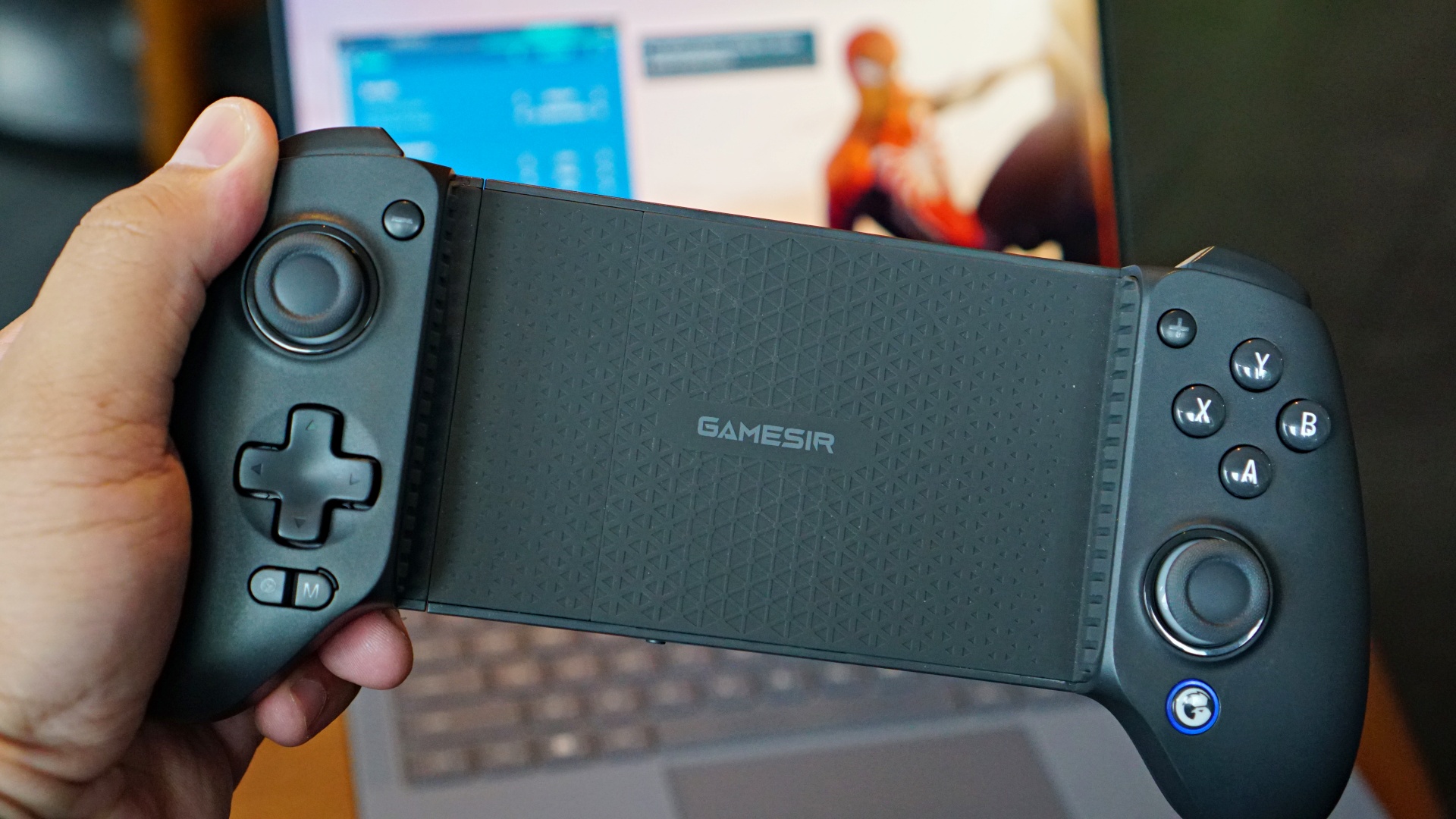
Connecting with a PC or laptop is a little trickier. Earlier in my testing phase, it didn’t work at all so I had to ask GameSir if it’s really supposed to work with PC. I’m not entirely sure what happened, but after they answered my query, the controller started working, albeit sparingly.
They suggested pairing with a PC using either the Switch or DS4 modes. When in Switch mode, it shows up as “Pro Controller.” But in DS4 mode, it shows up as “Wireless Controller.” I found that the DS4 mode worked best for me but only when using Steam.
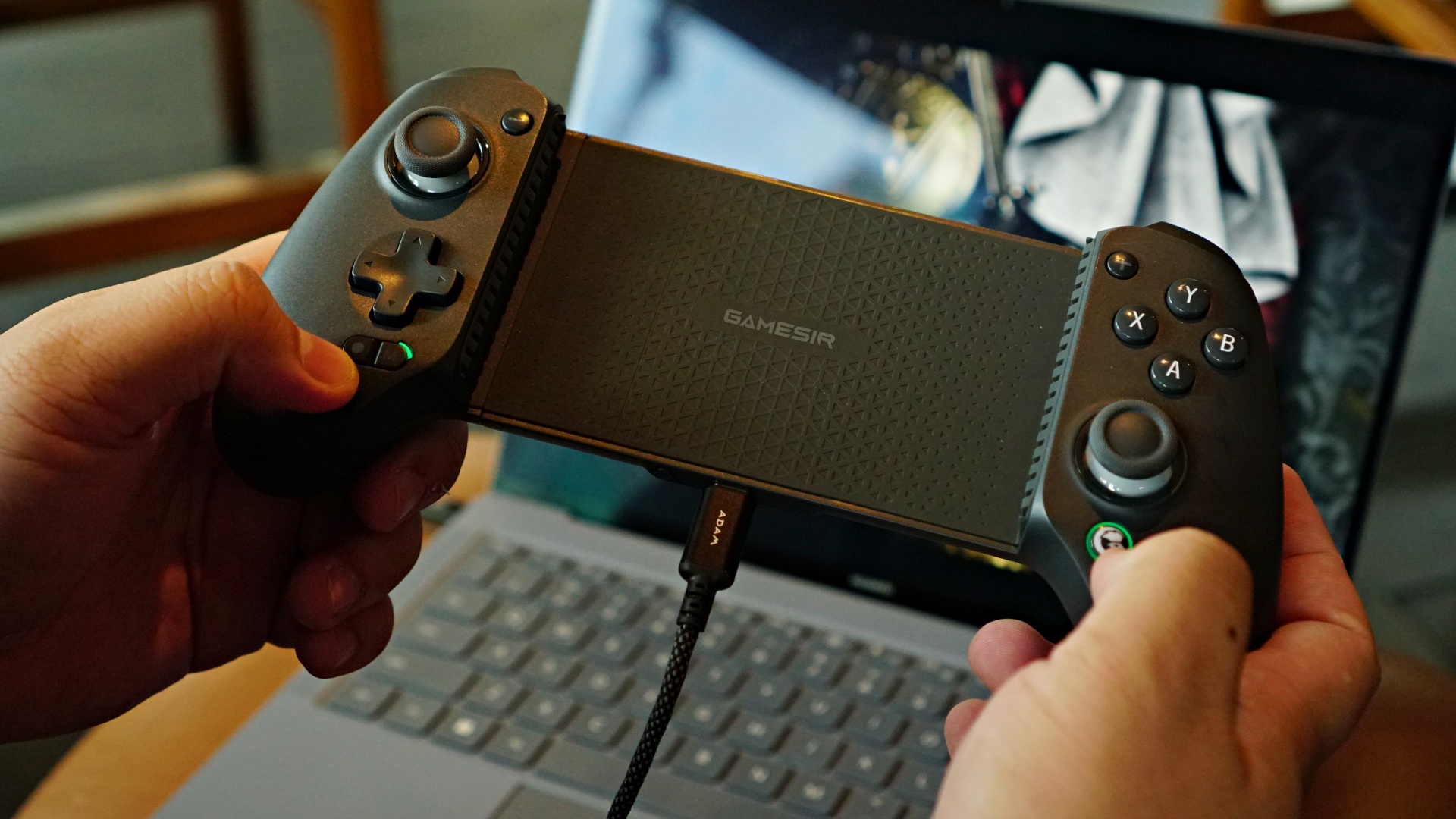
When I tried to use the Xbox App, neither connection mode worked seamlessly. For best results, just use a cable. When using a cable, the PC recognizes it as an Xbox Gamepad and works like a dream.
I personally don’t own a Switch so that’s something I was able to test. But I did see a handful of clips on the interwebs showcasing this and it looked pretty rad.
PS Remote Play
PS Remote Play
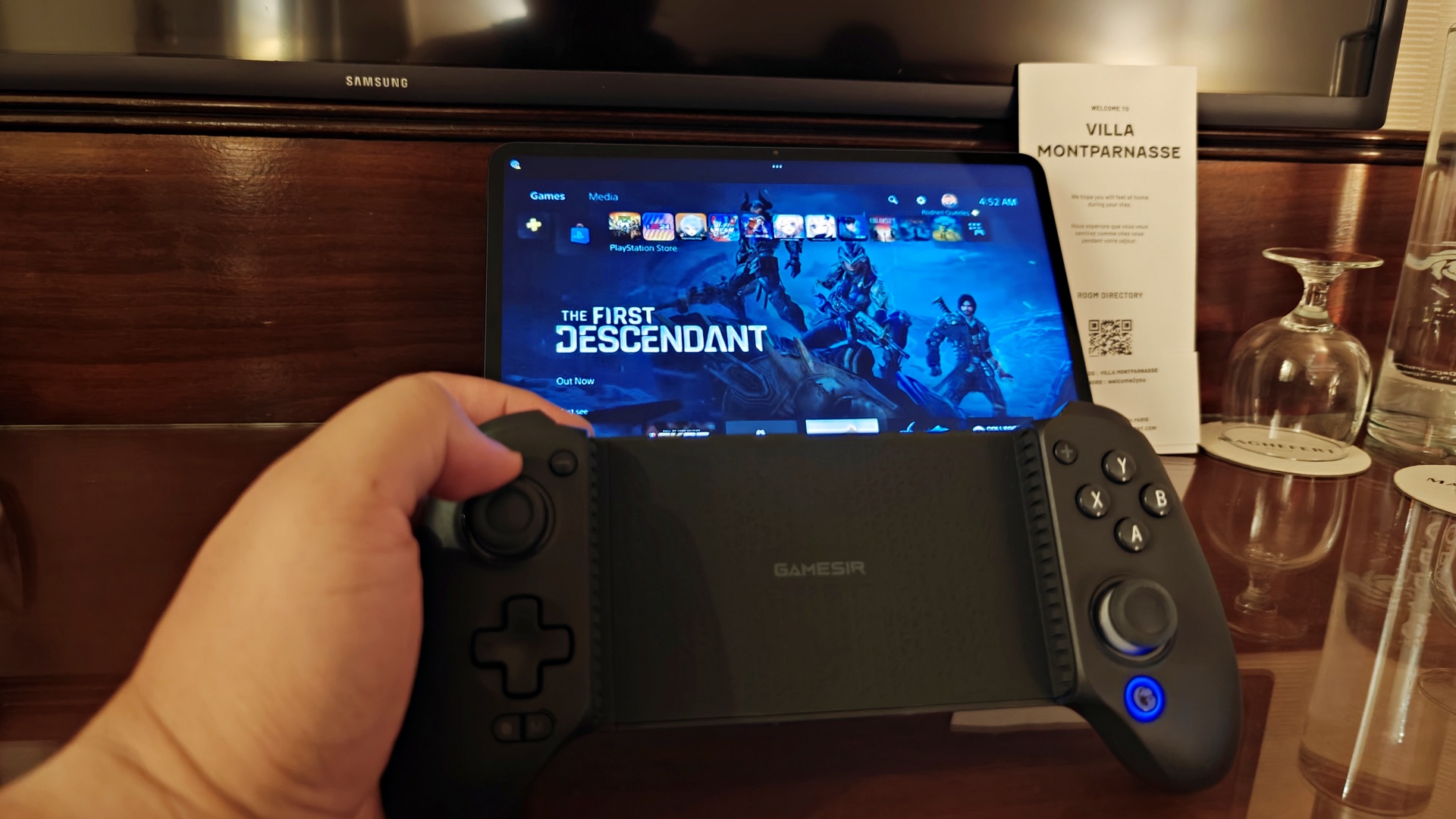
Another usage I got the most of with the GameSir G8 Plus is as my primary PS Remote Play controller. It has effectively usurped my GameSir G8 Galileo because with it, I can use Remote Play on any of my smartphones or my 12.4-inch Xiaomi Pad Pro 6S.
With this setup, I was able to scratch my NBA 2K itch even when I was in Paris, France for a work trip. If you already own a tablet that can run the Remote Play app, grabbing the GameSir G8 Plus might be a more palatable option than having to get the PlayStation Portal.
Is the GameSir G8 Plus your GadgetMatch?
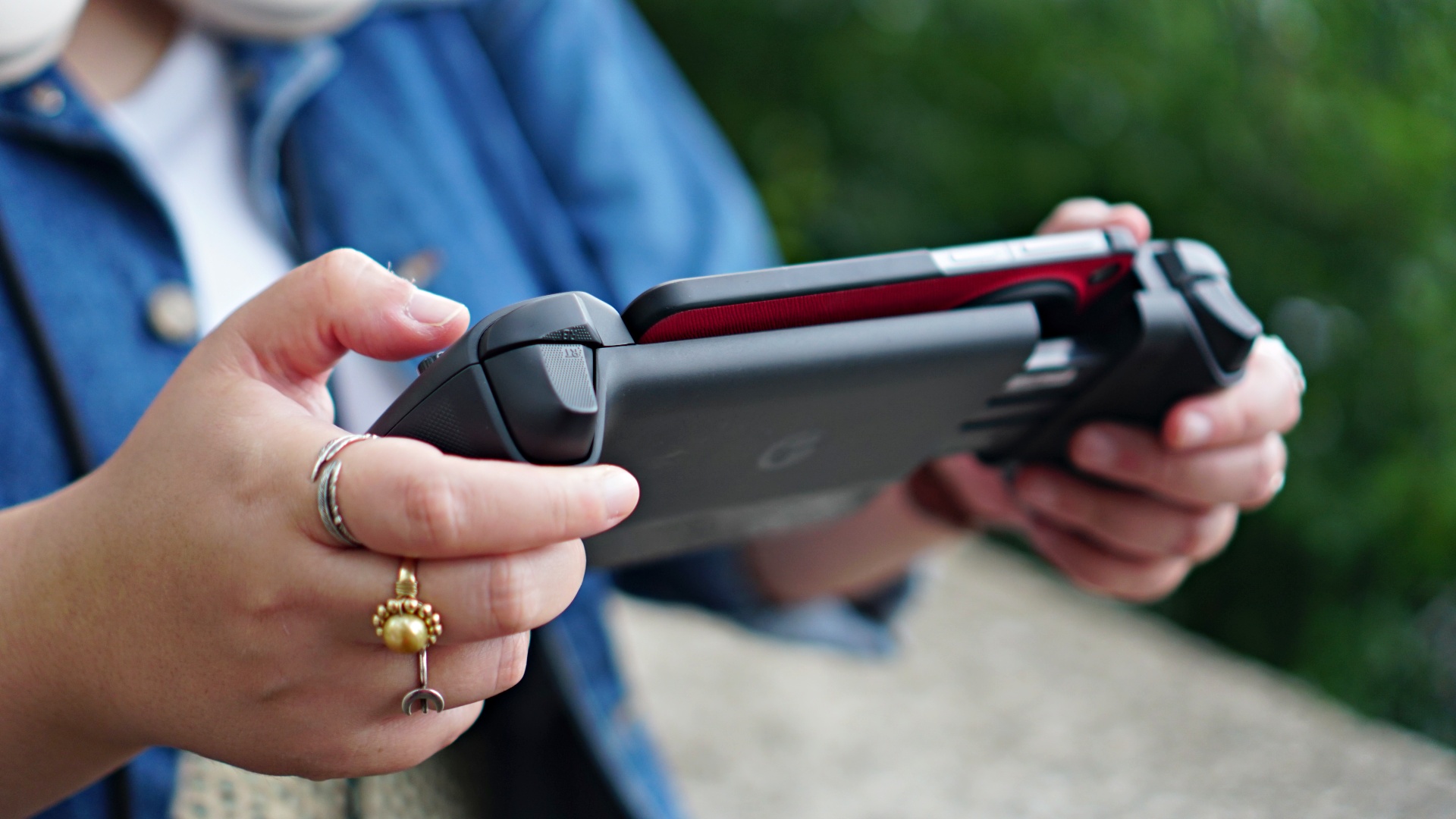
This is one of my easiest recommendations ever. If you play on multiple platforms, it’s very handy to have the GameSir G8 Plus. It’s priced almost just as much as other regular bluetooth controllers. But this one comes in a form factor that works well with smartphones of all shapes and sizes, tablets, the Switch, and even laptops/PC. Versatility is its greatest attribute.
On top of its multiple connection possibilities, it’s just a really well-built controller that feels good on the hand. The hall-effect sticks and triggers ensure no drift and longer-lasting use. Oh and I didn’t even mention the rumble earlier. It feels great.
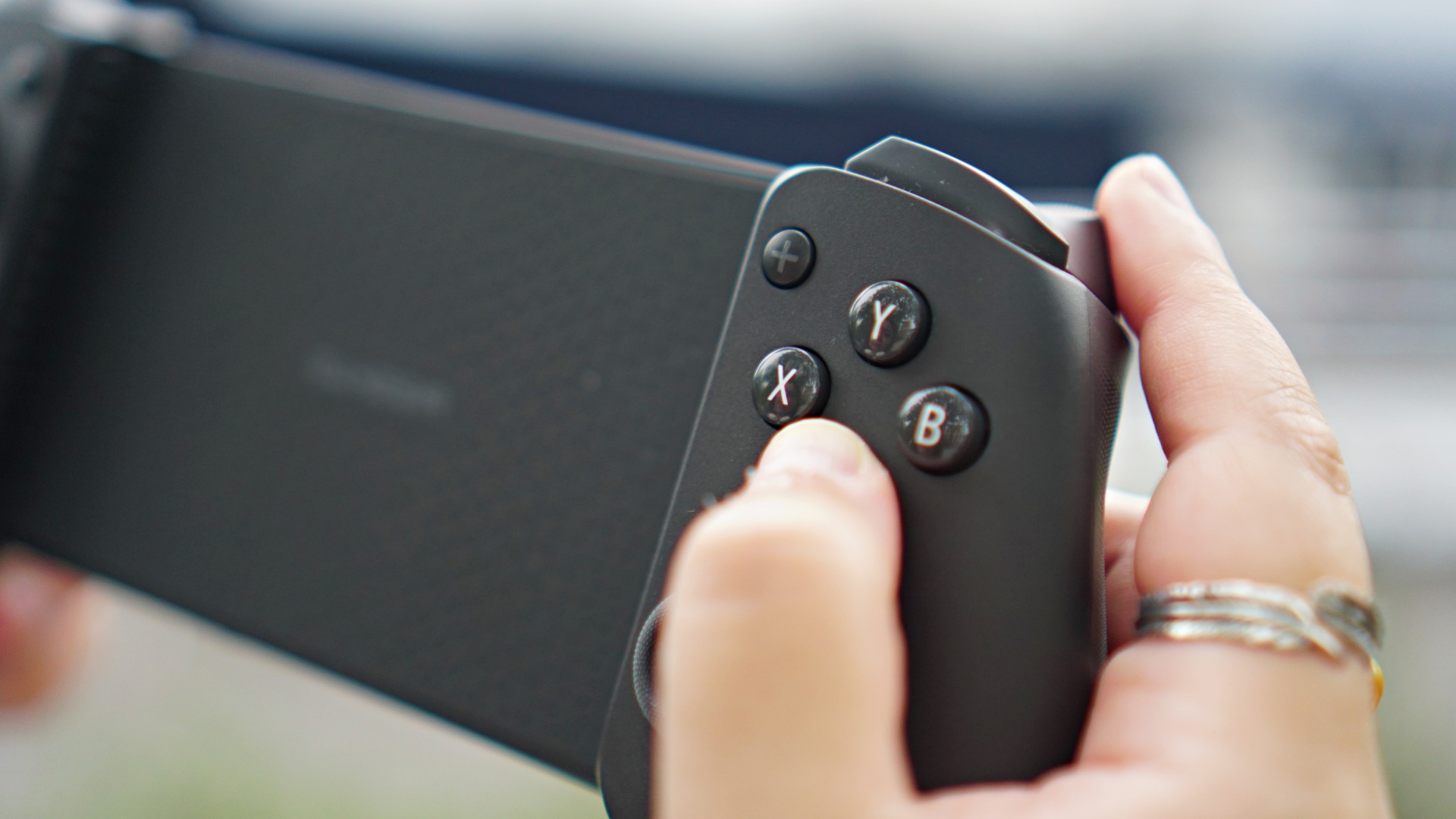
For tinkerers, you can make the GameSir G8 Plus your own even more thanks to its replaceable faceplate, stick caps, and face buttons. Personally, I’m hoping to find face buttons that can shift from Xbox, to Switch, to PlayStation orientations. If that’s something you customize, hit me up.
The GameSir G8 Plus retails for:
| Price | Buy Links | |
| US | US$ 79.99 | https://amzn.to/4cXLMcs |
| CA | $ 99.99 | https://amzn.to/4cRzWAj |
| JP | 11182 | https://amzn.to/3YagPNu |
| AU | $ 159.00 | N/A |
| BR | R$ 499.00 | N/A |
| UK | £ 79.99 | https://amzn.to/3WilTN1 |
| IT/ES/FR/DE | € 79.99 | IT – https://amzn.to/3LC6imK | FR – https://amzn.to/3SnTQe3 |
If you’re location isn’t listed, just use this code at checkout to get 10% off (vaild until November 30): GSG8PLUSOFF





Accessories
IQOS x Isabel Santos turns heated tech into a cool, design statement
A limited-edition collaboration where product innovation meets contemporary Filipino art.

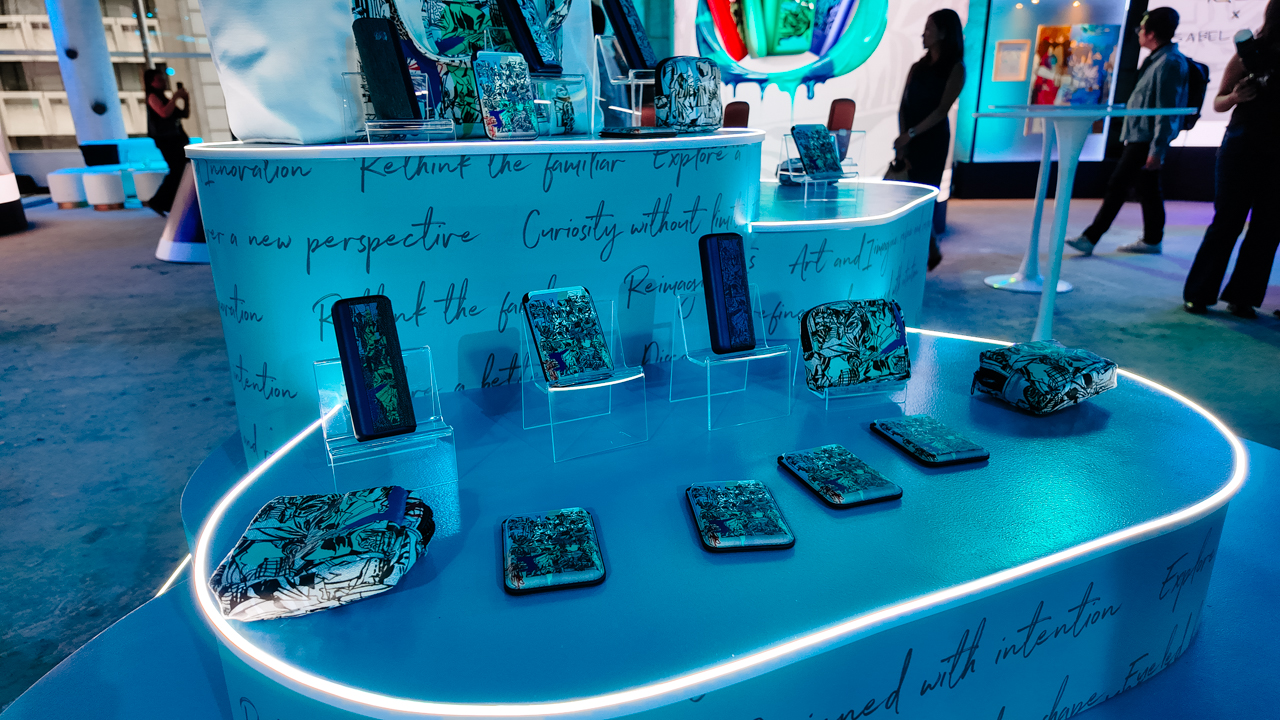
IQOS unveiled its latest collaboration with contemporary Filipino visual artist Isabel Santos.
Titled Curiosity Without Limits, the partnership places product design and personalization at the forefront, using art as the medium that reshapes the experience.
When hardware becomes a canvas
On a Friday night in Makati, RCBC Plaza felt less like a business address and more like a portal. The third floor glowed in deep blues and music echoed through concrete walls.
Inside, a crowd gathered not for a board meeting, but for something far more immersive. At the center stood a curated installation of IQOS devices and limited-edition accessories wrapped in Santos’ signature visual language.

Her works, known for their fluid motion, layered forms, and bold interplay of blue, teal, and bursts of warmth, extended beyond framed canvases and into physical objects people could carry.
Hand-painted IQOS devices, tote bags, pouches, luggage tags, and magnetic snap wallets were displayed like collectible pieces rather than merchandise.

Personalization as part of the ecosystem
Beyond display, the event emphasized interaction. Legal-age IQOS club members were given access to on-site customization stations, where devices could be personalized with exclusive Isabel Santos designs.
The process turned a familiar tech ritual into something participatory, aligning with the broader theme of curiosity driving experimentation.

A digital sensory wall responded to movement, animating Santos’ artwork through ripples and waves.
Nearby, a sketch station allowed guests to draw digitally. Guests were able to see their creations projected in real time onto a large screen. The experience reinforced IQOS’ positioning at the intersection of product innovation and experiential design.
Design meets contemporary culture
Isabel Santos, known for her motion-driven compositions and layered abstractions, unveiled and signed a central artwork created exclusively for the collaboration.
Her ability to translate emotional rhythm into visual form brought dimension to IQOS’ structured aesthetic.

The partnership was announced by PMFTC Inc., the Philippine affiliate of Philip Morris International, framing the initiative as a design-led project for legal-age nicotine users who would otherwise continue to smoke.
While IQOS devices are engineered around heated tobacco technology, the collaboration highlighted how design can influence perception and experience. The devices remained technologically consistent. What evolved was the narrative around them.
Beyond the launch
IQOS is positioning its hardware not only as a technological alternative, but as a lifestyle object shaped by collaboration and customization.
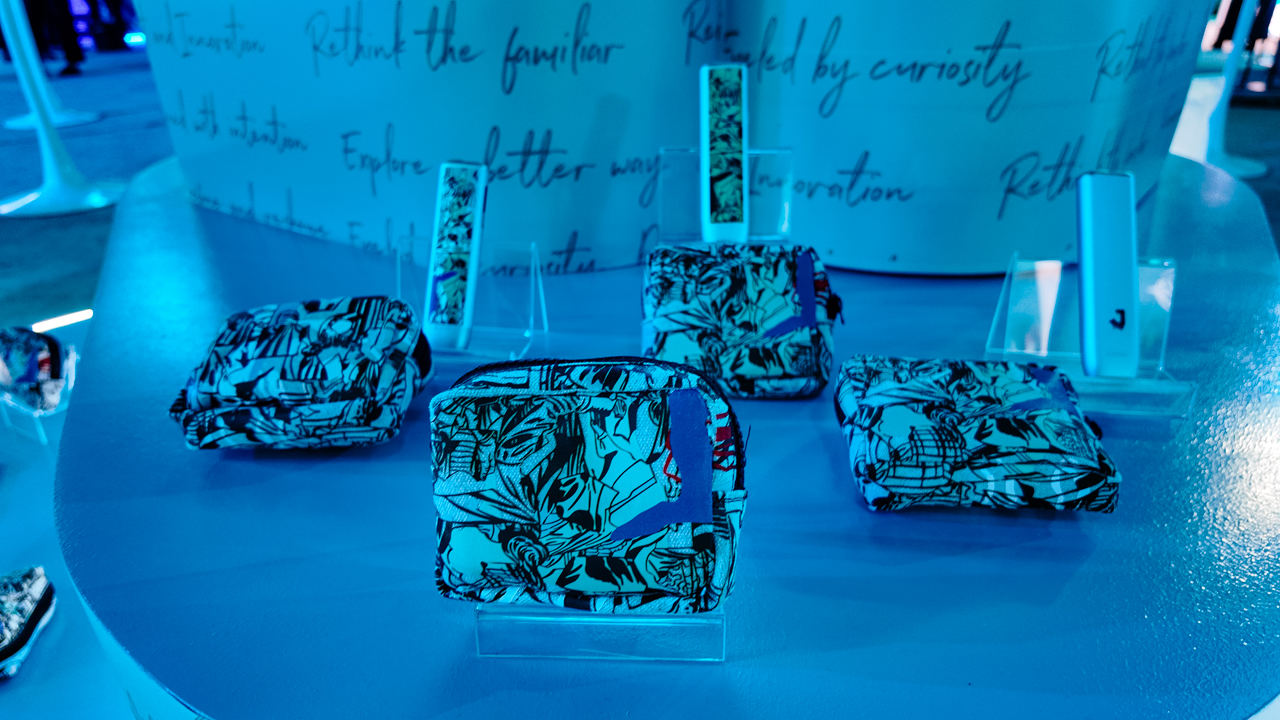
The IQOS x Isabel Santos collection extends to participating IQOS boutiques nationwide. Select locations in Bonifacio Global City, SM Mall of Asia, and Glorietta offer personalization services for a limited time, with a dedicated in-store installation unveiled at the Glorietta boutique.
Accessories
Jackery portable power solutions makes appearance at Doraemon Run
New portable power solutions provider set to make official launch soon

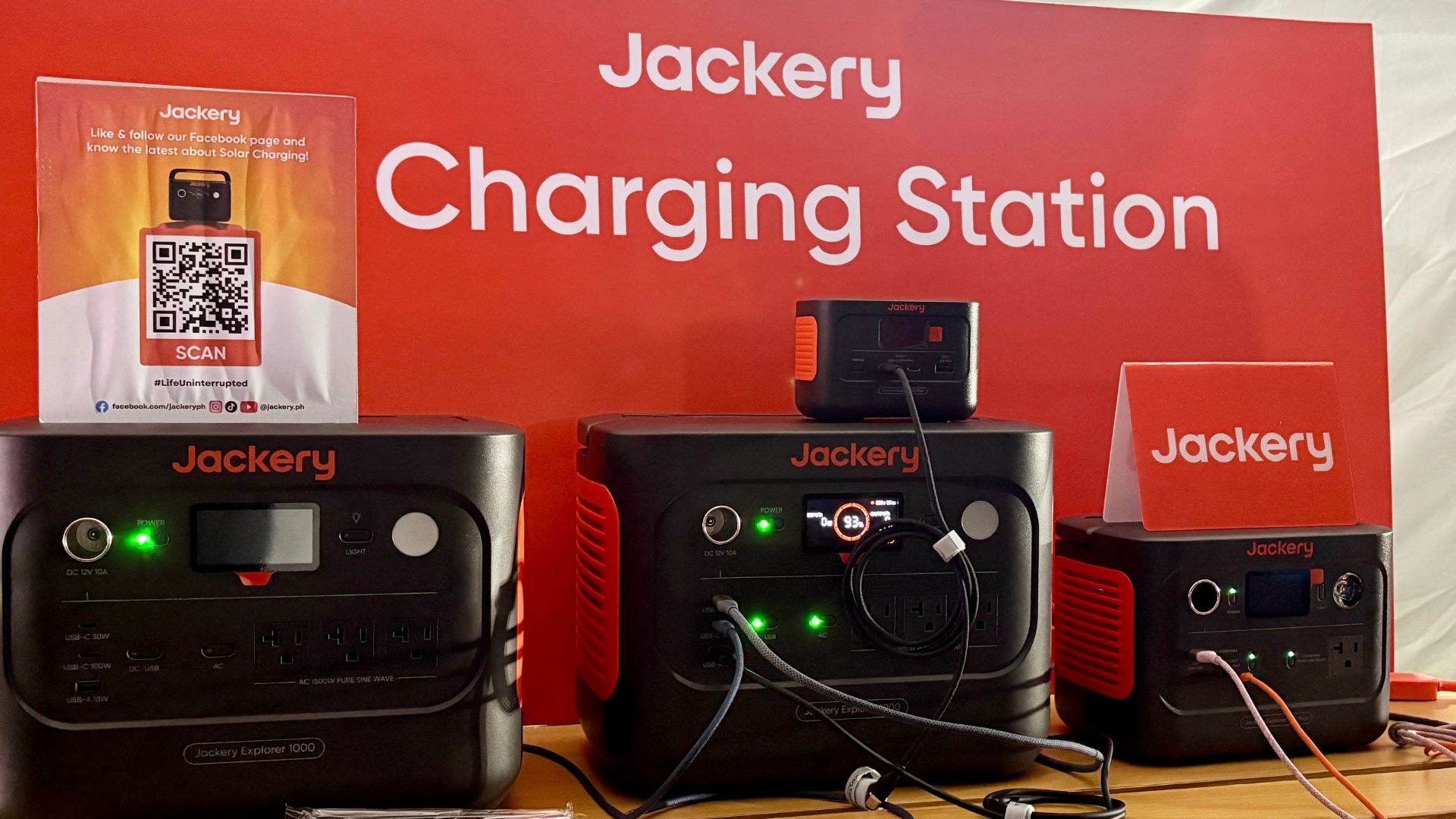
Jackery recently made its first public presence in the Philippines quietly after being among the sponsors of the Doraemon Run 2026 Manila.
The portable power solutions provider founded in 2012 in California showcased three of their innovative charging products at their booth: the Explorer 100 Plus, Explorer 300 Plus, and Explorer 1000 V2.
Naturally, participants at the fun run were able to recharge their small devices for free with Jackery’s products at the booth.
The biggest variant, the Explorer 1000 V2, has a total power storage of 1070Wh. Along with a 1500W maximum output power, it can easily recharge gadgets like smartphones, tablets, smartwatches, earbuds, cameras, and even drones.
It also has multiple USB-C, AC, and DC ports for simultaneous charging of such devices.

Interestingly, the smallest variant, the Explorer 100 Plus, does champion portability. It costs just about PhP 6,999 and comes with a 99.2Wh capacity. That’s about more than 26,000mAh and is enough to recharge five smartphones.
It comes with a USB-A and two USB-C ports, and is much like a slightly larger power bank. Although, make no mistake, it is also approved for flights.
All three of Jackery’s Explorer models also have an informative digital display. The brand also had the Solar Saga 100W foldable solar panel on display. This standalone backup power solution has an IP68 water resistance.
Currently, Jackery’s products are available online via Lazada and Shopee. An official launch event is expected later this year.
The brand name is an amalgamation of the words “jacket” and “battery”. This is a nod to what Jackery produced a decade ago: jacket batteries for consumer tech companies.


THE Michael Josh puts AirTags in his bags, suitcases, keys, heck, even his TV remote.
They’ve saved him many times and keep anxiety at bay when it comes to delayed or missing baggage.
And just about last month, Apple announced a new model — the same size, shape, and price. But, it comes with a whole bunch of improvements that make it more findable.
So, should you rush out to get the new ones? In this review video, we test the range and sound of the all-new AirTag 2 in the real world.


Now Playing: Iron Lung
The premise will leave you wanting for more.


Infinix NOTE Edge: Stellar at street photography
Despite trailing in other specs, the Infinix NOTE Edge was built for point-and-shoot photography.


OPPO Reno15 Pro: Camera Review
Why is this even considered a "Reno"?

Unboxing: HONOR Magic8 Pro Photography Kit

Tales of Berseria Remastered is out now on consoles and PC

Pokémon Winds and Pokémon Waves will launch in 2027

ITZY’s YUNA is Infinix’s first ever global brand ambassador

BYD’s high-end brand Denza launches in the Philippines

Breaking up with Adobe Photoshop after 20 years

TECNO will showcase the CAMON 50 and POVA 8 series at MWC 2026

PlayStation, LE SSERAFIM Chaewon team for the ‘Love of Play’ campaign

VinFast updates battery subscription policy for large upfront savings

The art of being in and behind the frame


-

 Accessories2 weeks ago
Apple AirTag 2 Review
-
 First Look1 week ago
Match Pulse: Infinix NOTE 60 Pro
-

 Cameras1 week ago
Osmo Pocket 4 makes a surprising appearance in public
-
Camera Walkthrough6 days ago
OPPO Reno15 Pro: Camera Review
-

 Gaming2 weeks ago
Star Wars: Galactic Racer shows off new gameplay at State of Play
-

 News1 week ago
iPhone 17 Pro Max is somehow the most traded-in phone today
-

 Gaming1 week ago
LG unveils UltraGear evo, redefines 5K gaming with AI Upscaling
-

 News1 week ago
HUAWEI launches Mate X7, MatePad 11.5 S 2026, FreeClip 2