
News
HUAWEI launches Mate X7, MatePad 11.5 S 2026, FreeClip 2
Price, availability, preorder freebies in the Philippines


HUAWEI has officially launched its latest flagship foldable offering, the HUAWEI Mate X7, in the Philippines.
The powerful device was introduced alongside the HUAWEI MatePad 11.5 S 2026 tablet and HUAWEI FreeClip 2 earbuds.
The Mate X7 is dubbed as the “King of Foldables”, with top-tier photography features. It has a 50MP Ultra Lighting HDR main camera with 17.5 EV dynamic range.
This is complemented by a 50MP camera that serves as both a telephoto and macro shooter.
Unfolded, the Mate X7 has a large 8-inch display, with features like Live Multitask. Users can also explore Google apps on the X7.
The foldable also comes with 360-degree protection, as well as IP58 dust and water resistance.
MatePad 11.5 S 2026: PC-like efficiency

Meanwhile, the MatePad 11.5 S 2026 offers 4-in-1 productivity for modern users. It has WPS Office 3.0, which supports advanced math functions and inserting documents or links.
The bundle includes the HUAWEI M-Pencil Pro, Smart Magnetic Keyboard, and HUAWEI Bluetooth Mouse, all powered by NearLink Tehnology.
The slate’s panel features 2.8K resolution and 144Hz refresh rate, ensuring smooth and comfortable viewing. HUAWEI’s Notes and GoPaint apps have also been upgraded.
Inside is an 8,800mAh battery for extended usage. This battery has support or 40W SuperCharge.
FreeClip 2: Immersive listening

Completing the flagship triumvirate is the HUAWEI FreeClip 2, which comes with a unique Airy C-Bridge design.
The lightweight, open-ear wearable serves as both a reliable audio device and fashionable piece. It is powered by an NPU AI Processor and Dual-Diaphragm Driver for better bass performance and a fuller, more dynamic audio.
Meanwhile, its 3-mic noise cancellation system keeps calls crystal-clear on both ends. The FreeClip 2 also comes with IP57 protection and can last up to 38 hours with its charging case.
Price, availability
The three devices are now available for preorder online via HUAWEI, Lazada, Shopee, and TikTok, as well as HUAWEI Experience Stores.
HUAWEI Mate X7: PhP 119,999
Comes with preorder freebies worth up to Ph 45,998:
- HUAWEI WATCH GT 5
- Trade-in tokens worth PhP 12,000
- 1-Time Accidental Damage Screen Protection
- Up to PhP 10,000 off with select banks until February 26
HUAWEI MatePad 11.5 S 2026: PhP 29,999 (from PhP 31,999 until March 22)
- Up to PhP 2,000 Early Bird vouchers
- Free HUAWEI Smart Magnetic Keyboard
- WPS Office
- HUAWEI M-Pencil
- Bluetooth Mouse
HUAWEI FreeClip 2: PhP 9,999
- Up to PhP 1,000 Early Bird vouchers







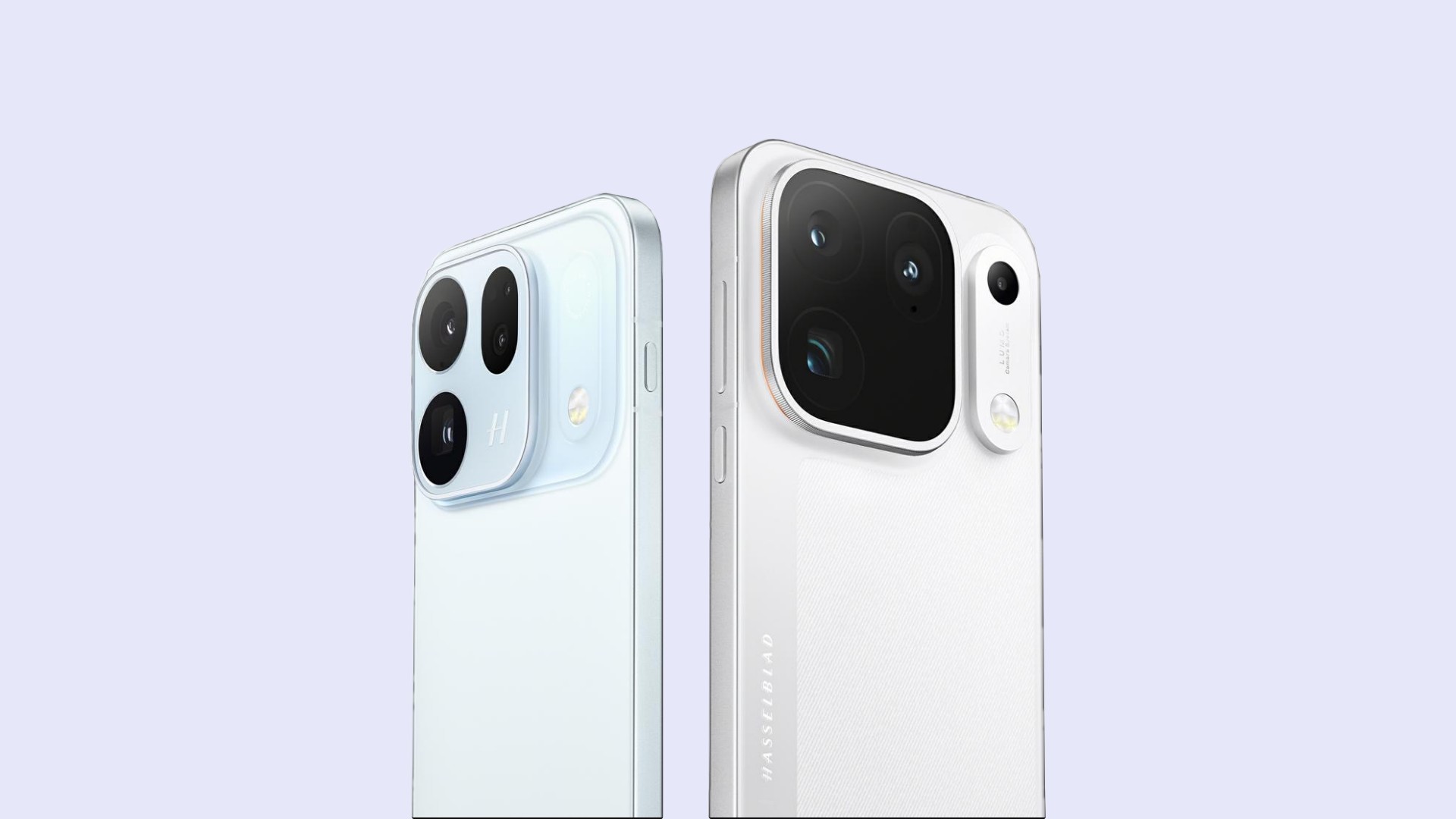
OPPOOPPOOPPO has announced that the Find X10 Series will launch globally on October 21 in Mallorca, Spain.
The latest flagship lineup focuses heavily on mobile photography, with OPPO positioning the series as a “Hasselblad True-to-Life Camera.” It combines new camera hardware with OPPO’s next-generation LUMO True Image Engine for more natural detail, color, and tones.
Two phones, up to three 200MP cameras
The Find X10 features a Dual 200MP Camera System co-developed with Hasselblad. Meanwhile, the Find X10 Pro Max takes things further with a Triple 200MP Camera System.
The Pro Max is equipped with 200MP sensors for its ultra-wide, main, and telephoto cameras.
OPPO’s LUMO True Image Engine is designed to make the most of the new hardware. It combines computational photography with Master Mode and color information from the True Color Camera to produce more natural-looking images.
The company says the system is designed to preserve details such as skin tones and fine textures while maintaining natural contrast.
4K 120fps and 8K video
The OPPO Find X10 Series also gets upgraded video capabilities.
The Find X10 Pro Max supports 4K video recording at 120fps and 8K at 30fps across all three rear cameras. The Find X10 offers the same capabilities on its two 200MP cameras.
Both models also introduce Open Gate Capture. The feature uses the sensor’s full imaging area, allowing creators to capture more of a scene and later crop or reframe footage for different formats.
Flagship MediaTek chips and 8,000mAh batteries
The Find X10 is powered by the MediaTek Dimensity 9600M, while the Find X10 Pro Max is among the first smartphones to use the 2nm MediaTek Dimensity 9600 Pro.
Both phones pack an 8,000mAh OPPO Silicon-Carbon Battery. OPPO claims the battery can provide up to two days of typical use and retain more than 80 percent of its original capacity after five years of typical use.
The series will also ship with ColorOS 17, which introduces a new Living Flow Design and AI Mind Pilot with Agent Mode. The latter connects agentic AI with files and photos on the phone to help users complete more complex tasks through a single prompt.
Find X10 Series design
OPPO is giving the Find X10 Series a minimalist design with its new Borderless Design. One-Piece Sculpted Glass flows into the camera module, creating a more seamless look around the camera bump.
The Find X10 will be available in Glacier Blue, Glow Coral, and Mist Grey. The Find X10 Pro Max comes in Titanium Grey and Luna White.
OPPO will reveal the Find X10 Series’ full specifications, pricing, and availability during its global launch event in Mallorca on October 21.
News
Amazon launches new Alexa+ tablets with full Google Play access
Alexa+ arrives on three tablets.

Amazon has introduced its new Alexa Tablets, a lineup of Android tablets built around its Alexa+ assistant and full access to the Google Play Store.
The lineup consists of the Amazon Alexa Tablet 12 Pro, Amazon Alexa Tablet 11, and Amazon Alexa Tablet 8. All three feature aluminum designs, high-resolution displays, and Alexa+ built into the core tablet experience. The Alexa Tablet 12 Pro leads the lineup
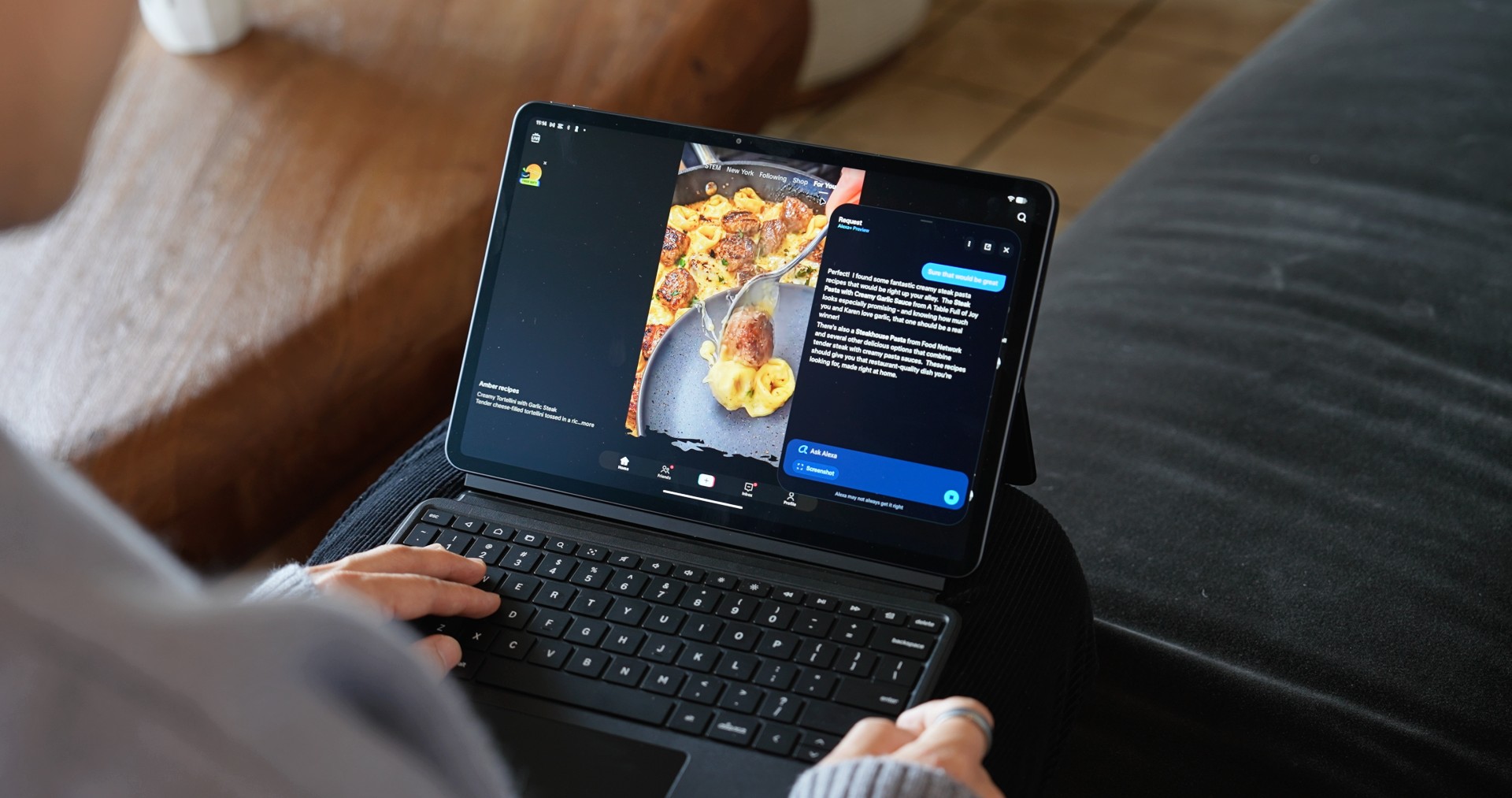
The Amazon Alexa Tablet 12 Pro is the flagship model. It features a 12-inch 2800 x 1840 display with a 120Hz refresh rate and 3:2 aspect ratio. It measures just 6.5mm thick and weighs 550g.
The tablet runs on a 4nm MediaTek Dimensity 8400 processor with up to 16GB of RAM. Amazon claims it delivers nearly three times faster processing and nine times faster graphics than any tablet it has previously shipped.
The tablet also has quad Dolby Atmos speakers, Wi-Fi 6E, and up to 16 hours of video playback.
An optional Nanomatte display uses an etched anti-glare surface designed to reduce reflections while retaining detail and color accuracy. Amazon says it is designed to remain readable in different lighting conditions.
The company is also offering a Pro Pen and Pro Keyboard for the 12 Pro. The pen supports 4,096 levels of pressure sensitivity, tilt detection, magnetic docking, and wireless charging, while the keyboard turns the tablet into a more traditional productivity setup.
Alexa+ is built into the tablets
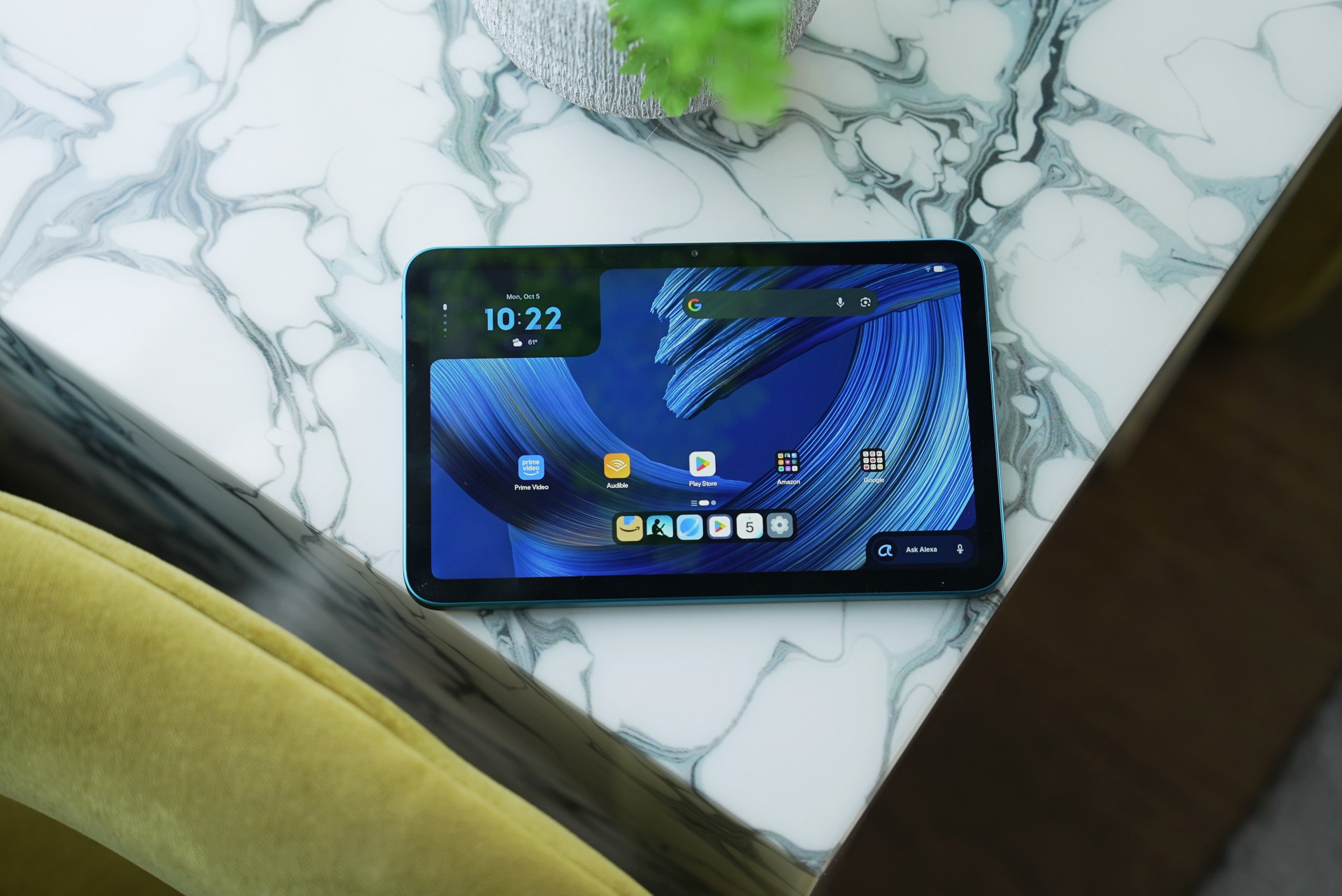
Alexa+ is integrated throughout the new tablets. Users can activate it by saying “Alexa” or tapping the Ask Alexa button without leaving their current app.
The assistant can also use On-Screen Intelligence to understand what’s displayed on the tablet. Users can ask Alexa to analyze information, help plan activities, or perform tasks based on what’s on screen.
Alexa+ also supports hands-free live sessions, allowing users to have continuous conversations without repeating the wake word.
Amazon says these screen-related features are off by default and require users to opt in. A visual indicator appears whenever Alexa is active.
The other two tablets
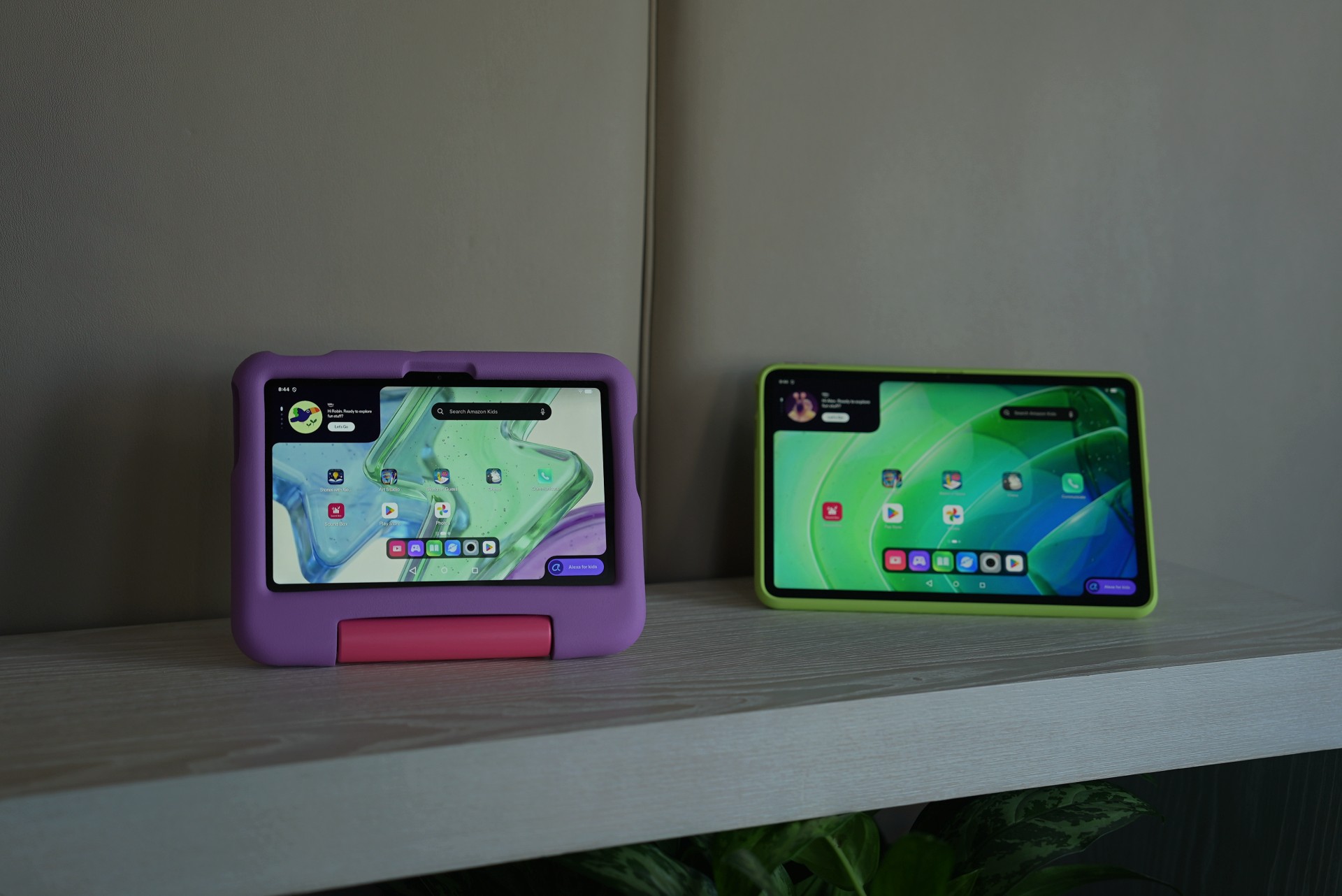
The Amazon Alexa Tablet 11 has an 11-inch 2560 x 1600 display with a 90Hz refresh rate and 16:10 aspect ratio. It uses an 8-core processor with 8GB of RAM, dual Dolby Atmos speakers, and offers up to 15 hours of video playback.
Meanwhile, the Amazon Alexa Tablet 8 is the most portable model. It has an 8.7-inch display, weighs 329g, and measures 7.95mm thick. It offers up to 14 hours of video playback and comes with the same Alexa+ integration as the larger models.
All three tablets run Android 16 and include Google Play Store access, alongside Amazon’s own apps such as Prime Video, Kindle, Audible, Amazon Music, Amazon Quick, and Amazon Luna.
Pricing and availability
The Amazon Alexa Tablet 12 Pro starts at US$499.99, while the Nanomatte version starts at US$549.99. The Amazon Alexa Tablet 11 starts at US$329.99, and the Amazon Alexa Tablet 8 starts at US$229.99.
The Pro Keyboard costs US$149.99, while the Pro Pen costs US$89.99.
The tablets will go on sale October 14, 2026 in the US, Mexico, and Canada. They will arrive in the UK, Germany, France, Italy, and Spain on October 19.
Amazon has not listed the Philippines among the initial launch markets.
News
Sony teams up with Hello Kitty for exclusive limited-edition collection
Sony and Hello Kitty join forces.


Sony has teamed up with Hello Kitty for a limited-edition collaboration that combines selected Sony products with exclusive merchandise featuring Sanrio’s beloved character.
Available exclusively through Sony Store channels, the collection marks Sony’s first collaboration with Hello Kitty. It covers the Xperia 10 VIII smartphone and three wireless headphone models: the WH-1000XM6, WH-CH730N, and WH-CH530.
Each collaboration model comes with exclusive Hello Kitty merchandise designed specifically for Sony Store customers.
Sony x Hello Kitty collection

The Xperia 10 VIII collaboration model is priced at SGD 919. It comes with an exclusive Hello Kitty sacoche-style shoulder bag designed to carry the smartphone and other small essentials, along with a Hello Kitty tote bag.
Meanwhile, the WH-1000XM6 collaboration model costs SGD 609. The WH-CH730N is priced at SGD 249, while the WH-CH530 costs SGD 149.
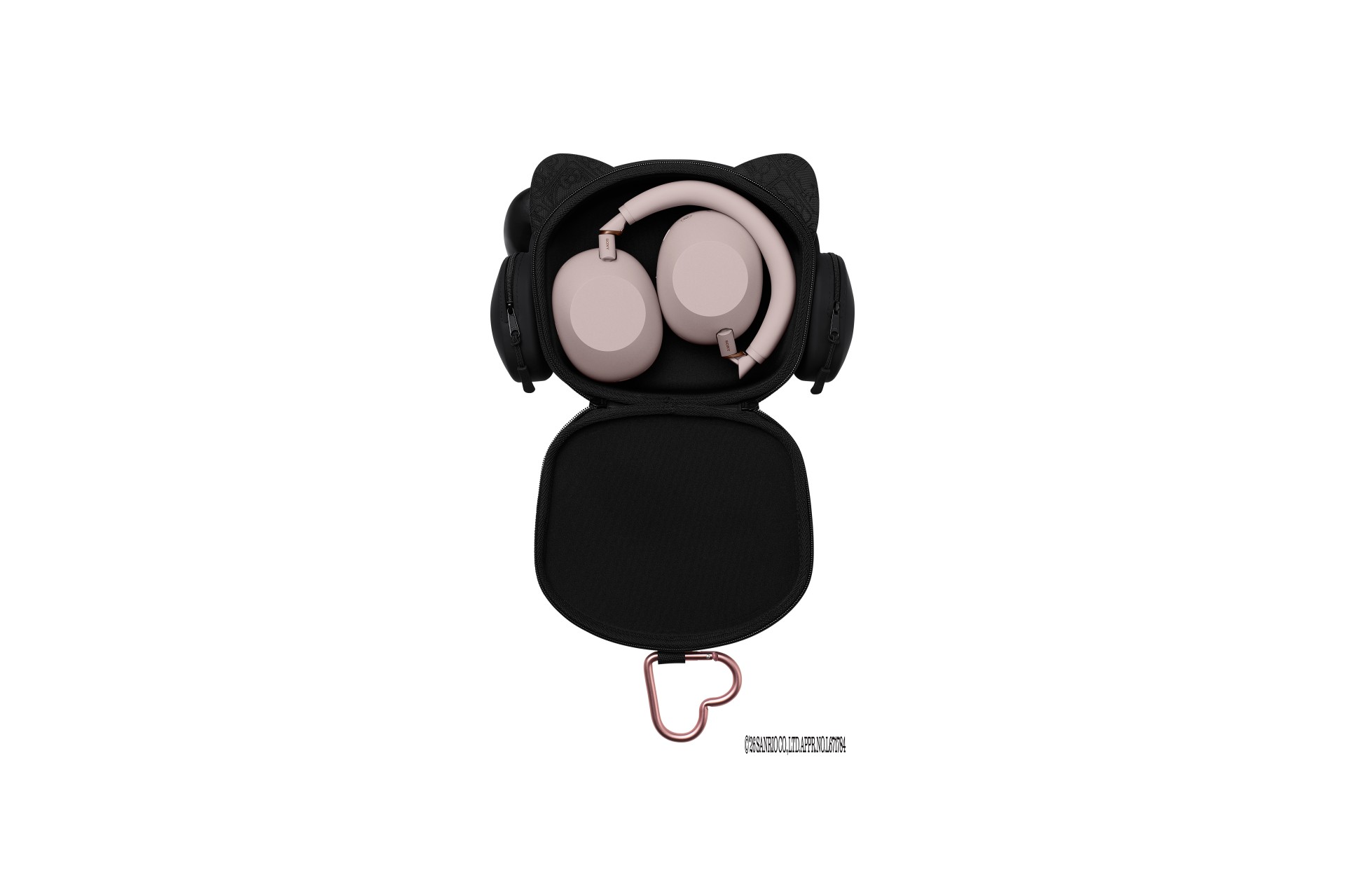
Each headphone collaboration package includes a Sony Store-exclusive Hello Kitty pouch for carrying the headphones and personal belongings, as well as a Hello Kitty tote bag.

The products retain Sony’s existing designs while adding Hello Kitty-themed accessories. The collection aims to bring the character’s signature charm into everyday use without changing the core design of the Sony devices.
Available now in Singapore
Pre-orders for the Sony x Hello Kitty collaboration models are now available through Sony Store channels in Singapore.
Sony is also showcasing the collection at the Sony Store at 313@somerset. Visitors can try the products firsthand and take photos at a dedicated Hello Kitty photo wall.
The collaboration models are available in limited quantities.
For more information, visit the official Sony Store Singapore website.
UPDATE: Sony x Hello Kitty arrives in the Philippines
The Sony x Hello Kitty collaboration will also be available in the Philippines starting October 16, 2026, at select Sony Centres.
Customers who purchase the WH-1000XM6 can add the exclusive Hello Kitty Collaboration package for PHP 4,999. The WH-1000XM6 is available in Black, Silver, Midnight Blue, Sand Pink, and Sandstone.
The collaboration will be available at the following Sony Centres:
- SM Mall of Asia
- SM Megamall
- Glorietta by Ayala Malls
- The Sony Centre-exclusive collaboration goods are designed to complement Sony products with Hello Kitty’s signature charm, adding a playful touch to everyday music experiences.





OPPO Find X10 Series launches globally October 21

Amazon launches new Alexa+ tablets with full Google Play access

Psst! You can test drive BYD and DENZA EVs for free this week, but not for long

FFVII Revelation: 11 things you missed

Sony teams up with Hello Kitty for exclusive limited-edition collection

iPhone 18 Pro series: Price, availability in the Philippines

vivo X500 Series launches with major imaging upgrades

iPhone 18 Pro series: Price, availability in Singapore

OPPO Find X10 Pro Max is the first phone with a triple 200MP camera system

BYD says that way better EV batteries are coming next year


-
 Automotive2 weeks ago
BYD says that way better EV batteries are coming next year
-

 Philippines1 week ago
TECNO CAMON Slim 5G: Price, availability in the Philippines
-

 News2 weeks ago
HONOR Magic9 Pro Max launches in China with ARRI-powered imaging
-
 Reviews1 week ago
TECNO CAMON Slim 5G review: Slim on size, big on surprise
-

 Smartphones2 weeks ago
TECNO CAMON Slim 5G teases an ultra-slim design ahead of launch
-

 Reviews2 weeks ago
TECNO POVA 8 Pro Tonino Lamborghini review
-
 Smartphones2 weeks ago
When TECNO-logy meets Tonino Lamborghini legacy
-

 News1 week ago
Apple wants to release new iPhones more regularly