

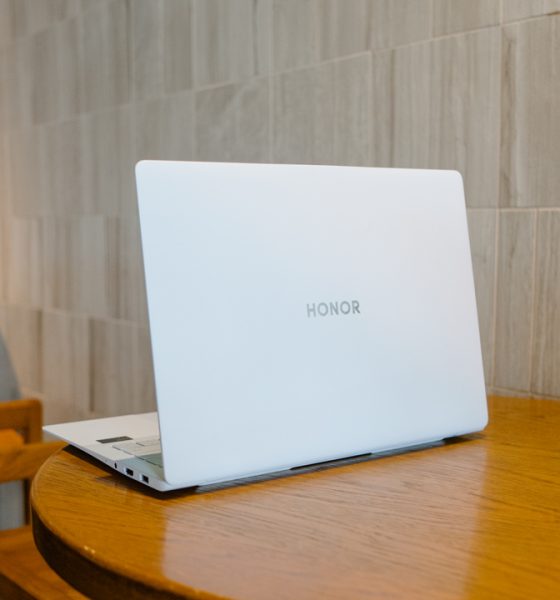

HONOR’s latest foray into the laptop market seems to be in stark contrast from their previous one. Where the HONOR MagicBook Pro 16 is chunky and feels overpriced, the HONOR MagicBook Art 14 is almost impossibly thin and light with a promising price tag.
Unveiled for a global audience at IFA 2024, the HONOR Magic Art 14 turned heads because of its build and a nifty camera trick.
Stowed magnetic camera

No, we won’t bury its most head-turning trick. In fact, as of writing, you might have already seen the many videos online demonstrating how this works. And it’s not just some gimmick. It was born out of HONOR’s desire to build a truly light and thin laptop.
To get the laptop to be as thin as it is – 11.5mm at its thinnest point – means sacrificing components where they traditionally would be. The first one to go is the “webcam”.
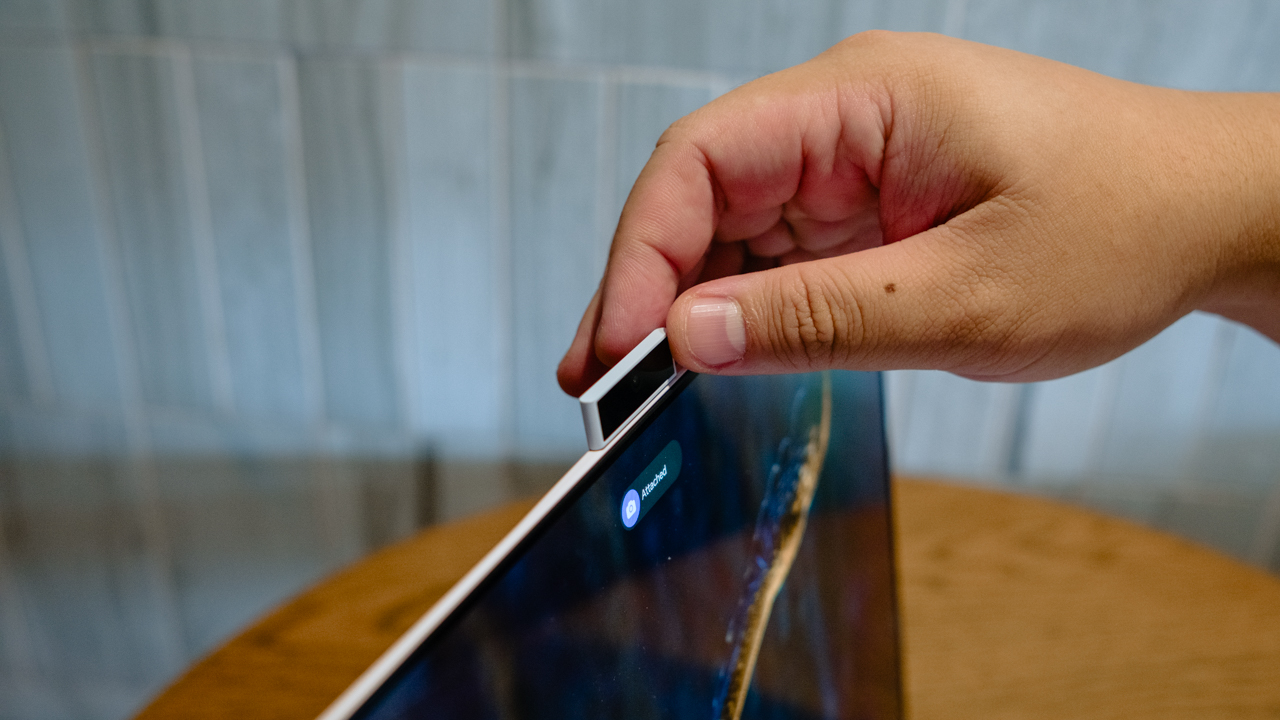
HONOR’s solution is as novel as ever. They knew they wanted to keep the display pristine. And instead of moving the camera to an awkward spot like what Huawei did years back, they made it magnetic.

A tiny, 1080P camera is stowed on the left side of the laptop. It’s right next to the two USB-C ports. Simply push it in for it to pop-out and magnetically attach it on top of the laptop – where traditional webcams would be located.
You can even flip it to show who you’re talking to exactly what you’re seeing. It’s truly a design worth mentioning and hopefully emulating by other laptop makers.
Oh and very quickly, while we’re ports were mentioned, despite being incredibly thin, HONOR still managed to also add a 3.5 mm headphone jack, an HDMI port, and a USB-A port. That’s a win.
MateBook X Pro-like
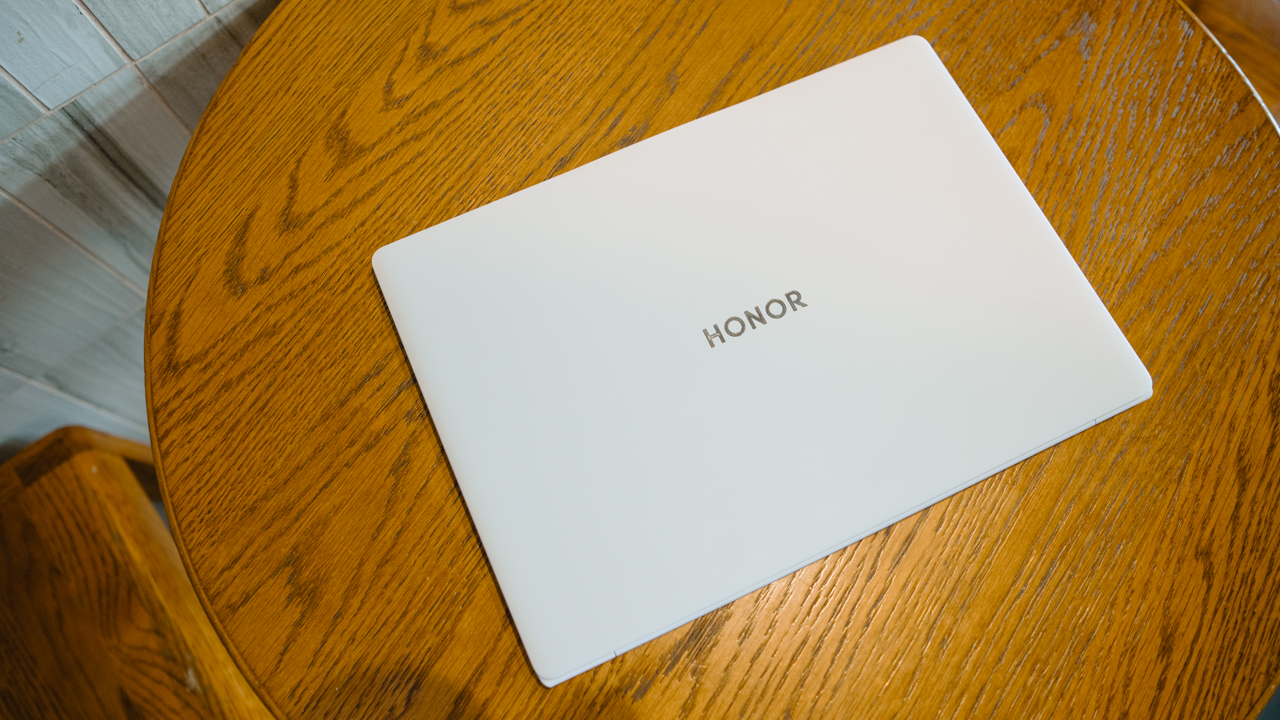
A laptop I absolutely fell in love with that I used this year is the Huawei MateBook X Pro. It’s Huawei’s showcase laptop and it’s also one of the lightest and thinnest I’ve ever tried.
Holding, carrying, and using the HONOR MagicBook Art 14 evoked feelings of using that laptop. Their measurements aren’t too far apart.
| MagicBook Art 14 | MateBook X Pro | |
| Dimensions | 316.77mm (L) x 223.63mm (W) x 11.5mm (D) | 310mm (L) x 222mm (W) x 13.55mm (D) |
| Weight | 1030g | 980g |
| Display | 14.6” | 14.2” |
They aren’t exact copies of each other, and you’ll be able to tell that if you also try using both. But something about their thin and light profiles evoke the same vibe.
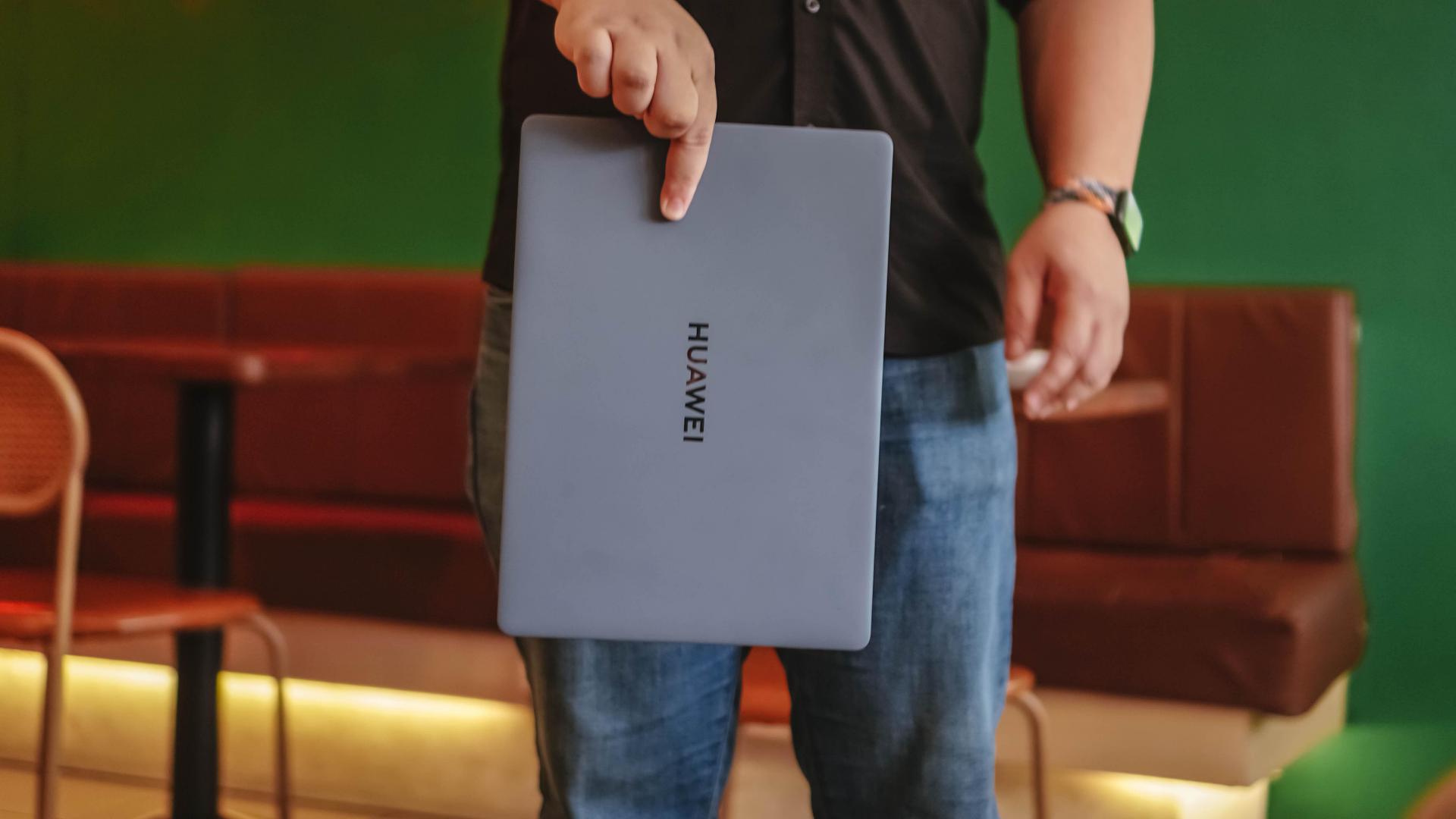
The two laptops also share unique, pristine finishes. The MateBook X Pro had a sandpaper, matte-finish that was glorious to touch and feel. Meanwhile, the MagicBook Art 14, which is made of magnesium alloy body, feels smooth but with a slight matte-feel to it. Our review unit is the Sunrise White colorway and it’s not at all a dust or dirt magnet. After weeks, it still looks great with minimal wiping.
Here’s a rundown of its specs before we proceed:

DISPLAY
Display: 14.6-inch HONOR FullView Touch Display5, 10-point Multi-touch, 2.2 mm (left/right/Top), 97% screen-to-body ratio, up to 120Hz refresh rate, 100% DCI-P3 (Typical) ΔE<0.57 True 10-bit Color Gamut, 700 nits peak brightness, 3:2 aspect ratio, 3120*2080 pixels resolution.
Eyecare Feature: 4320Hz PWM Flicker Free Dimming, TÜV Rheinland Low Blue Light (Hardware Solution) Certification, TÜV Rheinland Flicker Free Certification, Dynamic Dimming, and E-book Mode.
PROCESSOR
- Intel® Core™ Ultra 5 Processor 125H
- Intel® Core™ Ultra 7 Processor 155H – ***This is our review unit
GPU: Intel® Arc™ Graphics
MEMORY: 16GB/32GB + 1TB – ***We have the 32GB variant
CONNECTIVITY: IEEE 802.11a/b/g/n/ac/ax,160MHz; WIFI: 2.4GHz: 574Mbps(Typical), 5GHz: 2400Mbps(Typical), 6GHz: 2400Mbps(Typical), Bluetooth 5.3, Antenna: Double Intelligent Antenna Design, and Encryption mode: WPA/WPA2/WPA3/

KEYBOARD: 1.5mm Key Travel Full-size Keyboard, Fingerprint Power Button (Touch Fingerprint Sensor)
TOUCH PAD: Size: 129mm * 94.5mm12, Support 5-point Multi-touch, Forcepad with Integrated Multi-function Gestures
CAMERA: 1080P FHD AI Magnetic Camera
BATTERY AND CHARGER: 60Wh Battery (Rated capacity), 65W USB-C Power Adapter.
FUNCTIONAL PORTS: 1x USB-C (Thunderbolt 4), 1x USB-C 3.2 Gen 2, 1x USB-A 3.2 Gen 1, 1x HDMI 2.1-TMDS, and 1x 3.5mm Headphone Interface.
AUDIO: HONOR Spatial Audio, 6 Speakers and 3 Built-in Microphones
SMART FEATURES: HONOR Connect, HONOR Device Clone, HONOR Share, Global Favorite
AI Feature: AI-based OS Turbo 3.0, Windows Copilot, Microsoft Copilot in Edge
OS: Windows 11 Home
OTHER INNOVATIONS: HONOR Innovative Architecture Design, Industry-first Feather-like Triangular Topology Structure Design, Heterogenous Battery Design, Industry-leading Modular Camera Design, Vapour Cooling and Antenna Integral Design, and HONOR Ultra-thin VC Cooling System.
Cutting-edge Materials: Titanium Architecture Keyboard, Magnesium Alloy Body, and Ultra-thin High-modulus Aluminum Fans.
Great for general work, some video editing

Here’s my set-up. I typically have two browsers up. One with at least 20 tabs open, the other with at least three. Then I have at least three messaging apps open on a different virtual desktop. That’s my day-to-day.
On my guy-in-the-chair days, that’s typically how I work. Bouncing around from tab to tab to check emails, messages from the team, as well as correspondence from our PR and brand partners.
If I’m not writing on Google Docs, I’m copy editing some of the team’s work on the backend of our website.
On days that I come home from a shoot I typically sort files right away and upload them immediately. That’s so our video editors can immediately download the files and dive into their edits. Some days I also do minor image editing for the photos on our reviews.
Any and/or all of the above is what my typical day looks like. And in all those scenarios, I had a relatively smooth time using the laptop.
Some hiccups

The few times that I felt the laptop really slow down was when I ran Netflix, Steam or the Xbox app on top of the other programs I was already running.
I also typically work with the power cable plugged in so that may have been a factor in the general performance. The few times I worked out of a cafe without being near any power outlet for the majority of the time,
I knew to cut back on the apps I had on standby. But I had to learn that the hard way as I did feel the laptop slow down significantly hours into having that kind of setup without being plugged in.
It’s not great but I also wouldn’t call it a dealbreaker.
Can handle short video edits

I also used it for a quick video edit of a reel using CapCut for PC. That was a program I was pleasantly surprised with because it had a lot of similarities with Final Cut Pro which is the video editing software I am most familiar with. The general layout as well as some keyboard shortcuts were all the same so it was a relatively easy adjustment.
I imported about three hours worth of clips from my playthrough of Star Wars Outlaws. The video edit went relatively smoothly until the laptop went down to about 30-40% battery life. I was already 85-90% finished with my edit at that point but I could feel the laptop struggling to output the power I needed to get me over the finish line.
By that point I had already been editing for a little over two hours coming from a full charge. It was the only time during my entire usage of the laptop that the battery drained quickly. Understandably so, because video editing really does consume plenty of power even if it’s just a short video.
Here’s the result:
View this post on Instagram
While I’m talking about video games, I might as well mention that I did try playing here just a little bit. Most AAA games will be in low graphics settings and that’s the only way to run them relatively smoothly.
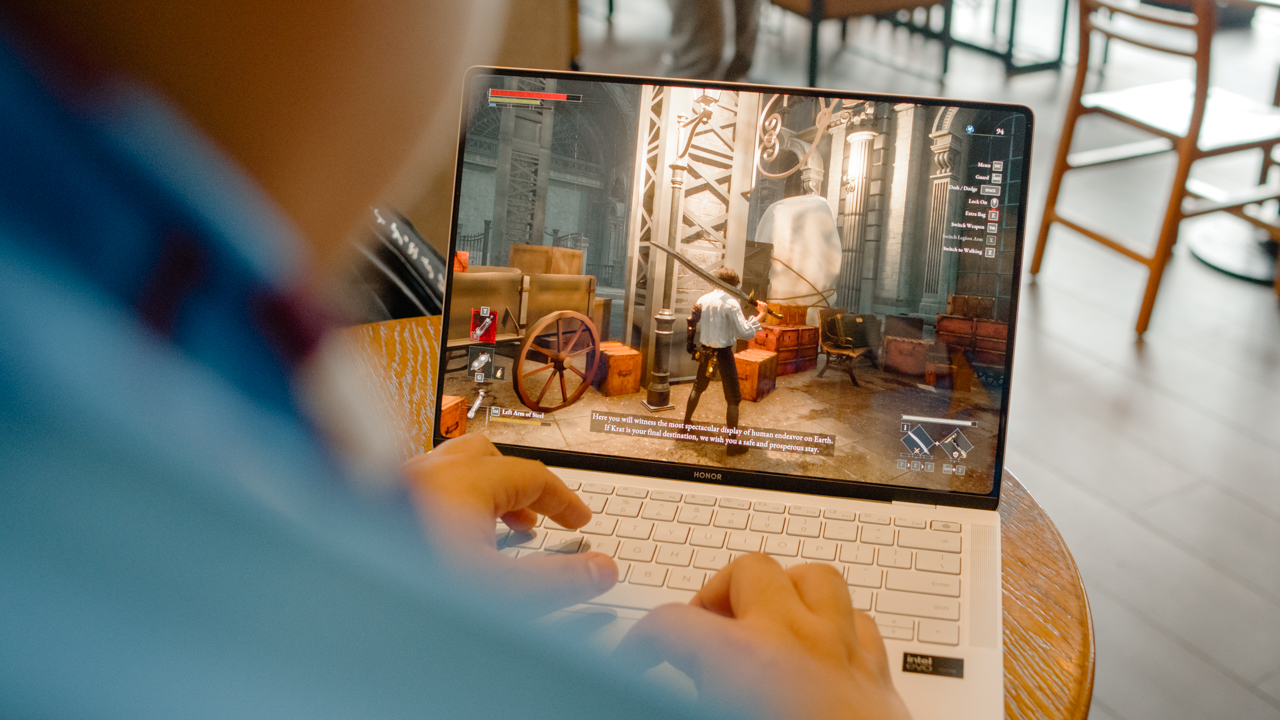
It’s not eye-popping but the mere fact that you can even run them at all on a machine as thin and light as the MagicBook Art 14 does feel a little magical.
The AI of it all

The HONOR MagicBook Art 14 is unapologetically an AI-powered PC. It even has a dedicated Copilot button so you can instantly launch the app and use Microsoft’s AI companion.
The extent by which I’ve used any AI assistant has been limited to summarizing a few things here and there, getting help sorting my thoughts, finding a way to say things more politely via email, and of course generating images. All of that you can do here and just about any AI PC out there.
The AI on this laptop is pretty baked in. However, you’d have to be deep into using many of Microsoft’s tools to take full advantage of them. Many of the AI features include parsing through and making sense of the many emails you get. There’s also some that apply to MS Teams and what not. Unfortunately, I am no such user, so AI is still just a nice-to-have in my overall workflow.
The HONOR specific ones are pretty good though. It comes with HONOR Notes that can be shared across all your HONOR devices. I’ve tried it sparingly and it’s just as seamless to use as the Notes app across Apple devices. AI can also parse through the content of your notes and help you make sense of it. It can do things for you like summarization and organization.
HONOR PC Manager, HONOR Share

Speaking of seamless though, another unique tool that HONOR laptops have is the HONOR PC Manager. We’ve seen this demoed before and it actually wasn’t great a few years back. But I tried it with the MagicBook Art 14 along with the Magic V3 and the MagicPad2 and it was incredible.
There’s just a setup you have to do where you need to make sure all these HONOR devices are connected in the HONOR Ring. It’s an interface that looks almost like a solar system. And you’re there to drag the devices in the same orbit, sort of.
Once that’s done, everything works incredibly well.
Sending files from the Magic V3 to the MagicBook Art 14 and vice versa feels just as smooth and just as fast as Apple’s Airdrop.
And that feature that was showcased during WWDC where you can have the phone’s interface on the laptop, that’s been present with HONOR for a while now and it’s more refined than ever.
I also tried the three-device connection: MagicBook Art 14, Magic V3, and MagicPad 2. This one didn’t feel as smooth. The cursor going from the laptop to the tablet felt a little janky. But it did work just fine, just not as smooth as if you were using the tablet on its own. More than anything, it’s still a pretty convenient setup and I’m excited at the prospect of it becoming even better.
Is the HONOR MagicBook Art 14 your GadgetMatch?

It’s tough to make this assessment without seeing the global pricing as of yet. The only pricing information we have available is the one In China which is CNY 9,499. That’s roughly around USD 1,350/ PHP 76,200. Those are direct conversions and there’s a chance those prices will be higher when they become official.
Even at that range, the HONOR MagicBook Art 14 is a compelling laptop. Its build is nothing short of magical, the camera placement is clever, the AI, HONOR, and other smart features are helpful, and it’s just a generally good performer. The entire package is almost like a dream.
If HONOR is able to sell this in multiple regions and markets at a competitive price, then I see it as being a contender as being one of the best thin and light Windows laptops right now.

For someone like myself who’s really been trying to cut the weight of the stuff they carry on a daily basis, it’s definitely an easy recommendation.






IFA 2024
ASUS announces latest Zenbook S series, more Copilot+ AI laptops
Latest Intel-driven AI PCs unveiled


ASUS has added new Intel-powered Copilot+ AI PCs to its portfolio over the weekend at IFA 2024 in Berlin, Germany. The new roster includes ASUS Zenbook S and Vivobook laptops, as well as new ASUS ExpertBook P series and ASUS NUC Pro AI models.
These new PCs harness the power of up to Intel Core Ultra 9 processors (Series 2), each optimized for different wattage requirements and usage preferences. In addition, these CPUs are integrated with NPUs delivering up to 48 TOPS, which is slightly higher than the previous generation standard.
Zenbook S series
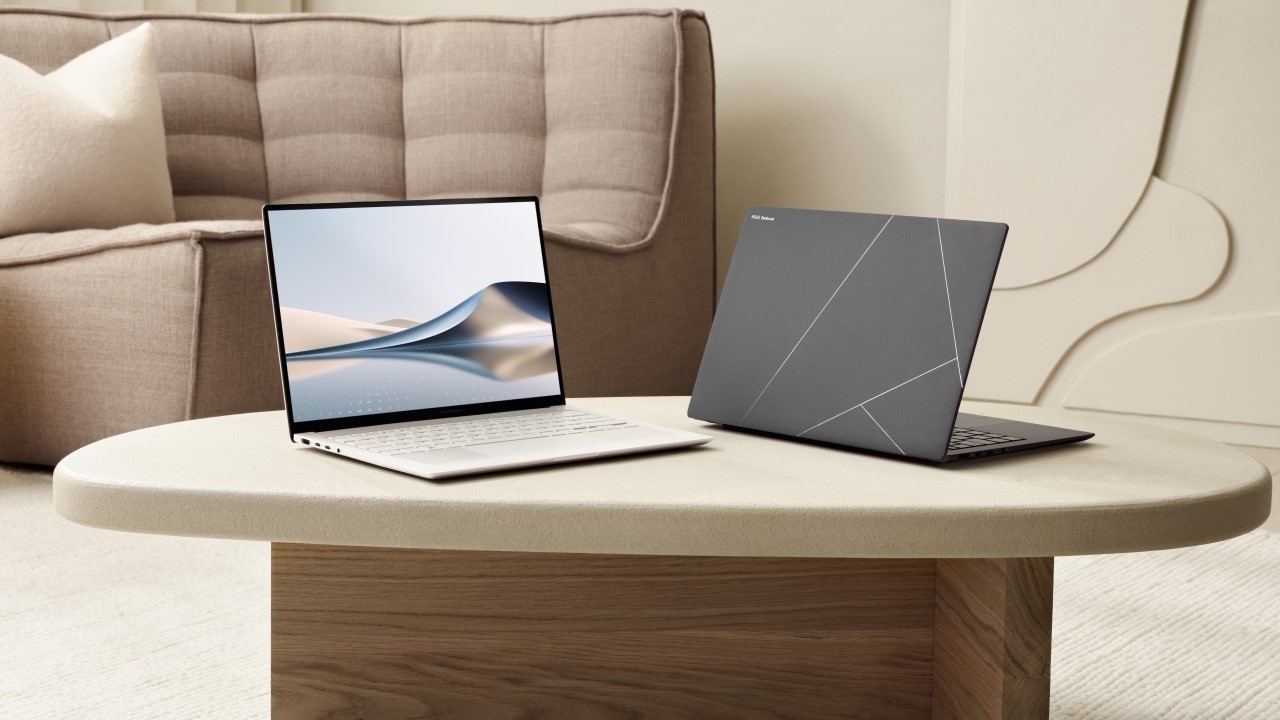
Highlighting the new lineup are the ASUS Zenbook S series laptops. These ultra-slim and ultralight OLED laptops come in the Zenbook S 14 and Zenbook S 16 variants, which combine technology with an elegant Ceraluminum design.
The ASUS Zenbook S 14 (US$ 1,399), in particular, weighs only 1.2 kilograms and is 1.1 centimeters thin, making it ultraportable. It sports a 3K 120Hz Lumina OLED display and has a four speaker sound system for an impressive audiovisual combination.
On the keyboard area, the laptop has a geometric grille design comprising 2,715 CNC-machined cooling vents to optimize airflow and heat dissipation. The laptop also has an enhanced 16:10 touchpad which incorporates intuitive smart gestures.
Aside from Copilot+ PC experiences, the laptop supports AI noise cancellation, while its FHD AiSense IR camera supports AI effects. For productivity, the Zenbook S 14 has a full range of I/O ports and a 72Wh battery.
Vivobook S 14
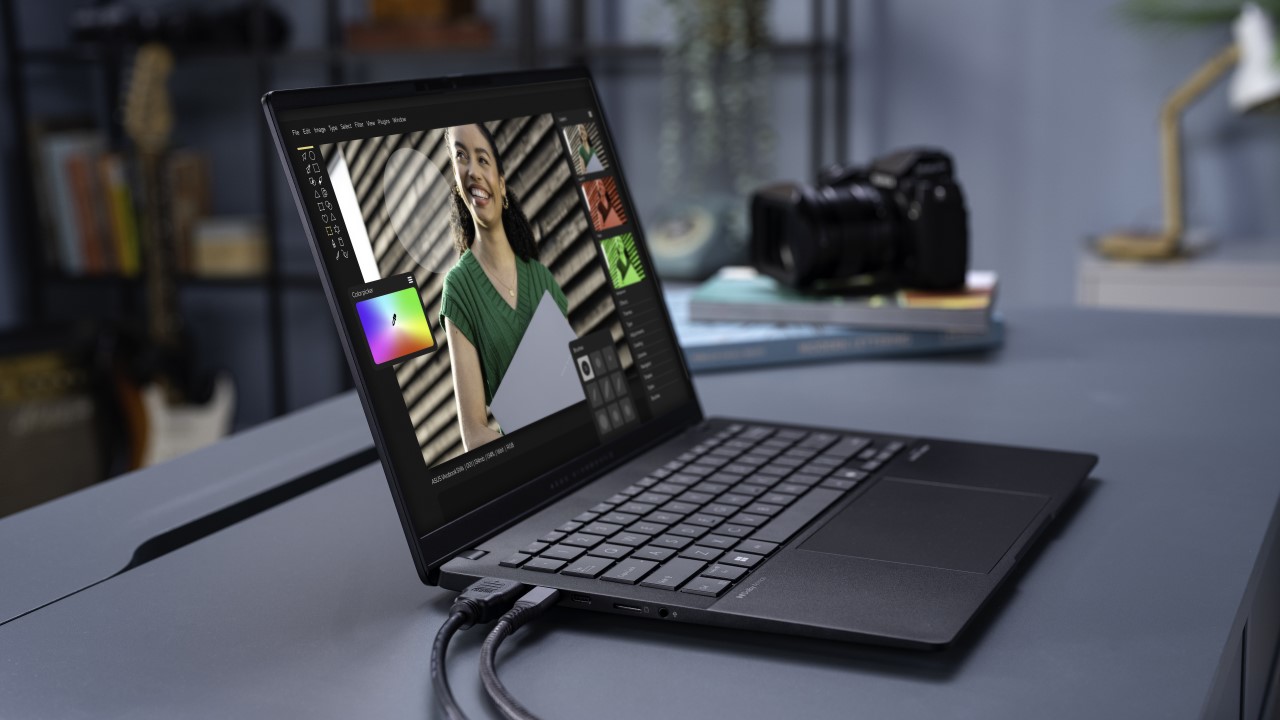
ASUS also showcased the Vivobook S 14 which is designed for on-the-go productivity and entertainment. It features a minimalist aesthetic on a 1.39-centimeter all-meta chassis. The laptop is equipped with ASUS IceCool thermal technology that features two 97-blade IceBlade fans and two air vents.
With up to Intel Core Ultra 7 processors and up to 47 TOPS, the notebook excels in running AI applications. It also comes with a dedicated Copilot key for quick AI assistance for workflow. Moreover, it has a 75Wh battery for up to 27 hours of unplugged use.
Aside from these, the Vivobook S 14 has a 16:10 3K 120Hz display, Harman Kardon-certified Dolby Atmos audio system, and an ErgoSense keyboard with RGB backlight for entertainment. It also supports Wi-Fi 7 and a wide array of I/O ports.
Vivobook 14, 16 Flip
For convertible form factors, the new Vivobook 14 Flip and Vivobook 16 Flip also feature Intel Core Ultra 7 processors. They come with a 70Wh battery, Wi-Fi 7 connectivity, and the same audiovisual capabilities as the Vivobook S 14.
These 2-in-1 laptops feature a 360-degree hinge for seamless transition into laptop, tent, stand, or tablet modes. The Vivobook 14 Flip has a 14-inch FHD NanoEdeg touchscreen, while the Vivobook 16 Flip has a 16-inch 3K OLED display. Both support ASUS Pen 2.0.
ExpertBook P series
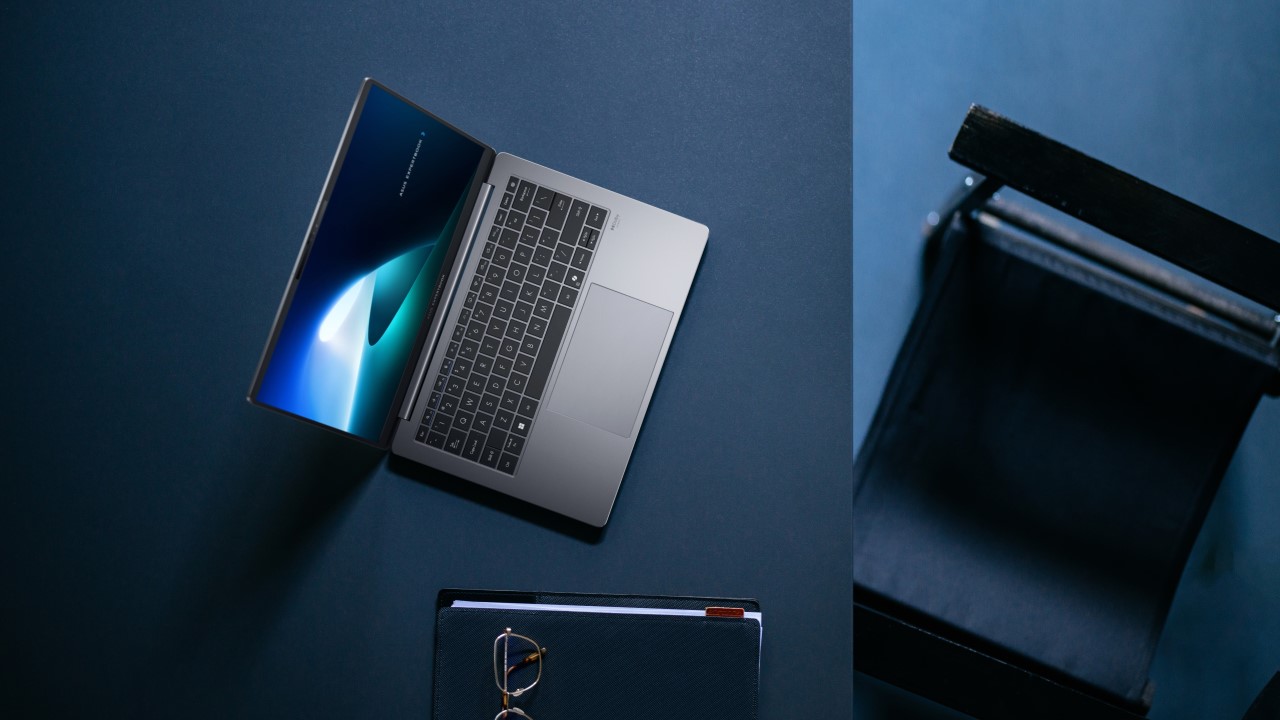
Moreover, ASUS unveiled its innovative ExpertBook P5, which boasts up to 47 TOPS and up to 120 total platform TOPS. The ExpertBook P3 and ExpertBook P1 have also been revealed as part of the series.
Laptops under this series are optimized for running AI applications. They come with ASUS AI ExpertMeet tools, which includes advanced features like AI translation, AI subtitles, assisted meeting summaries, AI noise cancelling, and many more.
Not only that, the ExpertBook P series provides multilayered security extending to the BIOS level. The security package includes Secure Boot and a discrete TPM to guard against unauthorized interventions. It also offers an optional SafeGuard Backup tool. And as part of a partnership, all ExpertBook P series laptops come with McAfee+.
ASUS NUC 14 Pro
Lastly, ASUS introduced the high-performance ASUS NUC 14 Pro AI mini PC. Also powered by the latest Intel Core Ultra 9 processor, the compact system delivers up to 120 total platform TOPS.
In spite of its small form factor of just 34 mm and a <0.6L chassis, the NUC 14 Pro is ideal for commercial use and edge computing applications that demand next-level AI capabilities. It even supports voice commands and has built-in speakers.
The mini PC combines doubled graphics capabilities with embedded LPDDR5x design for high-speed performance and stability across a wide range of IoT scenarios. And with advanced thermal management, it can deliver reliable 24/7 operation.
IFA 2024
HONOR confirms Magic7 series will come with on-device AI Agent
HONOR’s first on-device AI assistant
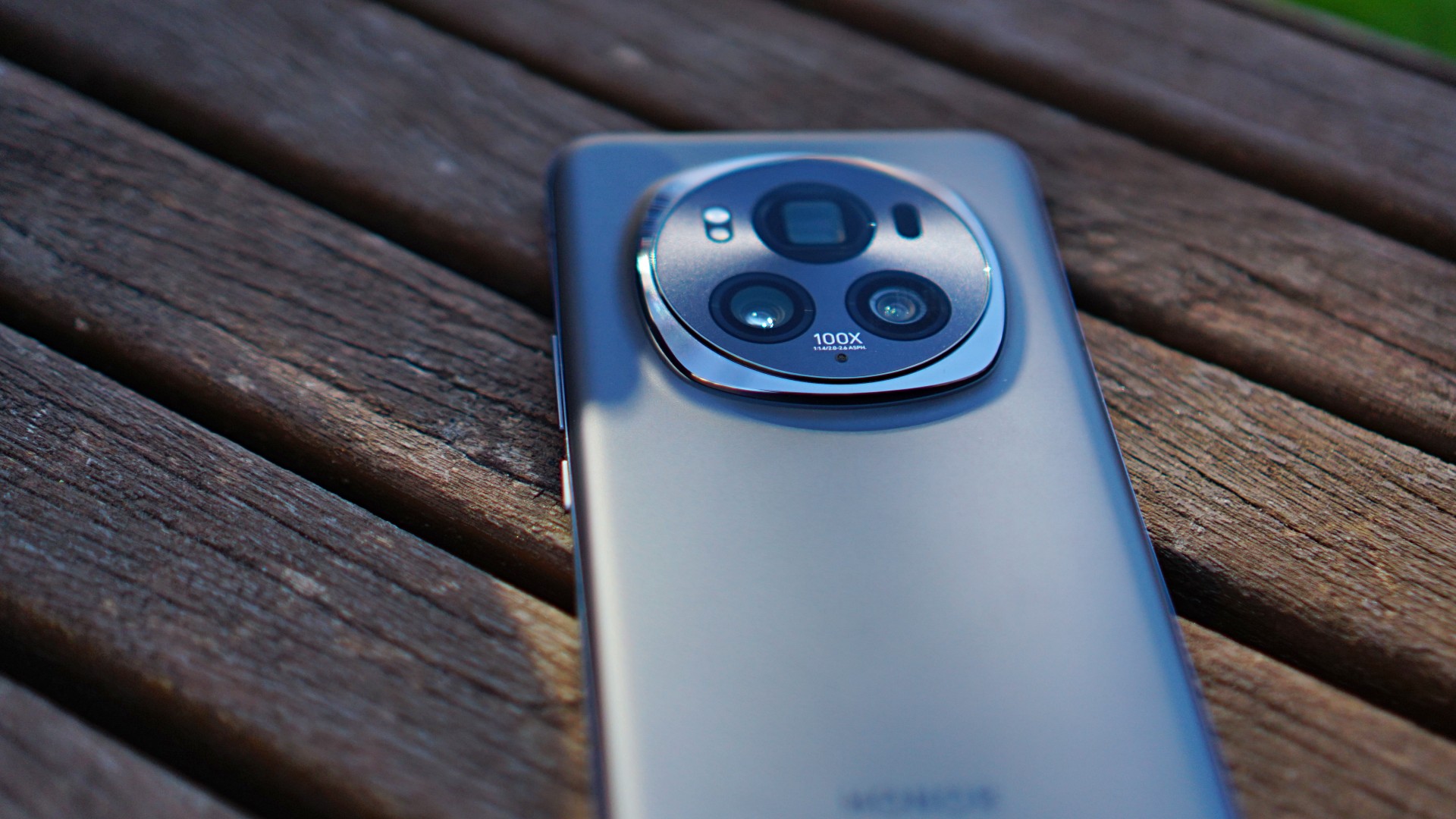
HONOR made sure to end its IFA 2024 stint with a bang. HONOR revealed at the showcase’s tail-end that its first on-device AI assistant, called HONOR AI Agent, will come to the HONOR Magic7 smartphone in the future.
Company CEO George Zhao announced the news during a keynote session at the IFA 2024 Innovation Stage.
The HONOR AI Agent is an always-on personal assistant that is designed to enhance and simplify HONOR users’ daily lives. It intuitively understands users’ requests and intentions through language analysis and UI awareness technology.
It is capable of making intelligent decisions across various apps and services by learning users’ habits and their device environment. This way, complex tasks can be automated.
For a better understanding of how the HONOR AI Agent works, HONOR posted a practical scenario on X/Twitter.
For example, cancelling subscriptions… a pain no more. The HONOR AI Agent understands the on-screen content and is able to then make the multiple steps in the process needed to cancel the subscriptions.#HONORIFA2024 #UnfoldYourMagic pic.twitter.com/5HHECum41a
— HONOR (@Honorglobal) September 6, 2024
In the video, a user wants to cancel an unwanted subscription, enters a voice prompt, and lets the AI assistant do all the steps by going through the user’s WeChat Pay and Alipay.
Of course, the AI assistant will still ask for your verification, as well as for confirmation before executing the task. That’s in case you’ll worry about the AI assistant make an accidental purchase on your behalf.
HONOR Magic7 release date
As for when the HONOR Magic7 series will release, there haven’t been official announcements yet. But if you have been keeping tabs, HONOR usually releases its flagship devices at the MWC in Barcelona, which usually happens in late February.
If the pattern continues, then the next generation of HONOR flagship smartphones will arrive by February 2025.
Editors' Choice
GadgetMatch Awards: Best of IFA 2024
World’s Thinnest Foldable, Portable Projectors, Smart Lighting

At the annual IFA, a lot of major (and minor) tech brands have showcased what they all got on the show floor.
We combed through Messe Berlin and these are our picks for the Best of IFA 2024.
ASUS Intel-Powered Laptops: https://www.asus.com/event/ifa/
Govee Strip Lights: https://bit.ly/4gjJNAW
UGREEN Uno Lineup: https://bit.ly/4dKFjlm
UGREEN Nexode Power Banks: https://bit.ly/4e1eLft
HONOR Magic V3: http://bit.ly/MagicV3Review
XGIMI MoGo 3 Pro: https://bit.ly/4cL56Zs
XGIMI AURA 2: https://bit.ly/3ATsuXq
XGIMI Horizon S Pro: https://bit.ly/3Ti3n72
XGIMI Horizon S Max: https://bit.ly/4eaaRAW
XGIMI Elfin Flip: https://bit.ly/4gevJsr



Now Playing: Hoppers

Jackery SolarSaga series: Free power for small devices

UGREEN adds new Nexode Pro power bank, charger to lineup

nubia to launch new Neo 5 series gaming phones on March 28

SHINOBI: Art of Vengeance’s SEGA Villains Stage out on April 3


-

 Reviews5 days ago
POCO X8 Pro Max review: A new beast from the far east
-

 News5 days ago
POCO X8 Pro Series: Price, availability in the Philippines
-

 Laptops2 weeks ago
Apple MacBook Neo Review
-

 Computers2 weeks ago
GIGABYTE collaborates with Capcom for RE Requiem custom PC
-

 Apps1 week ago
Google Maps is finally getting a 3D mode
-

 Entertainment2 weeks ago
The internet is thirsting over the One Piece Season 2 cast
-

 Features1 week ago
Galaxy AI on the Samsung Galaxy S26 Ultra
-

 Automotive2 weeks ago
BYD is reportedly considering an F1 team