
How to optimize your home’s Wi-Fi
Three easy steps to maximize Wi-Fi coverage in your own home!







Having a fast broadband connection isn’t enough. You also need strong Wi-Fi to maximize your internet connection. Follow these three tips to optimize your Wi-Fi connection at home.
1) Stay near where the router is
This lets you surf better since doors and walls can weaken Wi-Fi signals
2) Only connect devices that you are using
Too many connections slow your Wi-Fi down.
3) Invest in Wi-Fi mesh extenders
When your home is simply too big for a router, add Wi-Fi extenders to reach more rooms. You can call the Globe Tech Squad at 730-1000 for help.
Follow all these steps for a better Wi-FI experience!
SEE ALSO: Globe Prepaid Home WiFi review







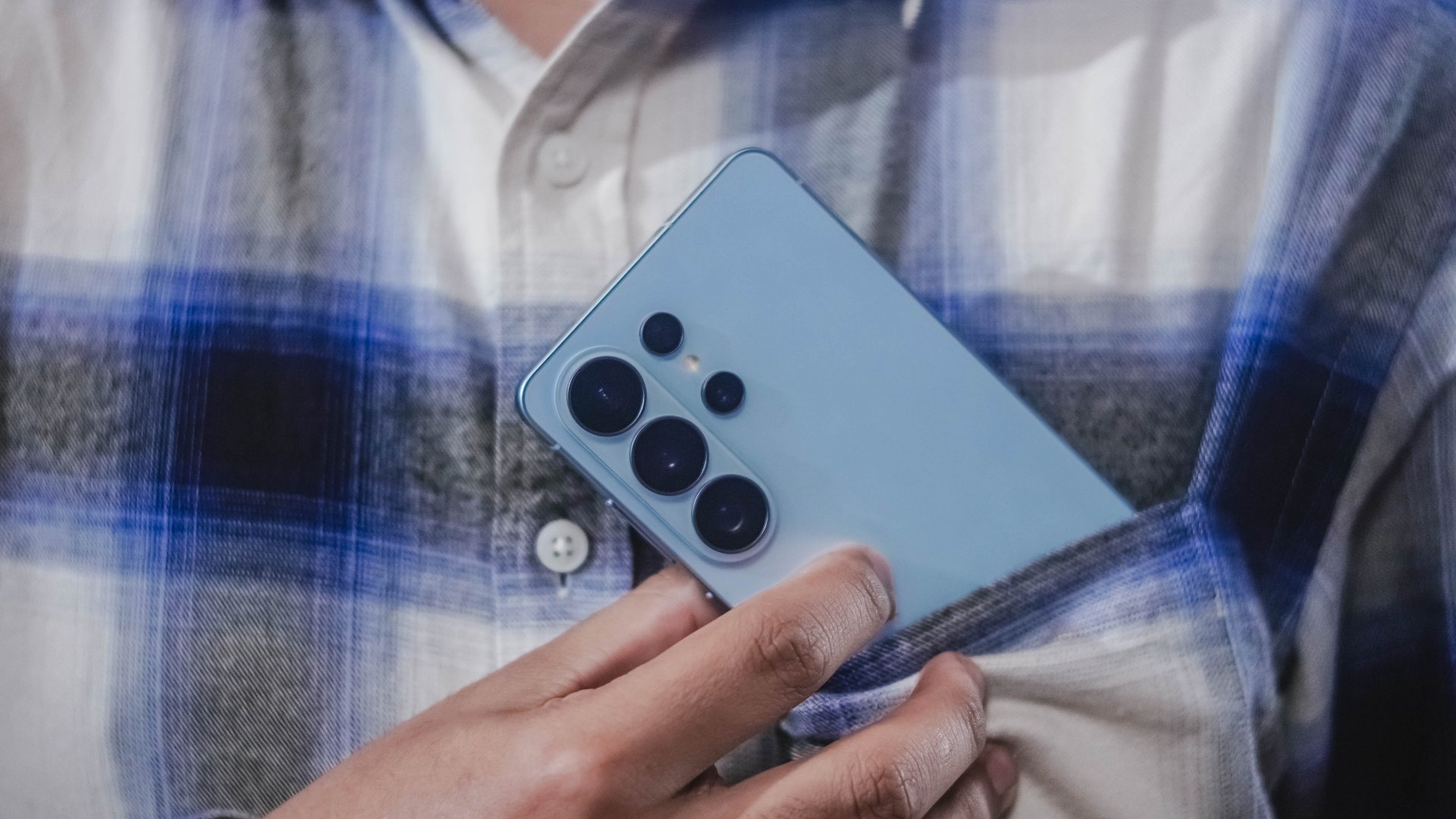
@gadgetmatch A phone that does more… so you can focus more on the moments that matter. The Galaxy S26 Ultra lets Galaxy AI handle the small stuff so you can stay present for the moments that matter. Also great for the occasional KPop concert video. Pre-order until March 17 and get double storage worth up to PhP 14,000. https://www.samsung.com/ph/smartphones/galaxy-s26-ultra/buy/ #GalaxyS26Ultra #EverydaywithGalaxyAI @samsungph ♬ original sound – GadgetMatch
Here’s the dream: a phone that helps you stay on top of things, so you can focus more on what matters.
That’s basically the idea behind Galaxy AI on the Samsung Galaxy S26 Ultra.
Instead of adding more things to do, the phone helps take care of the small stuff for you. Things like reminding you what’s next, or surfacing the information you need right when you need it.
So you spend less time digging through apps and more time actually doing the things you planned to do.
Editing photos is easier too. With Photo Assist, you can just describe the change you want… and Galaxy AI fills in the rest.
And if you’re cleaning up a video, Audio Eraser can reduce background noise — even from clips on third-party apps like Instagram or YouTube.
The point isn’t to make your phone the center of attention. It’s to make it helpful enough that you can forget about it for a while. Until something worth capturing happens.
And when things get a little chaotic — like concerts, street performances, or just life moving fast — Super Steady Video helps keep your shots level.
That’s definitely coming with me to the next K-pop concert.
The Galaxy S26 Ultra. Smarter phone. Slightly less stressed me.
Pre-orders are open now — with double storage for early buyers, plus additional discounts and installment offers from participating banks.
Which is great… because apparently I shoot way too many videos.

The Galaxy S26 Ultra introduces something we haven’t really seen on a mainstream smartphone before: a built-in Privacy Display.
If you’ve ever used a privacy screen protector, you know the concept. Tilt the phone slightly and the screen becomes difficult to read from the side. Samsung is now doing that at the pixel level — no accessory required.
More importantly, this isn’t a blunt on-or-off feature. You can toggle it manually, or activate it only for specific apps. That means you can leave it off while watching YouTube, but turn it on automatically for banking apps, messages, or anything more sensitive.
It’s the kind of feature that doesn’t look impressive in a spec sheet, but makes a lot of sense in real life. Public transport. Coffee shops. Airports. Open offices. These are places where people casually glance at your screen without meaning to — or sometimes with intention.
Samsung says the feature works without significantly affecting sharpness or color, though we’ll need extended testing to determine how it impacts brightness and overall clarity in different lighting conditions.
In a year filled with AI headlines, Privacy Display stands out because it solves a very human problem. It’s subtle. It’s practical. And it feels designed with everyday use in mind.
Samsung Galaxy S26 Series – Specs
| Feature | Galaxy S26 Ultra | Galaxy S26+ | Galaxy S26 |
| Display | 6.9″ Dynamic AMOLED 2X
|
6.7″ Dynamic AMOLED 2X
|
6.3″ Dynamic AMOLED 2X
|
| Rear Camera: Ultra Wide | 50MP, F1.9, 0.7 µm | 12MP, F2.2, 1.4 µm | 12MP, F2.2, 1.4 µm |
| Rear Camera: Wide | 200MP, F1.4, 0.6 µm | 50MP, F1.8, 1.0 µm | 50MP, F1.8, 1.0 µm |
| Optical Quality 2x | |||
| Rear Camera: Telephoto 1 | 10MP, F2.4, 1.12 µm | 10MP, F2.4, 1.0 µm | 10MP, F2.4, 1.0 µm |
| 3x optical zoom | |||
| Rear Camera: Telephoto 2 | 50MP, F2.9, 0.7 µm
|
— | — |
| Front Camera | 12MP, F2.2, 1.12 µm | 12MP, F2.2, 1.12 µm | 12MP, F2.2, 1.12 µm |
| Processor | Snapdragon® 8 Elite Gen 5 for Galaxy (3 nm) | Exynos 2600 (2 nm)* | Exynos 2600 (2 nm)* |
| Memory (RAM) | 12GB / 16GB | 12GB | 12GB |
| Storage | 256GB / 512GB / 1TB | 256GB / 512GB | 128GB / 256GB / 512GB |
| (Micro SD: N/A) | |||
| Battery | 5,000 mAh | 4,900 mAh | 4,300 mAh |
|
|||
| Dimensions | 78.1 x 163.6 x 7.9 mm
214 g (Sub6/mmWave) |
75.8 x 158.4 x 7.3 mm
190 g (Sub6/mmWave) |
71.7 x 149.6 x 7.2 mm
167 g (Sub6) |
| Colors | Standard: Cobalt Violet (Hero), Sky Blue, Black, White
Online: Silver Shadow, Pink Gold |
Standard: Cobalt Violet (Hero), Sky Blue, Black, White
Online: Silver Shadow, Pink Gold |
Standard: Cobalt Violet (Hero), Sky Blue, Black, White
Online: Silver Shadow, Pink Gold |
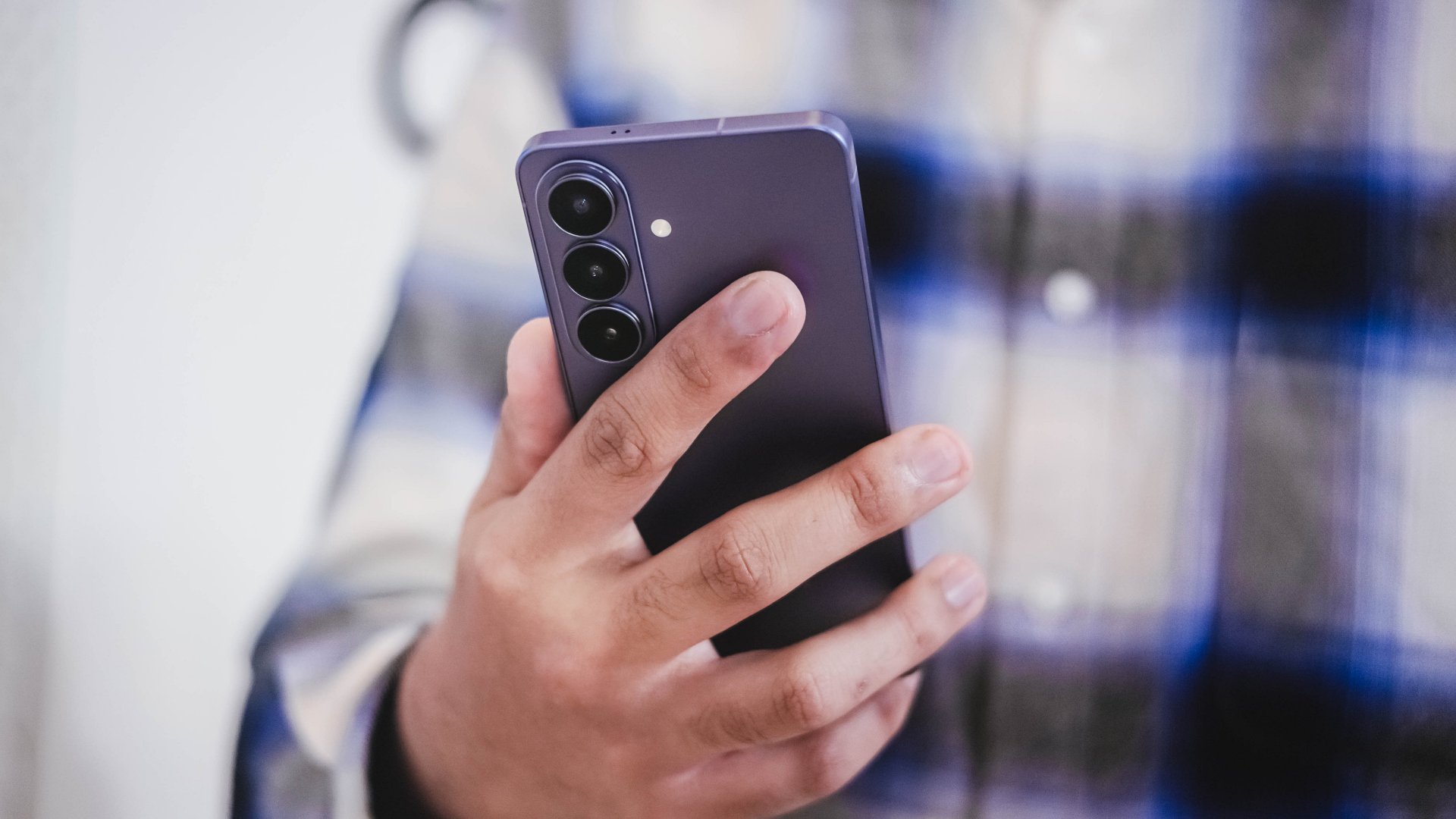
Audio Eraser was already one of the more useful AI tools in recent Galaxy phones. On the S26 series, it becomes more practical.
It now works across third-party apps.
In the demo, Samsung showed background noise being removed from WWE footage. We tested it ourselves using a noisy K-pop fancam on YouTube. The results were surprisingly effective. Crowd noise softened. The main audio became clearer. And it didn’t sound aggressively distorted.
That’s the key difference between flashy AI and useful AI. This one feels usable.
Instead of being limited to clips shot directly on the phone, Audio Eraser can now clean up videos from streaming apps or social platforms. That opens up more real-world scenarios — from improving a saved concert clip to cleaning up dialogue in shared content.
It’s not the kind of feature you upgrade your phone for. But it’s the kind of feature you’ll appreciate once it’s there.
And in a year where Samsung is doubling down on AI, this might be one of the clearest examples of it working in service of the user.
Samsung Galaxy S26 Series – Specs
| Feature | Galaxy S26 Ultra | Galaxy S26+ | Galaxy S26 |
| Display | 6.9″ Dynamic AMOLED 2X
|
6.7″ Dynamic AMOLED 2X
|
6.3″ Dynamic AMOLED 2X
|
| Rear Camera: Ultra Wide | 50MP, F1.9, 0.7 µm | 12MP, F2.2, 1.4 µm | 12MP, F2.2, 1.4 µm |
| Rear Camera: Wide | 200MP, F1.4, 0.6 µm | 50MP, F1.8, 1.0 µm | 50MP, F1.8, 1.0 µm |
| Optical Quality 2x | |||
| Rear Camera: Telephoto 1 | 10MP, F2.4, 1.12 µm | 10MP, F2.4, 1.0 µm | 10MP, F2.4, 1.0 µm |
| 3x optical zoom | |||
| Rear Camera: Telephoto 2 | 50MP, F2.9, 0.7 µm
|
— | — |
| Front Camera | 12MP, F2.2, 1.12 µm | 12MP, F2.2, 1.12 µm | 12MP, F2.2, 1.12 µm |
| Processor | Snapdragon® 8 Elite Gen 5 for Galaxy (3 nm) | Exynos 2600 (2 nm)* | Exynos 2600 (2 nm)* |
| Memory (RAM) | 12GB / 16GB | 12GB | 12GB |
| Storage | 256GB / 512GB / 1TB | 256GB / 512GB | 128GB / 256GB / 512GB |
| (Micro SD: N/A) | |||
| Battery | 5,000 mAh | 4,900 mAh | 4,300 mAh |
|
|||
| Dimensions | 78.1 x 163.6 x 7.9 mm
214 g (Sub6/mmWave) |
75.8 x 158.4 x 7.3 mm
190 g (Sub6/mmWave) |
71.7 x 149.6 x 7.2 mm
167 g (Sub6) |
| Colors | Standard: Cobalt Violet (Hero), Sky Blue, Black, White
Online: Silver Shadow, Pink Gold |
Standard: Cobalt Violet (Hero), Sky Blue, Black, White
Online: Silver Shadow, Pink Gold |
Standard: Cobalt Violet (Hero), Sky Blue, Black, White
Online: Silver Shadow, Pink Gold |


Galaxy Buds4 Pro review: I thought I was done with in-ears
This Buds4 you


WWE 2K26 lets you live out all the fantasy matches you could want
But you have to play for hours and hours to unlock everyone.


The HONOR X8d is serviceable
Steady but slow?

Life is Strange: Reunion now available on consoles and PC

Why this AI-powered eye health exam is the only reading you need this season

DJI officially launches the Avata 360 with 8K immersive imaging

The Changan Eado Plus officially lands in the Philippines

PLDT Home, Samsung team up for exclusive entertainment deals


-

 Reviews2 weeks ago
POCO X8 Pro Max review: A new beast from the far east
-

 News2 weeks ago
POCO X8 Pro Series: Price, availability in the Philippines
-

 Reviews2 weeks ago
POCO X8 Pro Iron Man Edition review: Midrange phone in superhero armor
-

 Automotive2 weeks ago
VinFast extends free unlimited charging in 3 markets amid rising fuel prices
-
Philippines1 week ago
The HONOR X8d is serviceable
-

 Reviews2 weeks ago
Samsung Galaxy S26 Ultra review: A phone you live with
-
 News2 weeks ago
POCO introduces X8 Pro Series with Dimensity 9500s
-

 Gaming2 weeks ago
NVIDIA’s DLSS 5 can turn your favorite AAA game into AI slop