
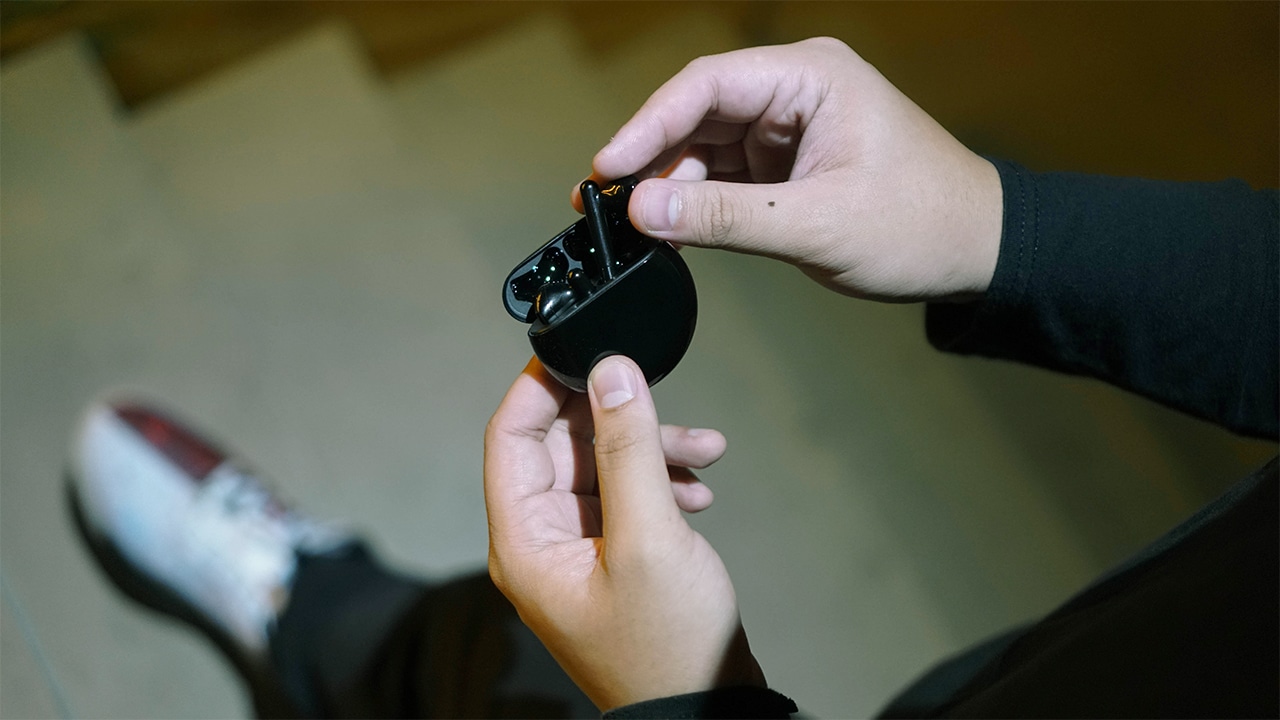
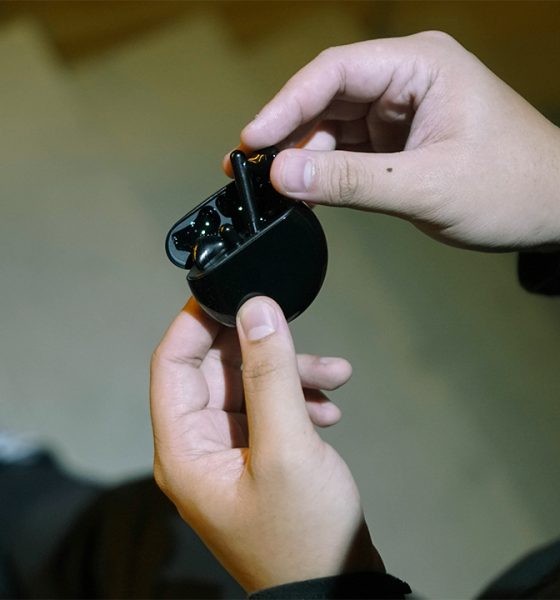

True wireless earbuds with noise-cancellation sprouted like crazy in 2019. Not to be outdone, Huawei, along with a few other wearables, launched the Freebuds 3. And these earbuds are actually pretty darn good.
Comfy fit, on the fence about the look
Let’s get it out of the way before anything else. The Huawei Freebuds 3 looks a lot like Apple’s Airpods. In fact, the entire Freebuds line has looked like this since it’s first iteration.
But is it fair to reduce it as simply an AirPods knockoff? Not quite.

Looks-wise, I kind of get why they went with this design. Not everyone’s a fan of in-ear earbuds. Some feel they are too invasive.
I can definitely say that the in-ear ones feel more secure but the Freebuds can cling onto your ear just fine. The only time I saw one fall off was during a Huawei demo but that was only because a dancer wore it and she was moving pretty intensely.
Also, perhaps the only way to put all the tech that Huawei managed to pack in the Freebuds 3 is to have them look the way they do now. I’m personally not too wild about it, but that’s just me.
Noise-cancelling all star
Speaking of “all the tech” in these earbuds, at the heart of it is the Kirin A1 chip. Made specifically for wearables, this is what enables a lot of what makes these earbuds great.
Chief of those features is the intelligent noise cancellation. I’m quite skeptical about noise cancellation claims especially on wireless earbuds, but the Freebuds 3 performs just about as good as advertised.

It doesn’t quite shut you out of your environment the way noise-cancelling headphones do. However, it does it well enough that your attention won’t easily be taken away when you have these on even when you’re in a crowded area.
The noise cancellation is still a tier and a half below the Sony WF-1000XM3 which I consider to be a superstar in that department. That said, the Freebuds 3 still does an awesome job and should be more than enough for most users.
Surprising bass, fantastic sound quality
The default bass setting on the Freebuds 3 is such a pleasant surprise. Coupled with the noise cancellation, it gives you such a full sound that if you close your eyes you’d almost feel like you’re surrounded by the music you’re listening to.
I wasn’t even playing bass heavy tracks when I noticed this. I was in a bit of a slow jams mood while trying these earbuds out and listened to tracks like Nice and Slow by Usher and I Wanna Know by Joe and man, the bass was really banging in a really good way.

This level of bass can be achieved in other true wireless earbuds but they’re usually not turned on by default. On the Freebuds 3, there isn’t any option to tweak the sound quality but I don’t imagine anyone needing to do this.
There is significant leak out of the audio though when you turn the volume to maximum. But I never felt the need to do this. Only tried it for the heck of it.
Easy pairing and controls
Pairing these are pretty straightforward, you only need to hold the button on the case for about two to five seconds to enter pairing mode. Make sure the case’s lid is open.
It’s even easier when your using a device that already has EMUI10. It’ll automatically find the Freebuds 3 once you pop the lid open. Similar to how Samsung Galaxy phones quickly detect the Galaxy Buds.

Controls are straightforward. Double tap on the left to turn on/off noise cancelling, tap on the right to play or pause, and double tap to skip to the next track. You can switch this up on the Huawei AI Life but that’s about the level of tweaking you can do on these.
I paired our review unit with both the iPhone 11 Pro and the Huawei P30 Pro. It’s worth noting that at the moment, you won’t be able to make these control changes on the Huawei AI Life/Smart Home app on iOS. Then again, if you’re using an iPhone, you’ll probably just get an AirPods or AirPods Pro anyway.
Is the Freebuds 3 your GadgetMatch?
There’s a lot to love with the Freebuds 3. The noise cancellation is pretty good, sound quality is superb, and the carrying case is small enough to be pocketable but not too small that they’re easy to misplace.
The battery is also pretty darn good. I’ve only had to charge it once in my week with the device. Speaking of charging, you can do so through a USB-C cable which comes with the device on the box or through wireless charging.

My only real gripe is how it looks. I’m still not a fan of how Apple has normalized wireless earbuds with stems sticking out. I find it frustrating that it’s now somehow considered trendy and fashionable.
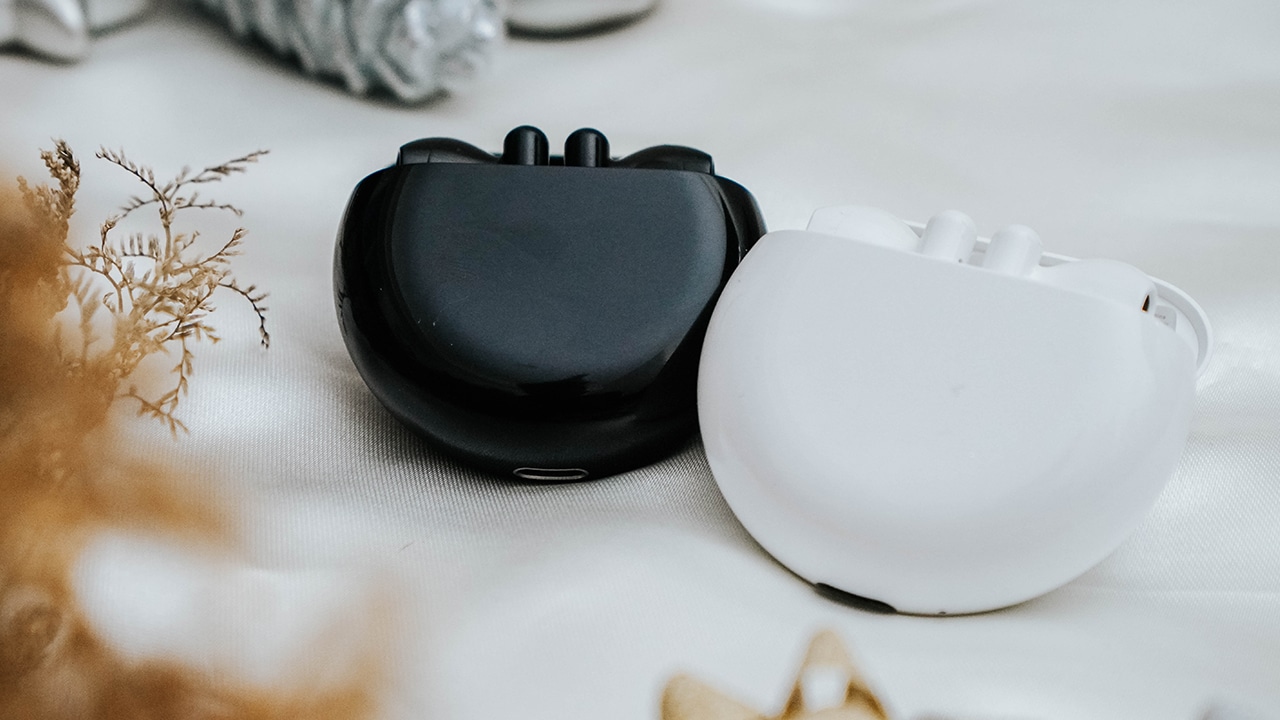
That said, if you like rocking these types of earbuds, that’s completely fine. Live and let live, right? But part of me is hoping the next version has a different look. These do come in two colors: Ceramic Black and Carbon White so you can at least go with the black one if you think the white looks too much like a knockoff.
The Freebuds 3 is priced as follows: UK (GBP 147), Singapore (SG$ 238), Philippines (PhP 8,990), Malaysia (MY R679). That’s very competitive considering everything you get. These might just be the value upper tier true wireless earbuds with noise cancellation. Everything works as advertised and that is truly satisfying.
If you’re looking to splurge a little for a better audio experience, either for you or as a gift for someone else, then it’s hard not to recommend the Freebuds 3.
SEE ALSO: Huawei Freebuds 3: Give the gift of freedom this holiday season






Accessories
Jackery SolarSaga series: Free power for small devices
Portable solar panels can charge small gadgets directly


As fuel prices continue to surge as of late, one of the ways to make up for the additional expenses is to turn to alternative power sources. That’s including solar power.
And Jackery is here to help Philippine consumers, with the availability of their portable SolarSaga panels.
These solar panels are an alternative to traditional and permanently installed rooftop solar panels. They are engineered for modern and mobile life with portable, lightweight, and sleek designs. They are built primarily to be set up and put away easily, and charge small devices directly.
Simply put the Jackery SolarSaga panels where sunlight is available, and it will convert up to 25% of sunlight into usable energy.
To charge small gadgets like phones and portable fans, or even smartwatches, the SolarSaga panels come with a USB-C and USB-A port.
Another way is connecting the SolarSaga to Jackery’s Explorer power stations like the Explorer 300 Plus or 1000 Plus.
From there, users can power up devices, essentially for free. On its own, the Jackery SolarSaga panels are available in 100W and 200W variants.
The panels are also IP68 rated for water and dust resistance. This makes them usable outdoors when brought to adventures like camping, picnics, or beach trips.
The panels are already available through Jackery’s Lazada and Shopee platforms, as well as Techroom’s Lazada and Shopee accounts.
Accessories
UGREEN adds new Nexode Pro power bank, charger to lineup
Intelligent displays, fast-charging, user-focused design
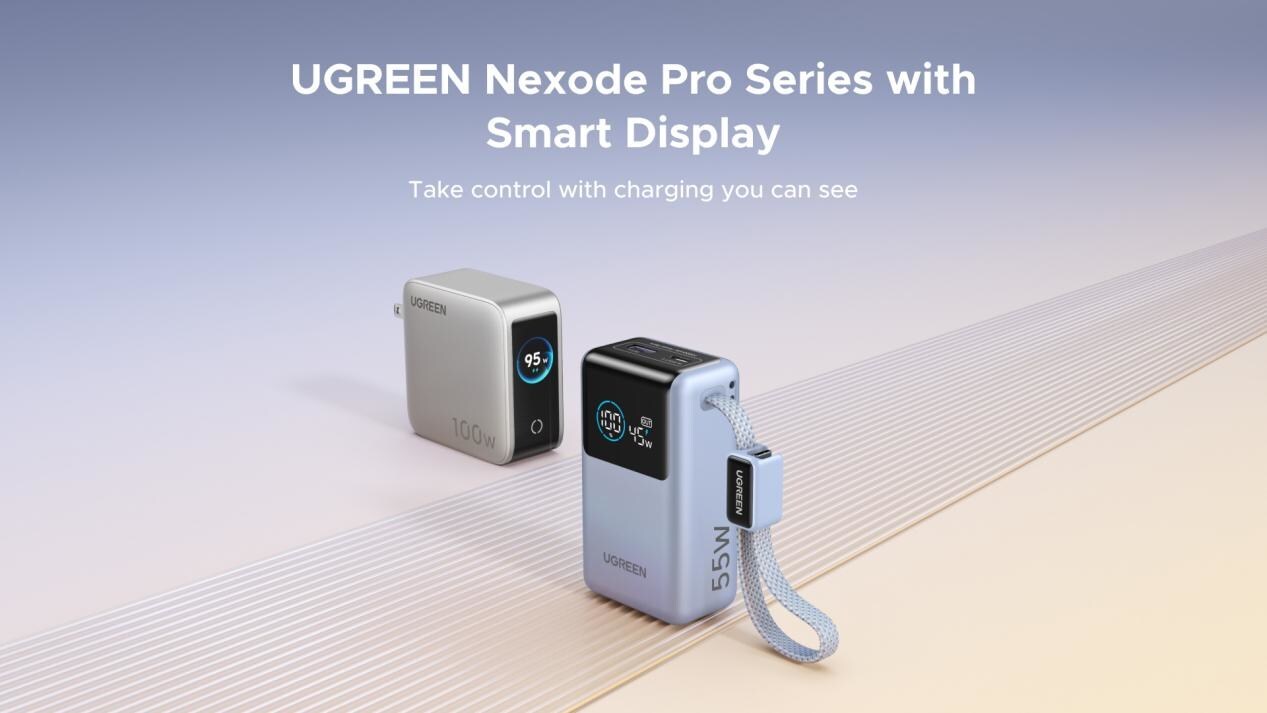
UGREEN has expanded its Nexode Pro charging lineup with two new devices designed for the modern user. They are the Nexode Pro 10000mAh 55W Power Bank and Nexode Pro 100W 5-Port Charger.
These new offerings combine intelligent digital displays, fast-charging capabilities, and user-focused designs for reliable power — whether at the desk or on the move.
The Nexode Pro 10000mAh Power Bank is the ultimate travel companion, delivering strong charging performance in a compact and travel-friendly form.
It supports up to 45W single-port fast charge, meeting the industry standard for high-speed portable charging. It can reach up to 55W as well when charging compatible Xiaomi devices.
The accessory is equipped with two USB-C ports, one USB-A port, and a built-in retractable USB-C cable. As such, it can power up to three small devices simultaneously without requiring extra cables.
With a rated capacity of 36Wh, the power bank also meets airline carry-on requirements.
Meanwhile, the UGREEN Nexode Pro 10W 5-Port Charger supports workstations. It has four USB-C ports, a USB-A port, and up to a 100W output.
It also has a built-in smart TFT display for easy power distribution monitoring.

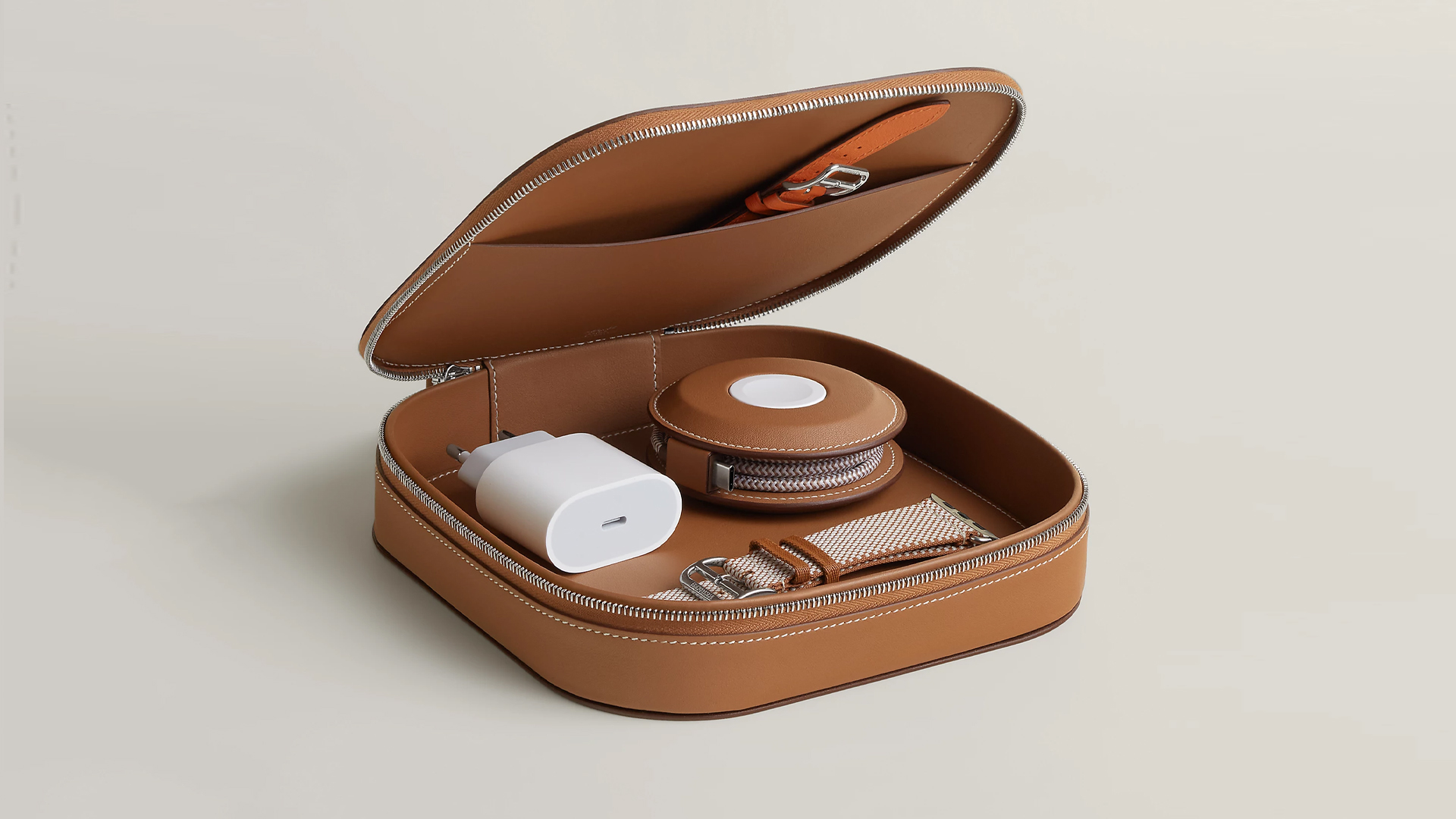
How extra are you as an Apple fan? No matter what you say, you’ll probably never be as extra as someone who buys a US$ 5,000 MagSafe charging case for their iPhone and Apple Watch. Hermès has just launched a series of leather chargers and cases specifically made for Apple fans.
Available now, Hermès has three types of MagSafe chargers for iPhone users. The cheapest one, the Paddock Solo, is a simple leather-bound puck that can charge a single device. The charger also has a braided 3.3ft USB cable. It costs an eye-watering US$ 1,250.
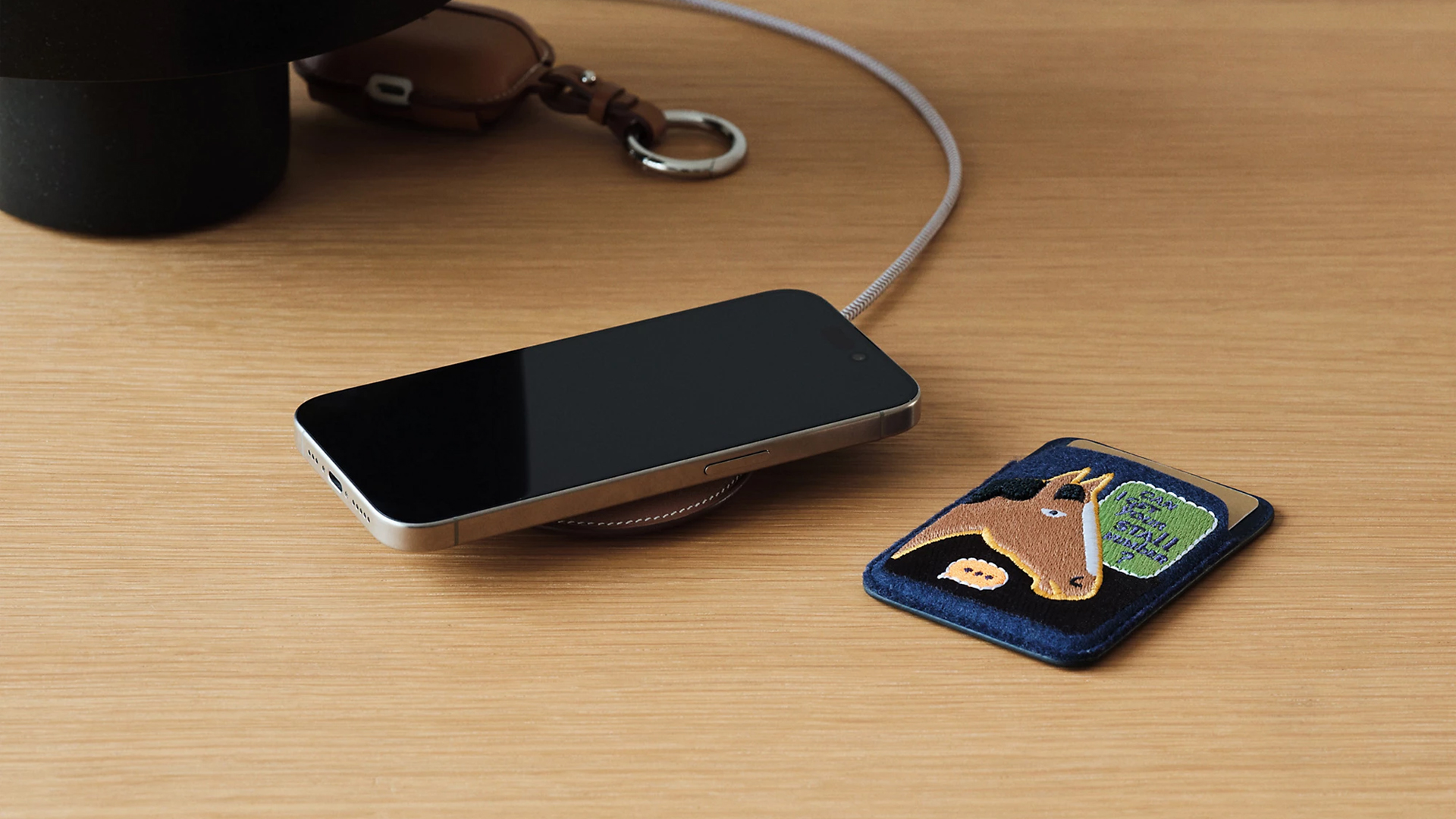
Paddock Solo charger
On the other hand, the Paddock Yoyo charger offers two charging zones for two devices simultaneously. Shaped like a yoyo (hence, the name), it allows users to roll the cable into a convenient stack. It costs US$ 1,750.
Finally, the Paddock Duo is a charging pad that allows for two devices simultaneously. It just doesn’t have a pocket for the cable. It likewise costs US$ 1,750.
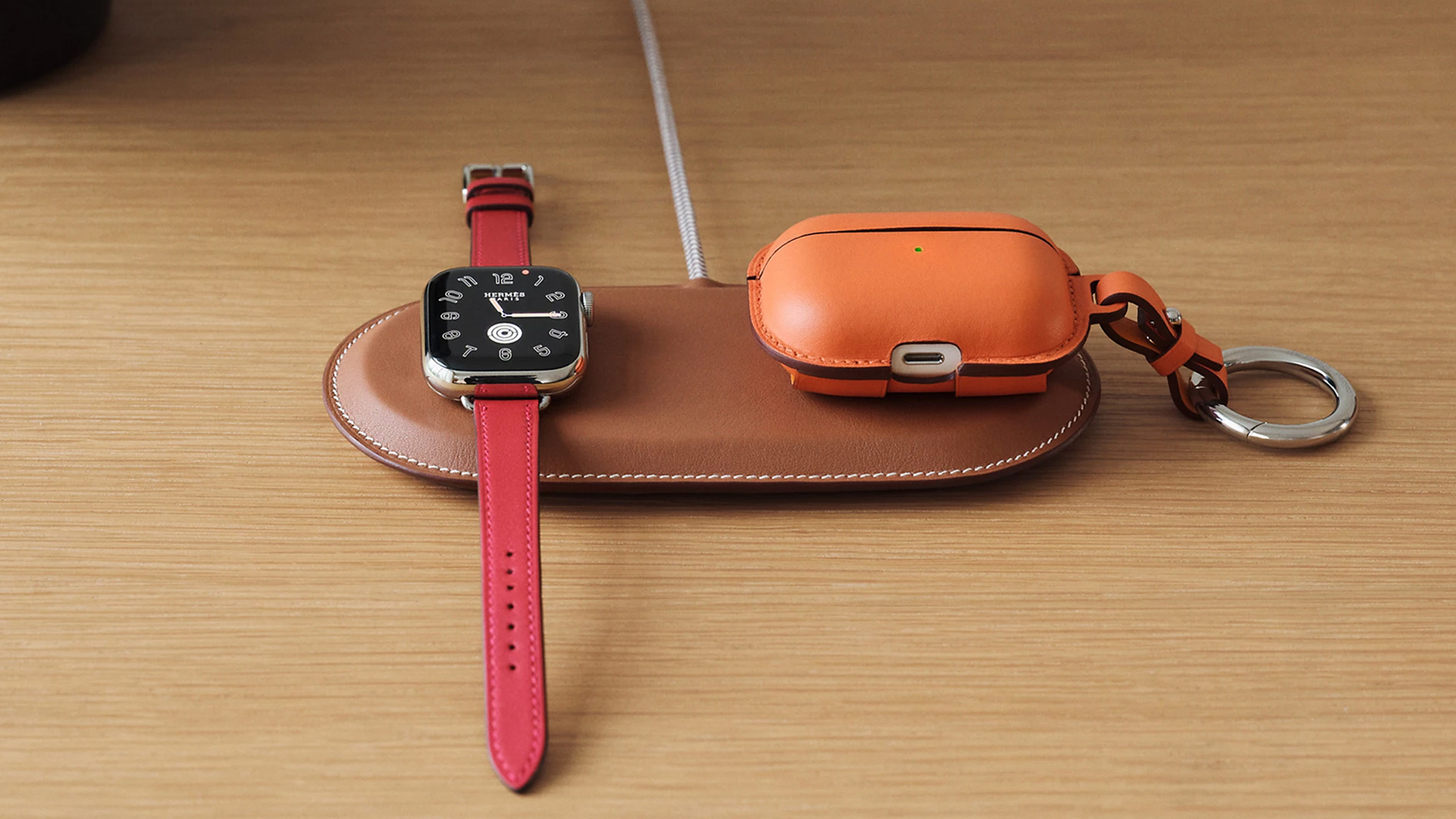
Paddock Duo charger
Now, if you want to upgrade your pricey charging kit even further, Hermès has two cases for them: the Petit Paddock case and the Grand Paddock case.
The Petit Paddock case, as the name suggest, is a snug leather case that fits only the charger (and a brick, if bundled with the Yoyo). The charger and case combo will set you back by US$ 3,725 for the Solo, and US$ 4,225 for either the Duo or the Yoyo.
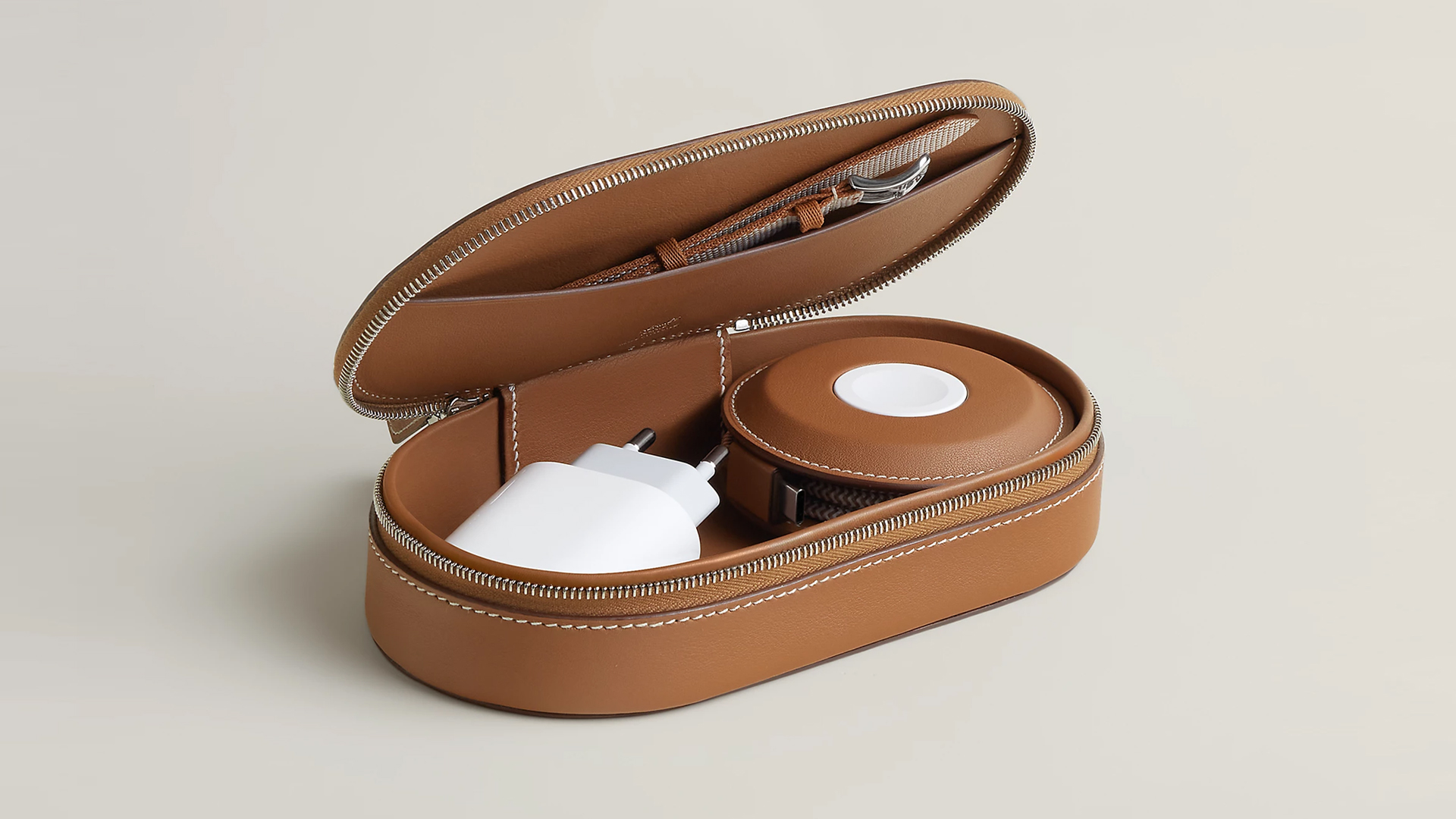
Paddock Yoyo + Petit Paddock
Alternatively, the Grand Paddock can fit much more but also costs a lot more. It costs US$ 4,650 for the Solo, and US$ 5,150 for the Duo or the Yoyo.
Of note, none of these come with a charging brick, so you’ll have to shell out a bit more to maximize the kit.
SEE ALSO: Apple unveils the iPhone 17e





Now Playing: Hoppers

Jackery SolarSaga series: Free power for small devices

UGREEN adds new Nexode Pro power bank, charger to lineup

nubia to launch new Neo 5 series gaming phones on March 28

SHINOBI: Art of Vengeance’s SEGA Villains Stage out on April 3


-

 Reviews5 days ago
POCO X8 Pro Max review: A new beast from the far east
-

 News5 days ago
POCO X8 Pro Series: Price, availability in the Philippines
-

 Laptops2 weeks ago
Apple MacBook Neo Review
-

 Computers2 weeks ago
GIGABYTE collaborates with Capcom for RE Requiem custom PC
-

 Apps1 week ago
Google Maps is finally getting a 3D mode
-

 Entertainment2 weeks ago
The internet is thirsting over the One Piece Season 2 cast
-

 Features1 week ago
Galaxy AI on the Samsung Galaxy S26 Ultra
-

 Automotive2 weeks ago
BYD is reportedly considering an F1 team