


The announcement of the Huawei P20 got me excited over something seemingly trivial when it comes to smartphones: color. The phones that were launched in the heart of Paris looked stunning and I couldn’t wait to get my hands on them.
Of course, I’ve been repping the Pink Gold gradient P20 for the past few weeks and here are my thoughts on Huawei’s newest flagship device.
Look and feel
Obviously, I adore this phone’s color. A quick look at my everyday stuff will show just how well this phone fits into my life and matches everything I own.
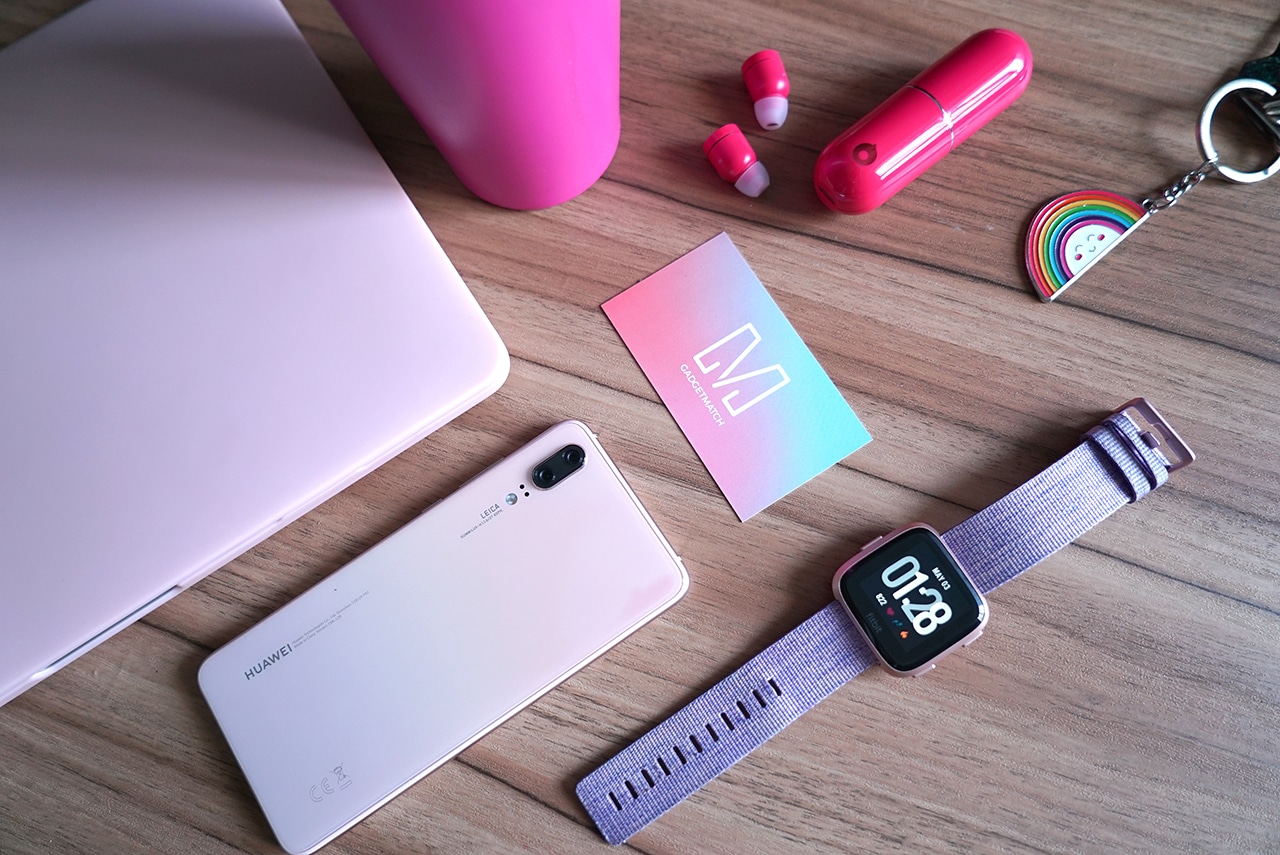
It’s not the easiest phone to photograph and depending on the light it may look less pink than I’d like. But, I love how subdued the color is and I’m continually amazed at how nice it is. I have, on more than one occasion, stopped mid-task to shoot flat lays with it just because I feel compelled to capture how pretty it is in photos.

I would go as far as saying that this, to me, is the prettiest phone out there right now. Sure, the popular Twilight gradient is pretty too, but this subtle blush is just so perfect.
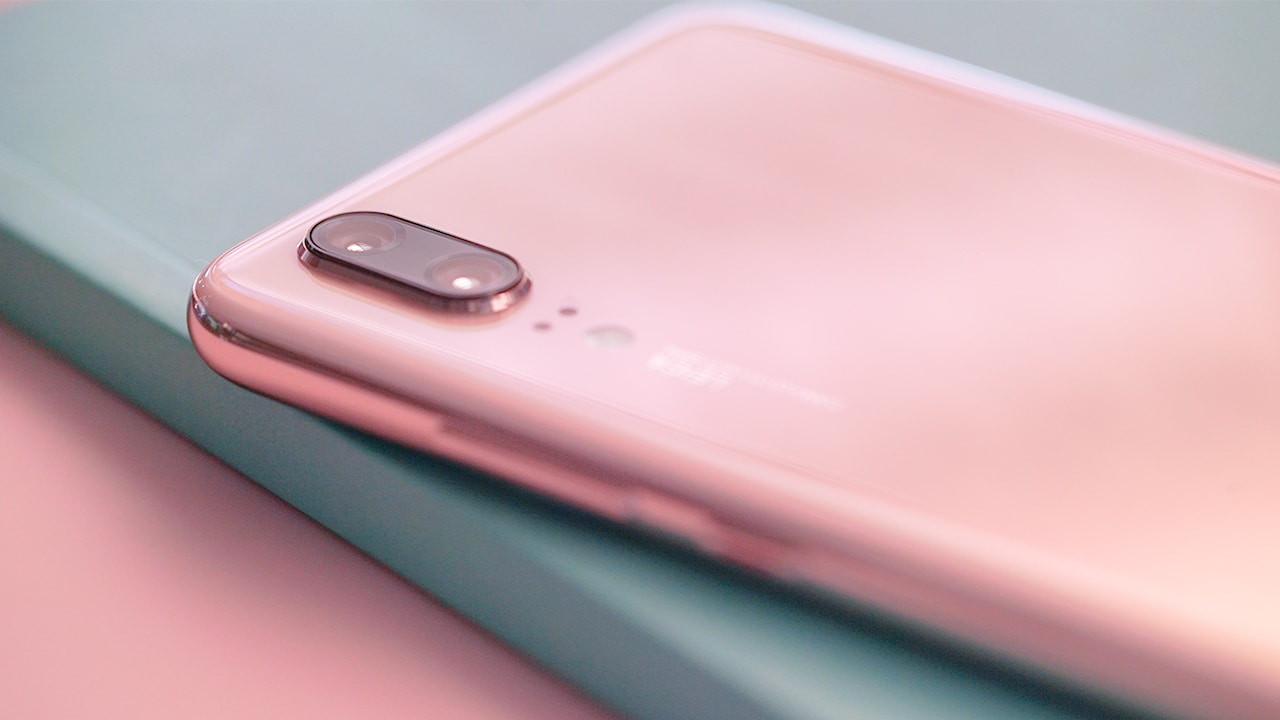
I always say that if you’re going to hold on to something for the most part of your day, it might as well be something that’s in a color you love — and I love pink. I sincerely, from the bottom of my heart, thank Huawei for releasing a flagship in this hue and I hope more brands would follow suit.
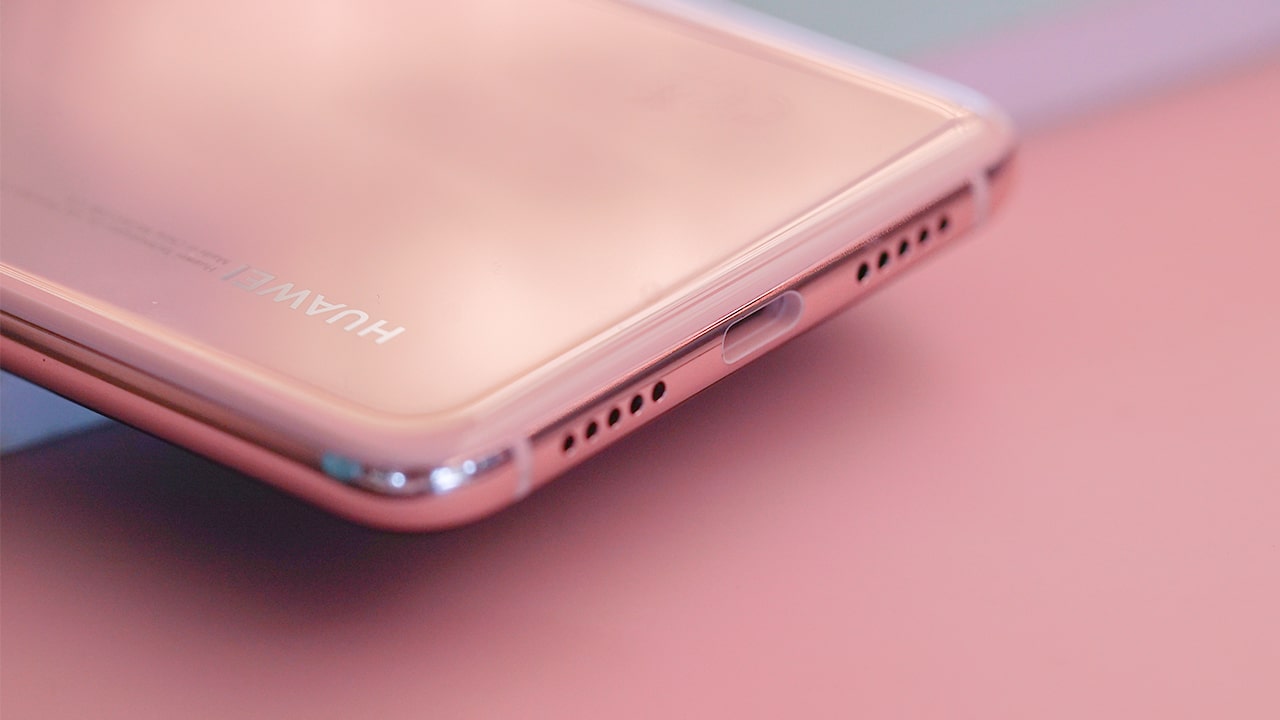
The gradient back is made of glass — so you still have to be careful — and the phone’s edges are made of aluminum. The handset feels as premium as it looks, but it’s a little slippery to hold. For butterfingers like me, make sure you get a case for this beaut.
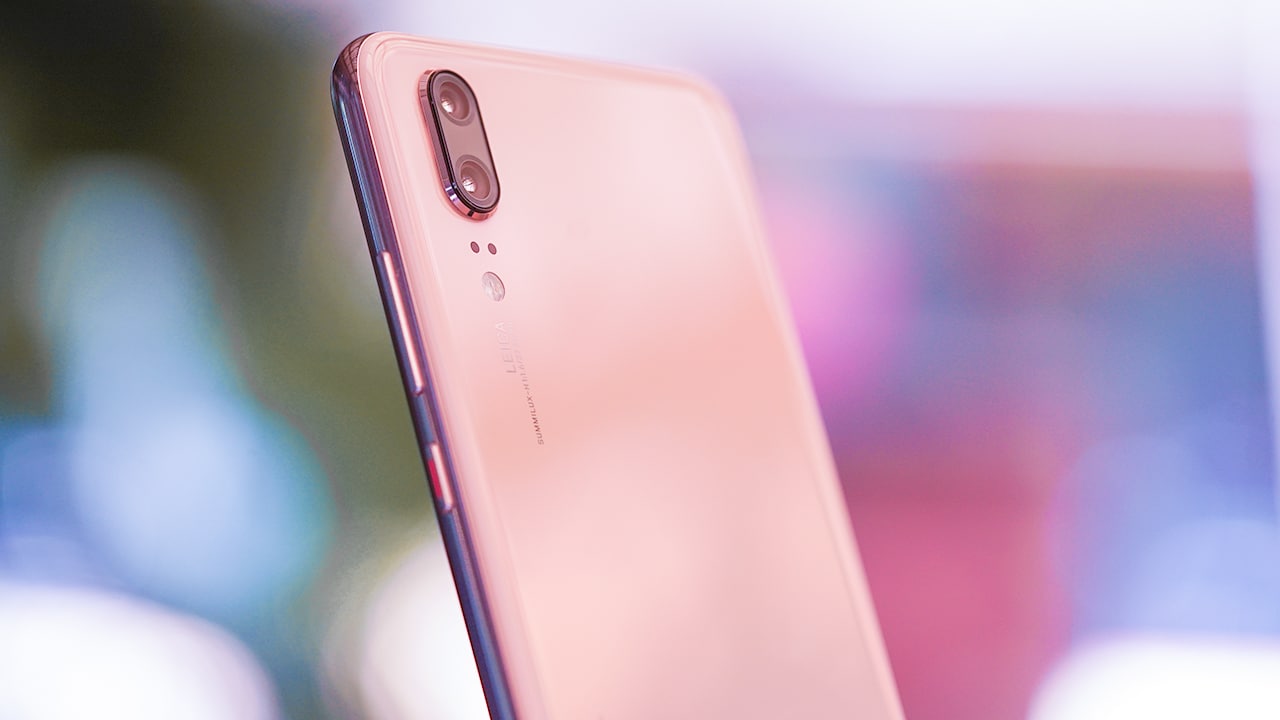
Unlike the Pro version, this device has only two cameras on its back. There’s also no audio port, unfortunately, but the phone comes bundled with an adapter for its USB-C port, so problem solved.
Notch my cup of tea
Like most 2018 flagships, one thing that it does have is a notch.

Well, unless you don’t want it there (which I totally didn’t). In a feat of tech genius, there is now a switch to hide the distracting notch. One tap in the settings menu and it goes away.
What I do love, however, is even when I turn that blasted notch off, the area beside the notch is still used for notification icons. It’s a great use of space, to be honest.

Unfortunately, while the notch does go away, there are still a few screen optimizations that could be done. Instagram Stories, for example, get cut out up top on the P20’s 5.8-inch display. But, this is nothing an update can’t cure; I just hope it comes soon.
Speaking of displays, the P20’s LCD display is bright and crisp, even if it isn’t OLED (which is what most flagships like the P20 Pro have). Oh, and this phone has a built-in “Eye comfort” setting which blocks out the blues on your screen so your eyes are less strained, which isn’t a new feature but is one I really appreciate nonetheless.
The P20 also has a fingerprint sensor in front, which is totally a Huawei thing — only they put fingerprint scanners below the display on near-bezel-less devices nowadays. Some people complain that the sensor is too low on the phone for a comfortable thumb scan, but I certainly don’t mind. At the end of the day, I still enjoy this placement more than when the scanner is on the phone’s rear — that, or I just have very agile thumbs. Either way, the P20 has face scanning for the non-believers, so that should solve all the thumb problems. It also works pretty well; I’ve honestly forgotten I have a lock code on my phone on most days.
Performance
This phone runs on Huawei’s most powerful processor (Kirin 970) and this means all app run smoothly on this phone — from Instagram to Snapchat, Google Maps, and even The Sims Mobile.

Battery time lasts me almost a day, which is a feat for most phones I touch as my day involves heavy social media use, photo- and selfie-taking sessions, plus video calling on a daily basis. Despite having a glass back, there is still no wireless charging on this thing but that’s something I can forgive as the device has fast charging. It takes around an hour and a half from zero to 100 percent on Huawei’s SuperCharge, which is fairly quick.
Unfortunately, this handset is only splash proof so yes, you shouldn’t be going swimming or showering with the phone which is a shame, because pool selfies are definitely a thing.
The phone runs on EMUI 8.1 on Android 8.1 Oreo which is the latest Android operating system out since the phone was announced. Everything is quick, snappy, and smooth — just the way I like it.
Rear cameras
Now, on to the phone’s highlight: the cameras!

There are two rear shooters on this device: 12- and 20-megapixel cameras, one of which is a monochrome sensor. The third lens is reserved only for the P20 Pro.
The real magic happens with artificial intelligence. Literally, you can just point and shoot on this thing and the camera does everything. E-V-E-R-Y-T-H-I-N-G.
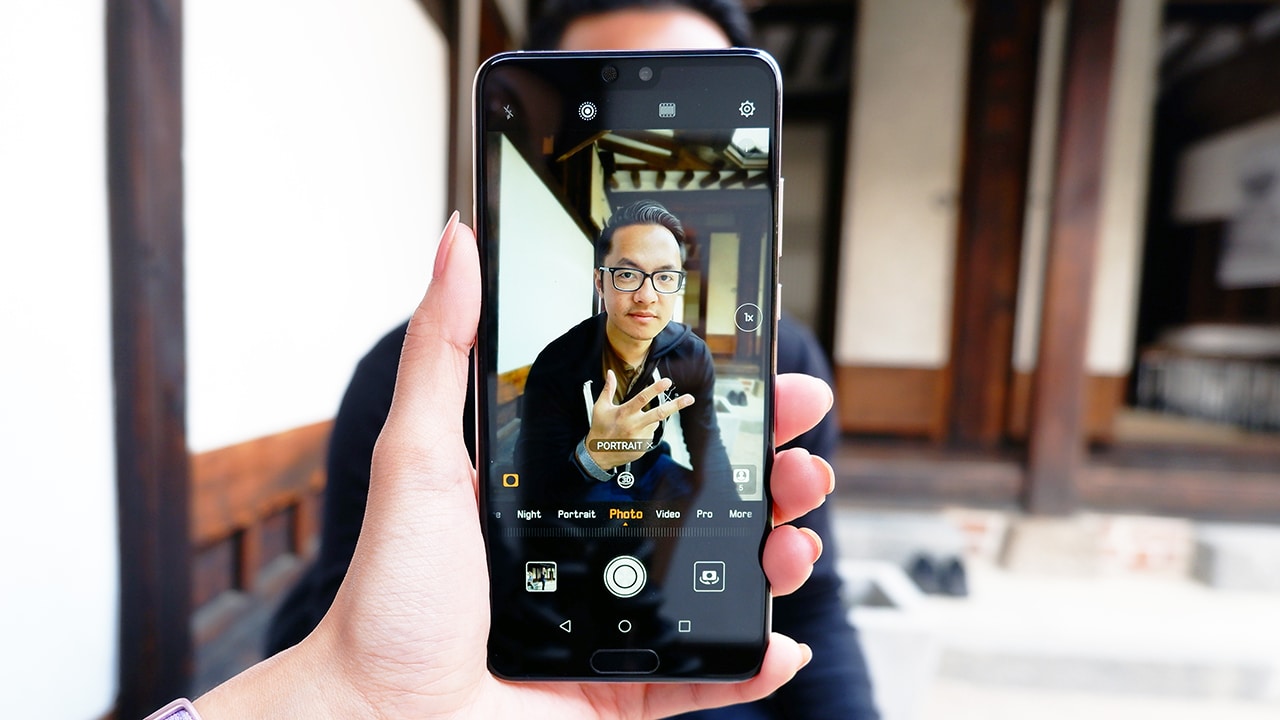
Point it at a person and it automatically turns on portrait mode. Point it at food and food mode is activated. It even identifies documents and automatically converts into a document scanner!
Now, I know what you’re thinking: What if I don’t want the phone deciding for me? Well, that’s so 2017, and also, tapping “x” at the bottom of the screen as the phone identifies the subject reverts back to normal mode on the camera.
Here are a few sample shots from my camera roll:






What’s more amazing is the P20’s low-light capabilities. On night mode, it can take four-second handheld shots that don’t even look like four-second low-light handheld shots. You have to see it to believe it:
-

- Look at those details!
-

- Food from a very dimly lit restaurant
-

- Yes, it looks like this wasn’t shot in lowlight. Camera is that good.
-
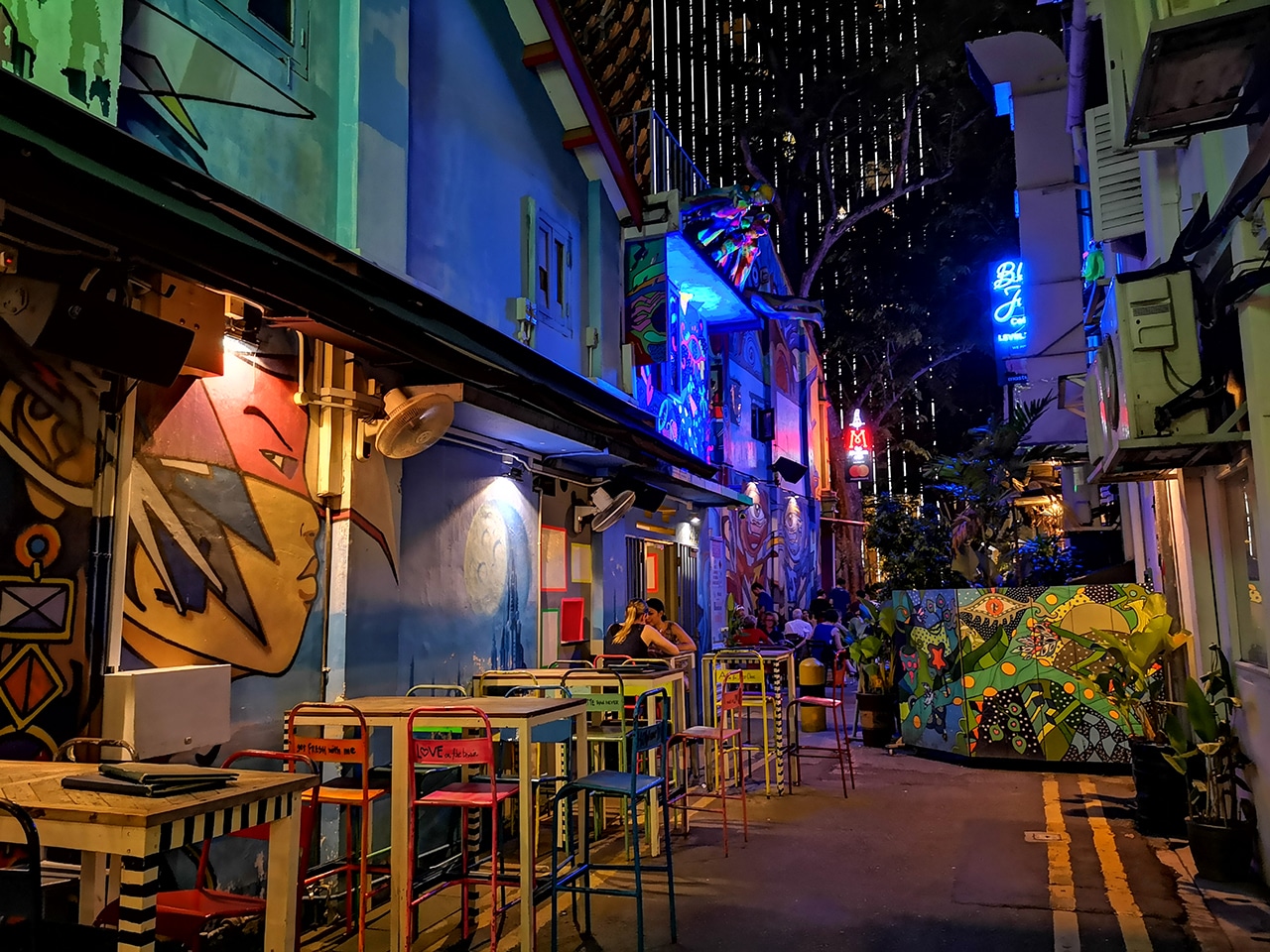
- The color on this one 👌🏽
-
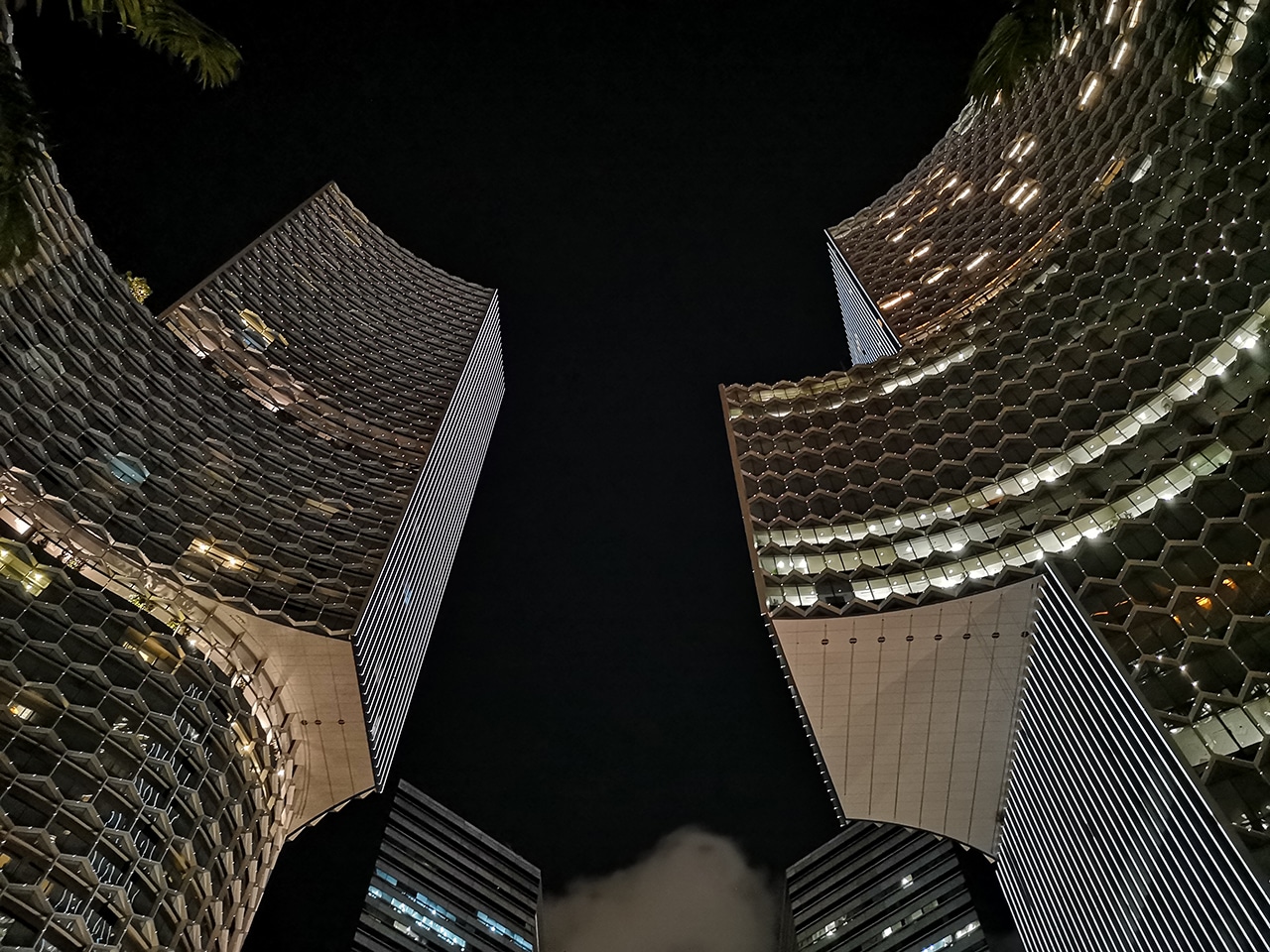
- Need I say more?

You know what a good smartphone camera means, right? Better Instagrammable photos! And that is precisely what I posed for here:
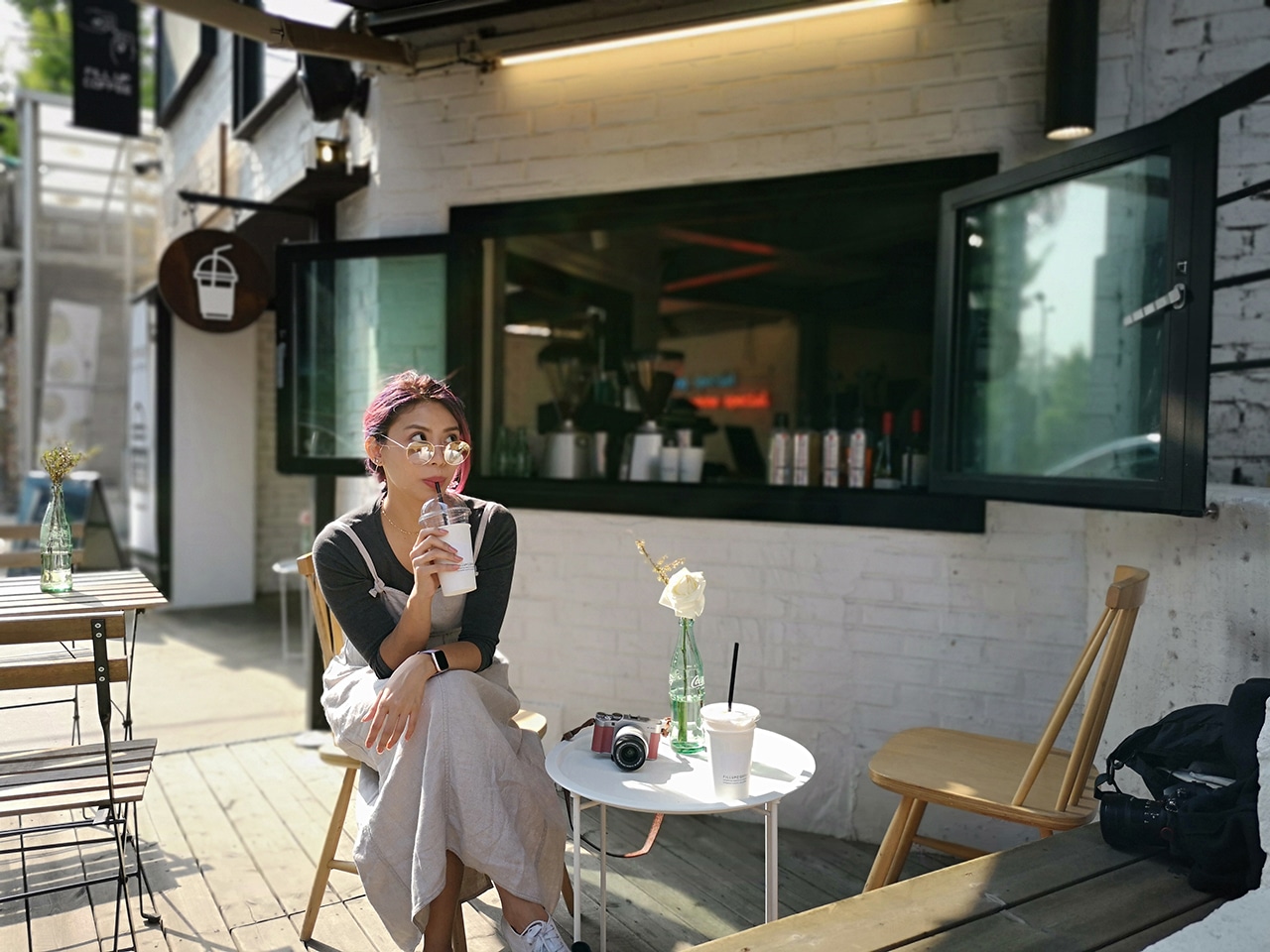
Candid shot on portrait mode. This went straight to my IG.
And here:

Bokeh cutouts aren’t perfect but they do a great job at it, even with challenging lighting. This made it to mg IG, too.
And even here:

Totally shot with very low light. Don’t worry, this will be on my IG soon.
Selfie Camera
For your selfie needs, a 24-megapixel camera can be found in front. There’s the normal photo mode and a dedicated portrait mode that enables the bokeh effect, 3D lighting effects, and a beauty mode with levels zero to ten. I didn’t even bother with the 3D lighting effects (yes, it’s Portrait Lighting all over again) because I didn’t really see much use for this on the iPhone so why bother on this phone. The beauty mode, on the other hand, is a different story.
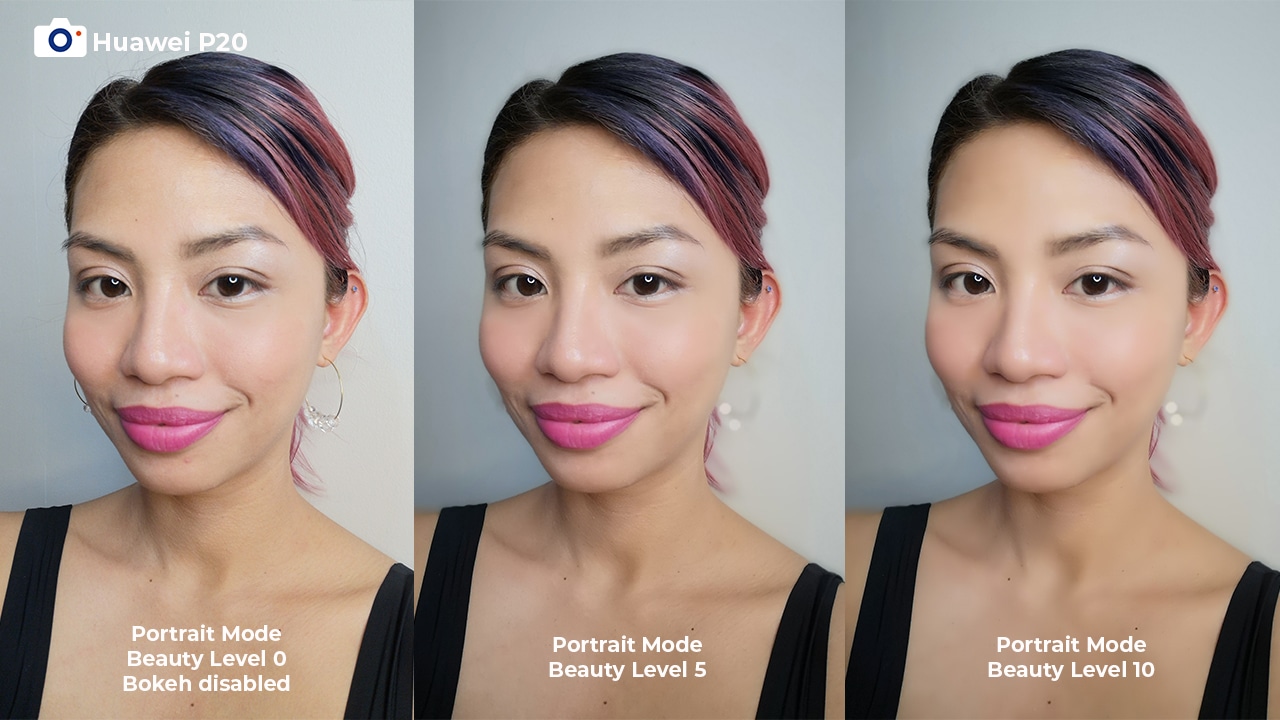
Yas, slay 🔥
Although settings past five can sometimes make you look like a wax figure, the secret is knowing when to stop. With the perfect beauty mode level, this phone can make you look fresh no matter the circumstance.
-

- Even straight from the shower…
-

- Even after a whole day tour…
-

- Even after a long shoot…
Unfortunately, the rear cameras’ low-light capabilities don’t extend to the front-facing camera as dark selfies aren’t the most detailed and are sometimes pretty hazy. Group selfies also aren’t the best on this camera, especially with the bokeh on. One too many times, a friend’s face was blurred out which is totally not good for the squad. You’re definitely better off getting someone else to take your group photo.
Is the Huawei P20 your GadgetMatch?
If you read up until this point of this particularly long review, you must really like the Huawei P20. And honestly, so do I.
How a phone looks and feels in my hands is something that’s very important to me, and the P20 ticked that particular box and even more. I’ve held on to this phone since the moment I got it and I still enjoy using it. Admittedly, there are still improvements that can be made on this device, but it’s nothing I can’t forgive for what I get: a solid rear camera, capable overall phone that’s pretty and with a premium build, and good beauty mode.
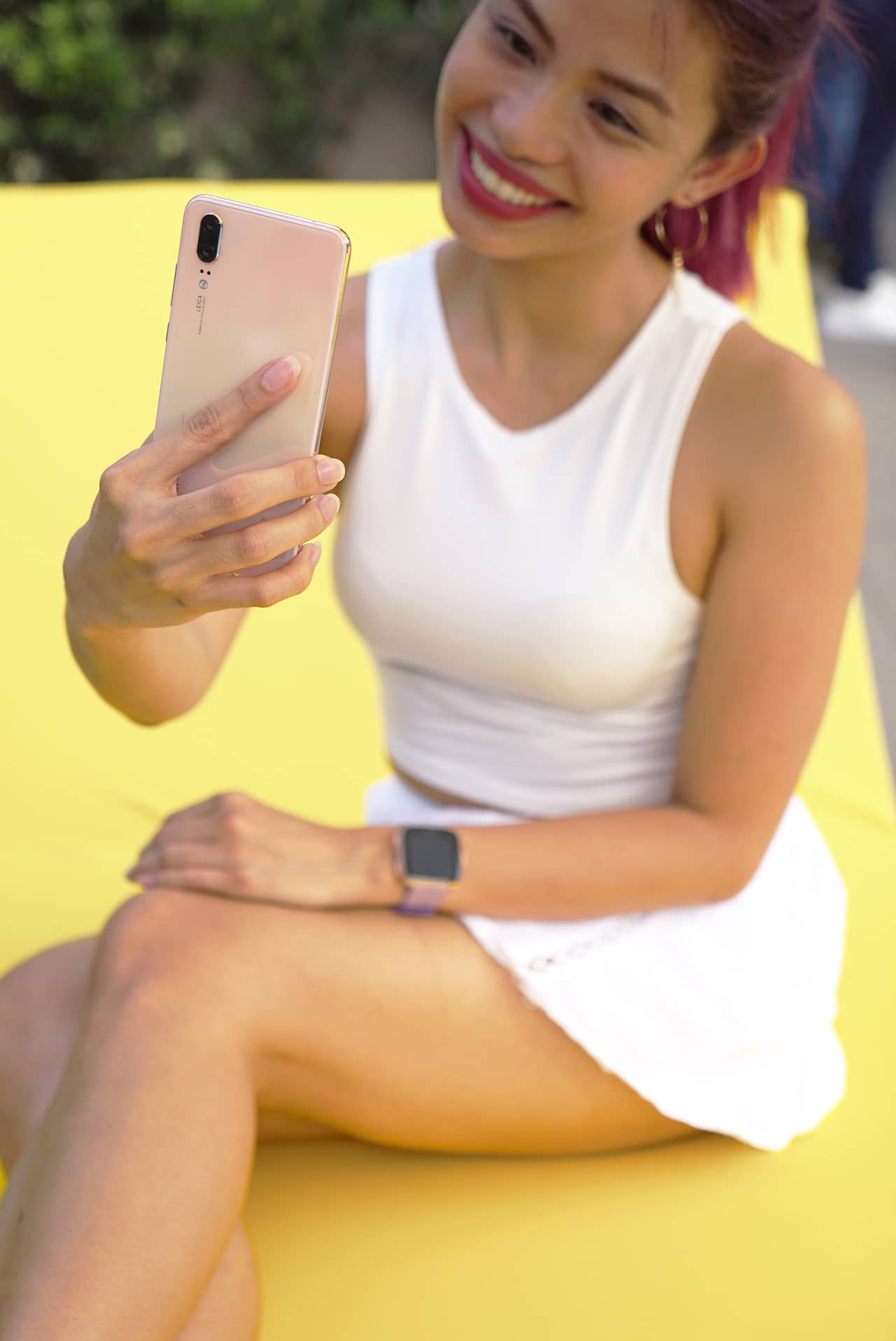
If your priorities are in the same place, you may want to consider getting this phone. In the meantime, I’m going to get a case for mine. I feel like I’ll be using this for a while.






Accessories
Razer fully unwraps these limited BLACKPINK Edition gaming gear
They are finally coming in your area!


Initially teased a month ago, the much-awaited BLACKPINK x Razer collab has finally been revealed for all the BLINKs to see (and purchase).
Hitting the ‘DEADLINE’
ICYMI, BLACKPINK (or K-Pop’s biggest female quartet composed of Jennie, Lisa, Rosé, and Jisoo) started their highly-anticipated ‘DEADLINE’ World Tour just last year.
With Razer’s signature dark black styling paired with BLACKPINK’s bold and iconic pink scheme, this collaboration felt like the perfect match.
Now, if you’re the type of BLINK who still has a severe sepanx (like yours truly), all these limited BLACKPINK-themed gaming gear by Razer might just be the cure.
That said, here are all the BLACKPINK Edition gaming accessories you should expect from the Singaporean-American gaming giant.
Ornata V3 Tenkeyless – BLACKPINK Edition
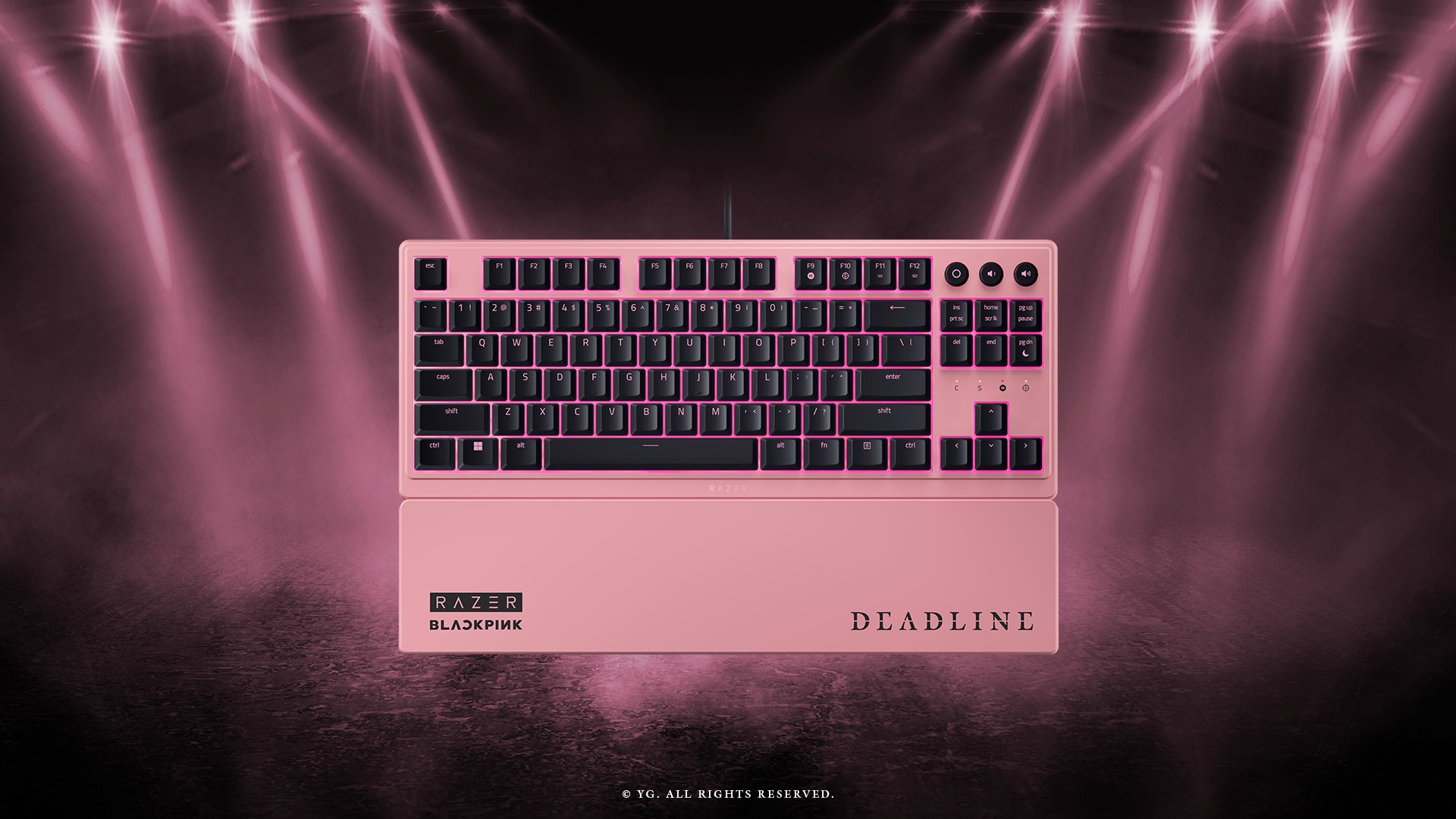
A low-profile RGB keyboard with clicky Mecha-Membrane switches.
DeathAdder Essential – BLACKPINK Edition

Gaming mouse with ergonic comfort and precision alongside mechanical switches and programmable buttons.
Gigantus V2 – Medium – BLACKPINK Edition
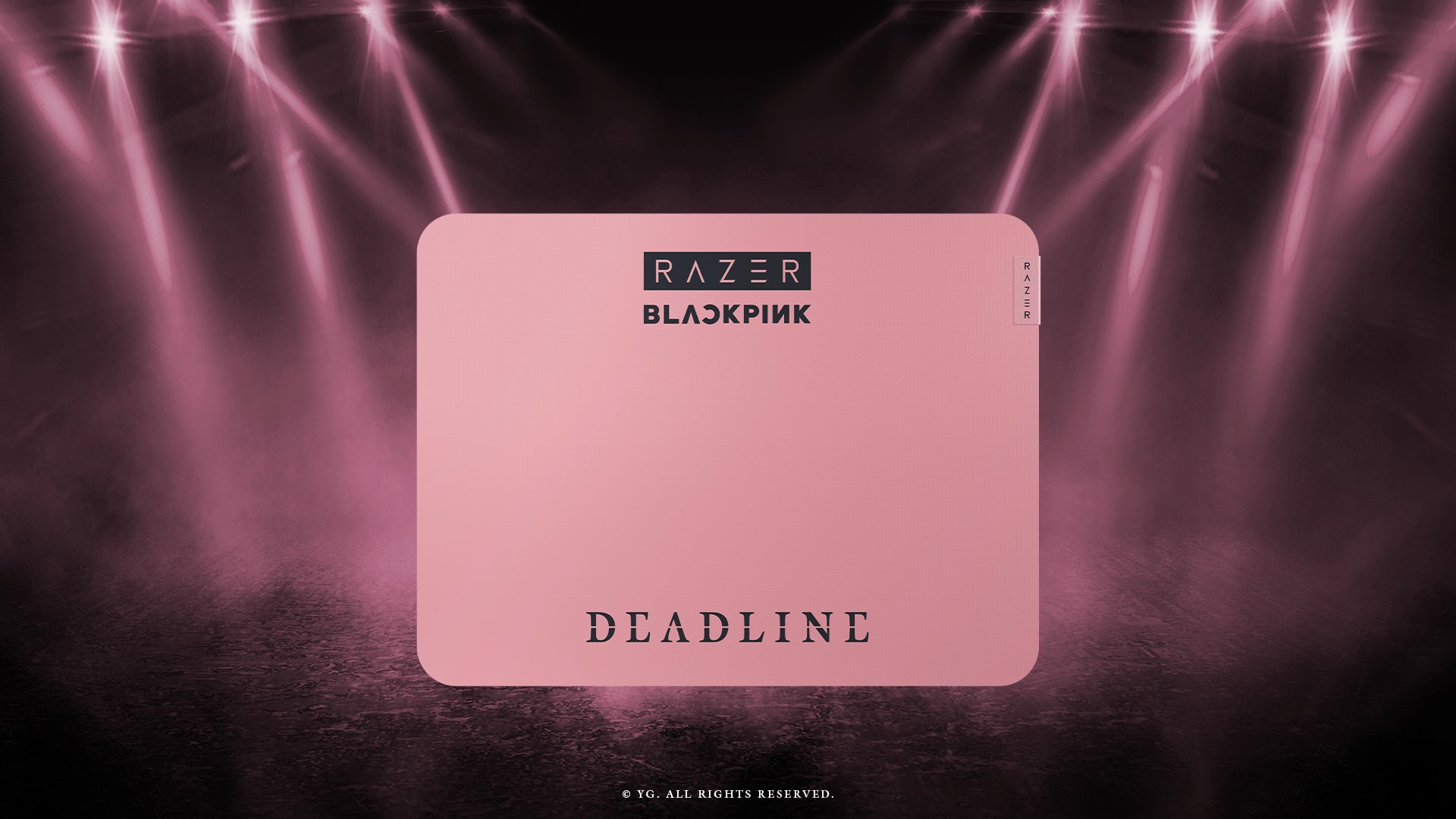
Razer’s smooth and durable mouse mat with that BLACKPINK flair
Enki X – BLACKPINK Edition

Badly-needed gaming chair for all-day comfort combined with BLACKPINK’s aesthetics — made for your marathon gaming sessions.
Pricing and Availability
Here are the SRP of the special Razer x BLACKPINK Edition gaming essentials:
- Ornata V3 Tenkeyless – BLACKPINK Edition = US$ 119.99
- DeathAdder Essential – BLACKPINK Edition = US$ 49.99
- Gigantus V2 – Medium – BLACKPINK Edition = US$ 29.99
- Enki X – BLACKPINK Edition = US$ 499.99
These will all be released worldwide (excluding Canada and Japan) by the 2nd quarter of 2026.
Currently, Razer has set-up a pop-up store in Hong Kong. BLINKs in the area can experience all the special gaming gear with dedicated photo zones in the scene.
View this post on Instagram
This popped right in time as BLACKPINK will hold the Hong Kong stop of their ‘DEADLINE’ tour for three straight days — from January 24 (Saturday) until January 26, 2026 (Monday).
Moreover, these might just be the perfect complement to the quatro’s upcoming ‘DEADLINE’ EP by February 27, 2026.
Might as well, an advanced 10th year anniversary gift this August 2026.
Deals
Trade in your old device and switch to Dyson at SM Podium
A simple trade-in lets you enjoy Dyson’s latest technology with better value!


Sometimes, the right upgrade arrives at the perfect moment.
Dyson is giving everyone that chance with its Trade to Upgrade event happening from November 25 to 28 at the 2F Atrium of SM Podium.
It’s a limited run designed for anyone who has been waiting to switch to smarter cleaning, cooler airflow, or sleeker styling.
The idea is simple: Bring your old purifier, vacuum, or hair tool from any brand, working or not, and switch to a Dyson machine within the same category.
You can enjoy up to 30 percent off when you trade in a purifier for a Dyson purifier, a vacuum for a Dyson vacuum, or a hair dryer or styler for a Dyson hair tool.
It’s a straightforward way to upgrade your daily routines with technology that performs better and looks better at home.
The event also welcomes shoppers who are not trading in. Dyson is offering flexible payment options with zero percent installment for up to twenty-four months on all machines, including the Airwrap Coanda 2X and the Amber Silk finish.
This gives more room to choose the device that fits your lifestyle without rushing the decision.
Whether you are setting up a smarter home or refreshing your everyday essentials, this event is a chance to experience Dyson’s design and engineering in a more accessible way.
Her GadgetMatch
How the HUAWEI Active Rings run inspired my next streak
One active morning turned into a streak I wanted to keep!
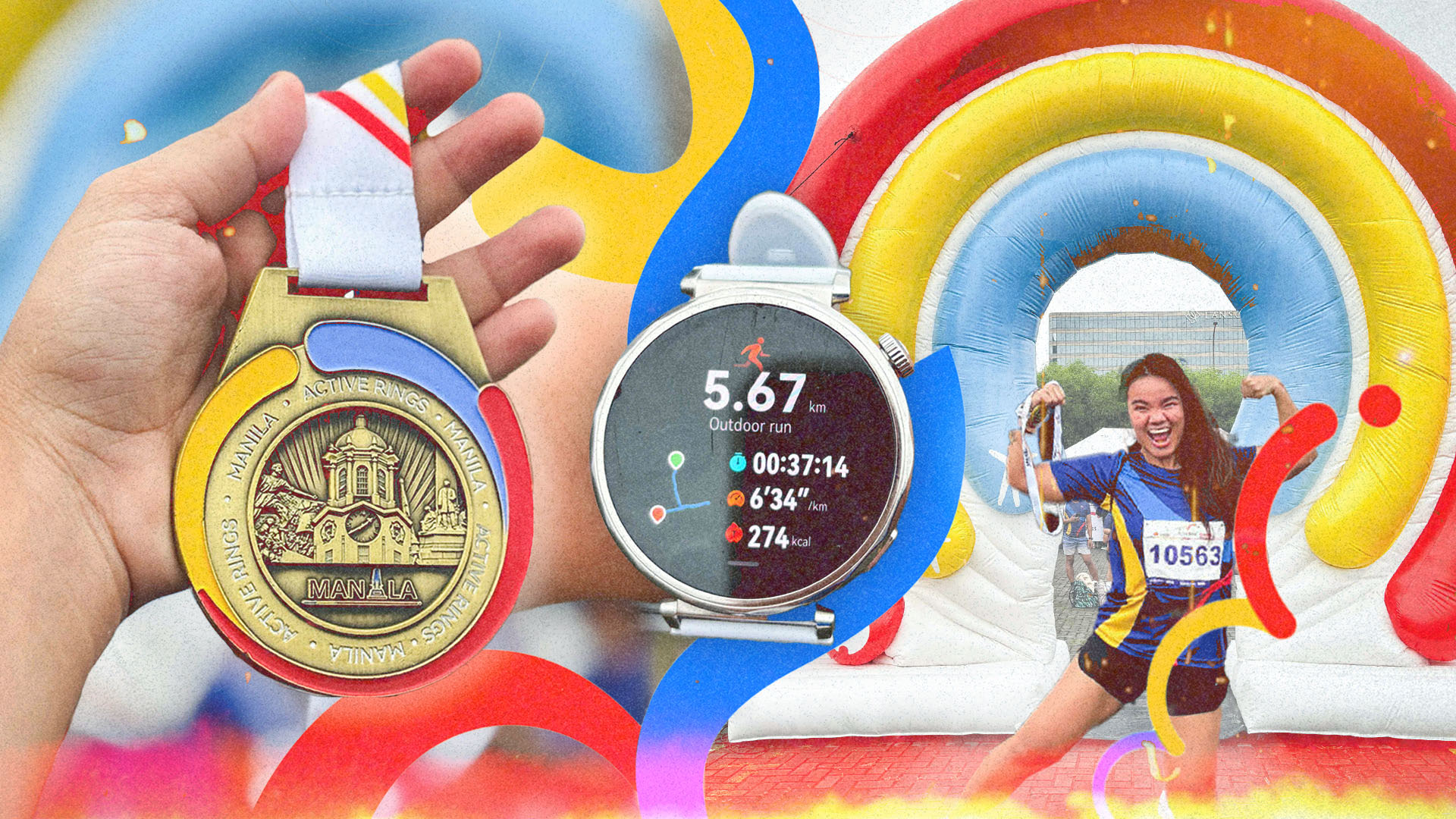
There are days when running feels like a routine and there are mornings when it feels like a gift.
The HUAWEI Active Rings Fun Run landed perfectly on one of those good mornings. I woke up before the sun, optimistically laced my shoes, and took my place at the SM Mall of Asia Complex, where a thousand runners gathered with the same intention.
Everyone wanted to move with purpose and enjoy a moment that centered on fitness and a little glow from our smartwatches.
Finding my rhythm with my Active Rings
HUAWEI partnered with RUNRIO and a full roster of lifestyle staples like GCash, Shopee, Nature’s Spring, and URC. It created a space that felt alive even before anyone started running.
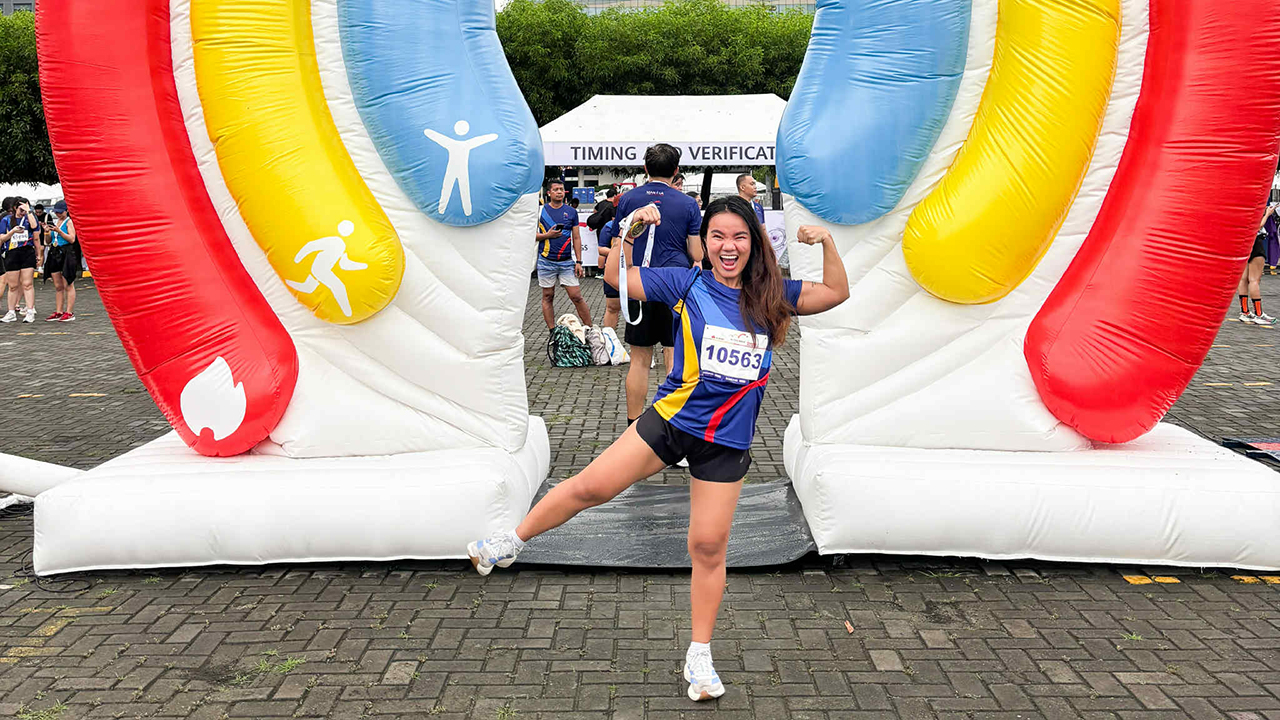
There were giant inflatables, interactive photo walls, and booths with snacks and hydration that framed the Race Village.
When the run began, the energy pushed me forward. The seaside breeze reminded me why I loved running outside. HUAWEI designed this event for their community of users and I felt that intention with every step.

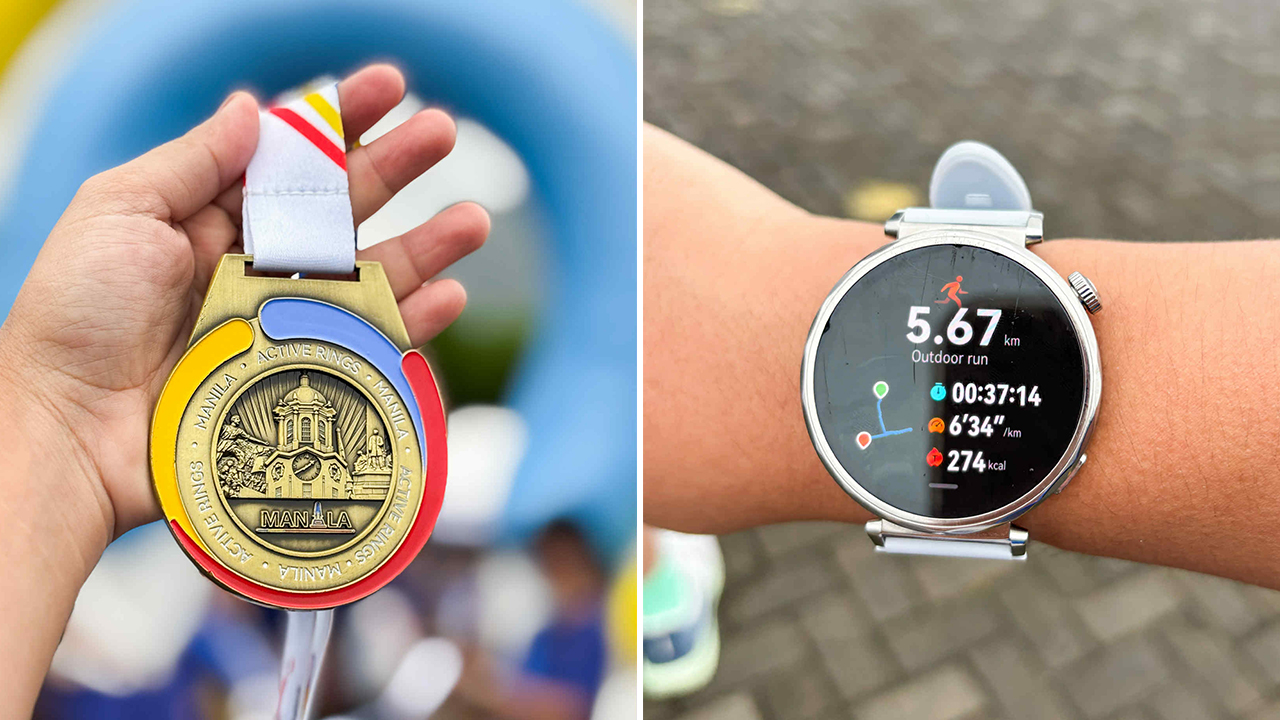
It felt easy to check my stats and stay on pace because the watch tracked everything that mattered without distracting me.
I was inspired when seasoned runners passed me by, whereas some of them would later claim the top spots. The runners around me boosted me with energy that I wanted to match. They were competitive in a way that felt inspiring.
The little moments that made the morning sweeter
After crossing the finish line, I wandered around the Race Village again. I watched runners take photos with their medals and chat with friends they made during the route.
The GCash Watch Pay booth became unexpectedly helpful for a lot of participants. It let everyone bind their GCash account to their HUAWEI smartwatch.
It made sense for runners who preferred to go cashless and travel light. Shopee was also present and reminded everyone how modern life blends with fitness.
Every corner of the event touched a part of our daily routines. It showed how technology can help simplify healthy habits.
Keeping the streak alive with Light Up Your Active Rings
The fun run wrapped up the physical celebration but HUAWEI kept the momentum alive through the Light Up Your Active Rings Online Challenge. It runs from November 8 to 30 inside the HUAWEI Health App.
Participants only need to burn 1500 kcal within the challenge period to unlock the exclusive Manila Medal, a new badge inside the app that feels like a digital pat on the back.
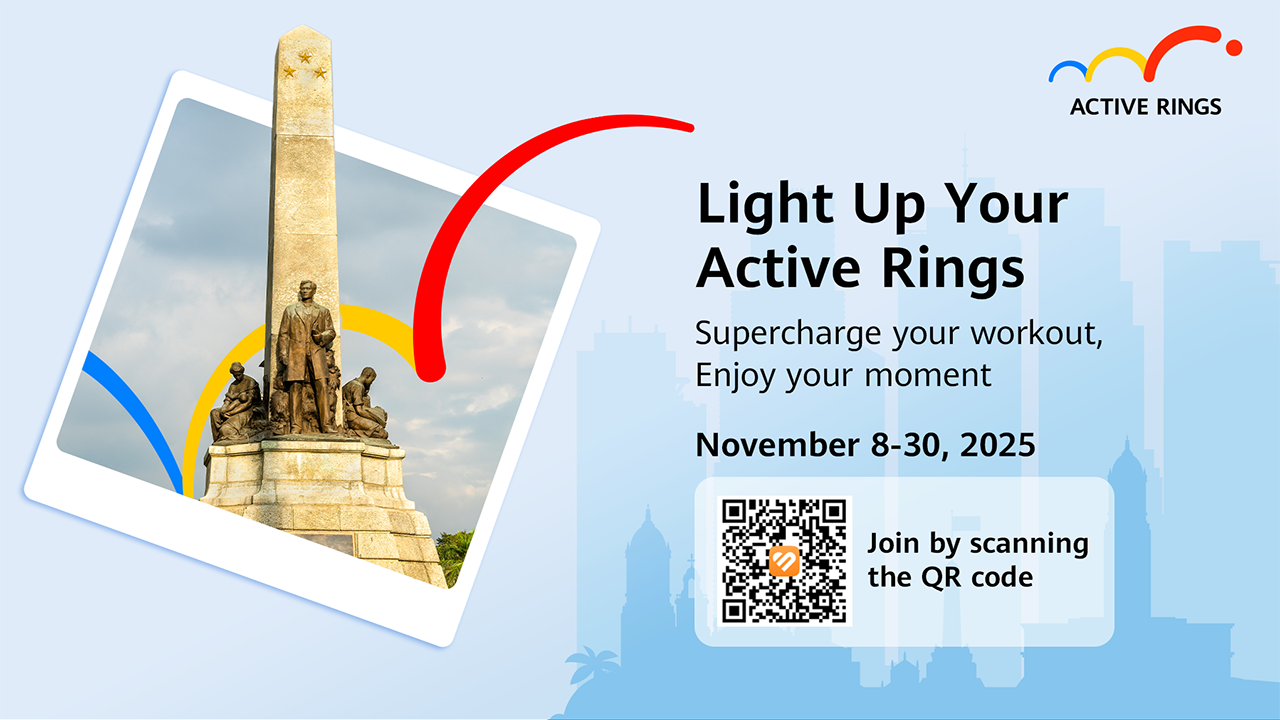
Sharing the medal on TikTok with the hashtags #LightUpYourActiveRingsPH and #EnjoyYourMoment also enters participants into a chance to win a HUAWEI Watch GT 6.
HUAWEI will announce the winner on December 15. It feels like an invitation to stay active long after the race banners are packed away.
The challenge is simple and the message is clear: movement matters even when it feels small. Running, walking, cycling, or making your day a little more intentional can change the way you show up for yourself.
A community that runs with you
That morning reminded me that fitness does not need to feel lonely. The run united beginners, athletes, and curious participants who wanted to experience something new.
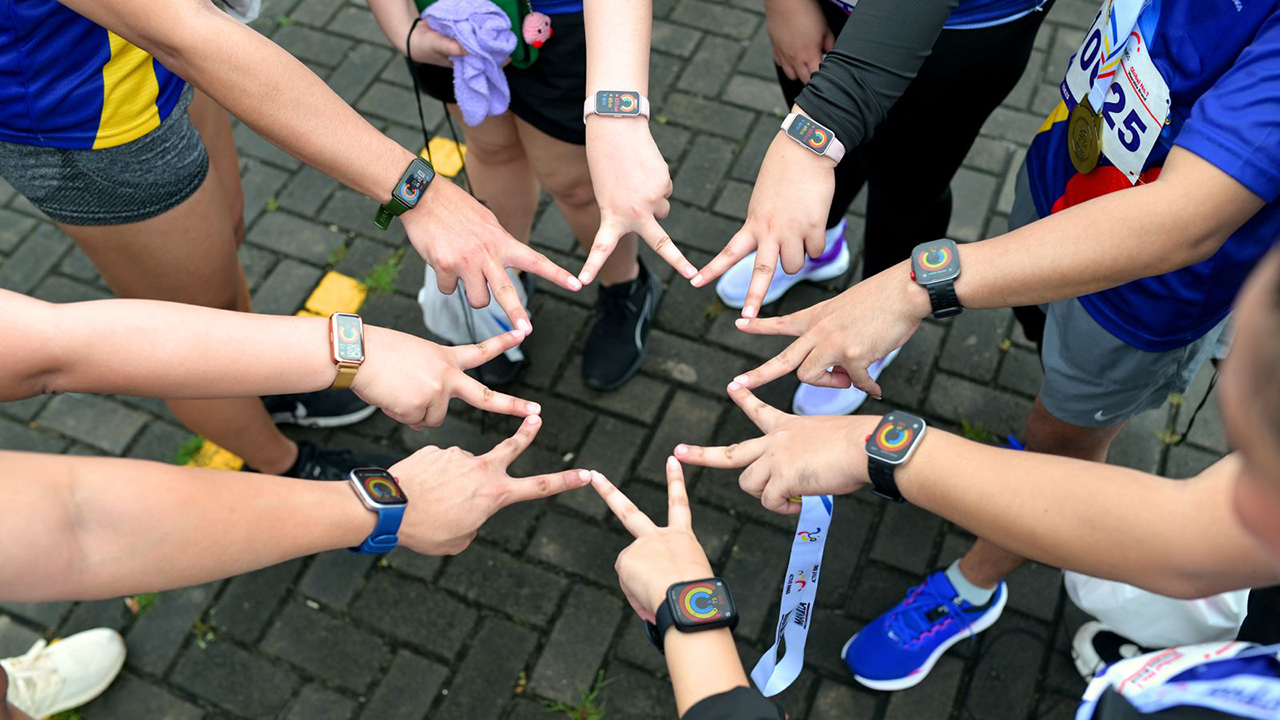
It gave us a morning filled with movement and reminded us that wearable technology can help us stay accountable in a way that feels supportive.
HUAWEI continues to build a fitness community that encourages healthier habits and celebrates every active streak. The Active Rings Fun Run made that mission feel real on the ground. Meanwhile, the Light Up Your Active Rings challenge brings it online for anyone who wants to keep going.

I left the MOA Complex with tired legs and a full heart. My Active Rings glowed with pride and I promised myself that this would not be the last time I ran for the kind of joy that morning gave me.


My Hero Academia: All’s Justice: A familiar Final War, made playable
Reliving the Final War


nubia V80 Max: Long battery, marginal upgrades, casual budget phone
Upgrades here and there, but is the price increase worth it?


Breaking up with Adobe Photoshop after 20 years
Wedding planning and Apple Creator Studio made me realize it was time

HONMA x HUAWEI WATCH GT 6 Pro for golf launches
My Hero Academia: All’s Justice: A familiar Final War, made playable

AMD teases next-gen Xbox coming in 2027

Overwatch reinvents itself with a new story and five new heroes

What a day at Masungi GeoReserve taught me about a smartphone’s durability

HONOR X9d 5G launches in the Philippines: Price, preorder, availability

POCO M8 Pro review: Goin’ loco over this POCO

Infinix NOTE Edge debuts: High-end features for accessible pricing

HONOR Magic8 Pro review: What sorcery is this?

Redmi Note 15 Pro+ 5G review: The midrange fashion piece


-

 Gaming2 weeks ago
Now playing: Final Fantasy VII Remake INTERGRADE on Switch 2
-

 Gaming2 weeks ago
Forza Horizon 6 launches on May 19
-

 Gaming2 weeks ago
Nintendo’s latest toy is Super Mario Wonder’s Talking Flower
-

 Gaming2 weeks ago
You can now race as teams in Mario Kart World’s Knockout Tour
-
 News2 weeks ago
nubia joins durability competition with launch of V80 Max
-

 Gaming1 week ago
New DRAGON BALL game project “AGE 1000” for 2027 announced
-
Apps5 days ago
Breaking up with Adobe Photoshop after 20 years
-

 Gaming1 week ago
Blizzard will host four major game showcases starting this week