
Tablets
iPad OS 17: Redesigned lock screen, updates to Messages
More personalization, versatility

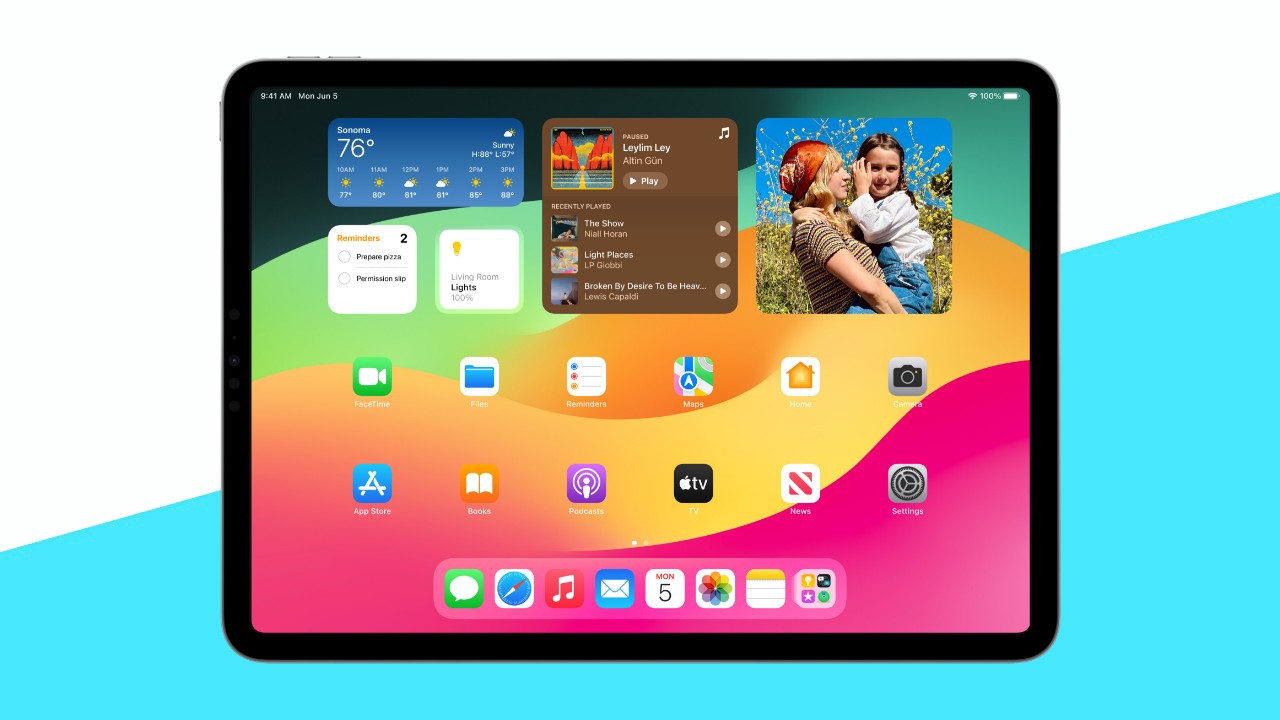
iPad users are set to get more personalization and versatility with the iPadOS 17, which has significant updates on its Lock Screen, Messages, FaceTime, Safari, and more. There will also be a new Health app coming.
The iPadOS 17 is available as a developer beta for now, and will be available as a free software update later in the year. For now, here’s a preview of what to expect.
Personalized Lock Screen experience
Users can now customize the Lock Screen with their favorite images from their personal library, whether just a single photo or a set shuffled throughout the day.
They can also choose a wallpaper from the Lock Screen gallery, customize the look of the date and time with more font styles, or create their own design with emojis and different colors.
Live Activities
Live Activities will come to iPad OS, allowing users to monitor important notifications right from the Lock Screen, such as live sports scores, travel plans, or a food delivery order.
More powerful widgets
In iPadOS 17, widgets will become more interactive; for instance, users can turn on the lights, play a song, or mark a reminder as complete right from a widget.
These interactive widgets are now available on the Lock and Home screens, for easier execution of tasks. On the Lock Screen, widgets also blend seamlessly with the wallpaper.
Working with PDFs
Entering information in PDFs has been made easier too. The iPadOS 17 users machine learning to identify fields in a PDF file so users can add details or fill out forms.
Notes app users can now also organize, read, annotate, and collaborate on PDF files, as they appear in full width on the device.
Enhanced communication, interaction for Messages
Messages, meanwhile, offers users to create Live Stickers from their own photos, and add effects to them.
The app also has new features, like an expandable menu on a tap for easy access to most frequent iMessage apps.
The search tool has also been improved with filters (people, keywords, content types) to easier bring up a specific conversation.
Audio messages are transcribed automatically for a version one can read on the fly.
More ways to FaceTime
In FaceTime, users can now leave an audio or video message when someone does not pick up the call.
The video-calling app now also allows Reactions, like hearts, balloons, fireworks, rain, and more, which can be activated through simple gestures or third-party video-calling apps.
More productive on Safari
Safari has been improved for users to be more productive on the browser too. Profiles separates users’ browsing, with each profile having its own history, cookies, Tab Groups, and more.
Private Browsing now allows users to lock the window they’re viewing with Face ID or Touch ID.
New Health app
The Health app also comes to iPad, giving users new ways to see their detailed health data, including Trends, Highlights, and interactive charts.
Health and fitness developers can now use HealthKit on iPad.
Offline Maps
Users can now download maps and use them offline. This way, users can select an area, search and explore information, and get routes, all while offline.
Freeform
Lastly, Freeform offers new drawing tools, like hover, tilt, snap to shape, and the ability to add connection lines and new shapes to any object.

Editors' Choice
GadgetMatch Awards: Best of IFA 2026
Xiaomi 18 Fold, Govee, XGIMI, ARZOPA, Cuktech and more!

We’re back at IFA 2026 in Berlin, checking out some of the coolest and most interesting tech on the show floor.
From smart home lighting and portable displays to projectors, power solutions, foldables, and more, these are some of the products and brands that caught our attention this year.
In this video, we take a look at:
- AI Lighting https://bit.ly/4xmY342
- Z3FC Portable Monitor https://bit.ly/4gRk7wD
- D14 Digital Photo Frame https://bit.ly/4qYlRJ6
- 30 Ultra Desktop Charging Station https://s.whaee.com/tXBornw
- 10 Ultra Charger https://s.whaee.com/UsWT4U2
** Use code CUKTECH09, valid until September 30
XGIMI
ASUS x NVIDIA RTX SPARK
- ProArt P16: https://asus.click/h7607_gm
- ProArt P14: https://asus.click/h7407_gm
- ProArt GR1X
Watch until the end for our favorite finds from IFA 2026!
News
Xiaomi 18 Fold is the next foldable to go WIDE
Just days before the official launch of Apple’s first foldable iPhone

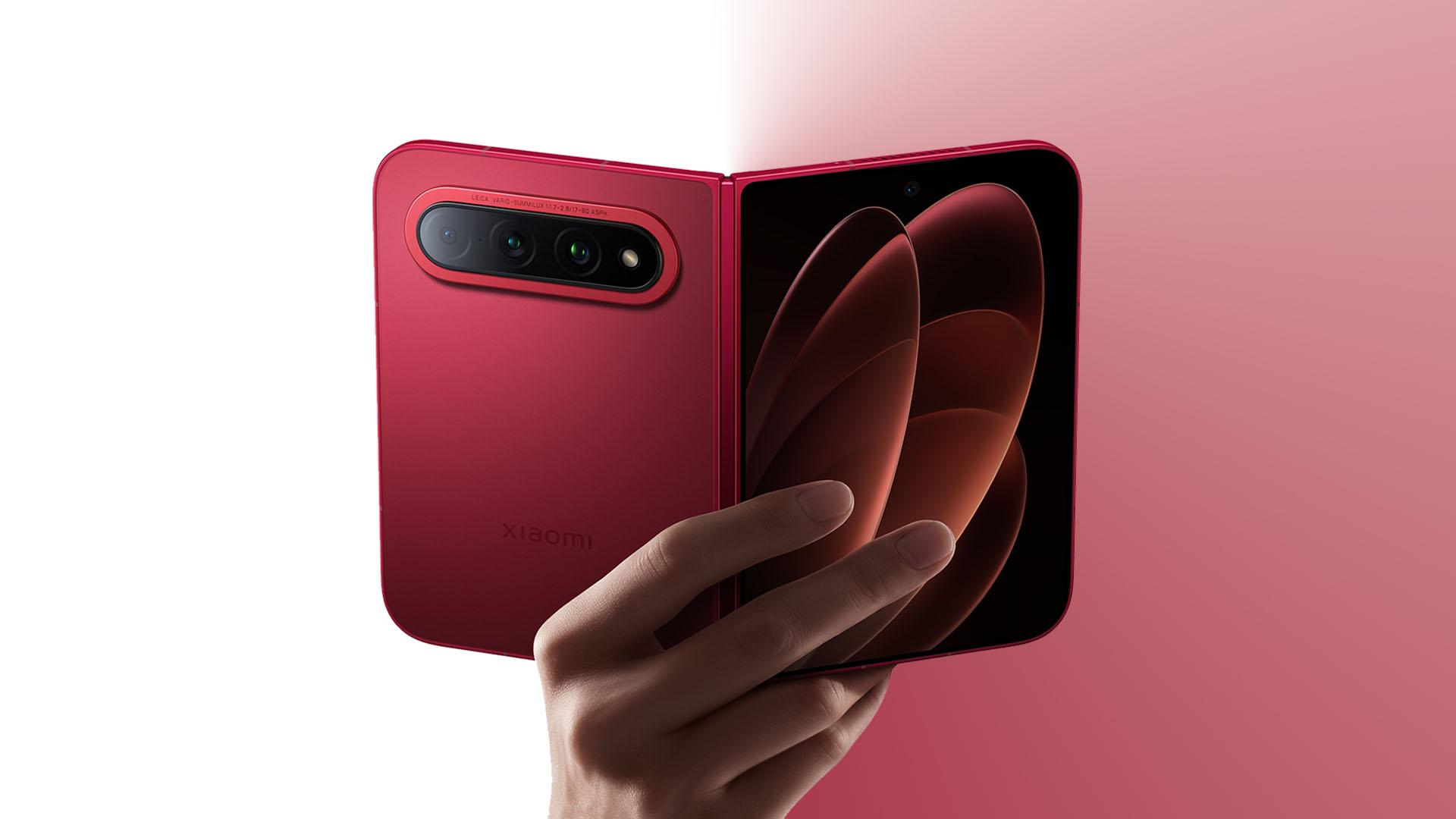
From the HUAWEI Pura X Max to Samsung’s Galaxy Z Fold8, it seems like WIDE foldables are inevitable at this point.
The latest to enter the battlefield is none other than the Xiaomi 18 Fold.
A fold of firsts
First teased inside a glass casing at IFA 2026 in Berlin, Germany, the Xiaomi 18 Fold finally makes its official debut — just days before the official launch of Apple’s highly anticipated foldable iPhone.

While it’s not the first WIDE foldable to exist, it’s still the first WIDE foldable made by Xiaomi. They even skipped two years and a generation of the very last MIX Fold to welcome this transition.
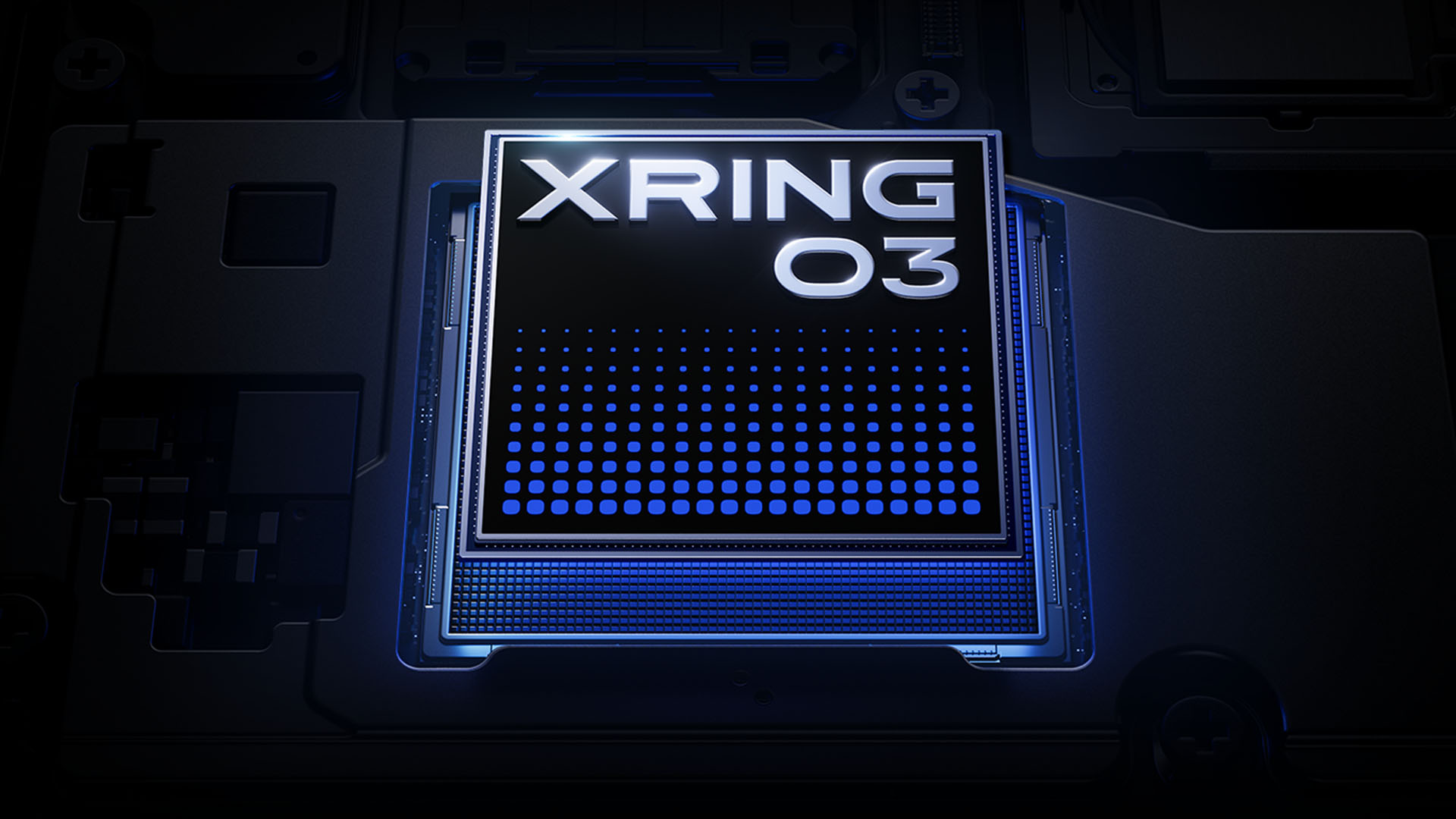
And by that, it’s also their first device to run the Xiaomi XRING O3 SoC built on a 3nm process with a 10-core CPU plus a 16-core G2-Ultra NX GPU.
This chip promises 52% faster CPU and 84% greater GPU performance than Apple’s A19 Pro chips. All while drawing less power.
Meanwhile, there’s a newer 4-core NPU that can deliver 45% faster on-device decoding performance compared to Xiaomi’s first-gen chip.
This second-generation chipset is also the first SoC that supports the all-new LPDDR6 RAM interface.
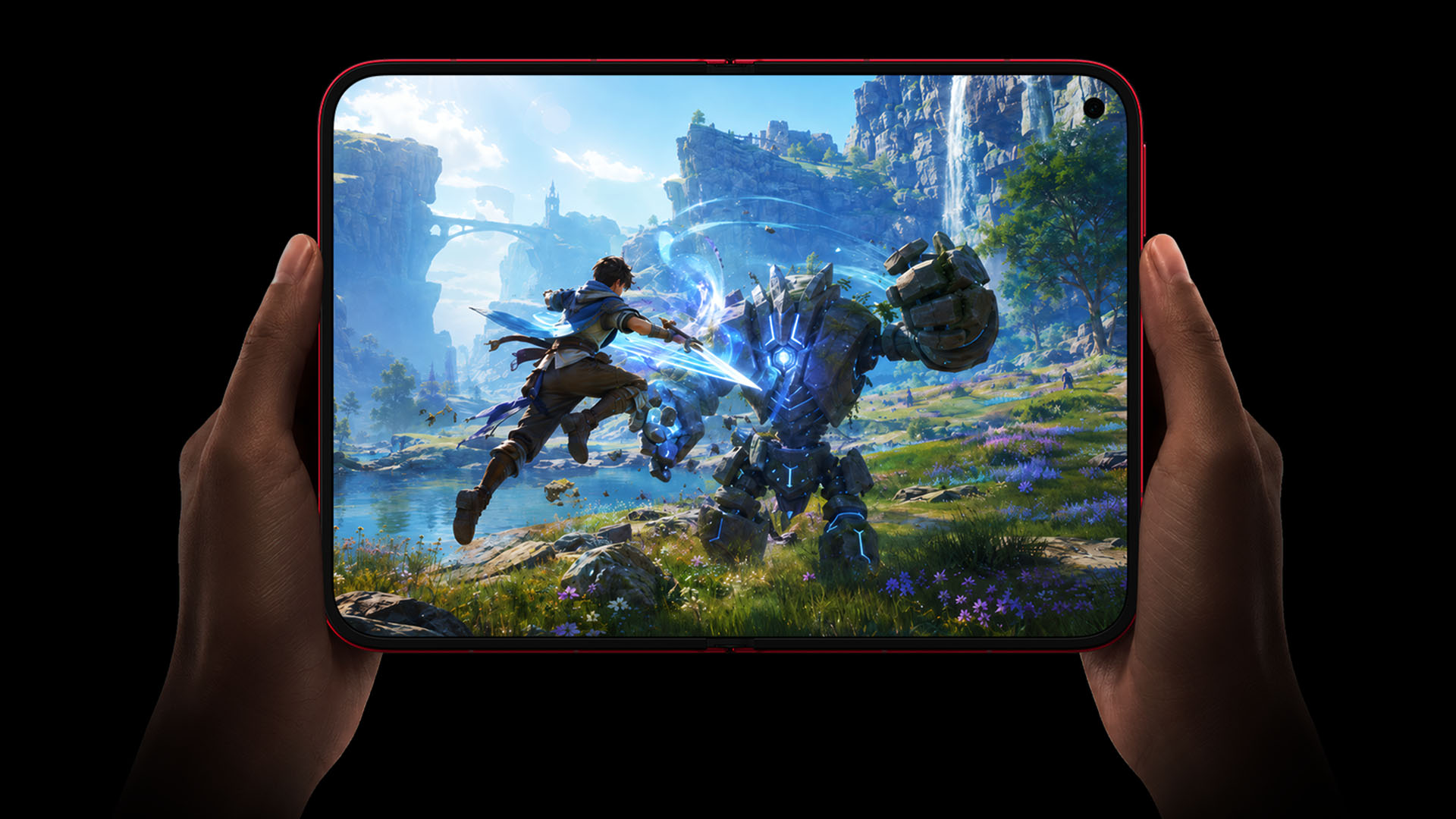
This new foldable also packs a 6000mAh battery, the largest in any WIDE foldable so far. Its Pura and Galaxy rivals are capped at 5300mAh and 4800mAh respectively.
Filling it up fast will all depend on Xiaomi’s 67W HyperCharge and 50W wireless HyperCharge standards.
Another first in the Xiaomi 18 Fold lies on the back of its special Ceramic Edition colorway.
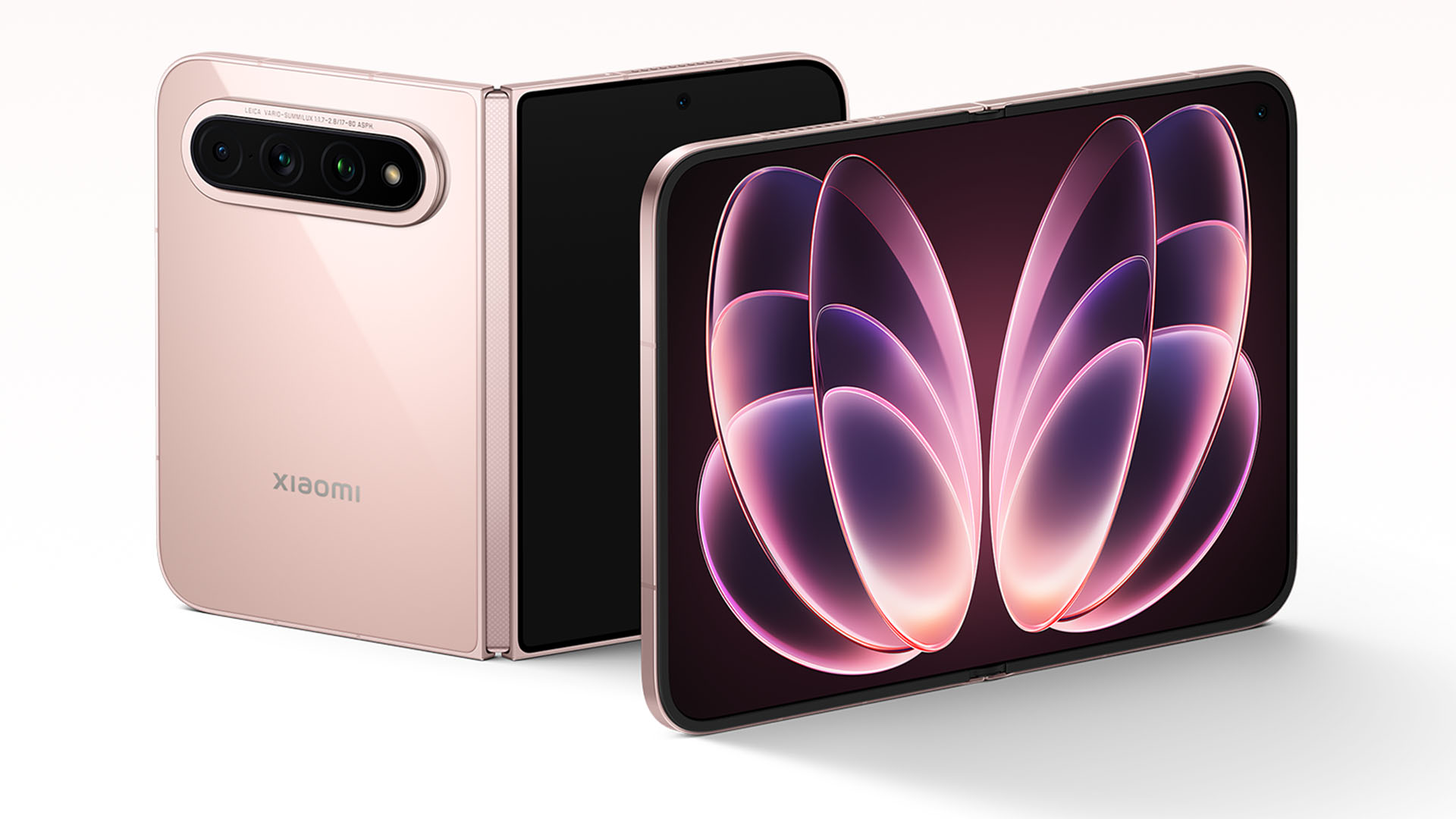
The use of Silicon nitride ceramic marks the first time for this material to be used as a smartphone’s back panel.
ICYMI, Silicon nitride is an advanced ceramic material that is widely used in automotive and aircraft engines especially for its high-temperature resistance.
This material combines a warm yet smooth ceramic feel but with a high amount of hardness. All while weighing approximately 50% less versus a traditional zirconia ceramic.
Pretty inside and out
Other than its powerful core and mechanism, the Xiaomi 18 Fold is pretty both inside and out.
When folded, it features a 5.38-inch cover display. Unfolded, it has an expansive 7.58-inch flexible screen. They feature Xiaomi’s new HyperRGB screen technology that uses a full RGB subpixel structure to make complete use of red, green, and blue subpixels.
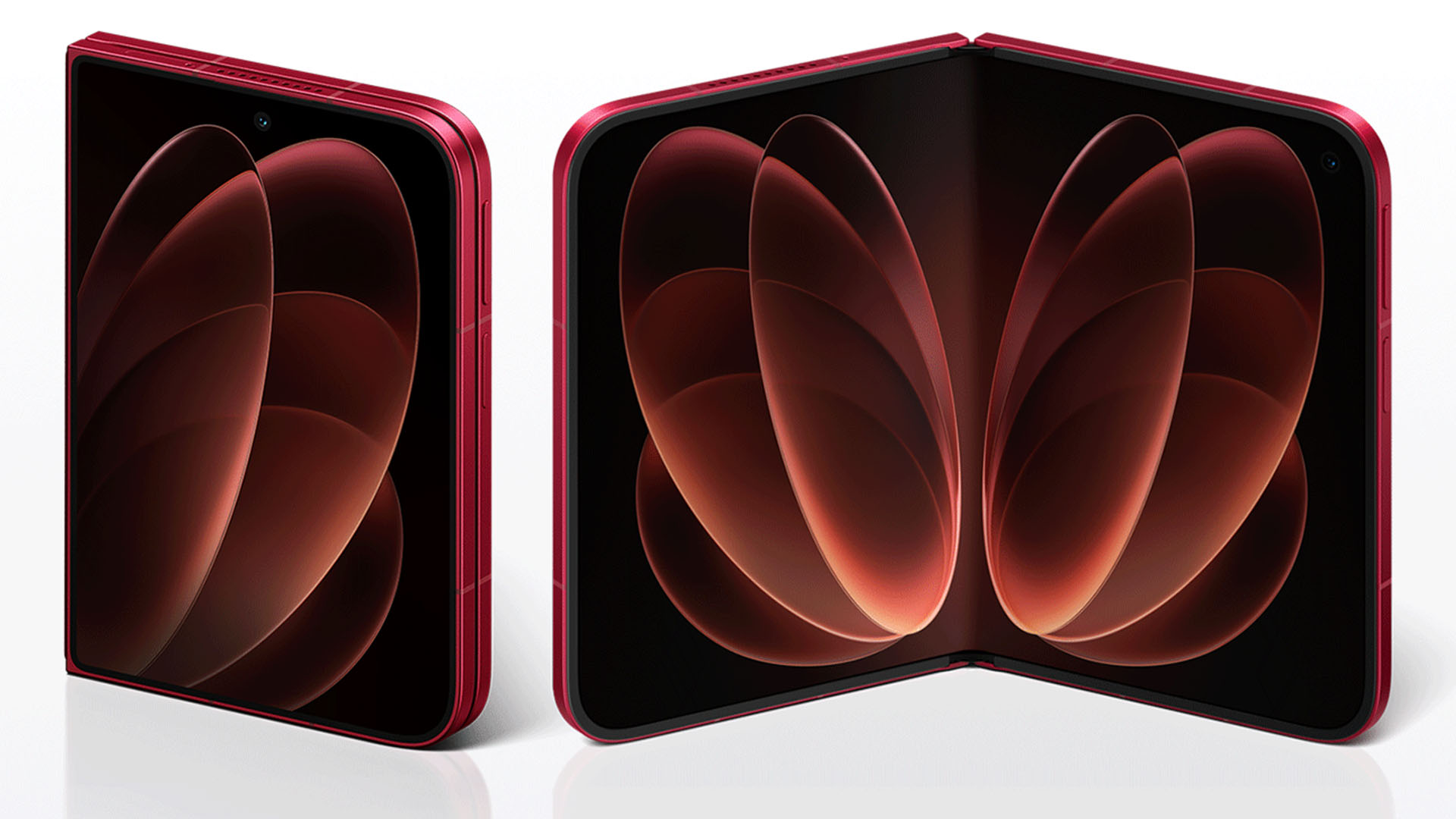
Both screens also have an adaptive 1~120Hz LTPO AMOLED displays with a maximum brightness of 4000 nits.
This passport-like form factor adapts a √2:1 aspect ratio close to a standard A4 paper. Both create higher screen utilization when consuming content regardless if one is reading, watching, or even gaming.
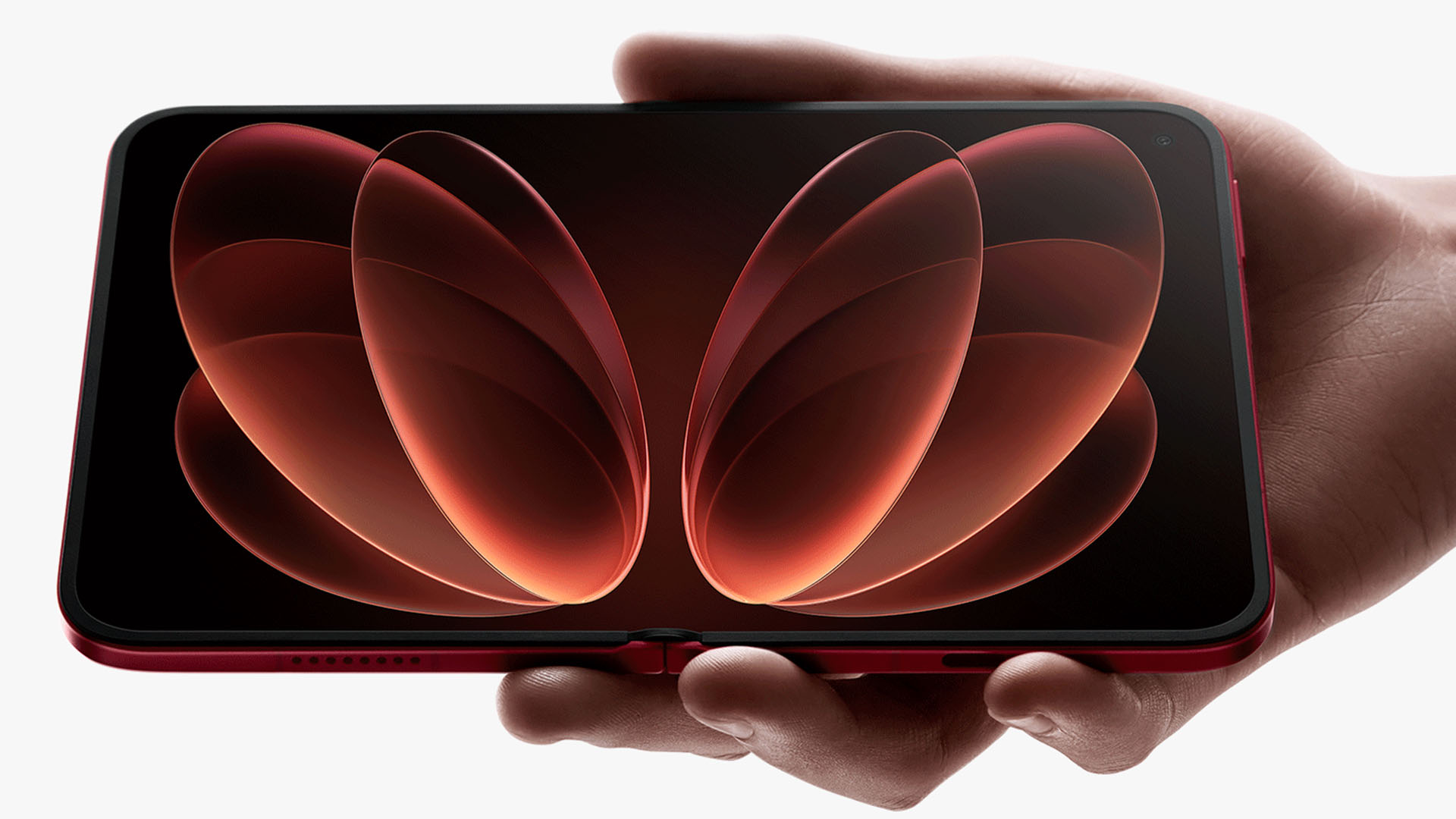
Xiaomi 18 Fold’s inner screen also boasts minimal creasing all thanks to its double-layer UTG (Ultra-Thin Glass) where the surface UTG is 50µm while its support layer underneath is at 30µm.
There are also organic flexible insulating materials that are 6x more ductile than rigid materials alongside a stronger impact resistance.
Flipping to its back, the Xiaomi 18 Fold boasts a triple Leica camera system.
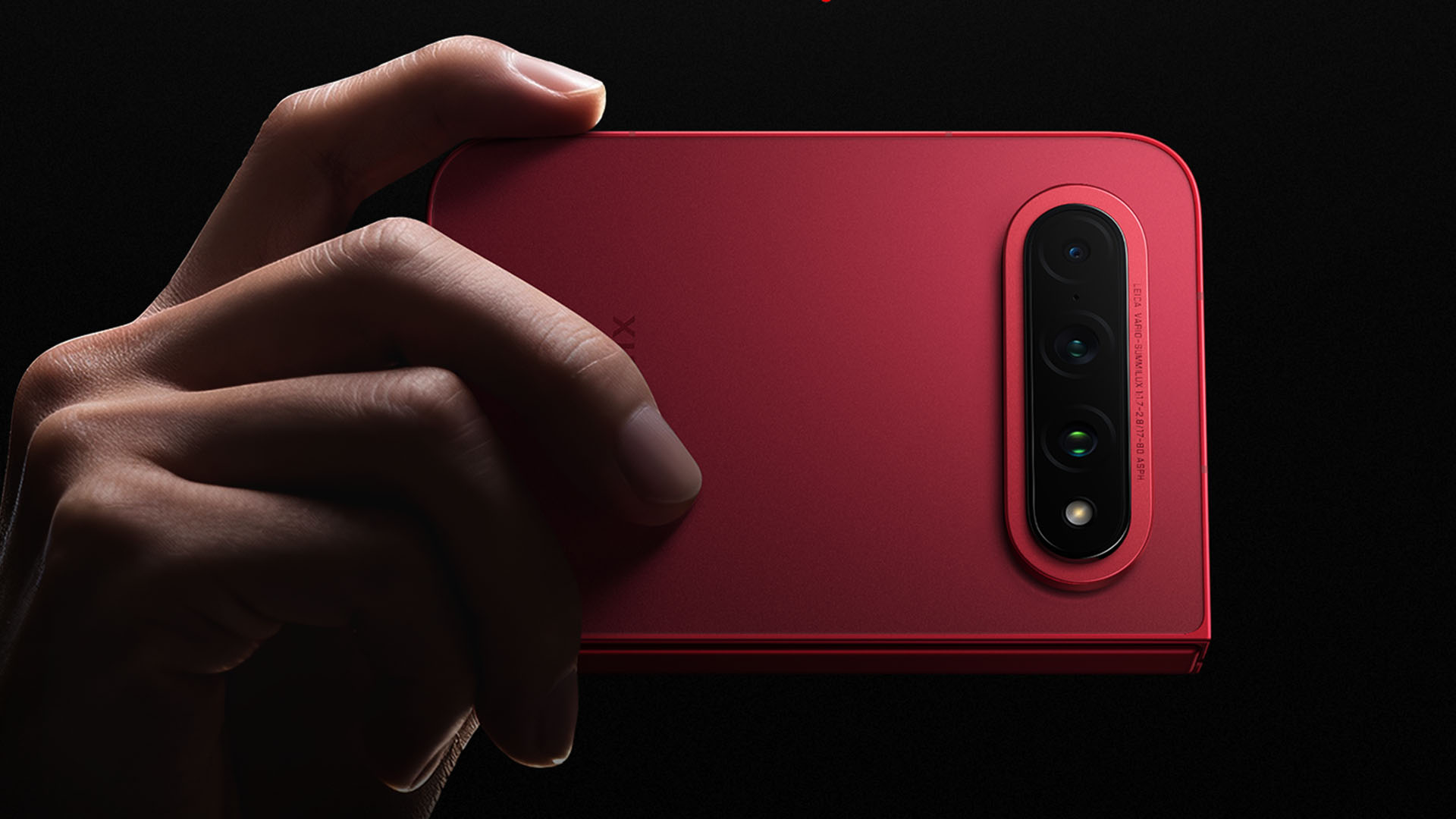
Specifically, it packs a 200MP f/1.7 main camera based on Samsung’s 1/1.56-inch ISOCELL HP5 sensor. Additionally, there’s a 50MP f/2.4 UWA and a dedicated 50MP f/2.8 periscope telephoto module with 3.5x optical zoom capabilities.
All cameras come with Leica’s Summilux optics that are also found on the last Xiaomi 17 Ultra.
The Xiaomi 18 Fold is the second WIDE foldable to pack a triple camera setup that its current Korean counterpart and the upcoming American contender both lack.
Graphics by Vincenz Lee | GadgetMatch
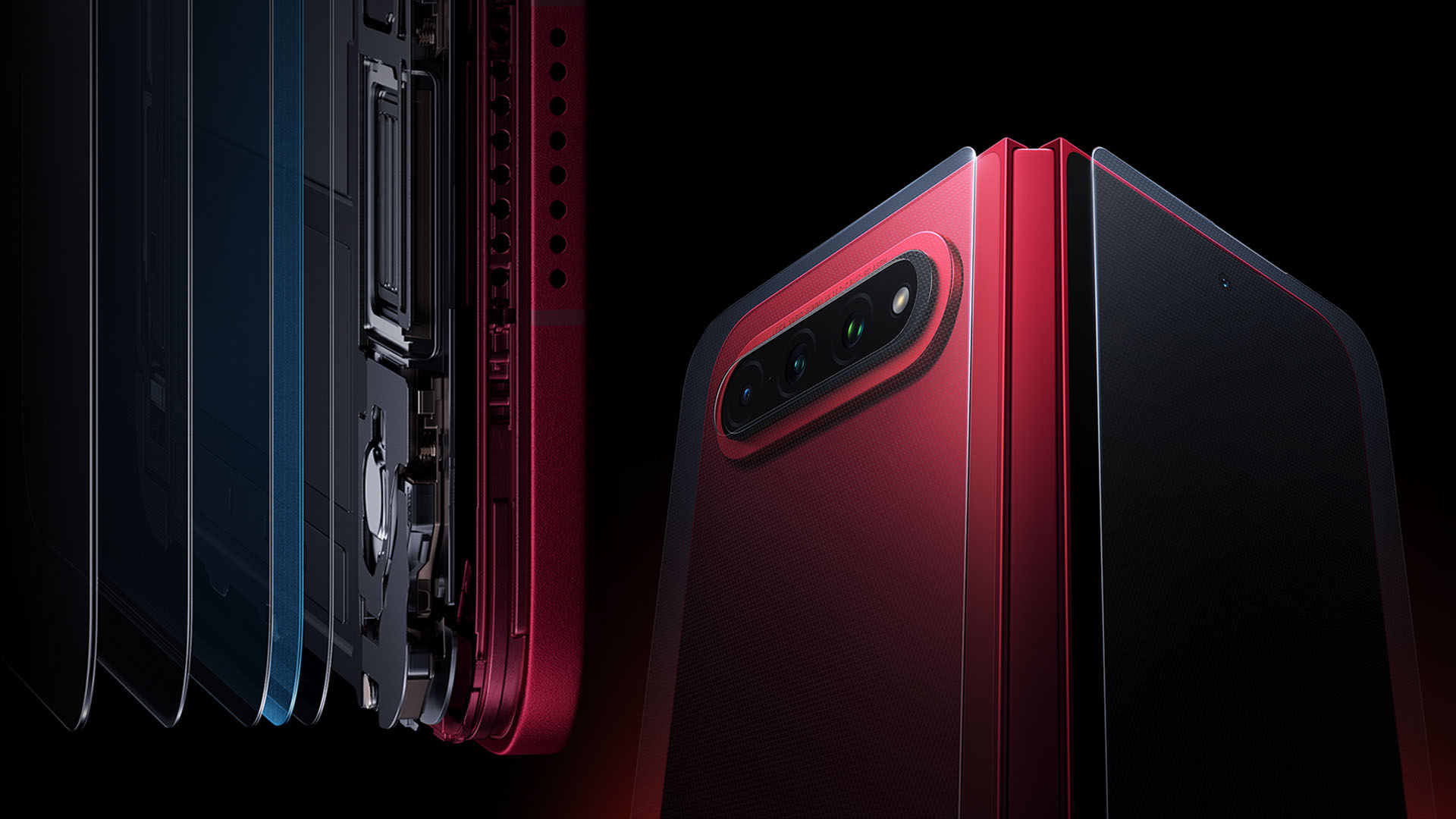
Now that we’re here, the chassis is made from a 7000-series aluminum alloy frame with Xiaomi’s very own Shield Glass 3.0 glass protection for both the outer display and back panel (not to be confused with the exclusive Ceramic Version).
The cover glass is further strengthened through ion implantation for improved drop resistance.
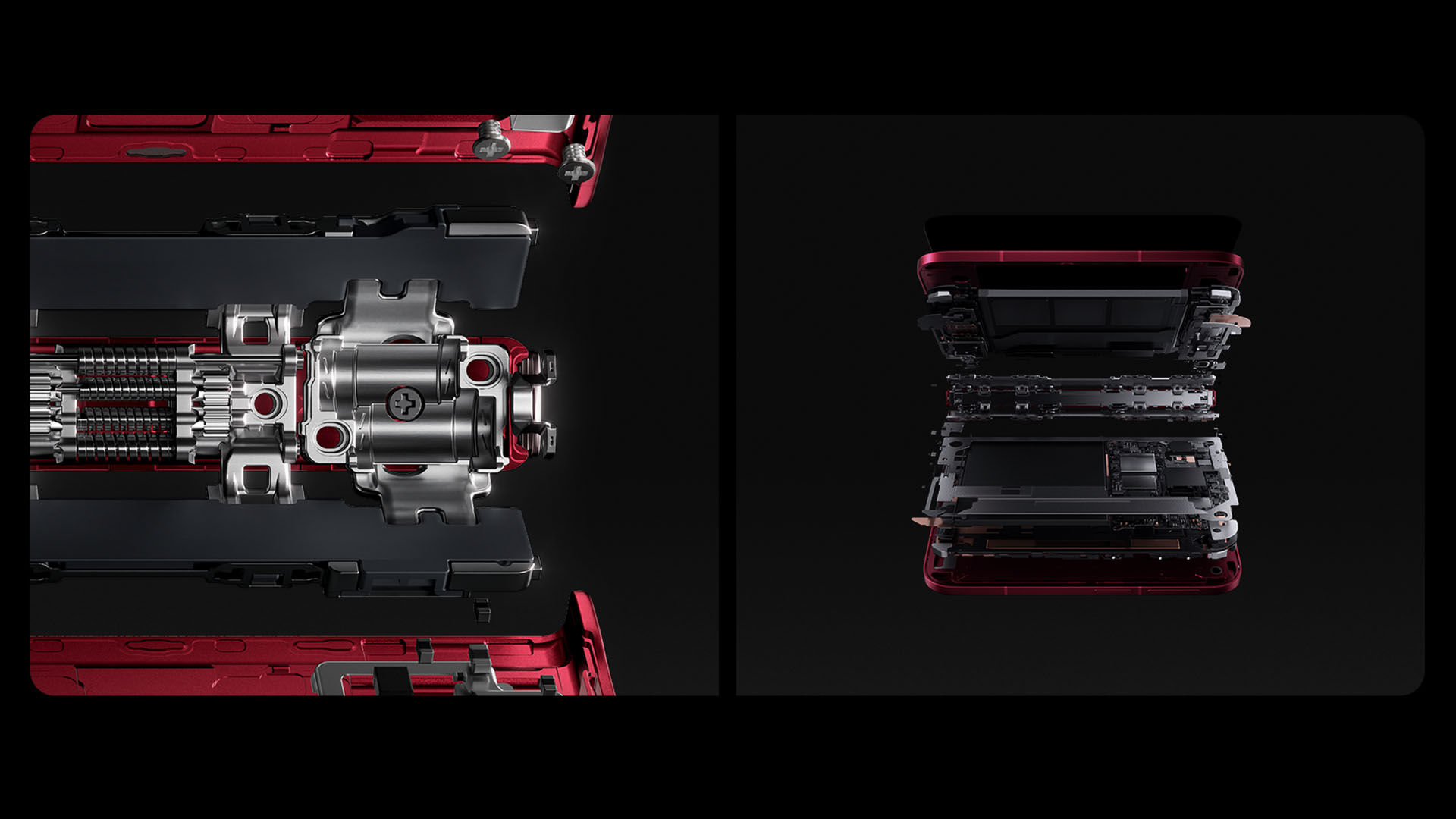
Also, Xiaomi’s new-gen hinge also has a patented three-link design that wraps around the screen and provides more protection.
While we’re already at it, the Xiaomi 18 Fold relies on IP58 and IP59 water and dust resistance ratings.
Pricing and Availability
The Xiaomi 18 Fold is available in Black, White, Red, and a special Ceramic Version.
Pricing and configuration are as follows:
- 12+256GB = CNY 10,999 (US$ 1640 / EUR 1410 / GBP 1215 / SG$ 2075 / MYR 6615 / PhP 102,330 / INR 154,680)
- 12+512GB = CNY 11,999 (US$ 1785 / EUR 1540 / GBP 1325 / SG$ 2265 / MYR 7220 / PhP 111,630 / INR 168,740)
- 16+512GB = CNY 12,999 (US$ 1935 / EUR 1665 / GBP 1435 / SG$ 2455 / MYR 7820 / PhP 120,935 / INR 182,810)
- 16+1TB = CNY 14,999 (US$ 2235 / EUR 1920 / GBP 1655 / SG$ 2830 / MYR 9020 / PhP 139,540 / INR 210,930)
- 16+1TB Ceramic Version = CNY 15,999 (US$ 2380 / EUR 2050 / GBP 1765 / SG$ 2425 / MYR 9625 / PhP 148,845 / INR 225,000)
Unfortunately, several outlets have already reported that Xiaomi does not plan to bring the 18 Fold outside China.
Reviews
Samsung Galaxy Z Fold8 Ultra review: It’s time to get a foldable
Let this be your first foldable, if you don’t have one yet

Despite working in this industry, I’m not an early adopter eager to jump on the latest advancements in technology. I prefer waiting for later refinements to ensure all the kinks have been ironed out. That’s why I’ve never used a foldable. Until now, that is.
In the winter of 2019, Samsung announced the Galaxy Fold, a device that would eventually lead to one of the brand’s biggest segments. It’s a day that I distinctly remember. I was in New York on my way to a class for my master’s program when the news broke. It was a very wintery day, but I still rushed to my campus to cover the news. It felt like being on the ground floor of next big thing.
But every ground floor has its flaws: the floor is too dusty, the foundations are too weak, the price of admission is too high. Or, in foldable terms: the crease is too visible, dust gets inside too easily, the price of a foldable is too high. Despite its promise, a foldable in 2019 didn’t seem worth it.
Now, six years after the fact, the Galaxy Z Fold8 Ultra finally lands on the palm of my hands, ready to convince me to enter foldable culture. Was it successful? How does it feel to get your first foldable in 2026?
In the palm of your hands
A foldable is naturally a gigantic phone, especially when unfolded. With phones getting bigger and bigger today, a substantial concern is whether a foldable phone is just way too big for my smaller hands.
More than the phone’s performance or design, the Fold8 Ultra’s size is the most surprising thing about it. When folded, the phone measures only 72.8mm in width. It has less width than other phones today. Even for my smaller hands, I can maintain a solid grip. Plus, I don’t feel like I need to cradle the phone with my pinky finger from underneath.
Despite essentially being two screens bundled into one package, the Fold8 Ultra isn’t significantly heavier than other phones. In fact, it’s three grams lighter than my previous daily driver, the Nothing Phone (3) — 215 grams vs. 218 grams. The weight distribution is also better when unfolded, making it feel relatively lighter in practical use.
Oh, and though this is a small tidbit, I have to applaud the Fold8 Ultra for having only two button elements: the volume rocker and the power button. There’s no extemporaneous AI button. It’s just those two. Plus, the volume rocker is a bit more elevated than the power button, making it so easy to fiddle around with one-handed and without checking which button your finger is on.
If you’re worried about having a device that’s way too big for practical use, don’t be. The Fold8 Ultra is light enough so you can put it side by side without feeling out of place.

More than one way to use it
Though this is my first foldable phone, it’s not my first rodeo with a device that can transform from one form factor to another. If you’ve met the Lenovo Yoga series, then you’re familiar with the concept, too.
There’s a significant difference, though. For me, it’s difficult to justify a flexible laptop. Whenever I use a laptop, it’s always exclusively as a laptop. If I need a tablet, I’ll just get a tablet. A laptop is too cumbrous to constantly fiddle around with.
On the other hand, the Fold8 Ultra is just perfect for multiple uses. As I said above, it’s already perfectly balanced as a smartphone. It also works perfectly unfolded when I need a larger screen to watch videos. Now, those are the two main uses for a foldable, but there are more.
For example, you can partially unfold it into a book, which makes it easier to hold and to read, especially if you’re a reader. Plus, because it’s a larger 8.0-inch screen, the font and the content itself is bigger. So, if you want to save your eyes, holding it in “book mode” makes so much sense.
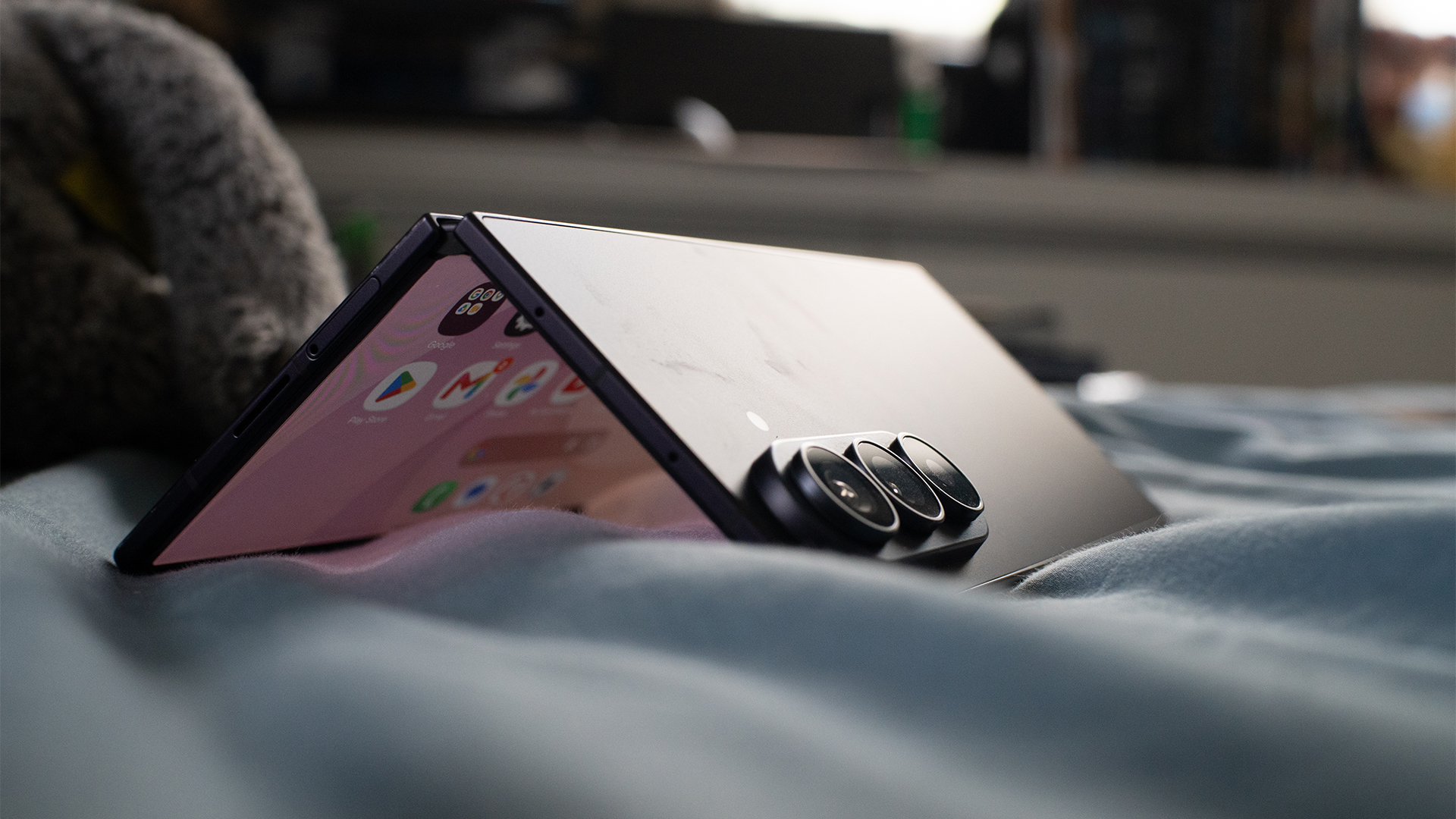
Staying with partially folded formats, the Fold8 Ultra also has a Flex mode. Imagine laying your phone down on a surface while folded like a laptop. The mode divides the main screen into two chunks. Some apps use this mode to perfection. For example, YouTube transforms the bottom half into easily maneuverable video controls. To me, this mode is perfect while I’m eating and want a screen automatically propped up to watch videos.
Personally, each mode is useful. With a laptop, I find myself forgetting about certain modes entirely. But with the Fold8 Ultra, I’ve been using each mode equally.
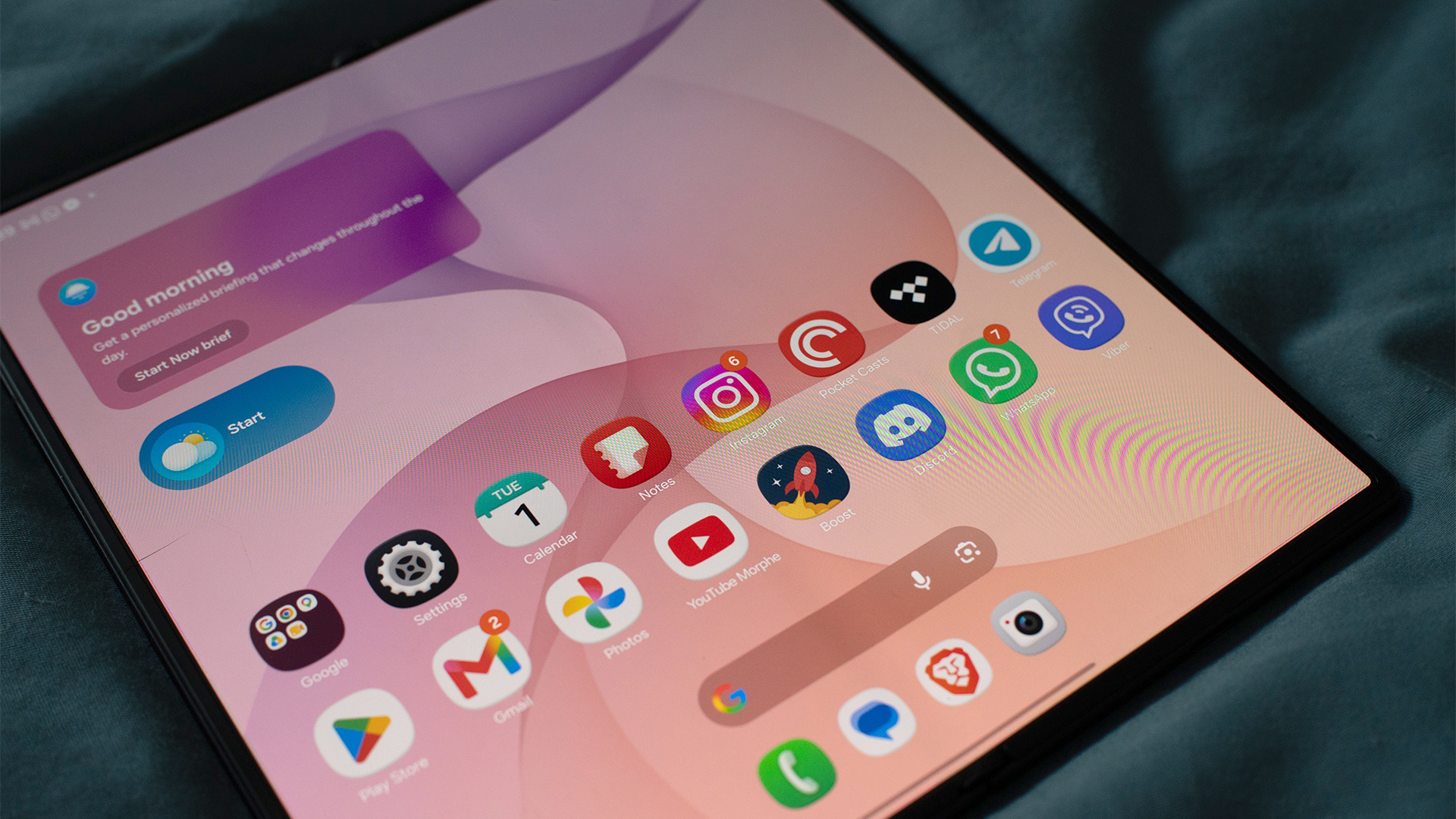
Is the crease gone?
The foldable crease is, by far, the most common pain point for those who are too hesitant to try a foldable. In early iterations, dust can too easily get inside the crease. Plus, after enough times unfolding, the crease created a visible line straight down the middle. Has that changed today?
Well, for one, the openings that formerly gave access to dirt and dust are now covered by the phone’s chassis. There’s no risk of dust entering your screen.
Now, to be honest, there’s still some faint traces of a crease. But it’s clearly less problematic as it was years ago. You’ll barely notice it with regular use. Samsung has also improved its screens, making the crease much less noticeable with better brightness.
While we’re here, let’s also talk about the screen’s durability.
The secondary screen is coated with Corning Gorilla Glass Ceramic 3. It’s a hardy surface but still prone to scratches. After some use, the screen ended up with tiny slivers visible when you look closely. But honestly, it just doesn’t matter. The display is good enough to mask tiny wear-and-tear scratches.
The main screen, on the other hand, has a Mohs hardness of 1. The screen itself doesn’t feel too susceptible to damage. The protective film, which you’re not supposed to remove, is a different story, though. Because it’s just a film, you can easily dent it with enough pressure. And that’s what happened to my screen. Like the scratches on the secondary screen, the dent is barely visible, but it’s certainly something to take note of when using the phone unfolded.
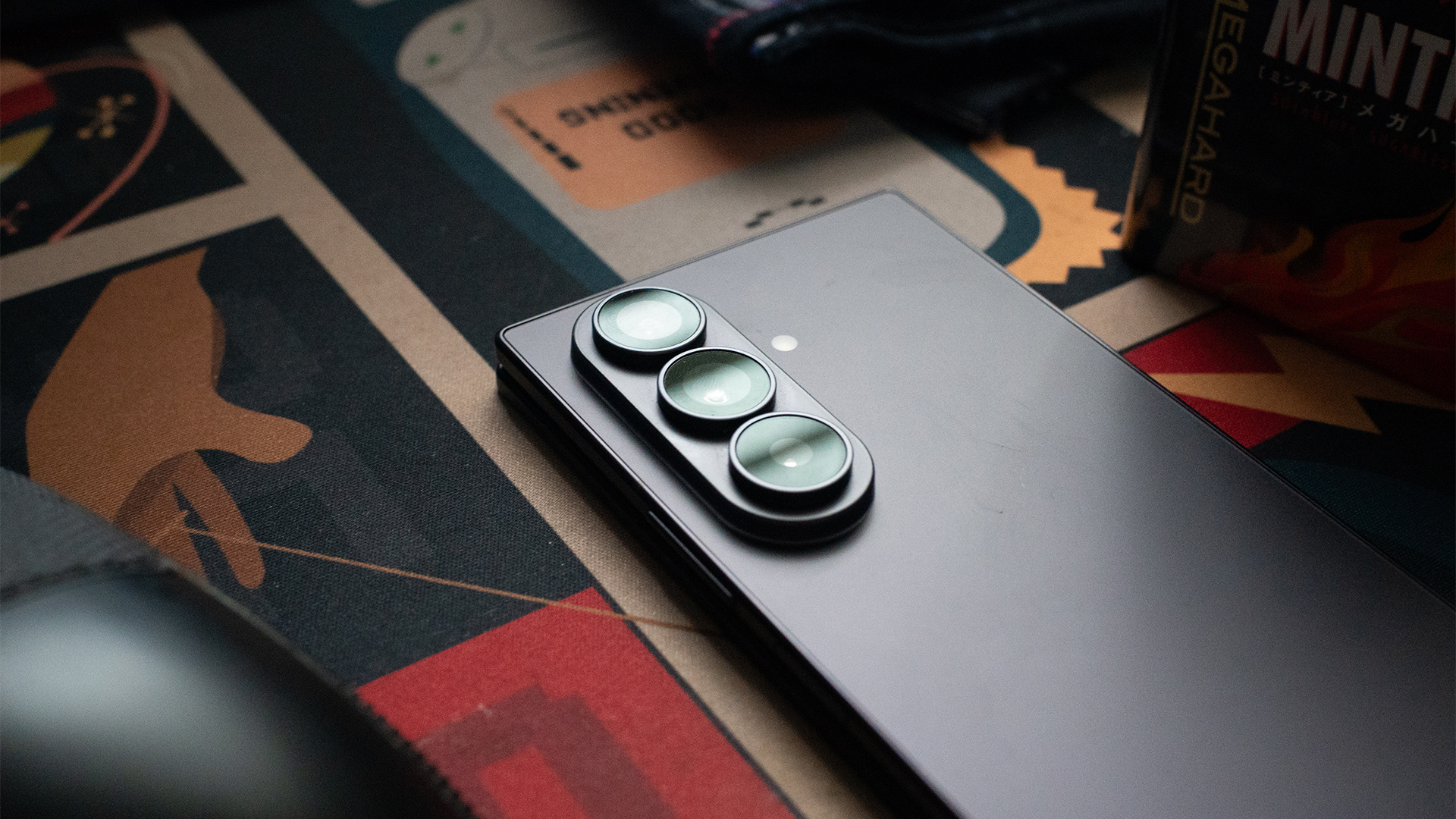
Powerful in its own right
As the most expensive phone in Samsung’s lineup, the Fold8 Ultra packs in the most powerful hardware that you can get from a smartphone today. It has the Snapdragon 8 Elite Gen 5, paired with up to 16GB of RAM and up to 1TB of storage.
With hardware as top-notch as this, it feels unnecessary to explore what the processor can do with pure numbers. It can basically do everything. My trusty Zenless Zone Zero was no match for the Fold8 Ultra, even if I use the full unfolded screen. If anything, the unfolded version just makes it so much more immersive.
Everything else is just child’s play. The Fold8 Ultra can handle multitasking well. Granted, I’m not a fan of keeping multiple windows up in a single smartphone screen, but if you’re inclined to set up a temporary workstation right on your phone, Samsung’s top foldable is perfect for it.
In terms of heat, the hottest spot is right beside the rear cameras. If you don’t have a case, you might run into issues of discomfort with prolonged heavy use.
Big cameras mean better quality
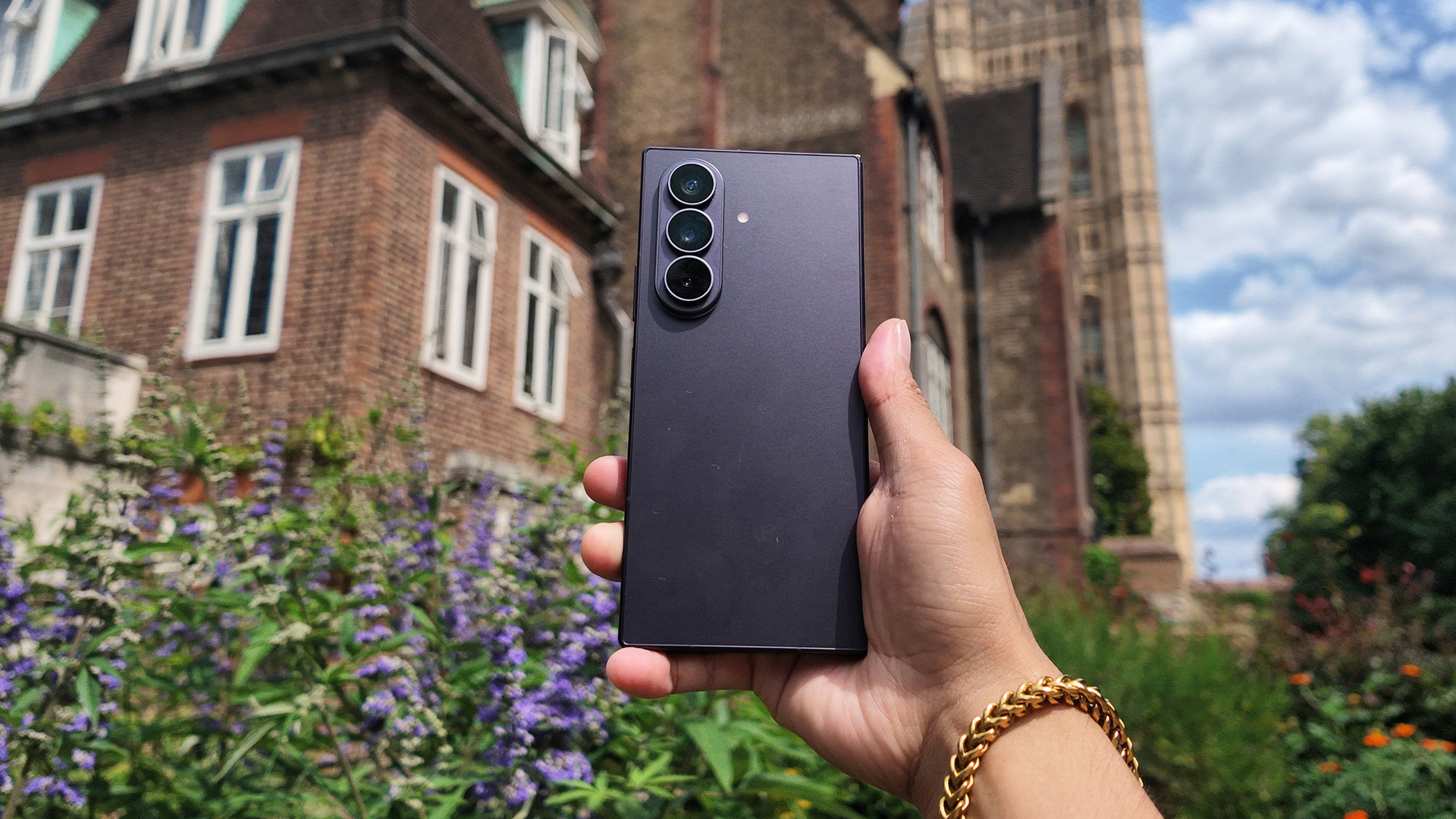
The Fold8 Ultra’s rear cameras are remarkably huge. In terms of depth, it’s almost as thick as the phone itself. If you don’t have a case, the phone wobbles back and forth when laid flat on a surface. It’s very distracting.
Because of how powerful they are, I can almost forgive the cameras for being too big. The three cameras consist of a 200-megapixel main sensor, a 50-megapixel ultrawide lens, and a 10-megapixel telephoto lens.





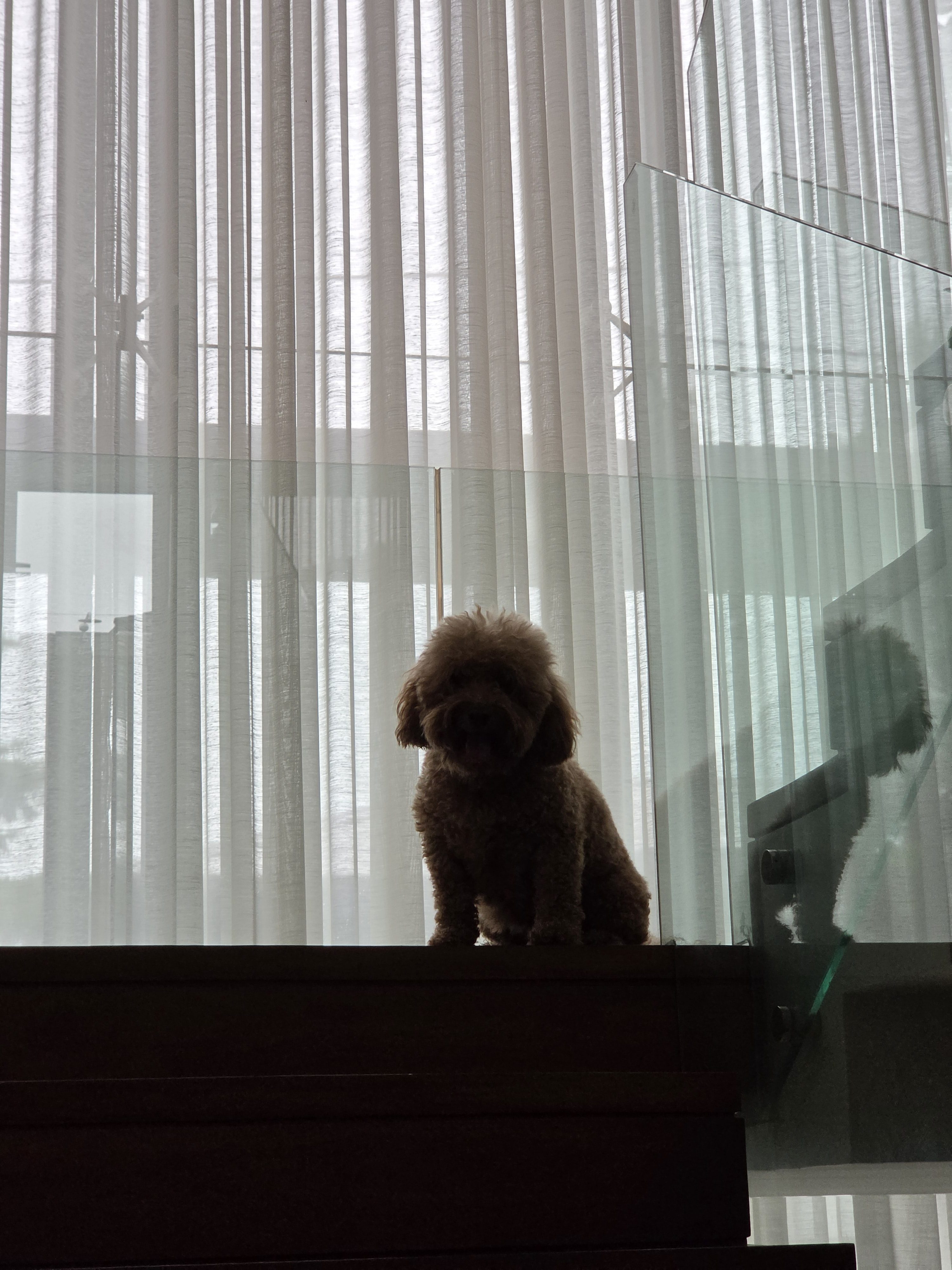
When it comes to color, the camera’s photos don’t stray too far from reality. There are some intensity changes in contrast, as is wont with modern cameras. It’s not too artificial, though. I found myself liking this camera more than others.
In an unfolded state, the camera can capture more, which I prefer, but it does seem too much like holding up an iPad to record a concert.
How does the battery last as long as it does?
For a device with two screens, the Fold8 Ultra is surprisingly economical with its battery usage. I expected a battery that would drain before I could get home. Instead, I got one that treats battery tests like a stroll in the park.
On a typical day, the phone eats up only 25 percent of the battery after eight hours or a full day’s work. A bit of a caveat, though: This was done exclusively in folded mode, which is how I prefer using the phone at work.
Of course, using it unfolded will deplete more battery. A single hour running YouTube while unfolded eats up 5 percent of the battery. But let’s go further. As I said, I preferred playing Zenless Zone Zero in unfolded mode to unlock more screen real estate. Though doing so made the game feel more immersive, it came at the expense of battery life. Playing for two hours straight depleted 20 percent of the battery.
Another thing I adore about the Fold8 Ultra is its charging. It’s a standard USB-C port, but the phone gets over half to two-thirds of the battery in only 30 minutes. Even more impressively, I found that the battery can reclaim 5 percent of juice from just a short five-minute drive using a small car charger. Though my car charger is fully capable of charging a phone all the way, this is the first time I’ve ever seen it go this quickly.
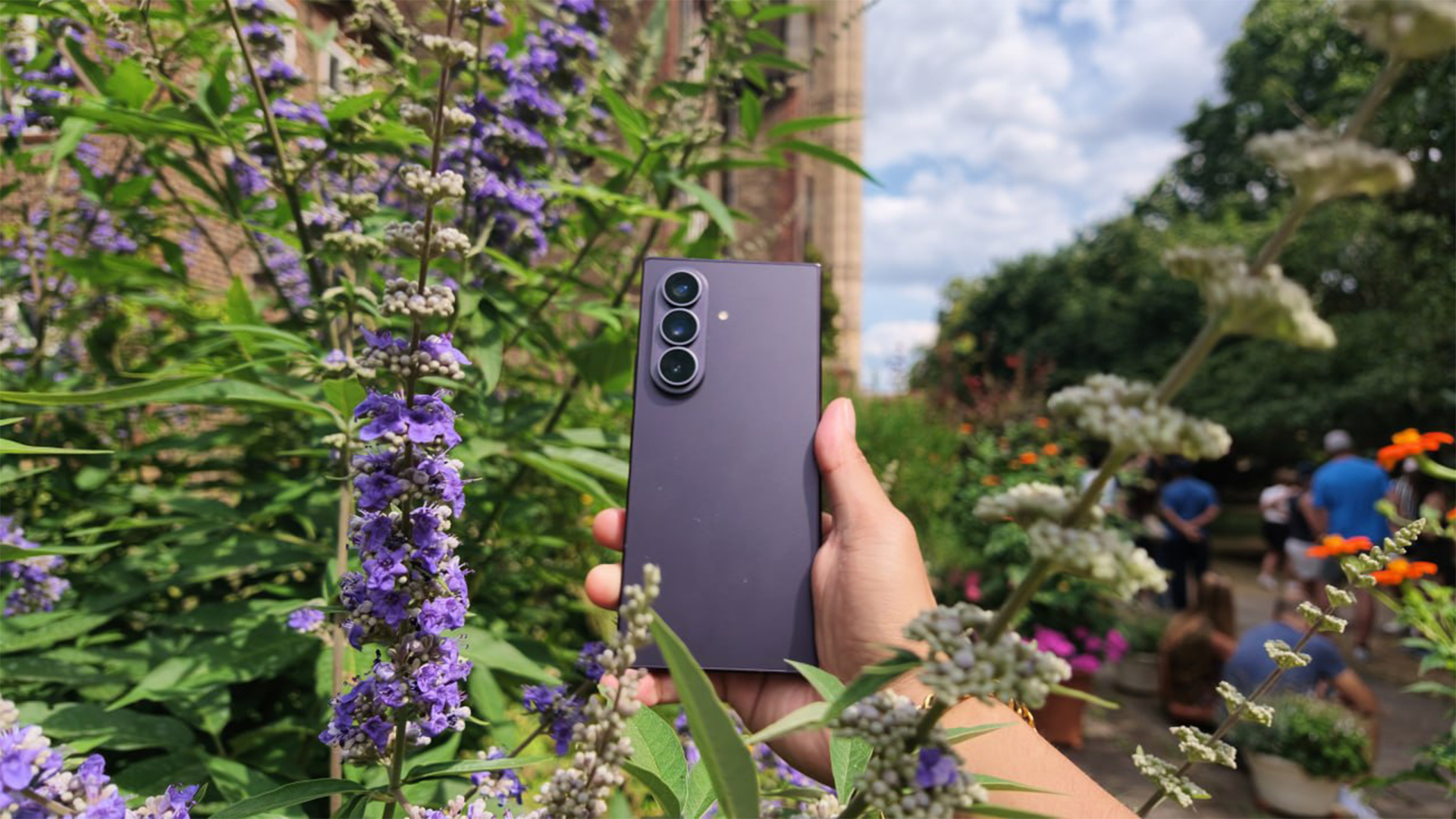
Is the Samsung Galaxy Z Fold8 Ultra your GadgetMatch?
So, is 2026 the right time to get into foldables? The Galaxy Z Fold8 Ultra delivers a resounding yes. Samsung’s latest book-style foldable is a refined distillation of everything we’ve done so far for the foldable segment. Besides being a strong phone in itself, it’s a true 2-in-1 device that offers actually functional use cases in other configurations.
Plus, we’re at a turning point for foldables. Besides book-style foldables, clamshell phones are just as strong, if not stronger. We’re also on the cusp of passport-style foldables, spearheaded by the regular Fold8 and the rumored iPhone Fold. In terms of choice, there are so many solid options today.
If you’re a power user, the Galaxy Fold8 Ultra is a strong first and gets a Swipe Right. Sure, the cost might burn a whole through your wallet (and it’s a bit more expensive than the previous generation), but that’s ironically why you should get one now. The AI-borne RAM crisis will terrorize the industry for some time, so who knows how much more expensive things will get next year?
For all that, the Galaxy Z Fold8 UItra also gets a Super Swipe. The time to go foldable is now.


Setting your bedsheets ablaze with the Lovense Solace Pro
The closest proxy I could find where I'm guilty as sin


Now Playing: Elden Ring Tarnished Edition
Is the Switch 2 port worth the price?


NBA 2K27 review: A two-way All-Star
Better ball game, same 2K?

The keyword for the Apple Watch Series 12 is heartrate variability

iPhone Duo: Price, availability in the Philippines

iPhone 18 Pro series: Price, availability in the Philippines

AirPods 5 boasts better ANC and sound quality for the same price

iPhone Duo: Price, availability in Singapore

TECNO MEGAPAD 2 review: Eyes on the size

realme 16T 5G with 8000mAh battery, IP69 Pro rating launches in PH

HUAWEI Pura X View is 2026’s first WIDE slab-type smartphone

REDMI Note 17 Series focuses on long-term reliability

realme 16T to come with 8,000mAh battery, 7-year battery health guarantee


-
 News2 weeks ago
realme 16T 5G with 8000mAh battery, IP69 Pro rating launches in PH
-
 News3 days ago
HUAWEI Pura X View is 2026’s first WIDE slab-type smartphone
-
 News2 weeks ago
REDMI reveals the refreshed Note 17 and Note 17 Pro series
-
 Singapore2 weeks ago
REDMI Note 17 Series: Price, availability in Singapore
-
 Reviews2 weeks ago
REDMI Note 17 Pro review: What a rollercoaster ride!
-

 Features2 weeks ago
The designated photographer’s new favorite phone: OPPO Reno16 Series 5G
-

 Cameras1 week ago
DJI Osmo 360 II review: Going all-in on the ecosystem
-

 IFA 20266 days ago
TECNO MEGABOOK T15 360 unveiled at IFA 2026