
Legion Go S: Straight forward gaming on the go
AMD Ryzen™ Z2 Go chip, SteamOS-ready, and a near-perfect balance of looks and feel.




The gaming handheld market is pretty intense right now. It’s a space that’s rapidly evolving. News and rumors come out monthly if not weekly. And it’s really tough to keep up with everything.
But let’s set aside all of that for now.
Today, we’re gonna try to make a case on why the Legion Go S is the one that you should go for.
Legion Go S Quick Background
This is the Lenovo Legion Go S. It’s kind of like a half-step from the Legion Go first released in 2023. This handheld was first announced at CES 2025.
It comes in two color options – the white one that we have here which ships with Windows inside and another one that’s deep purple-ish which ships with SteamOS inside.
There are a few more differences like the processor, memory, and storage configurations.
The Legion Go 2 – the actual successor to Lenovo’s 2023 gaming handheld – was also showcased.
But the company made sure to let everyone know that it was a prototype and it isn’t coming until later in 2025. For now, let’s focus on this thing that we’re holding now.
Officially, this is the Legion Go S Windows. This particular version has the AMD Ryzen™ Z2 Go processor. In fact, it’s the first gaming handheld to release with this particular chip.
This model also has 16GB of RAM and 512GB of internal storage. I wager that’s already plenty for most people. Those are some of the more notable insides of this thing.
Now, let’s take a look at its exterior.
Look and feel
Honestly, this is what got me the most excited about the Legion Go S.
I personally think it has the best aesthetic to ergonomic ratio out of all the handhelds we’ve seen so far. Yes, including those officially announced but not readily available yet.
Aesthetically, it looks so damn clean. Buttons, triggers, and thumb sticks are where you’d expect them to be.
It comes in this pretty inoffensive and sleek looking pill shape and follows the usual asymmetrical controller layout.
The back features these honeycomb like cutouts that aren’t just for looks. This is part of the Legion ColdFront tech to keep your device cooled even as your gameplay sessions heat up. It’s the kind of functional design that we absolutely adore.
But what takes the cake is that, ergonomically, it feels amazing to hold. Your hands will naturally rest on the groove of the grips which also has this ribbed feeling making sure it doesn’t slip off your hands like the situationship you failed to hold on to.
Push my buttons, press my triggers
The face buttons feel incredibly tactile. No difference from some of the best standalone controllers out in the market now.
The Joysticks are Hall Effect. It’s magnet tech used to prevent drifting issues.
The Triggers are adjustable. You can go from deep to shallow with the latter being perfect for shooter type games. This is honestly a feature that should be present in ALL controllers… pro or otherwise.
It has a circular D-Pad that feels great for fighting games. The menu buttons are adequately placed and there’s also a tiny trackpad right underneath the right joystick for easier Windows navigation.
8-inches is the sweet spot
Sitting front and center is the 8-inch display.
Size-wise, it might just be the sweet spot for gaming handhelds. Not too big that you’ll have a headache figuring out how to carry it around. But big enough that you’re not squinting or holding the handheld too close to your precious peepers.
It’s a WUXGA display with a 16:10 aspect ratio with all the good stuff like 120Hz refresh rate, 100% sRGB, 500 nits, 10-point touchscreen – the works.
It is by no means the best display on a handheld. But it’s also not an exaggeration to say that it looks a lot better in person than what the specs on paper suggests.
Windows vs SteamOS
As mentioned earlier, this particular Legion Go S unit comes with Windows out of the box.
What does that mean for you? Access to multiple gaming platforms. There’s Xbox Game Pass which is home to some absolute bangers of games right now.
There’s the Game of the Year contender Clair Obscur: Expedition 33, first-person shooter gem Doom: The Dark Age, and many others.
Naturally, you also get access to Steam which is likely the most popular platform for PC gamers.
Other than these two major ones, you also have access to Battlenet, Epic Games, Ubisoft Connect and more.
The Windows version functions like most other Windows gaming handhelds in that they’re not just for gaming. You can connect peripherals to the handheld and turn it into a productivity device.
Since we’ve already experienced this particular setup on our Legion Go, the first thing we did upon receiving this unit was to install SteamOS–which became available just in time as we were testing the device.
With SteamOS installed, the Legion Go S transforms into a dedicated gaming handheld. Some have even called it a spiritual successor to the Steamdeck.
The biggest pros are quality of life improvements. Going from wake to sleep and vice versa just works. A single press on the power button takes you to your games. It’s literally pick up and play.
During the course of our time with the device, it’s been incredibly easy to take a break from work.
Pickup the Legion Go S and do a quick run on TMNT: Splintered Fate, a quick match on Virtua Fighter 5 REVO, progress a little bit on FF X Remastered, or do some relaxed swinging on Spider-Man: Remastered
SteamOS essentially takes you to Steam Big Picture Mode. It’s a user-interface that has great controller navigation support and is meant to feel like a true console UI.
SteamOS performance
The version of SteamOS we installed also has power profiles readily available.
Simply press the quick settings button. Pick the performance icon. And you’ll see the Performance Profile options.
Available to you are: Low-Power, Balanced, Performance, and Custom. It’s pretty straightforward.
Low-power is great for non-graphically demanding games. It helps extend your play time.
This is best suited for travel or when you’re out and about without a power outlet in close proximity. It launches by default on Balanced.
For most AAA titles, you’ll want to crank it up to Performance and be right next to a power outlet if you want to play for longer than an hour.
There’s also a cool bit where the light around the power button, which is also a Legion logo, changes depending on the power profile you’re on.
- Low-Power is Blue
- Balanced is White
- Performance is Red
- And Custom is Purple
That’s pretty neat.
AMD Ryzen™ Z2 GO
The AMD Ryzen™ Z2 Go that’s at the heart of the Legion Go S is a processor engineered specifically for gaming handhelds.
But what exactly does that mean in practice?
For our playing habits and preferences, this means more than enough power to play less-graphically demanding games.
For the games we played, these are TMNT: Splintered Fate, Final Fantasy X Remastered, and Bully. It’s the perfect machine for revisiting or finally playing some older games.
For more contemporary and relatively recent titles like Spider-Man: Remastered released in 2022, these are still playable but you’re going to have to be more selective in how you play them.
Typically, these games launch already in their most optimized settings. This happens when the game is already verified to be compatible with SteamOS.
Power Profile will automatically change to custom. And the Graphics settings, more often than not, are set to Medium.
In these settings, the AMD Ryzen™ Z2 Go is balancing performance and power efficiency to deliver gameplay that’s smooth and visually appealing without draining too much power.
However, if you happen to be near a power outlet and don’t mind playing while plugged in. You can crank things up. Put the power profile to performance and the graphics settings to high for the best possible combination of gameplay and visuals.
Understand also that the Legion ColdFront tech will kick in, so you’ll definitely hear the fans doing work. We suggest using bluetooth speakers or headphones for a better audio experience.
We also had the good fortune of testing the Legion Go S as Stellar Blade for PC launched. Like the Spidey game, it first launched on a console before coming to PC. And the performance is mostly the same. Whatever we described for Spidey applies to this game.
So if you want to really soak in Eve’s visuals, you’re gonna want to push the Legion Go S and AMD Ryzen™ Z2 Go.
All told, it’s a plenty capable processor that’s built for handheld gaming.
Battery things
Battery performance depends entirely on your usage.
Instead of doing super controlled tests, we just monitored the battery percentage on our daily use.
Playing a game like TMNT: Splintered Fate at low-power mode takes the battery down from 95% to 78% after roughly about 40 minutes of play time.
We put the Legion Go S on sleep after that for about an hour or so. When we woke the handheld up, it had 76% left.
We played FFX Remaster for close to an hour, still in low-power mode and we ended up with 65%.
We put the Legion Go S to sleep for the day after that.
The following morning, after a healthy number of hours of sleep, the handheld had 60% left when we woke it up.
This is when we switched to playing Spider-Man: Remastered at performance mode, unplugged.
The handheld lasted long enough to get through a quick story beat and some freelance swinging – about 30 minutes or so – before warning us that the battery was getting low.
But this particular game is currently experiencing some issues.
The button prompts aren’t displaying properly. What you get instead are just question marks instead of the actual button prompts.
I was only able to play through because this is a game I’ve played for countless hours already and have committed the button presses to muscle memory.
Is the Legion Go S your GadgetMatch?
The gaming handheld space is fast-moving and is evolving at a rapid pace.
But if you’re deadset on owning a gaming handheld right now, the Legion Go S (16GB/512GB) plus SteamOS configuration that we featured here offers a pretty darn good value.
It’s great for clearing backlogs on your Steam Library.
The pickup and play ability is underrated, especially if you’re the busy type who only has a few minutes or so to play. The precious seconds saved are REALLY precious.
A big consideration too is how the product looks and feels. To reiterate what we said earlier, the Legion Go S has a perfect aesthetics to ergonomics ratio. It feels good to hold without sacrificing anything from the looks perspective.
All of that along with its performance it provides makes it a pretty darn good value for the price it commands.
The versions available for purchase in the Philippines are as follows:
| Legion Go S | Legion Go S | |
| OS | SteamOS | Windows 11 |
| Price | PhP 34,995 | PhP 44,995 |
| Procesor | AMD Ryzen™ Z2 GO Processor (3.00 GHz up to 4.30 GHz) | AMD Ryzen™ Z2 GO Processor (3.00 GHz up to 4.30 GHz) |
| Graphics | Integrated Graphics | Integrated AMD Radeon™ Graphics |
| RAM | 16 GB LPDDR5X-6400MT/s (Soldered) | 16 GB LPDDR5X-6400MT/s (Soldered) |
| Storage | 512 GB SSD M.2 2242 PCIe Gen4 TLC | 512 GB SSD M.2 2242 PCIe Gen4 TLC |
| Connectivity | Wi-Fi 6E 2×2 AX & Bluetooth® 5.1 or above | Wi-Fi 6E 2×2 AX & Bluetooth® 5.3 |
| Display | 8″ WUXGA (1920 x 1200), IPS, Glare, Touch, 100%sRGB, 500 nits, 120Hz | 8″ WUXGA (1920 x 1200), IPS, Glare, Touch, 100%sRGB, 500 nits, 120Hz |
If you’re looking to dip your toes into gaming handhelds for the first time, the Legion Go S is a great place to start.





Computers
AMD announces Ryzen AI 400, AI 400 PRO series at MWC 2026
Offering support for next-gen AI PCs, Copilot+ experiences
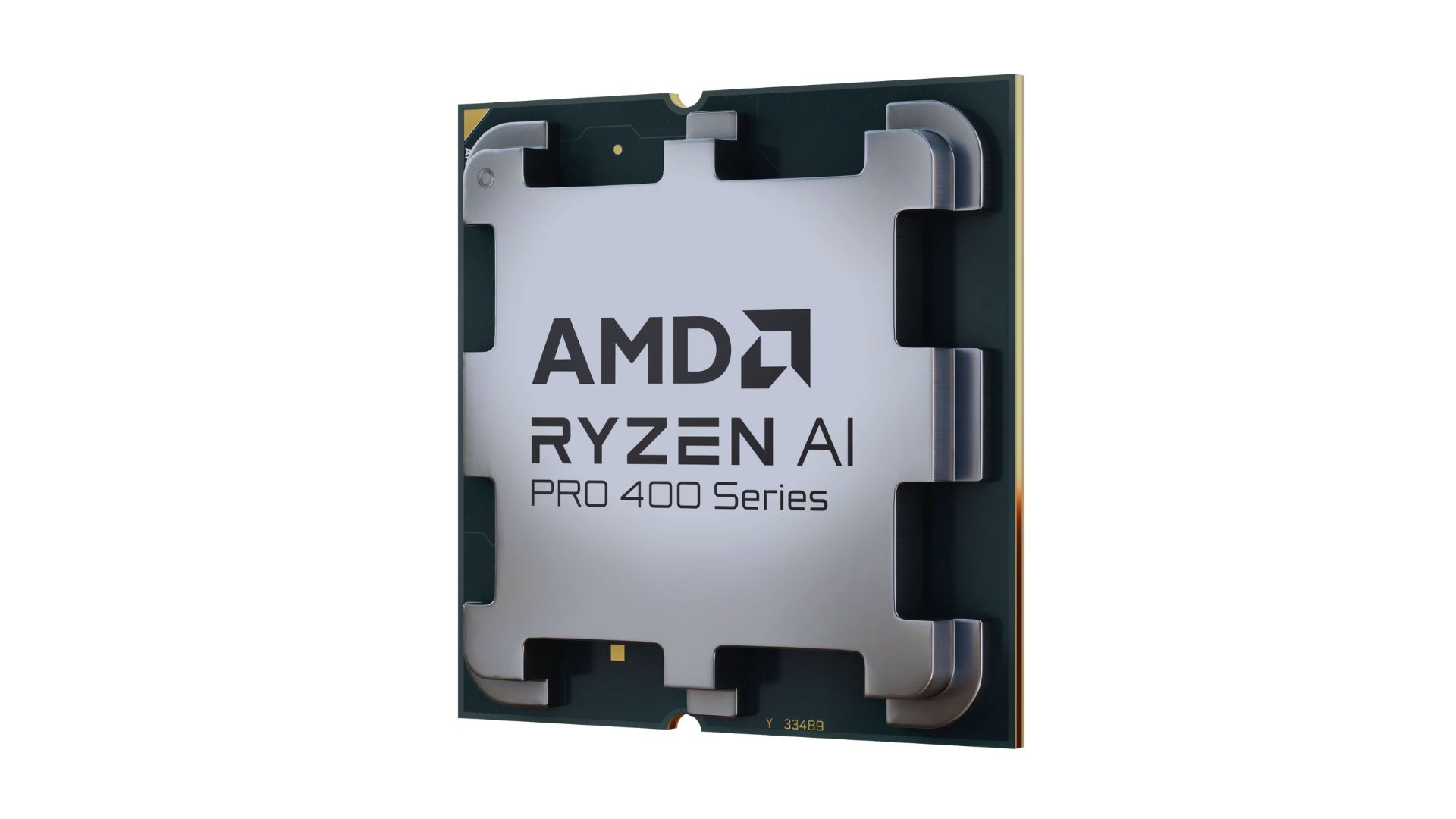
AMD announced new products and initiatives at MWC 2026 Barcelona, headlined by their newest Ryzen AI 400 and Ryzen AI PRO 400 series processors.
These latest processors are built on the AM5 platform and advanced Zen 5 architecture, delivering next-generation experiences for both consumer and commercial scenarios.
The additions enable original equipment manufacturers (OEMs) to offer next-gen AI PCs across high-performance desktops, laptops, and mobile workstations optimized for modern workloads.
Along with dedicated AMD XDNA 2 NPUs and AMD RDNA 3.5 graphics, both series offer up to 60 TOPS of NPU AI compute, exceeding the requirements of Copilot+ PCs.
As such, these enable powerful on-device AI performance, including running LLMs locally and tackling compute-intensive applications for design and engineering.
The Ryzen AI 400 series processors are also the first for next-gen desktop AI PCs to support Copilot+ PC experiences. Featuring an NPU providing up to 50 TOPS of AI compute, these processors enable running AI assistants and productivity tools locally.
In addition, AMD is expanding the Ryzen AI 400 series mobile portfolio to include workstations. Some that are expected to release in Q2 2026 include products from Dell, HP, and Lenovo.
AMD PRO initiative
Furthermore, AMD announced AMD PRO for enterprise-grade security, manageability, and reliability.
This is done through foundational hardware and software designed to simplify IT operations and protect investments over time.
AMD says it will continue to evolve the AMD PRO platform by strengthening both its silicon foundation and software stack.
This will support enterprise IT teams managing distributed AI-enabled PC fleets. Meanwhile, expanded remote management features improve visibility, recovery, and control.

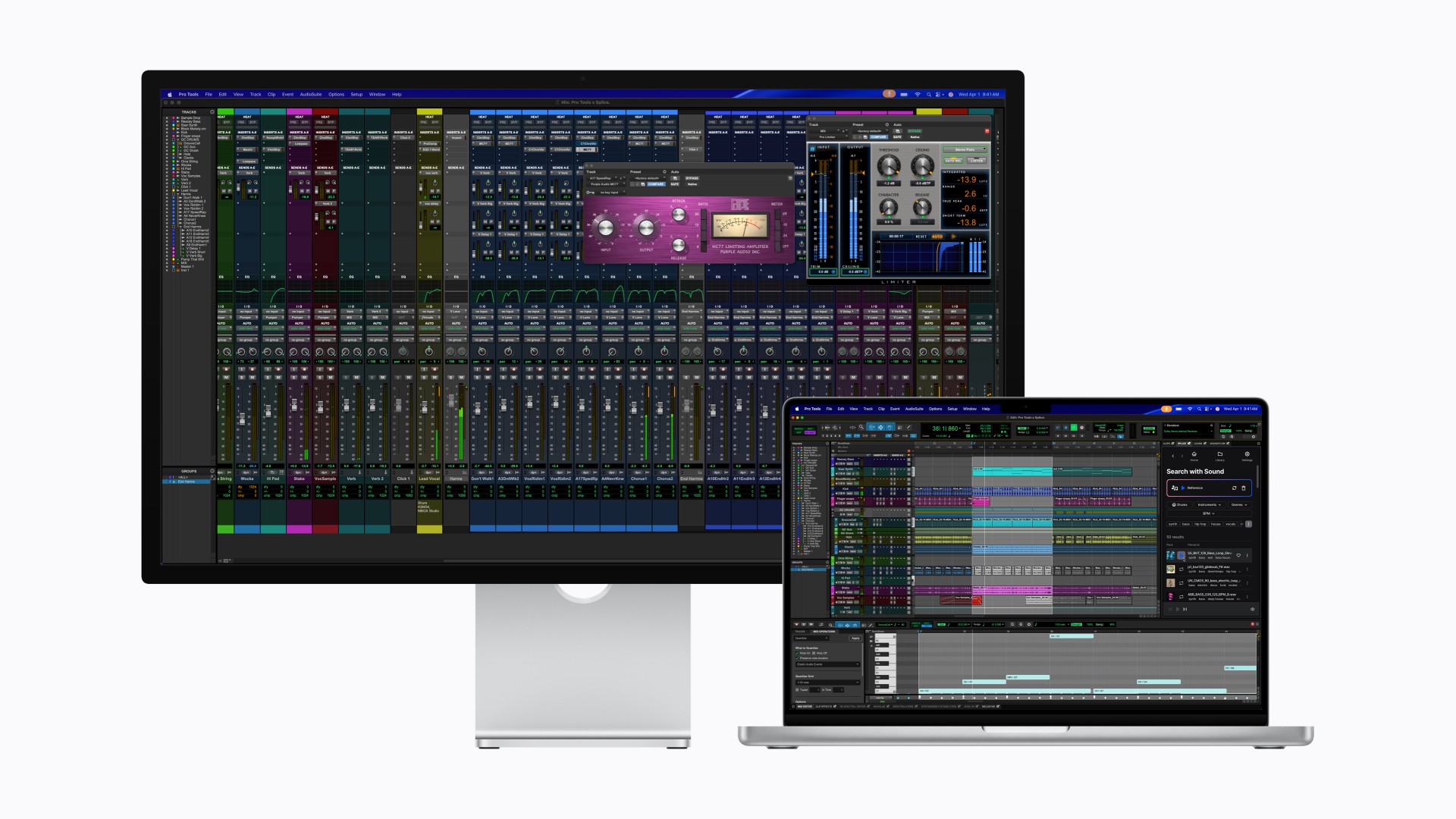
After taking the MacBook Pro to Super Saiyan levels, Apple is now doing the same for the display it pairs with.
With its latest Studio Display family, Apple is splitting the lineup into two clear tiers. The regular Studio Display already feels powered up. The all-new Studio Display XDR transforms.
If this were Dragon Ball Z logic, the Studio Display is Super Saiyan. The Studio Display XDR is Super Saiyan Blue — calmer, more controlled, and operating on an entirely different plane.
A strong base form
The new Studio Display sticks to what already worked: a 27-inch 5K Retina panel with over 14 million pixels, 600 nits of brightness, and P3 wide color. It’s sharp, bright, and more than capable for photo editing, design work, music production, and daily tasks.
Apple upgrades the experience around the screen, too. There’s now a 12MP Center Stage camera with improved image quality and Desk View support. The three-mic array and six-speaker system return, this time with deeper bass and Spatial Audio support.
Connectivity jumps to Thunderbolt 5, allowing users to daisy-chain up to four Studio Displays for nearly 60 million combined pixels. It also delivers up to 96W of charging power for a connected MacBook Pro.
It’s the dependable powered-up form. Strong. Confident. Already more than enough for most creators.
The controlled transformation
Then there’s Studio Display XDR.
This is where Apple goes full Super Saiyan Blue.
The 27-inch 5K Retina XDR panel uses a mini-LED backlight with over 2,000 local dimming zones. It pushes up to 1000 nits of SDR brightness and 2000 nits of peak HDR brightness, alongside a 1,000,000:1 contrast ratio. Highlights hit harder. Blacks stay deep. Blooming stays minimal.
The display also adds Adobe RGB support on top of P3, covering more than 80 percent of Rec. 2020 for HDR workflows. For video editors, colorists, and print professionals, this shifts the XDR from “great display” to “reference-grade tool.”
Motion gets smoother, too. A 120Hz refresh rate with Adaptive Sync dynamically adjusts between 47Hz and 120Hz, reducing latency and making everything from scrubbing timelines to gaming feel more fluid.
Apple even introduces DICOM medical imaging presets and a Medical Imaging Calibrator for diagnostic radiology use in the U.S., pending FDA clearance. It’s a reminder that this panel isn’t just about aesthetics. It’s about precision.
Built for the pro desk
Both displays share the same upgraded 12MP Center Stage camera, studio-quality microphones, six-speaker Spatial Audio system, and Thunderbolt 5 connectivity. The XDR model goes further with up to 140W charging power and additional downstream ports, effectively acting as a high-speed hub.
Pricing and availability
In the U.S.
The new Studio Display starts at $1,599 (U.S.) and $1,499 for education, while the Studio Display XDR begins at $3,299 (U.S.) and $3,199 for education. Both models can be pre-ordered starting tomorrow, March 4, with availability beginning March 11 in select Apple Store locations and authorized resellers.
In Singapore
Pre-orders open on March 9 via apple.com/sg/store and the Apple Store app. Pricing starts at S$2,199 for the Studio Display (S$2,059 for education). The Studio Display XDR begins at S$4,499 (S$4,359 for education).
Optional accessories such as the Magic Keyboard, Magic Trackpad, and Magic Mouse remain available in white and black color options. Apple also offers nano-texture glass and adjustable stand configurations for professional setups.
The message from Apple is consistent: the base Studio Display remains a strong professional companion, while the Studio Display XDR targets workflows demanding reference-grade performance and HDR capability. Pre-orders go live soon, with deliveries and in-store availability following in mid-March.
In the Philippines
Customers can pre-order starting March 4 at apple.com/ph/store.
Studio Display starts at ₱104,999, and ₱97,990 for education. Studio Display XDR replaces Pro Display XDR and starts at ₱219,999, and ₱212,990 for education.
Additional technical specifications, including nano-texture glass and a choice of stand options, are available at apple.com/ph/store.
Magic Keyboard with Touch ID and Numeric Keypad (from ₱10,490), Magic Trackpad (₱6,990), and Magic Mouse (₱5,490) in black or white color options are available at apple.com/ph/store.
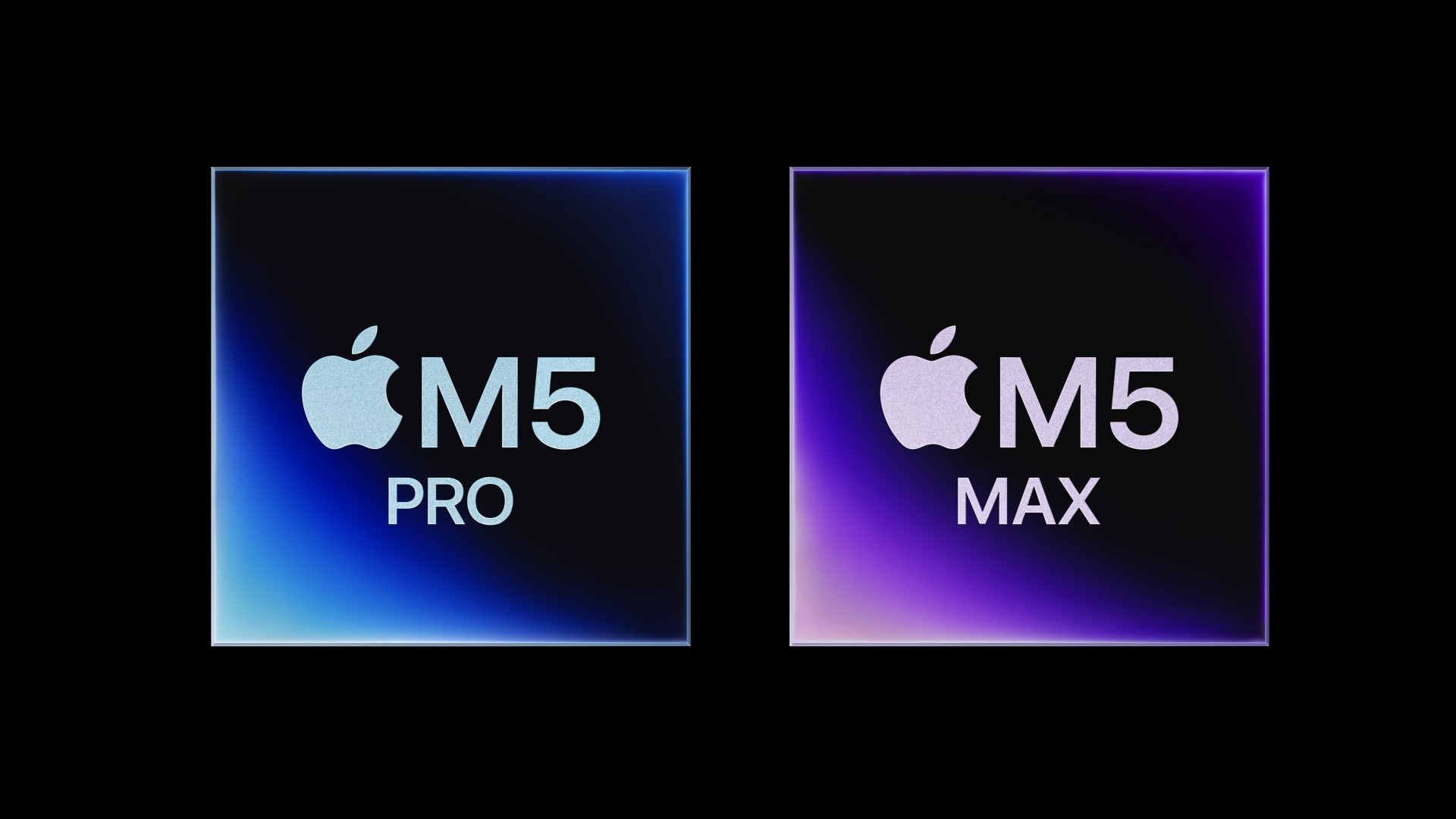
Apple has introduced the M5 Pro and M5 Max, chips designed for professionals who need high-performance computing and AI acceleration.
Built on the company’s new Fusion Architecture, the chips combine two dies into a single system on a chip (SoC), integrating a CPU, GPU, Media Engine, unified memory controller, Neural Engine, and Thunderbolt 5 support. This design increases performance and AI capability while maintaining Apple’s focus on efficiency.
The M5 Pro features an 18-core CPU with six super cores and 12 performance cores, delivering up to 30 percent faster performance for demanding workloads compared with the previous generation. The GPU scales to 20 cores and includes Neural Accelerators in each core, boosting AI compute and graphics performance. Unified memory supports up to 64GB with bandwidth reaching 307GB/s, enabling faster data handling in complex professional applications.
The M5 Max expands capabilities further with up to 40 GPU cores and unified memory of up to 128GB. Memory bandwidth reaches 614GB/s, accelerating workflows involving large datasets, 3D rendering, and AI models. According to Apple, the GPU delivers more than four times the peak compute of the prior generation for AI tasks and up to a 20 percent graphics improvement over the M4 Max.
Both chips include a faster 16-core Neural Engine for on-device AI features, support hardware-accelerated media formats such as AV1 and ProRes, and incorporate memory safety protections via Memory Integrity Enforcement. Thunderbolt 5 ports with dedicated controllers enable high-speed connectivity for professional peripherals.
With the M5 Pro and M5 Max, Apple aims to push professional computing forward, particularly for developers, researchers, and creatives who require advanced AI and graphics performance. The new chips will power the latest MacBook Pro lineup, available for pre-order soon with shipments beginning March 11.


The Xiaomi 17 shoots Leica dream

Nintendo sues the United States

OPPO Reno15 F 5G hands-on

Project Helix is Xbox’s next console, and it plays PC games

Nothing adds color to its wearables with the Headphone (a)

Xiaomi 17 Ultra is now available outside China

TECNO will showcase the CAMON 50 and POVA 8 series at MWC 2026

The art of being in and behind the frame

HUAWEI MatePad 11.5 S 2026: The better-than-ever 4-in-1 productivity tablet

TECNO MEGABOOK K16s 13th review: No-frills beneath those grills

-
 News1 week ago
Xiaomi 17 Ultra is now available outside China
-

 MWC 20265 days ago
TECNO showcases cool concepts at MWC 2026
-

 MWC 20261 week ago
TECNO resurrects modular phones with this new concept
-

 Reviews1 week ago
Xiaomi Pad 8 review: Slab that slaps!
-

 MWC 20264 days ago
TECNO launches the all-new CAMON 50 series
-

 Reviews1 week ago
Forget the Phone: Xiaomi 17 Ultra Is A CAMERA!
-

 Reviews4 days ago
TECNO CAMON 50 Ultra review: End of an era?
-

 MWC 20263 days ago
Infinix NOTE 60 Ultra makes a motorsport-inspired debut