


When I was a kid, my PlayStation Portable was my whole life. I didn’t have the most advanced PC or the latest console, so the small (but gigantic in my early teen hands) device was a godsend. Time eventually ravaged my PSP, which was already clinging to a mile of duct tape to keep everything together. You can imagine my delight when a new generation of handheld consoles suddenly and emphatically broke into the scene.
You’ve already heard of the Nintendo Switch and the Steam Deck. Now, a new breed of handheld consoles aims to blend the convenience of the aforementioned two and the nostalgia of having everything in the palm of your hand. Enter: the Lenovo Legion Go.

A powerhouse just by looking at it
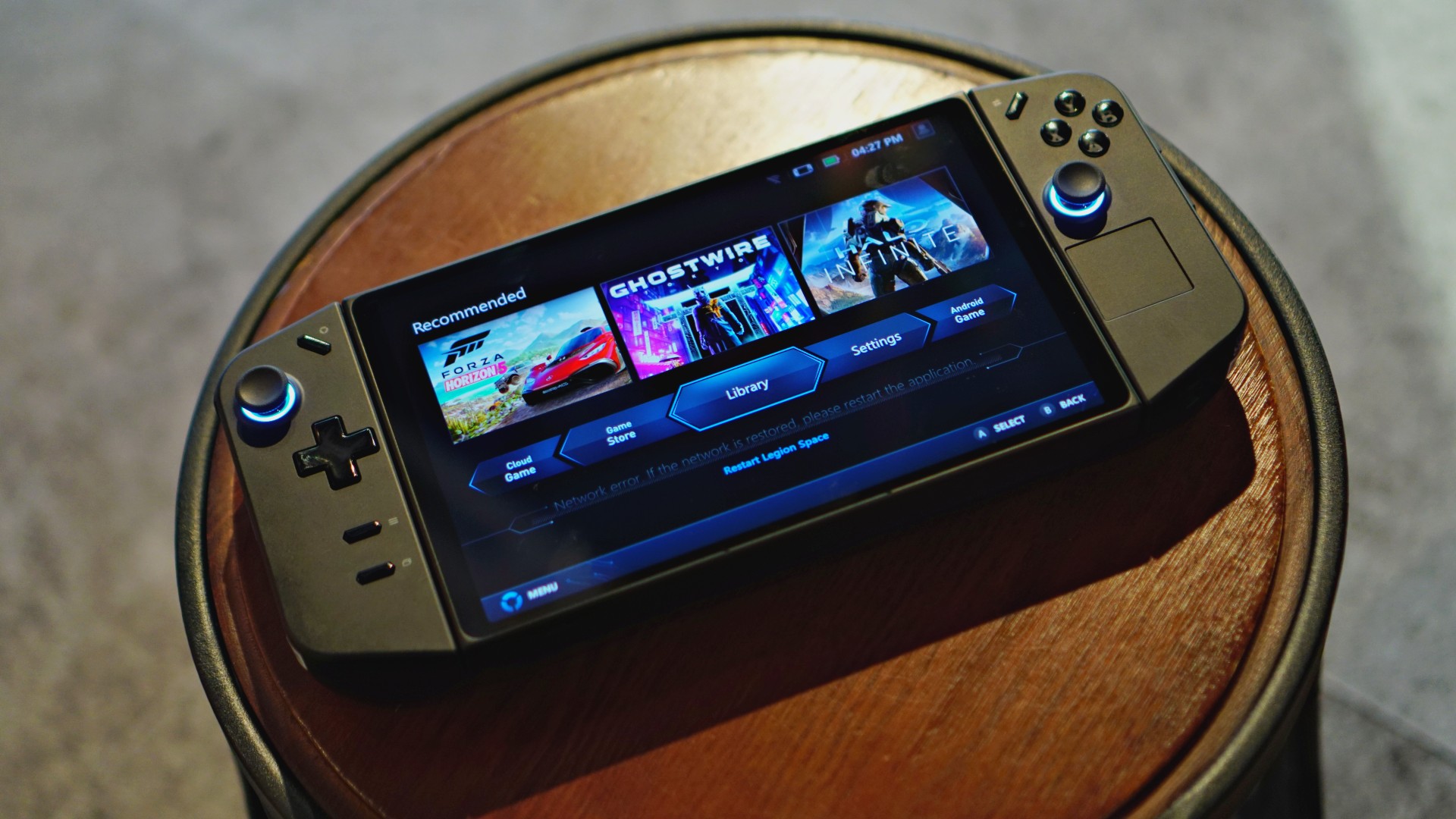
The Legion Go takes a few design elements from its contemporaries and predecessors. At first glance, the console shares the most similarities to the Steam Deck: a minimalist black design complemented by a handy trackpad. However, it also takes some inspiration from the Nintendo Switch: removable controllers and diagonally opposed joysticks.
Overall, the Legion Go relies mostly on the Steam Deck’s simplicity to convey a more premium feel. It’s an absolute looker guaranteed to turn heads.
Layout laid out
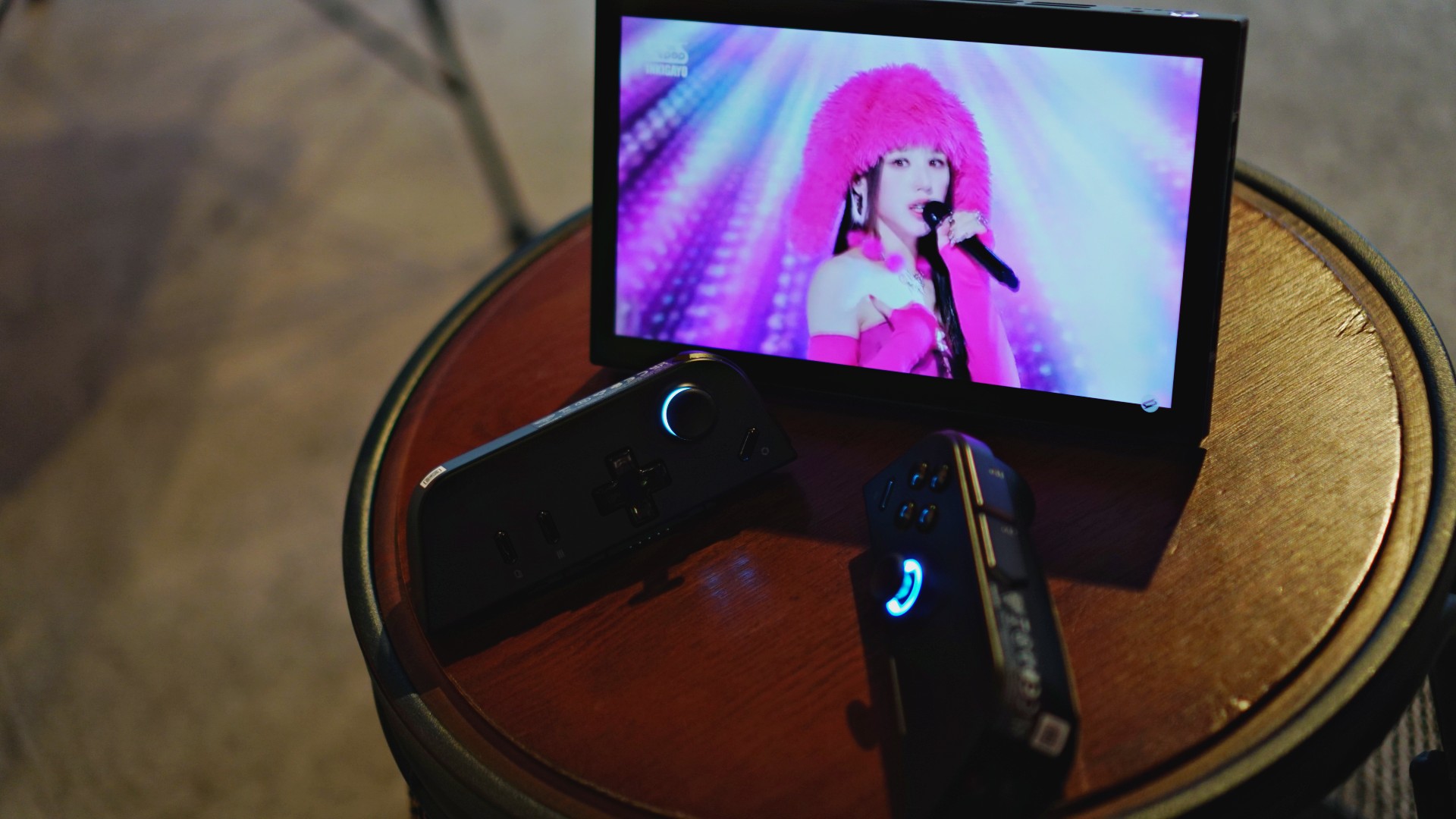
Now, let’s look at the console’s layout. If you’ve held a portable console recently, the Legion Go should feel familiar to you. You’ll find the standard fare of diagonally opposed sticks, a D-pad, the XYAB buttons, bumpers, and triggers. With the familiar out of the way, let’s go through what’s different.
Much like the Deck and the ROG Ally, the Go has additional buttons at the back: Y1, Y2, and Y3 buttons to add some convenient hotkeys for more elaborate games. It also has M1, M2, and M3 buttons for its FPS mode (but more on that later).
At the top of the left controller, the Go has the Legion Space button which opens the dedicated hub for gaming. The right controller has a Quick Settings button which opens a convenient panel for settings to optimize your setup. Unfortunately, these two buttons pushed the traditional Start/Select buttons to the bottom of the left controller. It took some time to get used to the new layout.
At the back, the console also has a sizable built-in kickstand. It eliminates the need for an external dock which other consoles require. Plus, it works better than the Switch’s tiny kickstand. I felt secure using the console on tabletop mode.
As for the console’s feel, the Go is remarkably tactile with grooves right where my hand should be. The controllers are also textured to provide better grip. My only gripe is the feel of the D-pad. Unlike the more pronounced pads of other controllers, the Go has a flatter pad. If, like me, you use the D-pad for navigation (which is the best way for 2D side-scrollers), your thumb might get a little sore after some use.

A brilliant display
The Legion Go has a brilliant 8.8-inch screen — touting QHD (2560 x 1600) resolution, 500 nits of brightness, and 144Hz refresh rate. On paper, Lenovo’s console is already ahead of the competition, eclipsed only by the new Steam Deck OLED.
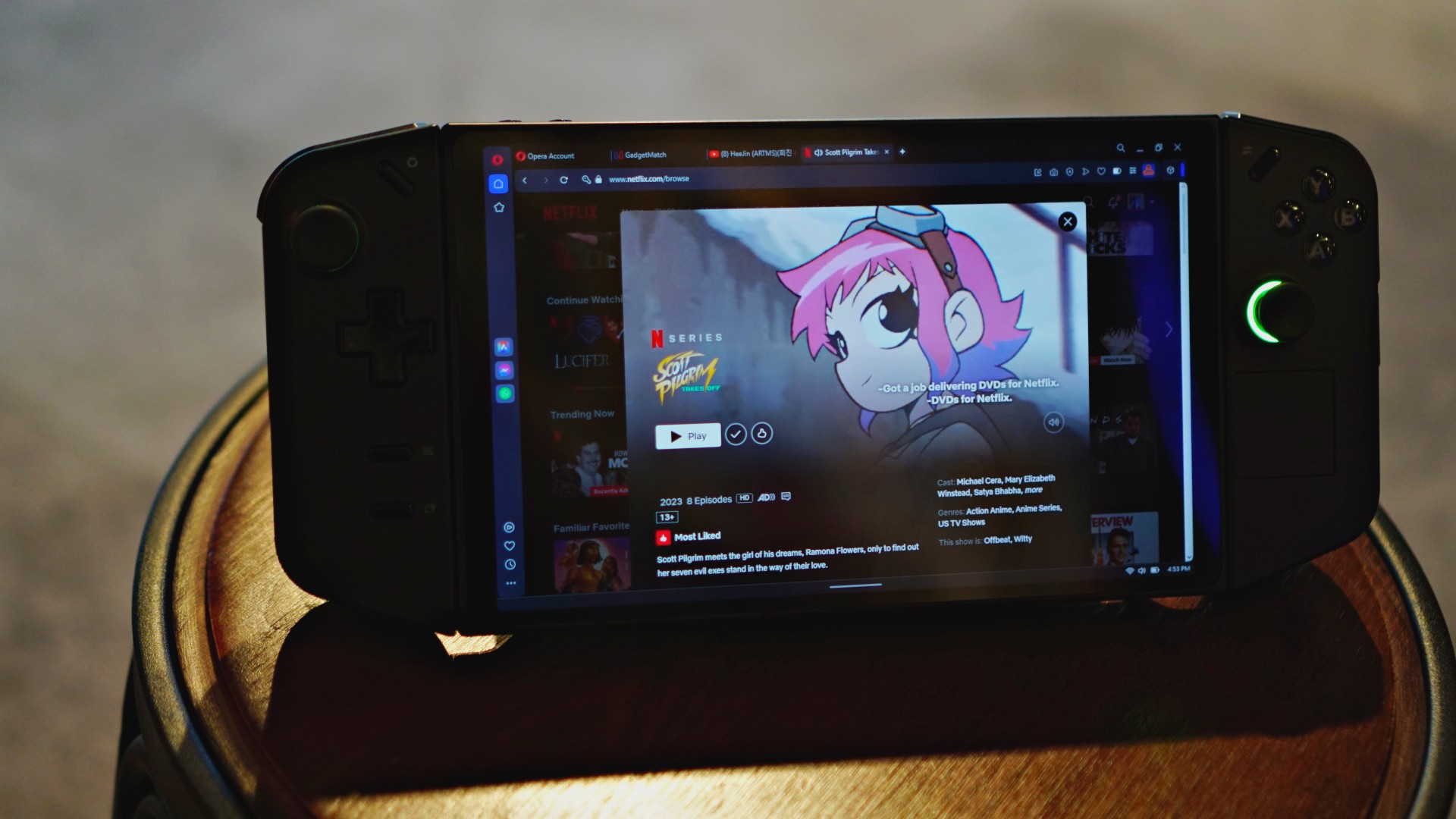
In practice, the Go offers an impressive display, capable of handling gaming and other entertainment. Movies, via Netflix and my own files, were crystal clear on the Go. It’s so good that I’m also using the console as a secondary screen to watch videos while I work.
To test color reproduction, I booted up Shovel Knight, a retro-style platformer that consistently puts out static colors. The game was exceptionally bright, proving how much the Go can reproduce. No color was washed out. Even the blacks were deep and accurately reproduced.
Now, as most budget gamers can attest to, the largest resolution isn’t always the best solution to maximize framerate. Thankfully, the Go can perform even if you play on the lowest available setting (1280 x 800). The difference is palpable at first, but it’s incredibly decent for a lower resolution. The screen compensates well for the pixelation. Graphics still look smooth at the lower setting.
Power from retro to AAA
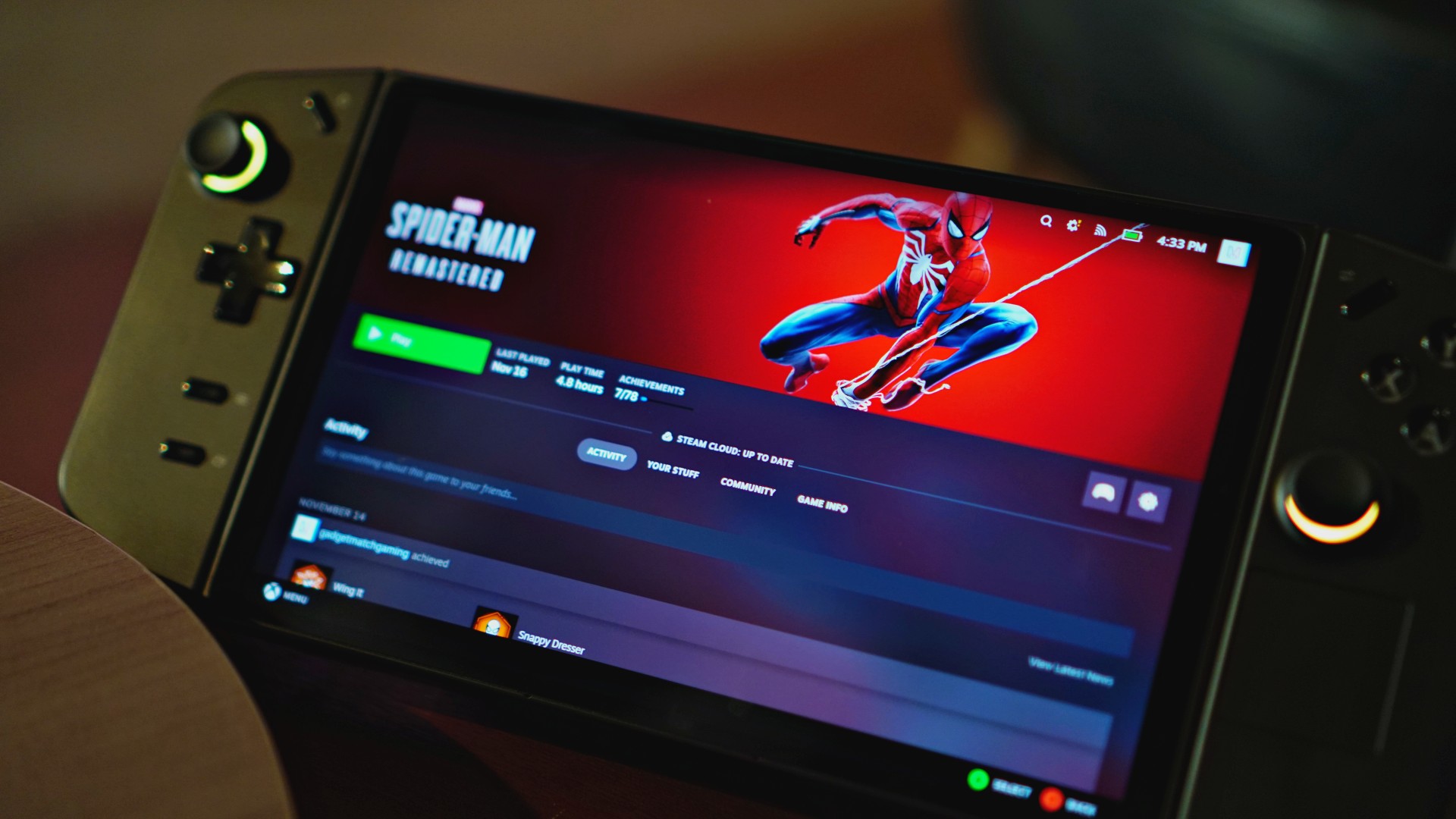
Time for the actual meat of the matter. How well does the Legion Go and its AMD Z1 Extreme chipset perform for your games? Surprisingly well, actually.
As mentioned above, Shovel Knight performs well on the console at maximum resolution. If indie games are your thing, the Go is more than capable. That said, a retro-style indie game isn’t the best indicator of performance. Let’s put the Legion Go through one of the most demanding games today: Cyberpunk 2077.
And… it works! As expected, you still need to experiment with the graphics settings to find a decent framerate. It took a while but playing Cyberpunk 2077 on low/medium settings and at 1280 x 800 resolution will net a viable framerate (around 40 to 50fps) to get through Night City smoothly.
The same experimenting goes for other modern games including Baldur’s Gate 3, Doom Eternal, and Forza Horizon 5. Now, I found that some modern games are already automatically optimized for the console. For example, I didn’t need to fiddle around with Doom Eternal’s settings to get a smooth framerate.
If you’re looking for graphical fidelity, a dedicated PC rig is still for you. However, the Legion Go is capable of going through the ringer of demanding video games. If you’re traveling or stuck in bed, it performs more than adequately.
The software underneath
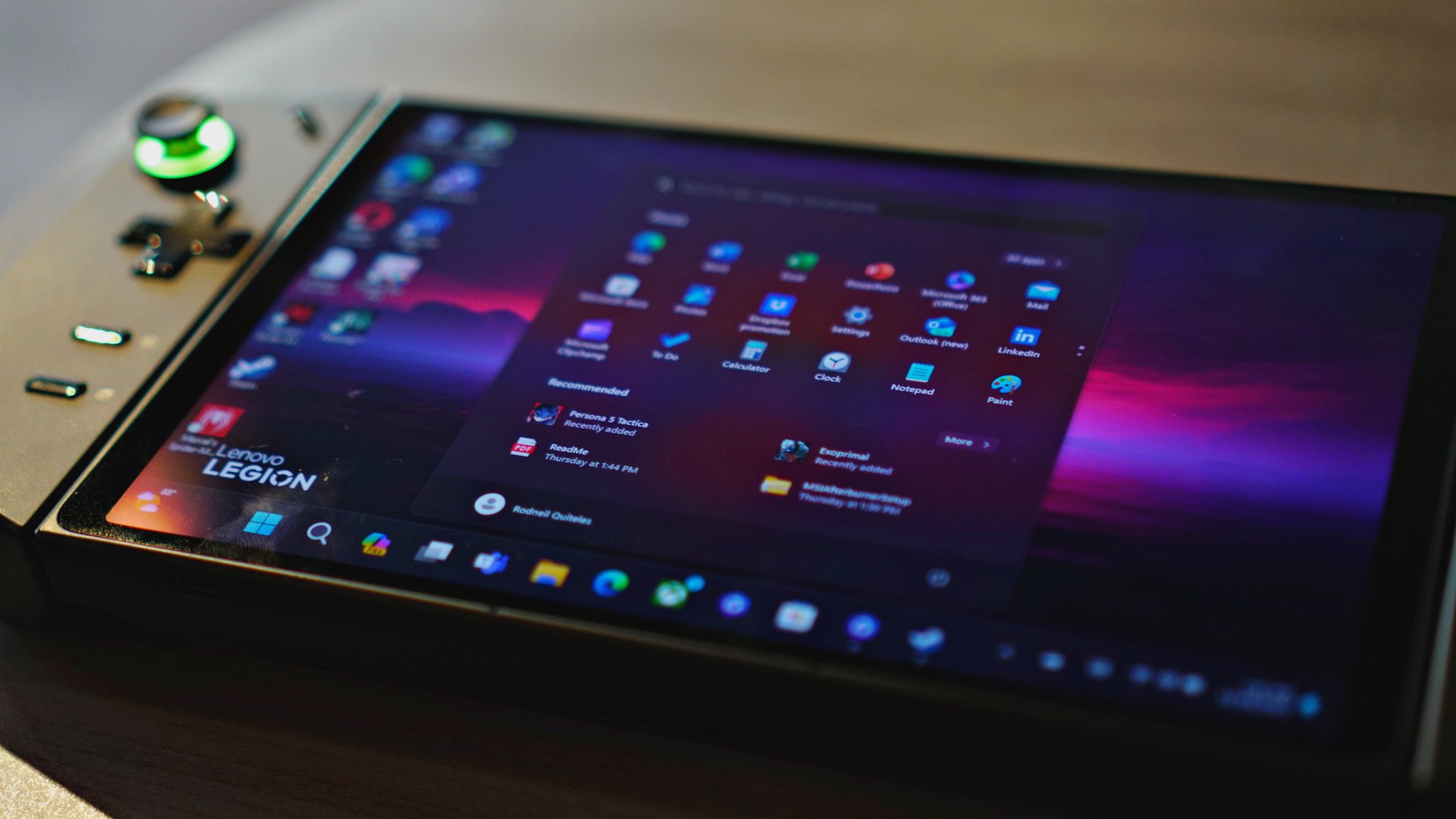
Power isn’t the only remarkable aspect of the Legion Go. It’s also a PC. Right from opening the device, you’ll notice the familiar trills of the Windows setup screen. Unlike the Switch and the Deck, the Go comes with Windows 11 right out of the box, allowing for a lot of flexibility. You also get up to 1TB of internal storage and expandability via a microSD card.
Theoretically, you can use the Go to work. And I’ve tried. With a multiport adapter for a keyboard and mouse, the Go can act just like a laptop. If you’re in a pinch, the Go is an amazing backup device.
That said, the Go by itself can lack a bit of versatility for control without an external keyboard and mouse. The display is touchscreen, yes, but if you need to right-click on anything, you have to touch-and-hold on the screen. Scrubbing through a video (and other times you need to hold your finger on the screen) can be a nightmare as the console gets confused on whether you’re dragging or attempting to right-click. Additionally, the on-screen keyboard is also finicky on when it comes out. There are times when the keyboard doesn’t automatically come out when prompted with a text box.

Thankfully, the Go has a unique solution to the lack of a mouse, at least. The built-in FPS mode turns the right controller into a de-facto mouse. Just detach the controller, toggle the FPS switch on, and connect it to the magnetic disk (which comes with the package). The controller uses a sensor at the bottom to control the mouse. It’s a unique solution to the mouse problem. In practice, it works but will take some getting used to, especially because of the prongs digging into your thumb.
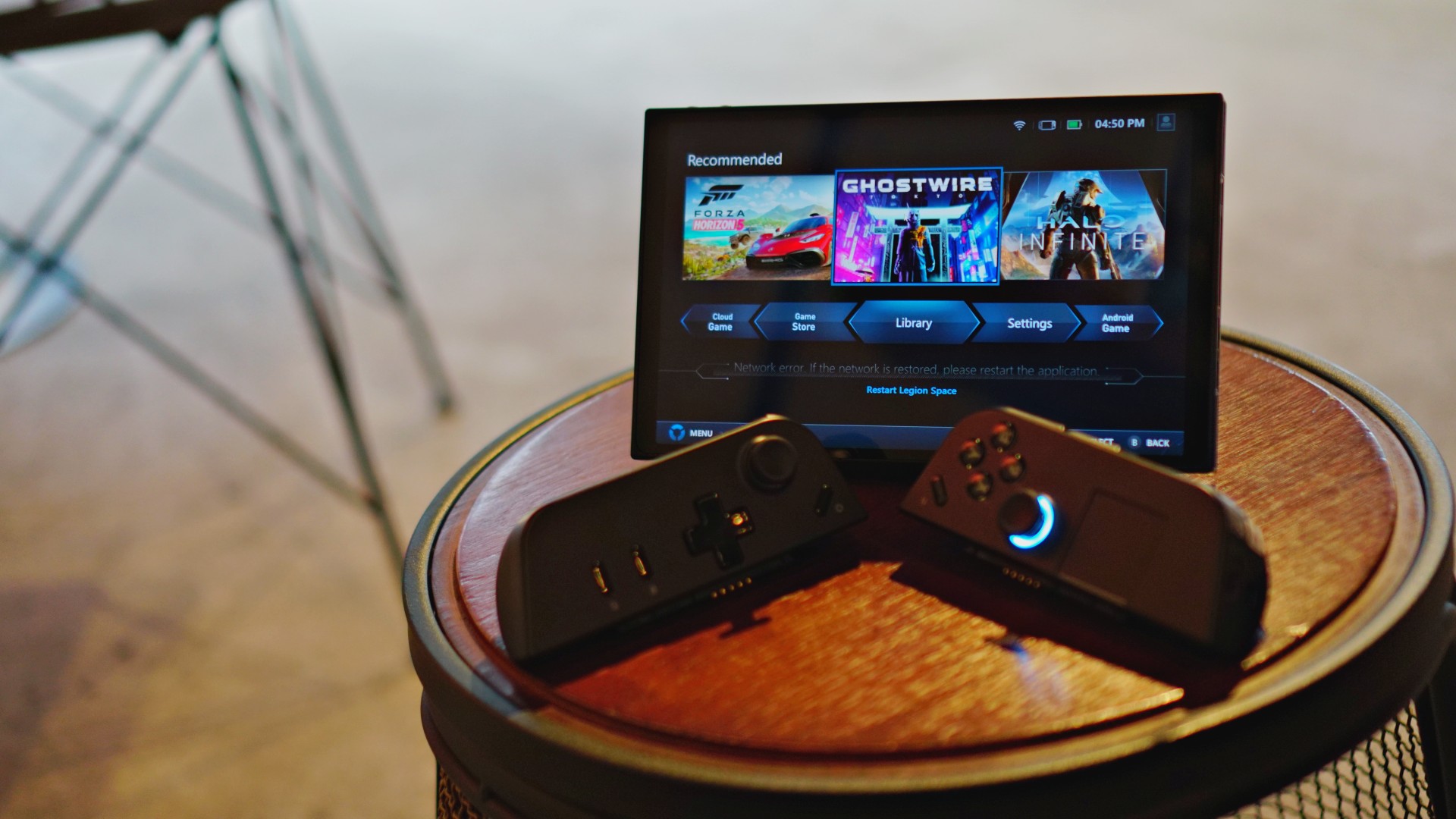
Outside of functioning as a PC, the Go also comes with Legion Space, a hub for gaming. It collates all the software you have from different platforms. It’s not much to write about, but if you want to launch games immediately, Legion Space is a helpful tool.
A decent battery
The Go packs a 49.2WHr battery under the hood. Naturally, your mileage may vary depending on how you use the device.
Smaller games, such as Shovel Knight and Blasphemous, eked out approximately two hours of gameplay on maximum settings and resolution. More demanding games (with reduced settings and the lowest resolution), such as Doom Eternal, got to only 90 minutes before I needed to charge. Unfortunately, the most intensive games — Cyberpunk 2077, especially — struggled on battery power. If you really want to play the biggest games on the Go, you’re better off plugging it in.
Now, for more PC-oriented usage, the Go lasts a lot longer. A video test — playing a video through VLC until the battery runs out — nets approximately three hours and 30 minutes. After two hours, the battery was at 45 percent. At two hours and 45 minutes, it automatically switched battery saving mode on after reaching 20 percent.
Regardless of usage, heat wasn’t a big issue. Since the controllers are detachable, most of the heat centers around the main chassis, rather than on where your hands are. Likewise, the fan wasn’t too noisy even without silent mode turned on.
From empty, it took approximately 90 to 100 minutes for the battery to recharge on normal settings. It reached 45 percent in an hour. If you need more speed, it also comes with Super Rapid Charging support, which greatly reduces the charging time. Unfortunately, the console doesn’t have an indicator on when the battery is full, so you’ll have to check manually.
Is the Legion Go your GadgetMatch?
At US$ 699.99/ PhP 49,995, the Legion Go is at par with the ROG Ally. It’s also more expensive than the most premium trim of the Steam Deck OLED. However, the Go has detachable controllers, a larger screen, a built-in kickstand, and a unique FPS mode. Despite how pricey the segment is, the Legion Go offers more than its competitors.
Is this your GadgetMatch? If you’re new to the handheld console market, absolutely. For its price point, you’re getting more than your money’s worth. While Sony is currently struggling with its return to handheld gaming, the Lenovo Legion Go offers an all-around, powerful solution for mobile entertainment.





Gaming
SHINOBI: Art of Vengeance’s SEGA Villains Stage out on April 3
Face off against legendary SEGA bosses from different franchises

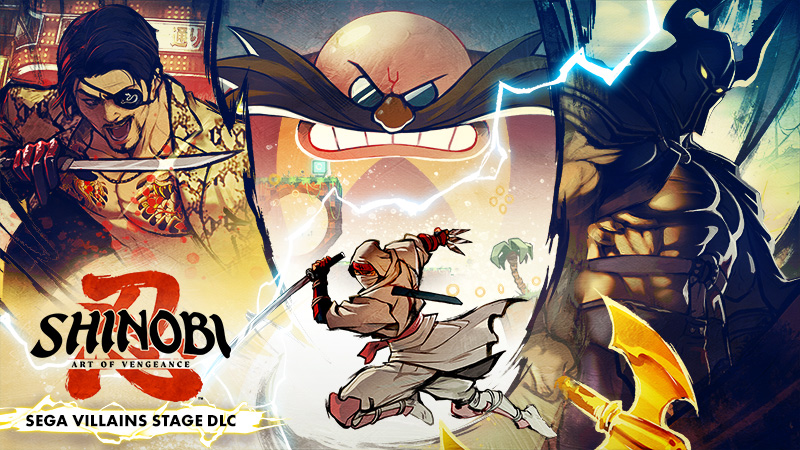
The SEGA Villains Stage DLC for SHINOBI: Art of Vengeance will release on April 3 for PlayStation 4 and 5, Xbox Series X|S, XBox One, Nintendo Switch, and Steam.
The DLC lets players face off against legendary SEGA bosses from different franchises: Like a Dragon and Yakuza, Golden Axe, and Sonic.
An animated trailer has been unveiled as part of the announcement. It features those franchises’ characters, Goro Majima, Death Adder, and Dr. Eggman.
There will be a total of five crossover stages, three bosses, and two Boss Rush modes featuring the bosses for the DLC.
In addition, there will be three more Ninpo, three new outfits, and six new music tracks. The SEGA Villains Stage DLC is a free update for all players.
Aside from the crossover, players can also try out a new Hardcore Mode which features changes in enemy placement and stronger boss attacks.
Additional combat settings also lets players adjust recovery frames, the flash effect, and camera shake. Various quality-of-life improvements are also planned for the 2D action-platformer.
Gaming
The hunt begins: The Witcher in Concert hits Manila with surprises in tow
The Continent comes alive

If you’ve ever heard a haunting chant echo through a battlefield or felt the weight of a choice that isn’t as simple as good or evil, then you already know—the Path has a way of calling you back.
And if you haven’t stepped into that world just yet, consider this your invitation.
With less than two weeks to go, The Witcher in Concert is set to take over Manila for a one-night-only performance. It’s happening on March 28, 2026 at The Theatre at Solaire—bringing with it not just the music of a beloved RPG, but a full-on return to the Continent.
Celebrating the 10th anniversary of The Witcher 3: Wild Hunt, the concert transforms one of gaming’s most iconic soundtracks into a live experience. Expect performances from selected musicians of the Filharmonika Orchestra alongside Percival Schuttenbach—the Polish folk-metal band whose distinct sound helped define the game’s identity. Paired with in-game visuals, it’s a show designed to feel both nostalgic and entirely new.
As the night draws closer, here are three things fans can look forward to:
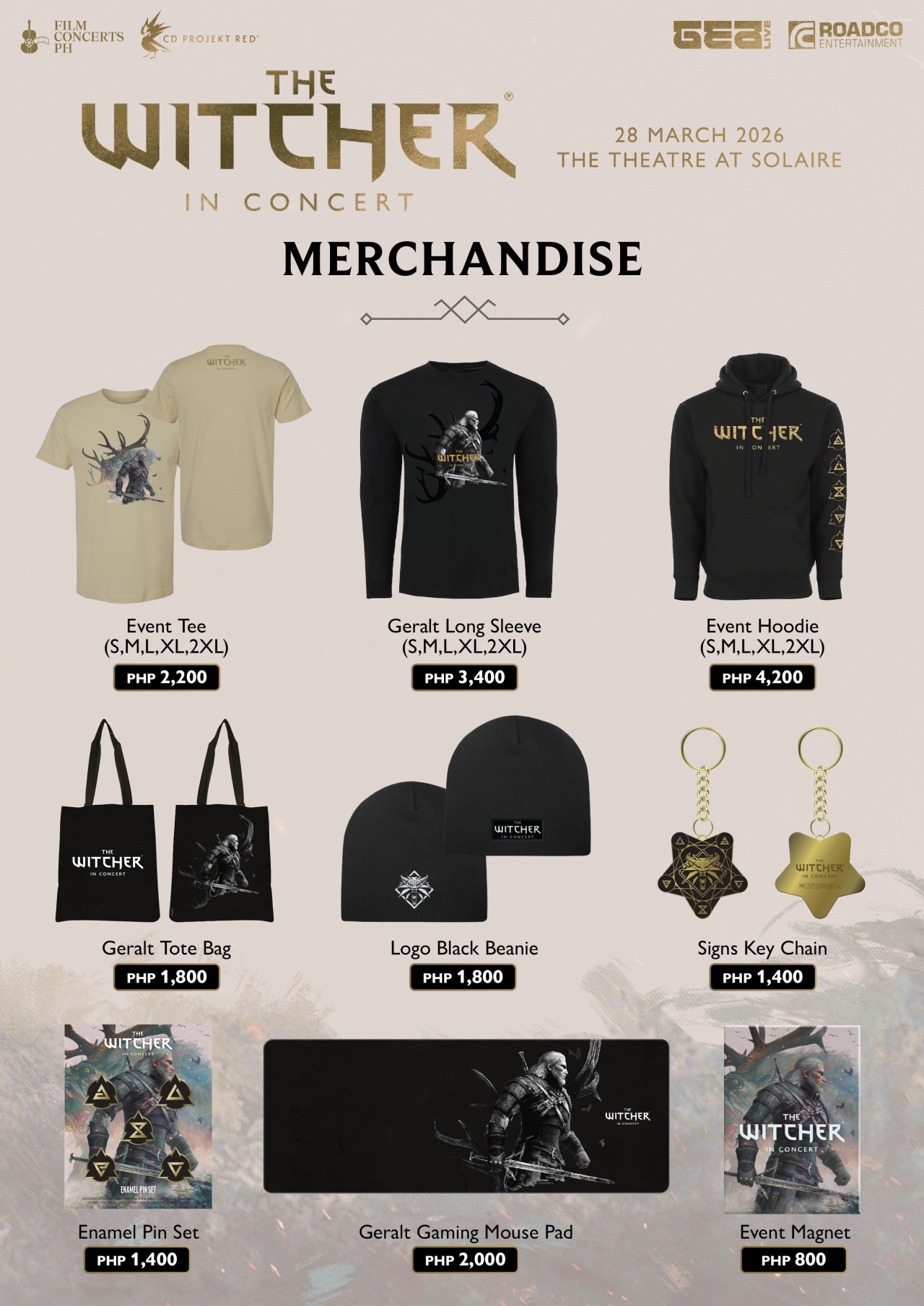
Relics from the Continent: official merchandise
For those who want to take a piece of the experience home, exclusive event merchandise will be available in limited quantities.
This includes the following:
- Event Tee (PhP2,200)
- Geralt Long Sleeve (PhP3,400)
- Event Hoodie (PhP4,200)
- Beanie (PhP1,800)
- Tote bag (PhP1,800)
- Key chain (PhP1,400)
- Enamel pin set (PhP1,400)
- Event magnet (PhP800)
- Geralt gaming mouse pad (PhP2,000)
It’s the kind of loot drop fans won’t want to miss.
The path to Solaire: getting there made easier
Getting to the venue is part of the journey—and this time, it’s a little easier. Attendees can use the Grab code FCPH2026 to get 20% off rides (up to PhP75). With the condition of a minimum fare of PhP250. The promo is valid for two rides per user and applies to trips to and from Solaire Entertainment City.
A rare encounter: meet Percival Schuttenbach
For a handful of lucky fans, the experience goes beyond the stage. Ten winners will get the chance to meet Percival Schuttenbach and receive an autographed CD.
To join, ticket holders need to share any official The Witcher in Concert post on their Instagram Story. They need to write what they’re most excited to hear live and tag @filmconcerts.ph. They need to submit their entry before March 24, 2026 at 5:00 PM. Winners will be announced on March 25.
Answer the call
As the Continent arrives in Manila, fans are encouraged to lean all the way in—whether that means coming in cosplay as a monster hunter, mage, bard, or something far more dangerous.
Tickets are available via TicketWorld and participating outlets nationwide.
The Path is open. The question is—will you answer the call?
Gaming
Monopoly: Star Wars Heroes vs. Villains launching on June 11
Introducing a team-based, cinematic twist to the classic board game
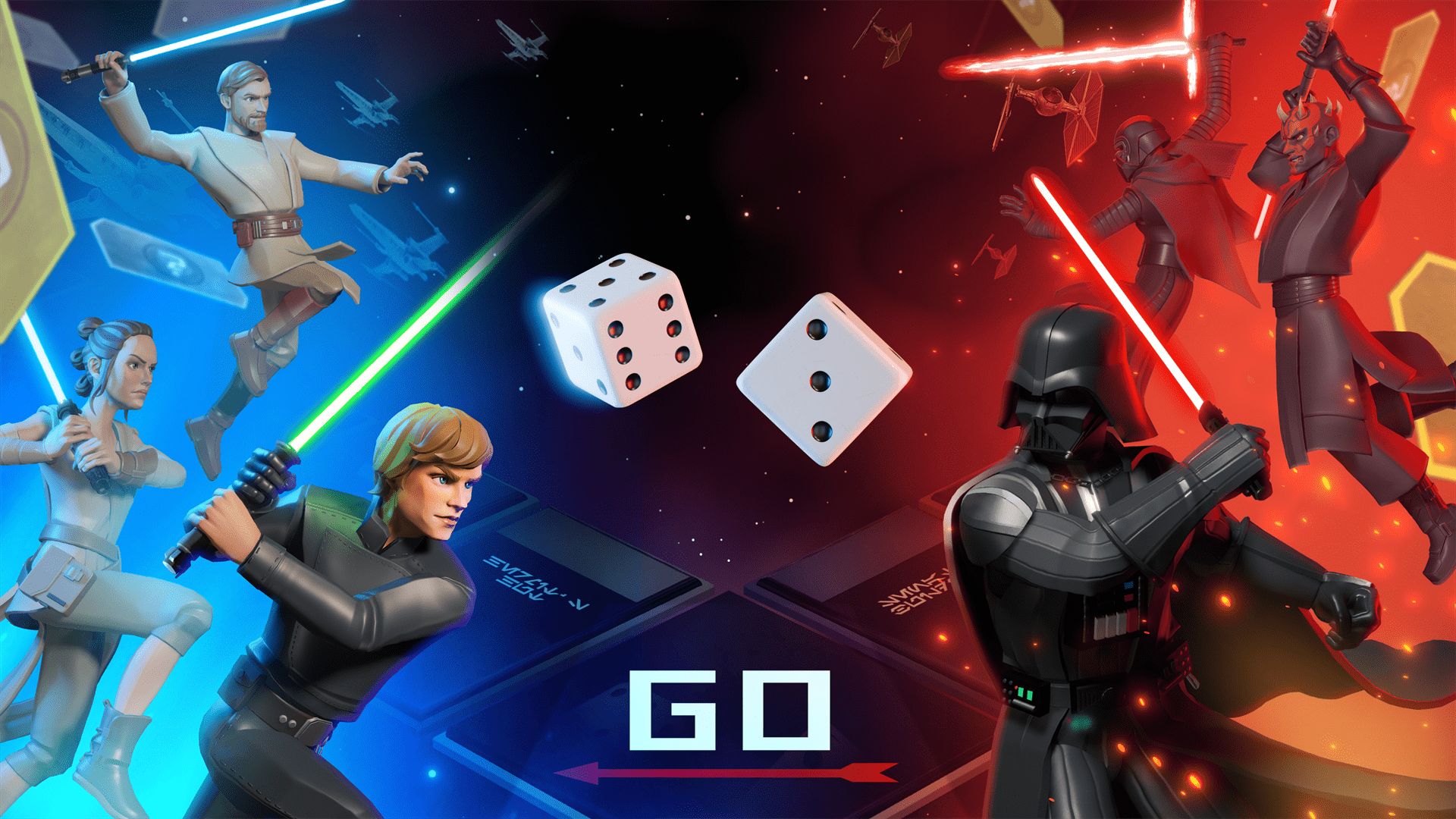
Monopoly: Star Wars Heroes vs. Villains will launch on June 11, Ubisoft has announced. It will debut on PlayStation 5, Xbox Series X|S, Nintendo Switch 1 and 2, GeForce Now, and PC through Steam, Epic Games, and the Ubisoft Store.
The Behavior Interactive title introduces a team-based combat twist to the traditional real estate board game. It includes competitive 2v2 and 3v3 modes, available online and through couch co-op.
This transforms the classic Monopoly gameplay into an action-packed, strategic showdown where teamwork and hero combinations matter.
Every turn carries high stakes as properties change hands in an instant. Dynamic GO events also introduce game-altering twists.
The full reveal will be on April 29.
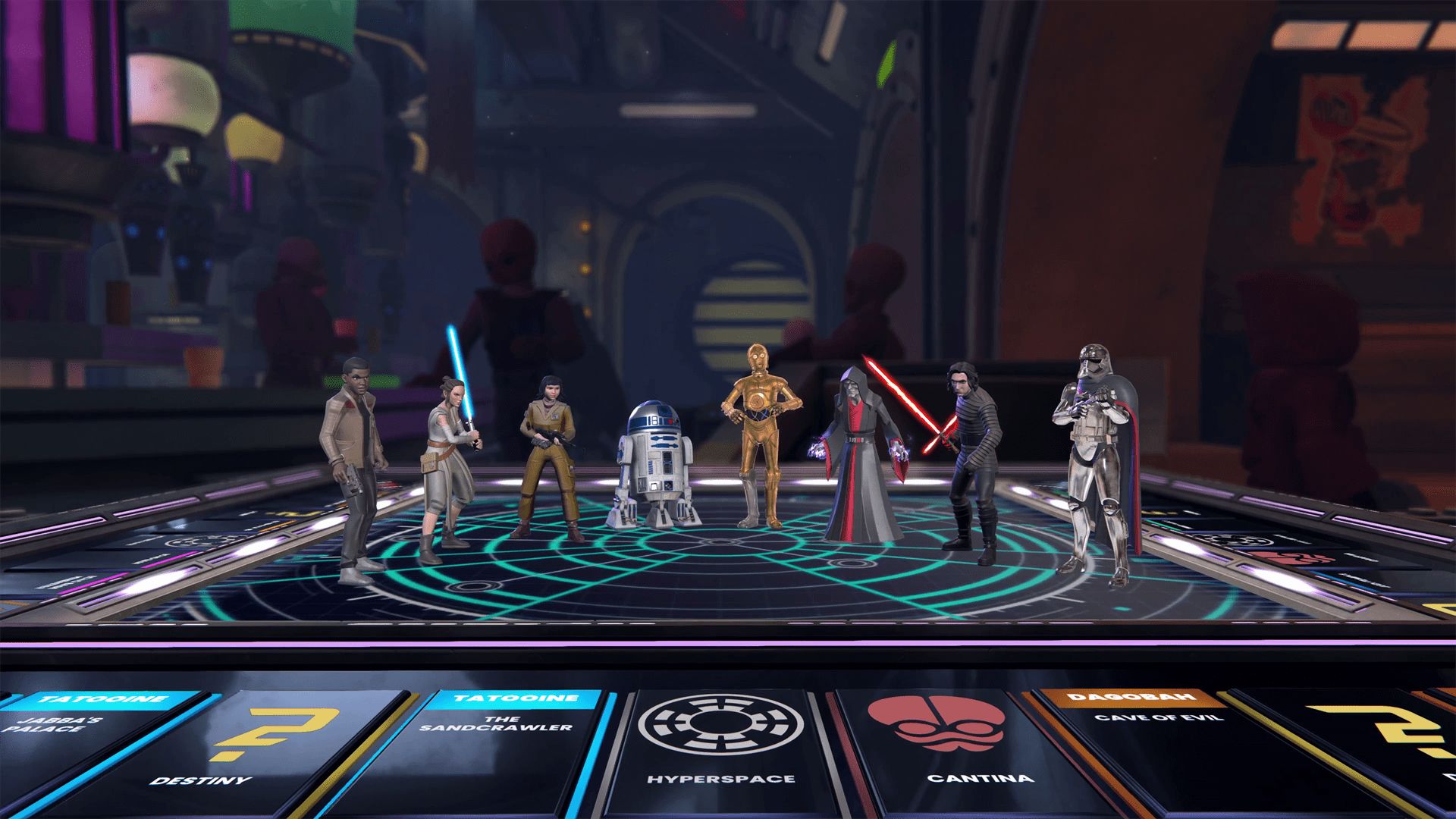
Monopoly: Star Wars Heroes vs. Villains transports players into the Star Wars galaxy with a custom Monopoly board, packed with iconic locations from across the saga.
The gameplay is reimagined with thrilling cinematic moments, themed spaces, and dynamic elements. These make up for a refreshed experience from start to finish.
Players can choose from a wide roster of Star Wars heroes and villains. There’s plenty of options, from Luke Skywalker and Princess Leia to Darth Vader and Darth Maul.
Each character brings unique abilities to shape the team’s strategy and affect the match’s complexion with every roll of the dice.





nubia to launch new Neo 5 series gaming phones on March 28

SHINOBI: Art of Vengeance’s SEGA Villains Stage out on April 3

AMD poised to lead agentic AI era with high-performance CPUs

CIPTA debuts AI GPU server, edge workstation at CloudFest 2026

Dune: Part Three teaser trailer: First look at Robert Pattinson’s Scytale


-

 Reviews4 days ago
POCO X8 Pro Max review: A new beast from the far east
-

 News4 days ago
POCO X8 Pro Series: Price, availability in the Philippines
-

 Laptops1 week ago
Apple MacBook Neo Review
-

 Computers2 weeks ago
GIGABYTE collaborates with Capcom for RE Requiem custom PC
-

 Apps1 week ago
Google Maps is finally getting a 3D mode
-

 Entertainment1 week ago
The internet is thirsting over the One Piece Season 2 cast
-

 Features1 week ago
Galaxy AI on the Samsung Galaxy S26 Ultra
-
 News2 weeks ago
Globe postpaid opens pre-orders for Samsung Galaxy S26 series