
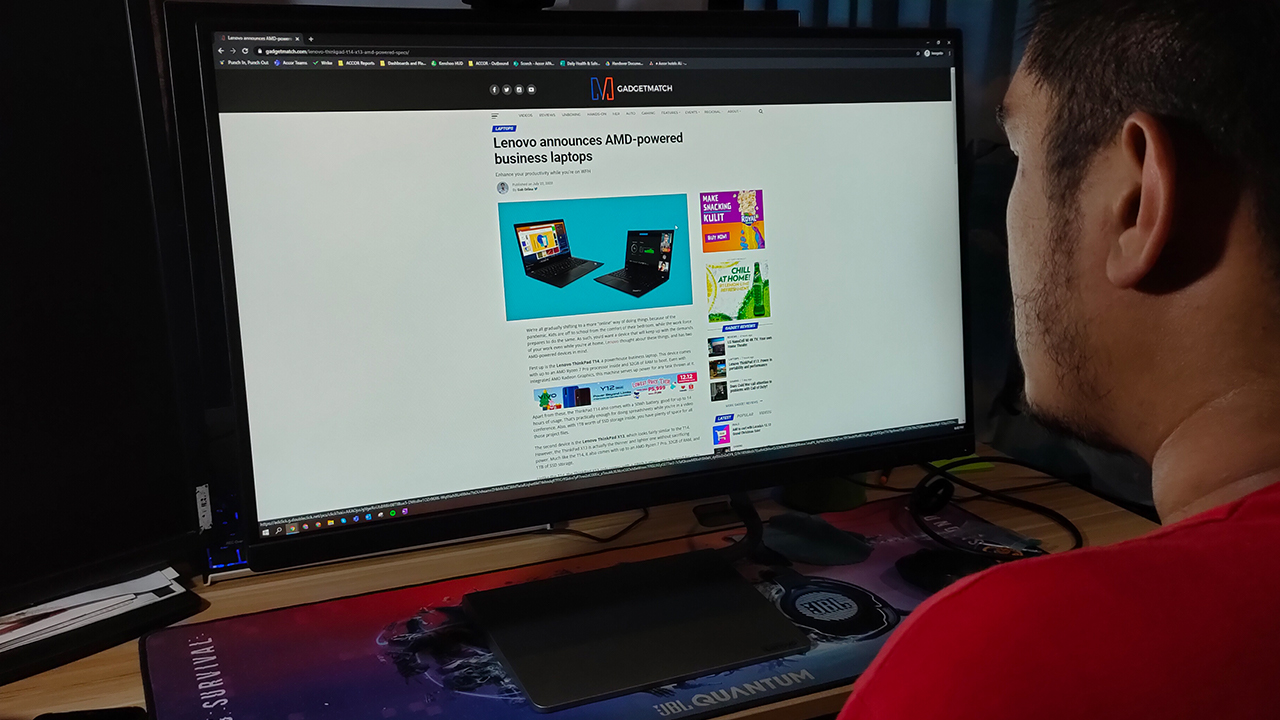


Nowadays, monitors provide a great alternative to television sets in your room. If you’re short on cash to buy good 4K TVs for your console or PC, a decent monitor already suffices. With color accurate and high refresh rate displays, you can’t go wrong with using it for any purpose you want.
Lenovo launched a lineup of monitors earlier this year that they dubbed as “work and play” monitors. One of those monitors was the Lenovo Q27q-10, a decent monitor with a clear display and high refresh rate. In essence, it serves a dual purpose for anyone who wishes to use it.
But, is this worth getting for your own workstation? For starters, here’s what you’re getting with the Lenovo Q27q-10:
It has a 27-inch QHD, near bezel-less display with a 75Hz refresh rate

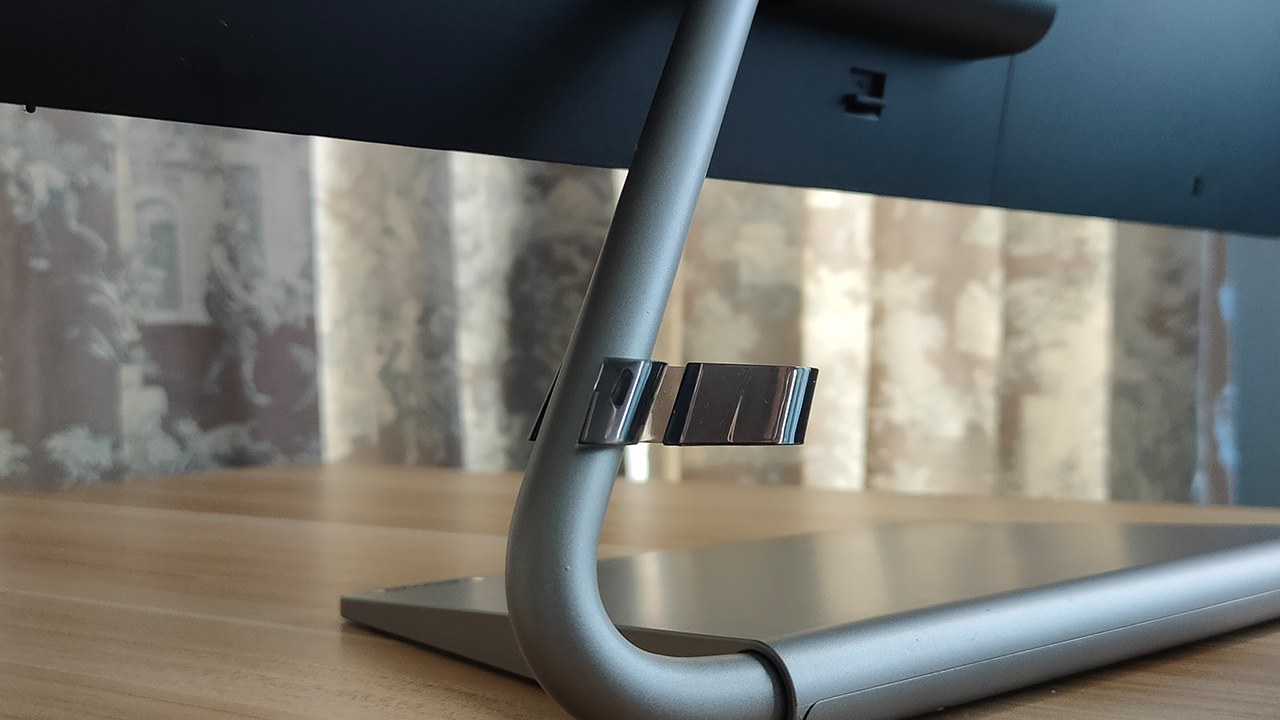
It comes with a single metal stand with a cable management hook
Easy to set up, much easier to use
In essence, the Lenovo Q27q-10 is one easy monitor to use and set up initially. The moment I took it out of the box, I didn’t really have to look at the manual for help on setting things up. To be honest, it’s great that they made setting the monitor up easy enough so you don’t waste time.
Once you do set it on your table and connect it to your PC or console, it’s already good to go. I say this because with some monitors, you still need to do some level of display calibration the moment you turn it on. Sometimes, you even need to calibrate the color settings to remove unnecessary yellows in the display.
Except for adjusting the monitor’s refresh rate, this monitor is quite easy to get around the moment you connect it. Speaking of that refresh rate…
Best for work and casual play, as advertised
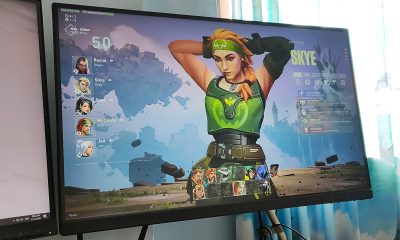
The Lenovo Q27q-10 comes with a 27-inch QHD display, which is a large enough display on its own. I managed to write this article down while watching high-quality YouTube videos on the side. Also, since it doesn’t require that much calibration, I was already expecting great color accuracy when watching videos or editing photos.
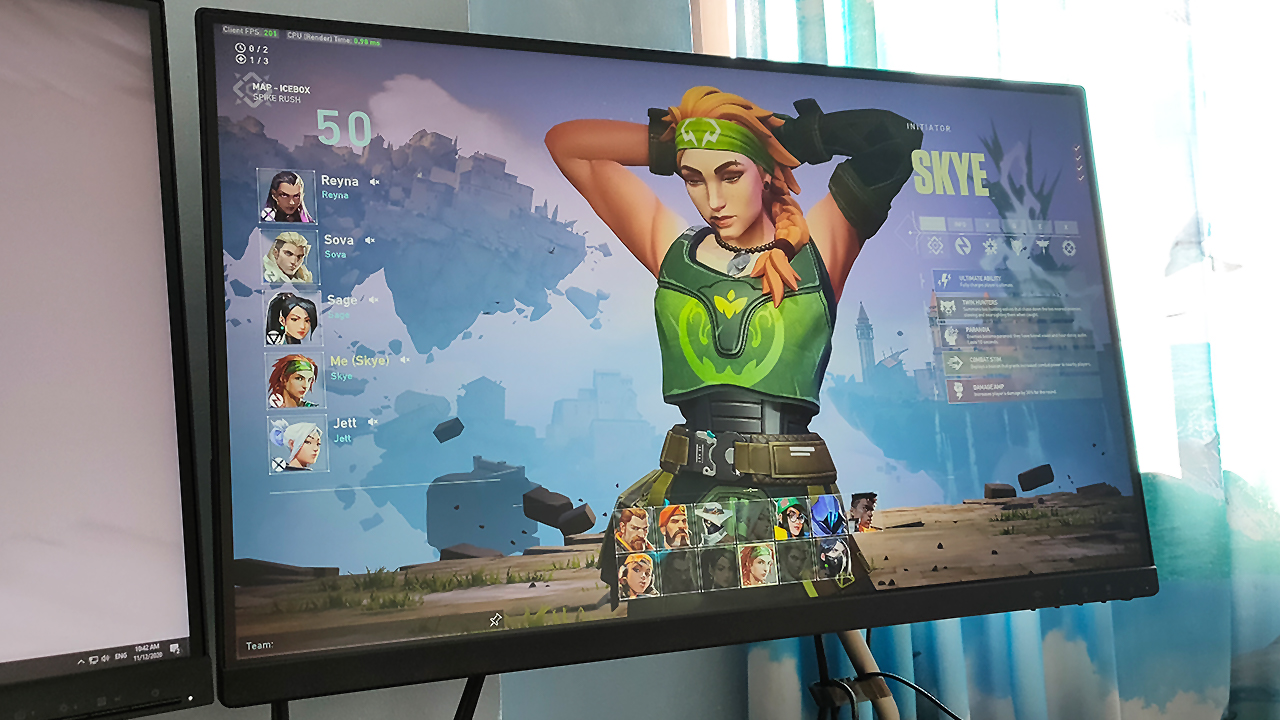
Now, it’s not an anti-glare display so I wouldn’t recommend using this near your windows. It’s relatively bright even at 70 percent brightness, so you don’t really have to crank it up and risk getting blinded. However, the one time I used this monitor near my window, I could barely see what I was working on at 70%.
One other feature this monitor comes with is the 75Hz refresh rate, with a 4ms response rate. By competitive gaming standards, this really isn’t much even if it comes with AMD FreeSync compatibility. However, for casual players, you will find great value in it.
Good port selection and cable management, not suited for next-gen
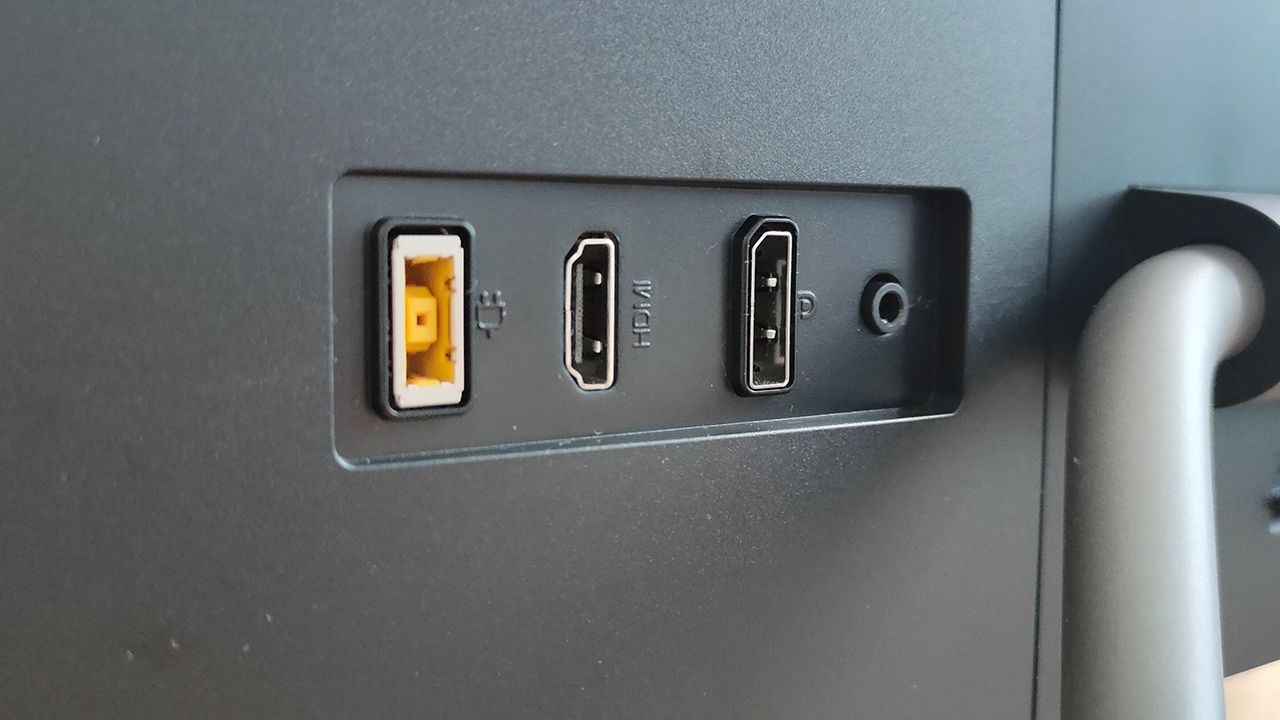
At the back of the display, the Lenovo Q27q-10 comes with an HDMI 1.4 port and a DisplayPort 1.2. Both these ports are equally great, and I honestly believe this is a standard for most work displays moving forward. Also, it comes with internal speakers for audio output when connected to the HDMI port.
As I pointed out earlier, the monitor also comes with a cable management hook at the bottom of the stand. It’s a bit sharp for my liking, but it has enough space to run a lot of wires through it. Throughout my entire use of it, I manage to run power wires, keyboard and mouse wires through it — with so much room to spare.
However, I’m telling you now that this monitor isn’t necessarily suitable for your PlayStation 5 or Xbox Series X. Apart from the low refresh rate, the HDMI 1.4 port simply won’t cut it for that 120 FPS everyone craves for on the next-gen consoles. Another minor detail here is that currently, the PS5 still doesn’t support 1440p displays so expect a resolution drop.
Is this your GadgetMatch?
For PhP 14,995, the Lenovo Q27q-10 provides great value as a work and casual play monitor. It checks out as a wide, bright, and color accurate display fit for anything you throw at it. With a decent refresh rate, you can play casually without worrying too much about image tearing.

With a good set of ports and nifty features, it serves its dual purpose quite well. Although, if you plan to do some competitive or next-gen gaming, this doesn’t offer you enough features for them.
Overall, this is a great pickup for your WFH or casual gaming setup. At a decent price, it isn’t taxing on your wallet and it’s easy to set up, as well.




Computers
CIPTA debuts AI GPU server, edge workstation at CloudFest 2026
Malaysia-made AI infrastructure

CIPTA Industrial Sdn Bhd steps onto the global stage with its European debut at CloudFest 2026. They introduced high-density AI infrastructure and edge-ready systems built for modern enterprise workloads.
Held at Europa-Park in Rust, Germany from March 23 to 26, the event marks the company’s first major international showcase under its own brand. Backed by InWin Development Inc., CIPTA positions itself as a new-generation EMS provider focused on AI, cloud, and enterprise systems.
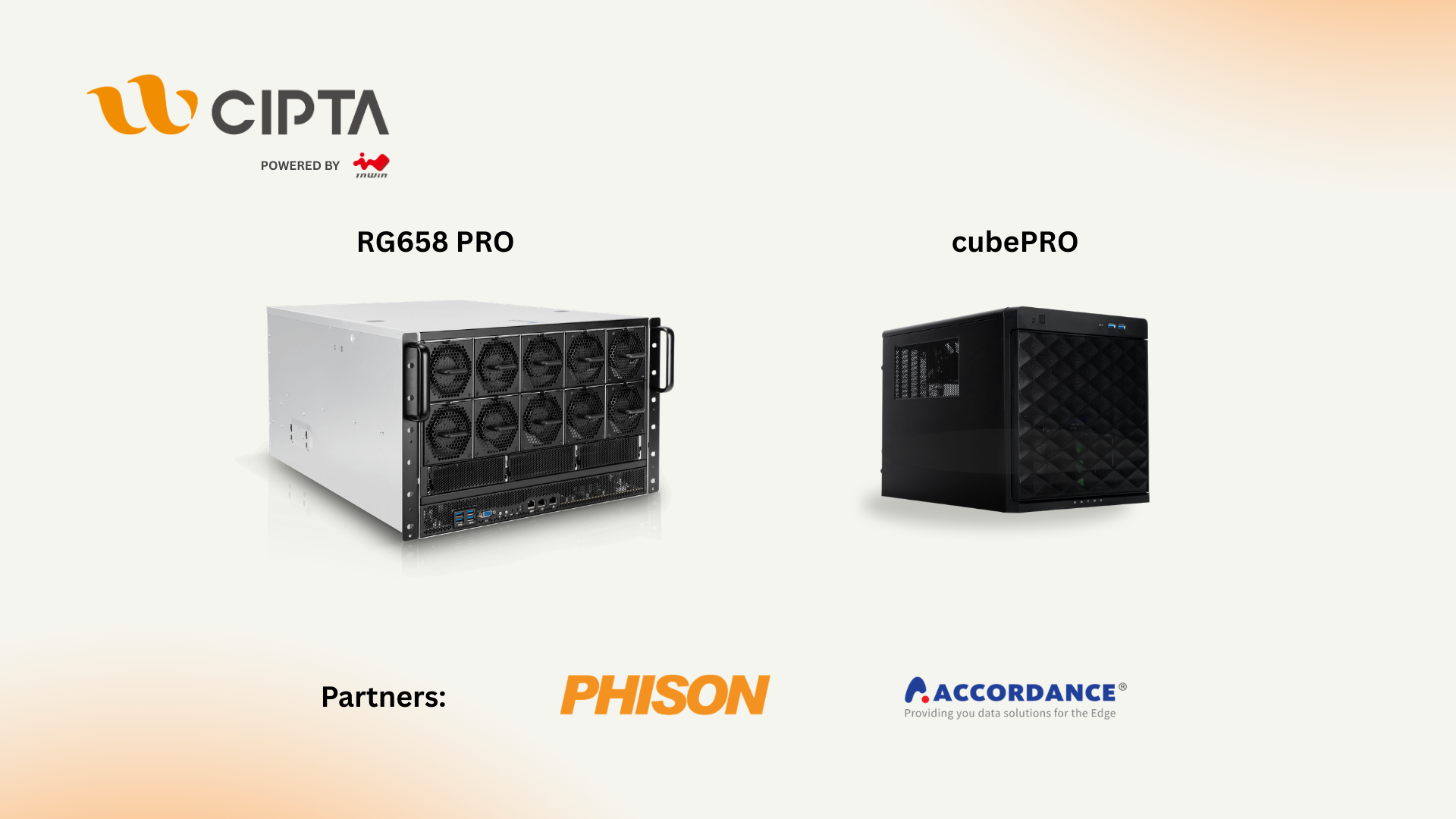
At Booth R41, the company is highlighting two key platforms: the RG658 PRO GPU server developed with Phison, and the cubePRO edge workstation created in collaboration with Accordance.
Built for scalable AI workloads
Leading the showcase is the RG658 PRO, a high-density GPU server designed to handle large-scale AI training and inference without pushing costs out of reach for enterprises.
The system supports up to eight high-performance GPUs and integrates Phison’s Pascari aiDAPTIV alongside its PASCARI enterprise SSD lineup. This combination aims to improve data throughput, reduce latency, and streamline AI pipelines.
Thermal performance is a key focus. The RG658 PRO uses a dual-chamber design to separate heat zones, paired with up to 14 high-speed PWM fans for sustained cooling under heavy workloads. Power delivery is handled by a 3+1 redundant configuration of 80PLUS Titanium PSUs, scaling up to 9600W.
The result is a platform built to scale AI deployments on-site while maintaining efficiency and reliability.
Edge computing without downtime
Alongside its GPU server, CIPTA is introducing the cubePRO, a compact edge workstation designed for environments where uptime and data integrity are critical.
The system supports up to four PCIe slots for GPU configurations, making it suitable for AI workloads at the edge. It also features high-capacity multi-SSD setups and optimized airflow for continuous 24/7 operation.
Through its partnership with Accordance, the cubePRO integrates the Disk Array ARAID M500 solution, enabling high-availability storage and data protection. This ensures uninterrupted performance for use cases such as industrial systems, remote nodes, and enterprise branch deployments.
The focus here is clear: bring AI processing closer to where data is generated, without sacrificing reliability.
Strengthening Malaysia’s role in AI infrastructure
CIPTA’s debut also reflects a broader shift in global supply chains. Operating from Malaysia, the company offers end-to-end services—from concept to production—along with flexible manufacturing cycles and cost-efficient operations tailored for Southeast Asia and international markets.
With access to InWin’s server chassis ecosystem and infrastructure solutions, CIPTA combines global platform capabilities with localized integration. The goal is to help enterprises deploy AI and cloud infrastructure faster while diversifying their supply chain footprint.
As demand for AI systems continues to grow, CIPTA is positioning Malaysia as a key hub for scalable, production-ready infrastructure.
Visitors can find CIPTA at Booth R41 during CloudFest 2026 in Europa-Park, Rust, Germany.
Computers
AMD expands Ryzen AI Embedded P100 series lineup
Scalable, efficient AI compute for industrial, edge solutions
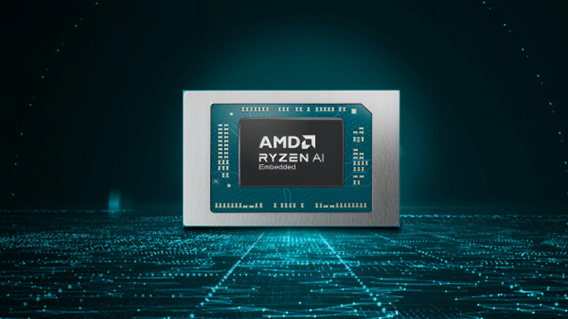
AMD has recently announced the expansion of its AMD Ryzen AI Embedded P100 Series processor lineup.
This enables scalable and power-efficient AI compute tailor-built for industrial and AI edge systems. Scenarios include factory automation, physical AI in mobile robotics, and other AI-driven edge applications.
With eight to 12 high-performance Zen 5 cores, AMD ROCm support, and up to 80 total system TOPS, the new x86 embedded APUs deliver up to:
- 2x more CPU core counts
- 8x higher GPU compute
- 36% higher system TOPS
This way, developers and system designers get an expanded and scalable portfolio of power-efficient edge computing solutions. These processors support real-time AI from vision to control and reasoning, as well as offer advanced graphics capabilities.
On a single chip, clients get up to 80 TOPS physical AI acceleration, AMD RDNA 3.5 graphics for real-time visualization, and an NPU based on the AMD XDNA 2 architecture.
Moreover, the processors can withstand industrial temperature ranges (-40° C to 105° C) and can support continuous 24/7 operations for up to 10-year life cycles. That’s along with low-latency and power-efficient AI inference.
Real-life applications include intelligent factories, autonomous robots, and medical imaging devices. For instance, the processors can deliver CPU performance required for real-time inspection and process optimization.
For mobile robots, meanwhile, processors can manage navigation, motion, control, and route planning while the GPU processes multi-camera feeds for spatial awareness.
Furthermore, for 3D health imaging, the processors can enable the powering of 3D imaging for ultrasounds, endoscopes, tissue classification, and tumor detection at the edge. This is done with models like U-Net, nnU-Net, and MONAI.
The processors then accelerate image-to-report workflows with MedSigLIP and support clinical reasoning and Q&A with Med-PaLM 2.

GIGABYTE and Capcom have collaborated for a limited time Resident Evil Requiem-inspired custom PC giveaway.
The setup is inspired by the title, which recently released, and includes an exclusive monitor game bundle to bring players closer to the experience.
Headlining the collaboration is the Umbrella Corporation — Level 3 Access custom rig giveaway. It is one of a kind, fully-built desktop featuring a Z890M AORUS ELITE WIFI7 ICE motherboard and RTX 5080 AERO OC SFF graphics.
Of course, it draws inspiration from the visual identity and atmosphere of Resident Evil Requiem. It also features a GIGABYTE C102 GLASS ICE chassis design and custom GIGABYTE MO27Q28G gaming monitor to complete the setup.

The giveaway runs from March 2 to March 31 via the official campaign website. Fans can enter for a chance to win the custom rig, with no purchase necessary. The only caveat is that they have to be a United States or Canada resident.
Such experience is designed to invite players and PC enthusiasts alike to engage with the collaboration while highlighting GIGABYTE’s premium hardware craftmanship and attention to detail.
In addition to the giveaway, GIGABYTE is also offering a Resident Evil Requiem game bundle with select gaming monitors. Included are AORUS brand monitors, ranging from 27 to 55 inches in size.
This bundle is available until March 31. Customers who purchase eligible models can redeem a digital game code through GIGABYTE’s official redemption platform.
The featured monitor is the MO27Q28G, which has fourth generation WOLED panel with 280Hz refresh rate and 0.03ms response time. It is an ideal monitor to experience the spine-chilling terror and death-defying action of the title.


Galaxy Buds4 Pro review: I thought I was done with in-ears
This Buds4 you


WWE 2K26 lets you live out all the fantasy matches you could want
But you have to play for hours and hours to unlock everyone.


The HONOR X8d is serviceable
Steady but slow?

More iPhone switchers this year than Android switchers, report says

Marvel’s Wonder Man greenlit for a rare second season

Apple’s WWDC 2026 will be from June 8 to 12
Galaxy Buds4 Pro review: I thought I was done with in-ears
WWE 2K26 lets you live out all the fantasy matches you could want


-

 Reviews1 week ago
POCO X8 Pro Max review: A new beast from the far east
-

 News1 week ago
POCO X8 Pro Series: Price, availability in the Philippines
-

 Laptops2 weeks ago
Apple MacBook Neo Review
-

 Apps2 weeks ago
Google Maps is finally getting a 3D mode
-

 Features2 weeks ago
Galaxy AI on the Samsung Galaxy S26 Ultra
-

 Entertainment2 weeks ago
The internet is thirsting over the One Piece Season 2 cast
-

 Automotive2 weeks ago
BYD is reportedly considering an F1 team
-

 Gaming2 weeks ago
Resident Evil Requiem will get a story expansion