
WWDC 2022
macOS Ventura is built for collaboration
Between users and devices


What makes a MacBook? While all eyes are on the hardware, software also takes center stage. During WWDC 2022, Apple introduced the upcoming version of the MacBook’s operating system, the macOS Ventura. As expected, the new system promises more features to improve the lives of its users.
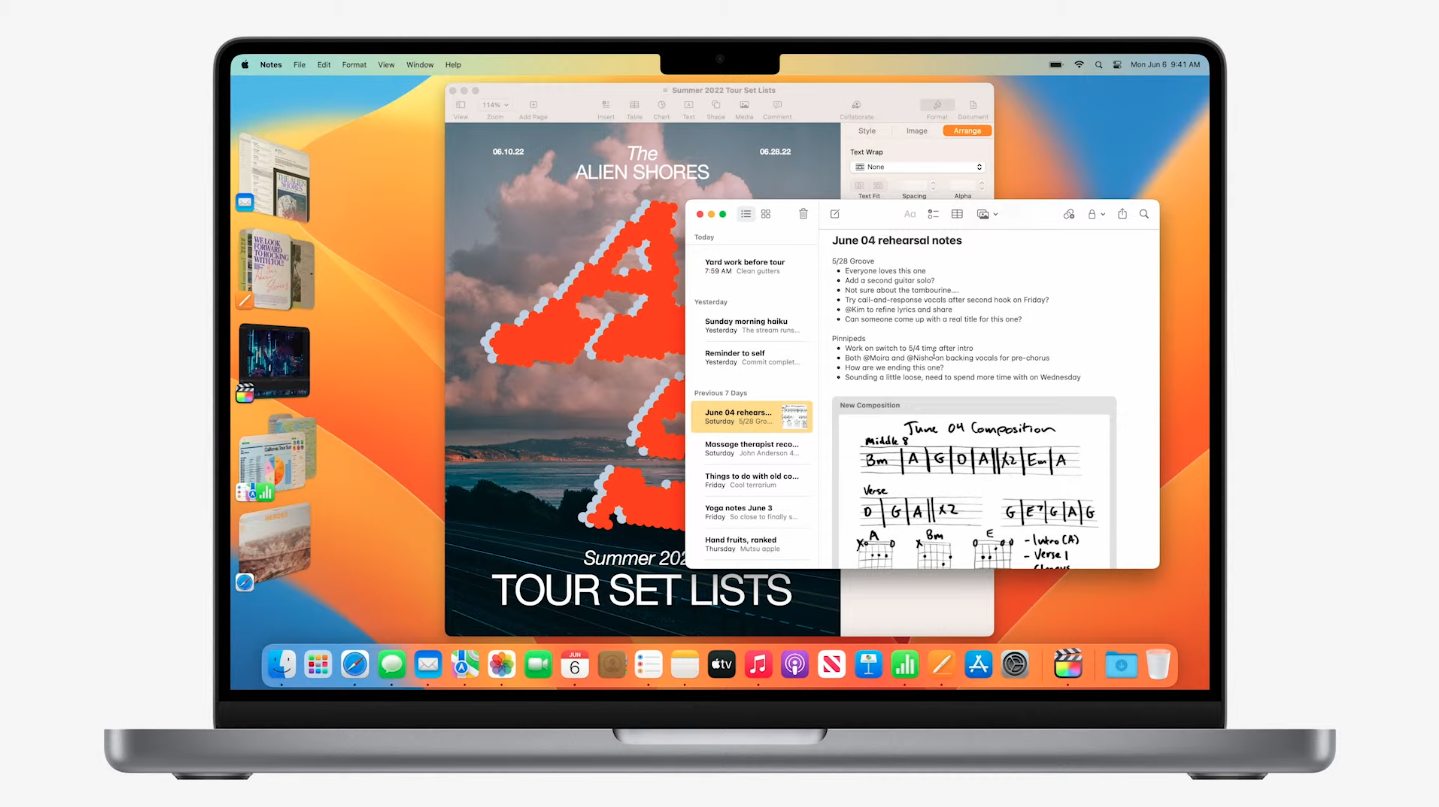
Stage Manager
Though the feature sounds like something you might get from Apple’s smart home ecosystem, Stage Manager is actually a new way to organize your workspace on a Mac or a MacBook. With the feature, users can arrange multiple windows according to their importance to a project.

Users can set a main app on center stage while keeping other open windows on the left-hand side. Arranged that way, these tabs can easily pop in and out when the user switches between them. Further, users can also group windows side-by-side so they can work on several apps simultaneously.
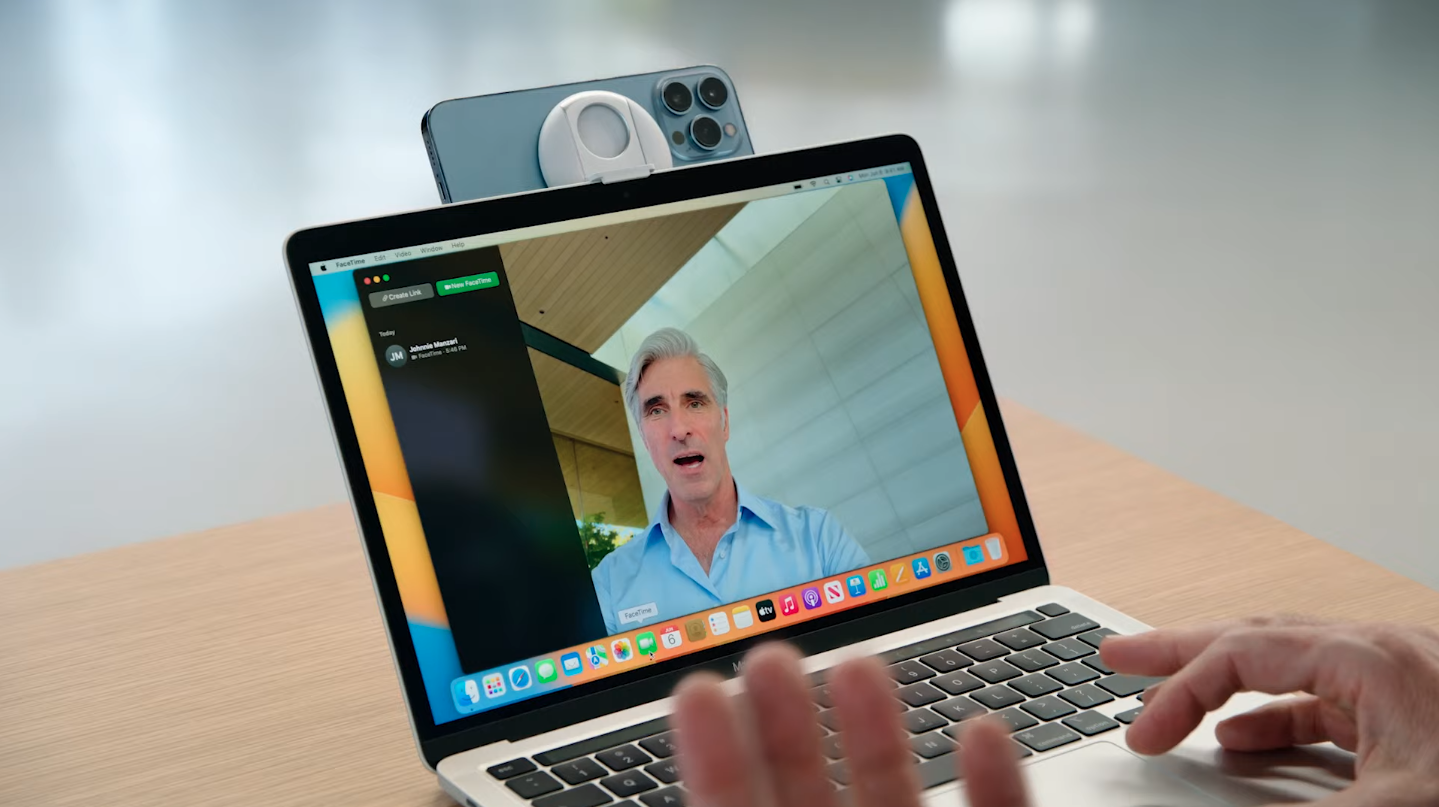
Continuity Camera
During the pandemic, everyone struggled to buy a new webcam for their new work-from-home lifestyle. In macOS Ventura, Apple users don’t have to worry about that anymore. Continuity Camera will allow users to utilize their iPhones as a makeshift webcam for their Macs and MacBooks.
The iPhone’s camera will connect to the device wirelessly with no need for an external wire or to wake the phone up. Further, the iPhone can access the Ultra Wide camera separately to enable Desk View. Besides a front-facing view, the camera will simultaneously show what’s on the user’s desk, a perfect tool for presenters and teachers.
Finally, Handoff allows for a smoother transition between devices. Users can start a FaceTime on their iPhone and transfer it to their Mac (or vice versa).

A boost for apps
macOS Ventura also has a host of updates for the system’s most beloved apps. First of all, Safari will allow for more collaboration, sharing bookmarks and tab groups with friends and family right from the app.
In another update, Mail is getting smarter. Users can search for mail, contacts, and attachments more intuitively as the app scours through content more carefully. Users can also schedule emails and unsend recently sent messages from the app. It can also detect if an email that mentions an attachment is shipping without any.
More security
Finally, macOS Ventura introduces more security for users. Instead of relying on old-fashioned passwords, the new system will use passkeys dependent on the device. Using the passkey works hand-in-hand with Touch ID, Face ID, and iCloud Keychain to offer more security.
Currently, only the beta for the system is available. The final version of macOS Ventura will start rolling out later this fall.





More privacy is always a good thing. Several big names in the tech industry have shifted more focus on keeping their users’ information private. Now, it’s harder for third parties to obtain information without explicit permission. Revealed during the recently concluded WWDC 2022 presentation, a new iOS 16 feature will increase your iPhone’s privacy features even further.
Starting in iOS 16, users can finally lock their most sensitive photos in the Hidden and Recently Deleted albums.
Both folders aren’t new, though. Recently Deleted is a default album that contains, as the name says, recently deleted photos that you might want to restore in the future. On the other hand, the Hidden album was introduced in iOS 15 and hid sensitive photos away from the main album.
So, if Apple already offered a way to hide photos, what’s different for iOS 16? For one, the Hidden album isn’t exactly hidden. It doesn’t require a password, and prying eyes can still easily open the folder if they know where to look.
With the latest update, the Hidden album will need authentication — Face ID, Touch ID, or passcode — for access. It’s a huge step up from what Apple currently does.
It’s also a much-needed catch-up to Apple’s friends on the Android side. Google recently introduced its own Locked Folder during last year’s Google I/O event.
While it’s not the ultimate solution against unwarranted photo leaks, it’s a succinct way to protect your private photos from most prying eyes.
SEE ALSO: iOS 16’s Messages will finally let users edit and delete messages
During the recently concluded WWDC 2022 presentation, Apple hyped up the upcoming update to its mobile operating system. Much like its predecessors, iOS 16 is packing a lot of features when it drops later this fall. Unfortunately, not everyone will receive the update. As always, a few older iPhones will not support the update.
It’s not unheard of. Because iOS 16 will deliver new features, some iPhone models won’t have the necessary capabilities needed to support what’s coming to the Apple ecosystem — at least, that’s how the usual thinking goes. Aside from the obviously more dated models, the following iPhone models will stop receiving major updates starting with iOS 16:
- iPhone 6s
- iPhone 7 series
- iPhone SE (1st generation)
For reference, the iPhone 6s came out in 2015. The iPhone 7 series and the original iPhone SE, on the other hand, launched in 2016. All things considered, the soon-to-be-outdated models had a great run. Whereas most Android phones can expect between four to five years of guaranteed major updates, Apple extended its own ecosystem’s life cycle.
However, public reception is still tepid to dropping the above models from the ecosystem. Compared to other brands, Apple is firmly in the upper echelon when it comes to price. Eking out a few more years of viability is always a plus.
That said, these models will continue to be usable, albeit without the latest features. If you have one of these phones but are also looking for compatibility with iOS 16, now might be a good time to upgrade.
WWDC 2022
MetalFX is Apple’s latest experiment to turn Mac into a gaming device
Smoother frames at higher resolutions
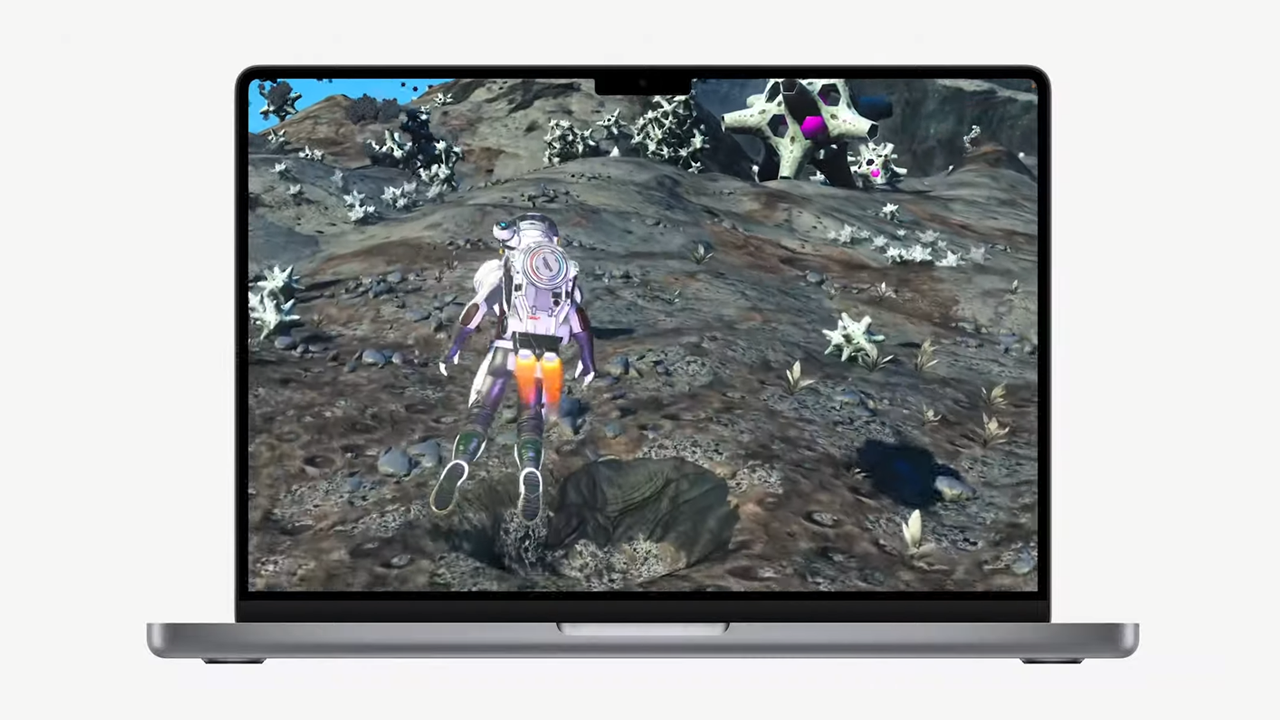
Years after the PC established itself as the preferred desktop gaming platform, Apple has yet to make a crack at the former’s dominance. However, with all the hardware that Apple is touting over the years, you’d expect some improvements for gamers. You’d be right. While Apple is still dominant when it comes to mobile gaming, the company also showed off its new chops with desktop gaming. Complemented by the M2 chip, MetalFX is Apple’s new way of bringing smooth gaming to the Mac.
Simply put, MetalFX is Apple’s answer to NVIDIA’s and AMD’s upscaling technology. With the new technology, Macs will render frames more smoothly and with better graphics. As a result, Macs can play games more efficiently and at higher resolutions.
Besides the graphical upgrades from MetalFX, Mac’s new technology will also load resources faster and reduce loading times.
To boast its new capabilities, Apple is bringing in huge titles like the critically acclaimed Resident Evil Village. Capcom, who was present during WWDC 2022, promised that the horror game will run on 1080p on a MacBook Air. Further, other titles like No Man’s Sky and Grid Legends will make their way to the platform as well.
For the past few years now, gaming technology has come a long way to deliver the best gaming experiences even on lower-end devices. Upscaling technology and cloud gaming are pioneering huge strides for gamers. If Apple properly implements the technology into their own devices, will we see a sudden evolution of the Mac as a believable gaming platform?
SEE ALSO: Apple launches the M2 chip


Samsung Galaxy S25 FE review: Closer to flagship than ever
Thoughtfully refined


The HONOR MagicPad 3 is an almost perfect premium pad partner
Ever-reliable for work, chill, and play BUT with some catch

DJI Osmo Nano review
Fits perfectly into a life that never stays still

vivo Unveils OriginOS globally

Apple Vision Pro gets M5 chip upgrade

Apple introduces the powerful new iPad Pro M5

Apple unveils new 14-inch MacBook Pro M5

Apple unleashes M5 chip, the next big leap in AI

Xiaomi 17 Pro Max takes a jab at Apple’s iPhone 17 Pro Max

Redmi 15C review: Big features on a small budget

Logitech adds comfort and speed to 2025 keyboard, mice lineup

The Xiaomi Pad Mini is discounted until October 13

Xiaomi 15T Pro review: Big battery, clean shots, smooth performance

This is the BRIGHTEST 4K Projector In Its Class!

Unboxing: Ghost of Yotei Collector’s Edition

Unboxing the latest Apple Watch × Hermès

Lenovo Yoga 7i Aura Edition: Ten generations of foldable goodness

21-Day Battery, Pro Sports Tracking: HUAWEI WATCH GT 6 Series
-
 Tablets2 weeks ago
The Xiaomi Pad Mini is discounted until October 13
-

 Reviews2 weeks ago
vivo X200 Pro review: 200+ Days After
-

 Deals2 weeks ago
The new Lenovo Legion Tab comes with a free GameSir G8+ this month
-

 Laptops2 weeks ago
The Lenovo Yoga 7i Aura Edition gets it right after ten generations
-
Reviews4 days ago
The HONOR MagicPad 3 is an almost perfect premium pad partner
-
Cameras4 days ago
DJI Osmo Nano review
-

 Gaming2 weeks ago
Digimon Story Time Stranger: Back to the digital past
-

 News2 weeks ago
realme 15T also releasing on October 8