
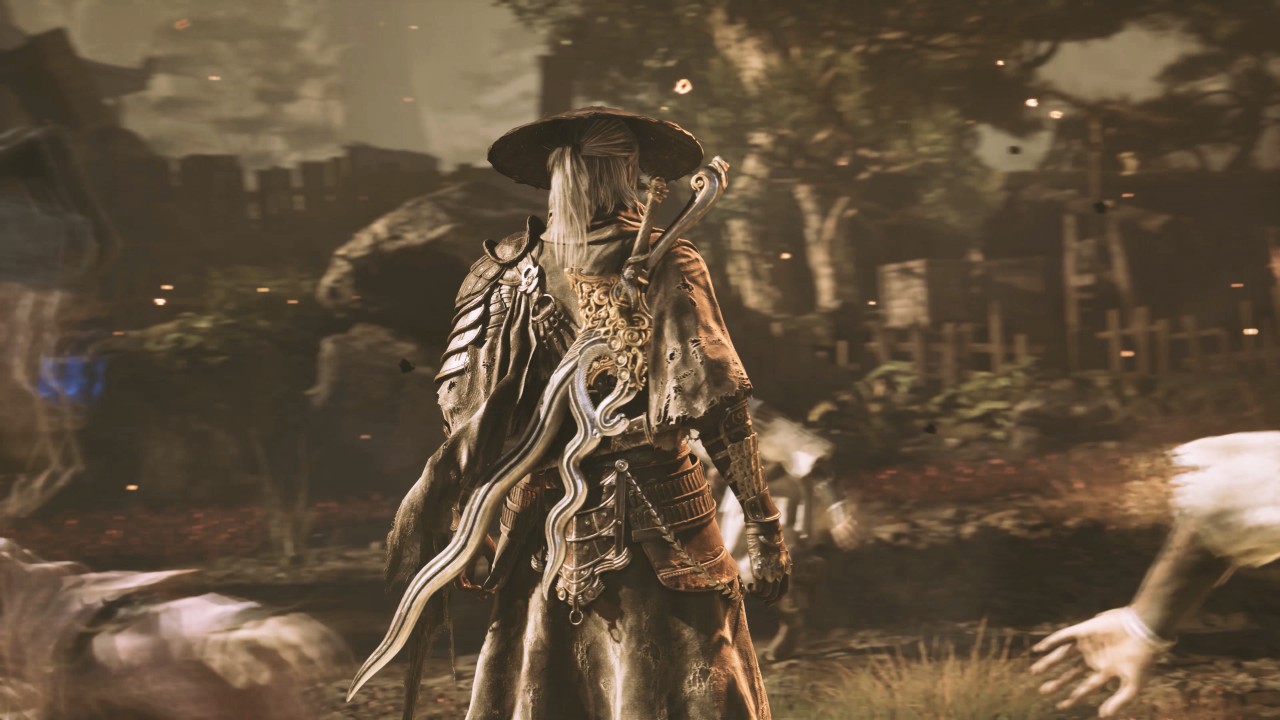

Difficulty: Gamechanger (Normal). Time played: 1:07:04. Death count: 13. Those were the numbers I tallied at the end of my hands-on session playing Phantom Blade 0 at gamescom 2025 in Cologne, Germany.
The demo at gamescom 2025 gives you a pretty extensive impression of how the game’s combat looks and feels. Which is great because it looks like Phantom Blade 0 is placing most of its bets on its prowess as a hack and slasher.
Controls
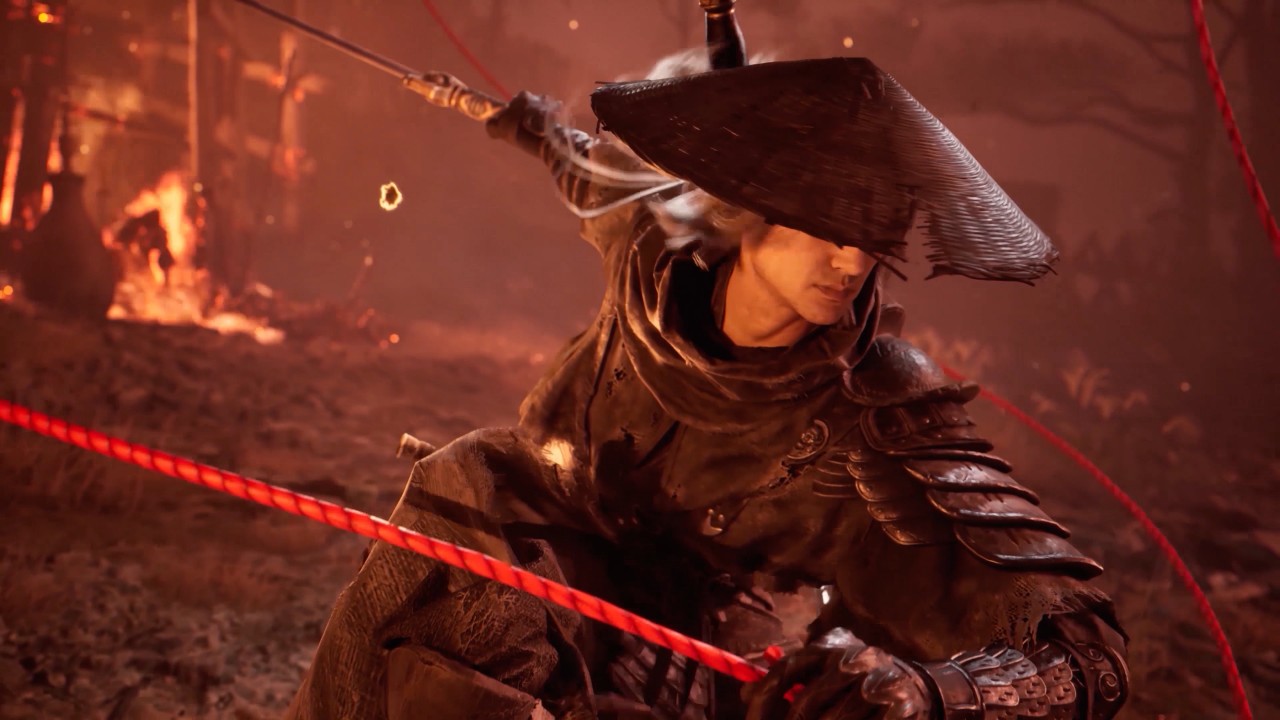
If you have any experience at all with action games, this should be relatively easy to pick-up. We played on the PlayStation 5 Pro so these are the controls I’ll reference.
Square and Triangle are your primary and secondary attack buttons. Cross or X is, per usual, the jump button, and Circle lets you dodge. Pressing Circle and then using L3 will let you determine the direction of your dodge.
Holding L1 lets you block while pressing it at the right moment lets you parry attacks. L2 becomes available once you’ve filled up the gauge of your main weapon. L2 unleashes your special attack.
R1 lets you interact with your environment. I mostly remember using it to scale and run along walls . R2, meanwhile, triggers the use of your equipped secondary weapon.
You essentially carry four weapons in combat. There are two slots each for your main and secondary weapons. You can switch them out any time during combat using the left directional button for the main weapon and the right directional button for the secondary weapon.
The down directional button lets you consume items. For this demo, it was used for healing.
Combat
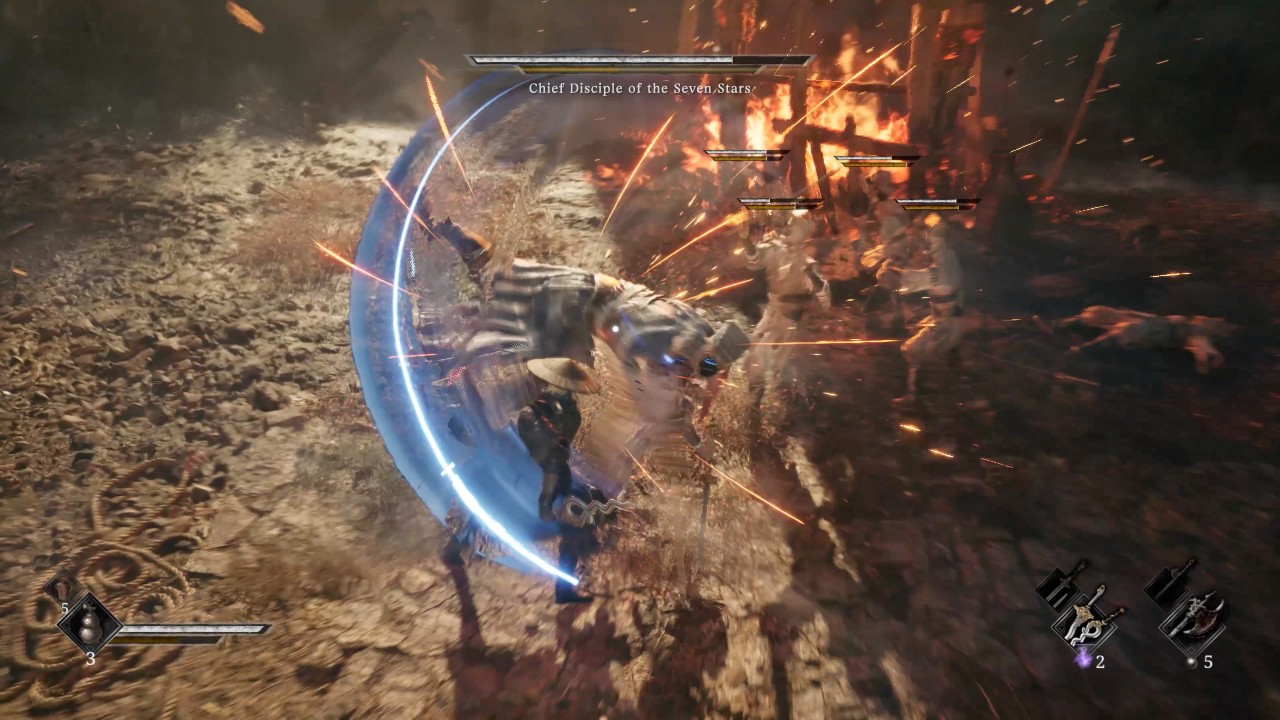
What carried this whole experience is how polished and engaging the combat felt. Not once will you feel like you don’t have the tools to win despite facing off with multiple enemies at certain points in the demo.
There are certain combinations of Square and Triangle for specific combos. But I’m gonna be honest with you, during the first 15 minutes, I was mostly button mashing and was still getting stylish results.
After beating down enemies, a Triangle button appears that lets you execute finishers. These look absolutely striking and differ depending on the weapon you have equipped. And while it can be interrupted to start, once you’re in the middle of it, you’re practically invincible.
If you deal enough damage to multiple enemies, you can chain these finishers from one enemy to another for an even higher level of badassery finishes.
Boss encounters
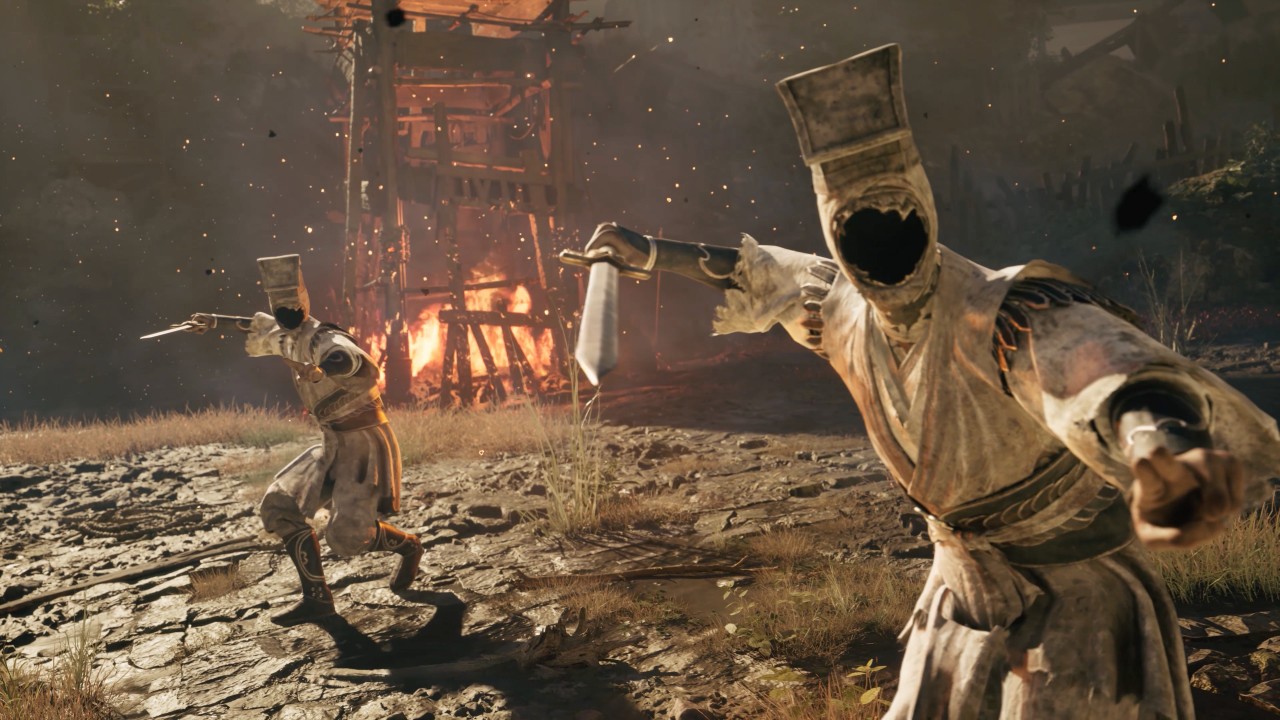
It wasn’t until the first boss encounter that I actually locked in and became more mindful of when I block, dodge, and parry. Most of my 13 death counts also happened here.
It wasn’t particularly difficult to read the boss’s patterns. My elder millennial reflexes just couldn’t keep up. It took plenty of tries, but with the encouragement of my play guide, Luke (shoutout to Luke, he was great company during the playthrough), I finally bested the first boss encounter of the demo.
It took a few tries of learning his patterns and properly timing my blocks, dodges, and parries, along with changing up my loadout to best deal with the boss battle.
So, while you can get away with button mashing through the fodder throughout the game, the boss battles will test both your reflexes and strategically figuring out your windows to attack.
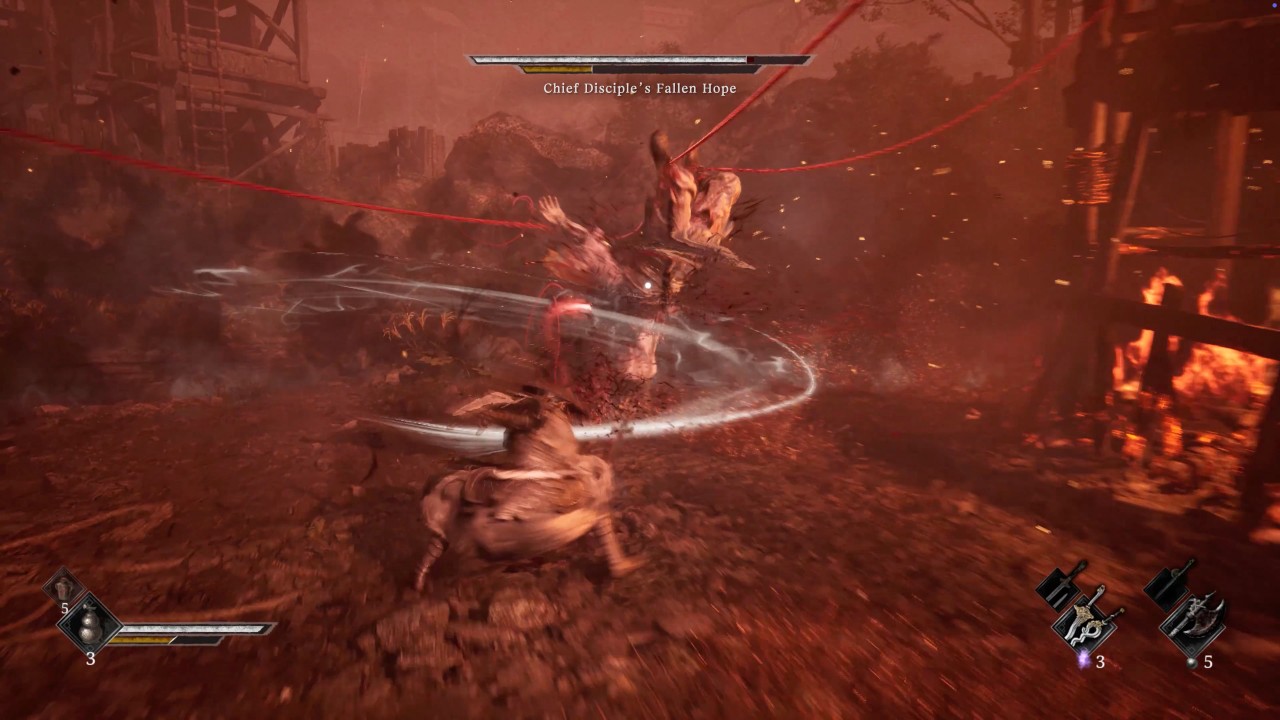
After that there were a couple more mini-boss encounters, which I surprisingly dealt with in one go, before the final boss of the demo – the Seven Judgments. It’s the boss battle featured in the Year of the Snake trailer that looked absolutely difficult to deal with.
At this point though, I was already locked in and only died once. Still, it was a challenging, engaging, and extremely fun boss encounter.
Watch it play out here:
Release date and more game details
I tried pressing but as of now, the folks over at S-Game still aren’t ready to disclose any potential release window for the game. We’re just gonna have to wait.
The demo itself showed the potential for some of your usual exploration and mini-puzzle solving. But bear in mind that this is mostly a linear hack and slash game most similar to the likes of Ninja Gaiden.
Hack and slash at its finest
I know it was only an hour of gameplay, but it was more than enough to get me looking forward to seeing more of what Phantom Blade 0 has to offer. I’m 100% certain more depth will be added to the combat and it will be an overall fun and flow-state-inducing experience once it fully releases.



Gaming
Switch 2 now lets you play old games in 1080p
It tricks old games into thinking that the console is docked.

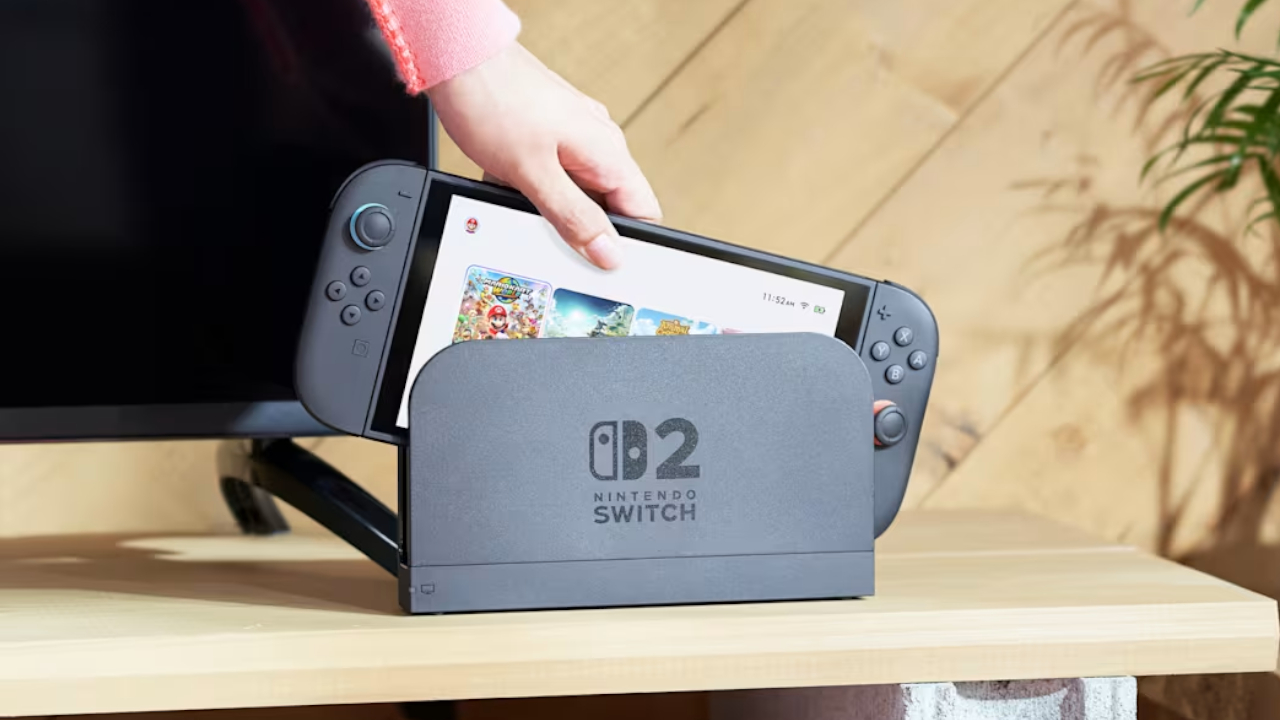
The Switch 2’s popularity is astonishing, to say the least. Just recently, a single game, Pokémon Pokopia, was responsible for taking the free times of over two million players on the Switch 2. Now, Nintendo has released a new feature which should make the console much more playable, especially for those who already had the original Switch.
Today, the Switch 2 received the 22.0.0 system update. Though the update is mostly a variety of smaller updates, one feature, called the Handheld Mode Boost, stands out among the rest. As per the patch notes, “Handheld Mode Boost will cause compatible Nintendo Switch software to run as if the console is being played in TV mode.” Put simply, the feature will unlock 1080p resolution for older games.
For gamers who had the original Switch, game resolution was a huge problem. The first console lived on a 720p screen, so the early games supported only lower resolutions. The only exception is when the console was docked, which allows 1080p resolution.
Now, the Switch 2 supports backwards compatibility. Players can access their older Switch games on the new console. The catch, however, is that these games are still stuck in 720p. Some titles, at least, have released an update to increase resolution on the new console.
Handheld Mode Boost tricks the console into thinking that it’s hooked up to the dock. In effect, the game will play in 1080p. The catch, however, is that it also thinks that the Joy-Cons are a single Pro controller, so players might lose some game features. It’s still a decent price to pay, though.
In other news, the update has also updated the naming of the “Hong Kong/Taiwan/South Korea” to “Hong Kong/Taiwan/South Korea/Southeast Asia,” potentially hinting that Southeast Asia might finally get an online store.
SEE ALSO: Now Playing: Yakuza 0 on Switch 2
Gaming
NVIDIA’s DLSS 5 can turn your favorite AAA game into AI slop
DLSS 5 will launch on select games.
Have you ever wondered why RAM prices are going up this year? Everyone is rightfully saying that AI is the reason for the price hike, but it’s hard to palpably see why. Today, NVIDIA is showing off where its hard-earned profits are going by revealing DLSS 5.
For gamers who don’t have a particularly strong machine, NVIDIA’s DLSS technology upscales a game’s graphics quality and frame rate to artificially keep up with newer hardware. A few months ago, the company unveiled DLSS 4.5, which marks the latest step to help games sparkle. Today, with DLSS 5, the technology is going all-in on AI.
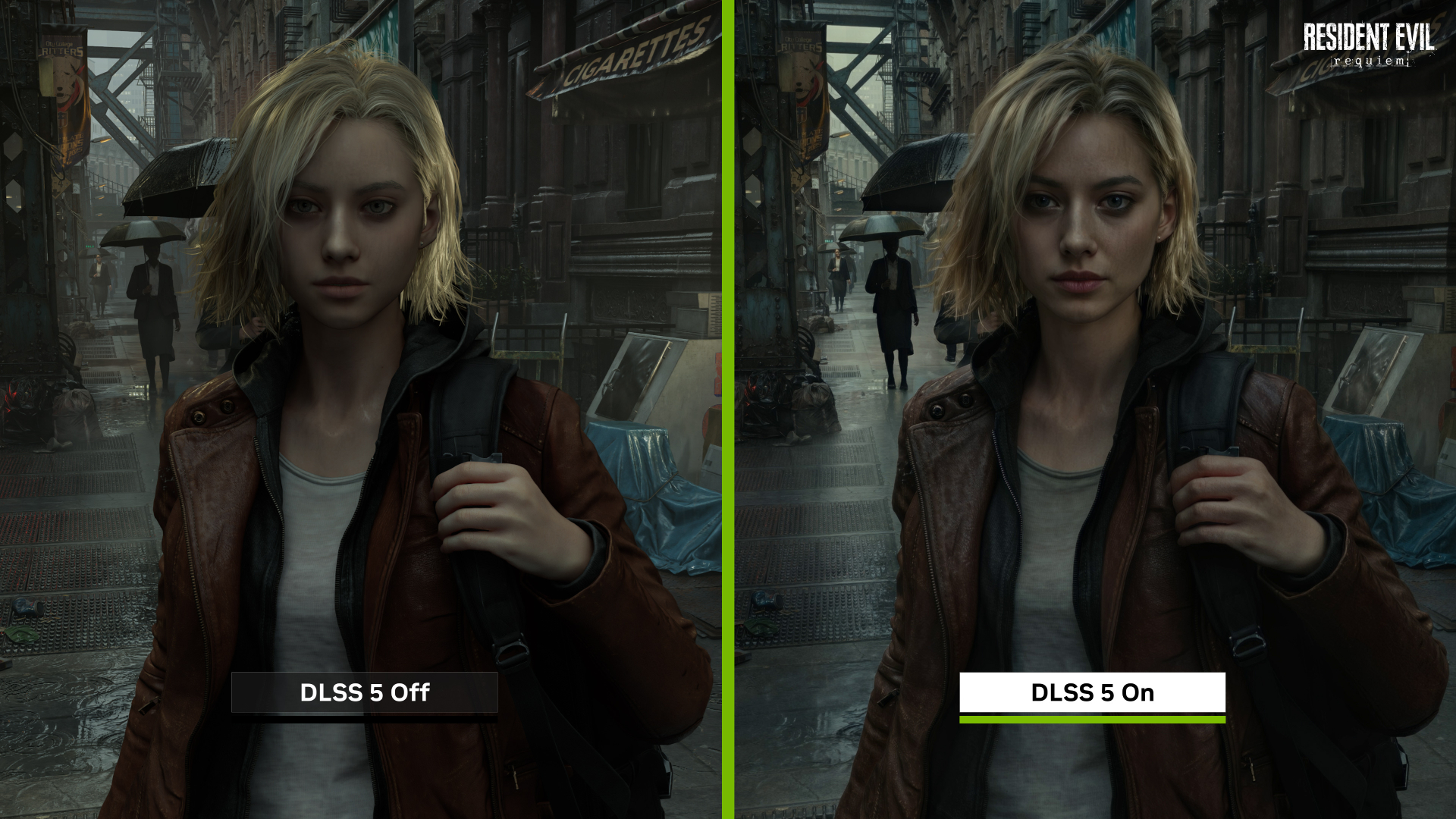
In a tech demo, NVIDIA showcased the latest version of the technology. This time, the feature will use photoreal lighting and materials to alter graphics. It can allegedly analyze a scene’s elements — including hair, fabric, and translucent skin — based simply on a single frame.
The demo’s most prominent example is Resident Evil Requiem. Grace Ashcroft, the gamer’s protagonist, evolves from her doll-like appearance into… well, something you might see on an AI-generated mobile game ad.
NVIDIA claims that the new version will make games look closer to real life. The jury is still out, especially with such a low sample size. However, in this writer’s humble opinion, it’s gonna be a no for me, dawg. I’d rather play with what the developer originally intended for their game than with yet another generic AI filter.
The new feature is rolling out to some of the biggest games today including Assassin’s Creed Shadows, Hogwarts Legacy, Resident Evil Requiem, and Where Winds Meet.
Gaming
Honkai: Star Rail Version 4.1: Dark secrets within the Phantasmoon Games
Ashveil becomes playable character

The Version 4.1 update for Honkai: Star Rail will be available on March 25. Called “Unraveled for Daybreak”, the update will continue to revolve around the story of Planarcadia.
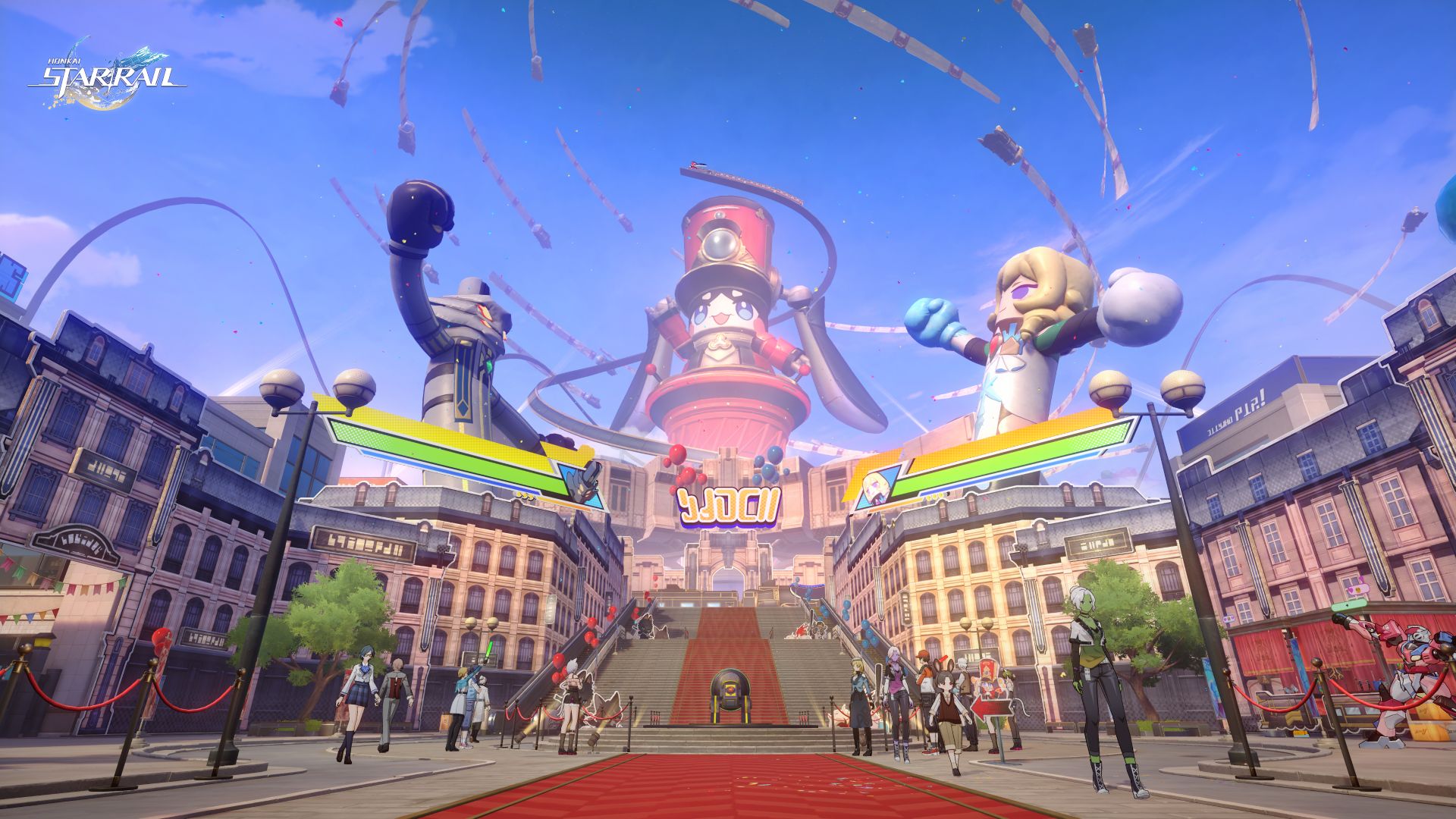
Here, the Astral Express Crew is invited to attend the grand Star Rail FEST, a fan festival inspired by their past interstellar journeys.
In the process, they will join a new 5-Star Character, Ashveil, as they uncover the dark secrets lurking during the Phantasmoon Games.
Star Rail FEST
This festival features three major open zones: the Belobog Zone, Xianzhou Luofu Zone, and Penacony Zone.
The festival is set-up after the Trailblazer has successfully obtained the mask of the supplicant to participate in the Phantasmoon Games. Pearl, the CEO of Planarcadia, then collaborates with the Astral Experss Crew to hold a grand exposition.
Citizens of Planarcadia can board a special Pom-Pom front shuttle express through Interplanar Jump to enjoy the highlights of their trailblaze journey.
Trailblazers can witness giant balloon figures, immerse themselves in a duel against the Lord Ravager Phantylia, and charge headlong at The Great Septimus.
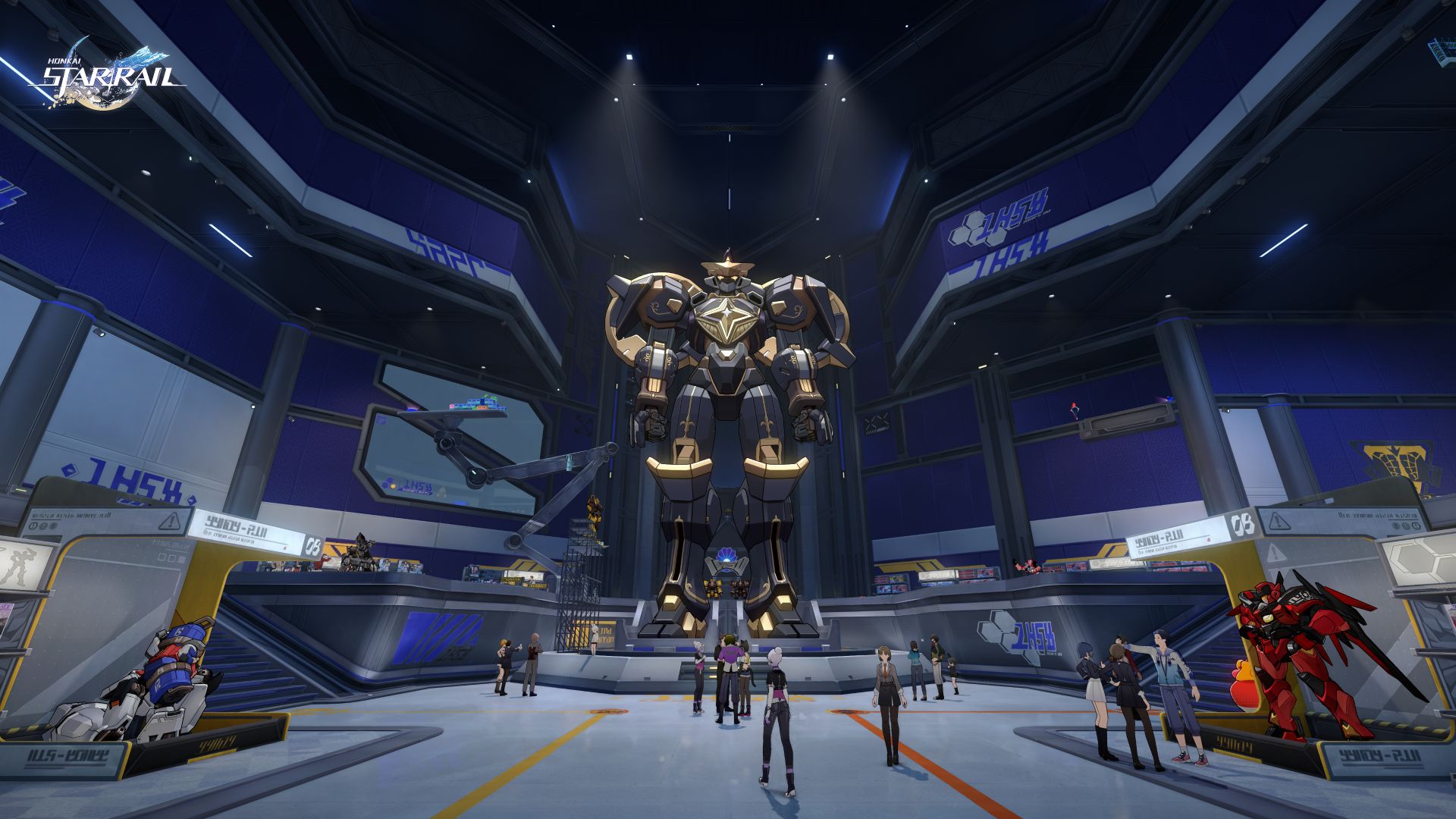
Meanwhile, the festival’s organizer, Pearluxe Corp, will also have an area unlocked: Pearluxe Tower. Inside is a newly ultra-poseable model, “Alloy King Pom-Pom” and a variety of mechatron-themed interactive activities.
However, beneath the revelry, conspiracies are abound, and various crises will soon follow.
Ashveil joins the list of playable characters
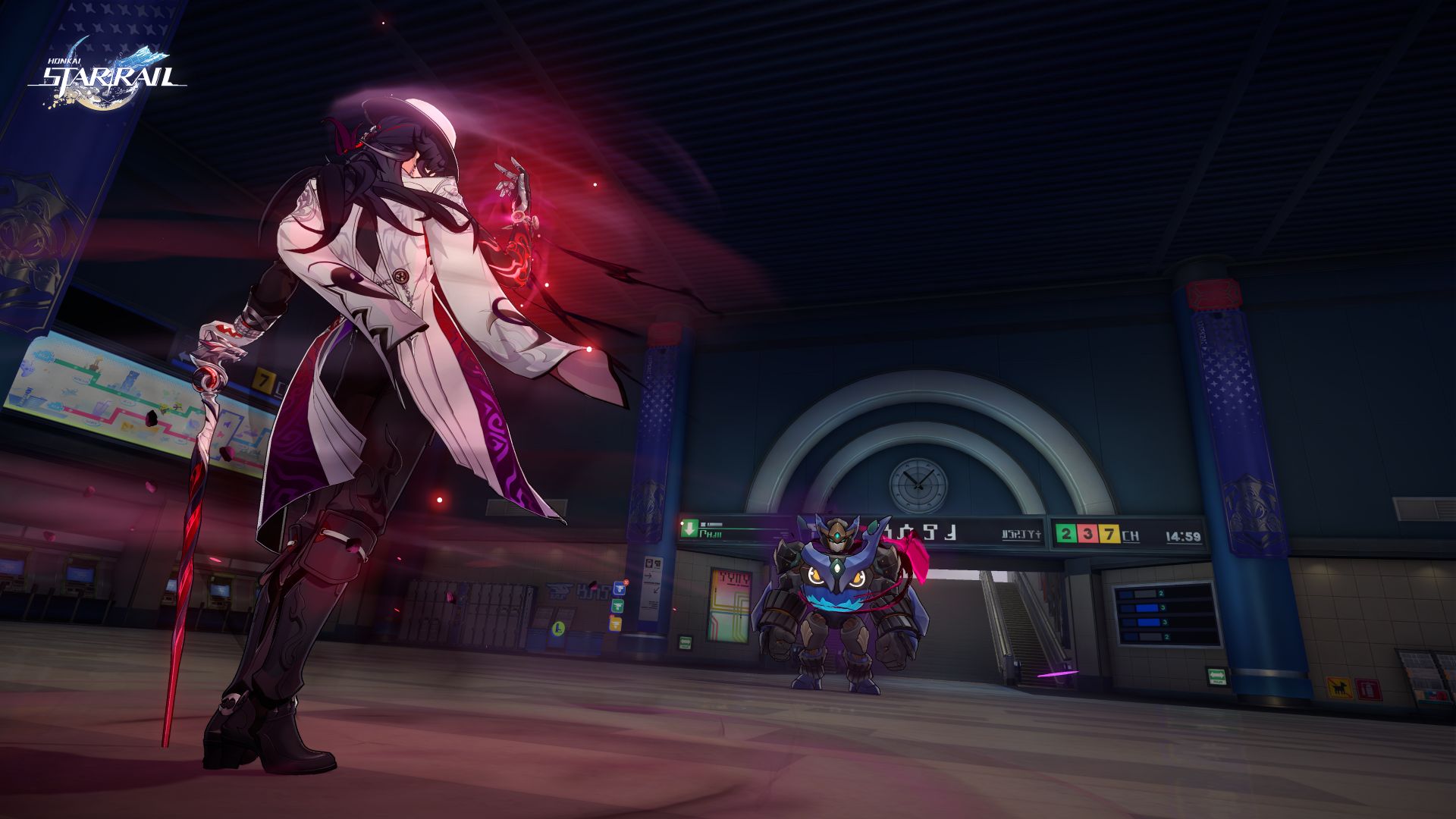
This marks the start of a new adventure for the Trailblazers, to be joined by famous detective, Ashveil.
This 5-star Lightning-Type (Path of The Hunt) “detective unreliable” will showcase his serious and dependable side as a playable character.
Ashveil uses his Technique to inflict a Stunned state on enemies within a certain range. After entering combat, he can increase the CRIT DMG of all allies and selects one enemy to be the Bait.
As long as the Bait is on the field, the DEF of all enemies will be reduced. And when Ashveil uses his Skill on the Bait again, he will deal extra DMG and recover Skill Points for the entire team.
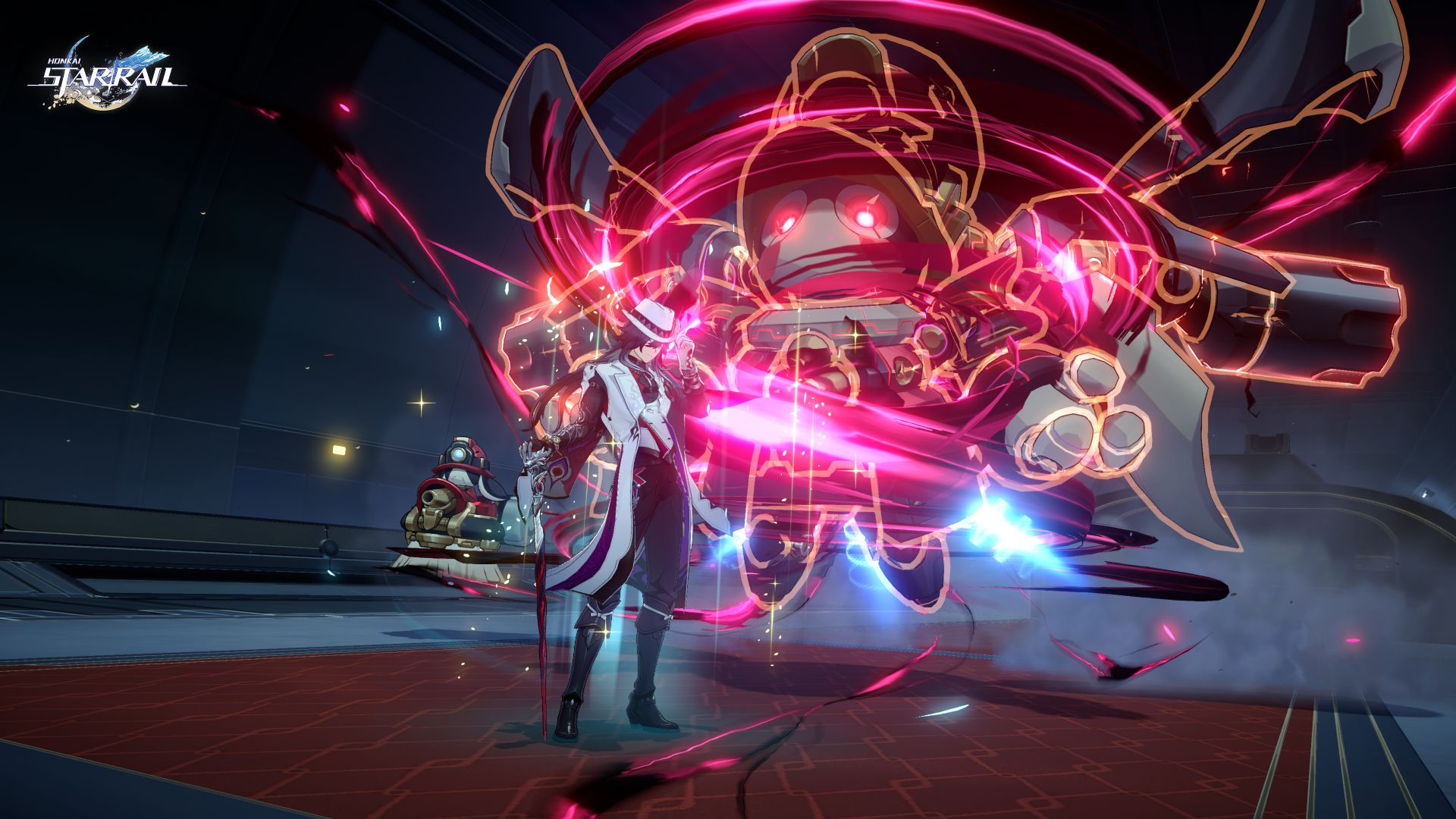
Moreover, when a teammate attacks the same Bait, Ashveil unleashes a Follow-Up ATK and gradually accumulates Gluttony in combat. Consuming this can further enhance the unit’s Follow-Up capabilities.
At the end of the last story stage, he will enter the Phantasmoon Games and begin investigating the murder case that occurred in the Dovebrook District.
He will work alongside the Astral Express Crew to uncover the conspiracy hidden beneath the surface of the elation feast to deliver justice for the fallen.
More features
In addition, Honkai: Star Rail Version 4.1 will launch with the Wispae War Saga. The Trailblazer can lead various types of wispae soldiers to battle in the Graphia Academy.
Here, they can defeat powerful champions by employing different strategies, upgrading wispae, and using spell cards and capsules with different effects.
Players can acquire both rewards and engage in even more challenging matches against outsider adversaries.


POCO X8 Pro Max review: A new beast from the far east
That "Pro Max" naming superlative is more than justified


POCO X8 Pro Iron Man Edition review: Midrange phone in superhero armor
POCO x MK15


Now Playing: Project Hail Mary
It's a treat for those who loved the original book.

Switch 2 now lets you play old games in 1080p

OPPO Find N6 launches globally with near crease-free foldable display
POCO X8 Pro Max review: A new beast from the far east
POCO X8 Pro Iron Man Edition review: Midrange phone in superhero armor

POCO X8 Pro Series launches in Singapore with early bird prices


-

 MWC 20262 weeks ago
Infinix NOTE 60 Ultra makes a motorsport-inspired debut
-

 Reviews2 weeks ago
The Xiaomi 17 shoots Leica dream
-

 Gaming2 weeks ago
Ubisoft confirms Assassin’s Creed: Black Flag remake
-

 Gaming2 weeks ago
PlayStation will stop releasing its games on PC
-

 Hands-On2 weeks ago
OPPO Reno15 F 5G hands-on
-

 Gaming2 weeks ago
Project Helix is Xbox’s next console, and it plays PC games
-

 Hands-On2 weeks ago
Apple MacBook Neo Hands-on
-

 Computers1 week ago
GIGABYTE collaborates with Capcom for RE Requiem custom PC