

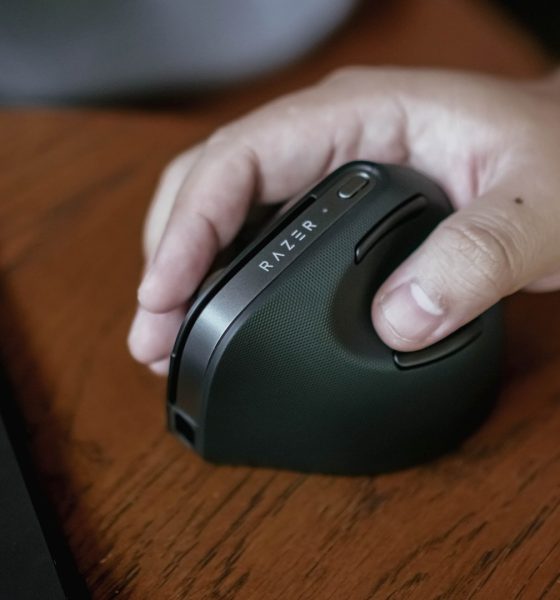

Switching to a vertical mouse always sounded like a chore. New grip, new angle, new muscle memory. I expected it to slow me down for days. Instead, the adjustment felt smoother than I imagined.
Using the Razer Pro Click V2 Vertical Edition for the first time was strange at the start, yes, but the shift didn’t get in the way of my work. If anything, it pushed me into a faster, more comfortable flow.
Getting used to a new grip
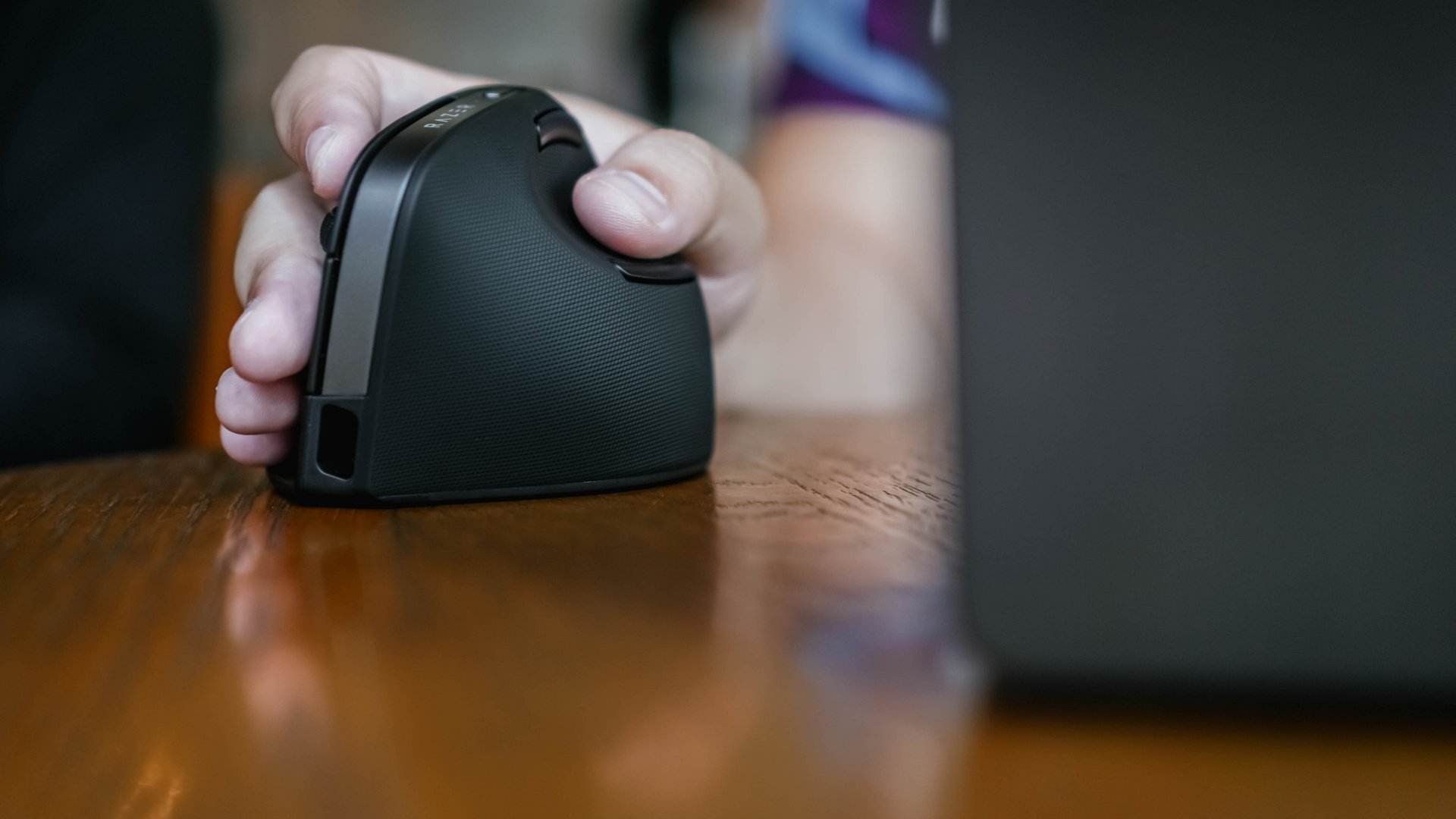
I’ve never used a vertical mouse before, so I came in expecting a long learning curve. The first time I held the Pro Click V2 Vertical Edition, it felt awkward. The 71.7-degree handshake angle was unfamiliar, like my hand was floating in the wrong direction.
But the adjustment period was surprisingly short. By the second half of my day, I stopped reaching for the old horizontal grip out of habit. The vertical orientation simply felt right.
Razer’s base support under the wrist played a role in that comfort. I didn’t notice it at first, but I also never felt wrist pressure or friction against the desk. It didn’t make my hand feel especially relaxed, but it kept every movement strain-free. For something I use for hours daily, that subtle difference matters.
Comfort that shows in movement
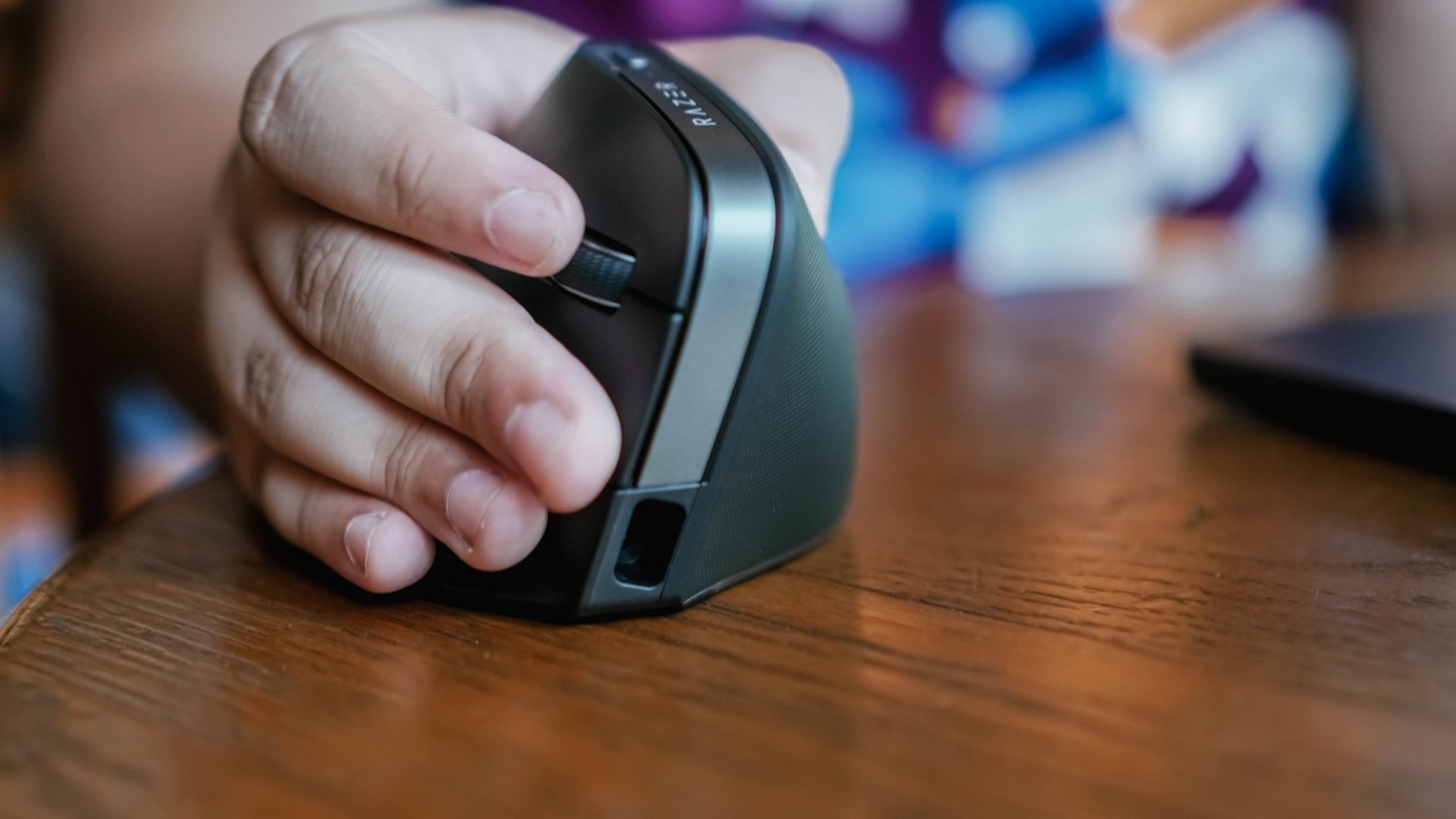
What I didn’t expect was the sense of ease when navigating large displays. I tested the mouse paired with an ultrawide, and the combination felt almost perfect. I found myself zipping across the screen with more speed than usual.
Maybe it was the vertical grip, maybe the sensor tuning, maybe both — but the result was a smoother workflow.
If you’re someone who regularly hops between apps, windows, or timelines, the vertical form factor starts to feel like an efficiency tool more than an ergonomic alternative.

I didn’t get to test it on games due to my schedule, but for photo editing and general precision work, everything felt smooth and responsive. I probably could’ve optimized the DPI settings more, but even at default, the tracking stayed consistent.
I used it mostly on a wooden desk, which isn’t ideal. The mouse tracked well enough, though I immediately knew it would feel even better with a proper mouse pad.
A productivity-first device that still has flair
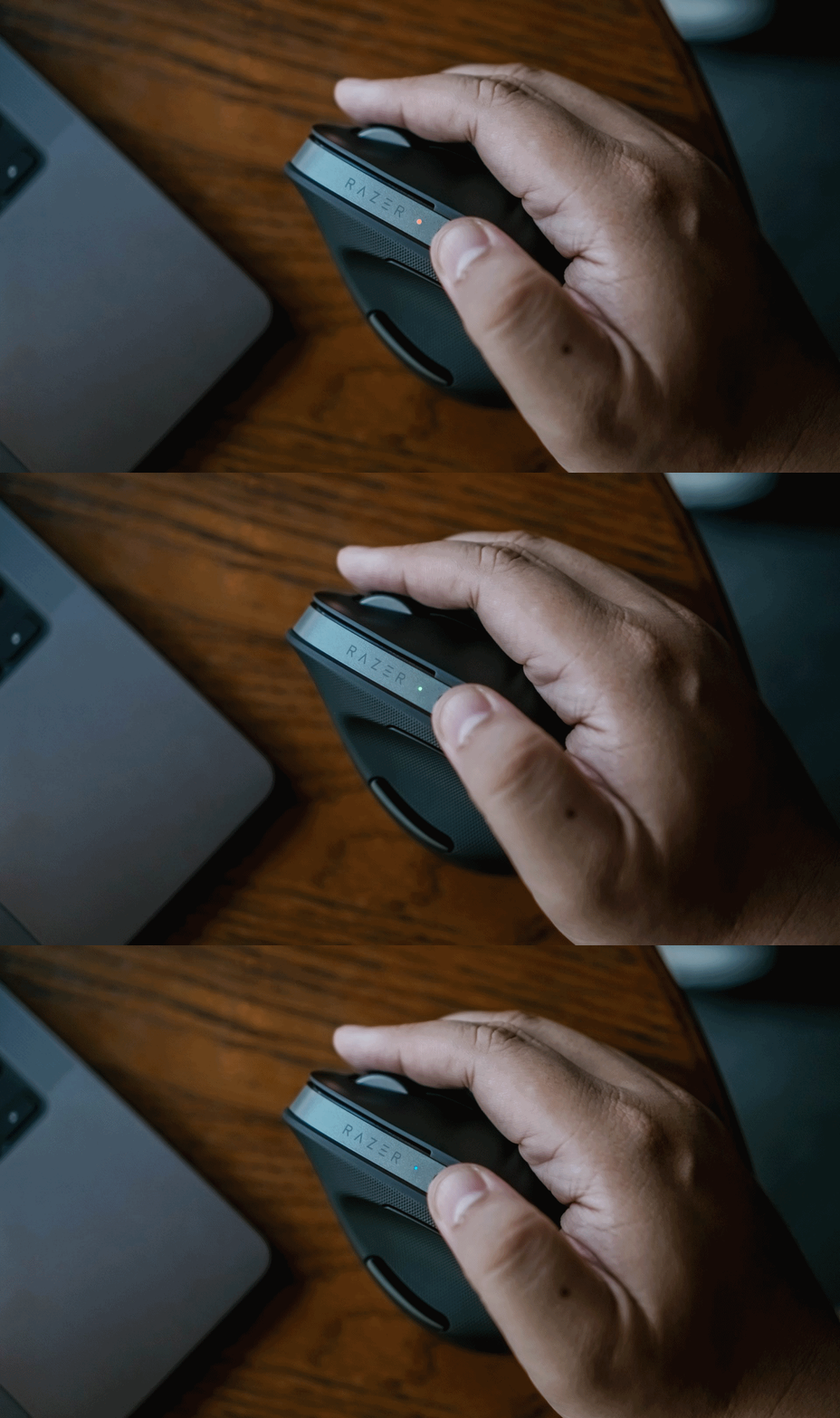
One of the things that surprised me was speed. I felt faster using this mouse than my usual setup. The six-button layout helped, though the side buttons near my thumb were sometimes too easy to press accidentally. That’s something to get used to, not a flaw in the hardware.
The Pro Click V2 Vertical Edition can pair with up to five devices, but I rarely use one mouse across multiple hosts. I did try switching to a Mac, and the orientation didn’t feel very intuitive on macOS — although I only gave it a few minutes, so that wasn’t a fair test. It’s something I want to revisit when I have more time.

There’s also the AI Prompt Master button built in, which gives direct access to services like ChatGPT and Copilot. In my case, I didn’t get to fully integrate it into my workflow.
Between adjusting to a new workstation and keeping up with deadlines, testing that feature deeply wasn’t in the cards. But for writers or anyone who lives on rephrasing, summarizing, or drafting text, it’s a feature worth exploring.
On the more visual side, the 18-zone underglow is… a treat. It doesn’t add anything to productivity, but it certainly makes the mouse look premium.
The lighting leans a little gamer-ish, but still feels appropriate for a clean, modern setup.
Battery life that borders on ridiculous
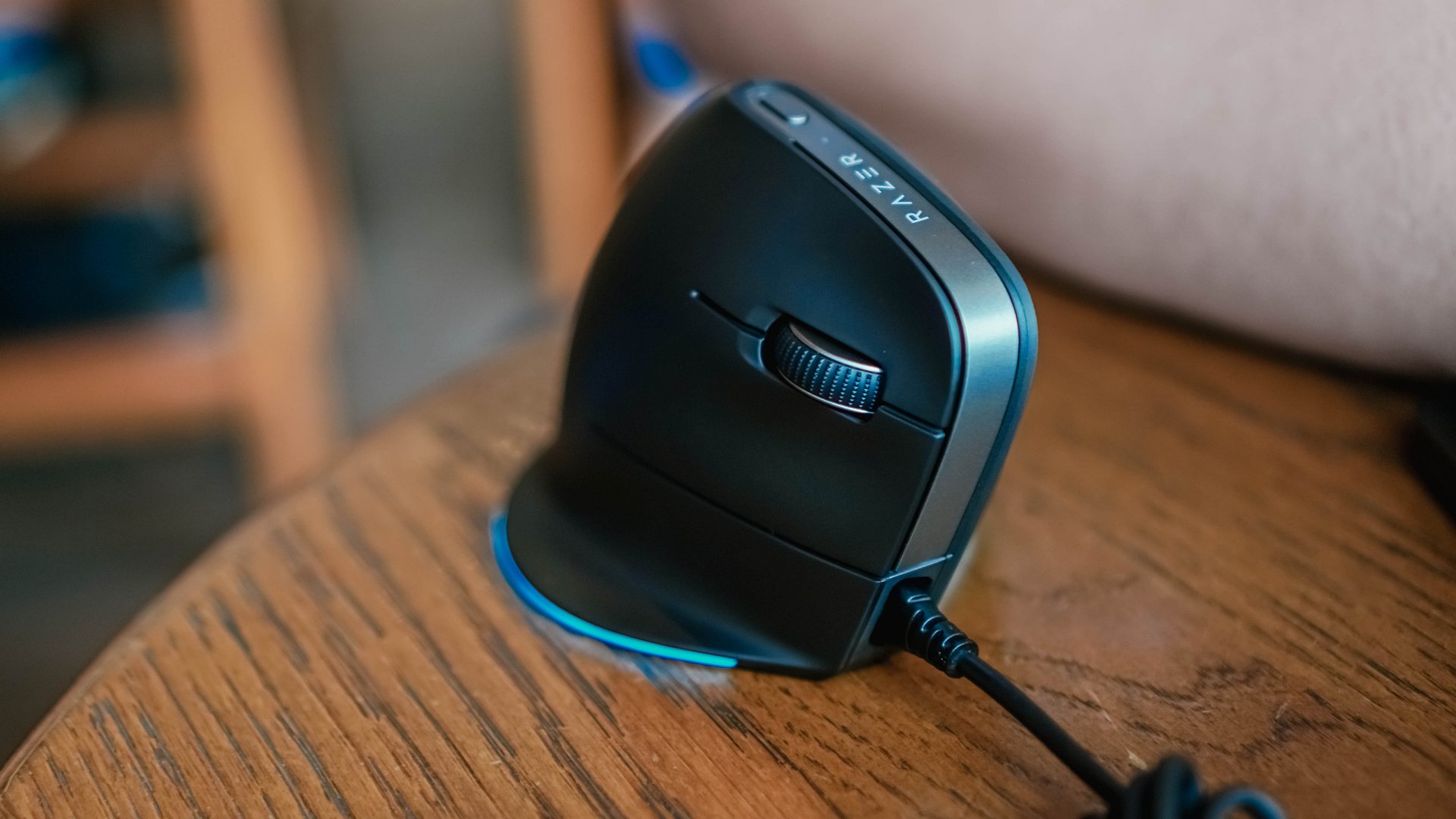
I charged the mouse to full once at the start of testing. Over the next two to three weeks, I never felt the need to plug it back in. That’s the kind of battery life you don’t notice because it never gets in the way.
Razer claims up to six months on a single charge, and based on how it drained for me, I don’t doubt it.
I didn’t try the five-minute quick charge feature, but knowing it’s there — and knowing it gives days of use — adds to the confidence that this mouse simply won’t die on you mid-work.
Is the Razer Pro Click V2 Vertical Edition your GadgetMatch?

The Razer Pro Click V2 Vertical Edition is a Swipe Right to anyone who spends long hours navigating apps, juggling files, or doing casual editing. The vertical grip takes some getting used to, especially if you’ve never tried one before, but the learning curve is shorter than it looks.
It’s the kind of hardware you forget about because it works, and when you do notice it, it’s usually because something feels smoother than usual.

I can’t imagine many people struggling to adjust to it. Even I switched comfortably within the first half of the day. The only area I want to fine-tune is how it fits into my macOS workflow, but that’s more about setup than compatibility.
Would I use a vertical mouse full-time after this? Yes. And this experience made me realize I’ve probably been overdue for the switch. The Pro Click V2 Vertical Edition didn’t just ease me into vertical mice. It made me feel like I should’ve tried one sooner.







Accessories
Jackery SolarSaga series: Free power for small devices
Portable solar panels can charge small gadgets directly

As fuel prices continue to surge as of late, one of the ways to make up for the additional expenses is to turn to alternative power sources. That’s including solar power.
And Jackery is here to help Philippine consumers, with the availability of their portable SolarSaga panels.
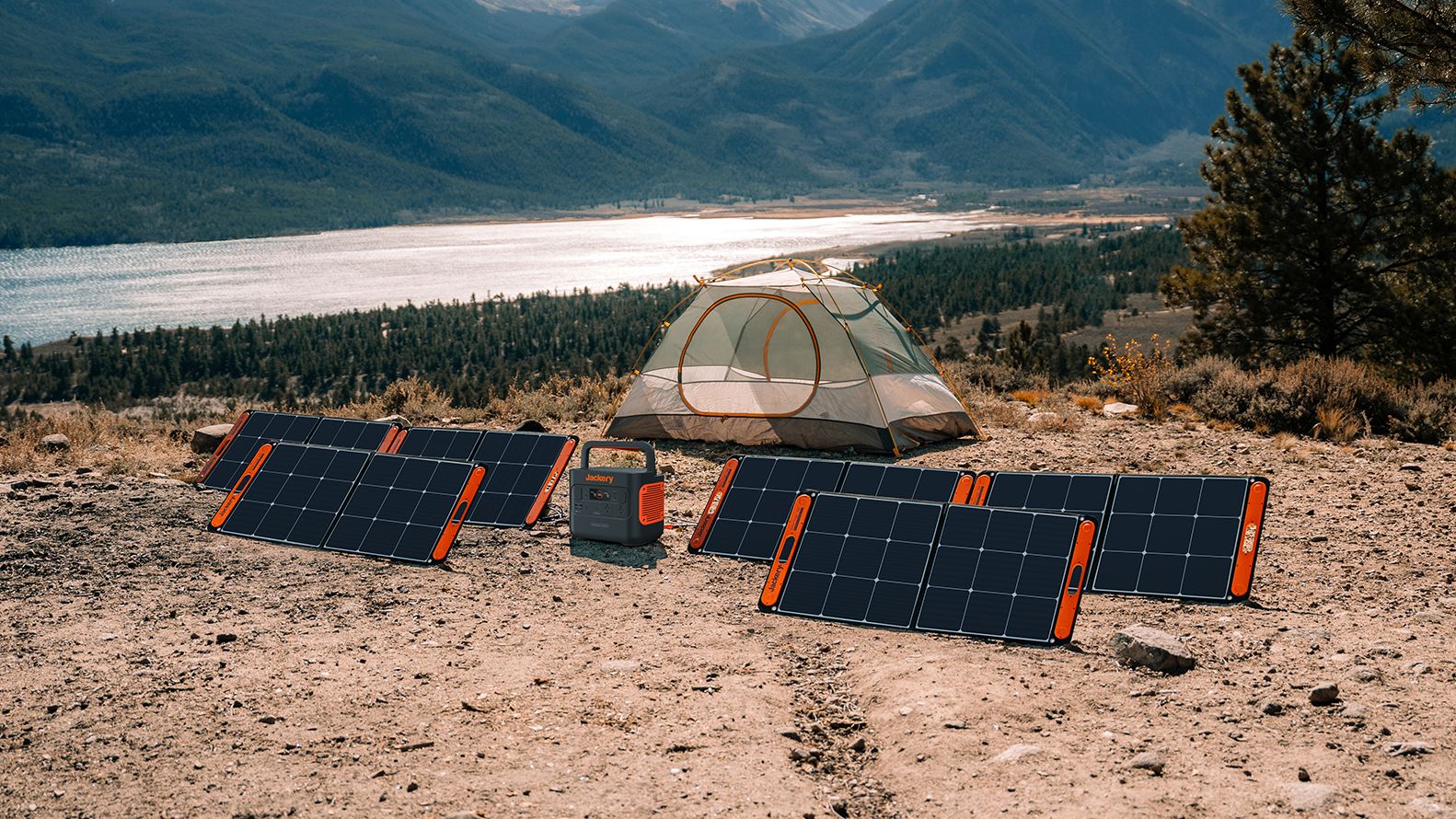
These solar panels are an alternative to traditional and permanently installed rooftop solar panels. They are engineered for modern and mobile life with portable, lightweight, and sleek designs. They are built primarily to be set up and put away easily, and charge small devices directly.
Simply put the Jackery SolarSaga panels where sunlight is available, and it will convert up to 25% of sunlight into usable energy.
To charge small gadgets like phones and portable fans, or even smartwatches, the SolarSaga panels come with a USB-C and USB-A port.
Another way is connecting the SolarSaga to Jackery’s Explorer power stations like the Explorer 300 Plus or 1000 Plus.
From there, users can power up devices, essentially for free. On its own, the Jackery SolarSaga panels are available in 100W and 200W variants.
The panels are also IP68 rated for water and dust resistance. This makes them usable outdoors when brought to adventures like camping, picnics, or beach trips.
The panels are already available through Jackery’s Lazada and Shopee platforms, as well as Techroom’s Lazada and Shopee accounts.
Accessories
UGREEN adds new Nexode Pro power bank, charger to lineup
Intelligent displays, fast-charging, user-focused design
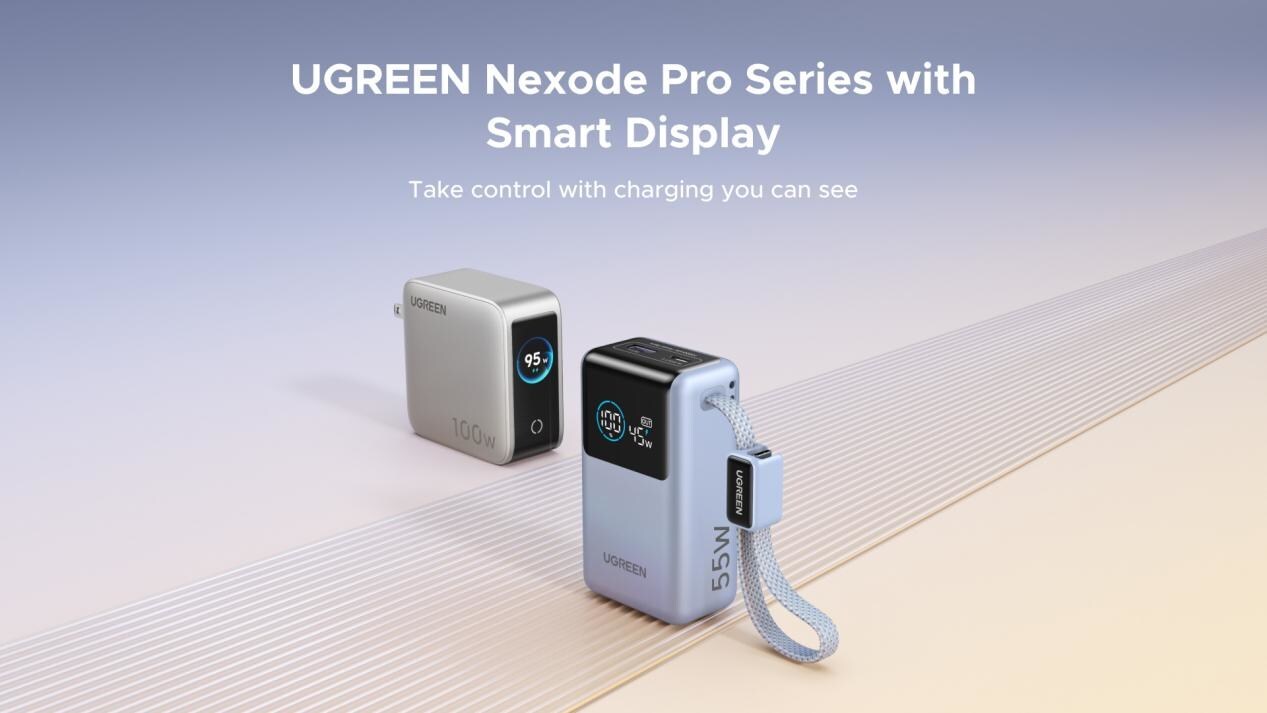
UGREEN has expanded its Nexode Pro charging lineup with two new devices designed for the modern user. They are the Nexode Pro 10000mAh 55W Power Bank and Nexode Pro 100W 5-Port Charger.
These new offerings combine intelligent digital displays, fast-charging capabilities, and user-focused designs for reliable power — whether at the desk or on the move.
The Nexode Pro 10000mAh Power Bank is the ultimate travel companion, delivering strong charging performance in a compact and travel-friendly form.
It supports up to 45W single-port fast charge, meeting the industry standard for high-speed portable charging. It can reach up to 55W as well when charging compatible Xiaomi devices.
The accessory is equipped with two USB-C ports, one USB-A port, and a built-in retractable USB-C cable. As such, it can power up to three small devices simultaneously without requiring extra cables.
With a rated capacity of 36Wh, the power bank also meets airline carry-on requirements.
Meanwhile, the UGREEN Nexode Pro 10W 5-Port Charger supports workstations. It has four USB-C ports, a USB-A port, and up to a 100W output.
It also has a built-in smart TFT display for easy power distribution monitoring.

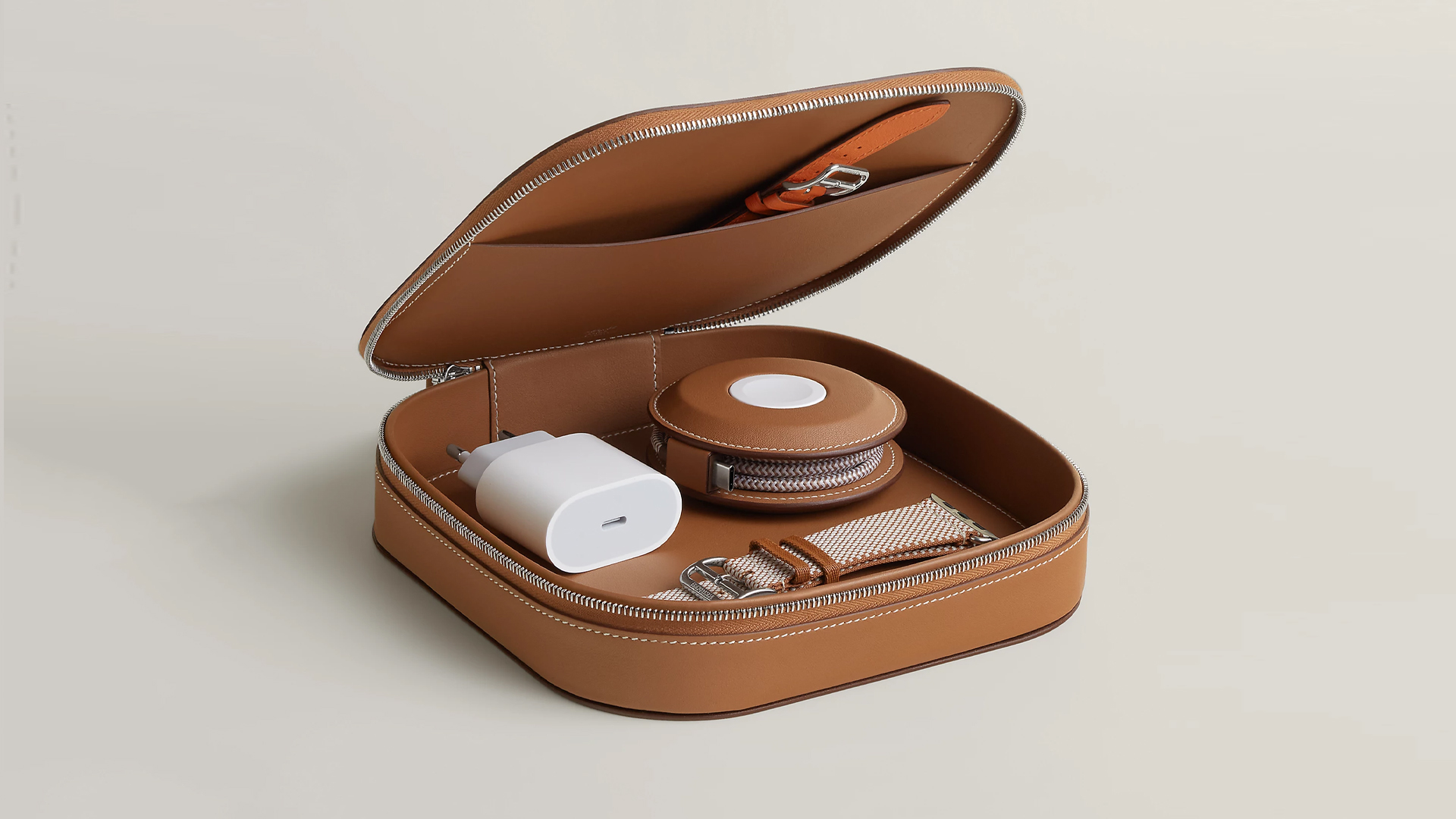
How extra are you as an Apple fan? No matter what you say, you’ll probably never be as extra as someone who buys a US$ 5,000 MagSafe charging case for their iPhone and Apple Watch. Hermès has just launched a series of leather chargers and cases specifically made for Apple fans.
Available now, Hermès has three types of MagSafe chargers for iPhone users. The cheapest one, the Paddock Solo, is a simple leather-bound puck that can charge a single device. The charger also has a braided 3.3ft USB cable. It costs an eye-watering US$ 1,250.
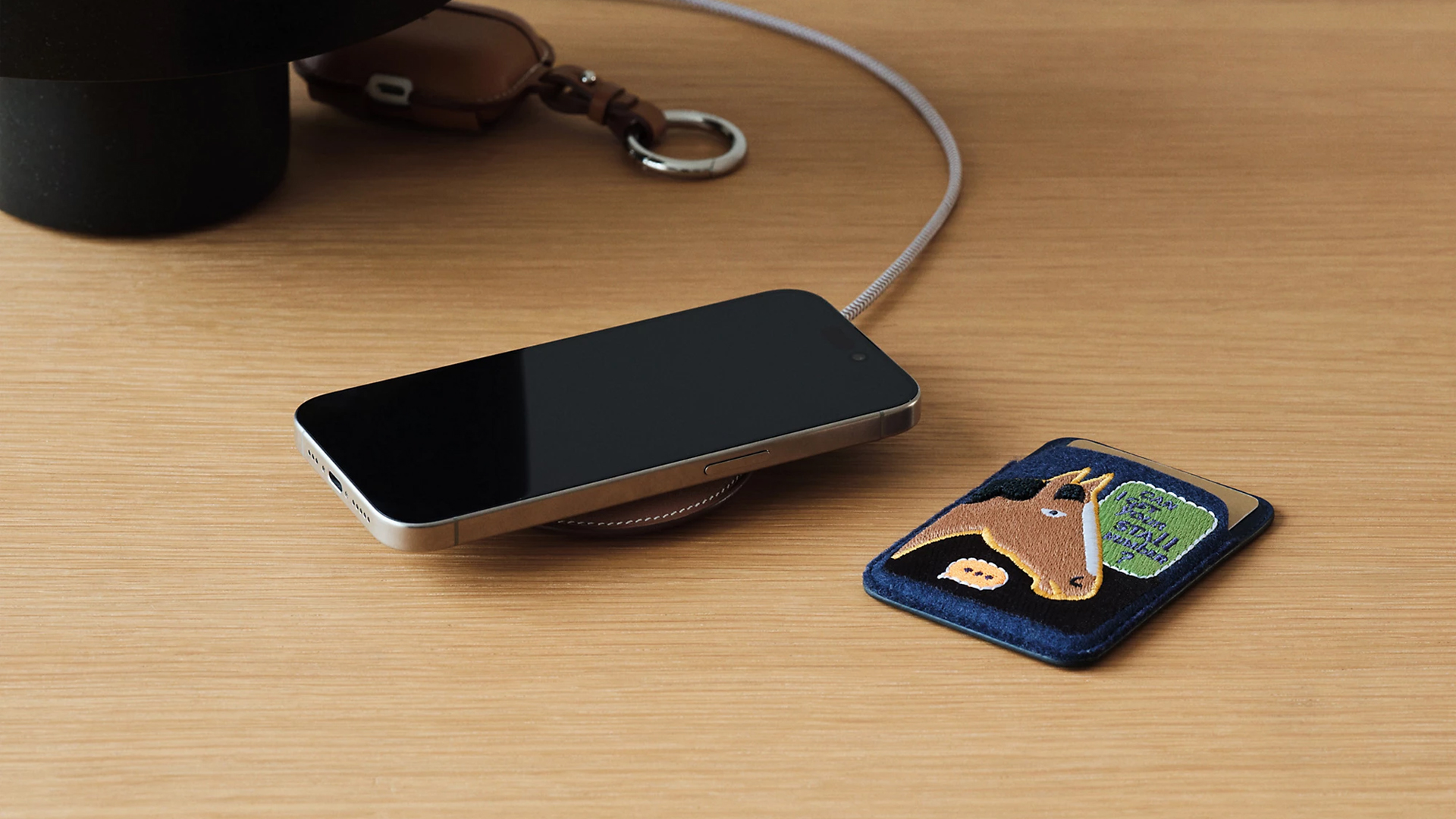
Paddock Solo charger
On the other hand, the Paddock Yoyo charger offers two charging zones for two devices simultaneously. Shaped like a yoyo (hence, the name), it allows users to roll the cable into a convenient stack. It costs US$ 1,750.
Finally, the Paddock Duo is a charging pad that allows for two devices simultaneously. It just doesn’t have a pocket for the cable. It likewise costs US$ 1,750.
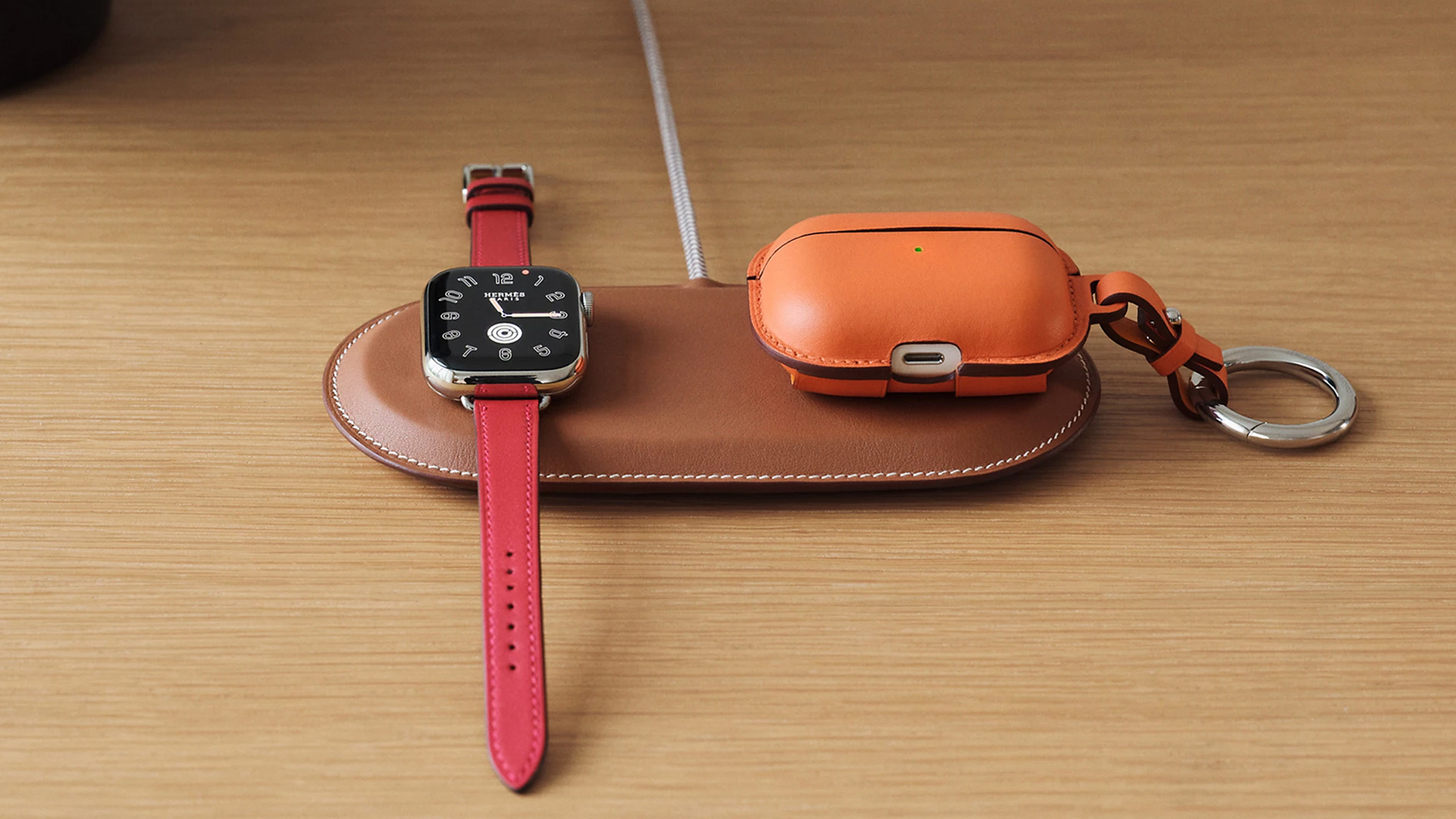
Paddock Duo charger
Now, if you want to upgrade your pricey charging kit even further, Hermès has two cases for them: the Petit Paddock case and the Grand Paddock case.
The Petit Paddock case, as the name suggest, is a snug leather case that fits only the charger (and a brick, if bundled with the Yoyo). The charger and case combo will set you back by US$ 3,725 for the Solo, and US$ 4,225 for either the Duo or the Yoyo.
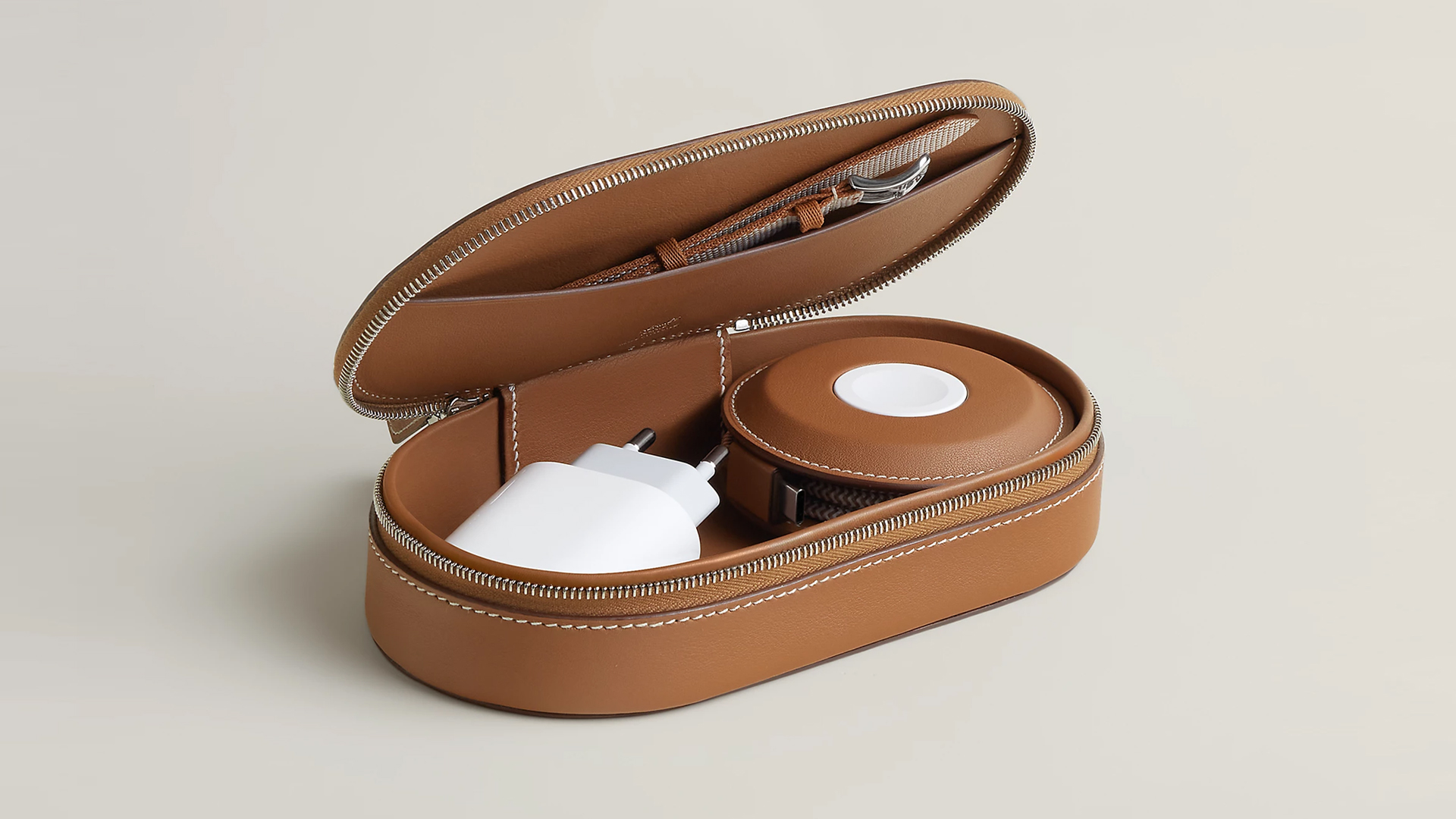
Paddock Yoyo + Petit Paddock
Alternatively, the Grand Paddock can fit much more but also costs a lot more. It costs US$ 4,650 for the Solo, and US$ 5,150 for the Duo or the Yoyo.
Of note, none of these come with a charging brick, so you’ll have to shell out a bit more to maximize the kit.
SEE ALSO: Apple unveils the iPhone 17e


Galaxy Buds4 Pro review: I thought I was done with in-ears
This Buds4 you


WWE 2K26 lets you live out all the fantasy matches you could want
But you have to play for hours and hours to unlock everyone.


The HONOR X8d is serviceable
Steady but slow?

More iPhone switchers this year than Android switchers, report says

Marvel’s Wonder Man greenlit for a rare second season

Apple’s WWDC 2026 will be from June 8 to 12
Galaxy Buds4 Pro review: I thought I was done with in-ears
WWE 2K26 lets you live out all the fantasy matches you could want


-

 Reviews1 week ago
POCO X8 Pro Max review: A new beast from the far east
-

 News1 week ago
POCO X8 Pro Series: Price, availability in the Philippines
-

 Laptops2 weeks ago
Apple MacBook Neo Review
-

 Apps2 weeks ago
Google Maps is finally getting a 3D mode
-

 Features2 weeks ago
Galaxy AI on the Samsung Galaxy S26 Ultra
-

 Entertainment2 weeks ago
The internet is thirsting over the One Piece Season 2 cast
-

 Automotive2 weeks ago
BYD is reportedly considering an F1 team
-

 Gaming2 weeks ago
Resident Evil Requiem will get a story expansion