
Accessories
RazerCon 2024: Sensa, Synapse 4, and everything announced
Razer Freyja, Kraken V4 Pro, Laptop Cooling Pad, more


From innovative new offerings to the latest updates, RazerCon 2024 covered all of the brand’s major announcements. The two headliners during Razer’s event, without question, are the Razer Freyja and the much-anticipated Razer Kraken V4 Pro.
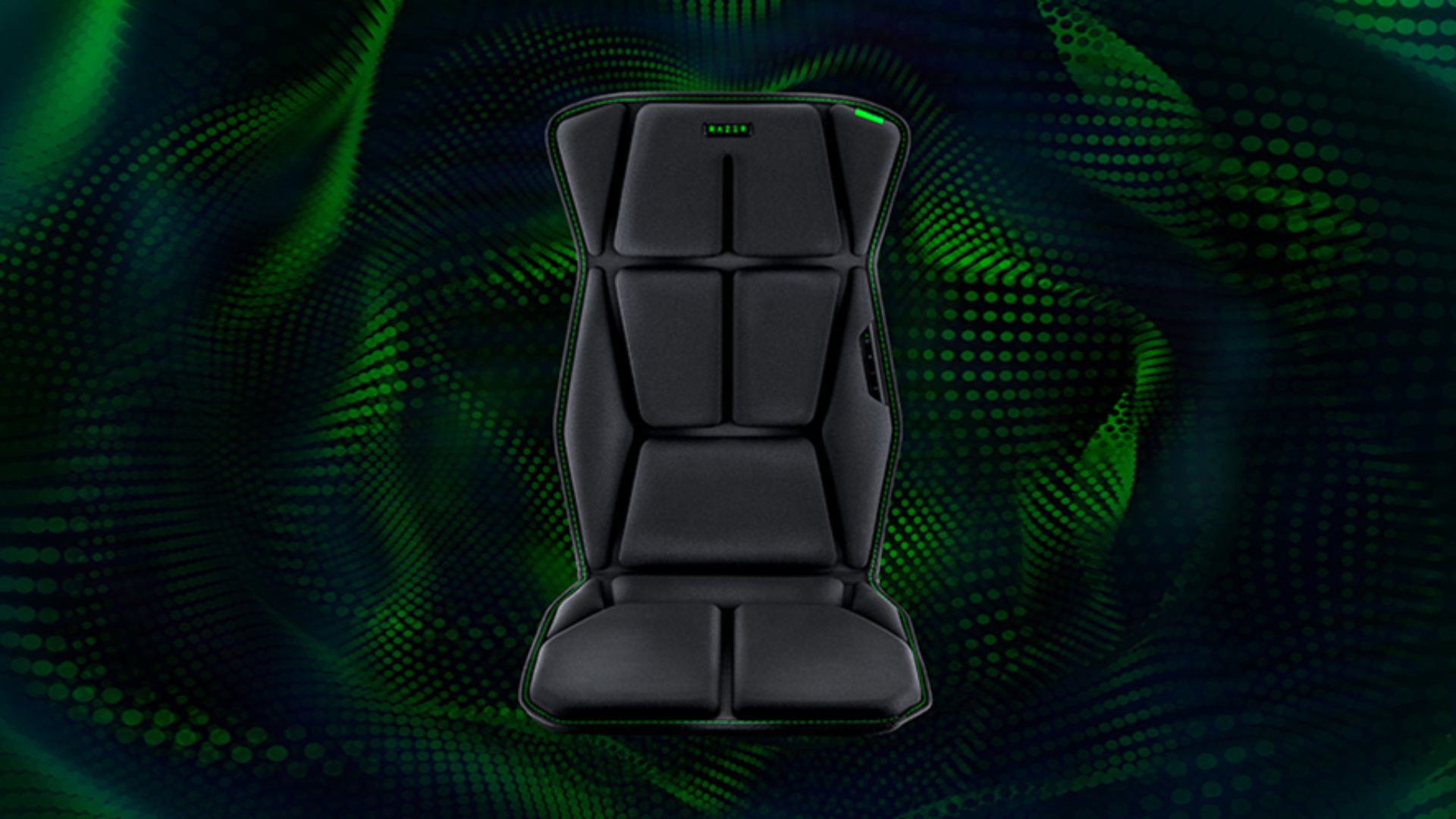
The Razer Frejya is the world’s first HD haptics gaming cushion, providing gamers and entirely new level of immersion.
It fits most gaming and even office chairs, and provides multi-directional sensory feedback so players can actually feel the in-game actions they execute.
Users can even utilize it for non-gaming scenarios, like watching series and listening to music.
Razer Frejya price, availability
Meanwhile, the Kraken V4 Pro is the latest and most advanced addition to the Kraken V4 line.
The wireless headset delivers unparalleled audio quality and overall versatility. It can be connected in four ways. It can also mix 2.4GHz and Bluetooth audio sources simultaneously.
Additionally, it comes with an OLED control hub. Users can monitor PC metrics from this hub. They can adjust settings on the fly.
Sound quality wise, the Kraken V4 Pro is powered by Razer TriForce Bio-Cellulose 40mm drivers and THX Spatial Audio. Together, these produce a natural, clear, sound with deep bass and realistic positional audio.
Razer Kraken V4 Pro price, availability

Razer Sensa HD Haptics
Like the Frejya, the Kraken V4 Pro harnesses the power of the new Razer Sensa HD Haptics technology. What is exactly is this common denominator?
As the name suggests, the technology leverages to provide gamers with multi-directional feedback they can feel, be it the audio blasting from the Kraken V4 Pro or the sensory effects while sitting on the Freyja cushion.
Specifically, the Freyja has six advanced haptic motor actuators that lead to players feeling the direction, distance, and intensity of actions through haptics.
Razer Laptop Cooling Pad
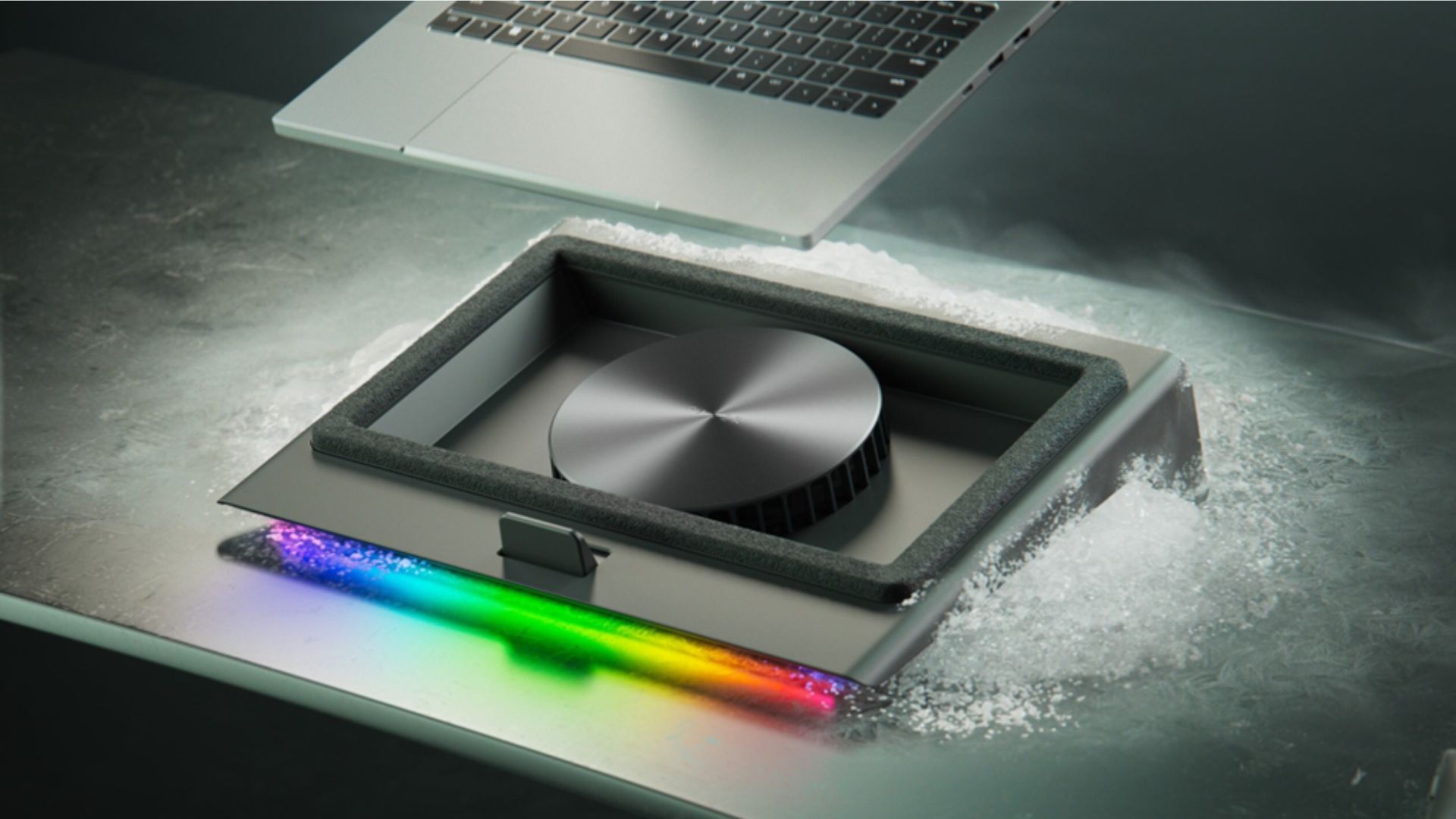
Furthermore, Razer has launched the new Razer Laptop Cooling Pad. It is an intelligent solution for laptops measuring from 14 to 18 inches.
It features a smart fan control, an airtight pressure chamber, and three magnetic frames to support a wide variety of chassis.
When smart cooling is enabled, the Razer Laptop Cooling Pad will automatically adjust the fan speed depending on the temperature of key components for an optimal noise-to-performance ratio.
Razer claims the high-velocity 140mm fan can reduce CPU and GPU temperatures by up to 18%.
The cooling fan even has additional features, like a remappable multi-functions button and a Razer Chroma RGB lighting so it can blend well with setups.
The Razer Laptop Cooling Pad is now available for US$ 149.99 / EUR 149.99.
Razer Synapse 4
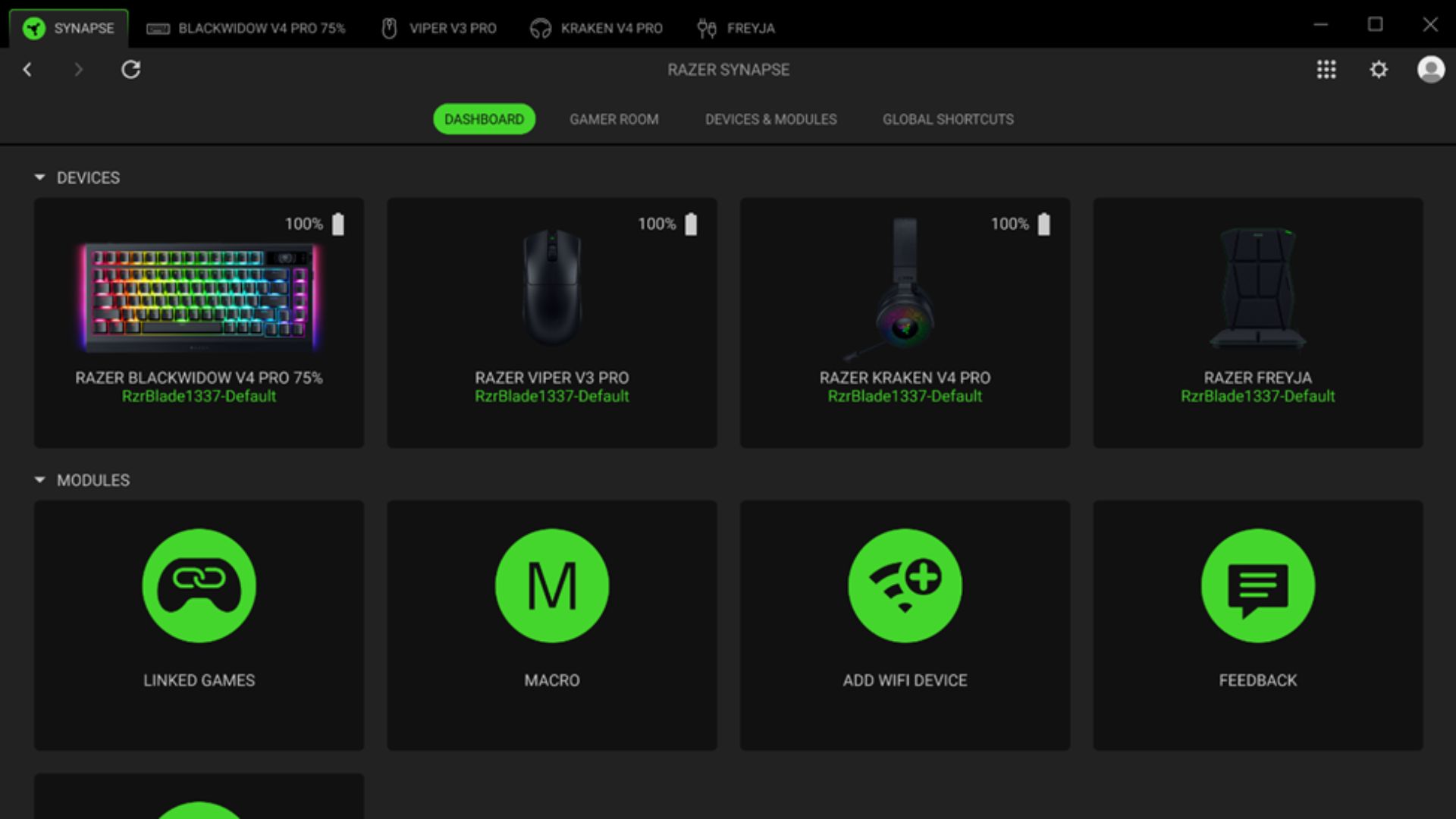
Moreover, Razer is officially rolling out Synapse 4 after nearly a year of beta testing and input from the community.
Razer Synapse 4 is fine-tuned to deliver unprecedented levels of customization, performance, and ease of use.
Compared to its predecessor, the control hub features 30% better processing speed. Gamers will be able to perform popular tasks like macro creatiion, settings configuration, and driver installation more efficiently.
The brand-new multi-threaded architecture enhances system stability as well by compartmentalizing devices.
Synapse 4 also features a modernized UI for simpler navigation. This includes floating tips and centralized settings management. It also retains previous features like the Razer Hypershift.
Thunderbolt 4 Share coming to Razer Blade 18
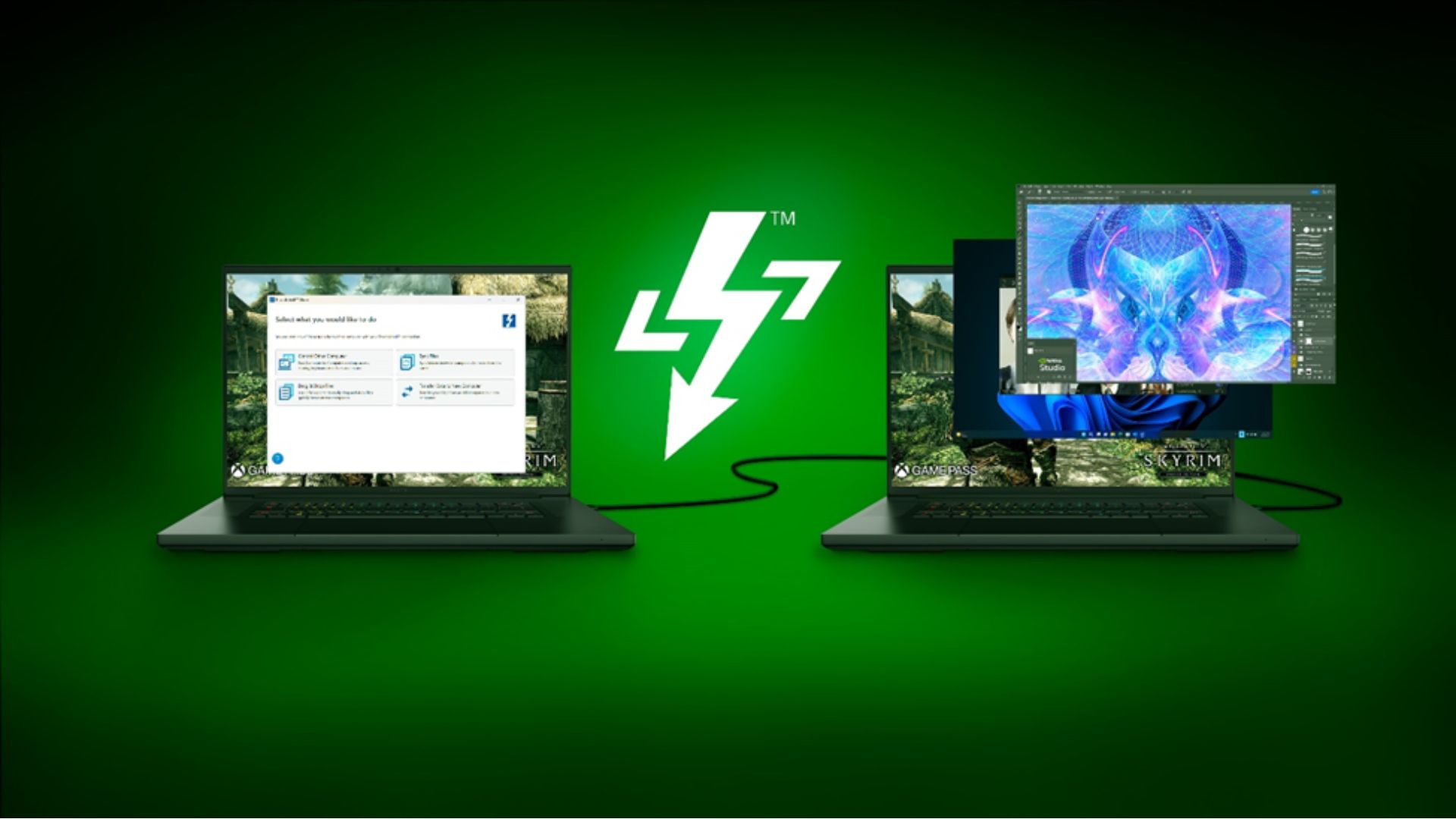
In a significant update, Razer also announced that Intel Thunderbolt Share is now available on all Razer Blade 18 2024 models.
That means Blade 18 users can connect two PCs and share peripherals, including a keyboard, mouse, or monitor, while transferring files at blazing fast speeds of up to 40gbps.
The Razer Blade 18 is the world’s first Thunderbolt 5 laptop.
Razer Snap Tap mode now on more keyboards
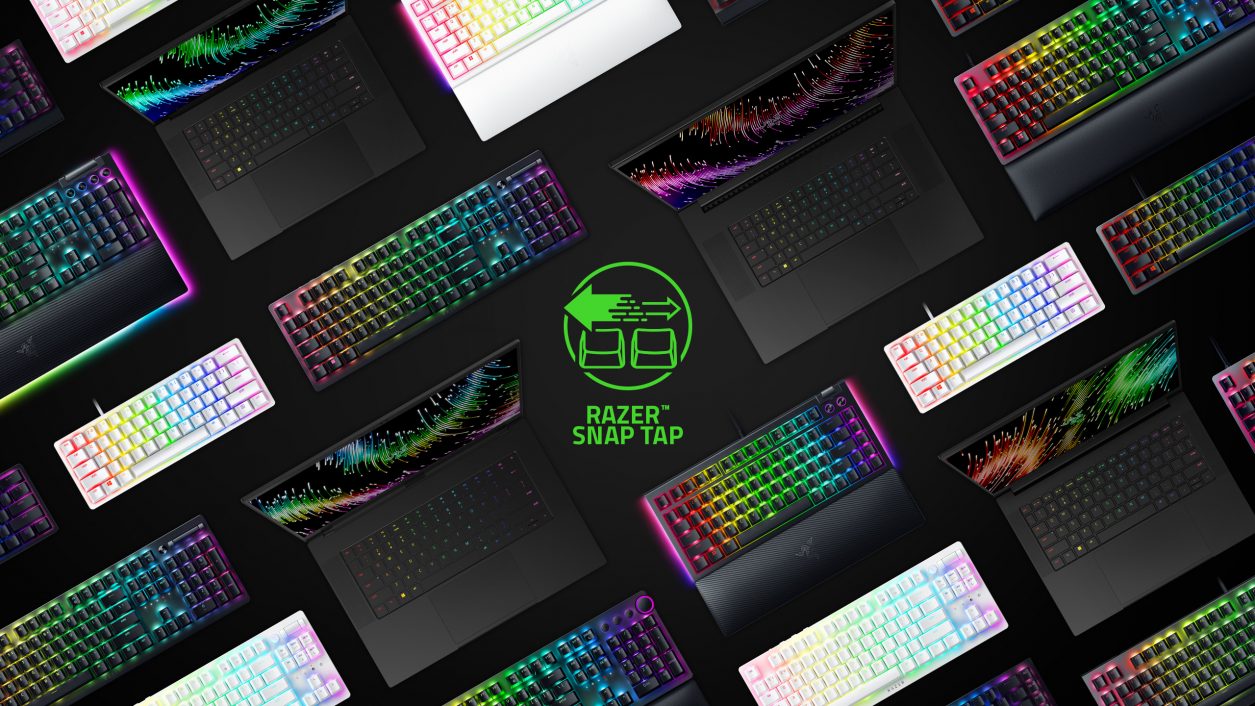
Rounding out the slew of updates is the availability of Razer’s Snap Tap mode on more devices, including the brand’s keyboards and the Razer Blade gaming laptop.
First announced in July specifically for the Razer Huntsman V3 Pro Line, Snap Tap mode is now available on the Razer Black Widow V4 Pro 75% and more.
Snap Tap mode allows better responsiveness on gaming setups, and is beneficial especially for shooter titles.
It prioritizes the last input key when two keys are pressed consecutively or simultaneously, without the player having to lift their finger anymore.
That way, FPS players can save time instead of having to switch from one key to another. The seamlessness of the transition is crucial in competitive gaming, as mere milliseconds can affect the gameplay outcome.
Boomslang returning in 2025
Next year, Razer will celebrate its 20th anniversary. At RazerCon 2024, the brand also teased what’s next as far as its lineup of gaming peripherals and accessories.
Razer said the two-decade milestone will be celebrated with the return of the Razer Boomslang.
The iconic mouse renowned for its groundbreaking role in the early days of gaming hardware features an ergonomic design and advanced functionality.
The gaming mouse will adopt state-of-the-art updates for improved performance once it becomes be available for a limited run next year.







Accessories
OBSBOT’s Meet Flip is your next best pocketable 4K webcam
Fold the Flip for further protection

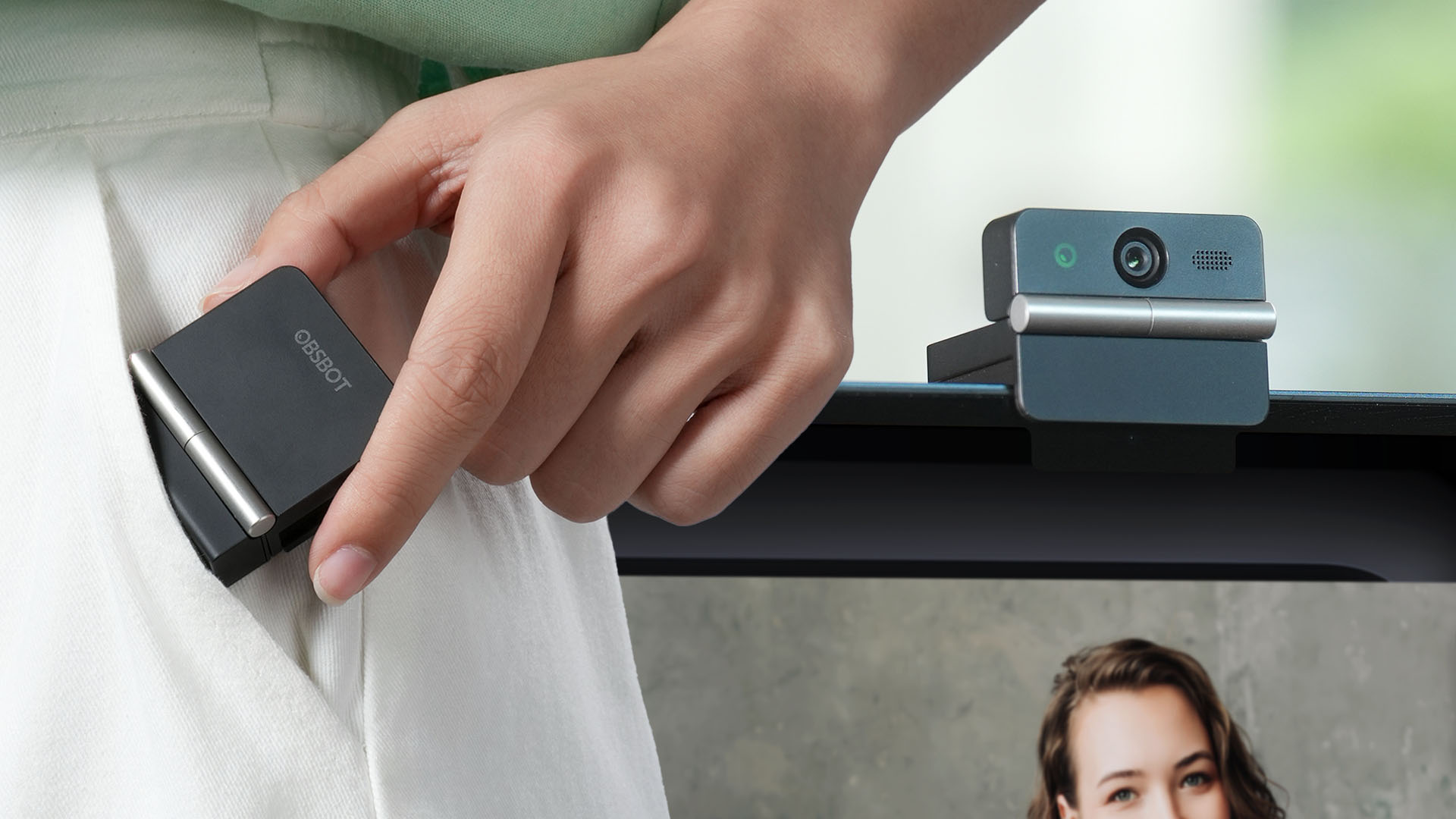
Several months ago, you might remember that OBSBOT revealed the Tiny 3 series of web cameras.
Six months after, they also unveil the all-new Meet Flip. From the name itself, it’s the company’s latest foldable 4K webcam that puts hardware privacy front and center.
Foldable and pocketable
Despite weighing just 37.7 grams, the Meet Flip aims to deliver premium webcam features for all types of users. Be it remote workers, professionals, or content creators.
Graphics by Vincenz Lee | GadgetMatch
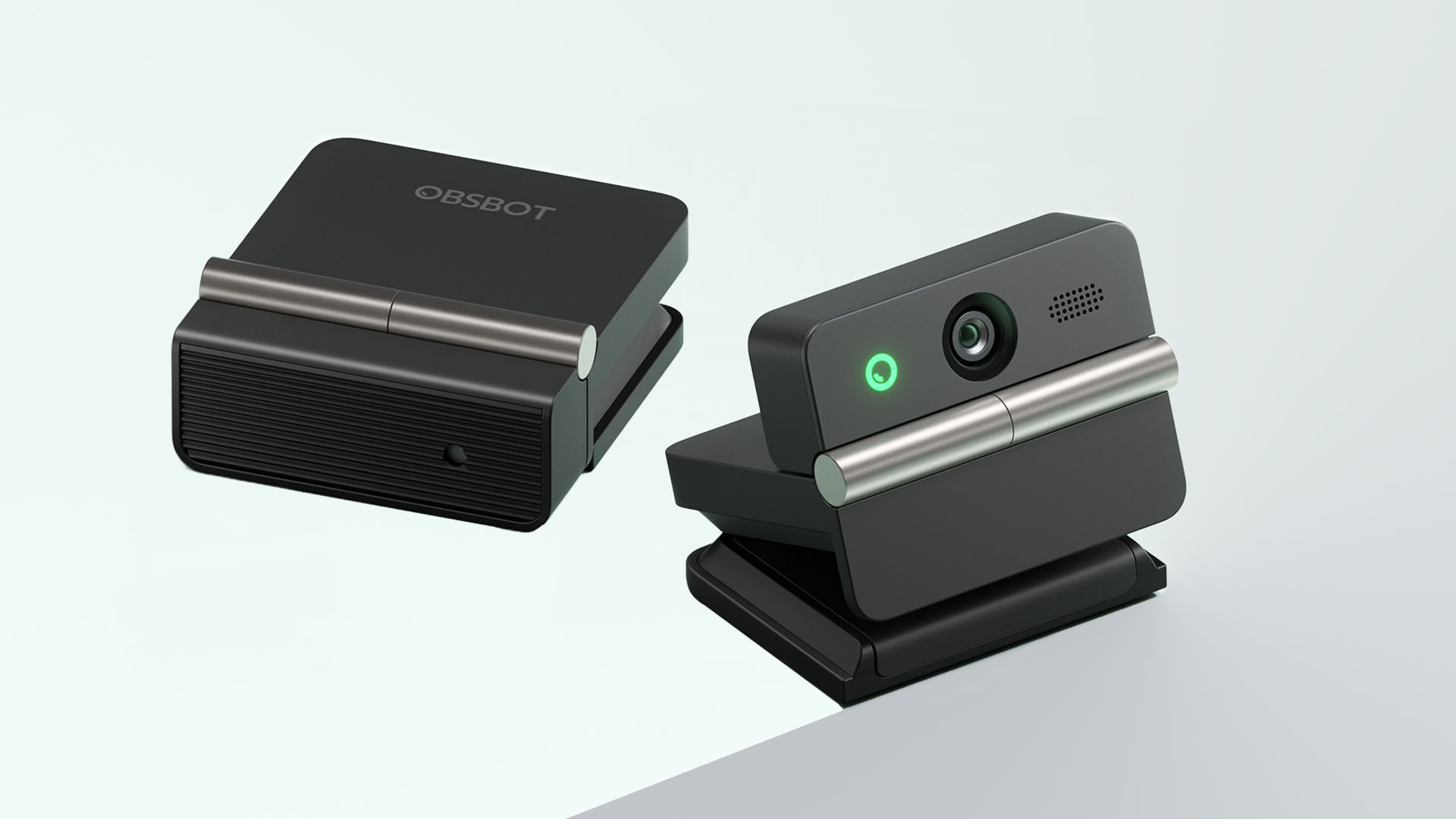
Undoubtedly, the biggest highlight has got to be the webcam’s folding design. Not only it’s portable, it protects your privacy too.
Closing the device physically blocks the lens, giving users a visual confirmation that the camera is no longer active. When it’s time for a meeting, simply unfold it and it’s ready to go.
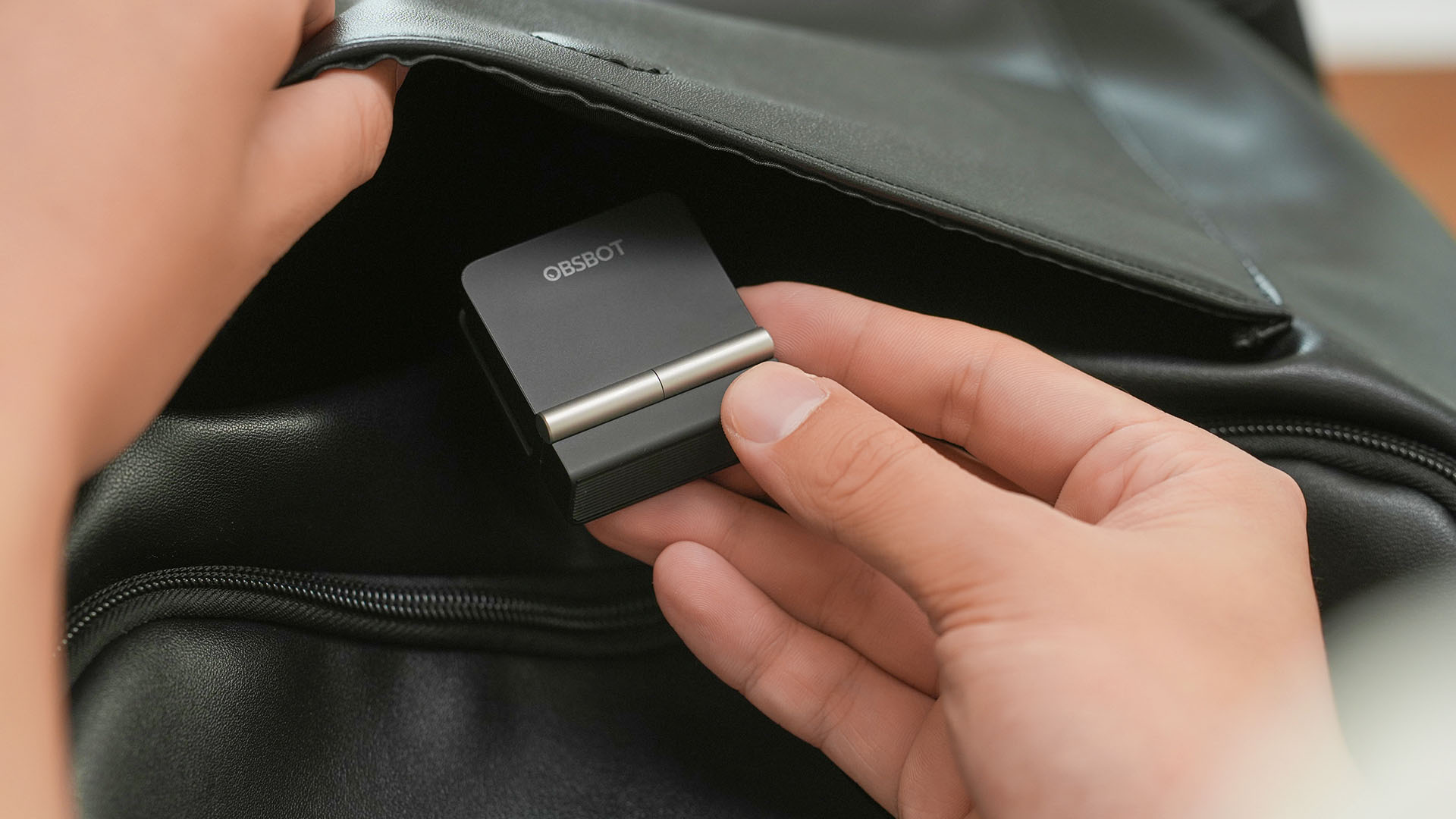
That lightweight body also features a built-in mounting clip that works with laptops, monitors, and tripods. Users can mount it in landscape, portrait, or even upside-down orientations depending on their setup.
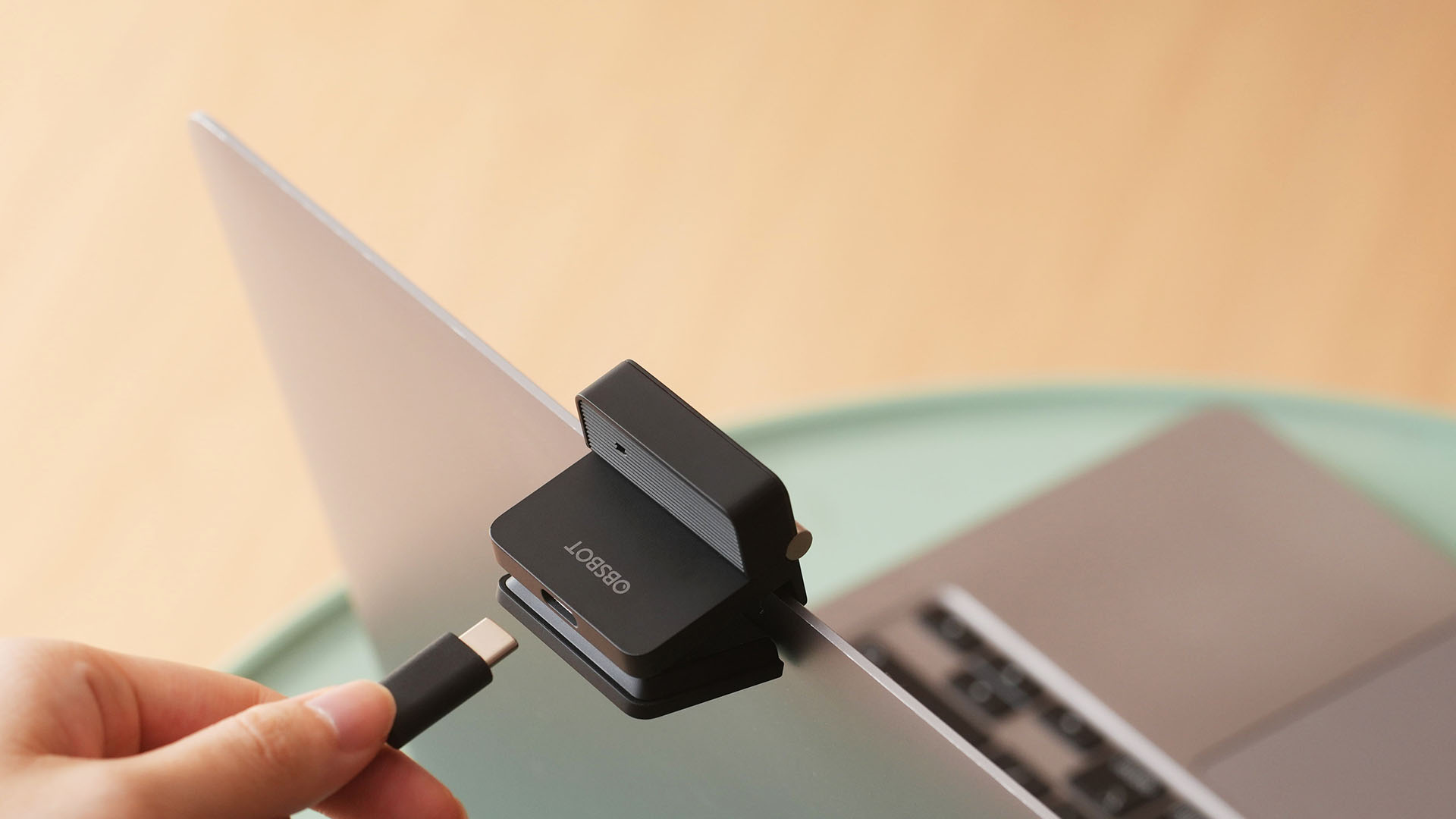
Despite that absurd amount of lightweightness, the OBSBOT Meet Flip is still able to house a 1/2-inch Exmor RS stacked CMOS sensor with Quad Bayer technology. That’s something more commonly found among bigger and higher-end web cameras.
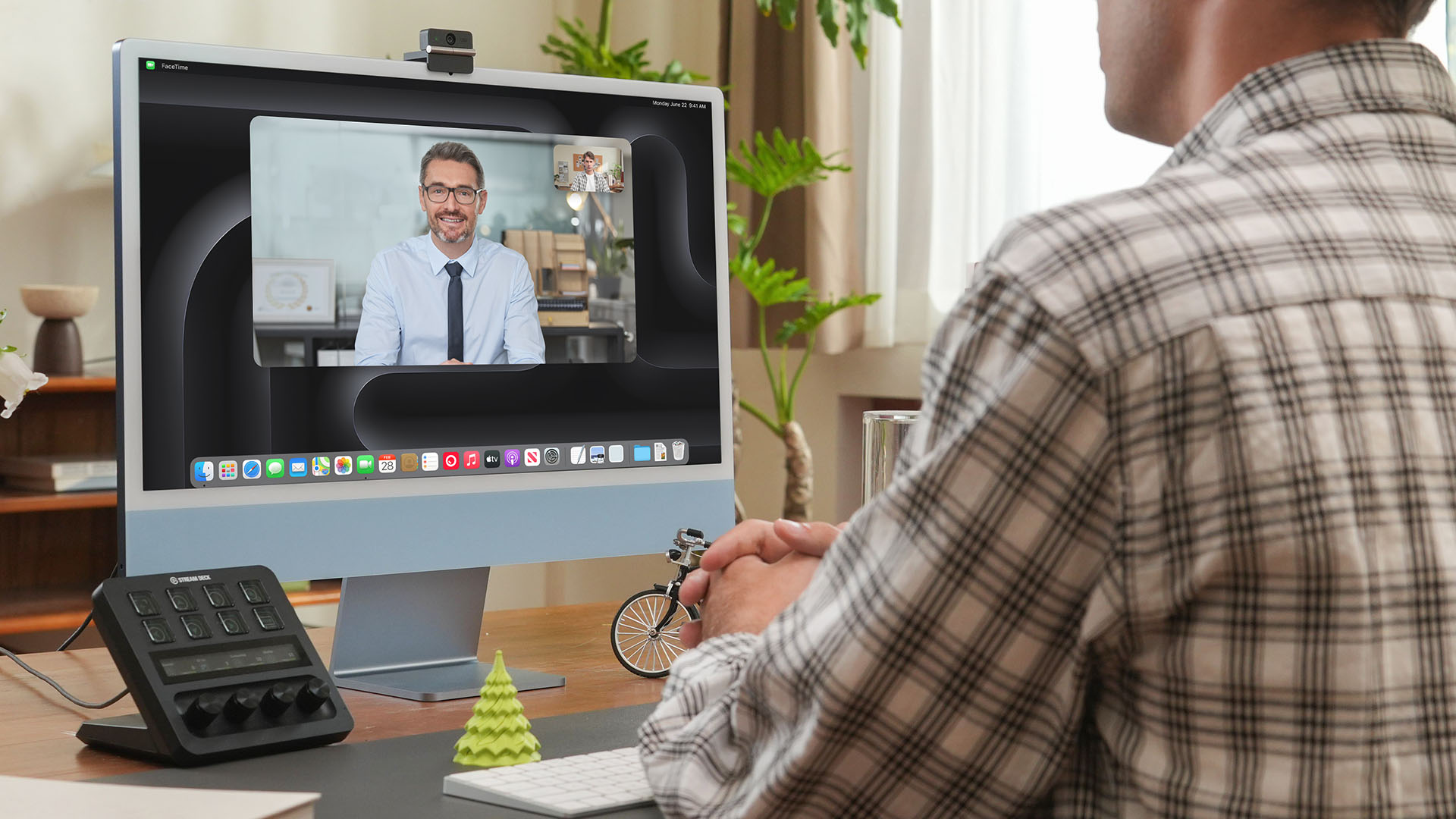
Other camera features include:
- 4K video recording / 30fps
- 1080p recording / up to 60fps
- HDR support for challenging lighting
- Phase Detection Autofocus (PDAF)
- 4x digital zoom
- f/1.8 aperture with ISO 100-6400 support for low-light environments
Beyond just video calls
The OBSBOT Meet Flip isn’t just packed with serious camera hardware, it’s seriously intelligent as well.
The Meet Flip supports AI Auto Framing. This automatically keeps users centered during meetings — regardless if they are presenting alone or with a group. Gesture controls also let users activate framing or adjust zoom without touching the keyboard or mouse.
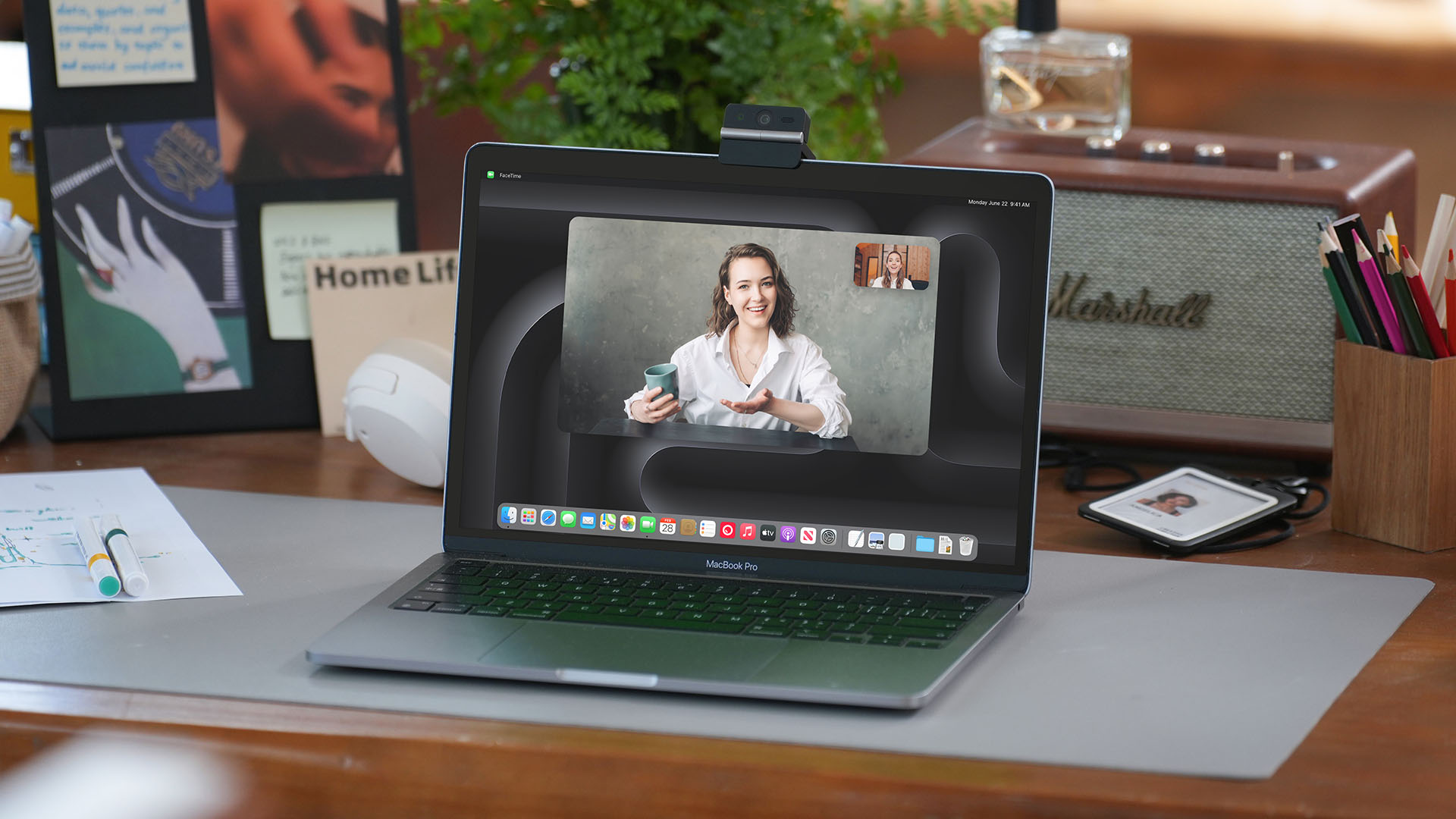
Another standout feature is AI Magic Notes which provides real-time meeting transcription and automatically generates summaries, action items, and key discussion points.
The feature works with Google Meet, Zoom, and Microsoft Teams through OBSBOT Center. Every webcam includes complimentary transcription of 120 minutes.

With that being mentioned, OBSBOT Center also makes users gain access to software features such as background blur, virtual backgrounds, beauty mode, and picture-in-picture overlays for presentations.
Those who want more advanced controls can enable Smart Eye Tracking, teleprompter support, and manual image adjustments.

Audio also gets an upgrade through an intelligent dual-microphone system that offers four recording modes:
- Directional Mode / solo calls
- Dual-Directional Mode / interviews
- Smart Omni Mode / group meetings
- Pure Audio Mode / unprocessed stereo recording
AI Noise Reduction and Automatic Gain Control are also available across most modes to help improve voice clarity.
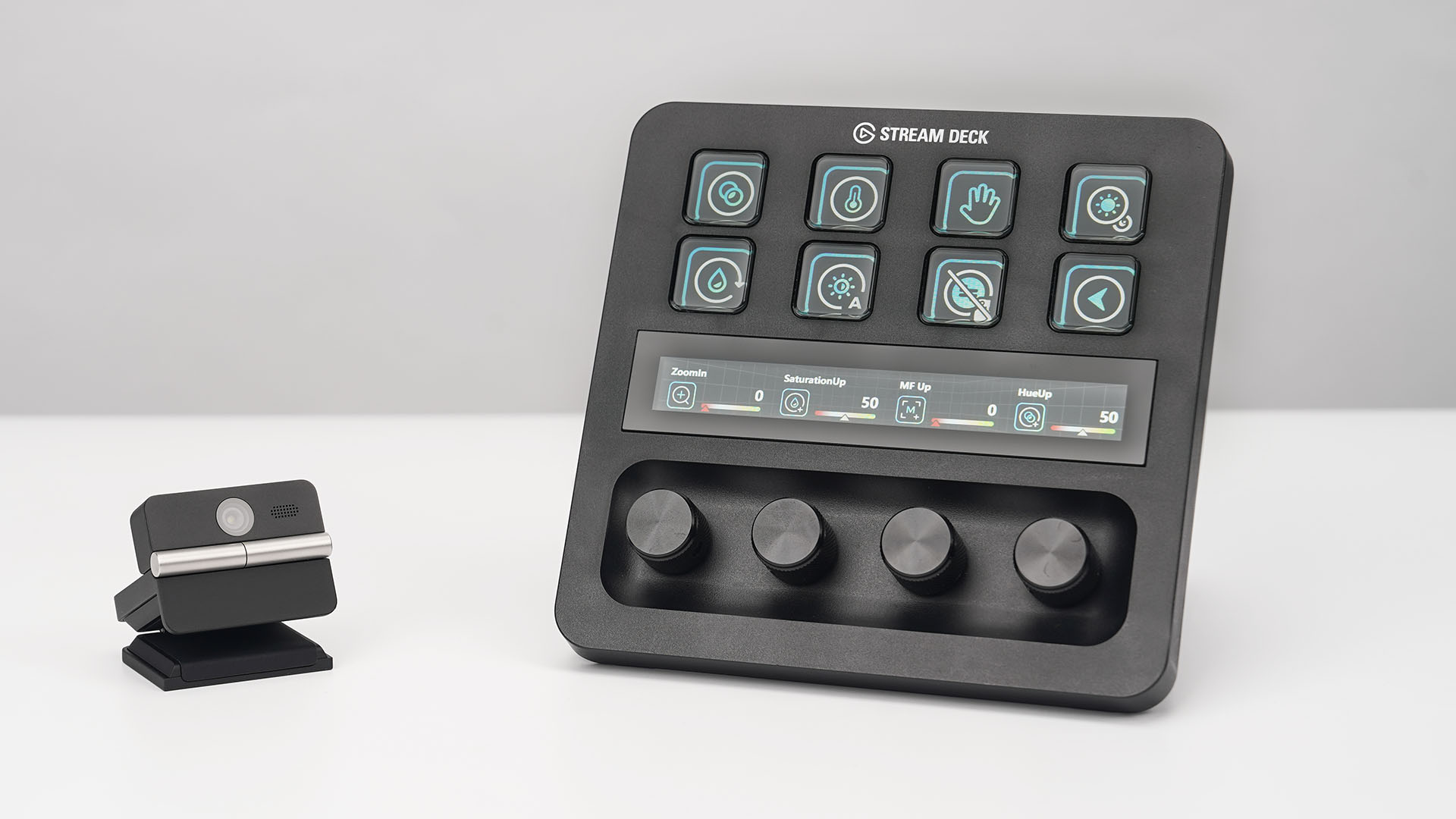
OBSBOT’s Meet Flip is also compatible with mobile devices through the OBSBOT Live app and supports integrations with accessories including Elgato Stream Deck, Nintendo Switch 2, and UVC-to-NDI/HDMI adapters.
Pricing and Availability
The OBSBOT Meet Flip is available starting today for US$119 through OBSBOT’s online store, Amazon US, and select retailers worldwide. Regional pricing may vary.
Accessories
CASETiFY drops Samsung Galaxy Z8 series collection
Tailored for the latest foldable devices
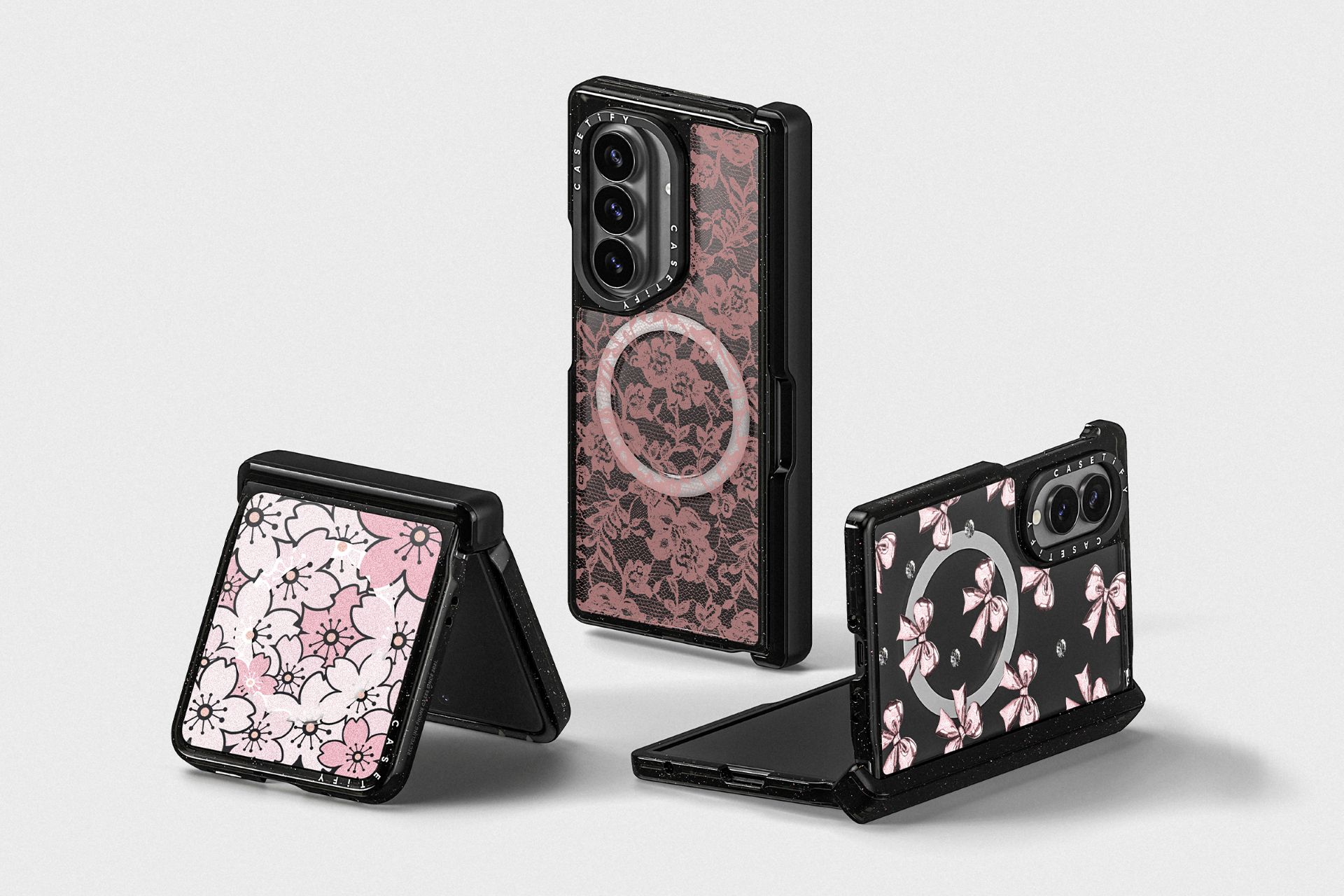
CASETiFY, as expected, has dropped its latest ecosystem tailored for the new Samsung Galaxy Z8 series devices.
The lineup caters to all devices under the series: the Samsung Galaxy Z Flip8, Z Fold8, and Z Fold8 Ultra. Accessories under the lineup range from US$ 20 to US$ 70. They are available across more than 70 CASETiFY Studio locations worldwide.
The latest collection reimagines the relationship between hardware and style, effortlessly bridging heavy-duty, military-grade protection with a modular network of magnetic add-ons and deeply personalized visuals.
Recognizing that the hinge is the most fragile component of a foldable device, CASETiFY is introducing a precision-engineered, smooth-gliding hinge protection mechanism for the very first time.

This is fortified to be incredibly tough and resilient against daily impacts for uncompromised 360-degree defense.
At the same time, CASETiFY still promises a seamless open-and-close movement each time to make the phone secure, clean, and easy to carry.
The CASETiFY Samsung Galaxy Z8 series lineup includes:
Impact Magnetic Case
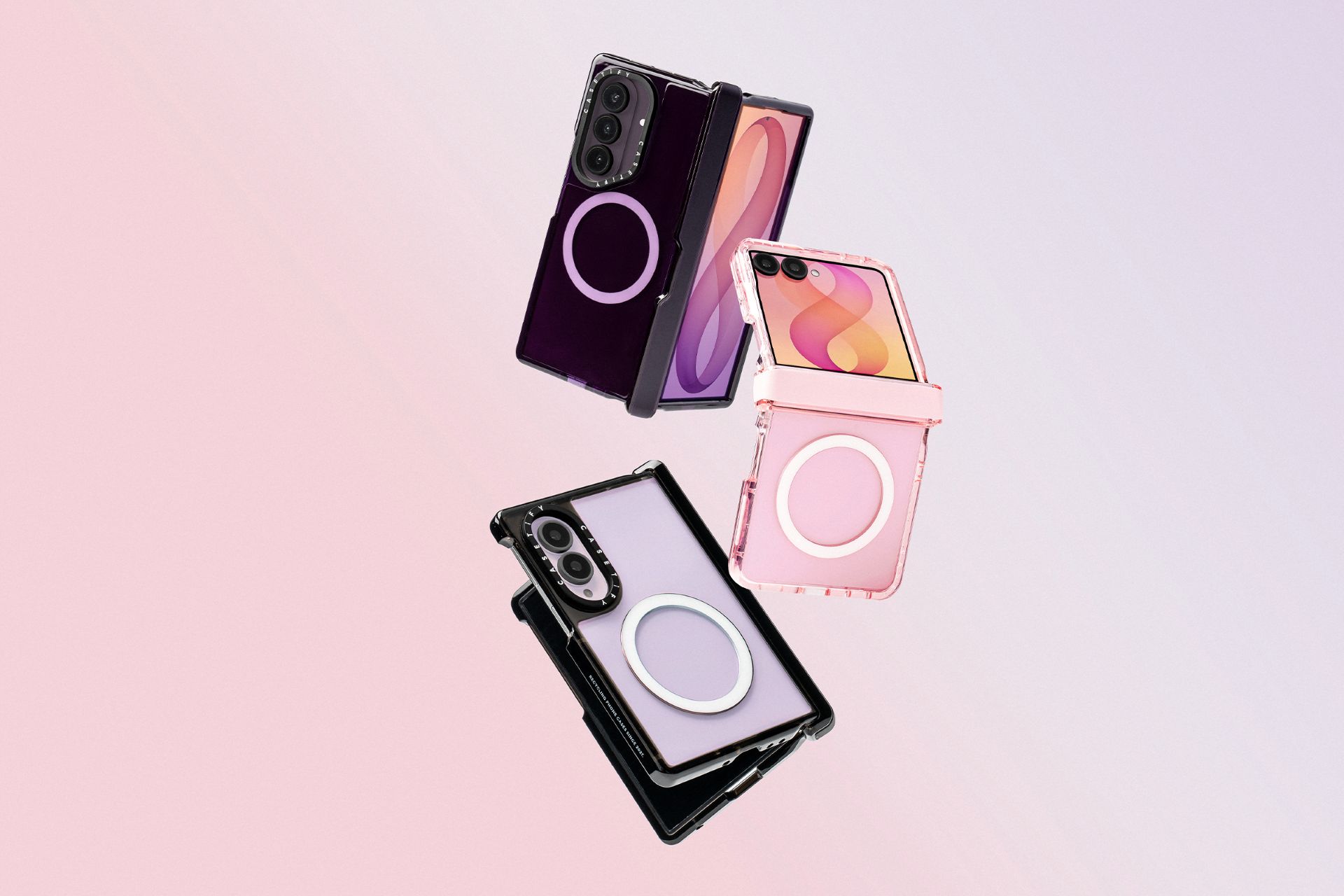
The signature case introduces a breakthrough, smooth-gliding hinge cover that fully encases the device’s moving parts — minus the bulk. It is fortified with EcoShock technology and protective raised bezels.
Impact HD Screen Protector
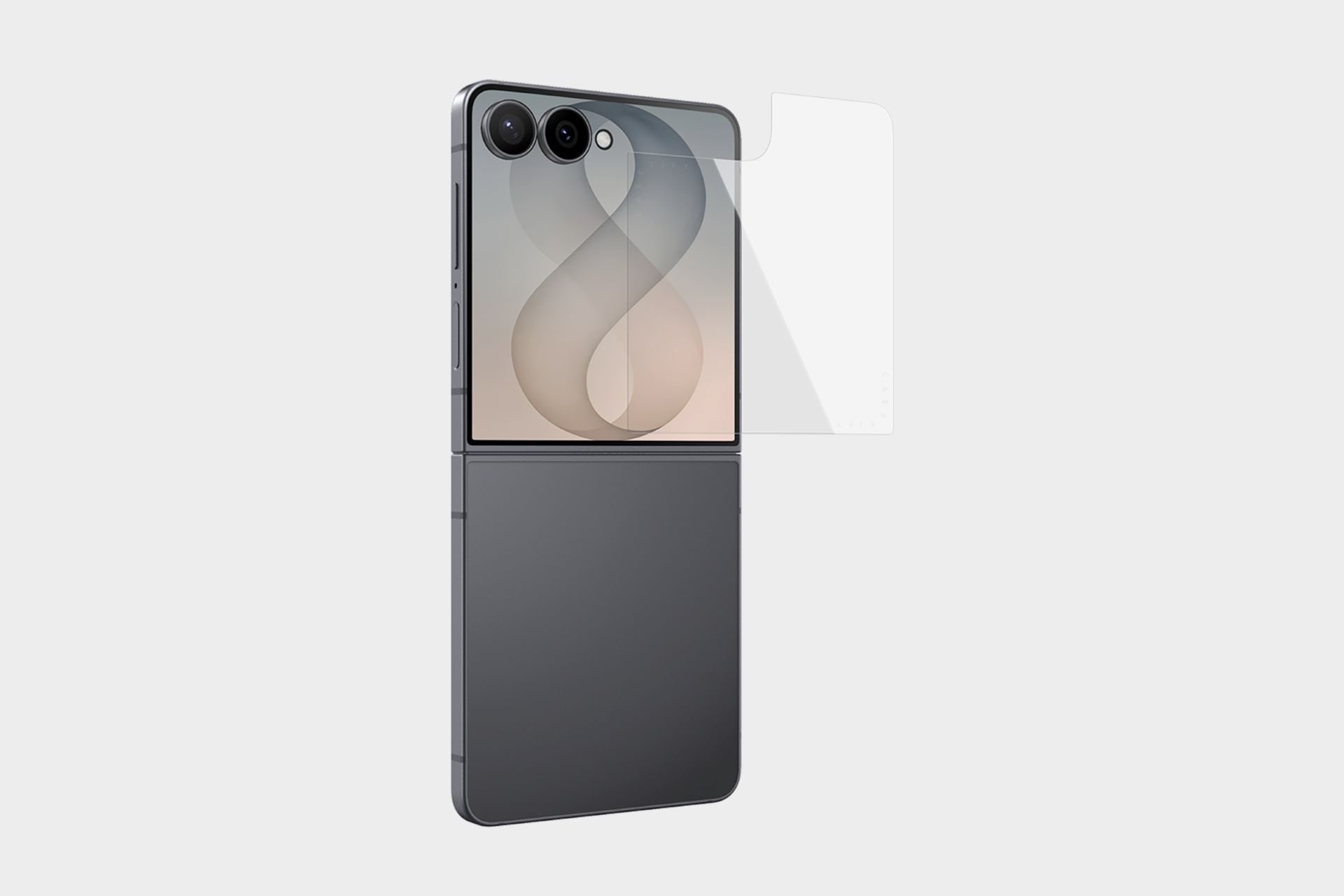
This ultra-responsive defense layer is crafted from surface-strengthened 9H tempered glass. It features advanced anti-fingerprint and antimicrobial coatings.
Impact Camera Lens Protector
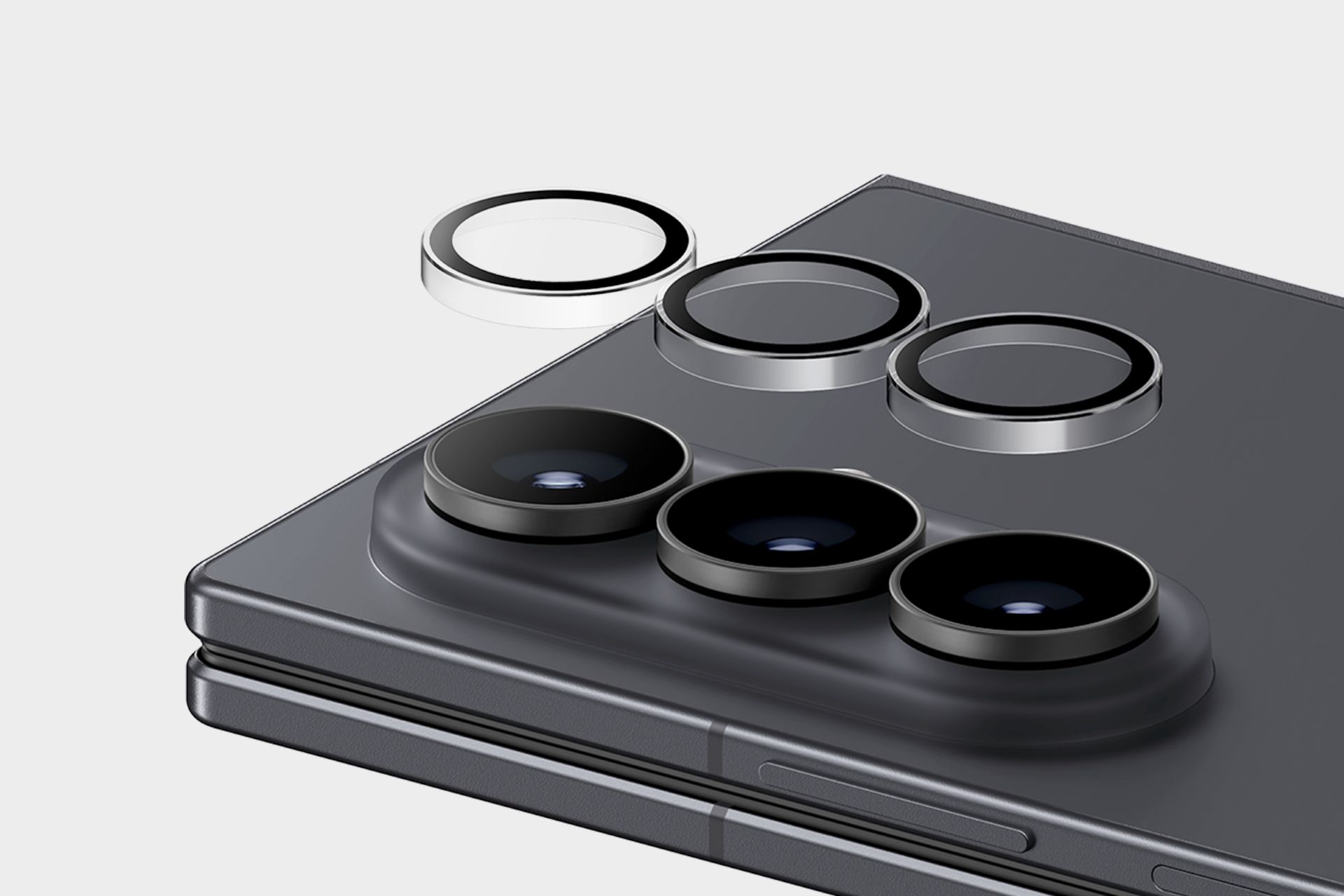
This scratch-proof tempered glass shield keeps your camera safe from every angle. It is also precision-engineered to prevent flash light haze to preserve original photo quality.
16 Personalities Print Collection
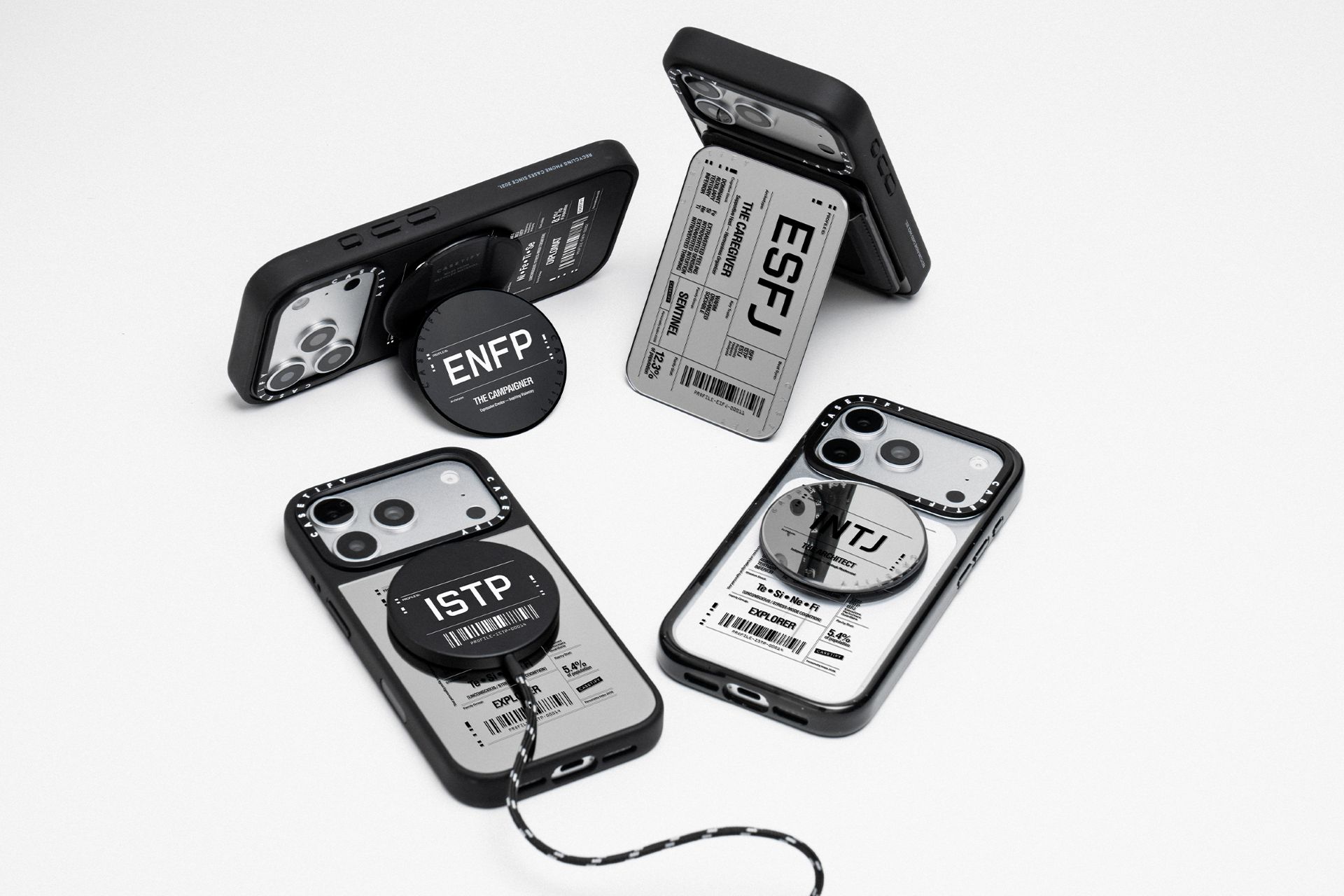
In addition, CASETiFY is giving enthusiasts a way to show who they are with the brand-new 16 Personalities Print Collection.
This typography-centered collection turns a four-letter personality personality archetype into a high-design visual manifest.
The highly collectible print collection expands far beyond the Galaxy Z8 series. It will be available across a wide selection of iPhone silhouettes and compatible lifestyle options.

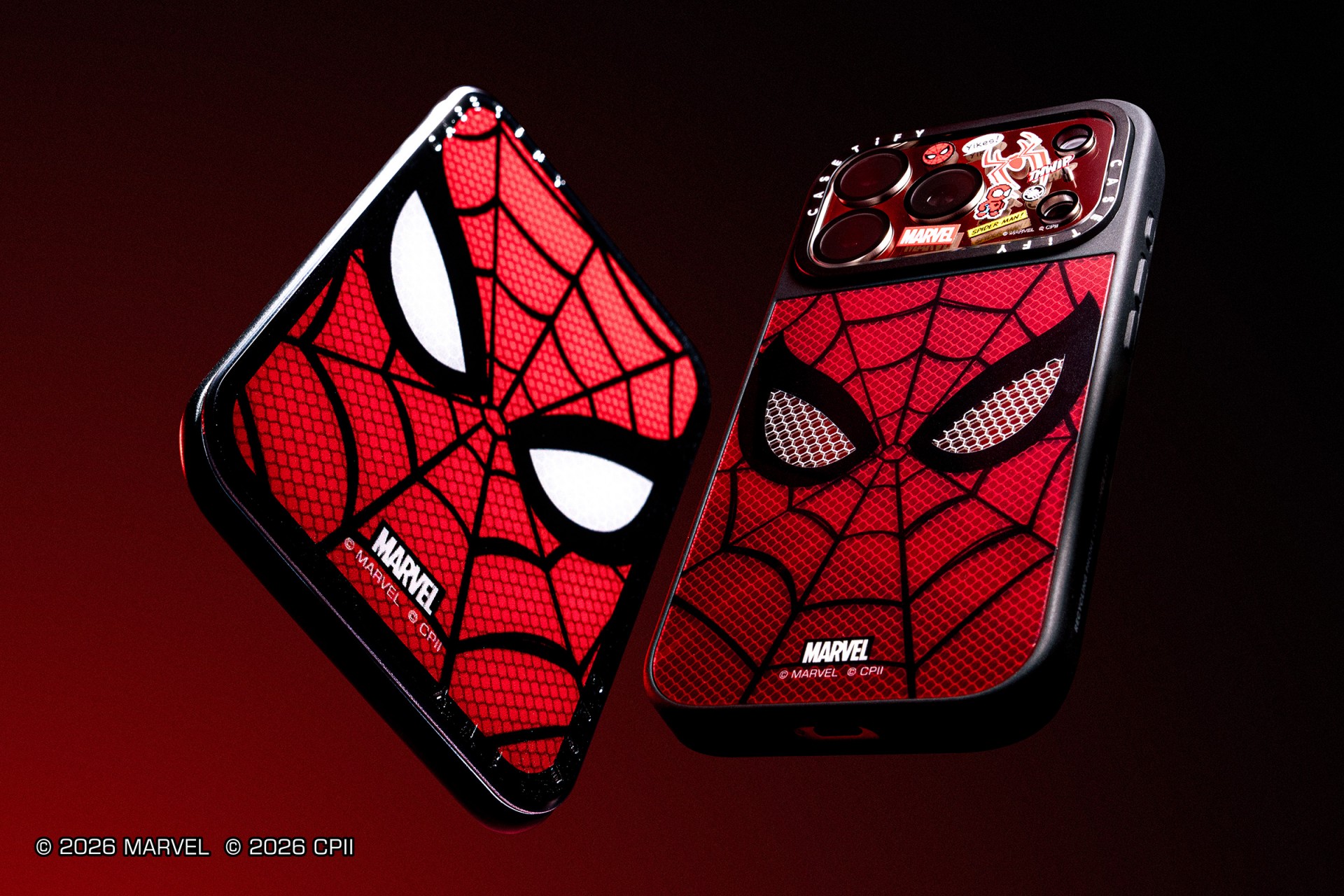
CASETiFY has unveiled a new Marvel collaboration inspired by Spider-Man: Brand New Day. The collection marks the brand’s first Spider-Man release since 2023. It also arrives alongside Sony Pictures’ upcoming film, which opens later this month.
The lineup includes phone and tablet cases, MagSafe accessories, earbuds cases, watchbands, laptop sleeves, and wireless chargers. It is headlined by two premium phone cases. The Aluminium Spider-Man Mask Case costs US$84, while the 2.5D Silicone Case sells for US$78. Both are available for the iPhone 17 Pro and iPhone 17 Pro Max.
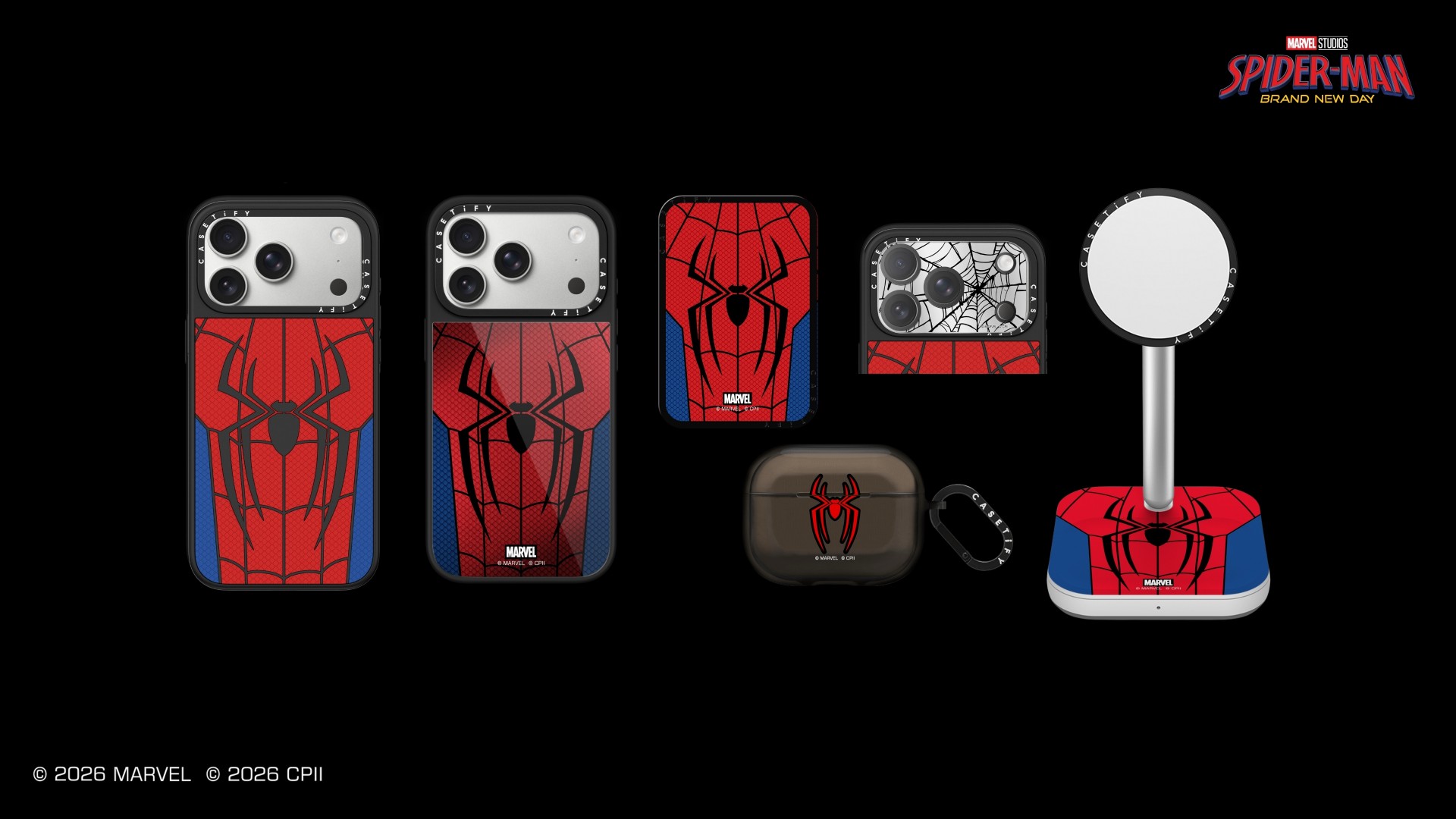
Fans can also choose from five printed phone case designs: Spider-Man New Mask, Spider-Man Poster, Spider-Man Medley, Spider-Man Medley (Dark Version), and Spider-Man New Suit. CASETiFY also lets buyers personalize select phone cases and MagSafe wallets through its Custom Sticker feature.
More Spider-Man accessories
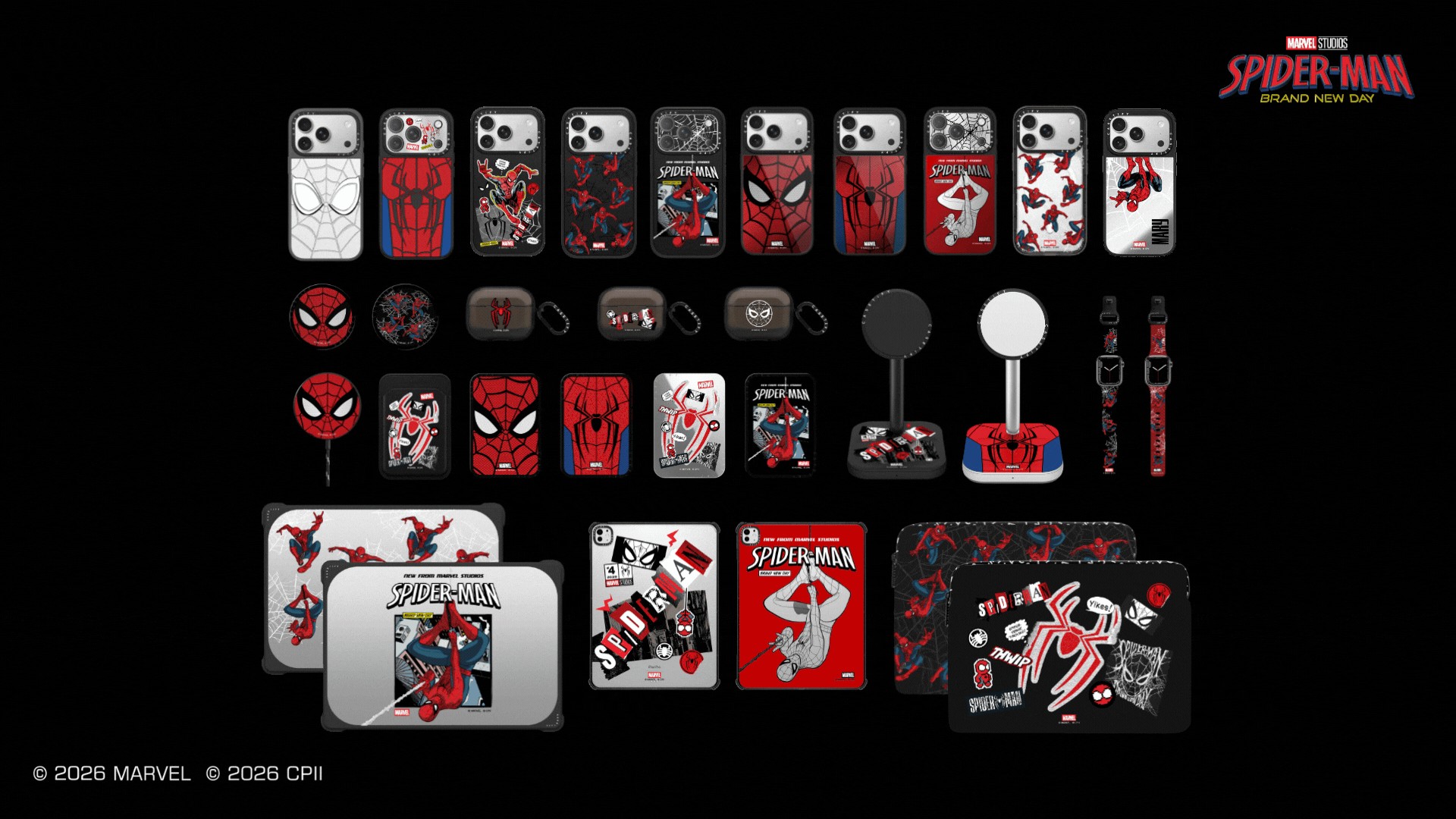
The collection goes beyond phone cases. It also includes MagSafe Grip Stands, Cardholder Stands, Wallets, a 2-in-1 Charging Stand, Earbuds Cases, Watchbands, Camera Lens Protectors, Laptop Cases and Sleeves, Tablet Cases, and Wireless Chargers. Prices start at US$24 for the Camera Lens Protector and go up to US$92 for the 2-in-1 Charging Stand.
The Marvel Spider-Man: Brand New Day x CASETiFY collection is now available through CASETiFY’s website, the Co-Lab app, and CASETiFY STUDiO stores worldwide.


realme C100: Enduring and durable in spite of entry-level realities
Enough power but needs more agility


The ASUS ExpertBook Ultra wins you over
The laptop sneaks up on you


Nexal Watch Sport review: A rugged watch for small budgets
I couldn't believe that watches this good could come for this cheap.

Call of Duty: Modern Warfare 4 clip shows Losing Ground 1st look

Street Fighter special look: Blanka vs. Ryu

Xiaomi debuts SkyNomad Series featuring new Kunlun platform

GAC launches new trio of MPVs

TECNO unveils the world’s first 0mm bezel-less phone

New York becomes first state to ban smart glasses

Sony launches IER-M500 in-ear monitors

Microsoft dictates that a new Fallout game is coming

HoYo FEST 2026 details announced; tickets on sale from July 16
realme C100: Enduring and durable in spite of entry-level realities


-

 Wearables2 weeks ago
Garmin launches its first screenless fitness band
-

 Hands-On2 weeks ago
Hands-on: Samsung Galaxy Z Fold8, Flip8, Ultra
-

 Gaming2 weeks ago
Call of Duty, Aston Martin unveil Dreadnought for Modern Warfare 4
-

 Gaming2 weeks ago
NBA 2K27 cover athletes unveiled: Wemby, Clark, DRose
-

 Accessories1 week ago
CASETiFY revives Spider-Man collection for Brand New Day
-

 Cameras2 weeks ago
Sony announces new FX5 full-frame camera
-

 Gaming1 week ago
FINAL FANTASY X | X-2 HD Remaster launches on Nintendo Switch 2
-

 Entertainment2 weeks ago
Avengers: Doomsday trailer assembles Marvel’s biggest heroes against Doctor Doom