

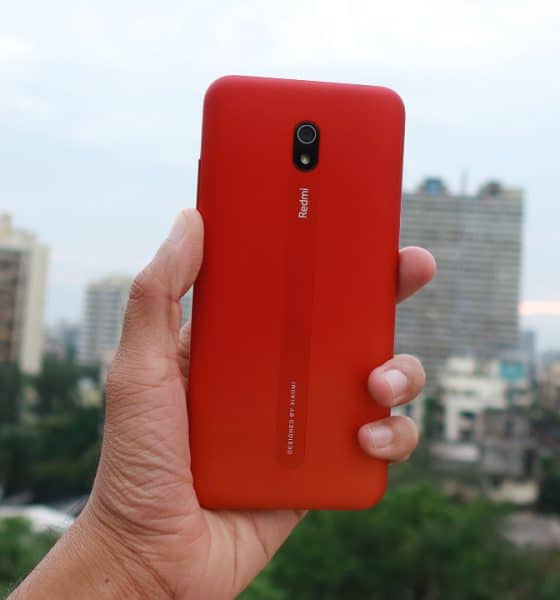

When Xiaomi announced the Redmi 8 series, it’s banking on it to take on Realme as well as Samsung. Expectations are high and there’s no room for error in a competitive market. I’ve been using the Redmi 8A for quite some time now and even though it’s an entry-level phone, the experience of using it is far from it.
With a starting price of just INR 6,499 (US$ 92), it has to continue its predecessor’s legacy as well as make a mark for itself. Has Xiaomi cut any corners to keep the price low? Can this phone be your GadgetMatch?

It has a shockingly huge battery
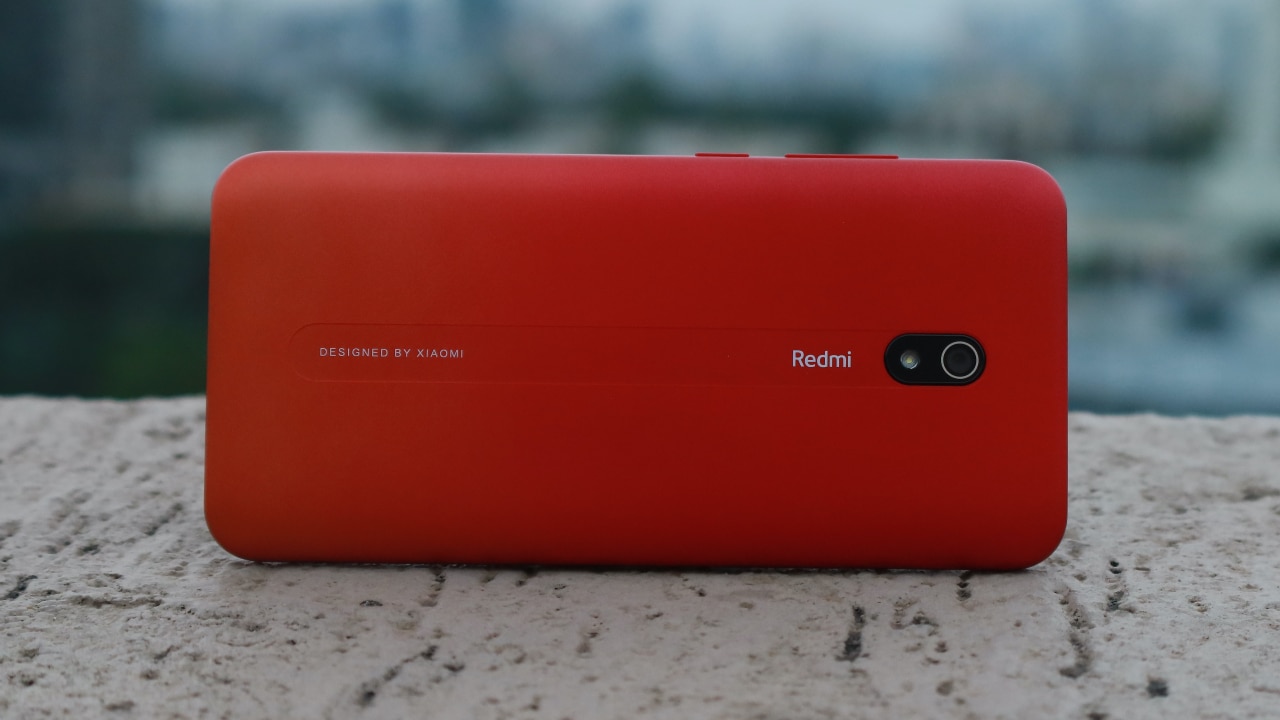
The phone comes with a 5000mAh battery, a feature we have yet to see in phones that cost 10x more. I was able to get at least two days of heavy usage on a single charge. With this, you’ll never have to worry about carrying external power packs since the phone itself acts like one. Though the huge battery does make it slightly bulky, the overall user experience remains unhindered due to a lighter polycarbonate design.
It supports 18W fast charging and can be fully charged in less than two hours. Xiaomi is targeting developing markets like India with this phone and there are still places where electricity supply is spotty and unreliable. For users in these towns, this phone makes a lot of practical sense because you don’t need to be hooked onto a power socket. If you have a flagship phone, the Redmi 8A can make an excellent secondary offering as well.
A design we’ve never previously seen in this segment

We don’t expect an entry-level phone to have any focus on design, but Xiaomi has been clever and added tiny circular contours on the back that look different and make the phone grippy. Unlike other plasticky phones, the material here is hard and there are no flimsy corners or sides. The phone feels like a brick in hand, but with slightly curved sides on the back that makes it comfortable to hold. Competing phones come nowhere close to the build quality of the Redmi 8A.
My unit is called “Sunset Red” and actually features a red-orangish gradient. The gradient isn’t very easily visible but adds a nice touch to the overall design.
The volume rockers and power buttons are located on the left side and are sturdy. There’s a satisfying click to them and definitely, don’t feel cheap. The SIM tray is on the right and obviously, there’s dual SIM support. Additionally, there’s a dedicated microSD card slot for expandable storage.
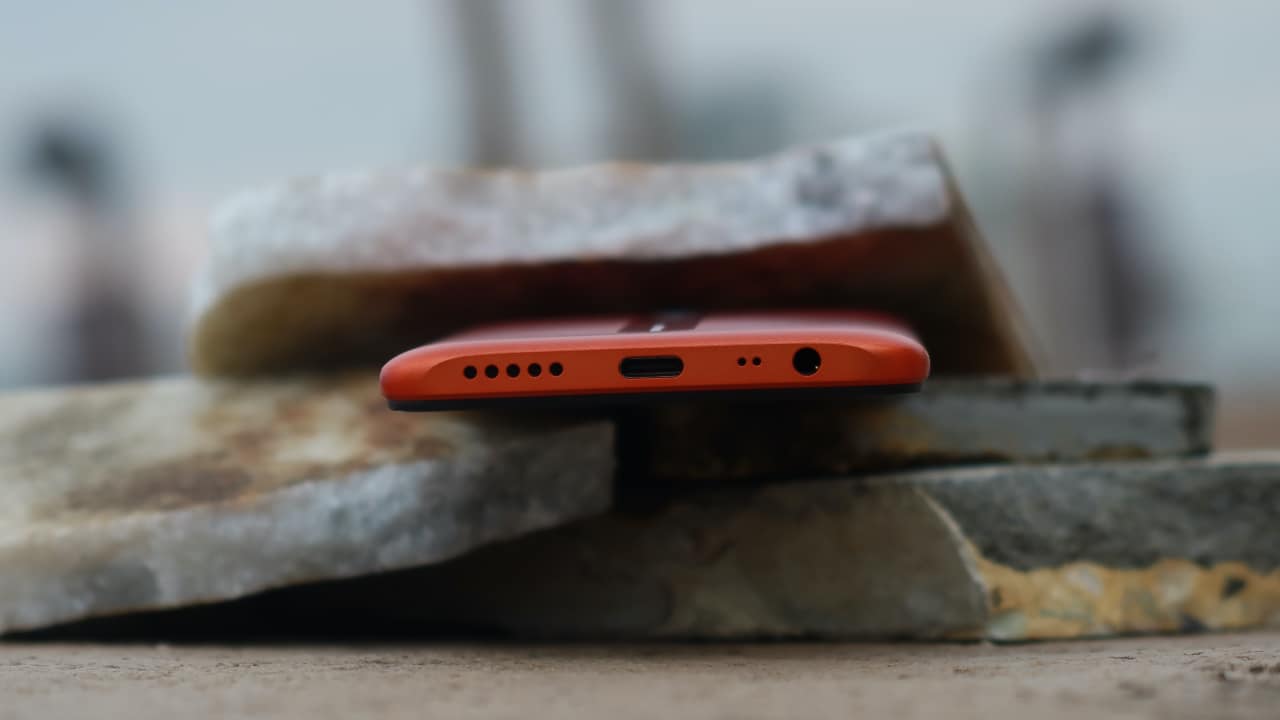
I’m glad Xiaomi took the lead and added and a USB-C port for charging and data transfer. The port is widely used now and extremely convenient. Don’t worry though, a 3.5mm headphone jack has also been included and the two ports sit on the bottom, along with the speaker grill. The speaker is sufficiently loud and I wouldn’t expect anything more considering the price.
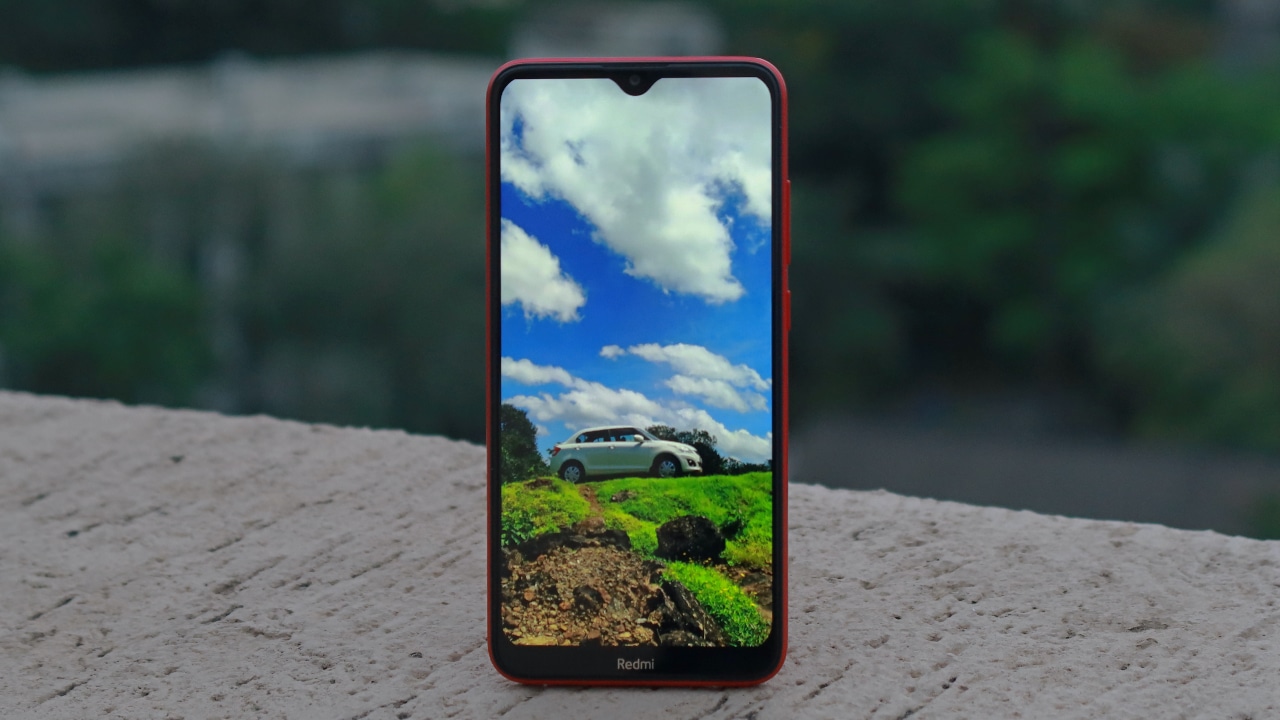
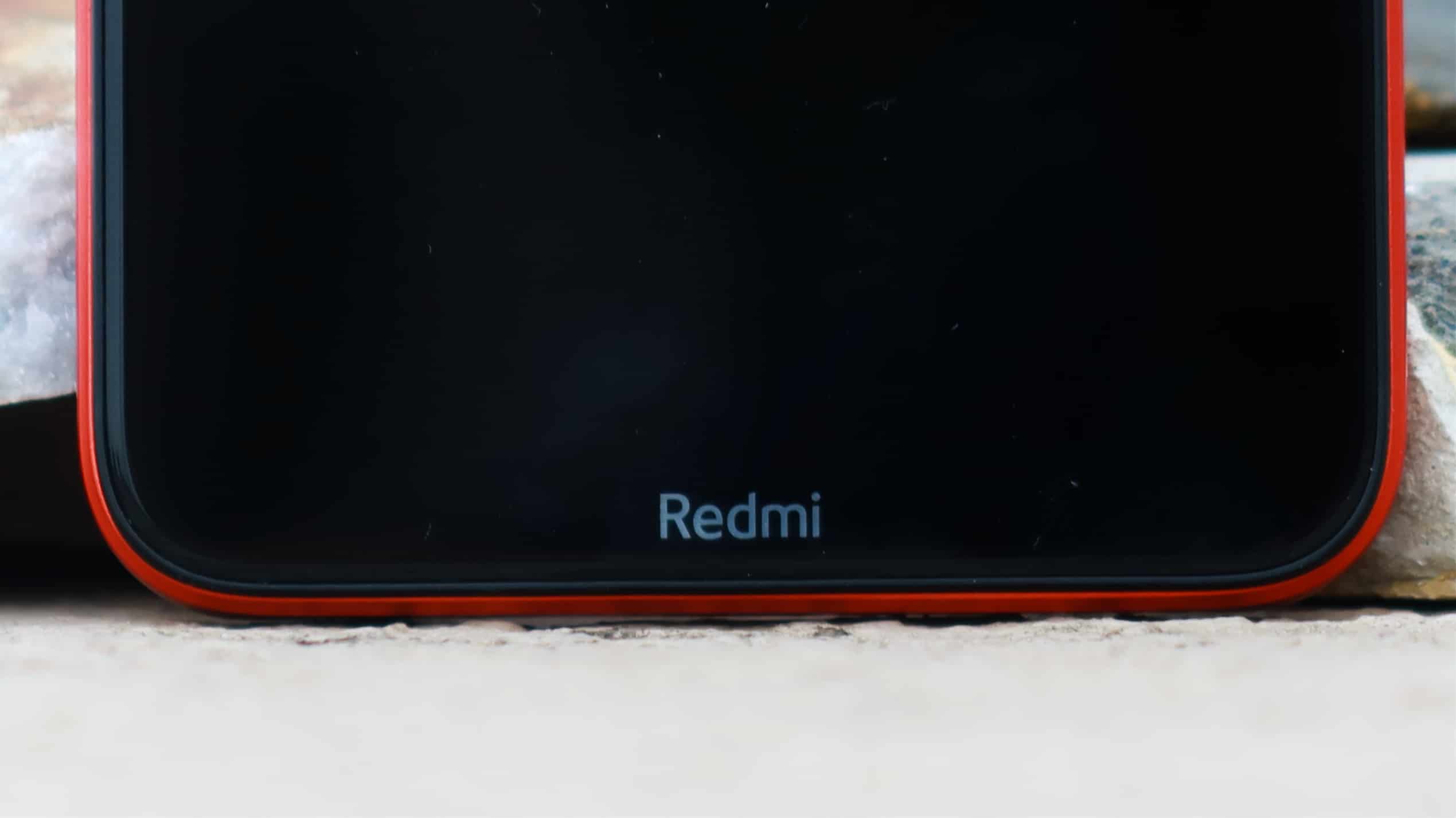
On the front is a 6.2-inch LCD display with HD+ resolution and a tiny water-drop notch. It is quite bright and usable under direct sunlight. Colors are vibrant and the screen is protected by Gorilla Glass 5. The glass is slightly raised and a small plastic layer protects the glass against accidental drops. The chin has been cut slightly and sports the Redmi branding.
The same camera sensor as on the Pixel 4

Yep, you read that right. The Redmi 8A’s rear camera sports an IMX363 sensor that’s capable of shooting pictures up to 12-megapixel. Obviously, the Pixel-series has an edge because of Google’s algorithms and processing experience. However, the Redmi 8A shoots above-average pictures with a lot of room for improvement.
In well-lit conditions, the pictures are more on the softer side and dynamic range is often blown out. Focusing is extremely slow and it’s better if you don’t just point and shoot. However, with a little more effort you can definitely take some good pictures. The process would involve manually tapping, adjusting exposure, and selecting the HDR mode. This makes the overall shooting experience slow and tedious.

With a single-sensor, portrait pictures are hard to come by since edge detection is really bad. Low-light shots are decent, but there is a lot of noise. Thankfully, the AI mode does a good job of improving colors in well-lit conditions and often helps in taking difficult shots.
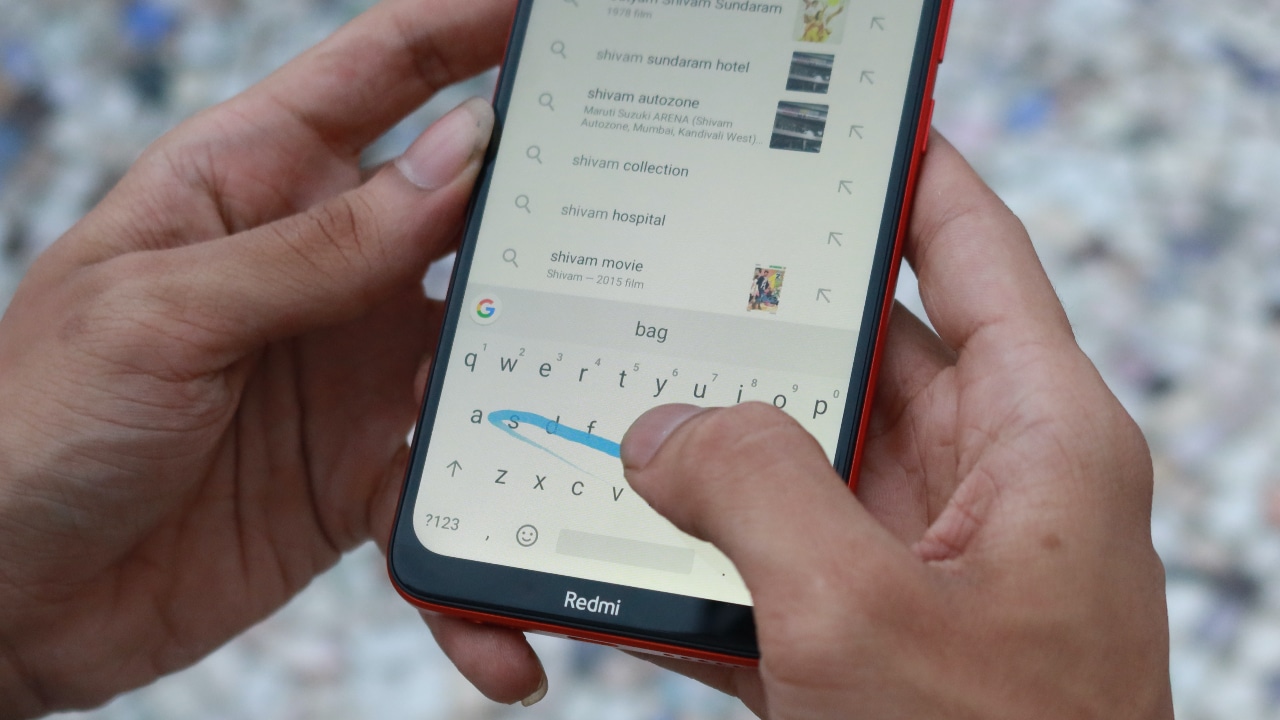
The front has an 8-megapixel selfie shooter and the in-built beauty mode is aggressive by default. Make sure your hands are steady because even a slight movement will mess up the picture.



All that’s fine, can it play PUBG?

Powering the phone is a Snapdragon 439 chipset that has four cores clocked at 1.95GHz and four cores at 1.45GHz. This is coupled with an Adreno 505 GPU and 2GB RAM in the base variant. For day-to-day usage, the processor is efficient and can get all tasks done without a hiccup. For better multi-tasking, it’s recommended you go for the 3GB option.
Games like PUBG are playable with decent frame rates, but overall experience is underwhelming. Although I wouldn’t expect an entry-level phone to kick ass. This phone isn’t built for graphics intensive games and is targeted towards users who need basic requirements to be fulfilled. Most apps like Instagram, Chrome, Google Maps, and Spotify run smooth. As a media consumption device, the phone excels with flying colors.
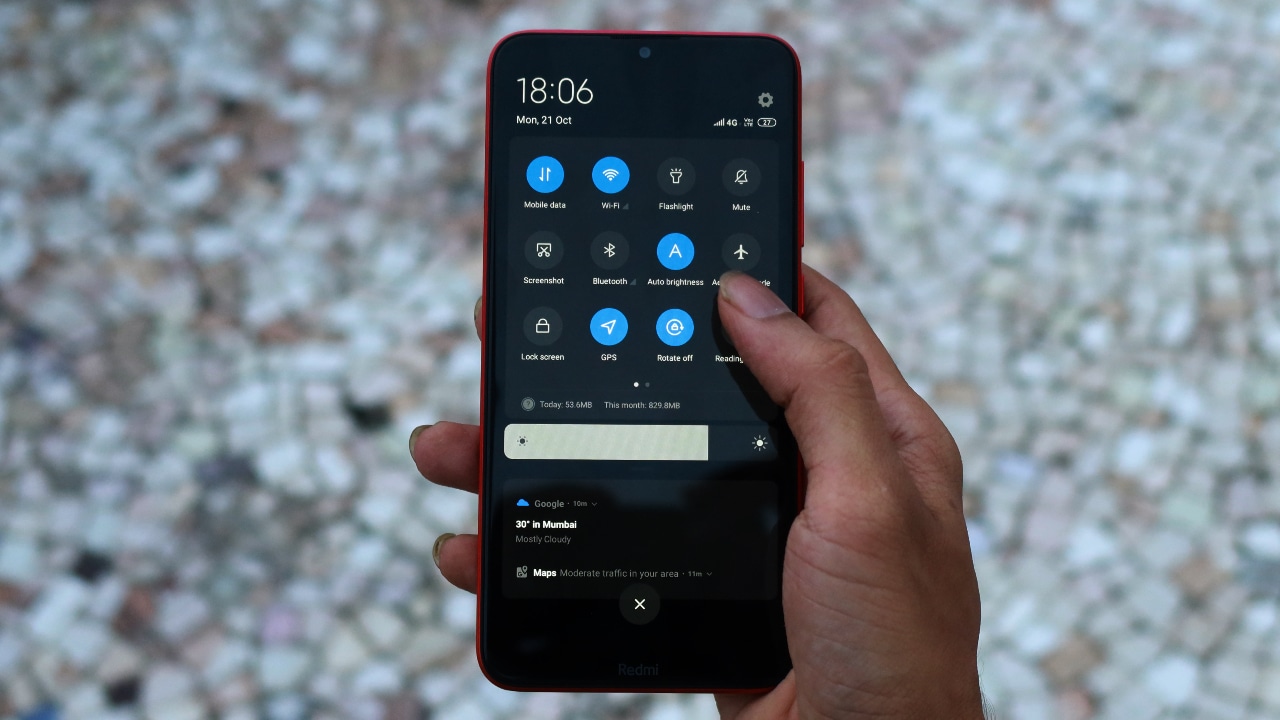
It ships with MIUI 10 out-of-the-box and it offers some cool functionality that’ll be beneficial to the end-user. This includes an app cloner, heavily customizable UI, smooth gestures, and face unlock support. Since there’s no fingerprint scanner for authentication, face unlock is the only practical option and it’s quite fast.
Keep in mind, this authentication method is less secure and you shouldn’t rely on it for top-notch security. MIUI 10 is filled with bloatware and ads in the System UI, something that’s fairly common across all affordable Redmi-branded phones. The haptic response is on point and the overall experience is smooth and fast. Xiaomi has invested some time in optimizing the UI and this extracts maximum bang for the buck.
Is the Redmi 8A your GadgetMatch?

If you’re on a strict budget, the Redmi 8A should be your first choice. It’s quite surprising how Xiaomi has managed to offer so much, for so little. The design is superb, display is on point, and battery is phenomenal. It fulfills all the requirements, considering how affordable the phone is, without any major shortcomings. Many may find the camera to be lukewarm, but come on, you still won’t get a comparable phone at this price.
Xiaomi has perfectly managed its portfolio and if you need more, like a fingerprint scanner, dual cameras, and better performance, the Redmi 8 is for you. At its price, there’s no other phone worth considering than the Redmi 8A.





Apps
Breaking up with Adobe Photoshop after 20 years
Wedding planning and Apple Creator Studio made me realize it was time

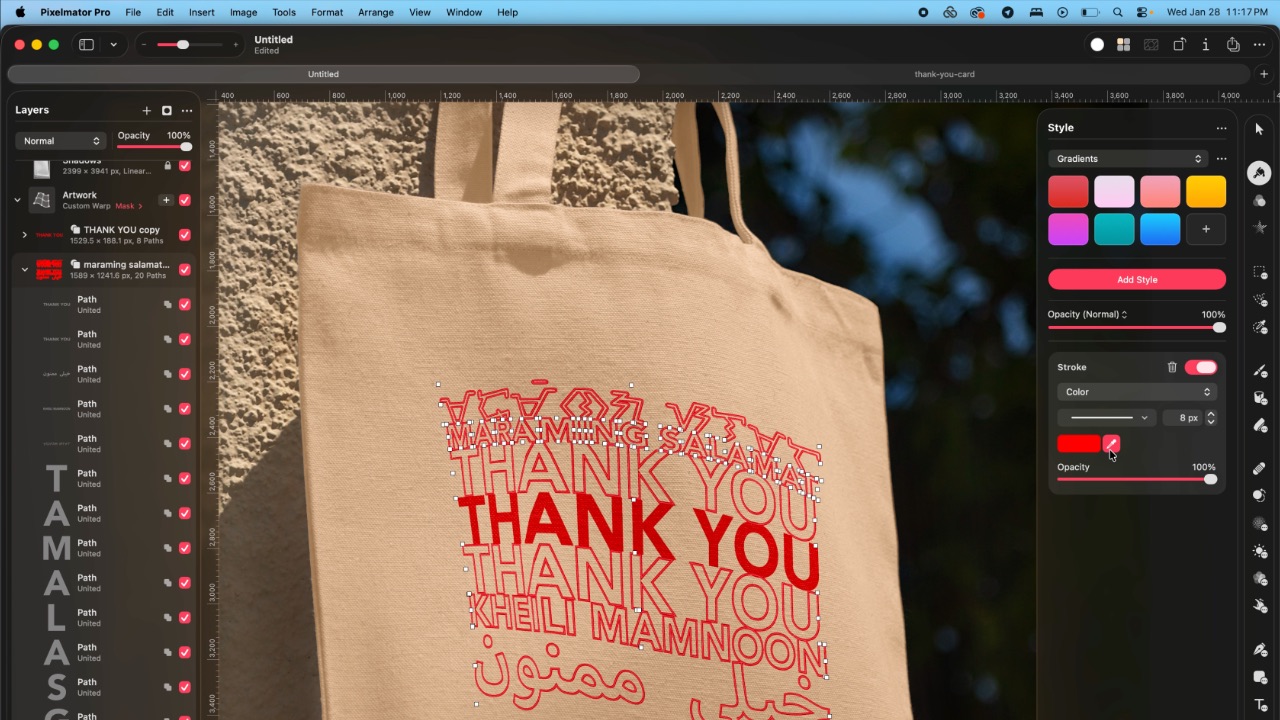
Planning a wedding, even a small and intimate one, has a way of sharpening your sense of priorities. Right as my fiancé and I were making decisions for our city hall wedding here in New York City, Apple announced Creator Studio.
Creator Studio is a subscription service that gets you access to eight creative pro and productivity apps for US$12.99 a month, or US$2.99 if you’re a student or educator. The design app included in the subscription, Pixelmator Pro, is also available as a standalone purchase for US$49.99. Adobe Photoshop, my design software of choice for over two decades costs me US$22.99 a month.
Seeing those numbers next to each other made me pause. It’s not that I was unhappy with Photoshop. I was just suddenly made aware how expensive it is. I’d been paying more for a single tool than I could for an entire creative ecosystem.

Adobe Photoshop was my first foray into the world of graphic design
Creative Studio’s lower price point, along with the free trial, made me consider switching to Pixelmator Pro altogether. That’s something I never thought I would do. Photoshop is how I got into graphic design. It was my first love, and up until recently, I truly thought it would be my ride or die.
Getting to know Pixelmator Pro
If you’re not familiar, Apple’s Pixelmator Pro is a graphic design and image editing app that’s similar to Adobe Photoshop. In practice, it covers a huge amount of the same ground but with a very different philosophy around usability and design.
I tried Pixelmator Pro, mostly as a challenge because we were doing a YouTube video on Apple Creator Studio. Personally, I was lowkey excited to try something new.
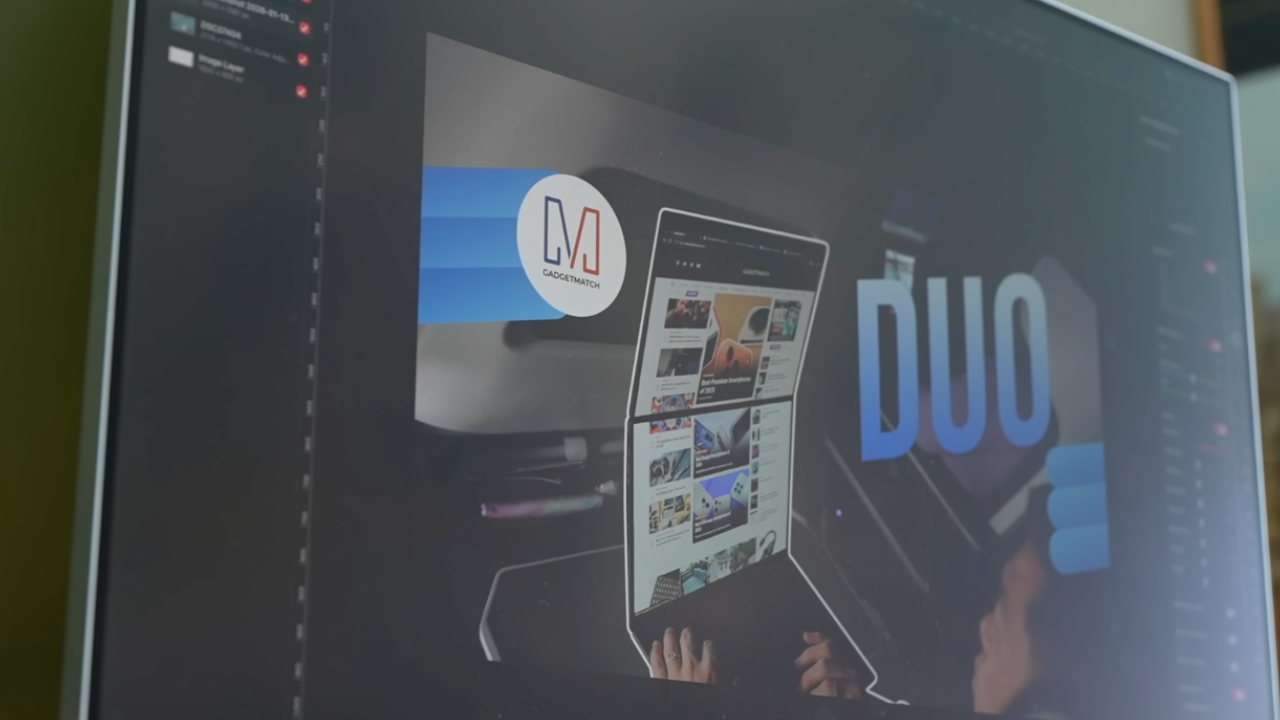
The first time I loaded the app, I recreated our YouTube thumbnail template — all within 10 minutes — and I haven’t looked back since.
Familiar enough to feel effortless
One of the biggest reasons my transition to Pixelmator Pro was so easy is muscle memory. Many shortcuts behave the same way: cmd+T for transform, cmd+R to show rulers, cmd+J to duplicate layers, just to name a few.
Having used Photoshop since high school, it felt familiar and intuitive — the complete opposite of how it felt to try and switch to Adobe Illustrator many years ago.
Photoshop is how I got into graphic design. It was my first love, and up until recently, I truly thought it would be my ride or die.
Later, I learned that you can import PSD (Photoshop) files directly to Pixelmator Pro. Apparently I didn’t even need to recreate the GadgetMatch assets. It does a good job of converting and preserving layers.
Photoshop now feels archaic

After using Pixelmator Pro for a few days, going back to Photoshop felt jarring. The sharp edges of the UI felt cold and rigid. Everything was layered with popups, panels, and tiny interruptions.
Pixelmator Pro, in comparison feels warm, smooth and frictionless. Its user interface is very Apple-like — rounded edges, softer icons and buttons. The Creator Studio version also gets the new Liquid Design touch, with transparent menus and elements that feel dynamic.
I especially love the little things. Color adjustments live in one simple panel instead of being scattered across different windows. There’s an eyedropper tool beside every color picker with a magnifier built-in.
When you hover over tools, it shows you the shortcut (e.g. “R” for Repair). There are also subtle animations, like when you use the Color Fill tool to change your canvas color.
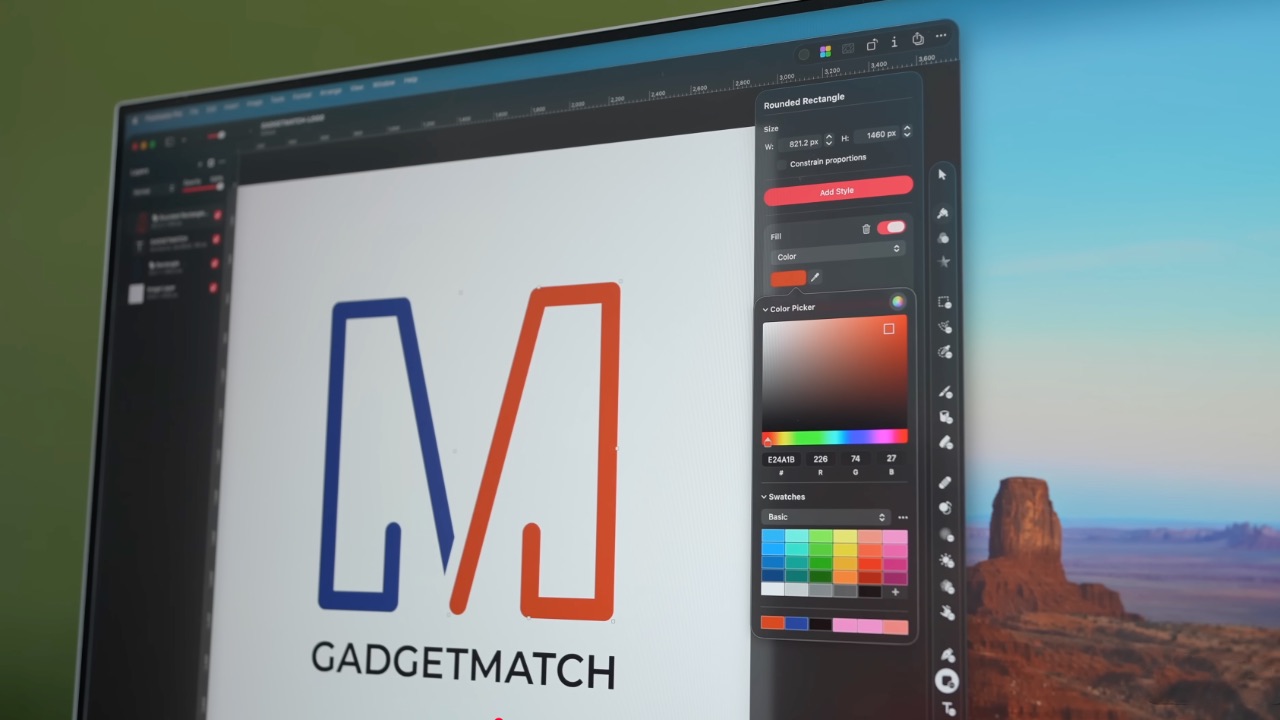
Pixelmator Pro’s UI is warm, snappy, and approachable
The differences in user experience are stark. Photoshop’s animations either don’t exist or are too abrupt for one to notice.
Smart tools without the noise
Photoshop has one clear advantage over Pixelmator Pro: Generative AI. It’s great and powerful especially when you need to save time.
I personally used it a couple of times before to save time on cloning, erasing, or expanding elements. Am I going to miss it with this switch? Something tells me I won’t.
Pixelmator Pro’s clone and repair tools, though seemingly so simple, work like a charm. And for how I usually manipulate images, those two are more than enough.
From digital to physical
Even though our NYC wedding is small, I still wanted to design something meaningful and personal.

On the left, a Kufic-inspired wedding logo designed on Pixelmator Pro; on the right, 3D printed stamps
Since my fiancé is half-Iranian I designed a logo combining our names inspired by Kufic calligraphy using Pixelmator Pro. I developed that same logo further and designed a save the date, with color, also inspired by Kufic calligraphy. This save the date will then be used eventually in the final invitation we are sending to our guests, as well as the tasting menu the chef is putting together for our celebration after.
My fiancé also 3D printed the logo I designed into different-sized stamps. One way we’re using it is to deboss the handmade pottery he is making as one of our party favors.
Through this whole process, Pixelmator Pro never felt like it got in the way, or that it was limited. On the contrary, it felt like that enabler friend who said yes to every idea I had.
Powerful, but approachable
The best way I can describe what using Pixelmator Pro is like is this: it’s a mix of Photoshop’s professional tools, Canva’s free library of assets, and Apple’s UI sensibility.
Shortly after Apple announced Creator Studio, Adobe rolled out significant Creative Cloud discounts. Are they threatened? They better be.
That makes it great for beginners, small business owners, and casual creators. Like Canva, it comes with some beautiful templates to help someone with zero experience come up with something good.
But unlike Canva, it still feels like a serious design tool. I can do so much of what I need using Pixelmator Pro but with UI that’s so much more approachable compared to Photoshop.
I remember meeting Canva’s founders before launch and not fully understanding their mission to make graphic design accessible to everyone. Now I do.
It was never about replacing Adobe products and pro designers. What Canva did was fill a huge void we didn’t know existed. They democratized something that used to be reserved for the privileged few.

Pixelmator Pro comes with free templates, assets, and mockups like these. The MacBook Pro and coffee bag are both mockups that came with the software.
Pixelmator Pro’s lower barrier to entry has potential to make a significant impact. My hope is it opens doors for people who were previously shut out of the graphic design world, and that it becomes something they can grow with, just as I did with Photoshop.
Adobe is still the industry standard
Switching to Pixelmator Pro wasn’t about rejecting Adobe, in the same way that Canva’s existence did not kill Photoshop.
It’s worth noting that Adobe products are still the standard in the industry. A lot of companies rely on them, and most schools teach them. In a traditional design or agency environment, Photoshop and Illustrator are still the default language.
Even on Apple’s own developer site, the official design templates are built for Adobe Photoshop and Illustrator, not Pixelmator Pro. That says a lot about how embedded Adobe is in professional workflows.
Competition makes the space better
Apple Creator Studio, and tools like Pixelmator Pro, challenge Adobe’s near-monopoly in a really healthy way.
It’s not lost on me that trading Photoshop with Apple software actually keeps me locked into one ecosystem. But having more pro creatives try Pixelmator Pro can put pressure on the industry. A strong alternative that’s more cost effective can force titans and dinosaurs to evolve in a way the likes of Corel was never able to do.
Ideally, that means better products and fairer pricing for everyone. Shortly after Apple announced Creator Studio, Adobe rolled out significant Creative Cloud discounts. Are they threatened? They better be.

Pixelmator Pro’s intuitive UI makes switching from Photoshop easy peasy
Access matters, and at the end of the day, with a healthy competition in the market, it’s consumers that win. Canva is a great example of this. It made design tools accessible to those who aren’t professionals. It didn’t make everyone a great designer, just as a novice who tries Final Cut Pro today won’t become a pro video editor tomorrow. Design is still a craft you develop over time with practice.
Is Pixelmator Pro my GadgetMatch?
Photoshop still has its place. But for my everyday work, and occasional personal projects, Pixelmator Pro can do everything that I need to accomplish, at a fraction of the cost.
It feels faster, lighter, and more alive. Honestly learning my way around new software has been so enjoyable — so much so that I feel a renewed sense of eagerness to try other design software like Blender and Figma.
Pixelmator Pro never felt like it got in the way. On the contrary, it felt like that enabler friend who said yes to every idea I had.
Wedding planning and Apple Creator Studio didn’t just make me switch to a new software. They also made me question how much I’ve been missing out on. How much of what I do is simply due to inertia?
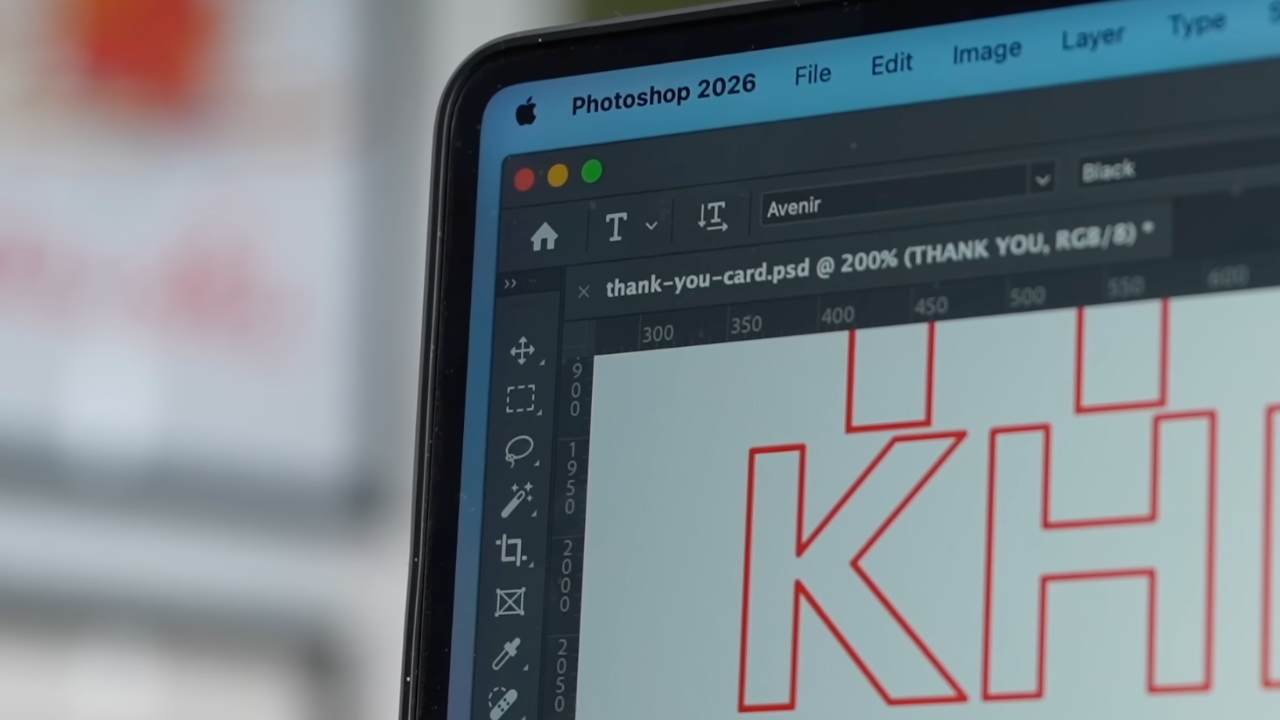
Ending my longest relationship doesn’t mean it failed. I’m grateful for what Photoshop taught me. It helped shape the creative professional that I am today.
But alas, this is one area where my practicality wins over loyalty. Relationships — with people or with tools — only work when both parties keep showing up. There’s no room for complacency, despite the history. I’m happy to move on and choose something that fit the way I work now — not just the way I used to.
Gaming
Now playing: Final Fantasy VII Remake INTERGRADE on Switch 2
Final Fantasy VII Remake, handheld again


There are two ways I ended up playing Final Fantasy VII Remake Intergrade on the Switch 2: handheld, and docked. And in many ways, that split mirrors what this release is really about—flexibility, familiarity, and a little bit of re-learning.
Relearning muscle memory
Let’s get the small friction point out of the way first. Button prompts. Even after all this time, my brain still defaults to PlayStation glyphs. Triangle means something very specific to me in Final Fantasy VII Remake, and retraining that muscle memory on a Nintendo layout took a bit longer than expected. That’s not the game’s fault—it’s just the reality of revisiting something you’ve deeply internalized on another platform. And honestly, it’s something I’ll just have to get used to as more of these previously PlayStation-first titles land elsewhere.
Once that adjustment period passed, the bigger surprise came quickly—especially in handheld.
Midgar in the palm of your hand

Without even stacking it up against the PS4 or PS5 versions, the Switch 2 version already looks impressive on its own. In fact, it looks really good. There’s a moment of quiet disbelief when you realize you’re holding Midgar in your hands, running locally, and still retaining that sense of scale and atmosphere the remake is known for.
I’ve played Final Fantasy VII Rebirth on devices like the ROG Ally and Legion Go, and the feeling here is similar. Not in raw power comparisons, but in that same sense of admiration—Square Enix managing to package something this dense, cinematic, and emotionally loaded into a handheld experience without it feeling compromised at first glance. That same awe of seeing this classic reimagined is still intact, even on a smaller screen.
Living with 30fps

Performance-wise, the most noticeable limitation is the 30fps cap. It’s there, and anyone coming from a 60fps playthrough will notice it immediately. That said, it never felt like a dealbreaker to me.
Command inputs still land cleanly, combat remains responsive, and nothing about the experience felt sluggish. If you’re sensitive to frame rate shifts, this might take some adjustment. But in motion, and especially in handheld, it rarely pulls focus away from the game itself.
Streamlined progression, real relief

One feature that quietly made a big difference for me is the new Streamlined Progression option. Being able to start with maxed-out stats, unlimited resources, and reduced friction is a genuine quality-of-life win—especially for players who’ve already finished the game once and don’t necessarily want to grind their way through Midgar again.
It turns Intergrade into a smoother re-experience, letting you focus on the story beats and combat flow rather than progression systems you already know by heart.
The storage reality check
The less glamorous reality check comes with storage. At roughly 90GB, this is a heavy install, particularly if—like me—you lean heavily toward digital purchases. I had to delete three games just to make room.
If you have the option to go physical on Switch 2, that might be the more practical route, especially as more large-scale ports make their way onto the platform.
A familiar journey, made portable

Contextually, this release matters beyond just another port. Final Fantasy VII Remake Intergrade arriving on Switch 2 is part of Square Enix’s broader push to bring the entire remake trilogy to more platforms, with the final entry already in development.
It also reinforces Intergrade as the most accessible entry point into the series—bundling the main campaign with the Yuffie-led EPISODE INTERmission, and now offering features that lower the barrier for newcomers while respecting returning players’ time.
At US$39.99, it lands at a price that feels fair. Whether you’re completely new to Final Fantasy VII Remake or just want a portable version of a game you already love, this is an easy recommendation—storage caveats aside.

Overall, this is an impressive Switch 2 port. Not perfect, not trying to outmuscle the PS5 version, but confident in what it is. Seeing Final Fantasy VII Remake Intergrade run this well, this comfortably, on a handheld still feels a little surreal—and that alone makes it worth playing again.
If you’re looking for deeper technical breakdowns and direct comparisons with the PS4 and PS5 versions, Digital Foundry continues to do excellent work on that front. But as a lived-in experience, this one already earns its place on the Switch 2.
Reviews
HONOR X9d 5G review: Tougher, more long-lasting and optimized
Beyond all the marketing, it’s a compelling all-around smartphone that actually works well


If you’re planning on getting the HONOR X9d 5G, do me a favor: don’t throw it on purpose. Don’t drop it on the floor or in water, nor do anything reckless to it.
For one, it will void your standard warranty. The point is, you don’t need to subject the phone to those bizarre stress tests you see online.
Just know that if you’re unlucky enough at some point, it will likely survive accidental drops, splashes, and more mishaps.
Beyond all the marketing, the X9d simply works like a well-oiled machine — so far. That’s what HONOR’s latest entry to its popular and best-selling X series midrange line is meant to deliver.
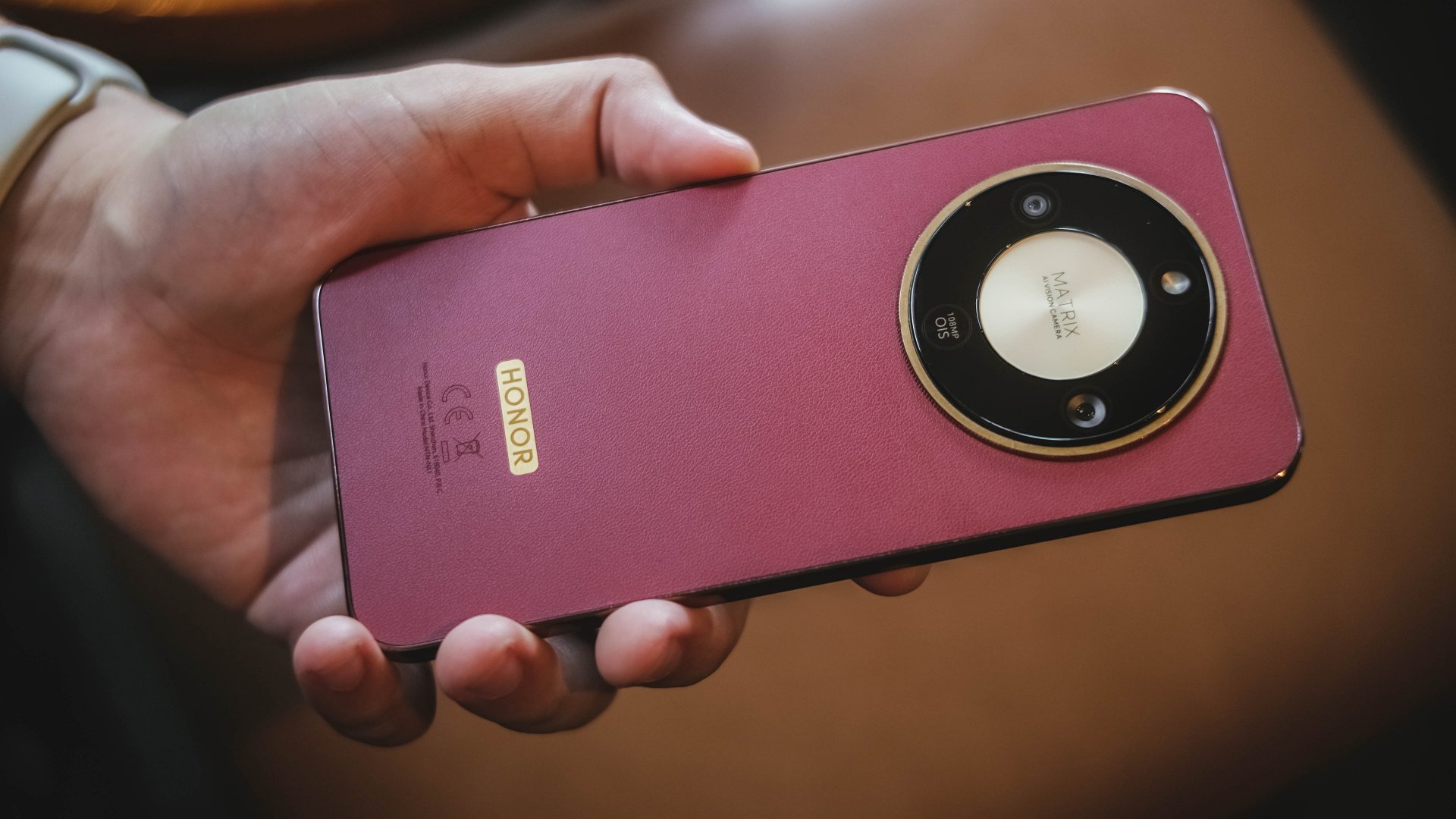
And all things considered, it has the makings of a compelling all-around device in its segment. Let’s dissect further.
Tough, durable, more water-resistant
It’s only fair to get the toughness part out of the way first. On paper, the HONOR X9d 5G boasts drop resistance of up to 2.5 meters. Pretty darn good.
Our team even used the back panel as a makeshift chopping board, and it resisted scratches.
The biggest upgrade: quadruple IP66, IP68, IP69, and IP69K ratings for water and dust resistance.
This level of protection is now becoming standard across Android releases, and HONOR has kept up well.

It’s reassuring to know it can withstand spills, hot liquids, and even stronger splashes or full submersion. Again, hopefully only by accident.
Think of all this as insurance you’re paying for. If nothing bad happens during the X9d’s lifetime, then consider yourself fortunate.
Performance: No major hiccups
The HONOR X9d 5G runs on a Snapdragon 6 Gen 4 processor. It promises a “significant jump” in performance.
In the two weeks I’ve had the device, that claim felt true compared to my experience with the X9c last year.

The device just feels more responsive for swipes and touches. It loads apps quickly, and navigates smoothly overall.

I’ve already edited blogs and played back FHD videos on YouCut without issue. Rendering shortform videos for social media posting was equally seamless. Here are a few.
@manilaconnoisseur There really are those days na gusto mo lang pumirme sa bahay and make your own ramen noodles. Buti na lang may JIN ramen from @otokiph to help you satisfy those cravings! #JINuinelyRamen #CheesyGoodness #JinCrediBowlChallenge
@manilaconnoisseur May sarili na ngang 3-in-1 Coffee si Angel’s Pizza tapos may FREE Angel’s Pizza Membership Card! 10 sachets na, 99 pesos lang, with lifetime APC Card na key to Buy 1 Take 1 pizza FOREVER plus 25% off on all pizza purchases. @angelspizzaph #AngelsPizza #AnghelKape #3in1Coffee #Buy1Take1Pizza #CreamySpinach
Gaming wise, the device holds up well for Mobile Legends: Bang Bang and Call of Duty Mobile.
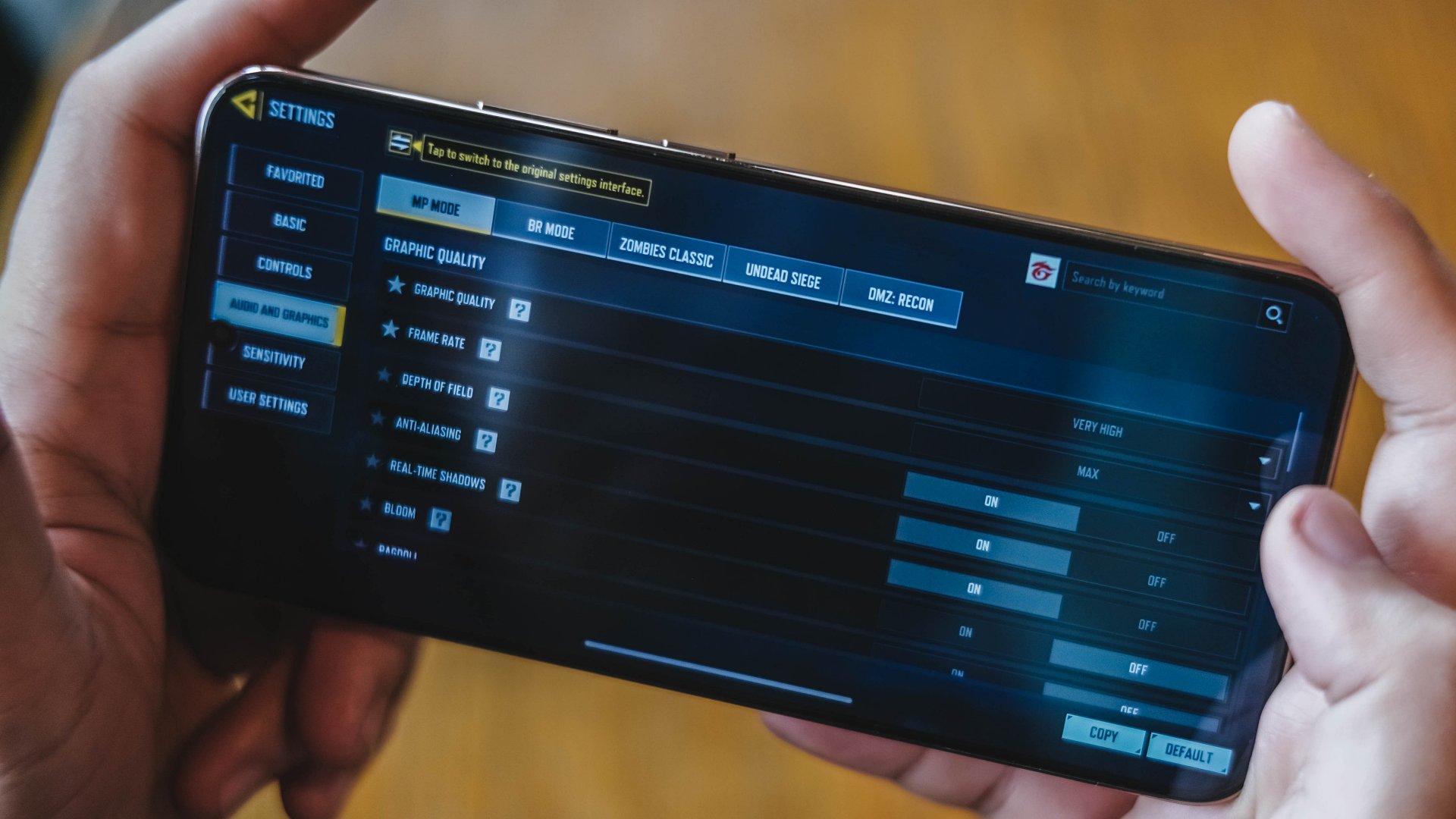
These titles aren’t only “playable” per se, but also enjoyable even at high graphics. A dedicated panel also provides quick gaming-related controls.

Particularly, in CODM, panning felt very natural, without tweaking settings. The touch response was balanced and not overly sensitive so you don’t overcompensate.
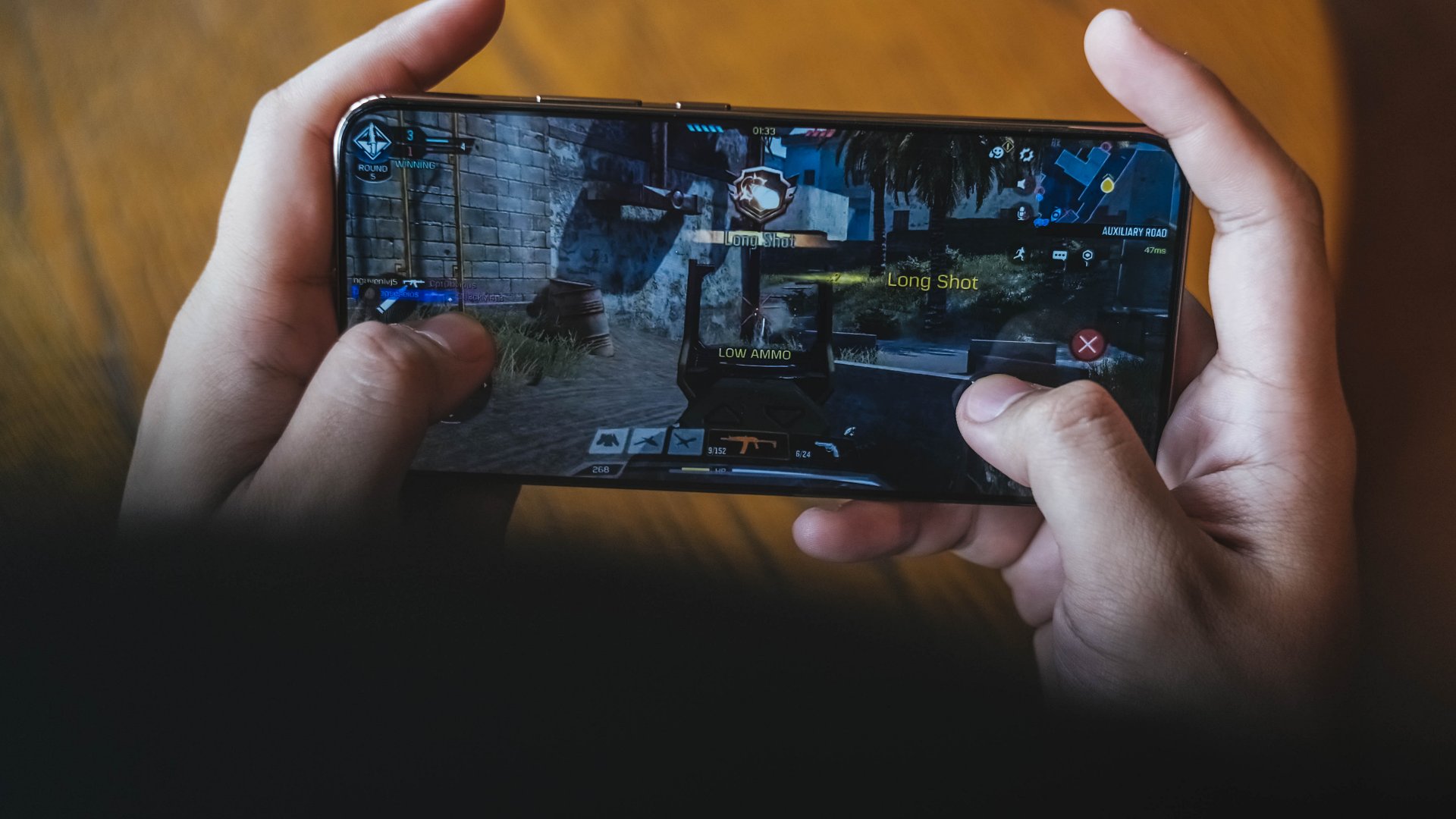
Admittedly, I didn’t push it with more demanding titles, but how well it handled editing, multitasking is clearly a legitimate strength.

The only slowdown came after taking photos continuously for about half an hour during its launch date.
But it tells you modern handsets allocate resources heavily toward camera processing.
Ample audiovisuals
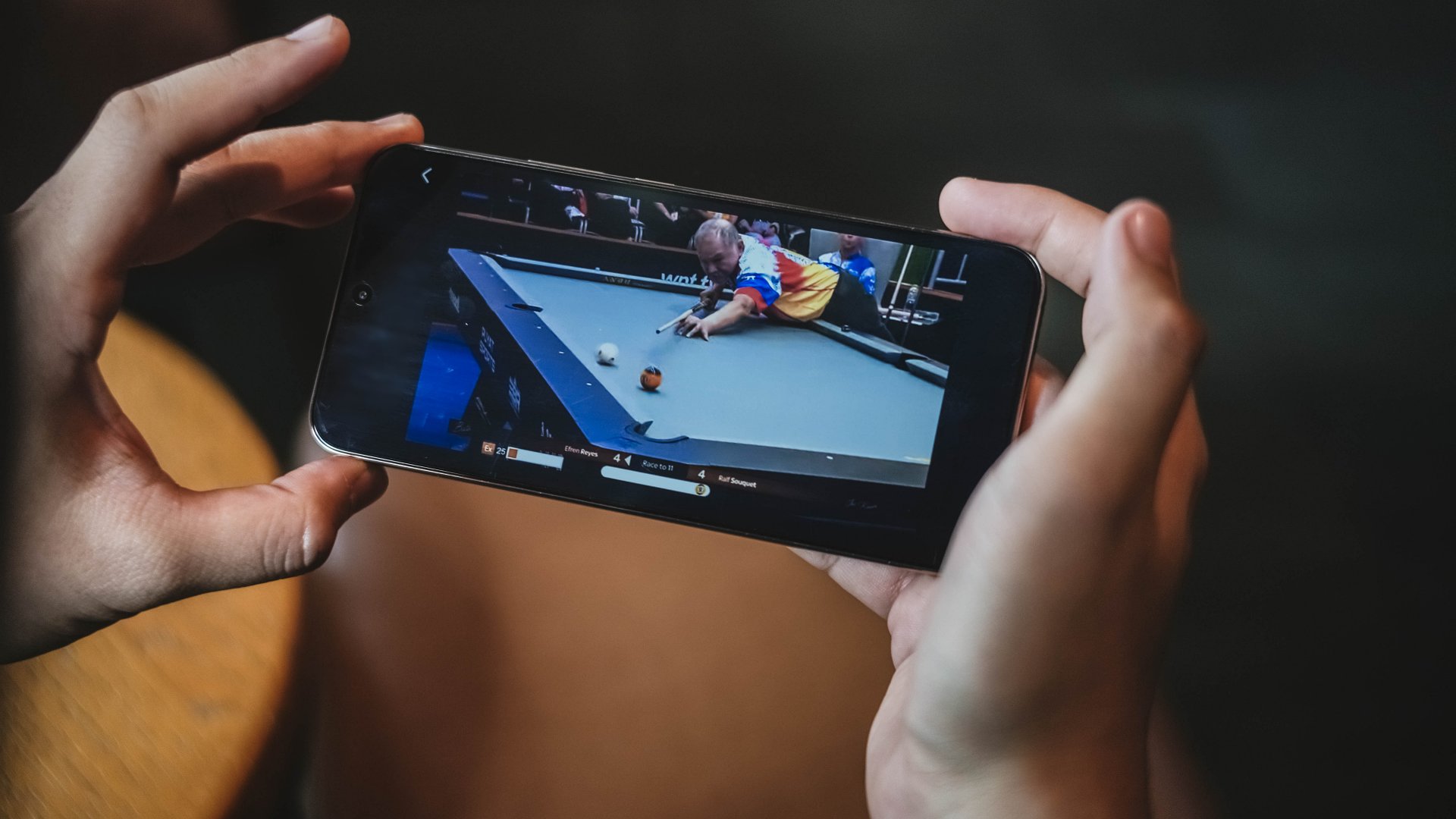
What’s great about the HONOR X9d is it delivers clear and sharp visuals whether gaming, editing, filming, or simply consuming content.
It features a 6.79-inch FHD+ AMOLED display with up to 6,000 nits of brightness. But the real deal here is the 427 ppi pixel density, making visuals look even more vivid and crisp.

This display makes reviewing photos and videos convenient — useful for content creators or for quick double-checking before posting on social media.

Watching sports highlights or casual clips in between also feels more immersive with consistently high-quality visuals.
Battery life
The biggest jump from the X9c, unarguably, is the battery capacity. The X9d packs an 8,300mAh LiPo battery.
It lasts easily two days with casual at-home use. Outdoors, it still has juice by midnight for long days.
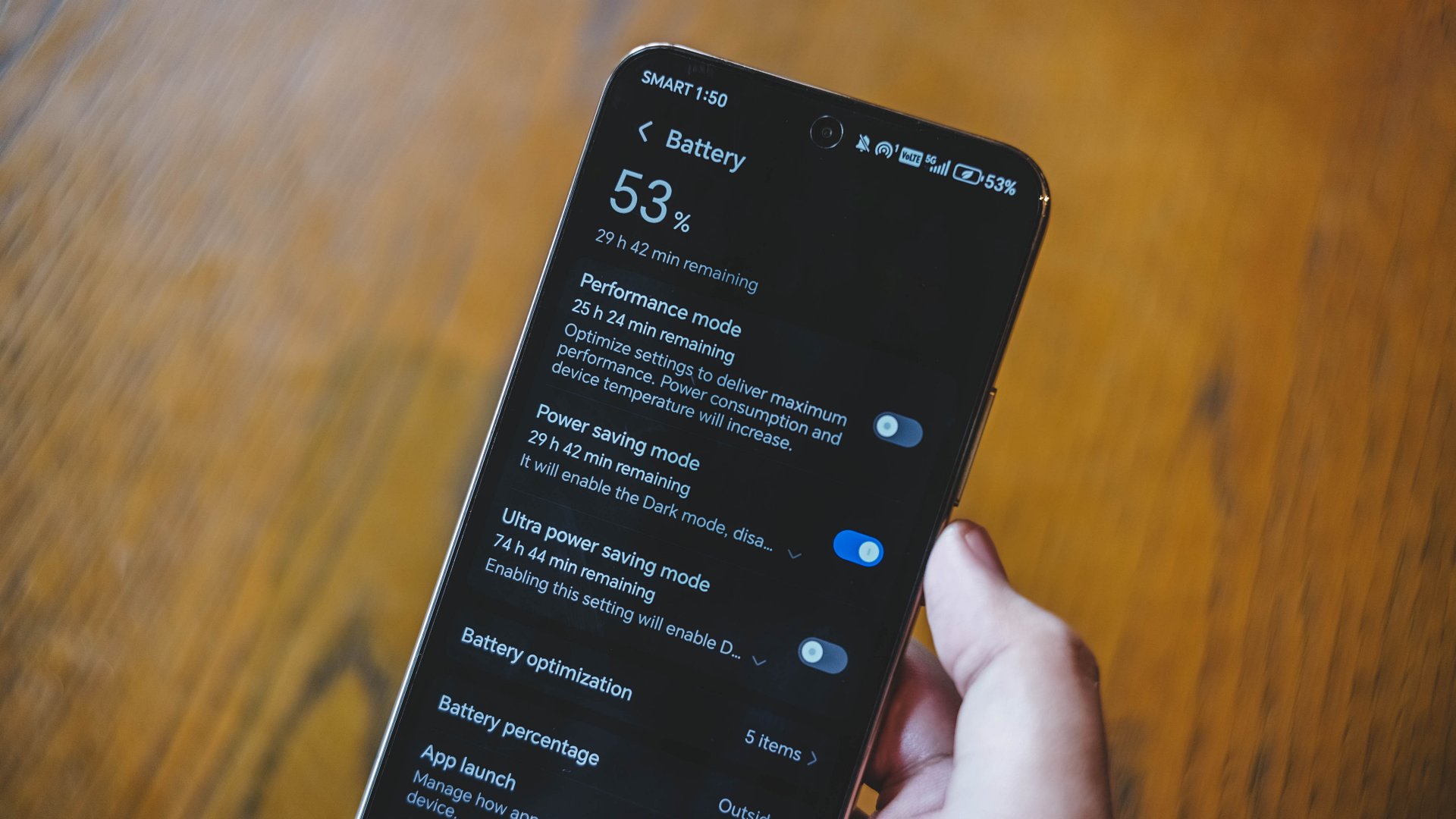
That’s with mobile data and location on, and even using the phone as hotspot for other devices. Other tasks include browsing, watching, using the camera occasionally, and editing short-form videos.
Gaming for an hour consumes just about 10% battery life, compared to 15% for most competitor devices.
The extra endurance pays off at the end of the day when you need entertainment or connectivity.

My only gripe is the device heats up significantly with hotspot turned on. Sometimes, it shuts itself off. That interrupts whatever you’re doing on connected devices.

Anyway, charging is surprisingly optimized. Despite the huge capacity, the 66W charging can refuel it back from 30% to full in just over an hour.
I do not wait for my phone to drain too much, but it should normally take just about 90 minutes from 1% to full.
Camera performance: Par for the course
Furthermore, the HONOR X9d 5G once again excels when with its camera performance.

The 108MP main camera delivers sharp and clear shots at up to 3X zoom with good lighting. Colors lean toward vivid and lively, so you don’t have to post-process a ton.
Some samples:

















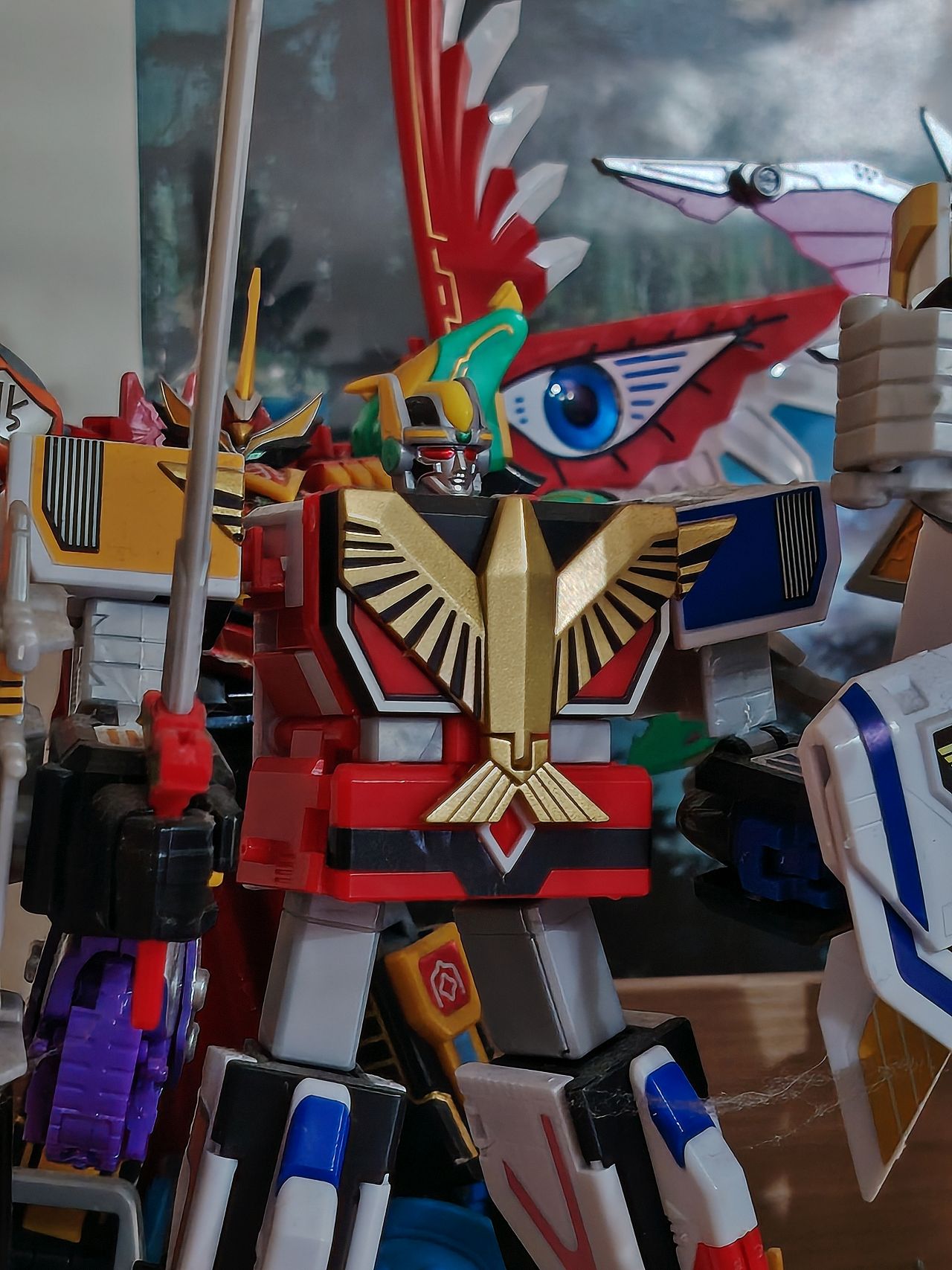

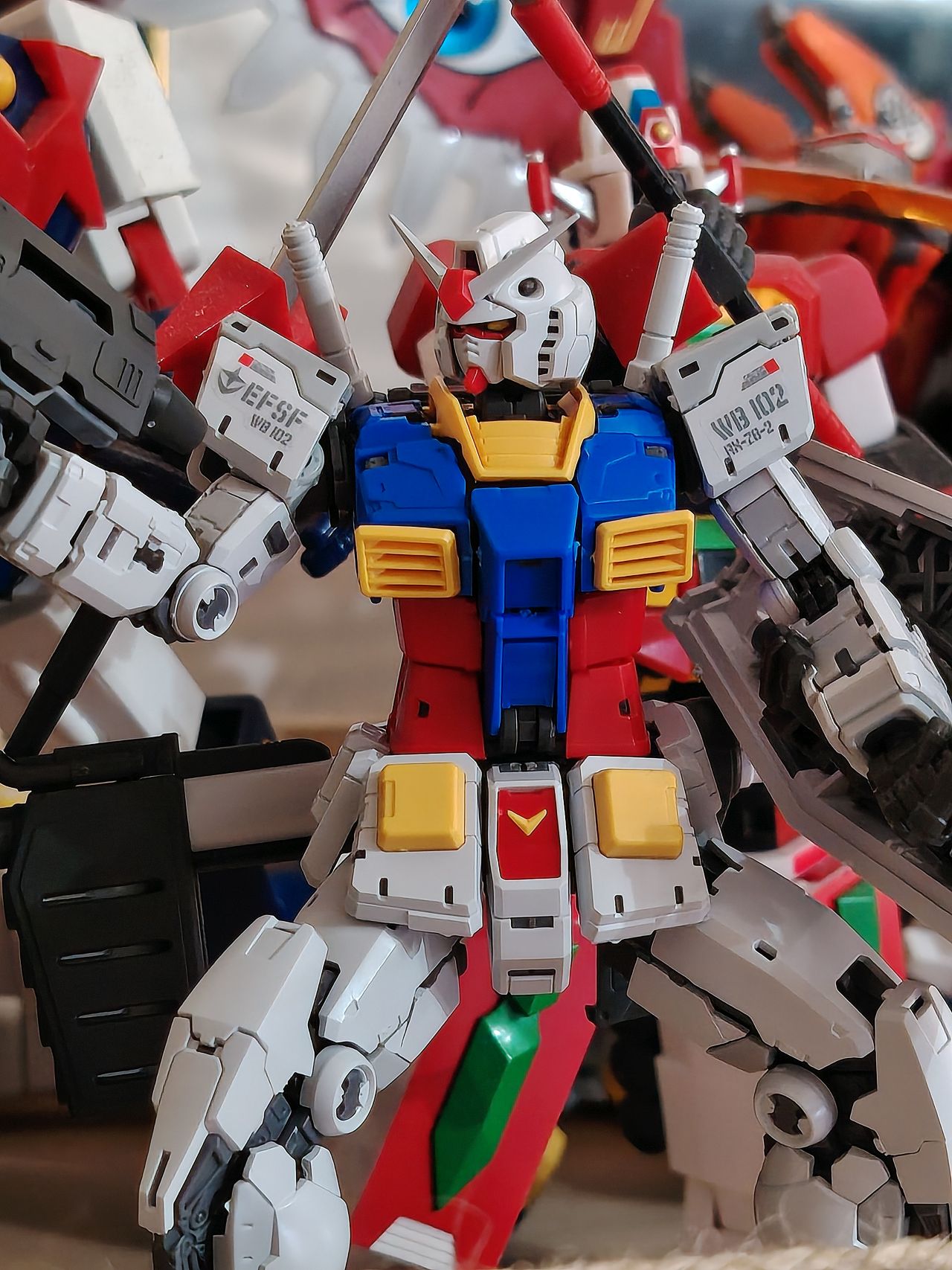
But for such, HONOR’s camera app includes a generous lineup of pre-built filters that are actually useful, similar to those on the 400 and 400 Pro.
Night Mode brightens scenes with its own preset, while portraits can be smooth from different focal lengths.






Video recording at 1080@60 is generally smooth with OIS. Results are vlog-ready, and parallax shots don’t experience much jitters either.
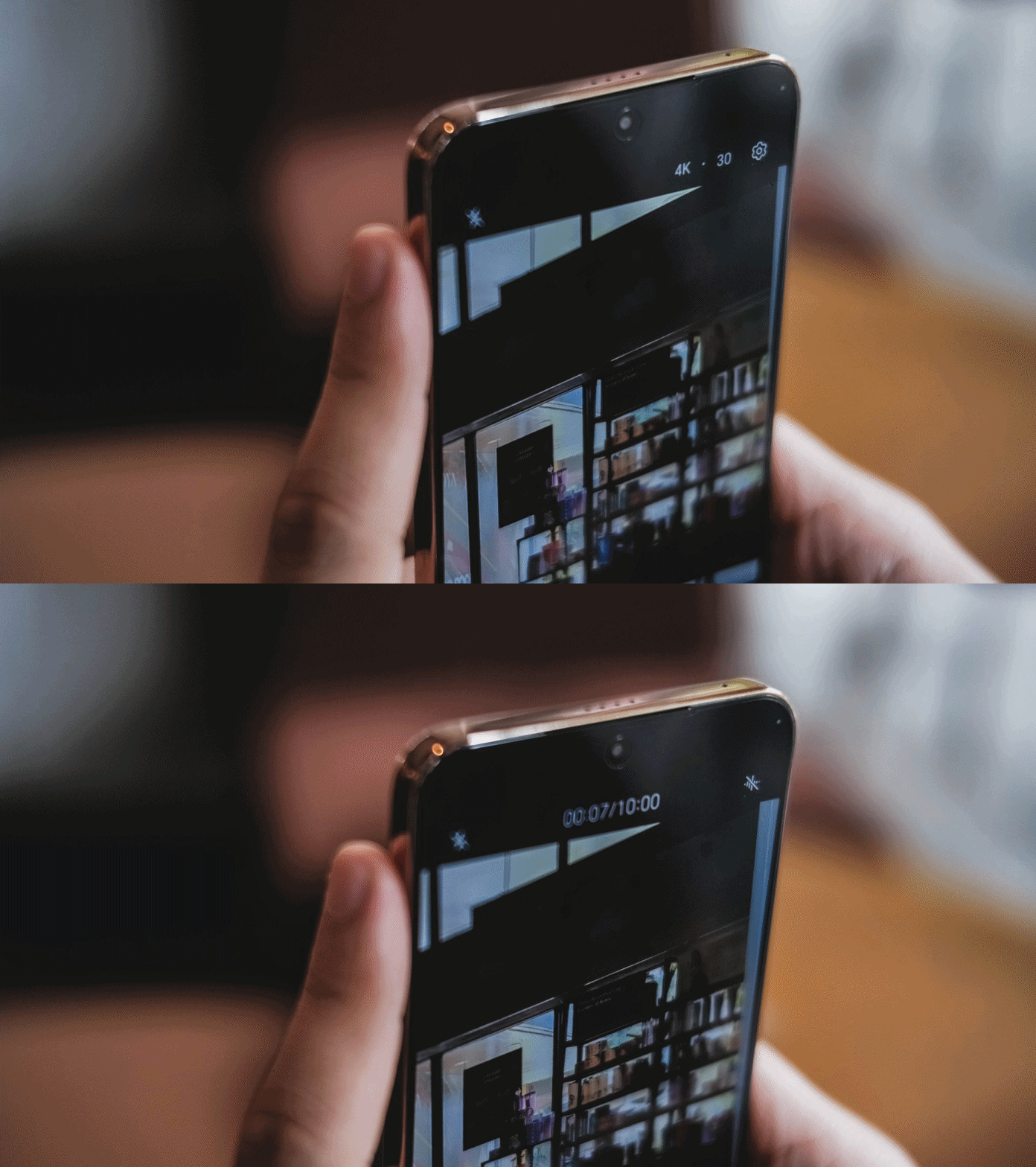
The selfie camera holds up pretty well too with detail, while portrait mode actually adds depth.





Though video lighting can be tricky at times. After too many shots, the shutter occasionally lags too.
But overall, there isn’t anything too bad to say. The system is arguably one of the most pleasing in its class.
Especially in this segment, camera systems can make or break the midrange device’s value proposition.
I enjoyed using the device’s camera for both stills and videos. The responsiveness is straightforwardly quick for spontaneous moments too.
More photos:








Design
I’m glad HONOR ditched the curved sides in favor of a flat display with rounded corners.

Thankfully, the UI is optimized so content isn’t cut off at the corners nor seams. The razor-thin bezels keep you focused on the panel.

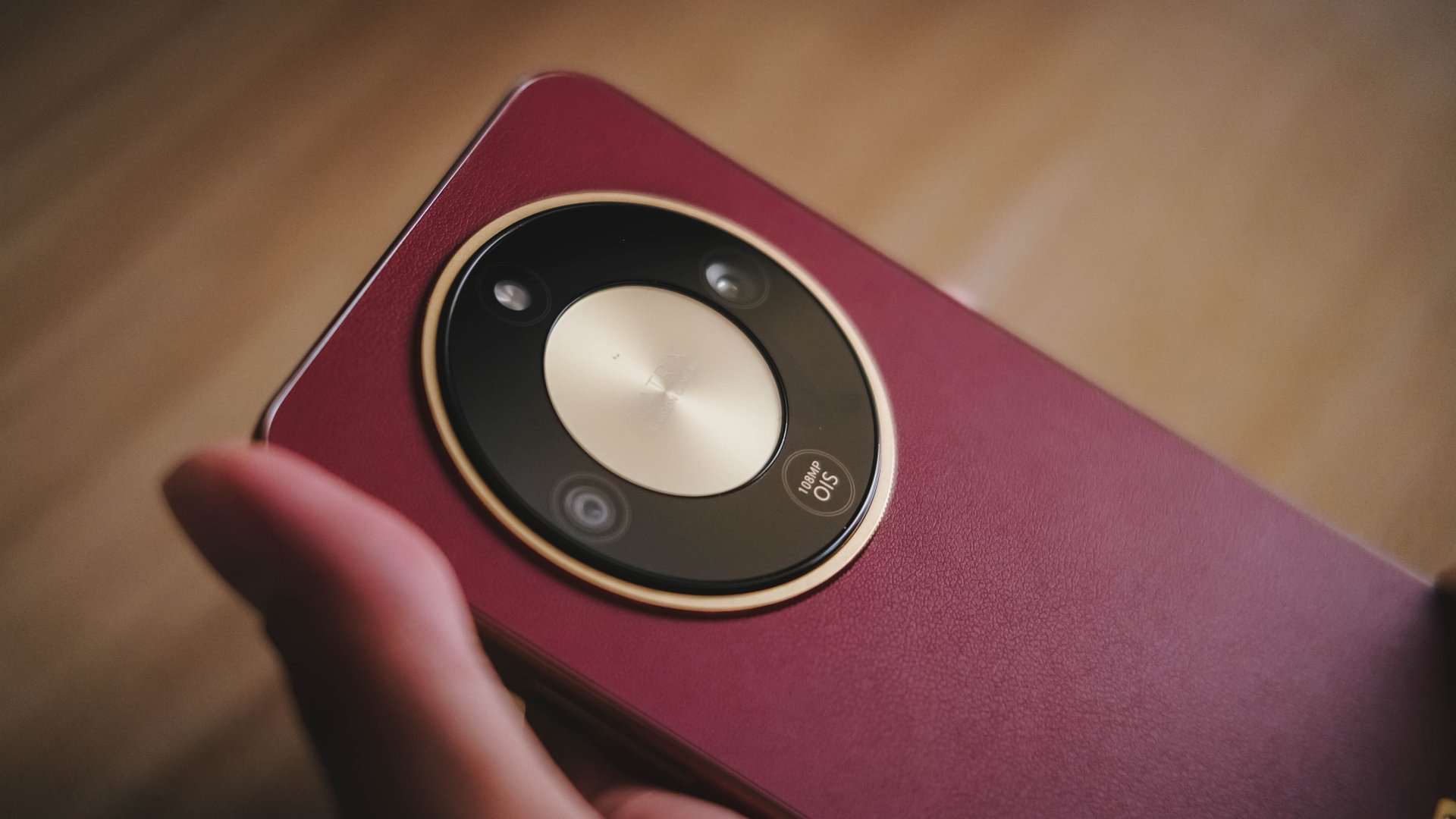
The backside of the Reddish Brown variant does resemble the HUAWEI Mate XT at first glance, which is understandable. But it still stands out with its own identity and style.

HONOR’s camera system retains the signature watch face look, paired with a gold plate-like logo at the bottom third.

The HONOR X9d runs on MagicOS 9.0 out of the box, and the UI looks neat overall and easy to tinker with.
There’s AI features here and there, but from the home screen, AI Suggestions actually help you pick up from where you left off.
Optimized connectivity
In relation to its aesthetic, the choice to have a plastic frame, instead of an aluminum one, benefits connectivity.
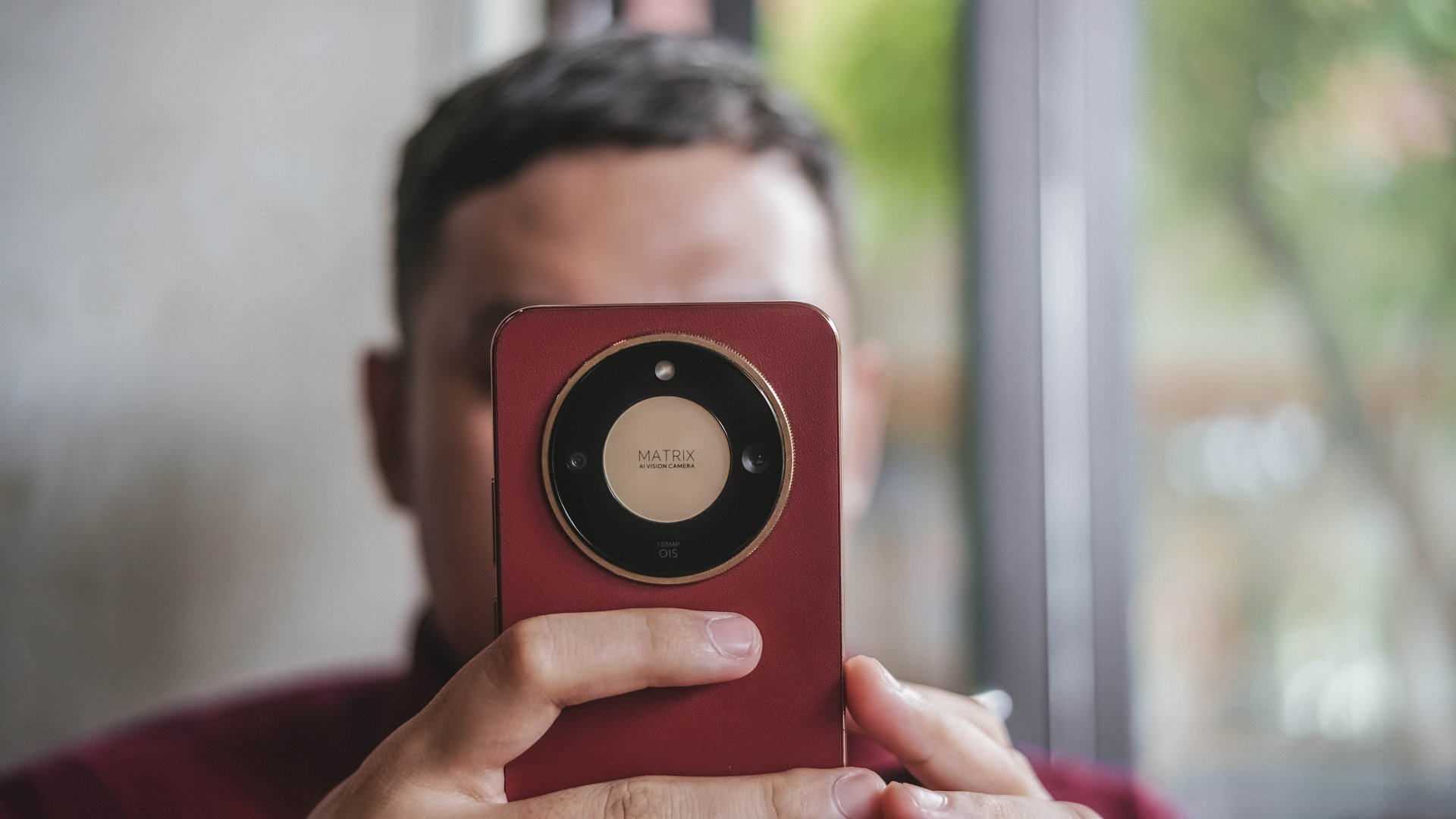
Wi-Fi connection felt more stable. On mobile data, though still signal strength-dependent, the phone can provide reliable network speeds.
Naturally, congestion and challenging spots can choke performance. Competitors do have ways of optimizing network selection better, which could be what HONOR works on next.
Is this your GadgetMatch?
The HONOR X9d 5G earns a solid Swipe Right. It’s a durable and reliable mid-ranger offered at a fair price of PhP 18,999 (12GB+256GB).
I understand why some suggest opting for cheaper, niche-specific devices, especially for gaming.
But the X9d posits itself as a formidable all-around contender, and for the most part, it checks all the right boxes.
With proper usage, maintenance, and care, it carries the aura of the device that can confidently last four to five years.


Breaking up with Adobe Photoshop after 20 years
Wedding planning and Apple Creator Studio made me realize it was time


Now playing: Final Fantasy VII Remake INTERGRADE on Switch 2
Final Fantasy VII Remake, handheld again


HONOR X9d 5G review: Tougher, more long-lasting and optimized
Beyond all the marketing, it's a compelling all-around smartphone that actually works well
Breaking up with Adobe Photoshop after 20 years

Esports Nations Cup 2026 secures US$ 45M funding

CODE VEIN II now available for consoles, PC

Samsung is teasing smart glasses again

Nothing will not release a Phone (4) this year

HONOR X9d 5G launches in the Philippines: Price, preorder, availability

POCO M8 Pro review: Goin’ loco over this POCO

OPPO A6 Pro: Adequate tool, no definitive punch

Infinix NOTE Edge debuts: High-end features for accessible pricing

HONOR Magic8 Pro review: What sorcery is this?


-
 News2 weeks ago
Infinix NOTE Edge debuts: High-end features for accessible pricing
-
Reviews1 week ago
HONOR X9d 5G review: Tougher, more long-lasting and optimized
-

 Automotive2 weeks ago
BYD expands PH presence with entry of DENZA luxury EVs
-

 News2 weeks ago
HONOR slaps the iPhone Air with the all-new Magic8 Pro Air
-
Gaming1 week ago
Now playing: Final Fantasy VII Remake INTERGRADE on Switch 2
-

 News2 weeks ago
Beyond the Box, Digital Walker turn over Tesla Model Y to iPhone 17 raffle winner
-

 Accessories1 week ago
Razer fully unwraps these limited BLACKPINK Edition gaming gear
-

 Accessories1 week ago
G-DRAGON is CASETiFY’s first ever Global Brand Ambassador