


The iPhone 15 Pro Max made quite a buzz in its release when it declared that it can run AAA games. Apple has been making headway in the gaming space. We got to try it for ourselves by playing Resident Evil 4 Remake (RE4R) on an iPhone 15 Pro Max.
Apple was kind enough to give us early access so we played a few hours of it. You’ll need 31GB of space to install the game. You’ll be given estimates on how long the download will take depending on your internet speeds. It took us a little over an hour.
How to play

To play, you simply need to purchase the game, download, install, and then you’re free to control Leon Kennedy in his mission to retrieve the president’s daughter.
You do have to go through a few settings first. To start you’ll be asked to adjust your display size and brightness. Depending on how you want to play, this will be very helpful.

If you’re playing just on the iPhone, you don’t have to adjust much. However, we tried hooking it up to an LG C2 TV via an HDMI adapter. It doesn’t fully cover the whole screen but you can increase the display area to minimize the black bars.

To start, the controls are displayed on the screen. For the best experience, use a bluetooth controller. By default, the on screen buttons display are using the PlayStation labels. That’s why we paired it with a DualSense controller and an Oivo controller phone clip mount.

Don’t fret though, you should be able to use it with whatever bluetooth controller you have lying around. You can dive into settings and change the displayed buttons.

Type A is PlayStation, Type B uses the Xbox orientation, while Type C follows the Nintendo orientation.
We also tried using the GameSir G8 Galileo mobile controller but it doesn’t support natively and we didn’t have the patience to map the buttons. In theory, you can use this, just have to go through the whole button mapping thing.
Graphics and performance

Now onto what you’re probably most curious about. What is gameplay like exactly? Honestly, it’s smooth and lag-free. Going into this, we expected plenty of frame drops and lags, but that isn’t the case at all. Which is important in an action-oriented horror game like Resident Evil 4 Remake.
If you’re playing in our recommended set-up: iPhone 15 Pro Max + Phone Clip + Controller, the experience is seamless. There’s zero lag input and you can easily react to what the game throws at you — which is plenty.

You’ll encounter plenty of jump scares and your aiming and quick trigger skills will be challenged. With game mechanics like this, it helps that the gameplay is smooth.
But with smooth gameplay comes lower resolution. This is the area where the iPhone 15 Pro Max sacrifices the most. This is most evident when we connected the iPhone to a larger display. It isn’t bad per se, it just isn’t meant for large format displays.
The graphics resolution is similar to low graphics settings in mobile and PC games. You lose some detail but it’s not so bad that it’ll be disorienting when you play. That’s especially true if you stick to smaller displays like the iPhone itself, a 12-inch iPad, or even perhaps a 15-16 inch external display. But anything beyond that and the experience isn’t optimal.
iPhone as the best gaming console?

Apple was subject to much ridicule online when it told IGN that they see the iPhone as “the best gaming console.” It’s a bold statement, sure. But with their A17 chip and the rest of the silicon chips equipped on their devices, they might be well on their way.
Think about it, no other smartphone maker has had the ability to run this caliber of a AAA game. At least, not yet. We’ve asked other gaming smartphone makers and they have confirmed that they are monitoring the situation.
For Apple, this is only the beginning in the steps they have to take when it comes to gaming. They have a huge mountain to climb before the general public takes them seriously in the gaming space, but they are most certainly headed in the right direction.
Resident Evil 4 Remake is on the App Store for US$ 60. It’s on pre-order as of writing and will be available to download on December 20.



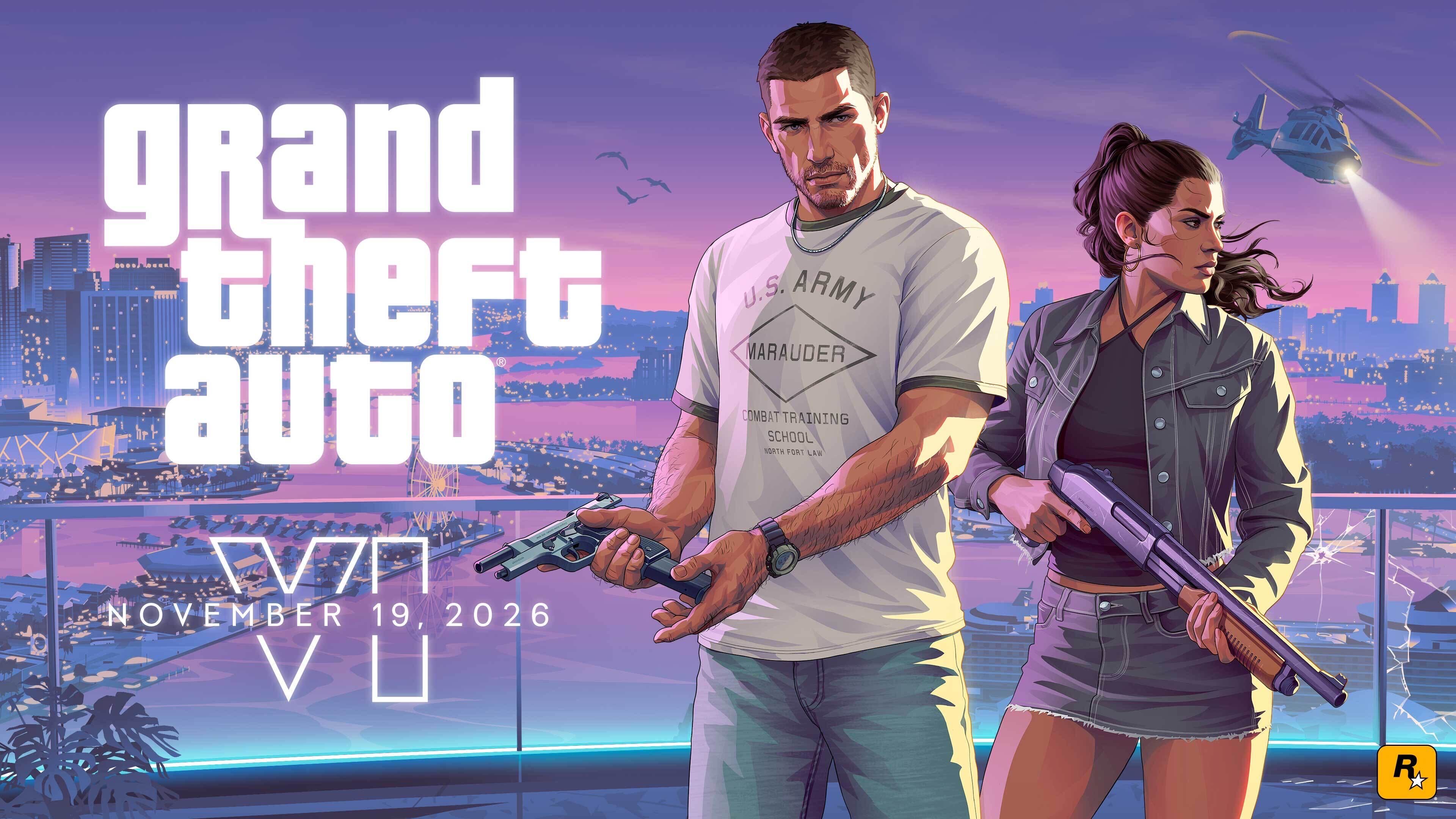
Players who digitally pre-ordered Grand Theft Auto VI can now pre-load the game ahead of its launch.
Rockstar Games confirmed that pre-loading is available to all digital pre-order customers. Those who purchased the code-in-box version can also begin downloading once they receive and activate their codes.
The announcement also reveals new performance details for PlayStation 5 and Xbox Series X|S.
GTA VI targets 30fps on consoles
Rockstar says Grand Theft Auto VI was built from the ground up for the current generation of consoles.
The game targets 30 frames per second on both PlayStation 5 and Xbox Series X|S.
According to Rockstar, this approach allows the game to maintain the visual fidelity and density of Leonida’s environments.
The developer says it is pushing both platforms to their limits to bring the game’s expansive world to life.
PS5 Pro gets exclusive visual enhancements
PlayStation 5 Pro players can expect additional graphical improvements.
These include enhanced image clarity through PlayStation Spectral Super Resolution (PSSR) and ray-traced shadows exclusive to the PS5 Pro.
The PS5 version also features integrated DualSense haptic feedback, with adjustable settings for accessibility.
Rockstar is also highlighting improved spatial audio through Tempest 3D Audio and faster loading times on PlayStation consoles.
Cloud gaming and Remote Play support
Grand Theft Auto VI will also be playable through Xbox Cloud Gaming on Xbox Series X|S and Xbox One.
The cloud version will use Xbox Series S graphics settings. However, performance may vary depending on internet speeds and other streaming conditions.
The game will also support Remote Play on both PlayStation and Xbox.
Alongside the announcement, Rockstar released a new video featuring “Blood in Your Eyes” by Tove Lo, taken from Grand Theft Auto VI: The Album.
Players can visit the official GTA VI website for more information.
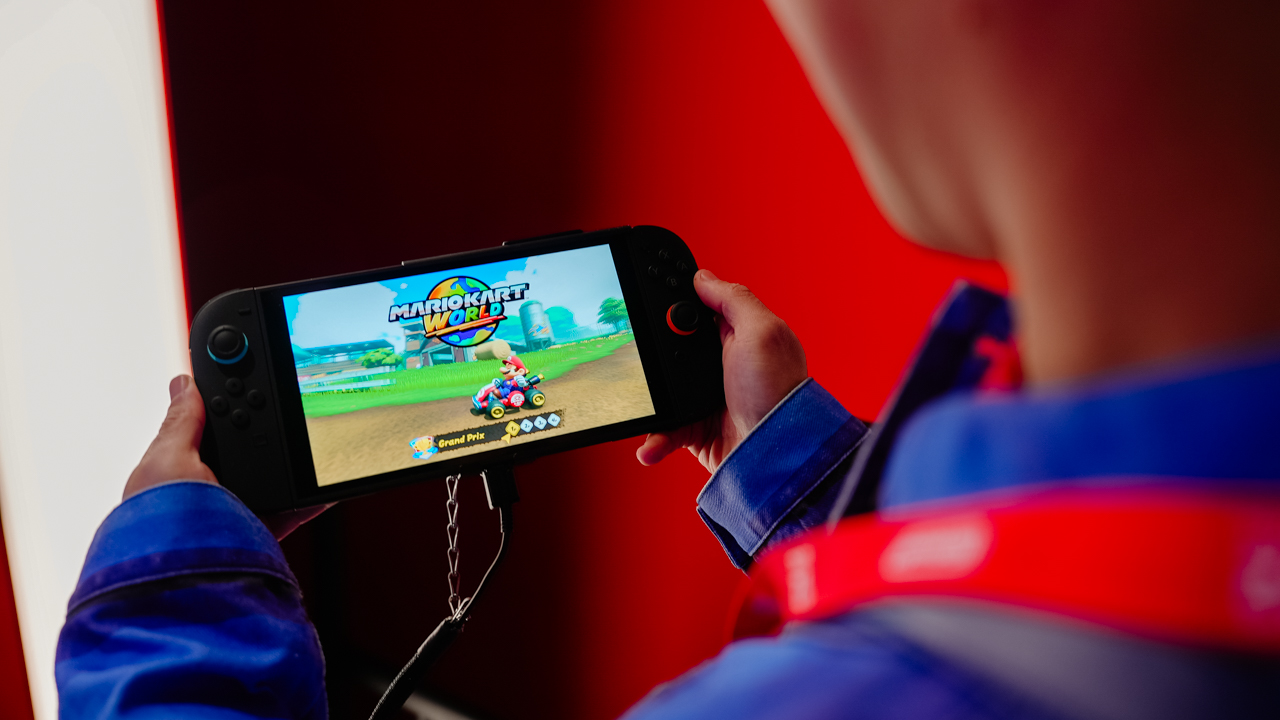
Nintendo Switch owners in the Philippines can finally access Nintendo’s digital storefront and online subscription service.
Nintendo Singapore and Nintendo Co., Ltd. announced the Philippine launch of Nintendo eShop and Nintendo Switch Online on November 10, 2026.
Nintendo eShop lets players purchase digital games and additional content directly from their Nintendo Switch 2 or Nintendo Switch consoles. Players can also download free demos of selected titles.
Meanwhile, Nintendo Switch Online unlocks online multiplayer, classic games, cloud save backups, and other membership benefits.
Nintendo eShop makes digital purchases easier
Nintendo eShop is an online storefront accessible directly from Nintendo Switch 2 and Nintendo Switch consoles.
Players can browse major releases, indie games, and digital-only titles. They can purchase games and download them straight to their consoles.
The storefront also offers free demos of selected games. Players can try these titles before deciding to buy them.
Nintendo Switch Online brings multiplayer gaming to the Philippines
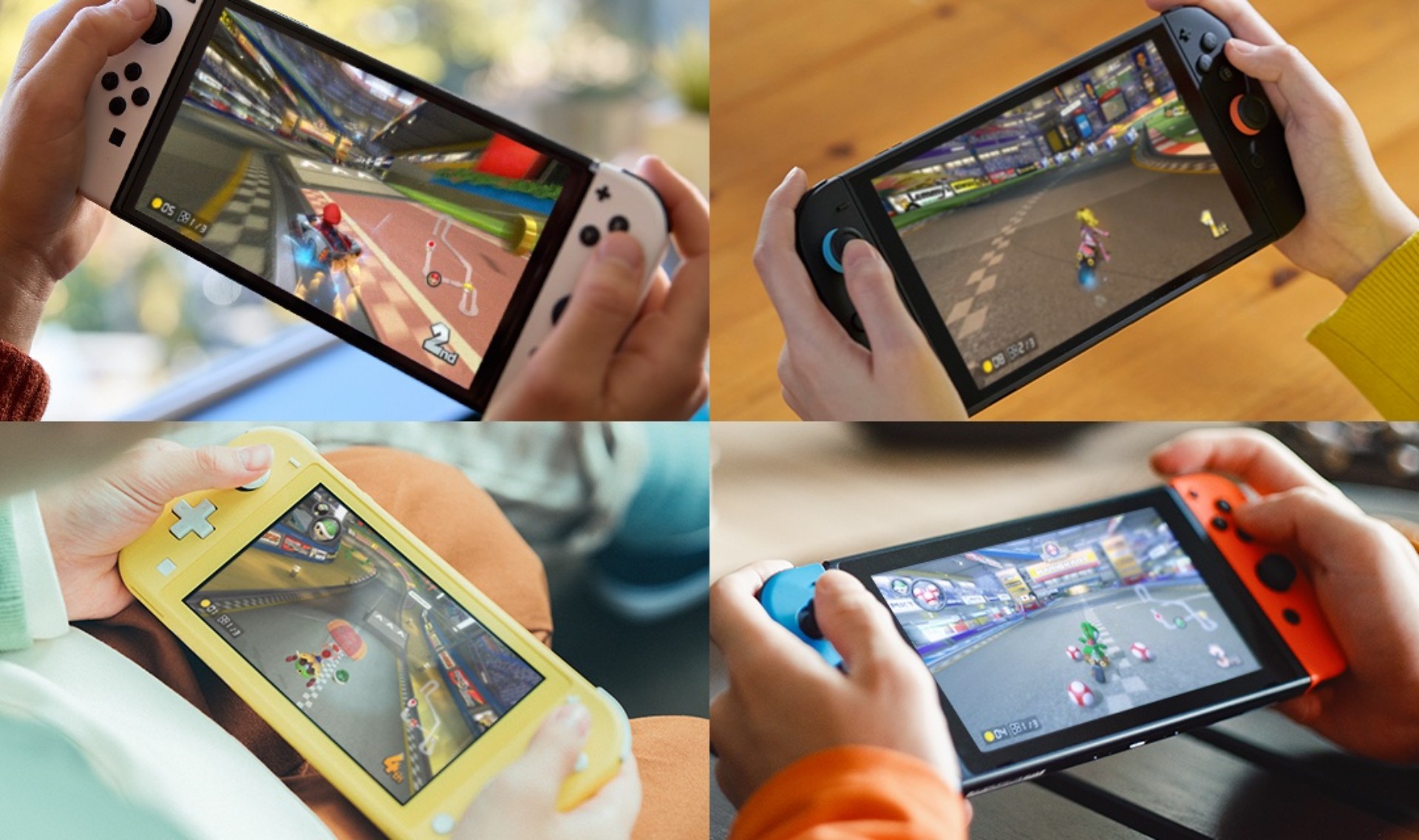
Nintendo Switch Online lets members play compatible games with friends and family over the internet. Players can also connect with others around the world.
Supported titles include Mario Kart World, Nintendo Switch Sports, Animal Crossing: New Horizons, and Pokémon LEGENDS Z-A.
Membership also unlocks several additional features:
- Nintendo Classics: Play over 200 classic games from the NES, Super NES, and Game Boy libraries. Selected titles support online and local multiplayer through the Play while Sharing feature. Players can also use Suspend Points and Rewind.
- GameChat: Nintendo Switch 2 owners can talk with friends and share their gameplay screens through GameChat.
- Nintendo Music: Listen to music from Nintendo games anytime, anywhere.
- Save Data Cloud: Automatically back up save data from supported games online. This helps players recover their progress if something happens to their console.

Expansion Pack unlocks more classic games
Players who want more retro games can subscribe to Nintendo Switch Online + Expansion Pack.
This membership adds classic games from the Game Boy Advance and Nintendo 64 libraries. Nintendo Switch 2 owners also gain access to Nintendo GameCube games.
Nintendo Switch Online membership plans and pricing
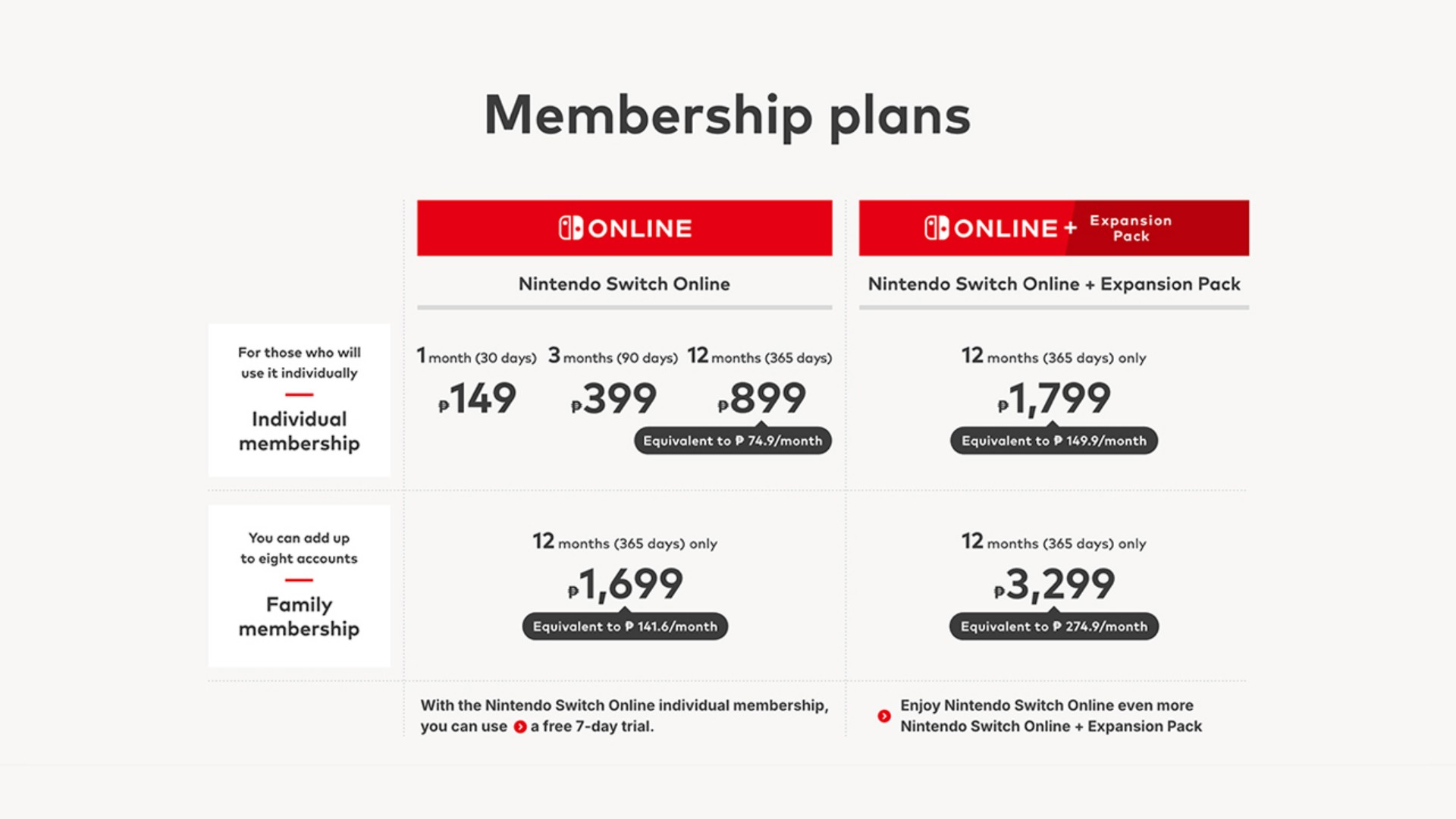
Nintendo offers Individual and Family memberships for both subscription tiers.
A Family membership supports up to eight Nintendo Account holders under one plan. Members can share access to online play, Nintendo Classics, and other services.
Nintendo Switch Online + Expansion Pack is available through a 12-month membership.
For the complete list of Philippine membership plans and pricing, visit the official Nintendo Philippines website.
Accessories
Is it comfortable to sleep on a Secretlab Atlas?
You can grab the chair now through Secretlab’s 11.11 sale!


View this post on Instagram
The biggest reason to get an ergonomic chair is to stay comfortable while working or playing all day. But how about getting that well-deserved siesta after lunch or falling asleep on your chair after a long day of gaming?
The new Secretlab Atlas is more than just a chair for when you’re busy. It’s a perfect chair for dozing off and taking it easy.
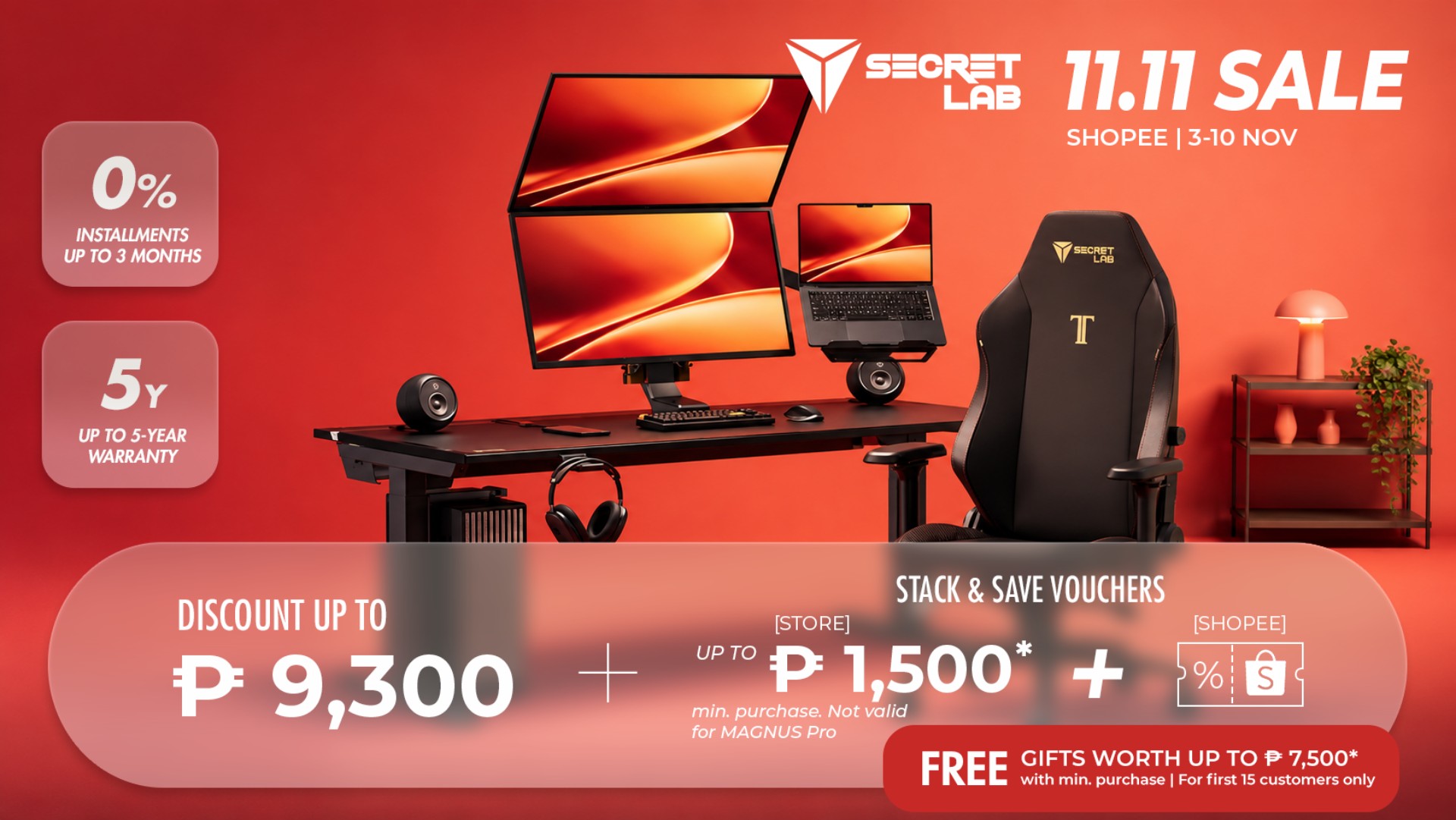
Today, you can grab the Atlas and everything else from Secretlab to complete your workstation during Secretlab’s 11.11 sale on Shopee. You can enjoy discounts of up to PhP 9,300. You can also stack and save vouchers of up to PhP 1,500, plus additional vouchers from Shopee. Once purchased, customers can grab free gifts worth up to PhP 7,500. Finally, it’s free shipping!


Apple iPad mini OLED review
Has the mini gone PRO?!

ROG G700 review: The best prebuilt PC you can get off the shelf
This PC will make you stop worrying about specs.

HP OMEN Max 16 review: Gamer-maxxing in deep black
Peripherals deemed necessary to max this out

GTA VI pre-loading now available on PS5, Xbox

Nintendo eShop launches in the Philippines

Is it comfortable to sleep on a Secretlab Atlas?

ASUS and ROG Grand Tech Fair 2026 offers holiday deals

Next iPhone might get rid of the Action Button

Your coffee nook is getting a makeover with Starbucks’ holiday collections

vivo V80 debuts with ZEISS cameras

vivo V80 review: Good phone, tough sell

Dragon’s Dogma 2: Dark Arisen launches with new Official Pawns

Score PhP 22,000 in guaranteed freebies when you pre-order the iPhone 18 Pro at Beyond the Box


-
 Lifestyle1 week ago
Your coffee nook is getting a makeover with Starbucks’ holiday collections
-

 Lifestyle2 weeks ago
Sticker season is back, and so is the planner your ~friends~ might fill in for you
-

 Gaming1 week ago
Wild Rift Patch 7.3, celebrates K/DA comeback
-
Gaming2 weeks ago
ROG G700 review: The best prebuilt PC you can get off the shelf
-

 News4 days ago
Sony revives classic Walkman headphones with USB-C MDR-3R
-
 Gaming2 weeks ago
PlayStation unveils Prism Collection
-

 Laptops2 weeks ago
Apple unveils MacBook Pro with PROLED XDR display and Touch
-

 Gaming2 weeks ago
FromSoftware’s The Duskbloods delayed to 2027