


This year marks one decade of Samsung Galaxy. And so, coming into 2019, the expectations were very high for the next Galaxy S. But the 10th-anniversary Galaxy is a two-part, two-phone story — one that represents the future and one that represents today.
A refined masterpiece that’s a product of years of perfecting, the new Galaxy S10+ is not mind-blowing or revolutionary. Neither is it perfect, but there’s something so satisfying about a product that’s well thought out and done right, and excellent in every aspect and angle.
There much to love about the Galaxy S10+ and I’m just gonna dive straight in.
After years of trial and error that saw them go from plastic, to leather, to glass, and then many tweaks and adjustments around curved glass, this is the moment that all these years have led up to and it’s glorious.
It’s the perfect mashup between the Galaxy S9 and the Note 9. And I like it. The design ID is still clearly Samsung: curved displays, rounded corners. I can’t quite put a finger on it — maybe it’s because the trim around the phone is more rounded and not as sharp, but whatever these changes are, they’ve made the S10+ a phone that I enjoy picking up. That, for me, is always an indicator of good design.
The official color of my review unit is called Prism White, and it has this pearlescent quality to it that changes from an iridescent blue to pink depending on the light. It’s really beautiful.
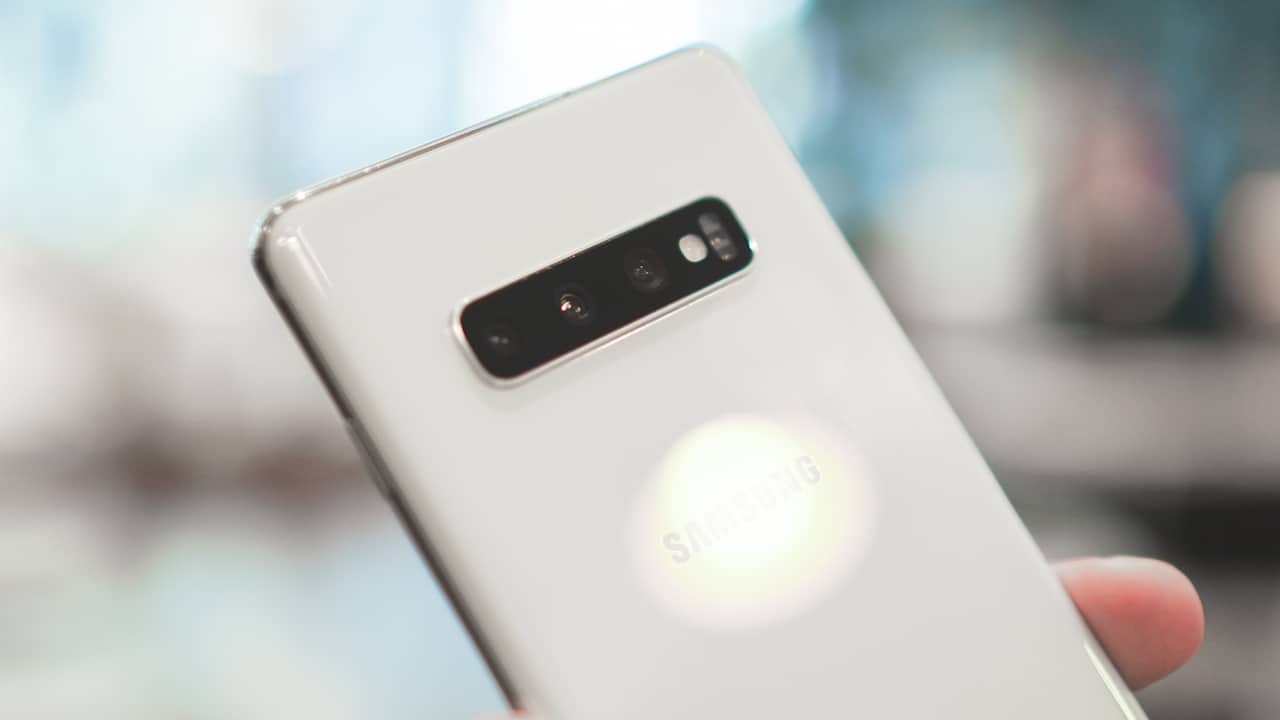
Of course the other big change is in front. After avoiding the notch trend completely for a good two years, Samsung’s finally embraced the all-screen display, laser cutting a hole (or two on the S10+) for the selfie cameras. The industry calls it a hole punch; Samsung calls it Infinity-O.
After much deliberation, I think I like this better than the notch. When watching videos, I don’t mind it as much. Maybe because it’s tucked away in one corner instead of in the middle. YouTube videos are usually 16:9 so they’ll have thick black bars on both sides. But you can punch out to fill the screen with a tiny crop.
Apps like Netflix refuse to fill beyond the area where the hole punch is. If it’s really not your cup of tea, you can go into settings and tick “Hide Front Camera” that gives the display a rather large forehead.
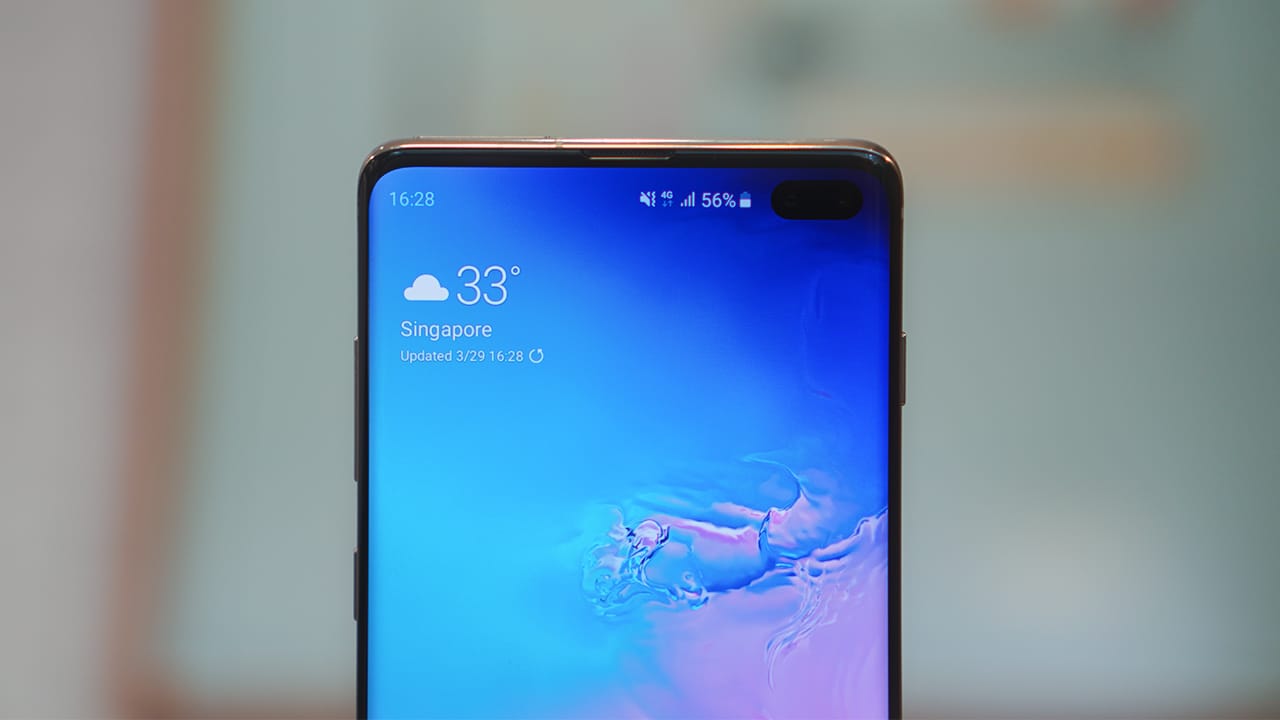
Samsung’s default wallpapers are purposely darker in the upper-right corner to hide the hole punch as much as possible. But I say, embrace it. We have been rocking an assortment of cheeky wallpapers that really tell you it’s there. If you want to download any of these, you can check this link. Samsung also has an “Embrace The Cutout” selection of S10 wallpapers you can buy from the Galaxy Themes Store.
It’s not all aesthetics. There’s also some functionality built in too, like when you take a selfie with the timer on, a lighted timer will travel around the cameras giving you a visual countdown, and showing you where to look.
I have many thoughts about smartphone displays, but mainly two of relevance here: One, display tech has gotten so good, that comparing displays requires a lot of nitpicking; and two, tech reviewers like me are so spoiled by the best displays, that we’re sometimes harder to please. But at the end of the day, having a good or great display isn’t what defines a smartphone.
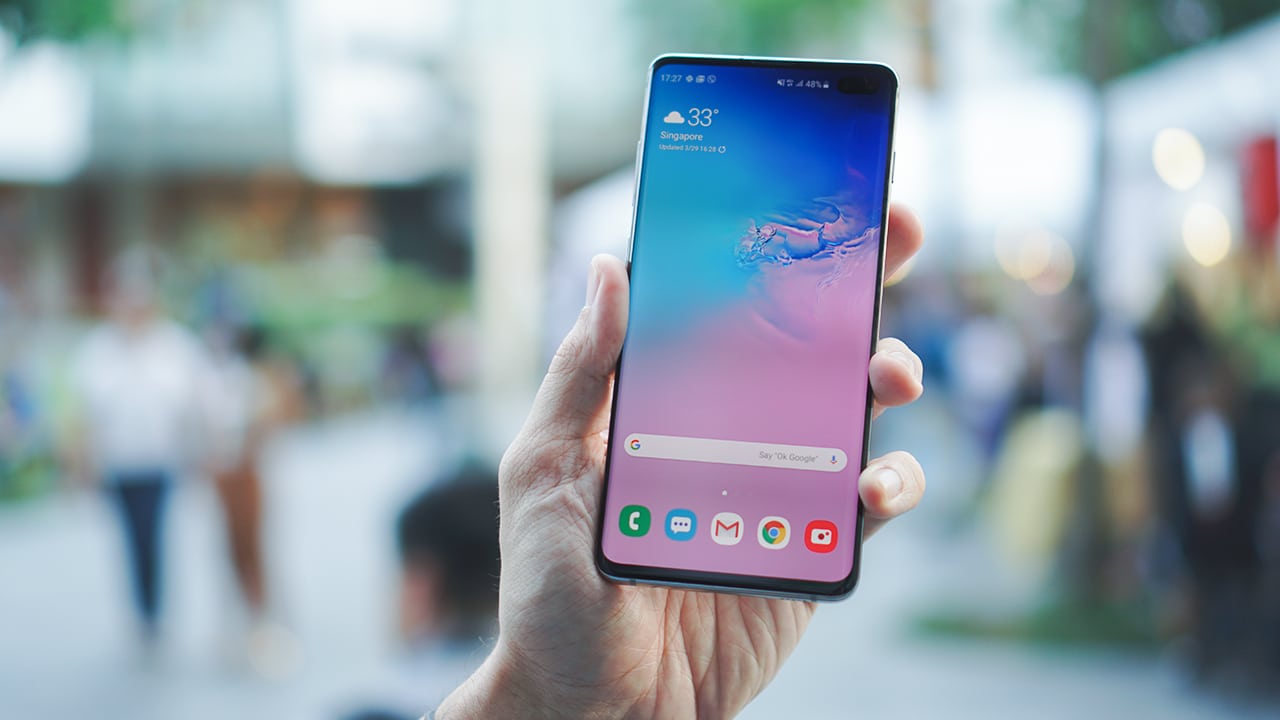
Having said that, when it comes to the creme dela creme of display tech, it really doesn’t get better than this. Samsung’s Dynamic AMOLED panel is in a league of its own: color, vibrancy, highlights, shadows, crispness. View-ability outdoors under bright sunlight, gentleness to your eyes when it’s dark — you name it.
Underneath it is an ultrasonic fingerprint scanner. Two years ago, many had expected Samsung to be the first to introduce an under-display fingerprint scanner, but they didn’t. That honor went to Vivo, followed by the likes of Huawei and OnePlus. But if you ask me, it’s been worth the wait.
The S10’s in-display fingerprint scanner is powered by Qualcomm’s 3D Sonic technology that’s a step up from the optical scanners used in other products. Instead of using a camera under the display to take a photo and determine a match, Qualcomm’s tech uses sonic sound waves to scan your pores and make a 3D image that’s used to identify you.

With the most recent update, I’ve found this tech to be almost as fast as physical scanners, and much, much quicker than current optical type in display scanners. You just have to quickly tap and not tap and hold for a second. If that’s not your cup of tea, face unlock is very fast but it’s not as secure. In fact, I was able to unlock the phone using a video clip on my iPad. Samsung previously offered a more secure iris scan face unlock, but ditched that tech on the S10.
So, if not display, what makes or breaks a smartphone? For me, the two most important things are battery life and camera performance. In these fronts, the S10+ is a big improvement from its predecessor.

I’ve used the S10+ as my daily driver for a couple of weeks now. My use is probably heavier than the average user. I’m always on my phone, watching YouTube videos, scrolling through social media, and taking photos. And because I review other phones, oftentimes when I’m out, it’s also a portable hotspot.
That said, battery life on the S10+ has been impressive. Based on my real world use, most users will get a whole day with more than average use. It’s not as long-lasting as say the Huawei Mate 20 Pro, but it’s noticeably longer-lasting than previous Samsung phones I’ve used.
The S10+ comes with a fast charger that can get you from zero to 100 percent in just over an hour and 40 minutes. There’s also reverse wireless charging, a feature we first saw on the Mate 20 Pro last year. While it’s cool to be able to charge another phone on the back of yours, charging is a slow trickle at best and is really just designed to charge smaller accessories, like Samsung’s new wireless buds or a Qi-compatible smartwatch.
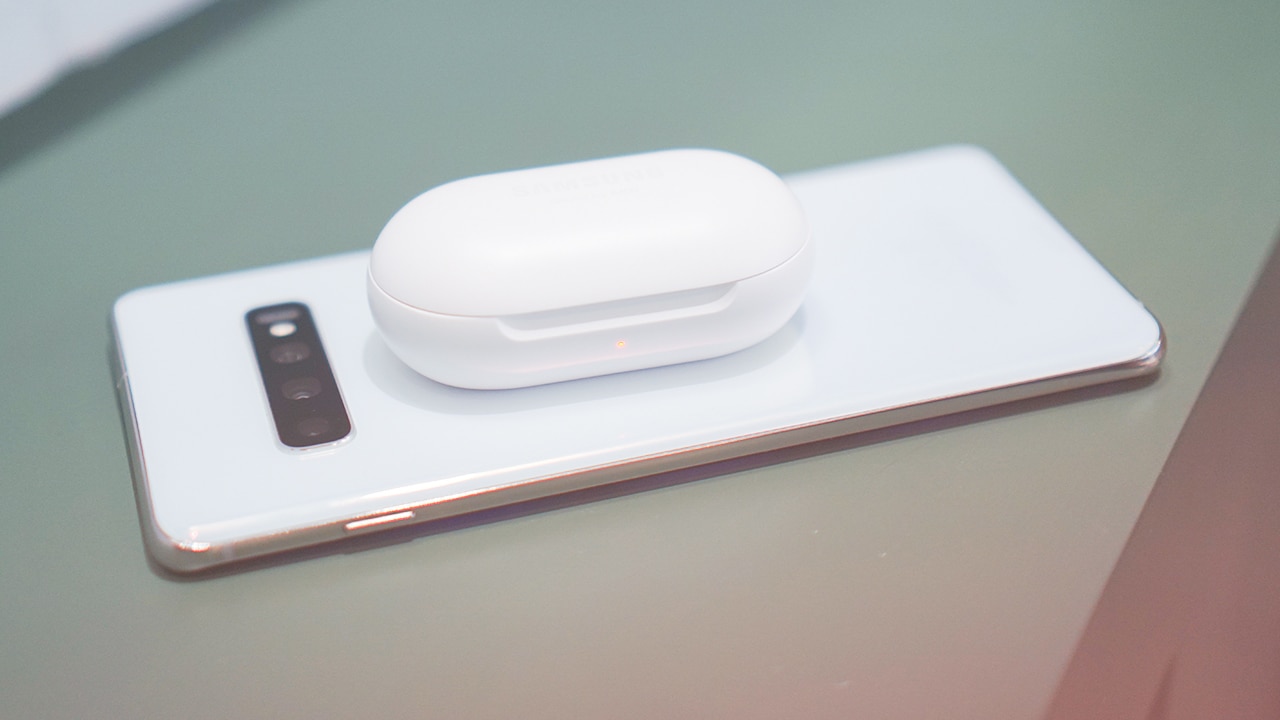
Those who’ve watched my videos over the years know I prefer a zoom lens to wide-angle, but three weeks traveling with the S10+ have changed that. This phone has three rear cameras, featuring both an ultra-wide angle and zoom lens. I love that I don’t have to pick between the two, and to be honest, when you’re traveling, nothing beats an ultra-wide.
Whether you’re shooting outdoors or indoors, the S10+ shoots beautiful photos. But it isn’t the low-light champ it used to be. If I were to nitpick, the phone has the tendency to favor highlights, so photos are sometimes unnecessarily brighter than they need to be — sometimes almost overexposed.
There’s a new AI-based Scene Optimizer that can can adjust settings based on what it thinks is best for a shot. I leave it off because the phone does a good job otherwise. But it needs to be turned on for Night Mode to work. You know the long exposure night shot that we’ve seen on many phones recently? It’s on the S10, too. But, there’s a catch.
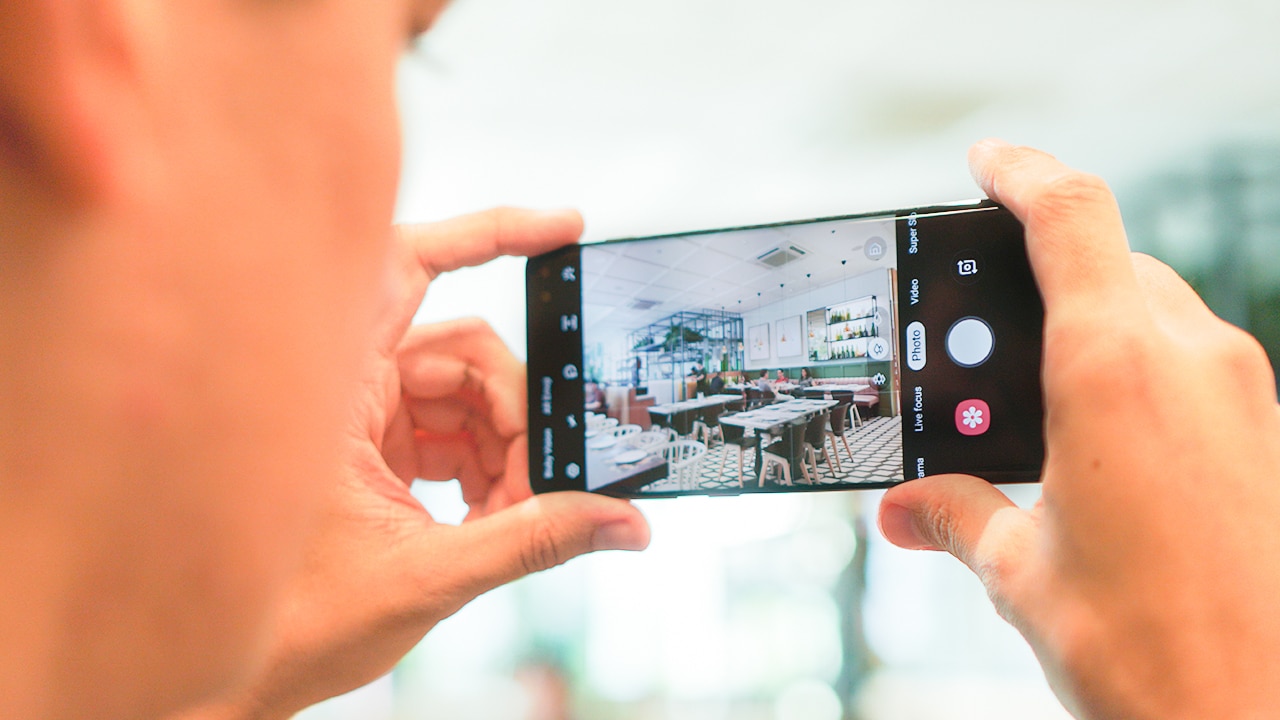
The phone has to think the scene needs night mode and it chooses to turn on. But oftentimes, it doesn’t think night mode is warranted. It can be frustrating, and would have been nice to get a button to turn it on when you need it. Maybe Samsung can fix this in an upcoming update.
My review unit is the S10+ which means instead of one front camera, there are two. The other is mainly for measuring depth. Even though there’s a toggle that makes it seem like there’s a second wide-angle camera, this is not the case. The other just crops in closer. I don’t like selfies taken with the S10+. I think they are too soft. I don’t mind a good skin softening filter that I can turn on or off. On the S10+, it doesn’t even look like that. It looks too soft, almost blurry.
Where the S10’s cameras do a great job at is shooting video. It is the first of its kind to support HDR10+ video capture. Of course, you need a display that supports it, and that does not include the S10. Video stabilization is great, however.
-

- Samsung Galaxy S10+
-

- Samsung Galaxy S10+





There’s plenty else to like about the S10+. I really like the changes they’ve made to their UI. One UI is cleaner, simpler, and well thought-out. Dark Mode is great and it helps save battery, too. My only peeve is the way the app drawer works. You swipe up to reveal it, but have to swipe to the left to see your second page of apps.
It’s backed up with the highest of specs. Including Qualcomm’s Snapdragon 855 chip here in the US and Samsung’s Exynos 9820 elsewhere in Asia. There’s still a headphone jack, support for up to 1TB of external storage, and water and dust resistance. Of course it’s all not sugar plums and unicorns.
Apart my from camera complaints, I’m not a fan of the power button being so high up. And speaking of buttons, the dedicated Bixby button can finally be reassigned to something else — except Google Assistant, which is a bummer. Bixby is a con in and of itself. I’ll leave it at that.
Is the Samsung Galaxy S10+ your GadgetMatch?
If you’re looking for one of the best Android phones that you can get almost regardless of where you live, the Galaxy S10 is on top of our list. Some might argue that many of its new features have been seen before on other smartphones; that’s true, and that doesn’t look good on Samsung’s report card as an innovator.
However, in some cases, while late, Samsung has gone out and done it better. And while objectively, the Galaxy S10+ isn’t the best at anything, it’s so well balanced a smartphone, that it’s hard not to recommend. It does things right, and does things good. From where it stands at this point in the year, it’s set a high bar for the rest of the industry to follow.
Undeniably, the Galaxy S10+ deserves the GadgetMatch Seal of Approval. If you’re in the market for a new Android smartphone and are willing to shell out the US$ 1,000 asking price, then we give you our blessing.

For Samsung fans wanting to save a few hundred bucks, I’d consider the more affordable Galaxy S10e which we’ll review separately. You can also avail of a trade-in offer from your carrier. T-Mobile, for example, is offering up to US$ 390 off for qualifying phones including the Galaxy S8 and S9. That brings the price down to a more reasonable US$ 605.
If that’s still a lot to pay, check out the OnePlus 6T if you’re in the US. And if you’re elsewhere in the world, I’m also a big fan of the new Xiaomi Mi 9.





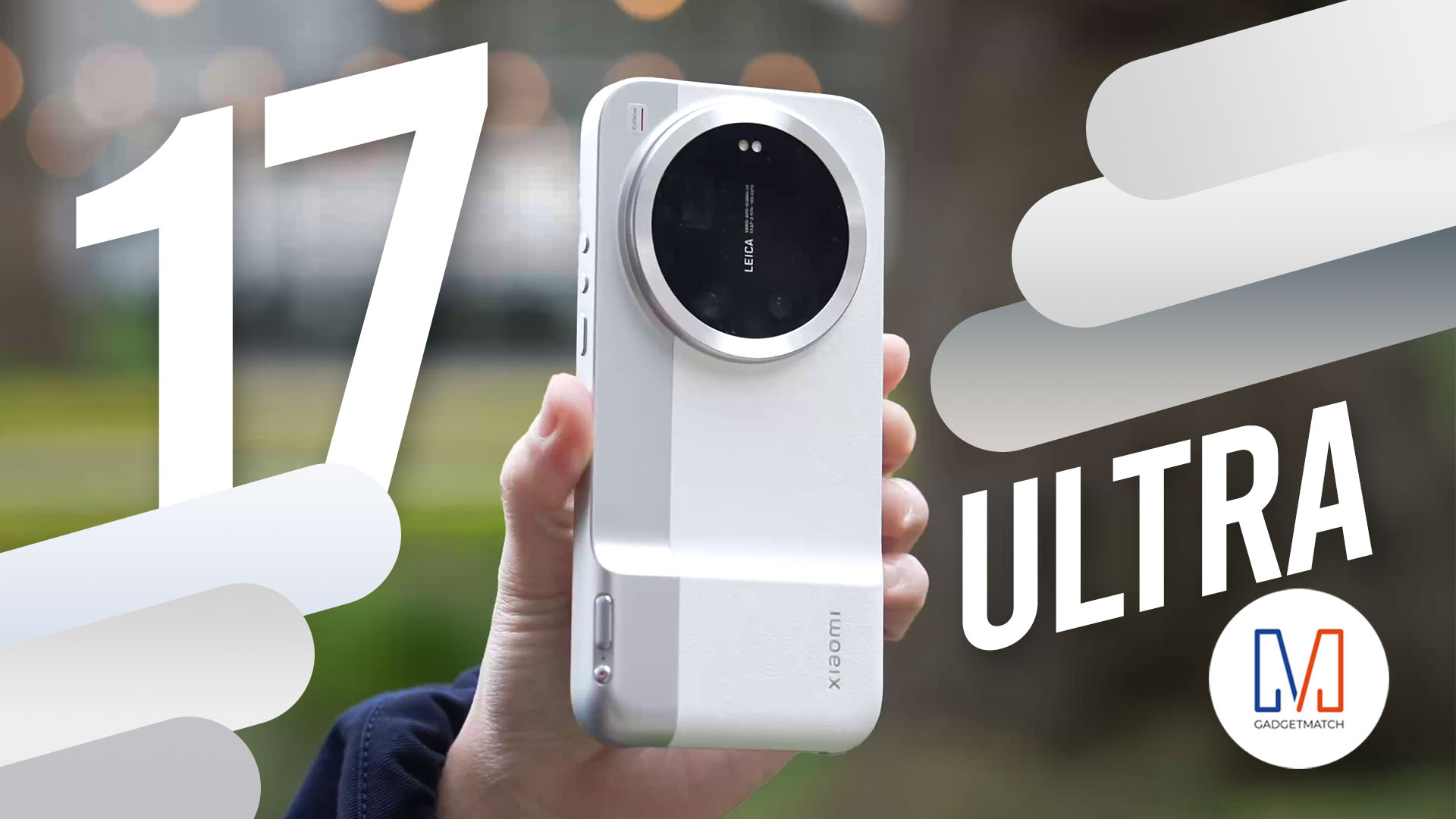
The all-new Xiaomi 17 Ultra isn’t perfect. But as a camera?
With a 1-inch sensor, continuous optical zoom, and Leica color science — this might be the most exciting camera phone Michael Josh has used in years.
If you care about photography more than a polish, you’ll want to watch this review.
Here’s our in-depth Xiaomi 17 Ultra review.

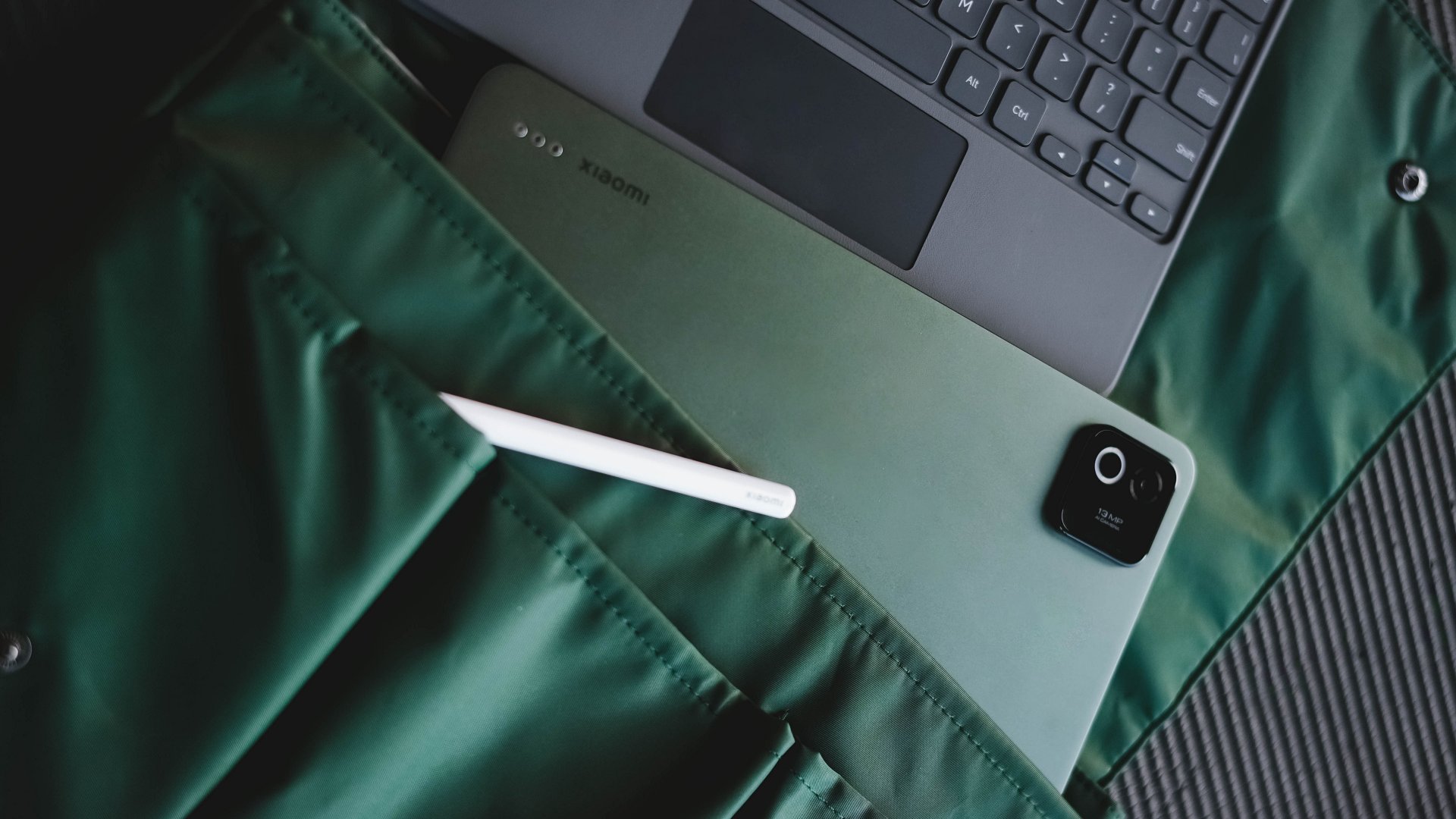
Despite having two tablets with me, I admit I am not a religious tablet user. So, why accept another tablet review?
Well, as privileged as it sounds, the tablets with me represent the two ends of the spectrum: entry-level and flagship.
However, the arrival of the Xiaomi Pad 8, nestling right in the middle, came just in time, and it might just be what I’ve been looking for in this niche tablet territory.
In for a sweet treat
In a sea full of gargantuan slates, I never knew Xiaomi Pad 8’s 11.2-inch screen is the sweet treat I truly desire. The other two tablets I’ve mentioned both exceed the 12- and 13-inch range.
Having a tablet with a bigger screen, while great for one’s viewing pleasure, still means having to deal with its overall heft. However, the Xiaomi Pad 8 has a reasonable amount of heft at just 485 grams — 15 grams less than its predecessor.

It also managed to shed some trimmings from 6.2mm down to just 5.8mm.
Now hear me out: Those numbers might not sound a lot. However, the actual feeling and experience make a difference, not just when carrying it, but also when putting it on surfaces — whether it’s your lap, a café’s roundtable, and even inside your bags (or sleeves).
Flight-friendly
No one asked, but I took the Xiaomi Pad 8 with me in my recent Japan trip.
Flying economy (not that I have the option as it’s an LCC or low-cost carrier) is the greatest measure I can think of just to prove my “sweet spot” admiration.

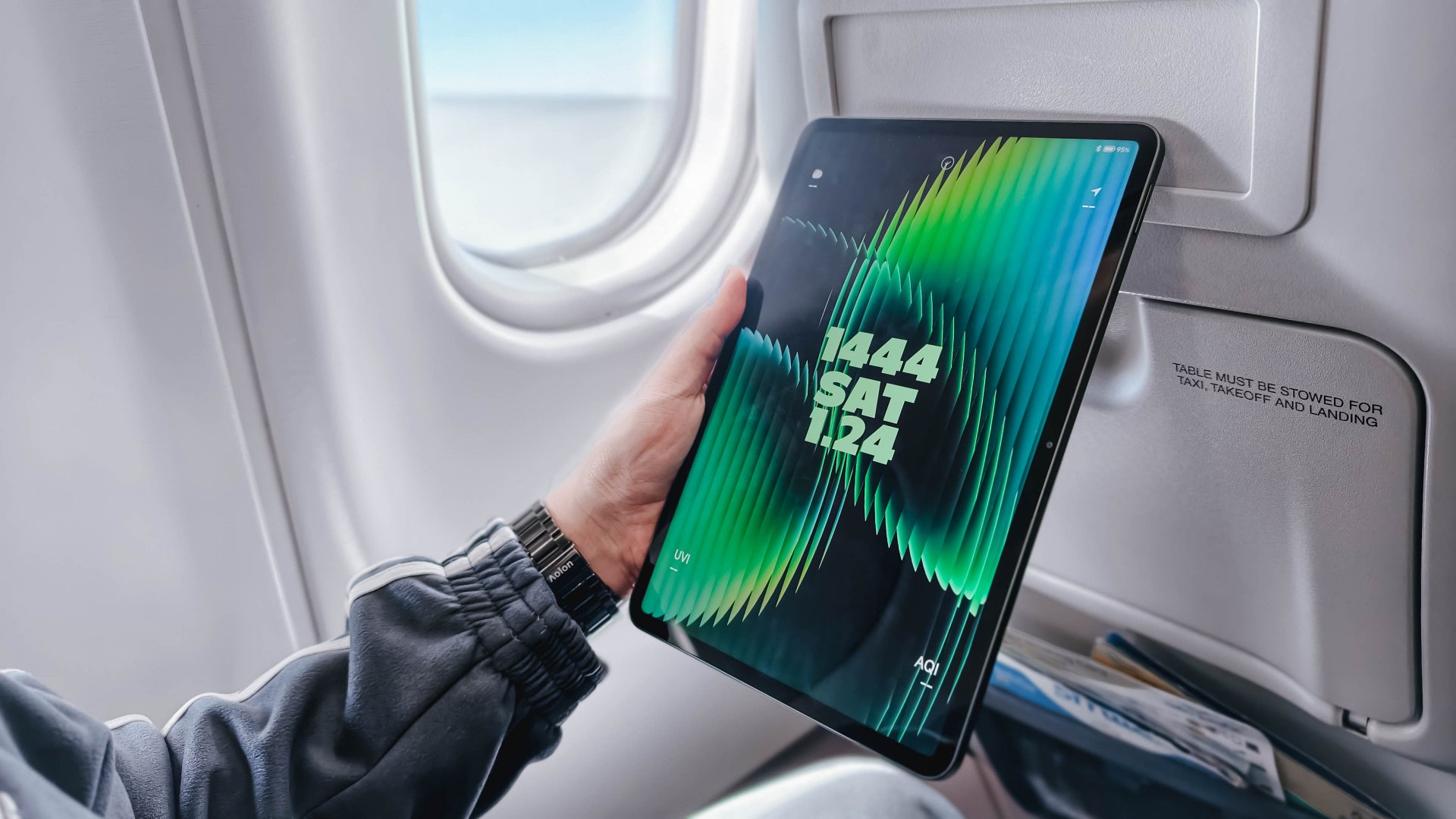
Surprisingly, after putting down the airplane tray table, the Xiaomi Pad 8 fit like a glove. I cannot do the same with my 14-inch MacBook Pro for, well, the most obvious reason.
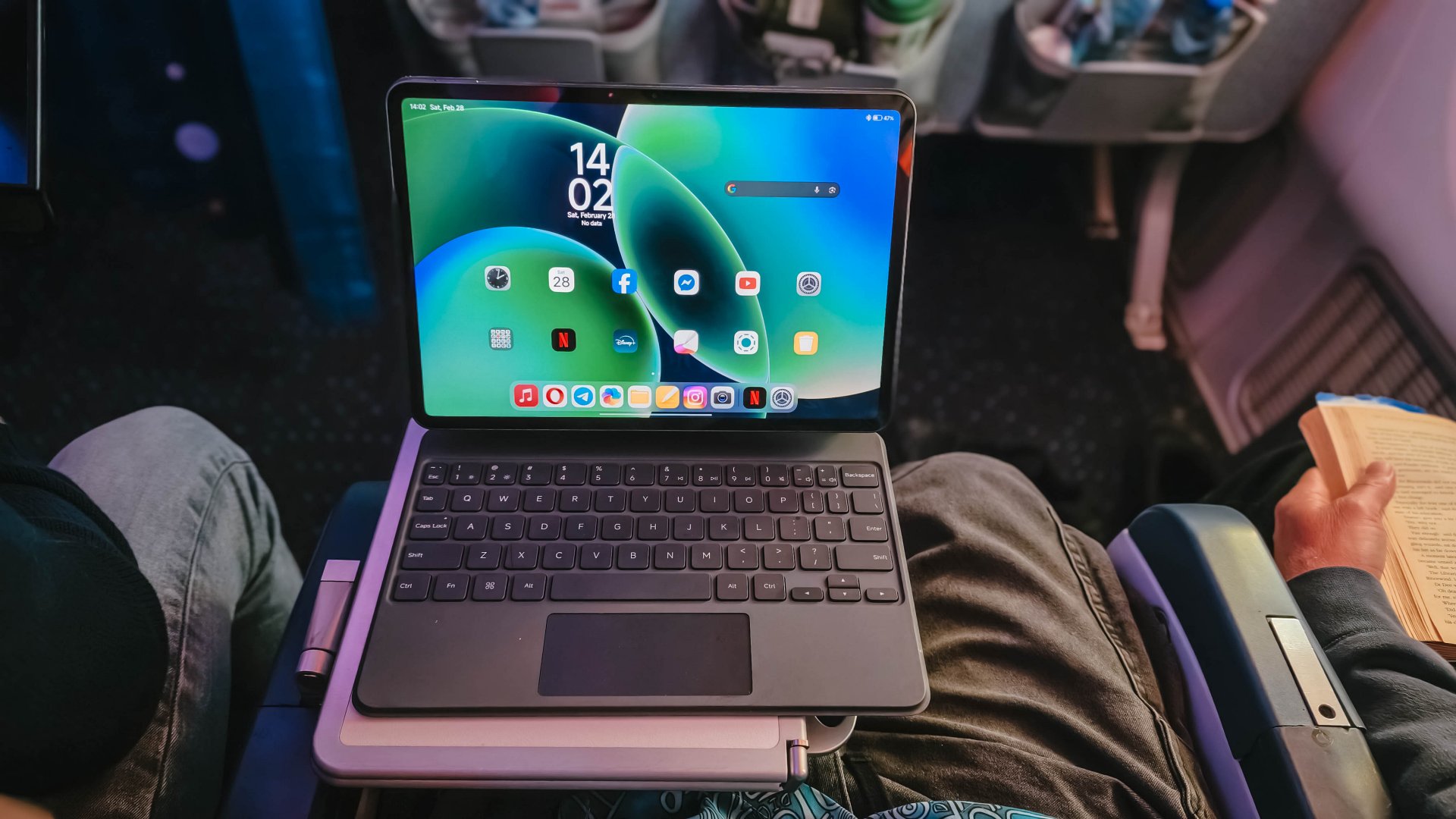
BONUS UPDATE: The Xiaomi Pad 8 was also able to fit in this half-folded tray table during my 16-hour flight to Amsterdam. No issues of wobbling whatsoever. Although the food items were able to fit, it was kind a bit of a reach to put everything.
During that 4-hour flight, I was able to catch up with the first four episodes of Undercover Miss Hong that I missed during its Netflix premiere.

While asking for an OLED display sounds too much to ask for, its IPS LCD display still did the job well. That 3.2K resolution and 345ppi pixel density are as sharp as ITZY Yuna’s character as she made her cameo being Park Shin-hye’s badass younger sister.

Dolby Vision is also there for all the content that supports it.
My only complaint here is how ultra-glossy its panel is. That’s despite its 800 nits peak brightness.
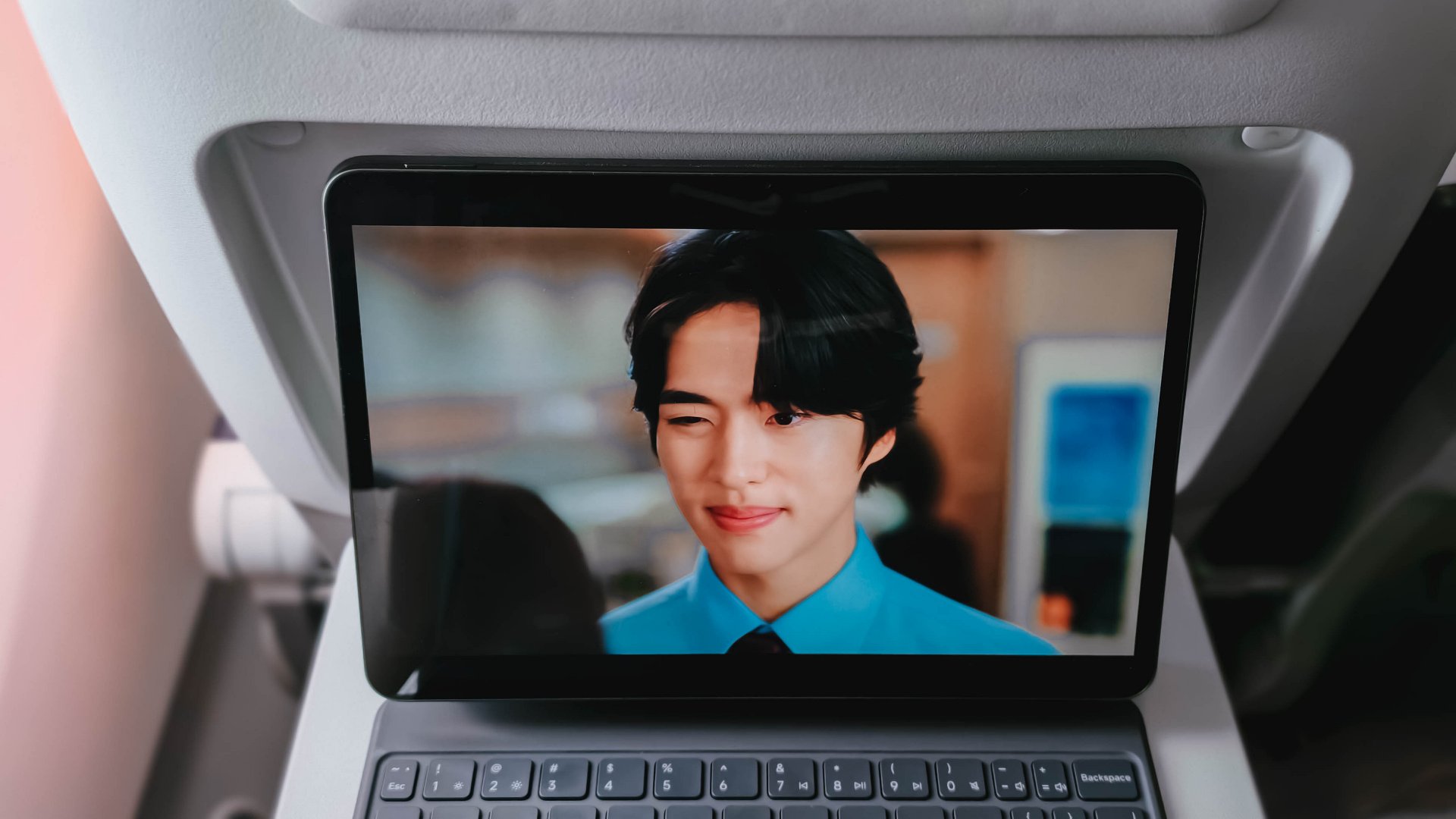
Even after closing the plane’s window shades, I can still see my own reflection while trying to appreciate my new celebrity crush, Cho Hangyeol.
But hey, at least I can see myself being with him. 😬
Now Playing: XG’s HYPNOTIZE + KiiiKiii’s 404 (New Era) / Delulu Pack EP
My content consumption doesn’t end just yet.
While everyone is complaining about letterboxed content (and ignoring the fact that zoomed in content is still viable), watching the 3:2 music video of KiiiKiii’s 404 (New Era) perfectly complemented Xiaomi Pad 8’s 3:2 aspect ratio.

Much like those popping fireworks behind Haum, colors ultimately pop that aren’t too straining to the eyes.
And, much like how hypnotizing XG’s HYPNOTIZE is, the same can be said with its sound quality.

The Xiaomi Pad 8 boasts a quad speaker setup powered by Dolby Atmos. During my playback session, it was able to fill my room even at just around 70% to 80%. If that’s still not enough, Xiaomi provides a volume boost feature of up to 200% for those banging (literally and figuratively) song sessions.
For better measure, I also tried playing KiiiKiii’s Delulu Pack EP in Lossless quality through Apple Music. Thankfully, Xiaomi Pad 8 supports Hi-Res Audio.
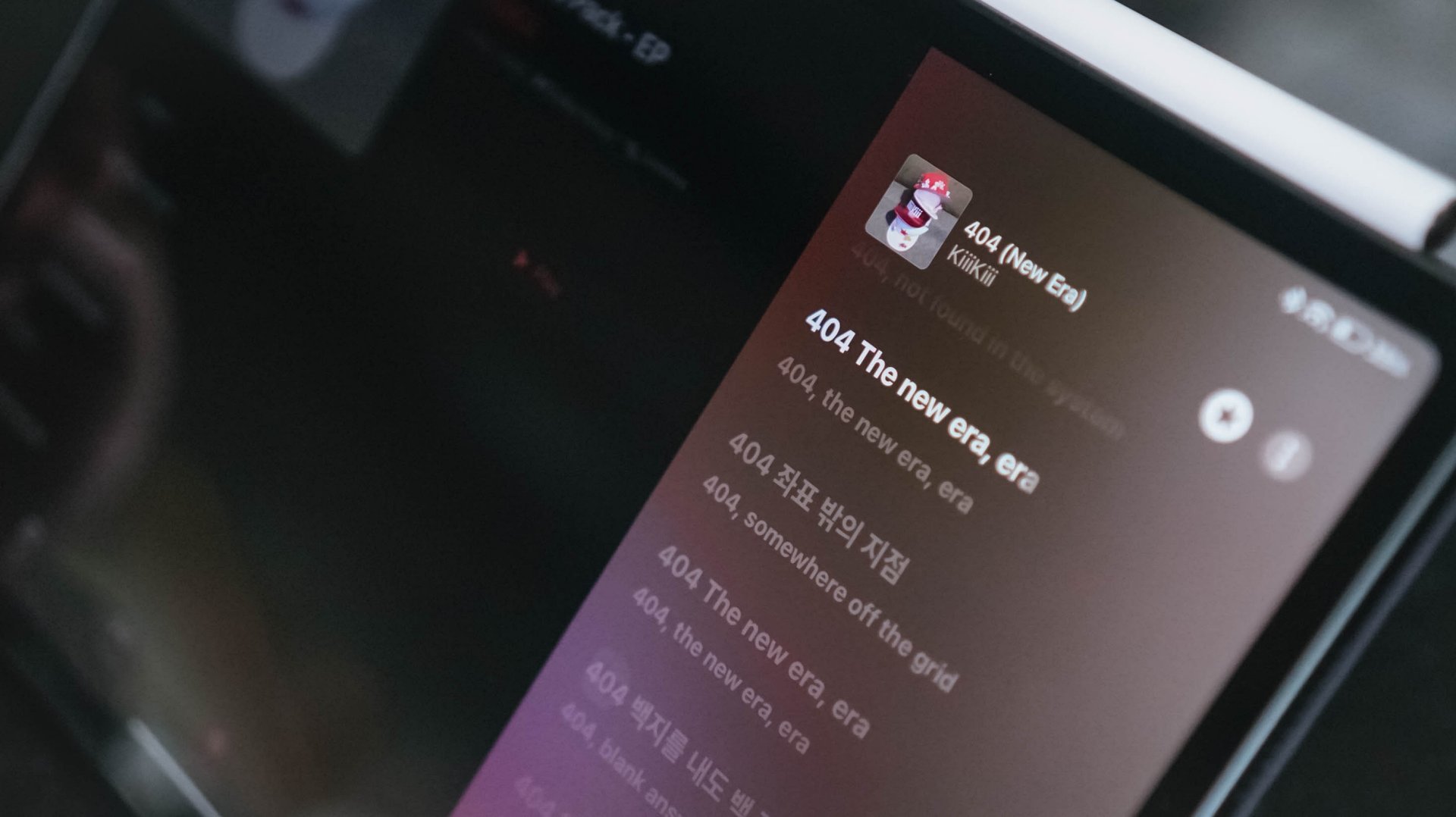
Of course, it’s not as supreme sounding as what I hear when I wear my LDAC headphones and earphones. Still, I was finally able to hear all the layers of each track — all while appreciating the slightest of hums and adlibs.
Even with MUNGNYANG (my favorite b-side here) as an example. The Korean palace-like instrumentals can easily be heard meters away from my room to the point where I still get goosebumps over me with how good the song is.
I could boldly claim this is a true no-skip release. It’s probably KiiiKiii’s redemption arc after I DO ME and DANCING ALONE didn’t get the hype both releases deserved since debut.
Productivity powerhouse
I will reiterate what I said in my last tablet review: tablets can never really “replace” laptops — at least in the line of work that I do.
Admittedly, I can never let go of my 14-inch MacBook Pro as my main powerhouse. That’s for editing our YouTube videos in Final Cut Pro, post-processing product photos via Lightroom, and making graphics through Photoshop.
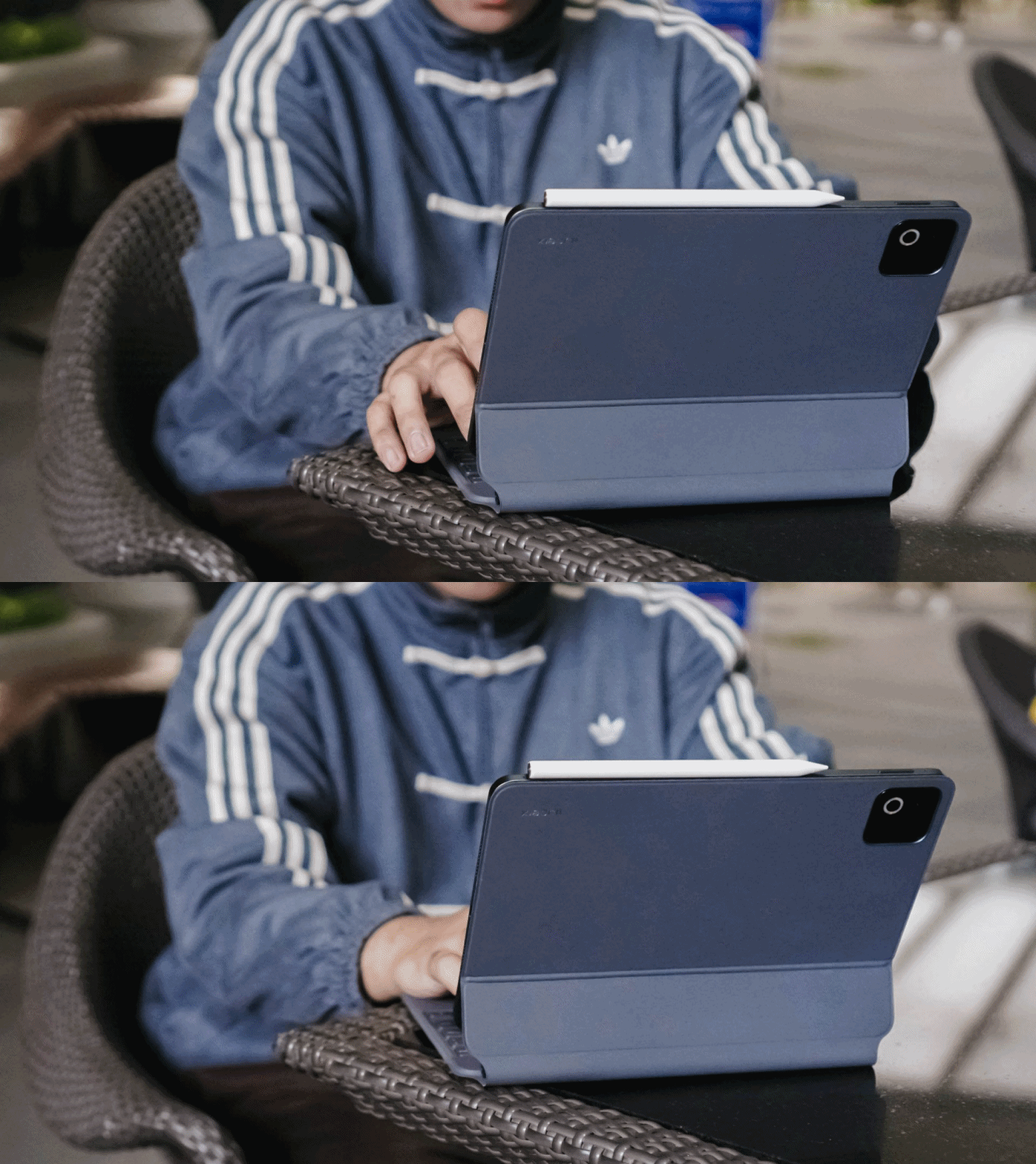
However, there’s one thing I truly enjoyed using the pad for: writing this review article itself.
The bundled Focus Keyboard for Xiaomi Pad 8 made me realize that this is where people go crazy over the “laptop replacement” statement.
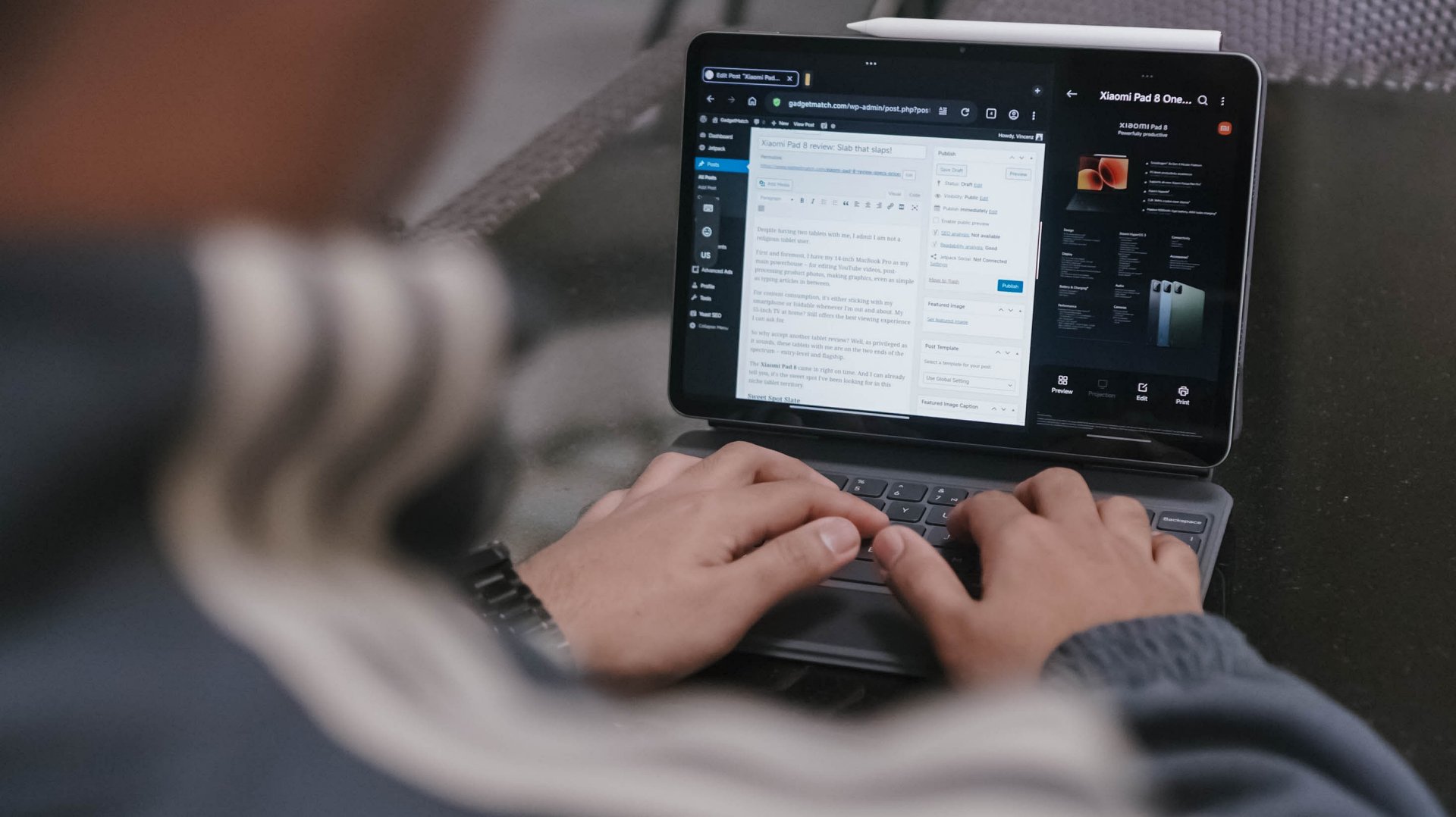
I enjoyed typing on that bundled Pro-grade Focus Keyboard accessory more than I expected. While it’s not clickity clackity as my Mac’s keyboard, it’s not too mushy either with just the right amount of response.
Also, despite having thicc fingers, its chiclet keys worked well in my favor with little to no typos at all.

Evidently, the screen is also ideal for multitasking that’s why I used the Xiaomi Pad 8 specs sheet as a reference on the right side as I type this review write-up.
Even though it’s not as flexible as other OSes with multitasking screen panes or even the “open canvas” app-switching, it’s manageable enough to split running apps into three with an extra floating window up and above.
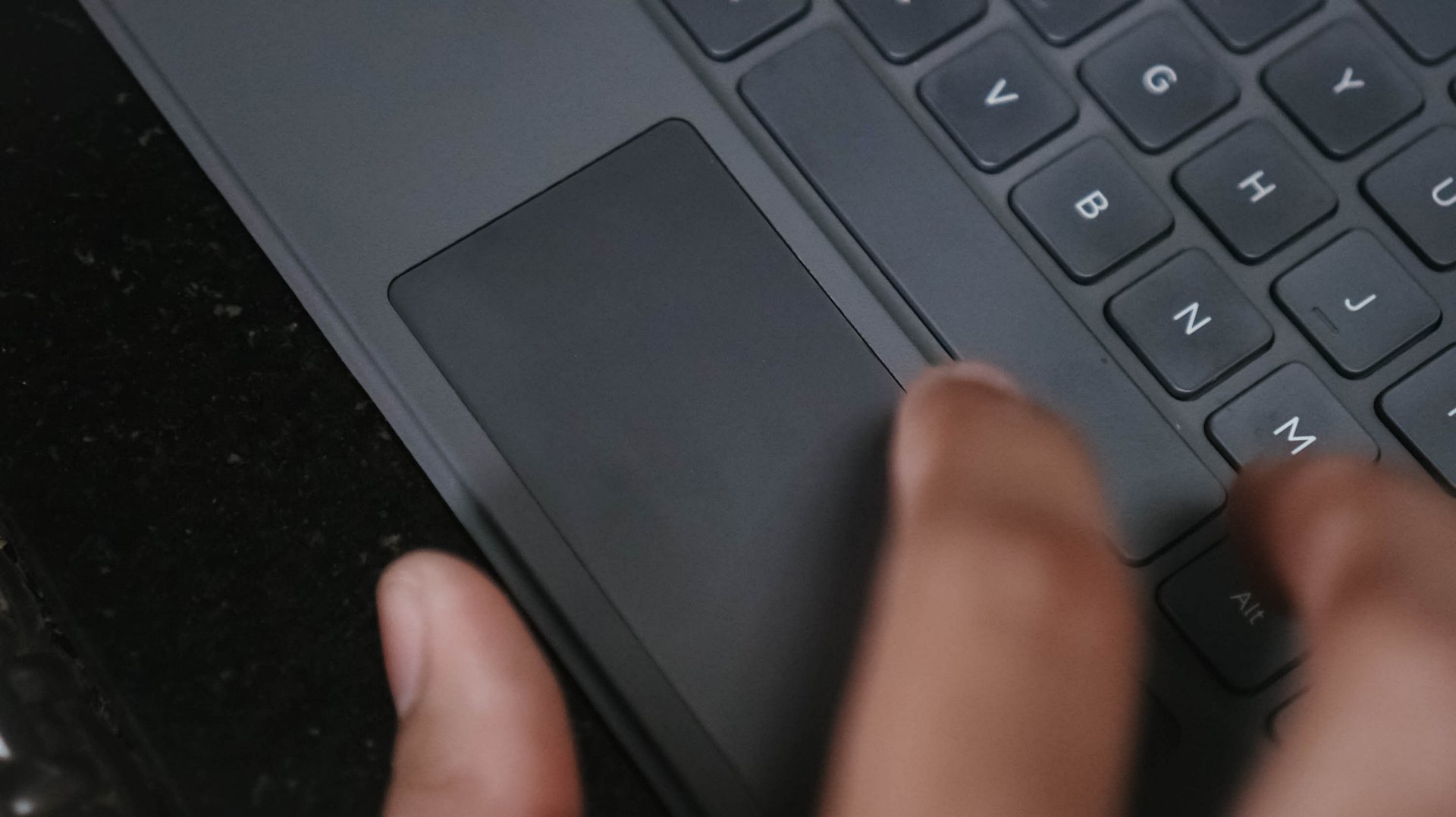
That trackpad is a nice addition as well. Gestures felt familiar from scrolling, breezing through apps, even those one or two-finger functions.
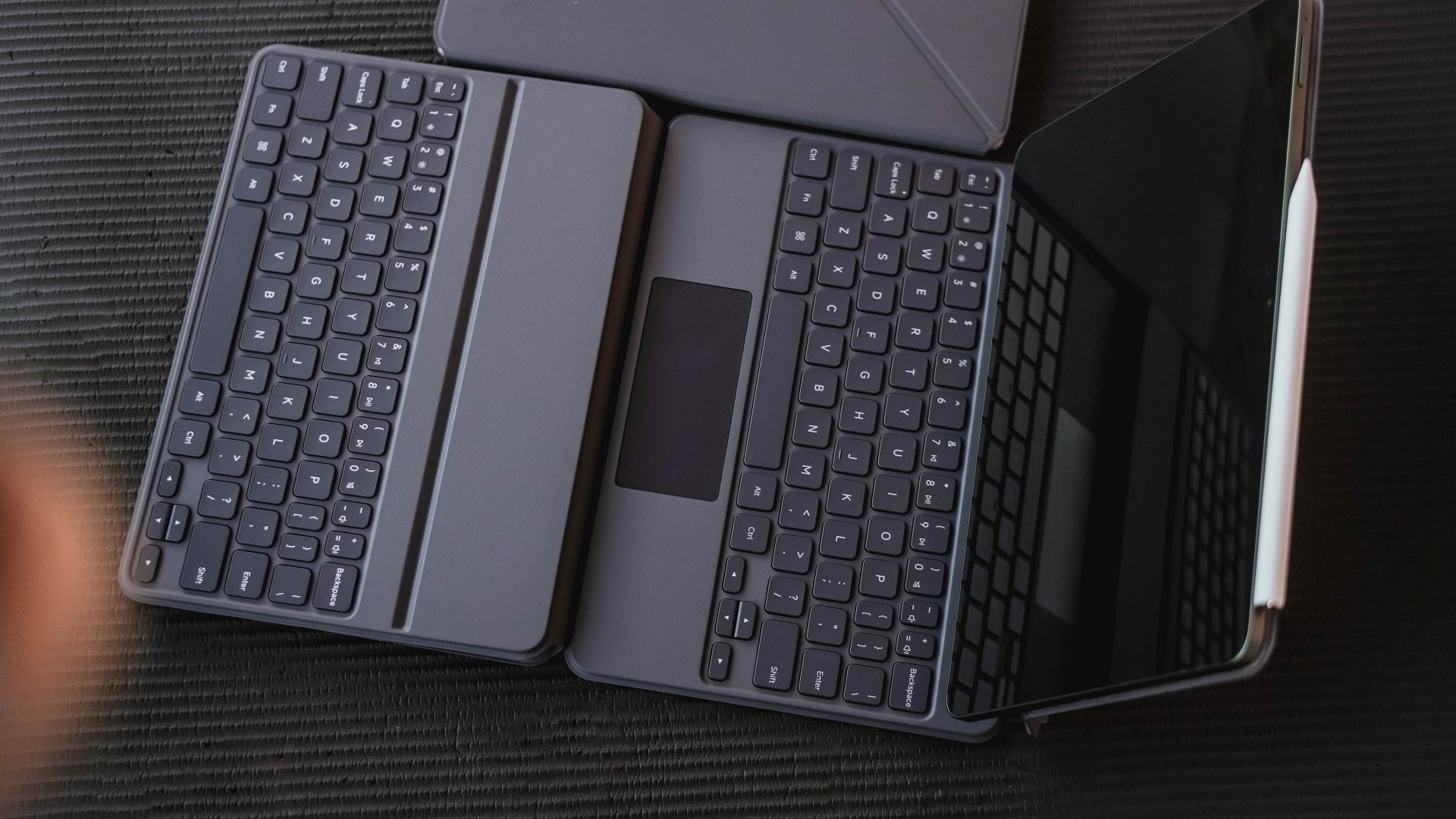
If you’re not fond of restrictive Focus Keyboard with a limiting screen angle tilting, Xiaomi offers a less-daunting and more basic Keyboard accessory with better screen tilting support sans the trackpad.
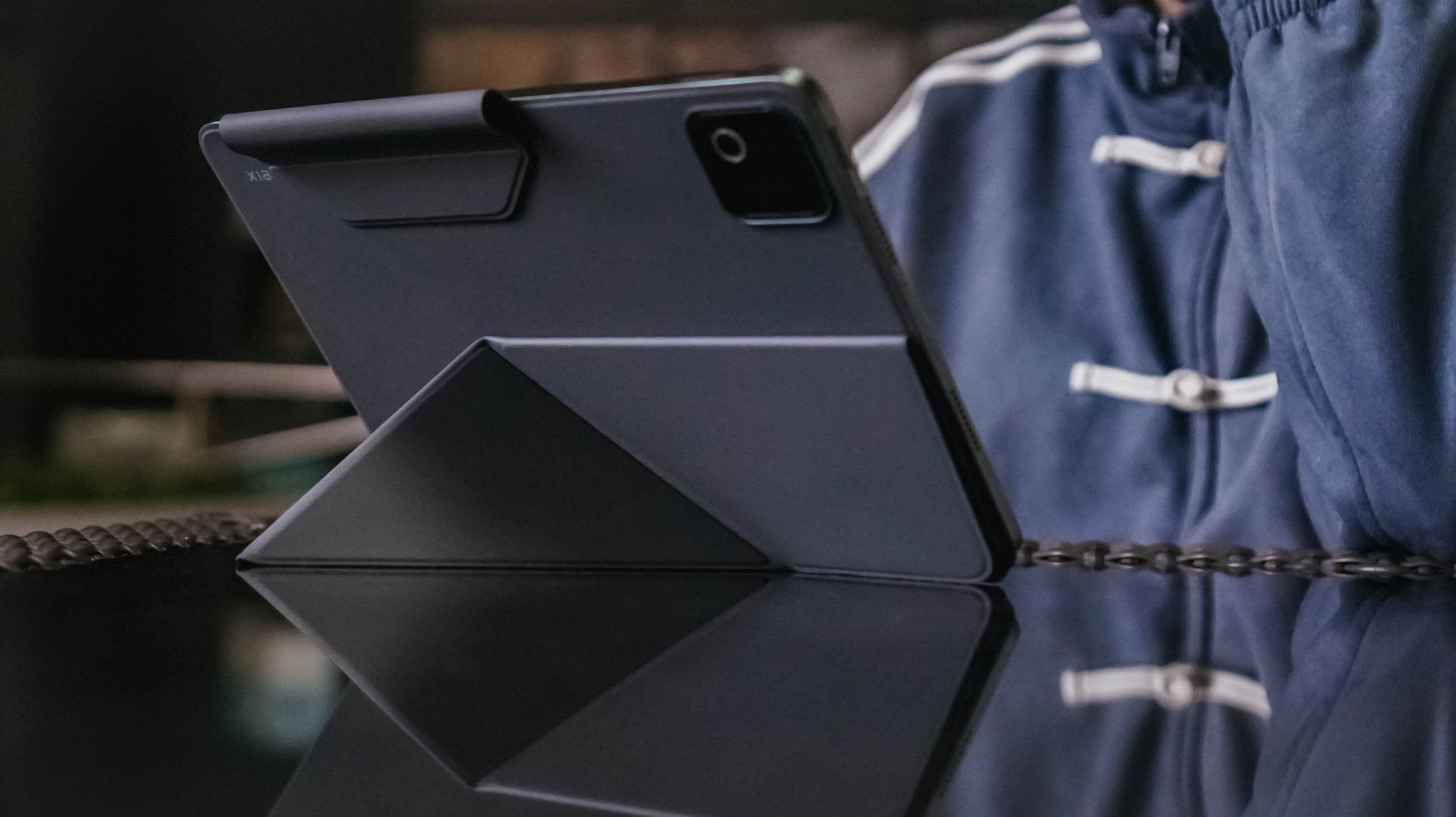
If that still feels heavy, replace it with the Xiaomi Pad 8 Cover along with its origami-type stand for further flexibility.
Pen is mightier than the sword
Speaking of flexibility, those accessories go hand-in-hand with the all-new Focus Pen Pro for the new Xiaomi Pad 8.
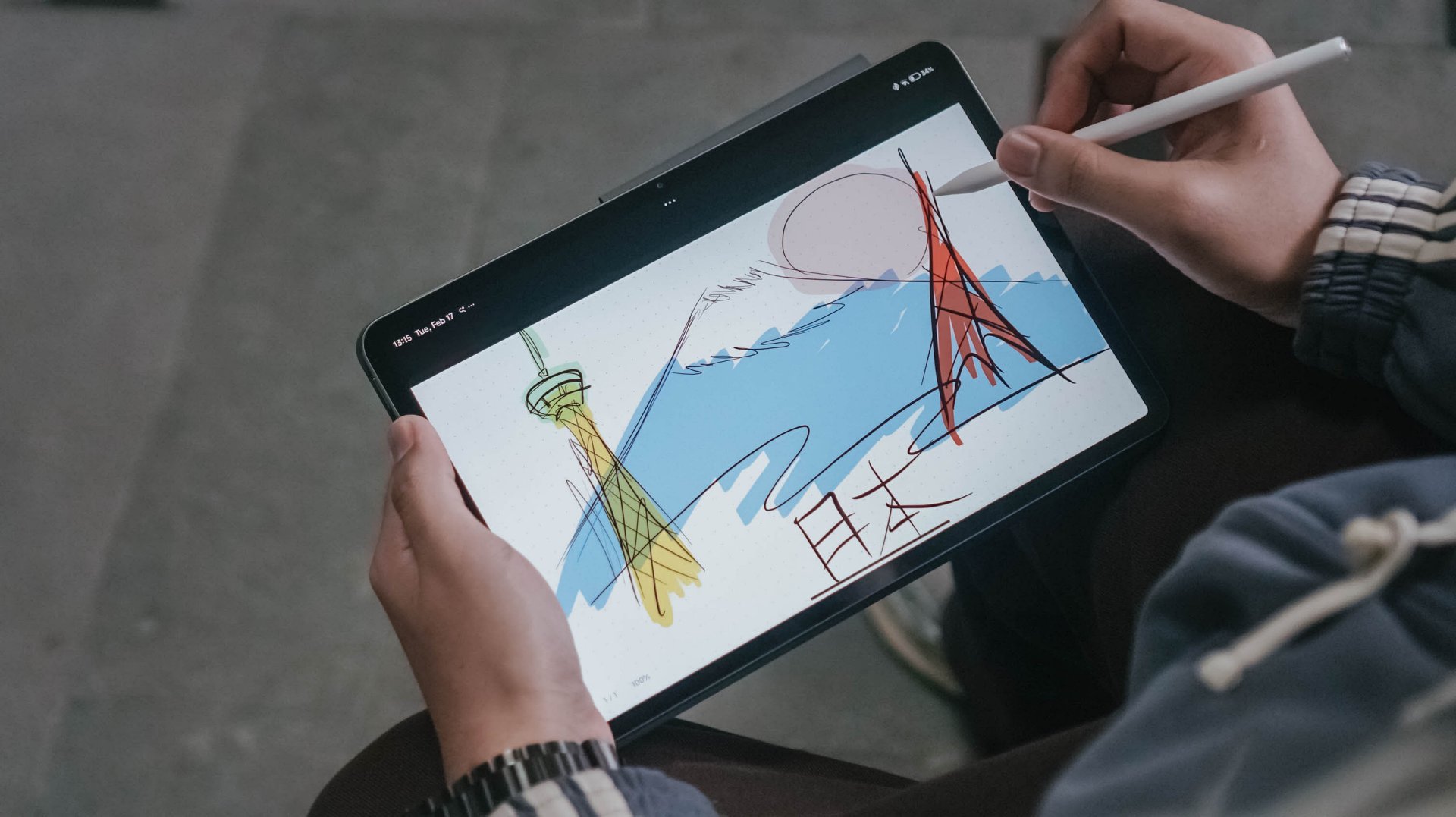
Ditching the conventional stylus buttons, Xiaomi’s new stylus is button-less and totally relies on double-tapping and squeezing.
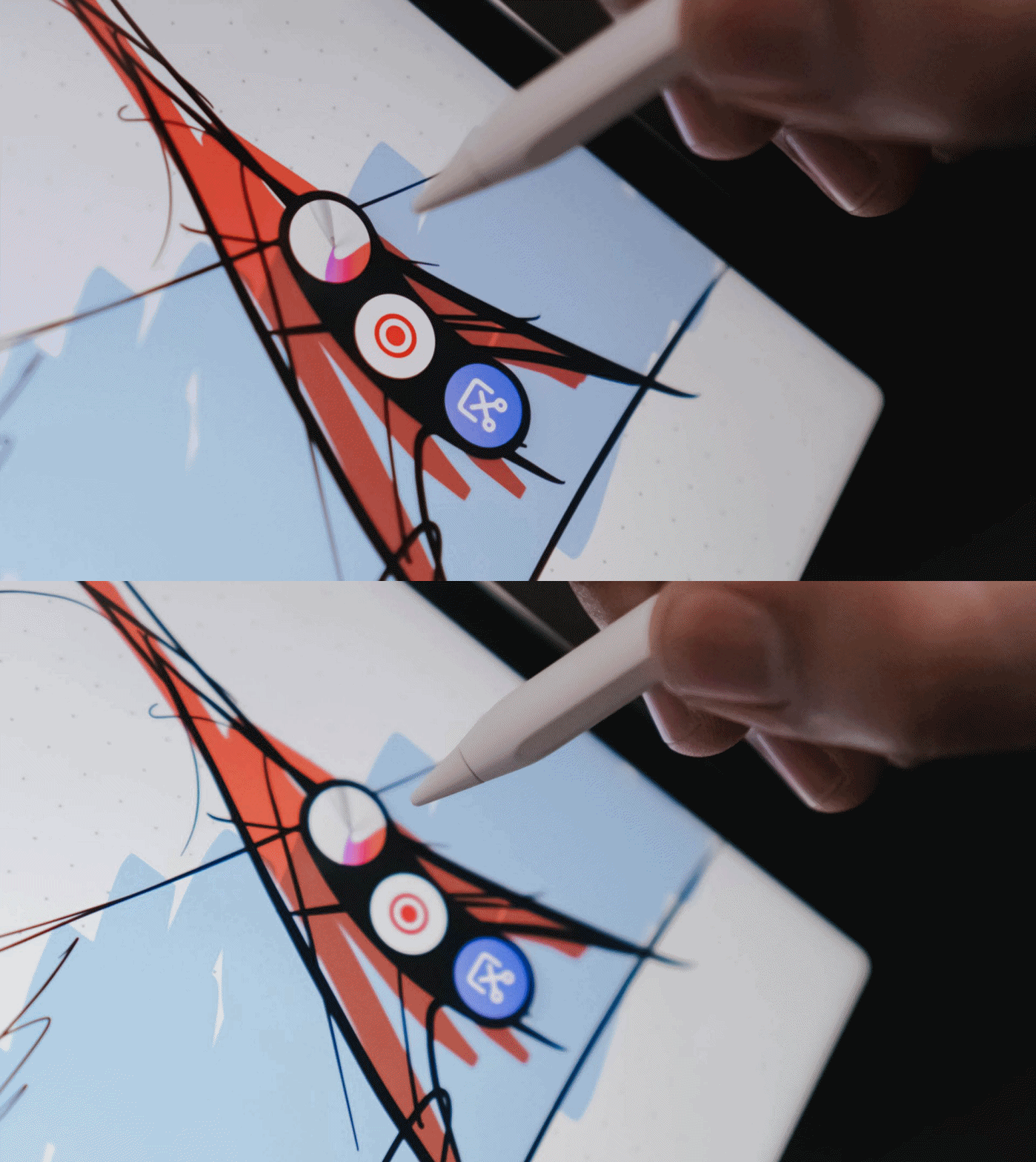
These shortcut keys are pressure-sensitive, depending on the force you apply.
The hover preview and side-rotating brush are also handy, especially for creatives who want precision in the creative work they do.
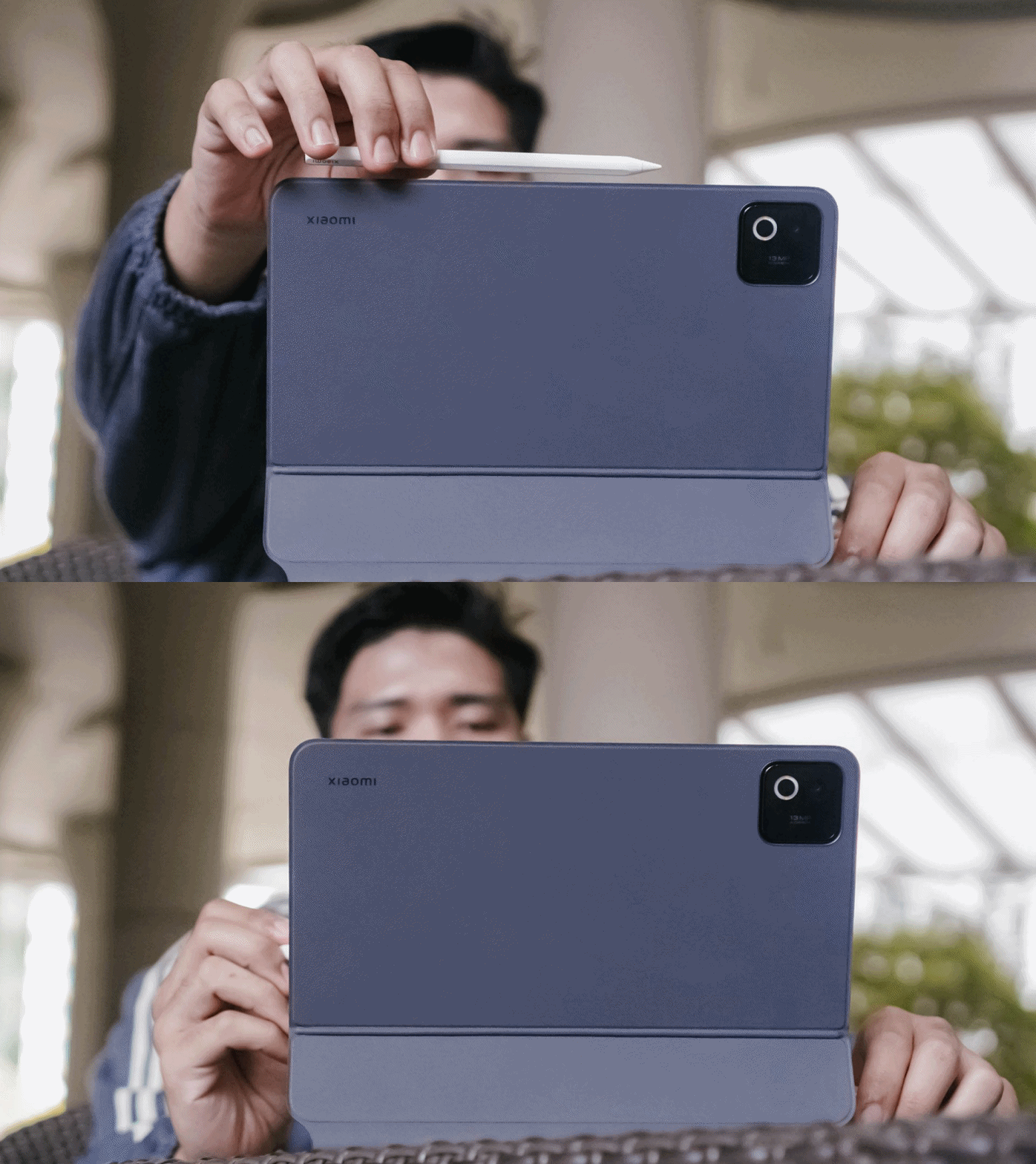
Whenever you’re already in a pinch, the pen can be charged magnetically on the tablet’s frame.
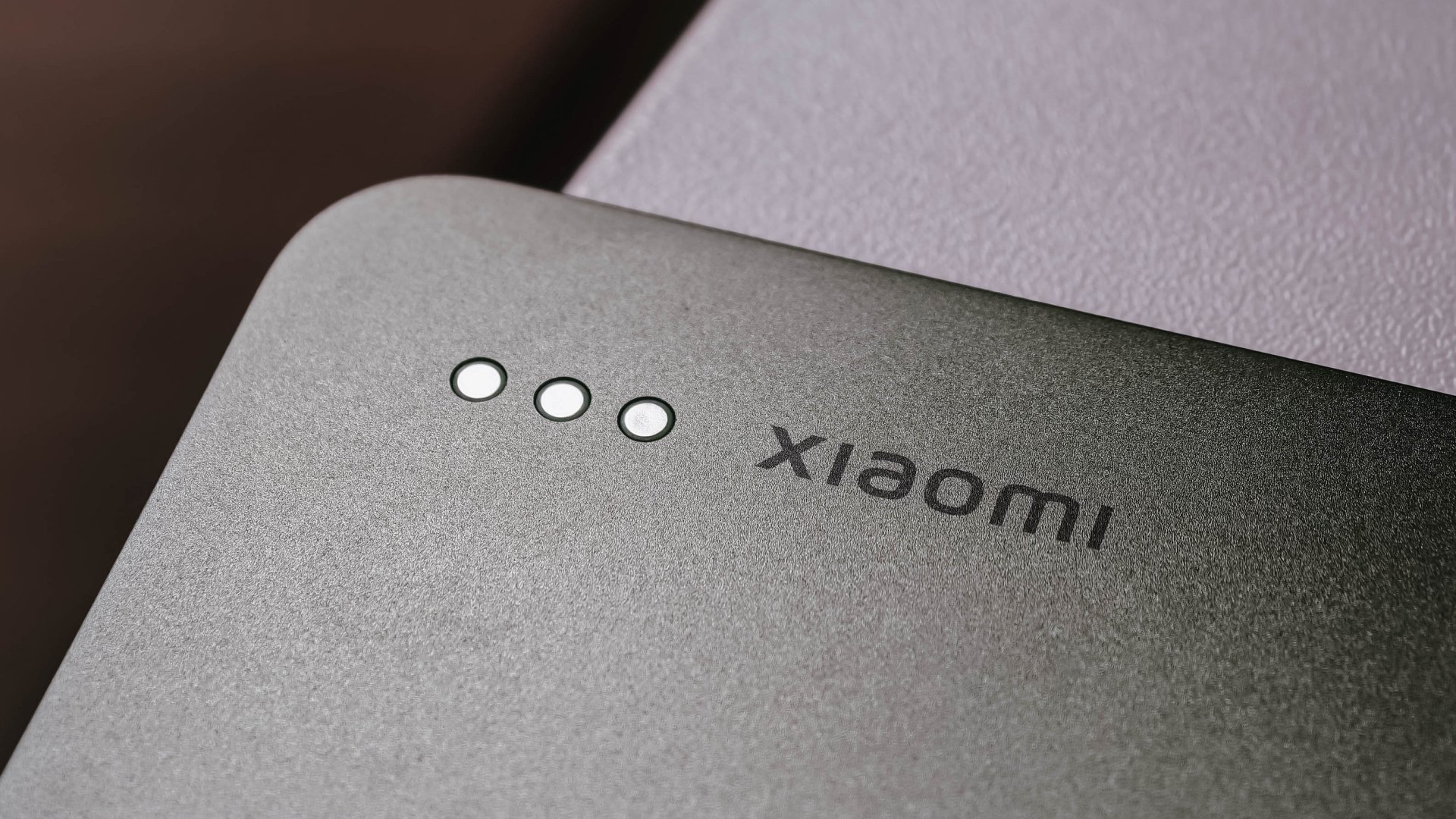

And just like the pen, both keyboard accessories are magnetically-powered, too, through a set of pogo pins at the back. It’s so easy-peasy that you won’t struggle to charge the device through the USB-C cable.
Far from being mid
Enjoying that much-needed work-life balance is possible with the Xiaomi Pad 8.
With Qualcomm’s Snapdragon 8s Gen 4 in its core, this pad is more than capable of being a lean and mean gaming machine, despite being a mid-class tablet.
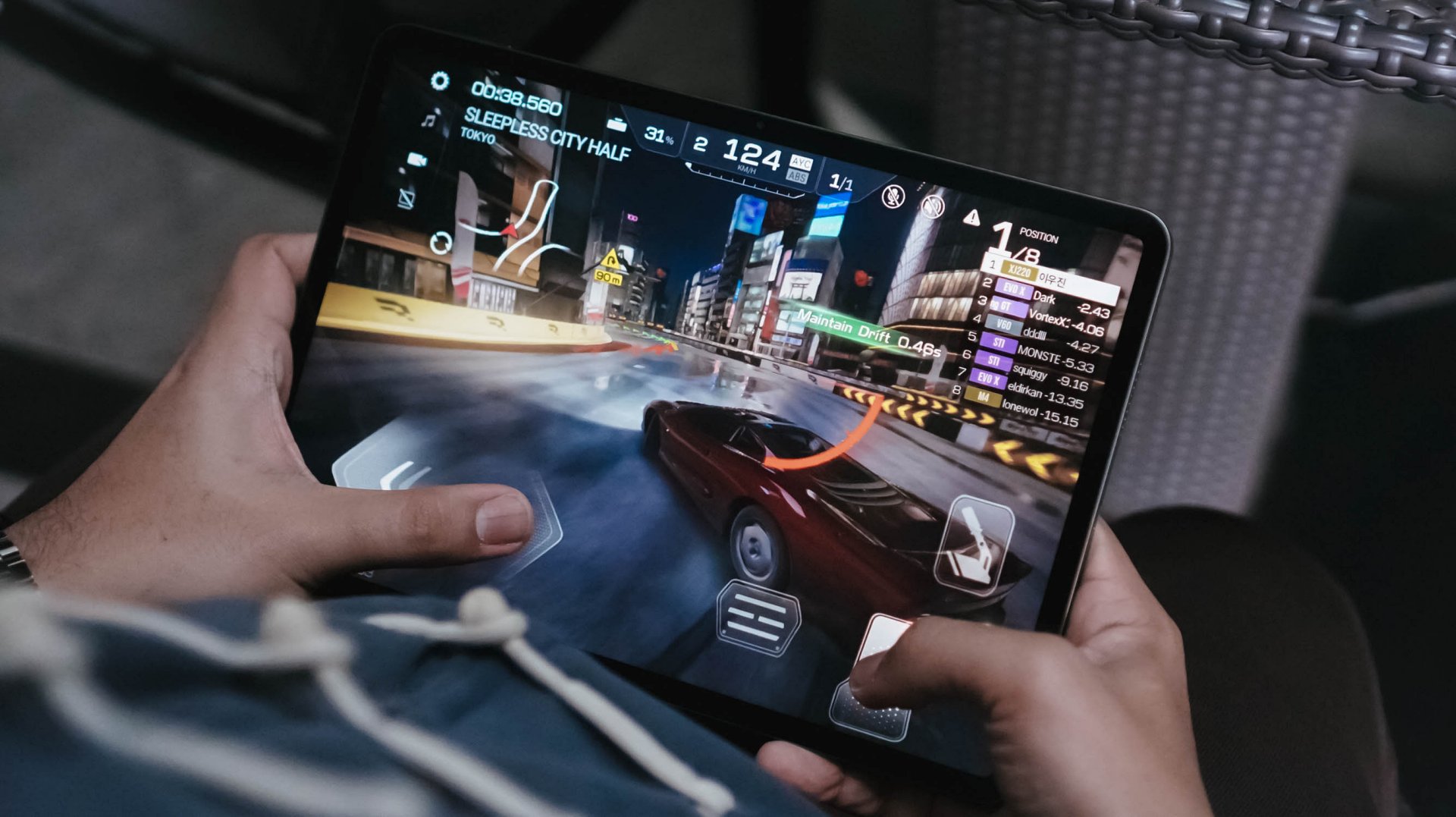
If you were able to read some of my reviews, you’d know that there are two games I always play.
First and foremost, Racing Master was totally up and running in Ultra-High / 60fps settings.
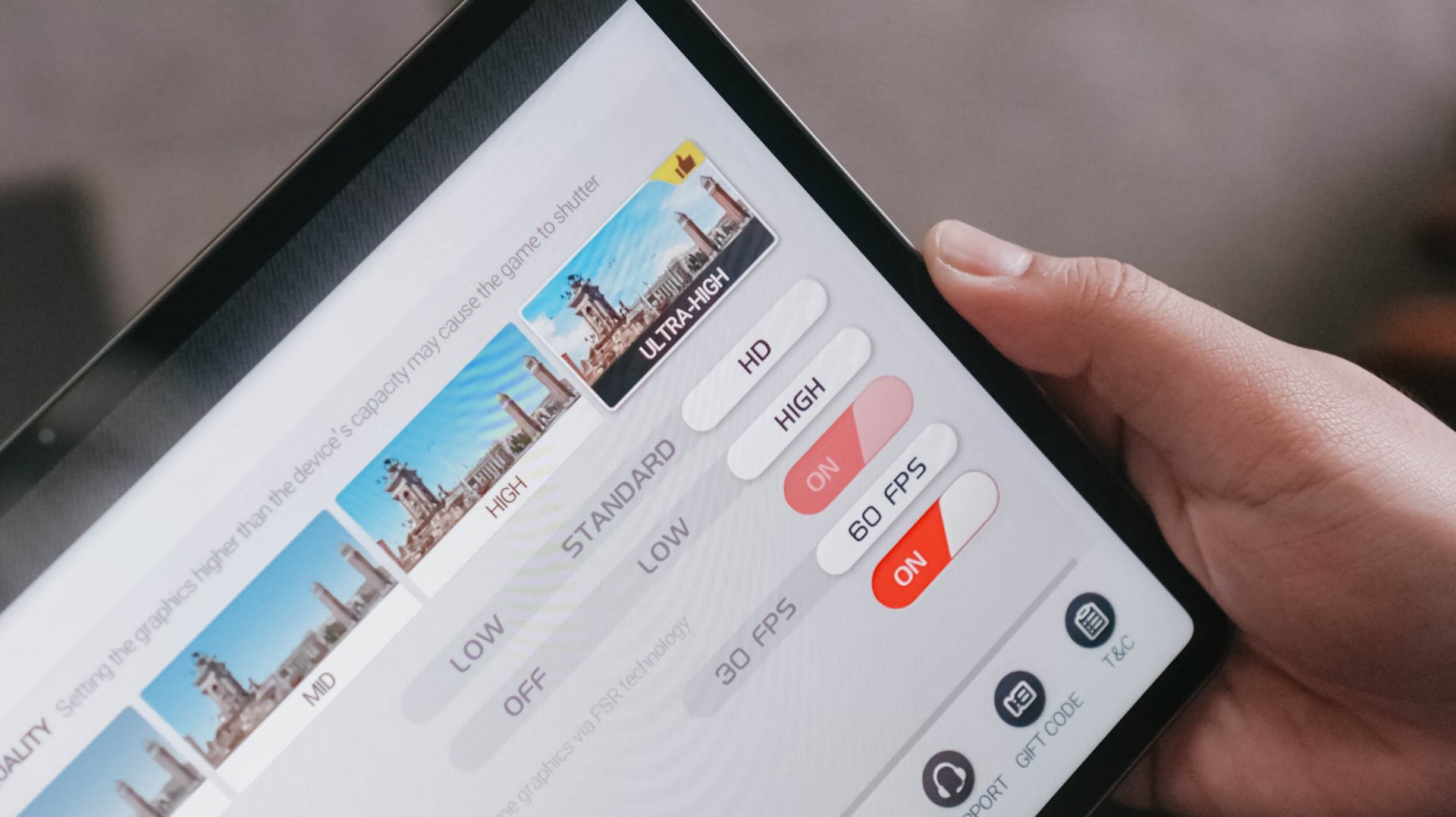
That 144Hz refresh rate was complementary to that. Moreover, it’s comfortably soothing to my frame rate-sensitive eyes.
CoDM (or Call of Duty: Mobile) was also playable at Very High graphics settings.
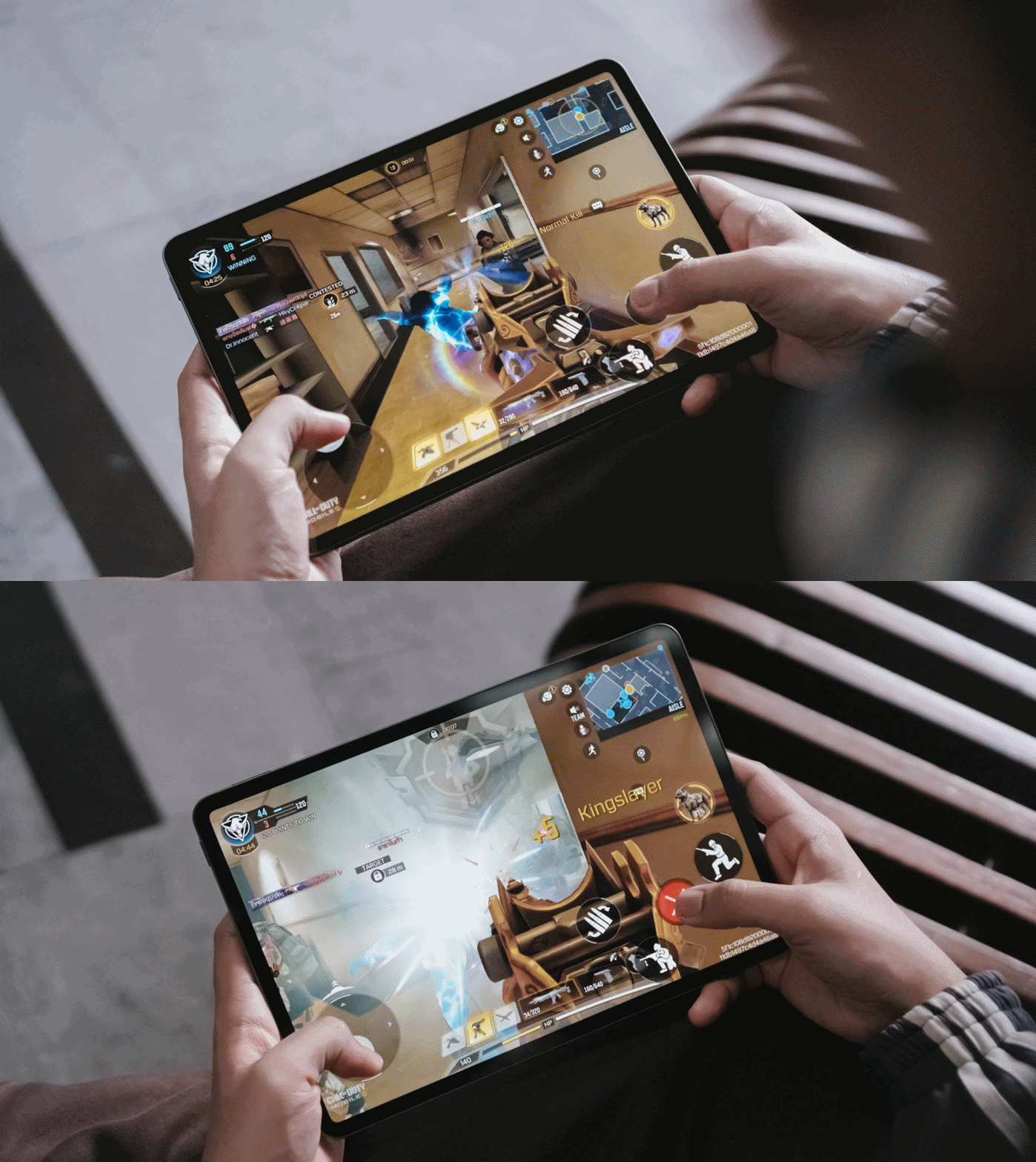
And unlike my undesirable gameplay with the HONOR MagicPad 3 and its daunting 13.3-inch screen right before I reconfigured the placement of controls, Xiaomi Pad 8’s 11.2-inch display made full sense with no adjustments, whatsoever.
Other goodies that need to be mentioned are its 13MP rear camera with a larger ring flash — which means Xiaomi wanted you to use it for more than just document scanning.
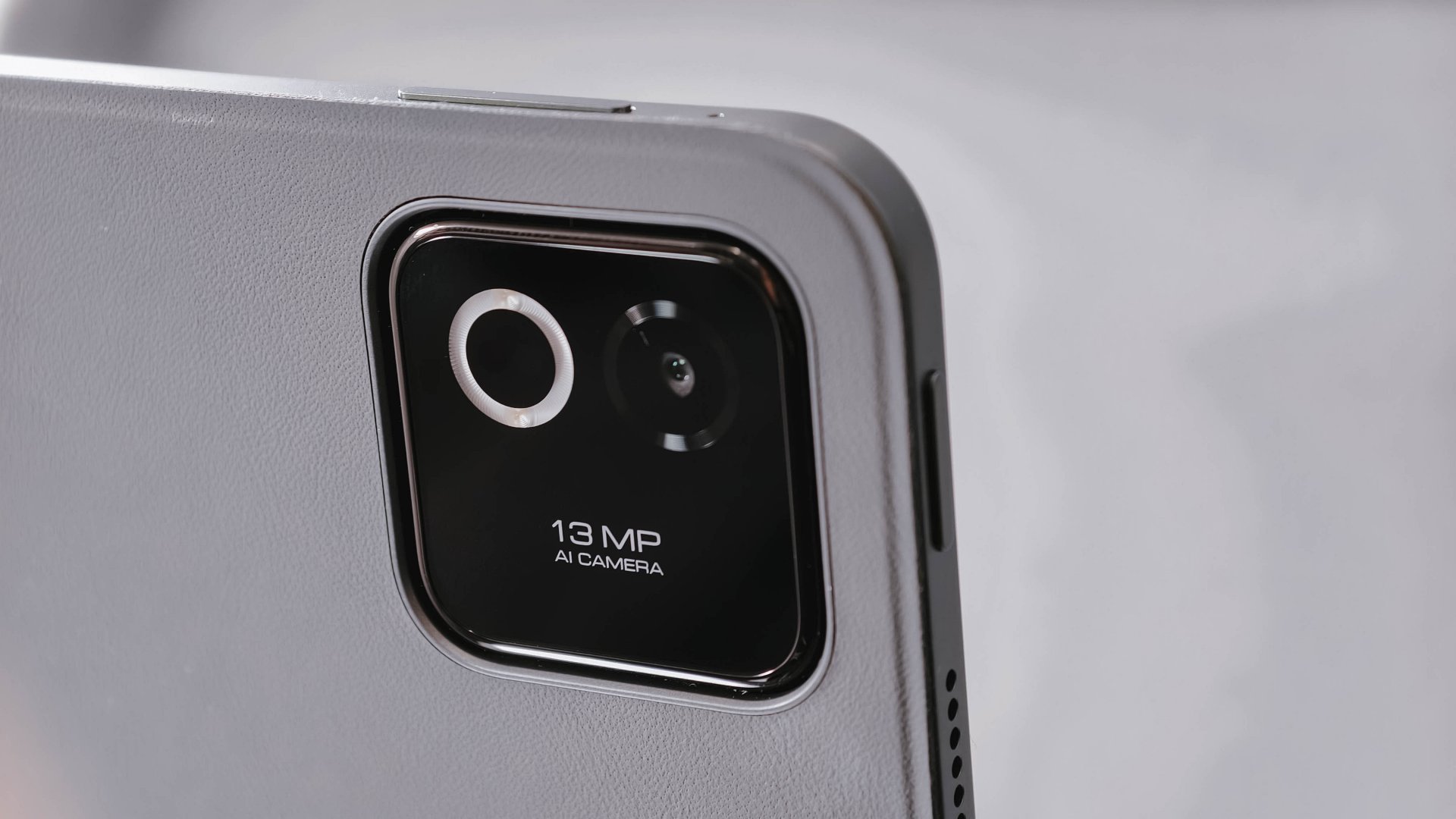
Additionally, there’s that 8MP front-facing camera for calls (and maybe some selfies).
Connectivity-wise, standards are pretty high, as well: Bluetooth 6.0, USB-C 3.2 Gen 1, even Wi-Fi 7 support not left behind.
Battery blast
The only advantage its Pro sibling can brag about is its faster 67W HyperCharge speeds (over the slower 45W turbo charging in this tablet). Other than that, you’re basically getting the same battery treatment at 9200mAh.
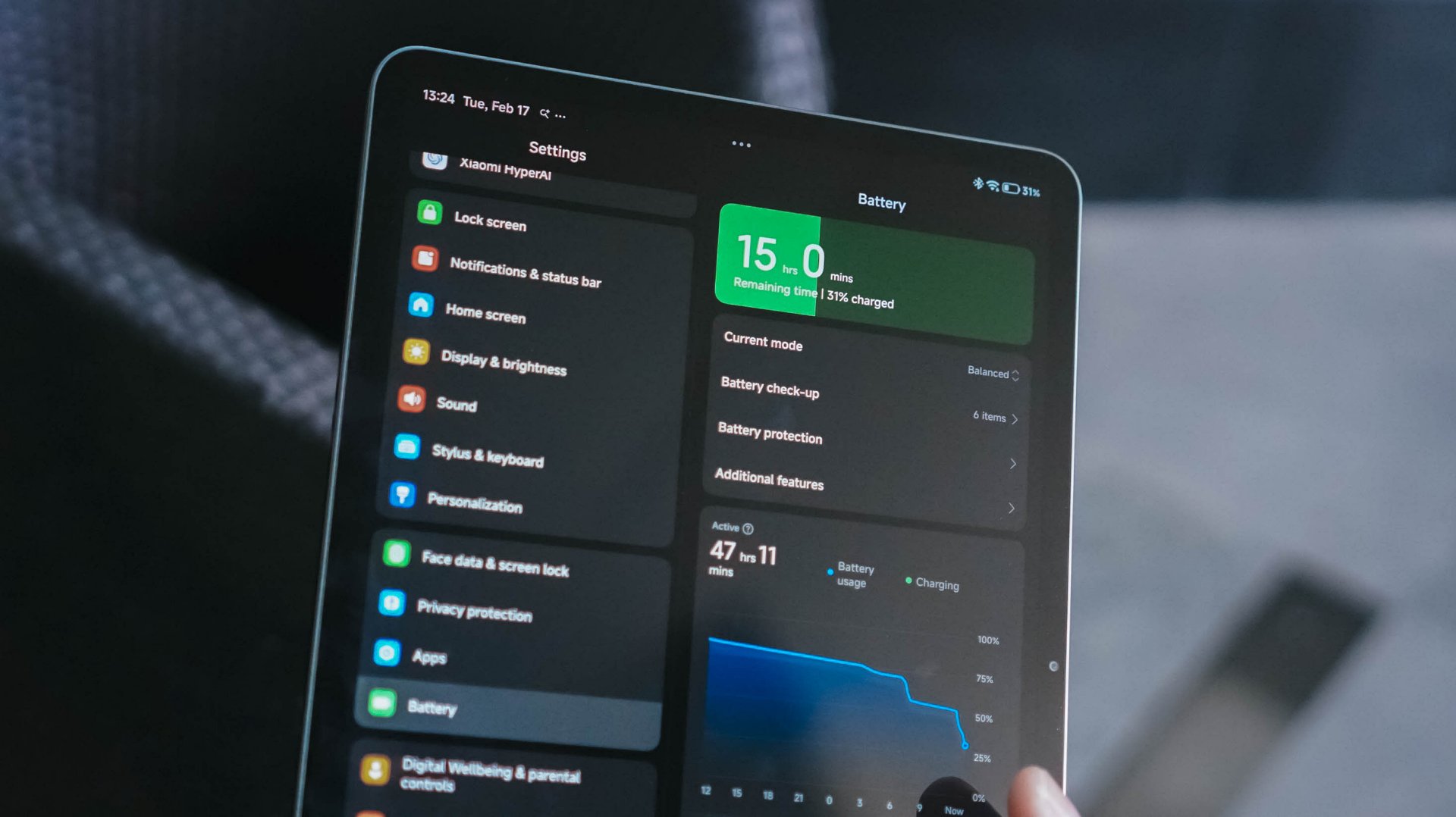
To be fair, that’s still an increment over Xiaomi Pad 7’s 8850mAh capacity.
Out in the real world, it managed to last before the night ended.
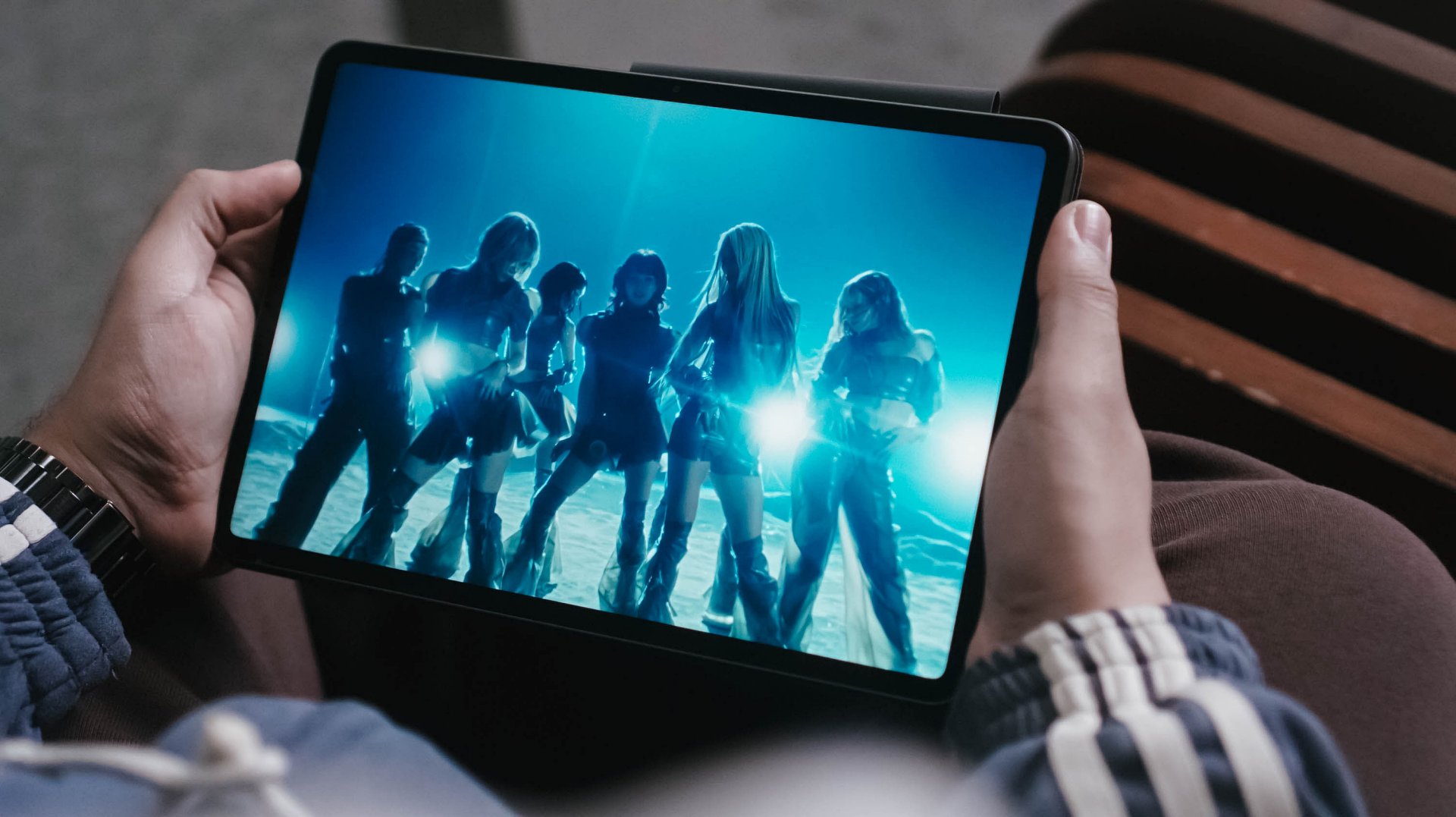
I was able to watch 4K music videos and live performances, stream a K-Pop playlist I curated, plus type this review article. All that in around six to seven hours of usage before the tank finally drained out.
During standby, it totally lasts more than that. When I was not using it as I was in a heavy editing rush with my Mac, the tablet remained in my table for around two (2) days and the tablet still has 38% charge left.
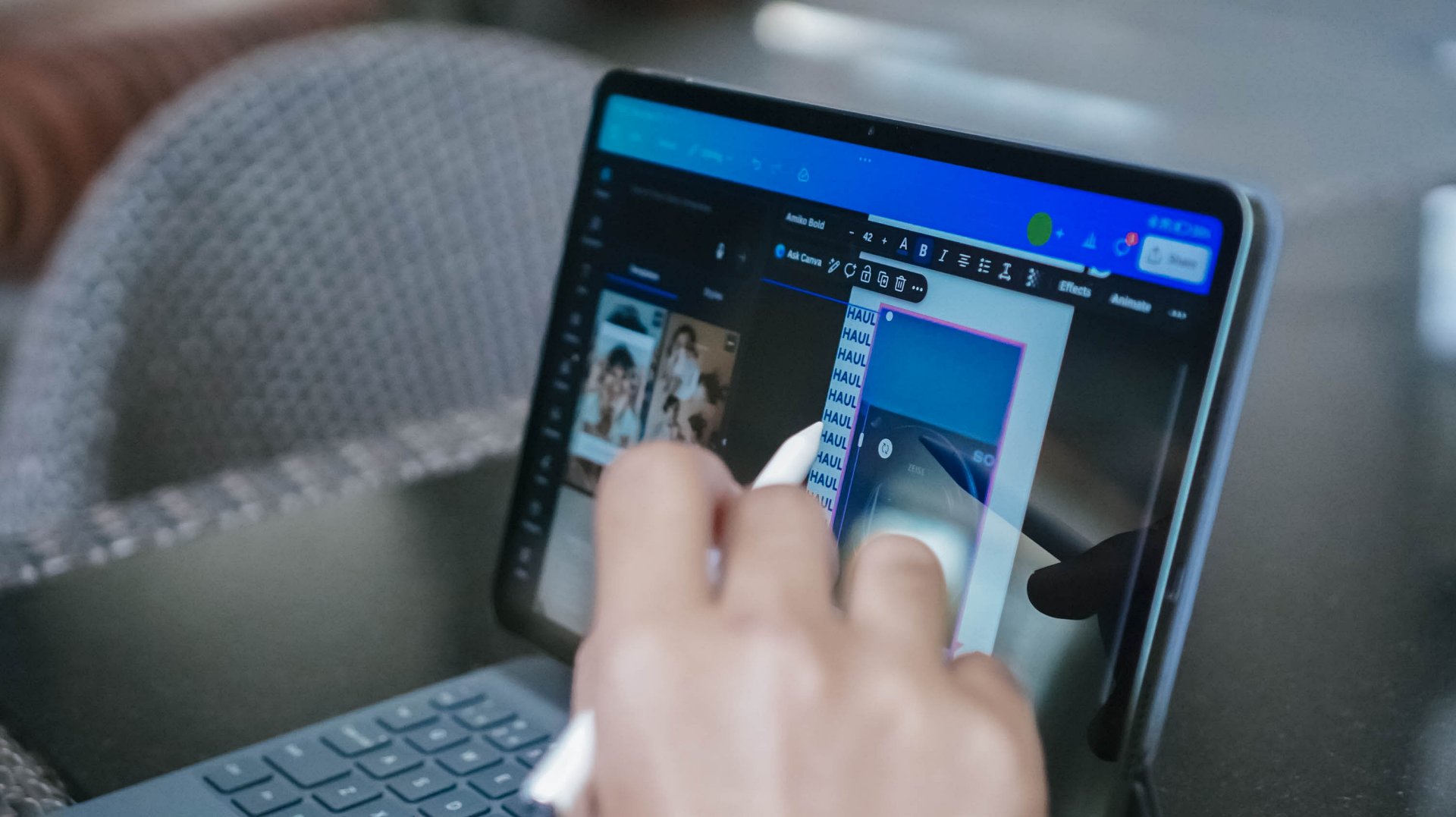
As expected, the biggest battery drain happens when using it for gaming or other graphics-reliant tasks such as editing videos in CapCut for Reels / TikTok, doing graphics in Canva, or even post-processing heaps of stills in VSCO.
No tablet is perfect
While the Xiaomi Pad 8 looks excellent on paper, software experience kind of ruins the overall tablet experience.
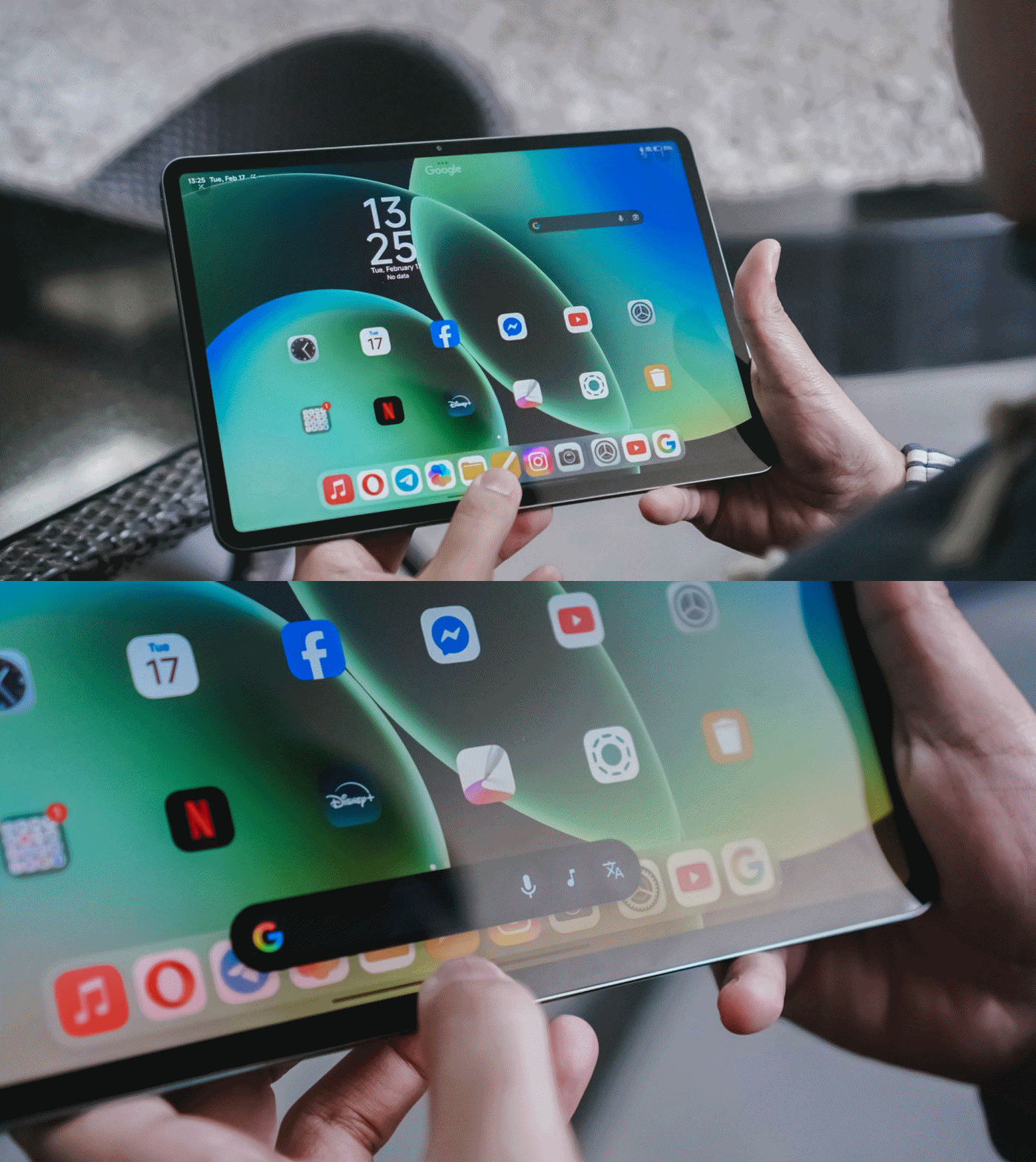
The Xiaomi Pad 8, just like any other new device, possesses AI tools that are beneficial to make your tasks easier. Google’s Gemini and Circle to Search functions are also ever-present. So, what am I even ranting about?
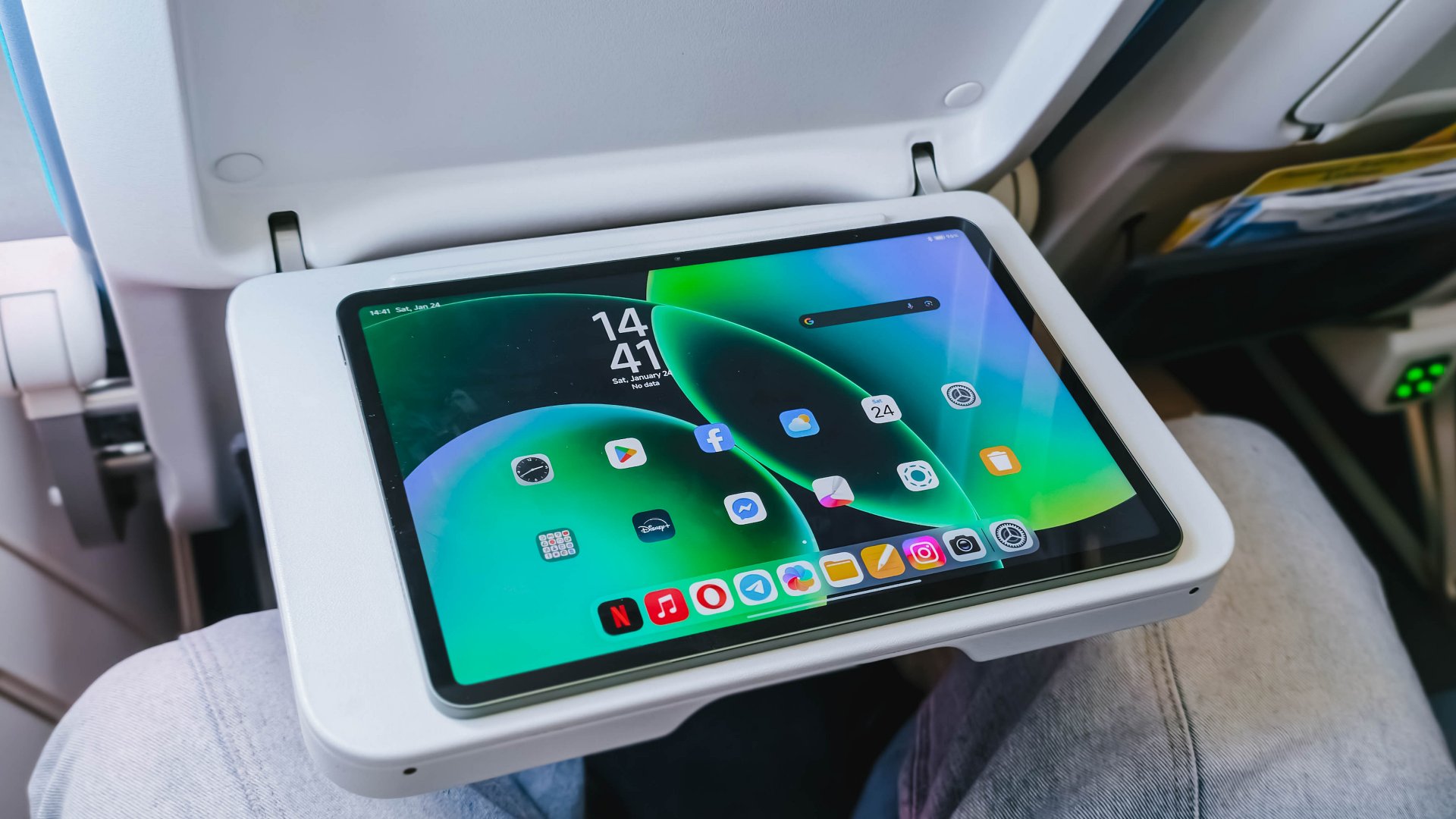
Frankly, Xiaomi’s HyperOS already feels like an after-thought, yet it doubles-down as it’s literally just an oversized layout of what’s already running among Xiaomi, REDMI, and POCO phones.

HONOR MagicPad 3 with MagicOS 9
Most Android makers have already improved and adapted towards a better tablet experience just to rival Apple’s iPad. For instance, HONOR’s MagicOS for tablets (and even phones) lets me resize folder icons the way I wanted it.
It truly bums me how Xiaomi even missed adding this feature at least to their tablets. I feel like its large screen real-estate is being wasted and not being fully-maximized.
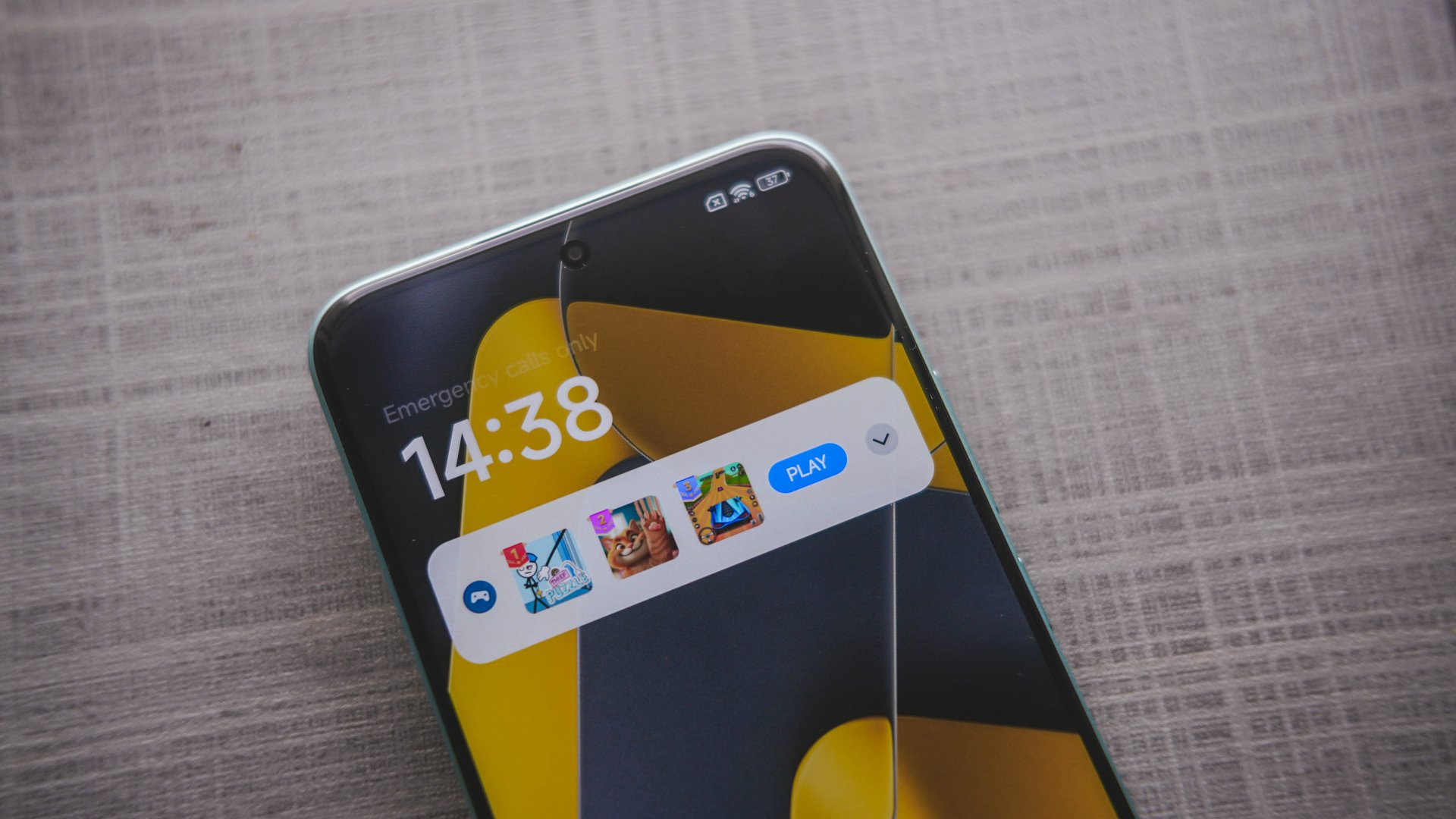
POCO M8 Pro with game ad notification on lock screen
Heck! Even its native File Manager app consists of blatant ad placement, and that’s just one. First time I witnessed this was during my time with the POCO M8 Pro when it popped-out a games ad — all disguised as a notification pop-up.
Other than software, hardware isn’t a total miss. I mean just look at the inconsistency of components used:
Storage (ROM) |
|
8GB |
UFS 3.1 (slower) |
12GB |
UFS 4.1 (faster) |
Memory (RAM) |
|
8GB |
LPDDR5X (fast enough) |
12GB |
LPDDR5T (way faster) |
Can we blame AI for these shortage of components and the continuous cost hike? Well, these tech giants only have a definite answer to that.
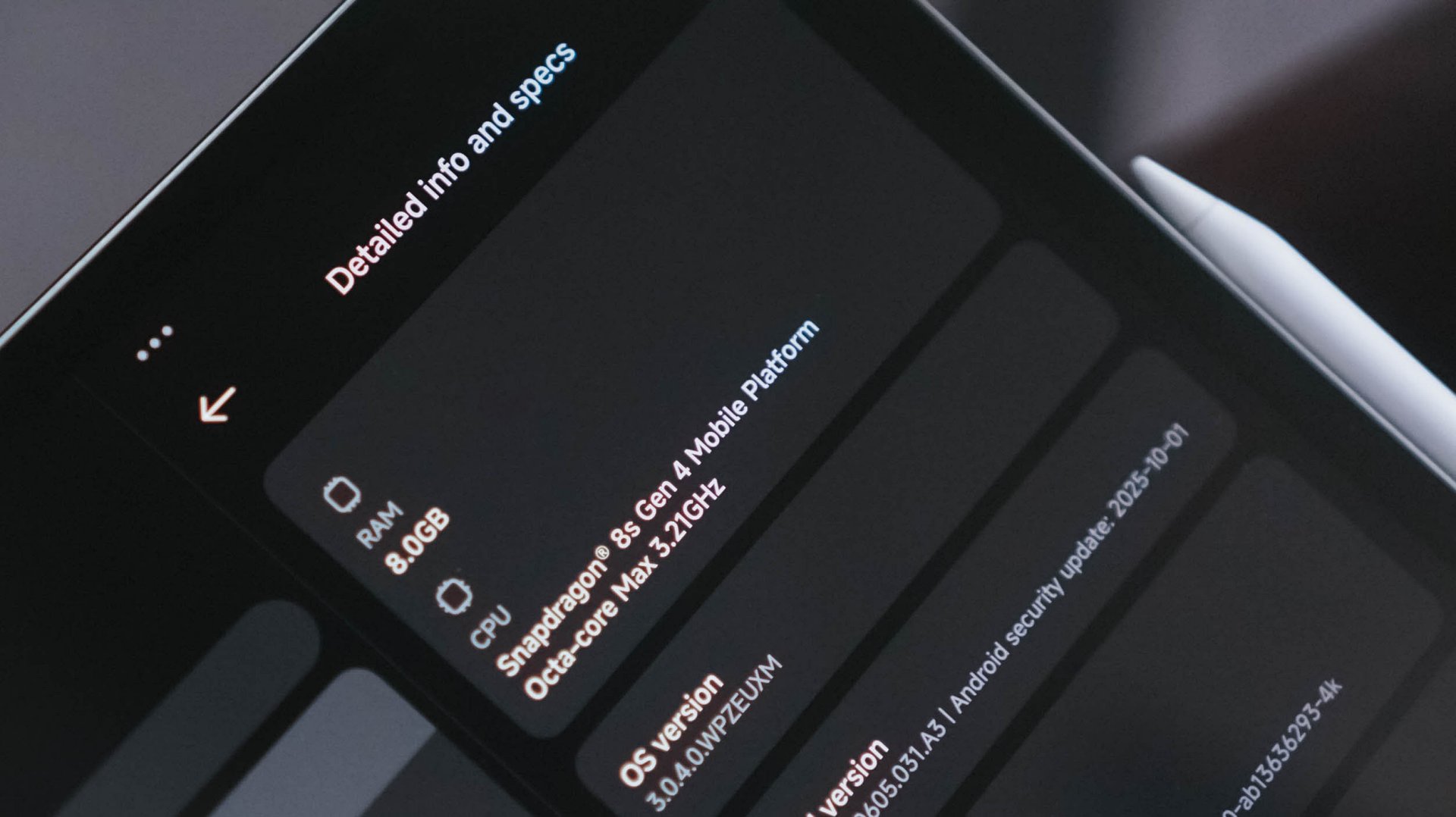
And while we’re already at it, its storage options felt limiting.
For a powerful pad like this that runs a speedy and reliable chip, the 128GB storage capacity I have isn’t enough to install games. Ultimately, it’s why I skipped testing out Zenless Zone Zero with how massive the game data is. A 512GB variant could have also been a great addition.
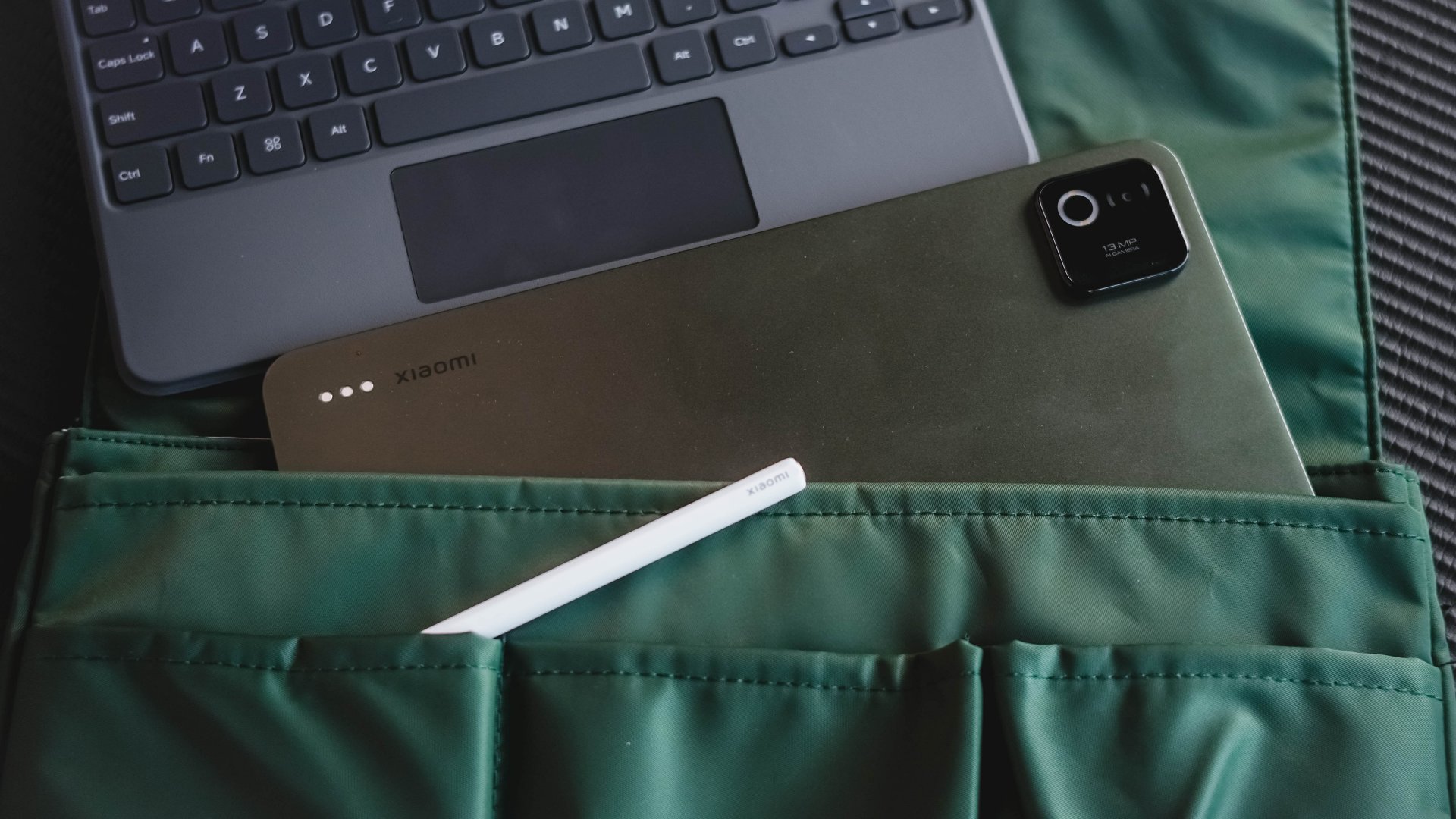
Lastly, while its all-metal build feels premium to the touch, you have to be wary that it’s also a huge smudge and dust magnet (or “smudg-net” in my vocab).
It might just be the subdued Pine Green colorway that I rock — which looks classy enough. I’m not sure if the same can be said when you pick either its Blue or Gray shades.
Is the Xiaomi Pad 8 your GadgetMatch?
Much like its sweet screen treat, the Xiaomi Pad 8 is a sweet deal at just EUR 449.9 (about US$ 532).

One thing’s for sure: no tablet, not even the Xiaomi Pad 8, can surpass my powerhouse that I use on a daily basis for the work I do. However, for all the strength it offers, the Xiaomi Pad 8 is a tablet you just cannot ignore.
The Xiaomi Pad 8 is a Swipe Right for all things considered: display in the Goldilock’s Zone (both in size and quality), a truly capable chip within its core, battery that lasts you until the end of the day (or two), plus host of accessories that truly make up for that “PC-level” productivity.

The only things I can think of why you need to Swipe Left are none other than Xiaomi’s plagued HyperOS and slower charging standards despite its massive battery. Other letdowns such as the glossy display, actual display tech used, and smudge-net finish are all arguable — and it may or may not entice you to own one.
Despite all that, it’s still a worthy recipient of the GadgetMatch Seal of Approval. While other brands focus too much on either entry-level or maxed-out models, Xiaomi hit the right spot not just in hardware, but also in price.
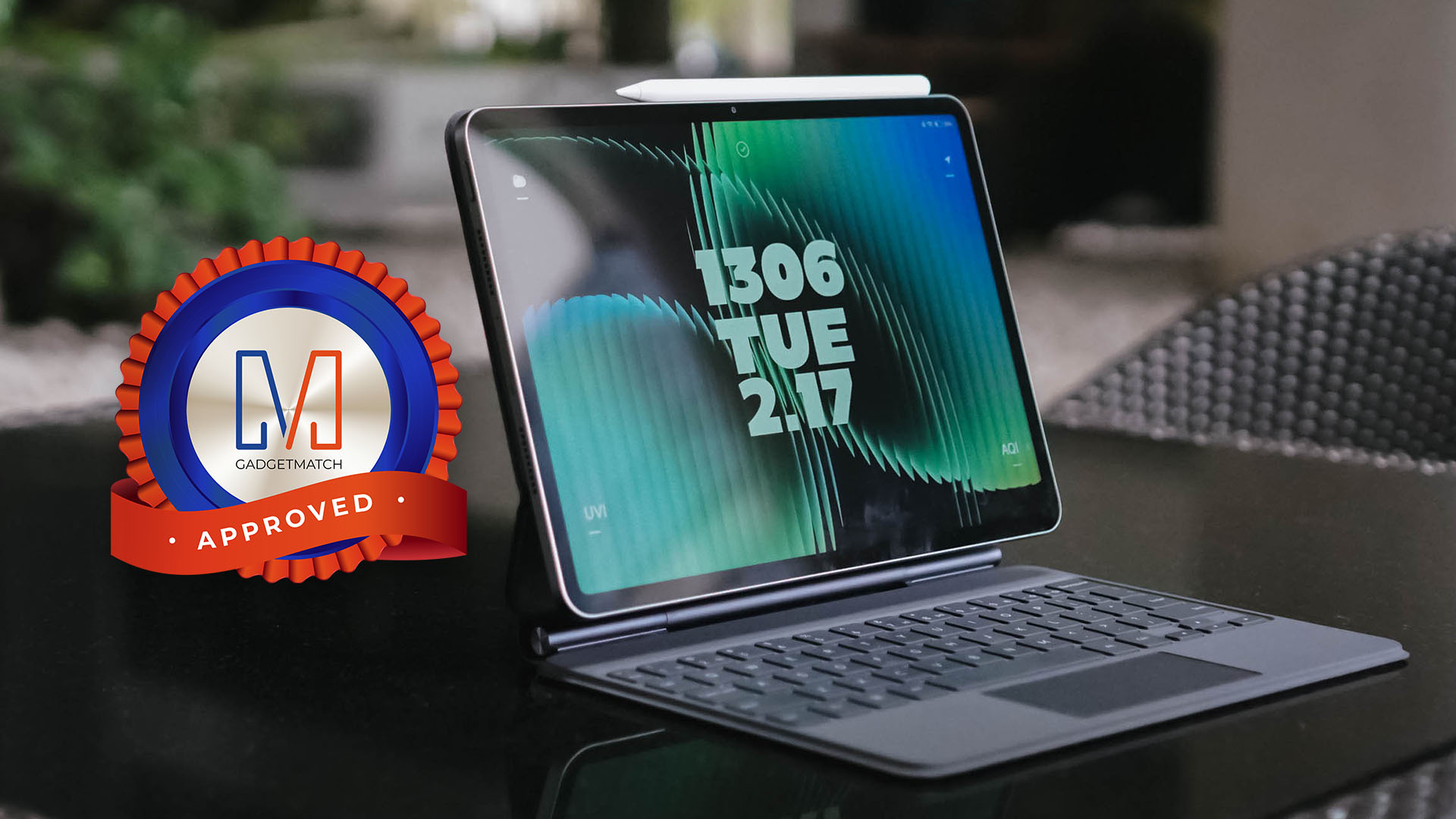
My only buying advice is to save up more and get the 256GB configuration to achieve faster storage and memory speeds, unless you will just use it as your screen companion and nothing else (I mean, it’s still your money at the end of the day).
Now, if only Xiaomi decides to deeply reflect on making the HyperOS reliant for its line of pads, it could set a solid footing on the “well-rounded” tablet throne — not just a tablet that’s great, hardware-wise.


I’m starting to think that cosmic horror is near-impossible to adapt to the big screen. Often, the point of this subgenre of horror is to showcase the unfathomable, a horror so unknowable that it’s impossible to describe. Now, for a medium that thrives on “show, don’t tell,” a full-length movie doesn’t seem like the best format for this type of horror. I’ve seen so many cosmic horror films, and a majority of them fail to land the satisfaction of a more traditional horror film.
Iron Lung, directed by and starring Markiplier, takes a stab at this elusively complex genre.
After the sudden disappearance of stars and planets in the universe, a lone space station explores a nearby moon to search for a way to save humanity. The catch is that the entire moon is covered in an ocean of blood. A convict, played by Markiplier, is tasked with exploring the moon in a one-man submersible, in exchange for his freedom.
Naturally, an ocean of blood isn’t the best place to be. The moon’s ocean hides mysteries and monsters beneath all the gore.
On the impossibility of cosmic horror
Though a movie is all about showing and not telling, Iron Lung navigates through these intricacies by not showing anything.
Because everything is just blood outside, the submarine needs a special camera that takes only grainy photos directly in front of the submersible. There’s always a sense of claustrophobic dread. What’s outside the submarine? What were those sounds? Did the camera really take a photo of something alive?
The film’s premise alone is a perfect source of horror. This is where cosmic horror thrives: on the questions, on the tiny sneak peeks of a monster lurking around the corner.

But, then again, this is also where the subgenre can paint itself into a corner. Eventually, audiences ask for more. They need to see and know the beast for real. Think Cloverfield, when the massive alien finally shows its face, or The Nun with… well, The Nun.
It’s an unwritten rule in horror films that the monster must make an appearance. It becomes a paradox for cosmic horror because the beast must also be unknowable.
When the beast finally shows up in Iron Lung, the audience never learns an understandable reason why it’s stalking the submarine. It’s not hungry, it doesn’t want revenge, and it doesn’t want to take over the world. It just is.
Is that a satisfying enough conclusion? If you’re a fan of cosmic horror, then it’s par for the course. However, if you’re more used to the more traditional horror film, it might leave you wanting more.
On madness
A mysterious monster isn’t the only thing that cosmic horror is known for. It’s also about madness and how the protagonist goes insane after seeing the unknown.
It’s apropos, then, that the convict starts hallucinating right after seeing a glimpse of the ocean’s beast. He starts to lose track of what’s real and what’s not.
In other movies, madness is an effective tool in subverting expectations and amplifying the horror. For example, in The Lighthouse, Winslow, the protagonist, also loses his sanity and questions reality. The film is all about this descent into madness and the questionable actions as a result from it. In Shutter Island, madness is a punchline, a plot twist that invites the audience to revisit the entire film and question their own perception.
Iron Lung, however, is neither a complete descent nor a plot twist. Rather, it’s a clear third act stemming from the convict’s encounter with the monster.
Since it’s clearly delineated in the third act, it’s hard to empathize with the convict’s plight. There’s a sense of vertigo moving from a creature feature into, in the convict’s own words, “alien shit” where you’re not sure of what’s real. Likewise, it’s not a plot twist either. You don’t reevaluate whether the entire movie was a hallucination.
Madness is understandably a major plot point of the original game that the movie is based on. However, its translation into film isn’t the smoothest. It’s both too short and too long.
But is it a good film?
Despite its struggle with the format, Iron Lung is still a spirited attempt at a one-room horror film. Markiplier melds into his role and doesn’t just showcase his on-screen YouTube personality.

The premise is, at once, frightening. It’s eerie and creepy. There is always a pervasive need to figure out what comes next. That’s pretty much what you want from a movie anyway. Yes, the ending might be polarizing, especially to those more used to the usual horror film, but the journey is still worth the price of admission.
And, at the very least, the film got me interested in watching Mark’s original playthroughs.







vivo X300 Ultra officially unveiled at MWC 2026

Smart ends 2025 with revenue growth, higher ARPU, 5G adoption

vivo opens pre-orders for V70 in PH; discounts, more await

HONOR unveils Robot Phone concept at MWC 2026

HONOR partners with ARRI to bring cinematic image science to smartphones

Xiaomi 17 Ultra is now available outside China

TECNO will showcase the CAMON 50 and POVA 8 series at MWC 2026

PlayStation, LE SSERAFIM Chaewon team for the ‘Love of Play’ campaign

The art of being in and behind the frame

HUAWEI MatePad 11.5 S 2026: The better-than-ever 4-in-1 productivity tablet


-
 News2 days ago
Xiaomi 17 Ultra is now available outside China
-

 Camera Walkthrough1 week ago
OPPO Reno15 Pro: Camera Review
-
 First Look2 weeks ago
Match Pulse: Infinix NOTE 60 Pro
-

 Cameras2 weeks ago
Osmo Pocket 4 makes a surprising appearance in public
-

 Gaming2 weeks ago
LG unveils UltraGear evo, redefines 5K gaming with AI Upscaling
-

 News2 weeks ago
iPhone 17 Pro Max is somehow the most traded-in phone today
-

 News1 week ago
HUAWEI launches Mate X7, MatePad 11.5 S 2026, FreeClip 2
-

 Gaming2 weeks ago
PlayStation 6 reportedly delayed to 2029 because of RAM shortage