

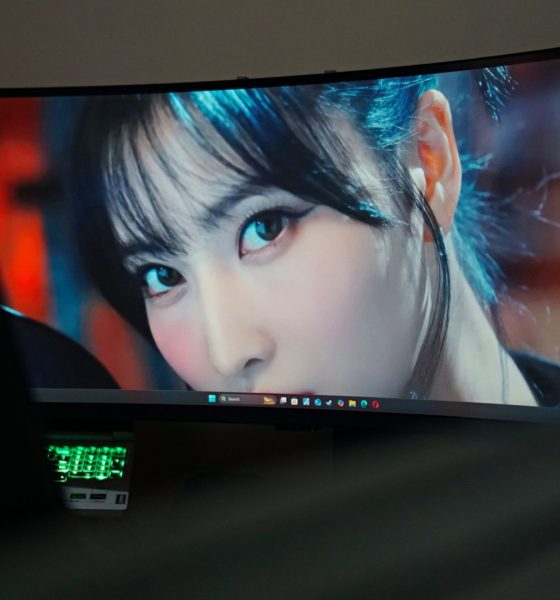

You know how you don’t really want something until you actually try it for yourself? That’s exactly what happened between me and the Samsung Odyssey G9. This beast of a monitor has been around for a few years, but I never gave it much thought until Samsung graciously let me try one.
Spoilers: I don’t know what I’ll do once they take it away.
The Odyssey G9 is billed as a gaming monitor, but I mostly used it for work. I genuinely didn’t expect a widescreen display to make a difference — but after spending a few weeks with it, I can’t imagine going back to a non-ultrawide setup. Not just for the visual real estate, but for how it quietly reshaped my workflow.
My usual PC workspace
For years, I’ve relied on the multiple desktop feature on both PC and Mac to organize how I work. One desktop is strictly for writing, research, and productivity. Another is reserved for the multiple chat apps I use on the daily: Telegram, Messenger, WhatsApp, and even Viber. And then there’s one for quick social breaks — Twitter, Instagram, or whatever flavor of distraction I need at the time.
It’s a neat, compartmentalized system that works well on smaller displays, and I was convinced this was the only way I could stay focused. Anything else, I thought, would only slow me down or break my rhythm.

Enter the Samsung Odyssey G9
To test the Odyssey G9, I had to fully rearrange my workspace just to make room for it. This thing is massive — and not in a gimmicky way. It’s a 49-inch ultrawide monitor with a 32:9 aspect ratio and an immersive 1000R curvature that wraps around your field of view. The model I tested was the LC49G95TSSNXDC, which runs on a QLED VA panel, supports HDR1000, and pushes a crisp 5120×1440 resolution at up to 240Hz refresh rate with a 1ms response time.
Specs aside, it’s one of those devices that just looks absurd… until you sit in front of it.

I didn’t even use the entire ultrawide screen for this one.
Having a larger and wider screen also rejuvenated my interest in video editing. Being able to see your canvas and timeline feels so refreshing. That’s especially true for someone who has mostly worked on a 13-inch display for the better part of a decade. Seeing everything clearly — layers, preview windows, audio tracks — without constantly zooming in and out felt like a game-changer.
I quickly discovered that with this much screen space, I didn’t need to isolate workspaces across desktops. Everything I needed could now exist in a single view. I still use multiple desktops, but not for segmentation — now they’re just extensions.
A productivity powerhouse

I can’t really show you what I usually work on so just think of this division as how I usually split my screen. STAYC Isa on the left for extra work things and sometimes YouTube. TWICE Momo in the middle for my main work things. And LE SSERAFIM Chaewon on the right for the multiple chat apps and socials.
Technically speaking, a 5120×1440 display is the same as having two 1440p monitors fused together — but without the physical bezels or the mess of dual-monitor cable management. That alone already makes it a more elegant solution.
Compared to a traditional two-monitor setup, the Odyssey G9 felt more cohesive and far less chaotic. I didn’t need to turn my head as much, and the 1000R curve actually helps reduce eye strain because it matches your natural field of vision.

You can split the monitor screen in many different ways.
Whether I was writing, editing timelines, cross-checking documents, or responding to messages, everything felt fluid. It’s one of those quality-of-life upgrades that doesn’t shout for attention but gradually seeps into your muscle memory — until it just feels wrong to go back.
Gaming

Stellar Blade on PC with ultrawide screen support
The Odyssey G9 was made for gaming, so of course I had to put that to the test. I primarily game on consoles, but thanks to PC ports with ultrawide support, I gave titles like Horizon Forbidden West and Stellar Blade a spin — the latter being my main obsession for a while.
At first, I didn’t know what to do with all that extra horizontal space. My attention stayed mostly in the center, and I ignored the wingspan of visuals stretching out to either side.
That changed once I loaded up RoboCop: Rogue City — a first-person shooter where I ditched the controller for a mouse-and-keyboard setup. That format, combined with the monitor’s wide field of view, took me right back to Counter-Strike LAN days. Only now, I could see so much more.
Peripheral vision matters in FPS games, and the Odyssey G9 gives you more of it. Enemies that would normally be out of sight pop into your awareness just enough to make a difference. Paired with the 240Hz refresh rate and FreeSync Premium Pro support, motion stays buttery smooth even during intense firefights.

Not a game but here’s what the pillarbox looks like. Watching Zoey from KPop Demon Hunters on Netflix.
Not all games support ultrawide, though. Some titles pillarbox to 16:9 or stretch awkwardly, so it’s worth checking compatibility if your primary use is gaming. But when games do support it? It’s like discovering an extra layer of immersion.
A second HDMI? Yes, please

Here’s what it kind of looks like with an even split of the screen. ITZY Ryujin on the left and ARTMS Heejin on the right.
One feature I didn’t fully take advantage of — but can totally see the value of — is the second HDMI port. The Odyssey G9 supports Picture-by-Picture (PBP), which means you can connect two devices and view them side-by-side on the same screen.
For most people, that could mean a PC and a console, or a laptop and a streaming box. For content creators or streamers, it might be monitoring a live chat on one side while editing or gaming on the other. And since the monitor auto-detects active inputs, it doesn’t take much fiddling to switch or toggle between them.
My workspace didn’t let me make full use of this, but it’s the kind of utility feature that can make a real difference for multitaskers and hybrid setups.
Is the Samsung Odyssey G9 your GadgetMatch?

I went into this expecting a cool gaming monitor — something flashy and impractical that I’d enjoy briefly and then move on from. Instead, I found myself rethinking how I work and how I play.
The Samsung Odyssey G9 isn’t a monitor for everyone. It’s large, pricey, and overkill for casual use. But if your time is split between work and play — especially if your work involves content creation, video editing, research-heavy tasks, or heavy multitasking — this is the kind of upgrade that can change how you see your workflow.
After spending time with it, even the idea of returning to a flat 16:9 panel feels limiting. Once you’ve had a taste of this kind of immersion, it’s hard to unsee it.
The Odyssey G9 didn’t just make gaming better. It made everything better. And now that I’ve had it in my space, I know one thing for sure: I’m going to miss it when it’s gone.






Computers
AMD expands Ryzen AI Embedded P100 series lineup
Scalable, efficient AI compute for industrial, edge solutions

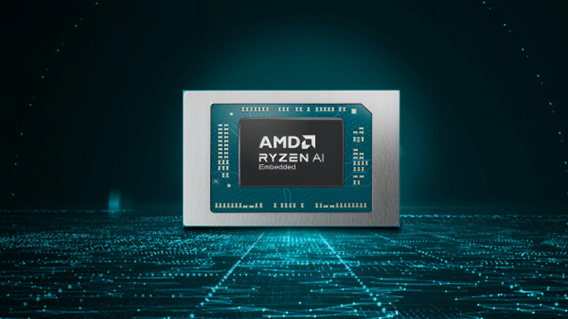
AMD has recently announced the expansion of its AMD Ryzen AI Embedded P100 Series processor lineup.
This enables scalable and power-efficient AI compute tailor-built for industrial and AI edge systems. Scenarios include factory automation, physical AI in mobile robotics, and other AI-driven edge applications.
With eight to 12 high-performance Zen 5 cores, AMD ROCm support, and up to 80 total system TOPS, the new x86 embedded APUs deliver up to:
- 2x more CPU core counts
- 8x higher GPU compute
- 36% higher system TOPS
This way, developers and system designers get an expanded and scalable portfolio of power-efficient edge computing solutions. These processors support real-time AI from vision to control and reasoning, as well as offer advanced graphics capabilities.
On a single chip, clients get up to 80 TOPS physical AI acceleration, AMD RDNA 3.5 graphics for real-time visualization, and an NPU based on the AMD XDNA 2 architecture.
Moreover, the processors can withstand industrial temperature ranges (-40° C to 105° C) and can support continuous 24/7 operations for up to 10-year life cycles. That’s along with low-latency and power-efficient AI inference.
Real-life applications include intelligent factories, autonomous robots, and medical imaging devices. For instance, the processors can deliver CPU performance required for real-time inspection and process optimization.
For mobile robots, meanwhile, processors can manage navigation, motion, control, and route planning while the GPU processes multi-camera feeds for spatial awareness.
Furthermore, for 3D health imaging, the processors can enable the powering of 3D imaging for ultrasounds, endoscopes, tissue classification, and tumor detection at the edge. This is done with models like U-Net, nnU-Net, and MONAI.
The processors then accelerate image-to-report workflows with MedSigLIP and support clinical reasoning and Q&A with Med-PaLM 2.

GIGABYTE and Capcom have collaborated for a limited time Resident Evil Requiem-inspired custom PC giveaway.
The setup is inspired by the title, which recently released, and includes an exclusive monitor game bundle to bring players closer to the experience.
Headlining the collaboration is the Umbrella Corporation — Level 3 Access custom rig giveaway. It is one of a kind, fully-built desktop featuring a Z890M AORUS ELITE WIFI7 ICE motherboard and RTX 5080 AERO OC SFF graphics.
Of course, it draws inspiration from the visual identity and atmosphere of Resident Evil Requiem. It also features a GIGABYTE C102 GLASS ICE chassis design and custom GIGABYTE MO27Q28G gaming monitor to complete the setup.

The giveaway runs from March 2 to March 31 via the official campaign website. Fans can enter for a chance to win the custom rig, with no purchase necessary. The only caveat is that they have to be a United States or Canada resident.
Such experience is designed to invite players and PC enthusiasts alike to engage with the collaboration while highlighting GIGABYTE’s premium hardware craftmanship and attention to detail.
In addition to the giveaway, GIGABYTE is also offering a Resident Evil Requiem game bundle with select gaming monitors. Included are AORUS brand monitors, ranging from 27 to 55 inches in size.
This bundle is available until March 31. Customers who purchase eligible models can redeem a digital game code through GIGABYTE’s official redemption platform.
The featured monitor is the MO27Q28G, which has fourth generation WOLED panel with 280Hz refresh rate and 0.03ms response time. It is an ideal monitor to experience the spine-chilling terror and death-defying action of the title.
Computers
AMD announces Ryzen AI 400, AI 400 PRO series at MWC 2026
Offering support for next-gen AI PCs, Copilot+ experiences
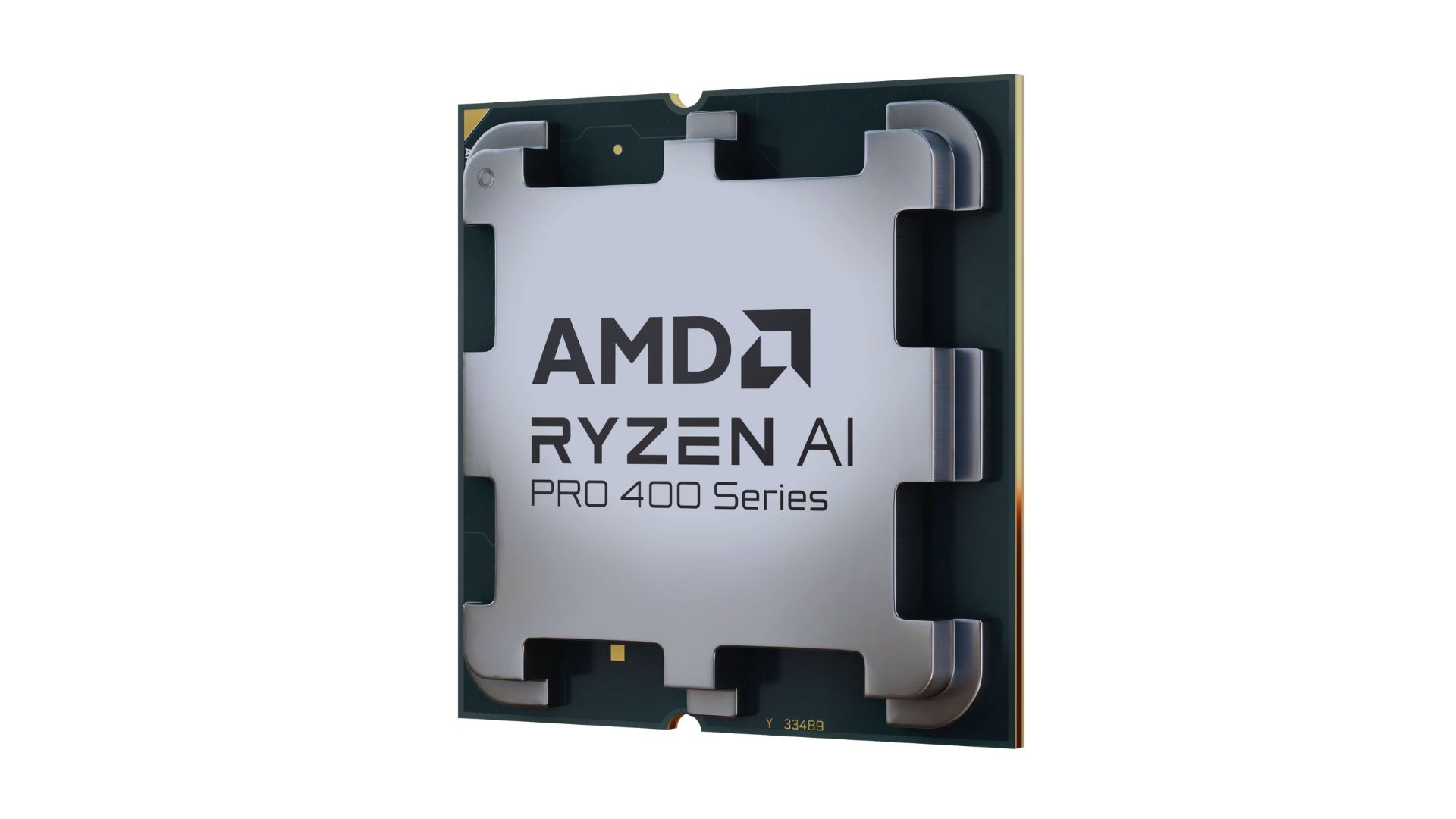
AMD announced new products and initiatives at MWC 2026 Barcelona, headlined by their newest Ryzen AI 400 and Ryzen AI PRO 400 series processors.
These latest processors are built on the AM5 platform and advanced Zen 5 architecture, delivering next-generation experiences for both consumer and commercial scenarios.
The additions enable original equipment manufacturers (OEMs) to offer next-gen AI PCs across high-performance desktops, laptops, and mobile workstations optimized for modern workloads.
Along with dedicated AMD XDNA 2 NPUs and AMD RDNA 3.5 graphics, both series offer up to 60 TOPS of NPU AI compute, exceeding the requirements of Copilot+ PCs.
As such, these enable powerful on-device AI performance, including running LLMs locally and tackling compute-intensive applications for design and engineering.
The Ryzen AI 400 series processors are also the first for next-gen desktop AI PCs to support Copilot+ PC experiences. Featuring an NPU providing up to 50 TOPS of AI compute, these processors enable running AI assistants and productivity tools locally.
In addition, AMD is expanding the Ryzen AI 400 series mobile portfolio to include workstations. Some that are expected to release in Q2 2026 include products from Dell, HP, and Lenovo.
AMD PRO initiative
Furthermore, AMD announced AMD PRO for enterprise-grade security, manageability, and reliability.
This is done through foundational hardware and software designed to simplify IT operations and protect investments over time.
AMD says it will continue to evolve the AMD PRO platform by strengthening both its silicon foundation and software stack.
This will support enterprise IT teams managing distributed AI-enabled PC fleets. Meanwhile, expanded remote management features improve visibility, recovery, and control.




Hermès launches a $5,000 MagSafe charger

REDMI Note 15 Series named Presenting Partner for Spartan Race Philippines 2026 season

Stylish, student-friendly HONOR X8d launches

The HONOR X8d is serviceable

Why the OPPO Reno15 5G series is a creator’s essential


-

 Reviews2 weeks ago
The Xiaomi 17 shoots Leica dream
-

 Reviews4 days ago
POCO X8 Pro Max review: A new beast from the far east
-

 News4 days ago
POCO X8 Pro Series: Price, availability in the Philippines
-

 Laptops1 week ago
Apple MacBook Neo Review
-

 Computers2 weeks ago
GIGABYTE collaborates with Capcom for RE Requiem custom PC
-

 Apps1 week ago
Google Maps is finally getting a 3D mode
-

 Entertainment1 week ago
The internet is thirsting over the One Piece Season 2 cast
-

 News2 weeks ago
Globe postpaid opens pre-orders for Samsung Galaxy S26 series